Armorpaint: FBX Import with multiple meshes - objects reset position to origin
Windows 10 Pro x64, Build 1909.
ArmorPaint 817be55 built from repo today.
When importing FBX files all the contained mesh positions are reset to origin (0,0,0).
I tested with multiple scene's / FBX files, with and without Parse Transforms option on importer with same/similar position results in ArmorPaint.
This does not appear to affect OBJ files.
This seems like a regression to #81 ?
Attaching image to show result (and to verify my FBX's are not the issue), rear application is Marmoset Toolbag 3.08, front is ArmorPaint 817be55.

 Uro1
Uro1
All 5 comments
Hi @Uro1, are you able to throw me some random .fbx file to reproduce the issue? I attached a simple one which appears to work here (with Parse Transforms enabled), but I guess anything more complex fails - will take a look and fix! 🔨
 luboslenco
on 3 Dec 2019
luboslenco
on 3 Dec 2019
Hi @luboslenco , I put together this quick scene, exported as both obj & fbx files to compare.
- 4items-offset-from-point-of-origin(.obj/.fbx) - are the scene objects exported as is.
- 4items-offset-from-point-of-origin-reset-xform(.obj/.fbx) - are the scene objects with their transforms reset prior to export.
The obj files load fine for both files, the fbx files are reset in both.
With the tansforms reset before export in 2. they load in the correct orientation but still are all reset to point of origin.
I tested all files again in Marmoset Toolbag3 & in the 3D Viewer in Windows 10 and all appear as they do in 3dsMax as you can see from the viewport screenshot.
I hope you fill find these useful, I'm happy to do more test's as required to quash this issue.
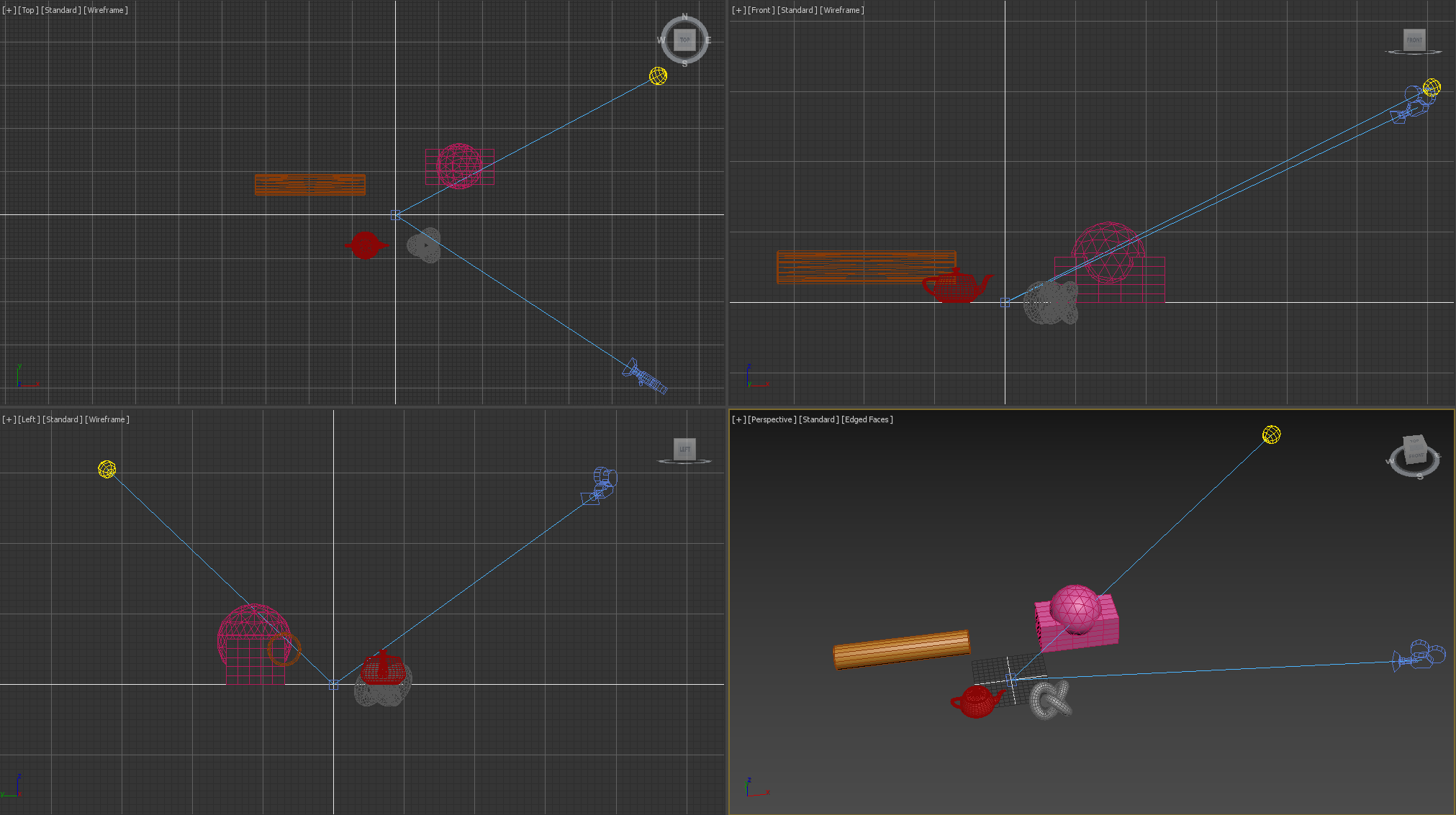 Uro1
on 4 Dec 2019
Uro1
on 4 Dec 2019
hey @luboslenco any progress/planned fix for this?
I tested latest build and still same issue.
Uro1
on 7 Apr 2020
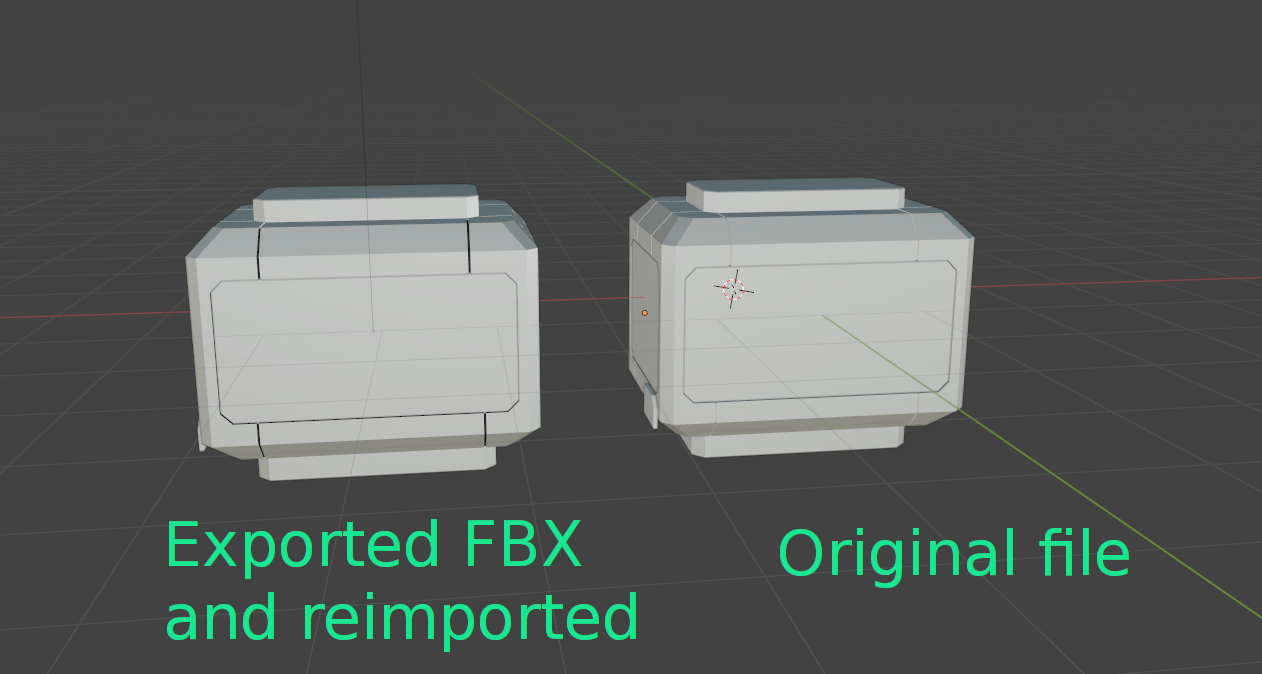
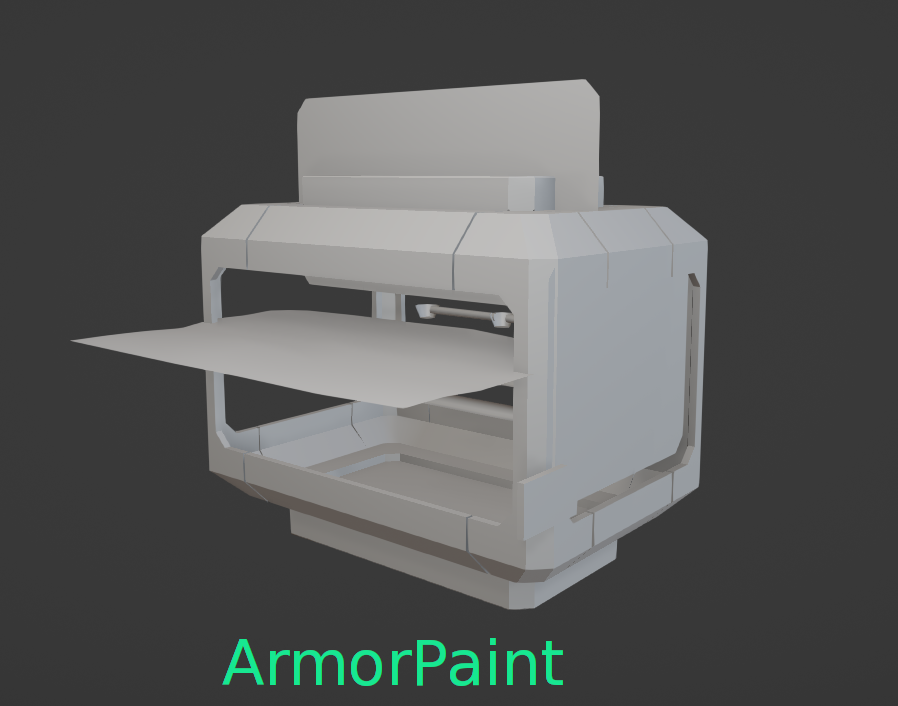
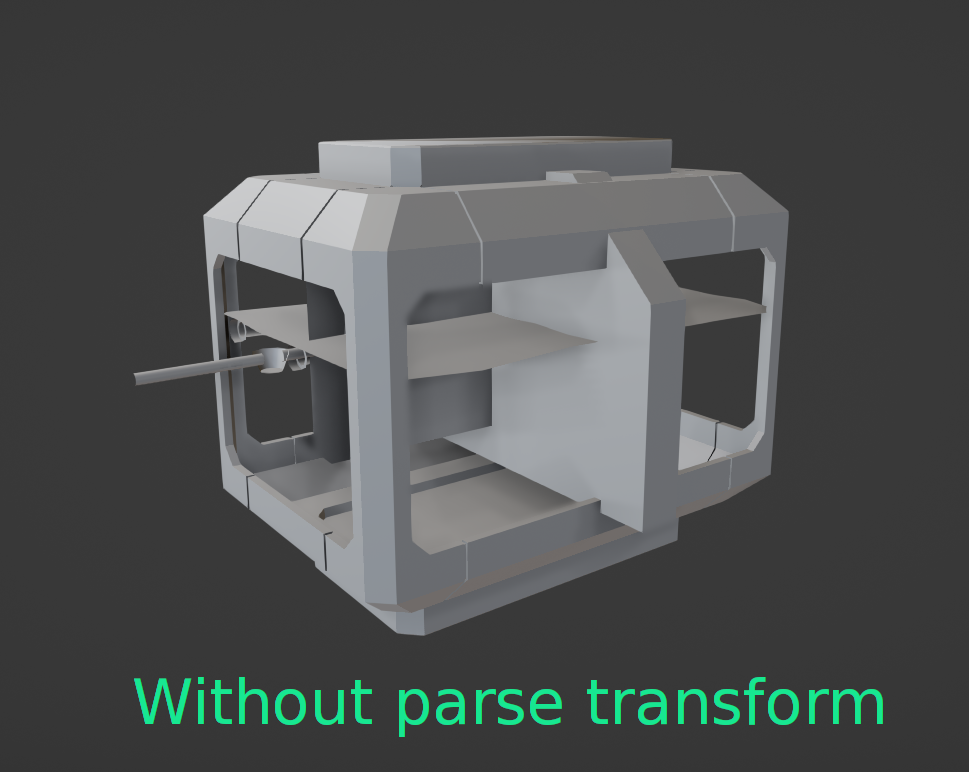
Hello, I noticed that there is the option to compute positions for fbx. While the objects don't get all jammed in the origin, they do, however, end up in different positions than expected.
This is how they look like in Blender:
This is how it looks like in ArmorPaint:
This is my fbx file:
 QbieShay
on 22 Aug 2020
QbieShay
on 22 Aug 2020
Thanks for the test files, pushed a fix at https://github.com/armory3d/armorpaint/commit/06209c536b0c5121b8139040c82b7214b6510176 - new builds will be up soon.

Note: When exporting from Blender, Z up, Y forward should produce the correct result. Alternatively the mesh can be rotated in ArmorPaint via Meshes tab - Tools... - Rotate X / Y / Z.
luboslenco
on 8 Jan 2021
Related issues
 MathemanFlo
·
3Comments
MathemanFlo
·
3Comments
 jcostello
·
3Comments
jcostello
·
3Comments
 Bob3DPaint
·
4Comments
Bob3DPaint
·
4Comments
 Niknokinater
·
3Comments
Niknokinater
·
3Comments
 ArieLeo
·
3Comments
ArieLeo
·
3Comments
Most helpful comment
Hi @Uro1, are you able to throw me some random .fbx file to reproduce the issue? I attached a simple one which appears to work here (with
Parse Transformsenabled), but I guess anything more complex fails - will take a look and fix! 🔨fbx_file.zip