Armorpaint: GL Errors, crash when changing material properties on Linux
Hi there,
I am using ArmorPaint v0.7 (2019-11-02) - 0163f27 on a Kali Linux (5.3.0-kali1-amd64 #1 SMP Debian) and when I run the program this is what I get :
# ./Krom ../../build/krom
Uniform N not found.
Uniform texUnpack not found.
Uniform step not found.
Uniform brushScale not found.
Uniform inplast not found.
Then if I edit a material and I change the base color a few times, this is the output :
Uniform brushScale not found.
Uniform brushOpacity not found.
Uniform brushScale not found.
GL Error 1282 ../../Kinc/Backends/Graphics4/OpenGL/Sources/Kore/RenderTargetImpl.c 170
.......
Uniform inplast not found.
Uniform brushOpacity not found.
Uniform brushScale not found.
Uniform inplast not found.
Uniform brushOpacity not found.
GL Error 1281 ../../Kinc/Backends/Graphics4/OpenGL/Sources/Kore/PipelineStateImpl.c 209

[1]    4252 segmentation fault  ./Krom ../../build/krom
Thanks in advance
 johhnry
All 5 comments
Hi,
- Which graphics card are you on?
- Are you able to paint normally until you change the material?
- Are you able to paint if you change the base color just once?
Thanks for report!
 luboslenco
on 2 Nov 2019
luboslenco
on 2 Nov 2019
Hi,
Thanks for your quick reply.
My graphics card is an Intel® HD Graphics 620 (Kaby Lake GT2).
Yes I am able to paint without changing the default material.
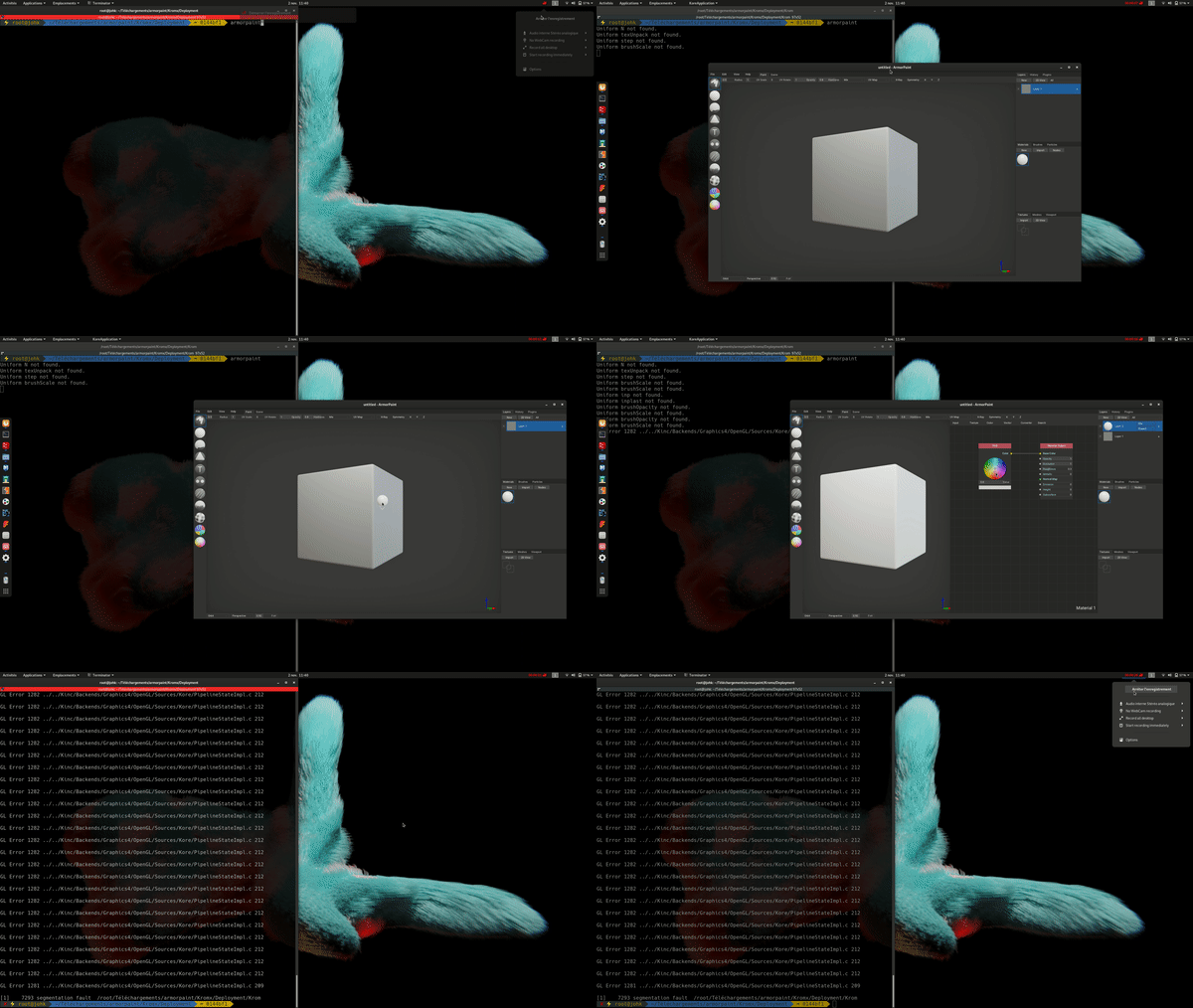
In fact I discovered that's it's only when I drag and drop the default material on the cube and then changing the base color of this material (or any other material properties) in the node editor that it crashes.
Here a gif to show the process :
johhnry
on 2 Nov 2019
Here is the Backtrace for AP 0.7 from GDB:
#0  0x000000000042b527 in ?? ()
#1  0x000000000042a24c in ?? ()
#2  0x00000000004166c1 in ?? ()
#3  0x0000000000a8037e in ?? ()
#4  0x0000000040092a08 in ?? ()
#5  0x00007ffff1b186de in ?? ()
   from /lib/x86_64-linux-gnu/libnvidia-glcore.so.430.50
#6  0x0000000000000000 in ?? ()
 cgvirus
on 6 Nov 2019
cgvirus
on 6 Nov 2019
@luboslenco Hello! I believe the issue has been resolved in 0.7 (2019-12-16) version for me. Thanks!
OS Debian 10 Bullseye/Sid.
NVIDIA-SMI 430.64
Driver Version: 430.64
CUDA Version: 10.1
GeForce GTX 950
cgvirus
on 18 Dec 2019
😍 Glad to hear!
luboslenco
on 21 Dec 2019
Related issues
luboslenco
·
4Comments
 Stromberg90
·
3Comments
Stromberg90
·
3Comments
 JanLoehr
·
3Comments
JanLoehr
·
3Comments
 LiamBester
·
4Comments
LiamBester
·
4Comments
 Niknokinater
·
3Comments
Niknokinater
·
3Comments