Appium-desktop: How to use a different version of Appium
Hi All,
Earlier I have installed appium 1.6.3 and generated webdriveragent to test ios 10 mobiles. I am able to run tests.
Today i have installed appium-desktop for inspecting elements where it is using appium 1.6.4. when i started my new session i am getting below error
[Xcode] 2017-04-03 12:41:53.194 xcodebuild[1915:39792] Error Domain=NSCocoaErrorDomain Code=260 "The file “WebDriverAgentRunner-Runner.app” couldn’t be opened because there is no such file." UserInfo={NSFilePath=/Users/shyam/Library/Developer/Xcode/DerivedData/WebDriverAgent-eajirzirbxveykgwvxgnmdlzufcn/Build/Products/Debug-iphoneos/WebDriverAgentRunner-Runner.app, NSUnderlyingError=0x7f97f4374370 {Error Domain=NSPOSIXErrorDomain Code=2 "No such file or directory"}}
[Xcode] 2017-04-03 12:41:53.194 xcodebuild[1915:39792] Error Domain=IDETestOperationsObserverErrorDomain Code=6 "Early unexpected exit, operation never finished bootstrapping - no restart will be attempted" UserInfo={NSLocalizedDescription=Early unexpected exit, operation never finished bootstrapping - no restart will be attempted}
[Xcode]
[Xcode] ** TEST EXECUTE FAILED **
[Xcode]
[Xcode]
[XCUITest] xcodebuild exited with code '65' and signal 'null'
Which means again i have to generate WDA for appium-desktop. Is there any possibility to use appium 1.6.3 instead of appium 1.6.4 in appium-desktop.
Or i have to generate a new WDA for Appium 1.6.4
Thanks
 shyam27
All 15 comments
Yes, that's possible
- Run an Appium server
- Open appium desktop (do not start the server)
- In the menu, select 'Appium > New Session Window...'
- Select the 'Custom' tab
- Enter the hostname and port of the appium server you have running
 dpgraham
on 3 Apr 2017
dpgraham
on 3 Apr 2017
Thanks @dpgraham its working.
shyam27
on 4 Apr 2017
No problem!
dpgraham
on 4 Apr 2017

@dpgraham I have followed the steps but I am getting error as "Error
Could not connect to server; are you sure it's running?"
I have appium server running with Appium v1.6.5-beta
I have attached screenshot.
 arrk-shch
on 18 Apr 2017
arrk-shch
on 18 Apr 2017
@arrk-shch what is the remote host value you passed?
shyam27
on 18 Apr 2017
remote host : 0.0.0.0
arrk-shch
on 18 Apr 2017
@arrk-shch please use remote host value : 127.0.0.1
shyam27
on 18 Apr 2017

Done. But same issue.
arrk-shch
on 18 Apr 2017
@arrk-shch I have started appium from terminal, now appium is running on 0.0.0.0:4723.
In Custom Server configuration i have passed remote host as 127.0.0.1 and port as 4723, its working fine for me.
shyam27
on 18 Apr 2017
Error :
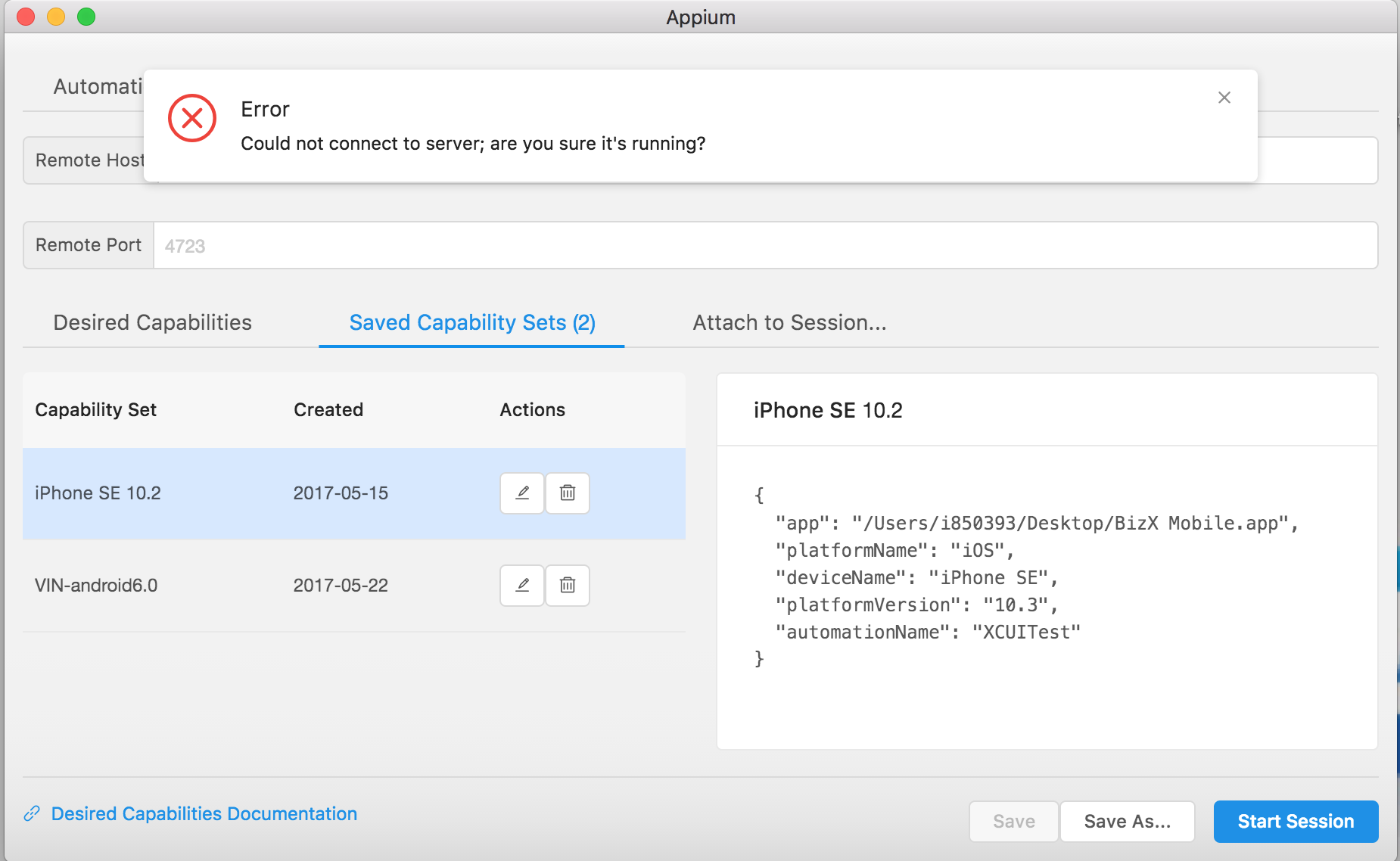
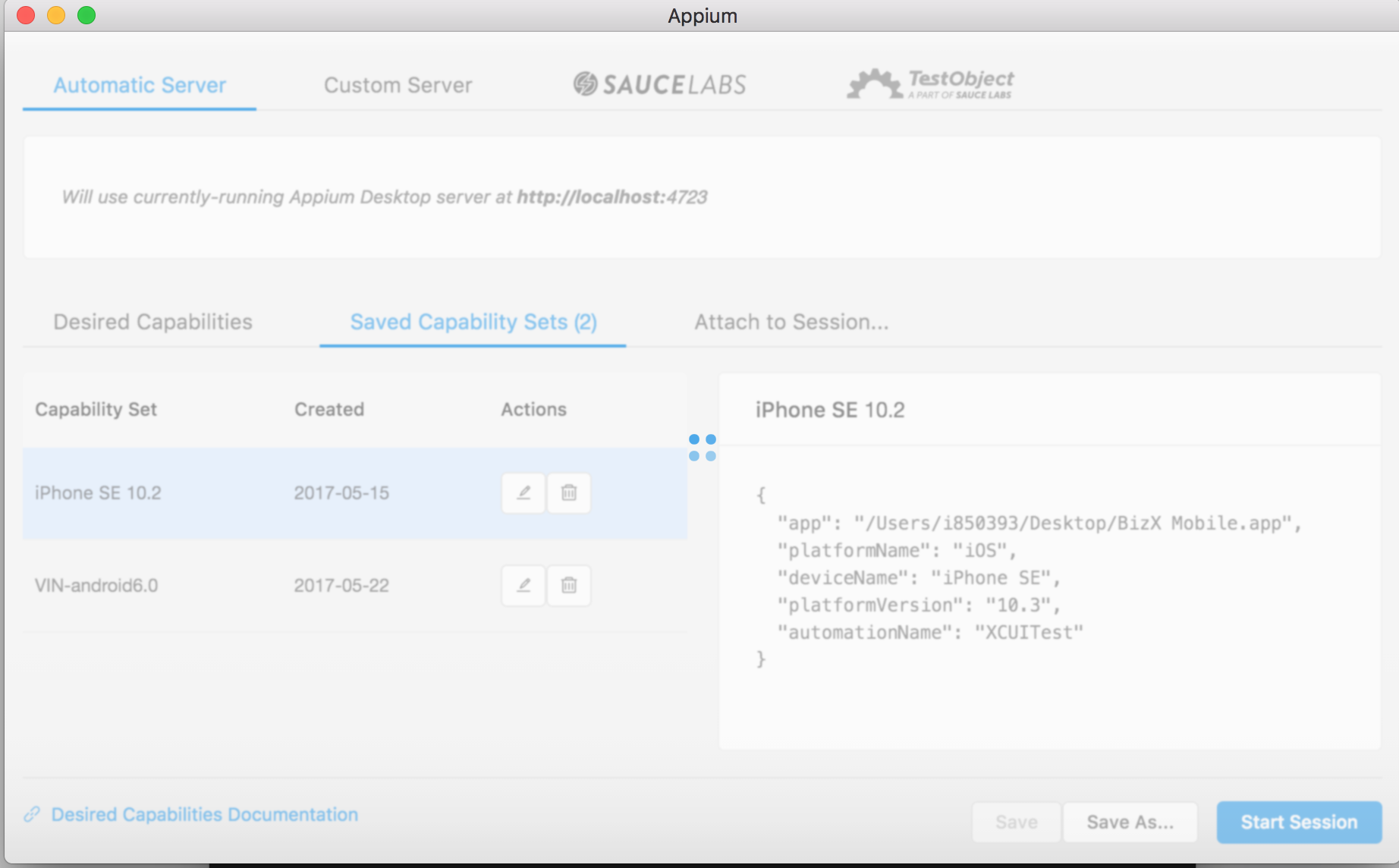
Solution : Just switch to Custom server to Automatic server and it works
 amarnathrayudu
on 9 Jun 2017
amarnathrayudu
on 9 Jun 2017
I tried all of the above options.But still its not working out.
 AnubhavGitHub
on 10 Jan 2018
AnubhavGitHub
on 10 Jan 2018
I opened a terminal window and execute the following commands and it worked for me
adb kill-server
adb start-server
 rahulkulkarniyahoo
on 14 Aug 2018
rahulkulkarniyahoo
on 14 Aug 2018
Thanks its works for me also.....but new error came
 sumitgpt1
on 26 Jun 2019
sumitgpt1
on 26 Jun 2019
Error
An unknown server-side error occurred while processing the command. Original error: 'app' option is required for reinstall
sumitgpt1
on 26 Jun 2019
I opened a terminal window and execute the following commands and it worked for me
adb kill-server
adb start-server
yea it's worked for me also
 jayashree28
on 9 Jul 2019
jayashree28
on 9 Jul 2019
Related issues
 vikramvi
·
3Comments
vikramvi
·
3Comments
 jutamasJeab
·
3Comments
jutamasJeab
·
3Comments
 abh7nav
·
11Comments
abh7nav
·
11Comments
 hunzai
·
7Comments
hunzai
·
7Comments
 jphennessey
·
9Comments
jphennessey
·
9Comments
Most helpful comment
Error :

Solution : Just switch to Custom server to Automatic server and it works
