What happened:
Update to DFI Wallet APP 2.3.4
Click on Liquidity => Loading....forever
Click on Transaction => Loading....forever
Click on DEX => No Coins in Pulldown
.....
What you expected to happen:
Works as before
How to reproduce it (as minimally and precisely as possible):
Open Wallet, try to view pages...
What are your environment parameters?
- DeFi Wallet Version: 2.3.4
- Operating System (OS): Windows 10
Anything else we need to know?:
Worked before. No Problems on Update.
 rolandwellinger
All 22 comments
@rolandwellinger: Thanks for opening an issue, it is currently awaiting triage.
The triage/accepted label can be added by foundation members by writing /triage accepted in a comment.
In the meantime, you can:
- Checkout DeFiChain’s Github issue page to see if your issue has already been reported
- Submit any logs if you have them, this will greatly expedite the process for us.
- You can also join our Telegram or Reddit community channels.
Details
I am a bot created to help the DeFiCh developers manage community feedback and contributions. You can check out my manifest file to understand my behavior and what I can do. If you want to use this for your project, you can check out the DeFiCh/oss-governance-bot repository.
 defichain-bot
on 10 May 2021
defichain-bot
on 10 May 2021
I had to exit the wallet and wait a while. After it was closed i reopen it but then the blockchain was corrupted :(. I restored the blockchain from a backup before the update. Then the app openend again. And since then it works. No more "Loading...."
rolandwellinger
on 10 May 2021
Ok. It freezes again. It does not work. The App freezes after a while and currupt the blockchain. Urgent, please fix that!
rolandwellinger
on 10 May 2021
I went back to previous version
rolandwellinger
on 10 May 2021
Tried again. No Luck. Blockchain Sync stops after 1-2 Minutes. Debug-Log no Progress. App Freezes.
rolandwellinger
on 10 May 2021
it happened to me as well: I clicked on "transactions" and it got stuck in "loading...". Then I tried to close the app and it took a very long time to do. And when restarted the blockchain was corrupted 😢
 nippur72
on 10 May 2021
nippur72
on 10 May 2021
@rolandwellinger Do you have any specific steps or transaction when the app starts "freezing"? Also, it will be helpful if you can provide us with your logs so we can investigate.
@nippur72 Let us know also if you can provide your logs. Thank you!
 thedoublejay
on 11 May 2021
thedoublejay
on 11 May 2021
here is my log: nippur72_log.log
I've now termporarily switched back to 2.3.3 so the last entries of the log are from the old version.
nippur72
on 11 May 2021
@nippur72 Based on your logs, it seems that the app is still loading. You've tried to manually force close the app which might cause the corrupted blockchain issue when it's not closed properly. I suggest you wait a bit for the app to load properly.
In terms of blockchain corrupted, you can use the snapshot to restore the blockchain around 99% so your syncing will be faster.
thedoublejay
on 11 May 2021
@thedoublejay regarding the problem described in this issue, the app did start normally, I checked balances etc. Then I clicked on "transaction" and all became "Loading...".
I learned how to deal with the corrupt blockchain issue, in the past weeks I've rebuilt the it at least 50 times. I have two computers running the wallet so when one fails I have the other to restore a copy of the blockchain. I halso have a third backup copy in case the other two fails at the same time.
nippur72
on 11 May 2021
Hi @rolandwellinger , please save and .zip the logs and send them so we can investigate.
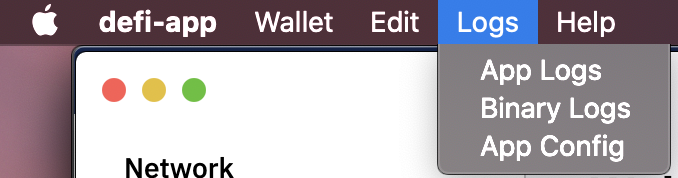
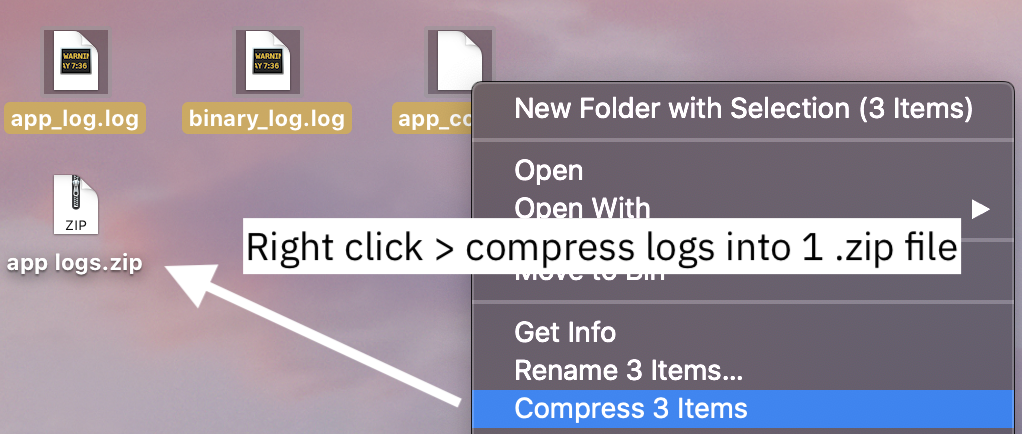
 izzycsy
on 11 May 2021
izzycsy
on 11 May 2021
@izzycsy Ok i will do that, first i've to update again to 2.3.4. Standby.... one i've the next "freeze" i provide the logs of mine.
rolandwellinger
on 11 May 2021
@thedoublejay I've 3 PC's running it LOL. I also recommend to DELTA-Copy the Chain with ROBOCOPY on the same PC's.
My Strategy in Detail
- Install App
- Run App
- Build Up the whole Chain
- Quit App
- Make a Copy-Script for the whole DefiChain Folder with ROBOCOPY /PURGE with name DefiChainClone
- Once the full Copy is made, restart App
- If you have Corruption then
- Quit App or even Kill IT
- Run an oposite Script DefiChainClone to DefiChain with ROBOCOPY /PURGE => Takes only few seconds to revert the Delta :)
- Open App again and sync the few Blocks remaining since last Backup
- Refresh the Clone from Time to Time in a few Seconds with the Script (App must be closed)
- ! ROBOCOPY /PURGE DOES ONLY COPY NEW AND CHANGED FILES AND DELETE NO MORE EXISTING FILES :)
rolandwellinger
on 11 May 2021
I really like DFI. But the whole Thing have to be improved very hard to get mainstream.
rolandwellinger
on 11 May 2021
Hi @rolandwellinger , you should not try to kill the app just because it's taking some time to load, this will cause you to having to resync from the start again. Is your issue still persisting?
Hi @nippur72 , have multiple snapshot backups in your PC, personally after I sync to 100% after snapshot I delete it so that I save some storage on my computer, plus the team will update the snapshot as we move along.
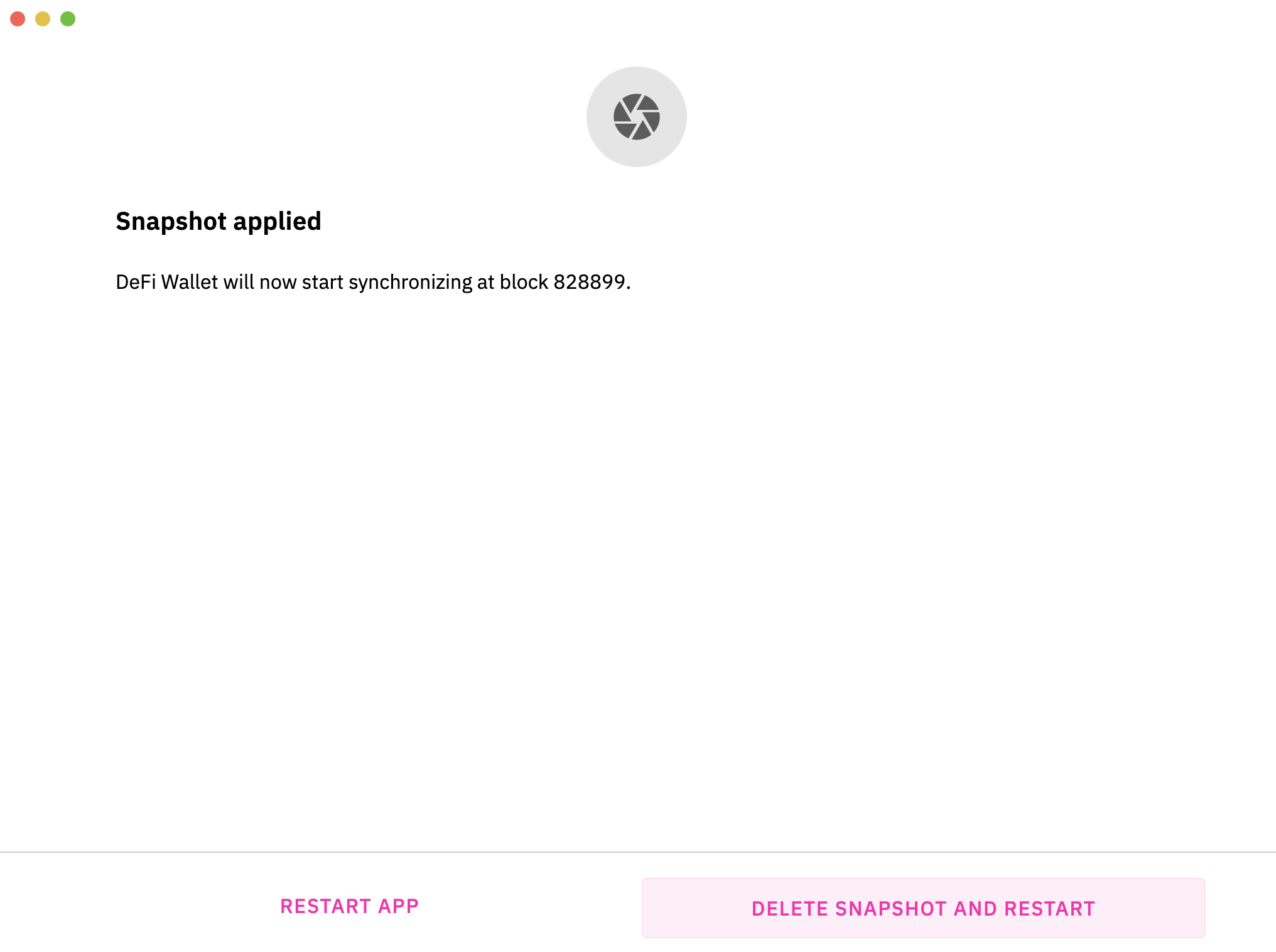
So having old snapshots is just taking up storage and potentially making my app face unknown issues. Regarding the Loading... can you check again? If your app is synced to 100%, it should reflect correctly after a moment.
izzycsy
on 11 May 2021
@izzycsy I reinstalled 2.3.4 upgrading from 2.3.3 (full sync) and now it works normally, it's no longer stuck in "loading..." and the app closes without affecting the blockchain database.
nippur72
on 11 May 2021
I have the same behaviour yesterday with version 2.3.3. dont think that is a problem of the new release, maybe some external APIs are unabailable.
 Stonygan
on 11 May 2021
Stonygan
on 11 May 2021
I also updated now again to 2.3.4. runs for a few hours and then i got => @izzycsy
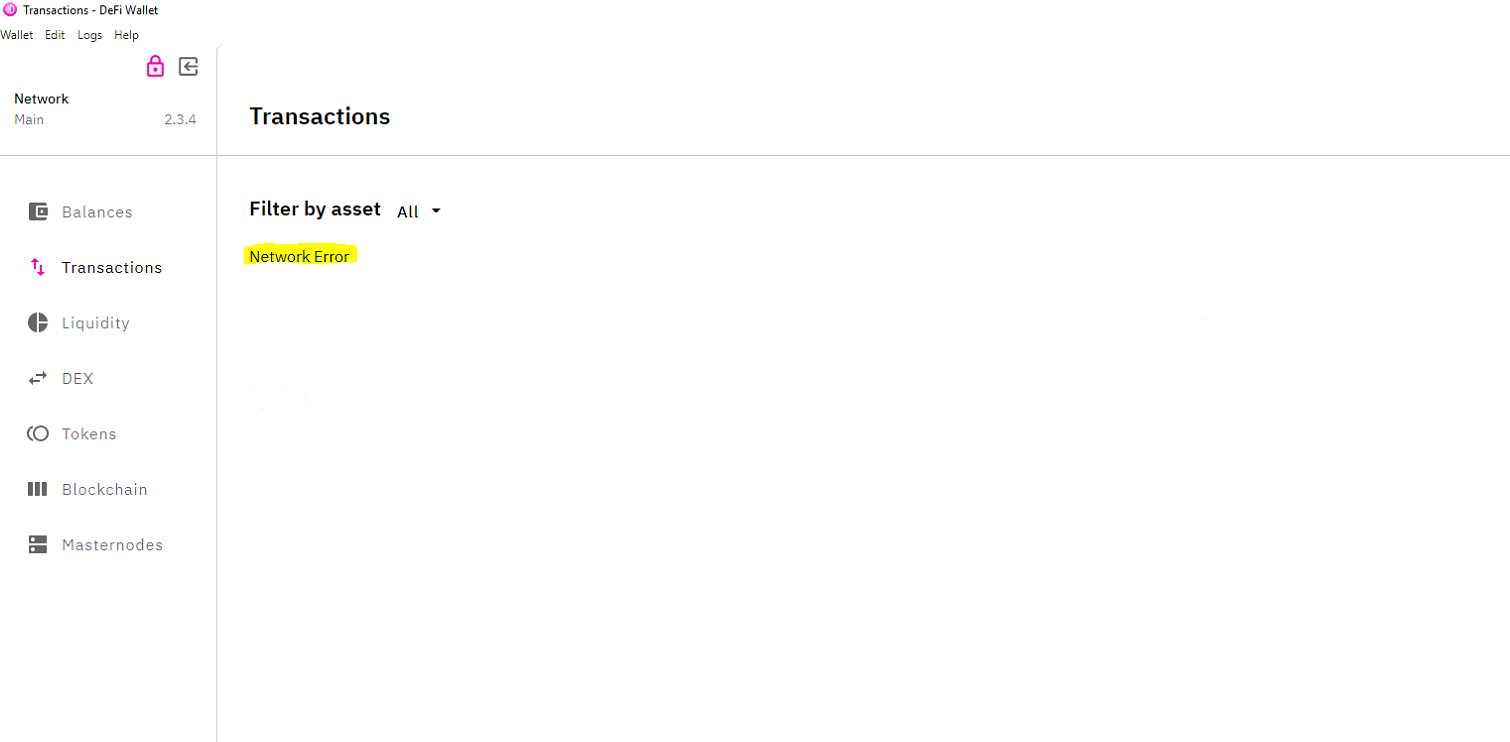
rolandwellinger
on 11 May 2021
DeFiChain still working in the Background!? Collected the appended logs for you...
I found the entries in de svp.log interesting...
LogsCollect.zip
@izzycsy
rolandwellinger
on 11 May 2021
@izzycsy Seems that new Version struggles with Windows Firewall. I disabled now the Windows Firewall. And i test further. And once you exit the App normally if you have this Network-Error, Blockchain gets corrupted. You really have to deal with thos circumstances Internet is not always there and a PC can shutdown without quit savely. Use other events in the app to shutdown safely. You can use Events that also get fired when you force close an app. Also consider to Run DEFIChain as a Service in Windws independent from the app...
rolandwellinger
on 11 May 2021
@izzycsy crashed again on syncing chain. I give up. Please take sure that 2.3.3 can still be used! I go back to 2.3.3 until it works properly...
rolandwellinger
on 11 May 2021
Hi @rolandwellinger @nippur72 , regarding the issue Network ERROR at new wallet 2.3.4 #849, we can further discuss on the issue there. We would like to keep same issues in one thread. We will update the thread from there. Thank you.
izzycsy
on 17 May 2021
Related issues
 diegorodriguezv
·
9Comments
diegorodriguezv
·
9Comments
 RobinTorque
·
3Comments
RobinTorque
·
3Comments
 tame81
·
9Comments
tame81
·
9Comments
 dell1503
·
7Comments
dell1503
·
7Comments
 jleidinger
·
6Comments
jleidinger
·
6Comments