App: Linux: app not generating a backup file
What happened:
The Defi App is not generating a backup file, but neither log files.
I should be able to save a backup file but the App is not generating a Backup file to save. I can't download Logs since it's neither generating those files.
Just going to File > Backup Wallet, the explorer windows opens up and there's no file I can save.
- DeFi App Version: 2.1.17
- Operating System (OS): Linux
 FolderHyph
All 12 comments
@Folderguion: Thanks for opening an issue, it is currently awaiting triage.
The triage/accepted label can be added by foundation members by writing /triage accepted in a comment.
In the meantime, you can:
- Checkout DeFiChain’s Github issue page to see if your issue has already been reported
- Submit any logs if you have them, this will greatly expedite the process for us.
- You can also join our Telegram or Reddit community channels.
Details
I am a bot created to help the DeFiCh developers manage community feedback and contributions. You can check out my manifest file to understand my behavior and what I can do. If you want to use this for your project, you can check out the DeFiCh/oss-governance-bot repository.
 defichain-bot
on 25 Feb 2021
defichain-bot
on 25 Feb 2021
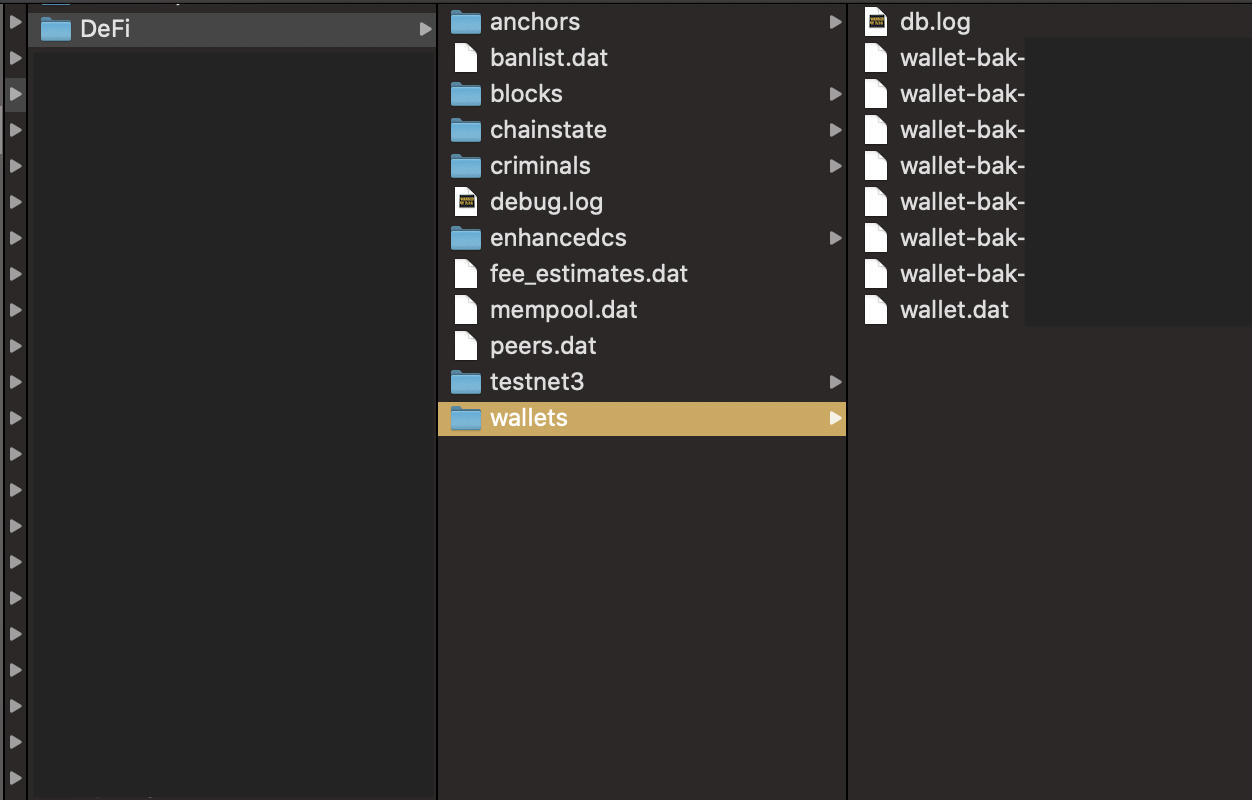
Hi @Folderguion , thanks for your feedback, for Linux you can get access to your wallet.dat files through:
Linux:
/home/<username>/.defi/wallets/wallet.dat
Moving forward in the latest release v2.3.0, we've be introducing _wallet passphrase_ (optional), and the utilisation of wallet.dat. Essentially, tour wallet.dat is replacing the current v2.1.17 backup wallet. Please keep your wallet.dat file safe. This workaround should solve your issue.
 izzycsy
on 25 Feb 2021
izzycsy
on 25 Feb 2021
Hello, tnx for the answer. Actually I can't find that directory. Just running the DeFi wallet through the .AppImage file and cannot find any other folder named DeFi as your image.
FolderHyph
on 26 Feb 2021
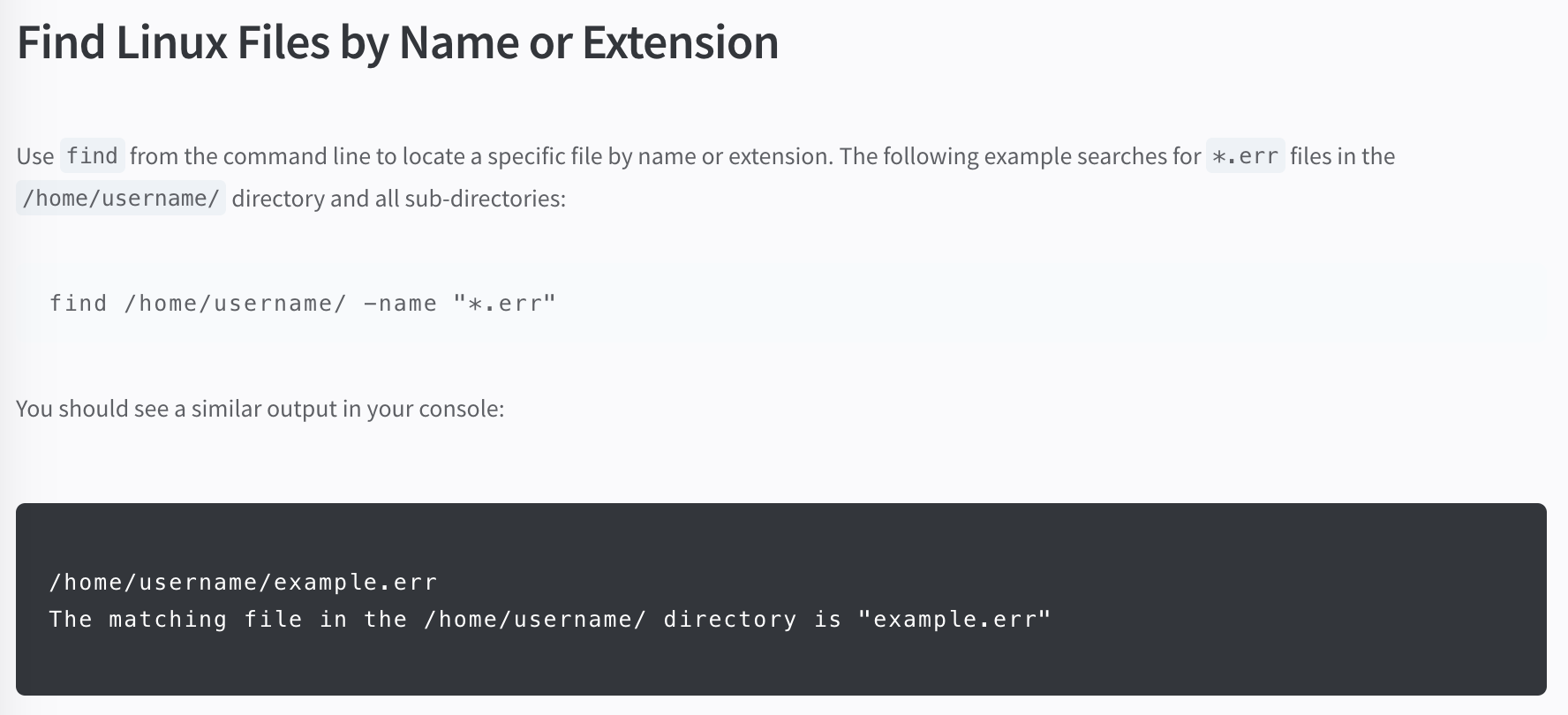
Hi @Folderguion it's a hidden folder in your PC. You probably have to type the route out. I'm not a Linux user, but hopefully this might help.
izzycsy
on 27 Feb 2021
Ok, thank you very much, I found "wallet.dat" . So in case I need to recover my wallet, this is the file to backup, right?
Do you suggest to update from 2.1.17 version by the way?
Thank you
FolderHyph
on 1 Mar 2021
Hi @Folderguion , yes you'll use this backup to Restore your wallet when you upgrade to v2.3.0. Please keep your wallet.dat safe. And yes, you'll have to update to v2.3.0 eventually due to the Dakota upgrade. More details in the link provided.
izzycsy
on 1 Mar 2021
Ok thank you very much!
FolderHyph
on 2 Mar 2021
Hi @Folderguion , did you manage to upgrade to v2.3.0 and restore with wallet.dat?
izzycsy
on 3 Mar 2021
Hey @izzycsy , thanks for asking. I've updated and I'm still in Sync so I can't still backup the wallet.dat file.
Will report back to you later on, once the Sync is complete.
FolderHyph
on 3 Mar 2021
Hello @izzycsy , I've sync and imported wallet.dat. All is perfect!
However the only uncomfortable process is the "manual" backup. I have to open the .defi directory, find the the wallet.dat file and copy it to another location in order to backup the wallet.
If I can be of help testing any other automated process for Linux that you might develop later, just let me know. Will be glad to contribute!
FolderHyph
on 3 Mar 2021
Hi @Folderguion , perfect, I'll be closing this issue in the mean time. You may reopen this issue if there's new information (include screenshots) and your app logs. Thank you.
izzycsy
on 4 Mar 2021
Thank you for the help!
FolderHyph
on 4 Mar 2021
Related issues
 RobinTorque
·
7Comments
RobinTorque
·
3Comments
RobinTorque
·
7Comments
RobinTorque
·
3Comments
 diegorodriguezv
·
9Comments
diegorodriguezv
·
9Comments
 John-Gee
·
5Comments
RobinTorque
·
8Comments
John-Gee
·
5Comments
RobinTorque
·
8Comments