App: Windows: sync stops at 99%+ > node is disconnected
Preflight Checklist
- [rene-sch ] I have searched DeFiChain’s Github Issue Page and none matches my issue
- [rene-sch] I have read through How To Submit Issues for DeFi App
Issue Details
- Current DeFi App Version:
- 2.1.10
- Previous DeFi App Version:
- 2.1.3
- Operating System (OS):
- Windows 10
Screenshot(s) / screen recording(s) of issue
Actual Behavior
I wanted to update the app from version 2.1.3 to 2.1.10.
After the synchronization was at 98.89% the error came: "Connection to the node disconnected"
Then I increased the swap file on my Windows 10 (12 GB RAM). After that I tried several times but always at 98.89% the message Connection to the node was disconnected
Expected Behavior
I expected the app to work properly after installation
App log / binary log / app config
 rene-sch
All 90 comments
attached a screenshot
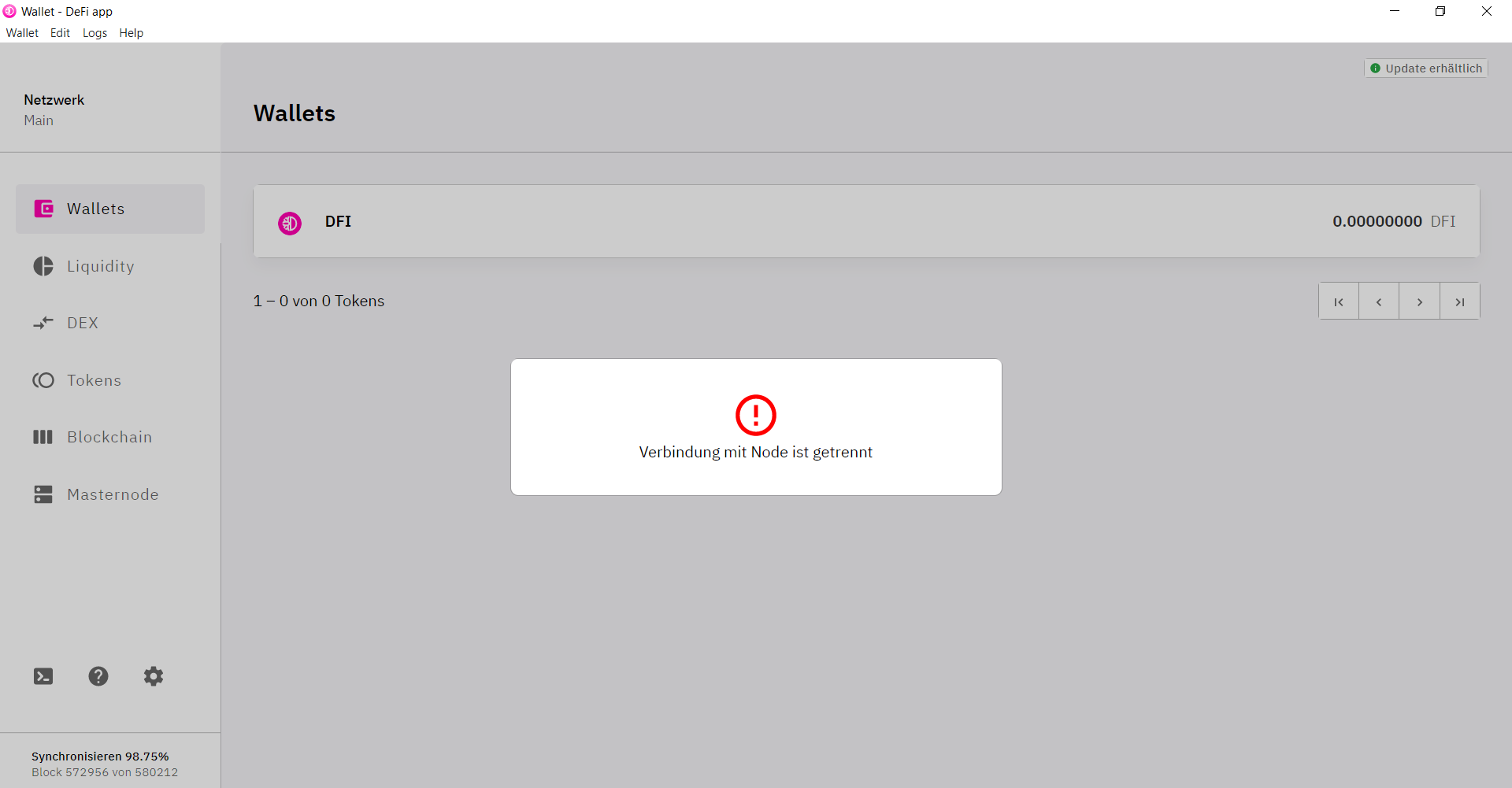
rene-sch
on 17 Jan 2021
Note: I had the same problem with the update from 2.1.3 to 2.1.9
rene-sch
on 17 Jan 2021
Here are the right logs, sorry for that
App Config.zip
rene-sch
on 17 Jan 2021
For me it works with every systems when I do it the following:
- Start the defid.exe without the app
Open cmd and type
cd "%localappdata%\Programs\defi-app\resources\binary\win"
.\defid.exe -conf="%USERPROFILE%\.defi\defid.conf"
- Observe the RAM consumption of the app in the taskmanager. When it exceeds 1 GB (with your amount of RAM, you can wait until it exceeds 2GB - 4GB) select the cmd window and press
Ctrl + Cto shutdown the node. Do not close the cmd window with "X", the blockchain can be corrupted - Wait until you can enter the next command and start from step 1. Check whether it syncs from your last synced block number.
Remember you need to start it with the parameter -reindex the first time ( .\defid.exe -conf="%USERPROFILE%\.defi\defid.conf" -reindex ) like described in the release notes.
Why it helps?
defid.exe will need about 300 MB of RAM when you restart the process, but can already use the last blockchain state. Then it will increase again (I could see increasing it to almost 14GB RAM usage without any restart). The first 500.000 blocks can be synced without problems, then you will have to restart the sync process more often.
 kummunity
on 18 Jan 2021
kummunity
on 18 Jan 2021
Hi @rene-sch , thanks for your feedback. Please give us time to investigate this issue. Thank you.
 izzycsy
on 18 Jan 2021
izzycsy
on 18 Jan 2021
Hi everyone,
I have the same problem with 2.1.10.
Maybe it's important to point out that this message appears when the synchronisation is almost finished.
 BenThrottle85
on 20 Jan 2021
BenThrottle85
on 20 Jan 2021
Hi @BenThrottle85 , thanks for your feedback. This error occur because there's a potential bug, not because synchronisation is almost complete. The expected behaviour should be that it syncs to 100% with no error. Could you send your logs please?
izzycsy
on 20 Jan 2021
Of course...
BenThrottle85
on 20 Jan 2021
Hi @BenThrottle85 , well received, please give us time to investigate. Thank you.
izzycsy
on 20 Jan 2021
I have the same problem with 2.1.10.
 kingsersch
on 20 Jan 2021
kingsersch
on 20 Jan 2021
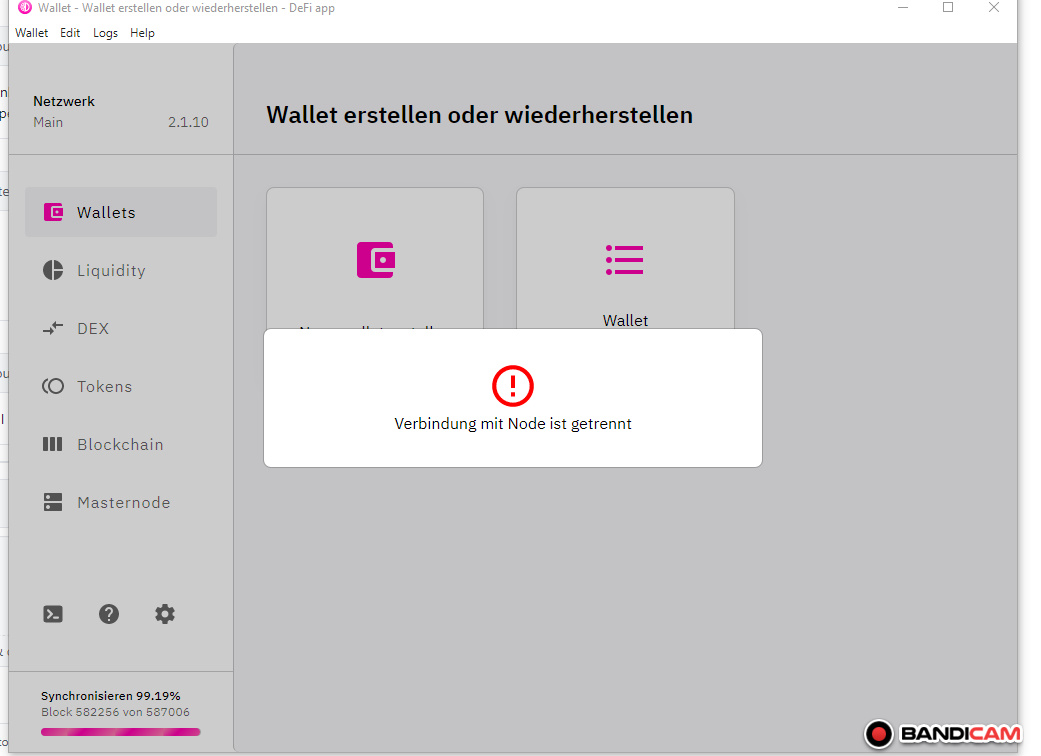
kingsersch
on 20 Jan 2021
Hi @kingsersch , well received. The team is currently investigating this issue.
izzycsy
on 21 Jan 2021
Hello,
so i had the same problem on windows since 2.1.6. i think.
The connection to node stuff or the app only showing a white screen.
Two or three times it helped to delete the folder "C:\Users\YOUR_USERNAME\AppData\Roaming\DeFi Blockchain".
With 2.1.9 i was not able to get the App running again. I deleted every folder with defi stuff, but not working.
My solution now is, i have the wallet app running permanently on a virtual machine with linux mint.
Running like a charm, i had a power shortout once. And the NAS with the VM failed.
Then again the Node shit was not connecting. So restored the last Snapshot from 2 days before.
App synced without problems.
Setting up a VM on a Windows PC is not a problem for someone that can google and it seems the linux version is not so buggy.
Please Team before you add any features or whatever debug that damn App.
Nevertheless DFI is great!!!
Love you guys :-D
 FrostyEraser
on 21 Jan 2021
FrostyEraser
on 21 Jan 2021
I had the samel isse and for me it was simply the hardware space had 12 GB free but this was not enough i have now 150 GB and now it works
 TTSIP
on 21 Jan 2021
TTSIP
on 21 Jan 2021
@maaze19 i agree that restarting node will fix some higher ram usage, which version you use? I can't see more than 1 GiB in use during sync?
 bvbfan
on 22 Jan 2021
bvbfan
on 22 Jan 2021
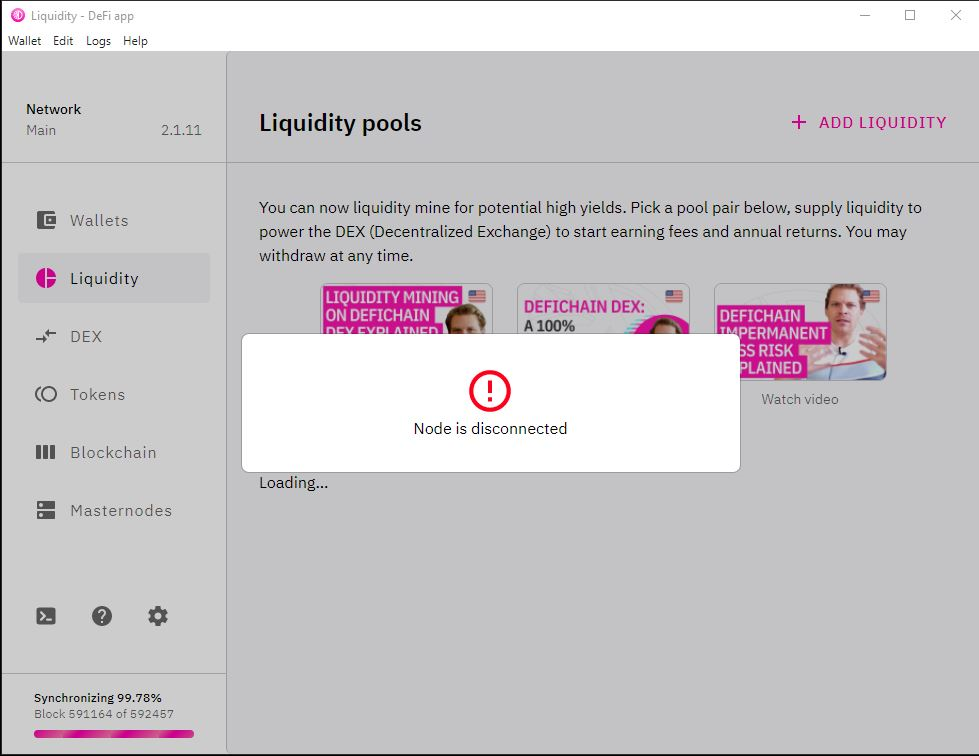
 thiencdam
on 23 Jan 2021
thiencdam
on 23 Jan 2021
How much memory you have?
bvbfan
on 23 Jan 2021
8G of RAM, 312G disk space.
thiencdam
on 24 Jan 2021
Can you confirm that you have a bit more wallet addresses ?
bvbfan
on 24 Jan 2021
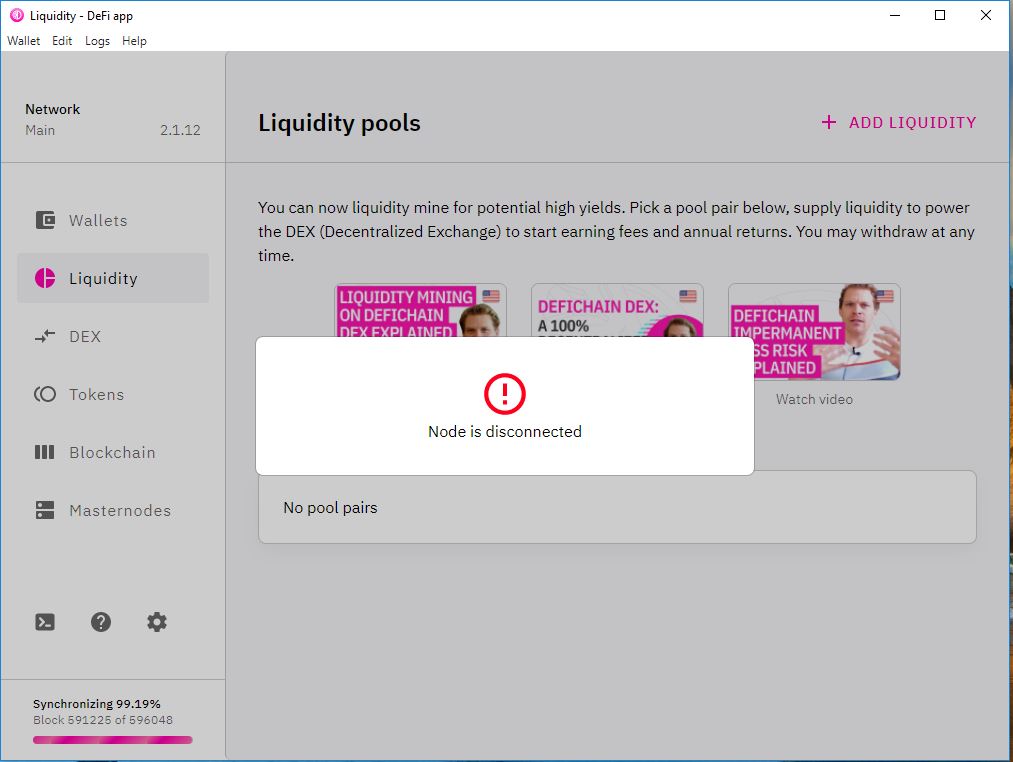
This was my wallet address in the version 2.1.10. I could not get past the synchronization issue in version 2.1.11 to see my wallet.
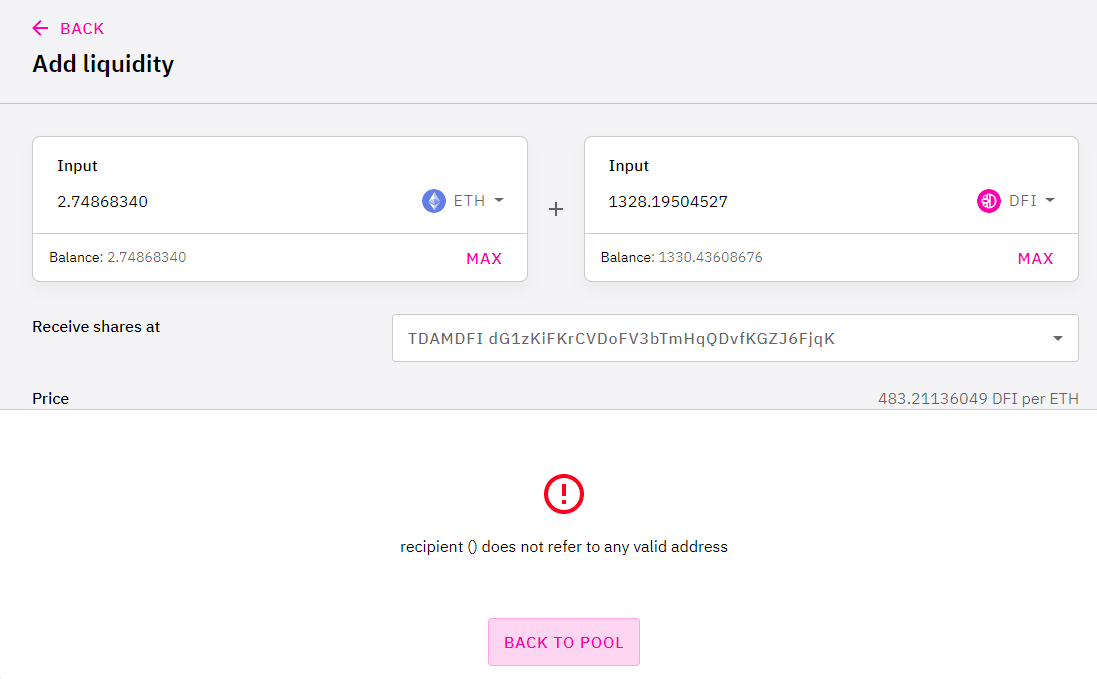
thiencdam
on 24 Jan 2021
I updated to 2.1.12, but the issue still not resolved. Can't view my wallet, can't do anything.
App_logs.zip
thiencdam
on 24 Jan 2021
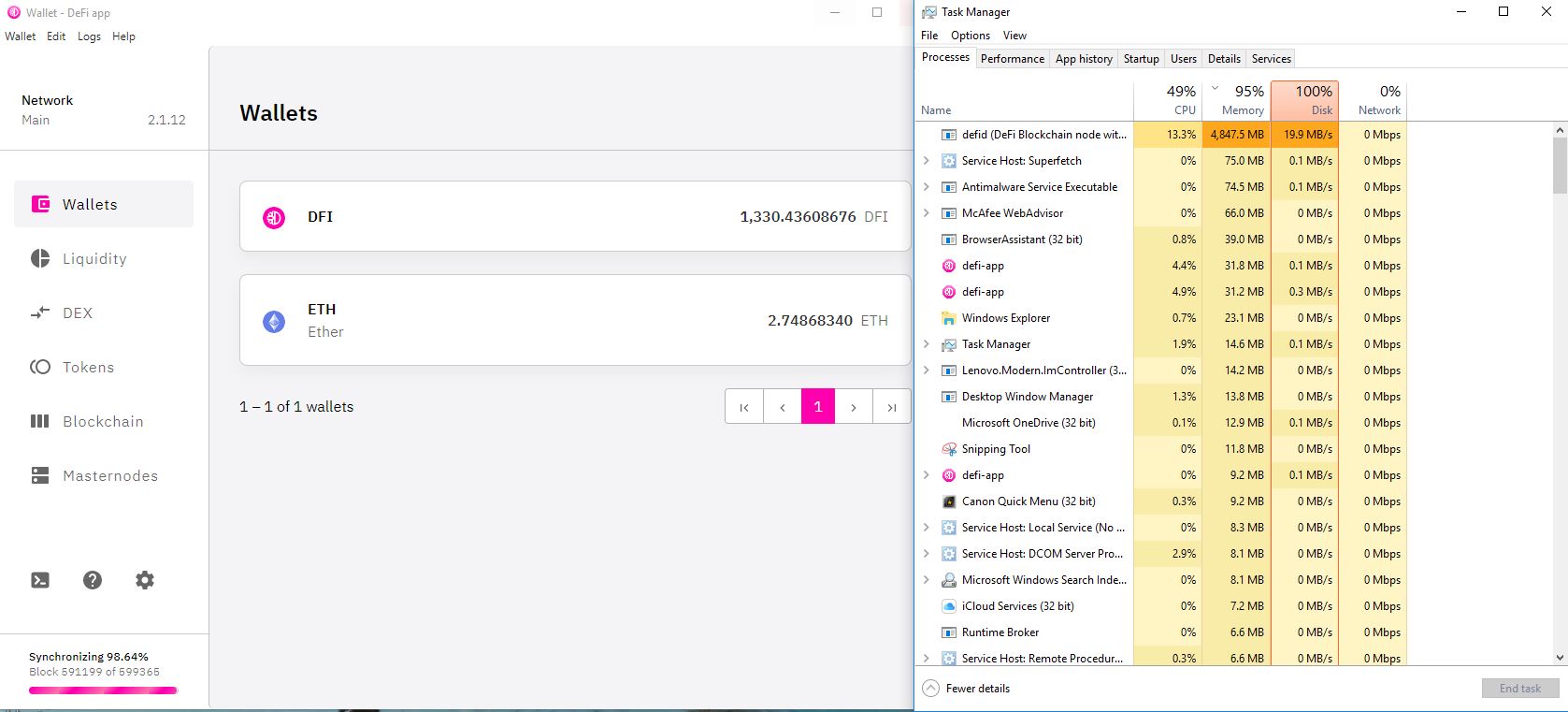
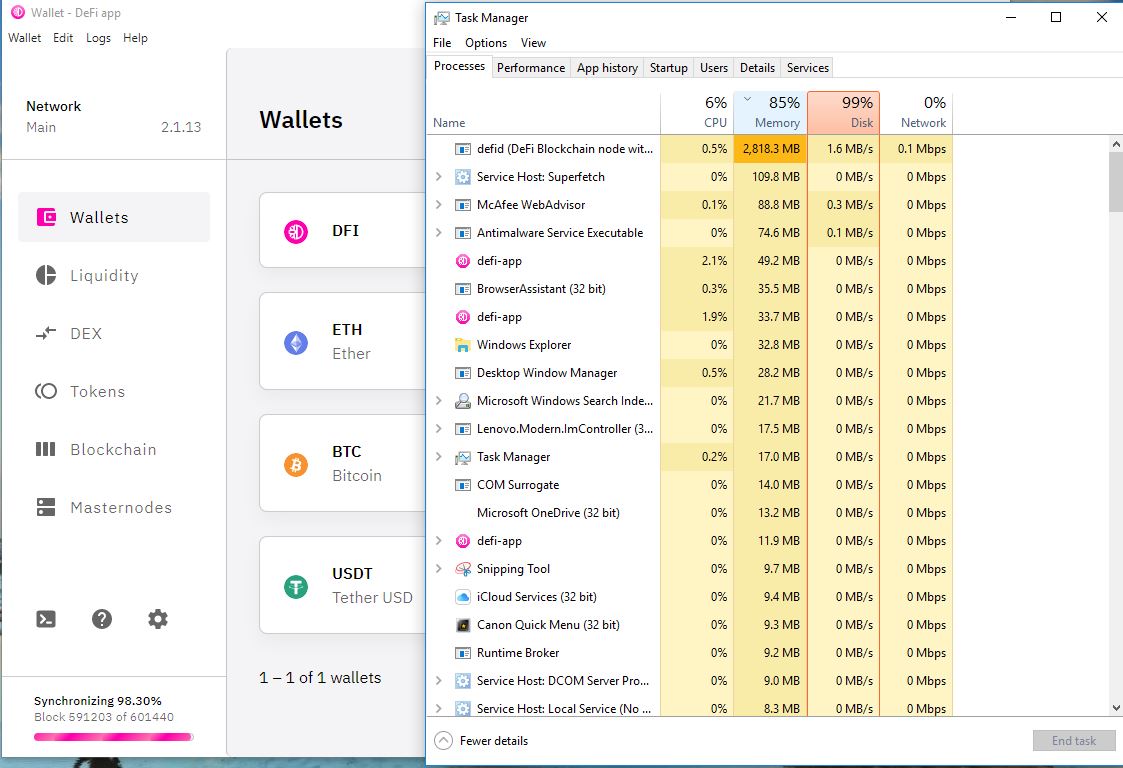
@thiencdam can provide screenshot with open task manager around 580k block how much memory is used? From the logs you don't have enough memory.
bvbfan
on 25 Jan 2021
I had the same problem and i have 32 Gb of Ram, so in my opinion there is a bug that causes the ram to run out.
Not the other way round.
Right now it's running smootly in an Linux VM with 4 GB Ram, no problems so far.
FrostyEraser
on 25 Jan 2021
Here is the snap shot, with task manager, where synchronizing stalled.
thiencdam
on 26 Jan 2021
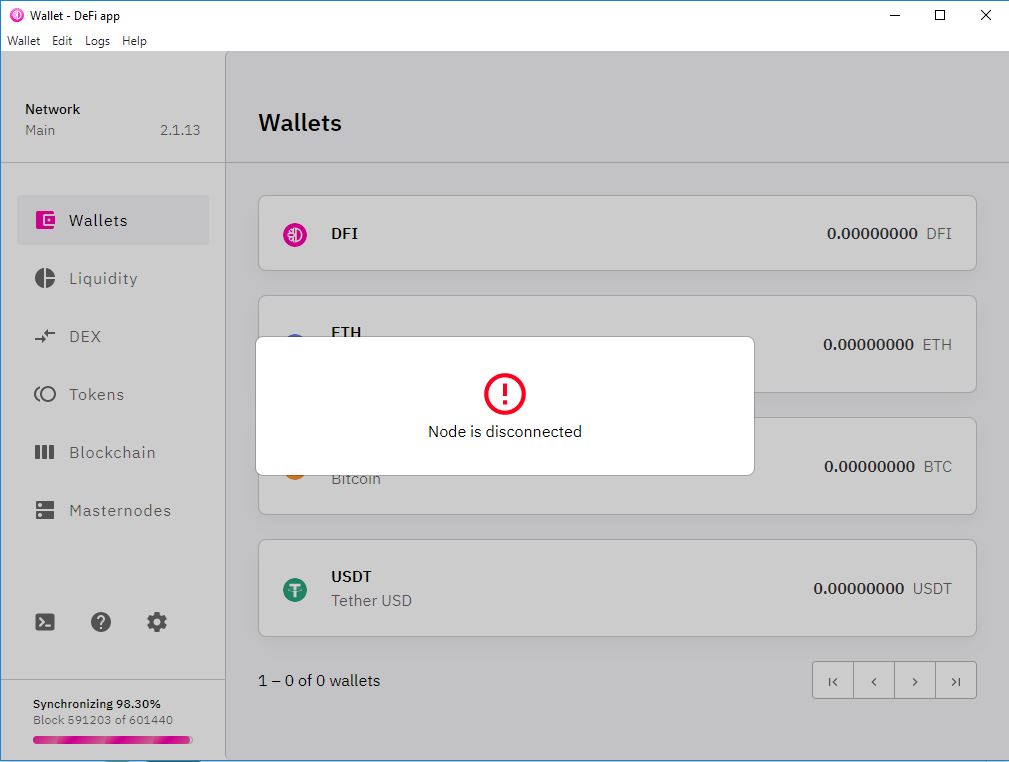
Updated to 2.1.13 on Windows 10. No improvement. Synchronizing stalled at block 591203.
thiencdam
on 27 Jan 2021
Hi @rene-sch @BenThrottle85 @kingsersch @FrostyEraser can I check that you've updated to v2.1.13? Please send new information (include screenshots) and app logs. Thank you.
Hi @thiencdam well received, please give us time to investigate the issue.
izzycsy
on 27 Jan 2021
Link to #372 and #352
 dieterich-m
on 27 Jan 2021
dieterich-m
on 27 Jan 2021
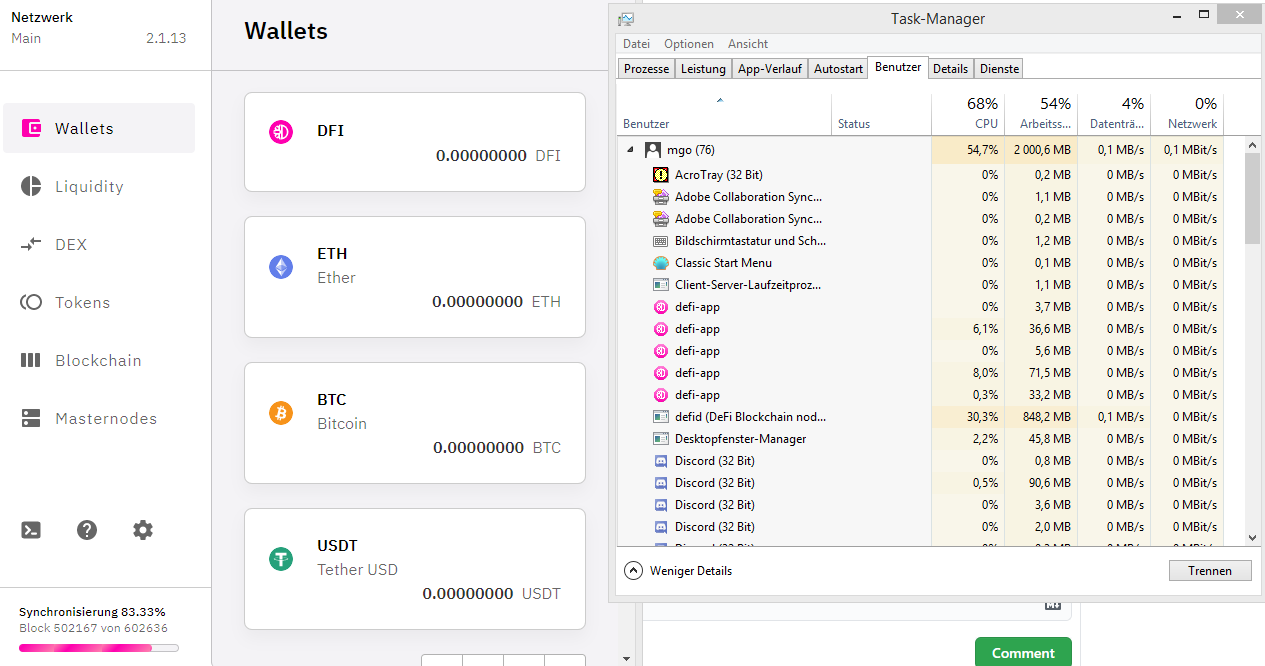
same issue with Windows 8.1 and V 2.1.13- see logs attached
DEFI-Chain.zip
 goldi147
on 27 Jan 2021
goldi147
on 27 Jan 2021
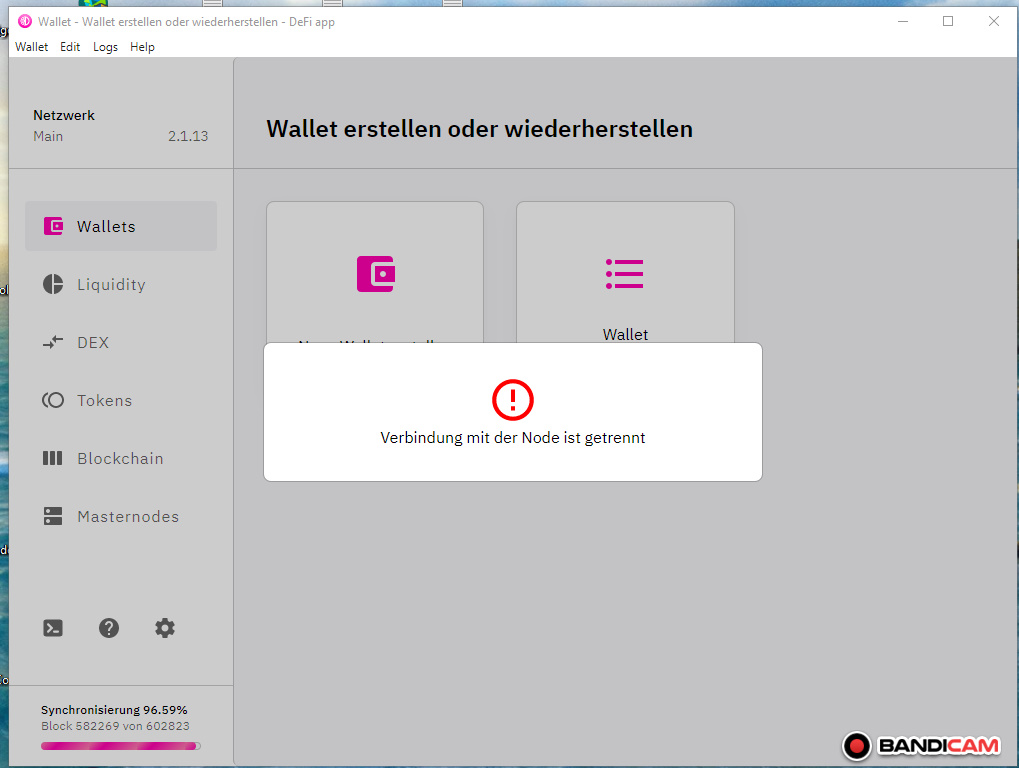
kingsersch
on 27 Jan 2021
@goldi147 it's needed at least 1GiB of RAM to run node.
@thiencdam did you disable pagefile (swap) or virtual memory?
bvbfan
on 28 Jan 2021
Maybe I ran out of memory, but 4,6 gb is a huge number?
Is it better to install an older version? All my friends also have problems with 2.1.13.
If so please sen last stabil exe as link.
I also tried to run it in the cmd box in batches. After hours I got synchron, but after the next restart database (or synonym) has been corrupt. Now I try the Sync via programm again. It is running for 3-4 hours now.
Many thanks for your help!
[cid:[email protected]]
Von: Anthony Fieroni notifications@github.com
Gesendet: Donnerstag, 28. Jänner 2021 08:53
An: DeFiCh/app app@noreply.github.com
Cc: Mario Gold Mario.Gold@anna-gold.at; Mention mention@noreply.github.com
Betreff: Re: [DeFiCh/app] Windows: sync stops at 99%+ > node is disconnected (#325)
@goldi147https://github.com/goldi147 it's needed at least 1GiB of RAM to run node.
@thiencdamhttps://github.com/thiencdam did you disable pagefile (swap) or virtual memory?
—
You are receiving this because you were mentioned.
Reply to this email directly, view it on GitHubhttps://github.com/DeFiCh/app/issues/325#issuecomment-768869057, or unsubscribehttps://github.com/notifications/unsubscribe-auth/ASJYEUKFGOVQYM4DZ64NPRDS4EJUDANCNFSM4WGMOCMA.
goldi147
on 28 Jan 2021
I switched to V2.1.8 and got synchronised. But now when I try the add liquidity I get following massage:
[cid:[email protected]]
Attached you find my logs as well.
Von: Anthony Fieroni notifications@github.com
Gesendet: Donnerstag, 28. Januar 2021 08:53
An: DeFiCh/app app@noreply.github.com
Cc: Mario Gold Mario.Gold@anna-gold.at; Mention mention@noreply.github.com
Betreff: Re: [DeFiCh/app] Windows: sync stops at 99%+ > node is disconnected (#325)
@goldi147https://github.com/goldi147 it's needed at least 1GiB of RAM to run node.
@thiencdamhttps://github.com/thiencdam did you disable pagefile (swap) or virtual memory?
—
You are receiving this because you were mentioned.
Reply to this email directly, view it on GitHubhttps://github.com/DeFiCh/app/issues/325#issuecomment-768869057, or unsubscribehttps://github.com/notifications/unsubscribe-auth/ASJYEUKFGOVQYM4DZ64NPRDS4EJUDANCNFSM4WGMOCMA.
goldi147
on 28 Jan 2021
I did not disable pagefile (swap) or virtual memory. Yesterday, I uninstalled DefiApp and increased virtual memory to 32Gb, then reinstalled V2.1.13. I don't know which step fixed it but it get synched and is now running beautifully. I backed-up my wallet just in case. It did take a while to synchronize around block 591248.
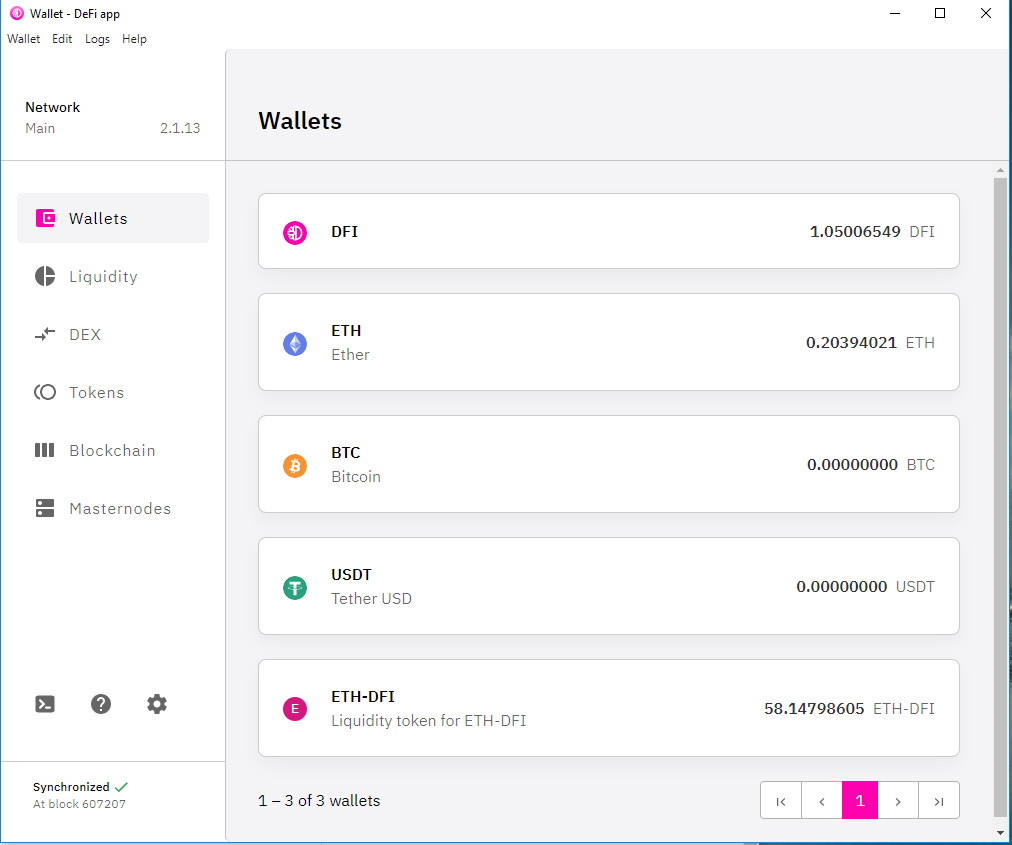
Good luck to everyone.
thiencdam
on 29 Jan 2021
One thing I forgot to mention, I did restart the computer to clear the registry before reinstalling the app.
thiencdam
on 29 Jan 2021
when I sync via cmd:
cd "%localappdata%\Programs\defi-app\resources\binary\win"
.\defid.exe -conf="%USERPROFILE%.defi\defid.conf"
and stop with "ctrl+c" when I ran out of 4 gb memory I get synchonized.
but after the first or second restart I get errors again.
goldi147
on 29 Jan 2021
I reindexed 4 times no improvement. I am stuck. How to fix it. It just stops at 99% and says node disconnected.
 jibesmaster
on 30 Jan 2021
jibesmaster
on 30 Jan 2021
Hi @rene-sch @BenThrottle85 @kingsersch @goldi147 @jibesmaster , update v2.1.15 is out.
Do give a thumbs up to this comment if your issue has been resolved, otherwise, kindly send new information (include screenshots) and app logs. Thank you.
izzycsy
on 30 Jan 2021
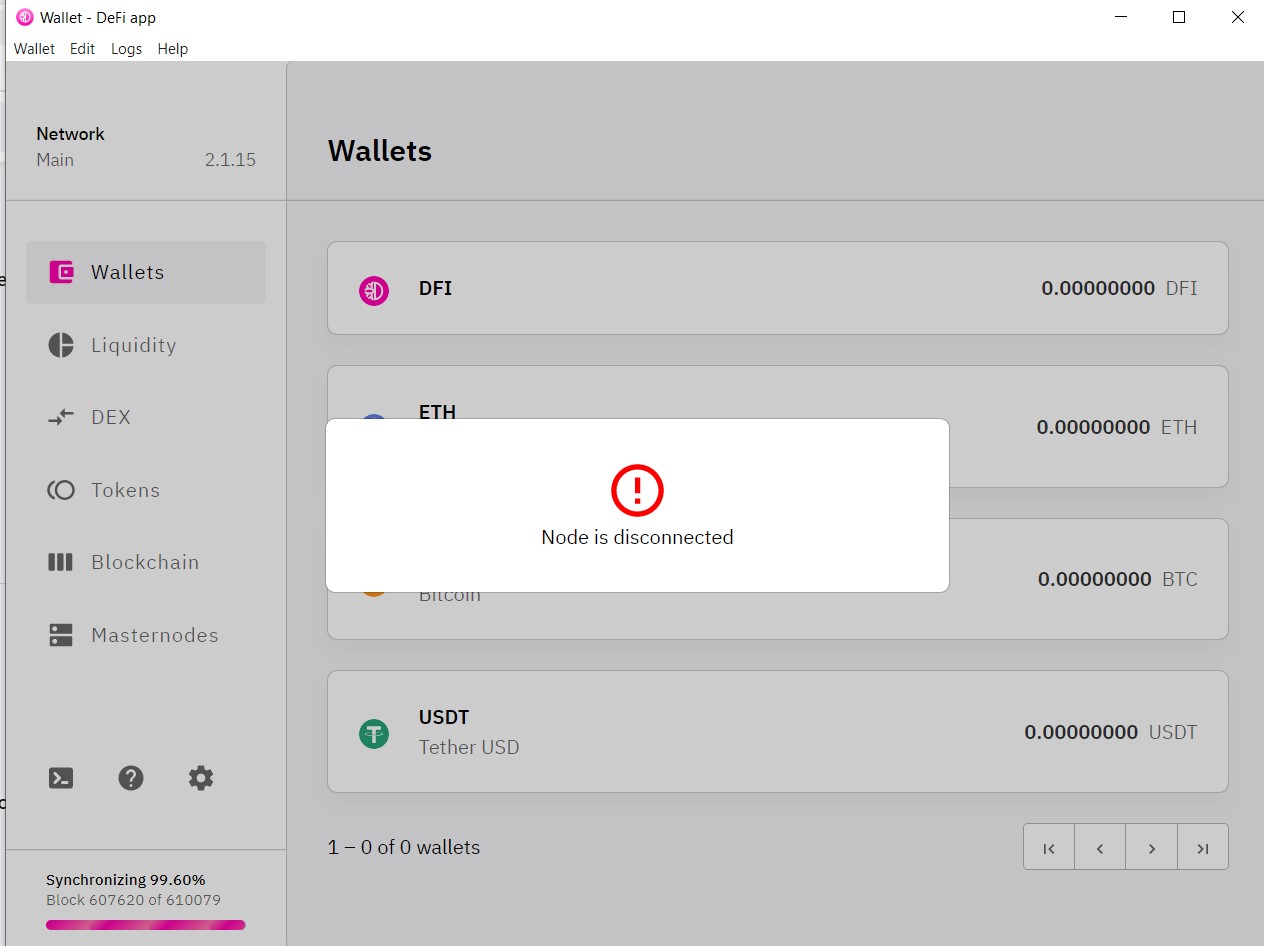
Node disconnected issue continues to occur unabated.
Logs attached as requested, as is confirmatory screenshot.
binary_log.log
app_log.log
 Ausafari
on 31 Jan 2021
Ausafari
on 31 Jan 2021
Hi @izzycsy
I updated from Version 2.1.13 to 2.1.15 and got a "Error: Corrupted block database detected" as described in #390 . During the following synchronizing I get the issue described above. I retried 3 times already and will keep doing it. Please find Log files and screenshot attached.
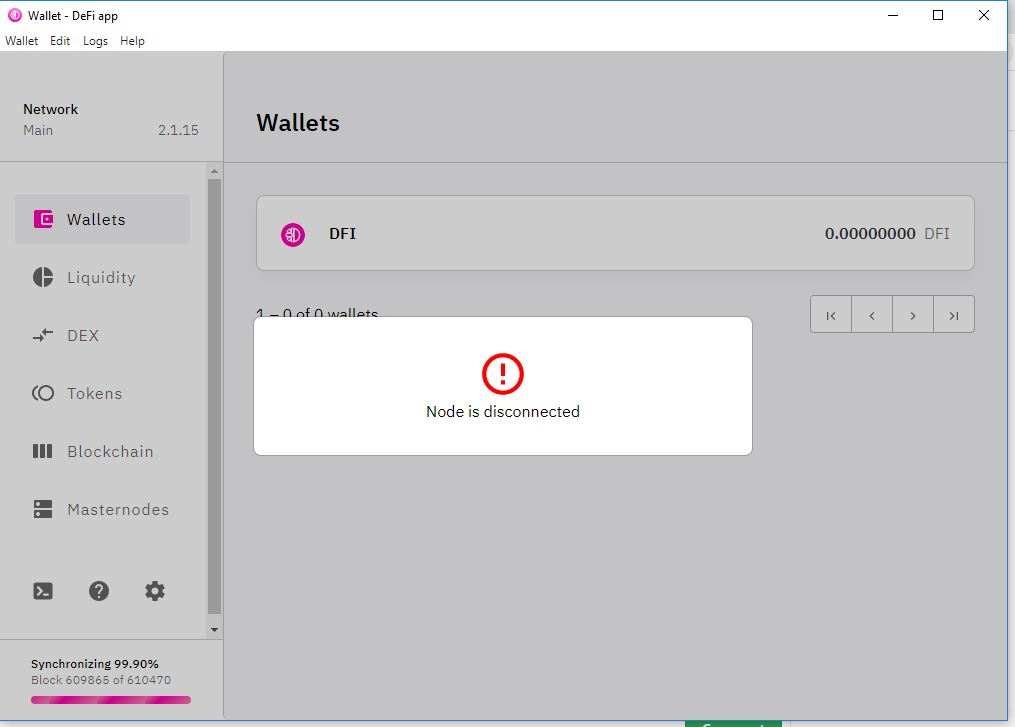
NodeDiscoLogs.zip
 UserMaxL
on 31 Jan 2021
UserMaxL
on 31 Jan 2021
@izzycsy
After several tries (lazy Sunday) I found a workaround for me:
The procedure is similar to the one from user maaze19 without the use of cmd. I have a 16 GB RAM machine with SSD and 2x2,4 GHz CPUs and version is 2.1.15. While synchronizing I monitored the RAM and closed the app when 4 GB or 45-50% of total RAM usage was reached.. I had to do this two times and synchronizing started with the blocks from previous closing and lower RAM usage. Now I'm fully synchronized and all works fine so far.
UserMaxL
on 31 Jan 2021
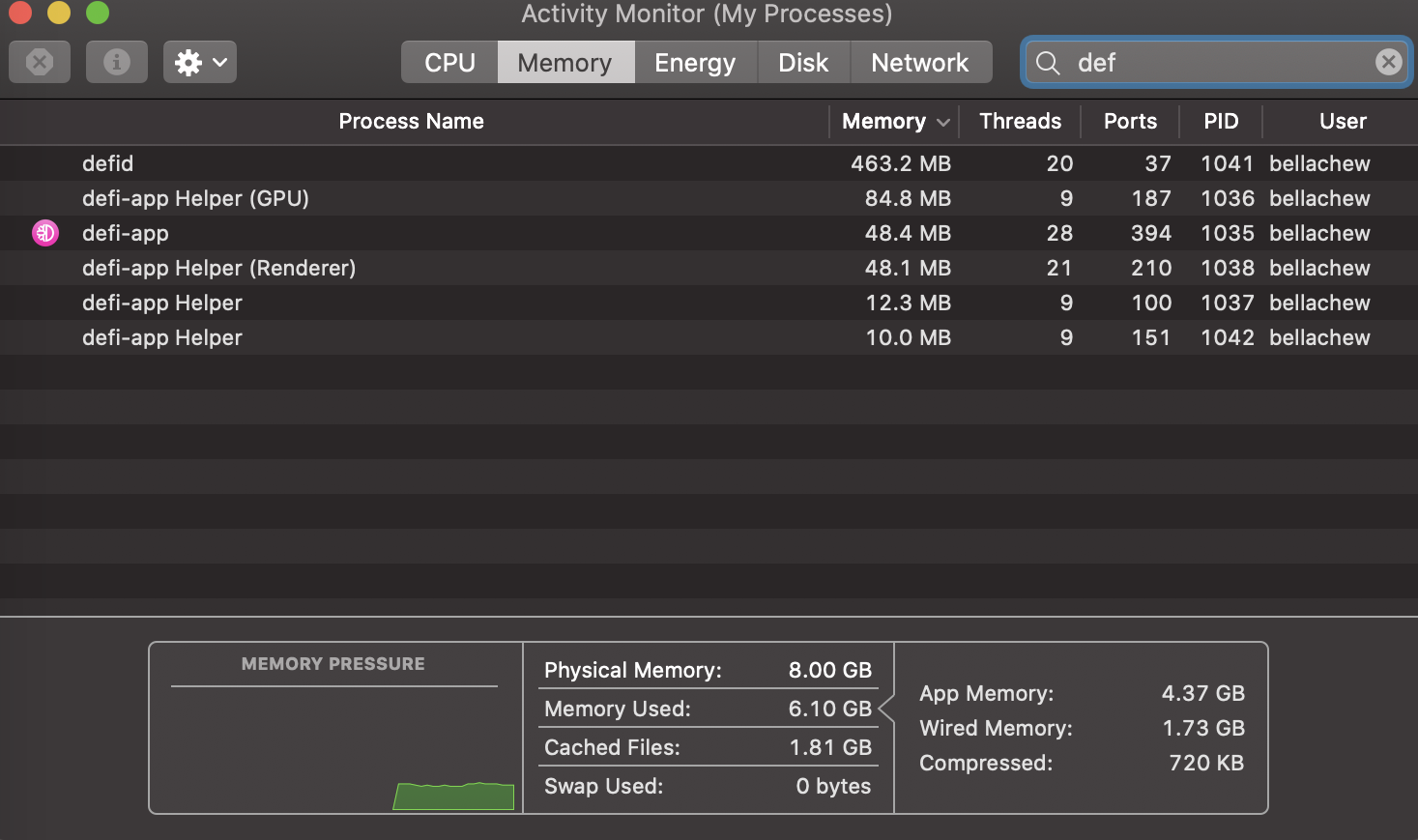
Hi @Ausafari , well received, please give us time to investigate this issue. Do you have screenshot of your Activity Monitor?
izzycsy
on 31 Jan 2021
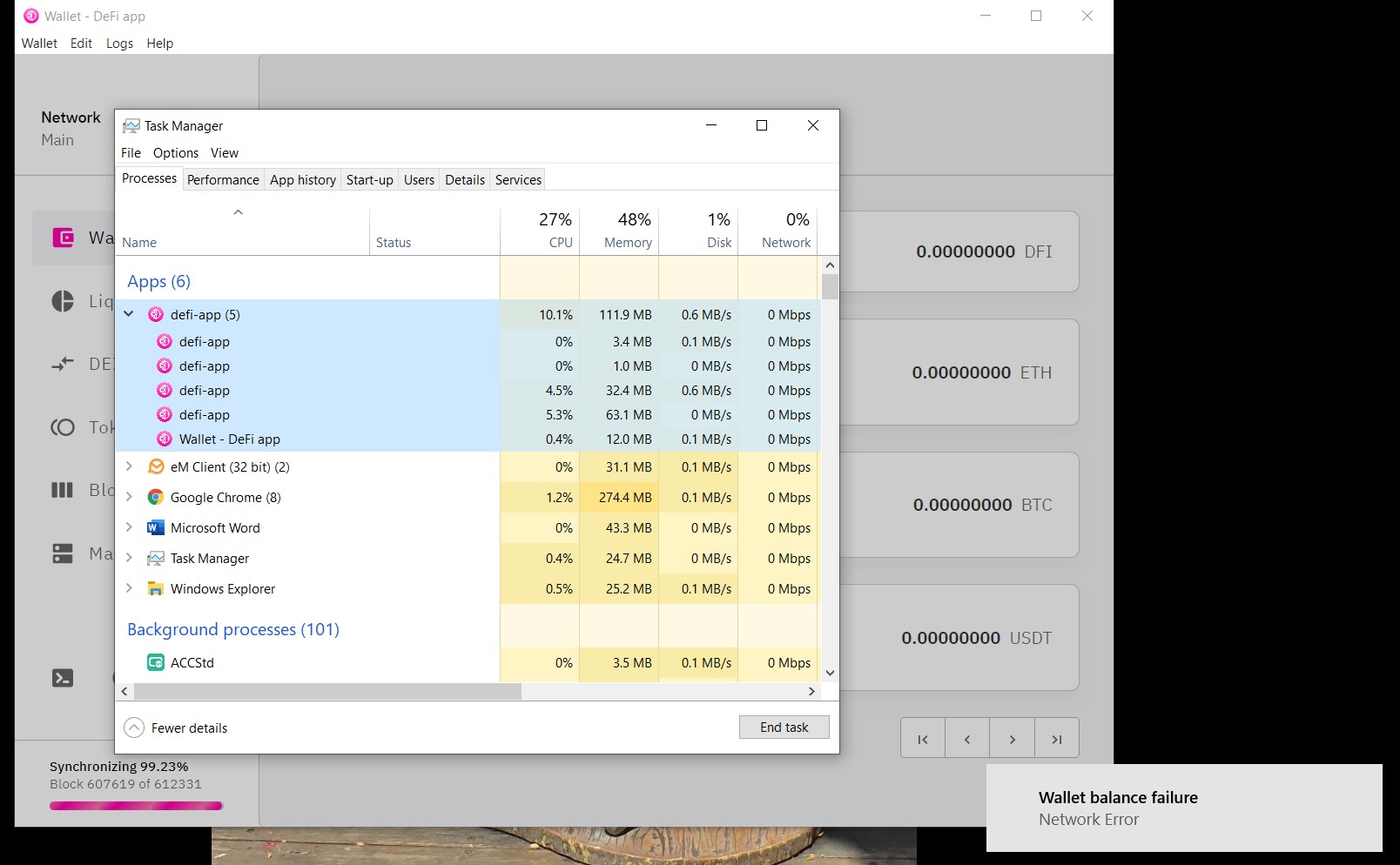
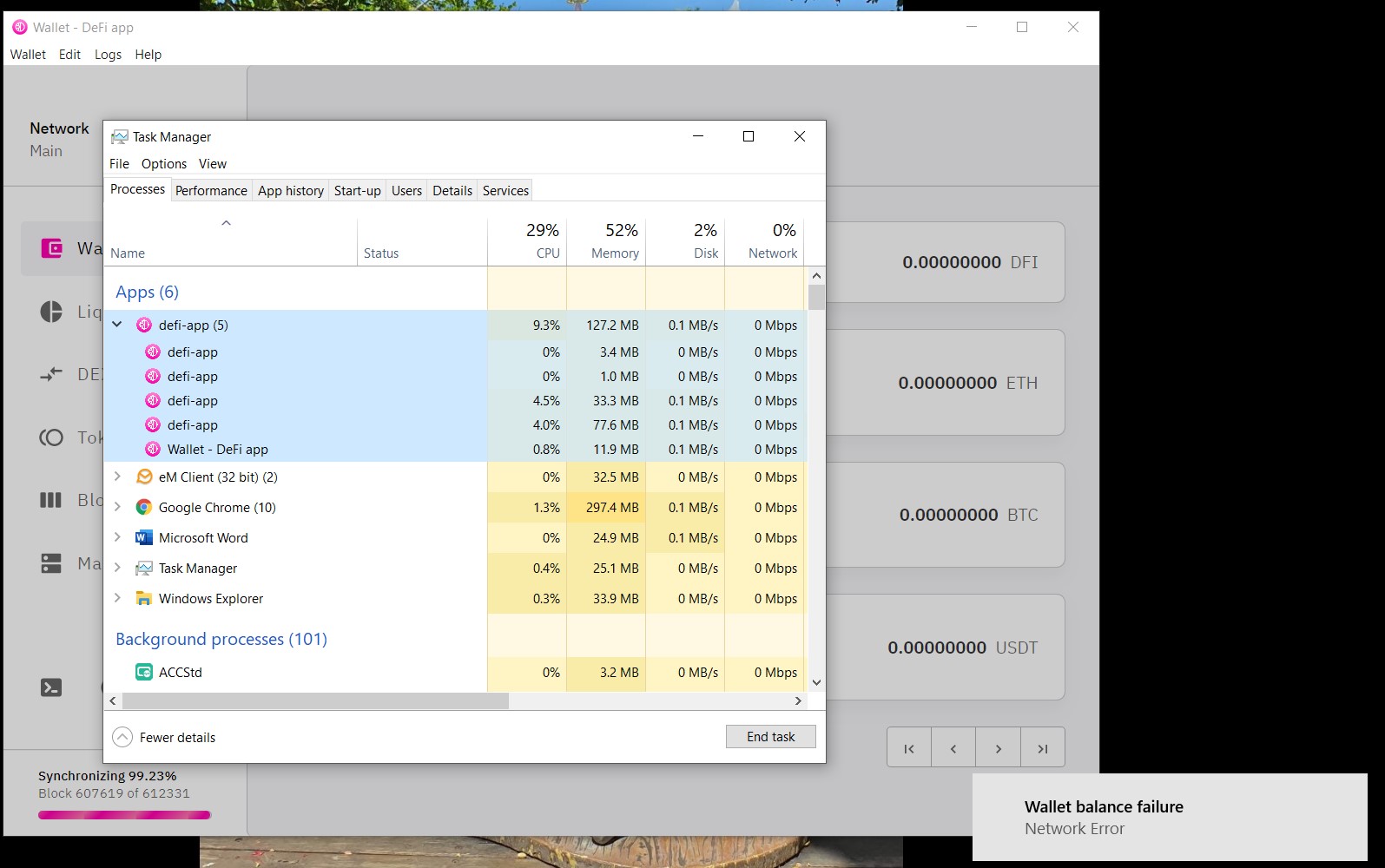
I use a PC, not a Mac, so the Activity Monitor doesn't provide the information a Mac does. However I can take a screenshot of Task Manager, if that will help? I am assuming you want such a screenshot from when the error occurs?
Ausafari
on 31 Jan 2021
Hi @Ausafari , yes for windows PC it's your task manager.
izzycsy
on 31 Jan 2021
OK, but you didn't answer as to when you want the screenshot taken, as asked previously. Is it when the app is trying to sync or when the app fails to sync?
Ausafari
on 31 Jan 2021
The app failed again with the "Node is disconnected" error being thrown again before I received an answer from you @izzycsy . There's no point sending you the Task Manager output at this time as it's showing zero activity from the defi app of course.
Ausafari
on 31 Jan 2021
Hi guys, I was facing the same issue (Node is disconnected). Then I removed all files and folders in the folder DeFi Blockchain. Now the problem is solved, my wallet is synchronized (at block 611616), but I lost my balance of DFI coins. What should I do in order to see my previous balance, please? Thanks in advance!
 zyr2783
on 31 Jan 2021
zyr2783
on 31 Jan 2021
Hi guys, I was facing the same issue (Node is disconnected). Then I removed all files and folders in the folder DeFi Blockchain. Now the problem is solved, my wallet is synchronized (at block 611616), but I lost my balance of DFI coins. What should I do in order to see my previous balance, please? Thanks in advance!
Have you restored your wallet with your seed phrase?
BenThrottle85
on 31 Jan 2021
Hi guys, I was facing the same issue (Node is disconnected). Then I removed all files and folders in the folder DeFi Blockchain. Now the problem is solved, my wallet is synchronized (at block 611616), but I lost my balance of DFI coins. What should I do in order to see my previous balance, please? Thanks in advance!
Have you restored your wallet with your seed phrase?
No, I didn`t, how should I do that?
zyr2783
on 31 Jan 2021
Hi @izzycsy ,
after reindexing still the same error "Node is disconnected"
Now I try to delete the .defi folder.
BenThrottle85
on 31 Jan 2021
Hi guys, I was facing the same issue (Node is disconnected). Then I removed all files and folders in the folder DeFi Blockchain. Now the problem is solved, my wallet is synchronized (at block 611616), but I lost my balance of DFI coins. What should I do in order to see my previous balance, please? Thanks in advance!
Have you restored your wallet with your seed phrase?
No, I didn`t, how should I do that?
Maybe you can upload a screenshot from your current screen?!
Have you made a backup of your wallet?
BenThrottle85
on 31 Jan 2021
hi there, I am facing the same issue.
I'm using macbook and version 2.1.15 of DeFi Chain app
It syncs up to over 99% then it gives the error
How can I fix it?
 rezaghiasi
on 31 Jan 2021
rezaghiasi
on 31 Jan 2021
Hi @izzycsy . I have attached two screenshots for you of the Task Manager output when the app fails. Each shows the different failure notices down the bottom right hand corner. From Task Manager you can see the system resources are not overloaded - the app simply fails - each and every time.
Ausafari
on 31 Jan 2021
hi there, I am facing the same issue.
I'm using macbook and version 2.1.15 of DeFi Chain app
It syncs up to over 99% then it gives the error
How can I fix it?
Update or fresh install?
BenThrottle85
on 31 Jan 2021
I (and I suspect others in this thread) @BenThrottle85 have tried both methods numerous times - all without success. :(
Ausafari
on 31 Jan 2021
Hi guys, I was facing the same issue (Node is disconnected). Then I removed all files and folders in the folder DeFi Blockchain. Now the problem is solved, my wallet is synchronized (at block 611616), but I lost my balance of DFI coins. What should I do in order to see my previous balance, please? Thanks in advance!
Have you restored your wallet with your seed phrase?
No, I didn`t, how should I do that?
Maybe you can upload a screenshot from your current screen?!
Have you made a backup of your wallet?
I have made a backup of my wallet, but unfortunately I cannot find the file.. But I have my recovery phase.. Im 100% synchronized now, how can I get back my coins? Im sure, I can find the address where I sent a coins from exchange. Does it help?
zyr2783
on 31 Jan 2021
I have just found a solution and it worked, it might not be an efficient one but I think for those whom are worried about their funds it can be a solution
I opened the app and once the percentage was going up I closed the app then open again for syncing, it took me a while more to finish the process but it did sync.
rezaghiasi
on 1 Feb 2021
I have built on the work @UserMaxL did earlier and seem to have found a reliable method of making this app (the most unreliable DeFI app it has EVER been my sorry misfortune to use) sync.
1: Note the approximate block the app reaches when it throws the "Node disconnected" error (still occurring for all of we poor unfortunates after 6 days! Hang your heads in shame, app devs!)
2: Launch the app.
3: Monitor it as it approaches the previous failure point. The block periods seem to oscillate around an (approximately) 20 second cycle.
4: As soon as you notice the block count stop advancing (give it say 30 seconds, just to be sure), close the app out. DO NOT wait for the app to fail.
5: Wait for the app to close completely before proceeding.
6: Relaunch the app - it may take a few minutes to relaunch, but be patient. Once it does relaunch, it should start again near or at the block where it left off.
7: Repeat steps 4-6 as necessary. (I had to close and re-launch the app three times before it finally synced).
8: When the app finally syncs, give a great big sigh of relief and continue on with the tasks you should reasonably have expected to be able to have completed 6 DAYS AGO!!!!
Ausafari
on 1 Feb 2021
OK, so my issue is solved. I have removed the app and deleted both folders (DeFi Blockchain and defi-app). Installed a newest version 2.1.15, wait for synchronizing and recovered with my seed phrase. All works! Thanks for your help.
zyr2783
on 1 Feb 2021
I deleted the ".defi" folder on my Lubuntu VM:
- syncing starts --> 100% with no problems. used memory was about 500MB all the time but it was much slower than the last times. but that's not the problem
- app shows me my wallets but no coins displayed. but how does the app know what coins i had? i deleted the ".defi" folder!
- Wallet -> Reset Wallet -> entered my seed phrase -> restoring wallet. my coins are back
- opened DFI wallet -> "Include rewards" -> no rewards shown :-(
- Reindexing ==> same issue again. the used memoy at about 90% goes up to the air.
I'm really frustrated right now!!!
BenThrottle85
on 1 Feb 2021
OK, so my issue is solved. I have removed the app and deleted both folders (DeFi Blockchain and defi-app). Installed a newest version 2.1.15, wait for synchronizing and recovered with my seed phrase. All works! Thanks for your help.
Can you see your rewards in the dfi wallet?
BenThrottle85
on 1 Feb 2021
OK, so my issue is solved. I have removed the app and deleted both folders (DeFi Blockchain and defi-app). Installed a newest version 2.1.15, wait for synchronizing and recovered with my seed phrase. All works! Thanks for your help.
Can you see your rewards in the dfi wallet?
Yes, I can.
zyr2783
on 2 Feb 2021
For me it works with every systems when I do it the following:
- Start the defid.exe without the app
Open cmd and type
cd "%localappdata%\Programs\defi-app\resources\binary\win"
.\defid.exe -conf="%USERPROFILE%\.defi\defid.conf"
- Observe the RAM consumption of the app in the taskmanager. When it exceeds 1 GB (with your amount of RAM, you can wait until it exceeds 2GB - 4GB) select the cmd window and press
Ctrl + Cto shutdown the node. Do not close the cmd window with "X", the blockchain can be corrupted- Wait until you can enter the next command and start from step 1. Check whether it syncs from your last synced block number.
Remember you need to start it with the parameter
-reindexthe first time (.\defid.exe -conf="%USERPROFILE%\.defi\defid.conf" -reindex) like described in the release notes.Why it helps?
defid.exe will need about 300 MB of RAM when you restart the process, but can already use the last blockchain state. Then it will increase again (I could see increasing it to almost 14GB RAM usage without any restart). The first 500.000 blocks can be synced without problems, then you will have to restart the sync process more often.
Hi @rene-sch @BenThrottle85 @kingsersch @FrostyEraser can I check that you've updated to v2.1.13? Please send new information (include screenshots) and app logs. Thank you.
Hi @thiencdam well received, please give us time to investigate the issue.
sorry for my late reply but i'm recovering from corona.
I still have problems finding the passage as described by maaze19 "Remember you need to start it with the parameter -reindex the first time (. \ defid.exe -conf ="% USERPROFILE% . defi \ defid.conf "-reindex ) like described in the release notes. "
I would then go through the path he described
rene-sch
on 4 Feb 2021
@rene-sch
Try my procedure - I didn't fully get the maaze19 description, but I tried something similar:
While synchronizing I monitored the RAM usage in the Task Manager and closed the app when 4 GB or 45-50% of total RAM usage was reached ( I have a 16 GB RAM machine with SSD and 2x2,4 GHz CPUs and version is 2.1.15.). I had to do this two times and synchronizing started with the blocks from previous closing and lower RAM usage. It fully synchronized and all works fine so far.
UserMaxL
on 4 Feb 2021
@UserMaxL Thank you for your quick response. I've tried your approach. but when I close the app the synchronization starts at 0.
Do you close the app normally with "X"? and do you restart by double-clicking?
rene-sch
on 8 Feb 2021
I deleted the ".defi" folder on my Lubuntu VM:
- syncing starts --> 100% with no problems. used memory was about 500MB all the time but it was much slower than the last times. but that's not the problem
- app shows me my wallets but no coins displayed. but how does the app know what coins i had? i deleted the ".defi" folder!
- Wallet -> Reset Wallet -> entered my seed phrase -> restoring wallet. my coins are back
- opened DFI wallet -> "Include rewards" -> no rewards shown :-(
- Reindexing ==> same issue again. the used memoy at about 90% goes up to the air.
I'm really frustrated right now!!!
I created a new Virtual Machine and installed a fresh copy of the Defichain-App 2.1.15.
The Virtual Machine only has 4GB RAM but synchronisation works without any issues.
BenThrottle85
on 8 Feb 2021
@UserMaxL Thank you for your quick response. I've tried your approach. but when I close the app the synchronization starts at 0.
Do you close the app normally with "X"? and do you restart by double-clicking?
Hi @rene-sch , yes, I just closed with "X" and opened with double click. Sorry it didn't work for you, but strange it starts at zero.
UserMaxL
on 8 Feb 2021
@UserMaxL Thank you for your quick response. I've tried your approach. but when I close the app the synchronization starts at 0.
Do you close the app normally with "X"? and do you restart by double-clicking?Hi @rene-sch , yes, I just closed with "X" and opened with double click. Sorry it didn't work for you, but strange it starts at zero.
Hi @UserMaxL do you always wait until the background processes of the app are closed before restarting it?
rene-sch
on 9 Feb 2021
@UserMaxL Thank you for your quick response. I've tried your approach. but when I close the app the synchronization starts at 0.
Do you close the app normally with "X"? and do you restart by double-clicking?Hi @rene-sch , yes, I just closed with "X" and opened with double click. Sorry it didn't work for you, but strange it starts at zero.
Hi @UserMaxL do you always wait until the background processes of the app are closed before restarting it?
Hi, yes, you should always wait until the background processes of the app are closed.
UserMaxL
on 9 Feb 2021
@UserMaxL Thank you for your quick response. I've tried your approach. but when I close the app the synchronization starts at 0.
Do you close the app normally with "X"? and do you restart by double-clicking?Hi @rene-sch , yes, I just closed with "X" and opened with double click. Sorry it didn't work for you, but strange it starts at zero.
Hi @UserMaxL do you always wait until the background processes of the app are closed before restarting it?
Hi, yes, you should always wait until the background processes of the app are closed.
@UserMaxL okay now it seems to be working. Does the synchronization then start exactly at the % at which you closed the app?
rene-sch
on 9 Feb 2021
@UserMaxL Thank you for your quick response. I've tried your approach. but when I close the app the synchronization starts at 0.
Do you close the app normally with "X"? and do you restart by double-clicking?Hi @rene-sch , yes, I just closed with "X" and opened with double click. Sorry it didn't work for you, but strange it starts at zero.
Hi @UserMaxL do you always wait until the background processes of the app are closed before restarting it?
Hi, yes, you should always wait until the background processes of the app are closed.@UserMaxL okay now it seems to be working. Does the synchronization then start exactly at the % at which you closed the app?
Yes, was the case for me...what version of the app are you using?
UserMaxL
on 9 Feb 2021
@UserMaxL Thank you for your quick response. I've tried your approach. but when I close the app the synchronization starts at 0.
Do you close the app normally with "X"? and do you restart by double-clicking?Hi @rene-sch , yes, I just closed with "X" and opened with double click. Sorry it didn't work for you, but strange it starts at zero.
Hi @UserMaxL do you always wait until the background processes of the app are closed before restarting it?
Hi, yes, you should always wait until the background processes of the app are closed.@UserMaxL okay now it seems to be working. Does the synchronization then start exactly at the % at which you closed the app?
Yes, was the case for me...what version of the app are you using?
I'm currently trying to install version 2.1.16 from 2.1.6
rene-sch
on 9 Feb 2021
Can you see in C:\Users\Username\AppData\Roaming\DeFi\blocks what's the size of first blkXXXXX.dat?
bvbfan
on 9 Feb 2021
PS: You can't use older version, not because it's not recommended, you just can't.
bvbfan
on 9 Feb 2021
PS: You can't use older version, not because it's not recommended, you just can't.
@bvbfan the problem is that currently no version works. So I'm trying to install version 2.1.16.
rene-sch
on 9 Feb 2021
They work it's related to -reindex can you check C:\Users\Username\AppData\Roaming\DeFi\blocks and write here which are the size of of top 3 items?
bvbfan
on 10 Feb 2021
They work it's related to
-reindexcan you checkC:\Users\Username\AppData\Roaming\DeFi\blocksand write here which are the size of of top 3 items?
@bvbfan Do you mean these?
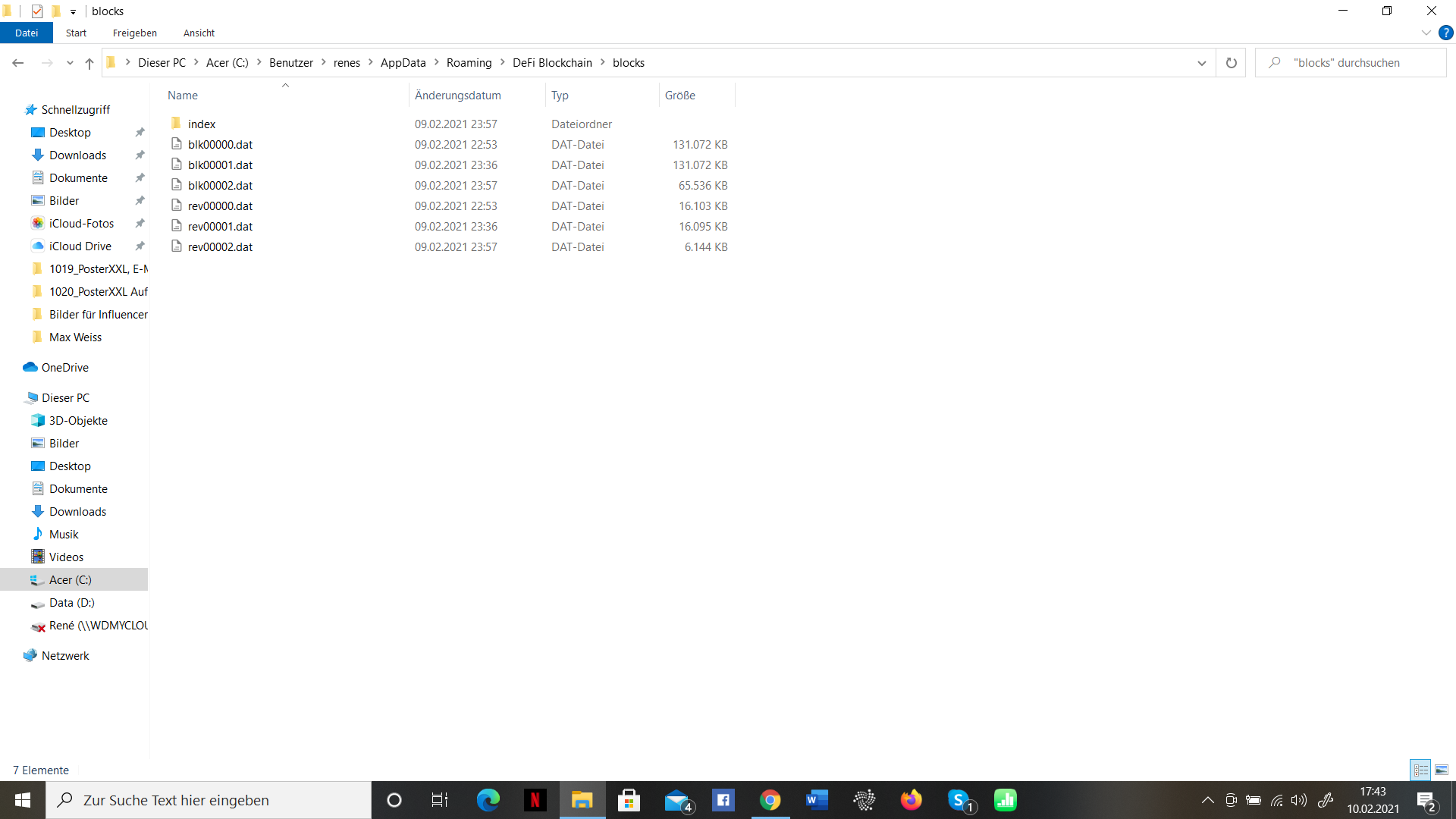
rene-sch
on 10 Feb 2021
Delete only 3 blk file (first 3 after folder index) restart the app.
bvbfan
on 10 Feb 2021
Delete only 3 blk file (first 3 after folder index) restart the app.
normal with double click or should I download it again from github?
rene-sch
on 10 Feb 2021
Latest version 2.17, just start it.
bvbfan
on 10 Feb 2021
okay i'm trying. thank you
rene-sch
on 10 Feb 2021
Latest version 2.17, just start it.
@bvbfan
I finally managed to synchronize version 2.1.17. Then I went to "restore wallet" but now no coins etc. are displayed. Do I have to restore the wallet with my seed?
Thanks for your endless help.
rene-sch
on 11 Feb 2021
I got the 2.1.17 windows version but still same issue. my wallet is not loading node disconected.
 monnyfx
on 13 Feb 2021
monnyfx
on 13 Feb 2021
Now everything is working again. I installed version 2.1.17 (like @bvbfan told me) and entered my seed. Everything back. Many thanks for your help
rene-sch
on 15 Feb 2021
Hi @BenThrottle85 @kingsersch @TTSIP @thiencdam @goldi147 @jibesmaster @Ausafari @monnyfx , thank you for your patience on this issue. Can you try installing the latest v2.1.17. If syncing is stalled, try the Reindex Option via Settings, click on Reindex after saving followed by delete peers and blocks. Does your app sync?
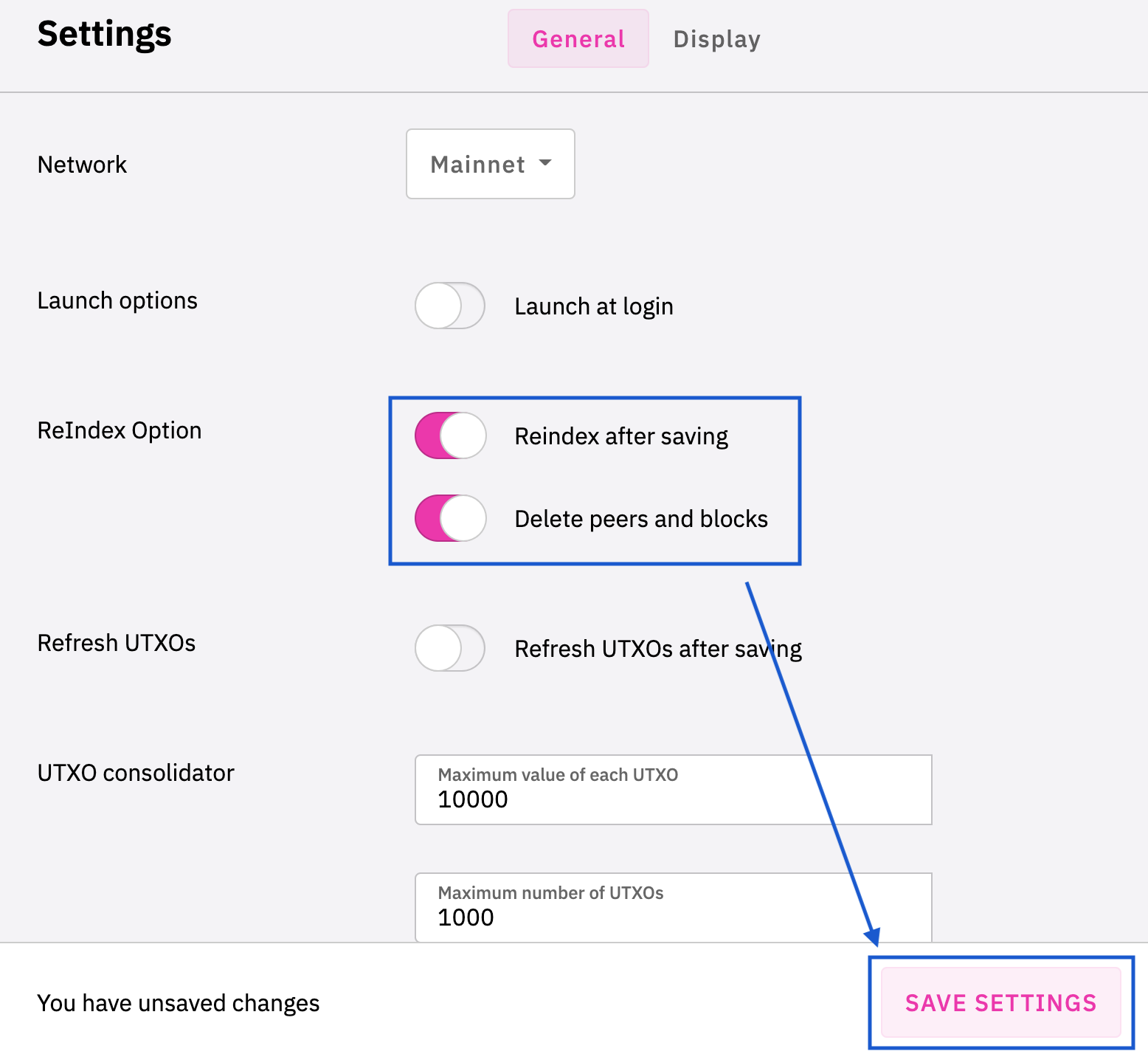
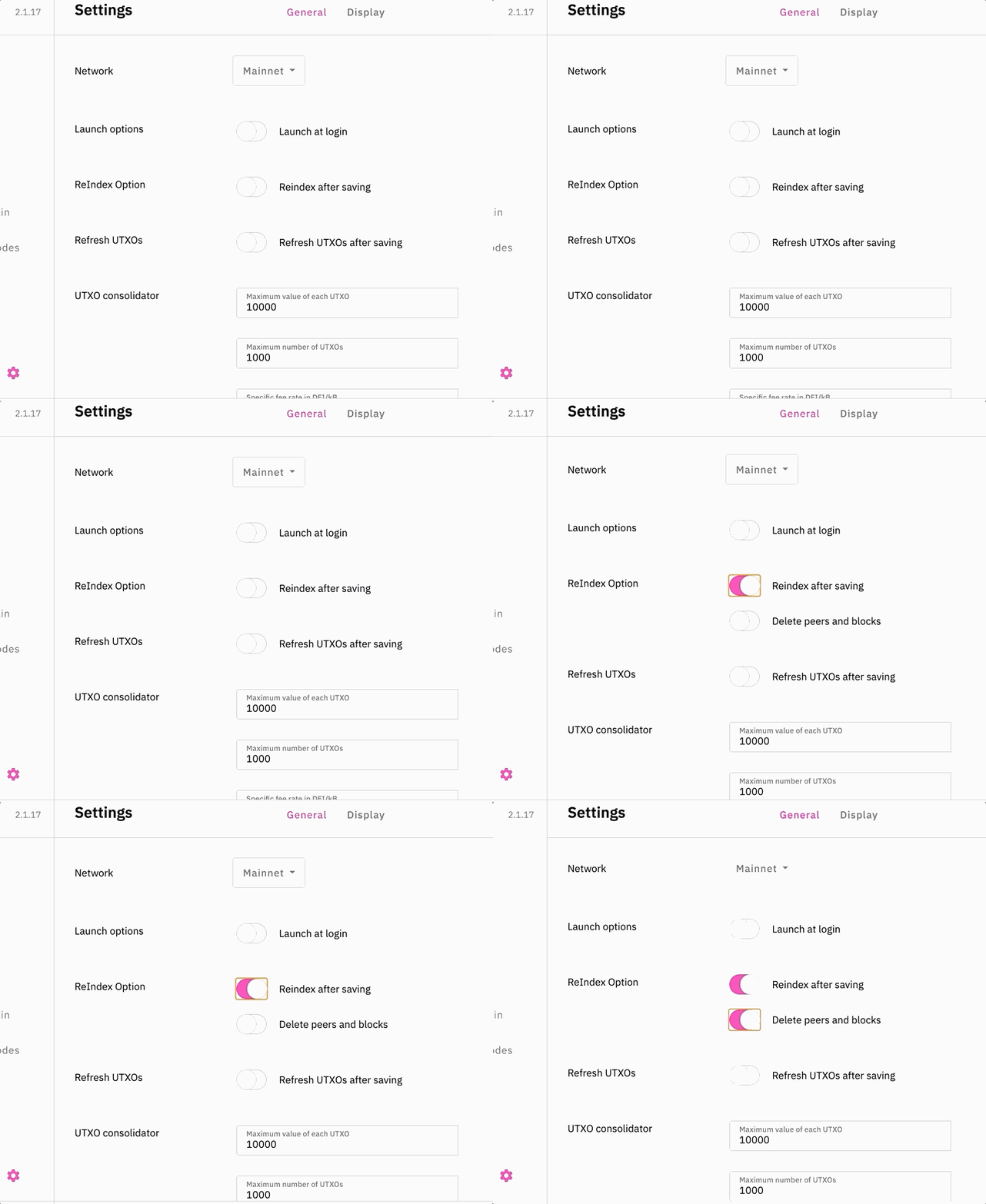
izzycsy
on 16 Feb 2021
Is there a fix for this yet? My node syncs but it still says node disconnected.
 MrStryker
on 16 Feb 2021
MrStryker
on 16 Feb 2021
Hi @MrStryker , we manage to reproduce this internally and the above solution worked, would appreciate if you can try the above solution and let me know the outcome. If it doesn't, kindly send your logs please. Thank you.
izzycsy
on 17 Feb 2021
Hi @MrStryker , we manage to reproduce this internally and the above solution worked, would appreciate if you can try the above solution and let me know the outcome. If it doesn't, kindly send your logs please. Thank you.
Does not work. I've tried it several times. What log files do you need?
MrStryker
on 17 Feb 2021
Hi @MrStryker , we manage to reproduce this internally and the above solution worked, would appreciate if you can try the above solution and let me know the outcome. If it doesn't, kindly send your logs please. Thank you.
My issue was fixed. My clock was manually adjusted on my PC. When I put it to auto adjust the node was able to connect.
MrStryker
on 21 Feb 2021
Hi @MrStryker , glad that your issue is fixed. Interesting so it was due to your time-clock on PC that's why you could not sync? What was your settings prior?
izzycsy
on 22 Feb 2021
Hi @BenThrottle85 @kingsersch @TTSIP @thiencdam @goldi147 @jibesmaster @Ausafari @monnyfx @MrStryker , thank you for your patience on this issue. Update v2.3.0 is out.
Do give a thumbs up to this comment if your issue has been resolved, otherwise, you may reopen this issue with new information (include screenshots) and app logs. Thank you.
izzycsy
on 25 Feb 2021
Related issues
 gabriello79
·
4Comments
gabriello79
·
4Comments
 tame81
·
9Comments
tame81
·
9Comments
 Rocky-81
·
8Comments
Rocky-81
·
8Comments
 Sim-Cyber
·
7Comments
Sim-Cyber
·
7Comments
 SKapi1985
·
5Comments
SKapi1985
·
5Comments