Apisix-dashboard: UI design: create new route
English version:
- allow to select the filter
- allow to delete existing conditions
- the option
host,remote address, andmethod, the user is allowed to enter multiple different values, use space as separator - necessary conditions: uri and service, others are optional
Chinese version:
- 用户选择需要添加的过滤条件
- 也可以对已有条件删除
- 在 host、remote_addr 和 methods 选项中,均允许用户输入多个不同的值,空格分割
- 必要条件:uri 和 服务,其他均为可选
 membphis
All 7 comments
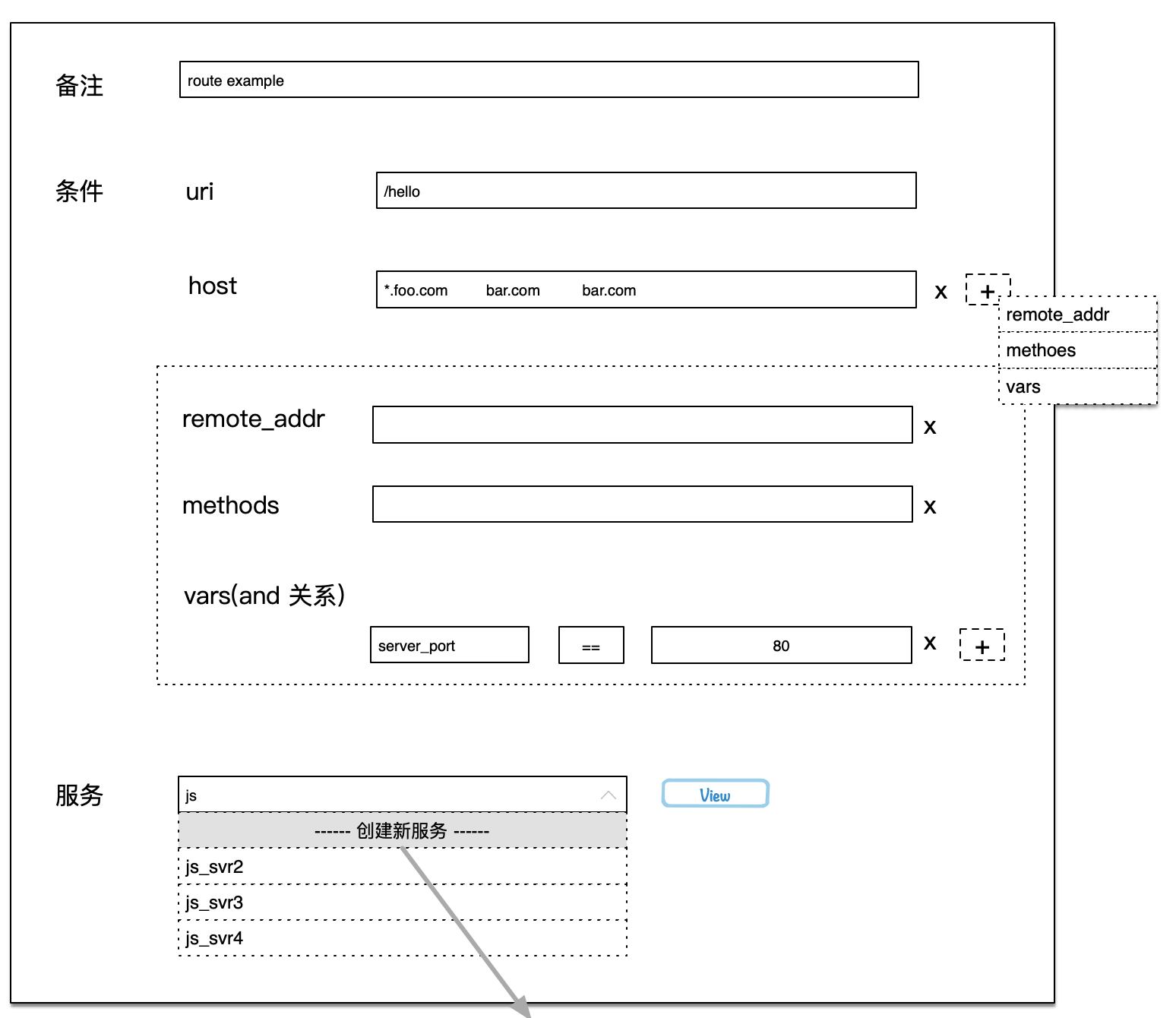
选项 A: 用户按需添加可选字段,对于不关心过滤条件,在界面上完全不显示
Option A: The user adds fields as needed. For the filter conditions that are not concerned, it is not displayed at all on the interface.
membphis
on 30 Sep 2019
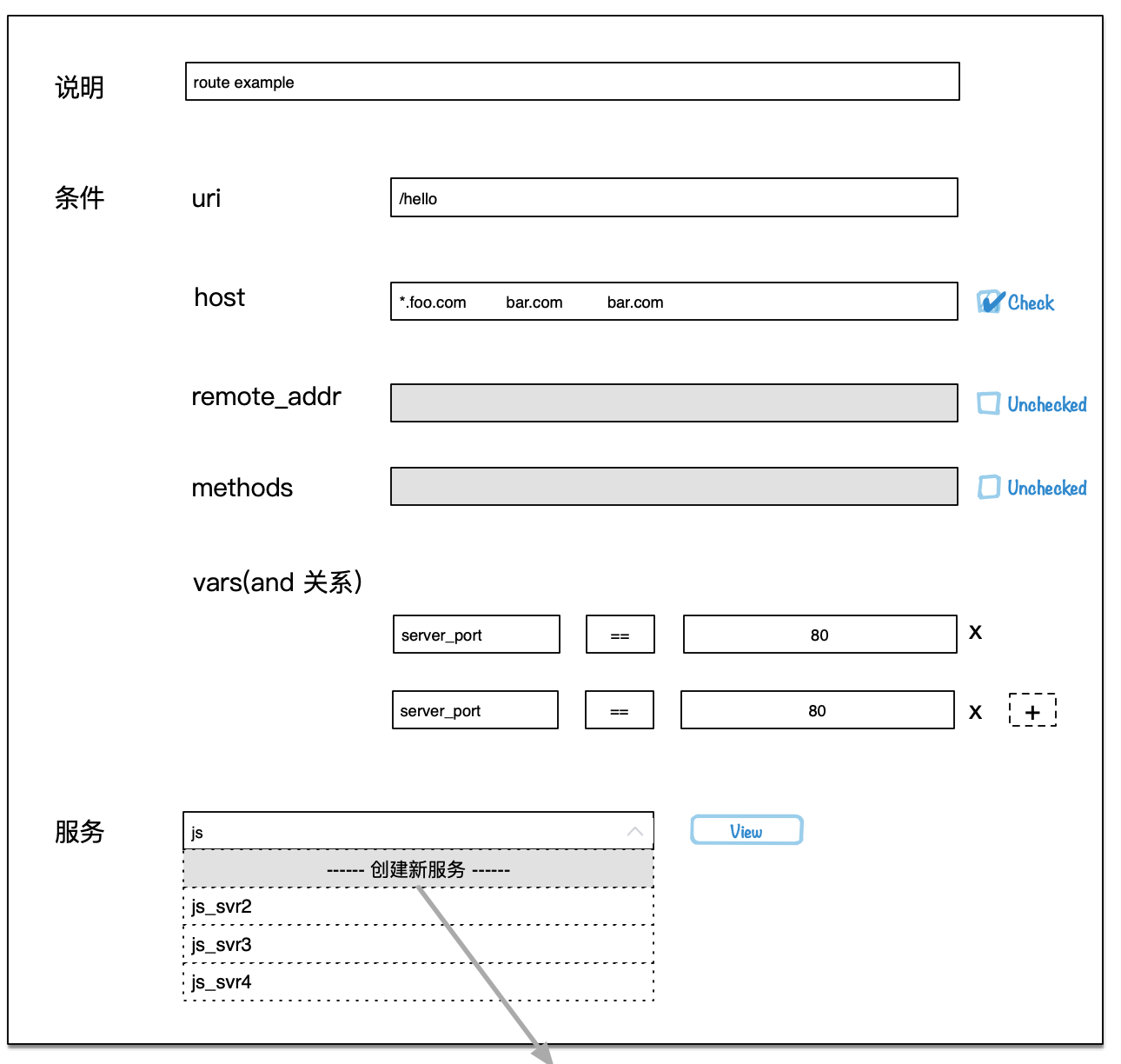
方案 B: 界面上告诉用户所有大的选项,用户手动点击右侧的 CheckBox 决定是否开启这个可选项。
Option B: The interface tells the user all the options, the user manually clicks on the CheckBox on the right to decide whether to enable this option.
membphis
on 30 Sep 2019
only uri is required, host,remote_addr and methods are optional.
plan B is the fast way to choose conditions.
 moonming
on 30 Sep 2019
moonming
on 30 Sep 2019
I would prefer Plan A from UX side.
- Show required fields by default;
- User can set other optional fields by Filter Policies;
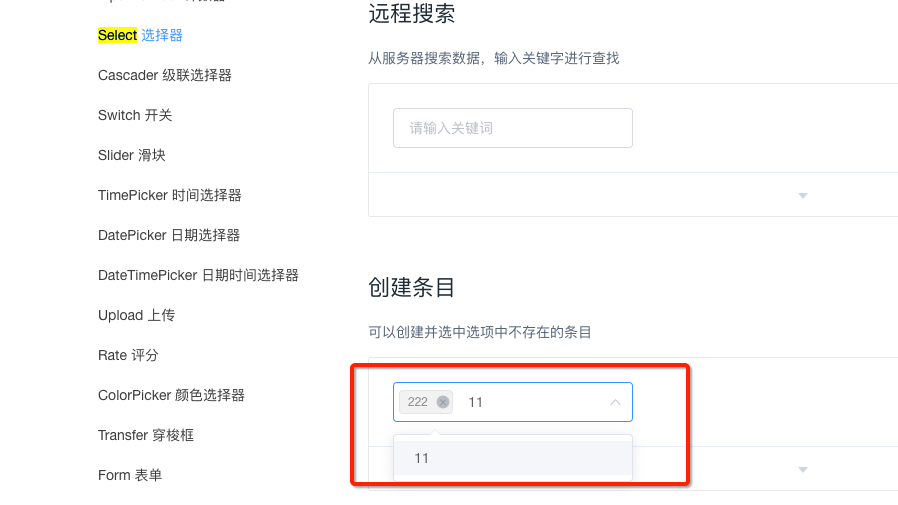
均允许用户输入多个不同的值,空格分割
ElementUI has provided a good component to implement the requirement above.
 juzhiyuan
on 30 Sep 2019
juzhiyuan
on 30 Sep 2019
I think the plan A is simpler and easier to understand.
 linsir
on 30 Sep 2019
linsir
on 30 Sep 2019
选项A 更合适,(必选)的界面适合所有人,隐藏的选项(界面)适合于高端玩家,高端玩家会自行探索 "+"后的奥秘
 totemofwolf
on 30 Sep 2019
totemofwolf
on 30 Sep 2019
Please take a look at the new Dashboard.
juzhiyuan
on 13 Jul 2020
Related issues
 wangruozhu
·
5Comments
wangruozhu
·
5Comments
 LiteSun
·
5Comments
LiteSun
·
5Comments
 stu01509
·
3Comments
totemofwolf
·
3Comments
stu01509
·
3Comments
totemofwolf
·
3Comments
 qian0817
·
4Comments
qian0817
·
4Comments
Most helpful comment
选项 A: 用户按需添加可选字段,对于不关心过滤条件,在界面上完全不显示
Option A: The user adds fields as needed. For the filter conditions that are not concerned, it is not displayed at all on the interface.