Anysoftkeyboard: Unable to build the project in android studio
Hello, I am unable to build the project successfully. Downloaded the master branch and tried to build it in two different PC, but getting the same error.


The parser file is throwing 12 errors.
I am using Android version 3.6 with Windows 10.
Any guidance on how to build the project successfully would be really helpful.
 Kalim06
All 15 comments
I think that your windows machine is configured to use CP1252 encoding. It should use utf-8.
Can you check to see if you can configure Android-Studio to use UTF-8 encoding?
 menny
on 30 Mar 2020
menny
on 30 Mar 2020
It's using UTF-8 Encoding only. Yet I changed every encoding to UTF-8 and tried to rebuild the project.
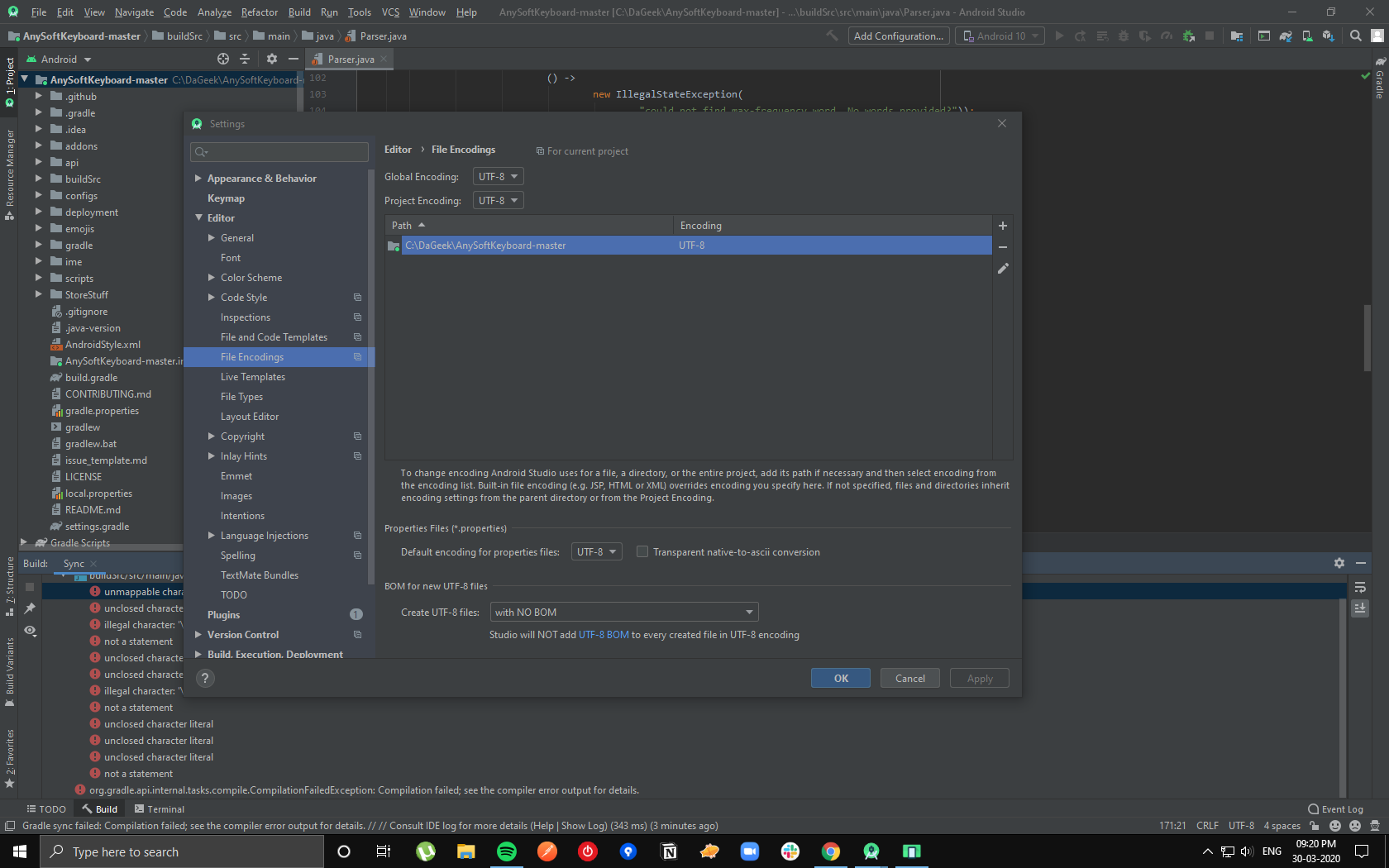
Still getting the same error.
Kalim06
on 30 Mar 2020
I have this issues too since version 1.10 of project 🤷♂️
 kurdikeyboard
on 30 Mar 2020
kurdikeyboard
on 30 Mar 2020
I cloned the branch of 1.09 version using git checkout 1862335. It built successfully just threw the ndk error. Downloading the ndk mentioned in the development should fix that. I will update the progress.
Kalim06
on 31 Mar 2020
I cloned the branch of 1.09 version using
git checkout 1862335. It built successfully just threw the ndk error. Downloading the ndk mentioned in the development should fix that. I will update the progress.
Just to make sure - that is ndk 14b, which is considered (by Android) to be outdated?
[edit]This isn't meant as an critism to anyone specific, it's just that there is a big warning that basically says "Don't go there! Old stuff, bad!"
 Cyberman-tM
on 12 Apr 2020
Cyberman-tM
on 12 Apr 2020
Still getting this error, any help?
 subwayeetfresh
on 20 Jun 2020
subwayeetfresh
on 20 Jun 2020
I've done some work to upgrade the code and toolings to use Java 11.
So, first make sure you have Java11 install and set as default java.
Second, point your Android Studio JDK location to Java 11. (From the menu: File > Project Structure > JDK Location.)
This should fix all the issues.
I also updated the docs: https://github.com/AnySoftKeyboard/AnySoftKeyboard/blob/master/CONTRIBUTING.md#development
menny
on 21 Jun 2020
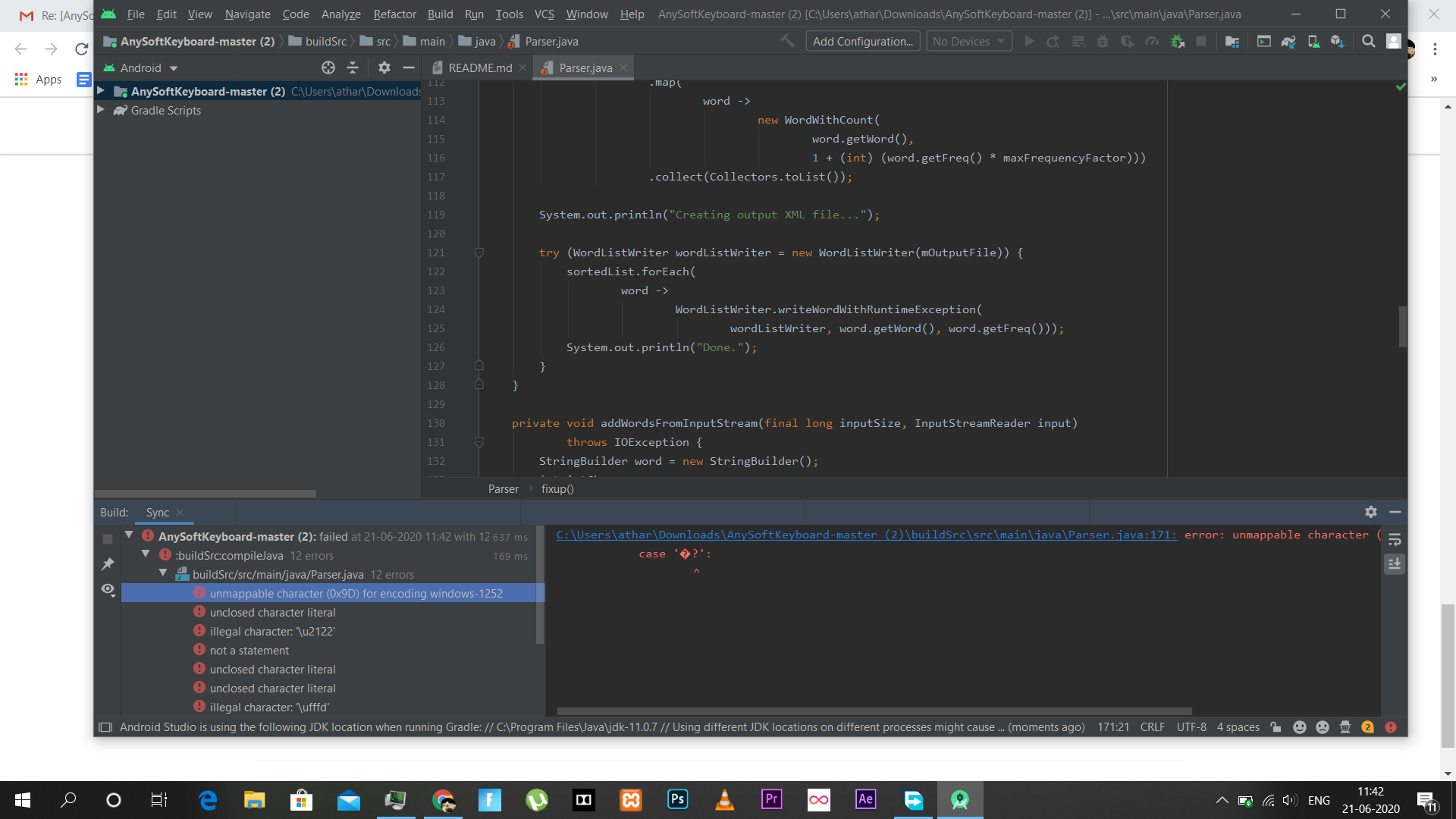
Still not fixing it :(
subwayeetfresh
on 21 Jun 2020
I've done some work to upgrade the code and toolings to use Java 11.
So, first make sure you have Java11 install and set as default java.
Second, point your Android Studio JDK location to Java 11. (From the menu: File > Project Structure > JDK Location.)This should fix all the issues.
I also updated the docs: https://github.com/AnySoftKeyboard/AnySoftKeyboard/blob/master/CONTRIBUTING.md#development
I tried this way but still not fixed the Parser.java issues!
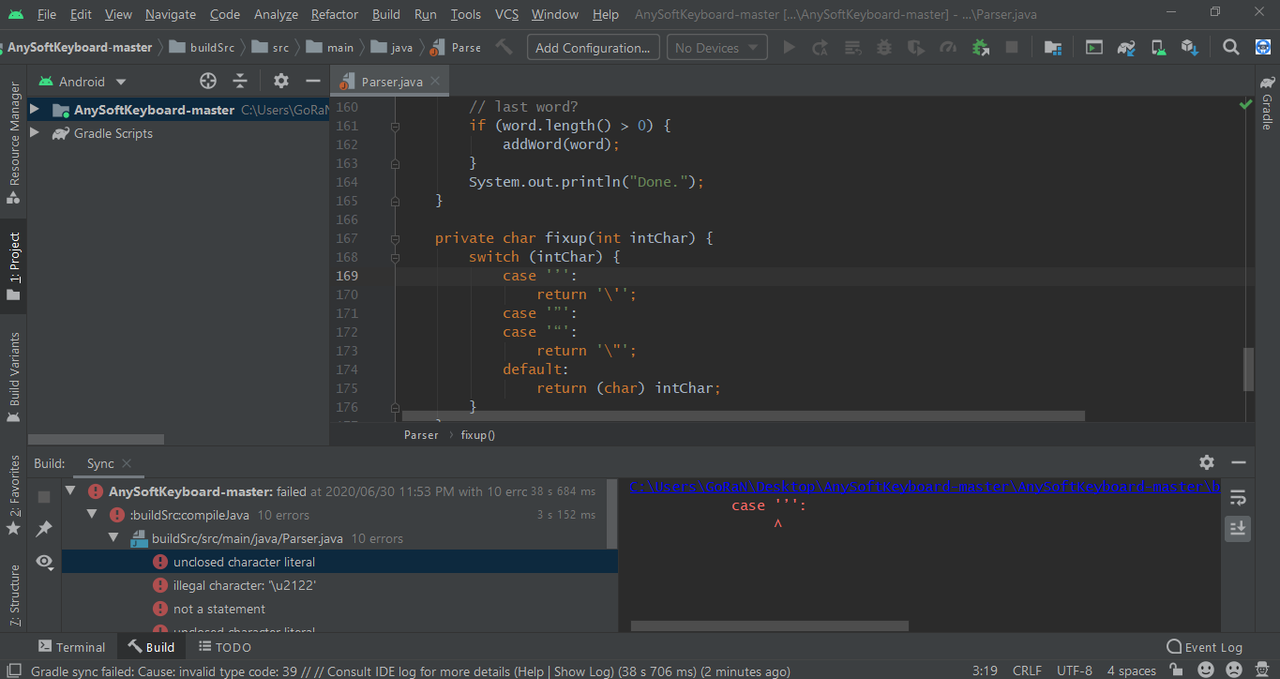
kurdikeyboard
on 30 Jun 2020
Tried
I've done some work to upgrade the code and toolings to use Java 11.
So, first make sure you have Java11 install and set as default java.
Second, point your Android Studio JDK location to Java 11. (From the menu: File > Project Structure > JDK Location.)This should fix all the issues.
I also updated the docs: https://github.com/AnySoftKeyboard/AnySoftKeyboard/blob/master/CONTRIBUTING.md#development
I tried to build the project by the methods mentioned in the docs still getting parser error.
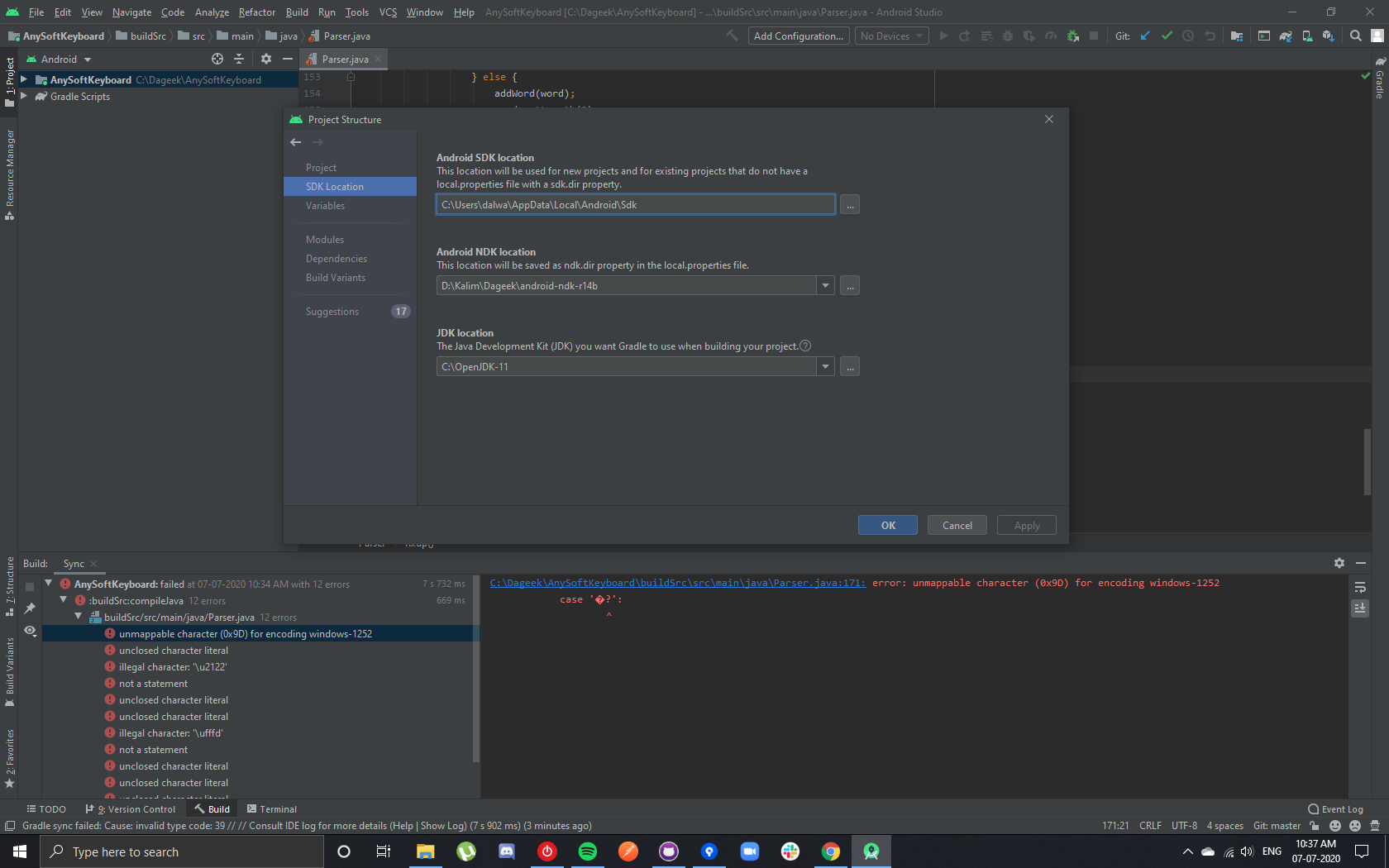
Anything wrong in setting the JDK or NDK ???
 KalimDalwai
on 7 Jul 2020
KalimDalwai
on 7 Jul 2020
Seems like Android-Studio (or your OS) is trying to read the source file with windows-1252 encoding. Which is not the case. The entire repo is UTF-8.
Can you check: https://stackoverflow.com/questions/30184062/android-studio-project-encoding-default-value#:~:text=File%20%2D%3E%20Other%20Settings%20%2D%3E,Project%20Encoding%20to%20UTF%2D8.&text=Go%20through%20File%20%2D%3E%20Settings%20%2D,Encodings%20in%20your%20Android%20Studio.
Does this help?
menny
on 7 Jul 2020
Seems like Android-Studio (or your OS) is trying to read the source file with
windows-1252encoding. Which is not the case. The entire repo isUTF-8.Can you check: https://stackoverflow.com/questions/30184062/android-studio-project-encoding-default-value#:~:text=File%20%2D%3E%20Other%20Settings%20%2D%3E,Project%20Encoding%20to%20UTF%2D8.&text=Go%20through%20File%20%2D%3E%20Settings%20%2D,Encodings%20in%20your%20Android%20Studio.
Does this help?
It's already UTF-8 you can check in the bottom right corner that the android studio is displaying its File encoding of the above reply.
Yet the issue still remains
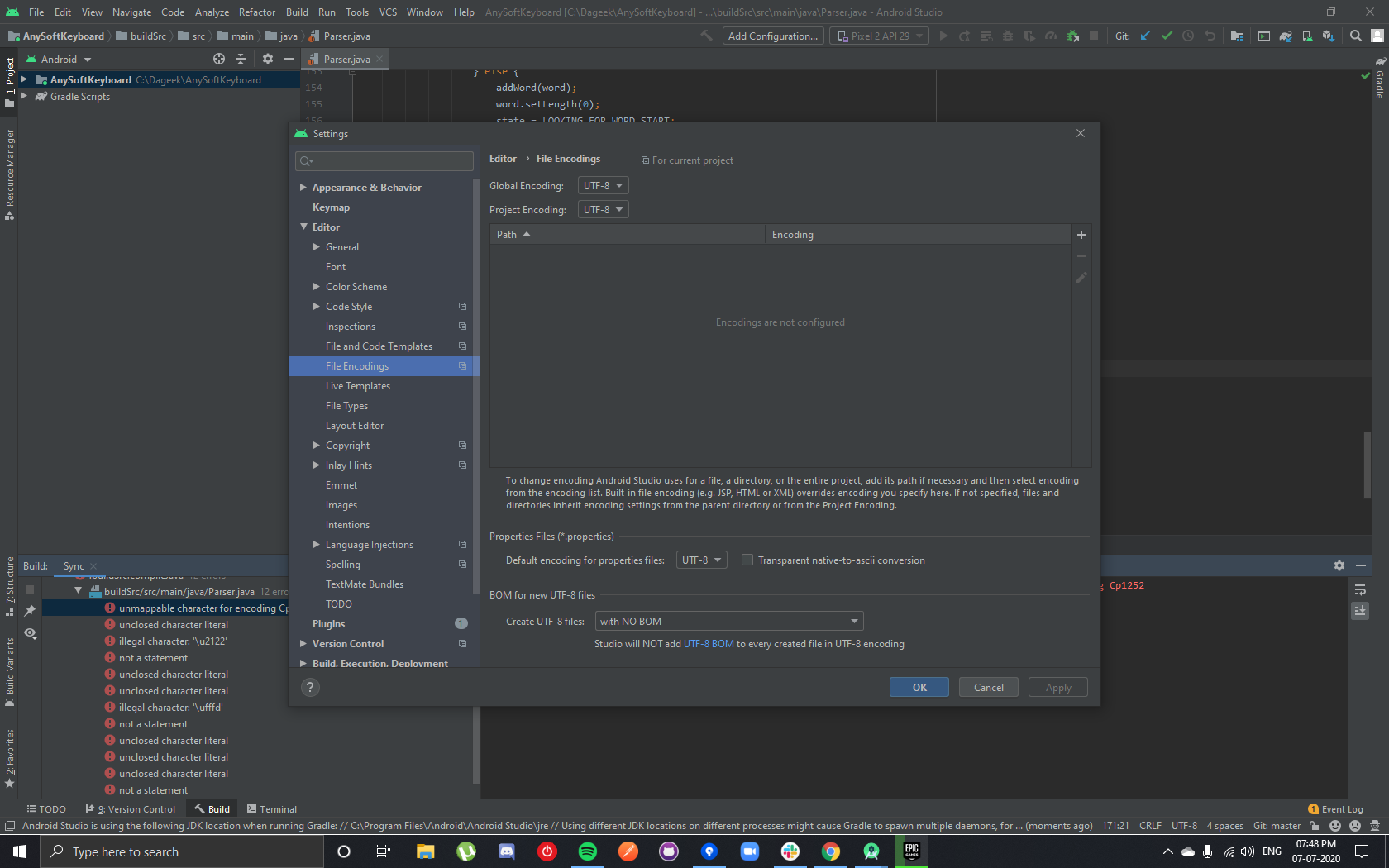
Checked out the link you provide and set the setting as above. Still not building.
KalimDalwai
on 7 Jul 2020
Hi there! I had the same UTF-8 problem and i have find a solution after hours of internet digging:
Set this environment variable:
GRADLE_OPTS="-Dfile.encoding=utf-8"
 axelock
on 8 Aug 2020
axelock
on 8 Aug 2020
@axelock that's amazing! Thank you. Can you add that to https://github.com/AnySoftKeyboard/AnySoftKeyboard/blob/master/CONTRIBUTING.md?
menny
on 8 Aug 2020
Hi there! I had the same UTF-8 problem and i have find a solution after hours of internet digging:
Set this environment variable:
GRADLE_OPTS="-Dfile.encoding=utf-8"
Hi @axelock can you share some steps on how to set it or share a screenshot????
Kalim06
on 29 Aug 2020
Related issues
 afrey15
·
6Comments
afrey15
·
6Comments
 BurlyMynah
·
4Comments
BurlyMynah
·
4Comments
 AdKiller
·
4Comments
AdKiller
·
4Comments
 gabriellluz
·
5Comments
gabriellluz
·
5Comments
 christarazi
·
6Comments
christarazi
·
6Comments
Most helpful comment
Still not fixing it :(