Android-components: [Bug] Can't export (download) user data in Privacy Badger
Prerequisites
Privacy Badger should be installed.
Steps to reproduce
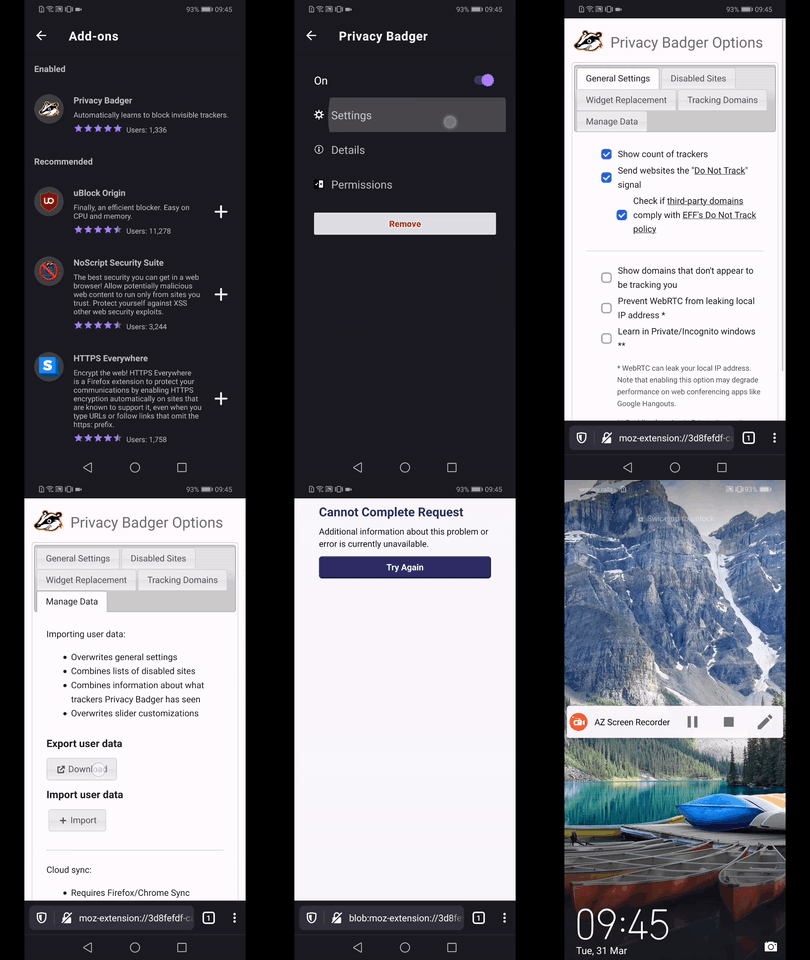
- Open Privacy Badger's settings
- Tap on the Manage Data tab
- From the "Export user data" section tap the "Download" button
Expected behavior
The user should be able to export the desired user data (downlaod a .json file)
Actual behavior
The user is redirected to a "Cannot complete Request page"
Device information
Android device: Huawei Mate 20 Lite (Android 9)
Fenix version: Custom Nightly(Build #20861010) 38.0.20200325130041, c580c2293
GV: 76.0a1-20200324093140 AS: 0.55.0
Notes
►Video Fenix
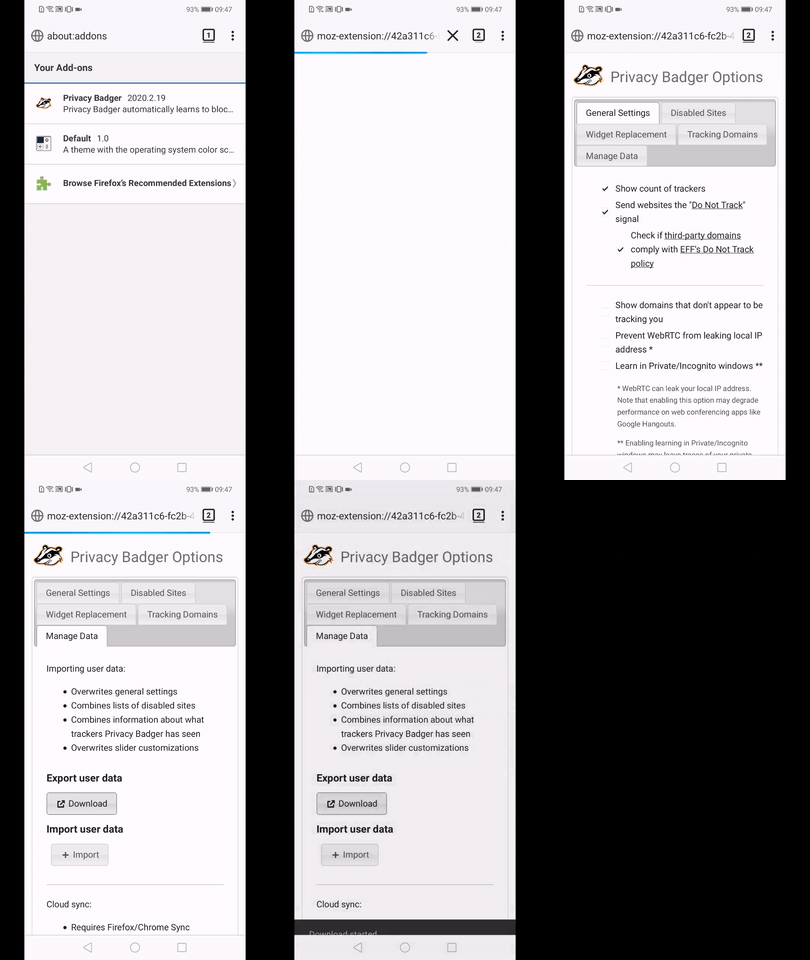
►Video Fenec
 AndiAJ
All 7 comments
This is blocked on https://github.com/mozilla-mobile/android-components/issues/1159
 csadilek
on 1 Apr 2020
csadilek
on 1 Apr 2020
I verified this is a blob that we're trying to download, so it should be blocked by https://bugzilla.mozilla.org/show_bug.cgi?id=1501735.
blob:moz-extension://f3f76f55-82ec-436a-b746-167eddd2f33e/0da2de66-cfc1-46b9-af6b-aea50d0bb6b0
 jonalmeida
on 21 Apr 2020
jonalmeida
on 21 Apr 2020
 Amejia481
on 21 Apr 2020
Amejia481
on 21 Apr 2020
We have blob download support now, but this still fails due to a security issue. Filed in GV:
https://bugzilla.mozilla.org/show_bug.cgi?id=1644886
csadilek
on 10 Jun 2020
Looks like this works now with latest Privacy Badger as the download is now a JSON file. @AndiAJ can you verify when you get a chance, thanks! :)
csadilek
on 19 Nov 2020
Hi @csadilek , I've just checked this matter on the latest Nightly 201124 using the following devices:
• Google Pixel 3a (Android 11)
• Huawei Mate 20 Lite (Android 10)
• OnePlus A3 (Android 6.0.1)
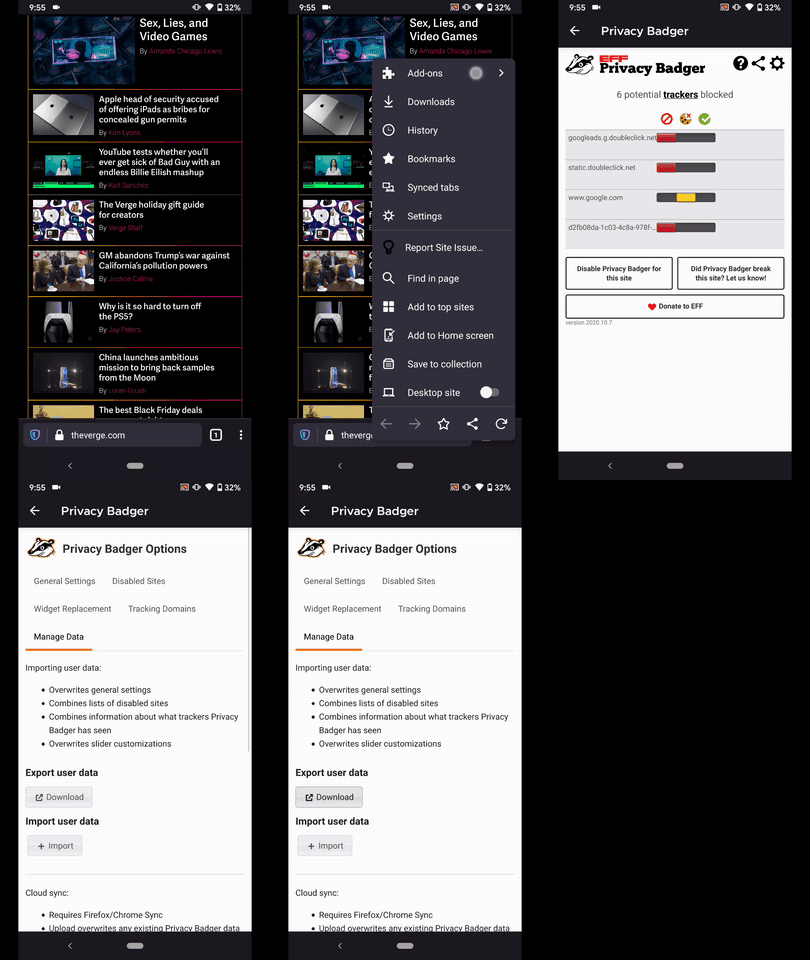
✔️ The user data is properly exported from: Add-ons Manager → Settings → Manage Data → Export user data
❌ On the other hand, it doesn't work when trying to export them VIA the Privacy Badger dashboard.
⋮ Main menu → Add-ons → Tap on Privacy Badger → Select the upper right Gear Icon→ Manage Data → Export user data
✅ Checked on Fennec as well, and the user can export their data from there as well.
► Video
Please review and share your thoughts. ☺️
AndiAJ
on 24 Nov 2020
Thanks, @AndiAJ for catching this. The remaining case is a different issue. The options UI / settings page should be opened in a tab, but clicking on the gear icon opens it directly in the browser action popup where we don't have support for downloads.
csadilek
on 26 Nov 2020
Related issues
AndiAJ
·
3Comments
 Mugurell
·
5Comments
Mugurell
·
5Comments
 dnarcese
·
3Comments
dnarcese
·
3Comments
 mitchhentges
·
5Comments
mitchhentges
·
5Comments
 boek
·
3Comments
boek
·
3Comments