Amp-wp: Image Not Rendering Properly on Mobile and Desktop
Bug Description
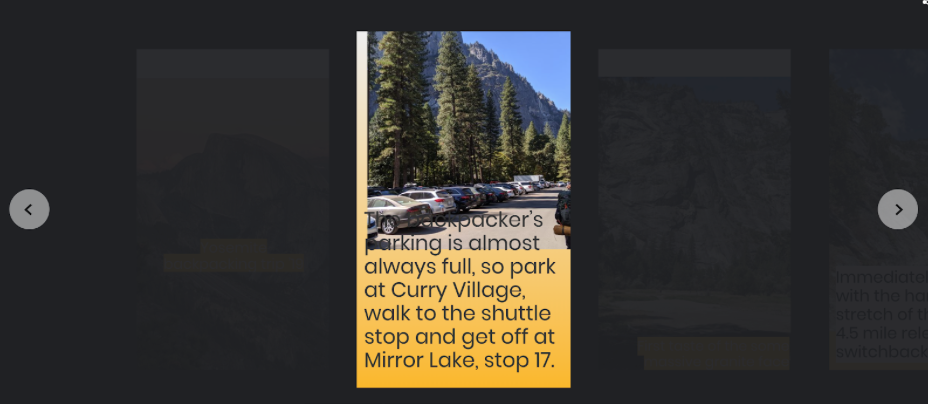
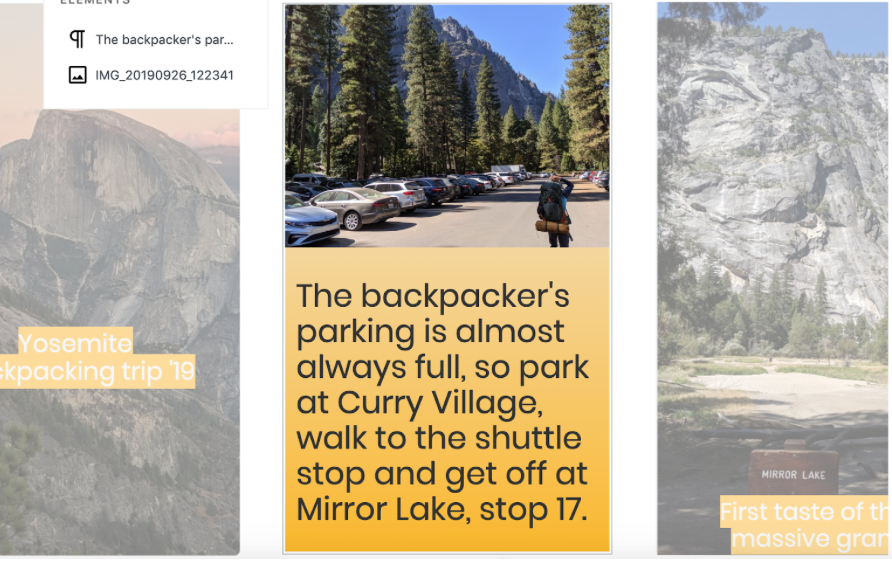
The image entered during editing renders differently (erroneously) once published.
Expected Behaviour
Story should visually look the same in the editor and once published.
Steps to reproduce
- Add image block to page
- Preview/Publish
- Image block displays incorrectly
Screenshots
Additional context
- WordPress version:
- Plugin version: 1.3-rc
- Gutenberg plugin version (if applicable):
- AMP plugin template mode:
- PHP version:
- OS:
- Browser: [e.g. chrome, safari]
- Device: [e.g. iPhone6]
_Do not alter or remove anything below. The following sections will be managed by moderators only._
Acceptance criteria
- AC1: When creating stories in the editor, image within image blocks should display the same in the preview/publish view.
Implementation brief
- The issue of 0% displaying as 5% comes from PHP where
emptygives positive value for0, this causes using the default5as the value:
On 0% being displayed as 5%: yep,5is indeed the default value forpositionLeft. Looks like the issue comes from PHP where0is consideredempty:
https://github.com/ampproject/amp-wp/blob/5799032d4cc9882ceac94966f67c318ebb60eb68/includes/class-amp-story-post-type.php#L1534
We should replace using empty by something more reliable, perhaps with isset or strict equals for 0.
- The weird displaying of images due to
display:tablecan be fixed by overriding the value in the plugin'samp-stories-frontend.cssfile for.wp-block-image.is-resizedand other.wp-block-image.*values. See/gutenberg/packages/block-library/src/image/style.scssto check where thedisplay:tableis set. The value should bedisplay: blockinstead.
QA testing instructions
Test 1
- Add image block to the page
- Preview/Publish
- Verify that the block matches the view in the editor and in the FE (unlike on the screenshots above)
Test 2
- Add an image block to the Page
- Place the image exactly on the left border of the Page
- Verify that it displays on the border of the Page in the FE as well.
Demo
Changelog entry
- Improved rendering of images on the frontend to be more accurate
 MackenzieHartung
All 18 comments
I believe this issue is related to the calculations to get font size based on text box size being different from the stories editor compared the AMP stories front end. I believe it is going to hard to each calculations to exactly match.
 spacedmonkey
on 14 Oct 2019
spacedmonkey
on 14 Oct 2019
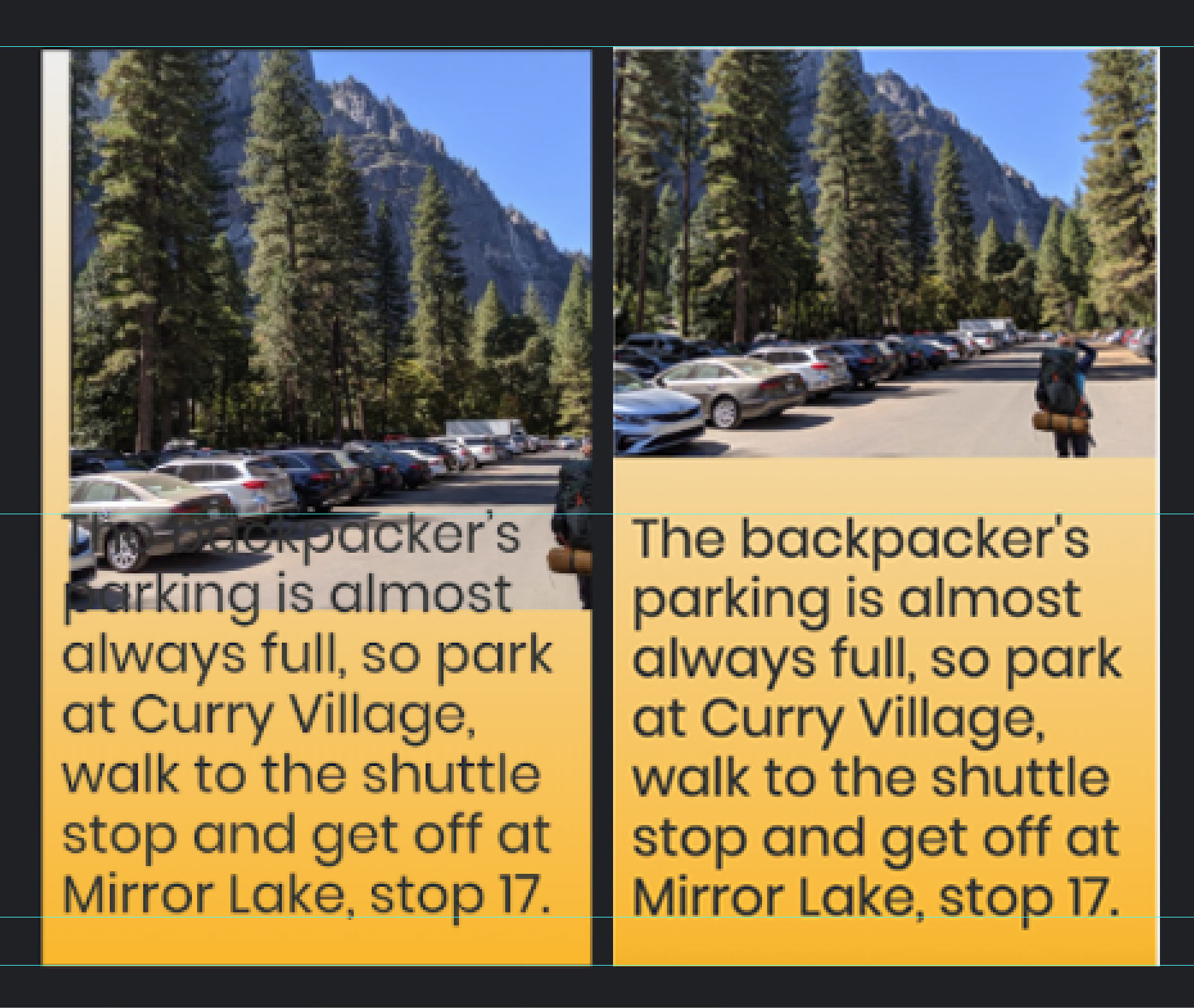
The text is placed exactly like in the editor. It's the image that's completely off.
These are the screenshots next to each other with some guides on top:
 barklund
on 15 Oct 2019
barklund
on 15 Oct 2019
@barklund I've updated the ticket to indicate the issue is regarding the image, not text.
 jauyong
on 16 Oct 2019
jauyong
on 16 Oct 2019
Possibly related https://github.com/ampproject/amp-wp/issues/3498
spacedmonkey
on 16 Oct 2019
Problem 1
If you place an item directly on the left edge, exactly at left: 0%, in the resulting story it is placed at left: 5%.
I guess it's a default somewhere, but 0 here is not a lack of coordinate, it's specifically 0 and should be respected.
Problem 2
The display model for the <figure> containing a placed image is set to table, which can render it very weirdly, often rendering it at a wrong height. Simply disabling this line of CSS and then re-enabling it, fixes the image layout. Setting it to display:block of course also fixes it.
Why is it set to table and where does it come from? I've tracked it to this inline style in the HTML (line 3 in the screenshot), but I can't find any amp-custom.css anywhere, so I have no idea who has defined this:
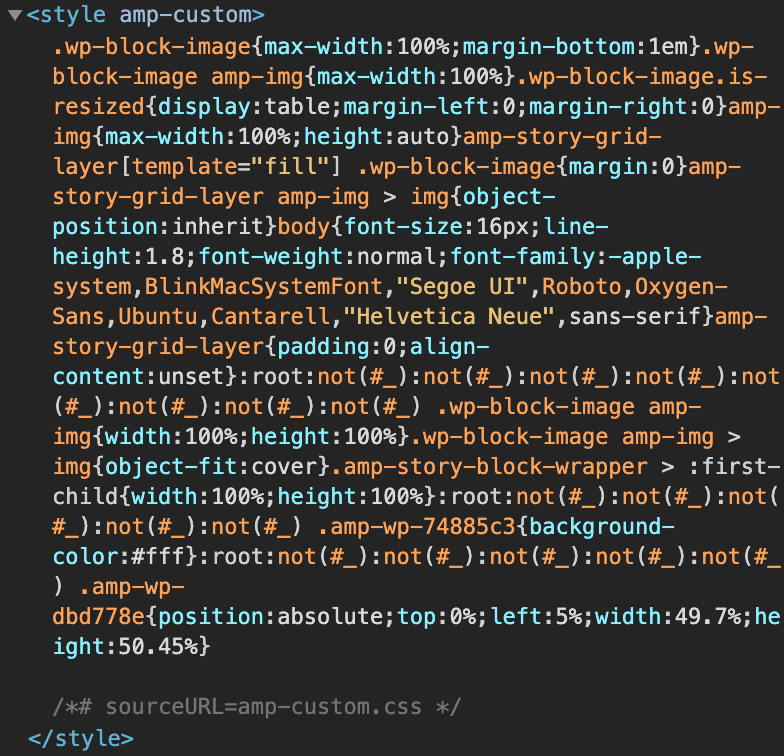
It's present both in my local install and in the Pantheon-site, so it must be defined in the plugin and not as some custom setting (it could also be the 2019 theme, but that seems less likely). I have no idea where it's defined nor why.
Example for both
| In Editor |
| -- |
| 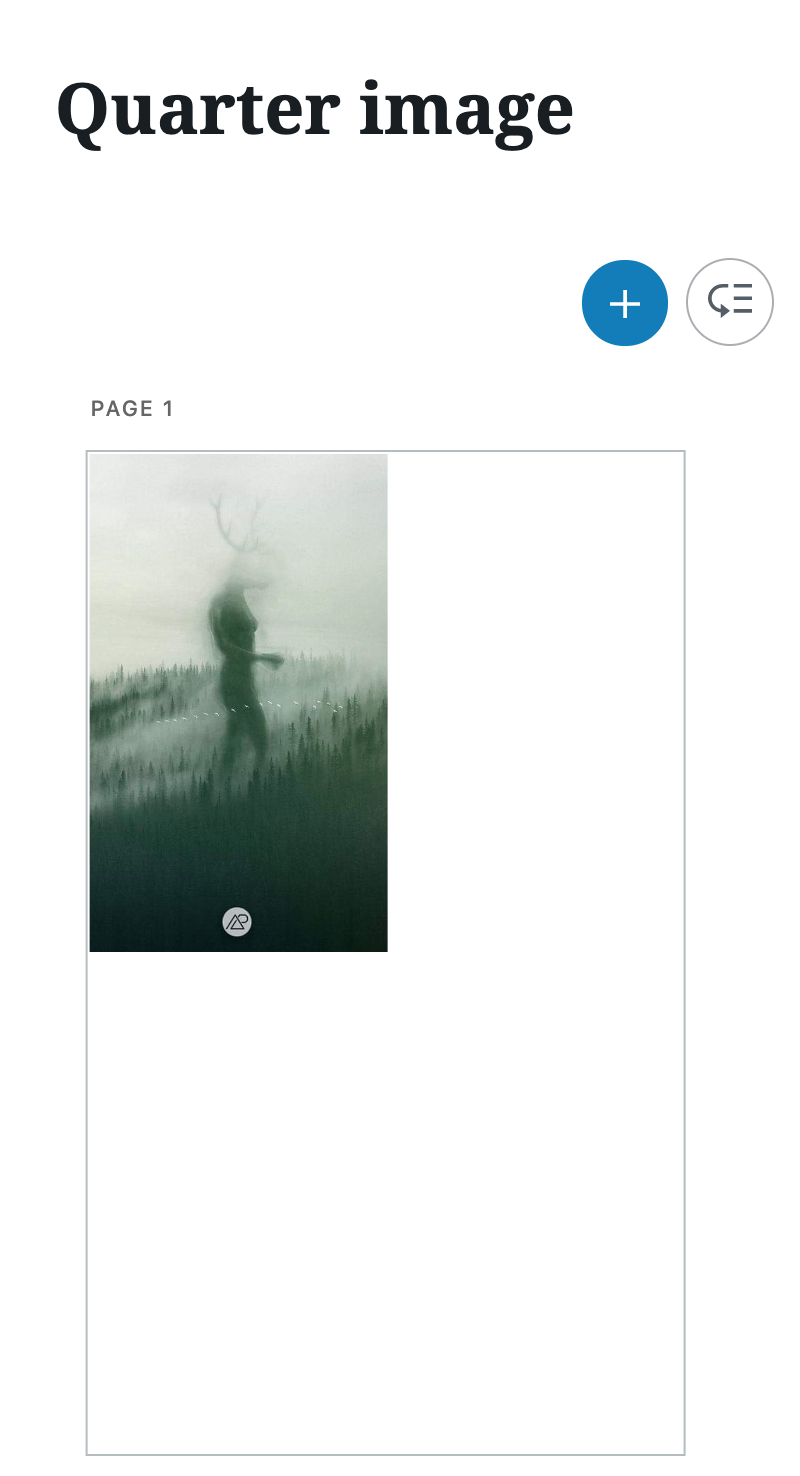 |
|
| _An image has been placed in the upper left corner of the page at 0,0 taking up (as well as possible) exactly 25% of the entire page (link to Pantheonsite)._ |
| In Story |
| - |
| 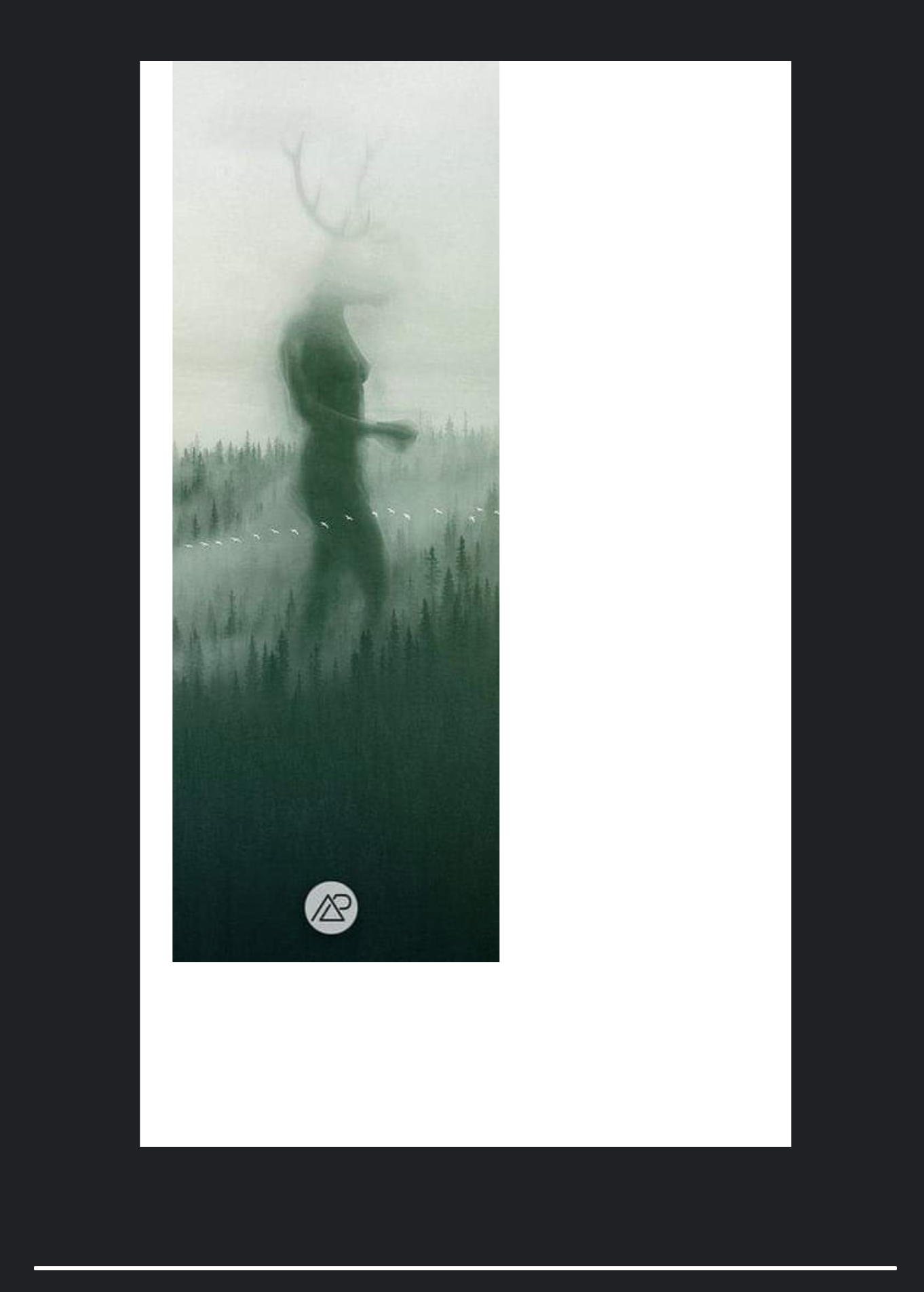 |
|
| _Here, the image is clearly not placed in the corner, and the height is way off (the width is correct)._ |
Conclusion
I really don't know where to fix either issue.
Thoughts for fixing either, @miina, @swissspidy, @spacedmonkey?
barklund
on 16 Oct 2019
IIRC the table layout is defined by the Gutenberg block library CSS. We could override that.
amp-custom is an artificial name as the AMP plugin gathers all CSS used on a page and puts it into that inline style tag.
 swissspidy
on 16 Oct 2019
swissspidy
on 16 Oct 2019
Thanks for looking into this issue!
On 0% being displayed as 5%: yep, 5 is indeed the default value for positionLeft. Looks like the issue comes from PHP where 0 is considered empty :
https://github.com/ampproject/amp-wp/blob/5799032d4cc9882ceac94966f67c318ebb60eb68/includes/class-amp-story-post-type.php#L1534
On the CSS:
- AMP doesn't allow external stylesheets on AMP Pages and thus the plugin processes all the stylesheets applied to the page, removes the disallowed and unused CSS rules, and then puts it all together to display in allowed format (
<style amp-custom>). - Looks like the
display:tablecomes from/gutenberg/packages/block-library/src/image/style.scssfile, if I understand correctly. We could override this in our plugin.
 miina
on 17 Oct 2019
miina
on 17 Oct 2019
Just to clarify, it sounds like overriding display:table and changing the empty check to something else might be all that's needed?
swissspidy
on 17 Oct 2019
Just to clarify, it sounds like overriding display:table and changing the empty check to something else might be all that's needed?
Yes, looks like it.
miina
on 17 Oct 2019
@miina, will you do the IB? You know these parts of the project a lot better than me. You're also more or less there with the above comment 💪.
barklund
on 17 Oct 2019
Sure!
miina
on 17 Oct 2019
Moved to IBR!
miina
on 17 Oct 2019
Approved IBR.
spacedmonkey
on 17 Oct 2019
Looks good to me. Let's get this executed.
However, do remember to do a git blame on that display:table to check with whomever did the original code to ensure, that we don't screw up something else.
barklund
on 17 Oct 2019
Note that display: table comes from the Gutenberg (upstream) plugin and not from the AMP Plugin. AMP Plugin combines _all the_ CSS, from other plugins as well, to make it valid for an AMP Page, that's why it shows up in the amp-custom.css (the dynamically created CSS).
miina
on 17 Oct 2019
@miina This seems like a S to me. As it seems you have basically done the work in your head / discovery.
spacedmonkey
on 17 Oct 2019
Sounds good, moving to Todo!
miina
on 17 Oct 2019
Verified in QA
 csossi
on 18 Oct 2019
csossi
on 18 Oct 2019
Related issues
jauyong
·
29Comments
 westonruter
·
27Comments
westonruter
·
35Comments
spacedmonkey
·
30Comments
westonruter
·
27Comments
westonruter
·
35Comments
spacedmonkey
·
30Comments
 YosuCadilla
·
27Comments
YosuCadilla
·
27Comments
Most helpful comment
Yes, looks like it.