Amp-wp: Fallback height overriding inline style height on iframes
Description
The following sort of iframe:
<iframe
src="{SRC}"
style="position:absolute;top:0;left:0;width:100%;height:100%;border:1px solid #aaa;border-bottom:0;box-sizing:border-box;"
></iframe>
gets converted to the following amp-iframe:
<amp-iframe
src="{SRC}"
height="400"
layout="fixed-height" class="{...}" i-amphtml-layout="fixed-height" style="height: 400px;">{...}</amp-iframe>
Since the height is done through an inline style and not the actual height attribute, the AMP_Base_Sanitizer assigns it a height of FALLBACK_HEIGHT (400). This can potentially lead to weird layout issues, like the bunch of extra padding seen here:
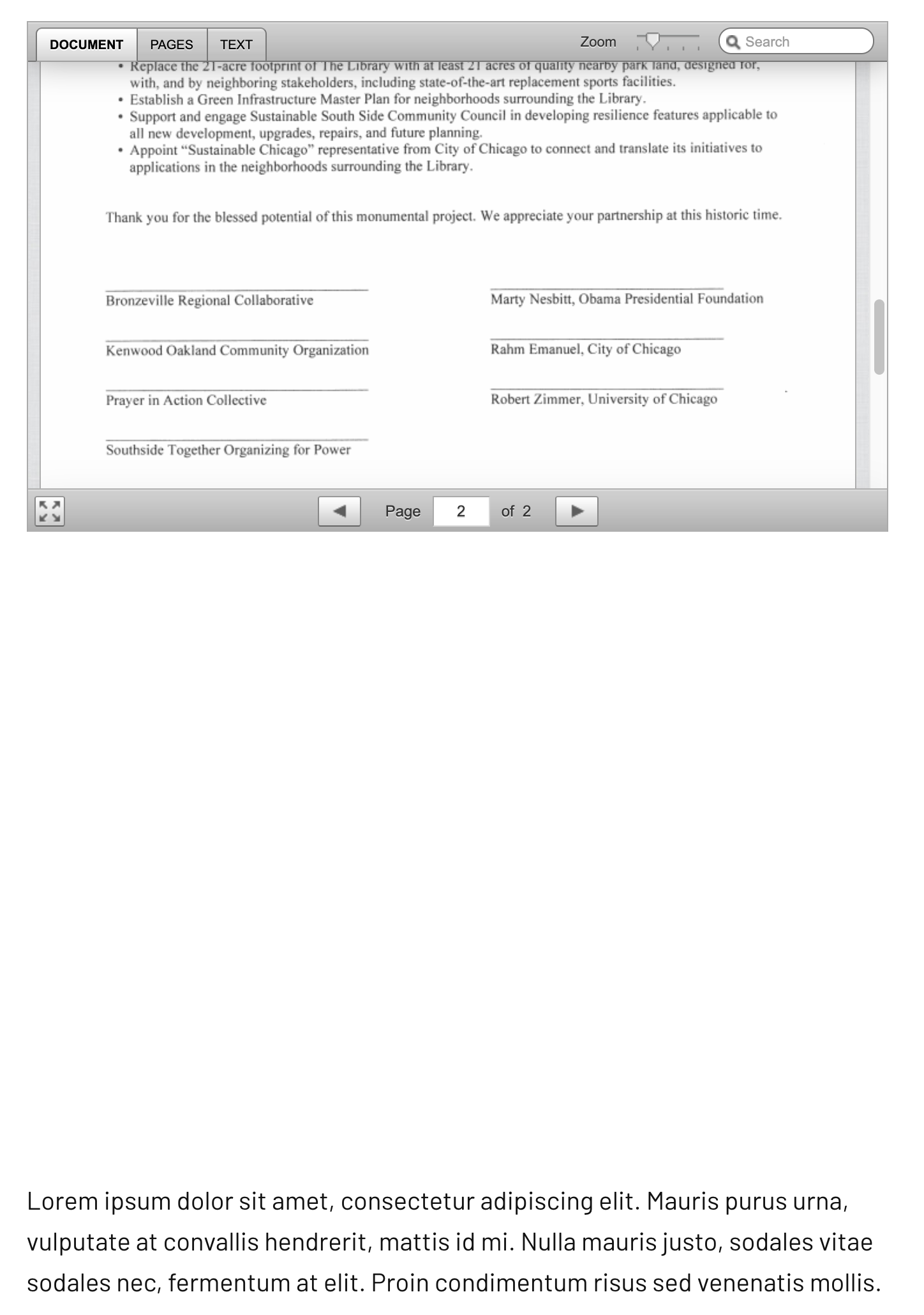
To reproduce:
- Install and activate DocumentCloud plugin.
- Add the following shortcode to a post:
```
[documentcloud url="http://www.documentcloud.org/documents/3117065-Obama-Library-South-Side-Community-Benefits.html"]
```` - View post on frontend in AMP mode.
Recommended solution:
I realize that this is somewhat like expecting you to handle other people using things in weird ways, but I think the best solution would be in AMP_Base_Sanitizer::set_layout to follow this priority:
- Check and use
height/widthattributes if possible. - If not found, check and use
height/widthinline styles if possible. - If none of those are found, set
FALLBACK_HEIGHT.
 claudiulodro
All 7 comments
2. If not found, check and use
height/widthinline styles if possible.
Are these being set in the documentcloud shortcode example? What is the wrapper element for the iframe it is generating?
 westonruter
on 29 Aug 2019
westonruter
on 29 Aug 2019
In other words, a height:100% is not allowed in AMP. So in this case, the actual width and height should be left undefined on the amp-iframe and it should actually a layout=fill attribute, and the style attribute here could be removed entirely (or it left and be redundant), because layout=fill gets the following style applied:
.i-amphtml-layout-fill, [layout=fill]:not(.i-amphtml-layout-fill) {
    display: block;
    overflow: hidden!important;
    position: absolute;
    top: 0;
    left: 0;
    bottom: 0;
    right: 0;
}
As for when to detect this, it would be a bit tricky and would only work out of the box for iframe elements with an inline style attribute. Basically the AMP_Iframe_Sanitizer class should check to see if a given iframe has the above position, top, left, bottom, and right properties as above, and if so then remove them from the style attribute and then apply layout=fill. It wouldn't work if the styles are applied via a stylesheet.
Alternatively, the default sanitizer logic for an iframe without a specified width/height could be to provide it with a layout=fill, but that may not be the right default behavior and would break other things.
westonruter
on 29 Aug 2019
Are these being set in the documentcloud shortcode example? What is the wrapper element for the iframe it is generating?
Yes, it looks like this. There is a parent div wrapping the iframe, which is what is causing the extra padding in the screenshot. AMP handles all of the other styling correctly, and removing the 400px fallback height from the amp-iframe causes everything to look nice.
<div style="position:relative;padding-bottom:129.42857142857142%;height:0;overflow:hidden;max-width:100%;">
<iframe
title="Obama Library South Side Community Benefits Agreement Coalition (Hosted by DocumentCloud)"
src="//www.documentcloud.org/documents/3117065-Obama-Library-South-Side-Community-Benefits.html?embed=true&responsive=false&sidebar=false"
sandbox="allow-scripts allow-same-origin allow-popups allow-forms"
frameborder="0"
style="position:absolute;top:0;left:0;width:100%;height:100%;border:1px solid #aaa;border-bottom:0;box-sizing:border-box;"></iframe>
</div>
You don't need a DocumentCloud account or anything like that if you want to test that shortcode in your local environment (it should just work if the DocumentCloud plugin is active).
As for when to detect this, it would be a bit tricky and would only work out of the box for iframe elements with an inline style attribute. Basically the AMP_Iframe_Sanitizer class should check to see if a given iframe has the above position, top, left, bottom, and right properties as above, and if so then remove them from the style attribute and then apply layout=fill. It wouldn't work if the styles are applied via a stylesheet.
This sounds like a pretty good way of handling it IMO. 👍
If there are backwards-compatibility issues and it ends up being not possible to fix in the AMP plugin or something, we can likely just make a DocumentCloud-AMP plugin to handle our one specific case.
Thanks!
claudiulodro
on 29 Aug 2019
Addendum: This logic shouldn't be part of the AMP_Iframe_Sanitizer but rather part of the base sanitizer (in AMP_Base_Sanitizer::set_layout()) so that any element conversion can get the fill layout when it has this inline style.
westonruter
on 29 Aug 2019
Testing instructions:
- Install and activate DocumentCloud plugin.
- Add the following shortcode to a post:
[documentcloud url="http://www.documentcloud.org/documents/3117065-Obama-Library-South-Side-Community-Benefits.html"] - View post on frontend in AMP mode.
- Expected: The document should be shown in a portrait mode, not limited in height to 400px.
- Expected: The document should not be followed by a large empty space.
 schlessera
on 12 Sep 2019
schlessera
on 12 Sep 2019
There's another case for this that hasn't been accounted for. Consider this markup:
<div style="width: 100%; height: 0; padding-bottom: 100%; position: relative;"><iframe class="giphy-embed" style="position: absolute;" src="https://giphy.com/embed/OooCfM8WuHPc4" width="100%" height="100%" frameborder="0" allowfullscreen="allowfullscreen"></iframe></div>
<p><a href="https://giphy.com/gifs/sharpie-art-motion-OooCfM8WuHPc4">via GIPHY</a></p>
It is getting converted to AMP as:
<div class="amp-wp-659d28d"><amp-iframe class="giphy-embed amp-wp-b38de02" src="https://giphy.com/embed/OooCfM8WuHPc4" width="auto" height="" frameborder="0" allowfullscreen="" layout="fixed-height" sandbox="allow-scripts allow-same-origin"><span placeholder="" class="amp-wp-iframe-placeholder"></span><noscript><iframe class="giphy-embed amp-wp-b38de02" src="https://giphy.com/embed/OooCfM8WuHPc4" width="100%" height="100%" frameborder="0"></iframe></noscript></amp-iframe></div>
<p><a href="https://giphy.com/gifs/sharpie-art-motion-OooCfM8WuHPc4">via GIPHY</a></p>
Notice height=0. The logic needs to apply not only when top/right/bottom/left are 0 but also when just width/height are 100% generally.
See #3501.
westonruter
on 14 Oct 2019
Related issues
 jauyong
·
29Comments
jauyong
·
29Comments
 YosuCadilla
·
27Comments
YosuCadilla
·
27Comments
 MackenzieHartung
·
24Comments
MackenzieHartung
·
24Comments
 Airell
·
22Comments
Airell
·
22Comments
 postphotos
·
25Comments
postphotos
·
25Comments