Amp-wp: Inserting pages while reordering
When you start the reordering, we basically copy the list of all the current pages and perform the reordering on that. Once you are done with the reordering, we update the actual order with the one from the copy. That's what allows you to cancel the reordering again.
Now, when you are reordering, you are still able to insert blocks and pages via the top toolbar. However, you won't see any new pages in the reordering panel because the copy hasn't been updated.
Some possible options here:
- When adding new pages, add these to the end of the block order copy.
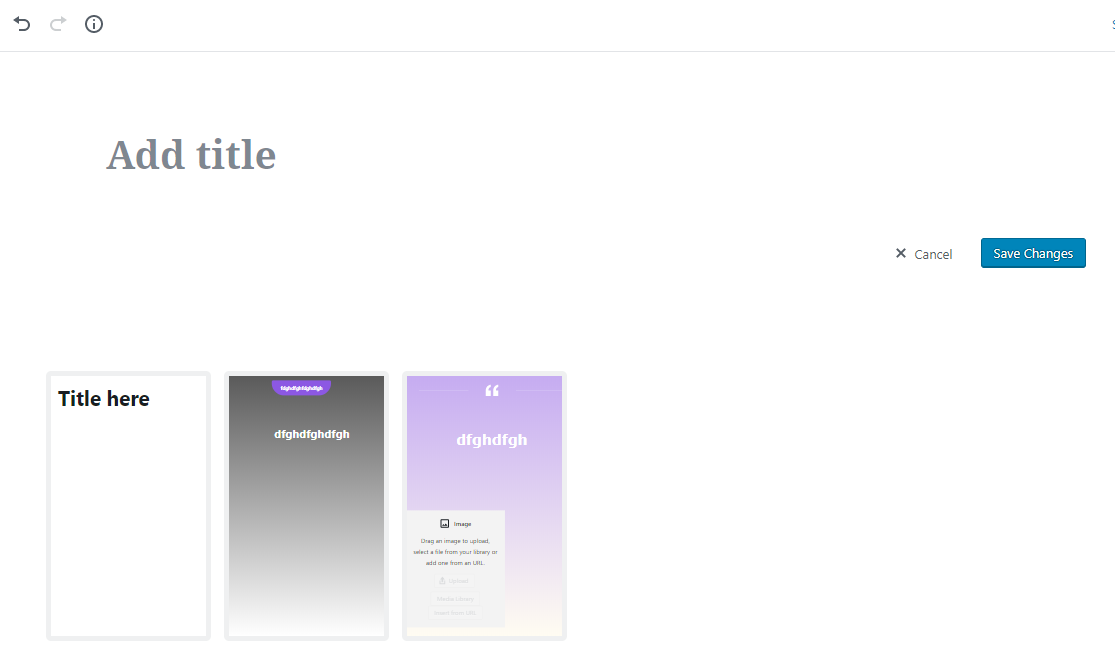
- Disable/Hide all the buttons in the top toolbar when reordering.
- Do nothing.
 swissspidy
All 4 comments
- Disable/Hide all the buttons in the top toolbar when reordering.
I think this makes the most sense. When reordering, no one page is selected, so it doesn't make sense to have the top toolbar appearing.
 westonruter
on 3 May 2019
westonruter
on 3 May 2019
Working On This If That's Alright
Hi @swissspidy,
If it's alright, I'm going to work on this.
 kienstra
on 6 May 2019
kienstra
on 6 May 2019
See gif at #2266 for testing instructions / desired outcome
swissspidy
on 11 May 2019
Thanks, @swissspidy
Verified in QA - Inserter and block options disabled when reordering:
 csossi
on 14 May 2019
csossi
on 14 May 2019
Related issues
 alexhaller
·
5Comments
alexhaller
·
5Comments
 GitaStreet
·
4Comments
GitaStreet
·
4Comments
 nickcernis
·
4Comments
nickcernis
·
4Comments
 miina
·
5Comments
westonruter
·
3Comments
miina
·
5Comments
westonruter
·
3Comments
Most helpful comment
I think this makes the most sense. When reordering, no one page is selected, so it doesn't make sense to have the top toolbar appearing.