Amp-wp: Fix RTL styling in Stories editor
Bug Description
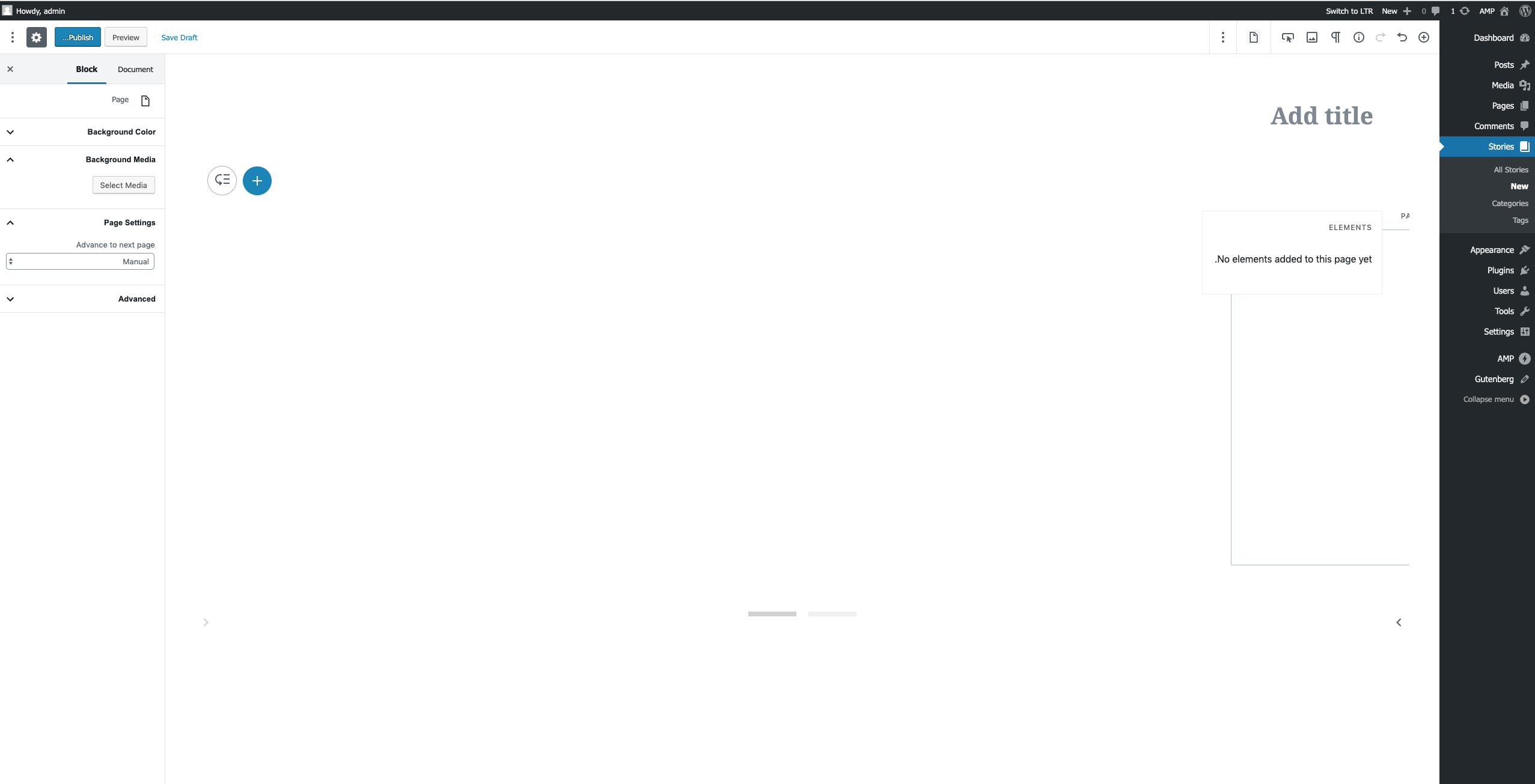
The Stories editor is currently not usable at all when using an RTL language. Even with the changes in #2977 applied.
It's mostly arrow icons that are not flipped, and the transform in the EditorCarousel component that doesn't change when isRTL.
Expected Behaviour
The stories editor should work just fine in RTL mode.
Steps to reproduce
- Install RTL Tester plugin and click on "Switch to RTL" in the admin bar. _Or_, alternatively, switch user language to an RTL language like Arabic.
- Open stories editor
- Notice how not all of the layout elements are "flipped" and the editor is not usable
- Notice that the context menu doesn't seem to be working either.
Screenshots
Additional context
- WordPress version: 5.3
- Plugin version: current
develop - Gutenberg plugin version (if applicable): 6.6
_Do not alter or remove anything below. The following sections will be managed by moderators only._
Acceptance criteria
- [x] The current page in the carousel should be correctly centered and navigation should be possible the same way as in LTR mode
- [x] Iconography should be adapted (flipped) accordingly in the context menu as well as the carousel navigation
- ~[ ] It should be possible to access the context menu as expected~ -> see #3607
- [x] Dragging between pages should work as expected and highlight the correct target pages
- [x] Resize handles should be displayed the same way as in LTR mode
Implementation brief
- Wherever code changes are needed,
select( 'core/block-editor' ).getSettings().isRTLis used to switch the logic for RTL mode. - If necessary, CSS changes are made to improve RTL compatibility.
- Add
rtl:ignorecomments for resize handles
QA testing instructions
Setup before any test below
- Activate RTL Tester plugin
- Click on "Switch to RTL" in the admin toolbar at the top
- Create a new story
Verify carousel
- Create few pages and go through the carousel
- Verify: the currently selected page should always be shown in the center
- Verify: carousel arrows should point into the right direction and navigate correctly
- Verify: dragging pages in carousel works as intended
Verify resize handles
- Edit text block
- Verify: the resize handles should be displayed at every location correctly
Verify dragging across pages
- Drag block to another page
- Verify: the correct page is highlighted when hovering over it
- Verify: the correct placement when dropped on another place
Verify CTA block layout
- Add CTA block on a new page
- Click on button to edit the URL
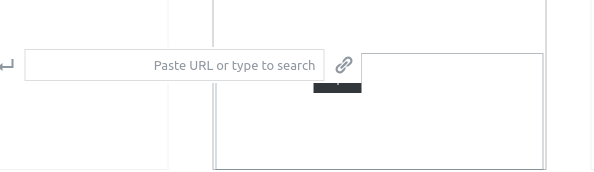
- Verify: the URL input field should not overlap the button
Demo
Changelog entry
- Improved RTL support in the editor
 swissspidy
All 13 comments
@swissspidy Can you provide information on how to setup development so you can swtich rtl as you have done in the example above.
 spacedmonkey
on 18 Oct 2019
spacedmonkey
on 18 Oct 2019
Acceptance criteria should highlight the places that need to be fixed.
spacedmonkey
on 18 Oct 2019
Will do 👍
swissspidy
on 18 Oct 2019
@spacedmonkey Added steps to reproduce as well as more detailed ACs.
swissspidy
on 18 Oct 2019
Bugs as I see them
- Right click + alt + f10 doesn't show context menu.
- Navigation arrows incorrect.
- Attachment cross in on the wrong side.
- Alignment of pages doesn't go RTL
- Dragging between pages doesn't work.
- After 3 / 4 pages inserted layout completely breaks.
- Button, insert link overlay button.
These are all the issues I flagged on my first pass. All these bugs are pretty big. I think each of these issues should be broken into they own issue with a new support of RTL support.
spacedmonkey
on 18 Oct 2019
- Dragging between pages doesn't work.
- After 3 / 4 pages inserted layout completely breaks.
- Navigation arrows incorrect.
Those are the most pressing issues at the moment as the editor is otherwise unusable. Fixing those was rather easy, I just created a quick PoC PR for testing that: https://github.com/ampproject/amp-wp/pull/3558
- Attachment cross in on the wrong side.
The close icon is on the correct side. The layout in the editor and on the frontend is identical. Note that for RTL languages everything is flipped.
- Alignment of pages doesn't go RTL
Can you elaborate on that?
- Button, insert link overlay button.
Seems like a pretty small thing to fix in CSS.
- Right click + alt + f10 doesn't show context menu.
That one seems like it might take longer to resolve, but exploring that would be part of the IB.
swissspidy
on 21 Oct 2019
- Alignment of pages doesn't go RTL
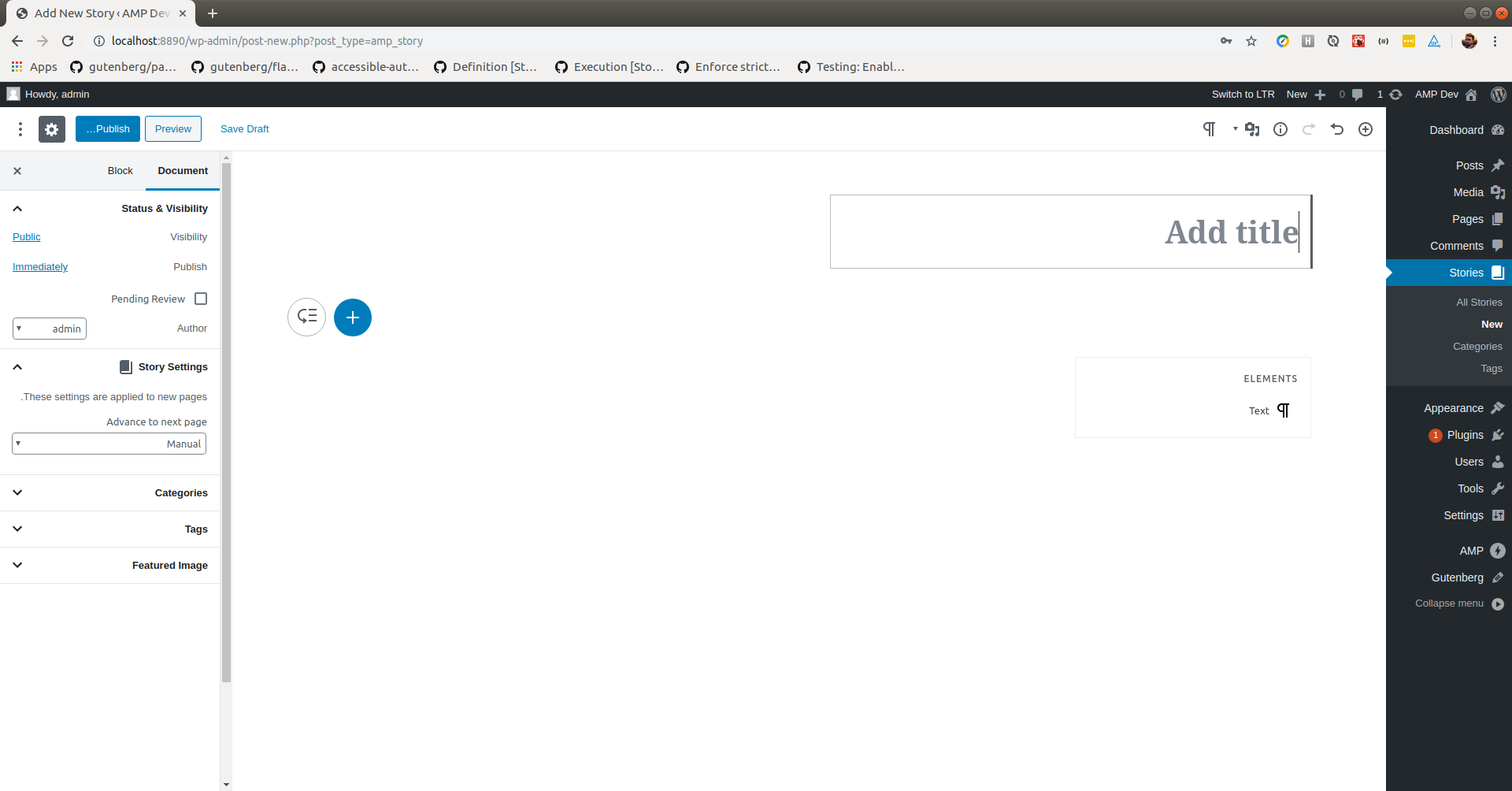
With only one page, the first one is completely off the edge of the screen and not visible or usable.
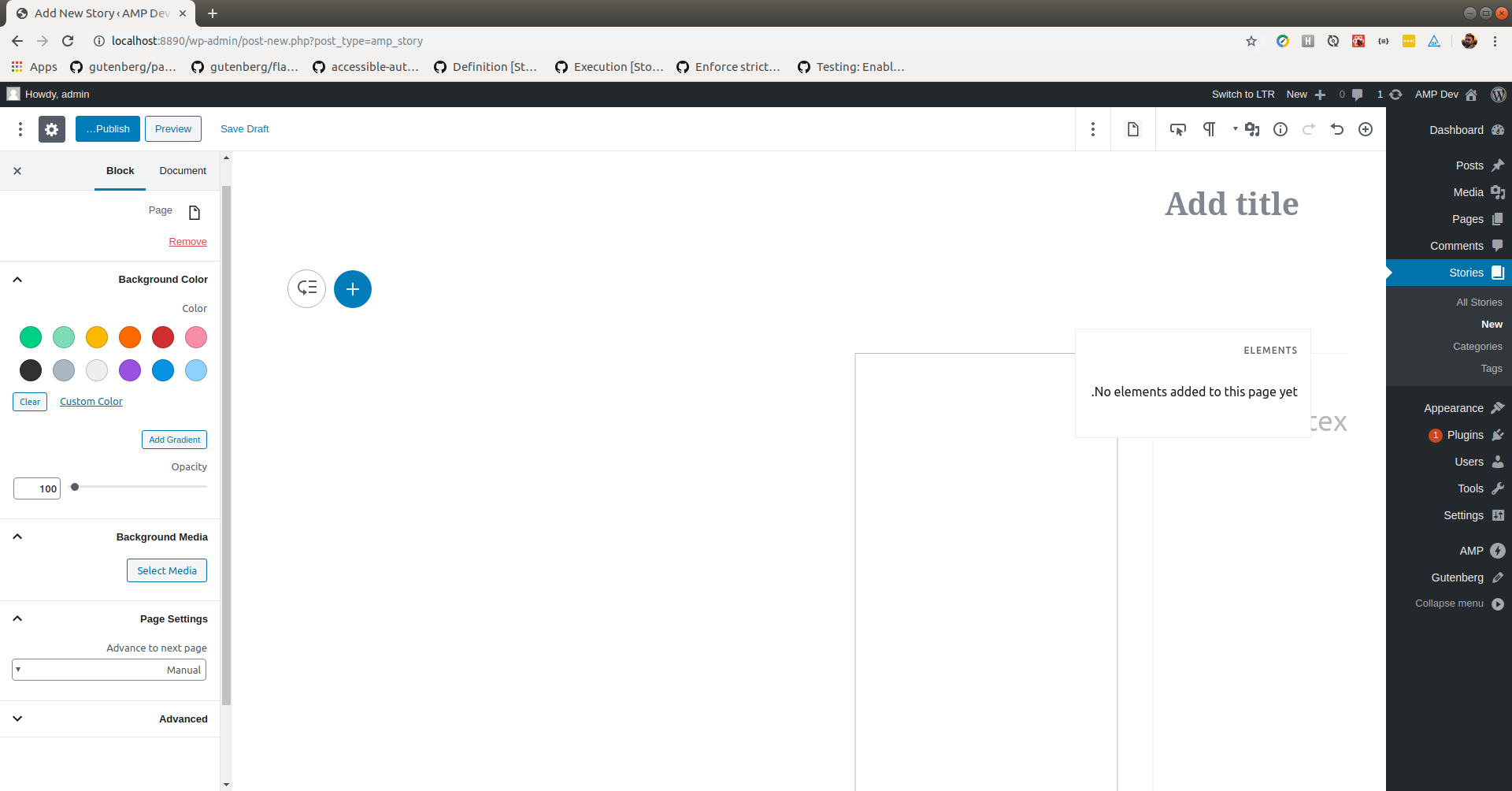
With 2 pages, second page is visible, just page not accessible or usable. Second page is partly cover by navigation.
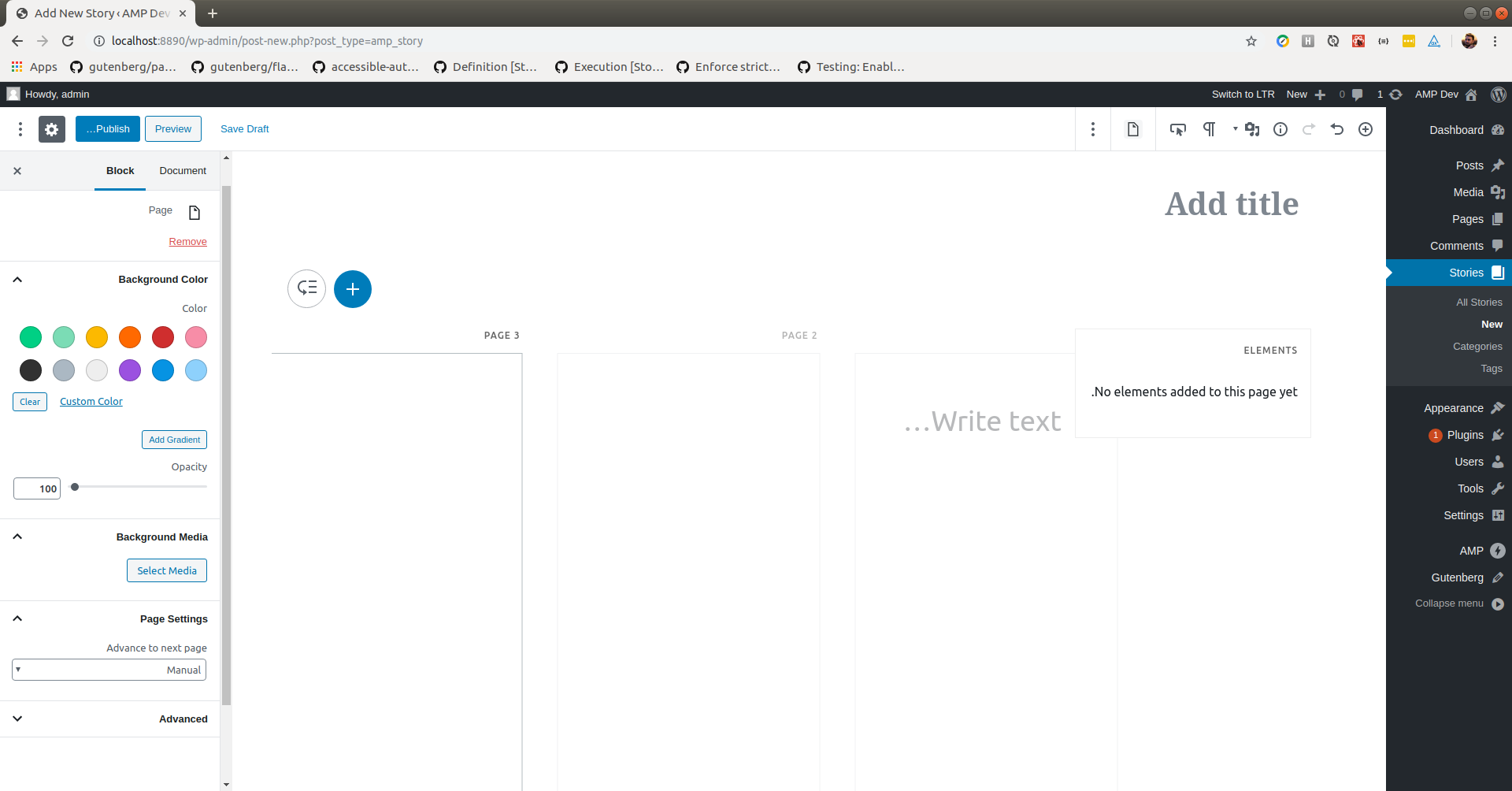
With 3 pages, more usable area. Other two blocks are more visible. Left side of block is cut off and no border visible
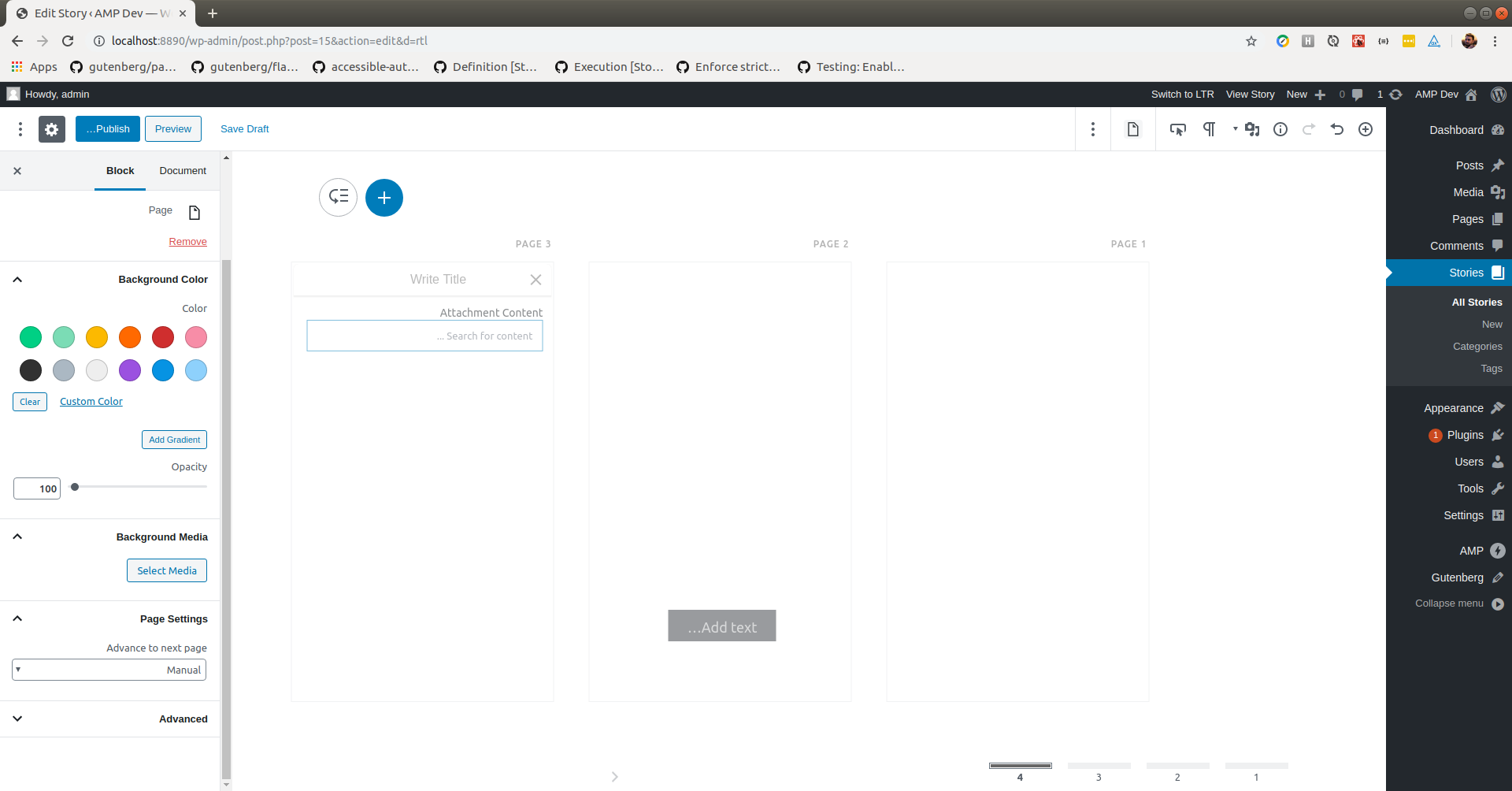
With 4 pages, the 4th and current page not visible. Bottom navigations jumps left into wrong position.
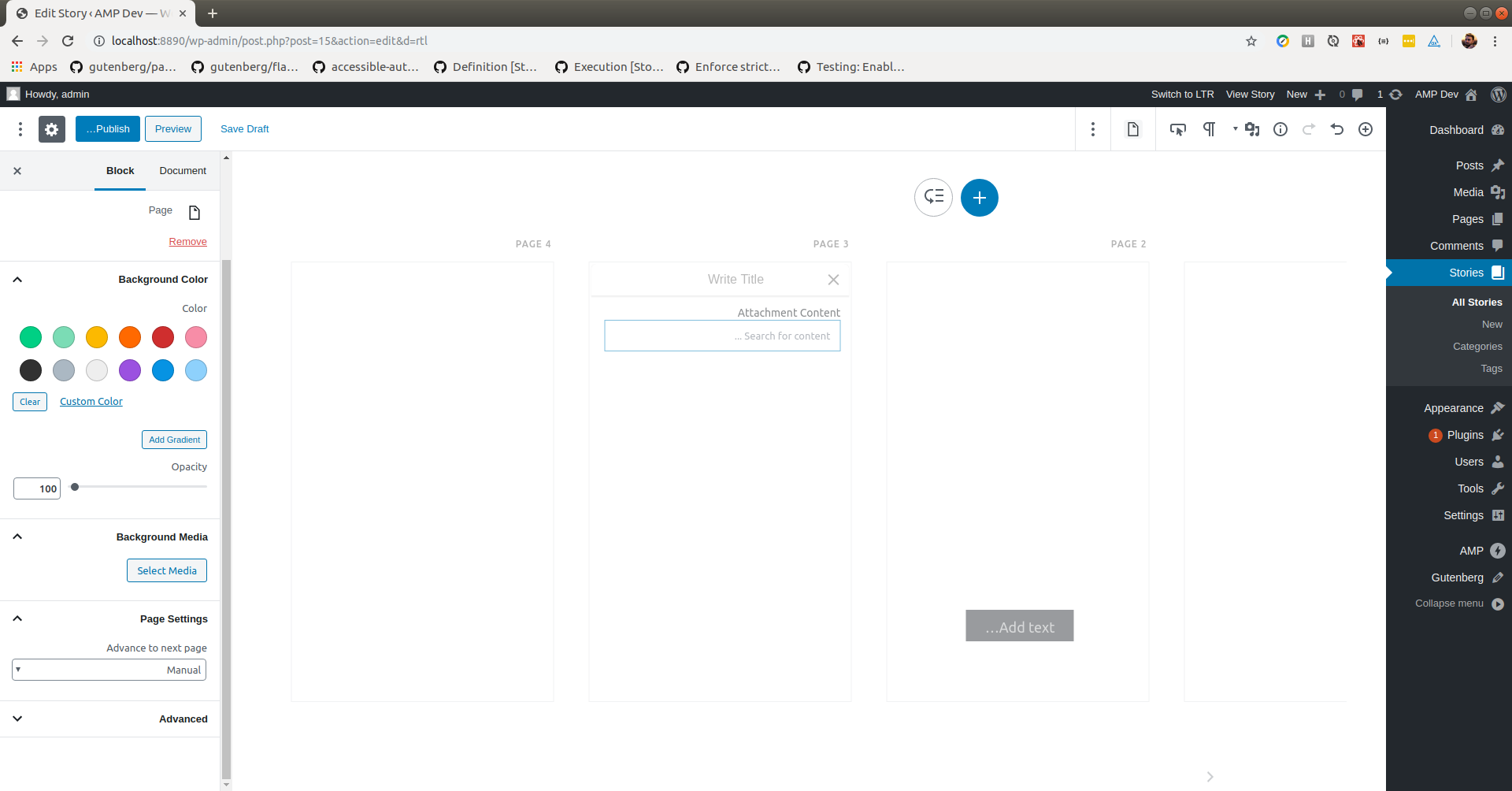
With 5 pages, bottom navigations disappears. Top buttons jump to middle. Current page not visible.
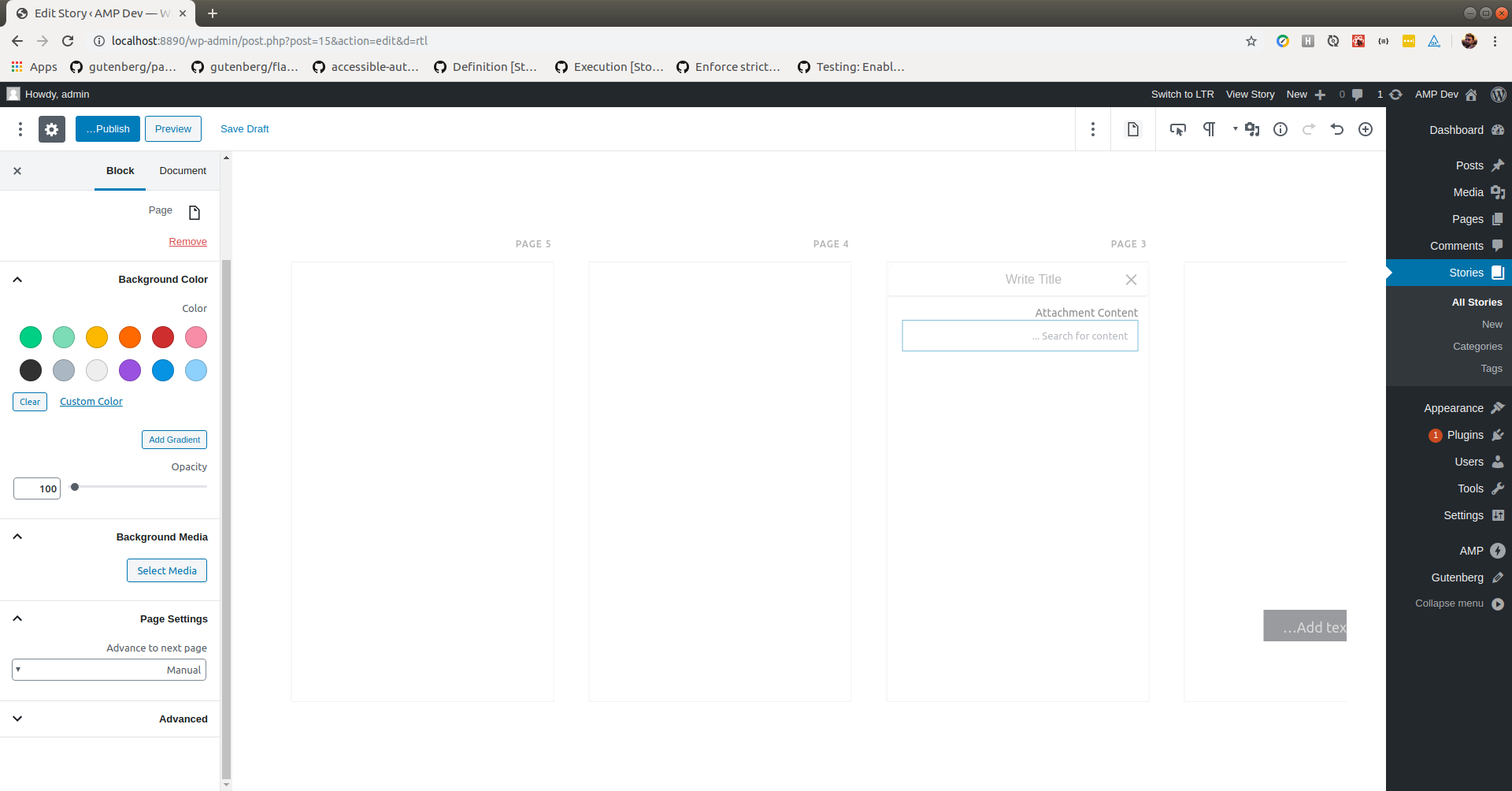
With 6 pages, bottom navigations disappears. Top buttons disappears. Current page not visible.
Button, insert link overlay button.
Right click + alt + f10 doesn't show context menu.
Not working in Ubuntu. Might want to check different browsers and OSes on this one.
spacedmonkey
on 22 Oct 2019
If we are going to support RTL going forward, this will need to be part of the e2e and all issues will need to be QAed against it.
Looping @csossi for his thought. Might be worth him reviewing the story editor and seeing if he can spot anymore bugs.
spacedmonkey
on 22 Oct 2019
Alignment of pages doesn't go RTL
Gotcha. Thought you meant something different. This layout issue is fixed in my PR.
Agreed on testing part. Note that I have yet to add the RTL Tester plugin to the QA environment.
swissspidy
on 22 Oct 2019
Note that I have yet to add the RTL Tester plugin to the QA environment.
The plugin is available there now.
swissspidy
on 24 Oct 2019
After reviewing #3558 , I noticed that most of the mega issues I flagged around the page alignment were not fixed. These issues are P0, as the story editor is unusable.
Also the latest PR, make a different bug, where the arrow are going the wrong way. I will open another PR to try and fix some of the issues.
spacedmonkey
on 27 Oct 2019
More testing, I found the bug fixed.
spacedmonkey
on 27 Oct 2019
Verified in QA
 csossi
on 28 Oct 2019
csossi
on 28 Oct 2019
Related issues
 westonruter
·
31Comments
westonruter
·
31Comments
 postphotos
·
30Comments
postphotos
·
30Comments
 jauyong
·
61Comments
jauyong
·
61Comments
 johnwatkins0
·
26Comments
johnwatkins0
·
26Comments
 Mte90
·
24Comments
Mte90
·
24Comments