Amp-wp: How to redefine featured image sizes?
In non-story custom posts, I sometimes use vertical featured images. This means that the crop for 1200x600 is incorrect and should use 9x16 instead of 16x9 as the math (1200x2134)
Is there any way I can override that for selected post types? Otherwise, can I disable the prompt to crop so my editors stop making images that don't work right from the NON-amp layouts?
 Ipstenu
All 32 comments
Thanks a lot for raising this Mika!
The image cropping is based on a requirement by Search Console to have big enough images for AMP pages.
Looks like we need to do better testing for vertical images. So if we would fix this to crop an image to something like 1200x2134, would that already work for you?
 swissspidy
on 26 Jun 2019
swissspidy
on 26 Jun 2019
I know the recommendation, it's just SUPER overly aggressive and not context aware which is resulting in breaking the design of my site. And I'm sure I'm not the only person who faces this issue :(
So if we would fix this to crop an image to something like 1200x2134, would that already work for you?
That would work. We're uploading the right image sizes, but there's no way to tell the cropper to chill out and treat vertical as okay.
That said ... with the default assumption being 16x9, when the real request is this:
Images should be at least 1200 pixels wide.
That's just really annoying for everyone who wants to customize height. At least until we get to story, and then of course I have to sort out how to tell the plugin "This story has Portrait, this one has Landscape"
Ipstenu
on 26 Jun 2019
Thanks for clarification! I am sure we can find a good solution here.
swissspidy
on 26 Jun 2019
@kienstra Could you have a look at the cropping issues with vertical images?
swissspidy
on 27 Jun 2019
Speaking of overly aggressive, I've noticed that if I have an image that's exactly 1200x645 _sometimes_ the tool tells me it's too small. I suspect it's a rounding error somewhere in one app or another, but there may need to be some mathematical wiggle room to account for that.
Ipstenu
on 27 Jun 2019
@kienstra Could you have a look at the cropping issues with vertical images?
Hi @swissspidy,
Sure, though it might be tomorrow before I could start on this, if that's alright.
 kienstra
on 27 Jun 2019
kienstra
on 27 Jun 2019
Thanks!
Question about featured image dimensions
Hi @Ipstenu,
Thanks for bringing this up. You might have seen this already, but the newly-opened PR #2711 begins the work of adding support for portrait featured images.
Speaking of overly aggressive, I've noticed that if I have an image that's exactly 1200x645 sometimes the tool tells me it's too small. I suspect it's a rounding error somewhere in one app or another, but there may need to be some mathematical wiggle room to account for that.
That must be confusing to have the tool sometimes notify you that it's too small 😄
Did you mean 1200 x 675 instead of 1200 x 645?
1200 x 675 is the expected size for featured images. But even then, that would probably be a bug if it only sometimes notified of the wrong size.
kienstra
on 1 Jul 2019
Sorry yes I meant 675. I had an image that my Mac said was 1200x675 and so did WP but it also said I needed to resize it. I may have a screenshot because it amused me.
--
Mika A. Epstein | @ipstenu
https://halfelf.org | https://ipstenu.org
On Jun 30, 2019, 20:56 -0700, Ryan Kienstra notifications@github.com, wrote:
Thanks!
Question about featured image dimensions
Hi @Ipstenu,
Thanks for bringing this up. You might have seen this already, but the newly-opened PR #2711 begins the work of adding support for portrait featured images.Speaking of overly aggressive, I've noticed that if I have an image that's exactly 1200x645 sometimes the tool tells me it's too small. I suspect it's a rounding error somewhere in one app or another, but there may need to be some mathematical wiggle room to account for that.
That must be confusing to have the tool sometimes notify you that it's too small 😄
Did you mean 1200 x 675 instead of 1200 x 645?
1200 x 675 is the expected size for featured images. But even then, that would probably be a bug if it only sometimes notified of the wrong size.
—
You are receiving this because you were mentioned.
Reply to this email directly, view it on GitHub, or mute the thread.
Ipstenu
on 1 Jul 2019
Hi @Ipstenu,
Thanks, that must have been strange seeing a notice that the 1200 x 675 image was too small.
Do you remember if the notice was in:
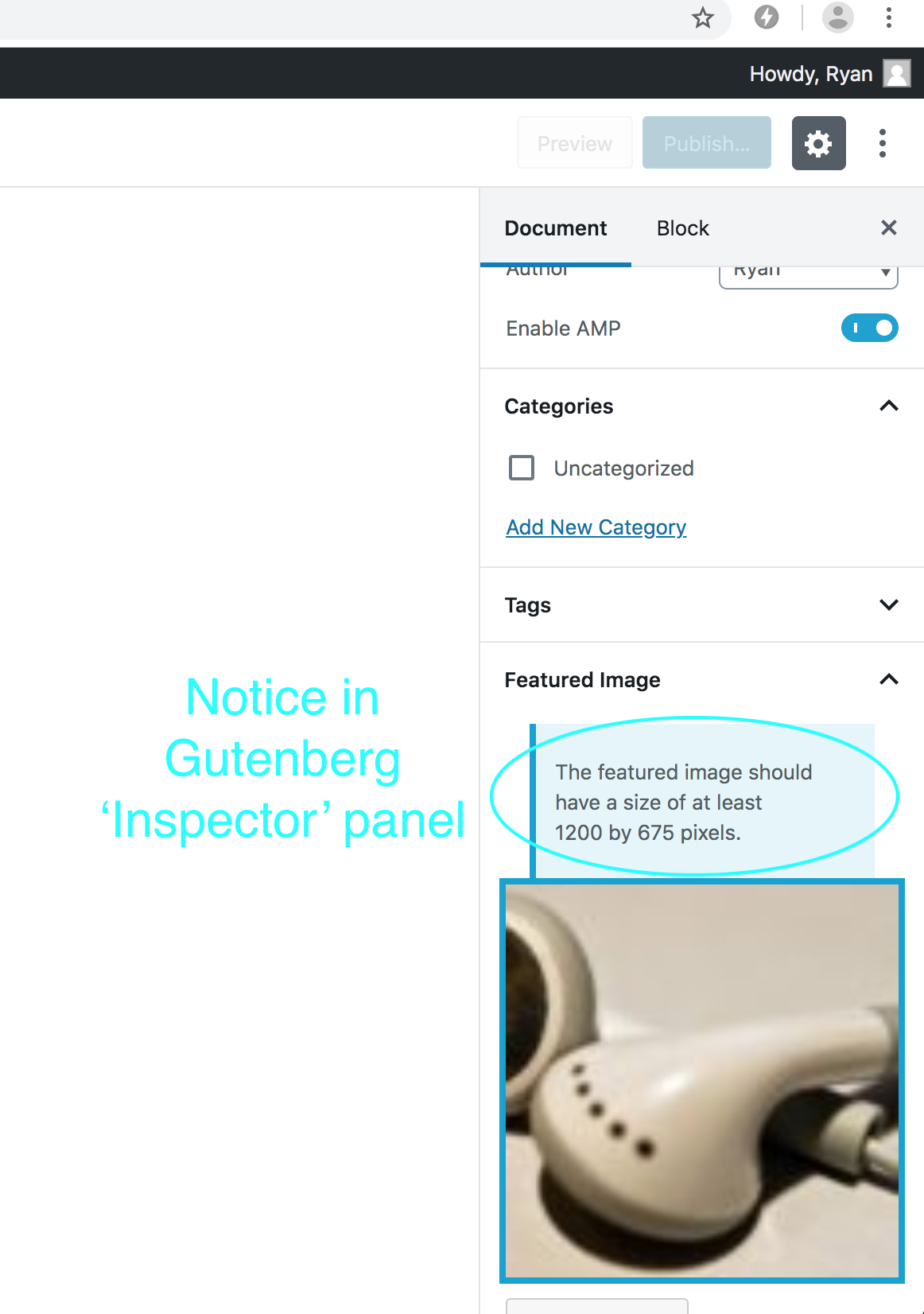
The Gutenberg 'Inspector' panel:
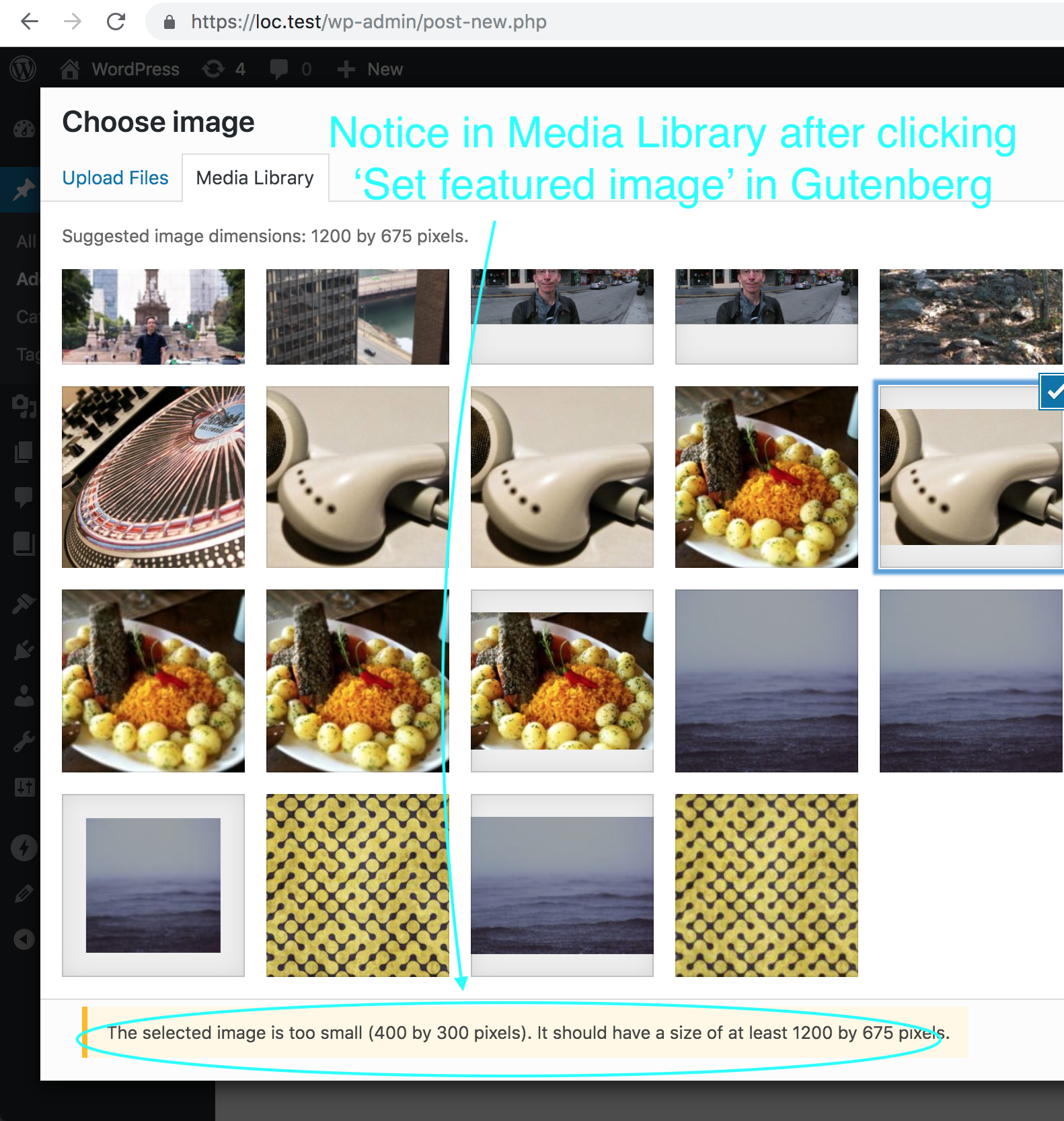
The Media Library, on clicking 'Set featured image' in Gutenberg:
...or maybe both 😄
Thanks, Mika.
kienstra
on 1 Jul 2019
Both!
Ipstenu
on 1 Jul 2019
Thanks, I'll work on reproducing both.
kienstra
on 1 Jul 2019
Request To Test
Hi @swissspidy,
Could you please test setting 1200 x 675 featured images, to see if they cause a notice?
I couldn't quite reproduce this. Though I did see an issue where the notice appeared for a second in the Media Library, then disappeared.
Steps To Test
Create a new post (not an AMP Story)
Click 'Set featured image'
Expected: there's no notice in the Media Library:
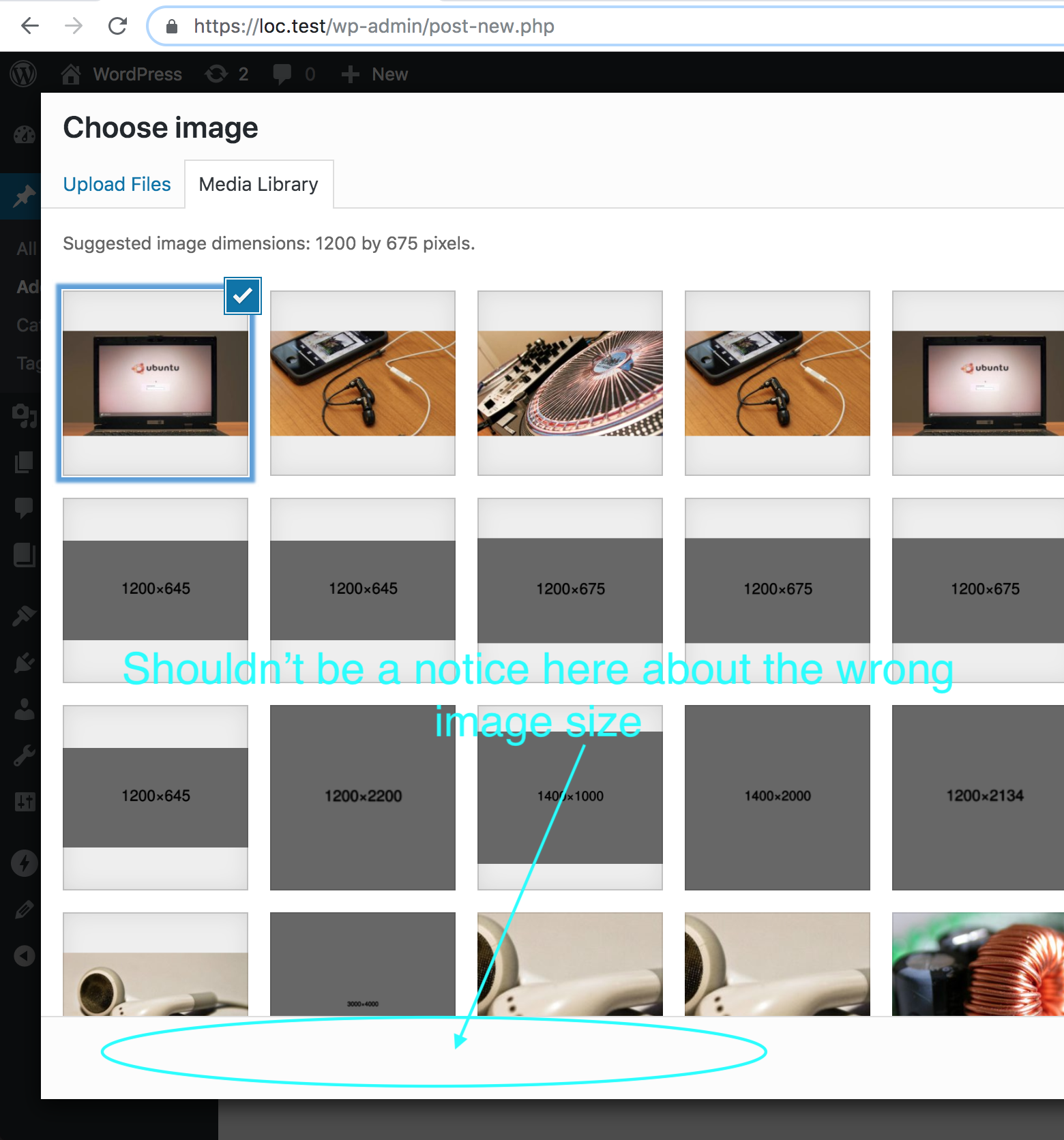
In the Media Library, click 'Select'
Expected: there's no notice in the Inspector about a wrong featured image size:
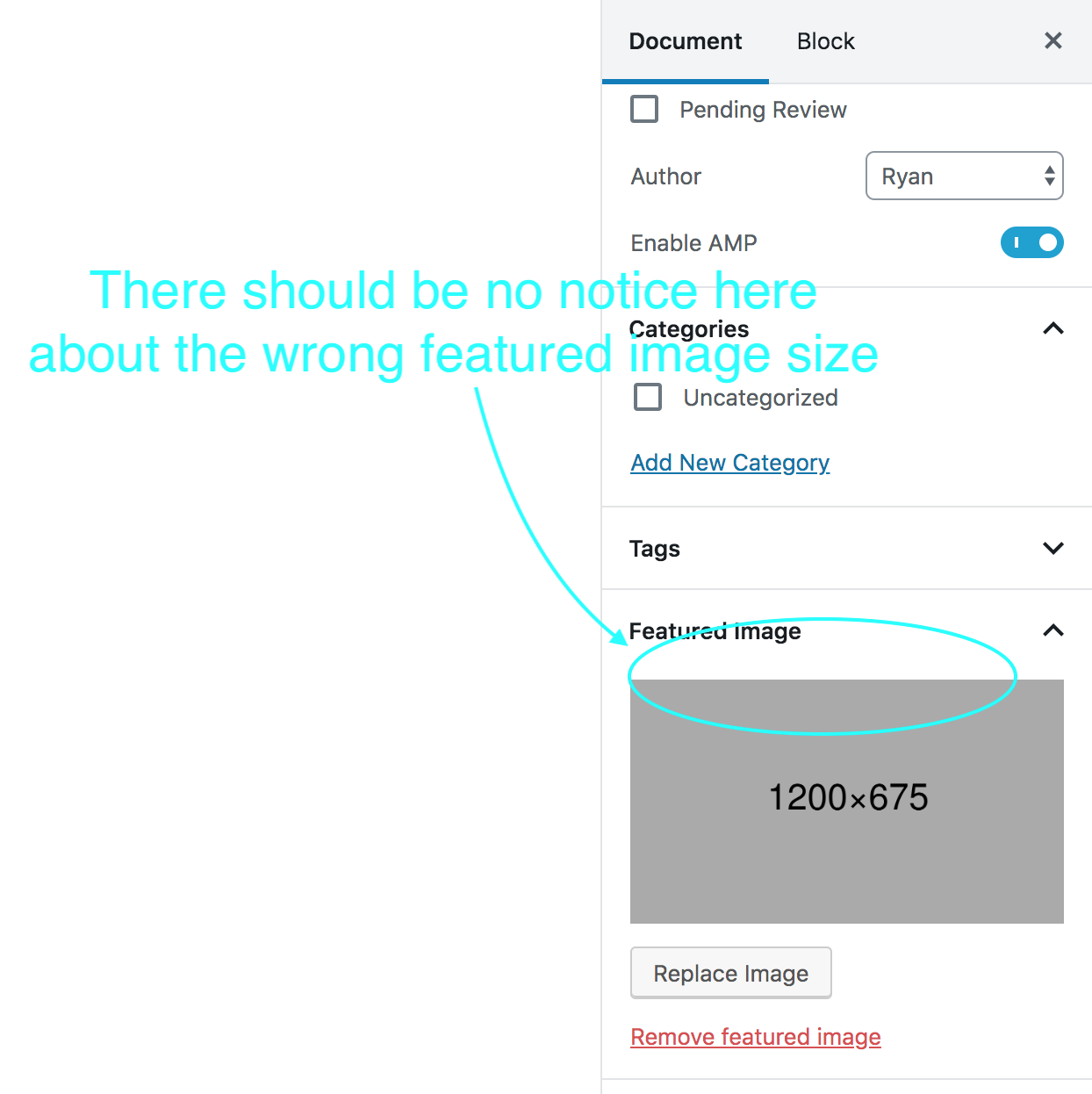
Repeat all of these steps, except in step 3, don't upload a new image. Select a
1200 x 675image that you already uploaded.
Thanks, Pascal!
kienstra
on 2 Jul 2019
@Ipstenu Here's an updated build of the plugin that contains Ryan's fix:
amp.zip
Could you please test that and let us know whether it works as expected or if we missed something? Thanks!
swissspidy
on 2 Jul 2019
Testing that it doesn't tell me that a 683x1024 image is the wrong size, nor does it prompt for cropping. That doesn't seem correct?
Ipstenu
on 5 Jul 2019
Hi @Ipstenu,
Right now, the expected behavior in uploading a 683 x 1024 image as the featured image to a post (not AMP Story) would be that there is a notice:
The selected image is too small (683 by 1024 pixels). It should have a size of at least 1200 by 675 pixels.
...and it won't prompt for cropping:
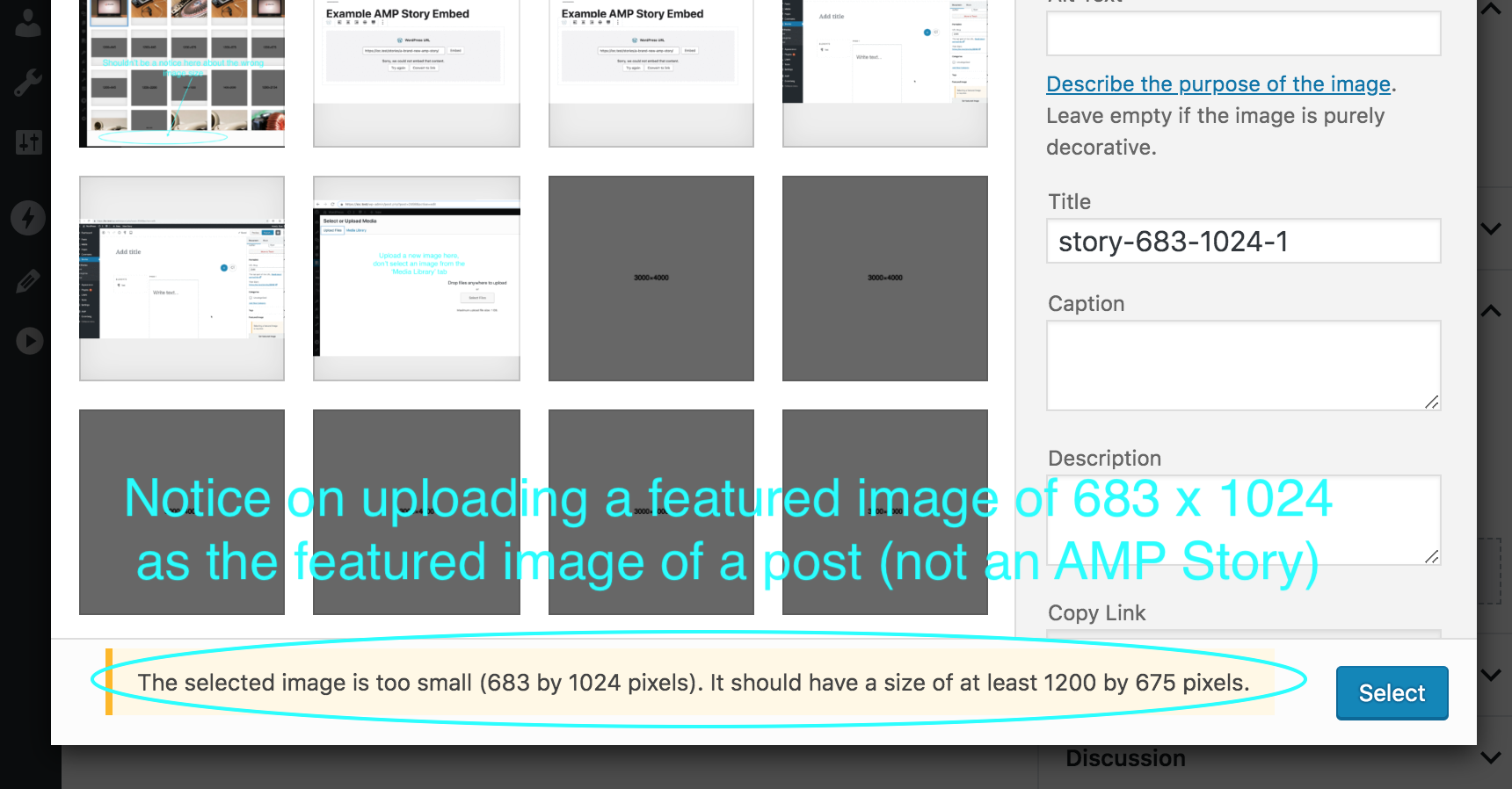
As detailed above, on uploading a 1200 x 675 image as the featured image to a post (not an AMP Story), like this or this, there should be no notice of the size being wrong, nor a prompt for cropping,
kienstra
on 10 Jul 2019
Ah! Okay then :) Then it works.
Ipstenu
on 10 Jul 2019
Sounds good, thanks for your patience and for testing this!
kienstra
on 10 Jul 2019
@kienstra Now that #2711 has been merged, is there anything left for this? Or should it be closed and move to Ready for QA?
 westonruter
on 10 Jul 2019
westonruter
on 10 Jul 2019
Hi @westonruter,
You're right, I'll move this to 'Ready for QA.'
kienstra
on 10 Jul 2019
Request For Testing
Hi @csossi,
Could you please test this, with the steps above, and the 4 scenarios here?
Thanks!
kienstra
on 10 Jul 2019
Verified in QA
 csossi
on 11 Jul 2019
csossi
on 11 Jul 2019
Thanks, @csossi!
kienstra
on 11 Jul 2019
So this came back with the last update.
The issue is back to "I'm uploading an image that is VERTICAL and meets the parameters of what Google wants, but AMP is prompting me to crop it."
We're not ready for stories yet, so if there's just a way for me to say "Do not prompt to crop for these." that would be the easiest solution for us :(
Ipstenu
on 29 Aug 2019
I think the reason cropping is being offered is this line in the structured data image docs:
Images should be at least 1200 pixels wide. […] For best results, provide multiple high-resolution images (minimum of 800,000 pixels when multiplying width and height) with the following aspect ratios: 16x9, 4x3, and 1x1.
As indicated, this is for “best results” and it is not required. There are different requirements for stories, which are more strict (e.g. specific aspect ratios).
As it stands right now, the non-story cropper is forcing a 16x9 aspect ratio, I presume, because 4x3 and 1x1 can be derived from it by center-cropping (which is not foolproof).
It seems to me that we should just disable the cropping dialog altogether for non-story posts.
westonruter
on 30 Aug 2019
I like having the notice "Hey this image may be too small" but sadly I'm having the user drama of an editor NOT realizing that cropping our images that should be vertical will result in a mucked up non-AMP display.
FWIW I think even with Stories, this force-crop (even though it's skippable) is going to confuse users who aren't up to speed on what this is all about. The intention is there, but the implementation doesn't come with enough education to the end-user. Imagine explaining this to a newbie :)
Ipstenu
on 30 Aug 2019
Question About Notices In non-Story Block Editor
Hi @westonruter,
It seems to me that we should just disable the cropping dialog altogether for non-story posts.
Sounds good. We should still keep the notices for small featured images on non-Story posts, even while disabling cropping, right?
Removing the notices and cropping would be a pretty simple change, while keeping the notices would be more complex. But it seems like the notices would still be appropriate 😄
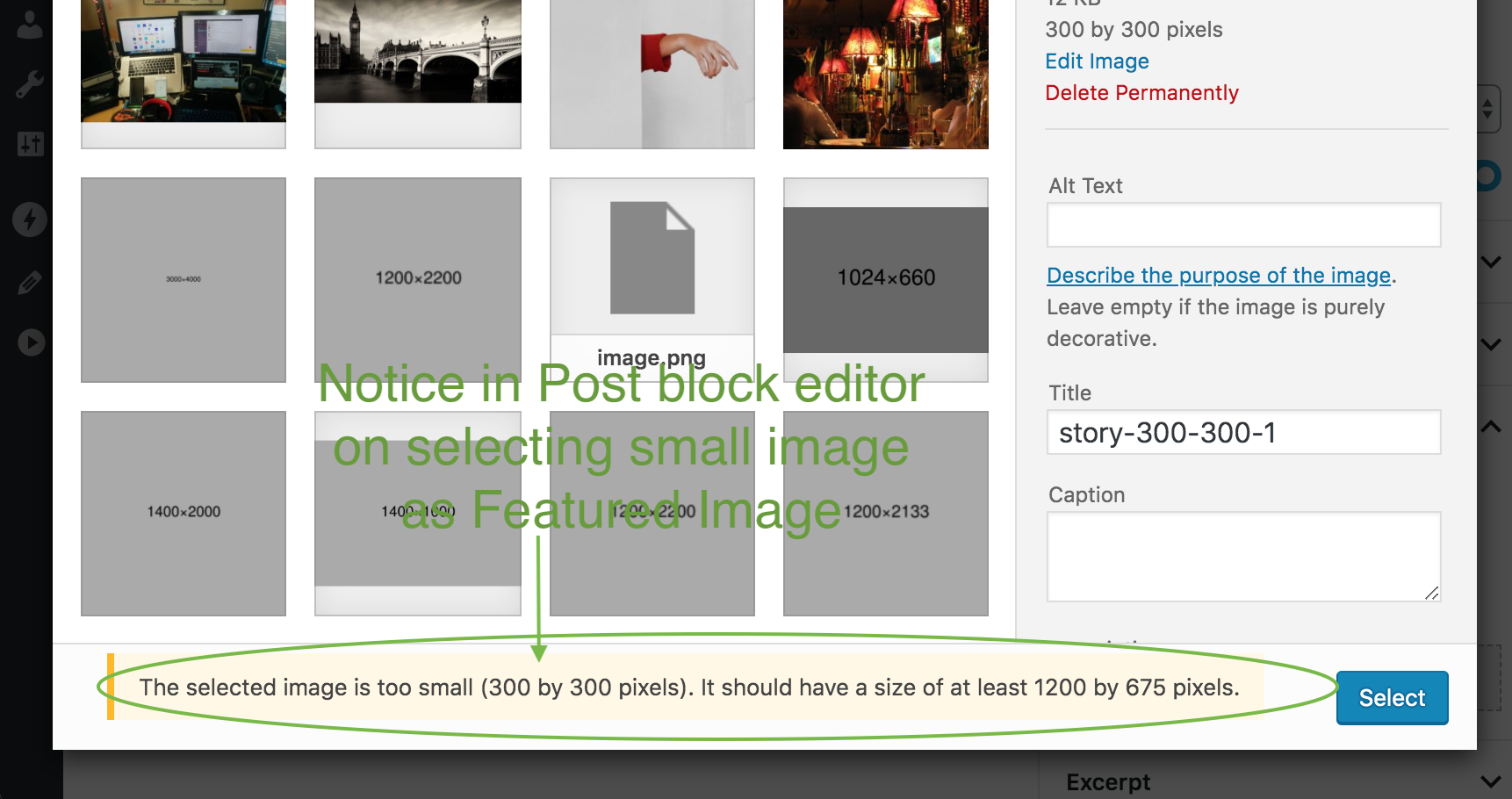
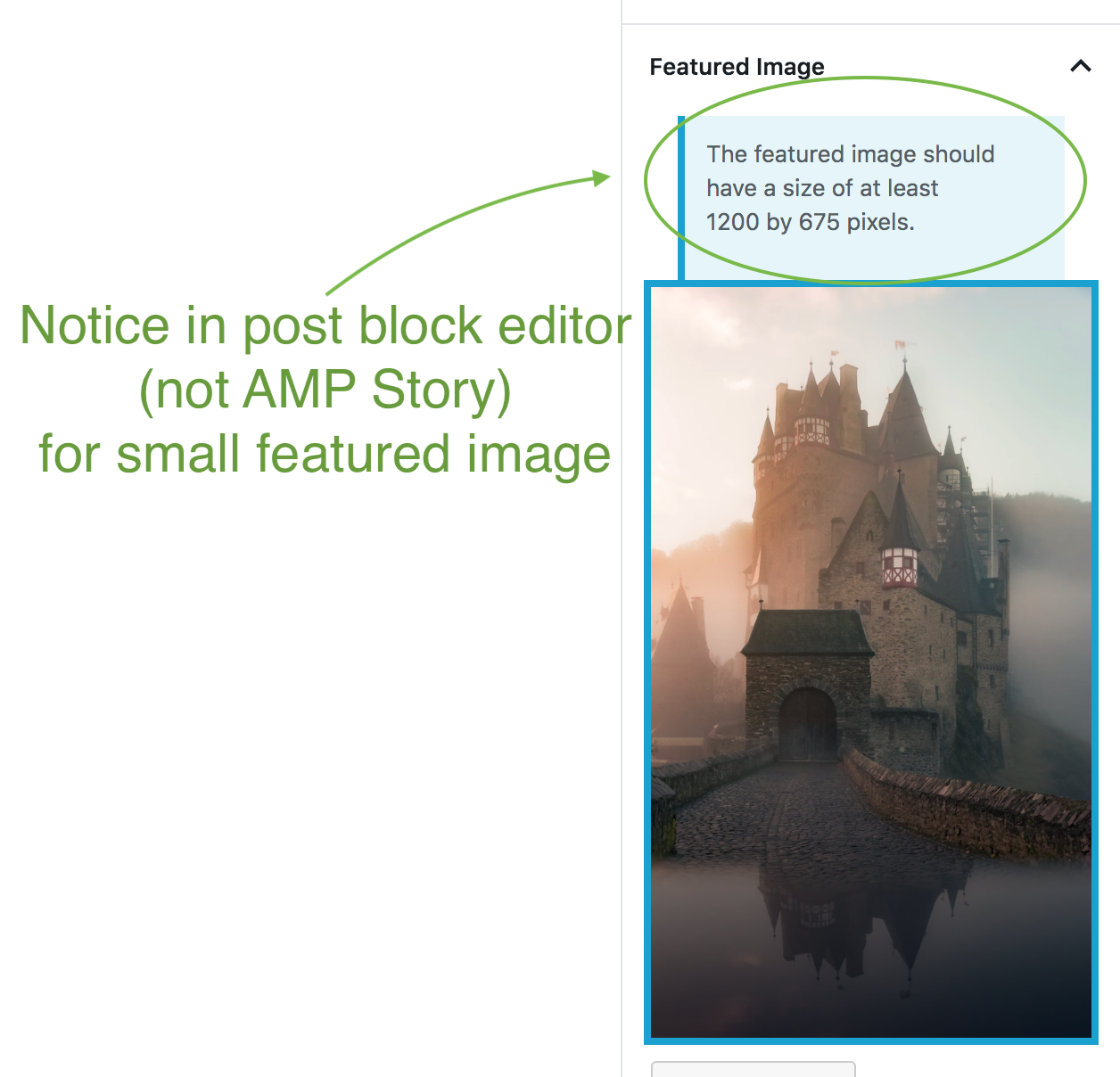
Thanks, and have a great weekend!
kienstra
on 31 Aug 2019
Yes, I think the notice should remain but just remove the cropping.
westonruter
on 31 Aug 2019
Sounds good, thanks.
kienstra
on 31 Aug 2019
Steps To Test
(For when #3177 makes it to testing)
- Create a post (not an AMP Story)
- Click 'Set featured image'
- Select or upload an image smaller than 1200 x 675
- Expected: there is a notice at the bottom of the Media Library of the small image size
- Expected: on clicking 'Select,' there should be no cropping suggested
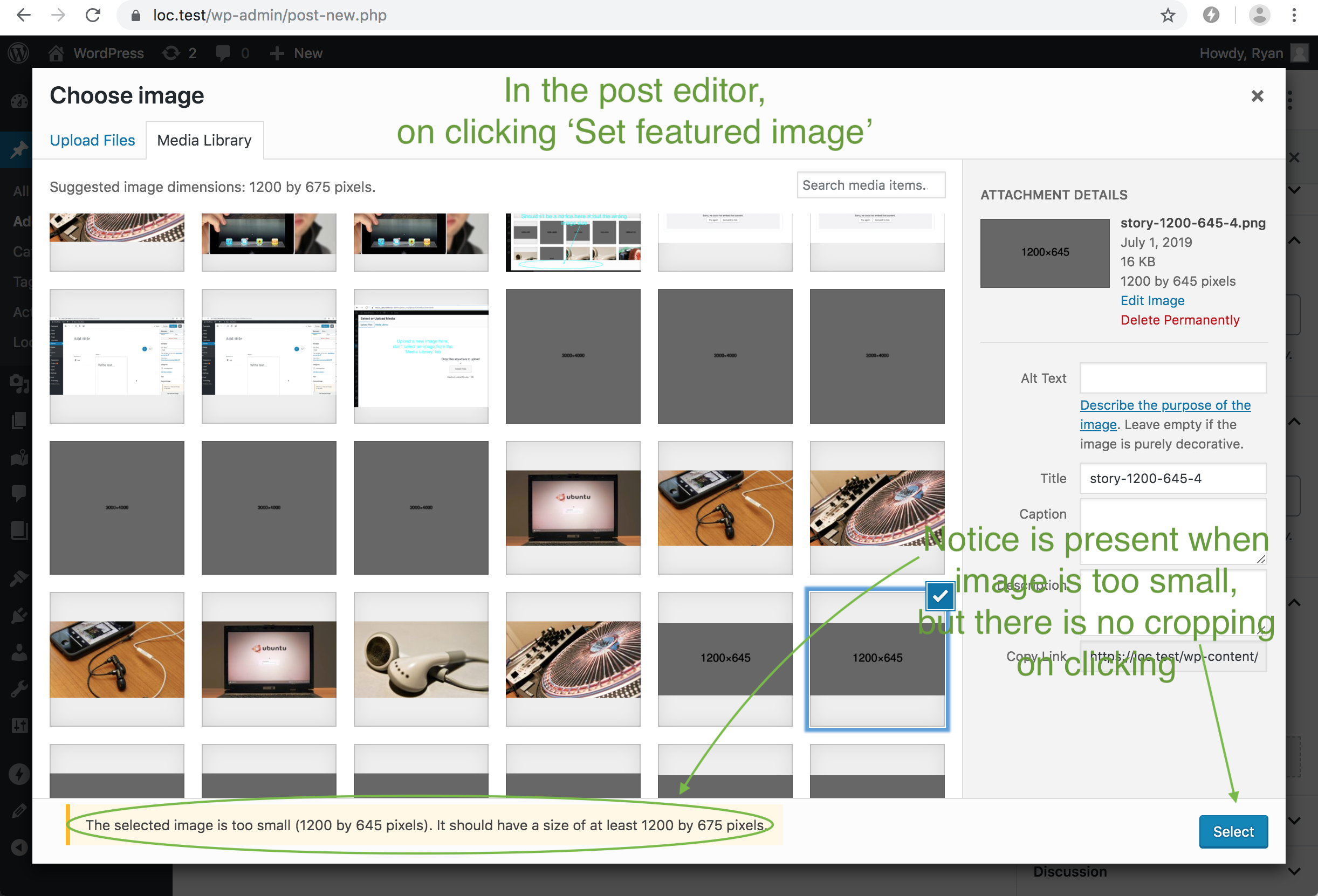
kienstra
on 11 Sep 2019
If it would help, I could create a screencast for this. But it's mainly removing a feature (cropping).
kienstra
on 11 Sep 2019
@Ipstenu Here's a build for testing: https://github.com/ampproject/amp-wp/pull/3177#issuecomment-530581564
I believe that the current state of the PR addresses your concerns. Would you test?
westonruter
on 11 Sep 2019
Verified in QA
csossi
on 18 Sep 2019
Related issues
westonruter
·
4Comments
 maciejmackowiak
·
5Comments
swissspidy
·
3Comments
westonruter
·
4Comments
maciejmackowiak
·
5Comments
swissspidy
·
3Comments
westonruter
·
4Comments
 schlessera
·
5Comments
schlessera
·
5Comments
Most helpful comment
Sorry yes I meant 675. I had an image that my Mac said was 1200x675 and so did WP but it also said I needed to resize it. I may have a screenshot because it amused me.
--
Mika A. Epstein | @ipstenu
https://halfelf.org | https://ipstenu.org
On Jun 30, 2019, 20:56 -0700, Ryan Kienstra notifications@github.com, wrote: