Altair: Interactive charts don't show correct result on load (but refresh after interaction)
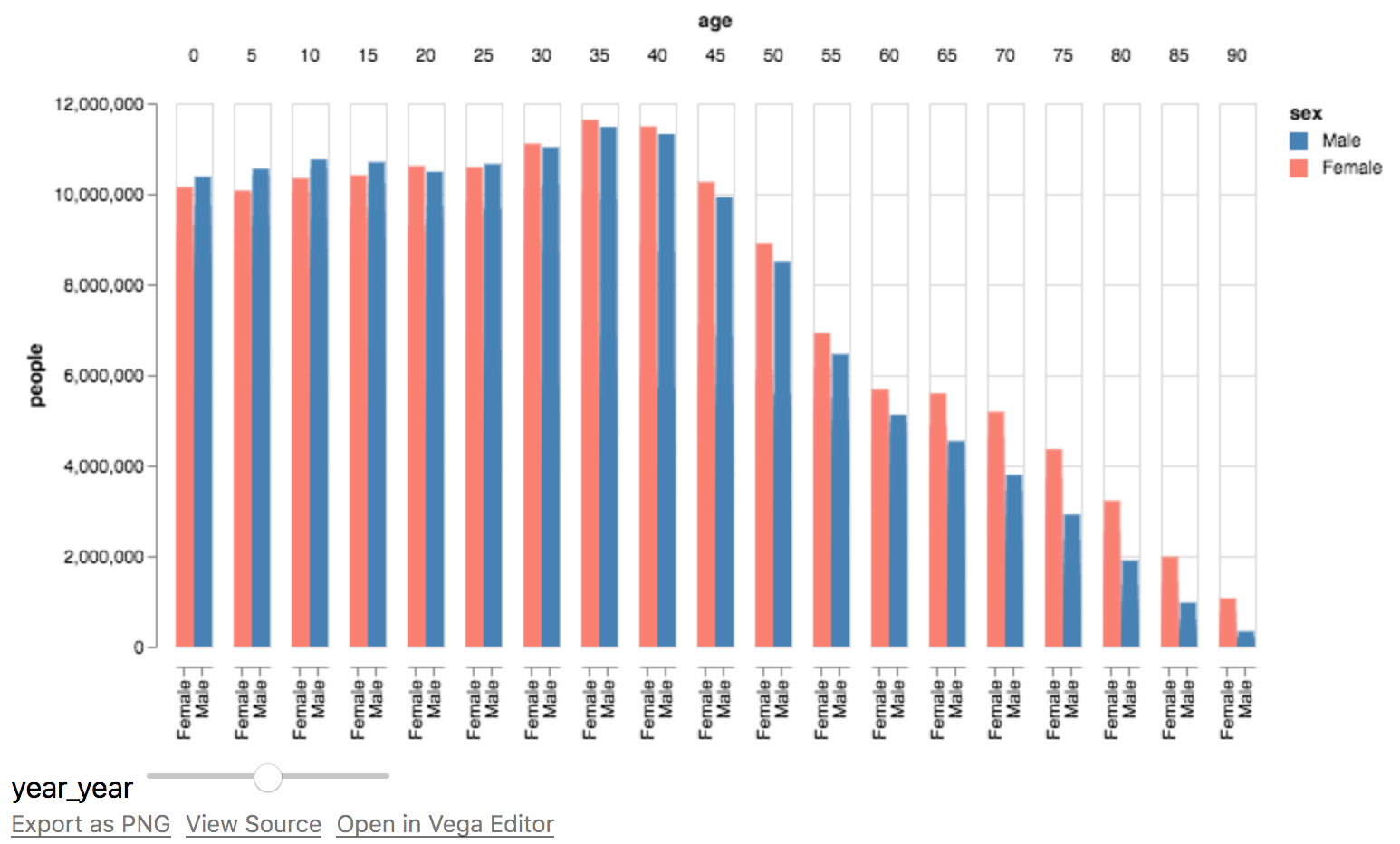
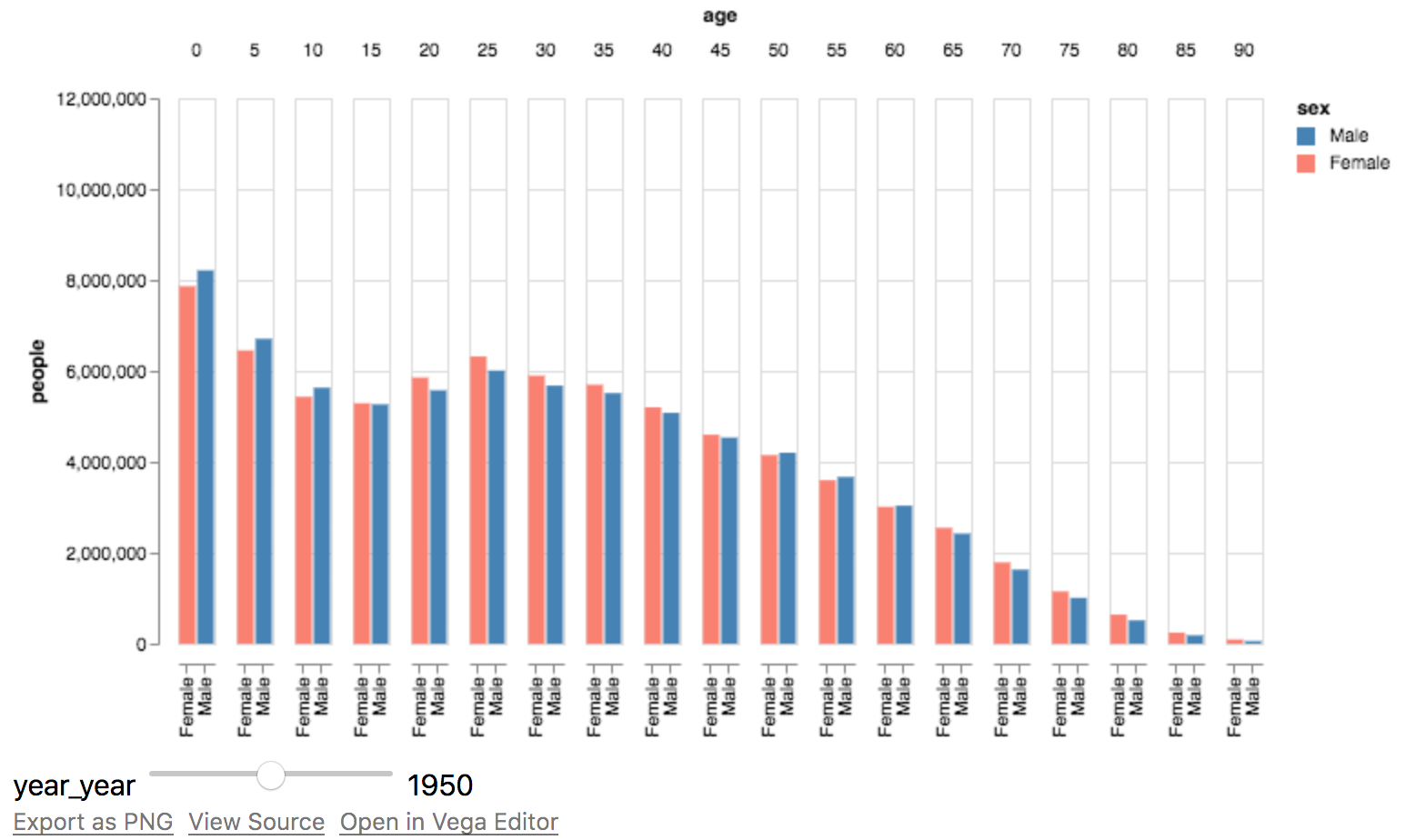
I've noticed that various interactive elements don't render on load. This is best explained by an example ([US Population over time], copy/pasted from docs):

Here's screenshots of before and after I move the slider around (and leaving it in the same place it started):
| Before | After |
| :--:|:--:|
|  |
|  |
|
I'm on Altair 2.0.0rc1
 stsievert
All 5 comments
Yes, I've noticed this too. It has to do with the fact that in Vega-Lite selections start out empty, and so the slider doesn't take effect until you move it. The only options for an empty selection are "none" or "all", neither of which really fixes this issue.
Maybe @domoritz or @kanitw have ideas... when selections have bindings like the slider here, is there a way to initialize them such that they're consistent with the default state of the binding?
 jakevdp
on 17 Mar 2018
jakevdp
on 17 Mar 2018
Paging @arvind who implemented the selections framework.
 jheer
on 17 Mar 2018
jheer
on 17 Mar 2018
This is still an issue... and major enough that each time I try to start writing docs for bindings in altair I give up because they're essentially unusable in their current state.
Would it be worth opening a bug in Vega-Lite to track this more effectively?
jakevdp
on 20 Aug 2018
Hi @jakevdp, we're tracking this issue as vega/vega-lite#3409 and vega/vega-lite#3431. I'll prioritize it and aim to have something land soon. Sorry about the frustration and the delay.
 arvind
on 20 Aug 2018
arvind
on 20 Aug 2018
Thanks!
jakevdp
on 20 Aug 2018
Related issues
 pagpires
·
21Comments
pagpires
·
21Comments
 noklam
·
20Comments
noklam
·
20Comments
 HalukaMB
·
31Comments
HalukaMB
·
31Comments
 mattijn
·
23Comments
mattijn
·
23Comments
 choldgraf
·
20Comments
choldgraf
·
20Comments