Alt-tab-macos: Scrollbar showing constantly

Opened it for the first time; pressed alt-tab to see if it worked, saw that.
No amount of configuring fixes it.
__Debug profile:__
- App version: 3.2.1
- App preferences:
- SUHasLaunchedBefore: Optional(1)
- SULastCheckTime: Optional(2020-04-01 08:03:51 +0000)
- alignThumbnails: Optional(Center)
- fontHeight: Optional(15)
- hideSpaceNumberLabels: Optional(false)
- iconSize: Optional(19)
- maxCellsPerRow: Optional(13)
- maxScreenUsage: Optional(80)
- metaKey: Optional(⌥ option)
- minCellsPerRow: Optional(5)
- rowsCount: Optional(5)
- showOnScreen: Optional(Screen including mouse)
- startAtLogin: Optional(false)
- tabKeyCode: Optional(48)
- theme: Optional( macOS)
- windowDisplayDelay: Optional(0)
- Applications count: 36
- Windows:
- {isMinimized: false, isHidden: false, isOnAllSpaces: false, spaceId: 1, spaceIndex: 1}
- {isMinimized: false, isHidden: false, isOnAllSpaces: false, spaceId: 1, spaceIndex: 1}
- {isMinimized: false, isHidden: false, isOnAllSpaces: false, spaceId: 1, spaceIndex: 1}
- {isMinimized: false, isHidden: false, isOnAllSpaces: false, spaceId: 1, spaceIndex: 1}
- {isMinimized: true, isHidden: false, isOnAllSpaces: false, spaceId: 1, spaceIndex: 1}
- {isMinimized: false, isHidden: false, isOnAllSpaces: false, spaceId: 1, spaceIndex: 1}
- OS version: Version 10.13.6 (Build 17G66)
- OS architecture: x86_64
- Locale: en_AU (current)
- Spaces count: 1
- Hardware model: MacBookPro8,1
- Displays count: 1
- CPU model: Intel(R) Core(TM) i5-2435M CPU @ 2.40GHz
- Memory size: 17.18 GB
- Active CPU count: 4
- Current CPU frequency: 2.4 Ghz
 i386sh
All 25 comments
Hi @i386sh! Thanks for sharing this issue!
Could you please click the "Send Feedback" within the app:
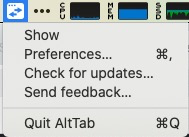
This will open a ticket here and it will attach very helpful debug information such as the version of macOS you are running. Indeed, this scrollbar doesn't show for me and other people, so it must be about something specific to your environment. Opening a ticket from the app will help us investigate what could be at play here :)
 lwouis
on 1 Apr 2020
lwouis
on 1 Apr 2020
I sent a feedback request. I didn't include an email. I hope that's okay.
i386sh
on 1 Apr 2020
Thanks! I added the debug profile to this ticket here
lwouis
on 1 Apr 2020
I suspect it could be an issue with macOS 10.13.6. It would be nice if someone could either reproduce there, and share with us that is works for them under 10.13. Nobody else seems to see this visual artifact under 10.14 and 10.15.
lwouis
on 3 Apr 2020
I mean that's definitely a possibility.
I might use the Mojave patcher from dosdude1, to install Mojave on my machine to see if it works fine under 10.14.
i386sh
on 3 Apr 2020
Oh wow, your hardware doesn't support official updates? It's from 2011, that's pretty cool that you're still getting good usage out of it 👍
At least to reproduce the issue to potentially fix it, I'm thinking about using a VM in VirtualBox. There are some images available online of macOS older releases. It's a bit involved so I haven't found time to do it yet though
lwouis
on 3 Apr 2020

I think this is similar issue. I'm running on MacOS 10.15.
 buttercrab
on 8 Apr 2020
buttercrab
on 8 Apr 2020
@buttercrab does it happen all the time? On your screenshot you seem to have only 1 window displayed. Does it happen with more windows? Does it happen with a lot of windows, like 40? (this is where the scrollbar is supposed to show).
This is very weird that it doesn't do it on my machine which is also 10.15. The good news is that I don't need a VM to try to reproduce now. The bad news is I have no clue why this is happening on some machines
lwouis
on 8 Apr 2020
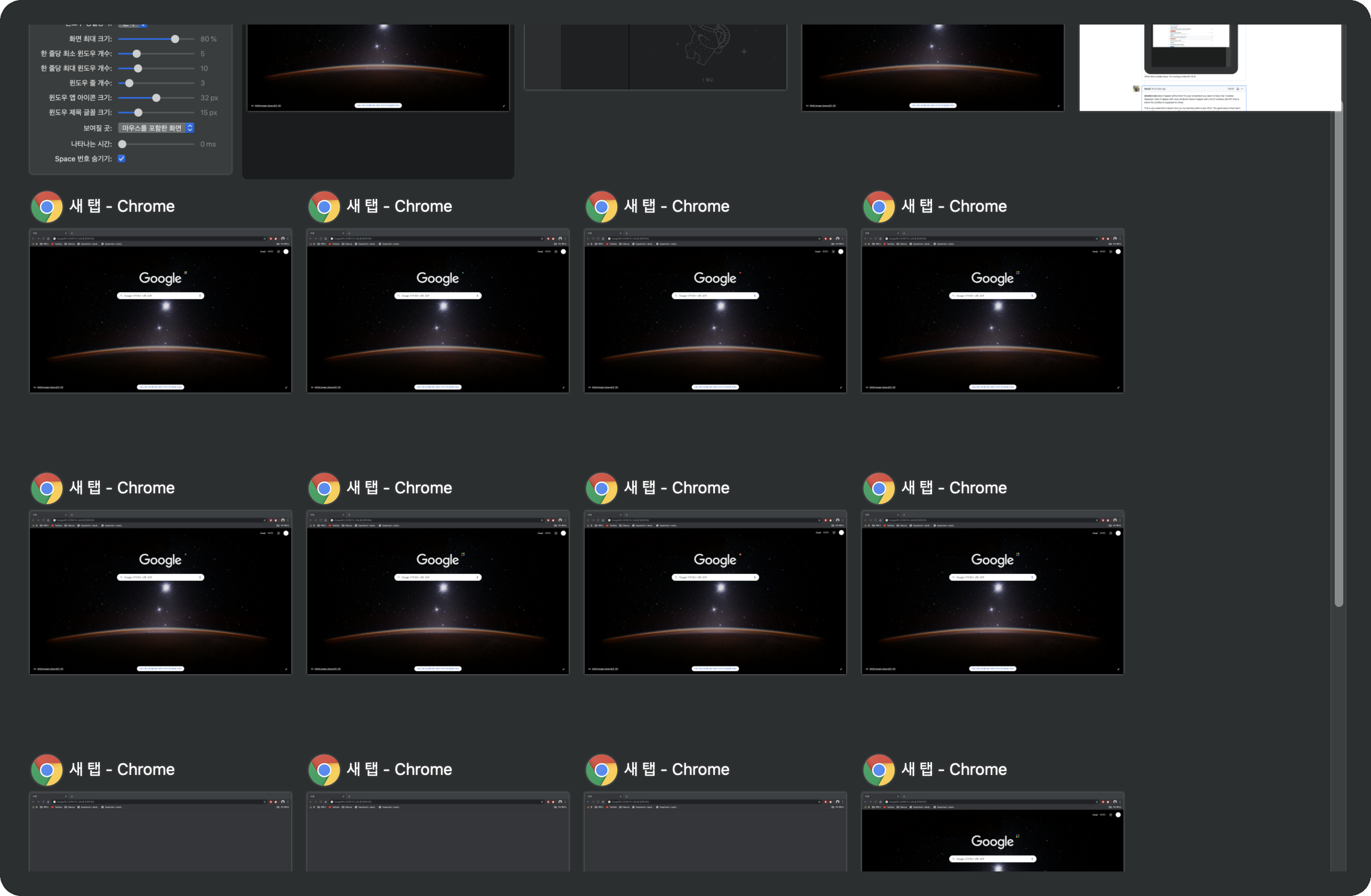
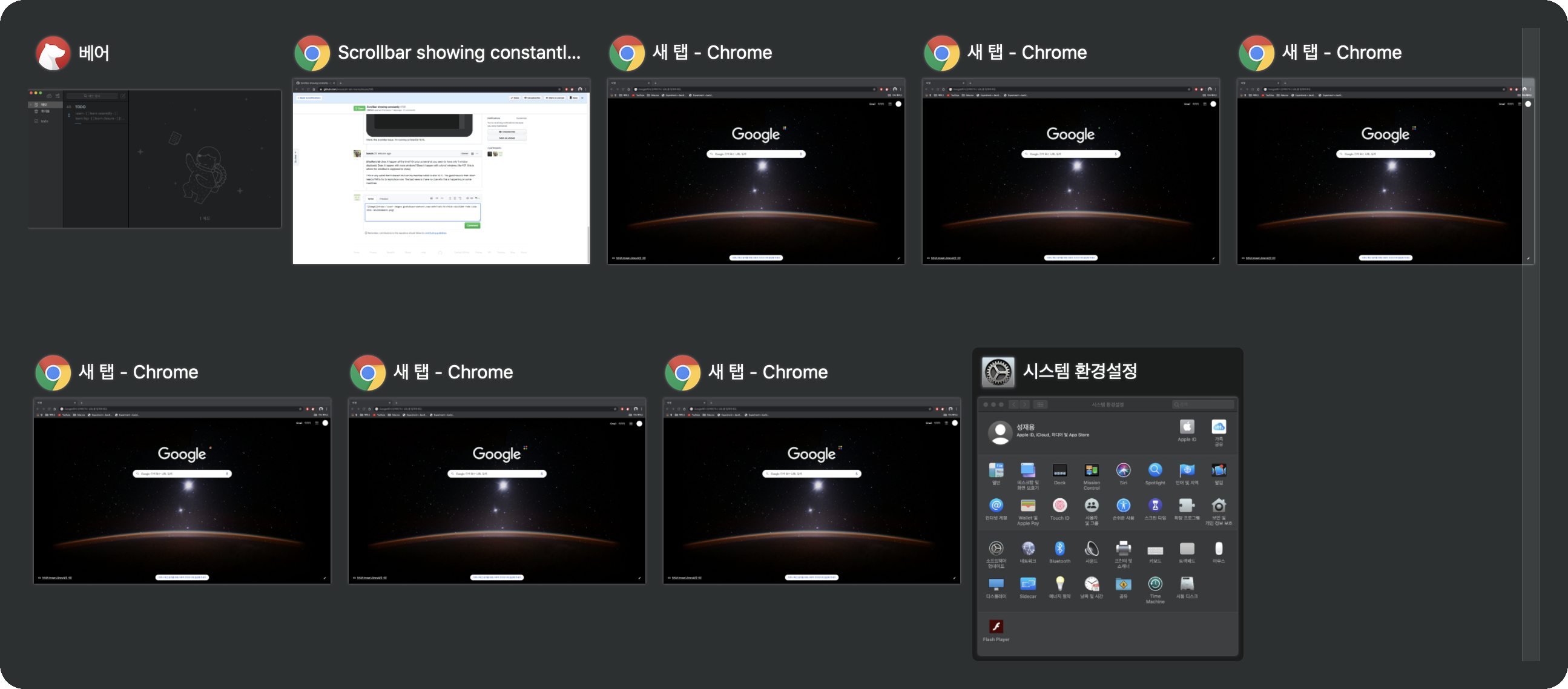
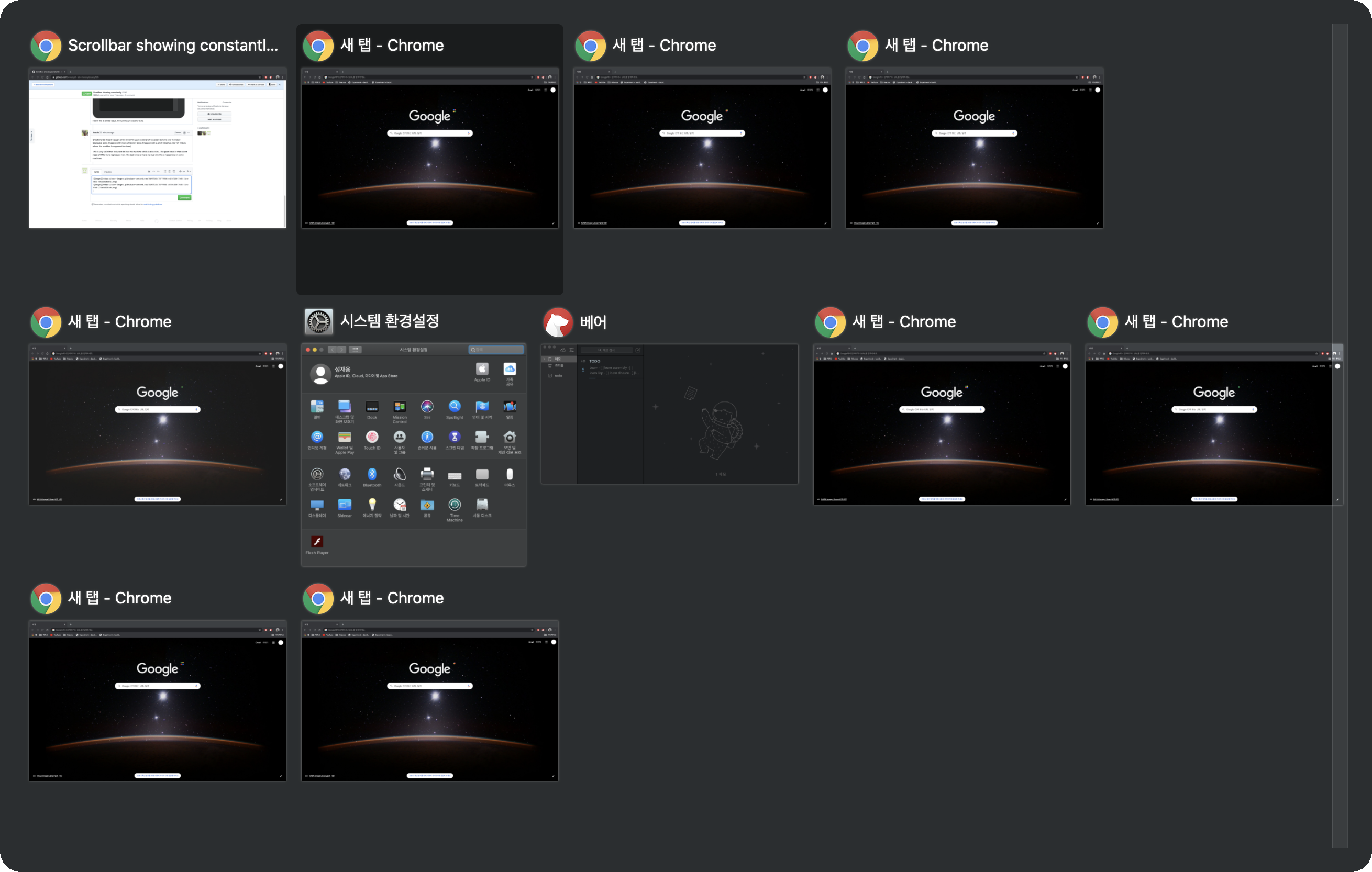
| Lots of Tabs | Two rows | Three rows |
|---|---|---|
| |
| |
| |
|
Yeap. It always shows up. I think any settings would make it show up.
_BTW, They are Korean_
buttercrab
on 8 Apr 2020
Aaah! I found how to reproduce the issue! I noticed on one of your thumbnails, the System Preferences was in Dark Mode. I switched to Dark Mode and now I see the light vertical bar.
@i386sh are you also using Dark Mode? I don't know if they retro-fit the feature on 10.13 or if it's exclusive to 10.15+. If it's not the case, then we should make a new, different ticket for Dark Mode on 10.15.
lwouis
on 8 Apr 2020
Great! I hope this fix will be included in the next update.
buttercrab
on 8 Apr 2020
@buttercrab I need to find how to fix this first! It's another undocumented behavior from Apple NSScrollView. I thought I fixed it by overriding this method:
https://github.com/lwouis/alt-tab-macos/blob/master/src/ui/main-window/ThumbnailsView.swift#L97
Apparently I need to find another implementation-details workaround
lwouis
on 8 Apr 2020
Aaah! I found how to reproduce the issue! I noticed on one of your thumbnails, the System Preferences was in Dark Mode. I switched to Dark Mode and now I see the light vertical bar.
@i386sh are you also using Dark Mode? I don't know if they retro-fit the feature on 10.13 or if it's exclusive to 10.15+. If it's not the case, then we should make a new, different ticket for Dark Mode on 10.15.
I still haven't updated to Mojave. Been lazy. But I'm using the semi-dark theme (dock + menubar), if that counts?
Edit: Updated and now I can't launch alt-tab.
i386sh
on 8 Apr 2020
But I'm using the semi-dark theme (dock + menubar)
What is this exactly? Could you show me screenshots of how this is configured? This is how dark mode looks in System Preferences > General, in Catalina:

Updated and now I can't launch alt-tab.
Could you please type this in a terminal and show us the result?
defaults read com.lwouis.alt-tab-macos
This is for me to understand better what crashes. After sharing that info, I think you will be unstuck if you type this command and start AltTab again:
defaults delete com.lwouis.alt-tab-macos
@i386sh I release a hotfix which will hopefully fix the crash at startup
lwouis
on 8 Apr 2020

Unfortunately, my issue still isn't solved though.
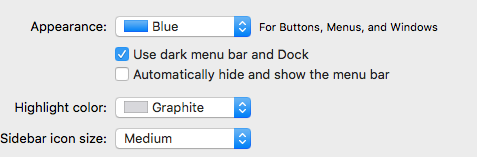
By half-dark mode I mean this.
I will be installing Mojave later today, so I will see if that will solve my issue.
i386sh
on 8 Apr 2020
Unfortunately, my issue still isn't solved though.
This is with the latest version, 3.7.1? I'm really surprised that it's not fixed. It really looks like the scrollbar is the .legacy style, always showing, and having a background.
I guess it's back to running a VM to reproduce.
lwouis
on 9 Apr 2020
Mine either. 3.7.x didn't solved the issue.
buttercrab
on 9 Apr 2020
I was able to reproduce! Not only was there an issue with Dark Mode, but there is a second layer of interaction with this System Preference:

I'll work on a fix
lwouis
on 9 Apr 2020
Setting it to _When scrolling_ seems to fix the issue for me.
Not bothered by the fact I only see scrollbars when scrolling.
i386sh
on 9 Apr 2020
When selecting "Always", the OS forces all scroller to be of style .legacy. I can't find any way to not be affected by this. Finding info on this is a nightmare
lwouis
on 9 Apr 2020
@i386sh @buttercrab @spunti I released a new version that should have the scrollbar properly show whichever dark mode and scrollbar style preferences you set. Could you please let me know if it's working good with all of the possible settings for you? I'll re-open the ticket if something is still wrong for you :)
lwouis
on 9 Apr 2020
Great! It's working perfectly.
buttercrab
on 9 Apr 2020
Hoorah! All is good!
i386sh
on 9 Apr 2020
Problem is fixed! Thank you!!
 spunti
on 9 Apr 2020
spunti
on 9 Apr 2020
Related issues
 tlex
·
6Comments
tlex
·
6Comments
 anukul
·
3Comments
anukul
·
3Comments
 johanan-daniel
·
6Comments
lwouis
·
3Comments
buttercrab
·
4Comments
johanan-daniel
·
6Comments
lwouis
·
3Comments
buttercrab
·
4Comments