Alt-tab-macos: Shortcut tabs UI breaks when clicking the second tab
Describe the bug
UI is not aligned. In Image 1, it looks like it is aligned. However, in image 2, when I click to section 2, it moves. Also, when I switch through apps, section 2 goes right and down, more and more. Then it looks like image 3.
Screenshots / video
|Image 1|Image 2|Image 3|
|:-:|:-:|:-:|
|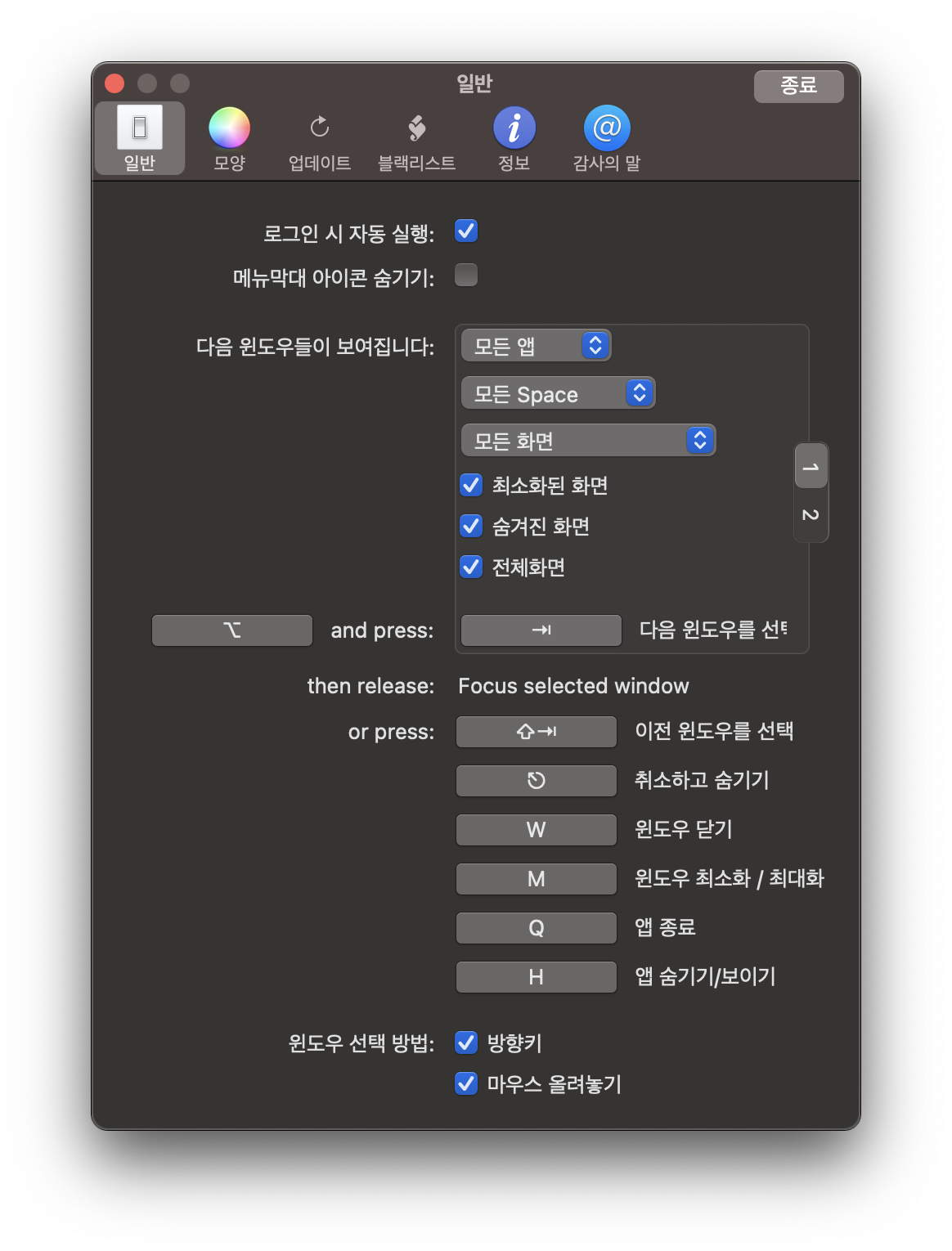 |
|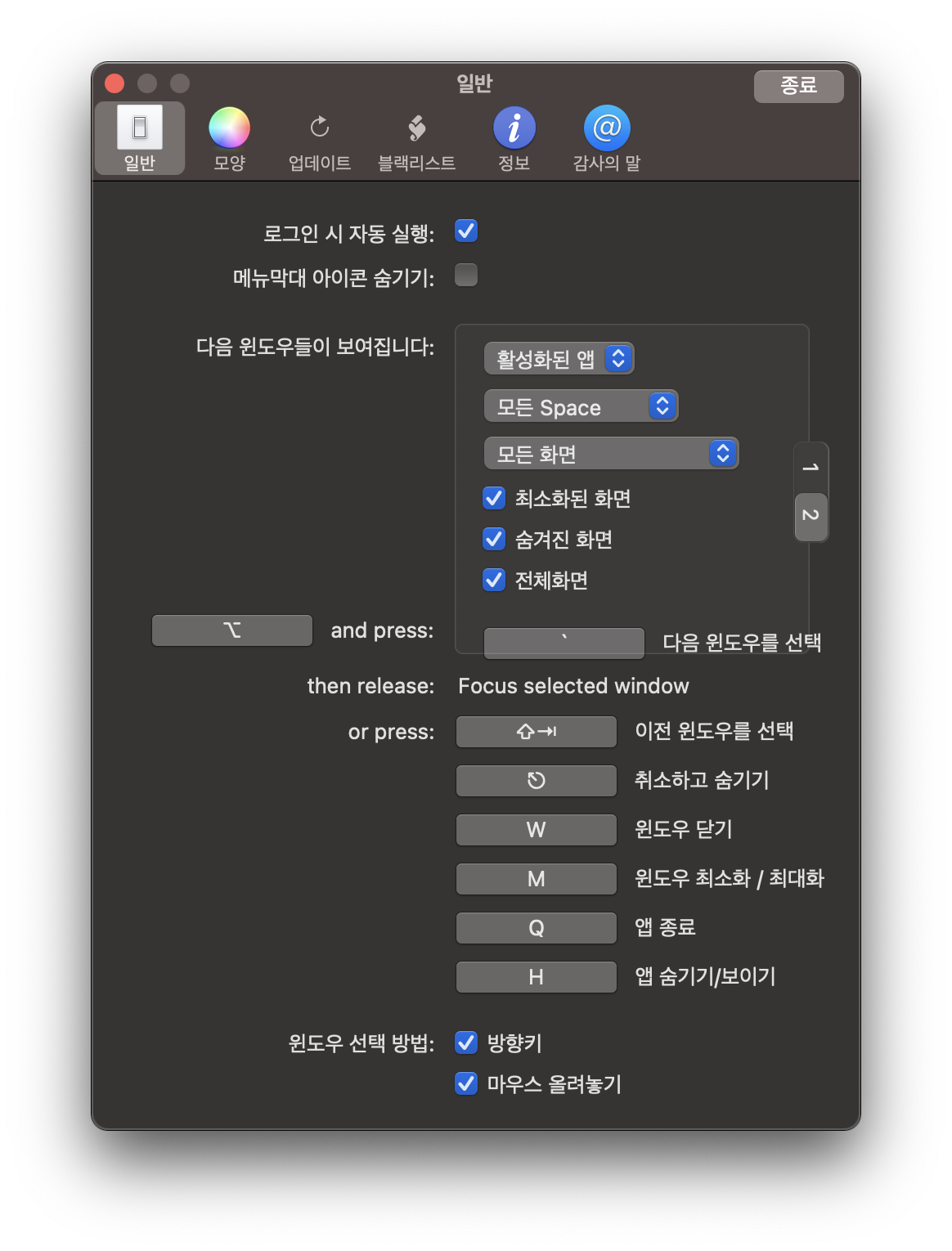 |
|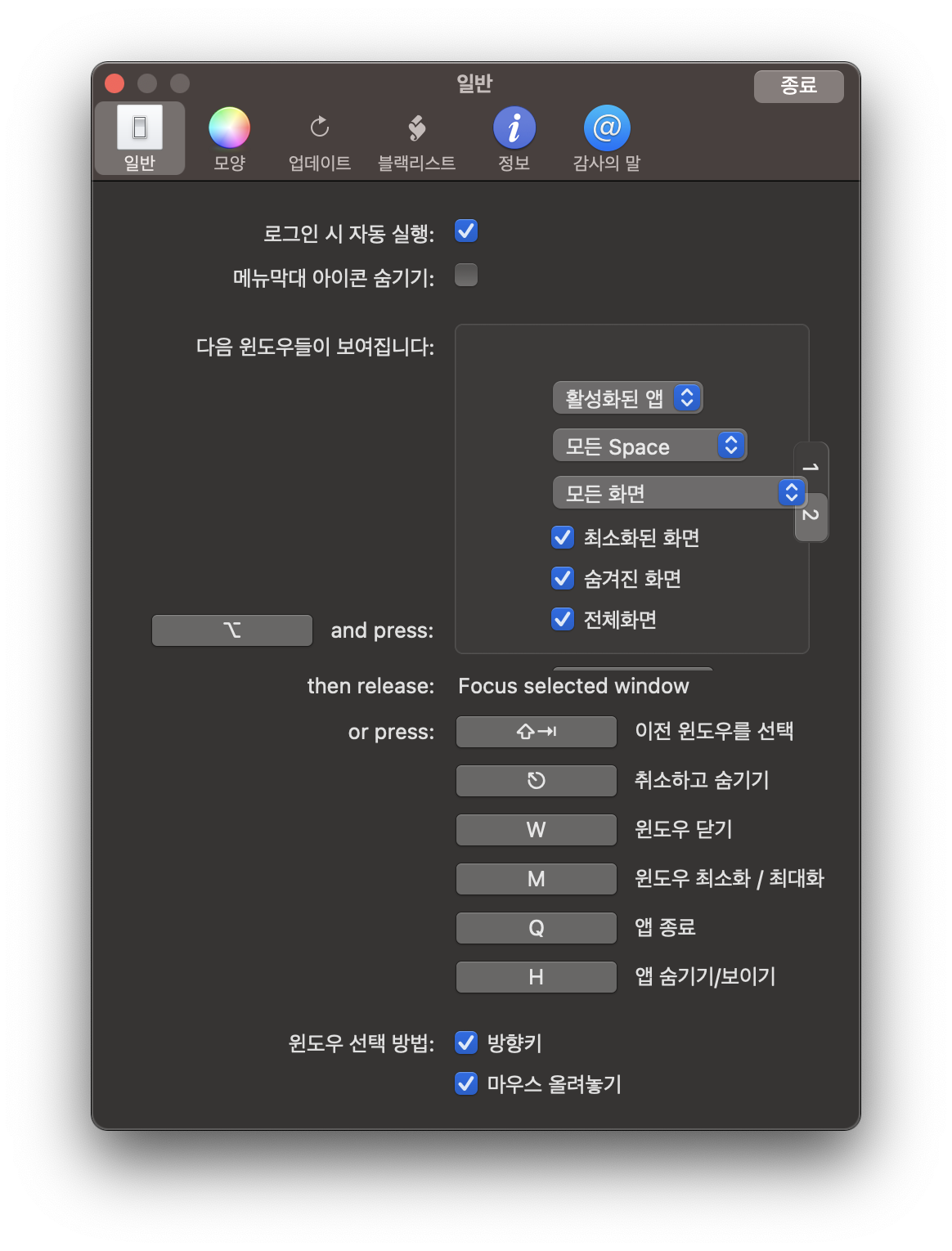 |
|
Steps to reproduce the bug
- Go to Preference
- Click on 'section 2'
- Switch through other apps.
- See error
 buttercrab
All 4 comments
Nice to see you @buttercrab! Thanks for reporting this issue. Your report is very clean and easy to understand too, that's really nice!
I was a bit scared when I shipped the release introducing the multi-shortcut feature, as locally, there was a constraint warning from AppKit auto-layout system. It works great on my machine despite the warning, so I thought I could ignore, but I guess the system will chose different constraints to satisfy depending on so many variables regarding the text, and your text being in korean must have gone through the wrong code path.
I will rework the tabs in preparation for #458. During that rework, I will eliminate the auto-layout warnings completely this time, so the layout should be deterministic again.
By the way, if you know someone who knows how to do UI with Swift, please let me know. I'm spending something like 3 times as much time making this layout than the action features they support. It's really demotivating working on this stuff. Anyway, hopefully I find time soon to ship this 👍
 lwouis
on 22 Jul 2020
lwouis
on 22 Jul 2020
By the way, if you know someone who knows how to do UI with Swift, please let me know.
@lwouis Maybe I could learn UI (I already know Swift) and contribute. I will do in free time 🙂
buttercrab
on 22 Jul 2020
There are 3 ways to do UI programmatically. I think the recommended way in 2020 is constraints. In AltTab, i used direct frame position/size setting in the main window UI, and constraints in all other windows
lwouis
on 22 Jul 2020
@buttercrab I released a new version of AltTab today that should fix the issue (and introduce the new system from #458).
I'll close this ticket. Please let me know if you still face the issue, and I'll reopen it 👍
lwouis
on 5 Aug 2020
Related issues
 mrc247-DE
·
3Comments
mrc247-DE
·
3Comments
 DaVince
·
5Comments
DaVince
·
5Comments
 boldandbusted
·
3Comments
boldandbusted
·
3Comments
 rway7
·
5Comments
rway7
·
5Comments
 gingerr
·
4Comments
gingerr
·
4Comments