Alt-tab-macos: iTerm window not shown if iTerm is launched while the active app is fullscreen
Describe the bug
When opening iTerm via a Keyboard shortcut calling a Quick Action defined via Automator, Alt-Tab doesn't notice the window, believing that iTerm is opened without one.
Screenshots / video
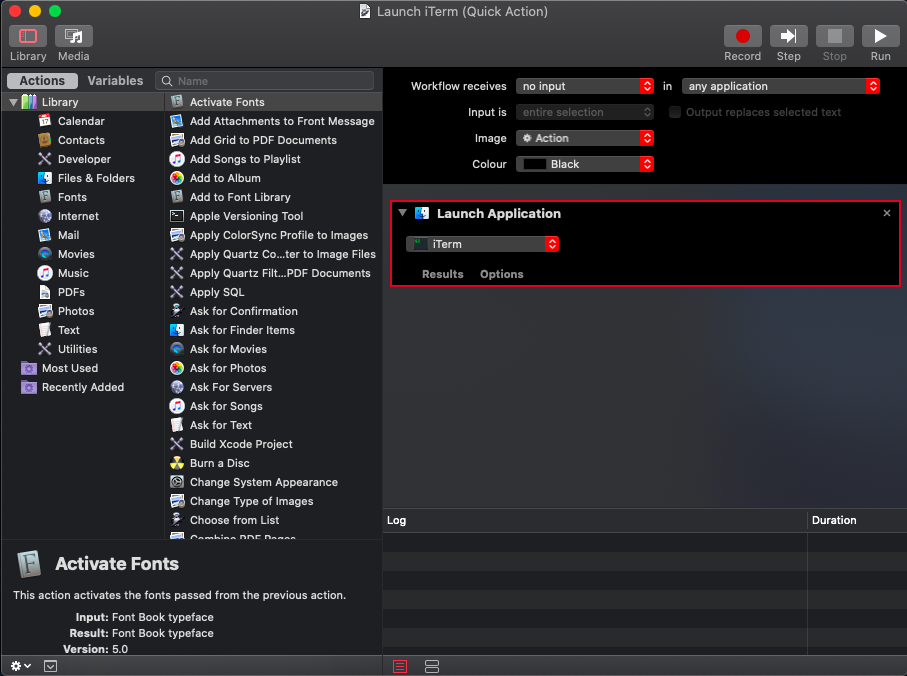
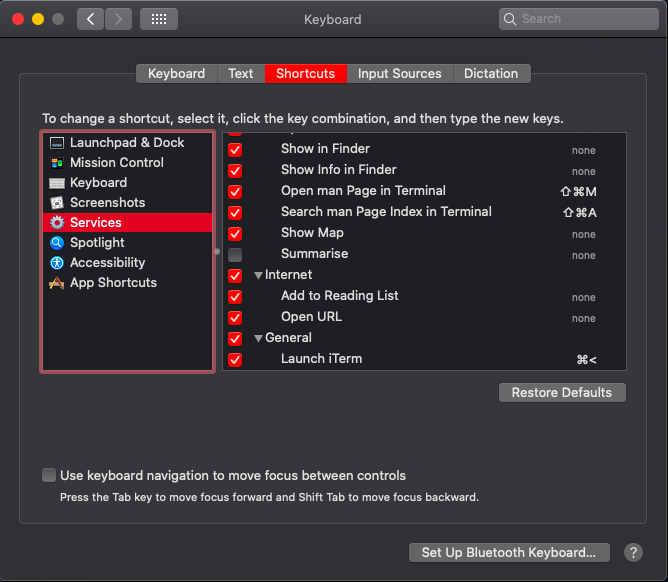
When pressing the keyboard shortcut CMD <, iTerm opens (for me in Full Screen), but Alt-Tab doesn't display it.
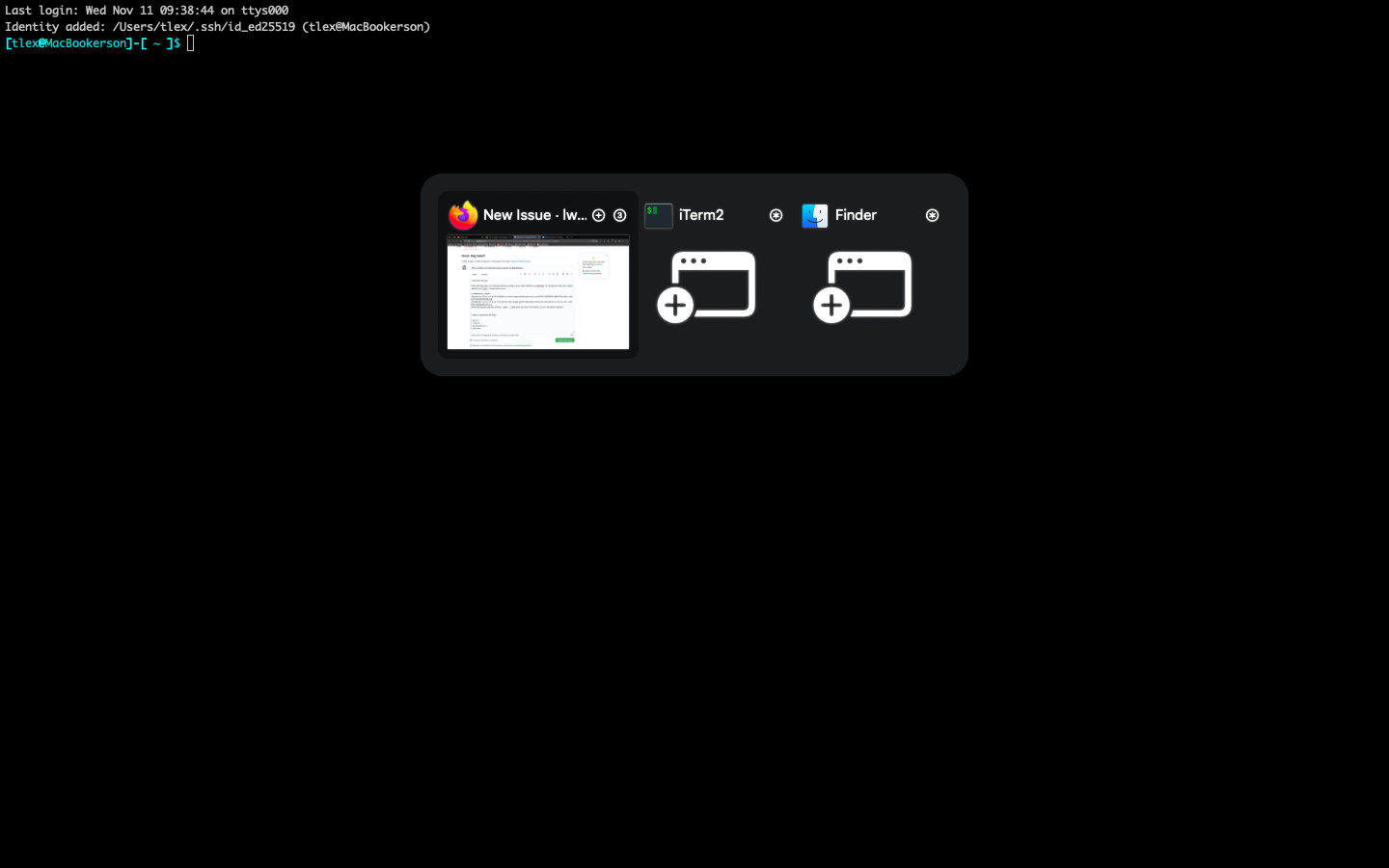
One thing of note: I'm normally using full screen for most of my apps (so, Firefox is also in full screen when I press the shortcut key).
This does not happen if I press the shortcut key from the desktop screen (only when pressing it from an app that is full screen)
Steps to reproduce the bug
- Described above
 tlex
tlex
All 6 comments
Hi @tlex! Thank you for sharing this issue.
I was able to reproduce. I think the issue is not linked to the fact that the app is launched through a Quick Action. The issue is about the fact that the active app is fullscreen. I can reproduce it for instance by having my active app be fullscreen, then launching iTerm from the Dock or with Launchpad. I'll look into it 👍
 lwouis
on 11 Nov 2020
lwouis
on 11 Nov 2020
The situation is a real mess, as usual with Spaces. Just FYI since a lot of people don't know that: Spaces have no public API from Apple. So any attempt to play nicely with Spaces in macOS involves workarounds, using private APIs, and best effort.
The issue here is that when an app is fullscreen, it is in its own Space. When you open another app then, AltTab sees the new app spawning, and asks for its windows. Because the newly opened app is on another Space than the fullscreen app, it returns 0 window, thus the result you observed.
I think I was able to add a workaround by adding a retry, after 1s, if the current space is fullscreen. This means in this iTerm scenario, you launch it, it returns 0 window (the visible app is still the fullscreen app at this point), but AltTab notices that you're in a fullscreen space, so it sets a timer to retry in 1s. The space transition animation finishes (the visible app is now iTerm), and AltTab requests again, and get 1 window, which it displays.
Could you please try out this test build and let me know if it fixes the issue for you?
lwouis
on 11 Nov 2020
Sorry, still not.
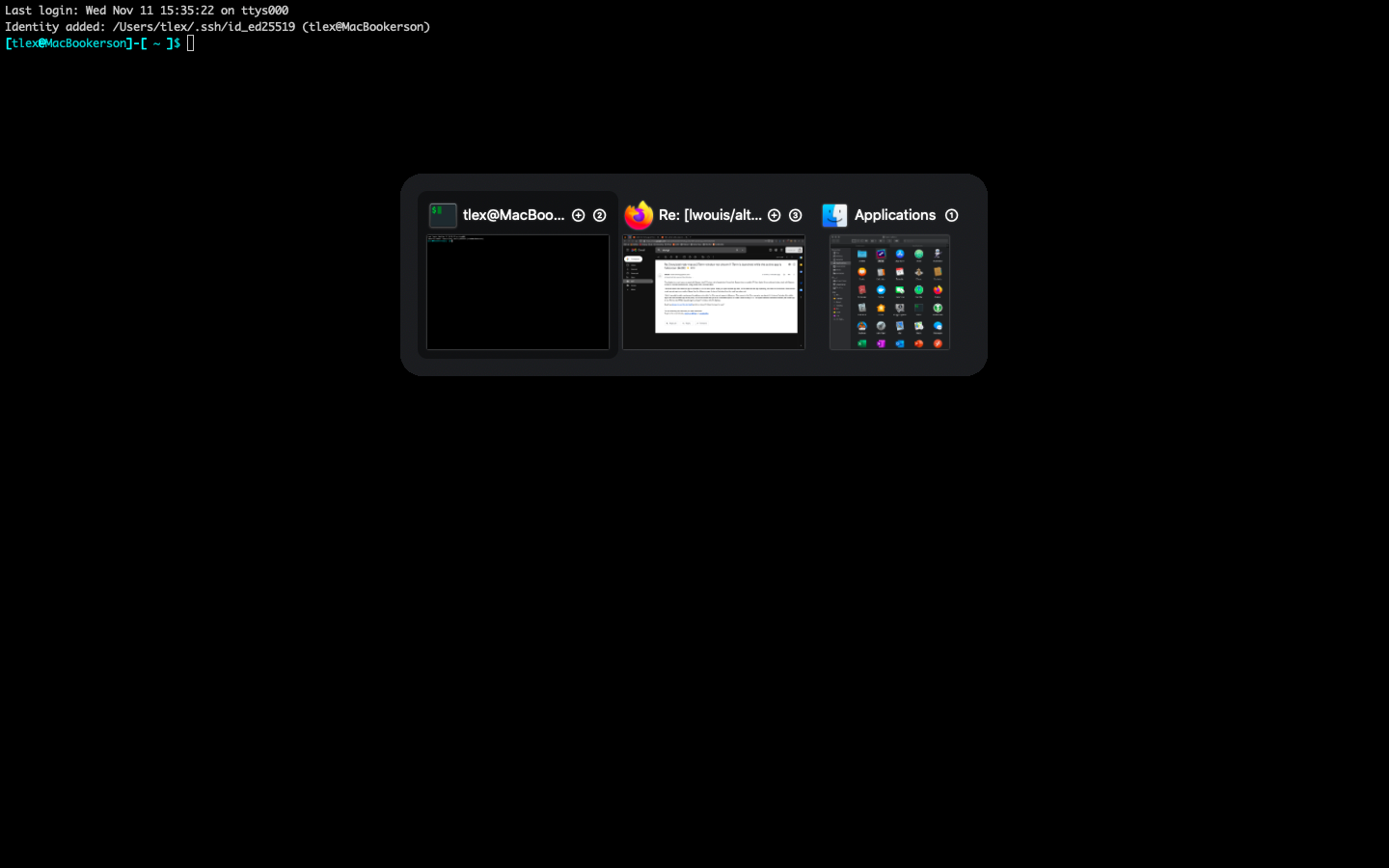
Edit: hold on, need to test again 😄
Even later edit: seems it behaves somewhat inconsistent. As you can see in the first screenshot, sometimes it displays the window. Sometimes it doesn't (as seen below)
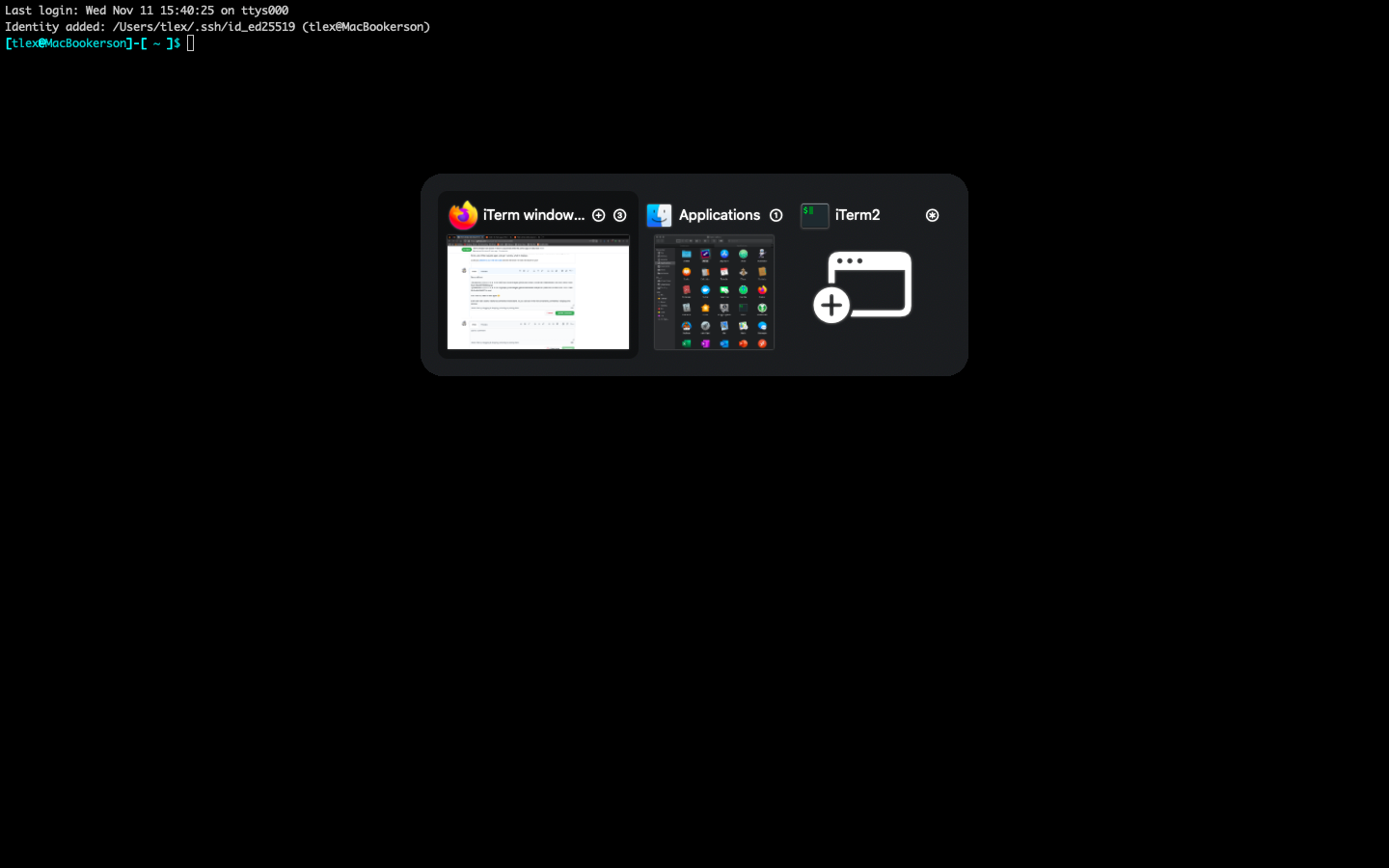
As a matter of fact, after taking the last screenshot, it started working.
Consistently, it works if I restart Alt-Tab
tlex
on 11 Nov 2020
As I said, the workaround is to wait 1s. This 1s is a fixed duration, so it's fragile. I imagine that on your system, it sometimes takes longer to finish the animation, which means AltTab will trigger during the animation, still get 0 window, and show nothing.
The issue with increasing the number is that then we overshoot and the user may open iTerm, the animation finishes, yet it takes another few seconds until it shows in AltTab.
We could also retry quickly on a loop for like 5s until we get windows. That's what I went with. The downside is that if you open an app that has no window, from a fullscreen space, it will loop quickly for 5s, and waste CPU. I guess it's not a common scenario anyway, so it's an acceptable trade-off in order to fix this issue.
Here is a new build that should work consistently since it retries every 10ms for 5s, and as stops as soon as it finds windows (i.e. when the space transition animation finishes).
Could you please tell me if it works consistently for you? Thank you!
lwouis
on 11 Nov 2020
Thank you, it works well now.
Yes, the animation on my 2012 MacBook Air might take slightly longer than a second. Now that you mention it, I'll look into disabling it.
Best
tlex
on 11 Nov 2020
Nice. This will ship in the next release 👍
lwouis
on 11 Nov 2020
Related issues
 mfn
·
4Comments
mfn
·
4Comments
 anukul
·
3Comments
anukul
·
3Comments
 mrc247-DE
·
3Comments
mrc247-DE
·
3Comments
 overseeing
·
4Comments
lwouis
·
3Comments
overseeing
·
4Comments
lwouis
·
3Comments