Create the alignment box in the Left Panel.
This box is always present and doesn't disappear based on the selected item.
Reference UI mockup:

Full left panel as reference:

 Alecaddd
All 5 comments
Hi @Alecaddd,
Just a question: where can one find the vector icons to implement this design?
I read that you wanted to make custom icons for Akira, so I think that the elementaryOS icons are not going to fit in there.
I saw that there are some icons in the data folder, but is seems that those icons (and other referenced in other designs as well) are missing.
Can you provide them? Or it is possibile to get them from the vector mockup of the UI?
Thanks!
Btw, I'm starting this task right now :muscle:
 giacomoalbe
on 27 Feb 2019
giacomoalbe
on 27 Feb 2019
Hi all,
It's with huge pride and immense joy that I announce you my first ever contribution to the Akira project, the skeleton of the Alignment Box :)
Here you can see a screenshot I take to the final prototype.
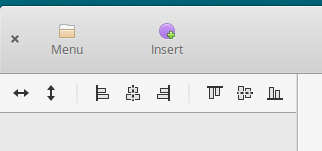
As you might have noticed, the icons are different, but it's only a matter of uploading the correct ones and everything should be fine!
I'll be making the PR as soon as I add more features, maybe refactor the code a bit (it has been my first time with both Akira and Gtk/Vala, so I'm pretty happy with the results) and add some hooks for the logic behind button press.
Colors and sizes are taken from the image provided, I think they're consistent with the design.
Overall I'm very satisfied, looking forward to contribute more (maybe with some other shapeObjectPanel task)!
giacomoalbe
on 28 Feb 2019
@giacomoalbe the designers at elementary OS are helping us a lot in making and upgrading icons specifically to accommodate our needs. So, we decided to go with the native elementary icons.
If you're on elementary, you should be able to pull those without problems. For anyone else, we will soon release a develop flatpak installation with the elementary stylesheet and icons baked into it to allow consistency during development.
I'd recommend checking what I did in the new-headerbar branch regarding the change between symbolic and regular icons, in order to give users the choice.
Thank you so much for your help!
Alecaddd
on 28 Feb 2019
Hi all,
I wanted to update you guys on the development of this section.
This is the current state:
- Icons are the same as in the mockup
- Icons change is working, some symbolic icons are missing, so I don't know how to handle this
- Theme change is fully supported. Only the icons are not changing, I think this is not related to the style but more to the icons present in the system
- I added an EventBus class that can be the central hub for data and message exchange. Signals can be broadcast from that source and received by connecting local methods (inside widgets) to the shared event_bus instance (much like the settings singleton). I think something can be elaborated a bit, but in this particular way it's possibile not to be forced to follow the entire callback widget chain every time we want two pieces of the UI to communicate togheter.
- When clicked, the buttons triggers an action on their containing panel. This signal can be routed whereever needed (in the canvas manager when it'll be present, I think).
Here a screenshot with light theme and filled icons:
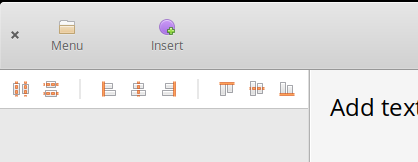
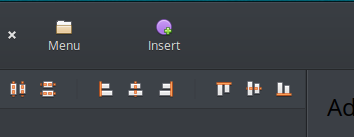
Here another one, but with the dark theme. Note here that icons seems not to respect the theme change:
And here you can see the missing symbolic icons.
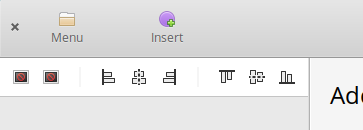
I do have all those changes in a separate branch and everything is working as expected, meson build is ok (2 warnings but are totally unrelated).
Can I make a pull request, in order to ship these changes?
Thanks
giacomoalbe
on 1 Mar 2019
Yes please, this is fantastic work!
Make a PR so we can review the code and merge it if it's all good.
For those 2 icons missing, you can open an issue in the elementary/icons repo, and if I have time, I'll make a PR with those missing icons.
Looking forward to seeing how you implemented the eventbus, that sounds amazing.
I'm refactoring the Headerbar to bind the labels and icon style to the user gsettings and avoid extra code. Not sure if it's related and it could leverage your eventbus 😄
Alecaddd
on 1 Mar 2019
Related issues
Alecaddd
·
5Comments
Alecaddd
·
4Comments
 e200
·
4Comments
Alecaddd
·
6Comments
e200
·
4Comments
Alecaddd
·
6Comments
 AUNaseef
·
4Comments
AUNaseef
·
4Comments