Akira: Items lost when opening a saved file
Expected Behavior
All the items should be regenerated and put in the proper place when opening a saved file
Current Behavior
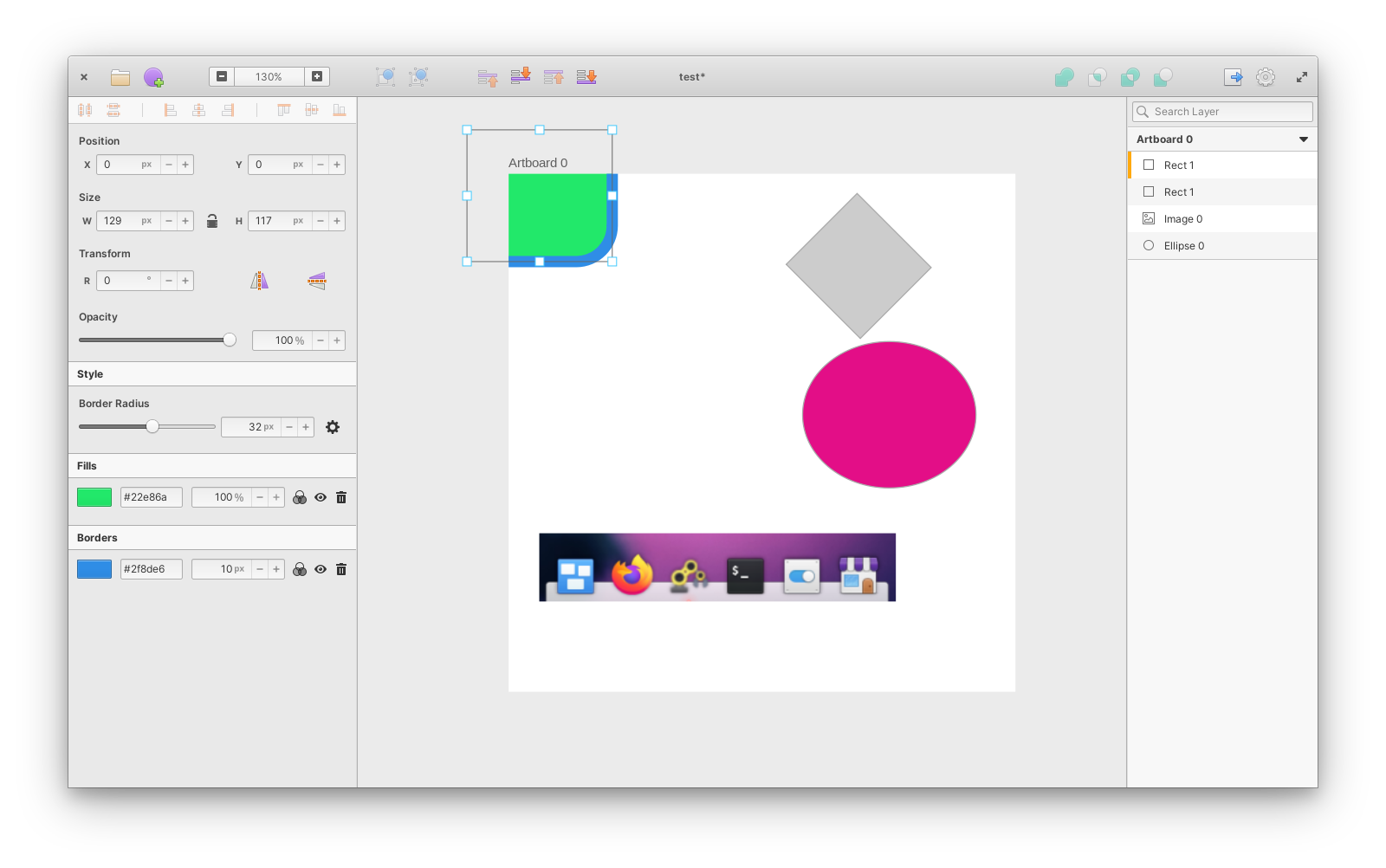
Items that have their origin outside the boundaries of a Canvas Artboard disappear upon reopening.
Possible Solution
Account for negative origin points when saving a file, even if we don't show negative values in the transform panel.
Maybe we should start supporting negative values for items inside artboards.
Steps to Reproduce (for bugs)
- Create an Artboard
- Create a shape inside the Artboard.
- Move the shape in order to have its top-left origin point outside the Artboard, but the rest of the body inside.
- Save the file and close Akira.
- Reopen the saved file.
Screenshots of the Problem
This is how the file should open back, but if you save the file with a shape partially outside the Artboard, it gets lost upon reopening.
 Alecaddd
All 4 comments
Can we attach the saved file with just the item with negative values?
Not sure if item is there, so wonder if problem is on save or on load.
 albfan
on 18 Jan 2021
albfan
on 18 Jan 2021
Here's the file example.
akira-test.zip
Looking at the saved source, the item is there with these coordinates:
"relative-x" : -64.0,
"relative-y" : -53.0,
I think it's an issue with the file loader which can't handle negative values.
I'll fix it.
Alecaddd
on 19 Jan 2021
As I suspected, the item is there but it gets shunted at the 0px/0px origin of the canvas.
Alecaddd
on 19 Jan 2021
At least sidebar do not accept those values:
https://user-images.githubusercontent.com/220968/105249692-d0aaf500-5b78-11eb-9516-a2c3c42d9d19.mp4
This change allows to have negative values:
diff --git i/src/Layouts/Partials/TransformPanel.vala w/src/Layouts/Partials/TransformPanel.vala
index 9b62ad3..cd07207 100644
--- i/src/Layouts/Partials/TransformPanel.vala
+++ w/src/Layouts/Partials/TransformPanel.vala
@@ -94,9 +94,9 @@ public class Akira.Layouts.Partials.TransformPanel : Gtk.Grid {
         hexpand = true;

         x = new Akira.Partials.LinkedInput (_("X"), _("Horizontal position"));
-        x.input_field.set_range (0, Akira.Layouts.MainCanvas.CANVAS_SIZE);
+        x.input_field.set_range (-Akira.Layouts.MainCanvas.CANVAS_SIZE, Akira.Layouts.MainCanvas.CANVAS_SIZE);
         y = new Akira.Partials.LinkedInput (_("Y"), _("Vertical position"));
-        y.input_field.set_range (0, Akira.Layouts.MainCanvas.CANVAS_SIZE);
+        y.input_field.set_range (-Akira.Layouts.MainCanvas.CANVAS_SIZE, Akira.Layouts.MainCanvas.CANVAS_SIZE);
         width = new Akira.Partials.LinkedInput (_("W"), _("Width"));
         width.input_field.set_range (0, Akira.Layouts.MainCanvas.CANVAS_SIZE);
         height = new Akira.Partials.LinkedInput (_("H"), _("Height"));
https://user-images.githubusercontent.com/220968/105250644-6430f580-5b7a-11eb-93cb-24843fd8f3dd.mp4
albfan
on 20 Jan 2021
Related issues
 Hedronmx
·
3Comments
Alecaddd
·
4Comments
Hedronmx
·
3Comments
Alecaddd
·
4Comments
 piiskop
·
6Comments
piiskop
·
6Comments
 isneezy
·
5Comments
isneezy
·
5Comments
 Philip-Scott
·
6Comments
Philip-Scott
·
6Comments