Aegis: Setup loop / Can't setup Biometric Unlock
Info
- __Version__: 1.1.4
- __Source__: F-Droid
- __Vault encrypted__: ?
- __Device:__ Moto E6 Plus
- __Android version and ROM:__ Android 9
When trying to do the setup, once I get to the "Setup Completed" screen and Tap the checkmark, the app closes. When I open it again, I'm back at the start of the setup.
Steps to reproduce
Open App
Tap next arrow
Select "biometrics" and tap next
Place a registered fingerprint on the sensor
Enter two identical passwords on the password fields
Tap next arrow
Tap the checkmark
What do you expect to happen?
I'd expect it to take me to the main menu of the app
What happens instead?
The app closes, and it's impossible to get past the setup
Update: If I select "Password" during setup, I am able to get to the main screen of the app.
When trying to enable biometric unlock from the app settings, after placing my finger on the sensor, this error showed up:
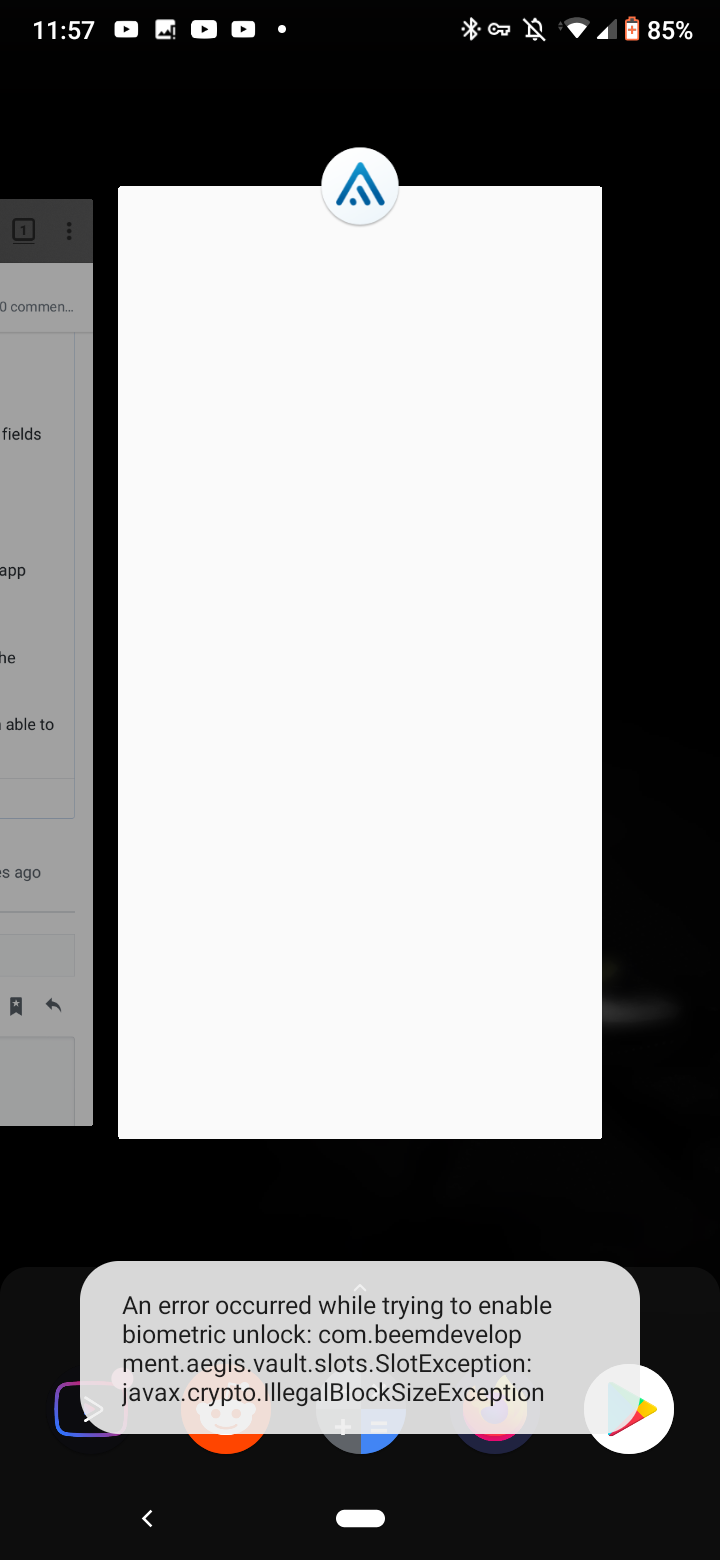
(Screenshot'ed like that because the app disallows screenshots)
Transcription: An error ocurred while trying to enable biometric unlock: com.development.aegis.vault.slots.SlotException: javax.crypto.IllegalBlockSizeException
 PinkDev1
All 5 comments
Unfortunately, this is a known issue that we can't fix. See https://github.com/beemdevelopment/Aegis/issues/281#issuecomment-571143451.
 alexbakker
on 21 Mar 2020
alexbakker
on 21 Mar 2020
Sorry to necro-bump this, but I just wanted to give this issue some closure.
Basically, this was caused by a bug in the official ROM, which would prevent any app using the biometric authentication feature to be able to decrypt the credentials, after a phone shutdown/reboot. Fortunately, it's been fixed in the latest ROM update!
@PinkDev1 Did you also get a ~100 MB update in the past few days?
 guihkx
on 13 Sep 2020
guihkx
on 13 Sep 2020
Sorry to necro-bump this, but I just wanted to give this issue some closure.
Basically, this was caused by a bug in the official ROM, which would prevent any app using the biometric authentication feature to be able to decrypt the credentials, after a phone shutdown/reboot. Fortunately, it's been fixed in the latest ROM update!
@PinkDev1 Did you also get a ~100 MB update in the past few days?
Not really. Last update I received was on august 1st.
Anyhow, it is still 100% possible for a 3rd party app to use biometrics on my device.
For example: AndOTP (Objectively the best OTP app for Android) and Bitwarden work perfectly with fingerprint unlock on my device.
So the issue is definetly fixable without a major OS update
PinkDev1
on 16 Sep 2020
For example: AndOTP (Objectively the best OTP app for Android) and Bitwarden work perfectly with fingerprint unlock on my device.
That's interesting, in my case I was able to use biometric auth on these apps too (tested on andOTP, KeePassDX and Aegis, ofc), but as soon as I rebooted my phone, they wouldn't be able to read it again. Unlocking the screen still would work just fine, though.
As a workaround, I would delete an already existing fingerprint (in Android's Settings), then add it again.
Not really. Last update I received was on august 1st.
You're probably referring to the security patch, which is August 1 for me as well. My build number is PTB29.401-58 (Brazil).
guihkx
on 16 Sep 2020
As said in other issues about this topic, it all depends on how an app uses Android's biometric authentication.
If you enable biometric unlock in Aegis, a new vault key slot is created, encrypted with an Android KeyStore key that can only be used after biometric authentication. Some devices have a poor implementation of that and raise nonsensical errors like "illegal block size".
Most other apps, like andOTP, don't take advantage of that security feature. While it may look like the key is protected by biometric authentication because a prompt is shown, this is not enforced by the hardware.
alexbakker
on 17 Sep 2020
Related issues
 jidanni
·
5Comments
jidanni
·
5Comments
 mKoonrad
·
5Comments
jidanni
·
3Comments
mKoonrad
·
5Comments
jidanni
·
3Comments
 chiraag-nataraj
·
5Comments
chiraag-nataraj
·
5Comments
 devurandom
·
3Comments
devurandom
·
3Comments