Addons-server: Separator line is not correctly displayed on the second page of the theme wizard submission
STR:
- Go to dev hub to submit a static theme using the theme wizard.
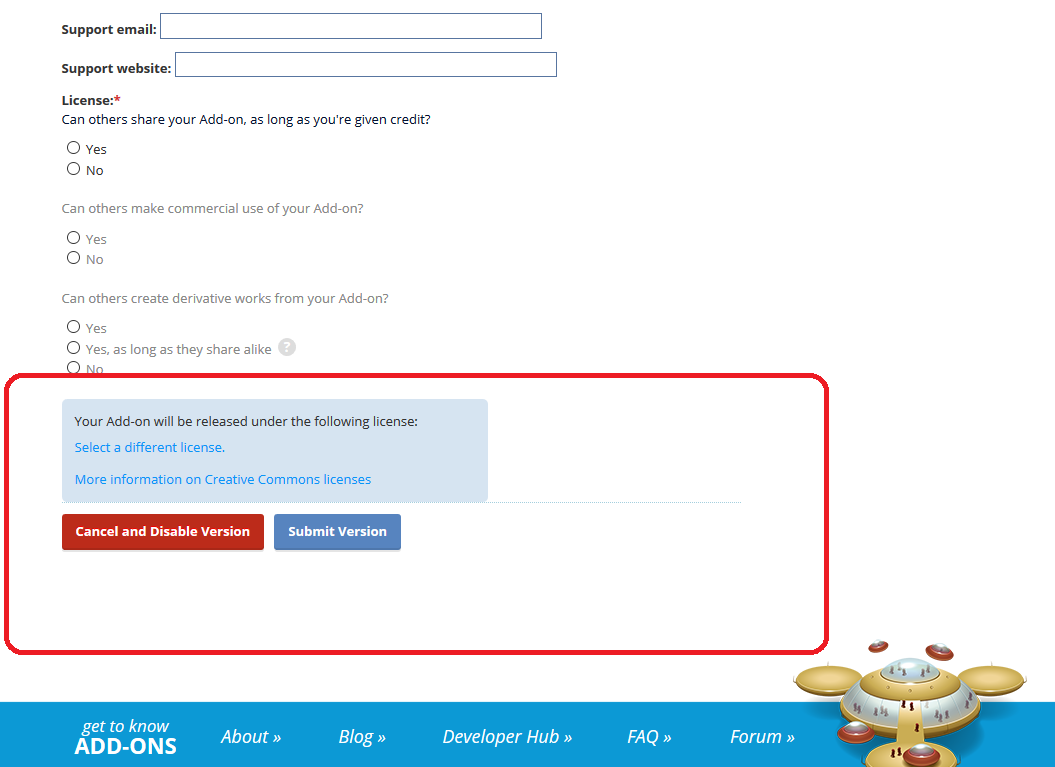
- Check the display of the separator line before the Cancel and Disable Version and Submit version at the bottom of the page.
Expected result:
There is some space between the licence section , line and the buttons.
Actual results:
Separator line is right next to the licence section, has no space.
Notes:
This issue is reproducible on AMO dev with FF59(Win10).
 ioanarusiczki
All 12 comments
I would like to work on this issue.
 shiri1248
on 4 Apr 2018
shiri1248
on 4 Apr 2018
Hey @shiri1248! Go for it! Mentor is @eviljeff.
If this is your first contribution, please refer to https://wiki.mozilla.org/Add-ons/Contribute/Code on how to get started.
 caitmuenster
on 4 Apr 2018
caitmuenster
on 4 Apr 2018
I am new to open source and i want to work on this issue. Please help me
 deepanshu-jain1999
on 13 Apr 2018
deepanshu-jain1999
on 13 Apr 2018
@deepanshu-jain1999 great, I don't know if @shiri1248 has started on this already though.
 eviljeff
on 13 Apr 2018
eviljeff
on 13 Apr 2018
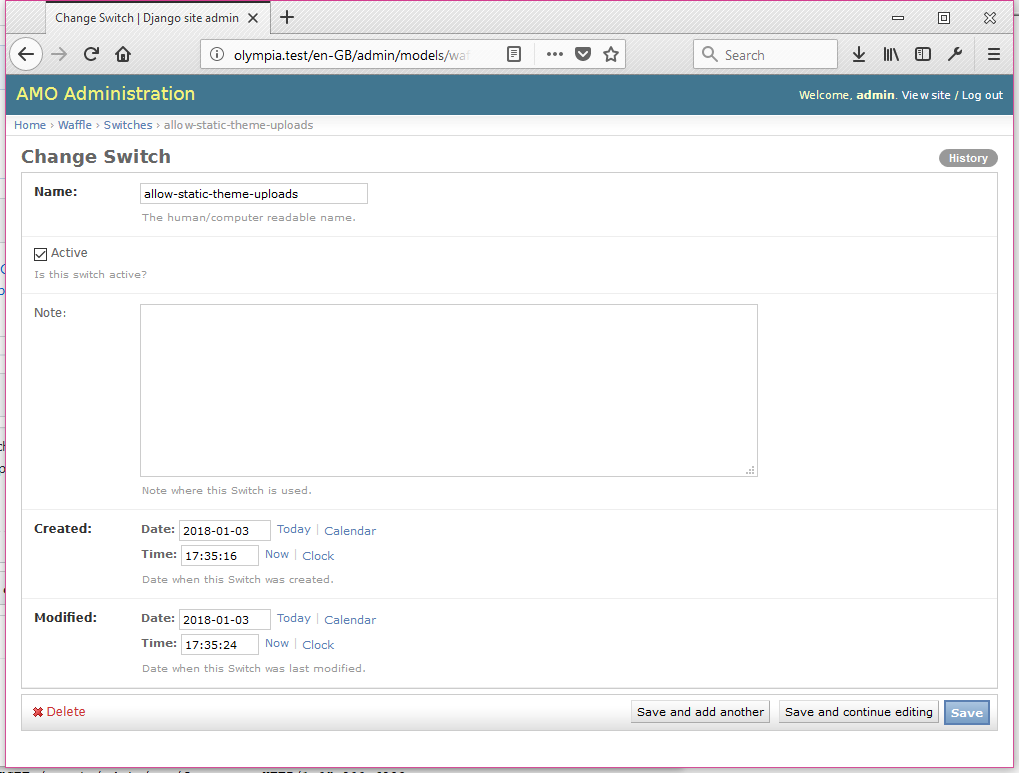
FYI, this wizard is turned off by default. If you are locally running addons-server on docker you can enable it by adding a flag (a "waffle switch") in django admin here: http://olympia.test/admin/models/waffle/switch/ called "allow-static-theme-uploads". It will look something like this:
eviljeff
on 30 May 2018
Hello, Is there any direct URL to access this page without submitting a theme.
deepanshu-jain1999
on 1 Jun 2018
No - either submit a static theme in an xpi or use the static theme wizard.
eviljeff
on 1 Jun 2018
Is this still up for grabs? I would like to take up this issue if it is available. I am totally new to open source and may require help. Thanks 😄
 kashu13
on 15 Aug 2018
kashu13
on 15 Aug 2018
@kajalsah, yes. It looks like the previous contributers haven't worked on it.
eviljeff
on 16 Aug 2018
I'd like to work on this :D
 jsmnbom
on 1 Sep 2018
jsmnbom
on 1 Sep 2018
Go for it, @jsmnbom!
caitmuenster
on 1 Sep 2018
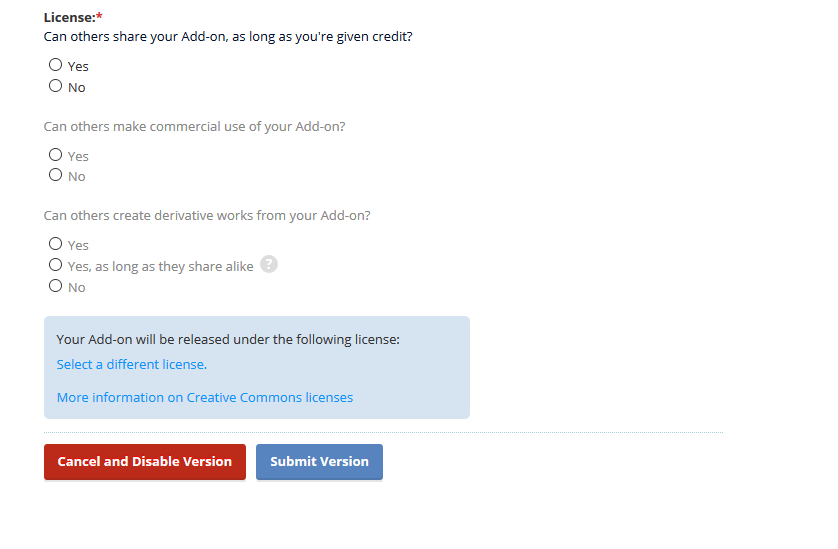
Verified fixed on AMO dev - FF63 (Win10)
ioanarusiczki
on 9 Nov 2018
Related issues
 diox
·
5Comments
ioanarusiczki
·
8Comments
diox
·
5Comments
ioanarusiczki
·
8Comments
 jvillalobos
·
4Comments
jvillalobos
·
4Comments
 spoji
·
6Comments
spoji
·
6Comments
 grahamperrin
·
5Comments
grahamperrin
·
5Comments
Most helpful comment
I'd like to work on this :D