Adaptivecards: [JavaScript]Empty text with bold markdown shows a separator
Platform
- JavaScript
Author or host
Host Name : Microsoft Search
Version of SDK
"adaptivecards": "2.0.0-rc.0"
Details
If a text block is wrapped under bold markdown and has empty text, it shows a separator.
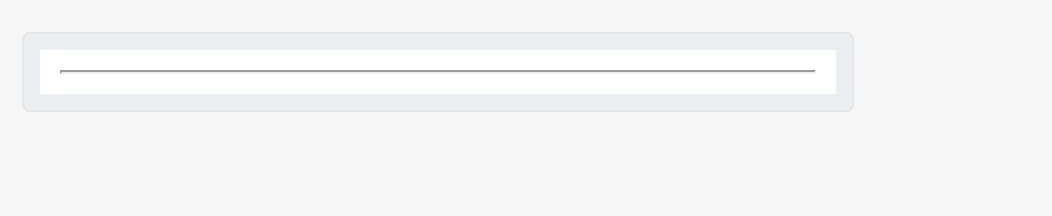
Here is the adaptive card JSON for it :
{
    "type": "AdaptiveCard",
    "$schema": "http://adaptivecards.io/schemas/adaptive-card.json",
    "version": "1.3",
    "body": [
        {
            "type": "TextBlock",
            "text": "__${title}__"
        }
    ],
   "$data": {
       "title" : ""
   }
}
Ideally it should show blank text.
 atishayv
All 4 comments
CC : @dclaux
atishayv
on 27 Aug 2020
@atishayv that's an interesting corner case. Because the title is undefined, the final text is "____" which Markdown processes as a horizontal rule (three or more consecutive _ or * will generate a horizontal rule - https://commonmark.org/help/)
The solution is for you to configure your Markdown processor to not do this. There is nothing that AC can fix here since Markdown processing isn't built into the AC SDK.
The above solution will leave you with "____" as the text though. That's by design, for two reasons:
- The AC templating engine doesn't understand Markdown. As far as it's concerned, it's just processing an interpolated string
- The AC SDK doesn't understand Markdown nor interpolated strings. As far as it's concerned, it sees "____" with no way to reverse engineer it to determine that the _ characters were intended to make the result of a field binding bold.
If you really want to end up with a blank string, your best best would be to pre-process yourself.
 dclaux
on 27 Aug 2020
dclaux
on 27 Aug 2020
There is also a solution based on expressions:
"text": "${if(title, '__' + title + '__', ''}"
Or something like that. But I don't think it's a practical solution for your use case.
dclaux
on 27 Aug 2020
Thanks @dclaux
atishayv
on 28 Aug 2020
Related issues
 serialoverflow
·
4Comments
serialoverflow
·
4Comments
 bandmask
·
4Comments
bandmask
·
4Comments
 rajjagani021
·
4Comments
rajjagani021
·
4Comments
 shalinijoshi19
·
5Comments
shalinijoshi19
·
5Comments
 murcinar
·
5Comments
murcinar
·
5Comments