Adaptivecards: [.NET HTML][Accessibility] [Input.Date Accessibility Issues]
Platform
- .NET HTML
Author or host
Are you an author (like sending something to Outlook), or a host that is rendering your own cards? Host, Finance Digital Assistant
Version of SDK
4.6.2
What version are you using? Ex: NuGet 1.0.2, or latest master, etc...
Nuget
Details
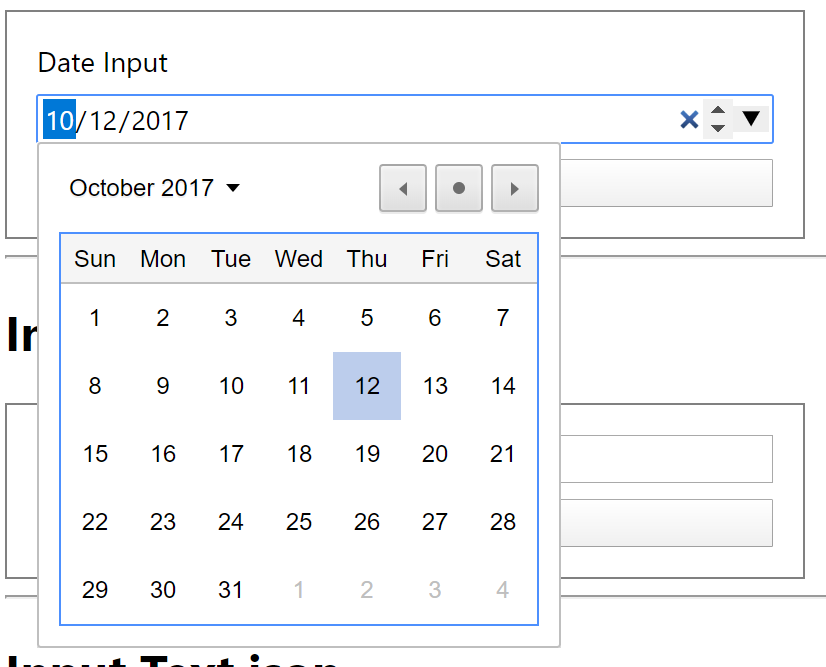
We received an accessibility bug on our application where the Input.Date date picker control of the Adaptive Cards is failing to highlight the correct area when expanded using Microsoft Narrator screen reader. Please see the screenshot below:
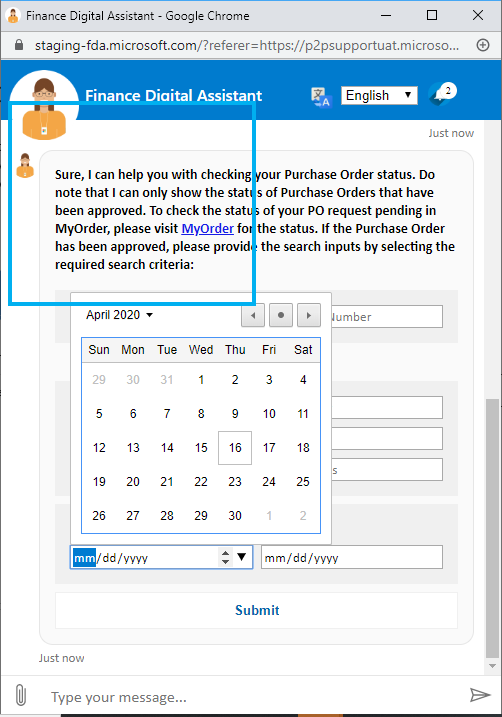
Also, we were notified the following general accessibility requirements for a date picker as follows:
- Ensure the date picker control is accessible with keyboard keys (TAB/Arrow/Enter/Space)
- Ensure the controls of date picker have accessible labels to be identified by screen readers
- Ensure the date picker control works with universal calendar shortcut keys
a. UP/DOWN Arrow keys moves the focus to same day of previous/next weeks
b. LEFT/RIGHT Arrow keys moves the focus to previous/next day.
c. Page Up and Page Down keys moves the focus to same date of previous/next month
d. Shift + Page Up and Shift + Page Down keys moves the focus to same date of previous/next year
e. Home key moves the focus to first day of the month
f. End key moves the focus to last day of the month
g. Enter/Space key to select the focussed date
Can you please prioritize this to enable accessibility for Input.Date control?
Thank you!
 murcinar
All 5 comments
Hi @shalinijoshi19 , I would appreciate if you can provide us help with this. Please let me know if you have any questions. Thank you!
murcinar
on 17 Apr 2020
We have acknowledged this issue report. Please continue to follow the issue for updates/progress/questions. @matthidinger / @dclaux / @rebeccaanne / @paulcam206 / @nesalang / @almedina-ms FYI.
![msftbot[bot] picture](https://avatars2.githubusercontent.com/in/26612?v=4&s=40) msftbot[bot]
on 17 Apr 2020
msftbot[bot]
on 17 Apr 2020
@dclaux / @matthidinger thoughts on this one?
 shalinijoshi19
on 17 Apr 2020
shalinijoshi19
on 17 Apr 2020
There is unfortunately nothing we can do here. The control is the built-in HTML5 date picker, and as per the screenshot it functions normally. My guess is that it's a Narrator "bug" (or quirk, or limitation) where Narrator isn't able to properly compute the screen bounds of the popup.
 dclaux
on 23 Apr 2020
dclaux
on 23 Apr 2020
As @dclaux mentioned, the output HTML looks something like this:
<input class="ac-input ac-dateInput" name="date" type="date" aria-label="Enter a date in mm/dd/yyyy format" value="2017-10-12" data-ac-separatorid="ac-714fdc6f" style="width: 100%;">
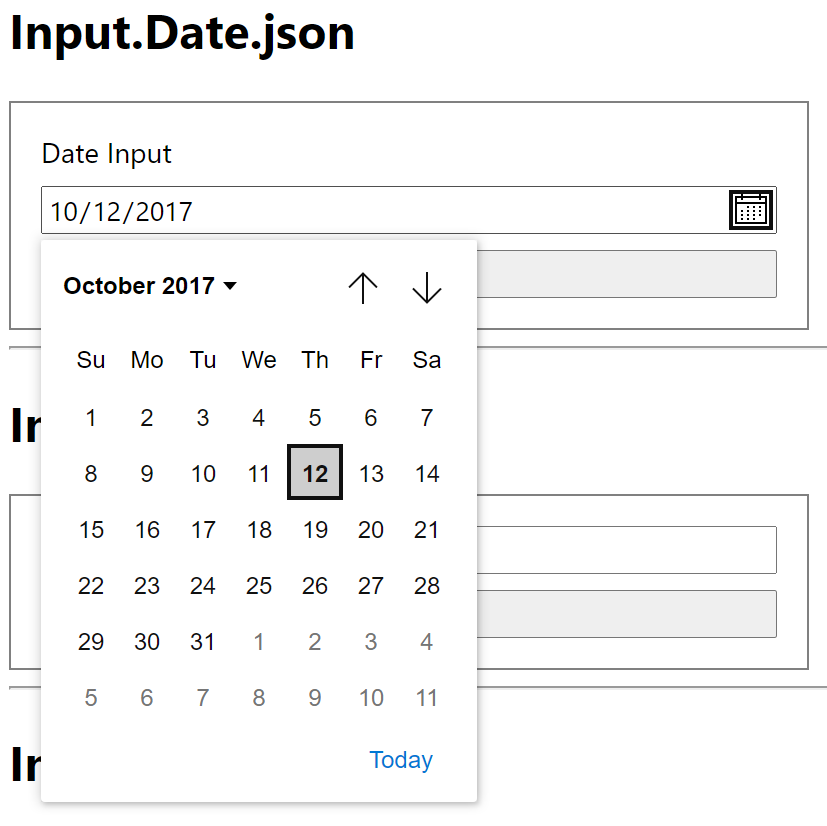
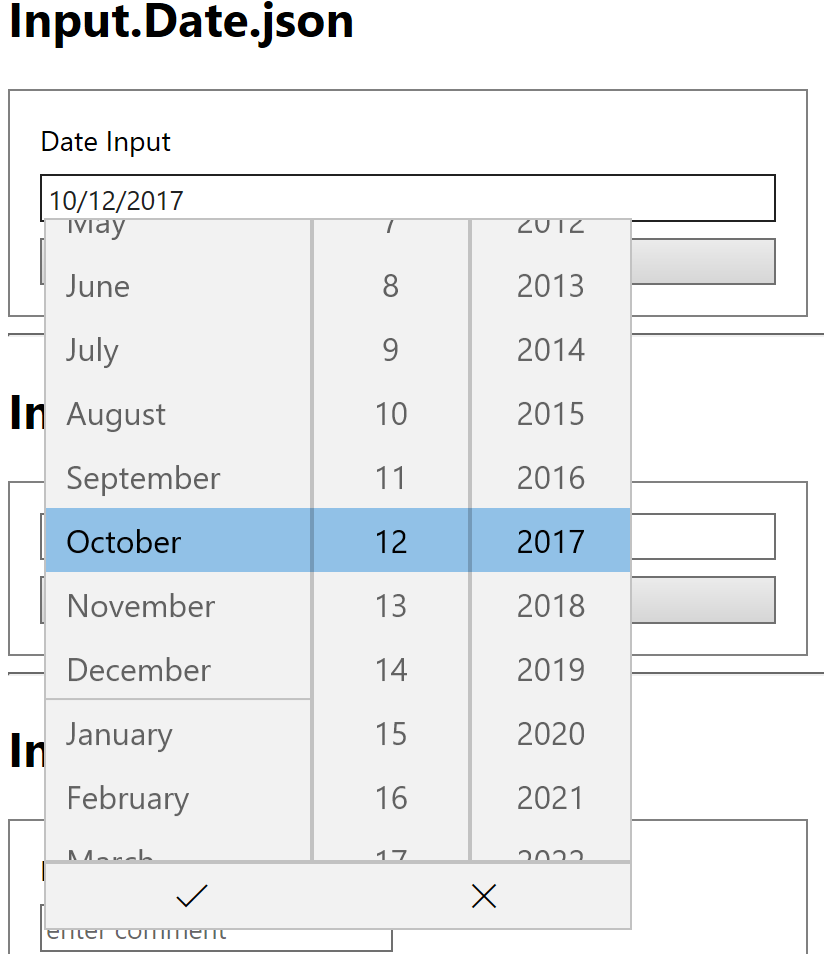
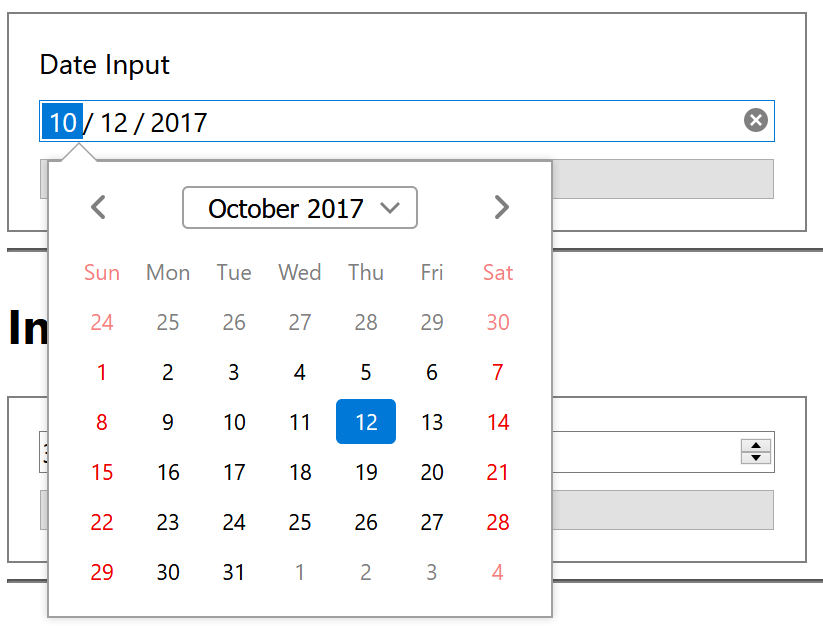
The type="date" bit combined with it being an <input> means that it's up to the browser to render the appropriate control (and implement the appropriate accessibility story). Indeed, you can see different rendering approaches depending on which browser you use:
New Edge
Old Edge
Firefox
Chrome
Unfortunately, there's not really anything _we_ can do to make this experience more accessible. I'd suggest filing a bug with your browser vendor.
 paulcam206
on 27 May 2020
paulcam206
on 27 May 2020
Related issues
shalinijoshi19
·
5Comments
 atishayv
·
4Comments
atishayv
·
4Comments
 jyoti-ms
·
6Comments
jyoti-ms
·
6Comments
 dsanvita
·
3Comments
dsanvita
·
3Comments
 sadviramana
·
4Comments
sadviramana
·
4Comments