Zulip-desktop: No easy way to select a server after hidding the sidebar
If you hide the server switch sidebar, on the settings page, there's no obvious way to get back to seeing your single Zulip server's UI. It turns out you can do it with ctrl-1, but that's really not obvious.
Some ideas for fixing:
- The "Servers" section of the settings page should let you jump to that server, maybe be clicking on the icon or something.
- We should list the servers you have setup, with hotkeys in a "servers" menu next to the file menu?
- We could list the servers in the taskbar menu.
Doing something here is a priority, since this is basically the first thing that anyone is going to try to do after toggling the setting to hide the sidebar.
 timabbott
All 6 comments
Click server name to show webview. Done in #262.
Will add servers to the view menu in the next step. Like this:

 geeeeeeeeek
on 4 Aug 2017
geeeeeeeeek
on 4 Aug 2017
@geeeeeeeeek in Window menu :)
 akashnimare
on 4 Aug 2017
akashnimare
on 4 Aug 2017
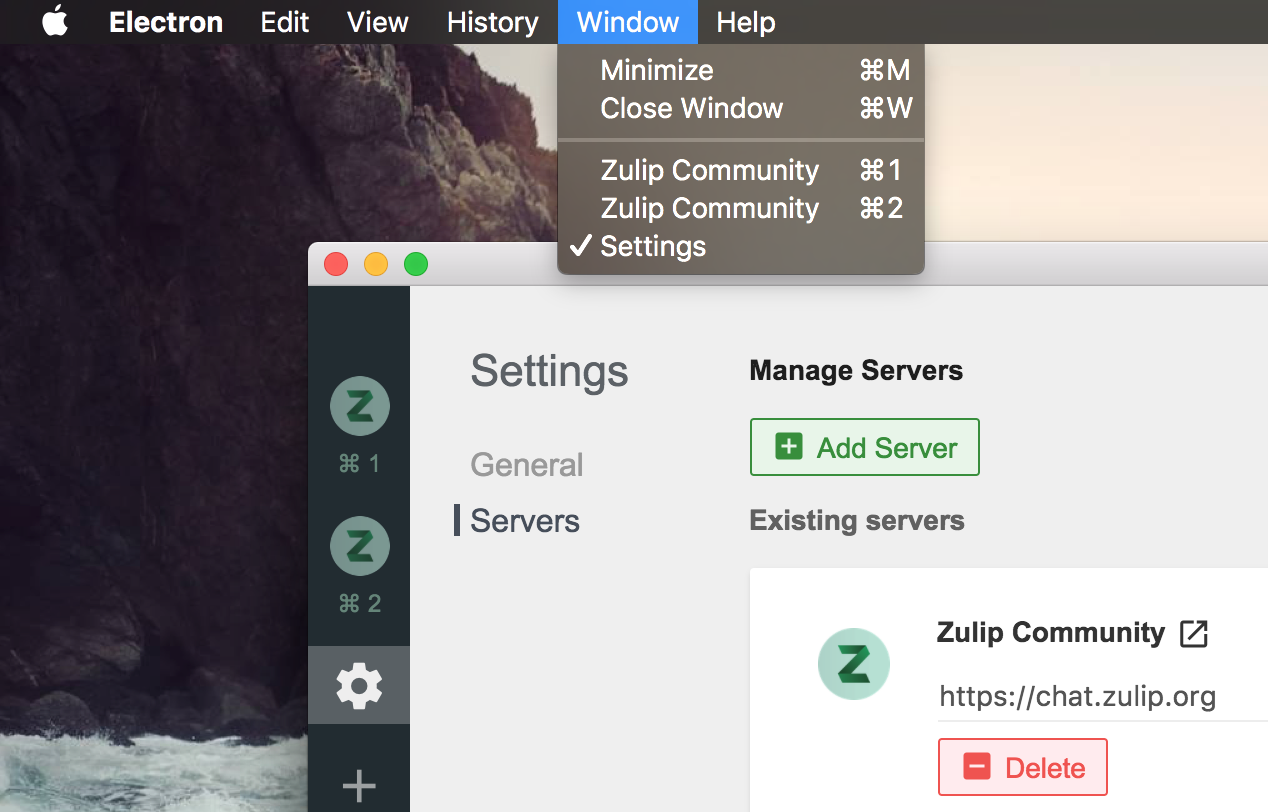
@akashnimare The sub menu is done. But seems that window submenu is only displayed on macOS. Do we need to do the same on Linux and Windows?
geeeeeeeeek
on 6 Aug 2017
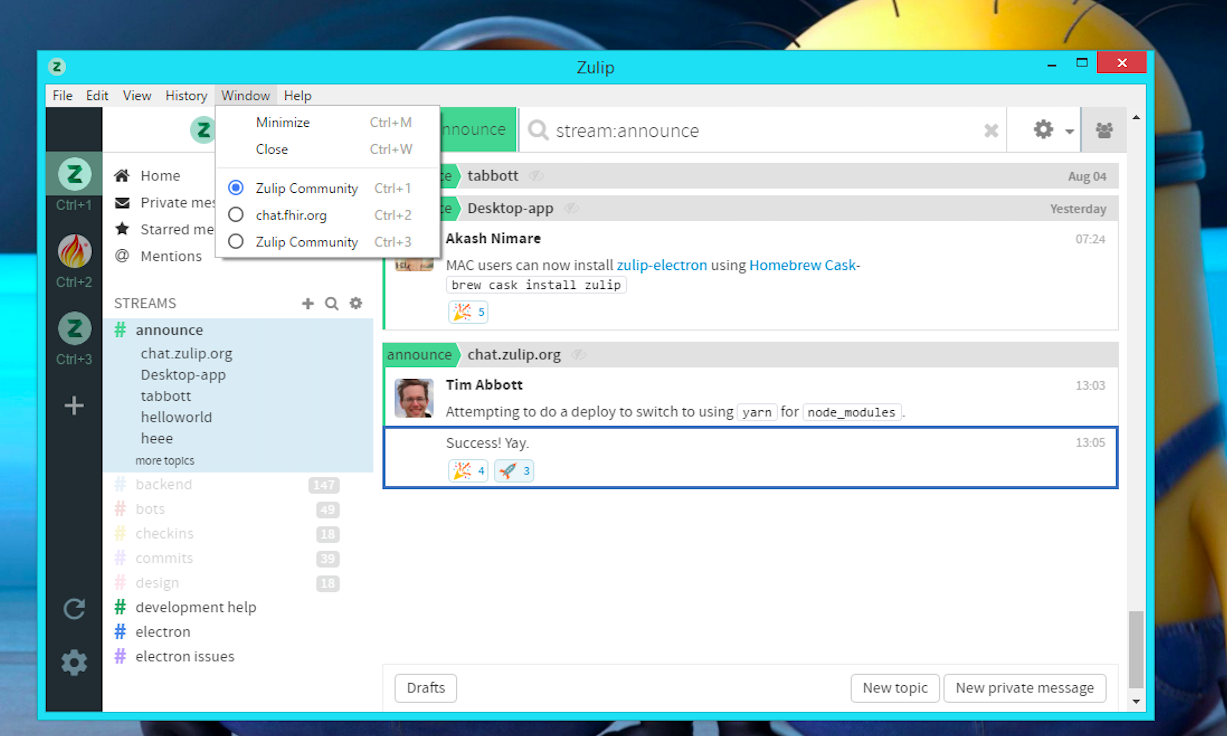
Yeah, we should add the window menu on Linux and Windows as well.
akashnimare
on 6 Aug 2017
On windows -
akashnimare
on 6 Aug 2017
Looks great!
geeeeeeeeek
on 6 Aug 2017
Related issues
 LeSeulArtichaut
·
3Comments
LeSeulArtichaut
·
3Comments
 abhigyank
·
4Comments
abhigyank
·
4Comments
 jjst
·
12Comments
jjst
·
12Comments
 anshumanv
·
6Comments
timabbott
·
9Comments
anshumanv
·
6Comments
timabbott
·
9Comments