Zigbee2mqtt: Z-Stack 3 on CC2652R/CC1352P adventures
Texas Instruments has recently released a new high performance Zigbee chip: the CC2652R. This chip is much faster and contains much more memory than the CC2530/CC2531.
This issue is created in order to gather feedback of users using the CC2652R AND Z-Stack 3.0 (= Zigbee 3.0)
Notes
- The device can be bought here: http://www.ti.com/tool/launchxl-cc26x2r1
- No additional flashing hardware is needed, it has an on-board programmer (no CC debugger needed).
- The board has +- the size of a Raspberry Pi
- Zigbee 3.0!
- Flash using Flash Programmer v2
- Firmware can be found here in the bin folder: https://github.com/Koenkk/Z-Stack-firmware/tree/master/coordinator/Z-Stack_3.x.0
- It's not possible to migrate your Zigbee 1.2 network (requires repairing)
- The network restore trick that we used in Zigbee 1.2 doesn't work anymore (due to better security policies). A backup of the CC2652R is taken at every shutdown of zigbee2mqtt, file can be found under
data/coordinator_backup.json. This backup is automatically restored when starting with a new flashed CC2652R. - Requires latest zigbee2mqtt dev branch.
 Koenkk
All 899 comments
@Koenkk can this board be bought from inside of Europe? I need to pay extra taxes if bought outside.
 JLFN
on 14 Apr 2019
JLFN
on 14 Apr 2019
@JLFN mine shipped from the Netherlands.
Koenkk
on 14 Apr 2019
mine too
I was able to flash it with uniflash on linux.
 lolorc
on 14 Apr 2019
lolorc
on 14 Apr 2019
@JLFN mine shipped from the Netherlands.
Can you please give me link of the page where you bought it from that shipped from the NL.
JLFN
on 14 Apr 2019
@JLFN just from TI.
Koenkk
on 14 Apr 2019
The Xiaomi end device undefined model ID issue had nothing to do with the CC2652R, it was actually a zigbee2mqtt bug, fixed in latest dev branch.
Koenkk
on 14 Apr 2019
I've got mine today morning (from NL as well). Today, there will be a big migration project :)
 dh-harald
on 15 Apr 2019
dh-harald
on 15 Apr 2019
Before I also "jump on the adventure train", I have 2 questions.
Range
Could someone rate the range of this device? Could we connect a antenna to increase the range?Router
Is this device only for a coordinator role? Or would we see also in the future a router firmware?
Thx
 tunip
on 15 Apr 2019
tunip
on 15 Apr 2019
Hello, does that part have an antenna? What is the range of that? and pays off the switch from cc2531 to cc2652r ????
 salopette
on 15 Apr 2019
salopette
on 15 Apr 2019
@salopette it has a pcb antenna and an unconnected connector, see https://e2e.ti.com/support/wireless-connectivity/bluetooth/f/538/t/723337
lolorc
on 15 Apr 2019
I only have osram plugs and aqara devices, aqara temp/humidity sensors are mostly ok to rebind, but it's not as straightforward for the other ones.
for instance, I haven't been able to pair MCCGQ01LM, MFKZQ01LM and DJT11LM devices yet.
lolorc
on 15 Apr 2019
I'm done with re-pairing... Looks good... Re-pairing done with QBKG11LM, QBKG04LM, RTCGQ11LM, GL-C-008, E1746. Link qualities are better than CC2531.
dh-harald
on 15 Apr 2019
i've been able to pair MCCGQ01LM, MFKZQ01LM and DJT11LM, but still there's something very wrong with aqara devices.
With the aqara gateway and another alternative gw (zigate), the pairing action is very straightforward, it only needs one action on the device, with those 3 models I had to do something like pressing the pairing button several times per second after the initial long press action, worst was DJT11LM
lolorc
on 15 Apr 2019
@dh-harald do you see big improvements in link quality?
Koenkk
on 16 Apr 2019
@Koenkk with CC2531, I had 50-70 link quality, not I've 100-120.
dh-harald
on 16 Apr 2019
This morning it looked like my cc2652 had crashed. z2m wasn't able to use its serial port anymore. Had to restart rpi. Most of the pairings have been lost.
Link quality looks also better than what I had with cheap cc2530+cc2591.
lolorc
on 16 Apr 2019
@tunip range looks better, antenna should be possible as there's a connector.
router should be doable, but currently the changes to build a router firmware are closed-source.
lolorc
on 16 Apr 2019
This morning it looked like my cc2652 had crashed. z2m wasn't able to use its serial port anymore. Had to restart rpi. Most of the pairings have been lost.
I've something similar ATM... All devices are offline, can't ping by the controller. I had it yesterday, I needed to disconnect it from usb (poweroff)... Now I'm not at home, so I need to figure out, how I can disconect it from remote :(
dh-harald
on 16 Apr 2019
@dh-harald if it was connected to a PC, I would try to use uniflash to reset the board.
Myself i need to find a way to program the board on the rpi from my linux pc, I'll give a try to ser2net+socat.
lolorc
on 16 Apr 2019
@dh-harald if it was connected to a PC, I would try to use uniflash to reset the board.
Myself i need to find a way to program the board from my linux pc, I'll give a try to ser2net+socat.
It's an arm64 box, so I'm afraid, I can't run uniflash on it :(
But if you can figure out, please share the solution :)
dh-harald
on 16 Apr 2019
@dh-harald
Maybe this could help you:
https://askubuntu.com/questions/1036341/unplug-and-plug-in-again-a-usb-device-in-the-terminal
https://askubuntu.com/questions/645/how-do-you-reset-a-usb-device-from-the-command-line
https://unix.stackexchange.com/questions/165447/turning-off-power-to-usb-port-or-turn-off-power-to-entire-usb-subsystem
tunip
on 16 Apr 2019
@tunip I already tried them, but it didn't work.
dh-harald
on 16 Apr 2019
Mine also crashed after 2 days (Request timeout errors)
Koenkk
on 16 Apr 2019
the mqtt messages with empty action are not related to cc2652, are they ?
  serialport/stream binding.read finished +1ms
  cc-znp { sof: 254,
  cc-znp   len: 28,
  cc-znp   type: 'AREQ',
  cc-znp   subsys: 'AF',
  cc-znp   cmd: 'incomingMsg',
  cc-znp   payload:
  cc-znp    { groupid: 0,
  cc-znp      clusterid: 18,
  cc-znp      srcaddr: 64732,
  cc-znp      srcendpoint: 2,
  cc-znp      dstendpoint: 1,
  cc-znp      wasbroadcast: 0,
  cc-znp      linkquality: 108,
  cc-znp      securityuse: 0,
  cc-znp      timestamp: 5007337,
  cc-znp      transseqnumber: 0,
  cc-znp      len: 8,
  cc-znp      data: <Buffer 18 38 0a 55 00 21 02 00> },
  cc-znp   fcs: 97,
  cc-znp   csum: 97 } +21ms
  serialport/stream _read reading +18ms
  serialport/binding-abstract read +19ms
  serialport/bindings/unixRead Starting read +18ms
  cc-znp:AREQ <-- AF:incomingMsg, { groupid: 0, clusterid: 18, srcaddr: 64732, srcendpoint: 2, dstendpoint: 1, wasbroadcast: 0, linkquality: 108, securityuse: 0, timestamp: 5007337, transseqnumber: 0, len: 8, data: <Buffer 18 38 0a 55 00 21 02 00> } +35ms
  zigbee-shepherd:af dispatchIncomingMsg(): type: incomingMsg, msg: {"groupid":0,"clusterid":18,"srcaddr":64732,"srcendpoint":2,"dstendpoint":1,"wasbroadcast":0,"linkquality":108,"securityuse":0,"timestamp":5007337,"transseqnumber":0,"len":8,"data":{"type":"Buffer","data":[24,56,10,85,0,33,2,0]}} +126ms
  zigbee-shepherd:msgHdlr IND <-- AF:incomingMsg, transId: 0 +39ms
  serialport/bindings/unixRead waiting for readable because of code: EAGAIN +6ms
  serialport/bindings/poller Polling for "readable" +27ms
  zigbee-shepherd:af dispatchIncomingMsg(): type: zclIncomingMsg, msg: {"groupid":0,"clusterid":18,"srcaddr":64732,"srcendpoint":2,"dstendpoint":1,"wasbroadcast":0,"linkquality":108,"securityuse":0,"timestamp":5007337,"transseqnumber":0,"len":8,"data":{"0":24,"1":56,"2":10,"3":85,"4":0,"5":33,"6":2,"7":0},"zclMsg":{"frameCntl":{"frameType":0,"manufSpec":0,"direction":1,"disDefaultRsp":1},"manufCode":0,"seqNum":56,"cmdId":"report","payload":[{"attrId":85,"dataType":33,"attrData":2}]}} +5ms
  zigbee2mqtt:debug 4/16/2019, 8:13:05 PM Received zigbee message of type 'attReport' with data '{"cid":"genMultistateInput","data":{"presentValue":2}}' of device 'lumi.sensor_cube' (cube_02) of endpoint 2
  zigbee2mqtt:info 4/16/2019, 8:13:05 PM MQTT publish: topic 'zigbee2mqtt/cube_02', payload '{"action":"wakeup","linkquality":108,"last_seen":1555438385033,"elapsed":813581}'
  zigbee2mqtt:info 4/16/2019, 8:13:05 PM MQTT publish: topic 'zigbee2mqtt/cube_02', payload '{"action":""}'
another funny issue with a door window sensor, and I haven't touched the pair button, I was just playing with a magnet. In the end the device is removed from the network
serialport/stream binding.read finished +10ms │
cc-znp { sof: 254, │
cc-znp len: 27, │
cc-znp type: 'AREQ', │
cc-znp subsys: 'AF', │
cc-znp cmd: 'incomingMsg', │
cc-znp payload: │
cc-znp { groupid: 0, │
cc-znp clusterid: 6, │
cc-znp srcaddr: 33589, │
cc-znp srcendpoint: 1, │
cc-znp dstendpoint: 1, │
cc-znp wasbroadcast: 0, │
cc-znp linkquality: 135, │
cc-znp securityuse: 0, │
cc-znp timestamp: 7527883, ┤
cc-znp transseqnumber: 0, │
cc-znp len: 7, │
cc-znp data: <Buffer 18 12 0a 00 00 10 00> }, │
cc-znp fcs: 49, │
cc-znp csum: 49 } +18ms │
cc-znp { sof: 254, │
cc-znp len: 27, │
cc-znp type: 'AREQ', │
cc-znp subsys: 'AF', │
cc-znp cmd: 'incomingMsg', │
cc-znp payload: │
cc-znp { groupid: 0, │
cc-znp clusterid: 6, │
cc-znp srcaddr: 33589, │
cc-znp srcendpoint: 1, │
cc-znp dstendpoint: 1, │
cc-znp wasbroadcast: 0, │
cc-znp linkquality: 126, │
cc-znp securityuse: 0, │
cc-znp timestamp: 7574573, │
cc-znp transseqnumber: 0, │
cc-znp len: 7, │
cc-znp data: <Buffer 18 13 0a 00 00 10 01> }, │
cc-znp fcs: 102, │
cc-znp csum: 102 } +8ms │
cc-znp { sof: 254, │
cc-znp len: 27, │
cc-znp type: 'AREQ', │
cc-znp subsys: 'AF', │
cc-znp cmd: 'incomingMsg', │
cc-znp payload: │
cc-znp { groupid: 0, │
cc-znp clusterid: 6, │
cc-znp srcaddr: 33589, │
cc-znp srcendpoint: 1, │
cc-znp dstendpoint: 1, │
cc-znp wasbroadcast: 0, │
cc-znp linkquality: 117, │
cc-znp securityuse: 0, │
cc-znp timestamp: 7594239, │
cc-znp transseqnumber: 0, │
cc-znp len: 7, │
cc-znp data: <Buffer 18 14 0a 00 00 10 00> }, │
cc-znp fcs: 205, ┤
cc-znp csum: 205 } +15ms ┤
serialport/stream _read reading +31ms │
serialport/binding-abstract read +42ms │
serialport/bindings/unixRead Starting read +33ms │
zigbee-shepherd:af dispatchIncomingMsg(): type: zclIncomingMsg, msg: {"groupid":0,"clusterid":1030,"srcaddr":28406,"srcendpoint":1,"dstendpoint":1,"wasbroadcast":0,"linkquality":117,"securityuse":0,"timestamp"│
zigbee2mqtt:debug 4/16/2019, 8:43:08 PM Received zigbee message of type 'attReport' with data '{"cid":"msOccupancySensing","data":{"occupancy":1}}' of device 'lumi.sensor_motion' (0xmotion_sensor_01) of endpoi│
zigbee2mqtt:info 4/16/2019, 8:43:08 PM MQTT publish: topic 'zigbee2mqtt/motion_sensor_01', payload '{"occupancy":true,"linkquality":117,"last_seen":1555440188148,"elapsed":82240}' │
cc-znp:AREQ <-- AF:incomingMsg, { groupid: 0, clusterid: 6, srcaddr: 33589, srcendpoint: 1, dstendpoint: 1, wasbroadcast: 0, linkquality: 135, securityuse: 0, timestamp: 7527883, transseqnumber: 0, len: 7, dat│
zigbee-shepherd:af dispatchIncomingMsg(): type: incomingMsg, msg: {"groupid":0,"clusterid":6,"srcaddr":33589,"srcendpoint":1,"dstendpoint":1,"wasbroadcast":0,"linkquality":135,"securityuse":0,"timestamp":75278│
zigbee-shepherd:msgHdlr IND <-- AF:incomingMsg, transId: 0 +54ms │
cc-znp:AREQ <-- AF:incomingMsg, { groupid: 0, clusterid: 6, srcaddr: 33589, srcendpoint: 1, dstendpoint: 1, wasbroadcast: 0, linkquality: 126, securityuse: 0, timestamp: 7574573, transseqnumber: 0, len: 7, dat│
zigbee-shepherd:af dispatchIncomingMsg(): type: incomingMsg, msg: {"groupid":0,"clusterid":6,"srcaddr":33589,"srcendpoint":1,"dstendpoint":1,"wasbroadcast":0,"linkquality":126,"securityuse":0,"timestamp":75745│
zigbee-shepherd:msgHdlr IND <-- AF:incomingMsg, transId: 0 +7ms │
cc-znp:AREQ <-- AF:incomingMsg, { groupid: 0, clusterid: 6, srcaddr: 33589, srcendpoint: 1, dstendpoint: 1, wasbroadcast: 0, linkquality: 117, securityuse: 0, timestamp: 7594239, transseqnumber: 0, len: 7, dat│
zigbee-shepherd:af dispatchIncomingMsg(): type: incomingMsg, msg: {"groupid":0,"clusterid":6,"srcaddr":33589,"srcendpoint":1,"dstendpoint":1,"wasbroadcast":0,"linkquality":117,"securityuse":0,"timestamp":75942│
zigbee-shepherd:msgHdlr IND <-- AF:incomingMsg, transId: 0 +7ms │
serialport/bindings/unixRead Finished read 74 bytes +38ms │
serialport/stream binding.read finished +39ms │
cc-znp { sof: 254, │
cc-znp len: 37, │
cc-znp type: 'AREQ', ┤
cc-znp subsys: 'AF', │
cc-znp cmd: 'incomingMsg', │
cc-znp payload: │
cc-znp { groupid: 0, │
cc-znp clusterid: 0, │
cc-znp srcaddr: 33589, │
cc-znp srcendpoint: 1, │
cc-znp dstendpoint: 1, │
cc-znp wasbroadcast: 0, │
cc-znp linkquality: 120, │
cc-znp securityuse: 0, │
cc-znp timestamp: 7594503, │
cc-znp transseqnumber: 0, │
cc-znp len: 17, │
cc-znp data: <Buffer 1c 5f 11 15 0a 01 ff 42 09 04 21 a8 13 0a 21 00 00> }, │
cc-znp fcs: 79, │
cc-znp csum: 79 } +48ms │
cc-znp { sof: 254, │
cc-znp len: 27, │
cc-znp type: 'AREQ', │
cc-znp subsys: 'AF', │
cc-znp cmd: 'incomingMsg', │
cc-znp payload: │
cc-znp { groupid: 0, │
cc-znp clusterid: 6, │
cc-znp srcaddr: 33589, │
cc-znp srcendpoint: 1, │
cc-znp dstendpoint: 1, │
cc-znp wasbroadcast: 0, │
cc-znp linkquality: 123, │
cc-znp securityuse: 0, │
cc-znp timestamp: 7599348, │
cc-znp transseqnumber: 0, │
cc-znp len: 7, │
cc-znp data: <Buffer 18 16 0a 00 00 10 01> }, │
cc-znp fcs: 223, │
cc-znp csum: 223 } +9ms │
serialport/stream _read reading +18ms │
serialport/binding-abstract read +56ms │
serialport/bindings/unixRead Starting read +18ms │
zigbee-shepherd:af dispatchIncomingMsg(): type: zclIncomingMsg, msg: {"groupid":0,"clusterid":6,"srcaddr":33589,"srcendpoint":1,"dstendpoint":1,"wasbroadcast":0,"linkquality":135,"securityuse":0,"timestamp":75┤
zigbee2mqtt:debug 4/16/2019, 8:43:08 PM Received zigbee message of type 'attReport' with data '{"cid":"genOnOff","data":{"onOff":0}}' of device 'lumi.sensor_magnet.aq2' (0xdoor_window_sensor_04) of endpoint 1 │
zigbee2mqtt:info 4/16/2019, 8:43:08 PM MQTT publish: topic 'zigbee2mqtt/door_window_sensor_04', payload '{"contact":true,"linkquality":135,"last_seen":1555440188206,"elapsed":23558}' │
zigbee-shepherd:af dispatchIncomingMsg(): type: zclIncomingMsg, msg: {"groupid":0,"clusterid":6,"srcaddr":33589,"srcendpoint":1,"dstendpoint":1,"wasbroadcast":0,"linkquality":126,"securityuse":0,"timestamp":75│
zigbee2mqtt:debug 4/16/2019, 8:43:08 PM Received zigbee message of type 'attReport' with data '{"cid":"genOnOff","data":{"onOff":1}}' of device 'lumi.sensor_magnet.aq2' (0xdoor_window_sensor_04) of endpoint 1 │
zigbee2mqtt:info 4/16/2019, 8:43:08 PM MQTT publish: topic 'zigbee2mqtt/door_window_sensor_04', payload '{"contact":false,"linkquality":126,"last_seen":1555440188217,"elapsed":11}' │
zigbee-shepherd:af dispatchIncomingMsg(): type: zclIncomingMsg, msg: {"groupid":0,"clusterid":6,"srcaddr":33589,"srcendpoint":1,"dstendpoint":1,"wasbroadcast":0,"linkquality":117,"securityuse":0,"timestamp":75│
zigbee2mqtt:debug 4/16/2019, 8:43:08 PM Received zigbee message of type 'attReport' with data '{"cid":"genOnOff","data":{"onOff":0}}' of device 'lumi.sensor_magnet.aq2' (0xdoor_window_sensor_04) of endpoint 1 │
zigbee2mqtt:info 4/16/2019, 8:43:08 PM MQTT publish: topic 'zigbee2mqtt/door_window_sensor_04', payload '{"contact":true,"linkquality":117,"last_seen":1555440188229,"elapsed":12}' │
cc-znp:AREQ <-- AF:incomingMsg, { groupid: 0, clusterid: 0, srcaddr: 33589, srcendpoint: 1, dstendpoint: 1, wasbroadcast: 0, linkquality: 120, securityuse: 0, timestamp: 7594503, transseqnumber: 0, len: 17, da│
zigbee-shepherd:af dispatchIncomingMsg(): type: incomingMsg, msg: {"groupid":0,"clusterid":0,"srcaddr":33589,"srcendpoint":1,"dstendpoint":1,"wasbroadcast":0,"linkquality":120,"securityuse":0,"timestamp":75945│
zigbee-shepherd:msgHdlr IND <-- AF:incomingMsg, transId: 0 +62ms │
cc-znp:AREQ <-- AF:incomingMsg, { groupid: 0, clusterid: 6, srcaddr: 33589, srcendpoint: 1, dstendpoint: 1, wasbroadcast: 0, linkquality: 123, securityuse: 0, timestamp: 7599348, transseqnumber: 0, len: 7, dat│
zigbee-shepherd:af dispatchIncomingMsg(): type: incomingMsg, msg: {"groupid":0,"clusterid":6,"srcaddr":33589,"srcendpoint":1,"dstendpoint":1,"wasbroadcast":0,"linkquality":123,"securityuse":0,"timestamp":75993│
zigbee-shepherd:msgHdlr IND <-- AF:incomingMsg, transId: 0 +4ms │
zigbee2mqtt:debug 4/16/2019, 8:43:08 PM Received zigbee message of type 'devChange' with data '{"cid":"genOnOff","data":{"onOff":0}}' of device 'lumi.sensor_magnet.aq2' (0xdoor_window_sensor_04) of endpoint 1 │
zigbee2mqtt:debug 4/16/2019, 8:43:08 PM Received zigbee message of type 'devChange' with data '{"cid":"genOnOff","data":{"onOff":0}}' of device 'lumi.sensor_magnet.aq2' (0xdoor_window_sensor_04) of endpoint 1 │
serialport/bindings/unixRead waiting for readable because of code: EAGAIN +52ms │
serialport/bindings/poller Polling for "readable" +161ms │
zigbee-shepherd:af dispatchIncomingMsg(): type: zclIncomingMsg, msg: {"groupid":0,"clusterid":0,"srcaddr":33589,"srcendpoint":1,"dstendpoint":1,"wasbroadcast":0,"linkquality":120,"securityuse":0,"timestamp":75│
zigbee2mqtt:debug 4/16/2019, 8:43:08 PM Received zigbee message of type 'attReport' with data '{"cid":"genBasic","data":{"65281":{"4":5032,"10":0}}}' of device 'lumi.sensor_magnet.aq2' (0xdoor_window_sensor_04┤
zigbee2mqtt:info 4/16/2019, 8:43:08 PM MQTT publish: topic 'zigbee2mqtt/door_window_sensor_04', payload '{"contact":false,"linkquality":120,"last_seen":1555440188255,"elapsed":26}' │
zigbee-shepherd:af dispatchIncomingMsg(): type: zclIncomingMsg, msg: {"groupid":0,"clusterid":6,"srcaddr":33589,"srcendpoint":1,"dstendpoint":1,"wasbroadcast":0,"linkquality":123,"securityuse":0,"timestamp":75│
zigbee2mqtt:debug 4/16/2019, 8:43:08 PM Received zigbee message of type 'attReport' with data '{"cid":"genOnOff","data":{"onOff":1}}' of device 'lumi.sensor_magnet.aq2' (0xdoor_window_sensor_04) of endpoint 1 │
zigbee2mqtt:info 4/16/2019, 8:43:08 PM MQTT publish: topic 'zigbee2mqtt/door_window_sensor_04', payload '{"contact":false,"linkquality":123,"last_seen":1555440188264,"elapsed":9}' │
zigbee2mqtt:debug 4/16/2019, 8:43:08 PM Received zigbee message of type 'devChange' with data '{"cid":"genBasic","data":{"65281":[null,null,null,null,5032,null,null,null,null,null,0]}}' of device 'lumi.sensor_│
zigbee2mqtt:debug 4/16/2019, 8:43:08 PM Received zigbee message of type 'devChange' with data '{"cid":"genOnOff","data":{"onOff":1}}' of device 'lumi.sensor_magnet.aq2' (0xdoor_window_sensor_04) of endpoint 1 │
serialport/bindings/poller received "readable" +357ms │
serialport/binding-abstract read +409ms │
serialport/bindings/unixRead Starting read +357ms │
serialport/bindings/unixRead Finished read 8 bytes +0ms │
serialport/stream binding.read finished +409ms │
serialport/stream _read reading +1ms │
serialport/binding-abstract read +1ms │
serialport/bindings/unixRead Starting read +1ms │
serialport/bindings/unixRead Finished read 10 bytes +0ms │
serialport/stream binding.read finished +0ms │
cc-znp { sof: 254, │
cc-znp len: 13, │
cc-znp type: 'AREQ', │
cc-znp subsys: 'ZDO', │
cc-znp cmd: 'leaveInd', │
cc-znp payload: │
cc-znp { srcaddr: 33589, │
cc-znp extaddr: '0xdoor_window_sensor_04', │
cc-znp request: 0, │
cc-znp removechildren: 0, │
cc-znp rejoin: 1 }, │
cc-znp fcs: 244, │
cc-znp csum: 244 } +415ms │
serialport/stream _read reading +4ms │
serialport/binding-abstract read +5ms │
serialport/bindings/unixRead Starting read +5ms │
cc-znp:AREQ <-- ZDO:leaveInd, { srcaddr: 33589, extaddr: '0xdoor_window_sensor_04', request: 0, removechildren: 0, rejoin: 1 } +374ms │
zigbee-shepherd Device: 0xdoor_window_sensor_04 leave the network. +1m │
zigbee2mqtt:debug 4/16/2019, 8:43:08 PM Received zigbee message of type 'devLeaving' with data '"0xdoor_window_sensor_04"' of endpoint undefined │
zigbee2mqtt:warn 4/16/2019, 8:43:08 PM Message without device! │
zigbee-shepherd:msgHdlr IND <-- ZDO:leaveInd +373ms │
serialport/bindings/unixRead waiting for readable because of code: EAGAIN +4ms │
looks like it happens very often :-(
  zigbee2mqtt:debug 4/16/2019, 8:22:47 PM Received zigbee message of type 'devLeaving' with data '"switch_square_01"' of endpoint undefined
  zigbee2mqtt:debug 4/16/2019, 8:42:06 PM Received zigbee message of type 'devLeaving' with data '"0xdoor_window_sensor_05"' of endpoint undefined
  zigbee2mqtt:debug 4/16/2019, 8:43:08 PM Received zigbee message of type 'devLeaving' with data '"0xdoor_window_sensor_04"' of endpoint undefined
  zigbee2mqtt:debug 4/16/2019, 8:50:59 PM Received zigbee message of type 'devLeaving' with data '"aqara_07"' of endpoint undefined
  zigbee2mqtt:debug 4/16/2019, 8:57:26 PM Received zigbee message of type 'devLeaving' with data '"aqara_05"' of endpoint undefined
  zigbee2mqtt:debug 4/16/2019, 9:32:16 PM Received zigbee message of type 'devLeaving' with data '"0xdoor_window_sensor_06"' of endpoint undefined
  zigbee2mqtt:debug 4/16/2019, 9:33:26 PM Received zigbee message of type 'devLeaving' with data '"0xdoor_window_sensor_07"' of endpoint undefined
  zigbee2mqtt:debug 4/16/2019, 9:50:50 PM Received zigbee message of type 'devLeaving' with data '"cube_01"' of endpoint undefined
  zigbee2mqtt:debug 4/16/2019, 9:56:36 PM Received zigbee message of type 'devLeaving' with data '"motion_lum_02"' of endpoint undefined
  zigbee2mqtt:debug 4/16/2019, 10:01:48 PM Received zigbee message of type 'devLeaving' with data '"switch_02"' of endpoint undefined
  zigbee2mqtt:debug 4/16/2019, 10:42:33 PM Received zigbee message of type 'devLeaving' with data '"door_window_sensor_03"' of endpoint undefined
  zigbee2mqtt:debug 4/16/2019, 10:57:39 PM Received zigbee message of type 'devLeaving' with data '"cube_03"' of endpoint undefined
  zigbee2mqtt:debug 4/16/2019, 11:02:43 PM Received zigbee message of type 'devLeaving' with data '"switch_01"' of endpoint undefined
@lolorc the empty actions are probably some converter bug. I haven't seen the dev leaving yet (and I have many Xiaomi devices)
Mine crashed again this morning, but I was able to get it working again by only replugging the CC2652R (no restart of zigbee2mqtt). Trying to catch a DEBUG=* log now.
Koenkk
on 17 Apr 2019
mine crashed as well this morning, it can't stay more than 12h without crashing. Is there a way to debug or get a crash stack from the second serial port for example ?
replugging cc2652r is not a solution when not at home, but hey it's the early alpha tests with cc2652r.
I've been running with 'DEBUG=* | tee /tmp/something' for a while now, but it's lost when rebooting, I'm now logging to a nfs server.
lolorc
on 17 Apr 2019
the leaveind issues might be related to https://github.com/fairecasoimeme/ZiGate/issues/38#issuecomment-397001660
it wasn't happening with cc2530+firmware from end of 2018.
if you look at my logs, the leaveInd message has rejoin:1, is it normal to consider it gone ?
(unfortunatly I don't have any log from before with my cc2530)
lolorc
on 17 Apr 2019
@lolorc good catch, can you check if this still happens with 20190417 firmware?
Koenkk
on 17 Apr 2019
I'll try tomorrow, I've just seen your message and it's a bit too late :-)
in the mean time I've repaired everything but the routers to see if it could be related to the routers.
lolorc
on 18 Apr 2019
Without any router I haven't lost a device during the night. The 6 routers (5 osram plug + 1 cc2531) and some more important devices are paired to my old cc2530.
Will wait for my cc2652 to crash or for some devices to disappear before upgrading the firmware.
lolorc
on 18 Apr 2019
grmbl, still no devices gone, still no crash.
I will reintroduce routers one by one to reproduce, then I will try your latest firmware to confirm it's a good workaround, gonna take ages.. ;-)
lolorc
on 18 Apr 2019
https://e2e.ti.com/support/wireless-connectivity/zigbee-and-thread/f/158/p/794106/2937749#2937749 that probably answers our stability problems. Will publish a new firmware tonight.
Koenkk
on 18 Apr 2019
Status update:
- New firmware is available (https://github.com/Koenkk/Z-Stack-firmware/tree/dev/coordinator/Z-Stack_3.x.0)
- I've currently migrated my whole production network to the CC2652R
- Except the crashes every day, I've experienced no issues (hopefully fixed with latest firmware)
- When updating the firmware, I took a different CC2652R with a freshly flashed firmware, my whole network was recovered.
Koenkk
on 18 Apr 2019
ace !
other hints here : https://e2e.ti.com/support/wireless-connectivity/zigbee-and-thread/f/158/p/759868/2808276#2808276
a bit sad the issue is still not resolved since nov 2018.
lolorc
on 18 Apr 2019
Did someone tried already to solder external antenna connector on those boards?
 antst
on 19 Apr 2019
antst
on 19 Apr 2019
Crashed again, reduced device tables further, new firmware is up: 20190419.
Koenkk
on 19 Apr 2019
mine without any router hasn't crashed yet, had to restart z2m to pair more devices.... (still running 20190415)
will add routers by the end of the week end.
lolorc
on 20 Apr 2019
@dh-harald I was able to flash my cc2652 connected on my raspberry. I used usbip on both my rpi and my linux laptop, and used uniflash to flash. The programming was slower (using wifi) but it worked.
Don't know If I used the correct options, but I had to unplug/plug the cc2652 to have its serial port working again.
haven't had time to add routers with old firmware and wait for devLeaving messages from devices. I upgraded to latest 20190419 firmware.
lolorc
on 21 Apr 2019
  serialport/stream binding.read finished +0ms
  cc-znp { sof: 254,
  cc-znp   len: 13,
  cc-znp   type: 'AREQ',
  cc-znp   subsys: 'ZDO',                                                                                                                                                                                             cc-znp   cmd: 'leaveInd',                                                                                                                                                                                           cc-znp   payload:
  cc-znp    { srcaddr: 62610,
  cc-znp      extaddr: '0xaqara_03',
  cc-znp      request: 0,                                                                                                                                                                                             cc-znp      removechildren: 0,
  cc-znp      rejoin: 1 },                                                                                                                                                                                            cc-znp   fcs: 166,                                                                                                                                                                                                  cc-znp   csum: 166 } +520ms
  serialport/stream _read reading +6ms
  serialport/binding-abstract read +6ms
  serialport/bindings/unixRead Starting read +6ms
  cc-znp:AREQ <-- ZDO:leaveInd, { srcaddr: 62610, extaddr: '0xaqara_03', request: 0, removechildren: 0, rejoin: 1 } +518ms                                                                                            zigbee-shepherd Device: 0xaqara_03 leave the network. +35s                                                                                                                                                          zigbee2mqtt:debug 4/21/2019, 8:27:04 PM Received zigbee message of type 'devLeaving' with data '"0xaqara_03"' of endpoint undefined                                                                                 zigbee2mqtt:warn 4/21/2019, 8:27:04 PM Message without device!                                                                                                                                                      zigbee-shepherd:msgHdlr IND <-- ZDO:leaveInd +509ms                                                                                                                                                                 serialport/bindings/unixRead waiting for readable because of code: EAGAIN +5ms
it just happened, the only router connected is a cc2531 (cc2531_1.2.2a.44539_firmware)
in the mean time this device was working but shown as unconnected on the network map, as all my devices after the usbip tests and upgrade. I've removed the router, it might not be related to the router. will see quite quickly
lolorc
on 21 Apr 2019
just happened without a router, it's probably an issue after the upgrade. my devices probably want to rejoin the network after the usbip/upgrade break. (rejoin=1)
I guess I'll have to repair everything again, I'm a bit lost :)
Am I supposed to find references to my devices in coordinator_backup.json ? I don't see anything like it.
lolorc
on 21 Apr 2019
Did you set permit_join: true after flashing the device? (maybe this is needed for the first start?). coordinator_backup.json should contain a list of devices, but this is hidden in the NIB.
My status:
- Still crashes, after +- 1.5 days
- 2 Xiaomi motion sensors left the network.
Koenkk
on 22 Apr 2019
every time the cc2652 crashes or I restart it I loose the pairing with most of my devices.
I've just repaired 10ish devices and the coordinator crashed few minutes after. I had to unplugged it, z2m did not re-open the serial port. Once restarted, all devices are show as unconnected in the network map. In the next hours all my devices will send a ZDO:leaveInd with rejoin=1, rejoin=1 is not handled (https://github.com/Koenkk/zigbee-shepherd/blob/master/lib/components/event_handlers.js#L341)
I thought z2m was supposed to maintain the paired device list in the cc2652.
lolorc
on 22 Apr 2019
If I understand right, when you stop zigbee2mqtt, replug CC2652R, start zigbee2mqtt, you lose pairings?
Koenkk
on 23 Apr 2019
yep.
I will try to reproduce again this evening with only one aqara device and a sniffer recording the traffic.
edit: it crashed this morning, the 21 aqara devices I paired yesterday evening have all left the network during the day. result: no more paired device :)
lolorc
on 23 Apr 2019
New firmware is up, should improve stability and I've managed to completely disable the child ageing mechanism.
Koenkk
on 23 Apr 2019
will try it right now, thanks !
lolorc
on 23 Apr 2019
I've paired 1 aqara device, stopped z2m, replug cc2562R, the aqara device is still there. it hasn't left the network after 12hours, but the network map shows it disconnected from the coord. So I guess the disabled child ageing is working but it's probably just a workaround.
lolorc
on 24 Apr 2019
Is it an end device (battery powered)?
Koenkk
on 24 Apr 2019
yes, a MCCGQ11LM
lolorc
on 24 Apr 2019
Was it awake when you did the network scan? Otherwise I expect it to be disconnected.
Koenkk
on 24 Apr 2019
My battery powered aqara devices have always been shown as connected whenever they were awake or not. The behaviour changes after replugging the coordinator.
lolorc
on 24 Apr 2019
Mine almost always disconnected.
I didn't got down to the logic, but it seems that after every replug my coordinator (2530) draws map in one of 2 distinctively different ways. And on one of them battery-powered switches are always disconnected, but fully functional.
antst
on 24 Apr 2019
@lolorc based on my experience and @antst comment, I don't think this is an issue of the CC2652R, which means until now everything is working fine for both of us.
Koenkk
on 24 Apr 2019
So, 2652 is stable now?
antst
on 24 Apr 2019
@antst not yet, but will we know this in the coming days.
Koenkk
on 24 Apr 2019
Tomorrow I will receive one :)
antst
on 24 Apr 2019
Received the CC2652R today. Will report the next days how it runs with my spare devices.
tunip
on 24 Apr 2019
Nice work @Koenkk! Did you test the CC2652R with lange networks? (50+ devices)
 brtwrs
on 24 Apr 2019
brtwrs
on 24 Apr 2019
I don't have a network that large, my production network consists of +- 40 nodes.
Koenkk
on 24 Apr 2019
My network has +-60 devices. I couldn't get it stable with one cc2531 as coordinator so I split my network. Its really really stable right now. But I rather have one network.. not sure what to do here;) Any real advantages that zigbee3.0 and the CC2652R offers?
brtwrs
on 24 Apr 2019
The biggest advantage is that the CC2652R is a much more powerful device (faster chip and more memory). I would be very surprised if the CC2652R wouldn't be able to handle your 60 devices network.
Koenkk
on 24 Apr 2019
I just ordered one! I'll let you know how it handles 60 devices;) Thanks again for all the time you put in this project
brtwrs
on 25 Apr 2019
I also start adventures, but with cc2630 + cc2592 http://www.ebyte.com/en/product-view-news.aspx?id=291
I think it will be like cc2652, also on z-stack 3
 kirovilya
on 25 Apr 2019
kirovilya
on 25 Apr 2019
Does anyone know of a case for the CC2652R? Retail or 3D printed.
 ben423423n32j14e
on 25 Apr 2019
ben423423n32j14e
on 25 Apr 2019
running 20190423
funny, I repaired some devices and routers to my cc2652r.
after ~8h, cc2652r hasn't reported data from half of them, but the other half looks ok.
I restart z2m and it fails to reconnect to the cc2652, I guess I'll have to replug it (but I'm not at home)
since it was still reporting sensors data, I guess it was still reading from the serial port, but it looks like writting to it is not possible anymore. (cc2652 crashed ?)
will see how things are when the cc2652 is replugged, I've been repairing 20ish devices every day since I start using it, I'll do it again :-)
lolorc
on 25 Apr 2019
My firmware crashed again, latest status update can be found here: https://e2e.ti.com/support/wireless-connectivity/zigbee-and-thread/f/158/p/794106/2940412#2940412 (25 april).
Will publish this firmware once it is stable for a few days.
Koenkk
on 25 Apr 2019
@koenkk i'd be willing to test the firmware :-) I don't mind repairing, replugging every day :-)
lolorc
on 25 Apr 2019
Fingers crossed, but looks ok now, new firmware: 20190426 (https://github.com/Koenkk/Z-Stack-firmware/tree/dev/coordinator/Z-Stack_3.x.0/bin)
Koenkk
on 26 Apr 2019
How does it work with pairing? Still first 3 minutes only?
antst
on 27 Apr 2019
@antst, https://www.ti.com/lit/an/swra615/swra615.pdf "Permit join can no longer be enabled forever as networks will automatically close joining after a maximum of 254 seconds."
just resend permit_join true
lolorc
on 27 Apr 2019
mine has crashed with CC2652R 20190426 firmware.
lolorc
on 27 Apr 2019
I have a problem. I can pair only within first 3 minutes. But after I restart Z2M, some of devices are lost. So, it is infinite loop. I repair some devices, then in the effort to pair more, restart Z2M and some other devices are lost
antst
on 27 Apr 2019
A I wrong, or it looks like channel set in config is ignored and it always assumes channel 11?
antst
on 27 Apr 2019
@antst you don't have to restart z2m to be able to pair devices after the 254seconds.
mine is supposed to be running on chan 18. and since I've been able to sniff and get data on chan 18 I assume it's correctly working.
lolorc
on 27 Apr 2019
Interesting.
Mine works on channel 11, sniffer confirms that. Same config I use for cc2530, where it is working on 15.
  baudrate: 115200
  report: true
  rtscts: false
  log_level: info
  availability_time: 0
  channel: 15
and without restarting I am unable to pair after some time.
antst
on 27 Apr 2019
@kirovilya are you sure there is Z-Stack 3.0 for CC2630/CC2650? I couldn't find it.
CC2652R1 and CC2630/CC2650 is very different. 352Kb Flash / 80Kb RAM vs. 128Kb / 20Kb. Cortex-M4 vs. M3.
 homewsn
on 27 Apr 2019
homewsn
on 27 Apr 2019
@antst after 254s you can't pair anymore, you just have to send the message "true" to the mqtt topic zigbee2mqtt/bridge/config/permit_join
you can easily use a one liner while true; do mosquitto_pub -h localhost -t zigbee2mqtt/bridge/config/permit_join -m false; sleep 253; done to make it last :)
lolorc
on 27 Apr 2019
@homewsn You are right. I found mention about it in z-stack-archive http://www.ti.com/tool/z-stack-archive But do not known how to build it. yet...
kirovilya
on 27 Apr 2019
@kirovilya I'm not sure about versions 3.0.0 and 3.0.1. Version 3.0.2 contains ZNP projects only for CC2530/2531/2538.
Z-Stack Home contains CC2630/2650 project. But it's not R21 spec stack.
homewsn
on 27 Apr 2019
Did someone try to solder external antenna already?
antst
on 28 Apr 2019
I still see in sniffer absolutely no traffic on the channel which 2652 is supposed to use (I tried 15 and 13, 20 out of curiosity)
Traffic between 2652 and devices is still on the channel 11.
This is my config
homeassistant: false
permit_join: true
mqtt:
  base_topic: zigbee2mqtt1
  server: 'mqtt://192.168.2.12'
serial:
  port: /dev/tty.usbmodemL11008PV1
advanced:
  pan_id: 6755
  baudrate: 115200
  report: true
  rtscts: false
  log_level: info
  channel: 20
The only traffic I see on channel 20 (in case of this config) is when I reset device to pair and it performs initial broadcasts over all channels, but nothing else.
antst
on 28 Apr 2019
with whsniff I don't see any traffic on chan 11 and I see traffic on the channel I've chosen from devices to the coordinator.
edit: is it possible the channel is read from coordinator_backup.json rather than from configuration.yaml ?
looking at mine, I've just discoverd it wasn't using the network_key specified in configuration.yaml but the one in coordinator_backup.json
lolorc
on 28 Apr 2019
@antst I think this is a bug in the newer code which doesn't allow you to change the channel after the coordinator has been started once. To verify this, can you:
- re-flash the coordinator
- change channel in
configuration.yaml - remove
data/coordinator_backup.json - start zigbee2mqtt
- channel should be as expected now.
Koenkk
on 28 Apr 2019
And how is it with the PAN id now? still unchangeable?
antst
on 28 Apr 2019
@antst yes, still WIP
Koenkk
on 29 Apr 2019
Is it stable now?
I want to try again today. But takes hell of a lot of the time to repair everything and to rename )
antst
on 29 Apr 2019
nope, mine still crashes every 12-24h with CC2652R 20190426
lolorc
on 29 Apr 2019
Still crashes indeed, currently waiting for input from TI (https://e2e.ti.com/support/wireless-connectivity/zigbee-and-thread/f/158/p/794106/2940412)
Koenkk
on 29 Apr 2019
@antst can you check if the channel setting works now?
@lolorc the crashing may occur because we restore from a firmware with too large device tables. See https://e2e.ti.com/support/wireless-connectivity/zigbee-and-thread/f/158/p/794106/2949103#2949103
Can you:
- Reflash the firmware
- Remove
data/coordinator_backup.json - start zigbee2mqtt and re-pair devices.
Koenkk
on 29 Apr 2019
@Koenkk done, it's still not using the network_key i've specified in configuration.yaml. despite removing data/coordinator_backup.json after reflashing and before starting z2m
lolorc
on 29 Apr 2019
@Koenkk what do you mean by "now"? By using procedure you described? I don't see new commits in firmware.
Reflashing and removing backup - works.
antst
on 30 Apr 2019
@antst, are you using a specific network key ? Would you mind checking with your sniffer if it's really using it ?
lolorc
on 30 Apr 2019
@antst forgot to commit, done now.
Koenkk
on 30 Apr 2019
mine has crashed
lolorc
on 1 May 2019
@lolorc mine also https://e2e.ti.com/support/wireless-connectivity/zigbee-and-thread/f/158/p/794106/2951499#2951499
Koenkk
on 1 May 2019
@antst If you want to use an external antenna, you should build the firmware for CC1352R and use a CC1352R LaunchPad instead. This board has a proper SMA connector, you only need to resolver one component to change from the onboard PCB antenna to the connector.
That being said, the PCB antenna on both the CC2652R and the CC1352R LaunchPads are very good, and comparable to external dipoles as long as they are placed in free air.
 fredrikgk
on 5 May 2019
fredrikgk
on 5 May 2019
One dumb question, with Zigbee 3.0 would it possible to get the group id from the IKEA remotes and send them to the lamps like their original behavior?
 BudBundi
on 6 May 2019
BudBundi
on 6 May 2019
@BudBundi actually not a dumb question! I've tried this, however it seems that a coordinator cannot become a touch link target, meaning that the touch link initiator (TRADFRI remote) cannot share the group ID to the coordinator. Note that the IKEA gateway also does not retrieve the group id from the remote so the current behaviour is already the "original behaviour".
Koenkk
on 7 May 2019
@kirovilya cc2630 does nor have enough memory to run Z-stack 3.0.
@Koenkk CC2652R chip use in the board is a beta version, it may error from silicon itself, so we must waiting TI release production version of the chip (they say end of this month)
 dzungpv
on 9 May 2019
dzungpv
on 9 May 2019
I'd love to throw my hand in the mix and try this out with you guys. I've ordered a CC1352R today from taobao and it should arrive Sunday. Unfortunately they were out of the CC26x2 units. Regarding the CC1352, are the only differences the addition of sub-Ghz RF compatibility and antenna? Will Koenkk's firmware patches be applicable? In the pin out diagram they look identical aside from 2 less GPIO on the CC1352 that have presumably gone to the RF receiver. I've found only one place saying all the stacks can be run concurrently, so I don't know if this is truly the case. I know this is zigbee2mqtt, but it would be amazing if we could use this new board with Koenkk's firmware changes and zigbee2mqtt to get data from various BTLE, RF, and zigbee devices/sensors. Hopefully this is as trivial as zigbee2mqtt seeing entities paired with the CC2652/CC1352 device and generating MQTT from that regardless of what protocol they used to connect to the CC** chip, but I am admittedly well in over my knowledge-level here.
Edit: in CCStudio's znp_CC1352R1_LAUNCHXL_tirtos_ccs example project, I was able to apply @Koenkk's firmware.patch using git apply --ignore-space-change --ignore-whitespace firmware.patch and successfully build. As I haven't received the unit yet I cannot test flashing it, but I'll report back as soon as I can.
 RevNelson
on 10 May 2019
RevNelson
on 10 May 2019
@dzungpv The CC2652R was released to market on March 28th. The engineering release of the IC was discontinued in January.
fredrikgk
on 10 May 2019
@RevNelson CC2652R and CC1352R are not binary compatible, SW must be compiled specifically for eachvdevice. Application code can be transferred as-is between the two projects, so without looking in detail in the SW myself I would think what you are doing will work.
If you are buying kits from any others than TI, make sure you are actually receiving the latest HW revision and not a kit containing engineering IC rev.
fredrikgk
on 10 May 2019
@dzungpv The CC2652R was released to market on March 28th. The engineering release of the IC was discontinued in January.
They are not public any information about release date or any press release article, i read before some one said late 1Q2019 or 2Q2019, but from the website the LAUNCHXL-CC26x2R1 use revision E of the chip, mean RTM /pre-prodution version but not production http://www.ti.com/tool/LAUNCHXL-CC26x2R1
dzungpv
on 10 May 2019
@fredrikgk I understand that CC2652 firmware will not work on the CC1352, but is it not correct to say that CC1352 is a superset of CC2652? That is, it can to everything the CC2652 can do in addition to sub-Ghz RF support? I did find more resources directly from TI stating the CC1352's ability to concurrently run stacks for different protocols using what they call a DMM. From TI's site: Above the radio layer and driver is the heart of TI's multi-protocol offering, the DMM. The DMM contains the scheduler that transparently marshals radio core packets between the multiple stacks running on the device using a priority table. See more here.
If it truly can function essentially as a CC2652+, and their prices being exactly the same, should we not focus more on that? Again, I'm working on the (quite possibly wrong) assumption that if the chip receives from all those protocols and zigbee2mqtt is reading the output of the chip, then suddenly zigbee2mqtt becomes zigbee/rf/ble2mqtt. Okay, not suddenly, the firmware would need to be tweaked to add DMM support and an appropriate priority table, which I know isn't even a concern now.
I guess I'm just not seeing a good reason to use the CC2652 over the CC1352. Here are some highlights unique to each:
CC1352
- Sub Ghz RF support
- SMA Connector
- Current support for simultaneously running BLE & sub-ghz RF stacks (but without zigbee, so irrelevant to this project)
- Future support for adding zigbee stack to the concurrent stack abilities (TI rep stated development is ongoing but declined to give a timeline)
CC2652
- Smaller form-factor
- Future support for concurrently running the zigbee stack with the BLE stack (TI rep stated development is ongoing but declined to give a timeline)
@Koenkk, if I'm at all on a good train of thought, I'd be happy to buy you a CC1352. Let me know!
RevNelson
on 10 May 2019
@dzungpv revision E is the production version of the device. Prior to RTM the devices were still x-marked, but after RTM the pre-release marking is removed. As you can see on the product page, the device is listed as active: http://www.ti.com/product/CC2652R
fredrikgk
on 10 May 2019
@RevNelson I think the firmware you compiled with the applied patch should work for the CC1352P.
Koenkk
on 10 May 2019
will be interesting to see if cc1352p crashes as often as cc2652r.
on my side, I'm using https://github.com/mvp/uhubctl and running a cron to reset cc2652r every 6 hours :)
lolorc
on 10 May 2019
@RevNelson You are right that the CC1352R is a superset of the CC2652R also enabling sub-1 GHz connectivity.
The Dynamic Multi-protocol Manager (DMM) allows multiple radio stacks to run concurrently and schedule radio events based on protocol requirements and priority. For more information about DMM you can see here: http://dev.ti.com/tirex/explore/node?node=ADAE6by4hb0euPuHN66mKQ__pTTHBmu__LATEST
With DMM you could potentially make a Zigbee+BLE2mqtt solution, although this would require a significantly larger effort relative to the current zigbee2mqtt-SW which is based on the Zigbee 3.0 network processor example.
There is currently an example available for Zigbee Router + BLE, Zigbee Coordinator + BLE is work in progress. Keep in mind that there are trade-offs by running Zigbee Coordinator with DMM, as you basically lose radio time to the other protocol where the router would normally be in Rx.
It is true that the price for the development kits are the same, but for ICs only, the price is higher for CC1352R as this has more features. In this project context it may make sense to use the CC1352R LaunchPad due to the SMA connector (although the on-board PCB antenna is also very good).
fredrikgk
on 10 May 2019
@fredrikgk Thank you for all the info!
Alright I got my board and it indeed is an older board (Chinese vendor on Taobao...). It doesn't even have a revision number (see picture). I compiled as listed above, but I'm not sure if there's an issue with the SDK verion because of the older silicon or what, but I can't start zigbee2mqtt.
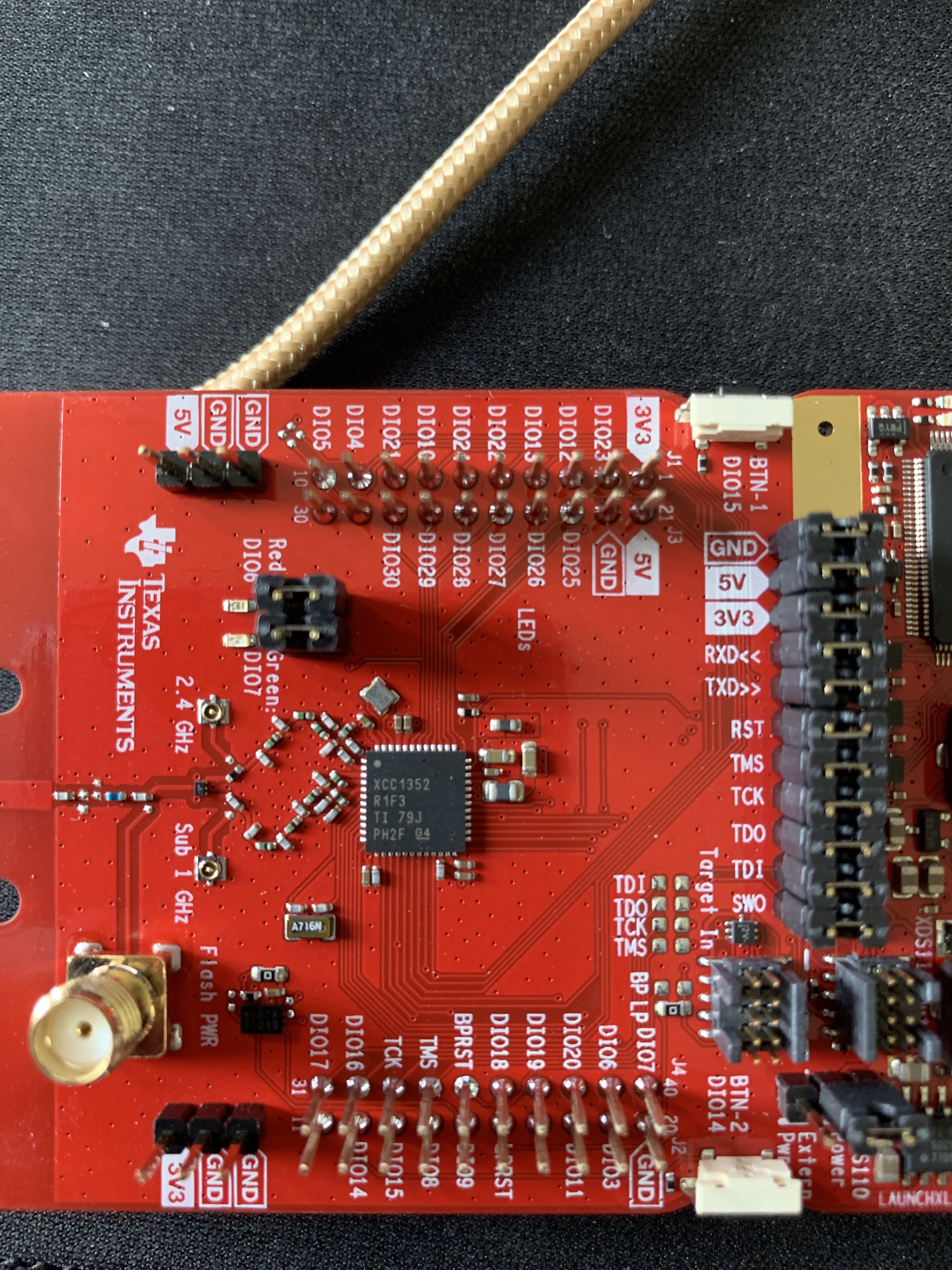
I'm running a docker container on a Synology NAS with root privileges (to see the /dev/ folder) and the docker image is from the latest-dev branch. If I SSH into the NAS, I can see a /dev/ttyACM0 and a /dev/ttyACM1 device. I have tried both in the configuration.yaml file and with both I get the info: Error while starting zigbee-shepherd, attempting to fix... (takes 60 seconds) (Error: request timeout) error. I know there are a lot of moving parts to this issue (not even the target device of this thread, not even the final version of the silicon) but if anybody has any pointers for something else to try I'd really appreciate it. I'll be heading home to the States next month and I'll be sure to pick up a current CC1352 and CC2652 while I'm there.
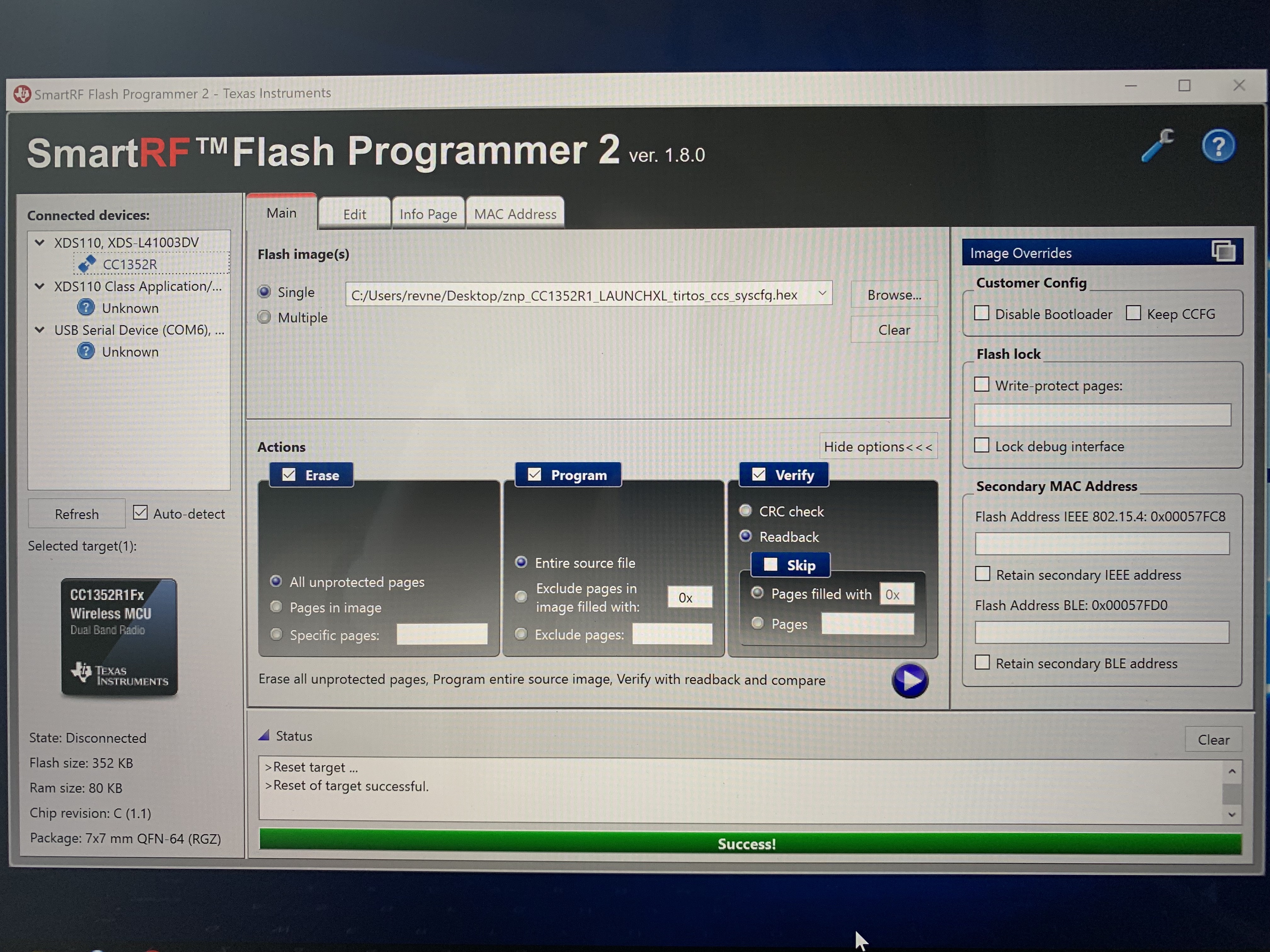
I'm also attaching a screenshot of my Flash Programmer utility in case someone might spot something I did wrong there.
RevNelson
on 12 May 2019
@revnelson are you running the latest dev branch?
Koenkk
on 12 May 2019
@RevNelson are you running the latest dev branch?
Yes

RevNelson
on 12 May 2019
@RevNelson That is indeed an older IC revision. As you can see from Flash Programmer 2, it says Chip revision C. The release version is revision E. As for the IC marking, rev number on the package was introduced right before the transition to rev. E. If there is no marking on the IC, it is definitely rev. C.
SW is not binary compatible between rev. C and rev. E. If you debug you will see that it is hanging in a ROM init function which checks the IC revision. One option is to revert to SDK 2.30, but I would rather recommend getting a new LaunchPad.
You should also notify the seller on Taobao that they should stop selling old kits.
fredrikgk
on 12 May 2019
following ti forum, next week if it's still needed/useful I'll try to provide air dump + serial dump with cc2652r/z2m and quite a bunch of devices.
I've tried something this week, instead of restarting cc2652R+z2m every 7h, I've tried to only restart z2m every 4h, but it the end the coordinator crashed.
lolorc
on 24 May 2019
There is also a CC1352P with a 19.5dBm PA. Will this firmware also work on this chip (Despite the sub1GHz extra)? Or should I wait for a "CC2652P"?
BTW 433MHz2MQTT would also be a great thing ;)
 matlab22
on 7 Jun 2019
matlab22
on 7 Jun 2019
Use module with cc2538+cc2592. Same 19.5 dBm and with stable working firmware.
antst
on 7 Jun 2019
Use module with cc2538+cc2592. Same 19.5 dBm and with stable working firmware.
Do you mean this JISDA CC2538 CC2592 PA Zigbee Wireless Module is working with the same firmware as CC2652R?
matlab22
on 7 Jun 2019
There is also a CC1352P with a 19.5dBm PA. Will this firmware also work on this chip
It will, as the CC1352P supports 20 dBm for both sub-1 GHz frequencies and 2.4 GHz. The FW must be built specifically for this device though.
Zigbee Network Processor FW for CC1352P can be found here: http://dev.ti.com/tirex/explore/node?node=AGiY4QNdVlO.8dZm4a4gYw__pTTHBmu__LATEST
fredrikgk
on 8 Jun 2019
@Koenkk does your cordinator or router firmware support the CC2538+CC2592?
matlab22
on 18 Jun 2019
@Koenkk does your cordinator or router firmware support the CC2538+CC2592?
Look for details there
https://github.com/Koenkk/zigbee2mqtt/issues/1568
antst
on 18 Jun 2019
Hello, I am getting the following issue. Would anyone have some insight?
Error: Cannot find module 'zcl-id'
at Function.Module._resolveFilename (internal/modules/cjs/loader.js:581:15)
at Function.Module._load (internal/modules/cjs/loader.js:507:25)
at Module.require (internal/modules/cjs/loader.js:637:17)
at require (internal/modules/cjs/helpers.js:22:18)
at Object.
at Module._compile (internal/modules/cjs/loader.js:689:30)
at Object.Module._extensions..js (internal/modules/cjs/loader.js:700:10)
at Module.load (internal/modules/cjs/loader.js:599:32)
at tryModuleLoad (internal/modules/cjs/loader.js:538:12)
at Function.Module._load (internal/modules/cjs/loader.js:530:3)
npm ERR! code ELIFECYCLE
npm ERR! errno 1
npm ERR! [email protected] start: node index.js
npm ERR! Exit status 1
npm ERR! Failed at the [email protected] start script.
npm ERR! This is probably not a problem with npm. There is likely additional logging output above.
npm ERR! A complete log of this run can be found in:
npm ERR! /root/.npm/_logs/2019-07-08T21_36_12_432Z-debug.log
 indubwestep
on 8 Jul 2019
indubwestep
on 8 Jul 2019
Anyone got this stable? Or any other chip that can handle al 60+ devices network? :)
brtwrs
on 26 Jul 2019
I'm still having stability issues which I'm investigating.
Koenkk
on 26 Jul 2019
@Koenkk any update on this?
 fnxpt
on 13 Aug 2019
fnxpt
on 13 Aug 2019
@fnxpt I'm still investigating the stability issues
Koenkk
on 13 Aug 2019
Update of my investigation: https://e2e.ti.com/support/wireless-connectivity/zigbee-and-thread/f/158/t/834603
Koenkk
on 29 Aug 2019
@Koenkk looks like the log is broken, Im getting a 404 - looks like the link has an extra ',' (without the comma it works)
fnxpt
on 29 Aug 2019
@fnxpt thanks fixed
Koenkk
on 30 Aug 2019
hmmm, I've been reading TI's forum, is it a good news ? :-)
lolorc
on 9 Sep 2019
@lolorc I assume you read about the patch, I'm currently testing this in combination with z2m, if it runs for 7 days + with my test setup I assume it's stable. Currently at 1 day, will keep you up-to-date.
Koenkk
on 9 Sep 2019
@Koenkk, looks good cam you also share a patched firmware, maybe we can also check if it works
fnxpt
on 9 Sep 2019
Koenkk
on 9 Sep 2019
So far is working good, I'm also using it with zigbee-herdsman and it looks pretty fast.
I found a few errors, but probably I need to pair the devices again.
I will let you know if I find any issues after doing this
fnxpt
on 11 Sep 2019
I'm gaining more and more confidence that this is it. Which would mean that we can probably also add support for the CC1352P easily.
I will let my test setup run for a few more days, after that the last thing we need to do is to increase the routing tables (to take full advantage of the powerful CC2652R hardware).
Koenkk
on 12 Sep 2019
for testing purposes i would love to upgrade to cc2652 too. i have seen the second iteration of this board https://www.ti.com/tool/LP-CC2652RB . will your CC2652R1-firmware be compatible with these too?
I am thinking about ordering CC2652R1 or CC26452RB :)
Which of the Boards/Chips is the best one for future?
CC2652R1 or CC26452RB or CC1352P?
 XRyu
on 13 Sep 2019
XRyu
on 13 Sep 2019
This is great new @Koenkk , I am looking forward to moving over to the CC2652R myself!
@XRyu , the only difference between CC2652R and CC2652RB is the internal oscillator in the latter device. SW is not binary compatible between the two, due to the underlying differences in the clocking scheme. You should easily be able to compile the Zigbee FW for the RB though.
fredrikgk
on 13 Sep 2019
@XRyu I won't recommend that board it's for preproduction and my firmware won't be compatible with it (probably). It is also very likely that a few revisions of this board will be released. AFAIK CC2652R1 and CC1352P shouldn't matter in terms of chips; the CC1352P is technically superior as it can also communicate on sub 1-ghz (useless for zigbee2mqtt) and should have a better antenna but has a higher price tag.
I think the CC2652R1 provides the "best bang for buck" (but I haven't done a good comparison with the CC1352P). @fredrikgk what do you think (in terms of the zigbee2mqtt use-case)?
Please note that this LaunchPad™ development kit currently uses preproduction XCC2652RBRGZR silicon and is intended for evaluation use only. Software compatibility with production version is not guaranteed.
Koenkk
on 13 Sep 2019
@fredrikgk better buy CC1352P it has builtin PA chip with 20bB TX, difference with CC2652R1 is 5db-20db.
dzungpv
on 13 Sep 2019
Thanks for the immedeate feedback guys :D Now i am definitely ordering the CC1352P :D
Can't wait for the first tests and upgrading my z2m-network from CC2531 to CC1352P in the future :D
XRyu
on 13 Sep 2019
@Koenkk I have a TI Evalboard with CC1352P1, please let me know if there is something to test
matlab22
on 13 Sep 2019
looks like the fix is also working here, haven't had to restart z2m+cc2652r, it's still ok after 48h. ACE !
lolorc
on 13 Sep 2019
I won't recommend that board it's for preproduction and my firmware won't be compatible with it (probably). It is also very likely that a few revisions of this board will be released.
The CC2652RB will release in not too long, and there will not be any major updates to the IC or the development board. For the sake of usage with this project though, there is no point in using the CC2652RB. The main benefit with this device is that it does not need a 48 MHz crystal, so if you are planning to build millions of products with the IC, you will save cost. The biggest issue from our point of view is that there is no 802.15.4 SW available for the RB yet.
So, in other words, go with the regular CC2652R device.
AFAIK CC2652R1 and CC1352P shouldn't matter in terms of chips; the CC1352P is technically superior as it can also communicate on sub 1-ghz (useless for zigbee2mqtt) and should have a better antenna but has a higher price tag.
The on-board antenna on the development board is actually slightly better on the CC26x2R LaunchPad for 2.4 GHz frequencies. The CC1352P board on the other hand has an SMA connector which allows you to more easily attach external antenna if you would like to that. It does require soldering 1 0402 component though.
better buy CC1352P it has builtin PA chip with 20bB TX, difference with CC2652R1 is 5db-20db.
If you choose to buy the CC1352P, make sure you buy the development board version which supports 2.4 GHz for the 20 dBm output (LAUNCHXL-CC1352P-2).
Also keep in mind, strictly speaking, you are not allowed to transmit 802.15.4 data packets at 20 dBm output power in Europe. Not that anyone will ever catch you running one single device...
fredrikgk
on 14 Sep 2019
Thank you for the detailed informations @fredrikgk :)
I ordered the CC1352P-2 with the 20 dBm PA :D
XRyu
on 14 Sep 2019
Good news!
- TI fixed the instability issue of the CC2652R that we experienced.
- They also fixed another issue which stopped is from increasing the device tables
Both fixes will be released in their next release of Z-Stack (https://e2e.ti.com/support/wireless-connectivity/zigbee-and-thread/f/158/p/834603/3104538#3104538). After that I will test on more time and write proper documentation for it to be used with zigbee2mqtt.
Koenkk
on 16 Sep 2019
Hi Koen,
that sounds great! I am looking forward to it!
Thank you very much for all your effort!
Koen Kanters schrieb am 16.09.2019 um 21:20:
>
Good news!
- TI fixed the instability issue of the CC2652R that we experienced.
- They also fixed another issue which stopped is from increasing the
device tablesBoth fixes will be released in their next release of Z-Stack
(https://e2e.ti.com/support/wireless-connectivity/zigbee-and-thread/f/158/p/834603/3104538#3104538).
After that I will test on more time and write proper documentation for
it to be used with zigbee2mqtt.—
You are receiving this because you are subscribed to this thread.
Reply to this email directly, view it on GitHub
https://github.com/Koenkk/zigbee2mqtt/issues/1429?email_source=notifications&email_token=ALFQYXJQNGYQKDQSPPFFEKDQJ7L7BA5CNFSM4HF2SSS2YY3PNVWWK3TUL52HS4DFVREXG43VMVBW63LNMVXHJKTDN5WW2ZLOORPWSZGOD62HHIY#issuecomment-531919779,
or mute the thread
https://github.com/notifications/unsubscribe-auth/ALFQYXJMBDWP5TWMF44DSFTQJ7L7BANCNFSM4HF2SSSQ.
 papanirual
on 16 Sep 2019
papanirual
on 16 Sep 2019
@Koenkk are you running default ZNP, or are any changes needed (bug fixing aside)?
fredrikgk
on 18 Sep 2019
@fredrikgk defaut + path from https://e2e.ti.com/support/wireless-connectivity/zigbee-and-thread/f/158/p/834603/3104538#3104538. However I will wait for the z-stack Q3 release before adding full support for the CC2652R in zigbee2mqtt (as this will also fix the NVOCTP bug). An initial patch can be found here: https://github.com/Koenkk/Z-Stack-firmware/blob/master/coordinator/Z-Stack_3.x.0/firmware.patch
For others:
Just to get a feeling, this is a small comparison between Z-Stack 3 on CC2652R vs Z-Stack 1.2 on CC2531
direct children: 50 vs 20
routes: 100 vs 40
source routes: 200 vs 40
Note that also performance wise the CC2652R is much faster (8051 vs arm cortex m4f)
Koenkk
on 18 Sep 2019
Source routes would be the routes applying to the routing firmware?
 juanjux
on 18 Sep 2019
juanjux
on 18 Sep 2019
@juanjux yes
Koenkk
on 18 Sep 2019
Good news!
- TI fixed the instability issue of the CC2652R that we experienced.
- They also fixed another issue which stopped is from increasing the device tables
Both fixes will be released in their next release of Z-Stack (https://e2e.ti.com/support/wireless-connectivity/zigbee-and-thread/f/158/p/834603/3104538#3104538). After that I will test on more time and write proper documentation for it to be used with zigbee2mqtt.
@Koenkk what is your recommendation for best "next gen" co-ordinator? CC2538 (as being discussed in other thread) or CC2652R?
From what I know:
1) Both are more powerful (CPU/mem) than CC2530/2531
2) CC2538 is cheaper and more available than the CC2652R, but less powerful
3) CC2652R is most powerful, most expensive, less available.
Also when do you see either/both of these becoming a stable go-to solution? 3-6 months?
 james-fry
on 20 Sep 2019
james-fry
on 20 Sep 2019
@james-fry both are good choices and I think it will be hard to see differences between them (within the context of the zigbee2mqtt usecase). Note that in order to flash the CC2538 you need a J-Tag flasher which is also pricey. This hardware is already embedded in the CC2652R development boards.
About the release, it depends, if after the Q3 release everything works fine it will be released soon after that.
Koenkk
on 20 Sep 2019
Thanks Koen
james-fry
on 20 Sep 2019
@Koenkk
Any news regarding your stability test? Still stable?
 hdo
on 26 Sep 2019
hdo
on 26 Sep 2019
@hdo yes its stable, waiting for the z-stack Q3 release (which also fixes another crucial issue) now. Once that is released I will do another test.
Koenkk
on 26 Sep 2019
@hdo yes its stable, waiting for the z-stack Q3 release (which also fixes another crucial issue) now. Once that is released I will do another test.
Perfect. Great to hear. Just ordered the CC26x2R launchpad ;-)
hdo
on 26 Sep 2019
any chance of an updated firmware to test?
 aidbish
on 26 Sep 2019
aidbish
on 26 Sep 2019
Until new z-stack has been released not.
Koenkk
on 26 Sep 2019
@Koenkk , I am having trouble getting the CC2652R LaunchPad to work. I am running latest dev and unmodified ZNP.
Debug log here: https://pastebin.com/DmEmF5zU
Any idea on what could be the problem?
fredrikgk
on 30 Sep 2019
I am using ttyACM1 because I have both the CC2531 dongle and the CC2652R LP connected by the way. CC2531 is thus ACM0 and CC2652R is ACM1 and ACM2.
fredrikgk
on 30 Sep 2019
@fredrikgk revision info needs to be enabled https://github.com/Koenkk/Z-Stack-firmware/blob/master/coordinator/Z-Stack_3.x.0/firmware.patch#L46 with product https://github.com/Koenkk/Z-Stack-firmware/blob/master/coordinator/Z-Stack_3.x.0/firmware.patch#L26 (this is needed for zigbee-herdsman to detect if this is a z-stack 1.2/3.0.x/3.x.0 devices).
Koenkk
on 30 Sep 2019
Thanks! I added the patch, and it took me a little bit longer. Now Herdsman crashes hard when I try to pair a device though. I think I will just wait until the Q3 SDK becomes publicly available....
fredrikgk
on 1 Oct 2019
@fredrikgk working ok here with the firmware provided here 22 days ago.
lolorc
on 1 Oct 2019
Hi,
I would like to give CC2652R also a try and I am just about to order a launchpad.
Will that simply be conneced by USB to the PI or using the GPIO headers (which are already used by another addon board)?
 sascha777
on 3 Oct 2019
sascha777
on 3 Oct 2019
@sascha777 mine is connected to my pi as a usb device. I'm also using usbip to upgrade it from my pc.
lolorc
on 3 Oct 2019
Do I need the development board? Or is it possible to use just the chip?
 guitar9
on 3 Oct 2019
guitar9
on 3 Oct 2019
Do I need the development board? Or is it possible to use just the chip?
The chip needs at least a proper power supply and an impedance matched antenna. After that you would need a flasher. You're probably best suited if you by the eval board, which comes with all the needed surroundings.
matlab22
on 4 Oct 2019
Thank you for the detailed informations @fredrikgk :)
I ordered the CC1352P-2 with the 20 dBm PA :D
Is it possible to use the CC2652R firmware for this device?
 bertran1
on 4 Oct 2019
bertran1
on 4 Oct 2019
Is it possible to use the CC2652R firmware for this device?
You need to build the ZNP project specifically for the CC1352P device.
fredrikgk
on 5 Oct 2019
@Koenkk , SDK 3.30 was released this morning!
fredrikgk
on 10 Oct 2019
Can't wait to check out the upcoming release for the CC2652R :-)
Gonna switching my current prod setup from CC253x to CC2652R.
hdo
on 10 Oct 2019
Over here to, cant wait, but with the CC1352P :D Hope @Koenkk will release both :)
XRyu
on 10 Oct 2019
Great news! One question, is there any way to increase the 40 devices limit with Zigbee 3.0 for this device? Are there other current or future devices that will be able to support more with z2mqtt? My home network have almost 80 and I'll probably adding 10-15 more before I'm finished...
juanjux
on 10 Oct 2019
@juanjux the limit will be 200 zigbee 3.0 devices
Koenkk
on 10 Oct 2019
@Koenkk how are you finding range/link quality with the CC2652R dev board?
I saw it has no PA/frontend and uses PCB antenna by default.
james-fry
on 10 Oct 2019
@Koenkk that's great! Will this be with a future version of the coordinator? Right now the stated limit in the README for the 2652R is 40 devices.
juanjux
on 10 Oct 2019
@james-fry good (but for me that is already the case with the CC2531 + extension cable)
@juanjux yes, the readme is outdated, will update it once firmware is out.
Koenkk
on 10 Oct 2019
Over here to, cant wait, but with the CC1352P :D Hope @Koenkk will release both :)
I hope so too for the CC1352P!
 dmitrybabeshko
on 10 Oct 2019
dmitrybabeshko
on 10 Oct 2019
CC1352P is next (I already own one)
Koenkk
on 10 Oct 2019
CC1352P has 868mhz support (interesting potential?) in addition to 2.4ghz + built in PA.
Also I see the launchpad for CC1352P has built in antenna socket... (for a little more expense).
This looks like it could be the one to go for.
I am eagerly awaiting feedback :)
james-fry
on 10 Oct 2019
Firmware for both CC26X2R1 (=board of CC2652R) and CC1352_P_2 are available now, let the testing begin. (https://github.com/Koenkk/Z-Stack-firmware/tree/master/coordinator/Z-Stack_3.x.0/bin). I will update README.md later with the device table sizes.
Koenkk
on 10 Oct 2019
With latest dev and this firmware on CC2652R its not working. Changing back to my CC2531 device it works fine.
For testing used the default configuration.yaml only chaning the mqtt server and the zigbee device.
Im getting this: https://pastebin.com/HkSXemgB
 copystring
on 10 Oct 2019
copystring
on 10 Oct 2019
new 20191011 Firmware fixed it. Thankx
For me, it´s not start in iobroker.
https://pastebin.com/42uXzJaY
and deep debug LOG:
https://pastebin.com/VU85xkJW
Update:
Seems to be a problem with the firmware. I have a Zigbee2mqtt installed in a separate VM. With the firmware from 10.10. can not be started, but starts with earlier firmware versions.
Log:
https://pastebin.com/d6nFsG2R
zigbee2mqtt with older firmware:
https://pastebin.com/y9RryZdR
Would be grateful for any help
 J-Paul0815
on 10 Oct 2019
J-Paul0815
on 10 Oct 2019
Havent had the time to check them myself will try asap.
Koenkk
on 10 Oct 2019
Getting this error with CC1352-P2 and latest hex on rpi4. Please advise.
zigbee2mqtt:info  2019-10-10T19:58:50: Logging to directory: '/share/zigbee2mqtt/log/2019-10-10.22-58-49'
zigbee2mqtt:info  2019-10-10T19:58:50: Starting zigbee2mqtt version 1.6.0 (commit #3e75108741a0d7328b278a8c26daaf8a5adf0934)
zigbee2mqtt:info  2019-10-10T19:58:50: Starting zigbee-herdsman...
zigbee2mqtt:error 2019-10-10T19:58:57: Error while starting zigbee-herdsman
zigbee2mqtt:error 2019-10-10T19:58:57: Error: SREQ '--> SYS - osalNvWrite - {"id":96,"offset":0,"len":1,"value":{"type":"Buffer","data":[85]}}' failed with status '2' (expected '0')
    at Znp.<anonymous> (/app/node_modules/zigbee-herdsman/dist/adapter/z-stack/znp/znp.js:187:27)
    at Generator.next (<anonymous>)
    at fulfilled (/app/node_modules/zigbee-herdsman/dist/adapter/z-stack/znp/znp.js:5:58)
zigbee2mqtt:error 2019-10-10T19:58:57: Failed to start zigbee
zigbee2mqtt:error 2019-10-10T19:58:57: Exiting...
Did a short check; zigbee-herdsman needs to be updated with the new NV item id's; to be continued.
Koenkk
on 10 Oct 2019
Did a short check; zigbee-herdsman needs to be updated with the new NV item id's; to be continued.
Do you have a chance to get this fixed? Thanks!
dmitrybabeshko
on 11 Oct 2019
Fixed the issue:
- new 20191011 firmware can be found here: https://github.com/Koenkk/Z-Stack-firmware/tree/master/coordinator/Z-Stack_3.x.0/bin
- requires latest zigbee2mqtt dev branch
- REAMDE.md is updated with device and routing tables; shows the comparison between different z-stack version on different devices.
EDIT: here I mentioned that the limit of zigbee 3.0 devices would be 200; however I currently cannot get this to work (looks like memory corruption occurs) -> need to investigate with TI. For now the limit is 100 zigbee 3.0 devices and virtually unlimited 1.2 devices.
Koenkk
on 12 Oct 2019
Can't get the CC2635R2 working with the 20191011 firmware and dev branch. I'm using the launch board as mentioned here, flashed it and verified it.
Error: AREQ - ZDO - stateChangeInd after 60000ms
    at Timeout.object.timer.setTimeout [as _onTimeout] (/opt/zigbee2mqtt/node_modules/zigbee-herdsman/dist/utils/waitress.js:44:24)
    at ontimeout (timers.js:436:11)
    at tryOnTimeout (timers.js:300:5)
    at listOnTimeout (timers.js:263:5)
    at Timer.processTimers (timers.js:223:10)
zigbee2mqtt:error 2019-10-12T16:04:42: Failed to start zigbee
zigbee2mqtt:error 2019-10-12T16:04:42: Exiting...
 peterforeman
on 12 Oct 2019
peterforeman
on 12 Oct 2019
@peterforeman can you check on a different channel OR panid? You will get this error when the combination of channel and panid is already in use (on zigbee 1.2 we ignored this but on zigbee 3.0 we cannot). Error message needs to be improved though.
Koenkk
on 12 Oct 2019
@peterforeman can you check on a different channel OR panid? You will get this error when the combination of channel and panid is already in use (on zigbee 1.2 we ignored this but on zigbee 3.0 we cannot). Error message needs to be improved though.
Indeed, that works! How stable should I consider this firmware at this point? Would it be acceptable to replace my CC2531 (with Z-Stack 3.0) for this device at this point?
peterforeman
on 12 Oct 2019
Mine is still not working. On latest dev branch, flashed latest few and did "rm -rf node_modules && npm install" in zigbee2mqtt>data>zigbee-shepherd-converters
Error: Cannot find module 'zigbee-herdsman/dist/zcl-id'
at Function.Module._resolveFilename (internal/modules/cjs/loader.js:636:15)
at Function.Module._load (internal/modules/cjs/loader.js:562:25)
at Module.require (internal/modules/cjs/loader.js:692:17)
at require (internal/modules/cjs/helpers.js:25:18)
at Object.
at Module._compile (internal/modules/cjs/loader.js:778:30)
at Object.Module._extensions..js (internal/modules/cjs/loader.js:789:10)
at Module.load (internal/modules/cjs/loader.js:653:32)
at tryModuleLoad (internal/modules/cjs/loader.js:593:12)
at Function.Module._load (internal/modules/cjs/loader.js:585:3)
npm ERR! code ELIFECYCLE
npm ERR! errno 1
npm ERR! [email protected] start: node index.js
npm ERR! Exit status 1
npm ERR! Failed at the [email protected] start script.
npm ERR! This is probably not a problem with npm. There is likely additional logging output above.
npm ERR! A complete log of this run can be found in:
npm ERR! /root/.npm/_logs/2019-10-12T19_12_27_405Z-debug.log
indubwestep
on 12 Oct 2019
You need to do this in the zigbee2mqtt folder not zigbee-shepherd-converters
Koenkk
on 12 Oct 2019
Ok, I've tried it but still getting the same error.. I've downed the container stopped and restarted many times, rebooted the server, tried both ttyACM0 and ttyACM1 to no avail. Ive also tried deleting states and database, and later deleted .storage but still not working. Any idea what the issue could possibly be?
indubwestep
on 12 Oct 2019
Checked new firmware for CC1352P and latest dev of zigbee2mqtt with WSDCGQ11LM Aqara temperature sensors. Fine for now.
dmitrybabeshko
on 12 Oct 2019
@indubwestep what do you see when zigbee2mqtt container starts?
Koenkk
on 12 Oct 2019
@Koenkk I think Im having the same issue, https://pastebin.com/DtNgw0Zq
The log is in reverse order, I hope this helps.
fnxpt
on 12 Oct 2019
The container starts fine it just says "..done" in SSH so I don't think it's a device mounting issue. I also tried doing chown -R with my user account for the zigbee2mqtt folder to make sure it's not a permissions issue but that didn't help. Also unplugged all other usb devices. This is what my docker-compose looks like:
zigbee2mqtt:
container_name: zigbee2mqtt
image: koenkk/zigbee2mqtt:latest-dev # x86_64/amd64
restart: always
volumes:
- /opt/zigbee2mqtt/data:/app/data
- /opt/zigbee2mqtt/data/zigbee-shepherd-converters:/app/node_modules/zigbee-shepherd-converters
- /opt/zigbee2mqtt/data/lib/extension/homeassistant.js:/app/lib/extension/homeassistant.js
- /etc/localtime:/etc/localtime:ro
devices:
- /dev/ttyACM0:/dev/ttyACM0:rwm
- /dev/ttyACM1:/dev/ttyACM1:rwm
restart: always
depends_on:
mosquitto:
condition: service_started
This is the log:
[email protected] start /app
node index.js
internal/modules/cjs/loader.js:638
throw err;
^
Error: Cannot find module 'zigbee-herdsman/dist/zcl-id'
at Function.Module._resolveFilename (internal/modules/cjs/loader.js:636:15)
at Function.Module._load (internal/modules/cjs/loader.js:562:25)
at Module.require (internal/modules/cjs/loader.js:692:17)
at require (internal/modules/cjs/helpers.js:25:18)
at Object.
at Module._compile (internal/modules/cjs/loader.js:778:30)
at Object.Module._extensions..js (internal/modules/cjs/loader.js:789:10)
at Module.load (internal/modules/cjs/loader.js:653:32)
at tryModuleLoad (internal/modules/cjs/loader.js:593:12)
at Function.Module._load (internal/modules/cjs/loader.js:585:3)
npm ERR! code ELIFECYCLE
npm ERR! errno 1
npm ERR! [email protected] start: node index.js
npm ERR! Exit status 1
npm ERR! Failed at the [email protected] start script.
npm ERR! This is probably not a problem with npm. There is likely additional logging output above.
npm ERR! A complete log of this run can be found in:
npm ERR! /root/.npm/_logs/2019-10-12T21_13_26_109Z-debug.log
Using '/app/data' as data directory
indubwestep
on 12 Oct 2019
Please remove volume - /opt/zigbee2mqtt/data/zigbee-shepherd-converters:/app/node_modules/zigbee-shepherd-converters
Koenkk
on 12 Oct 2019
Done. Side note-is it good to run "npm audit fix"? Here is the log after the change:
[email protected] start /app
node index.js
internal/modules/cjs/loader.js:638
throw err;
^
Error: Cannot find module 'zigbee-shepherd-converters'
at Function.Module._resolveFilename (internal/modules/cjs/loader.js:636:15)
at Function.Module._load (internal/modules/cjs/loader.js:562:25)
at Module.require (internal/modules/cjs/loader.js:692:17)
at require (internal/modules/cjs/helpers.js:25:18)
at Object.
at Module._compile (internal/modules/cjs/loader.js:778:30)
at Object.Module._extensions..js (internal/modules/cjs/loader.js:789:10)
at Module.load (internal/modules/cjs/loader.js:653:32)
at tryModuleLoad (internal/modules/cjs/loader.js:593:12)
at Function.Module._load (internal/modules/cjs/loader.js:585:3)
npm ERR! code ELIFECYCLE
npm ERR! errno 1
npm ERR! [email protected] start: node index.js
npm ERR! Exit status 1
npm ERR! Failed at the [email protected] start script.
npm ERR! This is probably not a problem with npm. There is likely additional logging output above.
npm ERR! A complete log of this run can be found in:
npm ERR! /root/.npm/_logs/2019-10-12T21_21_25_903Z-debug.log
indubwestep
on 12 Oct 2019
Also remove /opt/zigbee2mqtt/data/lib/extension/homeassistant.js:/app/lib/extension/homeassistant.js
Koenkk
on 12 Oct 2019
Perfect, that fixed it! Thank you. Also had to remove the backup file because of the panID stuff. But I have a question-would I need to expose any volume in docker to do the homeassistant mapping stuff going forward?
indubwestep
on 12 Oct 2019
@indubwestep this is only needed when you want to add support for new devices; yours is outdated if you want to do this grab the latest from git.
Koenkk
on 12 Oct 2019
@peterforeman can you check on a different channel OR panid? You will get this error when the combination of channel and panid is already in use (on zigbee 1.2 we ignored this but on zigbee 3.0 we cannot). Error message needs to be improved though.
is this a new behavior with the latest firmware ? in another words is it possible the coordinator refuses to re-use the previous channel-panid combinaison like it happened in the past with zigbee 1.2 and cc2531 ?
lolorc
on 13 Oct 2019
@lolorc the hack we used for 1.2 doesnt work on 3.0
Koenkk
on 13 Oct 2019
@Koenkk I get that, but does that mean we'll have to change channel or panid every time we upgrade firmware ?
Do you know if it possible to disable the radio from software ? it could be a workaround to disable the initial scan if the coordinator is not able to restart with its previous chan/panid params after a full erase or an upgrade.
lolorc
on 13 Oct 2019
@lolorc ; @fredrikgk do you perhaps no if something like that is possible?
EDIT: note that a backup is taken which is normally restored when you upgrade the firmware (so no need to change channel/panid)
Koenkk
on 14 Oct 2019
I've just migrated my production network to the CC2652R, will keep you up-to-date with my findings.
Koenkk
on 14 Oct 2019
Oct 14 21:08:54   zigbee-herdsman:zStack:znp:SRSP <-- SYS - version - {"transportrev":2,"product":1,"majorrel":2,"minorrel":7,"maintrel":1,"revision":20191011} +0ms
Oct 14 21:08:54   zigbee-herdsman:zStack:unpi:parser --- parseNext [] +13ms
Oct 14 21:08:54   zigbee-herdsman:controller:zStack Detected znp version 'zStack3x0' ({"transportrev":2,"product":1,"majorrel":2,"minorrel":7,"maintrel":1,"revision":20191011}) +0ms
Oct 14 21:08:54   zigbee-herdsman:zStack:znp:SREQ --> SYS - osalNvRead - {"id":96,"offset":0,"len":1,"value":{"type":"Buffer","data":[85]}} +63ms
Oct 14 21:09:54 zigbee2mqtt:error 2019-10-14T19:09:54: Error while starting zigbee-herdsman
Oct 14 21:09:54 winston:file written true false
Oct 14 21:09:54 zigbee2mqtt:error 2019-10-14T19:09:54: Error: AREQ - ZDO - stateChangeInd after 60000ms
Oct 14 21:09:54     at Timeout.object.timer.setTimeout [as _onTimeout] (/home/pi/zigbee2mqtt.dev/node_modules/zigbee-herdsman/dist/utils/waitress.js:44:24)
Oct 14 21:09:54     at ontimeout (timers.js:436:11)
Oct 14 21:09:54     at tryOnTimeout (timers.js:300:5)
Oct 14 21:09:54     at listOnTimeout (timers.js:263:5)
Oct 14 21:09:54     at Timer.processTimers (timers.js:223:10)
Oct 14 21:09:54 winston:file written true false
Oct 14 21:09:54 zigbee2mqtt:error 2019-10-14T19:09:54: Failed to start zigbee
Oct 14 21:09:54 winston:file written true false
Oct 14 21:09:54 zigbee2mqtt:error 2019-10-14T19:09:54: Exiting...
Oct 14 21:09:54 winston:file written true false
Oct 14 21:09:54 zigbee2mqtt:error 2019-10-14T19:09:54: Error: AREQ - ZDO - stateChangeInd after 60000ms
Oct 14 21:09:54     at Timeout.object.timer.setTimeout [as _onTimeout] (/home/pi/zigbee2mqtt.dev/node_modules/zigbee-herdsman/dist/utils/waitress.js:44:24)
Oct 14 21:09:54     at ontimeout (timers.js:436:11)
Oct 14 21:09:54     at tryOnTimeout (timers.js:300:5)
Oct 14 21:09:54     at listOnTimeout (timers.js:263:5)
Oct 14 21:09:54     at Timer.processTimers (timers.js:223:10)
Oct 14 21:09:54 winston:file written true false
looks like an issue other have had.
is this a chan/panid issue ?
EDIT: I've flashed the previous firmware from september 11, went back to a previous commit, it is working ok. An aqara temp/humidity sensors kept sending updates every 4-5 seconds, weird, and the measured values change (probably unrelated to the fw change)
lolorc
on 14 Oct 2019
I've just migrated my production network to the CC2652R, will keep you up-to-date with my findings.
What do you have in your network, Koen?
james-fry
on 14 Oct 2019
+- 40 devices; lots of tradfri and xiaomi, some hue gledopto and osram
Koenkk
on 14 Oct 2019
is there any upgrade-path from 1.2 to 3.0 without needing to re-pair everything? :)
XRyu
on 14 Oct 2019
Unfortunately not
Koenkk
on 15 Oct 2019
Not sure if this happens two everyone, but Im having a few issues with
tradfri devices.
In every room I have 2 or 3 GU10 lights, when I pair them they show up on
zigbee2mqtt, but as soon as I disconnect them and connect them again just 1
or 2 connect again.. I need to repair them again in order to be able to
use them.
On Tue, Oct 15, 2019 at 7:52 AM Koen Kanters notifications@github.com
wrote:
Unfortunately not
—
You are receiving this because you were mentioned.
Reply to this email directly, view it on GitHub
https://github.com/Koenkk/zigbee2mqtt/issues/1429?email_source=notifications&email_token=AAN3FSHN66AEVFIOQDLSIRDQOVLDFA5CNFSM4HF2SSS2YY3PNVWWK3TUL52HS4DFVREXG43VMVBW63LNMVXHJKTDN5WW2ZLOORPWSZGOEBHQFVQ#issuecomment-542048982,
or unsubscribe
https://github.com/notifications/unsubscribe-auth/AAN3FSHNXYXEFVKSRTSTZQLQOVLDFANCNFSM4HF2SSSQ
.
--
Marlon Pina Tojal
Developer__________________________________________________
www.fnx.pt
www.linkedin.com/in/marlontojal
Mob. +31 6161 22 447
fnxpt
on 15 Oct 2019
weird, after this fail with latest dev+latest fw, my aqara sensors report their temp/humidity/pressure far for often and some of them have left the network.
concerning last dev/fw, comparing logs, it looks like it does not restore the backup after the fw upgrade. While it does with commit ba92f73 and fw 20190908
lolorc
on 15 Oct 2019
@lolorc a 20190908 backup cannot be restored on 20191011, I would recommend removing the backup , update to latest zigbee2mqtt dev, and re-pair everything.
Koenkk
on 15 Oct 2019
The other thing I noticed that the network map doesn't show all connections.
All devices are connected. temperature_(1..3) are the same aqara sensors.
dmitrybabeshko
on 15 Oct 2019
@Koenkk in my case, I re-paired everything, but like I mention it doesnt connect to the devices after disconnecting and reconnecting.
I get this message "Entity 'lightLivingRoom2' is unknown", both lightLivingRoom1 and lightLivingRoom3 connect without any issue
fnxpt
on 15 Oct 2019
@lolorc a 20190908 backup cannot be restored on 20191011, I would recommend removing the backup , update to latest zigbee2mqtt dev, and re-pair everything.
Oh ok I see, no big deal since it's still in its early alpha stage :) but z2m surely needs to know how to migrate from/to previous coordinator_backup.json
lolorc
on 15 Oct 2019
do it need a full erase, because it still doesn't work with latest dev and fw 20191011, still the same timeouts, state.json, database.db and coordinator_backup.json have been renamed...
have changed panid, same issue...
edit: yes better with full erase
lolorc
on 15 Oct 2019
I had to do a full reset... just started from scratch
On Tue, Oct 15, 2019 at 5:49 PM Laurent notifications@github.com wrote:
i guess I need to do a full erase, because it still doesn't work with
latest dev and fw 20191011, still the same timeouts, state.json,
database.db and coordinator_backup.json have been renamed...—
You are receiving this because you were mentioned.
Reply to this email directly, view it on GitHub
https://github.com/Koenkk/zigbee2mqtt/issues/1429?email_source=notifications&email_token=AAN3FSCTGKJPP6TCZLRHR4LQOXQ65A5CNFSM4HF2SSS2YY3PNVWWK3TUL52HS4DFVREXG43VMVBW63LNMVXHJKTDN5WW2ZLOORPWSZGOEBJIRFY#issuecomment-542279831,
or unsubscribe
https://github.com/notifications/unsubscribe-auth/AAN3FSAI6MHGWMNAHD6OXETQOXQ65ANCNFSM4HF2SSSQ
.
--
Marlon Pina Tojal
Developer__________________________________________________
www.fnx.pt
www.linkedin.com/in/marlontojal
Mob. +31 6161 22 447
fnxpt
on 15 Oct 2019
this need to repair everything is so much nicer and so straightforward now with herdsman ! Thanks a lot guys !
lolorc
on 15 Oct 2019
Has anyone been getting this error and know how to fix it?
> [email protected] start /app


> node index.js


zigbee2mqtt:info  2019-10-15T16:48:56: Logging to directory: '/app/data/log/2019-10-15.10-48-56'


zigbee2mqtt:debug 2019-10-15T16:48:56: Removing old log directory '/app/data/log/2019-10-15.10-45-33'


zigbee2mqtt:debug 2019-10-15T16:48:56: Loaded state from file /app/data/state.json


zigbee2mqtt:info  2019-10-15T16:48:56: Starting zigbee2mqtt version 1.6.0 (commit #9ebb1b9)


zigbee2mqtt:info  2019-10-15T16:48:56: Starting zigbee-herdsman...


zigbee2mqtt:debug 2019-10-15T16:48:56: Using zigbee-herdsman with settings: '{"network":{"panID":6754,"extenedPanID":[221,221,221,221,221,221,221,221],"channelList":[11],"networkKey":"HIDDEN"},"databasePath":"/app/data/database.db","backupPath":"/app/data/coordinator_backup.json","serialPort":{"baudRate":115200,"rtscts":false,"path":"/dev/ttyACM0"}}'


zigbee2mqtt:error 2019-10-15T16:49:03: Error while starting zigbee-herdsman


zigbee2mqtt:error 2019-10-15T16:49:03: Error: SRSP - SYS - version after 6000ms


    at Timeout.object.timer.setTimeout [as _onTimeout] (/app/node_modules/zigbee-herdsman/dist/utils/waitress.js:44:24)


    at ontimeout (timers.js:436:11)


    at tryOnTimeout (timers.js:300:5)


    at listOnTimeout (timers.js:263:5)


    at Timer.processTimers (timers.js:223:10)


zigbee2mqtt:error 2019-10-15T16:49:03: Failed to start zigbee


zigbee2mqtt:error 2019-10-15T16:49:03: Exiting...


zigbee2mqtt:error 2019-10-15T16:49:03: Error: SRSP - SYS - version after 6000ms


    at Timeout.object.timer.setTimeout [as _onTimeout] (/app/node_modules/zigbee-herdsman/dist/utils/waitress.js:44:24)


    at ontimeout (timers.js:436:11)


    at tryOnTimeout (timers.js:300:5)


    at listOnTimeout (timers.js:263:5)


    at Timer.processTimers (timers.js:223:10)


npm ERR! code ELIFECYCLE


npm ERR! errno 1


npm ERR! [email protected] start: `node index.js`


npm ERR! Exit status 1
@indubwestep yep, if you scroll a tad up you'll see I've encountered it, had to remove database/backup, erase full board...
lolorc
on 15 Oct 2019
Yeah I saw that and deleted my db file and reflashed the fw but oddly still getting the error..
indubwestep
on 15 Oct 2019
@indubwestep i'm using uniflash to flash my board, I had to manually do a "erase entire flash" before loading the firmware and it worked. It's probably overkill, I'm yet to find the least op to achieve a proper upgrade. I'm using uniflash cause I'm trying to automate the fw upgrade from my PC to rpi using usbip.
edit: oh and I also changed my panid, but in the ideal world that shouldn't be needed. Since I've changed so many things in the mean time I can't tell if this was necessary.
lolorc
on 15 Oct 2019
with 1428e0bb87cd57b62999227ce977204e6bfddb29
still have
'''
Oct 15 21:54:30 serialport/stream _read queueing _read for after open +6ms
Oct 15 21:54:30 serialport/bindings/poller Creating poller +0ms
Oct 15 21:54:30 serialport/stream opened path: /dev/ttyUSB.CC2652 +2ms
Oct 15 21:54:30 serialport/stream _read reading { start: 0, toRead: 65536 } +1ms
Oct 15 21:54:30 serialport/binding-abstract read +9ms
Oct 15 21:54:30 zigbee-herdsman:zStack:znp:log Serialport opened +19ms
Oct 15 21:54:30 zigbee-herdsman:zStack:znp:log Writing skip bootloader payload +2ms
Oct 15 21:54:30 zigbee-herdsman:zStack:unpi:writer --> buffer [239] +0ms
'''
'''
Oct 15 21:54:38 zigbee-herdsman:zStack:znp:SREQ --> ZDO - mgmtPermitJoinReq - {"addrmode":15,"dstaddr":65532,"duration":254,"tcsignificance":0} +6s
Oct 15 21:54:38 zigbee-herdsman:zStack:unpi:writer --> frame [254,5,37,54,15,252,255,254,0,228] +6s
Oct 15 21:54:38 serialport/stream _write 10 bytes of data +6s
Oct 15 21:54:38 serialport/binding-abstract write 10 bytes +6s
Oct 15 21:54:38 serialport/bindings/unixWrite Starting write 10 bytes offset 0 bytesToWrite 10 +6s
Oct 15 21:54:38 (node:32632) UnhandledPromiseRejectionWarning: Error: SRSP - UTIL - ledControl after 6000ms
Oct 15 21:54:38 at Timeout.object.timer.setTimeout [as _onTimeout] (/home/pi/zigbee2mqtt.dev/node_modules/zigbee-herdsman/dist/utils/waitress.js:44:24)
Oct 15 21:54:38 at ontimeout (timers.js:436:11)
Oct 15 21:54:38 at tryOnTimeout (timers.js:300:5)
Oct 15 21:54:38 at listOnTimeout (timers.js:263:5) Oct 15 21:54:38 at Timer.processTimers (timers.js:223:10)
Oct 15 21:54:38 (node:32632) UnhandledPromiseRejectionWarning: Unhandled promise rejection. This error originated either by throwing inside of an async function without a catch block, or by rejecting a promise wh
ich was not handled with .catch(). (rejection id: 1)
Oct 15 21:54:38 (node:32632) [DEP0018] DeprecationWarning: Unhandled promise rejections are deprecated. In the future, promise rejections that are not handled will terminate the Node.js process with a non-zero ex
it code.
Oct 15 21:54:38 serialport/bindings/unixWrite write returned: wrote 10 bytes +19ms
'''
but this is with my udev rule
SUBSYSTEM=="tty", ENV{ID_USB_INTERFACE_NUM}=="00", ATTRS{idVendor}=="0451", ATTRS{idProduct}=="bef3", SYMLINK="ttyUSB.CC2652", OWNER="pi"
and
serial:
  port: /dev/ttyUSB.CC2652
@lolorc @indubwestep I had to change 2 thinks before I could start with repairing. First the pan_id and second delete the disable_led setting.
BudBundi
on 15 Oct 2019
@Koenkk maybe you could improve the error message if the pan_id and channel is in use and if a other device as the CC2531 is detected ignore the disable_led setting
BudBundi
on 15 Oct 2019
@BudBundi well seen, disable_led setting has be set to true for a long time here (from when I was using cc2531)
I guess it's also related to my previous "report", as a wild guess I think z2m hasn't detected I was using a cc2652r
lolorc
on 15 Oct 2019
I'm not really sure it's related to pan_id, I hope it's not; as I said, I changed too many things at the same time. I think z2m should handle the erasing of the coordinator memory in case it hasn't been done while upgrading the fw.
lolorc
on 15 Oct 2019
Tried uniflash, changed pan ID, and checked the disable_led setting but still not working..
indubwestep
on 16 Oct 2019
@indubwestep are you sure the port is correct? The board exposes 2 ports; one is the CC2652R the other on is the XDS110. If you expose both ports to the docker container zigbeee2mqtt can find the correct one automatically with the configuration below:
serial:
  port: null
I got it up and running here as well, currently on CC2652R. I guess it was the new NV IDs which made it crash for me earlier.
@Koenkk, I do not believe the UART uses flow control, but whether rtscts is set to false or not does not seem to make any difference. Does this configuration actually do anything?
Feature request: I belive ZStack by default runs at 5 dBm output power also on CC1352P. It would be great if the wanted output power level could be set in configuration.yaml. The ZNP serial command for this should be SYS_SET_TX_POWER.
fredrikgk
on 16 Oct 2019
@Koenkk
CC1352P After updating zigbee2mqtt hassio container to latest dev getting the following error. Previous dev worked flawlessly. Thanks!
zigbee2mqtt:info  2019-10-16T20:19:30: Logging to directory: '/share/zigbee2mqtt/log/2019-10-16.23-19-29'
zigbee2mqtt:debug 2019-10-16T20:19:30: Removing old log directory '/share/zigbee2mqtt/log/2019-10-16.23-18-25'
zigbee2mqtt:debug 2019-10-16T20:19:30: Loaded state from file /share/zigbee2mqtt/state.json
zigbee2mqtt:info  2019-10-16T20:19:30: Starting zigbee2mqtt version 1.6.0 (commit #3e75108741a0d7328b278a8c26daaf8a5adf0934)
zigbee2mqtt:info  2019-10-16T20:19:30: Starting zigbee-herdsman...
zigbee2mqtt:debug 2019-10-16T20:19:30: Using zigbee-herdsman with settings: '{"network":{"panID":6754,"extenedPanID":[221,221,221,221,221,221,221,221],"channelList":[11],"networkKey":"HIDDEN"},"databasePath":"/share/zigbee2mqtt/database.db","backupPath":"/share/zigbee2mqtt/coordinator_backup.json","serialPort":{"baudRate":115200,"rtscts":true,"path":"/dev/ttyACM0"}}'
zigbee2mqtt:error 2019-10-16T20:19:30: Error while starting zigbee-herdsman
zigbee2mqtt:error 2019-10-16T20:19:30: Failed to start zigbee
zigbee2mqtt:error 2019-10-16T20:19:30: Exiting...
zigbee2mqtt:error 2019-10-16T20:19:30: Error: spawn udevadm ENOENT
    at Process.ChildProcess._handle.onexit (internal/child_process.js:240:19)
    at onErrorNT (internal/child_process.js:415:16)
    at process._tickCallback (internal/process/next_tick.js:63:19)
@fredrikgk yes that configuration is used; will check about the tx power
@dmitrybabeshko fixed in latest dev (#2146); hassio can take up to an hour to be regenerated (to check current status: https://travis-ci.org/danielwelch/hassio-zigbee2mqtt/builds/598839086)
Koenkk
on 16 Oct 2019
@Koenkk
fixed in latest dev (#2146); hassio can take up to an hour to be regenerated (to check current status: https://travis-ci.org/danielwelch/hassio-zigbee2mqtt/builds/598839086)
Still getting the same error with the latest dev hassio container. I have manually installed udev to this container, it helped, but until the first restart.
dmitrybabeshko
on 17 Oct 2019
Hi
I have tested both the CC2652R and CC1352P and both perform excellently. i have had zero issue with both.
The CC1352P does seem to have a slightly better range,
Couple of things i have noticed:
- Lights do not seem to be reporting their link quality to MQTT. this is the same for Philips Hue bulbs and zemismart downlights.
- With reporting turn on, errors are shown for devices it could not setup reporting for, these seem to be battery end devices, but i would have thought it ignores those?
error below for reporting
zigbee2mqtt:error 2019-10-17T10:05:22: Failed to setup reporting for '0x00124b001d825229' - Error: Timeout - 47110 - 11 - 15 - 7 after 10000ms
at Timeout.object.timer.setTimeout [as _onTimeout] (/app/node_modules/zigbee-herdsman/dist/utils/waitress.js:44:24)
at ontimeout (timers.js:436:11)
at tryOnTimeout (timers.js:300:5)
at listOnTimeout (timers.js:263:5)
at Timer.processTimers (timers.js:223:10)
Other than these 2 issues i think were on a winner with these 2 devices as coordinators
aidbish
on 17 Oct 2019
thanks @aidbish
I am planning to get one of either LAUNCHXL-CC1352P-2 or LAUNCHXL-CC26X2R1
Your info helps to make a decision.
Here are the points that are currently part of my decision making.
LAUNCHXL-CC1352P-2:
- :thumbsup: Has a built in PA/LNA for potentially better range (assuming Z2M will support enablement - enhancement is raised). RF design includes shield.
- :thumbsup: Has a built in SMA antenna connector (although its necessary to de/re-solder a tiny SMD capacitor to switch from PCB antenna to SMA. Should provide increase in range.
- :thumbsup: Can support sub 1GHz - opening the possibility for 868MHz (EU) and 915MHz (NA) zigbee for better range (technically possible but no idea how many end devices support it) and possibly other applications in the future... IMO this "benefit" should not be a consideration at the point.
- :thumbsdown: Bigger PCB (~2cm) than the CC26X2R1
- :thumbsdown: A little ($10) more expensive than the CC26X2R1
- There are two versions with different RF suitability - The P-2 version favours 2.4GHz rather than sub 1GHz and this would be the recommended version to obtain for Z2M
- :thumbsup: STL for 3D printed case here: https://www.thingiverse.com/thing:3928171
LAUNCHXL-CC26X2R1:
- :thumbsup: Seems to be the preferred board on this thread (maybe we need a poll?)
- :thumbsup: Slightly smaller PCB than the CC1352P
- :thumbsup: A little cheaper than the CC1352P and more sellers than just TI.
- :thumbsup: There is a STL for 3D printed case: https://www.thingiverse.com/thing:3305478
- :thumbsup: Another STL for 3D printed case here: https://www.thingiverse.com/thing:3928171
- :thumbsdown: Theoretically less range than CC1352P due to lack of RF frontend
- :thumbsdown: Possibility to use external antenna (with move of the tiny SMD capacitor) but the required JSC-SMA antenna adaptor is not cheap (~20 euros)
- :thumbsdown: No support for sub-1GHz but there is no clear advantage of this currently
Other notes:
- There does not appear to be any more economical options from aliexpress etc for either.
- Both have built in JTAG programmer so no need for external programmer
james-fry
on 17 Oct 2019
@james-fry you mentioned two times the same pcb. Ithink the later title should be cc26x2r1
Btw. I got my cc1352 from digikey: about 50$
https://www.digikey.com/products/en?mpart=LAUNCHXL-CC1352P1&v=296
matlab22
on 17 Oct 2019
Ithink the later title should be cc26x2r1
Correct- thanks! I updated.
Thanks for the link, but this is for the P1 version and I would prefer the P-2, which is not in stock currently at digikey
The P1 is tuned for best gain for sub 1Ghz, and the P-2 has been tuned for 2.4Ghz.
From the TI site:
The CC1352P LaunchPads come in different variants with different RF matching network on the 20 dBm PA output port:
LAUNCHXL-CC1352P1: 868/915 MHz up to 20 dBm, 2.4 GHz up to 5 dBm
LAUNCHXL-CC1352P-2: 868/915 MHz up to 14 dBm, 2.4 GHz up to 20 dBm
james-fry
on 17 Oct 2019
The P1 LaunchPad will work perfectly fine with the current FW image though, as this just uses the 5 dBm output.
When changing to a higher power setting though, the P1 board will not perform well at 2.4 GHz.
fredrikgk
on 17 Oct 2019
Speaking of range, I am getting link quality around the 50s to a sensor in my garage with CC2652R. I was not able to maintain connection with the same sensor with the CC2531 USB dongle.
fredrikgk
on 17 Oct 2019
Great info. Thanks
james-fry
on 17 Oct 2019
- There are not pre-rolled 3D files for cases for either but this onelooks like it could be adapted for either.
i am currently making my first steps with tinkercad, adapting this one for the CC1352P-2 Launchpad :)
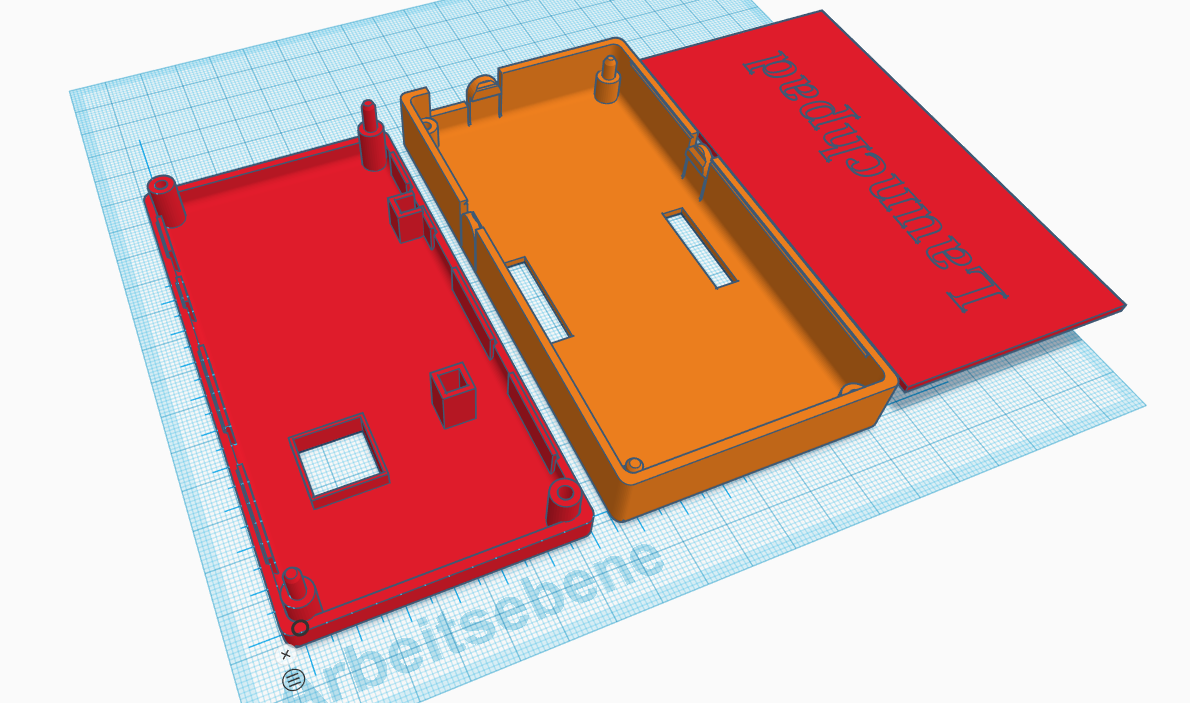
XRyu
on 17 Oct 2019
dapting this one for the CC1352P-2 Launchpad
Very nice effort! You got further than me - I had imported the STL from thingiverse into TC but nothing more - mostly because I didnt actually buy the board yet.
When you are happy please can you share the model via TC link or of course on thingi
james-fry
on 17 Oct 2019
BTW one of the comments on TV for the original was that the corner pins broke easily.
I was thinking to replace that with countersunk screws.
james-fry
on 17 Oct 2019
Just finished printing this https://www.thingiverse.com/thing:3305478
On Thu, Oct 17, 2019 at 3:48 PM Thomas Rose notifications@github.com
wrote:
>
- There are not pre-rolled 3D files for cases for either but this one
https://www.thingiverse.com/thing:1900355looks like it could be
adapted for either.i am currently making my first steps with tinkercad, adapting this one for
the CC1352P-2 Launchpad :)
[image: image]
https://user-images.githubusercontent.com/131995/67014615-6d205500-f0f5-11e9-9b38-9da3878319b1.png—
You are receiving this because you were mentioned.
Reply to this email directly, view it on GitHub
https://github.com/Koenkk/zigbee2mqtt/issues/1429?email_source=notifications&email_token=AAN3FSE5OEICLKK5NAEZQC3QPBUJFA5CNFSM4HF2SSS2YY3PNVWWK3TUL52HS4DFVREXG43VMVBW63LNMVXHJKTDN5WW2ZLOORPWSZGOEBQFBDY#issuecomment-543182991,
or unsubscribe
https://github.com/notifications/unsubscribe-auth/AAN3FSAOKJWOPES2MRABYDLQPBUJFANCNFSM4HF2SSSQ
.
--
Marlon Pina Tojal
Developer__________________________________________________
www.fnx.pt
www.linkedin.com/in/marlontojal
Mob. +31 6161 22 447
fnxpt
on 17 Oct 2019
Just finished printing this https://www.thingiverse.com/thing:3305478
Updated my post with the link - thanks!
james-fry
on 17 Oct 2019
root@loxberry:/opt/zigbee2mqtt# npm start

> [email protected] start /opt/zigbee2mqtt
> node index.js

                Zigbee2mqtt requires node version 10, you are running v12.10.0!

zigbee2mqtt:info  2019-10-18T19:09:40: Logging to directory: '/opt/zigbee2mqtt/data/log/2019-10-18.21-09-40'
zigbee2mqtt:info  2019-10-18T19:09:40: Starting zigbee2mqtt version 1.6.0 (commit #f219e5d)
zigbee2mqtt:info  2019-10-18T19:09:40: Starting zigbee-herdsman...
zigbee2mqtt:error 2019-10-18T19:09:44: Error while starting zigbee-herdsman
zigbee2mqtt:error 2019-10-18T19:09:44: Failed to start zigbee
zigbee2mqtt:error 2019-10-18T19:09:44: Exiting...
zigbee2mqtt:error 2019-10-18T19:09:44: Error: SREQ '--> SYS - osalNvWrite - {"id":3,"len":1,"offset":0,"value":{"type":"Buffer","data":[2]}}' failed with status '2' (expected '0')
    at Znp.<anonymous> (/opt/zigbee2mqtt/node_modules/zigbee-herdsman/dist/adapter/z-stack/znp/znp.js:193:27)
    at Generator.next (<anonymous>)
    at fulfilled (/opt/zigbee2mqtt/node_modules/zigbee-herdsman/dist/adapter/z-stack/znp/znp.js:5:58)
npm ERR! code ELIFECYCLE
npm ERR! errno 1
npm ERR! [email protected] start: `node index.js`
npm ERR! Exit status 1
npm ERR!
npm ERR! Failed at the [email protected] start script.
npm ERR! This is probably not a problem with npm. There is likely additional logging output above.

npm ERR! A complete log of this run can be found in:
npm ERR!     /root/.npm/_logs/2019-10-18T19_09_44_870Z-debug.log
I am using a CC1352P1 and always getting this error. Does the node version really matter?
EDIT:
I changed the system to node to10 and still get this error:
 Error: SREQ '--> SYS - osalNvWrite - {"id":3,"len":1,"offset":0,"value":{"type":"Buffer","data":[2]}}' failed with status '2' (expected '0')
    at Znp.<anonymous> (/opt/zigbee2mqtt/node_modules/zigbee-herdsman/dist/adapter/z-stack/znp/znp.js:193:27)
    at Generator.next (<anonymous>)
    at fulfilled (/opt/zigbee2mqtt/node_modules/zigbee-herdsman/dist/adapter/z-stack/znp/znp.js:5:58)
How can I avoid this?
 info it worked if it ends with ok
1 verbose cli [ '/usr/bin/node', '/usr/bin/npm', 'start' ]
2 info using [email protected]
3 info using [email protected]
4 verbose run-script [ 'prestart', 'start', 'poststart' ]
5 info lifecycle [email protected]~prestart: [email protected]
6 info lifecycle [email protected]~start: [email protected]
7 verbose lifecycle [email protected]~start: unsafe-perm in lifecycle true
8 verbose lifecycle [email protected]~start: PATH: /usr/lib/node_modules/npm/node_modules/npm-lifecycle/node-gyp-bin:/opt/zigbee2mqtt/node_modules/.bin:/usr/local/sbin:/usr/local/bin:/usr/sbin:/usr/bin:/sbin:/bin
9 verbose lifecycle [email protected]~start: CWD: /opt/zigbee2mqtt
10 silly lifecycle [email protected]~start: Args: [ '-c', 'node index.js' ]
11 silly lifecycle [email protected]~start: Returned: code: 1  signal: null
12 info lifecycle [email protected]~start: Failed to exec start script
13 verbose stack Error: [email protected] start: `node index.js`
13 verbose stack Exit status 1
13 verbose stack     at EventEmitter.<anonymous> (/usr/lib/node_modules/npm/node_modules/npm-lifecycle/index.js:301:16)
13 verbose stack     at EventEmitter.emit (events.js:189:13)
13 verbose stack     at ChildProcess.<anonymous> (/usr/lib/node_modules/npm/node_modules/npm-lifecycle/lib/spawn.js:55:14)
13 verbose stack     at ChildProcess.emit (events.js:189:13)
13 verbose stack     at maybeClose (internal/child_process.js:970:16)
13 verbose stack     at Process.ChildProcess._handle.onexit (internal/child_process.js:259:5)
14 verbose pkgid [email protected]
15 verbose cwd /opt/zigbee2mqtt
16 verbose Linux 4.14.98-v7+
17 verbose argv "/usr/bin/node" "/usr/bin/npm" "start"
18 verbose node v10.15.3
19 verbose npm  v6.4.1
20 error code ELIFECYCLE
21 error errno 1
22 error [email protected] start: `node index.js`
22 error Exit status 1
23 error Failed at the [email protected] start script.
23 error This is probably not a problem with npm. There is likely additional logging output above.
24 verbose exit [ 1, true ]
EDIT2:
Now it is working. I reflashed the firmware, changed the pan id, and channel. hold the reset button and then started again.
Now it is also working with node 12
matlab22
on 18 Oct 2019
https://github.com/Koenkk/zigbee2mqtt/issues/1429#issuecomment-540798495
Is the LAUNCHXL-CC1352P threated diffrently than the LAUNCHXL-CC1352P-2.
@Koenkk do you need to add this separatly in your firmware? As far as I understood, the only diffrences are in the outputfilter of the RF channel.
"usb-Texas_Instruments_XDS110__02.03.00.18__Embed_with_CMSIS-DAP_L42001UB-if00"
EDIT: LAUNCHXL-CC1352P is working with firmware CC1352P_2_20191011.hex
matlab22
on 19 Oct 2019
@fredrikgk are LAUNCHXL-CC1352P-2 and LAUNCHXL-CC1352P-1 binary compatible?
Koenkk
on 19 Oct 2019
LAUNCHXL-CC1352P1_SCHEMATIC.pdf
LAUNCHXL-CC1352P-2_SCHEMATIC.pdf
If you have alook at the schematics, they use both the same chip. The only diffrence is in the filter components on the first page. It is indicated as High Power BOM for 2.4GHz or 20dBm BOM for FCC & ETSI. Also Z60 infront of the antenna is slightly different
And I could flash your firmware without any problem:
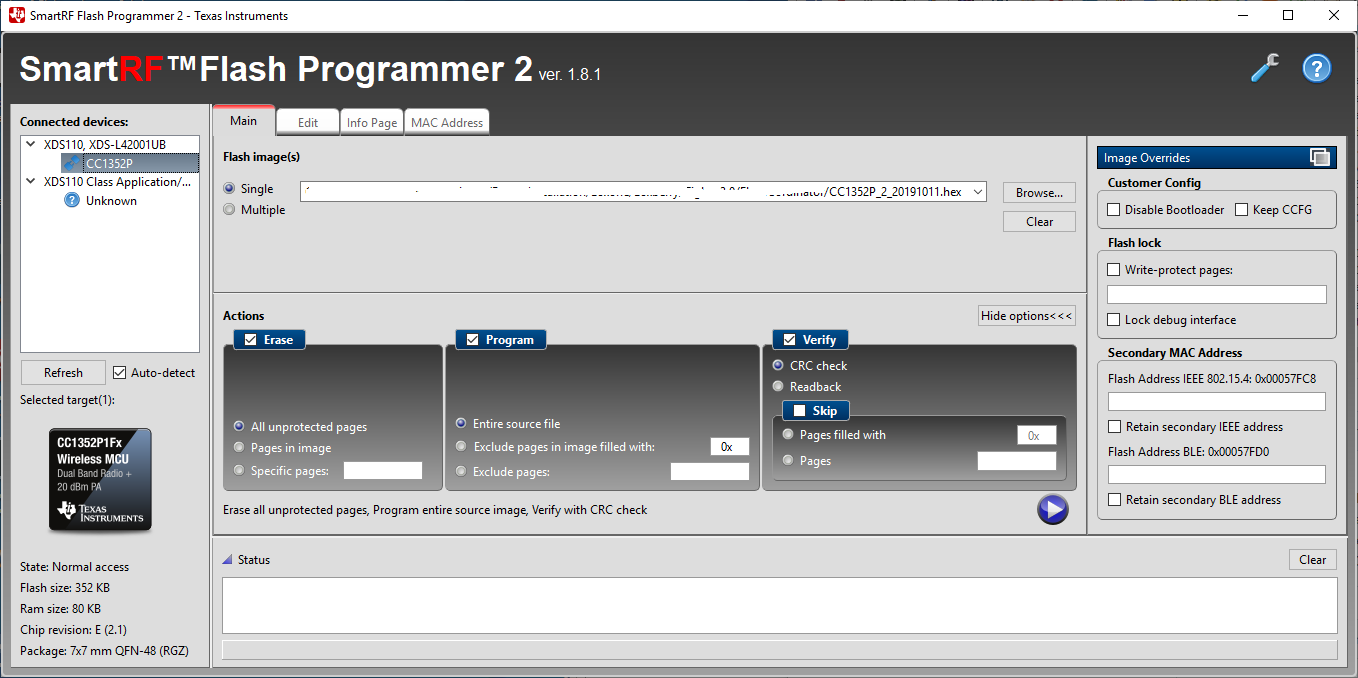
matlab22
on 19 Oct 2019
@Koenkk
Are there any guides how to build the firmware from source?
I like to build a version with serial port communication instead of the built in usb serial converter.
Thanks.
hdo
on 19 Oct 2019
As @matlab22 points out, the two different CC1352P LaunchPads are identical except for the 20 dBm matching. As long as you limit the maximum output power to 5 dBm (which I believe is default in ZStack), there will be no performance difference.
fredrikgk
on 19 Oct 2019
@matlab22 , what is the board revision of the LaunchPad you got from DigiKey? Does it have the big yellow capacitor next to the USB connector?
fredrikgk
on 19 Oct 2019
@hdo , you do not need specific FW for serial port communication. You can simply tap into the UART signals in the jumper pin-row on the LaunchPad.
You will anyway find the patch file in the Stack repo which shows which changes are done from the default ZNP.
fredrikgk
on 19 Oct 2019
@fredrikgk Yep, got the one with the big tantal cap next to the button. HW Rev: B FW: SDK2.40 1903
matlab22
on 19 Oct 2019
Ok, then at least the board is not outdated :-)
fredrikgk
on 19 Oct 2019
Update:
I can confirm that zigbee2mqtt works great with serial connection.
You need to tap the following connections:
DIO2 (RX)
DIO3 (TX)
GND
You also need to disable hardware flow control:
rtscts: false
Side note: With this i don't need to soft reset via button to start the firmware. Don't know why though.
@hdo , you do not need specific FW for serial port communication. You can simply tap into the UART signals in the jumper pin-row on the LaunchPad.
You will anyway find the patch file in the Stack repo which shows which changes are done from the default ZNP.
Thank. Didn't know that. I'll try that out. I want to use serial because of my existing TCP2Serial adapter.
hdo
on 19 Oct 2019
UPDATE: Ok, i think i figured it out:
1) Need to press the button to soft reset each time i plugged the usb cable in (to load firmware into memory?)
2) Change pan_id and channel in the configuration.yml file
Unfortunately i can't start zigbee2mqtt with the latest-dev docker image :-(
Any hints?
EDIT: I tried both serial ports (/dev/ttyACM0 and /dev/ttyACM1). Auto detect didnt' work
Also reflashed image serveral times :-(
Anyone?
serialport/bindings/unixWrite Finished writing 5 bytes +0ms
serialport/stream binding.write write finished +2ms
zigbee2mqtt:error 2019-10-19T19:08:37: Error while starting zigbee-herdsman
winston:file written true false
zigbee2mqtt:error 2019-10-19T19:08:37: Failed to start zigbee
winston:file written true false
zigbee2mqtt:error 2019-10-19T19:08:37: Exiting...
winston:file written true false
zigbee2mqtt:error 2019-10-19T19:08:37: Error: SRSP - SYS - version after 6000ms
at Timeout.object.timer.setTimeout [as _onTimeout] (/app/node_modules/zigbee-herdsman/dist/utils/waitress.js:44:24)
at ontimeout (timers.js:436:11)
at tryOnTimeout (timers.js:300:5)
at listOnTimeout (timers.js:263:5)
at Timer.processTimers (timers.js:223:10)
winston:file written true false
hdo
on 19 Oct 2019
I used cc1352p-2
pi@raspberrypi:~ $ ls -l /dev/serial/by-id
total 0
lrwxrwxrwx 1 root root 13 Oct 19 23:29 usb-Texas_Instruments_XDS110__02.03.00.18__Embed_with_CMSIS-DAP_L43000GM-if00 -> ../../ttyACM0
lrwxrwxrwx 1 root root 13 Oct 19 23:29 usb-Texas_Instruments_XDS110__02.03.00.18__Embed_with_CMSIS-DAP_L43000GM-if03 -> ../../ttyACM1
pi@raspberrypi:~ $
I don’t know ,it works with erro.
./run.sh: line 16: [Info] Configuration backup found in /share/zigbee2mqtt/.configuration.yaml.bk. Skipping config backup.: No such file or directory
[Info] Socat is DISABLED and not started
2019-10-20T07:56:51: PM2 log: Launching in no daemon mode
2019-10-20T07:56:51: PM2 log: App [npm:0] starting in -fork mode-
2019-10-20T07:56:51: PM2 log: App [npm:0] online
[email protected] start /app
node index.js
zigbee2mqtt:info 2019-10-19T23:56:54: Logging to directory: '/share/zigbee2mqtt/log/2019-10-20.07-56-54'
zigbee2mqtt:info 2019-10-19T23:56:54: Starting zigbee2mqtt version 1.6.0 (commit #0f9046134f98a10c50bf404e9ca0664747bb97d7)
zigbee2mqtt:info 2019-10-19T23:56:54: Starting zigbee-herdsman...
zigbee2mqtt:error 2019-10-19T23:57:02: Error while starting zigbee-herdsman
zigbee2mqtt:error 2019-10-19T23:57:02: Failed to start zigbee
zigbee2mqtt:error 2019-10-19T23:57:02: Exiting...
zigbee2mqtt:error 2019-10-19T23:57:02: Error: SRSP - SYS - version after 6000ms
at Timeout.object.timer.setTimeout [as _onTimeout] (/app/node_modules/zigbee-herdsman/dist/utils/waitress.js:44:24)
at ontimeout (timers.js:436:11)
at tryOnTimeout (timers.js:300:5)
at listOnTimeout (timers.js:263:5)
at Timer.processTimers (timers.js:223:10)
npm
ERR! code ELIFECYCLE
npm ERR! errno 1
npm ERR! [email protected] start:node index.js
npm ERR! Exit status 1
npm ERR!
npm ERR! Failed at the [email protected] start script.
npm ERR! This is probably not a problem with npm. There is likely additional logging output above.
npm ERR! A complete log of this run can be found in:
npm ERR! /root/.npm/_logs/2019-10-19T23_57_02_174Z-debug.log
2019-10-20T07:57:02: PM2 log: App [npm:0] exited with code [1] via signal [SIGINT]
2019-10-20T07:57:02: PM2 log: App [npm:0] starting in -fork mode-
2019-10-20T07:57:02: PM2 log: App
 flower87lucky
on 20 Oct 2019
flower87lucky
on 20 Oct 2019
@flower87lucky
Try the following (see my comment above):
- soft reset (via button) after usb plug in
- change pan_id and channel in the configuration.yml file
- wait about 30 seconds before starting zigbee2mqtt
I used cc1352p-2
pi@raspberrypi:~ $ ls -l /dev/serial/by-id
total 0
lrwxrwxrwx 1 root root 13 Oct 19 23:29 usb-Texas_Instruments_XDS110__02.03.00.18__Embed_with_CMSIS-DAP_L43000GM-if00 -> ../../ttyACM0
lrwxrwxrwx 1 root root 13 Oct 19 23:29 usb-Texas_Instruments_XDS110__02.03.00.18__Embed_with_CMSIS-DAP_L43000GM-if03 -> ../../ttyACM1
pi@raspberrypi:~ $
hdo
on 20 Oct 2019
without effect. I have done it.
soft reset (via button) after usb plug in
change pan_id and channel in the configuration.yml file
wait about 30 seconds before starting zigbee2mqtt
When I change used cc2531,it works good.
flower87lucky
on 20 Oct 2019
Bummer. I guess you also tried to reflash the firmware several times? There is an option to erase the whole flash on the CC2652R via flasher V2
without effect. I have done it.
soft reset (via button) after usb plug in
change pan_id and channel in the configuration.yml file
wait about 30 seconds before starting zigbee2mqttWhen I change used cc2531,it works good.
hdo
on 20 Oct 2019
I have reflashed cc1352p-2 for several times,but without any effect. I used zigbee2mqtt-edge with hassio-docker.
flower87lucky
on 20 Oct 2019
Is it possible to create a 'summery' page for the adventure progress? Which coordinators have which issues, limitations, possibilities, impossibilities? It should make it easier to decide which path to take. Thanks.
 bochelork
on 20 Oct 2019
bochelork
on 20 Oct 2019
@flower87lucky
zigbee2mqtt:error 2019-10-19T23:57:02: Error: SRSP - SYS - version after 6000ms
I get this message when I hold the reset after starting npm, so I guess you ether did not flash the mcu propperly or you specified the port wrong. which port do you set for the cc1352 and which for the cc2531? Did you try just using ttyACM0?
matlab22
on 20 Oct 2019
I set up some devices on my CC2652R but I again have problems with network routes with these devices:
zigbee2mqtt:error 2019-10-20T16:32:28: Publish 'set' 'state' to 'xxx' failed: 'Error: Data request failed with error: 'No network route' (205)'
zigbee2mqtt:info 2019-10-20T16:32:28: MQTT publish: topic 'zigbee2mqtt-test/bridge/log', payload '{"type":"zigbee_publish_error","message":"Publish 'set' 'state' to 'xxx' failed: 'Error: Data request failed with error: 'No network route' (205)'","meta":{"friendly_name":"xxx"}}'zigbee2mqtt:info 2019-10-20T17:04:38: MQTT publish: topic 'zigbee2mqtt-test/xxx', payload '{"state":"ON","brightness":100,"device":{"friendlyName":"xxx","ieeeAddr":"0x0017880106415f0a","networkAddress":42637,"type":"Router","manufacturerID":4107,"manufacturerName":"Philips","powerSource":"Mains (single phase)","applicationVersion":2,"stackVersion":1,"zclVersion":1,"hardwareVersion":0,"dateCode":"20180312","softwareBuildID":"1.30.4_r23032"}}'
zigbee2mqtt:error 2019-10-20T17:28:35: Publish 'set' 'state' to 'xxx' failed: 'Error: Timeout - 42637 - 11 - 29 - 11 after 15000ms'
zigbee2mqtt:info 2019-10-20T17:28:35: MQTT publish: topic 'zigbee2mqtt-test/bridge/log', payload '{"type":"zigbee_publish_error","message":"Publish 'set' 'state' to 'xxx' failed: 'Error: Timeout - 42637 - 11 - 29 - 11 after 15000ms'","meta":{"friendly_name":"xxx"}}'
When I noticed the light being off I tried to turn it on again and this time it worked.
I bought the CC2652R because of the same trouble with the CC2531: losing network routes for such devices and I though it was because of my fairly large network. But on the CC2625R only 3 devices are paired currently. Any ideas?
peterforeman
on 20 Oct 2019
I also ordered board from TI after reading a lot of this thread. I'm feeling adventurous.
I noticed that since firmware is not on dev-tree anymore and the link on the first post should be updated. Currently says "Firmware can be found here in the bin folder: https://github.com/Koenkk/Z-Stack-firmware/tree/dev/coordinator/Z-Stack_3.x.0" but this should be "https://github.com/Koenkk/Z-Stack-firmware/tree/master/coordinator/Z-Stack_3.x.0" :)
 Kryzek
on 21 Oct 2019
Kryzek
on 21 Oct 2019
Likewise - I ordered a CC1352P-2 board. Arriving later in the week.
A little worried by the reports of this board not working with hassio (there is an issue raised on hassio addon repo) but I assume it can be resolved.
james-fry
on 21 Oct 2019
@james-fry
Likewise - I ordered a CC1352P-2 board. Arriving later in the week.
A little worried by the reports of this board not working with hassio (there is an issue raised on hassio addon repo) but I assume it can be resolved.
Works for me on hassio
dmitrybabeshko
on 21 Oct 2019
@james-fry
Using the CC1352P-2 board for last 6 days without issue
aidbish
on 21 Oct 2019
@dmitrybabeshko @aidbish - this is good news :)
I was referring to this issue on the addon repo: https://github.com/danielwelch/hassio-zigbee2mqtt/issues/241
james-fry
on 21 Oct 2019
CC1352P1 is working at my site with the same firmware as for CC1352P-2. However when I cut the power of my RP3B+ I have to press the reset button of the evalboard, otherwise npm will not start. It ends in a retry loop. Does any one has the same problem?
matlab22
on 21 Oct 2019
@james-fry ,the LaunchPad used by @flower87lucky is an old deprecated version (engineering release of the IC), which is why it is not working for him.
Koenkk/zigbee2mqtt/issues/2162
fredrikgk
on 21 Oct 2019
@matlab22 , I would guess this depends on how long power is removed from the RPi. If you just toggle the power, decoupling caps on the LaunchPad may retain voltage long enough to prevent a brown-out reset.
fredrikgk
on 21 Oct 2019
@james-fry ,the LaunchPad used by @flower87lucky is an old deprecated version (engineering release of the IC), which is why it is not working for him.
/issues/2162
Ah thanks for confirming. I have brand new order from TI so I would expect it will be the latest version.
james-fry
on 21 Oct 2019
After running +- 7 days I conclude that the CC2652R is stable.
- I've did some minor improvements regarding bursting commands (latest dev)
- Some of these improvements are done in the firmware itself, a new version is now available: 20191015. Users that are currently on 20191011 can easily upgrade by stopping zigbee2mqtt, reflashing the firmware and starting zigbee2mqtt. Zigbee2mqtt will automatically restore a backup which recovers your network.
Koenkk
on 21 Oct 2019
 zigbee2mqtt:info  2019-10-21T20:16:14: Coordinator firmware version: '{"type":"zStack3x0","meta":{"transportrev":2,"product":1,"majorrel":2,"minorrel":7,"maintrel":1,"revision":20191015}}'
Oct 21 22:16:14 loxberry npm[3419]: zigbee2mqtt:info  2019-10-21T20:16:14: Currently 4 devices are joined:
Oct 21 22:16:14 loxberry npm[3419]: zigbee2mqtt:info  2019-10-21T20:16:14: 0x00158d000346c1b7 (0x00158d000346c1b7): WSDCGQ11LM - Xiaomi Aqara temperature, humidity and pressure sensor (EndDevice)
Oct 21 22:16:14 loxberry npm[3419]: zigbee2mqtt:info  2019-10-21T20:16:14: 0x00158d0002ad8f9c (0x00158d0002ad8f9c): WXKG12LM - Xiaomi Aqara wireless switch (with gyroscope) (EndDevice)
Oct 21 22:16:14 loxberry npm[3419]: zigbee2mqtt:info  2019-10-21T20:16:14: 0x00158d00036b2367 (0x00158d00036b2367): WSDCGQ11LM - Xiaomi Aqara temperature, humidity and pressure sensor (EndDevice)
Oct 21 22:16:14 loxberry npm[3419]: zigbee2mqtt:info  2019-10-21T20:16:14: 0x00158d0003499b95 (0x00158d0003499b95): WSDCGQ11LM - Xiaomi Aqara temperature, humidity and pressure sensor (EndDevice)
Thanks, update on CC1252 worked like a charme. 👍
@fredrikgk https://github.com/Koenkk/zigbee2mqtt/issues/1429#issuecomment-544463693
Could be the issue. I tired it now a few times and it started without hitting the reset button
matlab22
on 21 Oct 2019
After running +- 7 days I conclude that the CC2652R is stable.
- I've did some minor improvements regarding bursting commands (latest dev)
- Some of these improvements are done in the firmware itself, a new version is now available: 20191015. Users that are currently on 20191011 can easily upgrade by stopping zigbee2mqtt, reflashing the firmware and starting zigbee2mqtt. Zigbee2mqtt will automatically restore a backup which recovers your network.
I bought the cc1352p-2 version e again and it will arrive tomorrow. Do these firmware support:
- Power on and load firmware automatically;
- Input through UART,I need to connect with raspberry pi, UART is more convenient
flower87lucky
on 22 Oct 2019
I have the CC2652R version and UART is working fine. :-)
However i have problems pairing Xiaomi Temperature devices :-(
After running +- 7 days I conclude that the CC2652R is stable.
- I've did some minor improvements regarding bursting commands (latest dev)
- Some of these improvements are done in the firmware itself, a new version is now available: 20191015. Users that are currently on 20191011 can easily upgrade by stopping zigbee2mqtt, reflashing the firmware and starting zigbee2mqtt. Zigbee2mqtt will automatically restore a backup which recovers your network.
I bought the cc1352p-2 version e again and it will arrive tomorrow. Do these firmware support:
- Power on and load firmware automatically;
- Input through UART,I need to connect with raspberry pi, UART is more convenient
hdo
on 22 Oct 2019
Today i reserved some time for switching to the CC1352P-2 from my "old" CC2351 - this was so crazy, i never thought everything could work THAT smooth, big thanks @Koenkk, with latest-dev docker and latest 20191015-Firmware i started to repair all my devices, running through the rooms and every single device INSTANTLY connected, never seen this with my CC2351 as great as today.
So much about the success-story :D
Additionally i am now feeling confident enough to give out my version of a Case for the CC1352P-2 Case, availably with Z2M-Logo, "engraved" (good for MultiMaterial-Prints, i do it with Layerchange in Slicer) and cut-through :)
Hope you like it: https://www.thingiverse.com/thing:3928171
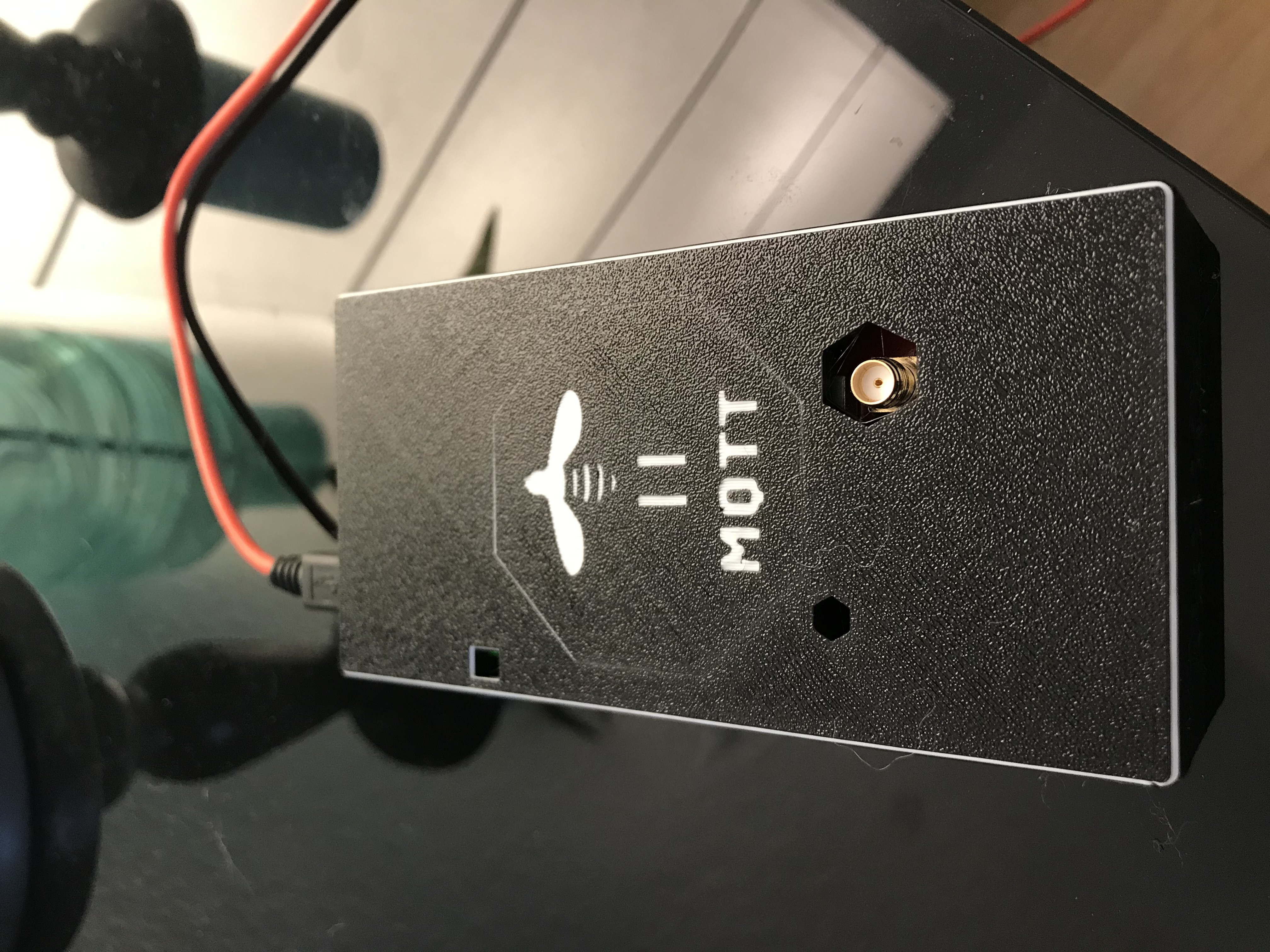
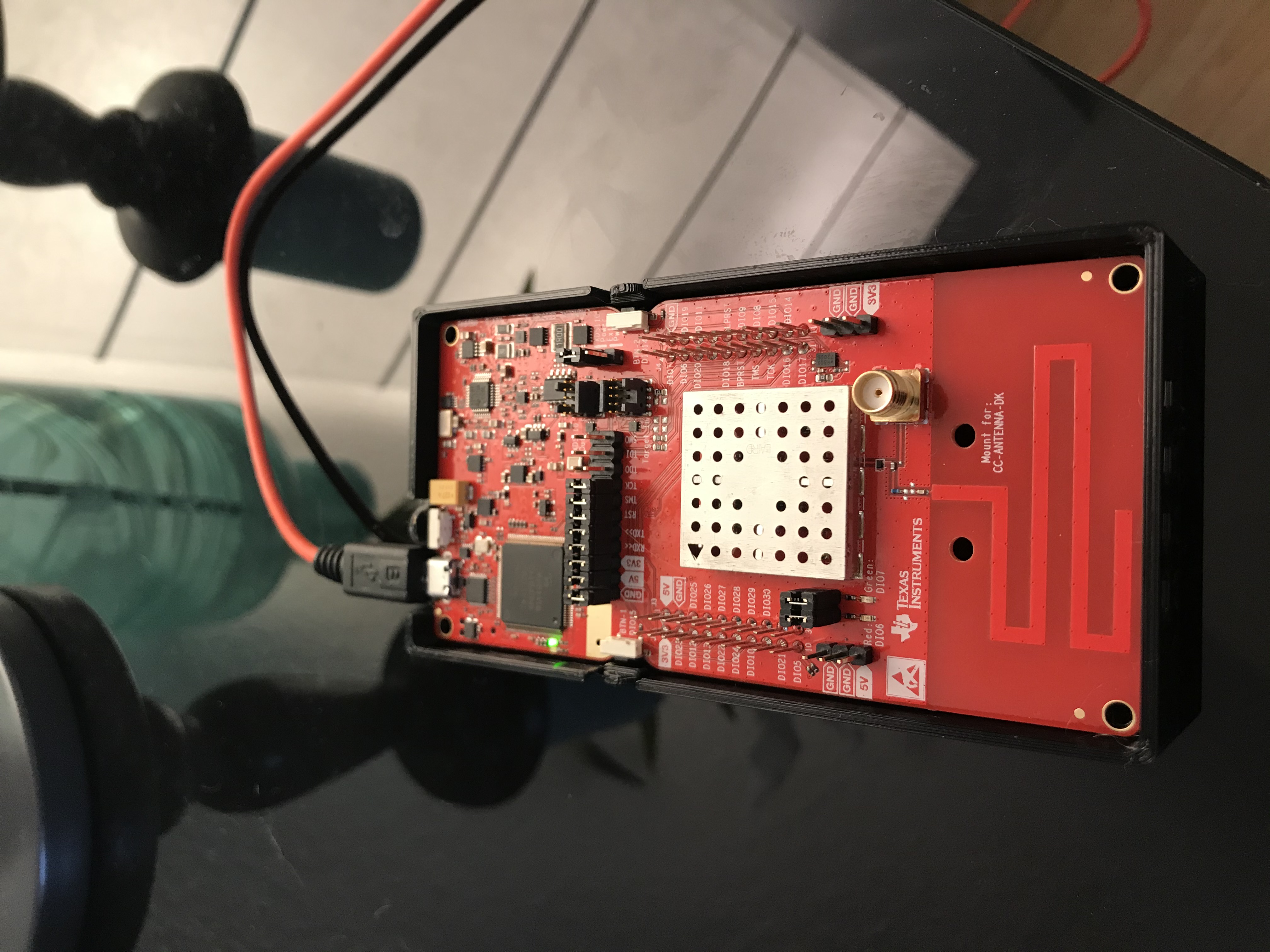
XRyu
on 22 Oct 2019
Looks lovely!
Much nicer than my test print - I am envious of your Prusa MK printer ;)
james-fry
on 22 Oct 2019
Where is everyone getting the CC1352P-2 from?
 danpowell88
on 23 Oct 2019
danpowell88
on 23 Oct 2019
Where is everyone getting the CC1352P-2 from?
You can buy it directly from TI.
hdo
on 23 Oct 2019
@Koenkk
Whether the next version of firmware supports power on automatic loading does not require soft reset.
There are two groups of LEDs on the board. Does the next version support status display?
flower87lucky
on 25 Oct 2019
@flower87lucky AFAIK all firmwares are automatically loaded (just plug in and start zigbee2mqtt).
Koenkk
on 25 Oct 2019
@flower87lucky AFAIK all firmwares are automatically loaded (just plug in and start zigbee2mqtt).
@Koenkk
For some weird reason this does not work for me. I have to soft reset to load the firmware. Strange enough this does not happen if i use UART instead of USB ?!
hdo
on 25 Oct 2019
Maybe that is the reason (I don't use uart), @fredrikgk is this expected behaviour?
Koenkk
on 25 Oct 2019
I just tried zigbee2mqtt on a raspberry pi and on that i don't need to soft reset. Really strange.
hdo
on 25 Oct 2019
Hi I have flashed a CC1352P-2 with Flash 2 sw,
When I try to run the latest docker dev image, with:
docker run -it -v /home/homecontrol/DockerSettings/zigbee2mqtt_CC1352P_2:/app/data --device=/dev/ttyACM1 koenkk/zigbee2mqtt:latest-dev
I get the following error - and Zigbee2MQTT does not start:
zigbee2mqtt:info 2019-10-25T18:35:26: Logging to directory: '/app/data/log/2019-10-25.18-35-26'
zigbee2mqtt:info 2019-10-25T18:35:26: Starting zigbee2mqtt version 1.6.0 (commit #ca19b77)
zigbee2mqtt:info 2019-10-25T18:35:26: Starting zigbee-herdsman...
zigbee2mqtt:error 2019-10-25T18:36:33: Error while starting zigbee-herdsman
zigbee2mqtt:error 2019-10-25T18:36:33: Failed to start zigbee
zigbee2mqtt:error 2019-10-25T18:36:33: Exiting...
zigbee2mqtt:error 2019-10-25T18:36:33: Error: AREQ - ZDO - stateChangeInd after 60000ms
at Timeout.object.timer.setTimeout [as _onTimeout] (/app/node_modules/zigbee-herdsman/dist/utils/waitress.js:44:24)
at ontimeout (timers.js:436:11)
at tryOnTimeout (timers.js:300:5)
at listOnTimeout (timers.js:263:5)
at Timer.processTimers (timers.js:223:10)
npm ERR! code ELIFECYCLE
npm ERR! errno 1
npm ERR! [email protected] start: node index.js
npm ERR! Exit status 1
npm ERR!
npm ERR! Failed at the [email protected] start script.
npm ERR! This is probably not a problem with npm. There is likely additional logging output above.
npm ERR! A complete log of this run can be found in:
npm ERR! /root/.npm/_logs/2019-10-25T18_36_33_611Z-debug.log
Any ideas?
 WoodsterDK
on 25 Oct 2019
WoodsterDK
on 25 Oct 2019
@WoodsterDK see https://github.com/Koenkk/zigbee2mqtt/issues/1429#issuecomment-541340010
Koenkk
on 25 Oct 2019
@WoodsterDK or turn off (powerless) every router device. This worked for me.
bertran1
on 25 Oct 2019
@Koenkk - what do you mean, I have read the whole thread, but didn't find anything related, what did I miss?
WoodsterDK
on 25 Oct 2019
@bertran1 - what is the relation to other routers?
As a sidenote I'm spinning up a docker instance besides my actual live zigbee2mqtt instance...
WoodsterDK
on 25 Oct 2019
@WoodsterDK You are switching from CC2531 with Zigbee 1.2 to CC2652R with Zigbee 3?
WoodsterDK: what is the relation to other routers?
Because the routers are still using this panid/channel.
Koenkk: can you check on a different channel OR panid? You will get this error when the combination of channel and panid is already in use (on zigbee 1.2 we ignored this but on zigbee 3.0 we cannot). Error message needs to be improved though.
bertran1
on 25 Oct 2019
@Koenkk && @bertran1 Problem solved :)
I changed the default panid to pan_id: 0x1a63 - and now it start - YEAH...
I wanted to test the new CC1352P-2 coordinater before going live with the system.
It looks very promising - must say I'm very impressed by the zigbee2mqtt project - it is very good, so thumbs up!!!
Thanks for fast response - Now I'm off to testing....
Ohh.. forgot - yes, a better suited error message would be nice :)
WoodsterDK
on 25 Oct 2019
Hi All looking for recommendation on best way to test my cc1352P-2 coordinator whilst not disrupting my existing set up - I'm currently running the hassio edge addon.
I was considering to run the dev z2m docker (either in my hassio docker, or I have another VM with docker on the same server that I can use) in parallel for as long as needed to get comfortable.
Can two z2m instances exist on the same mqtt server? Are there any considerations? or other suggestions?
james-fry
on 26 Oct 2019
I started a container from the dev image, and, configered a different topic for this instance, and did another config in HA with new names.
Remember to configure a new panid or else it wont start.
This worked for me, and I can now move the sensors one by one.
Once fully migrated, I can remove the original instanse, and delete the config from HA.
WoodsterDK
on 26 Oct 2019
Quick Question, is there any chance of router firmware for the CC2652r or the CC152p-2.
Reason i ask is that i have both and still determining the best, i would like to use the other as a router, saves it sitting around doing nothing
aidbish
on 27 Oct 2019
I bought mine from the TI shop http://www.ti.com/tool/LAUNCHXL-CC26X2R1#buy
I'm in EU but the shipping was from Texas. Fortunately I didn't need to pay duties to the courier.
The problem is that my board says "Rev B" while apparently the latest should be the E or F.
Have I received a really old revision?
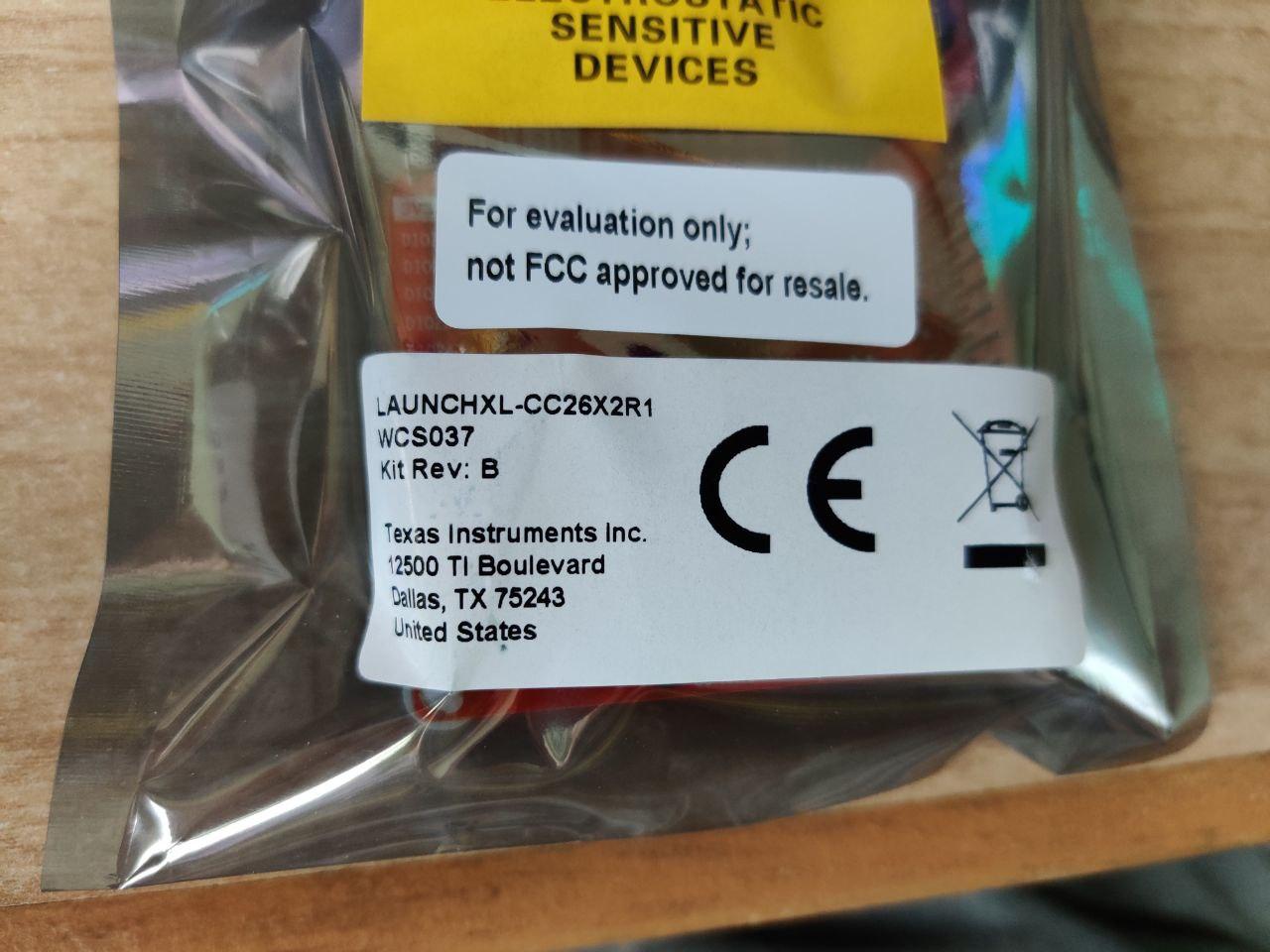
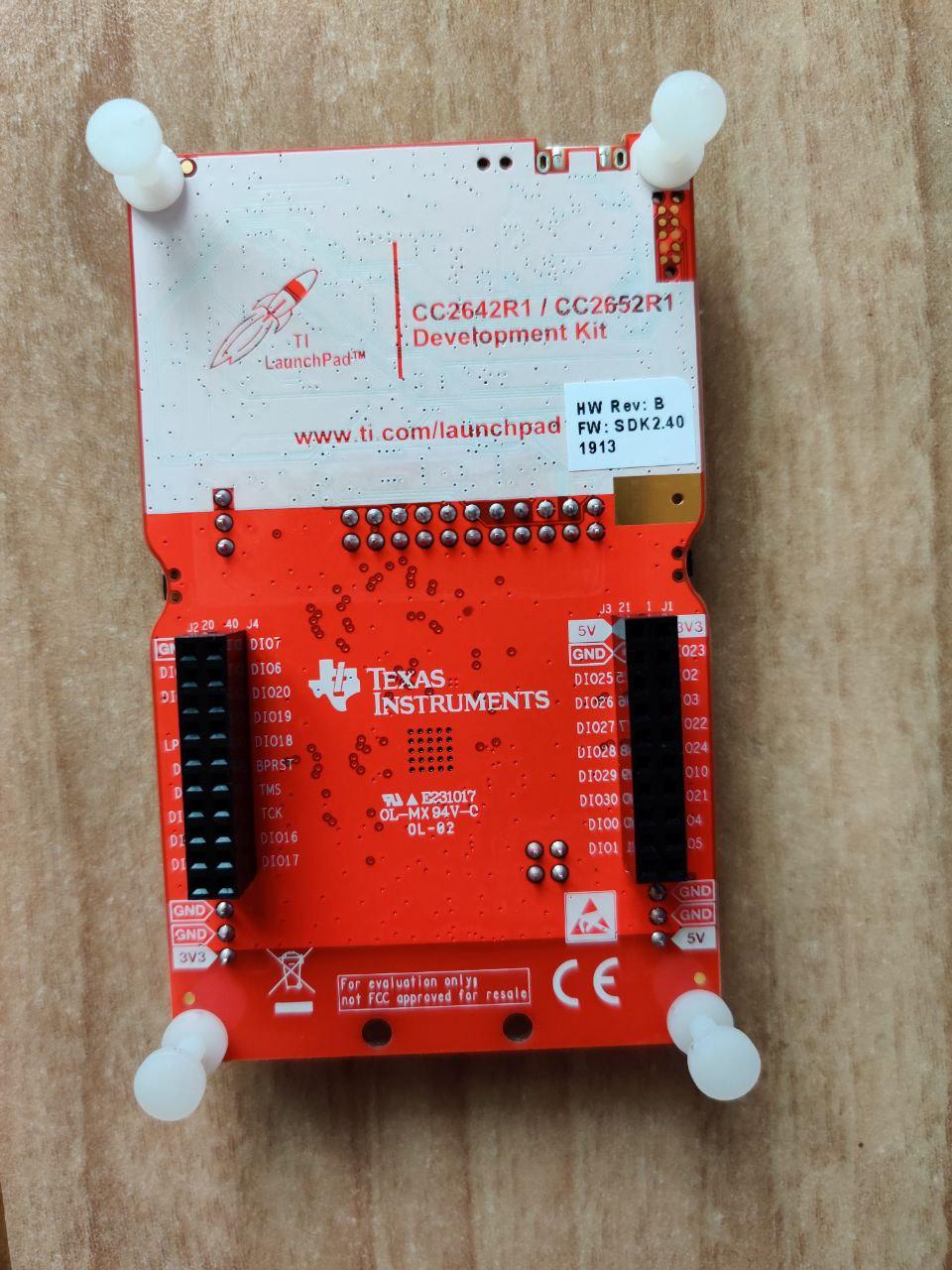
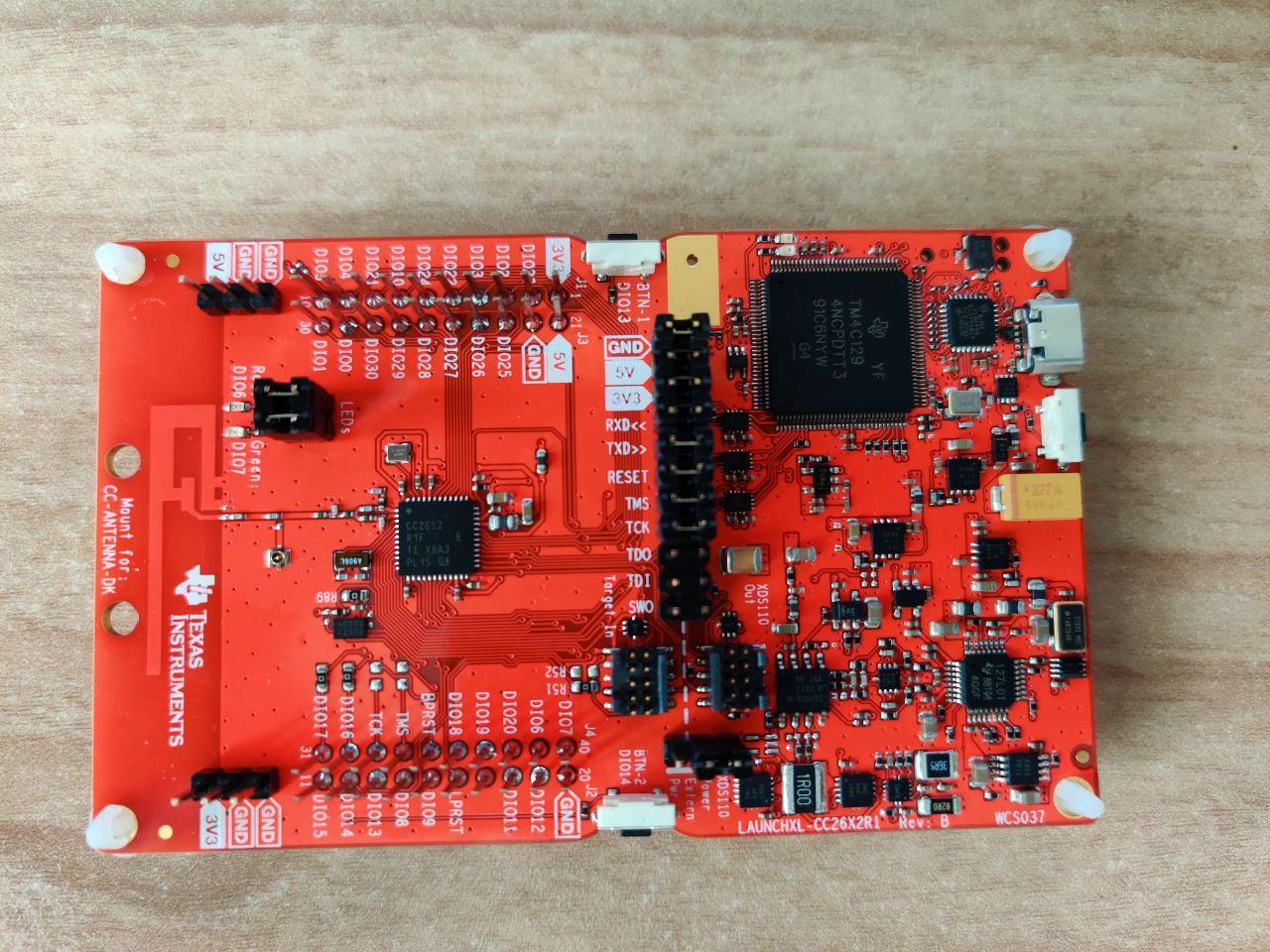
 RyuzakiKK
on 28 Oct 2019
RyuzakiKK
on 28 Oct 2019
@RyuzakiKK No worries. Mine is also Rev. B. The board has Revision B but the chip has Revision E.
hdo
on 28 Oct 2019
@hdo Thanks for the confirmation.
For other people that might be confused too, with "Flash Programmer" it's possible to check the chip revision that is different from the board revision.
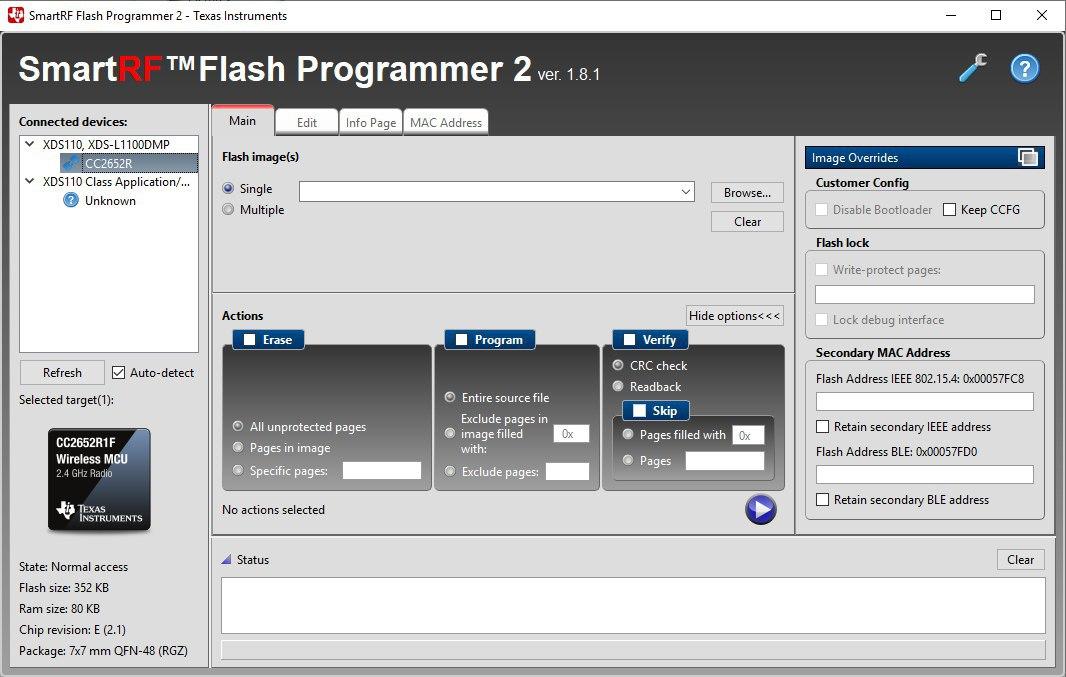
RyuzakiKK
on 28 Oct 2019
The chip revision is actually printed on the IC itself also.
fredrikgk
on 28 Oct 2019
I have the same: rev B board (CC1352P-2) and rev E (2.1) MCU.
I have been having some issues to get Z2M (in docker) to recognise the device, so I am glad its not a board revision thing.
When flashing this is my my log (windows 10, SmartRF Flash Programmer 2):
>Initiate access to target: XDS-L43001D9 using 2-pin cJTAG.
>Reading file: C:/Users/james/Desktop/Zigbee Firmware/CC1352P-2/CC1352P_2_20191015/CC1352P_2_20191015.hex.
>Start flash erase ...
>Erase finished successfully.
>Start flash programming ...
>Programming finished successfully.
>Start flash verify ...
>Skip verification of unassigned page: 22.
>Skip verification of unassigned page: 23.
>Skip verification of unassigned page: 24.
>Skip verification of unassigned page: 25.
>Skip verification of unassigned page: 26.
>Skip verification of unassigned page: 27.
>Skip verification of unassigned page: 28.
>Skip verification of unassigned page: 29.
>Skip verification of unassigned page: 30.
>Skip verification of unassigned page: 31.
>Skip verification of unassigned page: 32.
>Skip verification of unassigned page: 33.
>Skip verification of unassigned page: 34.
>Skip verification of unassigned page: 35.
>Skip verification of unassigned page: 36.
>Skip verification of unassigned page: 37.
>Skip verification of unassigned page: 38.
>Skip verification of unassigned page: 39.
>Skip verification of unassigned page: 40.
>Skip verification of unassigned page: 41.
>Skip verification of unassigned page: 42.
>Page: 0 verified OK.
>Page: 1 verified OK.
>Page: 2 verified OK.
>Page: 3 verified OK.
>Page: 4 verified OK.
>Page: 5 verified OK.
>Page: 6 verified OK.
>Page: 7 verified OK.
>Page: 8 verified OK.
>Page: 9 verified OK.
>Page: 10 verified OK.
>Page: 11 verified OK.
>Page: 12 verified OK.
>Page: 13 verified OK.
>Page: 14 verified OK.
>Page: 15 verified OK.
>Page: 16 verified OK.
>Page: 17 verified OK.
>Page: 18 verified OK.
>Page: 19 verified OK.
>Page: 20 verified OK.
>Page: 21 verified OK.
>Page: 43 verified OK.
>Verification finished successfully.
>Reset target ...
>Reset of target successful.
Looks good.
The device is passed through ESXI to ubuntu VM and recogniused by the host (via dmesg):
[12118088.756893] usb 1-2: new high-speed USB device number 4 using ehci-pci
[12118089.213773] usb 1-2: New USB device found, idVendor=0451, idProduct=bef3
[12118089.213775] usb 1-2: New USB device strings: Mfr=1, Product=2, SerialNumber=3
[12118089.213776] usb 1-2: Product: XDS110 (02.03.00.18) Embed with CMSIS-DAP
[12118089.213778] usb 1-2: Manufacturer: Texas Instruments
[12118089.213778] usb 1-2: SerialNumber: L43001D9
[12118089.221253] hid-generic 0003:0451:BEF3.0003: hiddev0,hidraw1: USB HID v1.11 Device [Texas Instruments XDS110 (02.03.00.18) Embed with CMSIS-DAP] on usb-0000:02:02.0-2/input5
[12118089.281904] cdc_acm 1-2:1.0: ttyACM0: USB ACM device
[12118089.283035] cdc_acm 1-2:1.3: ttyACM1: USB ACM device
[12118089.284599] usbcore: registered new interface driver cdc_acm
[12118089.284600] cdc_acm: USB Abstract Control Model driver for USB modems and ISDN adapters
I get two USB ACM devices (ttyACM0 and ttyACM1) but starting z2m with either does not work.
Docker container started with:
docker run -it -v /usr/share/hassio/share/zigbee2mqtt_cc1352p:/app/data --device=/dev/ttyACM0 --name zigbee2mqtt_cc1352p -e TZ=Europe/London koenkk/zigbee2mqtt:latest-dev
My configuration.yaml is:
homeassistant: true
permit_join: false

mqtt:
  base_topic: zigbee2mqtt_cc1352p
  server: 'mqtt://192.168.1.10'
  user: user
  password: password

serial:
  port: /dev/ttyACM0   #tried both

advanced:
  pan_id: 0x1a63  # i.e. +1 from default to not conflict w the existing z2m instance
  ext_pan_id: [0xDD, 0xDD, 0xDD, 0xDD, 0xDD, 0xDD, 0xDD, 0xDD]
  channel: 25
  log_level: debug
  log_directory: data/log/%TIMESTAMP%
  baudrate: 115200
  rtscts: true
  network_key: [redacted] # its the same as my existing network. OK?
Any ideas?
If possible anyone with cc1352p-2 board on docker, please can you post your docker start command and config?
james-fry
on 28 Oct 2019
Did you try to enable DEBUG to log the potential problem?
I'm using docker with my CC265x2R board and have to do a soft reset after usb plug in.
docker run \
   -it \
   -e DEBUG=* \
   -v /home/hdo/docker/zigbee2mqtt/data3:/app/data \
   --device=/dev/ttyACM0 \
   koenkk/zigbee2mqtt:latest-dev
hdo
on 28 Oct 2019
Did you try to enable DEBUG to log the potential problem?
I'm using docker with my CC265x2R board and have to do a soft reset after usb plug in.
docker run \ -it \ -e DEBUG=* \ -v /home/hdo/docker/zigbee2mqtt/data3:/app/data \ --device=/dev/ttyACM0 \ koenkk/zigbee2mqtt:latest-dev
Thanks - I will try this :)
james-fry
on 28 Oct 2019
I'm using docker with my CC265x2R board and have to do a soft reset after usb plug in.
It was this.
Now looks good :)
Using '/app/data' as data directory

> [email protected] start /app
> node index.js

zigbee2mqtt:info  2019-10-28T15:44:27: Logging to directory: 'data/log/2019-10-28.15-44-27'
zigbee2mqtt:debug 2019-10-28T15:44:27: Loaded state from file /app/data/state.json
zigbee2mqtt:info  2019-10-28T15:44:27: Starting zigbee2mqtt version 1.6.0 (commit #cb3ec45)
zigbee2mqtt:info  2019-10-28T15:44:27: Starting zigbee-herdsman...
zigbee2mqtt:debug 2019-10-28T15:44:27: Using zigbee-herdsman with settings: '{"network":{"panID":6755,"extenedPanID":[221,221,221,221,221,221,221,221],"channelList":[25],"networkKey":"HIDDEN"},"databasePath":"/app/data/database.db","backupPath":"/app/data/coordinator_backup.json","serialPort":{"baudRate":115200,"rtscts":true,"path":"/dev/ttyACM0"}}'
zigbee2mqtt:info  2019-10-28T15:44:28: zigbee-herdsman started
zigbee2mqtt:info  2019-10-28T15:44:28: Coordinator firmware version: '{"type":"zStack3x0","meta":{"transportrev":2,"product":1,"majorrel":2,"minorrel":7,"maintrel":1,"revision":20191015}}'
zigbee2mqtt:debug 2019-10-28T15:44:28: Zigbee network parameters: {"panID":6755,"extendedPanID":"0xdddddddddddddddd","channel":25}
zigbee2mqtt:info  2019-10-28T15:44:28: Currently 0 devices are joined:
zigbee2mqtt:info  2019-10-28T15:44:28: Zigbee: disabling joining new devices.
zigbee2mqtt:info  2019-10-28T15:44:28: Connecting to MQTT server at mqtt://192.168.1.10
zigbee2mqtt:info  2019-10-28T15:44:28: Connected to MQTT server
zigbee2mqtt:info  2019-10-28T15:44:28: MQTT publish: topic 'zigbee2mqtt_cc1352p/bridge/state', payload 'online'
zigbee2mqtt:info  2019-10-28T15:44:28: MQTT publish: topic 'zigbee2mqtt_cc1352p/bridge/config', payload '{"version":"1.6.0","commit":"cb3ec45","coordinator":{"type":"zStack3x0","meta":{"transportrev":2,"product":1,"majorrel":2,"minorrel":7,"maintrel":1,"revision":20191015}},"log_level":"debug","permit_join":false}'
I also got my new board from TI (shipped from Netherlands to Finland), got it flashed and started testing with a few devices first on my test bench :)
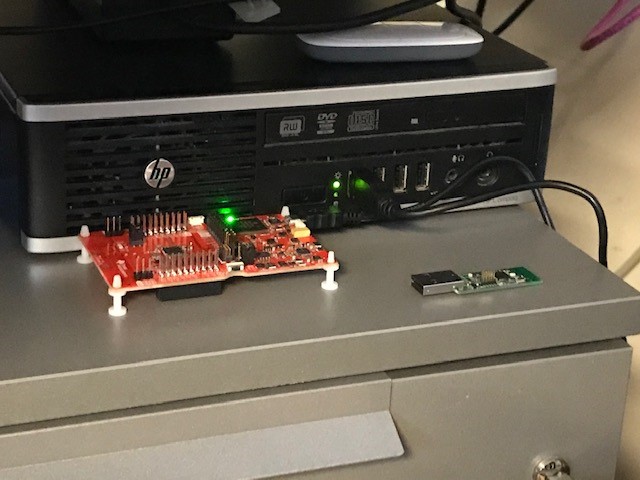
Kryzek
on 29 Oct 2019
I have coordinator cc1352p2 with latest FW and z2m installed.
After adding 2 routers based on cc2531 with latest available FW i see a very strange behaviour.
- Im unable to add routers to network if channel differs from channel 11.
have to set coordinator channel to 11, after this routers able to join network - After couple hours, typically after 2-3h one of routers stopped reporting. Rebooted it, second stopped reporting. And this behaviour in a loop.
So my question - is it possible use cc2531 as router in Z3.0.X network with coordinator cc1352p2 or CC265x2R
 timota
on 29 Oct 2019
timota
on 29 Oct 2019
I'm using a cc2531 router with my cc2652r, not sure if zigbee3 devices are connected with it.
I also have ikea bulbs and osram plugs acting as routers as well.
lolorc
on 29 Oct 2019
Got my CC1352P-2 board up and running last night.
I now have two zigbee2mqtt networks using different coordinator hardware, zigbee channel, pan_id and mqtt base topic. cc1352p-2 is on docker, cc2530 is on hassio edge.
Moving devices from one network to the other was as simple as sending topic to unsubscribe on my CC2530 z2m instance, and then pairing on my cc1352 instance. The same device just continues to work in home assistant. Slick.
I hope eventually when I have re-paired all devices to the cc1352 I can copy over the DB etc from docker to hassio and the migration is complete.
Some inputs:
_Good/better than CC2530:_
- Pairing seems to work much better. No more problems with Xiaomi devices needing the button to be mashed to keep alive during pairing etc. I still have problems with the trust remote but that device seems to be extremely unreliable in many respects
- As others mentioned it seems faster
- Link quality seems better but I didnt do any comparitive tests (yet)
_No change:_
- I still get floating devices in my network map :( I was hoping that this might improve with the increased number of direct connections and routes with this device. I'd really like to get to the bottom of this. (image of this below)
_Not tested:_
- I used to have instability with some devices dropping out of the network and needing to be repaired. I didnt see this yet.
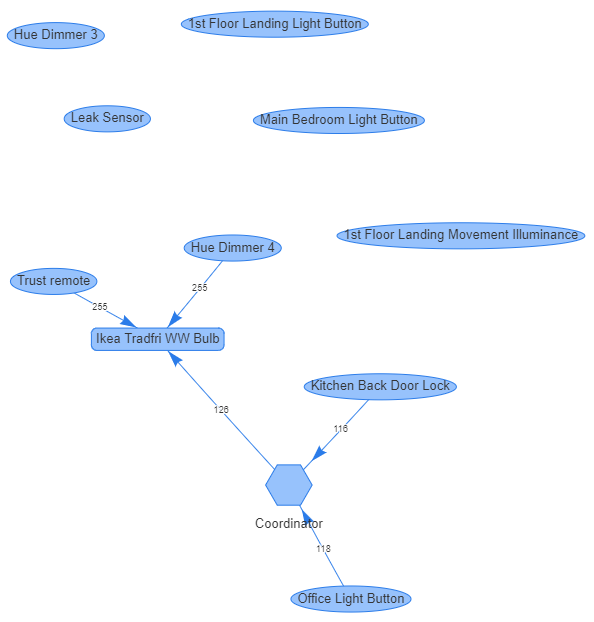
james-fry
on 29 Oct 2019
Here is a photo with 3d printed case - thx to @XRyu's great work on the case
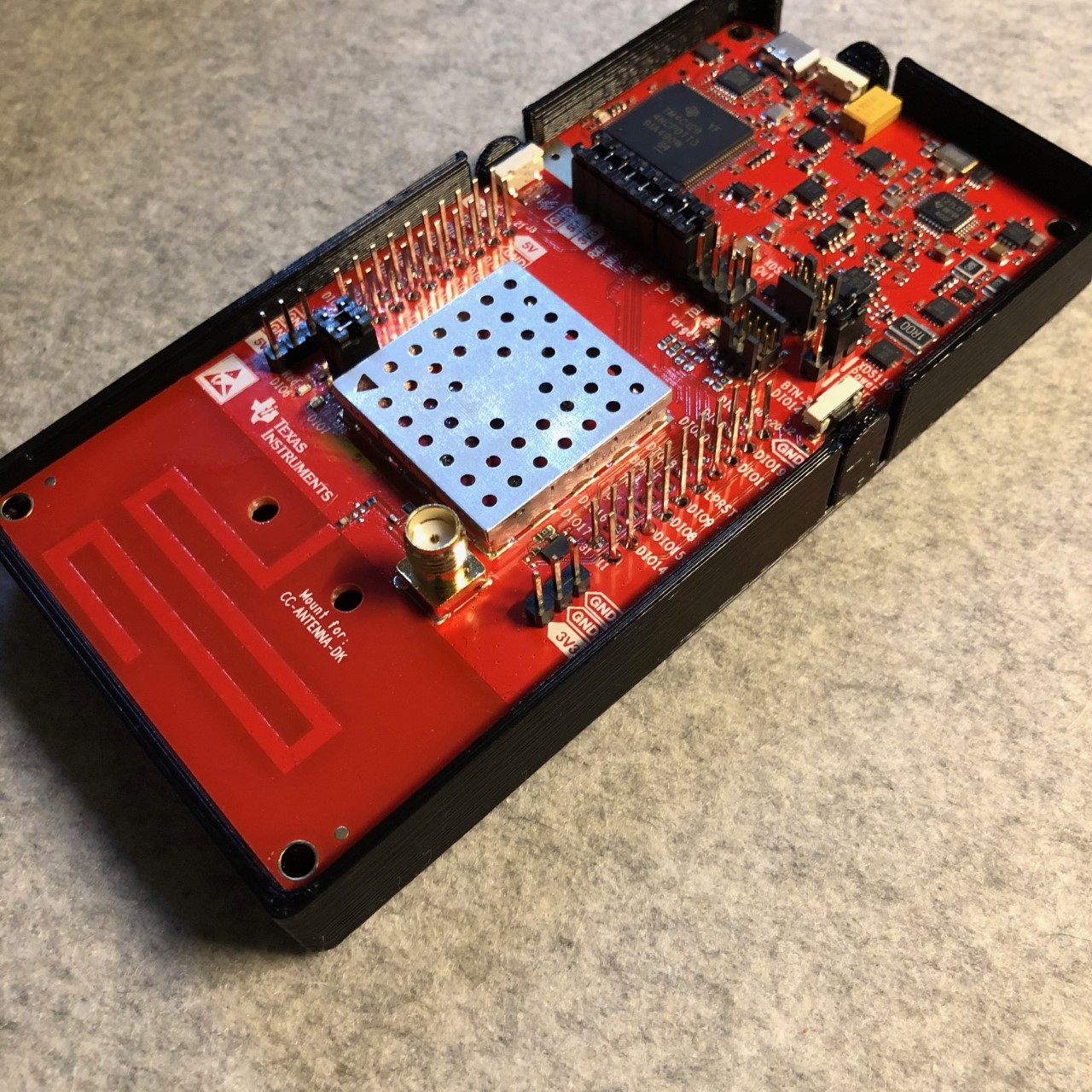
james-fry
on 29 Oct 2019
I noticed that I got a few new "No converter available for '
I also noticed that I do not need to be near coordinator but I can pretty much pair devices anywhere on my house which is convenient since pairing lights is quite a pain if you need to get bulb out of the fixture.
I had two instances of Z2M running (old on on RasPi and new on my server box now) and I just went around and unpaired from old instance and paired with new one. Home Assistant didn't see anything weird happen and everything from light switches to automations just works as it was before.
Kryzek
on 31 Oct 2019
If joining this adventure, which device is recommended?
- LAUNCHXL-CC1352P-2
- LAUNCHXL-CC26X2R1
The LAUNCHXL-CC1352P-2 seems to support external antenna. Are there any other differences
 Sineos
on 31 Oct 2019
Sineos
on 31 Oct 2019
See here for pros and cons.
https://github.com/Koenkk/zigbee2mqtt/issues/1429#issuecomment-543121459
I bought a CC1352P-2.
I figured the addition cost was worth the RF amp, _relative_ ease to enable antenna, and _possible_ future use of sub-1ghz
BTW I am no-longer sure the info in that post is correct regarding the CC26X2R1 being preferred. Seems a lot of CC1352P-2 are out there now too...
james-fry
on 31 Oct 2019
I do have a CC26X2R1 with onboard antenna and the reception is even better than my former CC2530 with external antenna :-)
hdo
on 31 Oct 2019
I also feel that CC26X2R1 does perform much better than my old CC2531. Much higher link quality from coordinator to nearest router devices. I'm sure you cannot really go wrong with either of those boards (CC1352P-2 or CC26X2R1) since both seem to do great.
Kryzek
on 31 Oct 2019
Just a heads up. Just transfered all my devices from my old CC2531 to a CC26X2R1 and pairing was a breeze. All the names from the config were found.
Still have the same problems with my E1524/E1810 though. It's unreliable at best but that's not a problem of this migration.
 nldroid
on 31 Oct 2019
nldroid
on 31 Oct 2019
I'm happy to read all the positive feedback :smile:
I feel there is one more thing left to do before the integration can be considered "finished". Currently the maximum number of Zigbee 3.0 devices that can join is 100, I feel this is a bit on the small side and earlier conversations I had with TI indicated that 200 should be achievable. However when setting it to 200 I run into memory issues. I've created a thread on the TI forum, hopefully they can help in solving this (https://e2e.ti.com/support/wireless-connectivity/zigbee-and-thread/f/158/t/852844).
Koenkk
on 31 Oct 2019
That got closed nice and fast :D
james-fry
on 31 Oct 2019
Is there any chance of getting router firmware based on either of the devices?
aidbish
on 1 Nov 2019
That got closed nice and fast :D
Yes, the error was on my side, will try to provide a new firmware soon.
Koenkk
on 1 Nov 2019
@Koenkk
Do you have plans to make TX power configurable on CC1352-P2 ? Thanks!
dmitrybabeshko
on 1 Nov 2019
Got my CC1352P-2 yesterday :-)
I paired all devices (42) in less than half an hour. Worked like a charm; pair was never was that easy! Even hard-to-pair devices like Xiaomi smoke detectors were paired in the first run.
That is really fantastic work!
Got a question regarding the messages; I get a quite long
MQTT publish: topic 'zigbee2mqtt/bridge/log', payload '{"type":"devices","message":[{
message nearly every second. Can that be turned off? I found nothing in the configuration.yaml regarding this.
sascha777
on 1 Nov 2019
@dmitrybabeshko @fredrikgk instead of allowing to set it, would it make sense to default this value to 25dbm in the firmware?
@sascha777 probably request by an external application, zigbee2mqtt itself doesn't do this.
Koenkk
on 1 Nov 2019
@sascha777 are you using the nodered dashboard? That used to do the same for me.
james-fry
on 1 Nov 2019
@dmitrybabeshko @fredrikgk instead of allowing to set it, would it make sense to default this value to 25dbm in the firmware?
I would prefer to be able to alter it. Sometimes more power is not wanted
matlab22
on 1 Nov 2019
@dmitrybabeshko @fredrikgk instead of allowing to set it, would it make sense to default this value to 25dbm in the firmware?
I would prefer to be able to alter it. Sometimes more power is not wanted
Also in some regions (eu) higher power (over +5 iirc) is technically illegal. I guess some may wish to observe that restriction whereas others may not
james-fry
on 1 Nov 2019
@james-fry makes sense, created a feature request for it: https://github.com/Koenkk/zigbee2mqtt/issues/2253
Koenkk
on 2 Nov 2019
@sascha777 are you using the nodered dashboard? That used to do the same for me.
That's it! I set it down to a lower interval in Node-RED. Thanks
sascha777
on 2 Nov 2019
Great glad it’s solved
james-fry
on 2 Nov 2019
So i'm a bit lost in the hardware choice in what to buy. At this moment i'm using deconz but with the rewrite that is going on and will be released after the stable 1.6 release i want to test/switch to zigbee2mqtt. So i started following and now its time to buy. I want to start with the CC1352 but i'm a bit doubting which version is needed?
The CC1352P LaunchPads come in different variants with different RF matching network on the 20 dBm PA output port:
LAUNCHXL-CC1352P1: 868/915 MHz up to 20 dBm, 2.4 GHz up to 5 dBm
LAUNCHXL-CC1352P-2: 868/915 MHz up to 14 dBm, 2.4 GHz up to 20 dBm which can be used to support both CC1352P and CC2652P
 lubbertkramer
on 5 Nov 2019
lubbertkramer
on 5 Nov 2019
Both will work, but the 1352p-2 is tuned for 2.4ghz so is the best option for zigbee. It will be more noticeable when the enhancement to set the PA gain is added. Currently gain is set to +5dbm so there will be no noticable difference.
james-fry
on 5 Nov 2019
As a happy deCONZ with Conbee (1) user I am having one issue which makes me consider to give Zigbee2MQTT a try: IKEA Tradfri lights (mostly GU10 warmwhite for me) occasionally lose connection and only will come back online after a powercycle. Not sure why this is happening and I am not the only one with this issue: https://github.com/dresden-elektronik/deconz-rest-plugin/issues/1261
Although it only happens occasionally, I want to get rid of it.
Kind of hard question I think, as it could also be the Tradfri firmware, but I'll give it a try: Any thoughs about this issue in combination with Z-Stack 3 with a CC1352P? Are there reasons to believe this will not be an issue with Z-Stack 3 and CC1352P?
 JBS5
on 5 Nov 2019
JBS5
on 5 Nov 2019
How can we confirm successful flashing of custom firmware to cc26x2r1? I've flashed it, plugging in to a Pi shows
Nov  5 16:07:03 pi kernel: [ 2309.460608] usb 1-1.4: new high-speed USB device number 5 using xhci_hcd
Nov  5 16:07:03 pi kernel: [ 2309.591197] usb 1-1.4: New USB device found, idVendor=0451, idProduct=bef3, bcdDevice= 1.00
Nov  5 16:07:03 pi kernel: [ 2309.591211] usb 1-1.4: New USB device strings: Mfr=1, Product=2, SerialNumber=3
Nov  5 16:07:03 pi kernel: [ 2309.591219] usb 1-1.4: Product: XDS110 (02.03.00.18) Embed with CMSIS-DAP
Nov  5 16:07:03 pi kernel: [ 2309.591224] usb 1-1.4: Manufacturer: Texas Instruments
Nov  5 16:07:03 pi kernel: [ 2309.591228] usb 1-1.4: SerialNumber: L1100A96
Nov  5 16:07:03 pi kernel: [ 2309.600681] cdc_acm 1-1.4:1.0: ttyACM0: USB ACM device
Nov  5 16:07:03 pi kernel: [ 2309.607697] cdc_acm 1-1.4:1.3: ttyACM1: USB ACM device
Nov  5 16:07:03 pi kernel: [ 2309.610262] hid-generic 0003:0451:BEF3.0003: hiddev96,hidraw0: USB HID v1.11 Device [Texas Instruments XDS110 (02.03.00.18) Embed with CMSIS-DAP] on usb-0000:01:00.0-1.4/input5
Nov  5 16:07:03 pi mtp-probe: checking bus 1, device 5: "/sys/devices/platform/scb/fd500000.pcie/pci0000:00/0000:00:00.0/0000:01:00.0/usb1/1-1/1-1.4"
Nov  5 16:07:03 pi mtp-probe: bus: 1, device: 5 was not an MTP device
Nov  5 16:07:03 pi mtp-probe: checking bus 1, device 5: "/sys/devices/platform/scb/fd500000.pcie/pci0000:00/0000:00:00.0/0000:01:00.0/usb1/1-1/1-1.4"
Nov  5 16:07:03 pi mtp-probe: bus: 1, device: 5 was not an MTP device
Trying to run server manually from docker image:
bash-5.0# DEBUG=cc-znp* ./run.sh
Debug information

-----

-----
{
  "data_path": "/share/zigbee2mqtt",
  "devices": "devices.yaml",
  "groups": "groups.yaml",
  "homeassistant": true,
  "permit_join": true,
  "mqtt": {
    "base_topic": "zigbee2mqtt",
    "server": "mqtt://core-mosquitto",
    "user": "mqtt",
    "password": "mqtt123"
  },
  "serial": {
    "port": "/dev/ttyACM0"
  },
  "advanced": {
    "pan_id": 6754,
    "log_level": "debug",
    "channel": 11,
    "network_key": [
      1,
      3,
      5,
      7,
      9,
      11,
      13,
      15,
      0,
      2,
      4,
      6,
      8,
      10,
      12,
      13
    ],
    "availability_blacklist": []
  },
  "ban": [],
  "whitelist": [],
  "queue": {},
  "socat": {
    "enabled": false,
    "master": "pty,raw,echo=0,link=/dev/ttyZ2M,mode=777",
    "slave": "tcp-listen:8485,keepalive,nodelay,reuseaddr,keepidle=1,keepintvl=1,keepcnt=5",
    "restartdelay": 1.0,
    "initialdelay": 1.0,
    "options": "-d -d",
    "log": true
  }
}Debug information end
./run.sh: line 24: [Info] Configuration backup found in /share/zigbee2mqtt/.configuration.yaml.bk. Skipping config backup.: No such file or directory
[Info] Socat is DISABLED and not started
[WARN] PM2 Daemon is already running
> [email protected] start /app
> node index.js
zigbee2mqtt:info  2019-11-05T16:44:46: Logging to directory: '/share/zigbee2mqtt/log/2019-11-05.11-44-46'
zigbee2mqtt:debug 2019-11-05T16:44:46: Removing old log directory '/share/zigbee2mqtt/log/2019-11-05.11-42-58'
zigbee2mqtt:debug 2019-11-05T16:44:46: Can't load state from file /share/zigbee2mqtt/state.json (doesn't exist)
zigbee2mqtt:info  2019-11-05T16:44:46: Starting zigbee2mqtt version 1.6.0 (commit #36c7a27e6c632e0450db18279fc46a1d01365579)
zigbee2mqtt:info  2019-11-05T16:44:46: Starting zigbee-herdsman...
zigbee2mqtt:debug 2019-11-05T16:44:46: Using zigbee-herdsman with settings: '{"network":{"panID":6754,"extenedPanID":[221,221,221,221,221,221,221,221],"channelList":[11],"networkKey":"HIDDEN"},"databasePath":"/share/zigbee2mqtt/database.db","backupPath":"/share/zigbee2mqtt/coordinator_backup.json","serialPort":{"baudRate":115200,"rtscts":true,"path":"/dev/ttyACM0"}}'
zigbee2mqtt:error 2019-11-05T16:44:54: Error while starting zigbee-herdsman
zigbee2mqtt:error 2019-11-05T16:44:54: Failed to start zigbee
zigbee2mqtt:error 2019-11-05T16:44:54: Exiting...
zigbee2mqtt:error 2019-11-05T16:44:54: Error: SRSP - SYS - version after 6000ms
    at Timeout.object.timer.setTimeout [as _onTimeout] (/app/node_modules/zigbee-herdsman/dist/utils/waitress.js:44:24)
    at ontimeout (timers.js:436:11)
    at tryOnTimeout (timers.js:300:5)
    at listOnTimeout (timers.js:263:5)
    at Timer.processTimers (timers.js:223:10)
npm
 ERR! code ELIFECYCLE
npm ERR! errno 1
npm ERR! [email protected] start: `node index.js`
npm ERR! Exit status 1
npm ERR!
npm ERR! Failed at the [email protected] start script.
npm ERR! This is probably not a problem with npm. There is likely additional logging output above.
npm ERR! A complete log of this run can be found in:
npm ERR!     /root/.npm/_logs/2019-11-05T16_44_54_203Z-debug.log
 gcormier
on 5 Nov 2019
gcormier
on 5 Nov 2019
To understand routers in the Z-Stack 3.0 environment, I have some questions:
- When a Z-Stack 3 Coordinator connects to a CC2530 Router, will the connection fall back to Z-Stack 1.2?
- There is no Z-Stack 3.0 Router firmware?
- A native 1.2 device will either connect to the 3.0 Coordinator or the 1.2 Router?
- A native 3.0 device will not connect to the 1.2 Router but only to the 3.0 Coordinator?
Sineos
on 5 Nov 2019
@JBS5 there is somebody having a similar issue with zigbee2mqtt (https://github.com/Koenkk/zigbee2mqtt/issues/2032) but I'm not sure if it's the same issue you are experiencing with Deconz
@Sineos 3.0 is fully backwards compatible, 1.2 and 3.0 will work seamless together, so if a device is 3.0 or 1.2 doesn't matter.
Koenkk
on 6 Nov 2019
I've released a new firmware (20191106) supporting max 200 zigbee 3.0 devices (instead of 100). Users that are on 20191015 can upgrade by reflashing.
The next zigbee2mqtt release (1.7) will officially support these devices. I will update the documentation with this soon.
Koenkk
on 6 Nov 2019
Nice! Do you think zigbee 3.0 will soon be ready for production?
 carldebilly
on 6 Nov 2019
carldebilly
on 6 Nov 2019
In my opinion it is already (based on my tests and experiences in this thread).
Koenkk
on 6 Nov 2019
After flashing both a 2652R1 and 1352P2 the startup takes a lot of restarts with "Error: SRSP - SYS - version after 6000ms". Then suddenly it starts working (or not). Changed pan_id etc, but that does not seem to help.
peterforeman
on 8 Nov 2019
@peterforeman sys version is the first command being send, if that fails there is probably some serial connection error (or the wrong port is used).
Koenkk
on 8 Nov 2019
@peterforeman sys version is the first command being send, if that fails there is probably some serial connection error (or the wrong port is used).
Maybe it's because I'm using socat in between, but the strange part is that it sometimes suddenly starts working (without any changes). I'll look into the serial part.
peterforeman
on 8 Nov 2019
Flashed the 1352P-2 yesterday and repaired all devices (12 Ikea bulbs, 16 Aqara/Xiaomi sensors and a couple of Ikea/Aqara remotes) and it works extremely good. Wasn't expecting such a big bump in stability and speed. Huge compliments to you Koen, I wish I had the capabilities to contribute to this great project!
 Bojan023
on 8 Nov 2019
Bojan023
on 8 Nov 2019
@peterforeman @Koenkk I had the same SRSP error. I flashed the 26x last night with this weeks release, made no changes, and it started working. It wasn't working at all before after a bunch of reboots. The only thing I noticed was that I had something from the mosquito mqtt module for first time setup that had never popped up before.
gcormier
on 8 Nov 2019
@JLFN mine shipped from the Netherlands.
I tried to buy it via TI.com, but mine will not be shipped from the Netherlands. or am I mistaken?
 hawaltie
on 8 Nov 2019
hawaltie
on 8 Nov 2019
@hawaltie I did order from TI.com and it shipped from Netherlands to Finland.
Kryzek
on 8 Nov 2019
@hawaltie I did order from TI.com and it shipped from Netherlands to Finland.
Thanx. I think there out of stock in the Netherlands. I'll just wait (to avoid additional taxes).
hawaltie
on 8 Nov 2019
OT
@peterforeman I'm currently working on zigbee-herdsmen with native tcp socket support so there is no need for socat (not working in my docker setup). Are you eager to try that out? It's working for me fine since over a week but i like to get feedback from others ;-)
Maybe it's because I'm using socat in between, but the strange part is that it sometimes suddenly starts working (without any changes). I'll look into the serial part.
hdo
on 9 Nov 2019
@peterforeman I'm currently working on zigbee-herdsmen with native tcp socket support so there is no need for socat (not working in my docker setup). Are you eager to try that out? It's working for me fine since over a week but i like to get feedback from others ;-)
I'd be happy to test it out! I've sent you a mail.
peterforeman
on 9 Nov 2019
Users that are on
20191015can upgrade by reflashing.
Hi @Koenkk when reflashing is there any considerations to retain paired devices?
1st time I flashed the cc1352p I used erase+program+verify
Is it still OK/needed to erase?
james-fry
on 9 Nov 2019
Yes just erase and flash, zigbee2mqtt will automatically restore the backup from coordinator_backup.json
Koenkk
on 9 Nov 2019
Did anyone test Z-stack 3 with Zigbee green power switches?
 WouterJN
on 10 Nov 2019
WouterJN
on 10 Nov 2019
@WouterJN its not supported yet (something on the to-do list)
Koenkk
on 10 Nov 2019
Yesterday Zigbee2mqtt 1.7.0 was released, this officially support the CC1352P and CC2652R as adapters. Docs have been updated: https://www.zigbee2mqtt.io/information/supported_adapters.html
Koenkk
on 10 Nov 2019
I switch yesterday from CC2531 to CC1352P2 coordinator. Someone already tried to change from the PCB antenna to the SMA? You need to remove C482 and place it at C483 (next to the SMA socket), but the capacitors are quite small! Someone tried?
I also read this: The RF switch used on the LAUNCHXL-CC1352P-2 is controlled by DIO28 (2.4 GHz), DIO29 (+20 dBm PA) and DIO30 (Sub-1 GHz). How to change to DIO29?
 FutureCow
on 10 Nov 2019
FutureCow
on 10 Nov 2019
Hi all,
what expected distance range with PCB antenna? and how it could be improved with external one?
Thank you and kind regards!
P.S.: ordered CC1352P-2, will try to use it to operate three gates from different sides of building and located at distance ~100 meters from each other... (open gates using zigbee buttons)
 komissar75
on 10 Nov 2019
komissar75
on 10 Nov 2019
I switch yesterday from CC2531 to CC1352P2 coordinator. Someone already tried to change from the PCB antenna to the SMA? You need to remove C482 and place it at C483 (next to the SMA socket), but the capacitors are quite small! Someone tried?
Yes I did switch the PCB Antenna to en External one, but I did not noticed any gain. If you are planing to do this make sure you have the correct sma connector. You can not use a regulare wifi antenna, because the mittle pin is missing.
I also read this: The RF switch used on the LAUNCHXL-CC1352P-2 is controlled by DIO28 (2.4 GHz), DIO29 (+20 dBm PA) and DIO30 (Sub-1 GHz). How to change to DIO29?
This has to be done in @Koenkk 's firmware. DIO28, DIO29 & DIO30 are GPIOs from the MCU, they select which inpout the antenna switch U32 should pass through. @Koenkk what did you config?
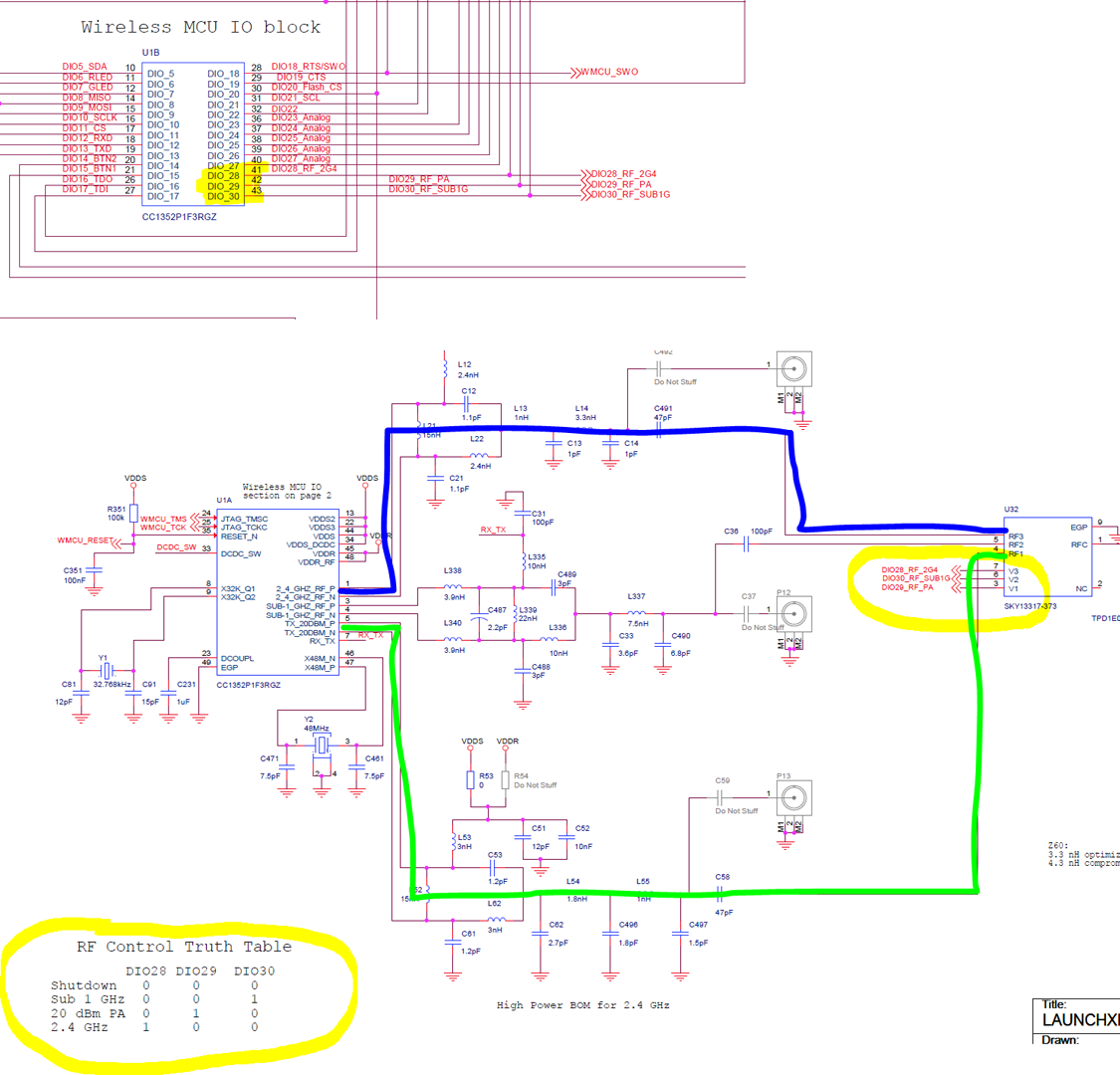
matlab22
on 10 Nov 2019
The RF switch is controlled automatically by the Zigbee Stack. The control signals are dependent on output power and whether the radio is in Rx or Tx (and frequency band of course).
fredrikgk
on 10 Nov 2019
The PCB antennas on the LaunchPads are quite good, so I doubt you will see a noticable difference in performance with an SMA whip-antenna.
fredrikgk
on 10 Nov 2019
I see Zigbee router SW has been asked for a couple of times here. I briefly tested the default TI Zigbee Router Light Switch example. I do get «failed to interview» when I connect, but the device still appears as a router in my Zigbee map.
fredrikgk
on 10 Nov 2019
Yesterday Zigbee2mqtt 1.7.0 was released, this officially support the CC1352P and CC2652R as adapters. Docs have been updated: https://www.zigbee2mqtt.io/information/supported_adapters.html
I have now completed the migration of all devices from my old CC2530 network, plus I decided that Z2M is now so stable on CC1352P that I also migrated all the bulbs from my Hue network too.
Now have 41 devices running great! And more routers = more stable network it seems...
Pairing is super fast - I deleted bulb from Hue app and its joined to Z2M immediately.
If anyone reading this is on the fence about upgrading from CC2530/CC2531 I say go for it. Its well worth the price and effort to re-pair.
Also the community for this software is amazing - especially in this thread.
Nice one - thanks @Koenkk
james-fry
on 10 Nov 2019
Hi im looking to get either the CC2652R or CC1352P-2.
I just have few short questions.
Is either one CC2652R or CC1352P-2 more stable than the other? Is one better than the other in any way?
I dont mind the extra $10 in the long run for the CC1352P-2
Lastly is on the TI website the CC2652R one I am supposed to get has the part number "LAUNCHXL-CC26X2R1" the correct one?
I am a bit of a newbie try to learn to do these things.
Thanks for any help on the matter!
 FreehnK
on 13 Nov 2019
FreehnK
on 13 Nov 2019
Most get the CC1352P-2 because of its 'better' wireless performance.
However i choose the CC2652R because it's cheaper and a little more compact.
I don't encounter any reception problems with it. It also have noticeable better range
than my former CC2530 with external antenna :-)
They did a really good job with the wireless adjustment on this board.
Hi im looking to get either the CC2652R or CC1352P-2.
I just have few short questions.
Is either one CC2652R or CC1352P-2 more stable than the other? Is one better than the other in any way?
I dont mind the extra $10 in the long run for the CC1352P-2Lastly is on the TI website the CC2652R one I am supposed to get has the part number "LAUNCHXL-CC26X2R1" the correct one?
I am a bit of a newbie try to learn to do these things.
Thanks for any help on the matter!
hdo
on 13 Nov 2019
CC2652R
CC2530 4.5dbm vs CC2652R 5dbm, 2.8mw vs 3.16mw
If you use devices near it and not with thick concrete, no problem at all.
But CC1352P-2 with 20dbm~100mw will over CC2652R 30x stronger, longer range
dzungpv
on 13 Nov 2019
CC2652R
CC2530 4.5dbm vs CC2652R 5dbm, 2.8mw vs 3.16mw
If you use devices near it and not with thick concrete, no problem at all.
But CC1352P-2 with 20dbm~100mw will over CC2652R 30x stronger, longer range
Does anyone have a link for an antenna and know if any additional modifications need to be made to use the antenna
danpowell88
on 13 Nov 2019
For cc1352p You can use any SMA (not sma-rp) that’s suitable for 2.4ghz
You need to unsolder and resolder a tiny surface mount capacitor to enable the sma on connector the PCB
james-fry
on 13 Nov 2019
CC2652R
CC2530 4.5dbm vs CC2652R 5dbm, 2.8mw vs 3.16mw
If you use devices near it and not with thick concrete, no problem at all.
But CC1352P-2 with 20dbm~100mw will over CC2652R 30x stronger, longer range
I may reconsider my decision and switch to the CC1352P-2 :-)
Just kidding everything runs fine here. I'm also afraid that such power is illegal in Germany :-(
hdo
on 13 Nov 2019
CC2652R
CC2530 4.5dbm vs CC2652R 5dbm, 2.8mw vs 3.16mw
If you use devices near it and not with thick concrete, no problem at all.
But CC1352P-2 with 20dbm~100mw will over CC2652R 30x stronger, longer rangeDoes anyone have a link for an antenna and know if any additional modifications need to be made to use the antenna
You can follow this: https://e2e.ti.com/support/wireless-connectivity/other-wireless/f/667/p/791444/2927088#2927088
dzungpv
on 13 Nov 2019
CC2652R
CC2530 4.5dbm vs CC2652R 5dbm, 2.8mw vs 3.16mw
If you use devices near it and not with thick concrete, no problem at all.
But CC1352P-2 with 20dbm~100mw will over CC2652R 30x stronger, longer rangeI may reconsider my decision and switch to the CC1352P-2 :-)
Just kidding everything runs fine here. I'm also afraid that such power is illegal in Germany :-(
In EU it is illegal, but the rest of the world it is legal :). If you are in EU better stay with CC2652R
dzungpv
on 13 Nov 2019
@dzungpv can the LNA in the cc1352P RF frontend also help to increase sensitivity (and hence LQ) even without the PA putting out more than 5dbm?
james-fry
on 13 Nov 2019
@dzungpv can the LNA in the cc1352P RF frontend also help to increase sensitivity (and hence LQ) even without the PA putting out more than 5dbm?
It is better but not much, also it depend on the antenna you use. You can use more output power with the default PCB antenna.
dzungpv
on 13 Nov 2019
Hi im looking to get either the CC2652R or CC1352P-2.
I just have few short questions.
Is either one CC2652R or CC1352P-2 more stable than the other? Is one better than the other in any way?
I dont mind the extra $10 in the long run for the CC1352P-2Lastly is on the TI website the CC2652R one I am supposed to get has the part number "LAUNCHXL-CC26X2R1" the correct one?
I am a bit of a newbie try to learn to do these things.
Thanks for any help on the matter!
Stability doesn't differ between these. I personally prefer the CC2652R, it's a bit smaller and cheaper. Range is already very good, therefore I don't care about adding an external antenna. Links can be found here: https://www.zigbee2mqtt.io/information/supported_adapters.html
Koenkk
on 13 Nov 2019
@dzungpv can the LNA in the cc1352P RF frontend also help to increase sensitivity (and hence LQ) even without the PA putting out more than 5dbm?
It is better but not much, also it depend on the antenna you use. You can use more output power with the default PCB antenna.
The sensitivity for CC2652R and CC1352P is 3 dB better than CC2531. This contributes more in range improvement than the 0.5 dB difference in output power.
fredrikgk
on 13 Nov 2019
In EU it is illegal, but the rest of the world it is legal :). If you are in EU better stay with CC2652R
True, in Europe output power for 802.15.4 is limited to 10 dBm. The high-power PA in the CC1352P device can only be adjusted between 14 dBm and 20 dBm for the current HW configuration. TI is planning to release a new development board next year though with a 10 dBm configuration as described here: http://www.ti.com/lit/pdf/swra636
fredrikgk
on 13 Nov 2019
Is Z2M using the maximum power on the CC1352P2, or is / will this be configurable?
XRyu
on 13 Nov 2019
not yet.
Issue is opened for it:
https://github.com/Koenkk/zigbee2mqtt/issues/2253
james-fry
on 13 Nov 2019
I see Zigbee router SW has been asked for a couple of times here. I briefly tested the default TI
Zigbee Router Light Switch example. I do get «failed to interview» when I connect, but the device still appears as a router in my Zigbee map.
@fredrikgk do i just use the example zr_light example and flash either device with that to be a router?
aidbish
on 14 Nov 2019
I would like to share my experience. I have a setup running with 42 devices. It works flawlessly with a CC1352P1. However, I have also a CC1352P-2 which I flashed with 20191106. To migrate the running network I just had to change device ID in the configuration.yaml from:
"Texas_Instruments_XDS110__02.03.00.18__Embed_with_CMSIS-DAP_L42001UB-if00"
to
"Texas_Instruments_XDS110__02.03.00.18__Embed_with_CMSIS-DAP_L43001PS-if00"
No everything is running with a different coordinator without any repairing.
🥇 for the good job @Koenkk Thank you
matlab22
on 14 Nov 2019
do i just use the example zr_light example and flash either device with that to be a router?
Yes, just flash a LaunchPad with a ZR example and then connect it to the coordinator as any other Zigbee device.
fredrikgk
on 14 Nov 2019
A friend of mine has the CC1352P2 which is not working well anymore after a reboot of the machine:
"zigbee2mqtt:error 2019-11-15T19:09:18: Error: SRSP - SYS - version after 6000ms"
Using latest-dev I'm unable to get this working again. I had this on my 2652 as well, and this suddenly started working again after being down for > 14 hours.
Any ideas what this could be? I never had these problems with the CC2531.
peterforeman
on 15 Nov 2019
@peterforeman probably the serial port path is wrong, note that the device exposes two (the flasher and the chip itself).
Koenkk
on 15 Nov 2019
I get this error as well sometimes using a CC2652R. Sometimes this happens after rebooting the rpi. Sometimes randomly without me doing anything to the system. To get it working again I have to flash the firmware several times. Very odd and annoying behaviour. Not a clue what could cause this.
copystring
on 16 Nov 2019
I get this error as well sometimes using a CC2652R. Sometimes this happens after rebooting the rpi. Sometimes randomly without me doing anything to the system. To get it working again I have to flash the firmware several times. Very odd and annoying behaviour. Not a clue what could cause this.
@copystring
Did you try to 'soft reset' after reboot instead of reflashing the firmware?
hdo
on 16 Nov 2019
@peterforeman probably the serial port path is wrong, note that the device exposes two (the flasher and the chip itself).
Apparently this was the problem: the ttyACMx changed (0->1 and 1->0). It appears that the two ports sometimes reorder.
peterforeman
on 16 Nov 2019
You can use an udev rule to fix that.
Sineos
on 16 Nov 2019
You can use an udev rule to fix that.
I had that, but this did not work since I only get 1 device but two serial ports:
Bus 001 Device 004: ID 0451:bef3 Texas Instruments, Inc. CC1352R1 Launchpad
/dev/serial/by-id/usb-Texas_Instruments_XDS110__02.03.00.18__Embed_with_CMSIS-DAP_L1100AGS-if00 -> ../../ttyACM0
/dev/serial/by-id/usb-Texas_Instruments_XDS110__02.03.00.18__Embed_with_CMSIS-DAP_L1100AGS-if03 -> ../../ttyACM1
To fix that, you can let zigbee2mqtt autodetect the port by setting port: null in the configuration.
Koenkk
on 16 Nov 2019
To fix that, you can let zigbee2mqtt autodetect the port by setting
port: nullin the configuration.
Won't work if you use tcp/socat 😉
peterforeman
on 16 Nov 2019
Have not tried it, but an UDEV rule with the device path might work:
/devices/platform/soc/3f980000.usb/usb1/1-1/1-1.2/1-1.2:1.0/tty/ttyACM0
/devices/platform/soc/3f980000.usb/usb1/1-1/1-1.2/1-1.2:1.3/tty/ttyACM1
So something along the line:
DEVPATH=="/devices/platform/soc/3f980000.usb/usb1/1-1/1-1.2/1-1.2:1.0/tty/ttyACM*"
Edit: Forgot the * at ttyACM*. So regardless which ttyACMx gets assigned the device path will remain stable and you can add a SYMLINK+="dev/herdsman"
Sineos
on 16 Nov 2019
what shell command do i need, to know if the CC1352 is on ttyACM 0 or 1?
XRyu
on 17 Nov 2019
@salopette it has a pcb antenna and an unconnected connector, see https://e2e.ti.com/support/wireless-connectivity/bluetooth/f/538/t/723337
I would like to increase the range of my CC2652r board. I do not reach a sensor that I reach with the CC2530 with antenna. Maybe someone has some advice for me. In the future, will there be any way to increase the transmit power through the software, or should I order this Murata MXFR01JA1000 intermediate cable to connect an antenna? And I understand it correctly, that a capacitor (in the picture of the board left of the antenna connection) must be soldered from vertical to horizontal? Thanks in advance.
J-Paul0815
on 17 Nov 2019
what shell command do i need, to know if the CC1352 is on ttyACM 0 or 1?
Well, following information is based on looking at the userspace device information:
Command: udevadm info /dev/ttyACM0
# udevadm info /dev/ttyACM0
P: /devices/platform/soc/3f980000.usb/usb1/1-1/1-1.2/1-1.2:1.0/tty/ttyACM0
N: ttyACM0
S: serial/by-id/usb-Texas_Instruments_XDS110__02.03.00.18__Embed_with_CMSIS-DAP_L43002G9-if00
S: serial/by-path/platform-3f980000.usb-usb-0:1.2:1.0
E: DEVLINKS=/dev/serial/by-id/usb-Texas_Instruments_XDS110__02.03.00.18__Embed_with_CMSIS-DAP_L43002G9-if00 /dev/serial/by-path/platform-3f980000.usb-usb-0:1.2:1.0
E: DEVNAME=/dev/ttyACM0
E: DEVPATH=/devices/platform/soc/3f980000.usb/usb1/1-1/1-1.2/1-1.2:1.0/tty/ttyACM0
E: ID_BUS=usb
E: ID_MODEL=XDS110__02.03.00.18__Embed_with_CMSIS-DAP
E: ID_MODEL_ENC=XDS110\x20\x2802.03.00.18\x29\x20Embed\x20with\x20CMSIS-DAP
E: ID_MODEL_ID=bef3
E: ID_PATH=platform-3f980000.usb-usb-0:1.2:1.0
E: ID_PATH_TAG=platform-3f980000_usb-usb-0_1_2_1_0
E: ID_REVISION=0100
E: ID_SERIAL=Texas_Instruments_XDS110__02.03.00.18__Embed_with_CMSIS-DAP_L43002G9
E: ID_SERIAL_SHORT=L43002G9
E: ID_TYPE=generic
E: ID_USB_DRIVER=cdc_acm
E: ID_USB_INTERFACES=:020201:0a0000:ff0000:030000:
E: ID_USB_INTERFACE_NUM=00
E: ID_VENDOR=Texas_Instruments
E: ID_VENDOR_ENC=Texas\x20Instruments
E: ID_VENDOR_ID=0451
E: MAJOR=166
E: MINOR=0
E: SUBSYSTEM=tty
E: USEC_INITIALIZED=600274430193

# udevadm info /dev/ttyACM1
P: /devices/platform/soc/3f980000.usb/usb1/1-1/1-1.2/1-1.2:1.3/tty/ttyACM1
N: ttyACM1
S: serial/by-id/usb-Texas_Instruments_XDS110__02.03.00.18__Embed_with_CMSIS-DAP_L43002G9-if03
S: serial/by-path/platform-3f980000.usb-usb-0:1.2:1.3
E: DEVLINKS=/dev/serial/by-id/usb-Texas_Instruments_XDS110__02.03.00.18__Embed_with_CMSIS-DAP_L43002G9-if03 /dev/serial/by-path/platform-3f980000.usb-usb-0:1.2:1.3
E: DEVNAME=/dev/ttyACM1
E: DEVPATH=/devices/platform/soc/3f980000.usb/usb1/1-1/1-1.2/1-1.2:1.3/tty/ttyACM1
E: ID_BUS=usb
E: ID_MODEL=XDS110__02.03.00.18__Embed_with_CMSIS-DAP
E: ID_MODEL_ENC=XDS110\x20\x2802.03.00.18\x29\x20Embed\x20with\x20CMSIS-DAP
E: ID_MODEL_ID=bef3
E: ID_PATH=platform-3f980000.usb-usb-0:1.2:1.3
E: ID_PATH_TAG=platform-3f980000_usb-usb-0_1_2_1_3
E: ID_REVISION=0100
E: ID_SERIAL=Texas_Instruments_XDS110__02.03.00.18__Embed_with_CMSIS-DAP_L43002G9
E: ID_SERIAL_SHORT=L43002G9
E: ID_TYPE=generic
E: ID_USB_DRIVER=cdc_acm
E: ID_USB_INTERFACES=:020201:0a0000:ff0000:030000:
E: ID_USB_INTERFACE_NUM=03
E: ID_VENDOR=Texas_Instruments
E: ID_VENDOR_ENC=Texas\x20Instruments
E: ID_VENDOR_ID=0451
E: MAJOR=166
E: MINOR=1
E: SUBSYSTEM=tty
E: USEC_INITIALIZED=600274431759
It seems that only the USB Device Interface is distinguishing the two serial ports. Wild guess:
Interface 0: The herdsman relevant one
Interface 3: The MCU
Following UDEV rule works on my side:
KERNEL=="ttyACM*", SUBSYSTEM=="tty", DEVPATH=="/devices/platform/soc/3f980000.usb/usb1/1-1/1-1.2/1-1.2:1.0/tty/ttyACM*", SYMLINK+="herdsman"
So far I did not have the problem with the switched ports, so I cannot comment on this.
If you want to have a lot of (mostly useless) information on your device run:
udevadm info -a -p $(udevadm info -q path -n ttyACM0)
Sineos
on 17 Nov 2019
@XRyu I'm using
SUBSYSTEM=="tty", ENV{ID_USB_INTERFACE_NUM}=="00", ATTRS{idVendor}=="0451", ATTRS{idProduct}=="bef3", SYMLINK="ttyUSB.CC2652", OWNER="pi"
SUBSYSTEM=="tty", ENV{ID_USB_INTERFACE_NUM}=="03", ATTRS{idVendor}=="0451", ATTRS{idProduct}=="bef3", SYMLINK="ttyUSB.CC2652.3", OWNER="pi"
I installed zigbee2mqtt v1.7.1-dev on a fresh Raspbian Pi 3B. I flashed a new CC2652R1 with the Z-Stack 3 coördinator software (i tried with both Uniflash and FlashProgrammer2). The result is always 2 tty ports:

The problem is not resolved by specifying port: null (i tried ttyACM0 and ttyACM1 as well) in configuration.yaml or applying the UDEV rule of Sineos above. Nothing helps.
I get this error:
zigbee2mqtt:error 2019-11-17 13:06:42: Error: AREQ - ZDO - stateChangeInd after 60000ms
What to do?
 Josov
on 17 Nov 2019
Josov
on 17 Nov 2019
@Josov
You will always have 2 tty interfaces. This is correct. According to your screenshot the correct device is /dev/ttyACM0
If you do not have an issue with switching ports, I would not bother with udev.
Edit:
Just to make it clear: UDEV rules are very device specific. Either device dependent serial number like in @lolorc example, or device specific paths like in mine are used.
Just copying such rules is a sure way to fail. You have to use commands like in my post above to tune the rules to your device.
Sineos
on 17 Nov 2019
Oh i should have removed the serial attr, it would probably work without it
lolorc
on 17 Nov 2019
@lolorc
I was thinking about an UDEV rule that would match without device dependent items and also match CC2652R1 and CC1352P2. I have an CC1352P2, what do you think about below rules?
KERNEL=="ttyACM*", SUBSYSTEM=="tty", ENV{ID_USB_INTERFACE_NUM}=="00", ENV{ID_VENDOR_ID}=="0451", SYMLINK+="TIherdsman"
KERNEL=="ttyACM*", SUBSYSTEM=="tty", ENV{ID_USB_INTERFACE_NUM}=="03", ENV{ID_VENDOR_ID}=="0451", SYMLINK+="TImcu"
Btw, I'm actually a bit surprised that your rule matches. UDEV is usually a pain in the back when it comes to mixing attributes from different hierarchies. Your match against ATTRS{idVendor}=="0451" belongs to the SUBSYSTEM=="usb" level but you seem to have it successfully combined with SUBSYSTEM=="tty".
Sineos
on 17 Nov 2019
@Sineos thank you for your reply. It looks like the CC2652R1 was flashed correctly. I set /dev/ttyACM0 but there is no difference.
> [email protected] start /opt/zigbee2mqtt
> node index.js

zigbee2mqtt:info  2019-11-17 20:54:02: Logging to directory: '/opt/zigbee2mqtt/data/log/2019-11-17.20-54-02'
zigbee2mqtt:info  2019-11-17 20:54:02: Starting zigbee2mqtt version 1.7.1+dev (commit #d2c4133)
zigbee2mqtt:info  2019-11-17 20:54:02: Starting zigbee-herdsman...
zigbee2mqtt:error 2019-11-17 20:55:10: Error while starting zigbee-herdsman
zigbee2mqtt:error 2019-11-17 20:55:10: Failed to start zigbee
zigbee2mqtt:error 2019-11-17 20:55:10: Exiting...
zigbee2mqtt:error 2019-11-17 20:55:10: Error: AREQ - ZDO - stateChangeInd after 60000ms
    at Timeout.object.timer.setTimeout [as _onTimeout] (/opt/zigbee2mqtt/node_modules/zigbee-herdsman/dist/utils/waitress.js:44:24)
    at ontimeout (timers.js:436:11)
    at tryOnTimeout (timers.js:300:5)
    at listOnTimeout (timers.js:263:5)
    at Timer.processTimers (timers.js:223:10)
npm ERR! code ELIFECYCLE
npm ERR! errno 1
npm ERR! [email protected] start: `node index.js`
npm ERR! Exit status 1
npm ERR!
npm ERR! Failed at the [email protected] start script.
npm ERR! This is probably not a problem with npm. There is likely additional logging output above.

npm ERR! A complete log of this run can be found in:
npm ERR!     /home/pi/.npm/_logs/2019-11-17T19_55_10_319Z-debug.log
The log file does not add anything to determine the cause of the problem.
Here is the log:
0 info it worked if it ends with ok
1 verbose cli [ '/usr/bin/node', '/usr/bin/npm', 'start' ]
2 info using [email protected]
3 info using [email protected]
4 verbose run-script [ 'prestart', 'start', 'poststart' ]
5 info lifecycle [email protected]~prestart: [email protected]
6 info lifecycle [email protected]~start: [email protected]
7 verbose lifecycle [email protected]~start: unsafe-perm in lifecycle true
8 verbose lifecycle [email protected]~start: PATH: /usr/lib/node_modules/npm/node_modules/npm-lifecycle/node-gyp-bin:/opt/zigbee2mqtt/node_modules/.bin:/usr/local/sbin:/usr/local/bin:/usr/sbin:/usr/bin:/sbin:/bin:/usr/local/games:/usr/games
9 verbose lifecycle [email protected]~start: CWD: /opt/zigbee2mqtt
10 silly lifecycle [email protected]~start: Args: [ '-c', 'node index.js' ]
11 silly lifecycle [email protected]~start: Returned: code: 1  signal: null
12 info lifecycle [email protected]~start: Failed to exec start script
13 verbose stack Error: [email protected] start: `node index.js`
13 verbose stack Exit status 1
13 verbose stack     at EventEmitter.<anonymous> (/usr/lib/node_modules/npm/node_modules/npm-lifecycle/index.js:332:16)
13 verbose stack     at EventEmitter.emit (events.js:198:13)
13 verbose stack     at ChildProcess.<anonymous> (/usr/lib/node_modules/npm/node_modules/npm-lifecycle/lib/spawn.js:55:14)
13 verbose stack     at ChildProcess.emit (events.js:198:13)
13 verbose stack     at maybeClose (internal/child_process.js:982:16)
13 verbose stack     at Process.ChildProcess._handle.onexit (internal/child_process.js:259:5)
14 verbose pkgid [email protected]
15 verbose cwd /opt/zigbee2mqtt
16 verbose Linux 4.19.75-v7+
17 verbose argv "/usr/bin/node" "/usr/bin/npm" "start"
18 verbose node v10.17.0
19 verbose npm  v6.11.3
20 error code ELIFECYCLE
21 error errno 1
22 error [email protected] start: `node index.js`
22 error Exit status 1
23 error Failed at the [email protected] start script.
23 error This is probably not a problem with npm. There is likely additional logging output above.
24 verbose exit [ 1, true ]
If I replace the CC2652R1 with a CC2531 it all works fine.....
Josov
on 17 Nov 2019
@Josov
Just out of curiosity: Try changing your panID, e.g. to 0x1a62 and see if it starts. Somewhere I have seen reports that a migration from CC2531 to CC2652R1 fails. Downside would be that you would have to re-pair.
Sineos
on 17 Nov 2019
@Sineos @Josov the problem is not the path but indeed the pan ID, as the old zigbee network still uses the old pan id, the CC2652R cannot re-use it. With pan_id set to 0x1a63 it will start. When migrating from CC2531 to CC2652R you have to re-pair everything anyway.
Koenkk
on 17 Nov 2019
Yes, we've a hit, it works after changing the pan_id!
> [email protected] start /opt/zigbee2mqtt
> node index.js

zigbee2mqtt:info  2019-11-17 22:03:01: Logging to directory: '/opt/zigbee2mqtt/data/log/2019-11-17.22-03-00'
zigbee2mqtt:info  2019-11-17 22:03:01: Starting zigbee2mqtt version 1.7.1+dev (commit #d2c4133)
zigbee2mqtt:info  2019-11-17 22:03:01: Starting zigbee-herdsman...
zigbee2mqtt:info  2019-11-17 22:03:15: zigbee-herdsman started
zigbee2mqtt:info  2019-11-17 22:03:15: Coordinator firmware version: '{"type":"zStack3x0","meta":{"transportrev":2,"product":1,"majorrel":2,"minorrel":7,"maintrel":1,"revision":20191106}}'
zigbee2mqtt:info  2019-11-17 22:03:15: Currently 0 devices are joined:
zigbee2mqtt:warn  2019-11-17 22:03:15: `permit_join` set to  `true` in configuration.yaml.
zigbee2mqtt:warn  2019-11-17 22:03:15: Allowing new devices to join.
zigbee2mqtt:warn  2019-11-17 22:03:15: Set `permit_join` to `false` once you joined all devices.
zigbee2mqtt:info  2019-11-17 22:03:15: Zigbee: allowing new devices to join.
zigbee2mqtt:info  2019-11-17 22:03:15: Connecting to MQTT server at mqtt://localhost
zigbee2mqtt:info  2019-11-17 22:03:15: Connected to MQTT server
zigbee2mqtt:info  2019-11-17 22:03:15: MQTT publish: topic 'zigbee2mqtt/bridge/state', payload 'online'
zigbee2mqtt:info  2019-11-17 22:03:15: MQTT publish: topic 'zigbee2mqtt/bridge/config', payload '{"version":"1.7.1+dev","commit":"d2c4133","coordinator":{"type":"zStack3x0","meta":{"transportrev":2,"product":1,"majorrel":2,"minorrel":7,"maintrel":1,"revision":20191106}},"log_level":"info","permit_join":true}'
@Sineos @Koenkk Thank you so much!!!
Josov
on 17 Nov 2019
Pairing is so far without any problems. But adding a device to a group does not function.
zigbee2mqtt:info  2019-11-18 15:26:22: Adding 'Wit 1' to 'Groep-test'
zigbee2mqtt:error 2019-11-18 15:26:22: Failed to call 'Groups' 'onMQTTMessage' (**Error: Data request failed with error: 'MAC no ack' (233**)
    at ZStackAdapter.<anonymous> (/opt/zigbee2mqtt/node_modules/zigbee-herdsman/dist/adapter/z-stack/adapter/zStackAdapter.js:522:27)
    at Generator.next (<anonymous>)
    at fulfilled (/opt/zigbee2mqtt/node_modules/zigbee-herdsman/dist/adapter/z-stack/adapter/zStackAdapter.js:5:58))
What went wrong?
Solved: rebooting the Raspberry Pi
Josov
on 18 Nov 2019
@Koenkk What is the function of the /1 following the ieee address in the mqtt group list?

Josov
on 18 Nov 2019
@Koenkk I made quite a lot of software for using the CC2531 with z2m in Node-RED. Using the CC2531 with the standard coördinator firmware I could create a table with a mix of EndDevices and lamps or switches. Using Z-Stack 3x0 this does not seem to work anymore as it looks like it does not allow to add EndDevices to a group. Is there a work around for this issue?
zigbee2mqtt:info  2019-11-18 17:30:29: Adding 'Afstandsbediening' to 'Groep-test'
zigbee2mqtt:error 2019-11-18 17:30:36: Failed to call 'Groups' 'onMQTTMessage' (Error: Data request failed with error: 'MAC transaction expired' (240)
    at ZStackAdapter.<anonymous> (/opt/zigbee2mqtt/node_modules/zigbee-herdsman/dist/adapter/z-stack/adapter/zStackAdapter.js:522:27)
    at Generator.next (<anonymous>)
    at fulfilled (/opt/zigbee2mqtt/node_modules/zigbee-herdsman/dist/adapter/z-stack/adapter/zStackAdapter.js:5:58))
The /1 is also present for me and I am using the 1.2 firmware on a CC2531
 sjorge
on 18 Nov 2019
sjorge
on 18 Nov 2019
/1 means endpoint 1 of that device. @Josov I'm not sure wether end devices support being added to a group, I don't know if it makes sense, as they will probably be sleeping when the group requests are send and thus will not receive it.
Koenkk
on 19 Nov 2019
So it's not something zigbee2mqtt/herdsman is adding?
Because all group members added via mqtt have /1 at the end for me.
groups:
  '20861':
    friendly_name: bedroom/group_remote_night_light
    retain: false
    devices:
      - 0x90fd9ffffee77fcf/1
  '20862':
    friendly_name: bedroom/group_remote_desk_lamp
    retain: false
    devices:
      - 0x0017880104259333/11
Hmm... even weirder, one has /11 ?
sjorge
on 19 Nov 2019
@sjorge it is added by zigbee2mqtt, it depends on the device on which endpoint is added, for 0x0017880104259333 you will see in database.db that it has an endpoint 11.
Koenkk
on 19 Nov 2019
Ah indeed it does. I misread your comment from about an hour ago, the endpoint is what received inputs.
(So to simply enddevice is sort of like a host and an endpoint a port on the host?)
sjorge
on 19 Nov 2019
I'm not sure wether end devices support being added to a group, I don't know if it makes sense, as they will probably be sleeping when the group requests are send and thus will not receive it.
My Danalock zigbee smart lock is an end device (I guess because it’s on batteries...) but I can of course send a command to lock or unlock it at any time....
 bohtho
on 20 Nov 2019
bohtho
on 20 Nov 2019
...as the old zigbee network still uses the old pan id, the CC2652R cannot re-use it. With
pan_idset to0x1a63it will start. When migrating from CC2531 to CC2652R you have to re-pair everything anyway.
Does this also happen if, let's say, my neighbor is running running some Zigbee-network with Hue or Trårdfri? I'm just wondering since I had problems starting earlier with "old" panID and I had to change it.
Kryzek
on 21 Nov 2019
@Kryzek unless your neighbour is using zigbee2mqtt on the same channel, it is very unlikely. But note that a tradfri bulb which was in the old network (with old pan ID) still keeps up the old network.
Koenkk
on 21 Nov 2019
I see that earlier in the thread, one person had set rtscts to false.
I'm currently using this device without setting that to false, which I believe defaults to true.
Should I set rtscts to false?
 djchen
on 24 Nov 2019
djchen
on 24 Nov 2019
@djchen it has to be the default (true)
Koenkk
on 25 Nov 2019
Is there any cheaper option available to use new cc2652 than the official launchpad?
Maybe this sth. https://www.aliexpress.com/item/4000108648954.html ?
 dirstel
on 25 Nov 2019
dirstel
on 25 Nov 2019
@dirstel I wouldn't want to save $10 and wait for weeks to potentially get an unsupported old rev of the CC2652 (especially if you have to add another $10 to have an usb interface to connect it and flash it)
lolorc
on 25 Nov 2019
@lolorc damn right. I've been curious about some news from Copy-Land... So I'll pay the early adaptor-fee ;-)
dirstel
on 25 Nov 2019
Hi all. Trying to get the CC2652 up and runnig. Flashed it with FLASH Programmer 2 on my windows machine and also with uniflash directly on the ubuntu server. Alway getting the following error in zigbee2mqtt startup (latest dev):
zigbee2mqtt:info 2019-11-25 20:51:40: Logging to directory: '/opt/dev/zigbee2mqtt/data/log/2019-11-25.20-51-40'
zigbee2mqtt:info 2019-11-25 20:51:40: Starting zigbee2mqtt version 1.7.1+dev (commit #7d1635a)
zigbee2mqtt:info 2019-11-25 20:51:40: Starting zigbee-herdsman...
zigbee2mqtt:error 2019-11-25 20:51:47: Error while starting zigbee-herdsman
zigbee2mqtt:error 2019-11-25 20:51:47: Failed to start zigbee
zigbee2mqtt:error 2019-11-25 20:51:47: Exiting...
zigbee2mqtt:error 2019-11-25 20:51:47: Error: SRSP - SYS - version after 6000ms
at Timeout.object.timer.setTimeout [as _onTimeout] (/opt/dev/zigbee2mqtt/node_modules/zigbee-herdsman/dist/utils/waitress.js:44:24)
at ontimeout (timers.js:436:11)
at tryOnTimeout (timers.js:300:5)
at listOnTimeout (timers.js:263:5)
at Timer.processTimers (timers.js:223:10)
Any ideas?
 pepp86
on 25 Nov 2019
pepp86
on 25 Nov 2019
Hi all. Trying to get the CC2652 up and runnig. Flashed it with FLASH Programmer 2 on my windows machine and also with uniflash directly on the ubuntu server. Alway getting the following error in zigbee2mqtt startup (latest dev):
zigbee2mqtt:info 2019-11-25 20:51:40: Logging to directory: '/opt/dev/zigbee2mqtt/data/log/2019-11-25.20-51-40'
zigbee2mqtt:info 2019-11-25 20:51:40: Starting zigbee2mqtt version 1.7.1+dev (commit #7d1635a)
zigbee2mqtt:info 2019-11-25 20:51:40: Starting zigbee-herdsman...
zigbee2mqtt:error 2019-11-25 20:51:47: Error while starting zigbee-herdsman
zigbee2mqtt:error 2019-11-25 20:51:47: Failed to start zigbee
zigbee2mqtt:error 2019-11-25 20:51:47: Exiting...
zigbee2mqtt:error 2019-11-25 20:51:47: Error: SRSP - SYS - version after 6000ms
at Timeout.object.timer.setTimeout [as _onTimeout] (/opt/dev/zigbee2mqtt/node_modules/zigbee-herdsman/dist/utils/waitress.js:44:24)
at ontimeout (timers.js:436:11)
at tryOnTimeout (timers.js:300:5)
at listOnTimeout (timers.js:263:5)
at Timer.processTimers (timers.js:223:10)Any ideas?
Have you read the topic?
Try if you use the right path for the adapter, there are 2 but just one of them is correct.
Or the second thing most of the time, your old network is still running and the panID is in use.
Change the panID in your config and restart. You MUST repair your devices.
BudBundi
on 25 Nov 2019
Yes, read every single post. Selected the right port (tried also the other one). Have selected a new panID
pepp86
on 25 Nov 2019
Switched to another machine and got it working after the second start attempt... Will investigate into USB issues on the other machine.
pepp86
on 26 Nov 2019
Switched to another machine and got it working after the second start attempt... Will investigate into USB issues on the other machine.
Try to soft reset after usb plug in.
This error message is not related to pan_id (6000ms vs. 60000ms).
hdo
on 26 Nov 2019
Hi all. Trying to get the CC2652 up and runnig. Flashed it with FLASH Programmer 2 on my windows machine and also with uniflash directly on the ubuntu server. Alway getting the following error in zigbee2mqtt startup (latest dev):
zigbee2mqtt:error 2019-11-25 20:51:47: Error: SRSP - SYS - version after 6000ms
I had the same when i pulled out the cable with the machine on. The reset button on the board fixed it for me. Took a while before i figured that out.
nldroid
on 26 Nov 2019
My CC2652 stopped working after putting it into a 3d printed case.
It used to work fine for several days. Putting it out of the case, reflashing the firmware nothing seems to help I always get this error:
/opt/zigbee2mqtt $ npm start

> [email protected] start /opt/zigbee2mqtt
> node index.js

zigbee2mqtt:info  2019-11-26T20:50:02: Logging to directory: 'data/log/2019-11-26.20-50-01'
zigbee2mqtt:debug 2019-11-26T20:50:02: Removing old log directory 'data/log/2019-11-26.20-08-08'
zigbee2mqtt:debug 2019-11-26T20:50:02: Loaded state from file /opt/zigbee2mqtt/data/state.json
zigbee2mqtt:info  2019-11-26T20:50:02: Starting zigbee2mqtt version 1.7.1 (commit #unknown)
zigbee2mqtt:info  2019-11-26T20:50:02: Starting zigbee-herdsman...
zigbee2mqtt:debug 2019-11-26T20:50:02: Using zigbee-herdsman with settings: '{"network":{"panID":6754,"extendedPanID":[221,221,221,221,221,221,221,221],"channelList":[11],"networkKey":"HIDDEN"},"databasePath":"/opt/zigbee2mqtt/data/database.db","databaseBackupPath":"/opt/zigbee2mqtt/data/database.db.backup","backupPath":"/opt/zigbee2mqtt/data/coordinator_backup.json","serialPort":{"baudRate":115200,"rtscts":true,"path":"/dev/ttyACM0"}}'
zigbee2mqtt:error 2019-11-26T20:51:10: Error while starting zigbee-herdsman
zigbee2mqtt:error 2019-11-26T20:51:10: Failed to start zigbee
zigbee2mqtt:error 2019-11-26T20:51:10: Exiting...
zigbee2mqtt:error 2019-11-26T20:51:10: Error: AREQ - ZDO - stateChangeInd after 60000ms
    at Timeout.object.timer.setTimeout [as _onTimeout] (/opt/zigbee2mqtt/node_modules/zigbee-herdsman/dist/utils/waitress.js:44:24)
    at ontimeout (timers.js:436:11)
    at tryOnTimeout (timers.js:300:5)
    at listOnTimeout (timers.js:263:5)
    at Timer.processTimers (timers.js:223:10)
npm ERR! code ELIFECYCLE
npm ERR! errno 1
npm ERR! [email protected] start: `node index.js`
npm ERR! Exit status 1
npm ERR!
npm ERR! Failed at the [email protected] start script.
npm ERR! This is probably not a problem with npm. There is likely additional logging output above.

npm ERR! A complete log of this run can be found in:
npm ERR!     /home/pi/.npm/_logs/2019-11-26T20_51_10_303Z-debug.log
If I change the pan_id to something like 0x1a63 it seems to work again:
/opt/zigbee2mqtt $ npm start

> [email protected] start /opt/zigbee2mqtt
> node index.js

zigbee2mqtt:info  2019-11-26T20:48:14: Logging to directory: 'data/log/2019-11-26.20-48-14'
zigbee2mqtt:debug 2019-11-26T20:48:14: Removing old log directory 'data/log/2019-11-26.20-02-51'
zigbee2mqtt:debug 2019-11-26T20:48:14: Loaded state from file /opt/zigbee2mqtt/data/state.json
zigbee2mqtt:info  2019-11-26T20:48:14: Starting zigbee2mqtt version 1.7.1 (commit #unknown)
zigbee2mqtt:info  2019-11-26T20:48:14: Starting zigbee-herdsman...
zigbee2mqtt:debug 2019-11-26T20:48:14: Using zigbee-herdsman with settings: '{"network":{"panID":6755,"extendedPanID":[221,221,221,221,221,221,221,221],"channelList":[11],"networkKey":"HIDDEN"},"databasePath":"/opt/zigbee2mqtt/data/database.db","databaseBackupPath":"/opt/zigbee2mqtt/data/database.db.backup","backupPath":"/opt/zigbee2mqtt/data/coordinator_backup.json","serialPort":{"baudRate":115200,"rtscts":true,"path":"/dev/ttyACM0"}}'
zigbee2mqtt:info  2019-11-26T20:48:16: zigbee-herdsman started
zigbee2mqtt:info  2019-11-26T20:48:16: Coordinator firmware version: '{"type":"zStack3x0","meta":{"transportrev":2,"product":1,"majorrel":2,"minorrel":7,"maintrel":1,"revision":20191106}}'
zigbee2mqtt:debug 2019-11-26T20:48:16: Zigbee network parameters: {"panID":6755,"extendedPanID":"0xdddddddddddddddd","channel":11}
zigbee2mqtt:info  2019-11-26T20:48:16: Currently 0 devices are joined:
zigbee2mqtt:warn  2019-11-26T20:48:16: `permit_join` set to  `true` in configuration.yaml.
zigbee2mqtt:warn  2019-11-26T20:48:16: Allowing new devices to join.
zigbee2mqtt:warn  2019-11-26T20:48:16: Set `permit_join` to `false` once you joined all devices.
zigbee2mqtt:info  2019-11-26T20:48:16: Zigbee: allowing new devices to join.
zigbee2mqtt:info  2019-11-26T20:48:16: Connecting to MQTT server at mqtt://192.168.178.201
zigbee2mqtt:info  2019-11-26T20:48:16: Connected to MQTT server
zigbee2mqtt:info  2019-11-26T20:48:16: MQTT publish: topic 'zigbee2mqtt/bridge/state', payload 'online'
zigbee2mqtt:info  2019-11-26T20:48:16: MQTT publish: topic 'zigbee2mqtt/bridge/config', payload '{"version":"1.7.1","commit":"unknown","coordinator":{"type":"zStack3x0","meta":{"transportrev":2,"product":1,"majorrel":2,"minorrel":7,"maintrel":1,"revision":20191106}},"log_level":"debug","permit_join":true}'
^Czigbee2mqtt:debug 2019-11-26T20:49:31: Saving state to file /opt/zigbee2mqtt/data/state.json
zigbee2mqtt:info  2019-11-26T20:49:31: MQTT publish: topic 'zigbee2mqtt/bridge/state', payload 'offline'
zigbee2mqtt:info  2019-11-26T20:49:31: Disconnecting from MQTT server
zigbee2mqtt:info  2019-11-26T20:49:31: zigbee-herdsman stopped
But in this case I loose the connection to all of my 30 zigbee devices.
Do you have any suggestion how to proceed? Repairing all devices is quite a huge effort. I am also not sure if the problem would occur again in the future...
 runningman84
on 26 Nov 2019
runningman84
on 26 Nov 2019
Hi all. Trying to get the CC2652 up and runnig. Flashed it with FLASH Programmer 2 on my windows machine and also with uniflash directly on the ubuntu server. Alway getting the following error in zigbee2mqtt startup (latest dev):
zigbee2mqtt:error 2019-11-25 20:51:47: Error: SRSP - SYS - version after 6000msI had the same when i pulled out the cable with the machine on. The reset button on the board fixed it for me. Took a while before i figured that out.
Where is the reset Button? I found several Buttons on that Board. So i have to press it just once when it is plugged in?
 mullischlumpf
on 27 Nov 2019
mullischlumpf
on 27 Nov 2019
Hi all. Trying to get the CC2652 up and runnig. Flashed it with FLASH Programmer 2 on my windows machine and also with uniflash directly on the ubuntu server. Alway getting the following error in zigbee2mqtt startup (latest dev):
zigbee2mqtt:error 2019-11-25 20:51:47: Error: SRSP - SYS - version after 6000msI had the same when i pulled out the cable with the machine on. The reset button on the board fixed it for me. Took a while before i figured that out.
Where is the reset Button? I found several Buttons on that Board.
By the USB port
So i have to press it just once when it is plugged in?
Once after plugged in
james-fry
on 27 Nov 2019
@runningman84 Can you share your 3D printed case design?
Cheers
ben423423n32j14e
on 27 Nov 2019
Setting transmit power is now possible, see https://github.com/Koenkk/zigbee2mqtt/issues/2253
Koenkk
on 27 Nov 2019
@runningman84 Can you share your 3D printed case design?
Cheers
Have a look at my design if you look for one for yourself :)
https://www.thingiverse.com/thing:3928171
Setting transmit power is now possible, see #2253
Great news! Hope someone can add some documentation for CC1352P-2 :D
XRyu
on 27 Nov 2019
Replaced my CC2531 with the CC2562R today.
Started by setting a new PAN ID, added devices etc... WOW the Xiaomi devices add easily!
When I restarted zigbee2mqtt it wouldn't start, I'm assuming something to do with the PAN ID yet again.
Before I try changing to yet another PAN ID is there something I'm missing?
ben423423n32j14e
on 28 Nov 2019
I'm stuck, the CC2652 worked the second time after I changed the PAN ID, I then added 17 devices successfully and was able to control them.
Upon restarting zigbee2mqtt it refuses to start (I tried re-setting the CC2652, then zigbee2mqtt starts) HOWEVER there is no response from any zigbee device in the zigbee2mqtt terminal.
ben423423n32j14e
on 28 Nov 2019
Ok I've got an error message by running the command outside the screen session I can see why its crashing, same reason the above posters:
zigbee2mqtt:error 2019-11-28T05:37:32: Error: SRSP - SYS - version after 6000ms
at Timeout.object.timer.setTimeout [as _onTimeout] (/opt/zigbee2mqtt/node_modules/zigbee-herdsman/dist/utils/waitress.js:44:24)
at ontimeout (timers.js:436:11)
at tryOnTimeout (timers.js:300:5)
at listOnTimeout (timers.js:263:5)
at Timer.processTimers (timers.js:223:10)
Resetting
Re-plugging in
Re-flashing with firmware again
Setting a new PAN ID
Trying a different USB cable
All do not work for my system.
ben423423n32j14e
on 28 Nov 2019
Without more debug information, my best idea on the soft-reset thing is that a brief power cycle is not sufficient to trigger a BOD-reset on the board.
@Koenkk , does zigbee herdsman send a reset command to the device before init? If not, could we see if that resolves this issue?
fredrikgk
on 28 Nov 2019
How can I get more debug logs?
configuration.yaml is already set to debug.
I've now tried re-flashing the CC2652R 3 times...
ben423423n32j14e
on 28 Nov 2019
@ben423423n32j14e I had similar problems. Eventually I got it running again. I tried to use different channels and pan IDs each time it was working again but all devices were offline. After some time I replaced the data files with the backup and all devices were connected again.
runningman84
on 28 Nov 2019
I just got it working by changing the panid, pressing the reset button next to the USB on the CC2652R and starting Zigbee2MQTT.
I then rebooted the OS and now it fails to start again.
So then I press the reset button on the CC2652R, wait 30 seconds then start Zigbee2MQTT and it starts successfully.
Is there a way around having to press the physical reset button?
ben423423n32j14e
on 28 Nov 2019
Had the same situation (Timeout after 6000ms) this morning. Stopping the service, push the button, starting the service solved it, but this can't be the way to do every 1-2 days.
pepp86
on 28 Nov 2019
Really weird!? Mine is running for a couple of weeks without any hiccups. Usually the 6000ms timeout only occurs if the board does not respond to requests sent from zigbee2mqtt.
hdo
on 28 Nov 2019
Really weird!? Mine is running for a couple of weeks without any hiccups. Usually the 6000ms timeout only occurs if the board does not respond to requests sent from zigbee2mqtt.
Sorry. My comment is a bit weird in reference to the posts before. I got the 6000ms timeout while running the bridge. So the coordinator was no longer responding.
pepp86
on 28 Nov 2019
Detected another problem:
The firmware appears corruptible if the device is unplugged during a sensitive part of the Zigbee2MQTT startup process.
Error: Error: SREQ '--> SYS - osalNvWrite
Run the loop: while true; do npm start; done
During the process unplug the CC2652R keep doing it and I had to completely re-flash the firmware to get it working again.
I'm just providing end user feedback, as the issue with having to press the reset button in posts above could very easily cause an end user to unplug the device causing even worse problems (potentially corrupted firmware).
ben423423n32j14e
on 28 Nov 2019
Is it possible to solder the chip on a board and flash it with cc debugger? Like the CC2531?
guitar9
on 28 Nov 2019
It is possible to build your own PCB with the CC2652R. To program it you have to use a supported debugger, either TI XDS110 (which is included on the LaunchPad), TI XDS200 or Segger JLink. CCDebugger only support the older TI radios with 8051 MCUs.
For HW guidance, you should look here: www.ti.com/lit/pdf/SWRA640 .
fredrikgk
on 28 Nov 2019
I bought the CC1352P-2 and flashed it according to the instructions. I used CC1352P_2_20191106.zip.
When I start a fresh docker container (docker-compose.yaml below), I get the following output, then nothing happens.
latest log
➜ 2019-11-30.11-37-01 tail -f log.txt │Creating z2m ... done
info 2019-11-30T11:37:01: Logging to directory: '/app/data/log/2019-11-30.11-37-01' │➜ z2m pwd
debug 2019-11-30T11:37:01: Can't load state from file /app/data/state.json (doesn't exist)│/home/ben/docker/z2m
info 2019-11-30T11:37:01: Starting zigbee2mqtt version 1.7.1 (commit #b459c35) │➜ z2m ls
info 2019-11-30T11:37:01: Starting zigbee-herdsman... │ config docker-compose.yaml
debug 2019-11-30T11:37:01: Using zigbee-herdsman with settings: '{"network":{"panID":6754,│➜ z2m cd config
"extendedPanID":[221,221,221,221,221,221,221,221],"channelList":[11],"networkKey":"HIDDEN"│➜ config ls
},"databasePath":"/app/data/database.db","databaseBackupPath":"/app/data/database.db.backu│ log configuration.yaml
p","backupPath":"/app/data/coordinator_backup.json","serialPort":{"baudRate":115200,"rtsct│➜ config cd log
s":true,"path":"/dev/ttyACM12"}}' │➜ log pwd
error 2019-11-30T11:38:07: Error while starting zigbee-herdsman
Please note: I am running another docker container with the CC2531; I changed the path to /dev/ttyACM12 because I thought docker might have a problem when both containers (even though they are separated) try to access that path. That is most likely not the case, but I had previously used /dev/ttyACM0 and it did not work, either.
docker-compose.yaml
version: "2"
services:
  zigbee2mqtt:
    container_name: z2m
    image: koenkk/zigbee2mqtt:latest
    volumes:
      - /home/me/docker/z2m/config:/app/data
    devices:
      - /dev/serial/by-id/usb-Texas_Instruments_XDS110__02.03.00.18__Embed_with_CMSIS-DAP_L430019B-if00:/dev/ttyACM12
    restart: always
    network_mode: host
Again: I had previously used /dev/ttyACM0 instead of (...)12, and it produces the same results.
I had also tried stopping the other zigbee2mqtt container, but it did not change the results.
configuration.yaml
homeassistant: true
permit_join: true
mqtt:
  base_topic: z2m
  server: 'mqtt://mqtt.local'
  user:
  password:
  client_id: z2m
  include_device_information: true
serial:
  port: /dev/ttyACM12
  disable_led: false
advanced:
  log_level: debug
  homeassistant_discovery_topic: homeassistant
  homeassistant_status_topic: hass/status
  cache_state: true
  last_seen: ISO_8601_local
  elapsed: true
  report: true
map_options:
  graphviz:
    colors:
      fill:
        enddevice: '#fff8ce'
        coordinator: '#e04e5d'
        router: '#4ea3e0'
      font:
        coordinator: '#ffffff'
        router: '#ffffff'
        enddevice: '#000000'
      line:
        active: '#009900'
        inactive: '#994444'
Anybody got some tips for me? I was so looking forward to getting rid off all my CC2530 repeaters and just using this device and perhaps one or two repeaters, yet still be able to handle all my devices (I have currently >80 devices connected).
Btw., I had tried running this via npm as well, but it did not make a difference! Also, the device will show up as two separate devices in /dev/serial/by-id/; they are the exact same, except one ends with if00 and the other with if03. I tried using either of those in the docker-compose.yaml and configuration.yaml as well, but it did not make any difference.
Is there some way to check whether or not flashing the device as successful? UniFlash displayed that both erasing the memory and flashing the new firmware was successful, however, I don't understand why else this would not work...
I have tried this on my home server running debian as well as my regular pc running archlinux, both were not able to successfully run zigbee2mqtt (the regular pc didn't even have docker installed, so here it couldn't have been a problem caused by any other docker container). I heard that if you run hass.io on a raspberry pi and use the zigbee2mqtt addon from the community store, it should work. However, I have a dedicated home server that is supposed to run this. I will still set up hass.io just to test whether or not it will work there, but hopefully there is a general solution that allows me to use this on any device, not just a raspberry running hass.io.
Thank you for any help :)
 prankousky
on 30 Nov 2019
prankousky
on 30 Nov 2019
Update: I installed the latest hass.io on a raspberry pi 4 and installed the zigbee2mqtt addon from the store.
Please note that there is
zigbee2mqtt:info 2019-11-30 15:43:10: Coordinator firmware version: '{"type":"zStack3x0","meta":{"transportrev":2,"product":1,"majorrel":2,"minorrel":7,"maintrel":1,"revision":20191106}}'
Does that mean that I can assume that flashing my device worked just fine? What else might be the problem then? I have now tried this on
Linux beelink 4.9.0-11-amd64 #1 SMP Debian 4.9.189-3+deb9u2 (2019-11-11) x86_64 GNU/LinuxLinux jenkins 5.3.13-arch1-1 #1 SMP PREEMPT Sun, 24 Nov 2019 10:15:50 +0000 x86_64 GNU/LinuxLinux cure-ssh.local.hass.io 4.⁹.71-v8 #1 SMP PREEMPT Fri Sep 13 21:22:51 UTC 2019 aarch64 Linux
On the first two computers, I both tried via docker and via npm, without any success, on the hass.io device it will at least provide some information about my coordinator, yet it will crash and then just start from the beginning with the same results (endless loop of starting, this log, crashing, restarting).
Until before the hass.io device I assumed that I just might have incorrectly flashed the device; now that it shows the coordinator firmware, I am rather confident that I did successfully flash, so why will it still now work?
I have tried both regular and developer version of zigbee2mqtt on the hass.io (just regular version on the other two devices).
This is the log
[Info] Socat is ENABLED
[Info] Starting socat with:
[Info] Options:     -d -d
[Info] Master:      pty,raw,echo=0,link=/dev/ttyZ2M,mode=777
[Info] Slave:       tcp-listen:8485,keepalive,nodelay,reuseaddr,keepidle=1,keepintvl=1,keepcnt=5
[Info] Logfile:
[Info] Retrydelay:  1 seconds
[Info] Starting socat process
2019/11/30 15:43:02 socat[40] N PTY is /dev/pts/0
2019/11/30 15:43:02 socat[40] N listening on AF=2 0.0.0.0:8485
2019-11-30T15:43:04: PM2 log: Launching in no daemon mode
2019-11-30T15:43:04: PM2 log: App [npm:0] starting in -fork mode-
2019-11-30T15:43:04: PM2 log: App [npm:0] online
> [email protected] start /app
> node index.js
zigbee2mqtt:info  2019-11-30 15:43:08: Logging to console and directory: '/share/zigbee2mqtt/log/2019-11-30.15-43-08'
zigbee2mqtt:info  2019-11-30 15:43:09: Starting zigbee2mqtt version 1.7.1+dev (commit #f767b41955335d9ed56f3f0310059b25f7d80b26)
zigbee2mqtt:info  2019-11-30 15:43:09: Starting zigbee-herdsman...
zigbee2mqtt:info  2019-11-30 15:43:10: zigbee-herdsman started
zigbee2mqtt:info  2019-11-30 15:43:10: Coordinator firmware version: '{"type":"zStack3x0","meta":{"transportrev":2,"product":1,"majorrel":2,"minorrel":7,"maintrel":1,"revision":20191106}}'
zigbee2mqtt:info  2019-11-30 15:43:10: Currently 0 devices are joined:
zigbee2mqtt:info  2019-11-30 15:43:10: Zigbee: disabling joining new devices.
zigbee2mqtt:info  2019-11-30 15:43:10: Connecting to MQTT server at mqtt://10.0.0.33
events.js:174
      throw er; // Unhandled 'error' event
      ^
Error: Connection refused: Not authorized
    at MqttClient._handleConnack (/app/node_modules/mqtt/lib/client.js:1076:15)
    at MqttClient._handlePacket (/app/node_modules/mqtt/lib/client.js:365:12)
    at work (/app/node_modules/mqtt/lib/client.js:283:12)
    at Writable.writable._write (/app/node_modules/mqtt/lib/client.js:294:5)
    at doWrite (/app/node_modules/readable-stream/lib/_stream_writable.js:428:64)
    at writeOrBuffer (/app/node_modules/readable-stream/lib/_stream_writable.js:417:5)
    at Writable.write (/app/node_modules/readable-stream/lib/_stream_writable.js:334:11)
    at Socket.ondata (_stream_readable.js:709:20)
    at Socket.emit (events.js:198:13)
    at addChunk (_stream_readable.js:288:12)
Emitted 'error' event at:
    at MqttClient._handleConnack (/app/node_modules/mqtt/lib/client.js:1078:10)
    at MqttClient._handlePacket (/app/node_modules/mqtt/lib/client.js:365:12)
    [... lines matching original stack trace ...]
    at addChunk (_stream_readable.js:288:12)
npm
 ERR! code ELIFECYCLE
npm ERR! errno 1
npm
 ERR! [email protected] start: `node index.js`
npm ERR! Exit status 1
npm ERR!

npm ERR! Failed at the [email protected] start script.
npm ERR! This is probably not a problem with npm. There is likely additional logging output above.
If I read your log correctly then the app starts fine, finds the coordinator device but fails to connect to your MQTT that is supposed to run on 10.0.0.33.
Apparently this MQTT is refusing with an authorization error.
Sineos
on 30 Nov 2019
Thank you @Sineos . Would the entire app crash "just" because it cannot connect to the mqtt broker? I mean, I get it, it's zigbee2mqtt, but I would assume that it would still work in general (pairing devices, showing connection details in log, etc.), even without mqtt connection.
Unfortunately, my hass.io pi does not boot any longer. I don't know if starting the zigbee2mqtt addon (with the false mqtt configuration) upon start prevents it from setting up the webUI, but I cannot change anything until I re-flash the SD card tomorrow.
prankousky
on 30 Nov 2019
UPDATE2
Okay, this is nuts! After successfully running the device on my rpi4 hassio, I tested it on my regular home server. It did work. I was able to pair a device and it'd show up. I then tried integrating this to my home server Home Assistant (and mqtt broker) as well. It did not work.
Now when I, I get this
Using '/app/data' as data directory

> [email protected] start /app
> node index.js

zigbee2mqtt:info  2019-12-02T11:44:36: Logging to directory: '/app/data/log/2019-12-02.11-44-34'
zigbee2mqtt:debug 2019-12-02T11:44:36: Can't load state from file /app/data/state.json (doesn't exist)
zigbee2mqtt:info  2019-12-02T11:44:36: Starting zigbee2mqtt version 1.7.1 (commit #b459c35)
zigbee2mqtt:info  2019-12-02T11:44:36: Starting zigbee-herdsman...
zigbee2mqtt:debug 2019-12-02T11:44:36: Using zigbee-herdsman with settings: '{"network":{"panID":6754,"extendedPanID":[221,221,221,221,221,221,221,221],"channelList":[11],"networkKey":"HIDDEN"},"databasePath":"/app/data/database.db","databaseBackupPath":"/app/data/database.db.backup","backupPath":"/app/data/coordinator_backup.json","serialPort":{"baudRate":1
15200,"rtscts":true,"path":"/dev/ttyACM0"}}'
zigbee2mqtt:error 2019-12-02T11:45:38: Error while starting zigbee-herdsman
zigbee2mqtt:error 2019-12-02T11:45:38: Failed to start zigbee
zigbee2mqtt:error 2019-12-02T11:45:38: Exiting...
zigbee2mqtt:error 2019-12-02T11:45:38: Error: AREQ - ZDO - stateChangeInd after 60000ms
    at Timeout.object.timer.setTimeout [as _onTimeout] (/app/node_modules/zigbee-herdsman/dist/utils/waitress.js:44:24)
    at ontimeout (timers.js:436:11)
    at tryOnTimeout (timers.js:300:5)
    at listOnTimeout (timers.js:263:5)
    at Timer.processTimers (timers.js:223:10)
npm ERR! code ELIFECYCLE
npm ERR! errno 1
npm ERR! [email protected] start: `node index.js`
npm ERR! Exit status 1
npm ERR!
npm ERR! Failed at the [email protected] start script.
npm ERR! This is probably not a problem with npm. There is likely additional logging output above.
This will not send any payloads to zigbee2mqtt/#. I restarted both my mqtt broker and home assistant, thinking perhaps some retained message might cause this. No success. Currently stopped my home assistant, bot nothing. I just got the same ERROR: AREQ - ZDO - stateChangeInd ... again, but don't know what to do about it. I also tried stopping the container, unplugging the device, plugging it back in, and starting the container again. Nothing.
Summary:
- does not work on home server in docker container
- does work on hass.io rpi4 (hass.io zigbee2mqtt, hass.io mqtt broker)
- now does work on home server (home server zigbee2mqtt docker container, hass.io mqtt broker)
- does not work on home server all the sudden (home server zigbee2mqtt docker container, home server mosquitto broker)
- changing the mosquitto broker to hass.io does not chagne anything
My minimal configuration
homeassistant: true
permit_join: true
mqtt:
  base_topic: zigbee2mqtt
  server: 'mqtt://10.0.0.40:1883'
  user: 'user'
  password: 'password'
  client_id: 'z2mbeelink'
  include_device_information: true
serial:
  port: /dev/ttyACM0
  disable_led: false
advanced:
  homeassistant_discovery_topic: homeassistant
  homeassistant_status_topic: hass/status
docker-compose.yaml
version: "3"
services:
  zigbee2mqtt:
    container_name: z2m
    image: koenkk/zigbee2mqtt:latest
    volumes:
      - /home/me/docker/z2m/config/:/app/data
    devices:
      - /dev/serial/by-id_usb-Texas_Instruments_XDS110__02.03.00.18__Embed_with_CMSIS-DAP_L4300019B-if00:/dev/ttyACM0
    restart: always
    network_mode: host
I have currently deleted my previous zigbee2mqtt docker container, so it cannot possibly interfere with this.
--
UPDATE: I started with a minimalistic configuration.yaml and it seems to work on my home server now :) Thank you!
You were right @Sineos . It does work now on a freshly installed hass.io rpi4 with the zigbee2mqtt addon.
I was able to connect a zigbee device and it shows up via auto discovery, so that is fantastic!
Any explanation on why this does not work on other hosts, though? What could I try to run this on my regular home server rather than on a pi?
prankousky
on 2 Dec 2019
Sorry, I really don't mean to spam here... but I was trying all morning and can't get any further. Now when I try running it on my rpi4 with hass.io, I get the output below. It had worked there before, now it doesn't any longer. I tried re-flashing in between, which did not work, either.
I had not changed anything on my hass.io device, so it should not throw any errors, right?
> node index.js
zigbee2mqtt:info  2019-12-02T13:28:54: Logging to directory: '/share/zigbee2mqtt/log/2019-12-02.14-28-52'
zigbee2mqtt:info  2019-12-02T13:28:54: Starting zigbee2mqtt version 1.7.1 (commit #unknown)
zigbee2mqtt:info  2019-12-02T13:28:54: Starting zigbee-herdsman...
zigbee2mqtt:error 2019-12-02T13:28:55: Error while starting zigbee-herdsman
zigbee2mqtt:error 2019-12-02T13:28:55: Failed to start zigbee
zigbee2mqtt:error 2019-12-02T13:28:55: Exiting...
zigbee2mqtt:error 2019-12-02T13:28:55: Error: SREQ '--> SYS - osalNvItemInit - {"id":33,"offset":0,"osal":true,"product":-1,"value":[193,5,2,51,20,51,0,30,0,0,0,1,5,1,143,0,7,0,2,5,30,0,0,0,11,0,0,0,0,0,0,0,0,0,0,0,98,26,8,0,0,8,0,0,15,15,4,0,1,0,0,0,1,0,0,0,0,221,221,221,221,221,221,221,221,1,0,0,0,0,0,0,0,0,0,0,0,0,0,0,0,0,0,0,0,0,0,0,0,0,0,0,0,0,0,0,0,0,0,0,0,0,15,3,0,1,120,10,1,0,0,0,28,0,0,0],"len":116,"initvalue":[193,5,2,51,20,51,0,30,0,0,0,1,5,1,143,0,7,0,2,5,30,0,0,0,11,0,0,0,0,0,0,0,0,0,0,0,98,26,8,0,0,8,0,0,15,15,4,0,1,0,0,0,1,0,0,0,0,221,221,221,221,221,221,221,221,1,0,0,0,0,0,0,0,0,0,0,0,0,0,0,0,0,0,0,0,0,0,0,0,0,0,0,0,0,0,0,0,0,0,0,0,0,15,3,0,1,120,10,1,0,0,0,28,0,0,0],"initlen":116}' failed with status '0' (expected '9')
    at Znp.<anonymous> (/zigbee2mqtt-1.7.1/node_modules/zigbee-herdsman/dist/adapter/z-stack/znp/znp.js:188:27)
    at Generator.next (<anonymous>)
    at fulfilled (/zigbee2mqtt-1.7.1/node_modules/zigbee-herdsman/dist/adapter/z-stack/znp/znp.js:5:58)
npm
 ERR! code ELIFECYCLE
npm ERR! errno 1
npm ERR! [email protected] start: `node index.js`
npm ERR! Exit status 1
npm ERR!

npm ERR! Failed at the [email protected] start script.
npm ERR! This is probably not a problem with npm. There is likely additional logging output above.
npm ERR! A complete log of this run can be found in:
npm ERR!     /root/.npm/_logs/2019-12-02T13_28_55_806Z-debug.log
2019-12-02T14:28:56: PM2 log: App [npm:0] exited with code [1] via signal [SIGINT]
2019-12-02T14:28:56: PM2 log: App [npm:0] starting in -fork mode-
2019-12-02T14:28:56: PM2 log: App [npm:0] online
> [email protected] start /zigbee2mqtt-1.7.1
> node index.js
zigbee2mqtt:info  2019-12-02T13:29:00: Logging to directory: '/share/zigbee2mqtt/log/2019-12-02.14-28-58'
zigbee2mqtt:info  2019-12-02T13:29:00: Starting zigbee2mqtt version 1.7.1 (commit #unknown)
zigbee2mqtt:info  2019-12-02T13:29:00: Starting zigbee-herdsman...
zigbee2mqtt:error 2019-12-02T13:29:01: Error while starting zigbee-herdsman
zigbee2mqtt:error 2019-12-02T13:29:01: Failed to start zigbee
zigbee2mqtt:error 2019-12-02T13:29:01: Exiting...
zigbee2mqtt:error 2019-12-02T13:29:01: Error: SREQ '--> SYS - osalNvItemInit - {"id":33,"offset":0,"osal":true,"product":-1,"value":[193,5,2,51,20,51,0,30,0,0,0,1,5,1,143,0,7,0,2,5,30,0,0,0,11,0,0,0,0,0,0,0,0,0,0,0,98,26,8,0,0,8,0,0,15,15,4,0,1,0,0,0,1,0,0,0,0,221,221,221,221,221,221,221,221,1,0,0,0,0,0,0,0,0,0,0,0,0,0,0,0,0,0,0,0,0,0,0,0,0,0,0,0,0,0,0,0,0,0,0,0,0,15,3,0,1,120,10,1,0,0,0,28,0,0,0],"len":116,"initvalue":[193,5,2,51,20,51,0,30,0,0,0,1,5,1,143,0,7,0,2,5,30,0,0,0,11,0,0,0,0,0,0,0,0,0,0,0,98,26,8,0,0,8,0,0,15,15,4,0,1,0,0,0,1,0,0,0,0,221,221,221,221,221,221,221,221,1,0,0,0,0,0,0,0,0,0,0,0,0,0,0,0,0,0,0,0,0,0,0,0,0,0,0,0,0,0,0,0,0,0,0,0,0,15,3,0,1,120,10,1,0,0,0,28,0,0,0],"initlen":116}' failed with status '0' (expected '9')
    at Znp.<anonymous> (/zigbee2mqtt-1.7.1/node_modules/zigbee-herdsman/dist/adapter/z-stack/znp/znp.js:188:27)
    at Generator.next (<anonymous>)
    at fulfilled (/zigbee2mqtt-1.7.1/node_modules/zigbee-herdsman/dist/adapter/z-stack/znp/znp.js:5:58)
npm
 ERR! code ELIFECYCLE
npm ERR! errno 1
npm ERR! [email protected] start: `node index.js`
npm ERR!
 Exit status 1
npm ERR!
npm ERR! Failed at the [email protected] start script.
npm ERR!
 This is probably not a problem with npm. There is likely additional logging output above.
npm ERR! A complete log of this run can be found in:
npm ERR!     /root/.npm/_logs/2019-12-02T13_29_01_958Z-debug.log
2019-12-02T14:29:02: PM2 log: App [npm:0] exited with code [1] via signal [SIGINT]
2019-12-02T14:29:02: PM2 log: App [npm:0] starting in -fork mode-
2019-12-02T14:29:03: PM2 log: App [npm:0] online
> [email protected] start /zigbee2mqtt-1.7.1
> node index.js
Im getting this same error running on hassio
zigbee2mqtt:error 2019-12-02 13:40:12: Error while starting zigbee-herdsman
zigbee2mqtt:error 2019-12-02 13:40:12: Failed to start zigbee
zigbee2mqtt:error 2019-12-02 13:40:12: Exiting...
zigbee2mqtt:error 2019-12-02 13:40:12: Error: SREQ '--> SYS - osalNvWrite - {"id":3,"len":1,"offset":0,"value":{"type":"Buffer","data":[2]}}' failed with status '2' (expected '0')
    at Znp.<anonymous> (/app/node_modules/zigbee-herdsman/dist/adapter/z-stack/znp/znp.js:245:27)
    at Generator.next (<anonymous>)
    at fulfilled (/app/node_modules/zigbee-herdsman/dist/adapter/z-stack/znp/znp.js:5:58)
npm
 ERR! code ELIFECYCLE
npm ERR! errno 1
npm ERR!
 [email protected] start:
node index.js
npm ERR! Exit status 1
npm ERR!
npm ERR! Failed at the [email protected] start script.
npm ERR!
 This is probably not a problem with npm. There is likely additional logging output above.
 arnonel
on 2 Dec 2019
arnonel
on 2 Dec 2019
@arnonel
I believe I have found a solution. Manually change your PanId to something other than the default value! I don't remember how I saw this (either mqtt output or log, I assume), but it seems to me like if you had devices connected to a controller, then try to add another controller (even if it is not running) with the same Pan ID, it will not work.
At least now that I changed my Pan ID (and the security code while I was at it), I can pair devices. Finally :) Thank you @Sineos and good luck with this everybody else :)
prankousky
on 2 Dec 2019
Nope, didnt work for me - will keep digging. Tx
arnonel
on 2 Dec 2019
Just to let you know - my system is now up and running for 4 days with 42 devices.
CC2652R running with dev commit #5e16581 and stick firmware revision 20191106 on a raspberry pi 4 with 4GB memory.
multiple restarts of z2m (intentionally) last week and all fine.
Let's see what happens when rebooting the machine.....
pepp86
on 2 Dec 2019
Just my 2 cents.
I changed from CC2351 to CC2652R 2 weeks ago with "only" 32 devices. After starting problems at the beginning with "channel / panid", the system is stable.
Stop/start z2m for updates to latest dev and reboots are done without any problems on a Raspi 4.
Excellent work, thanks :-)
 didiht
on 2 Dec 2019
didiht
on 2 Dec 2019
Ok, on brink of giving up
Have CC1352P-2, flashed with Uniflash successfully.
Hassio with addon. Changed PANID. Still getting error below
Ideas?
zigbee2mqtt:error 2019-12-02T15:05:39: Exiting...
zigbee2mqtt:error 2019-12-02T15:05:39: Error: SREQ '--> SYS - osalNvWrite - {"id":3,"len":1,"offset":0,"value":{"type":"Buffer","data":[2]}}' failed with status '2' (expected '0')
    at Znp.<anonymous> (/zigbee2mqtt-1.7.1/node_modules/zigbee-herdsman/dist/adapter/z-stack/znp/znp.js:188:27)
    at Generator.next (<anonymous>)
    at fulfilled (/zigbee2mqtt-1.7.1/node_modules/zigbee-herdsman/dist/adapter/z-stack/znp/znp.js:5:58)
arnonel
on 2 Dec 2019
For what it is worth:
zigbee2mqtt:error 2019-11-17 20:55:10: Error: AREQ - ZDO - stateChangeInd after 60000ms
This is the typical error when migrating to Z-Stack v3.0 without changing the panID
zigbee2mqtt:error 2019-12-02T13:28:55: Error: SREQ '--> SYS - osalNvItemInit ...
I'm not sure about this one, but I saw reports that the firmware can get corrupted on the Launchpad if the device is removed from the host computer while the herdsman is accessing the device.
Try to erase + flash the firmware again, shutdown zigbee2mqtt, plugin launchpad (maybe reset via reset button) then start again.
Edit: And make sure you run the latest dev version: https://github.com/Koenkk/zigbee2mqtt/tree/dev
Sineos
on 2 Dec 2019
This is the typical error when migrating to Z-Stack v3.0 without changing the panID
That's good to know. Is there some kind of FAQ or similar that tells inexperienced users such as myself these things? I looked around at zigbee2mqtt.io, but did not find anything about this. Now that I know it, it makes sense... but I can't believe that it took me hours this morning to figure it out by chance (as I didn't see anything about it in the logs before). I spent almost the entire day re-pairing my devices, changing their friendly names, and reintroducing them to Home Assistant o,O
multiple restarts of z2m (intentionally) last week and all fine.
This is so amazing! I'd regularly have to stop the zigbee2mqtt docker container, unplug the CC2530 coordinator, plug it back in, then restart the docker container. Now with the
CC1352P-2, I have not encountered this problem once (yet?)! To be fair, the cc2530 was running the old 1.2 firmware, not 3.0, so perhaps that was causing it? Either way, buying the hardware was totally worth it. It even keeps the connection to some sensors in my garage (not attached to the house, so not that close to the coordinator), which was not even possible when using multiple CC2531 repeaters. I currently have not a single repeater connected and all my devices seem to have great reception :)
prankousky
on 2 Dec 2019
just a thought, maybe we could change the documentation to not have an default-value when initial setup of z2m and automagically generate a random pan-id and network key when first setting up z2m?
XRyu
on 3 Dec 2019
My understanding (although I could be mistaken) is that when you see the "osalNvWrite" message, the firmware needs to be reflashed.
I'm not convinced of stability yet RE the CC2652R running Zigbee2MQTT, I'm going back to my CC2531 until things improve.
ben423423n32j14e
on 3 Dec 2019
Just to let you know - my system is now up and running for 4 days with 42 devices.
Full stop and back.... Crashed this night with 6000ms Timeout Error. Pushed reset button on CC2652 and it works again.
@Koenkk: Any solution or idea for this? Trying to prevent the device from crashing now with a scheduled restart of z2m every night to keep the WAF...
pepp86
on 3 Dec 2019
Did you try to start from scratch without recovering any 'database.db' files?
1) Reflash your CC device
2) Start with new and fresh 'configuration.yaml'
Have CC1352P-2, flashed with Uniflash successfully.
Hassio with addon. Changed PANID. Still getting error belowIdeas?
zigbee2mqtt:error 2019-12-02T15:05:39: Exiting... zigbee2mqtt:error 2019-12-02T15:05:39: Error: SREQ '--> SYS - osalNvWrite - {"id":3,"len":1,"offset":0,"value":{"type":"Buffer","data":[2]}}' failed with status '2' (expected '0') at Znp.<anonymous> (/zigbee2mqtt-1.7.1/node_modules/zigbee-herdsman/dist/adapter/z-stack/znp/znp.js:188:27) at Generator.next (<anonymous>) at fulfilled (/zigbee2mqtt-1.7.1/node_modules/zigbee-herdsman/dist/adapter/z-stack/znp/znp.js:5:58)
hdo
on 3 Dec 2019
Just to let you know - my system is now up and running for 4 days with 42 devices.
Full stop and back.... Crashed this night with 6000ms Timeout Error. Pushed reset button on CC2652 and it works again.
@Koenkk: Any solution or idea for this? Trying to prevent the device from crashing now with a scheduled restart of z2m every night to keep the WAF...
My setup is running for almost 3 weeks without any hiccups:
1) CC26x2R
2) Using tcp instead of serial communication
3) zigbee2mqtt latest-dev docker image
4) over 30 devices and counting
hdo
on 3 Dec 2019
@hdo How do you use tcp instead of serial communication?
ben423423n32j14e
on 3 Dec 2019
@hdo How do you use tcp instead of serial communication?
I don't use the USB part of the launchpad. My launchpad is connect via serial TTL to this network device:
https://www.usriot.com/products/serial-ttl-to-ethernet-module.html
EDIT:
hdo
on 3 Dec 2019
@hdo did you have to solder it on or it just plugs in?
I'm very curious to try one myself and see if it provides increased stability over the USB interface.
ben423423n32j14e
on 3 Dec 2019
@hdo did you have to solder it on or it just plugs in?
I'm very curious to try one myself and see if it provides increased stability over the USB interface.
I didn't do that for stability. This is just how my home infrastructure is set up. My server is running in the basement and the launchpad is placed central in the first floor.
So i wouldn't claim that this would increase stability.
You don't need to solder anything. I'm using jumper wires to connect both boards.
hdo
on 3 Dec 2019
All my devices have been unresponsive for 12 hours now. They worked fine in the evening. At night I noticed one motion sensor not triggering but thought it might have had a different cause.
Now I looked at zigbee2mqtt assistant and saw that each and every device is unresponsive.
Has anybody else here experienced this and if so, how did you fix it?
@hdo so when you connect your device via ethernet, how do you address it? Do you just enter an ip address instead of a device port?
prankousky
on 3 Dec 2019
Check my link from above:
How to connect to remote device
So yes. You just put 'tcp://host:port' in the path variable.
@hdo so when you connect your device via ethernet, how do you address it? Do you just enter an ip address instead of a device port?
hdo
on 3 Dec 2019
Did you try to start from scratch without recovering any 'database.db' files?
- Reflash your CC device
- Start with new and fresh 'configuration.yaml'
Have CC1352P-2, flashed with Uniflash successfully.
Hassio with addon. Changed PANID. Still getting error below
Ideas?
zigbee2mqtt:error 2019-12-02T15:05:39: Exiting... zigbee2mqtt:error 2019-12-02T15:05:39: Error: SREQ '--> SYS - osalNvWrite - {"id":3,"len":1,"offset":0,"value":{"type":"Buffer","data":[2]}}' failed with status '2' (expected '0') at Znp.<anonymous> (/zigbee2mqtt-1.7.1/node_modules/zigbee-herdsman/dist/adapter/z-stack/znp/znp.js:188:27) at Generator.next (<anonymous>) at fulfilled (/zigbee2mqtt-1.7.1/node_modules/zigbee-herdsman/dist/adapter/z-stack/znp/znp.js:5:58)
Yup.
Just setup a new pi to test. Everything completely clean, and get exactly the same error above.
Flashed via Uniflash (including erase first). All says success when I do it.
arnonel
on 3 Dec 2019
Maybe try the TI Flasher. If you can exclude errors in the configuration, then your Launchpad maybe just dead.
Sineos
on 3 Dec 2019
What is the main difference between CC2652 and CC1352-P. Which one is better?
guitar9
on 3 Dec 2019
Fixed it.
Honestly - been trying so many things, not 100% sure what did it in the end. Suspect it was the option in Uniflash "Run target after flash....."
I tried unchecking.
I got this error at first: https://github.com/Koenkk/zigbee2mqtt/issues/2449
But then deleted database, changed panID, and after 2-3 restarts, it just started working
arnonel
on 3 Dec 2019
Have any of you used anything other than UniFlash to flash the CC1352P-2? I am currently wondering what I can do to assure there won't be any crashes that I can't fix right away (at night or when not at home).
@Sineos you mentioned TI Flasher. I did not find info on that in the docs. Can it run on linux? Currently everything works fine again (for about 8 hours now, so longer than from last afternoon to last night), but I am still worried it might crash any minute. While restarting a docker container isn't big of a deal, it only is an option when I am home, and when I even notice it crashed (last night I only noticed because the bathroom lights didn't turn on when I entered, which was due to the motion sensor not being able to notify Home Assistant that motion had been triggered).
prankousky
on 3 Dec 2019
http://www.ti.com/tool/FLASH-PROGRAMMER
Only Windows. TI recommends Uniflash for Linux
Sineos
on 3 Dec 2019
@hdo How do you use tcp instead of serial communication?
https://www.usriot.com/products/serial-ttl-to-ethernet-module.html
I am not currently able to test this due to too little time, but just so I understand correctly...
Let's say I buy the adapter from your link above. Do I just connect it to RXD (DIO12) and TXD (DIO13) (RXD to TX and TXD to RX) and this works? Well, and I guess they both need 5V and GND connected, but that's it?
And: how does this work
Add the following entry, replace /dev/ttyACM0 with the correct path to your adapter.
20108:raw:0:/dev/ttyACM0:115200 8DATABITS NONE 1STOPBIT
As the device would have an IP address, would you put 20108:raw:0/<ip>:115200 8DATABITS NONE 1STOPBIT? Or what would be the correct path to the adapter if it is connected via ethernet rather than serial?
Lastly, have you tried (or do you just know) whether it is possible to use PoE+ with this? I have a switch that could automatically provide the required 5V and GND through the ethernet cable, which would allow the device be placed pretty much in the center of the house (downstairs hallway ceiling) without a power supply being nearby.
prankousky
on 4 Dec 2019
I am not currently able to test this due to too little time, but just so I understand correctly...
Let's say I buy the adapter from your link above. Do I just connect it to RXD (DIO12) and TXD (DIO13) (RXD to TX and TXD to RX) and this works? Well, and I guess they both need 5V and GND connected, but that's it?
That's basically it. However i recommend to remove the RX/TX jumpers from the launchpad board since it could interfere with the serial communication and sometimes results in unexpected behaviour.
And: how does this work
Add the following entry, replace /dev/ttyACM0 with the correct path to your adapter.
20108:raw:0:/dev/ttyACM0:115200 8DATABITS NONE 1STOPBIT
This is the configuration for the ser2net package. You don't need ser2net if you're using the hardware serial tcp adapter mentioned above. ser2net is basically a software serial to tcp converter.
Lastly, have you tried (or do you just know) whether it is possible to use PoE+ with this? I have a switch that could automatically provide the required 5V and GND through the ethernet cable, which would allow the device be placed pretty much in the center of the house (downstairs hallway ceiling) without a power supply being nearby.
The module does not support poe however you could use a poe splitter though. However i haven't test that.
hdo
on 4 Dec 2019
talking about serial connection, would z2m & cc2652r benefit from a higher serial speed ? (higher bandwidh, lower latency) ?
lolorc
on 4 Dec 2019
It seems most documentation from TI mentions 115200 baud rate.
bohtho
on 7 Dec 2019
I received a CC2652R launchpad last week, and I have enhanced the difficulty factor a bit by switching from Docker to Podman (in Fedora 31) at the same time. So far, the challenge has been keeping up with a rapidly changing container technology (and the selinux rules that go with it) whereas Docker had been stable for me for the last year, more or less.
The Good News is that everything is running well, and I think faster (and with lower latency) than before.
My new udev rules:
ACTION="add", SUBSYSTEM="tty", ENV(ID_USB_INTERFACE_NUM)=="00", ENV(ID_VENDOR_ID)'="0451", "ENV(ID_MODEL_ID)="bef3", SYMLINK+="zigbee_CC2652R"
ACTION="add", SUBSYSTEM="tty", ENV(ID_USB_INTERFACE_NUM)=="03", ENV(ID_VENDOR_ID)'="0451", "ENV(ID_MODEL_ID)="bef3", SYMLINK+="mcu_CC2652R"
And the container creation:
sudo podman create --name zigbee2mqtt --ip 10.88.17.10 --device /dev/zigbee_CC2652R:/dev/ttyUSB0 -e TZ=America/New_York -v /data/hd/zigbee2mqtt:/app/data:z --restart=always koenkk/zigbee2mqtt:$1
It's not rootless, as you can see - that's my next task, as well as orchestrating startup order via systemd (right now I'm running it manually after boot). I give it a static IP on the "podman" network for convenience.
Works great for now!
EDIT: Bad udev rules! Typos crept in so don't use what I struck out above.
 wixoff
on 10 Dec 2019
wixoff
on 10 Dec 2019
My new udev rules:
ACTION="add", SUBSYSTEM="tty", ENV(ID_USB_INTERFACE_NUM)=="00", ENV(ID_VENDOR_ID)'="0451", "ENV(ID_MODEL_ID)="bef3", SYMLINK+="zigbee_CC2652R"
ACTION="add", SUBSYSTEM="tty", ENV(ID_USB_INTERFACE_NUM)=="03", ENV(ID_VENDOR_ID)'="0451", "ENV(ID_MODEL_ID)="bef3", SYMLINK+="mcu_CC2652R"
Hi @wixoff!
Are you sure that your udev rules work correctly? This is (literally) what I have in my 10-local.rules file:
ACTION=="add",SUBSYSTEM=="tty",ENV(ID_USB_INTERFACE_NUM)=="00",ENV(ID_VENDOR_ID)=="0451",ENV(ID_MODEL_ID)=="bef3",SYMLINK+="zigbee"
ACTION=="add",SUBSYSTEM=="tty",ENV(ID_USB_INTERFACE_NUM)=="03",ENV(ID_VENDOR_ID)=="0451",ENV(ID_MODEL_ID)=="bef3",SYMLINK+="mcu"
But it doesn't work :cry: And I have read in various places (for example: link) that it is not allowed to mix USB_INTERFACE_NUM attributes with MODEL and VENDOR_ID ones. In my case I'm using Ubuntu 18.04 and you are running Fedora, I don't know if that can make any difference.
Any advice? :wink:
Many thanks,
Aitor
PS: Awesome work with the project @Koenkk, your effort is amazing!
 bodiroga
on 13 Dec 2019
bodiroga
on 13 Dec 2019
Hi all!
I have finally achieved to get the udev rule work, but using the following syntax:
SUBSYSTEM=="tty",ATTRS{idVendor}=="0451",ATTRS{idProduct}=="bef3",GOTO="CC2652R"
SUBSYSTEM=="tty",GOTO="end"
LABEL="CC2652R"
SUBSYSTEM=="tty",ATTRS{bInterfaceNumber}=="00",SYMLINK+="zigbee_CC2652R",MODE="0660",GROUP="dialout"
SUBSYSTEM=="tty",ATTRS{bInterfaceNumber}=="03",SYMLINK+="mcu_CC2652R",MODE="0660",GROUP="dialout"
LABEL="end"
I hope that someone finds it useful :wink:
PS: Thanks to orwell from stackoverflow for his comment (https://stackoverflow.com/a/51466385)
bodiroga
on 13 Dec 2019
For me these rules do work:
KERNEL=="ttyACM*", SUBSYSTEM=="tty", ENV{ID_USB_INTERFACE_NUM}=="00", ENV{ID_VENDOR_ID}=="0451", SYMLINK+="TIherdsman"
KERNEL=="ttyACM*", SUBSYSTEM=="tty", ENV{ID_USB_INTERFACE_NUM}=="03", ENV{ID_VENDOR_ID}=="0451", SYMLINK+="TImcu"
And should work on both TI Launchpad flavours
Sineos
on 14 Dec 2019
Are you sure that your udev rules work correctly?
LOL. Well, yes, in the sense that the symlinks do get set up and they do function!
But not beyond that. For me udev rules are a bit of a dark art, and if the rules you and @Sineos posted reflect better practices, I'll surely take a look.
wixoff
on 16 Dec 2019
Are you sure that your udev rules work correctly?
LOL. Well, yes, in the sense that the symlinks do get set up and they do function!
But not beyond that. For me udev rules are a bit of a dark art, and if the rules you and @Sineos posted reflect better practices, I'll surely take a look.
Hi again @wixoff!
Sorry if the question sounded bad, it wasn't the best word choice of my life :+1:
Probably the error was on my side (or the OS makes a difference), so if it works for you, excellent! Also, @Sineos has confirmed that mixing INTERFACE_NUM and VENDOR_ID variables is ok. What it's true is that you should replace the "=" by "==" in your "action" and "subsystem" parameters, so that anyone can directly copy the two rules :wink:
Many thanks for your help!
bodiroga
on 16 Dec 2019
What it's true is that you should replace the "=" by "==" in your "action" and "subsystem" parameters, so that anyone can directly copy the two rules 😉
You're absolutely right about this -- and it's correct in the actual rules I am using! Some typos crept in while posting here, so I updated my comment above to strike the misleading content. Thanks!
FWIW, here's what my functional udev rules ACTUALLY are:
ACTION=="add", SUBSYSTEM=="tty", ENV(ID_USB_INTERFACE_NUM)=="00", ENV(ID_VENDOR_ID)="0451", "ENV(ID_MODEL_ID)="bef3", SYMLINK+="zigbee_CC2652R"
ACTION=="add", SUBSYSTEM=="tty", ENV(ID_USB_INTERFACE_NUM)=="03", ENV(ID_VENDOR_ID)="0451", "ENV(ID_MODEL_ID)="bef3", SYMLINK+="mcu_CC2652R"
( . . . assuming I didn't fat-finger anything again!)
wixoff
on 16 Dec 2019
Will it one day be possible to use the bluetooth module on these boards with home assistant?
 dedors
on 16 Dec 2019
dedors
on 16 Dec 2019
How is the CC2652R working for everybody? I read some issues about instability a while back, but this seems to be solved?
 socialstijn
on 17 Dec 2019
socialstijn
on 17 Dec 2019
How is the CC2652R working for everybody? I read some issues about instability a while back, but this seems to be solved?
Works like a charm for a couple of weeks now at least in my environment ;-)
hdo
on 17 Dec 2019
How is the CC2652R working for everybody? I read some issues about instability a while back, but this seems to be solved?
I have the 1352P-2 and it is similarly stable.
james-fry
on 17 Dec 2019
How is the CC2652R working for everybody? I read some issues about instability a while back, but this seems to be solved?
It's very stable :smile:
Koenkk
on 17 Dec 2019
Somebody has developed a PCB for CC2652R like the CC2531 with usb connector?
So you dont need development board.
guitar9
on 17 Dec 2019
I recently bought 2 units of cc1352p-2 ...and works like a charm 👌. Incredibly fast and range is amazing
Actually I build a cc2538+cc2592 usb dongle and they behave exactly the same, range and speed👌
 drbios
on 18 Dec 2019
drbios
on 18 Dec 2019
@drbios so you created a own PCB?
guitar9
on 18 Dec 2019
@drbios so you created a own PCB?
yes, i replicated this project
https://modkam.ru/?p=1112#more-1112
https://github.com/Koenkk/zigbee2mqtt/issues/1568
drbios
on 18 Dec 2019
@drbios so you created a own PCB?
See this thread
https://github.com/Koenkk/zigbee2mqtt/issues/1568
james-fry
on 18 Dec 2019
@drbios so you created a own PCB?
yes, i replicated this project
https://modkam.ru/?p=1112#more-11121568
That thread is going mad with its xiaomi gateway pcb replacement projec ! :)
Love it :) (although is not currently running z2m)
james-fry
on 18 Dec 2019
@drbios so you created a own PCB?
yes, i replicated this project
https://modkam.ru/?p=1112#more-11121568
That thread is going mad with its xiaomi gateway pcb replacement projec ! :)
Love it :) (although is not currently running z2m)
they are truly geniuses, a great great work
drbios
on 18 Dec 2019
Just for infomation:
I think a new firmware release is in progress
see http://www.ti.com/tool/SIMPLELINK-CC13X2-26X2-SDK
Part Number | Buy from Texas Instruments or Third Party | Alert Me | Buy from Authorized Distributor | Status | Current Version | Version Date
-- | -- | -- | -- | -- | -- | --
SIMPLELINK-CC13X2-26X2-SDK: SimpleLink™ CC13x2 and CC26x2 software development kit | Free | | Not Available | ACTIVE | v3.40.00.xx | 23-Dec-2019
didiht
on 20 Dec 2019
The SDK has a quarterly release cadence. Unless there are any critical bygd and/or new required features there is no need to update.
fredrikgk
on 20 Dec 2019
Hi all!
I've succesfully get it working zigbee2mqtt on a RPi4 with Buster Lite and the prebuilded firmware CC26X2R1_20191106.hex (384 k), so I've tried to build the firmware from the CCS environment without luck.
I can put in evidence two difference:
- my Simplelink example version was v 3.40.00.02
- my compiled firmware have a size of 367 KB regarding the prebuilded firmware (Simplelink version v 3_30_00_03) is bigger as 384 KB.
Also the error with my compiled firmware are about "Error while starting zigbee-herdsman" (please see below inside the log).
Here below the setup information and log for either execution.
RPi Hardware
RPi4 OS Buster Lite
root@raspberrypi:~# cat /etc/os-release
PRETTY_NAME="Raspbian GNU/Linux 10 (buster)"
NAME="Raspbian GNU/Linux"
VERSION_ID="10"
VERSION="10 (buster)"
VERSION_CODENAME=buster
I>D=raspbian
I>D_LIKE=debian
HOME_URL="http://www.raspbian.org/"
SUPPORT_URL="http://www.raspbian.org/RaspbianForums"
BUG_REPORT_URL="http://www.raspbian.org/RaspbianBugs"
root@raspberrypi:~# lsb_release -a
No LSB modules are available.
Distributor ID: Raspbian
Description: Raspbian GNU/Linux 10 (buster)
Release: 10
Codename: buster
root@raspberrypi:~# uname -a
Linux raspberrypi 4.19.75-v7l+ #1270 SMP Tue Sep 24 18:51:41 BST 2019 armv7l GNU/Linux
ZigBee coordinator hardware
CC2652R1 SimpleLink LaunchPad (CC2642R1/CC2652R1 Development Kit)
equipped with a CC2652R1 chip.
Software installed
Node JS v13.4.0
npm v6.13.4
Mosquitto v1.5.7
WITH COMPILED FIRMWARE INSIDE CCS - NOT WORKING
CCS Version: 9.0.1.00004 ), compiler TI v18.12.1.LTS, linker command file cc26x2lp.cmd
Project: znp_CC26X2R1_LAUNCHXL_tirtos_ccs (SimpleLink CC13x2 26x2 SDK - v 3.40.00.02)
I've loaded the project inside CCS and then applied the patch, after that I've compiled the firmware using _Project->Build All_ as per instructions on git hub.
Flashing the board through UniFlash 5.0.0 tool. (erased all Flash before doing programming) so I've run the zigbee2mqtt server, here below my log.
pi@raspberrypi:/opt/zigbee2mqtt $ npm start
[email protected] start /opt/zigbee2mqtt
node index.js
zigbee2mqtt:info 2019-12-23 12:19:15: Logging to console and directory: '/opt/zigbee2mqtt/data/log/2019-12-23.12-19-15'
zigbee2mqtt:info 2019-12-23 12:19:15: Starting zigbee2mqtt version 1.8.0 (commit #da4d26a)
zigbee2mqtt:info 2019-12-23 12:19:15: Starting zigbee-herdsman...
zigbee2mqtt:error 2019-12-23 12:19:22: Error while starting zigbee-herdsman
zigbee2mqtt:error 2019-12-23 12:19:22: Failed to start zigbee
zigbee2mqtt:error 2019-12-23 12:19:22: Exiting...
zigbee2mqtt:error 2019-12-23 12:19:22: Error: SRSP - SYS - nvWrite after 6000ms
at Timeout._onTimeout (/opt/zigbee2mqtt/node_modules/zigbee-herdsman/dist/utils/waitress.js:44:24)
at listOnTimeout (internal/timers.js:537:17)
at processTimers (internal/timers.js:481:7)
npm ERR! code ELIFECYCLE
npm ERR! errno 1
npm ERR! [email protected] start: node index.js
npm ERR! Exit status 1
npm ERR!
npm ERR! Failed at the [email protected] start script.
npm ERR! This is probably not a problem with npm. There is likely additional logging output above.
npm ERR! A complete log of this run can be found in:
npm ERR! /home/pi/.npm/_logs/2019-12-23T12_19_23_024Z-debug.log
pi@raspberrypi:/opt/zigbee2mqtt $
WITH PREBUILDED FIRMWARE CC26X2R1_20191106.hex - WORKING
Flashed by means of the UniFlash 5.0.0 tool.
url: https://github.com/Koenkk/Z-Stack-firmware/tree/master/coordinator/Z-Stack_3.x.0/bin
file: CC26X2R1_20191106.zip
Here below the starting log (behavior correct)
pi@raspberrypi:/opt/zigbee2mqtt $ npm start
[email protected] start /opt/zigbee2mqtt
node index.js
zigbee2mqtt:info 2019-12-23 12:21:25: Logging to console and directory: '/opt/zigbee2mqtt/data/log/2019-12-23.12-21-25'
zigbee2mqtt:info 2019-12-23 12:21:25: Starting zigbee2mqtt version 1.8.0 (commit #da4d26a)
zigbee2mqtt:info 2019-12-23 12:21:25: Starting zigbee-herdsman...
zigbee2mqtt:info 2019-12-23 12:21:35: zigbee-herdsman started
zigbee2mqtt:info 2019-12-23 12:21:35: Coordinator firmware version: '{"type":"zStack3x0","meta":{"transportrev":2,"product":1,"majorrel":2,"minorrel":7,"maintrel":1,"revision":20191106}}'
zigbee2mqtt:info 2019-12-23 12:21:35: Currently 2 devices are joined:
zigbee2mqtt:info 2019-12-23 12:21:35: 0x90fd9ffffedaf0ce (0x90fd9ffffedaf0ce): LED1545G12 - IKEA TRADFRI LED bulb E26/E27 980 lumen, dimmable, white spectrum, opal white (Router)
zigbee2mqtt:info 2019-12-23 12:21:35: 0xd0cf5efffe20d8bf (0xd0cf5efffe20d8bf): LED1537R6 - IKEA TRADFRI LED bulb GU10 400 lumen, dimmable, white spectrum (Router)
zigbee2mqtt:warn 2019-12-23 12:21:35: permit_join set to true in configuration.yaml.
zigbee2mqtt:warn 2019-12-23 12:21:35: Allowing new devices to join.
zigbee2mqtt:warn 2019-12-23 12:21:35: Set permit_join to false once you joined all devices.
zigbee2mqtt:info 2019-12-23 12:21:35: Zigbee: allowing new devices to join.
zigbee2mqtt:info 2019-12-23 12:21:35: Connecting to MQTT server at mqtt://192.168.2.105:1883
zigbee2mqtt:info 2019-12-23 12:21:35: Connected to MQTT server
zigbee2mqtt:info 2019-12-23 12:21:35: MQTT publish: topic 'zigbee2mqtt/bridge/state', payload 'online'
zigbee2mqtt:info 2019-12-23 12:21:35: MQTT publish: topic 'zigbee2mqtt/bridge/config', payload '{"version":"1.8.0","commit":"da4d26a","coordinator":{"type":"zStack3x0","meta":{"transportrev":2,"product":1,"majorrel":2,"minorrel":7,"maintrel":1,"revision":20191106}},"log_level":"info","permit_join":true}'
Someone have did some test in compiling the source from the latest simplelink framework can help/guide me about the reason of this different behavior? I'd like to compile the source from scratch inside CCS in order to better know these stuff...
Thanks in advance and my
Best regards.
And of course my best wishes for this incoming Christmas!
ChumKiu
 ChumKiu
on 23 Dec 2019
ChumKiu
on 23 Dec 2019
I compiled the firmware for CC2652RB on Windows 10 with
- CCS 9.3.0.00012 (new)
- SimpleLink 3.40.00.02 (new)
It works on a Pi4.
The size of the firmware is bigger than the previous one.
Merry Christmas!
didiht
on 23 Dec 2019
Does someone have a screenshot of their settings in SmartRF programmer when flashing the CC2652R? I'm getting some issues where it's asking for a firmware update, then crashes on 50%
By the way. I've got HW. Rev: B printed on the back. I've read on GoT that this is an older version? Should I return this to Ti?
socialstijn
on 23 Dec 2019
I compiled the firmware for CC2652RB on Windows 10 with
* CCS 9.3.0.00012 (new)

* SimpleLink 3.40.00.02 (new)
It works on a Pi4.
The size of the firmware is bigger than the previous one.Merry Christmas!
Hi, could you please share a copy of your project (rar) inside CCS?
Thank!
Best regards!
ChumKiu
on 23 Dec 2019
Hi I've did an update of the CCS at the v9.2.0.00013, now when I'm try to apply the patch I got these errors:
STE@STE-NEW MINGW64 ~/workspace_v9
$ git apply firmware.patch
error: znp_CC1352P_2_LAUNCHXL_tirtos_ccs/Application/mt/mt_sys.c: No such file or directory
error: znp_CC1352P_2_LAUNCHXL_tirtos_ccs/Application/mt/mt_version.c: No such file or directory
error: znp_CC1352P_2_LAUNCHXL_tirtos_ccs/Stack/Config/znp_cnf.opts: No such file or directory
error: znp_CC1352P_2_LAUNCHXL_tirtos_ccs/Stack/af/af.c: No such file or directory
error: znp_CC1352P_2_LAUNCHXL_tirtos_ccs/Stack/sys/zglobals.c: No such file or directory
error: znp_CC1352P_2_LAUNCHXL_tirtos_ccs/cc13x2lp.cmd: No such file or directory
error: znp_CC1352P_2_LAUNCHXL_tirtos_ccs/znp.syscfg: No such file or directory
error: patch failed: znp_CC26X2R1_LAUNCHXL_tirtos_ccs/Application/mt/mt_sys.c:510
error: znp_CC26X2R1_LAUNCHXL_tirtos_ccs/Application/mt/mt_sys.c: patch does not apply
error: patch failed: znp_CC26X2R1_LAUNCHXL_tirtos_ccs/Application/mt/mt_version.c:69
error: znp_CC26X2R1_LAUNCHXL_tirtos_ccs/Application/mt/mt_version.c: patch does not apply
error: patch failed: znp_CC26X2R1_LAUNCHXL_tirtos_ccs/Stack/Config/znp_cnf.opts:93
error: znp_CC26X2R1_LAUNCHXL_tirtos_ccs/Stack/Config/znp_cnf.opts: patch does not apply
error: patch failed: znp_CC26X2R1_LAUNCHXL_tirtos_ccs/Stack/af/af.c:406
error: znp_CC26X2R1_LAUNCHXL_tirtos_ccs/Stack/af/af.c: patch does not apply
error: patch failed: znp_CC26X2R1_LAUNCHXL_tirtos_ccs/Stack/sys/zglobals.c:197
error: znp_CC26X2R1_LAUNCHXL_tirtos_ccs/Stack/sys/zglobals.c: patch does not apply
warning: znp_CC26X2R1_LAUNCHXL_tirtos_ccs/cc26x2lp.cmd has type 100644, expected 100755
error: patch failed: znp_CC26X2R1_LAUNCHXL_tirtos_ccs/cc26x2lp.cmd:70
error: znp_CC26X2R1_LAUNCHXL_tirtos_ccs/cc26x2lp.cmd: patch does not apply
concernming the CC1352P design the errors are correct because I've not loaded any design for this processor inside CCS, I've only loaded inside CCS the "znp_CC26X2R1_LAUNCHXL_tirtos_ccs" design.
Someone can give me some hint? Looking at the reference inside the patch file directly to the project folder files inside CCS seems to me that some patch are still present and for others the code is different... then seems that the patch file provided can not be used also to patch the v3.40.00.02 Simplelink znp design and then that the firmware.patch file should be modified to properly work. I'm right?
Just as side note,nNow the compilation (without applying the patch) give me a hex file size of 389 KB so slightly bigger than the original prebuilded firmware.
Thank!
ChumKiu
on 24 Dec 2019
Regarding the patch file: Since I am using a different board (CC2562RB), Í had to apply the patches manually, and it works fortunately. I also compared the source code to the one of CC2652R1 and saw only slightly differences.
You can also try to apply the patch manually.
And use CCS 9.3.xxx, maybe there is a difference too.
didiht
on 24 Dec 2019
@didiht
Hi, I've manually applied the patches, here below my setup and steps:
- Win10 OS
- CCS v9.2.0.00013
- UniFlash v5.0.0
- simplelink_cc13x2_26x2_sdk_3_40_00_02
- design changed: znp_CC26X2R1_LAUNCHXL_tirtos_ccs
- board: LAUNCHXL-CC26X2R1
After compiling/linking stage by Project->Build All the final hex file (znp_CC26X2R1_LAUNCHXL_tirtos_ccs.hex) get a size of 392 KB.
Flashed to the board with UniFlash, before doing the flashing perform a Manual Erase -> Erase entire flash, then close the Flash tool, disconnect the board and reconnect again. Open the flash tool.
Load the compiled .hex file and press the button Load Image.
Execution fail with this log:
zigbee2mqtt:info 2019-12-27 09:26:09: Logging to console and directory: '/opt/zigbee2mqtt/data/log/2019-12-27.09-26-09'
zigbee2mqtt:info 2019-12-27 09:26:09: Starting zigbee2mqtt version 1.8.0 (commit #da4d26a)
zigbee2mqtt:info 2019-12-27 09:26:09: Starting zigbee-herdsman...
zigbee2mqtt:error 2019-12-27 09:26:12: Error while starting zigbee-herdsman
zigbee2mqtt:error 2019-12-27 09:26:12: Failed to start zigbee
zigbee2mqtt:error 2019-12-27 09:26:12: Exiting...
zigbee2mqtt:error 2019-12-27 09:26:12: Error: SREQ '--> SYS - osalNvWrite - {"id":3,"len":1,"offset":0,"value":{"type":"Buffer","data":[2]}}' failed with status '10' (expected '0')
at Znp.
at Generator.next (
at fulfilled (/opt/zigbee2mqtt/node_modules/zigbee-herdsman/dist/adapter/z-stack/znp/znp.js:5:58)
npm ERR! code ELIFECYCLE
npm ERR! errno 1
npm ERR! [email protected] start: node index.js
npm ERR! Exit status 1
npm ERR!
npm ERR! Failed at the [email protected] start script.
npm ERR! This is probably not a problem with npm. There is likely additional logging output above.
npm ERR! A complete log of this run can be found in:
npm ERR! /home/pi/.npm/_logs/2019-12-27T09_26_12_878Z-debug.log
Someone have try to update the firmware trough direct compiling in CCS with the LAUNCHXL-CC26X2R1 board?
Regards.
ChumKiu
on 27 Dec 2019
Here below the full Log from my previous post:
0 info it worked if it ends with ok
1 verbose cli [ '/usr/bin/node', '/usr/bin/npm', 'start' ]
2 info using [email protected]
3 info using [email protected]
4 verbose run-script [ 'prestart', 'start', 'poststart' ]
5 info lifecycle [email protected]~prestart: [email protected]
6 info lifecycle [email protected]~start: [email protected]
7 verbose lifecycle [email protected]~start: unsafe-perm in lifecycle true
8 verbose lifecycle [email protected]~start: PATH: /usr/lib/node_modules/npm/node_modules/npm-lifecycle/node-gyp-bin:/opt/zigbee2mqtt/node_modules/.bin:/usr/local/sbin:/usr/local/bin:/usr/sbin:/usr/bin:/sbin:/bin:/usr/local/games:/usr/games
9 verbose lifecycle [email protected]~start: CWD: /opt/zigbee2mqtt
10 silly lifecycle [email protected]~start: Args: [ '-c', 'node index.js' ]
11 silly lifecycle [email protected]~start: Returned: code: 1 signal: null
12 info lifecycle [email protected]~start: Failed to exec start script
13 verbose stack Error: [email protected] start: node index.js
13 verbose stack Exit status 1
13 verbose stack at EventEmitter.
13 verbose stack at EventEmitter.emit (events.js:304:20)
13 verbose stack at ChildProcess.
13 verbose stack at ChildProcess.emit (events.js:304:20)
13 verbose stack at maybeClose (internal/child_process.js:1028:16)
13 verbose stack at Process.ChildProcess._handle.onexit (internal/child_process.js:286:5)
14 verbose pkgid [email protected]
15 verbose cwd /opt/zigbee2mqtt
16 verbose Linux 4.19.75-v7l+
17 verbose argv "/usr/bin/node" "/usr/bin/npm" "start"
18 verbose node v13.4.0
19 verbose npm v6.13.4
20 error code ELIFECYCLE
21 error errno 1
22 error [email protected] start: node index.js
22 error Exit status 1
23 error Failed at the [email protected] start script.
23 error This is probably not a problem with npm. There is likely additional logging output above.
24 verbose exit [ 1, true ]
Thank!
ChumKiu
on 27 Dec 2019
Here also the log with the debug option activated:
pi@raspberrypi:/opt/zigbee2mqtt $ DEBUG=zigbee-herdsman:controller* npm start
[email protected] start /opt/zigbee2mqtt
node index.js
zigbee2mqtt:info 2019-12-27 10:12:54: Logging to console and directory: '/opt/zigbee2mqtt/data/log/2019-12-27.10-12-54'
zigbee2mqtt:debug 2019-12-27 10:12:54: Loaded state from file /opt/zigbee2mqtt/data/state.json
zigbee2mqtt:info 2019-12-27 10:12:54: Starting zigbee2mqtt version 1.8.0 (commit #da4d26a)
zigbee2mqtt:info 2019-12-27 10:12:54: Starting zigbee-herdsman...
zigbee2mqtt:debug 2019-12-27 10:12:54: Using zigbee-herdsman with settings: '{"network":{"panID":6754,"extendedPanID":[221,221,221,221,221,221,221,221],"channelList":[11],"networkKey":"HIDDEN"},"databasePath":"/opt/zigbee2mqtt/data/database.db","databaseBackupPath":"/opt/zigbee2mqtt/data/database.db.backup","backupPath":"/opt/zigbee2mqtt/data/coordinator_backup.json","serialPort":{"baudRate":115200,"rtscts":true,"path":"/dev/ttyACM0"}}'
zigbee-herdsman:controller:log Starting with options '{"network":{"networkKeyDistribute":false,"networkKey":[1,3,5,7,9,11,13,15,0,2,4,6,8,10,12,13],"panID":6754,"extendedPanID":[221,221,221,221,221,221,221,221],"channelList":[11]},"serialPort":{"baudRate":115200,"rtscts":true,"path":"/dev/ttyACM0"},"databasePath":"/opt/zigbee2mqtt/data/database.db","databaseBackupPath":"/opt/zigbee2mqtt/data/database.db.backup","backupPath":"/opt/zigbee2mqtt/data/coordinator_backup.json"}' +0ms
zigbee2mqtt:error 2019-12-27 10:12:57: Error while starting zigbee-herdsman
zigbee2mqtt:error 2019-12-27 10:12:57: Failed to start zigbee
zigbee2mqtt:error 2019-12-27 10:12:57: Exiting...
zigbee2mqtt:error 2019-12-27 10:12:57: Error: SREQ '--> SYS - osalNvWrite - {"id":3,"len":1,"offset":0,"value":{"type":"Buffer","data":[2]}}' failed with status '10' (expected '0')
at Znp.
at Generator.next (
at fulfilled (/opt/zigbee2mqtt/node_modules/zigbee-herdsman/dist/adapter/z-stack/znp/znp.js:5:58)
npm ERR! code ELIFECYCLE
npm ERR! errno 1
npm ERR! [email protected] start: node index.js
npm ERR! Exit status 1
npm ERR!
npm ERR! Failed at the [email protected] start script.
npm ERR! This is probably not a problem with npm. There is likely additional logging output above.
npm ERR! A complete log of this run can be found in:
npm ERR! /home/pi/.npm/_logs/2019-12-27T10_12_57_486Z-debug.log
pi@raspberrypi:/opt/zigbee2mqtt $
ChumKiu
on 27 Dec 2019
I've an update.
After using the UniFlash and perform the manually erase (all the Flash option) I've also changed under the "Settings & Utilities" menu inside the "Erase Settings during Program Load" section the default option "Necessary Sectors Only" to the "All Unprotected Sectors" and this keep all working now!
Someone have some info why manually erase the chip with option "Erase entire flash" have not done the work?
So actually I've followed these steps:
- connect the board to a free USB port on the PC
- open the UniFlash Tool
- perform a manually erase of the chip, to do this go to the "Settings & Utilities" menu and set the option "Erase entire flash (You must reconnect to the target afterwards)" on the manual erase section and perform the erase.
- close UniFlash
- disconnect and reconnect the board to the USB PC port
- reopen UniFlash
- Under the "Settings & Utilities" menu change the option inside the "Erase Settings during Program Load" section to the "All Unprotected Sectors"
- Load the .hex file
- Flash the firmware
- close UniFlash
- disconnect the borad from the PC and connect it to the Raspberry
- go to the
$opt/zigbee2mqttfolder - write
npm startand press the Enter key
all done!
Here below the starting log.
pi@raspberrypi:/opt/zigbee2mqtt $ npm start
[email protected] start /opt/zigbee2mqtt
node index.js
zigbee2mqtt:info 2019-12-27 10:23:23: Logging to console and directory: '/opt/zigbee2mqtt/data/log/2019-12-27.10-23-23'
zigbee2mqtt:info 2019-12-27 10:23:23: Starting zigbee2mqtt version 1.8.0 (commit #da4d26a)
zigbee2mqtt:info 2019-12-27 10:23:23: Starting zigbee-herdsman...
zigbee2mqtt:info 2019-12-27 10:23:30: zigbee-herdsman started
zigbee2mqtt:info 2019-12-27 10:23:30: Coordinator firmware version: '{"type":"zStack3x0","meta":{"transportrev":2,"product":1,"majorrel":2,"minorrel":7,"maintrel":1,"revision":20191106}}'
zigbee2mqtt:info 2019-12-27 10:23:30: Currently 2 devices are joined:
zigbee2mqtt:info 2019-12-27 10:23:30: 0x90fd9ffffedaf0ce (0x90fd9ffffedaf0ce): LED1545G12 - IKEA TRADFRI LED bulb E26/E27 980 lumen, dimmable, white spectrum, opal white (Router)
zigbee2mqtt:info 2019-12-27 10:23:30: 0xd0cf5efffe20d8bf (0xd0cf5efffe20d8bf): LED1537R6 - IKEA TRADFRI LED bulb GU10 400 lumen, dimmable, white spectrum (Router)
zigbee2mqtt:warn 2019-12-27 10:23:30: permit_join set to true in configuration.yaml.
zigbee2mqtt:warn 2019-12-27 10:23:30: Allowing new devices to join.
zigbee2mqtt:warn 2019-12-27 10:23:30: Set permit_join to false once you joined all devices.
zigbee2mqtt:info 2019-12-27 10:23:30: Zigbee: allowing new devices to join.
zigbee2mqtt:info 2019-12-27 10:23:30: Connecting to MQTT server at mqtt://192.168.2.105:1883
zigbee2mqtt:info 2019-12-27 10:23:31: Connected to MQTT server
zigbee2mqtt:info 2019-12-27 10:23:31: MQTT publish: topic 'zigbee2mqtt/bridge/state', payload 'online'
zigbee2mqtt:info 2019-12-27 10:23:31: MQTT publish: topic 'zigbee2mqtt/bridge/config', payload '{"version":"1.8.0","commit":"da4d26a","coordinator":{"type":"zStack3x0","meta":{"transportrev":2,"product":1,"majorrel":2,"minorrel":7,"maintrel":1,"revision":20191106}},"log_level":"info","permit_join":true}'
Hope it help!
Question about new network formation
As you can see there are two IKEA bulb that I've paired with the original old frimware on the start of my test "CC26X2R1_20191106.hex", how I can reset all this one and then perform a new network from scratch?
Thank!
Best regards!
ChumKiu
ChumKiu
on 27 Dec 2019
@ChumKiu Great!
One remark: I changed the version string CODE_REVISION_NUMBER in .../Application/mt/revision_info.h
For flashing I am using Ti's 'Flash programmer V2'. With this tool I did not face any problems.
didiht
on 27 Dec 2019
Hi all,
just if someone need it here attached the CCS znp design compiled hex file (release v3.40.00.02).
Best regards.
znp_CC26X2R1_LAUNCHXL_tirtos_ccs_v3-40-00-02_hex.zip
ChumKiu
on 28 Dec 2019
Not sure if I should be posting this here or not but ever since switching over to the CC26X2R1 I am unable to get my Yale locks working properly, I am using Z2M 1.8.0 and the CC26X2R1_20191106 FW which has been extremely stable for me. What is really odd is that the pairing/interview seems to work fine. After that I am able to actually control the locks, lock and unlock works, but as you can see I get no status and timeout errors, here are the relevant log entries:
info 2019-12-29 09:05:58: Zigbee: allowing new devices to join.
info 2019-12-29 09:05:58: MQTT publish: topic 'zigbee2mqtt/bridge/config', payload '{"version":"1.8.0","commit":"da4d26a","coordinator":{"type":"zStack3x0","meta":{"transportrev":2,"product":1,"majorrel":2,"minorrel":7,"maintrel":1,"revision":20191106}},"log_level":"info","permit_join":true}'
info 2019-12-29 09:07:04: Zigbee: allowing new devices to join.
info 2019-12-29 09:07:04: MQTT publish: topic 'zigbee2mqtt/bridge/config', payload '{"version":"1.8.0","commit":"da4d26a","coordinator":{"type":"zStack3x0","meta":{"transportrev":2,"product":1,"majorrel":2,"minorrel":7,"maintrel":1,"revision":20191106}},"log_level":"info","permit_join":true}'
info 2019-12-29 09:08:08: Device '0x000xxxxxxxxxxxxxx' joined
info 2019-12-29 09:08:08: MQTT publish: topic 'zigbee2mqtt/bridge/log', payload '{"type":"device_connected","message":{"friendly_name":"0x000xxxxxxxxxxxxxx"}}'
info 2019-12-29 09:08:08: Starting interview of '0x000xxxxxxxxxxxxxx'
info 2019-12-29 09:08:08: MQTT publish: topic 'zigbee2mqtt/bridge/log', payload '{"type":"pairing","message":"interview_started","meta":{"friendly_name":"0x000xxxxxxxxxxxxxx"}}'
info 2019-12-29 09:08:25: Successfully interviewed '0x000xxxxxxxxxxxxxx', device has successfully been paired
info 2019-12-29 09:08:25: Device '0x000xxxxxxxxxxxxxx' is supported, identified as: Yale Assure lock (YRD226HA2619)
info 2019-12-29 09:08:25: MQTT publish: topic 'zigbee2mqtt/bridge/log', payload '{"type":"pairing","message":"interview_successful","meta"{"friendly_name":"0x000xxxxxxxxxxxxxx","model":"YRD226HA2619","vendor":"Yale","description":"Assure lock","supported":true}}'
info 2019-12-29 09:08:25: Configuring '0x000xxxxxxxxxxxxxx'
info 2019-12-29 09:08:26: Succesfully configured '0x000xxxxxxxxxxxxxx'
info 2019-12-29 09:09:11: Successfully renamed - 0x000xxxxxxxxxxxxxx to MyLock
info 2019-12-29 09:09:11: MQTT publish: topic 'zigbee2mqtt/bridge/log', payload '{"type":"device_renamed","message":{"from":"0x000xxxxxxxxxxxxxx","to":"MyLock"}}'
error 2019-12-29 09:09:39: Publish 'set' 'state' to 'MyLock' failed: 'Error: Timeout - 9777 - 1 - 184 - 257 - 11 after 15000ms'
info 2019-12-29 09:09:39: MQTT publish: topic 'zigbee2mqtt/bridge/log', payload '{"type":"zigbee_publish_error","message":"Publish 'set' 'state' to 'MyLock' failed: 'Error: Timeout - 9777 - 1 - 184 - 257 - 11 after 15000ms'","meta":{"friendly_name":"MyLock"}}'
error 2019-12-29 09:10:03: Publish 'set' 'state' to 'MyLock' failed: 'Error: Timeout - 9777 - 1 - 185 - 257 - 11 after 15000ms'
info 2019-12-29 09:10:03: MQTT publish: topic 'zigbee2mqtt/bridge/log', payload '{"type":"zigbee_publish_error","message":"Publish 'set' 'state' to 'MyLock' failed: 'Error: Timeout - 9777 - 1 - 185 - 257 - 11 after 15000ms'","meta":{"friendly_name":"MyLock"}}'
This particular lock is about 6 feet from the CC26X2R1 and I have 120+ other devices that are working perfectly on this bridge so I don't think there are any underlying issues with my configuration, but those are famous last words. Any help would be greatly appreciated and if I need to post this elsewhere please let me know.
 blaxer
on 29 Dec 2019
blaxer
on 29 Dec 2019
@blaxer
Hi, just for completeness what type of HA framework are you using?
Thank!
ChumKiu
on 29 Dec 2019
I'm sorry I'm not exactly sure what you mean, in my world HA is high availability :) ... if you mean home assistant I do not use home assistant I only use NodeRed
blaxer
on 31 Dec 2019
@blaxer try remove it from the network and re connect it, after that don't rename it, just use default id to check if it work.
dzungpv
on 2 Jan 2020
I have just received CC1352-P2 and will migrate to it.
Just a note for other guy owned CC2652/CC1352 LAUNCHPAD, install SMARTRFTM-STUDIO http://www.ti.com/tool/SMARTRFTM-STUDIO and update board firmware (XDS), when open smartRF studio 2.16, it will ask for update. It may make board more stable
dzungpv
on 2 Jan 2020
@dzungpv thanks for the tip, just updated firmware on my CC2652, will see if it improves stability.
ben423423n32j14e
on 2 Jan 2020
I'm sorry I'm not exactly sure what you mean, in my world HA is high availability :) ... if you mean home assistant I do not use home assistant I only use NodeRed
:) thank baxer I'm just asking about the framework in my mind HA = Home Automation :)
Well I'm testing zigbee2mqtt with a my coded Python3 program and seems work, but at now I'm just get the status of the zigbee2mqtt service if this is running or not by subscribing the "zigbee2mqtt/bridge/state" topic. My next steps si write a simple program able to manage all the topic needed to get working a small sensor automation.
ChumKiu
on 2 Jan 2020
@hdo How did you connect them - did you use a level converter, or is it 3V signals?
Can you take a picture of your setup?
@hdo How do you use tcp instead of serial communication?
I don't use the USB part of the launchpad. My launchpad is connect via serial TTL to this network device:
https://www.usriot.com/products/serial-ttl-to-ethernet-module.html
EDIT:
WoodsterDK
on 3 Jan 2020
I set up my CC26X2R1 and migrated over the few zigbee devices I am currently using for testing. This morning, the Hue Motion Sensors wasn't working. When I restarted zigbee2mqtt I had completely disappeared. Unfortunately, I had set the log level to WARN. The only that I did notice, is this:
zigbee2mqtt:error 2020-01-09 06:39:49: Failed to interview 'restroom_motion_sensor', device has not successfully been paired
Given that I was under the shower at that point in time, I can rule out that I tried to re-add the device myself. Or are there other situations in which the the interview gets repeated?
 docbobo
on 9 Jan 2020
docbobo
on 9 Jan 2020
I set up my CC26X2R1 and migrated over the few zigbee devices I am currently using for testing. This morning, the Hue Motion Sensors wasn't working. When I restarted zigbee2mqtt I had completely disappeared.
Funny thing, I had the same with a Hue outside motion sensor. Suddenly no data anymore and then I noticed the zigbee2mqtt did not know the sensor anymore. I had to re-pair etc.
The sensor was working fine for weeks and now suddenly disappeared. I'm using a CC26X2R1.
peterforeman
on 9 Jan 2020
I set up my CC26X2R1 and migrated over the few zigbee devices I am currently using for testing. This morning, the Hue Motion Sensors wasn't working. When I restarted zigbee2mqtt I had completely disappeared.
Funny thing, I had the same with a Hue outside motion sensor. Suddenly no data anymore and then I noticed the zigbee2mqtt did not know the sensor anymore. I had to re-pair etc.
The sensor was working fine for weeks and now suddenly disappeared. I'm using a CC26X2R1.
I had the same issue with two Hue motion sensors. One is disappearing soon, and the other sends some data from time to time. But I hade the same issue with the hue bridge, so I think it's an issue with the sensors, not z2m or the Z-Stack firmware.
pepp86
on 9 Jan 2020
Funny thing, I had the same with a Hue outside motion sensor. Suddenly no data anymore and then I noticed the zigbee2mqtt did not know the sensor anymore. I had to re-pair etc.
The sensor was working fine for weeks and now suddenly disappeared. I'm using a CC26X2R1.I had the same issue with two Hue motion sensors. One is disappearing soon, and the other sends some data from time to time. But I hade the same issue with the hue bridge, so I think it's an issue with the sensors, not z2m or the Z-Stack firmware.
I've been running those sensors for two or three years together with a Hue Bridge - never had any problems. I've also been running those sensors for one or two weeks with a CC2351 - without any problem. But now that I've switched to the CC26X2R1, one of them disappears suddenly. At least, this sounds suspicious.
I guess this could still be an interoperability problem, given that CC26X2R1 runs on a 3.x.0 stack instead of 1.x.
docbobo
on 9 Jan 2020
Are there any issues with using channel 25 in Europe? I just noticed that even though I configured 25, the device is using channel 11 instead. When switching to channel 20, the configured channel is being used as expected.
docbobo
on 10 Jan 2020
@docbobo hue sensors disconnecting is known issue, see #2693
Koenkk
on 10 Jan 2020
@docbobo How do you test which channel is actually in use? I just switched to channel 25, so I'd be interested if it's actually being used.
 piit79
on 10 Jan 2020
piit79
on 10 Jan 2020
For anyone want small cc2652 coordinator, purchase this module(available on alibaba) and just design a usb dongle with power and serial chip. https://m.intl.taobao.com/detail/detail.html?&id=606968368180
dzungpv
on 12 Jan 2020
@dzungpv How can I flash this? Can you give a tutorial how to do this?
guitar9
on 12 Jan 2020
@guitar9 just wire with Xds110 or later with 4 pin, TMS, TCK, Reset, GND, VCC(3.3V)
dzungpv
on 12 Jan 2020
For anyone want small cc2652 coordinator, purchase this module(available on alibaba) and just design a usb dongle with power and serial chip. https://m.intl.taobao.com/detail/detail.html?&id=606968368180
MFRS site is here:
https://www.szrfstar.com/product/63-cn.html
and this is the specs:
https://gdz50344038.cms99.91mb.com.cn/upload/file/1575362685.pdf
Is it the same pinout as the 2538 in this thread? https://github.com/Koenkk/zigbee2mqtt/issues/1568#issuecomment-573406630
I assume its not. :( but It would be great to have a single PCB that could support both...
james-fry
on 12 Jan 2020
Questions:
- The board has two serial devices built in and i noticed that my device moved from one /dev/tty to another. it took me a while to figure out why i suddenly got timeouts on restarts. Did anyone else experience this?
- Can't we just set auto detect in the configuration? Are there any drawbacks to this?
nldroid
on 13 Jan 2020
@nldroid I guess this can happen when the order of the initialization of the devices changes by chance. Instead of connecting to /dev/ttyACM0 try connecting to /dev/serial/by-id/usb-Texas_Instruments_XDS110__03.00.00.05__Embed_with_CMSIS-DAP_L1100D52-if00, that should be fixed.
piit79
on 13 Jan 2020
But the question is: why not just use 'auto detect' (null in configuration)? Are there any downsides to that?
nldroid
on 13 Jan 2020
@nldroid when you only have 1 Texas Instruments CC adapter connected to your system (which I think is almost always the case??), I don't see them.
Koenkk
on 13 Jan 2020
Did a pull request on the supported adapters page with info about auto detect.
nldroid
on 14 Jan 2020
Just received the new board. Hope to get it to work soon. @koenkk can you please update the top post, Some links are broken (dev became master).
bochelork
on 14 Jan 2020
So far so good, 51 devices succesfully repaired to the new network. It seems stable, it seems fast. Let's see how the network behaves now. Actually your updates made the cc2531 very stable as well. But since my network is still growing I decided to upgrade before getting into problems.
I see there are 2 serial ports for the device. What is the 2nd port for?
Thanks all contributors for a nice piece of software!
bochelork
on 16 Jan 2020
I see there are 2 serial ports for the device. What is the 2nd port for?
The second port is for debugging..
nldroid
on 17 Jan 2020
I see there are 2 serial ports for the device. What is the 2nd port for?
The second port is for debugging..
Is it maybe possible to reset the board through this port? Actually my board lost connection and I need to reset it via hardware button. As I am not onsite, I am not able to restart my z2m system and all sensors and lights are offline...
pepp86
on 17 Jan 2020
@pepp86 just restart your host systems, in the restart process usb power will off for a while and it will reset, or you can use a sonoff basic for activate reset switch, wire it to reset pin
dzungpv
on 18 Jan 2020
@pepp86 just restart your host systems, in the restart process usb power will off for a while and it will reset, or you can use a sonoff basic for activate reset switch, wire it to reset pin
Restart does not help as I even need to reset the board after unplugging it. So will create some workaround with an esp8266 connected to the reset pins when I'm back home.
pepp86
on 18 Jan 2020
@pepp86 @dzungpv
I have a similar problem. My coordinator is a CC1352P-2. Sometimes the entire zigbee network will be down. I have not been able to trace the cause for this. However, it happens too often (I don't know for sure, but I'd say once or twice every two weeks) to manually "fix" it.
I do not have to reset the board after unplugging; however, it seems like unplugging is the only way to fix this. When I restart the entire home server (running zigbee2mqtt via npm and Home Assistant), zigbee2mqtt service will not start successfully; when I stop the service, unplug, then plug back in, and start the service again, it will work just fine. However, this is not a solution for when I want to remotely fix something - in fact, it is a pretty bad fix even when I am at home, because it repeatedly requires me to manually do this.
I'll have to look into whether it is possible to completely power off a particular USB port via command line / script. If so, I could automate stopping the service, powering off that port, waiting 30 seconds, powering it back on, restarting the service. Still not great, but better than manually having to unplug it. Or have any of you found a working solution yet?
prankousky
on 19 Jan 2020
@prankousky i comfirm this bug, and i use 1352p2 too. But for me just restart zigbee2mqtt fix the problem, i have 21 devices on the network.
dzungpv
on 19 Jan 2020
Try:
for i in /sys/bus/pci/drivers/[uoex]hci_hcd/*:*; do
  [ -e "$i" ] || continue
  echo "${i##*/}" > "${i%/*}/unbind"
  echo "${i##*/}" > "${i%/*}/bind"
done
Works fine for me. Will reset every USB port on the system
Sineos
on 19 Jan 2020
@prankousky i comfirm this bug, and i use 1352p2 too. But for me just restart zigbee2mqtt fix the problem, i have 21 devices on the network.
Same errors for me. Also getting loads of "failed: 'Error: Data request failed with error: 'MAC no ack' (233)'"
arnonel
on 20 Jan 2020
Anyone success wire direct cc1352/cc2652 to Pi 3b UART? Cc1352 io 12, 13 and, cc2652 io02, 03. I have try it but could not work.
dzungpv
on 20 Jan 2020
Hello I flashed CC1352p-2 with uniflash.
Then I run docker container with this command:
docker run \
   -it \
   -v $(pwd)/data:/app/data \
   --device=/dev/ttyACM0 \
   -e TZ=Europe/Amsterdam \
   -v /run/udev:/run/udev:ro \
   --privileged=true \
   koenkk/zigbee2mqtt
the output stucks:
zigbee2mqtt:info  2020-01-20 21:34:27: Logging to console and directory: '/app/data/log/2020-01-20.21-34-27'
zigbee2mqtt:info  2020-01-20 21:34:27: Starting zigbee2mqtt version 1.9.0 (commit #287f843)
zigbee2mqtt:info  2020-01-20 21:34:27: Starting zigbee-herdsman...
Can I run it like this? Or do I need the pins from the dev board?
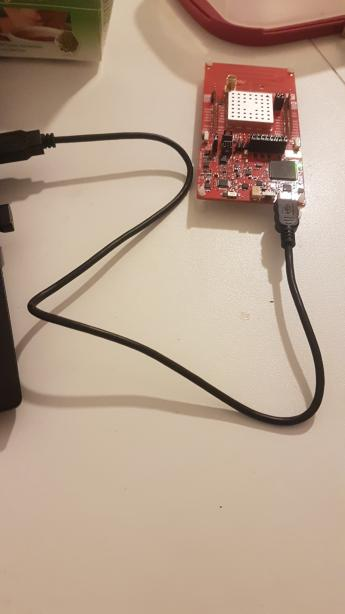
guitar9
on 20 Jan 2020
If I try to order e.g. the CC26X2R1 from TI.com it says I should also pay USD 9.87 for taxes. As this is shipped from either Germany or Netherlands and I'm based out of Netherlands I'm not getting the purposes of these taxes. At one point the website asks to fill out the Application and Equipment. Did everyone have to pay taxes for this, especially if in EU and shipped from EU? Thanks
 ovitters
on 24 Jan 2020
ovitters
on 24 Jan 2020
@ovitters Isn't it simply VAT? That is pretty much standard with wholesale suppliers that their prices are quoted without VAT...
piit79
on 24 Jan 2020
Yes pretty sure its VAT.
james-fry
on 24 Jan 2020
Reporting that I've solved the issue I was getting RE: Error: SRSP - SYS - version after 6000ms
Since I've moved my CC2652 to a dedicated Raspberry Pi only running Zigbee2mqtt I've had zero issues and never had to reset the CC2652, the setup I'm seeing is rock solid.
I was seeing issues when I had the USB passed through from Physical host via Proxmox to a Debian 10 virtual machine. Despite my CC2531, Z-Wave and RFXCOM devices all passing through fine, for some reason I could not get a stable setup with my CC2652 in that environment.
I'd suggest anyone having problems to try with a dedicated Raspberry Pi.
ben423423n32j14e
on 25 Jan 2020
Try:
for i in /sys/bus/pci/drivers/[uoex]hci_hcd/*:*; do
  [ -e "$i" ] || continue
  echo "${i##*/}" > "${i%/*}/unbind"
  echo "${i##*/}" > "${i%/*}/bind"
done
Works fine for me. Will reset every USB port on the system
Thank you! Do you, by any chance, know how I could only reset the port that I need to (i.e. identify which port my coordinator is connected to, then use that one)?
prankousky
on 25 Jan 2020
@ovitters I bought from here, total was about 50 GBP with all shipping and taxes
https://www.mouser.co.uk/ProductDetail/Texas-Instruments/LAUNCHXL-CC26X2R1?qs=pfd5qewlna7NQQI%252B7L2KoA%3D%3D delivery was about 5 days
 pcb1962
on 25 Jan 2020
pcb1962
on 25 Jan 2020
Thank you! Do you, by any chance, know how I could only reset the port that I need to (i.e. identify which port my coordinator is connected to, then use that one)?
Note:
I see no harm in doing a "full reset". On the contrary, I would advise against doing the single port reset. Doing it manually, it is easy to identify the current Coordinator port. Doing it via script, the port may have changed (different USB order reboot etc) and the script misfires.
Anyway, here you go:
- Connect the coordinator
- Run
dmesgand you will get something along this:
[97434.685116] usb 9-2: new high-speed USB device number 2 using xhci_hcd
[97434.836141] usb 9-2: New USB device found, idVendor=0451, idProduct=bef3, bcdDevice= 1.00
[97434.836147] usb 9-2: New USB device strings: Mfr=1, Product=2, SerialNumber=3
[97434.836151] usb 9-2: Product: XDS110 (03.00.00.07) Embed with CMSIS-DAP
[97434.836155] usb 9-2: Manufacturer: Texas Instruments
[97434.836158] usb 9-2: SerialNumber: L43002G9
[97434.892823] cdc_acm 9-2:1.0: ttyACM0: USB ACM device
[97434.909521] hidraw: raw HID events driver (C) Jiri Kosina
[97434.994031] cdc_acm 9-2:1.3: ttyACM1: USB ACM device
[97435.094991] usbcore: registered new interface driver cdc_acm
[97435.094996] cdc_acm: USB Abstract Control Model driver for USB modems and ISDN adapters
[97435.097017] usbcore: registered new interface driver usbhid
[97435.097022] usbhid: USB HID core driver
[97435.138552] hid-generic 0003:0451:BEF3.0001: hiddev0,hidraw0: USB HID v1.11 Device [Texas Instruments XDS110 (03.00.00.07) Embed with CMSIS-DAP] on usb-0000:05:00.0-2/input5
Note two information: First line in the snippet shows it is in the
xhci_hcdclass (because I chose an USB3.0 port.uhci_hcdorohci_hcdfor an USB1.x port andehci_hcdfor USB2.0) and it is registered asusb-0000:05:00.0(last line)Run
ls -al /sys/bus/pci/drivers/xhci_hcd/. Here again you should see the0000:05:00.0device and you see thebindandunbindtargets
total 0
drwxr-xr-x  2 root root    0 Jan 25 15:37 .
drwxr-xr-x 25 root root    0 Jan 25 15:37 ..
lrwxrwxrwx  1 root root    0 Jan 25 15:37 0000:05:00.0 -> ../../../../devices/pci0000:00/0000:00:1c.5/0000:05:00.0
--w-------  1 root root 4.0K Jan 25 15:37 bind
--w-------  1 root root 4.0K Jan 25 15:37 new_id
--w-------  1 root root 4.0K Jan 25 15:37 remove_id
--w-------  1 root root 4.0K Jan 25 15:37 uevent
--w-------  1 root root 4.0K Jan 25 15:37 unbind
- Run
echo 0000:05:00.0 > /sys/bus/pci/drivers/xhci_hcd/unbindto remove the usb port - Running
dmesgshould give you similar output:
[98016.304278] xhci_hcd 0000:05:00.0: remove, state 4
[98016.304291] usb usb10: USB disconnect, device number 1
[98016.304931] xhci_hcd 0000:05:00.0: USB bus 10 deregistered
[98016.304954] xhci_hcd 0000:05:00.0: remove, state 1
[98016.304962] usb usb9: USB disconnect, device number 1
[98016.304967] usb 9-2: USB disconnect, device number 2
[98016.317200] xhci_hcd 0000:05:00.0: USB bus 9 deregistered
- Run
echo 0000:05:00.0 > /sys/bus/pci/drivers/xhci_hcd/bindto register the usb port again - Running
dmesgshould give you similar output:
[98084.454266] xhci_hcd 0000:05:00.0: xHCI Host Controller
[98084.454289] xhci_hcd 0000:05:00.0: new USB bus registered, assigned bus number 9
[98084.454451] xhci_hcd 0000:05:00.0: hcc params 0x014042cb hci version 0x96 quirks 0x0000000000000004
[98084.455296] usb usb9: New USB device found, idVendor=1d6b, idProduct=0002, bcdDevice= 5.03
[98084.455302] usb usb9: New USB device strings: Mfr=3, Product=2, SerialNumber=1
[98084.455306] usb usb9: Product: xHCI Host Controller
[98084.455309] usb usb9: Manufacturer: Linux 5.3.0-26-generic xhci-hcd
[98084.455313] usb usb9: SerialNumber: 0000:05:00.0
[98084.455856] hub 9-0:1.0: USB hub found
[98084.455938] hub 9-0:1.0: 2 ports detected
[98084.456714] xhci_hcd 0000:05:00.0: xHCI Host Controller
[98084.456734] xhci_hcd 0000:05:00.0: new USB bus registered, assigned bus number 10
[98084.456753] xhci_hcd 0000:05:00.0: Host supports USB 3.0 SuperSpeed
[98084.457978] usb usb10: We don't know the algorithms for LPM for this host, disabling LPM.
[98084.458253] usb usb10: New USB device found, idVendor=1d6b, idProduct=0003, bcdDevice= 5.03
[98084.458261] usb usb10: New USB device strings: Mfr=3, Product=2, SerialNumber=1
[98084.458267] usb usb10: Product: xHCI Host Controller
[98084.458273] usb usb10: Manufacturer: Linux 5.3.0-26-generic xhci-hcd
[98084.458278] usb usb10: SerialNumber: 0000:05:00.0
[98084.459127] hub 10-0:1.0: USB hub found
[98084.459214] hub 10-0:1.0: 2 ports detected
[98084.789106] usb 9-2: new high-speed USB device number 2 using xhci_hcd
[98084.940188] usb 9-2: New USB device found, idVendor=0451, idProduct=bef3, bcdDevice= 1.00
[98084.940195] usb 9-2: New USB device strings: Mfr=1, Product=2, SerialNumber=3
[98084.940199] usb 9-2: Product: XDS110 (03.00.00.07) Embed with CMSIS-DAP
[98084.940202] usb 9-2: Manufacturer: Texas Instruments
[98084.940206] usb 9-2: SerialNumber: L43002G9
[98084.948843] cdc_acm 9-2:1.0: ttyACM0: USB ACM device
[98085.050612] cdc_acm 9-2:1.3: ttyACM1: USB ACM device
[98085.154200] hid-generic 0003:0451:BEF3.0002: hiddev0,hidraw0: USB HID v1.11 Device [Texas Instruments XDS110 (03.00.00.07) Embed with CMSIS-DAP] on usb-0000:05:00.0-2/input5
@Sineos wow, thank you so much for this detailed instruction :) I have solved the problem in another way by now: apparently the CC1352P-2 did not work properly because I used a USB extension cable between it and my home server; my noob explanation is that somehow the cable did not provide sufficient energy to the coordinator. When I changed the extension cable to an active USB hub, everything seemed to work just fine again.
However, I will save your reply because this is still a great thing to know :+1:
prankousky
on 27 Jan 2020
@Koenkk this is a reply to https://github.com/Koenkk/zigbee2mqtt/issues/2814#issuecomment-578949489.
I am already using the CC1352P-2 with Z-Stack 3 firmware. Before that issue referred to was solved, I ordered an additional CC26X2R1 from TI. Now the issue has been solved differently, but now I have both the CC1352P-2 and the CC26X2R1.
While it seems like that the CC1352P-2 coordinator is very well capable of handling my entire network on it's own, I am curious whether it would be possible to include the CC26XR1 as a router. I could, for example, install it in the garage and place zigbee devices around the garage and garden, which I previously had not done because I didn't think they would be covered anyway.
Previous attempts to add CC2531 or CC2530 routers when using CC1352P-2 as coordinator have failed. While they did successfully connect, it seems like they had a negative impact on the network rather than helping to extend it (for example, once I placed a paired CC2530 router in the kitchen, it would connect, but the other devices around the kitchen area would lag and/or not connect at all). This was a couple of months ago and I used the Z-Stack 3 firmware on all devices (CC1352P-2 coordinator and CC2530 / CC2531 routers).
Now, currently I don't seem to need any router at all. Coverage is great, there is minimal lag at the worst (usually none), and everything seems to run pretty stable. One SPZB0001 thermostat is regularly giving me trouble, even though coverage should be fine (other paired devices in that area of the house work fine), even after replacing the old thermostat with a brand new one. So I don't know what that is about, but I doubt it has to do with coordinator or the network itself.
Anyway... just in case you are already working on a router firmware for CC26X2R1, I could test it on my hardware. So far, it is still in it's original wrapping as I didn't see a point in unpacking it yet (as mentioned above, the reason I ordered it was to replace the coordinator I am presently using, which I don't need to any longer).
prankousky
on 28 Jan 2020
I have briefly tested a couple of the default Zigbee router examples provided in the TI SDK. They all appeared correctly as routers in my Zigbee map.
fredrikgk
on 28 Jan 2020
@fredrikgk could you share the firmware file?
Koenkk
on 28 Jan 2020
Has anyone seen https://electrolama.com/projects/zig-a-zig-ah ? the formfactor looks promising!
sjorge
on 28 Jan 2020
Another module for anyone want to make a dongle https://www.aliexpress.com/item/4000321518715.html, note that it is PCB antenna for 2.4Ghz
dzungpv
on 30 Jan 2020
Regarding the usb reset procedure - That does sadly not work for me.
I'm running a ESXI machine with pci pass-through for the cc1352 card and most vm reboots works, but once from time to time I get the "Error: SRSP - SYS - version after 6000ms" error.
I tested the unbind/bind both for all usb devices and also only the affected one - Still same error.
The only way I think is to either have some sort of watchdog in the firmware that resets the board or try to simulate the TI Uniflash board/cpu reset . I really think that there should be a way to reset the board upon start of herdsman via tty port.
I tried to sniff the traffic on how Uniflash resets the board but it is loads of data-packages and I couldn't see any clear sign of what was the 'reset' package. I did both board reset and cpu reset to compare but nothing sticks out. Maybe this is explained in the manuals.
A emergency-solution for me would be to toggle the reset-pin via an Atmel or something. I haven't tried this yet but it just seams stupid to need to do something like that.
Edit; I tested all types of software reset, pci reset, usb reset, reboot vs cold boot the vm, restart entire esxi. The _ONLY_ way for me to wake the cc1352 up again is with a 5v power cycle.
 Damme
on 30 Jan 2020
Damme
on 30 Jan 2020
@Damme check my previous comment, I had the same issues with Proxmox and CC2652.
I did not have the issue with CC2531.
For some reason I don't think these boards like USB pass-through, I'd suggest putting it on a dedicated Raspberry Pi.
Since doing so my setup has been 100% stable, I have not had any issues.
ben423423n32j14e
on 30 Jan 2020
Using a usb3 hub on my synology. Everything is very stable. Only the Eurotronic radiator valve needs te wake up every few day, just press any of the buttons and it comes alive again. Very happy so far!
bochelork
on 30 Jan 2020
@Koenkk , here is the default Zigbee router light switch example from the latest SDK. I have not had time to do much else than compile it and try to connect it to my network.
A couple of issues right off the bat:
- When commissioning, I get interview failed. I am not sure if this is due to lack of converter or something else.
- modelID is reported as undefined. I am not sure if that is due to the failed interview, or actually not being defined in the Light Switch project. I have not figured out where in the project to set modelID.
fredrikgk
on 1 Feb 2020
@Koenkk , here is the default Zigbee router light switch example from the latest SDK. I have not had time to do much else than compile it and try to connect it to my network.
How did you do that? I tried the following examples:
- zr_genericapp_CC1352P_2_LAUNCHXL_tirtos_ccs
- zr_light_CC1352P_2_LAUNCHXL_tirtos_ccs
- zr_sw_CC1352P_2_LAUNCHXL_tirtos_ccs
As far as I understand the examples description clicking BTN-1 should initiate the pairing. But in the log (sudo journalctl -u zigbee2mqtt.service -f) nothing appears
even when I set it to debug
edit//
My problem was that the newly iterdused router had the ieee address from the coordinator, because it used to be the coordinator when I built the network
matlab22
on 1 Feb 2020
Read that "zig-a-zig-ah" ("zzh" for short) USB-stick form-factor dev board based on CC2652R / CC2652P has been announced as an open-source hardware design by Electrolama ( @OmerK and friends ) under open source Solderpad Hardware Licence Version 2.0
https://github.com/electrolama/zig-a-zig-ah/
https://github.com/electrolama/docs/blob/master/docs/projects/zig-a-zig-ah.md
"Assembled versions of zig-a-zig-ah! will be made available on Tindie when it is ready"
https://electrolama.com/projects/zig-a-zig-ah
 Gamester17
on 2 Feb 2020
Gamester17
on 2 Feb 2020
@Koenkk , here is the default Zigbee router light switch example from the latest SDK. I have not had time to do much else than compile it and try to connect it to my network.
A couple of issues right off the bat:
* When commissioning, I get interview failed. I am not sure if this is due to lack of converter or something else.

* modelID is reported as undefined. I am not sure if that is due to the failed interview, or actually not being defined in the Light Switch project. I have not figured out where in the project to set modelID.
You can use my router firmware, work out of the box, both for CC1352P_2_LAUNCHXL and CC26X2R1_LAUNCHXL :
zr_light_CC1352P_2_LAUNCHXL_tirtos_ccs.zip
zr_light_CC26X2R1_LAUNCHXL_tirtos_ccs.zip
It is default project so it will not automatic join your network, must control over COM port, guide here: http://dev.ti.com/tirex/explore/node?node=AFaUZ9bVqY4JvzG3JpLX.g__pTTHBmu__LATEST&search=zr%20light%20CC26X2R1%20LAUNCHXL
dzungpv
on 2 Feb 2020
@Koenkk , here is the default Zigbee router light switch example from the latest SDK. I have not had time to do much else than compile it and try to connect it to my network.
How did you do that? I tried the following examples:* zr_genericapp_CC1352P_2_LAUNCHXL_tirtos_ccs * zr_light_CC1352P_2_LAUNCHXL_tirtos_ccs * zr_sw_CC1352P_2_LAUNCHXL_tirtos_ccs As far as I understand the examples description clicking BTN-1 should initiate the pairing. But in the log (sudo journalctl -u zigbee2mqtt.service -f) nothing appears even when I set it to debug
You must use serial port to config the channel, by default it is 11, see my previous port for the guide
dzungpv
on 2 Feb 2020
Here is a version for the CC1352P_2 which does not need any configuration via serial port.
zr_genericapp_CC1352P_2_LAUNCHXL_tirtos_ccs_20200202.zip
I set the Primary Channel to 11 and the secondarily channels to 12-26.
I am not able to interview it properly:
{"id":51,"type":"Router","ieeeAddr":"0x00balalalalala","nwkAddr":3951,"manufId":0,"epList":[242,8],"endpoints":{"8":{"profId":260,"epId":8,"devId":8,"inClusterList":[0,3],"outClusterList":[0],"clusters":{},"binds":[]},"242":{"profId":41440,"epId":242,"devId":97,"inClusterList":[],"outClusterList":[33],"clusters":{},"binds":[]}},"interviewCompleted":false,"meta":{},"lastSeen":1580675754891}
however it appears in the networkmap and looks like it is properly working:
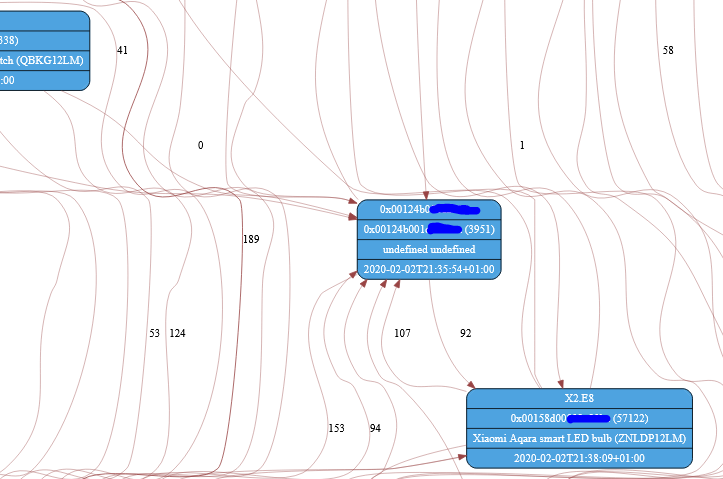
@Koenkk the reason I was not able to connect my own device was, that it was formerly my coordinater. Even after I flashed a router firmware the IEEE address was still stored in the coordinator. I tried to replace it in the db file but this doesnt help. Is there a way to properly switch a coordinator?
Go from this setup:
Coordinator with address 0x00....1
Router with address 0x00....2
to
Coordinator with address 0x00....2
Router with address 0x00....1
matlab22
on 2 Feb 2020
@matlab22 have you tried 1.9.0+dev from tonight? There is a fix in there were it will update the coordinator ieeeAddr if it changes.
I think if you update and restart... it should change the coordinator ieeeAddr for you.
sjorge
on 2 Feb 2020
@matlab22 add the model id and use endoint 1 to the project, use my id which already support in zignee2mqtt, you can see here https://github.com/dzungpv/dnckatsw001
dzungpv
on 3 Feb 2020
@matlab22 have you tried 1.9.0+dev from tonight? There is a fix in there were it will update the coordinator ieeeAddr if it changes.
I think if you update and restart... it should change the coordinator ieeeAddr for you.
I just tried zigbee2mqtt version 1.9.0-dev (commit #a07a28c). It is still on the old IEEE address :(
matlab22
on 3 Feb 2020
Read that "zig-a-zig-ah" ("zzh" for short) USB-stick form-factor dev board based on CC2652R / CC2652P has been announced as an open-source hardware design by Electrolama ( @omerk and friends ) under open source Solderpad Hardware Licence Version 2.0
https://github.com/electrolama/zig-a-zig-ah/
https://github.com/electrolama/docs/blob/master/docs/projects/zig-a-zig-ah.md
"Assembled versions of zig-a-zig-ah! will be made available on Tindie when it is ready"
https://electrolama.com/projects/zig-a-zig-ah
There is Draft2 already: https://twitter.com/OmerK/status/1224131156221755394/photo/1
:-)
 sermayoral
on 4 Feb 2020
sermayoral
on 4 Feb 2020
Dear all,
I currently use a CC2531 as a coordinator and just received my CC26X2R1. I run zigbee2mqtt on a raspberry pi and would like to know, how exactly I can move my devices over to the CC26X2R1 in the most convenient way? Do I have to set up a second RPi, on which I pair the devices with the CC26X2R1 and afterwards just copy the configuration and the database over to the first RPi and move the CC26X2R1 to the first RPi?
Not sure what the best solution is...
best regards
 IcedEarth
on 4 Feb 2020
IcedEarth
on 4 Feb 2020
@IcedEarth I was in the exact same situation. I was unwilling to re-pair all my devices in one go, so I set up another z2m instance on the same system for the CC26X2. I'm using z2m with HA, so I renamed the base topic of the original instance to zigbee2mqqt2 so that I can control each instance individually.
Then I would enable joining on the second instance and reset each device one by one - it would leave the original network and join the new one. The device would keep working with HA seamlessly, until I renamed it in z2m (using a MQTT message) - then I would have to restart z2m to get it working again.
All in all, the transition went pretty smoothly. CC26X2R1 seems to have better range than my old CC2531 with external antenna.
piit79
on 4 Feb 2020
Read that "zig-a-zig-ah" ("zzh" for short) USB-stick form-factor dev board based on CC2652R / CC2652P has been announced as an open-source hardware design by Electrolama ( @omerk and friends ) under open source Solderpad Hardware Licence Version 2.0
https://github.com/electrolama/zig-a-zig-ah/
https://github.com/electrolama/docs/blob/master/docs/projects/zig-a-zig-ah.md
"Assembled versions of zig-a-zig-ah! will be made available on Tindie when it is ready"
https://electrolama.com/projects/zig-a-zig-ah
https://electrolama.com/_assets/zzh-RevA-Draft1-010220.pdf
https://twitter.com/OmerKThere is Draft2 already: https://twitter.com/OmerK/status/1224131156221755394/photo/1
:-)
You mean here :)
https://github.com/electrolama/zig-a-zig-ah
 semaf
on 5 Feb 2020
semaf
on 5 Feb 2020
Read that "zig-a-zig-ah" ("zzh" for short) USB-stick form-factor dev board based on CC2652R / CC2652P has been announced as an open-source hardware design by Electrolama ( @omerk and friends ) under open source Solderpad Hardware Licence Version 2.0
https://github.com/electrolama/zig-a-zig-ah/
https://github.com/electrolama/docs/blob/master/docs/projects/zig-a-zig-ah.md
"Assembled versions of zig-a-zig-ah! will be made available on Tindie when it is ready"
https://electrolama.com/projects/zig-a-zig-ah
https://electrolama.com/_assets/zzh-RevA-Draft1-010220.pdf
https://twitter.com/OmerKThere is Draft2 already: https://twitter.com/OmerK/status/1224131156221755394/photo/1
:-)You mean here :)
https://github.com/electrolama/zig-a-zig-ah
Yeah! Looks very good. I hope it is ready soon :-)
sermayoral
on 5 Feb 2020
I might just have broken my device. Ordered the board from TI, installed the Flash Programmer v2 and connected the USB cable. It showed up in the programmer as three ports. The topmost port had a red icon, clicking on it said it needed to update the firmware. I got the impression this was the firmware of the USB-to-serial chip. I allowed it to do the update but halfway through the progress bar stopped and it said it was unsuccessful.
Now the board is completely dead. The USB port doesn't seem to work, it doesn't register at all when connecting. I tried connecting it to a Windows, Mac and Linux box but the device seems to be dead.
Is there anything I can do to recover it? Anyone else having similar problems?
 mats-bredell
on 7 Feb 2020
mats-bredell
on 7 Feb 2020
@bredell try to install uniflash or smart Rf studio on Windows and try to connect. If it still not work seem xds part of the Kit is broken, but you can still use the cc2652/cc1352, uninstall all jumper, buy a xds 100v3 and flash, or buy other board, use external xds110 pin: TMS, TCK, RESET to flash.
dzungpv
on 7 Feb 2020
@bredell I would recommend you to request a replacement from TI. Typically they require that you post your problem on the E2E forum first, so you might as well start there.
fredrikgk
on 8 Feb 2020
The problem with the dead board has been fixed. Well, almost.
The XDS110 has its own JTAG interface, it's available on the backside of the PCB in one of the corners. Unfortunately there's no connector, just some contact points making it difficult to flash using this interface. Fortunately, it's possible to put the XDS110 into DFU mode by pulling pin TDO low during startup, this makes it use its ROM based software. After that, the firmware can be flashed using the xdsdfu utility.
Doing this brought the USB interface back to life again. And again, the Flash Programmer v2 wants to update the USB firmware. And again it fails. I'm sure this is caused by some USB problems on the computer I'm using and has nothing to do with the board itself. I need to find another computer for the flashing, unless I can do this using a Mac or Linux computer.
mats-bredell
on 9 Feb 2020
Try Uniflash instead of Flash Programmer 2. It supports both Mac and Linux.
fredrikgk
on 9 Feb 2020
Try Uniflash instead of Flash Programmer 2. It supports both Mac and Linux.
Using Uniflash on Mac worked. Thanks!
mats-bredell
on 10 Feb 2020
Hello,
I have a question regarding the V3.x network.
I have a network with more than 55 devices and switched the coordinator from CC2531 to CC1352P2. Also I implement 3 cc2530 routers. Since this time it worked pretty good.
The routers doesn‘t work with zigbee 3.x protocol.
Does anyone had implement v3.x routers at home?
What possible solutions does exist if I go and implement new v3 devices in the future?
gettings
Str3000
 str3000
on 16 Feb 2020
str3000
on 16 Feb 2020
So the CC2652R is a lot stronger in link quality than the CC2538?
Which parts do I need for this Board in total?
 Pascal51882
on 24 Feb 2020
Pascal51882
on 24 Feb 2020
@IcedEarth I was in the exact same situation. I was unwilling to re-pair all my devices in one go, so I set up another z2m instance on the same system for the CC26X2. I'm using z2m with HA, so I renamed the base topic of the original instance to
zigbee2mqqt2so that I can control each instance individually.Then I would enable joining on the second instance and reset each device one by one - it would leave the original network and join the new one. The device would keep working with HA seamlessly, until I renamed it in z2m (using a MQTT message) - then I would have to restart z2m to get it working again.
All in all, the transition went pretty smoothly. CC26X2R1 seems to have better range than my old CC2531 with external antenna.
so good!!!
I wanna do this exactly the same way.
Pleeeeeease can you give some more detailed step-by-step hints on your way??
Are both networks running in the same time?! I mean both coordinators are connected to the same system? Maybe by using the z2m-Edge addon?
Or did you stop z2m, renamed the serial port and the base topic and start again z2m?
I guess you don't use the HA addon on hass.io??
 upwindanderl
on 26 Feb 2020
upwindanderl
on 26 Feb 2020
@upwindanderl Sure thing, here's a more detailed write-up:
- I do use the z2m Hass.io addon
- When starting the transition, I stopped my Hass.io z2m instance and transferred the whole
/usr/share/hassio/share/zigbee2mqttfolder to a new "legacy" standalone instance. The only thing I changed was the "base topic" (tozigbee2mqtt2) so that I could control the old instance separately from the new one. I used Docker Compose to set it up. This instance would use the current CC2531 stick - I started the new "legacy" instance to get the network back up
- I cleared the configuration of the Hass.io z2m instance and started from fresh - selected a different Zigbee channel, set up a new network key etc. This instance would use the new CC26X2R1 board from TI and would initially start with no devices
- Both the old and the new instance would be integrated with HA
- I would enable joining on the new instance and reset one of the devices. It would leave the old network and join the new network. It would continue to work with HA on the new network immediately, just with the default "friendly name" (
0xADDRESS). It would stop working when I'd rename it using MQTT - probably because it would start submitting the state/listening for commands in a new topic. I had to restart z2m to get it working again (this is something that could be improved in z2m - it could announce the sensor to HA again when renamed) - Repeat step 6 for all devices. Delete the devices that didn't leave the old network manually (using MQTT)
Hope that's clear - please let me know if you have any more questions.
piit79
on 27 Feb 2020
@upwindanderl Sure thing, here's a more detailed write-up:
1. I do use the z2m Hass.io addon

2. When starting the transition, I stopped my Hass.io z2m instance and transferred the whole `/usr/share/hassio/share/zigbee2mqtt` folder to a new "legacy" standalone instance. The only thing I changed was the "base topic" (to `zigbee2mqtt2`) so that I could control the old instance separately from the new one. I used Docker Compose to set it up. This instance would use the current CC2531 stick

3. I started the new "legacy" instance to get the network back up

4. I cleared the configuration of the Hass.io z2m instance and started from fresh - selected a different Zigbee channel, set up a new network key etc. This instance would use the new CC26X2R1 board from TI and would initially start with no devices

5. Both the old and the new instance would be integrated with HA

6. I would enable joining on the new instance and reset one of the devices. It would leave the old network and join the new network. It would continue to work with HA on the new network immediately, just with the default "friendly name" (`0xADDRESS`). It would stop working when I'd rename it using MQTT - probably because it would start submitting the state/listening for commands in a new topic. I had to restart z2m to get it working again (this is something that could be improved in z2m - it could announce the sensor to HA again when renamed)

7. Repeat step 6 for all devices. Delete the devices that didn't leave the old network manually (using MQTT)
Hope that's clear - please let me know if you have any more questions.
Sorry for my stupidness
I guess i'll stuck already at point 2. :'( :'(
Does it mean you copied the workspace folder of the addon to a new named folder but in the same directory.
I mean copying is easy and possible by cli or samba or even with the file editor in ha i guess.
And then after ha restart suddenly a 2nd addon is shown in the "supervisor" overview and you can work with both seperately??!
Or what does it mean with your docker compose solution?
And one more question
May i ask on your used hw? Are you going on a pi maybe? And I'm not sure already in the usb thing, the new cc26xr1 can be connected without problems on the usb2 on any pi? Or what was the problem with usb hubs and so on.
Thank you so much!
upwindanderl
on 27 Feb 2020
@upwindanderl Sorry, I see I wasn't entirely clear there :-) I don't think you can easily run two instances of the same Hass.io addon. What I did was copy the whole configuration directory of the addon (/usr/share/hassio/share/zigbee2mqtt) and used it to start up a standalone z2m instance using Docker Compose. You could just as easily use plain Docker. Or, if you don't use Docker (which, however, you probably are if you're running Hass.io), you could install z2m normally (see the documentation).
I'm running Hass.io on my home router based on PCEngines.ch apu2c4 - it was no problem connecting both CC2531 and CC26x2R1 using USB. I didn't use a USB hub.
Hope that helps :)
piit79
on 27 Feb 2020
@upwindanderl Sorry, I see I wasn't entirely clear there :-) I don't think you can easily run two instances of the same Hass.io addon. What I did was copy the whole configuration directory of the addon (
/usr/share/hassio/share/zigbee2mqtt) and used it to start up a standalone z2m instance using Docker Compose. You could just as easily use plain Docker. Or, if you don't use Docker (which, however, you probably are if you're running Hass.io), you could install z2m normally (see the documentation).I'm running Hass.io on my home router based on PCEngines.ch apu2c4 - it was no problem connecting both CC2531 and CC26x2R1 using USB. I didn't use a USB hub.
Hope that helps :)
ah ok!
I see i got stuck in some mind
Thanks a lot
So for me i can also go on some external machine like a vm linux or on my mac or smth. else.
Plugin the cc2531 and start the instance with the old addon database.
Sounds like a good plan... so i've to order at mouser : )
upwindanderl
on 27 Feb 2020
I just received my CC26x2R1. But I can not figure out how I should flash this board. I tried to use Flash Programmer 2 (windows) and Uniflash (windwows, mac). On all applications my devices can not be detected. When I use lsusb on my mac I can find that a texas instruments device is detected. But never in the software itself. Can someone help me figure out how I can flash this board? Where can I find steps to flash this board from getting it unboxed to instaling z-stack on it
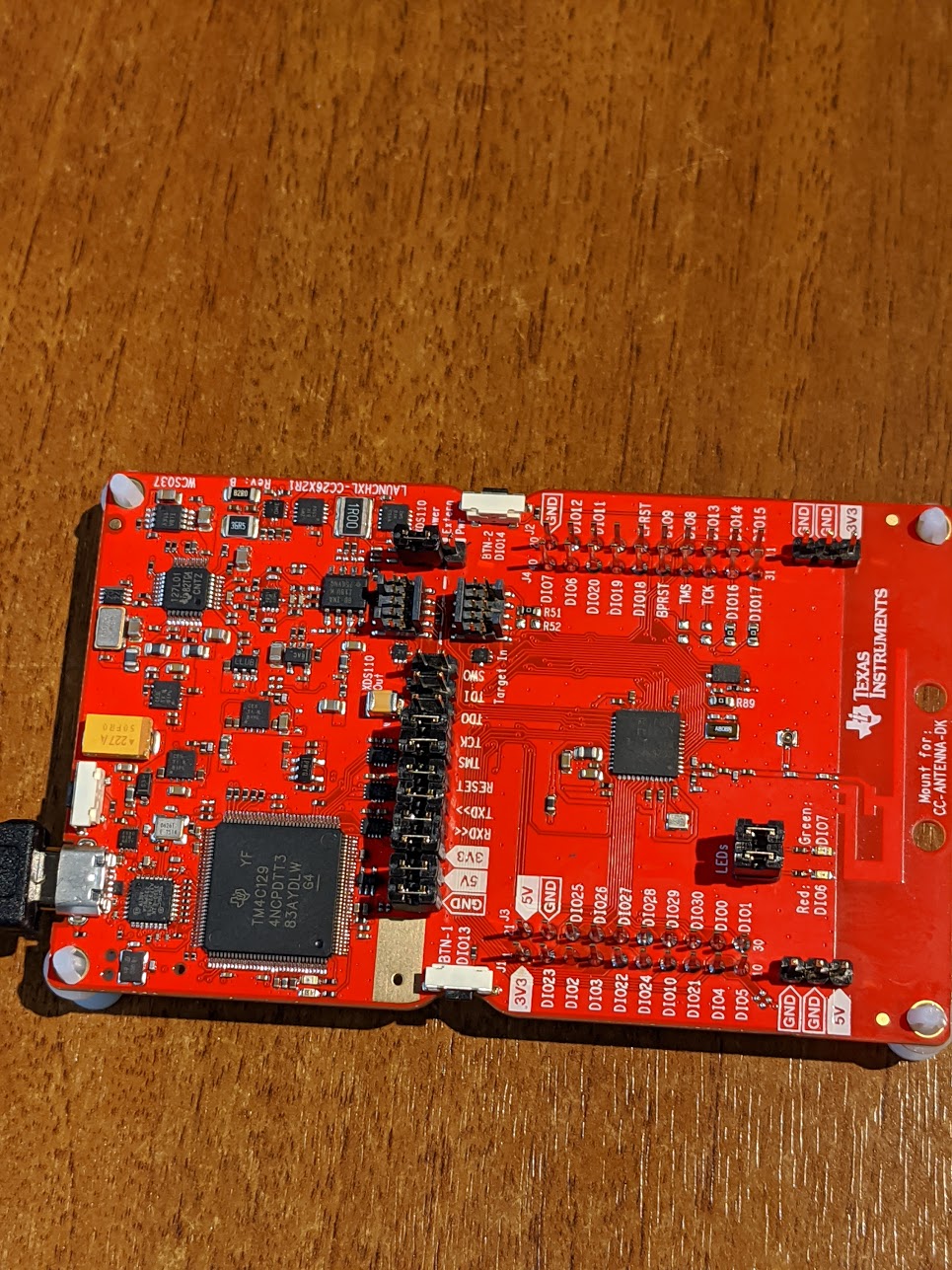
 vanlooverenkoen
on 27 Feb 2020
vanlooverenkoen
on 27 Feb 2020
A new firmware is available for testing: https://github.com/Koenkk/Z-Stack-firmware/tree/develop/coordinator/Z-Stack_3.x.0/bin
Changelog: https://github.com/Koenkk/Z-Stack-firmware/blob/develop/coordinator/Z-Stack_3.x.0/CHANGELOG.md
If no problems are found before the next zigbee2mqtt release (+- 3 weeks) this will be the new firmware.
Koenkk
on 29 Feb 2020
Thank you, i just flashed to the new firmware. Let's hope this will improve things with the Hue end-devices.
WouterJN
on 29 Feb 2020
Is it necessary to re-pair all the devices if upgrading the CC2652 firmware?
ben423423n32j14e
on 29 Feb 2020
Is it necessary to re-pair all the devices if upgrading the CC2652 firmware?
no, zigbee2mqtt will automatically restore the coordinator_backup.json from the data directory.
Koenkk
on 29 Feb 2020
Is it necessary to re-pair all the devices if upgrading the CC2652 firmware?
no, zigbee2mqtt will automatically restore the
coordinator_backup.jsonfrom thedatadirectory.
Yes, well, none of my devices work after flashing this firmware... Every command gives "No network route (205)". Help :(
peterforeman
on 29 Feb 2020
I had no issues, all devices just worked after flashing the firmware.
WouterJN
on 29 Feb 2020
@peterforeman are you on zigbee2mqtt 1.11.0, also when physically powering off and on a device, do you get a device announce in the log?
Koenkk
on 29 Feb 2020
@peterforeman are you on zigbee2mqtt 1.11.0, also when physically powering off and on a device, do you get a device announce in the log?
Indeed needed to power off/on some router-devices before everything started to work again. Works fine now!
peterforeman
on 29 Feb 2020
A new firmware is available for testing: https://github.com/Koenkk/Z-Stack-firmware/tree/develop/coordinator/Z-Stack_3.x.0/bin
Changelog: https://github.com/Koenkk/Z-Stack-firmware/blob/develop/coordinator/Z-Stack_3.x.0/CHANGELOG.md
If no problems are found before the next zigbee2mqtt release (+- 3 weeks) this will be the new firmware.
Thanks Koen. I have upgraded and will check if it resolves the intermittent issues I have with hue end devices (dimmer switches). If the concurrency increase fix from 1.11 also resolves the lag I sometimes see between a button action and light changing then I will be very happy indeed!
james-fry
on 1 Mar 2020
I cannot say anything yet about the issue with the Hue end devices. However, after upgrading the firmware and zigbee2mqtt (1.11), the system feels a lot smoother and there are less laggy moments.
WouterJN
on 1 Mar 2020
Unfortunately, my Hue outdoor motion sensor dropped after about 1 day running on latest-dev and the latest firmware.
This is the log snippet, which seems weird because of the huge amount of mqtt updates.
zigbee2mqtt:info  2020-03-01 12:43:45: MQTT publish: topic 'zigbee2mqtt-beneden/motion_tuin', payload '{"battery":100,"linkquality":123,"occupancy":true,"temperature":11.67,"illuminance":38425,"illuminance_lux":6957,"device":{"friendlyName":"motion_tuin","model":"9290019758","ieeeAddr":"0x001788010644892e","networkAddress":57407,"type":"EndDevice","manufacturerID":4107,"manufacturerName":"Philips","powerSource":"Battery","applicationVersion":2,"stackVersion":1,"zclVersion":1,"hardwareVersion":1,"dateCode":"20180828","softwareBuildID":"6.1.0.25261"}}'
zigbee2mqtt:info  2020-03-01 12:43:45: MQTT publish: topic 'zigbee2mqtt-beneden/motion_tuin', payload '{"battery":100,"linkquality":123,"occupancy":true,"temperature":11.67,"illuminance":38425,"illuminance_lux":6957,"device":{"friendlyName":"motion_tuin","model":"9290019758","ieeeAddr":"0x001788010644892e","networkAddress":57407,"type":"EndDevice","manufacturerID":4107,"manufacturerName":"Philips","powerSource":"Battery","applicationVersion":2,"stackVersion":1,"zclVersion":1,"hardwareVersion":1,"dateCode":"20180828","softwareBuildID":"6.1.0.25261"}}'
zigbee2mqtt:info  2020-03-01 12:43:45: MQTT publish: topic 'zigbee2mqtt-beneden/motion_tuin', payload '{"battery":100,"linkquality":123,"occupancy":true,"temperature":11.67,"illuminance":38425,"illuminance_lux":6957,"device":{"friendlyName":"motion_tuin","model":"9290019758","ieeeAddr":"0x001788010644892e","networkAddress":57407,"type":"EndDevice","manufacturerID":4107,"manufacturerName":"Philips","powerSource":"Battery","applicationVersion":2,"stackVersion":1,"zclVersion":1,"hardwareVersion":1,"dateCode":"20180828","softwareBuildID":"6.1.0.25261"}}'
zigbee2mqtt:info  2020-03-01 12:43:45: MQTT publish: topic 'zigbee2mqtt-beneden/motion_tuin', payload '{"battery":100,"linkquality":123,"occupancy":true,"temperature":11.67,"illuminance":38425,"illuminance_lux":6957,"device":{"friendlyName":"motion_tuin","model":"9290019758","ieeeAddr":"0x001788010644892e","networkAddress":57407,"type":"EndDevice","manufacturerID":4107,"manufacturerName":"Philips","powerSource":"Battery","applicationVersion":2,"stackVersion":1,"zclVersion":1,"hardwareVersion":1,"dateCode":"20180828","softwareBuildID":"6.1.0.25261"}}'
zigbee2mqtt:info  2020-03-01 12:43:45: MQTT publish: topic 'zigbee2mqtt-beneden/motion_tuin', payload '{"battery":100,"linkquality":123,"occupancy":true,"temperature":11.67,"illuminance":38425,"illuminance_lux":6957,"device":{"friendlyName":"motion_tuin","model":"9290019758","ieeeAddr":"0x001788010644892e","networkAddress":57407,"type":"EndDevice","manufacturerID":4107,"manufacturerName":"Philips","powerSource":"Battery","applicationVersion":2,"stackVersion":1,"zclVersion":1,"hardwareVersion":1,"dateCode":"20180828","softwareBuildID":"6.1.0.25261"}}'
zigbee2mqtt:info  2020-03-01 12:43:48: MQTT publish: topic 'zigbee2mqtt-beneden/motion_tuin', payload '{"battery":100,"linkquality":3,"occupancy":true,"temperature":11.67,"illuminance":38567,"illuminance_lux":7189,"device":{"friendlyName":"motion_tuin","model":"9290019758","ieeeAddr":"0x001788010644892e","networkAddress":57407,"type":"EndDevice","manufacturerID":4107,"manufacturerName":"Philips","powerSource":"Battery","applicationVersion":2,"stackVersion":1,"zclVersion":1,"hardwareVersion":1,"dateCode":"20180828","softwareBuildID":"6.1.0.25261"}}'
zigbee2mqtt:info  2020-03-01 12:43:55: MQTT publish: topic 'zigbee2mqtt-beneden/motion_tuin', payload '{"battery":100,"linkquality":123,"occupancy":true,"temperature":11.67,"illuminance":38797,"illuminance_lux":7580,"device":{"friendlyName":"motion_tuin","model":"9290019758","ieeeAddr":"0x001788010644892e","networkAddress":57407,"type":"EndDevice","manufacturerID":4107,"manufacturerName":"Philips","powerSource":"Battery","applicationVersion":2,"stackVersion":1,"zclVersion":1,"hardwareVersion":1,"dateCode":"20180828","softwareBuildID":"6.1.0.25261"}}'
zigbee2mqtt:info  2020-03-01 12:43:55: MQTT publish: topic 'zigbee2mqtt-beneden/motion_tuin', payload '{"battery":100,"linkquality":123,"occupancy":true,"temperature":11.67,"illuminance":38797,"illuminance_lux":7580,"device":{"friendlyName":"motion_tuin","model":"9290019758","ieeeAddr":"0x001788010644892e","networkAddress":57407,"type":"EndDevice","manufacturerID":4107,"manufacturerName":"Philips","powerSource":"Battery","applicationVersion":2,"stackVersion":1,"zclVersion":1,"hardwareVersion":1,"dateCode":"20180828","softwareBuildID":"6.1.0.25261"}}'
zigbee2mqtt:info  2020-03-01 12:43:55: MQTT publish: topic 'zigbee2mqtt-beneden/motion_tuin', payload '{"battery":100,"linkquality":123,"occupancy":true,"temperature":11.67,"illuminance":38797,"illuminance_lux":7580,"device":{"friendlyName":"motion_tuin","model":"9290019758","ieeeAddr":"0x001788010644892e","networkAddress":57407,"type":"EndDevice","manufacturerID":4107,"manufacturerName":"Philips","powerSource":"Battery","applicationVersion":2,"stackVersion":1,"zclVersion":1,"hardwareVersion":1,"dateCode":"20180828","softwareBuildID":"6.1.0.25261"}}'
zigbee2mqtt:info  2020-03-01 12:43:55: MQTT publish: topic 'zigbee2mqtt-beneden/motion_tuin', payload '{"battery":100,"linkquality":123,"occupancy":true,"temperature":11.67,"illuminance":38797,"illuminance_lux":7580,"device":{"friendlyName":"motion_tuin","model":"9290019758","ieeeAddr":"0x001788010644892e","networkAddress":57407,"type":"EndDevice","manufacturerID":4107,"manufacturerName":"Philips","powerSource":"Battery","applicationVersion":2,"stackVersion":1,"zclVersion":1,"hardwareVersion":1,"dateCode":"20180828","softwareBuildID":"6.1.0.25261"}}'
zigbee2mqtt:info  2020-03-01 12:43:55: MQTT publish: topic 'zigbee2mqtt-beneden/motion_tuin', payload '{"battery":100,"linkquality":123,"occupancy":true,"temperature":11.67,"illuminance":38797,"illuminance_lux":7580,"device":{"friendlyName":"motion_tuin","model":"9290019758","ieeeAddr":"0x001788010644892e","networkAddress":57407,"type":"EndDevice","manufacturerID":4107,"manufacturerName":"Philips","powerSource":"Battery","applicationVersion":2,"stackVersion":1,"zclVersion":1,"hardwareVersion":1,"dateCode":"20180828","softwareBuildID":"6.1.0.25261"}}'
zigbee2mqtt:info  2020-03-01 12:43:56: MQTT publish: topic 'zigbee2mqtt-beneden/motion_tuin', payload '{"battery":100,"linkquality":3,"occupancy":false,"temperature":11.67,"illuminance":38797,"illuminance_lux":7580,"device":{"friendlyName":"motion_tuin","model":"9290019758","ieeeAddr":"0x001788010644892e","networkAddress":57407,"type":"EndDevice","manufacturerID":4107,"manufacturerName":"Philips","powerSource":"Battery","applicationVersion":2,"stackVersion":1,"zclVersion":1,"hardwareVersion":1,"dateCode":"20180828","softwareBuildID":"6.1.0.25261"}}'
zigbee2mqtt:info  2020-03-01 12:43:59: MQTT publish: topic 'zigbee2mqtt-beneden/motion_tuin', payload '{"battery":100,"linkquality":105,"occupancy":true,"temperature":11.67,"illuminance":38797,"illuminance_lux":7580,"device":{"friendlyName":"motion_tuin","model":"9290019758","ieeeAddr":"0x001788010644892e","networkAddress":57407,"type":"EndDevice","manufacturerID":4107,"manufacturerName":"Philips","powerSource":"Battery","applicationVersion":2,"stackVersion":1,"zclVersion":1,"hardwareVersion":1,"dateCode":"20180828","softwareBuildID":"6.1.0.25261"}}'
zigbee2mqtt:info  2020-03-01 12:43:59: MQTT publish: topic 'zigbee2mqtt-beneden/motion_tuin', payload '{"battery":100,"linkquality":105,"occupancy":true,"temperature":11.67,"illuminance":38797,"illuminance_lux":7580,"device":{"friendlyName":"motion_tuin","model":"9290019758","ieeeAddr":"0x001788010644892e","networkAddress":57407,"type":"EndDevice","manufacturerID":4107,"manufacturerName":"Philips","powerSource":"Battery","applicationVersion":2,"stackVersion":1,"zclVersion":1,"hardwareVersion":1,"dateCode":"20180828","softwareBuildID":"6.1.0.25261"}}'
zigbee2mqtt:info  2020-03-01 12:43:59: MQTT publish: topic 'zigbee2mqtt-beneden/motion_tuin', payload '{"battery":100,"linkquality":105,"occupancy":true,"temperature":11.67,"illuminance":38797,"illuminance_lux":7580,"device":{"friendlyName":"motion_tuin","model":"9290019758","ieeeAddr":"0x001788010644892e","networkAddress":57407,"type":"EndDevice","manufacturerID":4107,"manufacturerName":"Philips","powerSource":"Battery","applicationVersion":2,"stackVersion":1,"zclVersion":1,"hardwareVersion":1,"dateCode":"20180828","softwareBuildID":"6.1.0.25261"}}'
zigbee2mqtt:info  2020-03-01 12:43:59: MQTT publish: topic 'zigbee2mqtt-beneden/motion_tuin', payload '{"battery":100,"linkquality":105,"occupancy":true,"temperature":11.67,"illuminance":38797,"illuminance_lux":7580,"device":{"friendlyName":"motion_tuin","model":"9290019758","ieeeAddr":"0x001788010644892e","networkAddress":57407,"type":"EndDevice","manufacturerID":4107,"manufacturerName":"Philips","powerSource":"Battery","applicationVersion":2,"stackVersion":1,"zclVersion":1,"hardwareVersion":1,"dateCode":"20180828","softwareBuildID":"6.1.0.25261"}}'
zigbee2mqtt:info  2020-03-01 12:43:59: MQTT publish: topic 'zigbee2mqtt-beneden/motion_tuin', payload '{"battery":100,"linkquality":105,"occupancy":true,"temperature":11.67,"illuminance":38797,"illuminance_lux":7580,"device":{"friendlyName":"motion_tuin","model":"9290019758","ieeeAddr":"0x001788010644892e","networkAddress":57407,"type":"EndDevice","manufacturerID":4107,"manufacturerName":"Philips","powerSource":"Battery","applicationVersion":2,"stackVersion":1,"zclVersion":1,"hardwareVersion":1,"dateCode":"20180828","softwareBuildID":"6.1.0.25261"}}'
zigbee2mqtt:info  2020-03-01 12:44:00: MQTT publish: topic 'zigbee2mqtt-beneden/motion_tuin', payload '{"battery":100,"linkquality":63,"occupancy":true,"temperature":11.67,"illuminance":39278,"illuminance_lux":8467,"device":{"friendlyName":"motion_tuin","model":"9290019758","ieeeAddr":"0x001788010644892e","networkAddress":57407,"type":"EndDevice","manufacturerID":4107,"manufacturerName":"Philips","powerSource":"Battery","applicationVersion":2,"stackVersion":1,"zclVersion":1,"hardwareVersion":1,"dateCode":"20180828","softwareBuildID":"6.1.0.25261"}}'
zigbee2mqtt:info  2020-03-01 12:44:00: MQTT publish: topic 'zigbee2mqtt-beneden/motion_tuin', payload '{"battery":100,"linkquality":63,"occupancy":true,"temperature":11.67,"illuminance":39278,"illuminance_lux":8467,"device":{"friendlyName":"motion_tuin","model":"9290019758","ieeeAddr":"0x001788010644892e","networkAddress":57407,"type":"EndDevice","manufacturerID":4107,"manufacturerName":"Philips","powerSource":"Battery","applicationVersion":2,"stackVersion":1,"zclVersion":1,"hardwareVersion":1,"dateCode":"20180828","softwareBuildID":"6.1.0.25261"}}'
zigbee2mqtt:info  2020-03-01 12:44:00: MQTT publish: topic 'zigbee2mqtt-beneden/motion_tuin', payload '{"battery":100,"linkquality":63,"occupancy":true,"temperature":11.67,"illuminance":39278,"illuminance_lux":8467,"device":{"friendlyName":"motion_tuin","model":"9290019758","ieeeAddr":"0x001788010644892e","networkAddress":57407,"type":"EndDevice","manufacturerID":4107,"manufacturerName":"Philips","powerSource":"Battery","applicationVersion":2,"stackVersion":1,"zclVersion":1,"hardwareVersion":1,"dateCode":"20180828","softwareBuildID":"6.1.0.25261"}}'
zigbee2mqtt:info  2020-03-01 12:44:00: MQTT publish: topic 'zigbee2mqtt-beneden/motion_tuin', payload '{"battery":100,"linkquality":63,"occupancy":true,"temperature":11.67,"illuminance":39278,"illuminance_lux":8467,"device":{"friendlyName":"motion_tuin","model":"9290019758","ieeeAddr":"0x001788010644892e","networkAddress":57407,"type":"EndDevice","manufacturerID":4107,"manufacturerName":"Philips","powerSource":"Battery","applicationVersion":2,"stackVersion":1,"zclVersion":1,"hardwareVersion":1,"dateCode":"20180828","softwareBuildID":"6.1.0.25261"}}'
zigbee2mqtt:info  2020-03-01 12:44:00: MQTT publish: topic 'zigbee2mqtt-beneden/motion_tuin', payload '{"battery":100,"linkquality":63,"occupancy":true,"temperature":11.67,"illuminance":39278,"illuminance_lux":8467,"device":{"friendlyName":"motion_tuin","model":"9290019758","ieeeAddr":"0x001788010644892e","networkAddress":57407,"type":"EndDevice","manufacturerID":4107,"manufacturerName":"Philips","powerSource":"Battery","applicationVersion":2,"stackVersion":1,"zclVersion":1,"hardwareVersion":1,"dateCode":"20180828","softwareBuildID":"6.1.0.25261"}}'
After this no more messages in the log from this device...
peterforeman
on 1 Mar 2020
@Koenkk Koen, I just installed the new firmware on my CC2652R. Rebooted my Pi with the Node-RED application and I miss the zigbee2mqtt tables (devices, groups ....) in my Global variable list where it used to be before. As such my applications cannot function.
I updated zigbee2mqtt to v1.11.0-dev (commit 43b7449)
But still no tables in Node-RED
Josov
on 2 Mar 2020
@Josov I highly doubt this has anything to do with the firmware. But you should be able to revert to the stable firmware to verify?
piit79
on 2 Mar 2020
@piit79 After reverting the firmware and rebooting the Pi it all worked fine again like before. Then I upgraded the firmware again (so for the 2nd time), rebooted the Pi and guess what, it now works with the new firmware. I have no clue why. With both firmware updates I used UniFlash with erase and verify and encountered no errors.
Josov
on 2 Mar 2020
Hi,
I don't know if I missed the answer to this - or perhaps anyone else did the TTL to ethernet connection?:
@hdo How did you connect them - did you use a level converter, or is it 3V signals?
Can you take a picture of your setup?
@hdo How do you use tcp instead of serial communication?
I don't use the USB part of the launchpad. My launchpad is connect via serial TTL to this network device:
https://www.usriot.com/products/serial-ttl-to-ethernet-module.html
EDIT:
How to connect to a remote adapter
WoodsterDK
on 2 Mar 2020
I'd like to change my CC2531 coordinator and CC2530 routers because I'm experiencing issues with some xiaomi sensors (door switches sometimes not send change state and I cannot repair them).
Can the CC2562 and CC1352 cover an apartment of around 140 mq?
Are there someone that he's using them attached to a Synology NAS with x86 cpu? In this case, the soft-reset is still needed?
 valepe
on 4 Mar 2020
valepe
on 4 Mar 2020
I'd like to change my CC2531 coordinator and CC2530 routers because I'm experiencing issues with some xiaomi sensors (door switches sometimes not send change state and I cannot repair them).
Can the CC2562 and CC1352 cover an apartment of around 140 mq?
Are there someone that he's using them attached to a Synology NAS with x86 cpu? In this case, the soft-reset is still needed?
I am using x86 (docker on ubuntu on ESXi) and I can confirm that the soft reset is required.
james-fry
on 4 Mar 2020
For some reason the adapters don't seem to like USB virtualisation pass through.
Since I put my adapter on a dedicated Raspberry Pi 4, I've had zero issues and soft reset has never once been required.
I'd really suggest just putting it on a Raspberry Pi.
ben423423n32j14e
on 4 Mar 2020
For some reason the adapters don't seem to like USB virtualisation pass through.
Since I put my adapter on a dedicated Raspberry Pi 4, I've had zero issues and soft reset has never once been required.
I'd really suggest just putting it on a Raspberry Pi.
I'll live with having to soft reset on the rare times I have to disconnect the CC1352 (e.g. to flash update firmware).
Its much more convenient for me to have on esxi server than an array of application specific RPis.
(I do have a few e.g. dedicated for octopi on my 3d printer, but most stuff is on my dell server)
james-fry
on 4 Mar 2020
Same, I have almost everything virtualisation on Proxmox either LXC or KVM but I did choose to specifically put Zigbee2MQTT and my adapter on a dedicated Pi after realising I wasn't going to be able to get the reliability I wanted from my virtualized setup that previously ran a CC2531 without any issues.
ben423423n32j14e
on 4 Mar 2020
Same, I have almost everything virtualisation on Proxmox either LXC or KVM but I did choose to specifically put Zigbee2MQTT and my adapter on a dedicated Pi after realising I wasn't going to be able to get the reliability I wanted from my virtualized setup that previously ran a CC2531 without any issues.
I will keep it in mind if I have issues, but since 1.11 and the new firmware I am having a very nice experience w z2m.
james-fry
on 4 Mar 2020
@valepe It will, of course, depend on what your walls are made of and what your local RF interference situation looks like, but I'm using a CC2652R in essentially one corner of a considerably larger house and it works perfectly fine with the built-in antenna on the TI Launchpad board. MUCH better than the CC2531 and CC2530/2591 boards I was using before.
I'm using Zigbee channel 25 and avoiding WiFi channel 11 to help prevent interference, and I have plenty of router devices scattered around the house. It works great.
I don't have any experience with Xiaomi sensors, though.
wixoff
on 4 Mar 2020
@valepe It will, of course, depend on what your walls are made of and what your local RF interference situation looks like, but I'm using a CC2652R in essentially one corner of a considerably larger house and it works perfectly fine with the built-in antenna on the TI Launchpad board. MUCH better than the CC2531 and CC2530/2591 boards I was using before.
I'm using Zigbee channel 25 and avoiding WiFi channel 11 to help prevent interference, and I have plenty of router devices scattered around the house. It works great.
I don't have any experience with Xiaomi sensors, though.
Thanks, I just bought a CC1532P-2 so, at least, I'll pump up the output power
valepe
on 4 Mar 2020
Has anyone else with Hue outdoor motion sensors experienced problems with the illuminance measurements lately? I am using zigbee2mqtt with the latest home assistant (which may be the problem).
I updated the CC2652R firmware to CC26X2R1_20200229.hex and to the latest zigbee2mqtt version. (BTW: Most of my hue sensors seem to stay connected and report fine so far). I then had trouble pairing one reluctant hue sensor, so I messed around with the database (removed the sensor) and re-paired it. At some point it worked, but at some point suddenly the illuminance measurements seemed far too low (35lx where I had 1500lx a day ago) and have very strange measurements during the day.
What I did observe is that the sensor now seem to show a secondary illuminance measurement, for example:
2020-03-05 19:33:16: Received Zigbee message from '0x00*', type 'attributeReport', cluster 'msIlluminanceMeasurement', data '{"measuredValue":11030}' from endpoint 2 with groupID 0
zigbee2mqtt:info 2020-03-05 19:33:16: MQTT publish: topic 'zigbee2mqtt/0x00*', payload '{"occupancy":true,"linkquality":33,"illuminance":11030,"temperature":18.24,"battery":57.5,"illuminance_lux":12}'
So the measurement actually used so far was illuminance, the secondary is illuminance_lux. The first one is the one I deem correct and should be already in lux. The values in illuminance_lux do not make sense to me - is this a calculated value?
I am not sure why Home Assistant is now using the *_lx values for the entities in lovelace but it breaks my automations...
Does that make sense to anyone? :-)
papanirual
on 5 Mar 2020
@papanirual Yes, I had the same. I changed my automations to use the illuminance attribute because that one is more stable and predictable.
peterforeman
on 5 Mar 2020
I have the same issue as @papanirual. I haven't still figured out how to fix it though
It has happened since I updated home assistant to the latest version
 NachoGarciaBajo
on 7 Mar 2020
NachoGarciaBajo
on 7 Mar 2020
@papanirual that came in with a change from a few weeks ago illuminance is actually not a lux value according to the zcl
4.2.2.2.1.1 MeasuredValue Attribute
MeasuredValue represents the Illuminance in Lux (symbol lx) as follows:
MeasuredValue = 10,000 x log10 Illuminance + 1
Where 1 lx <= Illuminance <=3.576 Mlx, corresponding to a MeasuredValue in
the range 1 to 0xfffe.
The following special values of MeasuredValue apply.
0x0000 indicates a value of Illuminance that is too low to be measured.
0xffff indicates that the Illuminance measurement is invalid.
MeasuredValue is updated continuously as new measurements are made.
@Koenkk added a new value illuminance_lux with calculates the lux value based on the above formula.
Sadly some devices actually add the actual lux value in there, e.g. RTCGQ11LM.
This now has the side effect that some devices have illumance and illumance_lux set to the same value. And others have illumance and illumance_lux set to different values (the former being the raw value of the illumance cluster in the zcl)
sjorge
on 8 Mar 2020
For those interested in the Zig-a-zig-ah board, OmerK has just spun up his first test board. https://electrolama.com/projects/zig-a-zig-ah/
 egelmex
on 8 Mar 2020
egelmex
on 8 Mar 2020
Are you the @hdo that wrote an example how to trigger the netalarm of dahua nvr?
If yes, can you help me for a docker container for x86_64 platform?
valepe
on 9 Mar 2020
Are you the @hdo that wrote an example how to trigger the netalarm of dahua nvr?
If yes, can you help me for a docker container for x86_64 platform?
Totally unrelated but yes that's me. Drop me a message huydo1@g*l.com ;-)
hdo
on 10 Mar 2020
@WoodsterDK
Sorry for late response :-(
Here are some pictures:
You need to connect:
CC2652R DIO2 (RX) -> TCP232-T2 (TXD)
CC2652R DIO3 (TX) -> TCP232-T2 (RXD)
CC2652R GND -> TCP232-T2 (GND)
CC2652R 5V -> TCP232-T2 (5V VDD)
I also had to remove RX/TX jumpers from the Launchpad connected to the Debugger (see image).
This 'prototype' setup is running stable in my environment for months now :-)
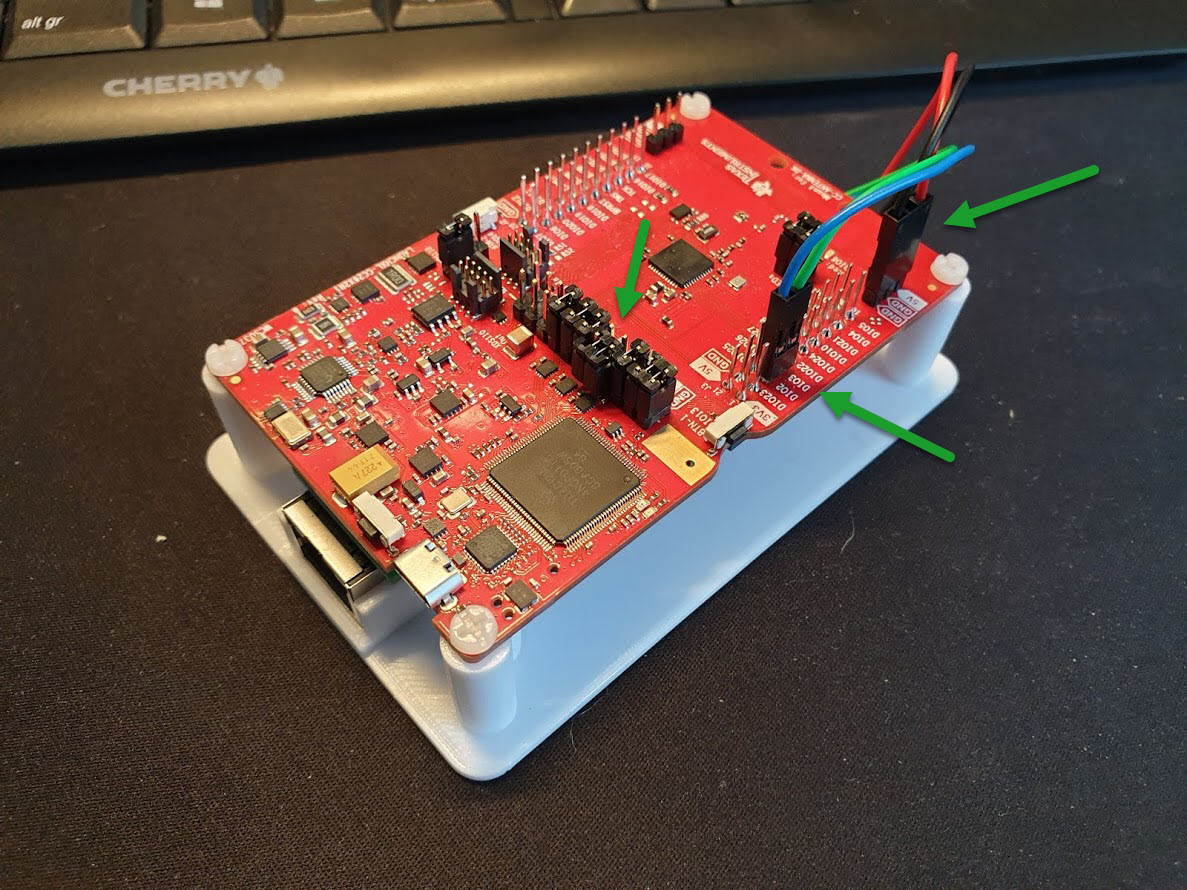
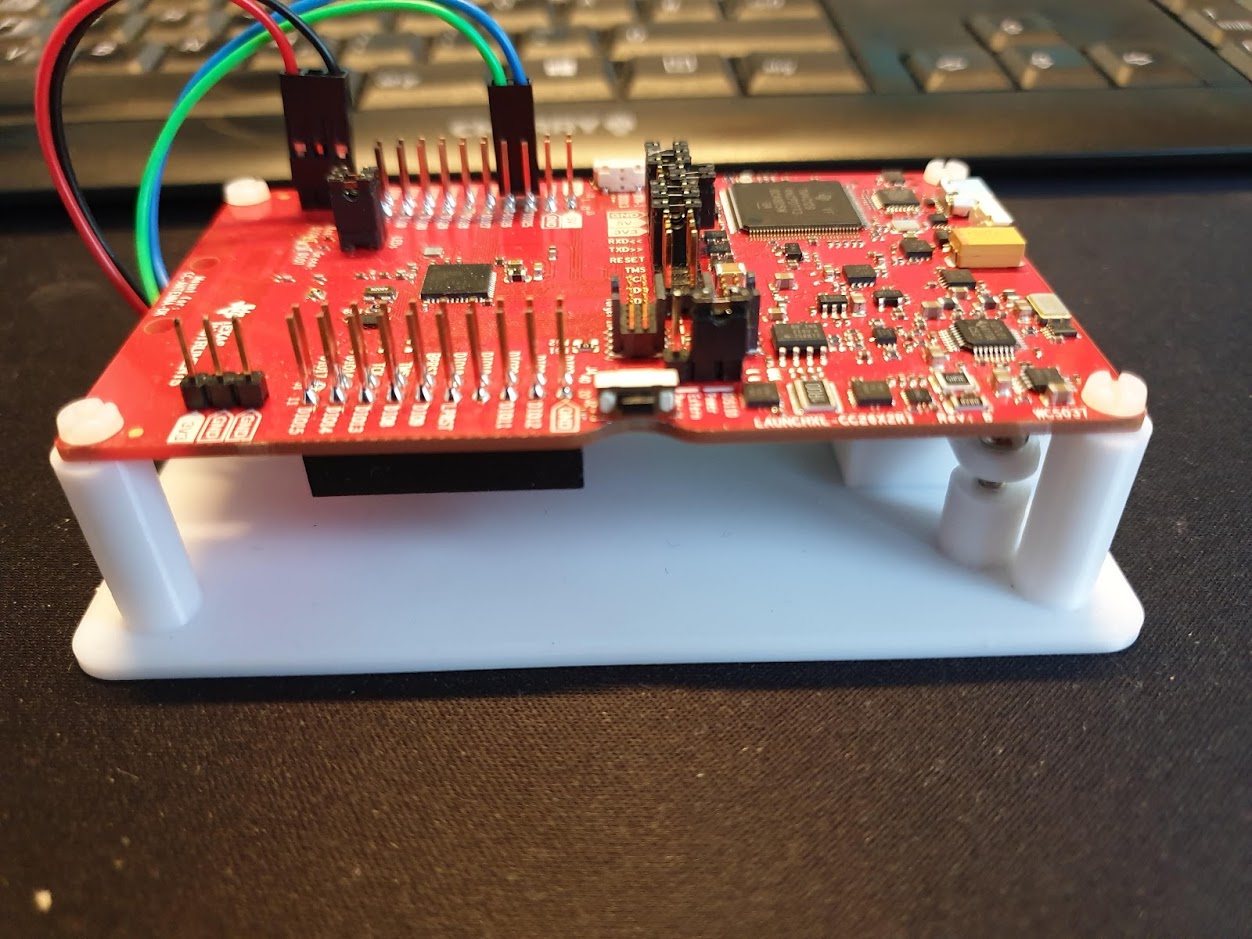
Hi,
I don't know if I missed the answer to this - or perhaps anyone else did the TTL to ethernet connection?:
@hdo How did you connect them - did you use a level converter, or is it 3V signals?
Can you take a picture of your setup?@hdo How do you use tcp instead of serial communication?
I don't use the USB part of the launchpad. My launchpad is connect via serial TTL to this network device:
https://www.usriot.com/products/serial-ttl-to-ethernet-module.html
EDIT:
How to connect to a remote adapter
hdo
on 10 Mar 2020
@hdo
Thanks - much appreciated.... :)
Good to hear that it is stable...
It looks good with your 3D printed holder - is that something you would like to share....
Thanks so far - have a nice day....
WoodsterDK
on 10 Mar 2020
I have noticed something strange for my CC1352P:
"Connecting" the board to Flash Programmer 2 suggests / requires a firmware update. If then the board is "connected" to SmartRF Studio 7 another firmware update is required.
Going back to Flash Programmer 2 will repeat the story.
For whatever reason, it seems that each tools requires an own firmware on the board. Does anybody know why or if there are any differences regarding operation?
Sineos
on 10 Mar 2020
This is because of issues with the TI Tools. Basically, Flash Programmer 2 is on a very limited release cycle and does not include the latest FW for the debugger. I thus believes that the latest version is deprecated and must be updated.
The simplest way to avoid the problem is to use Uniflash instead.
fredrikgk
on 11 Mar 2020
Just an idea i had today and i bet @Koenkk had it alreay but:
Would it be possible to add an update/flash function, using a current version of uniflash for boards such as the CC1352 and CC2652 to Z2M? like in dev it would be the firmware koen just published for beta, and for stable it would be the latest stable :) if there is an update the update_available flag for the coordinator would be set :D
Anyways, just an idea :D
XRyu
on 11 Mar 2020
I guess it could plug into the current OTA flow, and as device_id/friendly_name you use 'coordinator'
sjorge
on 11 Mar 2020
@XRyu it won't be happening in the near future, but I have ideas of making the coordinator firmware flash-able (first-use) and update-able from z2m directly.
Koenkk
on 11 Mar 2020
@Koenkk i thought so, i also dont see this with any priority :D but i really like this. havent thought about the first-use flashing but really like it :D
I am really happy to see this project coming along. thank you for all you guys efforts :)
XRyu
on 11 Mar 2020
Hi, does anyone know if CC1352P (THIRD PARTY MODULE like EBYTE , not TI developer board) works with Z2M?
I am a Z2M enthusiast and I has an excellent Zigbee network at home about a year, this week I have expanded my network with NUE switches and all the Zigbee network has become very buggy.
Importing anything is always a risk in my country, so it would make a lot more sense to buy just a CC1352P module and some TTL-USB converter, than a large DEV Board.
Any information about that?
Thank you all.
 Teie
on 13 Mar 2020
Teie
on 13 Mar 2020
Hi, does anyone know if CC1352P (THIRD PARTY MODULE like EBYTE , not TI developer board) works with Z2M?
I am a Z2M enthusiast and I has an excellent Zigbee network at home about a year, this week I have expanded my network with NUE switches and all the Zigbee network has become very buggy.
Importing anything is always a risk in my country, so it would make a lot more sense to buy just a CC1352P module and some TTL-USB converter, than a large DEV Board.
Any information about that?
Thank you all.
It should work, but you must do some extra to make it work:
1, wire the module,
2, buy a dedicated programmer like xds100v3 to flash firmware
3, build your own firmware, Cdebyte module is cc1352P1 with 5dbm, not P2 release here.
dzungpv
on 13 Mar 2020
I just changed from CC2531 to CC26X2R1. I got about 70 devices in my apartment and after I installed five Ikea fyrtur roller blinds, I started to have problems with CC2531. Multiple commands simultaneously was not working always. If roller blind was moving, command was executed after blind stopped. Roller blinds dropped from network. I read about this CC26X2R1 and ordered it. Now my configuration is running smoothly, roller blinds work nicely simultaneously, commands work even if roller blinds are moving. This seems to be a lot faster and more responsive.
I hope this stays stable, but first impression is very nice after testing it.
Still one issue I noticed. One Ikea fyrtur roller blind position is not updating at all. Commands works and blind moves to correct position, but I get no position state. Other blinds work nicely. This happened also with CC2531.
 juhpesis
on 13 Mar 2020
juhpesis
on 13 Mar 2020
@dzungpv
It should work, but you must do some extra to make it work:
_> 1, wire the module,_
2, buy a dedicated programmer like xds100v3 to flash firmware
3, build your own firmware, Cdebyte module is cc1352P1 with 5dbm, not P2 release here.
Hi @dzungpv , first of all, thanks for the quick response!
I read your answer and started to study about it.
- "Wire the module" is already expected. I think(hope) that I can do it without major problems.
- "buy a dedicated programmer". I was hoping to use CCDeBugger, but if it doesn't work, I searched and found XDS110v3 on Ali(is less painful to import for my country) for 25~30Bucks.
- "build your own firmware". THIS part really SCARED me!
Why exactly build my firmware? Do you say something "trivial" like rearranging the pins or something deeper?
Sorry for insisting on these questions, but I can't understand (I don't really blame the devs) why there are only three SoCs compatible and precisely these chips are on weird boards like the CC26X2R1.
Thanks
Teie
on 13 Mar 2020
@dzungpv
It should work, but you must do some extra to make it work:
_> 1, wire the module,_
2, buy a dedicated programmer like xds100v3 to flash firmware
3, build your own firmware, Cdebyte module is cc1352P1 with 5dbm, not P2 release here.Hi @dzungpv , first of all, thanks for the quick response!
I read your answer and started to study about it.
- "Wire the module" is already expected. I think(hope) that I can do it without major problems.
- "buy a dedicated programmer". I was hoping to use CCDeBugger, but if it doesn't work, I searched and found XDS110v3 on Ali(is less painful to import for my country) for 25~30Bucks.
- "build your own firmware". THIS part really SCARED me!
Why exactly build my firmware? Do you say something "trivial" like rearranging the pins or something deeper?Sorry for insisting on these questions, but I can't understand (I don't really blame the devs) why there are only three SoCs compatible and precisely these chips are on weird boards like the CC26X2R1.
Thanks
Wire the module include wire xds100v3 to the module to flash it, wire an usb to rs232 to TX/RX of the module(cp2102) to use with z2m.
Build firmware quite simple, just follow Koen guide for cc1352-p2, just remove some build tag for 20bdm vs 5dbm support.
See TI guide here http://dev.ti.com/tirex/explore/node?devtools=LAUNCHXL-CC1352P-2&node=AOL0GRjJpgV9vbt7pq0lVQ__FUz-xrs__LATEST
dzungpv
on 14 Mar 2020
Wire the module include wire xds100v3 to the module to flash it, wire an usb to rs232 to TX/RX of the module(cp2102) to use with z2m.
Can I use segger j-link, I don't have xds100v3?
Build firmware quite simple, just follow Koen guide for cc1352-p2, just remove some build tag for 20bdm vs 5dbm support.
See TI guide here http://dev.ti.com/tirex/explore/node?devtools=LAUNCHXL-CC1352P-2&node=AOL0GRjJpgV9vbt7pq0lVQ__FUz-xrs__LATEST
I already bought ebyte e79, according to documentation it has cc1352P, and according to TI datasheet "P" in name means "20dbm PA included", are you sure that it has 5dpm PA?
 dzikus
on 14 Mar 2020
dzikus
on 14 Mar 2020
Wire the module include wire xds100v3 to the module to flash it, wire an usb to rs232 to TX/RX of the module(cp2102) to use with z2m.
Can I use segger j-link, I don't have xds100v3?
Build firmware quite simple, just follow Koen guide for cc1352-p2, just remove some build tag for 20bdm vs 5dbm support.
See TI guide here http://dev.ti.com/tirex/explore/node?devtools=LAUNCHXL-CC1352P-2&node=AOL0GRjJpgV9vbt7pq0lVQ__FUz-xrs__LATESTI already bought ebyte e79, according to documentation it has cc1352P, and according to TI datasheet "P" in name means "20dbm PA included", are you sure that it has 5dpm PA?
You can use other than xds, but i have no experience.
E79 use 20dbm for sub ghz, not 2.4ghz for zigbee. See their datasheet on cdebyte.com
dzungpv
on 14 Mar 2020
Some test bench experience by me (noob level) and help needed i guess :'(
Two CC1352P coordinators same firmware
One in a raspberry
One in a ubuntu server both used with the hass.io zigbee2mqtt addon and integrated mosquitto addon.
To learn how to deal with switching HW i connected three devices to one coordinator.
The coordinator plugged on the raspberry = coordinator A
I'm able to communicate to the devices - everything is fine
I stop the z2m network of coordinator A, copied the "zigbee2mqtt" folder into the addon of the ubuntu machine and started the z2m network there.
Corrdinator B
Same panID same channel --> z-herdsman can't start because of "panID already used!"
Diff panID same channel --> z-herdsman starts but than: Currently 0 devices are joined
AND if i start with a fresh copy and
- Diff panID and different channel --> sherdsman starts, currently 3 devices connected and if i wanna communicate with them the error is "'No network route' (205))" - of course
( i didn't expect that the last thing could work in any way ^^)
Whats wrong with my setup? What do i have to do to switch between two coordinators? I thought this should be possible now with the backup strategy.
upwindanderl
on 14 Mar 2020
Just arrived my new cc1352p. After flashed, which version of zigbee2mqtt allows to use it and to change the transmit power?
valepe
on 14 Mar 2020
@upwindanderl Did you unplug / power off coordinator A after stop of z2m?
If not, coordinator A still occupies the network, I think.
didiht
on 15 Mar 2020
@WoodsterDK @hdo Can confirm that this setup with a usriot TTL to ethernet works fine. Would be nice if you could share the holder. Thx
tunip
on 16 Mar 2020
@upwindanderl Did you unplug / power off coordinator A after stop of z2m?
If not, coordinator A still occupies the network, I think.
Good idea!
But still same error than:
zigbee2mqtt:info  2020-03-16 16:49:43: MQTT publish: topic 'zigbee2mqtt/bridge/log', payload '{"type":"zigbee_publish_error","message":"Publish 'set' 'state' to '0x0017880106b2ddce' failed: 'Error: Command 0x0017880106b2ddce/11 genOnOff.off({}, {\"timeout\":6000,\"manufacturerCode\":null,\"disableDefaultResponse\":false}) failed (Error: Data request failed with error: 'No network route' (205))'","meta":{"friendly_name":"0x0017880106b2ddce"}}'
zigbee2mqtt:error 2020-03-16 16:49:47: Publish 'set' 'state' to '0x0017880106b2ddce' failed: 'Error: Command 0x0017880106b2ddce/11 genOnOff.on({}, {"timeout":6000,"manufacturerCode":null,"disableDefaultResponse":false}) failed (Error: Data request failed with error: 'No network route' (205))'
UPDATE!!!
Crazy!
I was focused on my one test bulb ( Philips Hue white A60 bulb E27 bluetooth - router (!) )
I didn't recognized that all my End Devices had not this effect and where able to work after starting coordinator (B) with the files of coordinator (A)
So after power unplugging the hue bulb for a second the network route problem was solved.
upwindanderl
on 16 Mar 2020
Hi,
i use the "LAUNCHXL-CC26X2R1" with the ZigBee Adapter on iobroker and it work great....
I just want say, thank you for your awesome work :-)
 Schimi1983
on 16 Mar 2020
Schimi1983
on 16 Mar 2020
Just arrived my new cc1352p. After flashed, which version of zigbee2mqtt allows to use it and to change the transmit power?
@Koenkk can you help me?
valepe
on 16 Mar 2020
Just arrived my new cc1352p. After flashed, which version of zigbee2mqtt allows to use it and to change the transmit power?
@Koenkk can you help me?
Did you check this?
https://www.zigbee2mqtt.io/information/supported_adapters.html
nldroid
on 16 Mar 2020
Just arrived my new cc1352p. After flashed, which version of zigbee2mqtt allows to use it and to change the transmit power?
@Koenkk can you help me?
Did you check this?
https://www.zigbee2mqtt.io/information/supported_adapters.html
Yes, I already flashed the adapter but I don't know if master version of zigbee2mqtt supports it with transmit power function or I should use a dev branch
valepe
on 16 Mar 2020
Just try out without changing the power.
And if you still want to change it, here's more info:
nldroid
on 16 Mar 2020
root@loxberry:/opt/zigbee2mqtt# npm start

> [email protected] start /opt/zigbee2mqtt
> node index.js

                Zigbee2mqtt requires node version 10, you are running v12.10.0!

zigbee2mqtt:info  2019-10-18T19:09:40: Logging to directory: '/opt/zigbee2mqtt/data/log/2019-10-18.21-09-40'
zigbee2mqtt:info  2019-10-18T19:09:40: Starting zigbee2mqtt version 1.6.0 (commit #f219e5d)
zigbee2mqtt:info  2019-10-18T19:09:40: Starting zigbee-herdsman...
zigbee2mqtt:error 2019-10-18T19:09:44: Error while starting zigbee-herdsman
zigbee2mqtt:error 2019-10-18T19:09:44: Failed to start zigbee
zigbee2mqtt:error 2019-10-18T19:09:44: Exiting...
zigbee2mqtt:error 2019-10-18T19:09:44: Error: SREQ '--> SYS - osalNvWrite - {"id":3,"len":1,"offset":0,"value":{"type":"Buffer","data":[2]}}' failed with status '2' (expected '0')
    at Znp.<anonymous> (/opt/zigbee2mqtt/node_modules/zigbee-herdsman/dist/adapter/z-stack/znp/znp.js:193:27)
    at Generator.next (<anonymous>)
    at fulfilled (/opt/zigbee2mqtt/node_modules/zigbee-herdsman/dist/adapter/z-stack/znp/znp.js:5:58)
npm ERR! code ELIFECYCLE
npm ERR! errno 1
npm ERR! [email protected] start: `node index.js`
npm ERR! Exit status 1
npm ERR!
npm ERR! Failed at the [email protected] start script.
npm ERR! This is probably not a problem with npm. There is likely additional logging output above.

npm ERR! A complete log of this run can be found in:
npm ERR!     /root/.npm/_logs/2019-10-18T19_09_44_870Z-debug.log
I am using a CC1352P1 and always getting this error. Does the node version really matter?
EDIT:
I changed the system to node to10 and still get this error:Error: SREQ '--> SYS - osalNvWrite - {"id":3,"len":1,"offset":0,"value":{"type":"Buffer","data":[2]}}' failed with status '2' (expected '0') at Znp.<anonymous> (/opt/zigbee2mqtt/node_modules/zigbee-herdsman/dist/adapter/z-stack/znp/znp.js:193:27) at Generator.next (<anonymous>) at fulfilled (/opt/zigbee2mqtt/node_modules/zigbee-herdsman/dist/adapter/z-stack/znp/znp.js:5:58)How can I avoid this?
 info it worked if it ends with ok
1 verbose cli [ '/usr/bin/node', '/usr/bin/npm', 'start' ]
2 info using [email protected]
3 info using [email protected]
4 verbose run-script [ 'prestart', 'start', 'poststart' ]
5 info lifecycle [email protected]~prestart: [email protected]
6 info lifecycle [email protected]~start: [email protected]
7 verbose lifecycle [email protected]~start: unsafe-perm in lifecycle true
8 verbose lifecycle [email protected]~start: PATH: /usr/lib/node_modules/npm/node_modules/npm-lifecycle/node-gyp-bin:/opt/zigbee2mqtt/node_modules/.bin:/usr/local/sbin:/usr/local/bin:/usr/sbin:/usr/bin:/sbin:/bin
9 verbose lifecycle [email protected]~start: CWD: /opt/zigbee2mqtt
10 silly lifecycle [email protected]~start: Args: [ '-c', 'node index.js' ]
11 silly lifecycle [email protected]~start: Returned: code: 1  signal: null
12 info lifecycle [email protected]~start: Failed to exec start script
13 verbose stack Error: [email protected] start: `node index.js`
13 verbose stack Exit status 1
13 verbose stack     at EventEmitter.<anonymous> (/usr/lib/node_modules/npm/node_modules/npm-lifecycle/index.js:301:16)
13 verbose stack     at EventEmitter.emit (events.js:189:13)
13 verbose stack     at ChildProcess.<anonymous> (/usr/lib/node_modules/npm/node_modules/npm-lifecycle/lib/spawn.js:55:14)
13 verbose stack     at ChildProcess.emit (events.js:189:13)
13 verbose stack     at maybeClose (internal/child_process.js:970:16)
13 verbose stack     at Process.ChildProcess._handle.onexit (internal/child_process.js:259:5)
14 verbose pkgid [email protected]
15 verbose cwd /opt/zigbee2mqtt
16 verbose Linux 4.14.98-v7+
17 verbose argv "/usr/bin/node" "/usr/bin/npm" "start"
18 verbose node v10.15.3
19 verbose npm  v6.4.1
20 error code ELIFECYCLE
21 error errno 1
22 error [email protected] start: `node index.js`
22 error Exit status 1
23 error Failed at the [email protected] start script.
23 error This is probably not a problem with npm. There is likely additional logging output above.
24 verbose exit [ 1, true ]
EDIT2:
Now it is working. I reflashed the firmware, changed the pan id, and channel. hold the reset button and then started again.
Now it is also working with node 12
I encountered the same problem, can you share a detailed solution? How to change Pan ID and channel?
 iamliustar
on 17 Mar 2020
iamliustar
on 17 Mar 2020
@iamliustar Have a look at the documentation: https://www.zigbee2mqtt.io/information/configuration.html
advanced:
  # Optional: ZigBee pan ID (default: shown below)
  pan_id: 0x1a62
  # Optional: ZigBee channel, changing requires re-pairing of all devices. (Note: use a ZLL channel: 11, 15, 20, or 25 to avoid Problems)
  # (default: 11)
  channel: 11
@tunip I didn't see hdo wasn't using the CC1352P-2.
I'm using CC1352P-2, and found the schematic - the pins for this board are:
DIO12_RXD <-- USRIOT TX
DIO13_TXD --> USRIOT RX
5V <--> USRIOT 5V
GND <--> USRIOT GND
And then replaced the port in the config file:
port: 'tcp://192.168.0.60:20108'
It seems to be working faily well:)
@WoodsterDK @hdo Can confirm that this setup with a usriot TTL to ethernet works fine. Would be nice if you could share the holder. Thx
WoodsterDK
on 17 Mar 2020
@tunip I didn't see hdo wasn't using the CC1352P-2.
I'm using CC1352P-2, and found the schematic - the pins for this board are:
DIO12_RXD <-- USRIOT TX
DIO13_TXD --> USRIOT RX
5V <--> USRIOT 5V
GND <--> USRIOT GNDAnd then replaced the port in the config file:
port: 'tcp://192.168.0.60:20108'It seems to be working faily well:)
@WoodsterDK @hdo Can confirm that this setup with a usriot TTL to ethernet works fine. Would be nice if you could share the holder. Thx
I'm using the CC2652R board, not the CC1352P-2.
Will upload my 'prototype' 3D printed holder to thingiverse soon.
hdo
on 17 Mar 2020
I purchased the CC2642R1 / CC2652R1 development board (REV: 1.0.1). After flashing the firmware (CC26X2R1_20191106.hex) according to the document, I cannot connect to ZIGBEE2MQTT, and I short-pressed the button near usb to attempt a soft reset. Changes and flickers, I think the XDS110 is working, the CC2652 is not working. Is this a problem with my hardware version? Or is it a hardware failure? Does this motherboard need to modify hardware or other operations after flashing the firmware?
[email protected] start /app
node index.jszigbee2mqtt:info 2020-03-17 21:17:55: Logging to console and directory: '/app/data/log/2020-03 -17.21-17-55' filename: log.txt
zigbee2mqtt:info 2020-03-17 21:17:55: Starting zigbee2mqtt version 1.11.0 (commit #31e5678)
zigbee2mqtt:info 2020-03-17 21:17:55: Starting zigbee-herdsman...
zigbee2mqtt:error 2020-03-17 21:18:03: Error while starting zigbee-herdsman
zigbee2mqtt:error 2020-03-17 21:18:03: Failed to start zigbee
zigbee2mqtt:error 2020-03-17 21:18:03: Exiting...
zigbee2mqtt:error 2020-03-17 21:18:03: Error: Failed to connect to the adapter (Error: SRSP - S YS - ping after 6000ms)
at ZStackAdapter.(/app/node_modules/zigbee-herdsman/dist/adapter/z-stack/adapte r/zStackAdapter.js:72:23)
at Generator.throw ()
at rejected (/app/node_modules/zigbee-herdsman/dist/adapter/z-stack/adapter/zStackAdapter.j s:6:65)
npm ERR! code ELIFECYCLE
npm ERR! errno 1
npm ERR! [email protected] start:node index.js
npm ERR! Exit status 1
npm ERR!
npm ERR! Failed at the [email protected] start script.
npm ERR! This is probably not a problem with npm. There is likely additional logging output abo ve.npm ERR! A complete log of this run can be found in:
npm ERR! /root/.npm/_logs/2020-03-17T13_18_03_448Z-debug.log

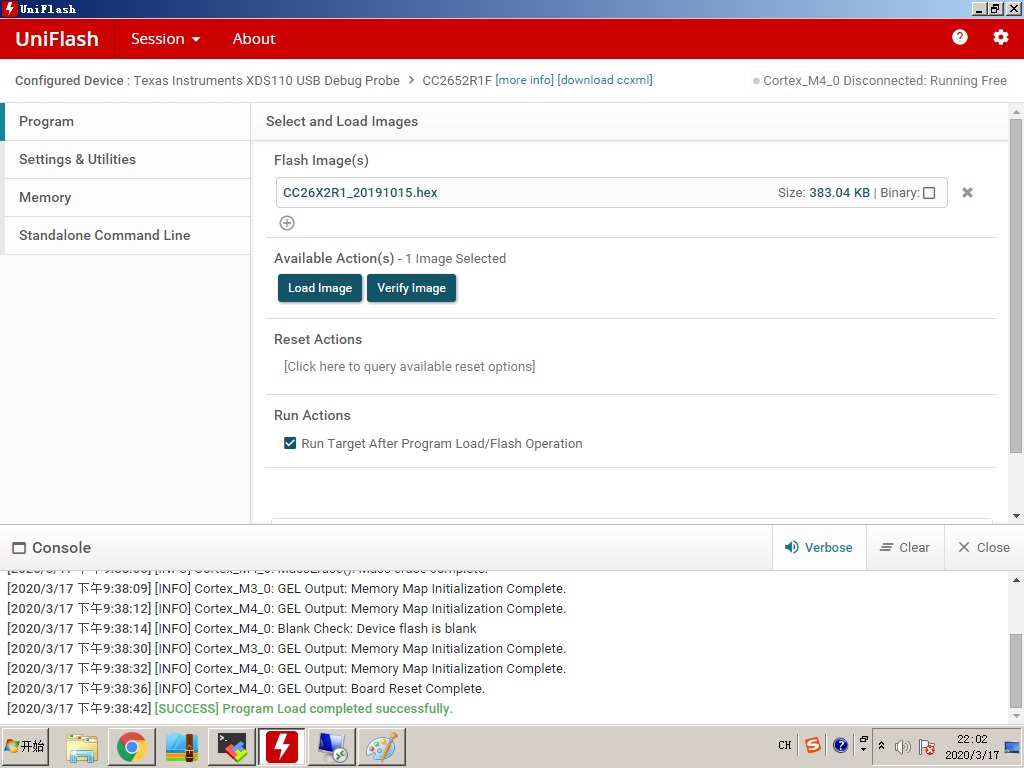
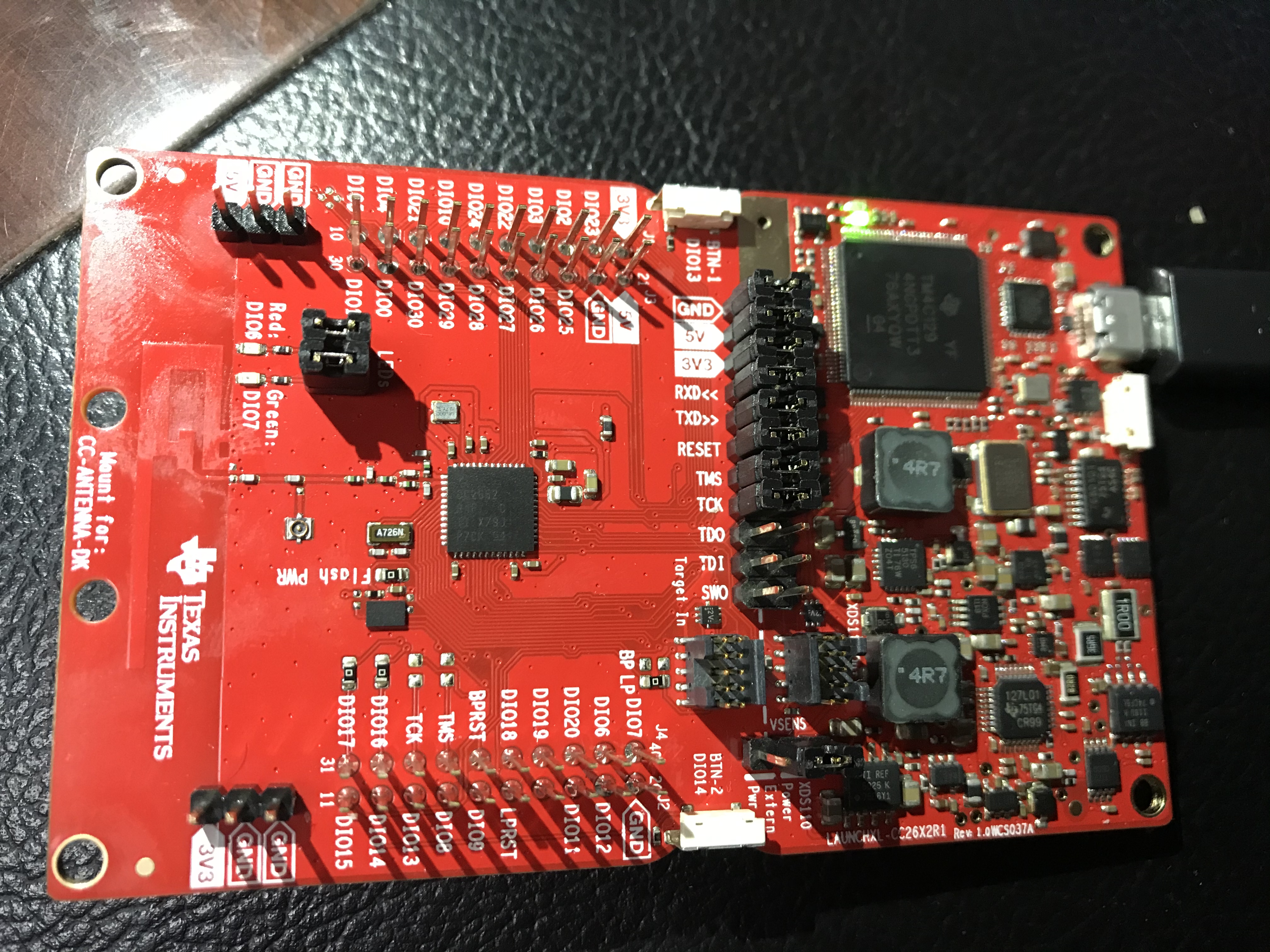
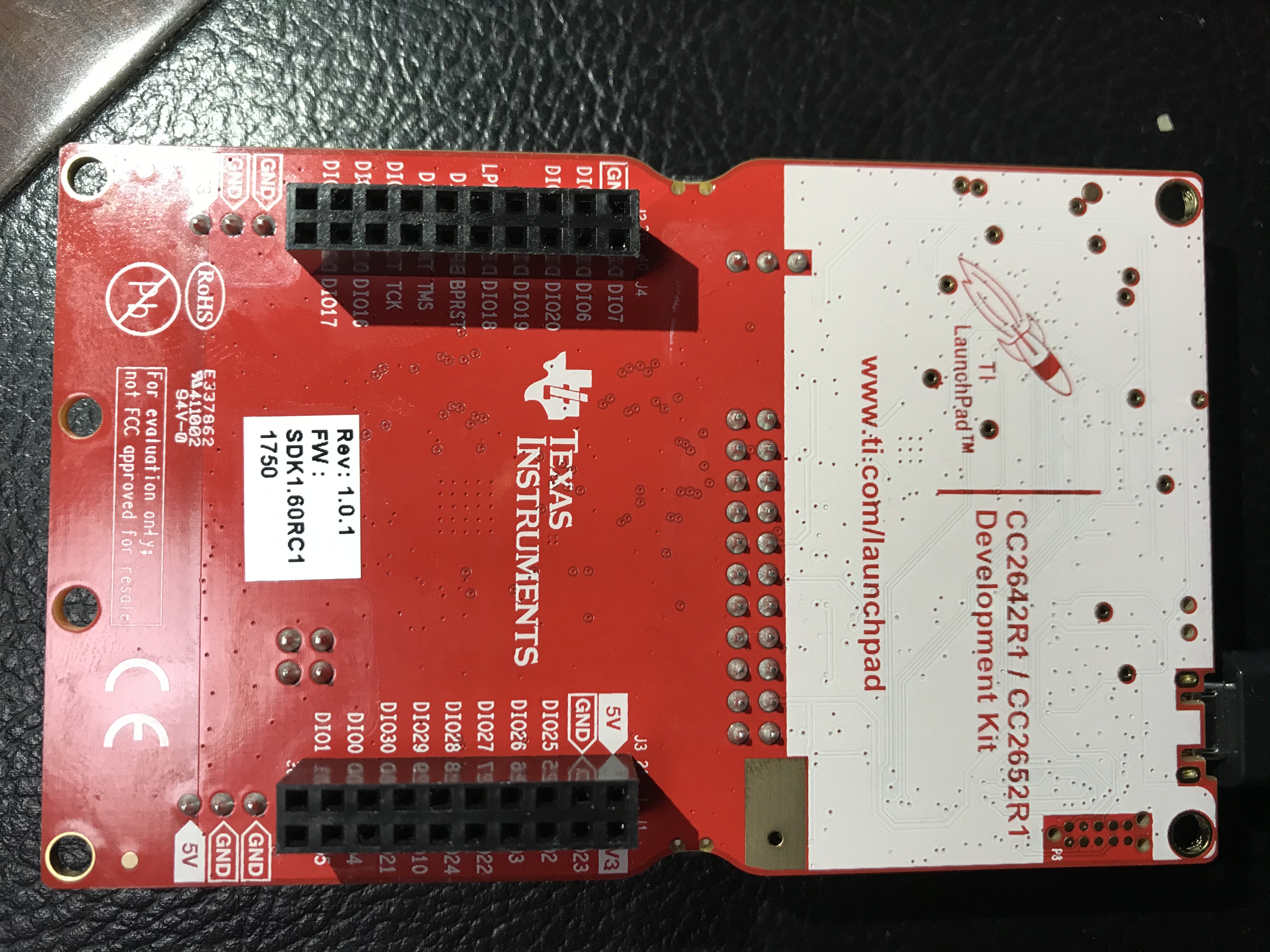
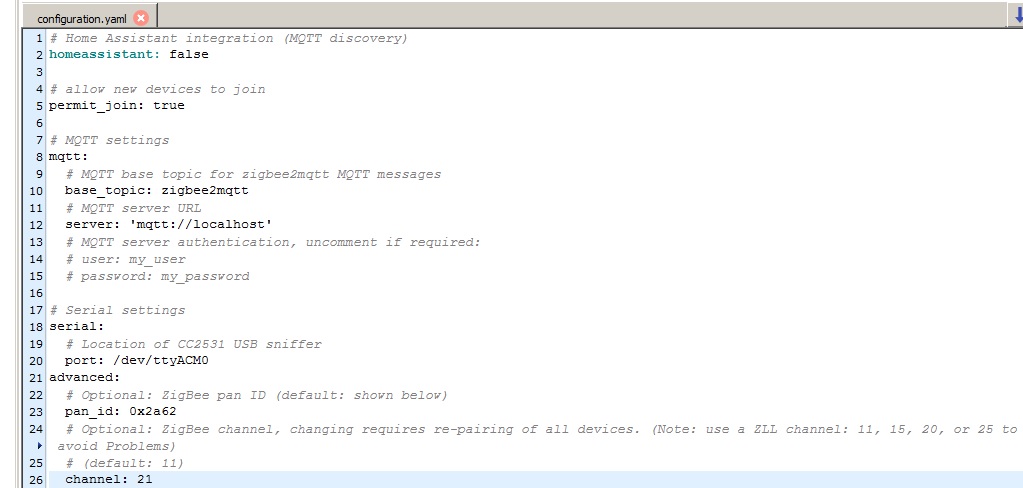
iamliustar
on 17 Mar 2020
@iamliustar Did you step 4 & 5 (https://www.zigbee2mqtt.io/information/flashing_via_uniflash.html)?
My board is labeld as HW Rev: B
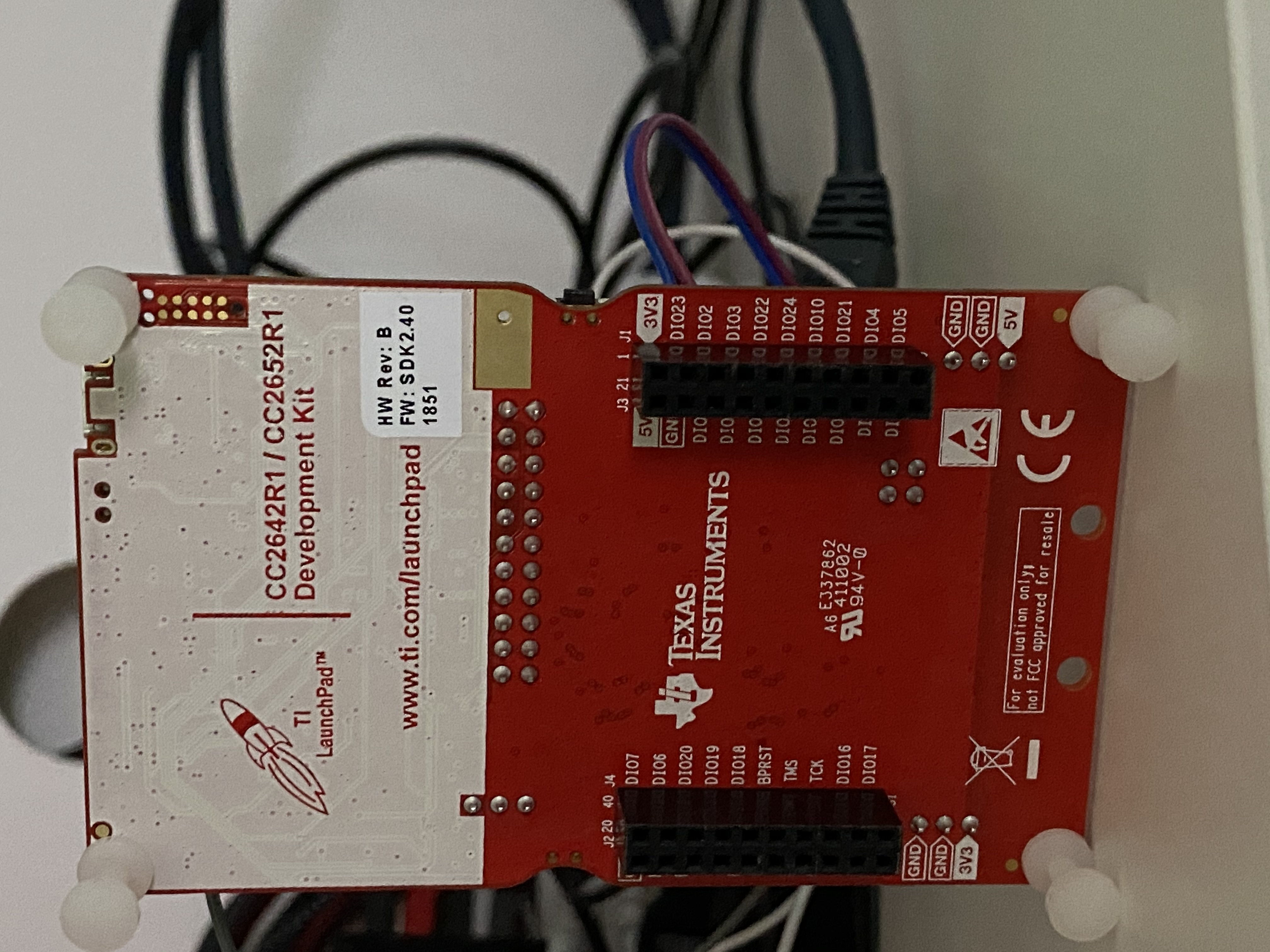
tunip
on 17 Mar 2020
@iamliustar Did you step 4 & 5 (https://www.zigbee2mqtt.io/information/flashing_via_uniflash.html)?
My board is labeld as HW Rev: B
Yes, I completed each step according to this document. What is the status of the LEDs on the motherboard after flashing the firmware? Press the button near usb to see if there is any change. Mine is always green. No matter what operation is done, there is no change.
Can you take a look at the other side of your motherboard
iamliustar
on 17 Mar 2020
@iamliustar you probably have an old revision of the board (https://www.zigbee2mqtt.io/information/FAQ.html#cc26xr1-launchpad-coordinators-only-verify-that-you-have-the-correct-revision)
Koenkk
on 17 Mar 2020
@iamliustar did you reconnect after step 4? I had same issue last weekend. Failed to start zigbee2mqtt. I reflashed board. After step 4 I unplugged usb and closed uniflash and plugged it again and started uniflash again, connect and after that I did rest of the steps. That was solution for me, try that and I hope it works.
Do you have dev branch? I think this board needs it or am I wrong? I have it anyways.
juhpesis
on 17 Mar 2020
CC2652R question: has anyone figured out a way to avoid needing to press the reset button (next to the USB port on the Launchpad board) when starting Z2M after a reboot?
For me at least, it's required every time, and that's an issue when needing to restart remotely. Fortunately that's a fairly rare occurrence!
wixoff
on 17 Mar 2020
@iamliustar you probably have an old revision of the board (https://www.zigbee2mqtt.io/information/FAQ.html#cc26xr1-launchpad-coordinators-only-verify-that-you-have-the-correct-revision)
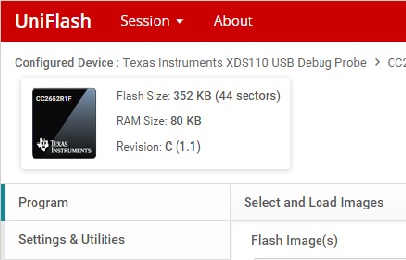
My board is this version. Is this version not supported?
iamliustar
on 17 Mar 2020
@iamliustar that is the old deprecated engineering release of the IC. You have to get a new LaunchPad kit.
Did you order this kit recently?
fredrikgk
on 18 Mar 2020
@iamliustar you probably have an old revision of the board (https://www.zigbee2mqtt.io/information/FAQ.html#cc26xr1-launchpad-coordinators-only-verify-that-you-have-the-correct-revision)
My board is this version. Is this version not supported?
It is not support version. You can purchase new board, or purchase just a new CC2652R1 chip revision E and replace it.
dzungpv
on 18 Mar 2020
It seems to depend on your hardware. On my Intel NUC i had to manual reset. However on a Raspberry PI i didn't need that and also on my TCP-Serial adapter neither.
CC2652R question: has anyone figured out a way to avoid needing to press the reset button (next to the USB port on the Launchpad board) when starting Z2M after a reboot?
For me at least, it's required every time, and that's an issue when needing to restart remotely. Fortunately that's a fairly rare occurrence!
hdo
on 18 Mar 2020
@iamliustar,您可能是董事会的旧版本(https://www.zigbee2mqtt.io/information/FAQ.html#cc26xr1-launchpad-coordinators-only-verify-that-you-have-the-correct-revision)
我的板是这个版本。不支持该版本吗?它不支持版本。您可以购买新板,或仅购买新的CC2652R1芯片修订版E并进行更换。
Only need to replace with a new CC2652R1 chip revision E, is there any successful case?
iamliustar
on 18 Mar 2020
It seems to depend on your hardware. On my Intel NUC i had to manual reset. However on a Raspberry PI i didn't need that and also on my TCP-Serial adapter neither.
CC2652R question: has anyone figured out a way to avoid needing to press the reset button (next to the USB port on the Launchpad board) when starting Z2M after a reboot?
For me at least, it's required every time, and that's an issue when needing to restart remotely. Fortunately that's a fairly rare occurrence!
Can confirm the same situation. Connected to my Intel NUC, reset through Button is required, connected to Raspberry PI it works without...
pepp86
on 18 Mar 2020
@iamliustar,您可能是董事会的旧版本(https://www.zigbee2mqtt.io/information/FAQ.html#cc26xr1-launchpad-coordinators-only-verify-that-you-have-the-correct-revision)
我的板是这个版本。不支持该版本吗?它不支持版本。您可以购买新板,或仅购买新的CC2652R1芯片修订版E并进行更换。
Only need to replace with a new CC2652R1 chip revision E, is there any successful case?
I do. I have purchase the kit with Reversion C and replace revision E, it work find. You can replace your own with Hot Air Soldering Station or take it to an electronic repair store, they can replace it in 30 seconds
dzungpv
on 18 Mar 2020
@iamliustar,您可能是董事会的旧版本(https://www.zigbee2mqtt.io/information/FAQ.html#cc26xr1-launchpad-coordinators-only-verify-that-you-have-the-correct-revision)
我的板是这个版本。不支持该版本吗?它不支持版本。您可以购买新板,或仅购买新的CC2652R1芯片修订版E并进行更换。
Only need to replace with a new CC2652R1 chip revision E, is there any successful case?
I do. I have purchase the kit with Reversion C and replace revision E, it work find. You can replace your own with Hot Air Soldering Station or take it to an electronic repair store, they can replace it in 30 seconds
thank you very much! I just need to change the chip, nothing else needs to change, right?
iamliustar
on 18 Mar 2020
@iamliustar,您可能是董事会的旧版本(https://www.zigbee2mqtt.io/information/FAQ.html#cc26xr1-launchpad-coordinators-only-verify-that-you-have-the-correct-revision)
我的板是这个版本。不支持该版本吗?它不支持版本。您可以购买新板,或仅购买新的CC2652R1芯片修订版E并进行更换。
Only need to replace with a new CC2652R1 chip revision E, is there any successful case?
I do. I have purchase the kit with Reversion C and replace revision E, it work find. You can replace your own with Hot Air Soldering Station or take it to an electronic repair store, they can replace it in 30 seconds
Hi @dzungpv , I have exactly the same issue with the rev.c chip. Could you please help to take a photo on your rev.e so that I can find a correct one? Thanks in advance :)
 keniji
on 18 Mar 2020
keniji
on 18 Mar 2020
CC2652R question: has anyone figured out a way to avoid needing to press the reset button (next to the USB port on the Launchpad board) when starting Z2M after a reboot?
For me at least, it's required every time, and that's an issue when needing to restart remotely. Fortunately that's a fairly rare occurrence!
Do you have auto detect USB port in config? That helped for me.
nldroid
on 18 Mar 2020
@iamliustar,您可能是董事会的旧版本(https://www.zigbee2mqtt.io/information/FAQ.html#cc26xr1-launchpad-coordinators-only-verify-that-you-have-the-correct-revision)
我的板是这个版本。不支持该版本吗?它不支持版本。您可以购买新板,或仅购买新的CC2652R1芯片修订版E并进行更换。
Only need to replace with a new CC2652R1 chip revision E, is there any successful case?
I do. I have purchase the kit with Reversion C and replace revision E, it work find. You can replace your own with Hot Air Soldering Station or take it to an electronic repair store, they can replace it in 30 seconds
Hi @dzungpv , I have exactly the same issue with the rev.c chip. Could you please help to take a photo on your rev.e so that I can find a correct one? Thanks in advance :)
Here:
 dzungpv
on 18 Mar 2020
dzungpv
on 18 Mar 2020
@iamliustar,您可能是董事会的旧版本(https://www.zigbee2mqtt.io/information/FAQ.html#cc26xr1-launchpad-coordinators-only-verify-that-you-have-the-correct-revision)
我的板是这个版本。不支持该版本吗?它不支持版本。您可以购买新板,或仅购买新的CC2652R1芯片修订版E并进行更换。
Only need to replace with a new CC2652R1 chip revision E, is there any successful case?
I do. I have purchase the kit with Reversion C and replace revision E, it work find. You can replace your own with Hot Air Soldering Station or take it to an electronic repair store, they can replace it in 30 seconds
Hi @dzungpv , I have exactly the same issue with the rev.c chip. Could you please help to take a photo on your rev.e so that I can find a correct one? Thanks in advance :)
Here:
Hi @dzungpv , thank you again for this information, this gives me a hope to be able to use the borad, rather than to return it (in fact it would not be easy for me to return it), I will try to seek a repair store and purchase the rev.e chip then to replace the rev.c one.
keniji
on 18 Mar 2020
Do you have auto detect USB port in config? That helped for me.
That's weird! But no, I have it configured manually - I'll give your idea a try, thanks.
wixoff
on 18 Mar 2020
Hi @dzungpv
Hi @dzungpv , I puchased a rev.e chip and asked a repair shop to replce the chip for me. The operaction is successfully and I'm now using the CC2652R1 board! Thanks again for your information!
keniji
on 21 Mar 2020
Hi @dzungpv
Hi @dzungpv , I puchased a rev.e chip and asked a repair shop to replce the chip for me. The operaction is successfully and I'm now using the CC2652R1 board! Thanks again for your information!
Cheer, i guest you live in China, chip sell like snack in the market :)
dzungpv
on 21 Mar 2020
Hi @dzungpv
Hi @dzungpv , I puchased a rev.e chip and asked a repair shop to replce the chip for me. The operaction is successfully and I'm now using the CC2652R1 board! Thanks again for your information!
Cheer, i guest you live in China, chip sell like snack in the market :)
There is no way I could get this done in a few days in London... maybe never.
Glad you got it working! Weird there are still old revision boards in the channel though.
james-fry
on 21 Mar 2020
Hi @dzungpv
Hi @dzungpv , I puchased a rev.e chip and asked a repair shop to replce the chip for me. The operaction is successfully and I'm now using the CC2652R1 board! Thanks again for your information!
Cheer, i guest you live in China, chip sell like snack in the market :)
There is no way I could get this done in a few days in London... maybe never.
Glad you got it working! Weird there are still old revision boards in the channel though.
I bough the kit from the early day, with hope my network stable. Today we nearly achieve it.
dzungpv
on 21 Mar 2020
Hi @dzungpv
Hi @dzungpv , I puchased a rev.e chip and asked a repair shop to replce the chip for me. The operaction is successfully and I'm now using the CC2652R1 board! Thanks again for your information!
Cheer, i guest you live in China, chip sell like snack in the market :)
There is no way I could get this done in a few days in London... maybe never.
Glad you got it working! Weird there are still old revision boards in the channel though.I bough the kit from the early day, with hope my network stable. Today we nearly achieve it.
Thank you very much for sharing. I found that CC2652P has 19.5-dBm high-power amplifier, but it lacks some GPIO. GPIO has little effect on the coordinator. Can I directly replace 2652P on my cc2652R1 rev.c?
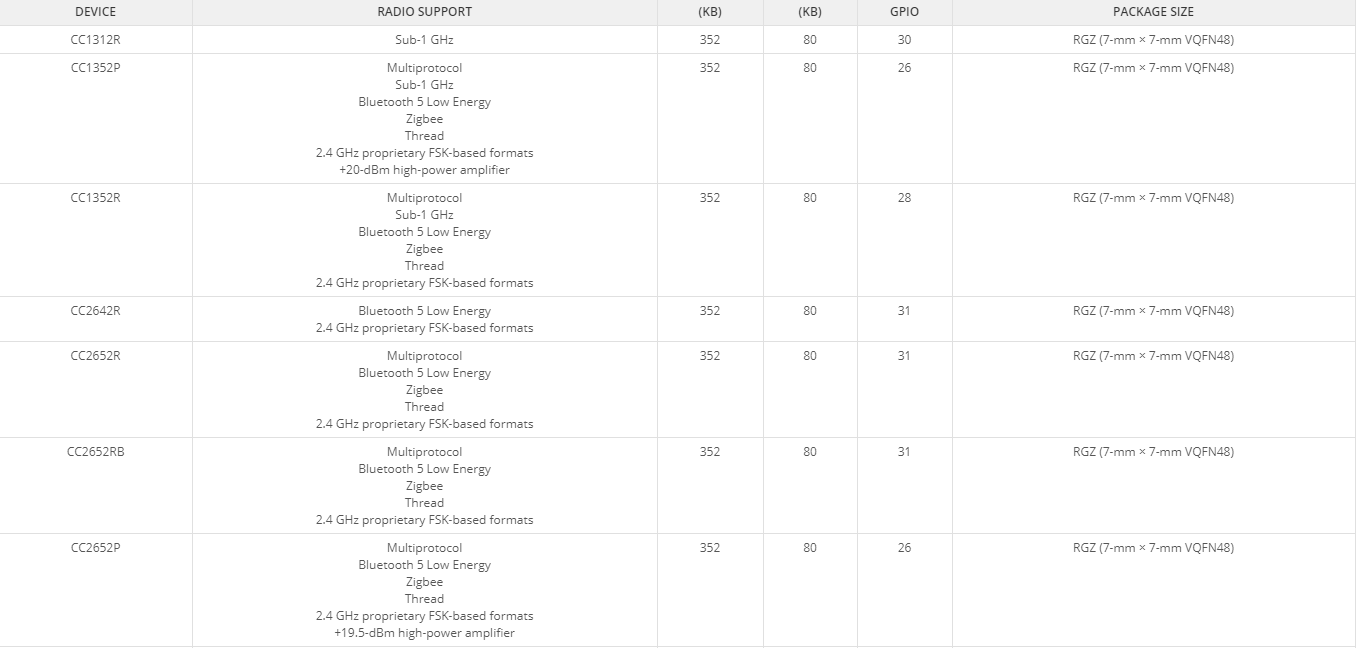
iamliustar
on 22 Mar 2020
That is not possible since the CC2652P is not pin compatible with the CC2652R.
Take a look at the datasheets for details.
fredrikgk
on 22 Mar 2020
Hi, does anyone know if CC1352P (THIRD PARTY MODULE like EBYTE , not TI developer board) works with Z2M?
I am a Z2M enthusiast and I has an excellent Zigbee network at home about a year, this week I have expanded my network with NUE switches and all the Zigbee network has become very buggy.
Importing anything is always a risk in my country, so it would make a lot more sense to buy just a CC1352P module and some TTL-USB converter, than a large DEV Board.
Hi, I flashed today Ebyte E79-400DM2005S with the latest firmware using J-Link - it works just fine, but I have no idea what happens with missing signal amplifiers.
Pins to flash (cc1352 <=> j-link):
VCC <=> 3.3V
GND <=> GND
TMSC <=> TMS
TCKC <=> TCK
DIO17 <=> TDI
DIO16 <=> TDO
RESET <=> RESET
Pins for UART:
DIO13 = TX (from cc1352)
DIO12 = RX (to cc1352)
 vke
on 23 Mar 2020
vke
on 23 Mar 2020
So I got my hands on a prototype zig-a-zig-ah board. Bit of playing and it seems to be up and running on Proxmox in a LXC container. Still need to get devices joined to the network, but wrote up what I have so far. https://www.martinellis.me/posts/2020/03/zig-a-zig-ah/
egelmex
on 23 Mar 2020
So I got my hands on a prototype zig-a-zig-ah board. Bit of playing and it seems to be up and running on Proxmox in a LXC container. Still need to get devices joined to the network, but wrote up what I have so far. https://www.martinellis.me/posts/2020/03/zig-a-zig-ah/
Please do let us know how it goes. I really think that board could possible be the next CC2531 and I am following it closely. Please try to comment about new range compared to old coordinators too! thanks.
 jrhbcn
on 23 Mar 2020
jrhbcn
on 23 Mar 2020
I've also received a zig-a-zig-ah board. Currently testing it in my production environment but so far really impressed!
- Small
- Good range (it has a SMA connector so you can decide what antenna to connect)
- Fast (because of it's CC2652R)
- Can be flashed over USB (without additional hardware)
Picture (left CC2531, right zzh)
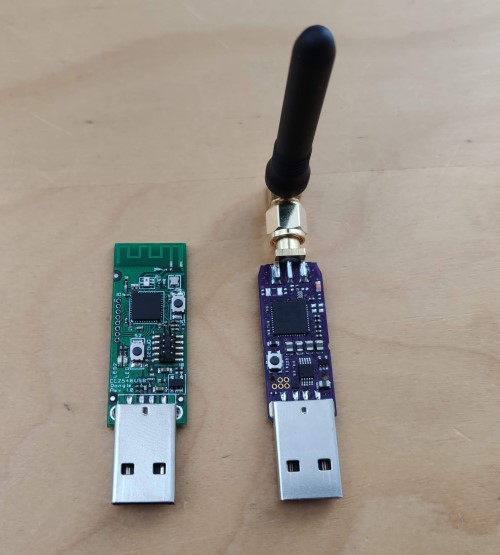
Koenkk
on 23 Mar 2020
May I ask where did you buy the zzh board?
Thx :)
 cocooma
on 23 Mar 2020
cocooma
on 23 Mar 2020
You cannot buy it yet, this is a prototype.
Koenkk
on 23 Mar 2020
https://www.martinellis.me/posts/2020/03/pairing-devices-with-zig-a-zig-ah/
Another update, seeing similar signal quality to my old coordinator, anecdotally pairing feels faster, but that's just a gut feeling.
egelmex
on 23 Mar 2020
@vke
Hi, does anyone know if CC1352P (THIRD PARTY MODULE like EBYTE , not TI developer board) works with Z2M?
...
Hi, I flashed today Ebyte E79-400DM2005S with the latest firmware using J-Link - it works just fine, but I have no idea what happens with missing signal amplifiers.Pins to flash (cc1352 <=> j-link):
VCC <=> 3.3V
GND <=> GND
TMSC <=> TMS
TCKC <=> TCK
DIO17 <=> TDI
DIO16 <=> TDO
RESET <=> RESETPins for UART:
DIO13 = TX (from cc1352)
DIO12 = RX (to cc1352)
@vke
Great, this is exactly what I'm looking to do!
Can I contact you by Telegram, email, Whatsapp?
Thanks.
Teie
on 27 Mar 2020
I've also received a zig-a-zig-ah board. Currently testing it in my production environment but so far really impressed!
* Small

* Good range (it has a SMA connector so you can decide what antenna to connect)

* Fast (because of it's CC2652R)

* Can be flashed over USB (without additional hardware)
Picture (left CC2531, right zzh)
Just out of interest. Can you switch from TI CC2652R board to one of these bad boys after they get out to public without repairing (hopefully yes, if it's running same chip and same firmware....)?
Kryzek
on 27 Mar 2020
@kryzek yes, just plug and go (not sure about migrating from a CC1352P though)
Koenkk
on 27 Mar 2020
Hi, does anyone know if CC1352P (THIRD PARTY MODULE like EBYTE , not TI developer board) works with Z2M?
I am a Z2M enthusiast and I has an excellent Zigbee network at home about a year, this week I have expanded my network with NUE switches and all the Zigbee network has become very buggy.
Importing anything is always a risk in my country, so it would make a lot more sense to buy just a CC1352P module and some TTL-USB converter, than a large DEV Board.Hi, I flashed today Ebyte E79-400DM2005S with the latest firmware using J-Link - it works just fine, but I have no idea what happens with missing signal amplifiers.
Pins to flash (cc1352 <=> j-link):
VCC <=> 3.3V
GND <=> GND
TMSC <=> TMS
TCKC <=> TCK
DIO17 <=> TDI
DIO16 <=> TDO
RESET <=> RESETPins for UART:
DIO13 = TX (from cc1352)
DIO12 = RX (to cc1352)
I presume it is required to program it first with J-Link to unlock bootoloader? Or is there an alternative?
 blakadder
on 29 Mar 2020
blakadder
on 29 Mar 2020
I presume it is required to program it first with J-Link to unlock bootoloader? Or is there an alternative?
Sorry, I didn’t write very clearly. I thought that if it says that you need to connect to j-link to flash firmware, it follows from this that it should be programmed through j-link.
I don’t know about alternatives. Maybe blackmagic probe or something like that is also suitable for programming.
I'm writing Zigbee firmware for nrf52840 so I have j-link clone from China.
vke
on 29 Mar 2020
Hi @vke .
I'm confused now.
Ebyte E79-400DM2005S + J-Link + Zstack3 firmware + some UART-USB + 3.3V is enough to build a Coordinator or not?
I'm very frustrated with the cc2531's performance after the growth of the zigbee network with the installation of the wall switches. The lighting in my house has become a mess. :(
Teie
on 29 Mar 2020
Ebyte E79-400DM2005S + J-Link + Zstack3 firmware + some UART-USB + 3.3V is enough to build a Coordinator or not?
Yes, I'm using E79-400DM2005S (~ $4) with simple cp2102-based uart-usb adapter (~$1). E79 module is powered from cp2102 3.3v output directly.
J-Link (or equivalent) is needed only to program E79 with znp firmware.
vke
on 29 Mar 2020
Thanks @vke and sorry to bother you again...
So, I use J-Link to flash E79 with Z-Stack 3 firmware, after that, I power on the module with some 3.3V module(in case of UART-USB not provide all the power) and "plug" an UART-USB between the module and Rasp? Is it?
Is it simples as that or I'm completely wrong?
I'm thinking that this solution is "too easy" to not be used by more people. Am I wrong?
Teie
on 29 Mar 2020
I'm thinking that this solution is "too easy" to not be used by more people. Am I wrong?

cp2102 usb-uart is on other side of these color wires. That’s all you need :)
vke
on 30 Mar 2020
Almost finished design of a USB dongle to fit the module on including a USB chip (CH340E), 2 LEDs and voltage regulator. Order for first prototype will go out tonight. Also created small adaptor board to connect to a CC-DEVPACK-DEBUG board.
 turboproc
on 31 Mar 2020
turboproc
on 31 Mar 2020
The adapter I referred to is in https://github.com/turboproc/Zigbee-dongle-adapter. Will push the dongle itself to GitHub as well.
turboproc
on 2 Apr 2020
The adapter I referred to is in https://github.com/turboproc/Zigbee-dongle-adapter. Will push the dongle itself to GitHub as well.
You can public more detail and pdf schematic/pcb for easier to view
dzungpv
on 2 Apr 2020
@turboproc My hint: design fit this shell: https://www.aliexpress.com/item/32855419632.html
dzungpv
on 2 Apr 2020
@turboproc My hint: design fit this shell: https://www.aliexpress.com/item/32855419632.html
Mmmh, never thought about this. Will consider this in case I've to do a redesign of the board. Thnx for pointing me to these shells.
turboproc
on 2 Apr 2020
Mmmh, never thought about this. Will consider this in case I've to do a redesign of the board. Thnx for pointing me to these shells.
@turboproc you could also take some inspiration/ideas from these housing/enclosure on Aliexpress:
- https://aliexpress.com/item/4000134201124.html
- https://aliexpress.com/item/32855419632.html
- https://aliexpress.com/item/33007327270.html
- https://aliexpress.com/item/32852997963.html
- https://aliexpress.com/item/32690180597.html
- https://aliexpress.com/item/32847892743.html
PS: As everyone probably knows there are also already many designs for "CC2531" on Thingiverse, ex:
- https://www.thingiverse.com/thing:3948643
- https://www.thingiverse.com/thing:3646828
- https://www.thingiverse.com/thing:3532598
- https://www.thingiverse.com/thing:3731958
 Hedda
on 7 Apr 2020
Hedda
on 7 Apr 2020
So I got my hands on a prototype zig-a-zig-ah board. Bit of playing and it seems to be up and running on Proxmox in a LXC container. Still need to get devices joined to the network, but wrote up what I have so far. https://www.martinellis.me/posts/2020/03/zig-a-zig-ah/
@egelmex are you the same Martin Ellis as @malard from @Pulse-Eight (Pulse-Eight company in UK)?
That is, same person/company that makes the Pulse-Eight USB-CEC Adapter and libcec for Kodi/XBMC?
Just curious/asking as Pulse-Eight is maybe a company that could manufacture & sell such USB-sticks?
Hedda
on 7 Apr 2020
@Hedda nope, just a friend of @electrolama. I will let him update you on
the status of his boards.
On Tue, 7 Apr 2020 at 09:26, Hedda notifications@github.com wrote:
So I got my hands on a prototype zig-a-zig-ah
https://www.martinellis.me/posts/2020/03/zig-a-zig-ah/ board. Bit of
playing and it seems to be up and running on Proxmox in a LXC container.
Still need to get devices joined to the network, but wrote up what I have
so far. https://www.martinellis.me/posts/2020/03/zig-a-zig-ah/@egelmex https://github.com/egelmex are you the same Martin Ellis as
@malard https://github.com/malard from @Pulse-Eight
https://github.com/Pulse-Eight (Pulse-Eight company)?That is, same person/company that makes Pulse-Eight USB-CEC Adapter &
libcec for Kodi/XBMC?Just curious/asking as Pulse-Eight is maybe a company that could
manufacture & sell these?—
You are receiving this because you were mentioned.
Reply to this email directly, view it on GitHub
https://github.com/Koenkk/zigbee2mqtt/issues/1429#issuecomment-610250456,
or unsubscribe
https://github.com/notifications/unsubscribe-auth/AADTXHVO3BNINIICONTO7WLRLLPSDANCNFSM4HF2SSSQ
.
egelmex
on 7 Apr 2020
Hello,
Can we use CC2531 Z-Stack-Hom 1.2 Routers to extend this range of network when using the CC1352P with Zigbee 3 as a coordinator?
Thank you.
 lealoureiro
on 8 Apr 2020
lealoureiro
on 8 Apr 2020
@lealoureiro It seems to work for me - using a CC2531 router with a CC26X2R1.
Somebody mentioned a Zigbee 3 router firmware but I couldn't find it... Anybody got a link?
piit79
on 9 Apr 2020
@lealoureiro @piit79 does that not depend if devices (additional router or end device) behind the router connected to the coordinator will only work as a ZHA 1.2 device or as a fully Zigbee 3.0 compliant device?
I believe that Koenkk's current CC2531 router firmware is based on Z-Stack Home 1.2 firmware and if so I think that it can only be a router for ZHA 1.2 devices?
Anyway, this is why I submitted a feature request asking for a Z-Stack 3.0 based router firmware for CC253x here -> https://github.com/Koenkk/Z-Stack-firmware/issues/153
I should, however, note that I understand that most fully Zigbee 3.0 compliant devices will be able to use a ZHA 1.2 backwards-compatible mode and if so a ZHA 1.2 router is a non-issue for those.
Hedda
on 9 Apr 2020
@lealoureiro It seems to work for me - using a CC2531 router with a CC26X2R1.
Somebody mentioned a Zigbee 3 router firmware but I couldn't find it... Anybody got a link?
thanks for message.
According to this page Coordinator Firmwares, Zigbee 3 firmware is not recommended to CC2531
lealoureiro
on 9 Apr 2020
Hello
I plan to buy cc26x2r1 to replace my cc2531 dongle
Its stable now ? Can i use for my home automation ? (Lot of xiaomi, philips and 2 osram remote and sonoff zigbee switch)
Thanks
 NicolasBoulanger
on 10 Apr 2020
NicolasBoulanger
on 10 Apr 2020
@NicolasBoulanger been running mine for 22 days so far. Not fully migrated all of my devices yet only about 50% but...touch wood... been solid! Planning on migrating the rest of the network this weekend. I have received the boss' aproval for work to resume haha
Signal strength has dramatically increased, device dropout has gone down and its sitting on my desk, not optimum location such as where the USB dongle used to be installed.
Check this post out as Stuart has put a good write up together on his experiences as well at the bottom of the thread.
 nickcj931
on 11 Apr 2020
nickcj931
on 11 Apr 2020
My experience is not as good as yours. I have a lot of Xiaomi Motion sensors. From time to time I do not get a motion event. This happens quite often and leads to problems like sitting in the dark because no motion was registered for an hour...
runningman84
on 11 Apr 2020
Do they work fine with cc2531? Do you have other devices acting as routers as well? Do other battery devices perform ok?
I have a few xiaomi devices and they are hit and miss at the best of time and took a bit of fiddling to get them to join properly as they latch on to a route from previous setups and refuse to change to a local router device for example had to factory reset them a few times to get them to work.
Ended up rebuilding the network a few times by getting all the routers up first then the battery devices and things seemed to have settled now with awesome signal levels.
nickcj931
on 12 Apr 2020
The cc2531 had similar problems. I have about 25 Xiaomi devices and a few innr and osram plugs.
The link quality is very strange it goes up and down for no obvious reasons. Sometimes even my plugs have 0 link quality.
The xiaomi hub did not suffer from similar problems.
runningman84
on 12 Apr 2020
The cc2531 had similar problems. I have about 25 Xiaomi devices and a few innr and osram plugs.
The link quality is very strange it goes up and down for no obvious reasons. Sometimes even my plugs have 0 link quality.The xiaomi hub did not suffer from similar problems.
i have the same issue like you
some device with 0 link quality and take a little bit long to responde
i finally ordered the new cc1352p-2, i receive it in few days
@nickcj931 router devices works well as router with cc2531, battery drain more fast for me i think
NicolasBoulanger
on 12 Apr 2020
@NicolasBoulanger strange, I cant say I've noticed the battery drain difference, but to be honest have not kept an eye on it. Will do from now on.
However, to be honest if the baterry lasts say 10 months instead of 12 i will totally take that on as a compromise to having a more reliable zigbee network.
FYI i am using the CC26X2R1 board, not sure if that has any difference?
nickcj931
on 12 Apr 2020
the difference is here
https://zigbee2mqtt.discourse.group/t/cc1352p-ore-cc26x2r/488/2
NicolasBoulanger
on 12 Apr 2020
Yep i've seen that when i was deciding which one to purchase. I am more refering to the battery drain issue, not sure if it could be due to the board differences... but thats a stretch at best.
nickcj931
on 12 Apr 2020
This is a chart about the link quality:
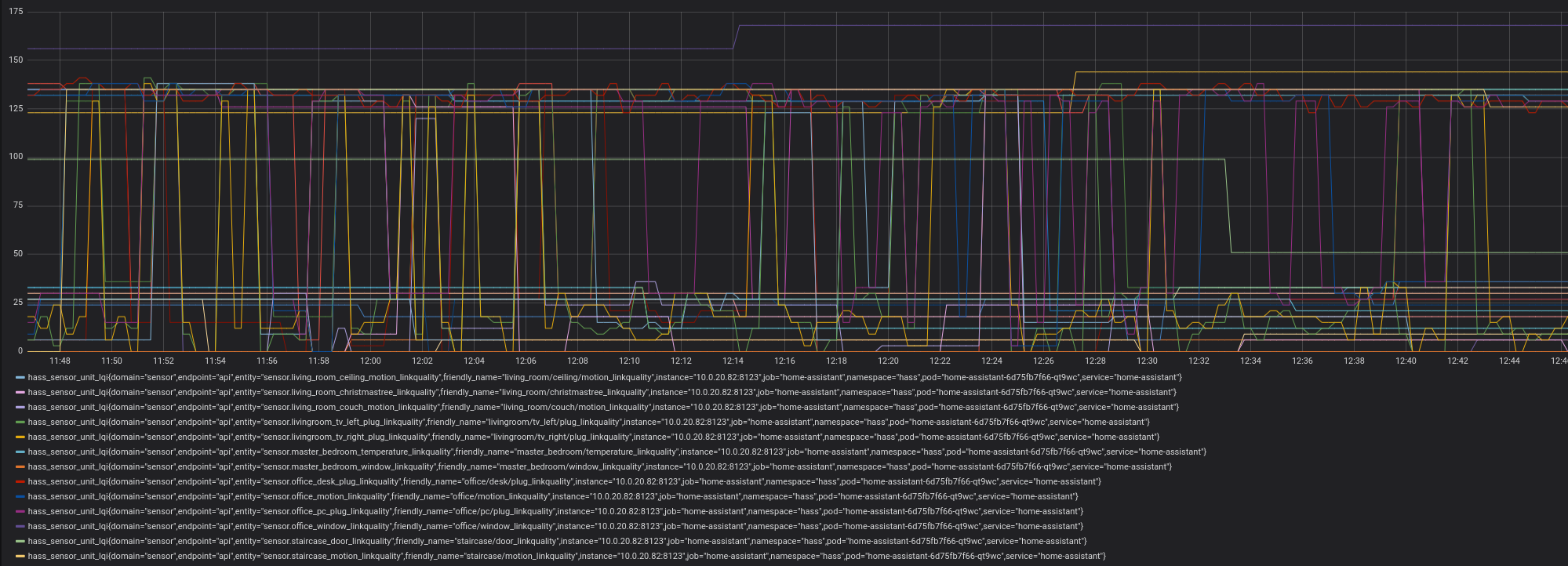
As you can see the vales are bouncing up and down even for devices just a few centimeters away from the CC26X2R1 board.
My assumption is that once the value is high it is connected to a nearby router (the innr or osram plug). The lower values occur once it speaks directly to the CC26X2R1 board or any other device which is far away. My 2 story flat is just 120qm.
I am not sure if another device like the cc1352p-2 or a conbee would be better. This could also be a general problem with the zigbee network and my device mix.
runningman84
on 12 Apr 2020
It has nothing to do with the sq footage of the flat, it’s got to do with what the walls are made off and how many obstructions there are between the hub and the end point.
I would say that you need to do a bit of wireless planning, especially if you live in a fly as I imagine there are a few 2.4ghz WiFi networks being broadcasted by your neighbours.
Also, the fact that an end device might be cm away from the hub, doesn’t mean the signal level will be high, the two can interfere with each other and also raise the noise floor levels so effectively give poor link quality. Line of site with a good 1m away would give you a good test result to see if you still have issue as that’s enough distance for power levels to work themselves out.
I suggest you get an app that can look at WiFi channel use around your environment, there are plenty of free ones available. There is a link of the Zigbee2mqtt wiki for channel planning.
Look at the least congested channel. As well as you own WiFi channel on your router, and change the radio to a new channel that’s least used. You will no doubt need to repair and get the devices to rejoin.
My bet is you have a congested 2.4ghz band and thus it’s giving you the results you’re seeing.
nickcj931
on 12 Apr 2020
Hi,
Has anybody been able to connect to the cc1352 via serial (esp8266)? It looks like zibee2mqtt connects via serial, but then fails to communicate:
winston:file file open ok data/log/2020-04-05.12-06-10/log.txt
  zigbee-herdsman:controller:log Starting with options '{"network":{"networkKeyDistribute":false,"networkKey":[37,144,6,222,52,17,32,164,162,241,0,75,88,197,12,134],"panID":6755,"extendedPanID":[221,221,221,221,221,221,221,221],"channelList":[11]},"serialPort":{"baudRate":115200,"rtscts":false,"path":"tcp://192.168.207.83:1888"},"databasePath":"/app/data/database.db","databaseBackupPath":"/app/data/database.db.backup","backupPath":"/app/data/coordinator_backup.json","adapter":{"concurrent":null}}' +0ms
  zigbee-herdsman:adapter:zStack:znp:log Opening TCP socket with 192.168.207.83:1888 +0ms
  zigbee-herdsman:adapter:zStack:znp:log Socket connected +78ms
  zigbee-herdsman:adapter:zStack:znp:log Socket ready +0ms
  zigbee-herdsman:adapter:zStack:znp:log Writing skip bootloader payload +1ms
  zigbee-herdsman:adapter:zStack:unpi:writer --> buffer [239] +0ms
  zigbee-herdsman:adapter:zStack:znp:SREQ --> SYS - ping - {"capabilities":1} +0ms
  zigbee-herdsman:adapter:zStack:unpi:writer --> frame [254,0,33,1,32] +1s
zigbee2mqtt:error 2020-04-05 12:06:18: Error while starting zigbee-herdsman
winston:file written true false
zigbee2mqtt:error 2020-04-05 12:06:18: Failed to start zigbee
winston:file written true false
zigbee2mqtt:error 2020-04-05 12:06:18: Exiting...
winston:file written true false
zigbee2mqtt:error 2020-04-05 12:06:18: Error: Failed to connect to the adapter (Error: SRSP - SYS - ping after 6000ms)
    at ZStackAdapter.<anonymous> (/app/node_modules/zigbee-herdsman/dist/adapter/z-stack/adapter/zStackAdapter.js:71:23)
    at Generator.throw (<anonymous>)
    at rejected (/app/node_modules/zigbee-herdsman/dist/adapter/z-stack/adapter/zStackAdapter.js:6:65)
winston:file written true false
It looks like @hdo was able to make it work with a cc2652r and a serial to ethernet connector, is there any reason this can't work with a cc1352 and a esp8266 with espeasy (with serial server) ?
 markuspeter
on 12 Apr 2020
markuspeter
on 12 Apr 2020
cp2102 usb-uart is on other side of these color wires. That’s all you need :)
@vke: I builded my own version with antenna port. I have j-link and connected it like you said (are you sure that TCKC <=> TCK is correct? maybe should it be TCKC <=> RTCK?) but no success in programming this cc1352 module. What type of interface you choose at Seger J-Flash: JTAG or cJTAG? Which MCU you select CC1352P1F3 or CC1352R1F3? Please describe with more details programming part.
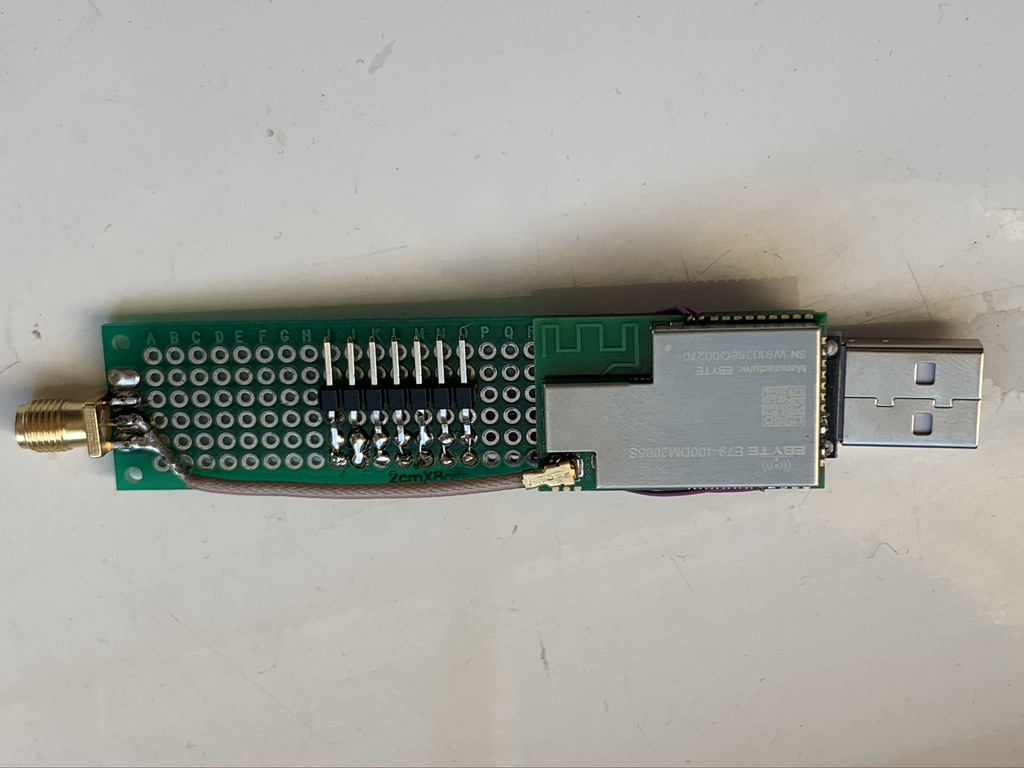
dzikus
on 14 Apr 2020
cp2102 usb-uart is on other side of these color wires. That’s all you need :)
@vke: I builded my own version with antenna port. I have j-link and connected it like you said (are you sure that TCKC <=> TCK is correct? maybe should it be TCKC <=> RTCK?) but no success in programming this cc1352 module. What type of interface you choose at Seger J-Flash: JTAG or cJTAG? Which MCU you select CC1352P1F3 or CC1352R1F3? Please describe with more details programming part.
Wrong antenna setup, you install it for sub-ghz, not for zigbee, it is PCB antenna, you can cut it out and solder
dzungpv
on 15 Apr 2020
Wrong antenna setup, you install it for sub-ghz, not for zigbee, it is PCB antenna, you can cut it out and solder
Ok, thanks for info. Can somebody please describe more details about programming this MCU via J-Link?
dzikus
on 15 Apr 2020
Wrong antenna setup, you install it for sub-ghz, not for zigbee, it is PCB antenna, you can cut it out and solder
Ok, thanks for info. Can somebody please describe more details about programming this MCU via J-Link?
TMS-TMS, TCK-TCK, RST-RST, VCC- VCC(3.3), GND-GND wire and flash the module
dzungpv
on 15 Apr 2020
I have two CC1352P_2 boards, with one as my main coordinator and the other as a spare (see https://github.com/Koenkk/zigbee2mqtt/issues/3093).
As I migrate from my CC2531 network to the new CC1352, I'm getting close to the maximum child devices of 50 and so would like to see what options I have for routers. (my network mainly consists of Xiaomi devices so no powered bulbs as routers)
@Koenkk @fredrikgk are there any plans to create router firmware for a CC1352P? Would it then be able to support an extra 50 devices as well?
I guess my only router option at the moment is to use the Z-Stack 1.2 router firmware for a CC2531? (https://github.com/Koenkk/Z-Stack-firmware/tree/master/router/CC2531)
Are there any plans to release a Z-Stack 3.0 router firmware for CC2531? Would that be more beneficial over a 1.2 router?
I understand that Zigbee 1.3 and 3.0 are compatible, so would I still be limited to an extra 21 devices per router? Has anyone had any experience using these new boards (CC1352/CC2652) with CC2531 routers? Is it stable enough?
Thanks.
 jarrah31
on 16 Apr 2020
jarrah31
on 16 Apr 2020
@jarrah31 Don't you have other devices that could act as a router, such as powered bulbs or something like that? The route limit is 100/200, so if you have any powered zigbee device that should be able to act as router to increase the device limit.
Also a more general question. What would the better option be for upgrading from a CC2531 not looking at the price? As far as i can see, the CC1352P_2 would be superior to the CC26X2R1 because of the built-in RF frontend and higher potential output power
 jeffreykog
on 17 Apr 2020
jeffreykog
on 17 Apr 2020
Don't you have other devices that could act as a router, such as powered bulbs or something like that? The route limit is 100/200, so if you have any powered zigbee device that should be able to act as router to increase the device limit.
I do have a load of Hue bulbs around the house, but I prefer to keep them within the Hue ecosystem as it's easier to configure and manage using apps such as iConnectHue rather than Home Assistant automations. I also don't have any other powered Zigbee devices to use as routers, so I'm reliant on CC2531's for now.
jarrah31
on 17 Apr 2020
Don't you have other devices that could act as a router, such as powered bulbs or something like that? The route limit is 100/200, so if you have any powered zigbee device that should be able to act as router to increase the device limit.
I do have a load of Hue bulbs around the house, but I prefer to keep them within the Hue ecosystem as it's easier to configure and manage using apps such as iConnectHue rather than Home Assistant automations. I also don't have any other powered Zigbee devices to use as routers, so I'm reliant on CC2531's for now.
If you have some docker resources to spare, you might have a look at diyHue ( https://github.com/diyhue/diyHue) , its an really good emulated Hue-Bridge (more powerful than the one in HA) which can incorporate MQTT / zigbee2mqtt as lights and makes them controllable through your regular Hue-App
this way you might get both :) better and more powerful single Zigbee-Mesh and controllable through Hue Apps
XRyu
on 17 Apr 2020
I've updated the firmwares to the new released SimpleLink version 4.10.00.78. Changelog can be found here including links to TI changelogs: https://github.com/Koenkk/Z-Stack-firmware/tree/develop/coordinator/Z-Stack_3.x.0
Koenkk
on 17 Apr 2020
@XRyu I didn't know about diyHue, thank you very much for the tip, I shall definitely look into it!
@Koenkk Thank you for the updated firmware. I'm particularly interested in the fix for Hue enddevices dropping off because I have a Hue dimmer that has the same symptoms, and the only way to add it back is by force removing it from Z2M and re-pairing.
jarrah31
on 17 Apr 2020
Hi @Koenkk, thanks for the new firmware.
But it does not start up on CC2562RB (debug log: https://pastebin.com/p8HUk9m8)
Shall I investigate more on this?
At the moment I switched back to 20200328.
didiht
on 17 Apr 2020
@didiht make sure you are on the latest dev branch first (the issue you have is already solved)
Koenkk
on 17 Apr 2020
@Koenkk It works! I thought I was on latest dev, sorry. Thanks!
didiht
on 17 Apr 2020
I've updated the firmwares to the new released SimpleLink version 4.10.00.78.
@Koenkk
Two silly questions:
1 - Changing CC26X2R1_20200328.hex to this new CC26X2R1_20200417.hex will lost my network pairing?
2 - Abstract question, is it worth updating this firmware? (20200328.hex to 20200417.hex)
Thanks Koen.
Teie
on 17 Apr 2020
@Teie
- no, repairing is not necessary
- if you currently don't have any issues probably not, but please do as I want to have this firmware verified by as many people as possible to officially release it. (
20200328will never be released)
Koenkk
on 17 Apr 2020
oh, so when updating from 20191106 one will have to re-pair all devices? isnt this backed up?
XRyu
on 18 Apr 2020
@XRyu repairing is not necessary, the data/coordinator_backup.json is automatically restored.
Koenkk
on 18 Apr 2020
I've updated the firmwares to the new released SimpleLink version 4.10.00.78. Changelog can be found here including links to TI changelogs: https://github.com/Koenkk/Z-Stack-firmware/tree/develop/coordinator/Z-Stack_3.x.0
Hi!
Do you know, Will the last coordinator FW for 1352p work with PC, if I direct connect it to the computer via UART-USB? without onboard X110.
 co-Palko
on 21 Apr 2020
co-Palko
on 21 Apr 2020
@Koenkk , here is the default Zigbee router light switch example from the latest SDK. I have not had time to do much else than compile it and try to connect it to my network.
A couple of issues right off the bat:* When commissioning, I get interview failed. I am not sure if this is due to lack of converter or something else. * modelID is reported as undefined. I am not sure if that is due to the failed interview, or actually not being defined in the Light Switch project. I have not figured out where in the project to set modelID.You can use my router firmware, work out of the box, both for CC1352P_2_LAUNCHXL and CC26X2R1_LAUNCHXL :
zr_light_CC1352P_2_LAUNCHXL_tirtos_ccs.zip
zr_light_CC26X2R1_LAUNCHXL_tirtos_ccs.zipIt is default project so it will not automatic join your network, must control over COM port, guide here: http://dev.ti.com/tirex/explore/node?node=AFaUZ9bVqY4JvzG3JpLX.g__pTTHBmu__LATEST&search=zr%20light%20CC26X2R1%20LAUNCHXL
Hi dzungpv,
Thanks for your router firmware. I flashed it on a brand new CC26X2R1 and pressed the BTN1 to start the commissioning. The device showed up as a router in zigbee2mqtt but i cannot pair any devices to the router. I have only been able to pair 1 device to it which is the Xiaomi 3 Band wireless switch (WXCJKG13LM) apart from that nothing pairs to the router. All of the zigbee devices i have are Xiaomi buttons / sensors at the moment. Any idea why this is happening?
 gagandeep90
on 21 Apr 2020
gagandeep90
on 21 Apr 2020
@Koenkk , here is the default Zigbee router light switch example from the latest SDK. I have not had time to do much else than compile it and try to connect it to my network.
A couple of issues right off the bat:* When commissioning, I get interview failed. I am not sure if this is due to lack of converter or something else. * modelID is reported as undefined. I am not sure if that is due to the failed interview, or actually not being defined in the Light Switch project. I have not figured out where in the project to set modelID.You can use my router firmware, work out of the box, both for CC1352P_2_LAUNCHXL and CC26X2R1_LAUNCHXL :
zr_light_CC1352P_2_LAUNCHXL_tirtos_ccs.zip
zr_light_CC26X2R1_LAUNCHXL_tirtos_ccs.zip
It is default project so it will not automatic join your network, must control over COM port, guide here: http://dev.ti.com/tirex/explore/node?node=AFaUZ9bVqY4JvzG3JpLX.g__pTTHBmu__LATEST&search=zr%20light%20CC26X2R1%20LAUNCHXLHi dzungpv,
Thanks for your router firmware. I flashed it on a brand new CC26X2R1 and pressed the BTN1 to start the commissioning. The device showed up as a router in zigbee2mqtt but i cannot pair any devices to the router. I have only been able to pair 1 device to it which is the Xiaomi 3 Band wireless switch (WXCJKG13LM) apart from that nothing pairs to the router. All of the zigbee devices i have are Xiaomi buttons / sensors at the moment. Any idea why this is happening?
Join control by the ZC, not the ZR, but if you joined a ZED to the network and ZC offline, it may automatically join the ZR
dzungpv
on 22 Apr 2020
@dzungpv any chance you could submit that router firmware for sharing via this repository as well:
https://github.com/Koenkk/Z-Stack-firmware/
That is still missing router firmware for CC26x2R (CC26X2R1) and CC1352P (CC1352P-2):
https://github.com/Koenkk/Z-Stack-firmware/tree/master/router
or
https://github.com/Koenkk/Z-Stack-firmware/tree/develop/router
Hedda
on 22 Apr 2020
@dzungpv Thanks for the router firmware. I did a fresh install and re-paired all of my devices and it all got paired.
It shows the devices properly in the map and interviews the devices properly as well. Just does not show the link in the map. For anyone else who is looking to flash the CC26x2R or CC1352P-2 with the router firmware ill post the details below.
Equipment Used
- CC1352P-2 - Coordinator - Firmware - Z-Stack_3.x.0 20191106
- CC1352P-2 - Router - Firmware - zr_light_CC1352P_2_LAUNCHXL_tirtos_ccs.zip (posted by @dzungpv)
- CC26x2R - Router - Firmware - zr_light_CC26X2R1_LAUNCHXL_tirtos_ccs.zip (posted by @dzungpv)
For the router firmware i did not have to change the Zigbee channel via serial as i use channel 11. In Hass.io i use the Zigbee2mqtt addon V 1.12.2. The config i used is below
data_path: /share/zigbee2mqtt
devices: devices.yaml
groups: groups.yaml
homeassistant: true
permit_join: false
mqtt:
  base_topic: zigbee2mqtt
  server: 'mqtt://core-mosquitto'
  user: my_user
  password: my_pass
serial:
  port: >-
    /dev/serial/by-id/usb-Texas_Instruments_XDS110__03.00.00.07__Embed_with_CMSIS-DAP_L43002RO-if00
  disable_led: false
advanced:
  log_level: info
  pan_id: 6755
  channel: 11
  network_key: !secret_zigbee
  availability_blacklist: []
ban: []
whitelist: []
queue: {}
socat:
  enabled: false
  master: 'pty,raw,echo=0,link=/dev/ttyZ2M,mode=777'
  slave: 'tcp-listen:8485,keepalive,nodelay,reuseaddr,keepidle=1,keepintvl=1,keepcnt=5'
  restartdelay: 1
  initialdelay: 1
  options: '-d -d'
  log: false
Devices Paired successfully to Coordinator and Routers
- WXKG01LM Xiaomi MiJia wireless switch
- WXKG02LM Xiaomi Aqara double key wireless
- WSDCGQ01LM Xiaomi MiJia temperature & humidity sensor
- RTCGQ11LM Xiaomi Aqara human body movement and illuminance sensor
- MCCGQ01LM Xiaomi MiJia door & window contact sensor
- SJCGQ11LM Xiaomi Aqara water leak sensor
- MFKZQ01LM Xiaomi Mi/Aqara smart home cube
- DJT11LM Xiaomi Aqara vibration sensor
- WXCJKG12LM Xiaomi Aqara Opple switch 2 bands
- WXCJKG13LM Xiaomi Aqara Opple switch 3 bands
Total No. of devices paired - 58
Issues:
The only issue i have found so far is that when viewing the Zigbee map the only devices that show a link to the router is the Xiaomi Aqara Opple 2 band and 3 band wireless switch. All of the other devices do not show any link to the Router. This issue is only with devices paired to the Routers. However, all the devices still function as they should even though the map does not show the link. I have tried several restarts of Zigbee2mqtt addon and haven't got any failed LQI errors or any other errors so far.
Apart from the issue in the map i haven't found anything else that is not working yet. I will report back if anything goes wrong in the coming days.
All the devices on the Top Right side are paired with the Routers but do not show a link in the map. But they all function as expected and haven't dropped off the network.
Hope this helps anyone who is looking to flash the CC1352P-2 or the CC26x2R with the router firmware and Thank you to @Koenkk for your amazing work
gagandeep90
on 23 Apr 2020
@gagandeep90 @dzungpv thank you for the instructions and router firmware! I shall be trying these out myself.
Do we know what the device limits will be with using a CC1352 as a router? Will it be another 50 devices, taking it to 100 if used as a coordinator/router pair?
jarrah31
on 23 Apr 2020
Related to the previous post. The other issue i have found so far is that the Temperature sensors (WSDCGQ01LM Xiaomi MiJia temperature & humidity sensor) paired to the router do not update. The status shows online but the temp or humidity do no update when either of the 2 changes. I have added availability_timeout: 60 to the config.yaml file but still no luck. If the sensors are paired to Coordinator then everything else works as expected.
Apart from that the map still does not show a link between the router and the sensors but they are functioning as they should.
If anyone has any idea's please do let me know. Thank you
gagandeep90
on 24 Apr 2020
I've updated the firmwares to the new released SimpleLink version 4.10.00.78. Changelog can be found here including links to TI changelogs: https://github.com/Koenkk/Z-Stack-firmware/tree/develop/coordinator/Z-Stack_3.x.0
Am I able to try this FW version with zigbee2mqtt 1.12.2 (latest addon homeassistant) or do i observe somethingelse?
I'm suffering a lot by these hue motion drop offs atm :/
upwindanderl
on 24 Apr 2020
Wrong antenna setup, you install it for sub-ghz, not for zigbee, it is PCB antenna, you can cut it out and solder
Ok, thanks for info. Can somebody please describe more details about programming this MCU via J-Link?
You can use Uniflash from TI and connect all jtag to j-link (pins 24-25-26-27 and !RES). In Uniflash you must select "new configuration" and category "wireless". At list select a "cc1352p1f3" - "on-chip". Then select connections - SEGGER J-Link Emulator. Start. I hope it help you.
co-Palko
on 25 Apr 2020
Hi @dzungpv .
Finally the parts arrived, an E79 module and a USB UART module!
I managed to flash the E79 module using the XDS100 from the "Launchpad CC2652R" board (I still don't understand how to do it with J-link. Do I need to convert it from 5V to 3.3V? What Flash Software I need?) and I managed to connect Zigbee2MQTT. It seems to be working very well and pairing the sensors. BUT only through the USB of the Launchpad Kit, when I put it on the USB UART (I tried two, an EBYTE E15 based on CP2102 and an FTDI232) the Z2M does not connect the Zigbee Herdsman.
Any tip to solve this problem?
Thanks again.
My mess:
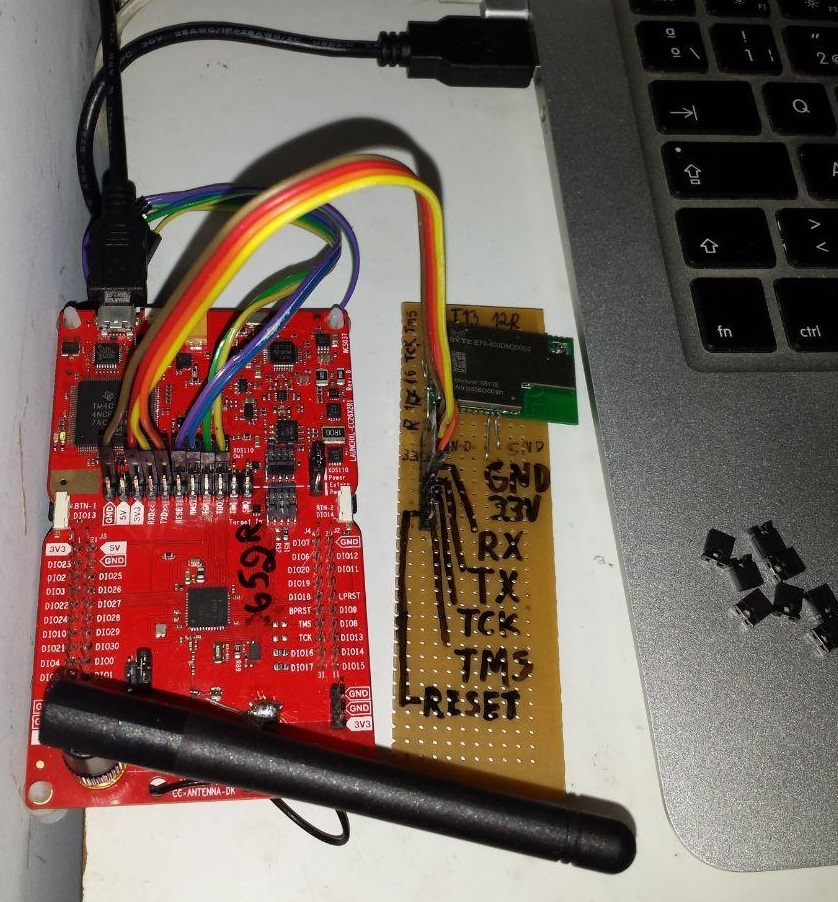
Teie
on 4 May 2020
Hi @dzungpv .
Finally the parts arrived, an E79 module and a USB UART module!
I managed to flash the E79 module using the XDS100 from the "Launchpad CC2652R" board (I still don't understand how to do it with J-link. Do I need to convert it from 5V to 3.3V? What Flash Software I need?) and I managed to connect Zigbee2MQTT. It seems to be working very well and pairing the sensors. BUT only through the USB of the Launchpad Kit, when I put it on the USB UART (I tried two, an EBYTE E15 based on CP2102 and an FTDI232) the Z2M does not connect the Zigbee Herdsman.
Any tip to solve this problem?
Thanks again.
My mess:
Use 3.3V only, you can flash it using Uniflash. Manual choose the chip at startup, it is cc1352P1. So Koen firmware will not work, you must build the firmware with the guide from the repo, apply the patch or it will not work with z2m. All sdk and tool free to download from TI, just register.
dzungpv
on 4 May 2020
Use 3.3V only, you can flash it using Uniflash. Manual choose the chip at startup, it is cc1352P1. So Koen firmware will not work, you must build the firmware with the guide from the repo, apply the patch or it will not work with z2m. All sdk and tool free to download from TI, just register.
Thanks @dzungpv .
1 - " Use 3.3V only"
My Segger J-link is 5V only. Should I hacked it to 3.3v?
Or is just wired 3.3V from other source?
2 - "with the guide from the repo"
This Guide?
https://github.com/Koenkk/Z-Stack-firmware/blob/master/coordinator/Z-Stack_3.x.0/COMPILE.md
Do you know if anyone has this firmware ready for download? I will try to make the firmware as you said, but I am sure that I will have several errors to compile. :(
Thanks again.
UPDATE:
I made all the steps to compile new firmware. CCS>GitBash>Build Project>Flash. Everything ok, BUT the E79 module only works with XDS100 of LaunchPad board yet. Don't work with generic USB SERIAL.
Any help?
Teie
on 4 May 2020
hello, i flashed my cc1352p-2 with router firmware, but how to put it into pairing mode ?
thanks
NicolasBoulanger
on 5 May 2020
hello, i flashed my cc1352p-2 with router firmware, but how to put it into pairing mode ?
thanks
command to pairing mode going from z2m or other software
co-Palko
on 5 May 2020
hello, i flashed my cc1352p-2 with router firmware, but how to put it into pairing mode ?
thankscommand to pairing mode going from z2m or other software
i'm trying with conbee2 and deconz
which button on cc1352p-2 to join network ?
NicolasBoulanger
on 5 May 2020
hello, i flashed my cc1352p-2 with router firmware, but how to put it into pairing mode ?
thankscommand to pairing mode going from z2m or other software
i'm trying with conbee2 and deconz
which button on cc1352p-2 to join network ?
don`t know about buttons, I try to pair with z2m in commnd prompt and from IoBroker, it works
co-Palko
on 5 May 2020
hello, i flashed my cc1352p-2 with router firmware, but how to put it into pairing mode ?
thanks
oh I'm sorry I messed up the modes, are you mating about pairing with the coordinator
co-Palko
on 5 May 2020
hello, i flashed my cc1352p-2 with router firmware, but how to put it into pairing mode ?
thanksoh I'm sorry I messed up the modes, are you mating about pairing with the coordinator
i'd like to pair my cc1352p-2 as router mode to conbee2 coordinator
NicolasBoulanger
on 5 May 2020
Your file probably needs a serial connection first, where you change the channel.
Try use this file: https://github.com/Koenkk/zigbee2mqtt/issues/1429#issuecomment-581177622
It worked for me
matlab22
on 5 May 2020
Just swapped my CC2652R for a CC1352P. Unplugged the old, plugged in the new. IKEA Tradfri hubs don't seem happy, but my devices are otherwise working. (And the goal was to eliminate Tradfri hubs with high power and external antenna on CC1352P)
(CC1352P has the current developer branch flashed)
Nice!
EDIT: Can confirm @gagandeep90 's symptoms, my network map does not show any devices paired.
gcormier
on 5 May 2020
I received my CC1352P-2 2 weeks ago. I have been running it on my production network since then. I have always had some kind of reliability issues with lamps losing connection or some commands taking a very long time. My network has been running stable on the latest dev firmware and the latest dev branch since then.
1 general question, i have been running on latest-dev because some messages here pointed me to that for better support. In the 1.13.0 release notes from last week i did not see anything regarding CC1352P-2 support. Does that mean i still have to keep running on the latest-dev branch, or are all the changes in the stable release now?
jeffreykog
on 5 May 2020
@jk-5 I'm not exactly what changes were meant with this, but 1.13.0 is fine.
Koenkk
on 6 May 2020
Hi @Koenkk , what's the difference between CC1352's firmware ready in Bin Folder and to compile firmware using "Firmware_Patch"?
I'm trying use E79 EBYTE module (CC1352) with generic USB UART, but the firmware at Bin Folder and compiled with "Firmware_Patch" only work using XDS100 LaunchPad interface.
Some tip to help me?
Thanks.
Teie
on 7 May 2020
@Teie maybe the EBYTE module requires some different compilation option, I would try to contact them to see what is needed.
Koenkk
on 7 May 2020
I've been trying the zig-a-zig-ah! proto stick and ran into the Error: Failed to connect to the adapter (Error: SRSP - SYS - ping after 6000ms). Tried the 20200417 and the 20191106 firmwares.
I get the error constantly when trying it on my server where Z2M-dev is in Docker or on my backup Orange Pi with HASS Supervisor where Z2M is installed as addon.
It works with zigbee2mqtt-dev installed in venv on a laptop with Manjaro, settings are same across the board except changed panid's. Sometimes the same 6000ms error appears here but it can be resolved with replugging the stick. Same method doesn't help with other 2 devices.
Any further actions I could attempt?
blakadder
on 7 May 2020
@blakadder sounds like you might be having trouble with the usb-serial drivers, can you check your kernel log to see if there are any relevant lines? for reference, zzh uses the CH340 chip and as long as you are using a relatively recent kernel there is good support for it.
 omerk
on 7 May 2020
omerk
on 7 May 2020
May  6 21:19:34 bass kernel: [3838758.421889] usb 1-4: new full-speed USB device number 12 using xhci_hcd
May  6 21:19:34 bass kernel: [3838758.564222] usb 1-4: New USB device found, idVendor=1a86, idProduct=7523
May  6 21:19:34 bass kernel: [3838758.564229] usb 1-4: New USB device strings: Mfr=0, Product=2, SerialNumber=0
May  6 21:19:34 bass kernel: [3838758.564233] usb 1-4: Product: USB2.0-Serial
May  6 21:19:34 bass kernel: [3838758.565453] ch341 1-4:1.0: ch341-uart converter detected
May  6 21:19:34 bass kernel: [3838758.567173] usb 1-4: ch341-uart converter now attached to ttyUSB0
this is from my server, no errors after that until i unplug it
blakadder
on 7 May 2020
@omerk What is the ZZH project status? I would love using it in zigbee2mqtt!!
sermayoral
on 7 May 2020
@blakadder Doesn't look like the usb-serial issue I've seen with an older kernel, maybe a firmware issue @Koenkk?
@sermayoral Have boards, need to update documentation and set up the Tindie store. Aiming to get things up this weekend.
omerk
on 7 May 2020
I'm trying use E79 EBYTE module (CC1352) with generic USB UART, but the firmware at Bin Folder and compiled with "Firmware_Patch" only work using XDS100 LaunchPad interface.
@Teie Both binary file and patched (and compiled from sources) firmware works fine with jlink at ebyte module
vke
on 7 May 2020
@omerk Do you already have funding and manufacturers or are you doing a crowdfunding campaign? Also, where do you think you will be shipping it from? I'm asking as an EU (European Union) customer.
Hedda
on 7 May 2020
@Hedda et al: Let's not hijack this issue, if you have any queries please raise them as tickets on the zzh repo. Thanks.
omerk
on 7 May 2020
@vke
@Teie Both binary file and patched (and compiled from sources) firmware works fine with jlink at ebyte module
Yes, it works by Flashing with J-link and XDS100, but the problem is not flash, it's to work with Z2M.
For now, the module only connect with Z2M by XDS100 at LaunchPad Board(works very well), if I try to use USB-UART(FTDI or CP2102) it don't connect to Z2M(time out 6000ms).
Thanks for your attention @vke !
Teie
on 7 May 2020
@Teie maybe the EBYTE module requires some different compilation option, I would try to contact them to see what is needed.
Great, thanks @Koenkk !
Just to clarify(since english in not my native language), the EBYTE module is working very well on your Z2M through the XDS100 LaunchPad. It's only when I change the XDS100 to a USB-UART(tried with FTDI and CP2102, it does not connect to the Z2M.
ps: The growth of the Z2M project is incredible. Congratulations!
Teie
on 7 May 2020
For now, the module only connect with Z2M by XDS100 at LaunchPad Board(works very well), if I try to use USB-UART(FTDI or CP2102) it don't connect to Z2M(time out 6000ms).
@Teie did you tried rtscts: false option?
vke
on 7 May 2020
EDIT!
@Teie did you tried
rtscts: falseoption?
Tried now, no success. :(
Still "Error: Failed to connect to the adapter (Error: SRSP - SYS - ping after 6000ms)"
Yes! It worked. Needed Reflash the firmware(maybe there was some error after dozens of plug-unplug)
Teie
on 7 May 2020
So looks like the ElectroLama store is now up!
https://www.tindie.com/products/electrolama/zzh-cc2652r-multiprotocol-rf-stick/
Bad news is the initial batch of ZZA sold out almost instantly. Good news is @omerk says there should be more stock this weekend. https://twitter.com/OmerK/status/1260118708703330306
egelmex
on 12 May 2020
I have a feeling these will keep selling wel for a while. I got myself one, will grab one more once the initial rush dies down.
Edit: Mine just arrived, lets see how this goins this weekend.
sjorge
on 12 May 2020
I'm trying use E79 EBYTE module (CC1352) with generic USB UART, but the firmware at Bin Folder and compiled with "Firmware_Patch" only work using XDS100 LaunchPad interface.
@Teie Both binary file and patched (and compiled from sources) firmware works fine with jlink at ebyte module
Could You please publish somewhere compiled firmware for E79 module? I have it, I have j-link and I'm not able to compile it by myself.
dzikus
on 20 May 2020
Could You please publish somewhere compiled firmware for E79 module? I have it, I have j-link and I'm not able to compile it by myself.
Just use default firmware from Koen repository. Works fine except +20 dBm setting.
vke
on 20 May 2020
@vke
Just use default firmware from Koen repository. Works fine except +20 dBm setting.
I think 20dBm is only for Sub1GHz, right? _("20dBm at SUB-1GHz and 5dBm at 2.4GHz." according datasheet)_
Do you know why there is little interest in the CC2538 + CC2592 module?
It is a cheap module with CC2538 ARM3 + Range Extender with 22dBm output.
My E79 module is working well here, but I can feel the lack of signal range from it. (5dBm)
ps: This is the Git of the Ukrainian project using the CC2538 module.
https://github.com/reverieline/CC2538-CC2592-ZNP
edit: E79 has 5dBm @ 3.8V only. At typical 3.3V it only reaches 4.5dBm!
Teie
on 20 May 2020
Hey,
First of all: thanks a lot for this great software. I really love having a clean, non-proprietary interface available for my zigbee devices.
I've bought a CC1352P and have been using it over the past few months.
However, the issue is that I've difficulties getting it to work in a reliable way and I would love some pointers on how to start debugging this issue.
My setup:
- I have 74 zigbee devices, all from Ikea (73 lights which are routers and 1 motion sensor which is an end device)
- I've been using zigbee2mqtt since version 1.9, now at 1.13.0-dev (commit #3795562) . Firmware version is zStack3x0 revision 20200417.
The issue:
- When I start zigbee2mqtt, there are always a couple of devices that are not available (sometimes 1, sometimes more, never more than 5 and not always the same ones)
- Devices go to unavailable when using zigbee2mqtt, typically not more than a minute or two
- After a while (couple of days, zigbee2mqtt stops working). Prior to 1.13 this resulted in a lot of UnhandledPromiseRejectionWarning. In 1.13 I just see all devices go offline and then got one UnhandledPromiseRejectionWarning: Error: SRSP - SYS - version after 6000ms
- Previously I've seen a mix of errors (timeout, no response, MAC errors)
- I'm also not able to use OTA updates. Sometimes it just doesn't work, sometimes it starts but then goes incredibly slow (estimates 20 minutes to update one device and after 4% or so, it aborts).
What I've tried:
- Using in default configuration and changing key network settings (new nwid, new pan_id, setting channel to 25 to not interfere with wifi)
- changing transmit power (currently at 19)
- using a longer USB wire and placing it further from computer
- placing it in different locations in my house (including in location where my ikea tradfri gateway used to be)
- I've also played with availability_timeout and report settings (on/off, different values)
Any suggestions? I had issues with my tradfri gateway but this was related to memory leaks in the gateway software, not really instability in my zigbee network.
Would really appreciate any help on how to debug this further.
Many thanks!
Thomas
 thomasdelaet
on 20 May 2020
thomasdelaet
on 20 May 2020
Thomas, please see "CC1352P-2/CC26X2R1 coordinators only: press the reset button on the device" in the FAQ.
Note that machine reboot or even just a multiple docker restarts can cause it.
 noohi
on 21 May 2020
noohi
on 21 May 2020
Thanks for your reply @noohi . I do know how to reset this, but the main issue is that I can not get zigbee2mqtt to work reliably at all. I'm looking for ways to figure out why that is ... Thanks!
thomasdelaet
on 21 May 2020
OK, make sure to reset when you get that SRSP-SYS 6000ms error.
Other than that, let me try some more:
if you have updatable devices waiting on their new firmwares, update all of them using the original Hub first, so you have the latest, hopefully better behaving devices.
If you must use Z2M OTA for that, then temporarily move each device near the coordinator to speed up the updating.
Btw it's possible to automate devices removal with MQTT scripting, so it's much simpler to go back and forth to the original bridge, something I do for Philips Hue constantly due to firmware updates.
OTA when perfect, will be the best solution, hopefully it keeps on growing.I would return Zigbee to the default channel 11 and change WiFi to accommodate.
Some Zigbee devices do not support non-default channels.
For example set WiFi 2.5ghz to channel 6 or higher - lower ones are better for wall penetration, so start with 6.too close to the PC. You said to have covered this, just make sure the extension cord is still there, and lift it up from the PC, hang it nearby or something, if you have constantly working devices then it's not that.
Otherwise try a different, longer cable, but then make sure it's of high quality as extensions have their own problems.enable Spread Spectrum in the PC BIOS if available. There are CPU and PCI Express option in some.
batteries on the weak devices, try putting new ones just as a test, regardless of its sensor states
some devices need to be awoken after the reset, to announce their presence, press the pairing button short once to light them up. Or just wait, after a few days when you stop changing things, the network should behave better, without reboots.
consider adding zigbee routers. That didn't pan out for me, just stating it if you have certain bottlenecks to bridge them with a better router than the device itself, e.g. with CC2531
noohi
on 21 May 2020
I've seen similar issues as @thomasdelaet.
Will router firmware be coming for CC2652R ?
I am now using a CC1352P as coordinator, but still have some devices far away and I have a CC2652R lying around I would like to make a router. IKEA Tradfri does not seem to work with all devices as a router (Xiaomi Aquara temp/humidity sensors)
gcormier
on 21 May 2020
@Koenkk I see ZigBee 3.0 supports ZigBee cluster. Do you know how to modify it?I see ZigBee 3.0 supports ZigBee cluster. Do you know how to modify it?
flower87lucky
on 26 May 2020
Just spotted this tweet from @omerk https://twitter.com/OmerK/status/1274392756442587138 shop was restocked and as of posting there is stock left!
https://www.tindie.com/products/electrolama/zzh-cc2652r-multiprotocol-rf-stick/
egelmex
on 20 Jun 2020
All gone already 😬
 DubhAd
on 20 Jun 2020
DubhAd
on 20 Jun 2020
They lasted surprisingly long ;) As per e-mail from @omerk a couple more batches have been ordered so there will be more stock soon(ish).
piit79
on 20 Jun 2020
I noticed in-stock notification this morning and it was way too late, again. :( Maybe next batch will last long enough :P
Kryzek
on 21 Jun 2020
More coming soon, folks 😃
omerk
on 21 Jun 2020
@omerk, can you confirm that it doesn't have this issue on the host machine reboot, and would also require USB re-plugging like the same chip TI controllers with Z2M do?
Initially I got CC1352P-2, find out about the issue first hand, then got the CC26X2R1, same thing.
So now I am waiting for yours, but only if it can reboot with the machine without these replugging requirements. Did any of your users reported similar, even that you could not replicate?
Thanks, and Godspeed :)
noohi
on 21 Jun 2020
I have a zzh heading my way (lucky my 2 year old was up at 5 NZ time so I could make the order 🙃).
On upgrading from current stick, I think I need to change the network ID and then repair all of my devices. Anything I'm missing? Thanks.
 Alfiegerner
on 21 Jun 2020
Alfiegerner
on 21 Jun 2020
@noohi Issue you linked looks like a clear container/hassio issue, don't think it has anything to do with firmware or stick hardware tbh. I have had and heard of very similar problems before, all fixed when container or VM was bypassed. Doesn't immediately solve your problem, probably, but as a troubleshooting step I would try to run z2m directly on a host (not inside a container or a VM) and see if you have the same issues. zzh has no magic really, if you're having serial comms issues with your existing CC26X2R1setup you will probably have the same with zzh as so far most of these problems have been related to host setup.
@Alfiegerner Thanks for your custom, packing orders as we speak 😃 This FAQ entry should help with answering your question.
omerk
on 21 Jun 2020
Just for people to know, I have been using my zzh (got it in the first batch) in my raspberry pi 4 running home assistant for weeks now without any issue at all. 👍🏼
My only problems were at the begining that zigbee2mqtt refused to start complaining about used id (solved by starting it without the zzh antena screwed in) and pairing my xiaomi devices (solved by using a USB cable extension so zzh is not close to raspberry).
Apart for those as I said it has been rock solid for me.
jrhbcn
on 21 Jun 2020
@jrhbcn please, could you tell us what installation do you have? Home Assistant over HassOS, Home Assistant Supervised over Debian, over a Virtual Machine?
Thanks
sermayoral
on 21 Jun 2020
@omerk, yes, that's what we were told before as well, did try directly, removed the VM, went to Ubuntu, added even another USB controller, nothing helped.
For example Conbee2 works fine in its own firmware within the same environment (non-Z2M, haven't tried Z2M alpha for it yet).
Also if I don't reboot the host, even TI controllers never drop out.
So it's unlikely to be something generic to the machine
If I reboot the host, must replug the TI controller and press the conveniently existing USB connect button on it for Z2M to pick it up.
If you search for "z2m srsp 6000ms", like this one, note that people mentioned the USB reconnect as one of the usual methods, somewhere even saw wanting to automate the replugging.
I even researched Linux commands for something like that, nothing helped, even though it was shown working (usb controller listed in lsusb or not).
Also notice that all of those issues are still open, and mostly it is referred to old TI chip revisions being known for it, so people drop the case.
Mine, two different boards bought recently, were new when checked with more details.
In conclusion, if you haven't gotten similar reports so far, I'm fine by taking a bit of risk to hopefully have a working solution - not your fault if I'm just unlucky in the combo.
If it turns out that it behaves the same (Z2M+Docker related somehow), then I'll dust off the Rpi4 and plug any of them directly without even a Docker - then wait for the others to become best routers covering the house :)
That reminds me, please have a firmware for router mode only.
Thanks.
noohi
on 21 Jun 2020
I've recently ordered two aswell and thanks to @omerk for giving me feedback on Twitter 👍
ZZH is hell of a project, keep up the amazing work!
I've asked on twitter regarding bluetooth capability of the ZZH Stick. Referring to the Simplelink SDK seems to be quite vague.
So, having the ZZH flashed with Z-Stack 3 (I know that it is only for Zigbee tho) wont be enough to use the ZZH Stick as BLE in my Raspberry PI HA setup? Is there anyone who is using the ZZH Stick for both BLE devices AND Zigbee?
My Raspberry PI has BLE on its own but I have some issues when using BLE from more tools. I have the HACS custom-component sensor.mitemp_bt extension installed, which parses BLE packets from three of my LYWSDCGQ. If I want to provide BLE monitoring for presence detection, this gets complicated as the BLE device of my Raspberry PI is already "blocked" by that mitemp_bt extension.
Though, I'd love to use the ZZH as a second BLE device to start playing with BLE presence detection.
- Do I need to flash another firmware for the BLE device to be available on my Raspberry PI?
- Do I need additional hardware to use the ZZH as a BLE device?
 boesing
on 21 Jun 2020
boesing
on 21 Jun 2020
@jrhbcn please, could you tell us what installation do you have? Home Assistant over HassOS, Home Assistant Supervised over Debian, over a Virtual Machine?
Sure. I am using home assistant supervised on raspbian running on SSD. Zigbee2mqtt is running as an add-on on the same machine (raspberry pi 4).
jrhbcn
on 21 Jun 2020
I'm writing Zigbee firmware for nrf52840 so I have j-link clone from China.
@vke: Is your firmware for nrf52840 available somewhere? Or it is not working yet?
using the ZZH Stick for both BLE devices AND Zigbee?
@boesing: this is not specific enough. You can use ZZH Stick for both BLE and ZigBee.
This is what TI would say if you ask them.
The truth is this: you can use the ZZH Stick for Zigbee2MQTT and for BLE, as long as you need BLE peripherial functionality.
BLE's central functionality is not available in the DMM (TI's multiprotocol library). For scanning nearby devices, and basically initiating anything with BLE, you would need the central functionality.
So the answer is that with ZZH Stick you won't be able to achieve what you want.
(But you can hookup a temperature sensor into RPi, and then ZZH Stick can act as a temperature sensor which you can query with your phone via Bluetooth while the stick provides the ZB functionality for Z2M).
 danergo
on 22 Jun 2020
danergo
on 22 Jun 2020
Today my zzh sticks arrived. ❤️
Works like a charm except that I am not able to use touchlink factory reset to reset my hue bulbs.
The CC2531 worked as expected. Did anyone else experienced that issue?
When sending zigbee2mqtt/bridge/config/touchlink/factory_reset, I get the following error:
zigbee2mqtt:info  2020-06-25 13:21:49: Starting touchlink factory reset...
zigbee2mqtt:info  2020-06-25 13:21:49: MQTT publish: topic 'zigbee2mqtt/bridge/log', payload '{"type":"touchlink","message":"reset_started","meta":{"status":"started"}}'
zigbee2mqtt:error 2020-06-25 13:22:03: Failed to call 'BridgeLegacy' 'onMQTTMessage' (Error: SRSP - AF - interPanCtl after 6000ms
    at Timeout._onTimeout (/zigbee2mqtt-1.14.0/node_modules/zigbee-herdsman/dist/utils/waitress.js:47:35)
    at listOnTimeout (internal/timers.js:531:17)
    at processTimers (internal/timers.js:475:7))
I also receive some errors due to disconnections/reconnections of a device:
zigbee2mqtt:info  2020-06-25 16:02:13: MQTT publish: topic 'zigbee2mqtt/kueche_steckdose_untertischgeraet/availability', payload 'online'
zigbee2mqtt:info  2020-06-25 16:02:13: MQTT publish: topic 'zigbee2mqtt/kueche_steckdose_untertischgeraet/availability', payload 'offline'
zigbee2mqtt:info  2020-06-25 16:02:17: MQTT publish: topic 'zigbee2mqtt/kueche_steckdose_untertischgeraet', payload '{"state":"OFF","linkquality":114,"update_available":false}'
zigbee2mqtt:info  2020-06-25 16:02:17: MQTT publish: topic 'zigbee2mqtt/kueche_steckdose_untertischgeraet/availability', payload 'online'
zigbee2mqtt:error 2020-06-25 16:02:20: Failed to read state of 'kueche_steckdose_untertischgeraet' after reconnect
zigbee2mqtt:info  2020-06-25 16:02:20: MQTT publish: topic 'zigbee2mqtt/kueche_steckdose_untertischgeraet', payload '{"state":"OFF","linkquality":135,"update_available":false}'
zigbee2mqtt:info  2020-06-25 16:05:38: MQTT publish: topic 'zigbee2mqtt/kueche_steckdose_untertischgeraet/availability', payload 'offline'
zigbee2mqtt:error 2020-06-25 16:05:38: Failed to ping 'kueche_steckdose_untertischgeraet'
zigbee2mqtt:info  2020-06-25 16:06:12: MQTT publish: topic 'zigbee2mqtt/kueche_steckdose_untertischgeraet', payload '{"state":"OFF","linkquality":135,"update_available":false}'
zigbee2mqtt:info  2020-06-25 16:06:12: MQTT publish: topic 'zigbee2mqtt/kueche_steckdose_untertischgeraet/availability', payload 'online'
zigbee2mqtt:info  2020-06-25 16:06:12: MQTT publish: topic 'zigbee2mqtt/kueche_steckdose_untertischgeraet', payload '{"state":"OFF","linkquality":135,"update_available":false}'
zigbee2mqtt:info  2020-06-25 16:07:16: MQTT publish: topic 'zigbee2mqtt/kueche_steckdose_untertischgeraet/availability', payload 'offline'
zigbee2mqtt:error 2020-06-25 16:07:16: Failed to ping 'kueche_steckdose_untertischgeraet'
zigbee2mqtt:info  2020-06-25 16:08:16: MQTT publish: topic 'zigbee2mqtt/kueche_steckdose_untertischgeraet/availability', payload 'online'
zigbee2mqtt:info  2020-06-25 16:08:20: MQTT publish: topic 'zigbee2mqtt/kueche_steckdose_untertischgeraet/availability', payload 'offline'
zigbee2mqtt:info  2020-06-25 16:08:23: MQTT publish: topic 'zigbee2mqtt/kueche_steckdose_untertischgeraet', payload '{"state":"OFF","linkquality":111,"update_available":false}'
zigbee2mqtt:info  2020-06-25 16:08:23: MQTT publish: topic 'zigbee2mqtt/kueche_steckdose_untertischgeraet/availability', payload 'online'
zigbee2mqtt:error 2020-06-25 16:08:28: Failed to read state of 'kueche_steckdose_untertischgeraet' after reconnect
That is an OSRAM AB3257001NJ and I didn't had such disconnects with the CC2531. Not sure if thats a problem as most of the time that plug is off. However, it would be annoying if its "reconnecting" (or whatever it does when it says failed to ping) while I want to either turn it on or off.
boesing
on 25 Jun 2020
Just for people to know, I have been using my zzh (got it in the first batch) in my raspberry pi 4 running home assistant for weeks now without any issue at all. 👍🏼
My only problems were at the begining that zigbee2mqtt refused to start complaining about used id (solved by starting it without the zzh antena screwed in) and pairing my xiaomi devices (solved by using a USB cable extension so zzh is not close to raspberry).
Apart for those as I said it has been rock solid for me.
@jrhbcn So you don't have issues with low quality signal? For me, when I move out of the room, the signal in the logs of the device jumps to 0 immediately. What is your average signal over 10 meters including some walls?
 giejay
on 27 Jun 2020
giejay
on 27 Jun 2020
Texas Instruments has recently released a new high performance Zigbee chip: the CC2652R. This chip is much faster and contains much more memory than the CC2530/CC2531.
This issue is created in order to gather feedback of users using the CC2652R AND Z-Stack 3.0 (= Zigbee 3.0)
Notes
- The device can be bought here: http://www.ti.com/tool/launchxl-cc26x2r1
- No additional flashing hardware is needed, it has an on-board programmer (no CC debugger needed).
- The board has +- the size of a Raspberry Pi
- Zigbee 3.0!
- Flash using Flash Programmer v2
- Firmware can be found here in the bin folder: https://github.com/Koenkk/Z-Stack-firmware/tree/master/coordinator/Z-Stack_3.x.0
- It's not possible to migrate your Zigbee 1.2 network (requires repairing)
- The network restore trick that we used in Zigbee 1.2 doesn't work anymore (due to better security policies). A backup of the CC2652R is taken at every shutdown of zigbee2mqtt, file can be found under
data/coordinator_backup.json. This backup is automatically restored when starting with a new flashed CC2652R.- Requires latest zigbee2mqtt dev branch.
Can you make a cc2652p firmware that supports UART. The details are as follows
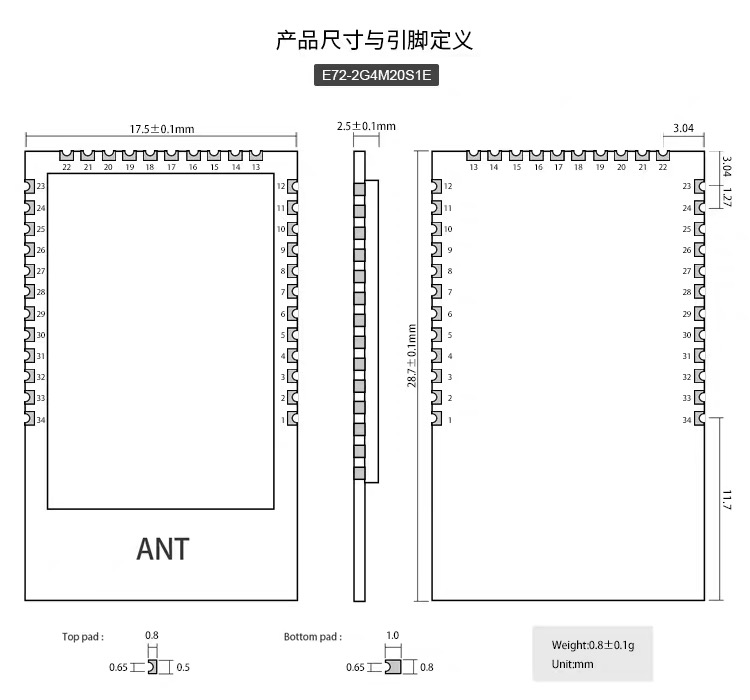
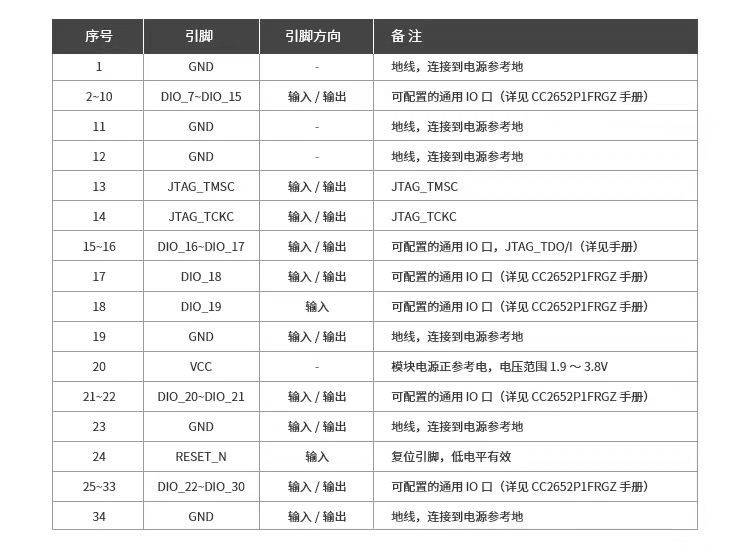
flower87lucky
on 3 Jul 2020
Texas Instruments has recently released a new high performance Zigbee chip: the CC2652R. This chip is much faster and contains much more memory than the CC2530/CC2531.
This issue is created in order to gather feedback of users using the CC2652R AND Z-Stack 3.0 (= Zigbee 3.0)
Notes
- The device can be bought here: http://www.ti.com/tool/launchxl-cc26x2r1
- No additional flashing hardware is needed, it has an on-board programmer (no CC debugger needed).
- The board has +- the size of a Raspberry Pi
- Zigbee 3.0!
- Flash using Flash Programmer v2
- Firmware can be found here in the bin folder: https://github.com/Koenkk/Z-Stack-firmware/tree/master/coordinator/Z-Stack_3.x.0
- It's not possible to migrate your Zigbee 1.2 network (requires repairing)
- The network restore trick that we used in Zigbee 1.2 doesn't work anymore (due to better security policies). A backup of the CC2652R is taken at every shutdown of zigbee2mqtt, file can be found under
data/coordinator_backup.json. This backup is automatically restored when starting with a new flashed CC2652R.- Requires latest zigbee2mqtt dev branch.
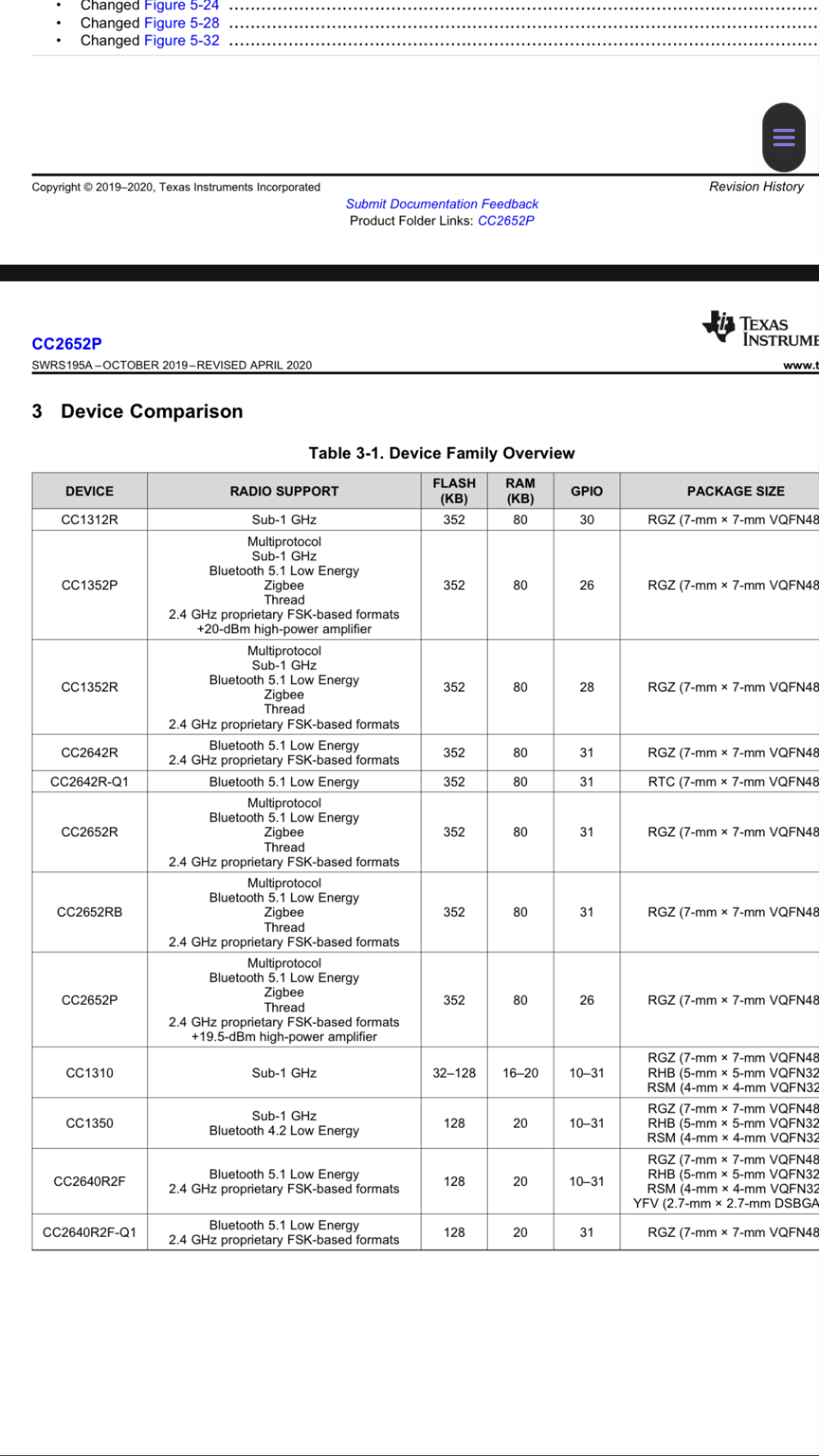
flower87lucky
on 3 Jul 2020
@jrhbcn So you don't have issues with low quality signal? For me, when I move out of the room, the signal in the logs of the device jumps to 0 immediately. What is your average signal over 10 meters including some walls?
@giejay in my case linkquality goes from around 120 in devices really close, less than 1m, to the coordinator to around 30 to devices up to 10m with a couple of walls in between.
Have you tried with an USB cable extension? That really helped in my case.
jrhbcn
on 7 Jul 2020
@jrhbcn So you don't have issues with low quality signal? For me, when I move out of the room, the signal in the logs of the device jumps to 0 immediately. What is your average signal over 10 meters including some walls?
@giejay in my case linkquality goes from around 120 in devices really close, less than 1m, to the coordinator to around 30 to devices up to 10m with a couple of walls in between.
Have you tried with an USB cable extension? That really helped in my case.
Apparently I have a bad batch of the zzh device so that's why the quality is quite bad
giejay
on 7 Jul 2020
Who can make the firmware of cc2652p, which is said to be the same as cc1352p2?
flower87lucky
on 12 Jul 2020
Have you tried simply running the CC1352P FW from Koen’s repo?
fredrikgk
on 13 Jul 2020
Texas Instruments released a new SDK version (SimpleLink SDK 4.20.00.35). Updated firmwares can be found here: https://github.com/Koenkk/Z-Stack-firmware/tree/develop/coordinator/Z-Stack_3.x.0/bin . Will add them to master after a test period of +- 3 weeks.
Koenkk
on 21 Jul 2020
Guys, might be stupid question but anyway - why do 1352P/2652R has lower direct connections as well as routes comparing to 2538? As i can understand new ones are more powerful and have more RAM available....
 to4ko
on 21 Jul 2020
to4ko
on 21 Jul 2020
@to4ko 1352/2652 indeed have more RAM, for now I've compiled the firmwares with the values recommended by Texas Instruments. It might be possible to increase this in the future.
Koenkk
on 22 Jul 2020
@to4ko 1352/2652 indeed have more RAM, for now I've compiled the firmwares with the values recommended by Texas Instruments. It might be possible to increase this in the future.
so there is chance to get firmware with higher limits on direct connections as well as routes?
to4ko
on 22 Jul 2020
I think this should be possible indeed
Koenkk
on 22 Jul 2020
Texas Instruments released a new SDK version (SimpleLink SDK 4.20.00.35). Updated firmwares can be found here: https://github.com/Koenkk/Z-Stack-firmware/tree/develop/coordinator/Z-Stack_3.x.0/bin . Will add them to master after a test period of +- 3 weeks.
Is it intended to fix "USB related" issues? https://github.com/Koenkk/zigbee2mqtt/issues/2997
 aalbul
on 23 Jul 2020
aalbul
on 23 Jul 2020
@aalbul I don't expect to, those issue are mostly caused by the system setup itself.
Koenkk
on 24 Jul 2020
@aalbul I don't expect to, those issue are mostly caused by the system setup itself.
The DIY 1352P USB flash drive never had any problems with the message "Error: SRSP - SYS - ping after 6000 ms". Maybe this means that the problem is in the built-in UART translator on the LAUNCHXL board?
co-Palko
on 28 Jul 2020
@co-Palko oh. That's annoying. Just had yet-another issue like that after a few days of more-or-less stable working.
Is there any way to connect LAUNCHXL-CC26X2R1 directly to RPI via pins (avoiding usb interface)?
aalbul
on 28 Jul 2020
hat's annoying. Just had yet-another issue like that after a few days of more-or-less stable working.
Is there any way to connect LAUNCHXL-CC26X2R1 directly to RPI via pins (avoiding usb interface)?
I think that you can try, for this you need to remove the jumpers from the RXD-TXD and connect the 2652 connection via UART. I would also advise you to remove all jumpers at the middle of board and take power 3.3+GND from Raspberry.
co-Palko
on 28 Jul 2020
hat's annoying. Just had yet-another issue like that after a few days of more-or-less stable working.
Is there any way to connect LAUNCHXL-CC26X2R1 directly to RPI via pins (avoiding usb interface)?I think that you can try, for this you need to remove the jumpers from the RXD-TXD and connect the 2652 connection via UART. I would also advise you to remove all jumpers at the middle of board and take power 3.3+GND from Raspberry.
Thanks. I will try to find some time and give it a try. Hope it will help.
This issue really annoys me. Usually my network (around 100 devices) works well for a few days, but then at some point, usually at night, "Error: SRSP - SYS - ping after 6000 ms" starts to appear and all devices go offline.
The only thing that helps is restart. I also tried to switch from RPI 3B+ to Odroid N2 but the results are the same.
As an alternative, i have one CC2538 board that i didn't really try yet (to be frank, i did, but was not satisfied with on-board antenna as link quality dropped almost twice).
aalbul
on 28 Jul 2020
Texas Instruments released a new SDK version (SimpleLink SDK 4.20.00.35). Updated firmwares can be found here: https://github.com/Koenkk/Z-Stack-firmware/tree/develop/coordinator/Z-Stack_3.x.0/bin . Will add them to master after a test period of +- 3 weeks.
@Koenkk I've flashed my CC26X2R1 with the new firmware. But i can't get it to connect. A single time it worked as it should, but won't let me use the Touchlink feature. (Where it reported theFailed to call 'BridgeLegacy' 'onMQTTMessage' (Error: SRSP - AF - interPanCtl after 6000msproblem)
It's now reporting the SRSP - SYS - ping after 6000ms error, every time.
zigbee2mqtt:info  2020-07-31 12:15:02: Logging to console and directory: 'data/log' filename: zigbee2mqtt_2020-07-31.12-15-02.log
zigbee2mqtt:debug 2020-07-31 12:15:02: Loaded state from file /app/data/state.json
zigbee2mqtt:info  2020-07-31 12:15:02: Starting zigbee2mqtt version 1.14.2 (commit #faaf3e4)
zigbee2mqtt:info  2020-07-31 12:15:02: Starting zigbee-herdsman...
zigbee2mqtt:debug 2020-07-31 12:15:02: Using zigbee-herdsman with settings: '{"network":{"panID":6755,"extendedPanID":[221,221,221,221,221,221,221,221],"channelList":[15],"networkKey":"HIDDEN"},"databasePath":"/app/data/database.db","databaseBackupPath":"/app/data/database.db.backup","backupPath":"/app/data/coordinator_backup.json","serialPort":{"path":"/dev/cc2652r"},"adapter":{"concurrent":null}}'
zigbee2mqtt:error 2020-07-31 12:15:22: Error while starting zigbee-herdsman
zigbee2mqtt:error 2020-07-31 12:15:22: Failed to start zigbee
zigbee2mqtt:error 2020-07-31 12:15:22: Exiting...
zigbee2mqtt:error 2020-07-31 12:15:22: Error: Failed to connect to the adapter (Error: SRSP - SYS - ping after 6000ms)
    at ZStackAdapter.<anonymous> (/app/node_modules/zigbee-herdsman/dist/adapter/z-stack/adapter/zStackAdapter.js:87:31)
    at Generator.throw (<anonymous>)
    at rejected (/app/node_modules/zigbee-herdsman/dist/adapter/z-stack/adapter/zStackAdapter.js:25:65)
I originally updated the firmware of it, cause i couldn't use the Touchlink-feature on it. I've another old coordinator, which I'll connect again. But.. I would really like to start using the LAUNCHXL-CC26X2R1.
Do you have any idéa, of what's going on?
I'm on a Debian machine, where I've used the Docker container-version (powered by ESXi), and I've used the "Reset" button, to secure the proper connection, as mentioned a few places.

Update1:
I'm able to fix it, by:
1) Stopping and removing the zigbee2mqtt container
2) Powering down the VM
3) Remove the coordinator from the host machine
4) Replug the coordinator to the host machine, and press the reset button on the coordinator
5) Start the VM again
6) Pass over the coordinator (USB-device) in ESXi, to my VM
7) Create my zigbee2mqtt container, again
Do you think we're able to fix this with a software update to the coordinator, zigbee2mqtt, or something else? :-)
Update2:
I now tries Touchlink again, and it's vailed with the same message.
I got the same connection-issues hereafter (as people mentions in #2997.
Update3:
This time, i couln't get it to work with step 1-7. But i stopped the zigbee container, pressed the reset-button again, and started zigbee2mqtt. Hereafter, it worked like it should.
I can see that cdc_acm are reporting that it's not a modem - and I'm not sure that it's something with that part? Here's some from my dmesg:
[  +0.035271] device veth757af09 entered promiscuous mode
[  +0.000220] IPv6: ADDRCONF(NETDEV_UP): veth757af09: link is not ready
[  +0.000007] br-472de5a50b59: port 22(veth757af09) entered forwarding state
[  +0.000010] br-472de5a50b59: port 22(veth757af09) entered forwarding state
[  +0.132281] br-472de5a50b59: port 22(veth757af09) entered disabled state
[  +0.002704] device veth757af09 left promiscuous mode
[  +0.000015] br-472de5a50b59: port 22(veth757af09) entered disabled state
[  +2.635112] usb 1-1: new high-speed USB device number 3 using ehci-pci
[  +0.550975] usb 1-1: New USB device found, idVendor=0451, idProduct=bef3
[  +0.000005] usb 1-1: New USB device strings: Mfr=1, Product=2, SerialNumber=3
[  +0.000003] usb 1-1: Product: XDS110 (03.00.00.13) Embed with CMSIS-DAP
[  +0.000003] usb 1-1: Manufacturer: Texas Instruments
[  +0.000003] usb 1-1: SerialNumber: L1100GMU
[  +0.021956] cdc_acm 1-1:1.0: This device cannot do calls on its own. It is not a modem.
[  +0.000092] cdc_acm 1-1:1.0: ttyACM0: USB ACM device
[  +0.103639] cdc_acm 1-1:1.3: This device cannot do calls on its own. It is not a modem.
[  +0.000094] cdc_acm 1-1:1.3: ttyACM1: USB ACM device
[  +0.121860] hid-generic 0003:0451:BEF3.0003: hiddev0,hidraw0: USB HID v1.11 Device [Texas Instruments XDS110 (03.00.00.13) Embed with CMSIS-DAP] on usb-0000:02:01.0-1/input5
[Jul31 16:14] br-472de5a50b59: port 6(veth39e4906) entered disabled state
[  +0.049050] br-472de5a50b59: port 6(veth39e4906) entered disabled state
[  +0.001189] device veth39e4906 left promiscuous mode
[  +0.000015] br-472de5a50b59: port 6(veth39e4906) entered disabled state
[  +3.282490] aufs au_opts_verify:1570:dockerd[727]: dirperm1 breaks the protection by the permission bits on the lower branch
[  +0.011644] device veth9811609 entered promiscuous mode
[  +0.000064] IPv6: ADDRCONF(NETDEV_UP): veth9811609: link is not ready
[  +0.446383] IPv6: ADDRCONF(NETDEV_CHANGE): veth9811609: link becomes ready
[  +0.000034] br-472de5a50b59: port 6(veth9811609) entered forwarding state
[  +0.000006] br-472de5a50b59: port 6(veth9811609) entered forwarding state
[ +12.451790] aufs au_opts_verify:1570:dockerd[745]: dirperm1 breaks the protection by the permission bits on the lower branch
[  +0.028744] aufs au_opts_verify:1570:dockerd[745]: dirperm1 breaks the protection by the permission bits on the lower branch
[  +0.037284] aufs au_opts_verify:1570:dockerd[747]: dirperm1 breaks the protection by the permission bits on the lower branch
[  +0.014166] device vethfdf8c8d entered promiscuous mode
[  +0.000144] IPv6: ADDRCONF(NETDEV_UP): vethfdf8c8d: link is not ready
[  +0.381076] IPv6: ADDRCONF(NETDEV_CHANGE): vethfdf8c8d: link becomes ready
[  +0.000104] br-472de5a50b59: port 22(vethfdf8c8d) entered forwarding state
[  +0.000008] br-472de5a50b59: port 22(vethfdf8c8d) entered forwarding state
[  +2.113176] br-472de5a50b59: port 6(veth9811609) entered forwarding state
[ +12.918543] br-472de5a50b59: port 22(vethfdf8c8d) entered forwarding state
ModemManager is not installed, btw.
Update4: I just tried to use the TouchLink function again. It worked just fine, 4-5 hours ago.
This time it reported this:
gbee2mqtt:debug 2020-07-31 21:50:57: Received MQTT message on 'zigbee2mqtt/bridge/config/touchlink/factory_reset' with data ''
zigbee2mqtt:info  2020-07-31 21:50:57: Starting touchlink factory reset...
zigbee2mqtt:info  2020-07-31 21:50:57: MQTT publish: topic 'zigbee2mqtt/bridge/log', payload '{"type":"touchlink","message":"reset_started","meta":{"status":"started"}}'
zigbee2mqtt:error 2020-07-31 21:51:06: Failed to call 'BridgeLegacy' 'onMQTTMessage' (Error: SRSP - AF - interPanCtl after 6000ms
    at Timeout._onTimeout (/app/node_modules/zigbee-herdsman/dist/utils/waitress.js:46:35)
    at listOnTimeout (internal/timers.js:549:17)
    at processTimers (internal/timers.js:492:7))
zigbee2mqtt:debug 2020-07-31 21:51:16: Received MQTT message on 'zigbee2mqtt/bridge/config/touchlink/factory_reset' with data ''
zigbee2mqtt:info  2020-07-31 21:51:16: Starting touchlink factory reset...
zigbee2mqtt:info  2020-07-31 21:51:16: MQTT publish: topic 'zigbee2mqtt/bridge/log', payload '{"type":"touchlink","message":"reset_started","meta":{"status":"started"}}'
zigbee2mqtt:error 2020-07-31 21:51:24: Failed to call 'BridgeLegacy' 'onMQTTMessage' (Error: SRSP - AF - interPanCtl after 6000ms
    at Timeout._onTimeout (/app/node_modules/zigbee-herdsman/dist/utils/waitress.js:46:35)
    at listOnTimeout (internal/timers.js:549:17)
    at processTimers (internal/timers.js:492:7))
Up to this point, all events was received and transferred like it should. But after this, nothing happend, if i clicked one of my buttons. The only way to reestablish the connecting to the coordinator was to:
1) Stopped and removed the zigbee2mqtt container
2) Disconnected the coordinator
3) Connected the coordinator
4) Pressed the reset button on the coordinator
5) Rebooted the virtual machine
6) Created and started the zigbee2mqtt container
But.. Trying to start reset process again (TouchLink), and the same happend...
zigbee2mqtt:debug 2020-07-31 22:02:11: Received MQTT message on 'zigbee2mqtt/bridge/config/touchlink/factory_reset' with data ''
zigbee2mqtt:info  2020-07-31 22:02:11: Starting touchlink factory reset...
zigbee2mqtt:info  2020-07-31 22:02:11: MQTT publish: topic 'zigbee2mqtt/bridge/log', payload '{"type":"touchlink","message":"reset_started","meta":{"status":"started"}}'
zigbee2mqtt:error 2020-07-31 22:02:25: Failed to call 'BridgeLegacy' 'onMQTTMessage' (Error: SRSP - AF - interPanCtl after 6000ms
    at Timeout._onTimeout (/app/node_modules/zigbee-herdsman/dist/utils/waitress.js:46:35)
    at listOnTimeout (internal/timers.js:549:17)
    at processTimers (internal/timers.js:492:7))
(node:17) UnhandledPromiseRejectionWarning: Error: SRSP - ZDO - mgmtPermitJoinReq after 6000ms
    at Timeout._onTimeout (/app/node_modules/zigbee-herdsman/dist/utils/waitress.js:46:35)
    at listOnTimeout (internal/timers.js:549:17)
    at processTimers (internal/timers.js:492:7)
(node:17) UnhandledPromiseRejectionWarning: Unhandled promise rejection. This error originated either by throwing inside of an async function without a catch block, or by rejecting a promise which was not handled with .catch(). To terminate the node process on unhandled promise rejection, use the CLI flag `--unhandled-rejections=strict` (see https://nodejs.org/api/cli.html#cli_unhandled_rejections_mode). (rejection id: 1)
(node:17) [DEP0018] DeprecationWarning: Unhandled promise rejections are deprecated. In the future, promise rejections that are not handled will terminate the Node.js process with a non-zero exit code.
And after restarting the container, i was back to the good old Failed to connect to the adapter (Error: SRSP - SYS - ping after 6000ms) error...
Update5: This time, i can't get it to work. It keeps reporting Error: Failed to connect to the adapter (Error: SRSP - SYS - ping after 6000ms). I've tried everty i can remember. But I'm still ending up with this error.
Update6: Just to prevent any issues/problems from my VM, i created a fresh CentOS7 VM, where i installed Docker and spinned up zigbee2mqtt, after mapping my USB-device to a static name.
And, it's the same problem...
Here's the full log:
Using '/app/data' as data directory

> [email protected] start /app
> node index.js

zigbee2mqtt:info  2020-07-31 17:19:26: Logging to console and directory: 'data/log' filename: zigbee2mqtt_2020-07-31.17-19-26.log
zigbee2mqtt:debug 2020-07-31 17:19:26: Can't load state from file /app/data/state.json (doesn't exist)
zigbee2mqtt:info  2020-07-31 17:19:26: Starting zigbee2mqtt version 1.14.2 (commit #faaf3e4)
zigbee2mqtt:info  2020-07-31 17:19:26: Starting zigbee-herdsman...
zigbee2mqtt:debug 2020-07-31 17:19:26: Using zigbee-herdsman with settings: '{"network":{"panID":6755,"extendedPanID":[221,221,221,221,221,221,221,221],"chrkKey":"HIDDEN"},"databasePath":"/app/data/database.db","databaseBackupPath":"/app/data/database.db.backup","backupPath":"/app/data/coordinator_backup.json:"/dev/cc2652r"},"adapter":{"concurrent":null}}'
zigbee2mqtt:error 2020-07-31 17:19:45: Error while starting zigbee-herdsman
zigbee2mqtt:error 2020-07-31 17:19:45: Failed to start zigbee
zigbee2mqtt:error 2020-07-31 17:19:45: Exiting...
zigbee2mqtt:error 2020-07-31 17:19:45: Error: Failed to connect to the adapter (Error: SRSP - SYS - ping after 6000ms)
    at ZStackAdapter.<anonymous> (/app/node_modules/zigbee-herdsman/dist/adapter/z-stack/adapter/zStackAdapter.js:87:31)
    at Generator.throw (<anonymous>)
    at rejected (/app/node_modules/zigbee-herdsman/dist/adapter/z-stack/adapter/zStackAdapter.js:25:65)
npm ERR! code ELIFECYCLE
npm ERR! errno 1
npm ERR! [email protected] start: `node index.js`
npm ERR! Exit status 1
npm ERR!
npm ERR! Failed at the [email protected] start script.
npm ERR! This is probably not a problem with npm. There is likely additional logging output above.

npm ERR! A complete log of this run can be found in:
npm ERR!     /root/.npm/_logs/2020-07-31T23_19_46_155Z-debug.log
Update7:
I powered down the VM. Hereafter i disconnected the coordinator from the host machine. In ESXi, i removed the device, too. I reconnected the coordinator to the host-machine, and pressed the reset button. Hereafter i added the USB device to my old VM-instance, and started zigbee2mqtt.. And... It worked again.
And the new bulb paired, like it would.. (I didn't use Touchlink, but just toggled power 5 times, to trigger reset on the Ikea bulb...)
I DONT GET IT :-( Could it be something with the coordinator, the firmware, or something else?
Update8:
Well, just another update.
I couldnt' communicate to my zigbee network, so i:
1) Disconnected the coordinator
2) Connected it again
3) Pressed the button on it
4) Restarted my zigbee2mqtt container
It didn't work... So i...
4) Stopped and removed my zigbee2mqtt container
5) Rebooted my VM
5) Created and started zigbee2mqtt again
And hereafter, it worked again.
 exetico
on 31 Jul 2020
exetico
on 31 Jul 2020
@exetico when reflashing, did you also follow step 5 of https://www.zigbee2mqtt.io/information/flashing_via_uniflash.html#instructions ?
Koenkk
on 1 Aug 2020
@Koenkk Yes :-) I've also flashed it another time, just to be sure (where all steps is followed).
It was cleared, and confirmed empty (like in the guide).
So I'm not sure, what kind of problem I've 🤔
If i can help with more details, kindly let me know.
exetico
on 3 Aug 2020
@exetico to make sure the adapter itself is not the problem, I would recommend trying the most easy setup possible (bare metal without VMs). https://www.zigbee2mqtt.io/getting_started/running_zigbee2mqtt.html
Koenkk
on 3 Aug 2020
Well, i can do that - for sure.
But I'm still facing some problems, maybe related to the newest firmware.
I'm triggering TouchLink Reset-process, and this is the out-come, most of the times:
zigbee2mqtt:debug 2020-08-07 16:19:21: Received MQTT message on 'zigbee2mqtt/bridge/config/touchlink/factory_reset' with data ''
zigbee2mqtt:info  2020-08-07 16:19:21: Starting touchlink factory reset...
zigbee2mqtt:info  2020-08-07 16:19:21: MQTT publish: topic 'zigbee2mqtt/bridge/log', payload '{"type":"touchlink","message":"reset_started","meta":{"status":"started"}}'
zigbee2mqtt:error 2020-08-07 16:19:28: Failed to call 'BridgeLegacy' 'onMQTTMessage' (Error: SRSP - AF - interPanCtl after 6000ms
    at Timeout._onTimeout (/app/node_modules/zigbee-herdsman/dist/utils/waitress.js:46:35)
    at listOnTimeout (internal/timers.js:549:17)
    at processTimers (internal/timers.js:492:7))
@exetico yes this is a known bug in the firmware, hopefully Texas Instruments manages to solve it in the next SDK release.
Koenkk
on 8 Aug 2020
Is the TI CC1352P-4 also compatible to this firmware or only the CC1352P-2?
The CC135P-4 has different mhz.
Is it any better or worse?
Pascal51882
on 11 Aug 2020
Is the TI CC1352P-4 also compatible to this firmware or only the CC1352P-2?
The CC135P-4 has different mhz.
Is it any better or worse?
Firmware is compatible, but schematic of PA output at 2.4Ghz not same.
Output PA +10dBi (CC135P-4) vs +20dBi (CC135P-2).
https://www.ti.com/tool/LAUNCHXL-CC1352P
LAUNCHXL-CC1352P-2: 868/915 MHz up to 14 dBm, 2.4 GHz up to 20 dBm
LAUNCHXL-CC1352P-4: 433 MHz up to 14 dBm, 2.4 GHz up to 10 dBm
co-Palko
on 11 Aug 2020
Since the PA output circuitry is optimized for 10 dBm on LAUNCHXL-CC1352P-4 you need to change the FW to use this power setting. Running 20 dBm on P-4 will lead to too high harmonic emission and probably also reduced range.
fredrikgk
on 11 Aug 2020
So without new firmware I should get the -2?
Is there a new firmware planed?
Pascal51882
on 11 Aug 2020
That is correct.
fredrikgk
on 11 Aug 2020
@Koenkk I have tested CC2652P for 3 days and it seems to work fine with CC26X2R1 firmware. The connection is quite good even without external antena.
 dinhchinh82
on 26 Aug 2020
dinhchinh82
on 26 Aug 2020
@dinhchinh82 did it work with that firmware? I expect that you have to flash the CC1352P_2 firmware (no this is not a typo!), as CC2652P is a cost down version of the CC1352P_2 with sub 1 ghz disabled.
Koenkk
on 26 Aug 2020
@dinhchinh82 did it work with that firmware? I expect that you have to flash the CC1352P_2 firmware (no this is not a typo!), as CC2652P is a cost down version of the CC1352P_2 with sub 1 ghz disabled.
Yes, it works. I'm using the firmware CC26X2R1.zip 20200417, not tried the latest version.
If you think CC1352P_2 firmware is better, I will try to test and give you result.
Anyway, could you make the dedicated firmware for CC2652P? I guess it would be much more compatible. The CC2652P seems to be more popular than CC2652R in the future.
dinhchinh82
on 27 Aug 2020
If you are using the CC26x2R FW on CC2652P you are not using the high power PA and thus only transmit at 5 dBm.
It should not be necessary with dedicated FW for CC2652P, you can simply use the CC1352P FW as Koen said.
If anything, it would be good to have a dedicated 10 dBm FW version as this is compliant with EU regulations (20 dBm can only be used in the US).
fredrikgk
on 27 Aug 2020
Anyone tried the new firmware too? Flashed it yesterday, works fine - except one thing - over night (and still) every lamp flashes unregularily for less than a second (it blinks for a sec and stays off after that for some time until it flashes again). Seems nothing to see in the logs... any ideas @Koenkk ? :)
XRyu
on 1 Sep 2020
Anyone tried the new firmware too? Flashed it yesterday, works fine - except one thing - over night (and still) every lamp flashes unregularily for less than a second (it blinks for a sec and stays off after that for some time until it flashes again). Seems nothing to see in the logs... any ideas @Koenkk ? :)
I've flashed it yesterday before going to bed and I don't have notice flashes on bulbs. I should have noticed it quickly in the bedroom ;)
Is it a flash with full brigthness ? For info, I use mainly HUE bulbs (color and white ones).
No problem so far.
 zen2
on 1 Sep 2020
zen2
on 1 Sep 2020
@XRyu I also don't experience this problem (running for 20 hours now). Are you sure it's related to the firmware (is it fixed by downgrading?)
Koenkk
on 1 Sep 2020
I have 6 bulbs and they initially tried to pair all at once, which worked for half of them. Removed one of the bulbs (it said "Not supported (Router)") and am trying to repair it now by resettting it.
0x001788010889875c (0x001788010889875c): 9290012573A - Philips Hue white and color ambiance E26/E27/E14 (Router)
0x00178801088a3360 (0x00178801088a3360): Not supported (Router)
0x00178801088a3e7f (0x00178801088a3e7f): 9290012573A - Philips Hue white and color ambiance E26/E27/E14 (Router)
0x00178801088a3478 (0x00178801088a3478): 9290012573A - Philips Hue white and color ambiance E26/E27/E14 (Router)
0x0017880108898892 (0x0017880108898892): Not supported (Router)
Touchlink fails on a CC2652RB (Slaesh's Stick) with zigbee2mqtt 1.14.2 and I got the same errors as mentioned in https://github.com/Koenkk/zigbee2mqtt/issues/1429#issuecomment-667091887.
Upgraded to CC2652RB_20200805.hex, errors persist.
Upgraded to the CC2652RB_20200830.hex and the errors are gone, but Touchlink still won't reset the bulb.
Sep 01 15:02:45 dione zigbee2mqtt[15033]: zigbee2mqtt:info  2020-09-01 15:02:45: Starting touchlink factory reset...
Sep 01 15:02:45 dione zigbee2mqtt[15033]: zigbee2mqtt:info  2020-09-01 15:02:45: MQTT publish: topic 'zigbee2mqtt/bridge/log', payload '{"type":"touchlink","message":"reset_started","meta":{"status":"started"}}'
Sep 01 15:03:09 dione zigbee2mqtt[15033]: zigbee2mqtt:warn  2020-09-01 15:03:09: Failed to factory reset device through Touchlink
Sep 01 15:03:09 dione zigbee2mqtt[15033]: zigbee2mqtt:info  2020-09-01 15:03:09: MQTT publish: topic 'zigbee2mqtt/bridge/log', payload '{"type":"touchlink","message":"reset_failed","meta":{"status":"failed"}}'
That should beclose enough, right?
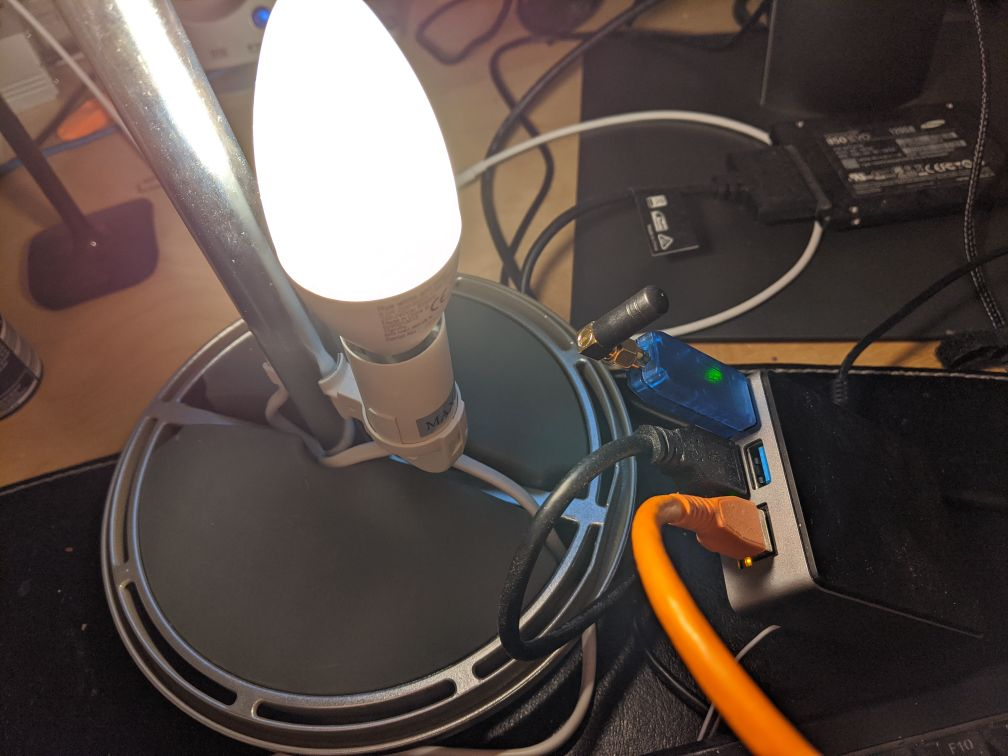
Any advice?
 mweinelt
on 1 Sep 2020
mweinelt
on 1 Sep 2020
@Koenkk @zen2 just downgrading right now. But it first time happened after upgrading yesterday :) not 100% sure, but might be exclusive happening with Müller-Licht Lights
XRyu
on 1 Sep 2020
@mweinelt Try putting the dongle on usb extension cord.. USB3 can apparently produce interference with 2.4GHz frequencies, and by the looks of it you are running an SSD on the USB3 posrt next to your antenna :)
 MaZZly
on 1 Sep 2020
MaZZly
on 1 Sep 2020
Update: Downgrading fixed the symptoms
XRyu
on 1 Sep 2020
If you are using the CC26x2R FW on CC2652P you are not using the high power PA and thus only transmit at 5 dBm.
It should not be necessary with dedicated FW for CC2652P, you can simply use the CC1352P FW as Koen said.
If anything, it would be good to have a dedicated 10 dBm FW version as this is compliant with EU regulations (20 dBm can only be used in the US).
@dinhchinh82 did it work with that firmware? I expect that you have to flash the CC1352P_2 firmware (no this is not a typo!), as CC2652P is a cost down version of the CC1352P_2 with sub 1 ghz disabled.
@Koenkk @fredrikgk
I've tried the firmware CC1352P_2 (tried 2 versions: 2020721 & 20200417) for about 5 days and it is not stable as CC26x2R. After pairing all devices to CC1352P firmware, everything works well and the link quality is even better than CC26x2R firmware but later on some devices were disconnected randomly.
The network map is getting worse by the time even all the devices are not changed.
Here is the current network map
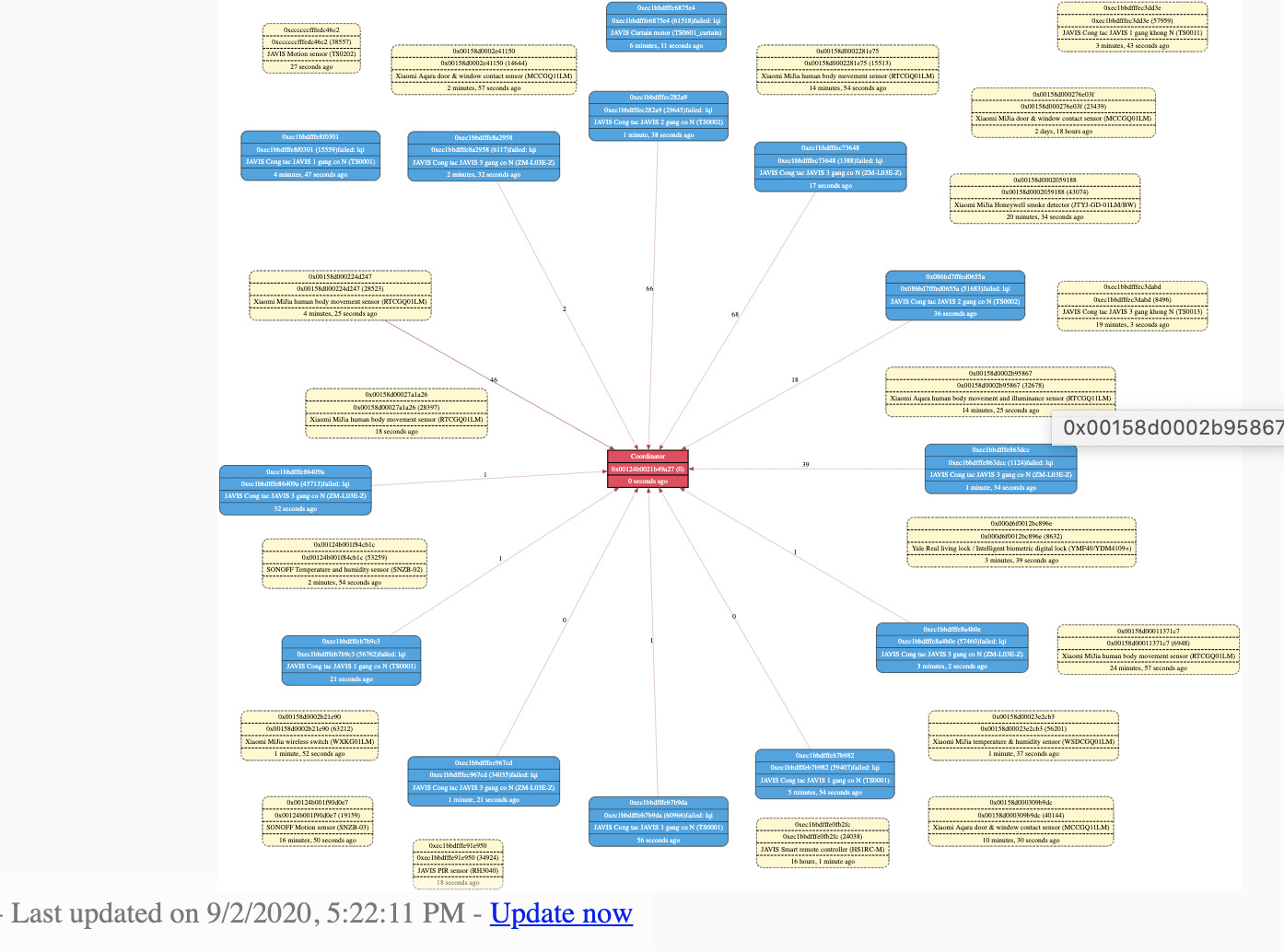
dinhchinh82
on 2 Sep 2020
I've tried the firmware CC1352P_2 (tried 2 versions: 2020721 & 20200417) for about 5 days and it is not stable as CC26x2R. After pairing all devices to CC1352P firmware, everything works well and the link quality is even better than CC26x2R firmware but later on some devices were disconnected randomly.
The network map is getting worse by the time even all the devices are not changed.
I have used a CC2531 at full capacity then I'm using now a CC1352P_2 and with both you get this kind of network map.
It's because end devices based on batteries go to standby regularly to save battery and so don't answer their router when you generate network map.
IMHO the only way to know that a device is not in the network is by checking time of last messages as they have to report regurlarly (depending of type devices).
BTW I think it would be great to keep track of past links in network map in order to know which router use each devices.
These links could use another color with no lqi information.
Since we already have last message delay on the network map, with these added links we could have all networking informations.
zen2
on 2 Sep 2020
I have used a CC2531 at full capacity then I'm using now a CC1352P_2 and with both you get this kind of network map.
It's because end devices based on batteries go to standby regularly to save battery and so don't answer their router when you generate network map.
IMHO the only way to know that a device is not in the network is by checking time of last messages as they have to report regurlarly (depending of type devices).BTW I think it would be great to keep track of past links in network map in order to know which router use each devices.
These links could use another color with no lqi information.
Since we already have last message delay on the network map, with these added links we could have all networking informations.
Actually the network map is just for reference. The real problem is the zigbee routers & end devices are not connected to coordinator stably and sometimes it is not able to turn on/off the switch from Home Assistant or the automation are not run as expected.
I'm going to test the latest firmware (20200901) and will show the result later.
dinhchinh82
on 2 Sep 2020
Spotted this tweet from Omer for those still looking to get a CC2652R stick.
egelmex
on 3 Sep 2020
@mweinelt Try putting the dongle on usb extension cord.. USB3 can apparently produce interference with 2.4GHz frequencies, and by the looks of it you are running an SSD on the USB3 posrt next to your antenna :)
That made all the difference, thank you!
mweinelt
on 4 Sep 2020
I've tried the firmware CC1352P_2 (tried 2 versions: 2020721 & 20200417) for about 5 days and it is not stable as CC26x2R. After pairing all devices to CC1352P firmware, everything works well and the link quality is even better than CC26x2R firmware but later on some devices were disconnected randomly.
The network map is getting worse by the time even all the devices are not changed.I have used a CC2531 at full capacity then I'm using now a CC1352P_2 and with both you get this kind of network map.
It's because end devices based on batteries go to standby regularly to save battery and so don't answer their router when you generate network map.
IMHO the only way to know that a device is not in the network is by checking time of last messages as they have to report regurlarly (depending of type devices).BTW I think it would be great to keep track of past links in network map in order to know which router use each devices.
These links could use another color with no lqi information.
Since we already have last message delay on the network map, with these added links we could have all networking informations.
Actually the network map is generated by the coordinator just "asking" for information to the routers, not the end devices (as you mentioned, end devices are in sleep mode mode and are not reachable until they contact the router/coordinator).
In the map from @dinhchinh82 all routers show "failed lqi" what means the coordinator was not able to communicate with the routers when generating the map, and that cause all the children of those routers to show as disconnected, so the issue seems to be with the routers.
 elbueno222
on 6 Sep 2020
elbueno222
on 6 Sep 2020
Hi,
Have a theoretically question; my zigbee network is growing really fast (big house) and what can I do when I pass 200 physical devices as the limit for 1352-p2 are 200 devices?
 TheStigh
on 13 Sep 2020
TheStigh
on 13 Sep 2020
@TheStigh I'm actually not sure what happens in that case, however note that the limit is 200 Zigbee 3.0 devices, 1.2 do not count.
Koenkk
on 13 Sep 2020
@TheStigh I'm actually not sure what happens in that case, however note that the limit is 200 Zigbee 3.0 devices, 1.2 do not count.
But I assume there is not unlimited 1.2 devices on the 1352-p2?
And, will the 1352-p2 reject new 3.0 devices and kind of make them use a router when limit of 50 are reached?
TheStigh
on 13 Sep 2020
theoretically the number of 1.2 devices is unlimited. When the coordinator has 50 children device have to join via a router.
Koenkk
on 13 Sep 2020
This might be helpful for those that already own a LAUNCHXL-CC26X2R1. Since it uses the same CC2652R chip as the zig-a-zig-ah! (zzh!) stick, you can replace the LAUNCHXL-CC26X2R1 with the zzh! and not have to re-pair your devices.
I was able to successfully swap them and everything works fine. I don't really notice much of a difference in LQI.
djchen
on 19 Sep 2020
Is there a router firmware for the cc2652R (rb?)
 sintei
on 23 Sep 2020
sintei
on 23 Sep 2020
Hi!
Some hardware and firmware development stuff for cc2652p module Ebyte E72-2G4M20S1E you can found here:
https://github.com/egony/cc2652p_E72-2G4M20S1E
About one week testing on home network - everything seems ok.
 egony
on 5 Oct 2020
egony
on 5 Oct 2020
Hi,
I'm using the TI CC26x2R1 Board and I'm able to pair all my ZigBee devices. I can switch my Osram Smart Plugs without Problems. But when I switch the smart plug with the button at the device I cannot see the status change in my smart home (Home Assistant). With ConBee I can see the status change, when I push the button on the device. Is there an issue with the TI Board/Firmware or did I make a mistake when I setup the ZigBee integration?
Cheers
PaWael
 pawael
on 6 Oct 2020
pawael
on 6 Oct 2020
Update: I tested the same situation in ioBroker and it is working immediately. So no issue with the TI board. Maybe a problem with the integration.
pawael
on 6 Oct 2020
I'm using the TI CC26x2R1 Board and I'm able to pair all my ZigBee devices. I can switch my Osram Smart Plugs without Problems. But when I switch the smart plug with the button at the device I cannot see the status change in my smart home (Home Assistant). With ConBee I can see the status change, when I push the button on the device. Is there an issue with the TI Board/Firmware or did I make a mistake when I setup the ZigBee integration?
I use same Osram Smart Plugs devices with CC1352P2 and I got no problem to get related states in homeassistant when I use physical button on plugs.
zen2
on 6 Oct 2020
I use same Osram Smart Plugs devices with CC1352P2 and I got no problem to get related states in homeassistant when I use physical button on plugs.
As I can see the CC26x2R1 is in the "experimental" section of ZHA. I already flashed the firmware as described (I used the file in CC26X2R1_20200925.zip). But none of my 15 Osram/Ledvance Plugs will report the status change to HA. Did you do any special condiguration? I just plugged the board in and installed the integration. I selected the interface and the device was ready to go.
pawael
on 6 Oct 2020
I use same Osram Smart Plugs devices with CC1352P2 and I got no problem to get related states in homeassistant when I use physical button on plugs.
As I can see the CC26x2R1 is in the "experimental" section of ZHA. I already flashed the firmware as described (I used the file in CC26X2R1_20200925.zip). But none of my 15 Osram/Ledvance Plugs will report the status change to HA. Did you do any special condiguration? I just plugged the board in and installed the integration. I selected the interface and the device was ready to go.
Did you enable the reporting feature? I have the Osram plugs (updated to latest firmware) and they report when I push that button.
ovitters
on 6 Oct 2020
Maybe this is a stupid question but where can I find the reporting feature? Is it possible to update the firmware of the Osram Plugs oder ZHA integration?
pawael
on 6 Oct 2020
See https://www.zigbee2mqtt.io/information/configuration.html. In the configuration you need to have report: true under advanced. See https://www.zigbee2mqtt.io/information/ota_updates.html for how to update the firmware. If you use home assistant and have the zigbee2mqtt 0.15.0+ web bit you can also click a button to trigger the update.
ovitters
on 6 Oct 2020
Thank you very much for the information. I'll give it a try.
pawael
on 6 Oct 2020
20201017 firmware is now available for testing: https://github.com/Koenkk/Z-Stack-firmware/tree/develop/coordinator/Z-Stack_3.x.0
Koenkk
on 17 Oct 2020
Works great for me. Bought the CC1352P_2 two weeks ago and could not get it working stable because of lots of routing errors etc. Found the 20201017 firmware today and it worked out of the box without any issues so far. Have 3 Hue lights as a bridge, one linkind light as a bridge, 7 climates and a few hue motion sensors and varios xiaomi aquara sensors so far. Thanks a lot for your effort
 cl4rknova
on 18 Oct 2020
cl4rknova
on 18 Oct 2020
20201017 does not work for me, no paring at all possible (CC26X2R1_20201017.zip) shows rev 0 when booting up with iobroker and zigbee adapter 1.30
Using TI LAUNCHXL-CC26X2R1 with external Antenna
Update
it seems it is a hardware/software problem with Raspiberry4 when using an USB3.x 2 Sata Adapter +SSD. its bad for me but using only USB2.0 all works
 BigMike71
on 20 Oct 2020
BigMike71
on 20 Oct 2020
I very recently bought a CC1352P_2.
I come from a simple CC2531 board.
I think that will be nice to get more 10/255 as signal as I got in the moment with the cheap board.
People who have CC1352P_2, can you told me if with the latest firmware and in the daily use, everything works well (during one month or more). No disconnection after some while ? Pairing is it easy :) ?
Just to know with what I will play buying this dev board :)
Thank you
NB: I will told you in some weeks my feedback about it but in the meantime, I would yours
Edit: Can you confirm me that a extend usb is necessary ? Is it truth that if I connect the board directly in a usb port on the NUC, I could have some unstable connectivity ?
The better way to connect the device, is it always USB 2.0 or it doesn't matter if I use the USB3.0 ?
 kevincaradant
on 3 Nov 2020
kevincaradant
on 3 Nov 2020
Hey @kevincaradant , welcome aboard :)
I have the CC1352P_2 since pretty early (also made a 3d-printed case for this)
as of now i can report the last firmware had a small flaw but that might have been my docker-host running z2m.
As about the stability its great - no problems and everything connects fine. You wont believe me, how easy it was to switch from CC2531 - its a big difference to the old board, everything about the re-pairing was way smoother than before.
I cant say about the extension question - i am running it on a relatively long USB Cable (around 150cm in a cabinet) connected with a USB2-Cable on a USB3-Port on a Synology NAS here.
XRyu
on 4 Nov 2020
@kevincaradant
I had no issues with the stability so far.
But the first few days the raspberry Pi lost the usb device 3 times (every 2 days or so).
I rebooted and switched the usb port but had no time to debug this in detail.
Somehow this issue disappeared. Not sure if the other two usb ports have an issue. they are USB 2.0 only.
Since more than a week it is running without issues
cl4rknova
on 4 Nov 2020
Hi
Thank you for your feedback. Can you confirm to me that you are currently use the latest firmware of Koenkk? :)
I will connect it only on USB 2.0 like you.
I didn't realized, but the monster is huge so, it will be connected with USB cable (2.0 like you) in all cases :P.
Indeed, I decided to fully migrate with the best board hopping to avoid issues that I had with Gledopto bulbs (Gu10) which need to be very very close of the co-ordinator to work.
They recognized to have issues on range with their mesh. As OTA doesn't seems to be for them... I hope to fix the issue about the range with the cc1352p-2 ( I bought it with the antenna already connected to improve maybe a little more the range) :).
What is the lqi average on your devices? (by curiosity)
Mine with CC2531 + antenna, I got between 10 and 80 (between 10cm until 5 meters from the coordinator). I found the signal really poor with CC2531. Even if I put the device close of the co-ordinator, I got only 130 at the maximum... I didn't understand why I didn't have 255/255 or almost 😁
Anyway I will tell you this week-end if everything works well 👍
kevincaradant
on 4 Nov 2020
Hmmm, i dont have a list where i could order it right, but having a quick look at the Network Diagram, there are some values above 130 ;) - and devices are party outside the house on a balcony - 12m from the Coordinator (which is even in a Cabinet) behind 3-lines of glass super-isolated windows :) :
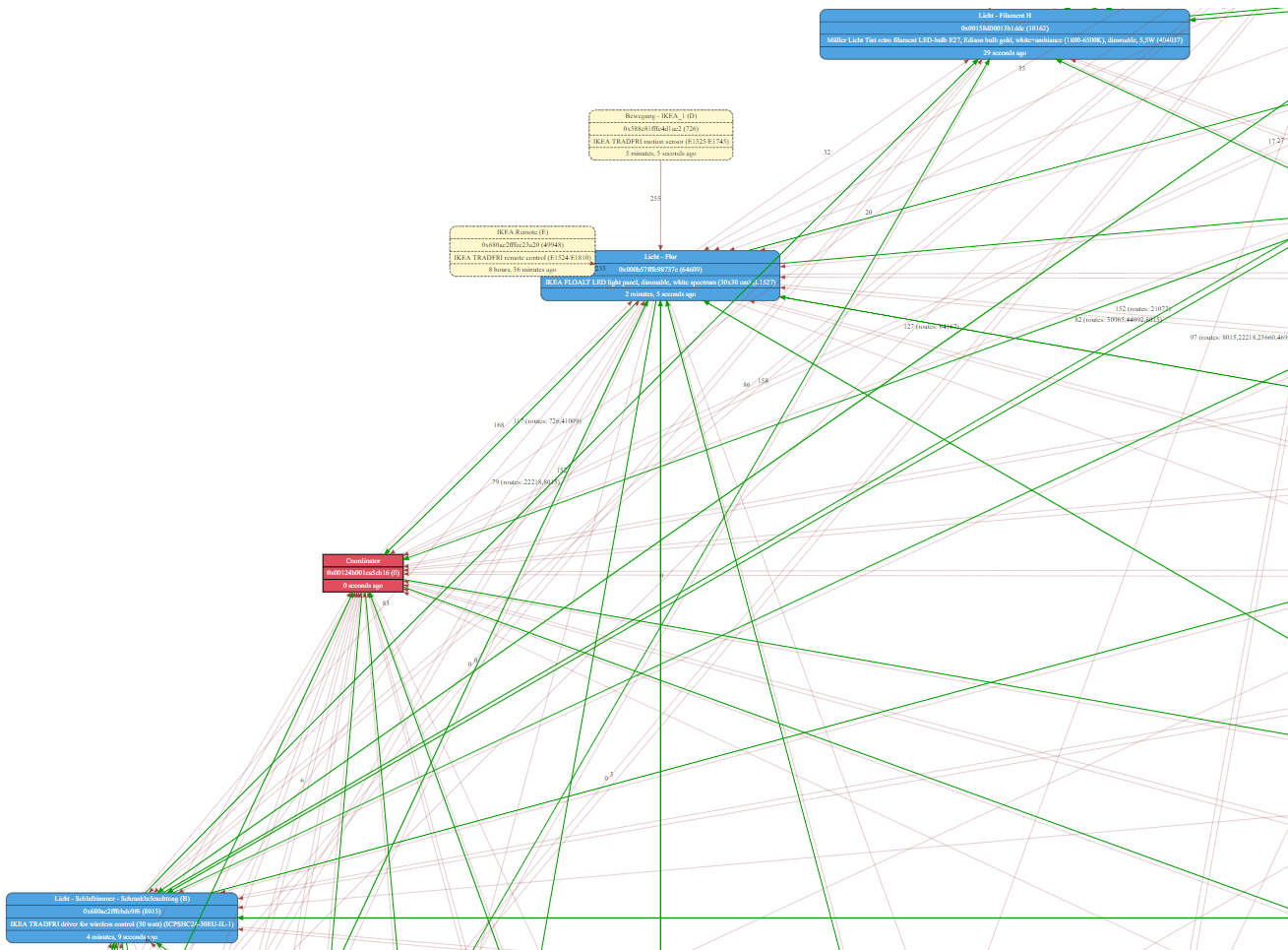
But having a whole view is hard, there are many devices :) And it manages these with ease:
XRyu
on 4 Nov 2020
OK thank you, so the lqi seems to be very good with this board. It's perfect :)
kevincaradant
on 4 Nov 2020
Hi, I have a "zzh! CC2652R" running the Z-Stack 3.x.0 20200925 firmware. Twice the adapter has 'locked up' and stopped responding (after about 2 weeks of use). I've been able to fix it by unplugging and replugging the adapter.
I'm going to upgrade to 20201026 now, but if the device locks up again is there any useful debugging that I can do before resetting the adapter?
 rrcollier
on 6 Nov 2020
rrcollier
on 6 Nov 2020
Hi, I have a "zzh! CC2652R" running the Z-Stack 3.x.0 20200925 firmware. Twice the adapter has 'locked up' and stopped responding (after about 2 weeks of use). I've been able to fix it by unplugging and replugging the adapter.
I'm going to upgrade to 20201026 now, but if the device locks up again is there any useful debugging that I can do before resetting the adapter?
I have the exact same experience. Been using latest FW last months
 mvjt
on 6 Nov 2020
mvjt
on 6 Nov 2020
Hi, I have a "zzh! CC2652R" running the Z-Stack 3.x.0 20200925 firmware. Twice the adapter has 'locked up' and stopped responding (after about 2 weeks of use). I've been able to fix it by unplugging and replugging the adapter.
I'm going to upgrade to 20201026 now, but if the device locks up again is there any useful debugging that I can do before resetting the adapter?
Do you have the adapter on an USB-extension cable? Do you have anything running on the USB3 ports?
USB3 is known to create some interference that is problematic for Zigbee.
I had similar problems earlier, and then I moved the USB3 SSD as far as possible from the antenna (which is also on an USB extension cord) and since that I haven't had the problem again (apart from sometimes when I reboot the rpi and it gets stuck)
MaZZly
on 6 Nov 2020
I have my ZZH using an USB2 1.8m extension cord connected to a Rpi USB2 port. I could also see my device under /dev/serial/by-id when it did not work. I don't have any harddrives connected.
mvjt
on 6 Nov 2020
I have the adapter daisy chained through 2 x 2 port minihubs to a usb 2 port. (I only have 2 usb ports, and the other has a hard drive attached). I have a usb environmental sensor on another hub port, and an empty hub port for a keyboard when required.
lsusb
Bus 001 Device 012: ID 1a86:7523 QinHeng Electronics HL-340 USB-Serial adapter
Bus 001 Device 005: ID 0409:005a NEC Corp. HighSpeed Hub
Bus 001 Device 008: ID 289b:0505 Dracal/Raphnet technologies
Bus 001 Device 004: ID 0409:005a NEC Corp. HighSpeed Hub
Bus 001 Device 003: ID 0bc2:ac35 Seagate RSS LLC
Bus 001 Device 002: ID 8087:07e6 Intel Corp.
Bus 001 Device 001: ID 1d6b:0002 Linux Foundation 2.0 root hub
root@curzon-gw:/var/log# lsusb -t
/: Bus 01.Port 1: Dev 1, Class=root_hub, Driver=ehci-pci/8p, 480M
....|__ Port 1: Dev 2, If 0, Class=Hub, Driver=hub/4p, 480M
........|__ Port 1: Dev 3, If 0, Class=Mass Storage, Driver=uas, 480M
........|__ Port 3: Dev 4, If 0, Class=Hub, Driver=hub/2p, 480M
............|__ Port 1: Dev 8, If 0, Class=, Driver=, 12M
............|__ Port 2: Dev 5, If 0, Class=Hub, Driver=hub/2p, 480M
................|__ Port 1: Dev 12, If 0, Class=Vendor Specific Class, Driver=ch341, 12M
rrcollier
on 6 Nov 2020
A new firmware is available for testing. This firmware sets the default transmit power from 0dbm to 5dbm for CC2652R/CC2652RB and to 0dbm to 20dbm for the CC1352P. It also contains some other optimisations: https://github.com/Koenkk/Z-Stack-firmware/tree/develop/coordinator/Z-Stack_3.x.0/bin
Koenkk
on 13 Nov 2020
I would flash it but I've given up flashing on headless-Linux. When I get some time I'll get my 1352P and bring it to a Windows computer to flash.
gcormier
on 13 Nov 2020
UniFlash works OK on LInux too, if you have one with a GUI on-top :-) (If
you didn't know). But It's hard with a headless-Linux, for sure!
Den fre. 13. nov. 2020 kl. 16.35 skrev Greg Cormier <
[email protected]>:
I would flash it but I've given up flashing on headless-Linux. When I get
some time I'll get my 1352P and bring it to a Windows computer to flash.—
You are receiving this because you were mentioned.
Reply to this email directly, view it on GitHub
https://github.com/Koenkk/zigbee2mqtt/issues/1429#issuecomment-726831700,
or unsubscribe
https://github.com/notifications/unsubscribe-auth/AA3CSBLY3LC42435MSQE5S3SPVG4LANCNFSM4HF2SSSQ
.
exetico
on 13 Nov 2020
A new firmware is available for testing. This firmware sets the default transmit power from 0dbm to 5dbm for CC2652R/CC2652RB and to 0dbm to 20dbm for the CC1352P. It also contains some other optimisations: https://github.com/Koenkk/Z-Stack-firmware/tree/develop/coordinator/Z-Stack_3.x.0/bin
Hello
Thanks for new firmware !
Why its necessary to change default value for transmit power ?
Thanks :)
NicolasBoulanger
on 13 Nov 2020
Why its necessary to change default value for transmit power ?
It's not necessary, but moar power -> better, right? :wink:
piit79
on 13 Nov 2020
It's not necessary, but _moar power_ -> better, right?
Unfortunately the opposite is correct. More power can make things even worse. This is a quite complex topic and output power should be usually tuned to the minimum that is needed for a given environment.
It is a bit like with HIFI equipment. Raise the volume to more than your amplifier and loudspeaker can cope with and you will get bad sound quality.
Sineos
on 13 Nov 2020
@Sineos I don't think that's a very relevant analogy. Yeah, it could get worse if you overloaded the receivers with a few watts of power, but there is no chance of that at this scale :)
Although, it's true that the change on CC1352P is pretty radical - from 1 mW to 100 mW...
piit79
on 13 Nov 2020
Hi,
I am getting issues with the cc1352P-2 board connected to an intel NUC. It works but stops randomly and gives the "failed to connect to the adapter" error. What can i do to fix this?
 djeepp5
on 16 Nov 2020
djeepp5
on 16 Nov 2020
It works but stops randomly
What board you are use? Which type of USB-UART chip?
Who has similar problems on 1352/2562/26x2 - answer these questions, please.
egony
on 16 Nov 2020
What board you are use? Which type of USB-UART chip?
I use the cc1352P-2 developer board, and mine has the TM4C1294NCPDTT3
djeepp5
on 16 Nov 2020
The current coördinator firmware is CC1352P_2_20201026
Should I update to 20201113?
djeepp5
on 17 Nov 2020
FWIW I don't think the coordinator firmware is at fault here, it's pretty clearly the XDS debugger that fails. I've been currently downgrading XDS versions (starting from 3.00.13 all the way down to 2.x) and haven't found a stable version yet.
 walthowd
on 17 Nov 2020
walthowd
on 17 Nov 2020
I am "Downgrading" to an Raspberry Pi for now. Arm processors seem to have no issues. Please let me know when you have found a stable version.
djeepp5
on 18 Nov 2020
I’ve had the USB stability issues on Intel NUCs and AMD-based ASRock DeskMini as well (it wasn’t very often at all, but its still annoying) and can confirm the stability is 99% better on Raspberry Pi.
djchen
on 19 Nov 2020
I'm currently running on a Intel NUC. I scared to get the same issue as you. I configured everything (51 devices) only from one week and indeed, I already got a weird behavior the first day like this "error adapter after 6000ms" something like that. I just unplug and plug the USB again and everything works again.
It's happens after to played with the GUI of Z2M with show of the details of devices and clicked on OTA button with devices that could not be updated by OTA. I believed it was for that, that the cc1352p-2 crashed but now I have some doubts with your messages about Intel NUC :/
I didn't have raspberry pi, I want to stay on Intel NUC, all my dockerized containers and staff (13 dockers) are on it.
Is it on the road map to found what's wrong with it? Because I bought an expensive board to be in peace without any problem of stability. I just want something which works everytime because everything at home works with that (even my main switches and lights in the home)
Thanks :)
kevincaradant
on 19 Nov 2020
I saw a post that it was possible to connect to the cc1352p-2 via an ESP8266 or an raspberry using serial2ethernet. Maybe is that the best solution for you? It is possible to let all containers on your NUC and let them communicate with the zigbee over ethernet.
another solution maybe to install the zigbee2mqtt on another device which is connected over MQTT.
djeepp5
on 19 Nov 2020
Mhh I could be do that. What is the main problem in fact ? Is it the CC1352P-2 board connected via USB ?
Is it Z2M which runs on x86 or x64 architecture (with Docker) ?
Is it my Mosquitto MQTT broker (without Docker in my case) running on x86 / x64 architecture (I don't think so that is the problem)
I have some difficulties to understand why he could be more stable on Raspberry pi than NUC. ARM architecture ?
However, I saw @Koenkk to say somewhere he runs on a NUC (all its domotics install). What is your OS ? Do you have issues a lot of by month ?
I'm currently running on a NUC7I5BNH with a SSD and 8Go RAM under Ubuntu 16.04 since around 3 years. I would continue like that if possible :)
kevincaradant
on 19 Nov 2020
@kevincaradant my production setup is Ubuntu 20.04 in Docker on a NUC6CAYH with the ZZH adapter, never had these issues (also ran a long time on with a CC2652 launchpad, no problems)
Koenkk
on 19 Nov 2020
Ok thank you. it's Interesting maybe I just should upgrade my ubuntu version.
I'm going to create a backup of it and try this in the case where I got again adapter issue 6000 ms.
if others runs on NUC and with a CC1352P, I'm interesting about your feedback on it
kevincaradant
on 19 Nov 2020
Just to add my 2 cents - I've been running z2m with LAUNCHXL-CC26X2R1 first and now with a zzh! stick (also with CC2652) on a PCEngines apu2c4 (with an AMD Jaguar x86_64 CPU) for a few months and fortunately never faced the "adapter error" issue. So it's not a general issue on x86 PCs...
piit79
on 19 Nov 2020
Thanks :)
Just a last question, on CC26XX and CC13XX
Do you specified a specifig channel or it could be not recommanded ? I set it to channel 25 but I don't think so it's bad, isn't it ?
And I always have this from my previous CC2531. Is it still useful ?
baudrate: 115200
rtscts: false
availability_timeout: 60
Thanks
I will tell you in some days / weeks if eveything works well :)
kevincaradant
on 19 Nov 2020
I saw a post that it was possible to connect to the cc1352p-2 via an ESP8266 or an raspberry using serial2ethernet. Maybe is that the best solution for you? It is possible to let all containers on your NUC and let them communicate with the zigbee over ethernet.
That's exactly what I did, and for the last 5 months it has been rock solid. After having some problems with devices (hue outdoor sensor) disconnecting from the old CC2531 over USB, I bought the CC1352P-2 board, attached a serial to ethernet converter module to it, and powered both with POE. Zigbee2mqtt runs on the synology in the basement, whereas the CC1352P-2 is in a central location of the house.

And yes, I will eventually make an enclosure for the board and the adapter...
markuspeter
on 20 Nov 2020
I saw a post that it was possible to connect to the cc1352p-2 via an ESP8266 or an raspberry using serial2ethernet. Maybe is that the best solution for you? It is possible to let all containers on your NUC and let them communicate with the zigbee over ethernet.
That's exactly what I did, and for the last 5 months it has been rock solid. After having some problems with devices (hue outdoor sensor) disconnecting from the old CC2531 over USB, I bought the CC1352P-2 board, attached a serial to ethernet converter module to it, and powered both with POE. Zigbee2mqtt runs on the synology in the basement, whereas the CC1352P-2 is in a central location of the house.
And yes, I will eventually make an enclosure for the board and the adapter...
Wow, thats exactly the setup i would love to use! I have z2m running on Synology too. Would you be able to make a small manual and tips for the Parts and Software you used? :)
XRyu
on 20 Nov 2020
Wow, thats exactly the setup i would love to use! I have z2m running on Synology too. Would you be able to make a small manual and tips for the Parts and Software you used? :)
Not sure I'd call it a manual, but here's what I've done:
Parts (I hope it's ok to post ali links):
- CC1352P-2 :)
- S2E adapter ( https://www.aliexpress.com/item/32963270624.html )
- POE Splitter ( https://www.aliexpress.com/item/32867300026.html )
Load the latest and greatest release of zigbee2mqtt firmware on the CC1352P2. Then disconnect the 2 jumpers in the picture - I just put them on one of the pins to not lose them:

I used 4 cables to establish the serial connection to the S2E adapter. The S2E adapter is powered from the CC1352P2 3.3V pin, the other pins are ground, DIO12 (RX) and DIO13 (TX) :

On the S2E side, make sure to attach the RX pin of the CC1352P2 (DIO12) to the TX pin of the S2E adapter, and the TX pin to the RX.
The CC1352P2 gets powered through the micro-USB from the POE splitter, whereas the S2E adapter should be connected to the splitter with the RJ45 connector.
To configure the S2E adapter, in my case I had to go to 192.168.1.7 (not 192.168.0.7 as stated on aliexpress...), factory setting is user admin, pwd admin. I configured it to use DHCP, then configured a static IP on the DHCP server. The settings of the device I set to:

The actual ip and ports are not important of course, I highlighted the ip and port which have to be used in the configuration.yaml of zigbee2mqtt:
serial:
  port: 'tcp://192.168.207.18:20108'
advanced:
  baudrate: 115200
  rtscts: false
  ...
Don't forget to change the pan_id when migrating from a CC2531 as I did.
As said before, this is very stable, never went down, only once for updating the firmware :) .
That's about all I can think of, hope it helps someone.
markuspeter
on 20 Nov 2020
I used 4 cables to establish the serial connection to the S2E adapter. The S2E adapter is powered from the CC1352P2 3.3V pin, the other pins are ground, DIO12 (RX) and DIO13 (TX) :
On the S2E side, make sure to attach the RX pin of the CC1352P2 (DIO12) to the TX pin of the S2E adapter, and the TX pin to the RX.
As I'm using the cc2652r Launchpad, I tried to do the same but struggeld when looking at the PINs DIO12 and DIO13. Maybe the Layout is different or the printing on the board is wrong - I don't know. Ididn't want to try and fry my cc2652.
So I connected the RX/TX to the PINS of the opened Jumpers (which are labeld RX/TX) and it works like a charme. As mentioned above:
On the S2E side, make sure to attach the RX pin of the cc2652 to the TX pin of the S2E adapter, and the TX pin to the RX.
dirstel
on 24 Nov 2020
As I'm using the cc2652r Launchpad, I tried to do the same but struggeld when looking at the PINs DIO12 and DIO13. Maybe the Layout is different or the printing on the board is wrong - I don't know. Ididn't want to try and fry my cc2652.
From what I could see on the pinout, the pins are labelled DIO2 (RX) and DIO3 (TX) on the cc2652r, and they are at they same place as the ones on the cc1352. But of course using the jumper pins is the same, + you get the labels 👍 so that's even better in order to be sure when connecting it.
markuspeter
on 24 Nov 2020
I've been running a week now with XDS firmware 02.03.00.18 and also switched to a USB 2.0 extension cable on my NUC8i7BEH and have not had any issues now.
Another possible solution for other 1352P2 users would be to use a simple FTDI adapter and bypass the XDS debugger, using @markuspeter 's directions above.
walthowd
on 24 Nov 2020
Related issues
 sylarevan
·
5Comments
sylarevan
·
5Comments
 jeroenterheerdt
·
3Comments
pepp86
·
4Comments
Koenkk
·
3Comments
jeroenterheerdt
·
3Comments
pepp86
·
4Comments
Koenkk
·
3Comments
 z4rn0x
·
3Comments
z4rn0x
·
3Comments
Most helpful comment
Yesterday Zigbee2mqtt 1.7.0 was released, this officially support the CC1352P and CC2652R as adapters. Docs have been updated: https://www.zigbee2mqtt.io/information/supported_adapters.html