This issue is used to gather feedback on the binding feature.
Notes
- Documentation is available here
- Dev branch is required (edge for Hassio users)
- IKEA TRADFRI remote control (E1524) cannot be bound to other devices, this is a limitation of the device. A workaround for this is to sniff the group the E1524 is sending commands to (documentation), and add the device you want to bind to this group (documentation)
TODO
- [ ] Binding to a group doesn't seem to be working
 Koenkk
All 304 comments
I'm pretty new to this world, but I can help testing. Would this be a valid testing environment? Insert the CC2531 USB stick in my iMac, forward the USB port to Virtualbox, install zigbee2mqtt in a Linux VM and test. So I can keep my stable & slow RPI 1B the same.
Another question; how would I pair the Ikea remote so that I can try using it and zigbee2mqtt at the same time? Now I factory default the Ikea lamp, then it'll connect to zigbee2mqtt automatically, but when I then pair the remote, the connection with zigbee2mqtt is gone.
 niekvlessert
on 2 Jan 2019
niekvlessert
on 2 Jan 2019
@niekvlessert the tradfri button can be paired to zigbee2mqtt by resseting it and keeping it close to the coordinator.
Koenkk
on 2 Jan 2019
I've got my VM setup running, running zigbee2mqtt dev version on a VM with forwarded USB port on my iMac. Since the bulb pairs fine with this it looks ok. I couldn't pair the Ikea remote, it gave: 'PM Device with modelID 'TRADFRI remote control' is not supported.'
So I found: https://github.com/Koenkk/zigbee2mqtt/issues/102#issuecomment-395855749
I added the settings to devices.js, but I couldn't find the handleReady in lib/zigbee.js, I guess this info is dated? Any tips?
niekvlessert
on 4 Jan 2019
@niekvlessert thats not needed, once paired you will be able to bind it
Koenkk
on 4 Jan 2019
@Koenkk, should we be able to pair the (5 button) Trådfri Remote now ? (I'm also getting the 'PM Device with modelID 'TRADFRI remote control' is not supported.' after resetting it as also @niekvlessert get).
 martinrosenauer
on 4 Jan 2019
martinrosenauer
on 4 Jan 2019
Yes, but the unsupported message doesnt mean you cannot use binding
Koenkk
on 4 Jan 2019
@Koenkk, ok, so is it the same that happens when I "pair" the remote with a bulb? (e.g. holding the reset button inside it pressed for 15-20 secs next to the bulb)
martinrosenauer
on 4 Jan 2019
@martinrosenauer yes
Koenkk
on 4 Jan 2019
It works!
- Factory default the remote
- Pair with zigbee2mqtt, ignore the 'Not supported'
- Factory default the bulb
- Let it pair with zigbee2mqtt
- Pair the remote with the bulb
- Now my mosquitto_pub -t 'zigbee2mqtt/0x000b57fffecb610d/set' -m '{"color_temp":200}' still works but the remote also works. :)
Interesting; I can't change the color temperature with the remote anymore, off/on and intensity work fine.
niekvlessert
on 4 Jan 2019
Hi,
Same results as @niekvlessert here :
I can manage all features with mqtt and the remote, except for color (rgb bulb) with the remote .
 ookyn
on 5 Jan 2019
ookyn
on 5 Jan 2019
I'm using an IKEA remote and RGB bulb. But it does not work for me.
- The bulb is paired with zigbee2mqtt.
- The remote is also paired with zigbee2mqtt. I have received the "Not supported" error message
- I bind the remote to the bulb: zigbee2mqtt/bridge/bind/REMOTE BULB
- I get the following messages in the log:
2019-1-5 03:55:08 - warn: Cannot handle MQTT message on 'zigbee2mqtt/bridge/bind/REMOTE' with data 'BULB'
2019-1-5 03:55:11 - info: Successfully bound cluster '5' from 0x000d6ffffe1d7895' to '0x000d6ffffe1df5f5'
2019-1-5 03:55:13 - info: Successfully bound cluster '6' from 0x000d6ffffe1d7895' to '0x000d6ffffe1df5f5'
2019-1-5 03:55:15 - info: Successfully bound cluster '8' from 0x000d6ffffe1d7895' to '0x000d6ffffe1df5f5'
2019-1-5 03:55:15 - warn: Don't know how to setup reporting for '5', skipping..
2019-1-5 03:55:15 - info: Configured reporting for cluster '6' of device '0x000d6ffffe1df5f5'
2019-1-5 03:55:15 - info: Configured reporting for cluster '8' of device '0x000d6ffffe1df5f5'
- So it seems that everything worked. I assume that the cluster 5 message relates to the not working colour changing feature reported by @niekvlessert and @ookyn.
- But for me the remote is not working at all. I can still control the bulb via zigbee2mqtt.
- Unbinding seems also to work:
2019-1-5 04:11:24 - warn: Cannot handle MQTT message on 'zigbee2mqtt/bridge/unbind/xUfo' with data 'xIkea'
2019-1-5 04:11:28 - info: Successfully unbound cluster '5' from 0x000d6ffffe1d7895' to '0x000d6ffffe1df5f5'
2019-1-5 04:11:30 - info: Successfully unbound cluster '6' from 0x000d6ffffe1d7895' to '0x000d6ffffe1df5f5'
2019-1-5 04:11:32 - info: Successfully unbound cluster '8' from 0x000d6ffffe1d7895' to '0x000d6ffffe1df5f5'
 JumpmanJunior
on 5 Jan 2019
JumpmanJunior
on 5 Jan 2019
Ah, you use the binding, interesting. I just paired with the remote itself with the bulb.
niekvlessert
on 5 Jan 2019
I try to bind a "Xiaomi Aqara single key wireless wall switch (single click)" with a "GL-C-008 - Gledopto Zigbee LED controller RGB + CCT / RGBW / WWCW / Dimmer"
but only get the message
zigbee2mqtt:error 2019-1-7 16:41:06 Failed to bind cluster '5' from 0x00158d0002523a2f' to '0x00124b00199f0348' (Error: Timed out after 10000 ms)
Startup messages
zigbee2mqtt:info 2019-1-7 16:32:07 Logging to directory: '/app/data/log/2019-01-07.15-32-07'
zigbee2mqtt:info 2019-1-7 16:32:11 Starting zigbee2mqtt version 1.0.1 (commit #932a66a)
zigbee2mqtt:info 2019-1-7 16:32:11 Starting zigbee-shepherd
zigbee2mqtt:info 2019-1-7 16:32:15 zigbee-shepherd started
zigbee2mqtt:info 2019-1-7 16:32:15 Coordinator firmware version: '20181024'
zigbee2mqtt:info 2019-1-7 16:32:15 Currently 7 devices are joined:
zigbee2mqtt:info 2019-1-7 16:32:15 Bewegungsmelder_Unten (0x00158d0002b95d67): RTCGQ11LM - Xiaomi Aqara human body movement and illuminance sensor (EndDevice)
zigbee2mqtt:info 2019-1-7 16:32:15 Bewegungsmelder_Oben (0x00158d0002b6d069): RTCGQ11LM - Xiaomi Aqara human body movement and illuminance sensor (EndDevice)
zigbee2mqtt:info 2019-1-7 16:32:15 Raumsensor_Stube (0x00158d0002c8cfe2): WSDCGQ11LM - Xiaomi Aqara temperature, humidity and pressure sensor (EndDevice)
zigbee2mqtt:info 2019-1-7 16:32:15 Raumsensor_Ankleide (0x00158d0002c8d2c3): WSDCGQ11LM - Xiaomi Aqara temperature, humidity and pressure sensor (EndDevice)
zigbee2mqtt:info 2019-1-7 16:32:15 Raumsensor_Badezimmer (0x00158d0002c8d155): WSDCGQ11LM - Xiaomi Aqara temperature, humidity and pressure sensor (EndDevice)
zigbee2mqtt:info 2019-1-7 16:32:15 Licht_Badezimmer (0x00124b00199f0348): GL-C-008 - Gledopto Zigbee LED controller RGB + CCT / RGBW / WWCW / Dimmer (Router)
zigbee2mqtt:info 2019-1-7 16:32:15 Schalter_Badezimmer (0x00158d0002523a2f): WXKG03LM - Xiaomi Aqara single key wireless wall switch (EndDevice)
zigbee2mqtt:info 2019-1-7 16:32:15 Zigbee: disabling joining new devices.
zigbee2mqtt:info 2019-1-7 16:32:15 Connecting to MQTT server at mqtt://mosquitto
zigbee2mqtt:info 2019-1-7 16:32:16 zigbee-shepherd ready
zigbee2mqtt:info 2019-1-7 16:32:16 Connected to MQTT server
zigbee2mqtt:info 2019-1-7 16:32:16 MQTT publish: topic 'zigbee2mqtt/bridge/state', payload 'online'
Is it not possible to bind the Xiaomi Switch? Or is there another problem?
Platform is Docker on a Raspberry Pi 3b+
Image is koenkk/zigbee2mqtt:arm32v6-dev@sha256:aa87c8e89569ecd6646658b2802e8c28170e062882fd70b56501f235cb07ba9b
 BudBundi
on 7 Jan 2019
BudBundi
on 7 Jan 2019
@BudBundi Xiaomi defines don't follow the ZCL specification, therefore they are (probably) not able to control other devices.
Something you can also try is to wake the device up while the configuring takes place (just press the button a few times when you start zigbee2mqtt)
Koenkk
on 7 Jan 2019
would be awesome if it could be used for groups!
Not sure if this is even possible?
As a backup would be great to have a remote that can turn on / off a couple of groups i'm going to realize next month.
 trekker25
on 9 Jan 2019
trekker25
on 9 Jan 2019
@trekker25 I didn't have any success with the TRADFRI dimmer, however results may vary per device.
Koenkk
on 9 Jan 2019
I have now tried to bind the Philips dimmer switch with an Ikea RGB bulb. I did the same as described in my post with the Tradfri remote and I also have received the same result. According to the log it works except for cluster 5 but the remote is not working. The remote still sends its events to zigbee2mqtt but is not controlling the bulb.
2019-1-11 03:44:31 - warn: Cannot handle MQTT message on 'zigbee2mqtt/bridge/bind/xDimmer' with data 'xIkea'
2019-1-11 03:44:32 - info: Successfully bound cluster '5' from 0x0017880104e680f9' to '0x000d6ffffe1df5f5'
2019-1-11 03:44:32 - info: Successfully bound cluster '6' from 0x0017880104e680f9' to '0x000d6ffffe1df5f5'
2019-1-11 03:44:33 - info: Successfully bound cluster '8' from 0x0017880104e680f9' to '0x000d6ffffe1df5f5'
2019-1-11 03:44:33 - warn: Don't know how to setup reporting for '5', skipping..
2019-1-11 03:44:33 - info: Configured reporting for cluster '6' of device '0x000d6ffffe1df5f5'
2019-1-11 03:44:33 - info: Configured reporting for cluster '8' of device '0x000d6ffffe1df5f5'
2019-1-11 03:44:49 - info: MQTT publish: topic 'zigbee2mqtt/xDimmer', payload '{"battery":100,"linkquality":23,"action":"off","last_seen":"2019-01-11T02:44:49.119Z"}'
JumpmanJunior
on 11 Jan 2019
@JumpmanJunior can you do some zigbee sniffing and post the results of the on/off commands send by the remote? https://github.com/Koenkk/zigbee2mqtt/blob/dev/docs/how_tos/how_to_sniff_zigbee_traffic.md
Koenkk
on 11 Jan 2019
Yes, the attached dump contains the binding procedure, pressing some buttons on the remote (which has no effect on the bulb) and the unbinding procedure.
JumpmanJunior
on 14 Jan 2019
@JumpmanJunior do you know how this remote is normally used, can it be paired directly to a bulb?
Koenkk
on 15 Jan 2019
Yes, the remote can be paired directly to a bulb. That is even the default if you buy it in a set with a bulb.
In order to exclude a problem with the bulb I have now tried to bind the Philips dimmer switch to a Philips bulb (instead of the Ikea bulb I used before). But the results are the same, it is not working.
JumpmanJunior
on 16 Jan 2019
@JumpmanJunior in the log I see that the remote reports that the binding is OK, however ZCL Onoff is still send to 0x0000. Perhaps it can only be bound to one device, by default zigbee2mqtt will bind it to the coordinator.
- Can you replace https://github.com/Koenkk/zigbee-shepherd-converters/blob/master/devices.js#L725 and https://github.com/Koenkk/zigbee-shepherd-converters/blob/master/devices.js#L726 with
unbind - Start zigbee2mqtt and verify that it logs
Successfully configured... - Put
returnafter https://github.com/Koenkk/zigbee-shepherd-converters/blob/master/devices.js#L722 - Bind it to the bulb again.
Koenkk
on 16 Jan 2019
OK, this worked. Now the remote is controlling the bulb. But I was not receiving the button presses in zigbee2mqtt anymore. I was still able to control the bulb directly via zigbee2mqtt. But I was not receiving status updates from the bulb when executing a change with the remote. After executing the unbind command (with reverted code) it immediately stopped controlling the bulb and the button presses where showing up in zigbee2mqtt again.
I also tried the same with the Tradfri remote which was integrated via the coordinator_group but I had no success with this one. But there is also no "Successfully configured" message for this remote.
JumpmanJunior
on 17 Jan 2019
@JumpmanJunior it seems that this remote can only be bound to one devices, so either to coordinator or he bulb. About the TRADFRI remote, it doesn't allow to be bound (also experienced this). What you can do is add the bulbs to the same group as the one of the TRADFRI remote.
Koenkk
on 18 Jan 2019
Hi, binding worked as long as I woke up the TRADFRI wireless dimmer (ICTC-G-1) before sending the MQTT message
But I receive an error about reporting for one cluster
2019-1-25 19:28:12 - info: Successfully bound cluster '6' from 0x000b57fffe9292a7' to '0x0017880110348471'
2019-1-25 19:28:12 - info: Successfully bound cluster '8' from 0x000b57fffe9292a7' to '0x0017880110348471'
2019-1-25 19:28:12 - info: Configured reporting for cluster '8' of device '0x0017880110348471'
2019-1-25 19:28:42 - error: Failed to setup reporting for cluster '6' of device '0x0017880110348471'
 f-bader
on 25 Jan 2019
f-bader
on 25 Jan 2019
One thing thats a bit annoying is that when I use the dimmer the state change of the target is not published. Only the state change of the dimmer.
This makes the integration in home assistant a bit tricky
f-bader
on 25 Jan 2019
@f-bader that's because the reporting setup fails (see your log). cluster 6 is the on/off cluster, Does changing brightness trigger a state update?
Koenkk
on 26 Jan 2019
Hi. Thanks for this great tool!
I've successfully set up binding between an "IKEA TRADFRI wireless dimmer (ICTC-G-1)" and a "Xiaomi Aqara smart LED bulb (ZNLDP12LM)", but after pairing the dimmer doesn't seem to report to the bridge any more (not a big issue) and when I dim I get lots of MQTT messages with missing brightness level and a few with level 0 and 1. A while after dimming I get a message with brightness 75.
Jan 27 22:07:28 raspberrypi npm[27006]: zigbee2mqtt:info 1/27/2019, 10:07:28 PM MQTT publish: topic 'zigbee2mqtt/0x00158d0002d71dd1', payload '{"state":"ON","brightness":1,"color_temp":454,"linkquality":36,"color":{"x":0.507,"y":0.418}}'
Jan 27 22:07:28 raspberrypi npm[27006]: zigbee2mqtt:info 1/27/2019, 10:07:28 PM MQTT publish: topic 'zigbee2mqtt/0x00158d0002d71dd1', payload '{"state":"ON","color_temp":454,"linkquality":36,"color":{"x":0.507,"y":0.418}}'
Jan 27 22:07:28 raspberrypi npm[27006]: zigbee2mqtt:info 1/27/2019, 10:07:28 PM MQTT publish: topic 'zigbee2mqtt/0x00158d0002d71dd1', payload '{"state":"ON","brightness":0,"color_temp":454,"linkquality":36,"color":{"x":0.507,"y":0.418}}'
Jan 27 22:07:28 raspberrypi npm[27006]: zigbee2mqtt:info 1/27/2019, 10:07:28 PM MQTT publish: topic 'zigbee2mqtt/0x00158d0002d71dd1', payload '{"state":"ON","color_temp":454,"linkquality":36,"color":{"x":0.507,"y":0.418}}'
Jan 27 22:07:28 raspberrypi npm[27006]: zigbee2mqtt:info 1/27/2019, 10:07:28 PM MQTT publish: topic 'zigbee2mqtt/0x00158d0002d71dd1', payload '{"state":"ON","color_temp":454,"linkquality":36,"color":{"x":0.507,"y":0.418}}'
Jan 27 22:07:28 raspberrypi npm[27006]: zigbee2mqtt:info 1/27/2019, 10:07:28 PM MQTT publish: topic 'zigbee2mqtt/0x00158d0002d71dd1', payload '{"state":"ON","color_temp":454,"linkquality":36,"color":{"x":0.507,"y":0.418}}'
Jan 27 22:07:28 raspberrypi npm[27006]: zigbee2mqtt:info 1/27/2019, 10:07:28 PM MQTT publish: topic 'zigbee2mqtt/0x00158d0002d71dd1', payload '{"state":"ON","color_temp":454,"linkquality":36,"color":{"x":0.507,"y":0.418}}'
Jan 27 22:07:28 raspberrypi npm[27006]: zigbee2mqtt:info 1/27/2019, 10:07:28 PM MQTT publish: topic 'zigbee2mqtt/0x00158d0002d71dd1', payload '{"state":"ON","color_temp":454,"linkquality":36,"color":{"x":0.507,"y":0.418}}'
Jan 27 22:09:12 raspberrypi npm[27006]: zigbee2mqtt:info 1/27/2019, 10:09:12 PM MQTT publish: topic 'zigbee2mqtt/0x00158d0002d71dd1', payload '{"state":"ON","brightness":1,"color_temp":454,"linkquality":36,"color":{"x":0.507,"y":0.418}}'
Jan 27 22:09:12 raspberrypi npm[27006]: zigbee2mqtt:info 1/27/2019, 10:09:12 PM MQTT publish: topic 'zigbee2mqtt/0x00158d0002d71dd1', payload '{"state":"ON","color_temp":454,"linkquality":36,"color":{"x":0.507,"y":0.418}}'
Jan 27 22:09:13 raspberrypi npm[27006]: zigbee2mqtt:info 1/27/2019, 10:09:13 PM MQTT publish: topic 'zigbee2mqtt/0x00158d0002d71dd1', payload '{"state":"ON","brightness":0,"color_temp":454,"linkquality":36,"color":{"x":0.507,"y":0.418}}'
Jan 27 22:09:13 raspberrypi npm[27006]: zigbee2mqtt:info 1/27/2019, 10:09:13 PM MQTT publish: topic 'zigbee2mqtt/0x00158d0002d71dd1', payload '{"state":"ON","color_temp":454,"linkquality":36,"color":{"x":0.507,"y":0.418}}'
Jan 27 22:09:13 raspberrypi npm[27006]: zigbee2mqtt:info 1/27/2019, 10:09:13 PM MQTT publish: topic 'zigbee2mqtt/0x00158d0002d71dd1', payload '{"state":"ON","brightness":1,"color_temp":454,"linkquality":36,"color":{"x":0.507,"y":0.418}}'
Jan 27 22:09:13 raspberrypi npm[27006]: zigbee2mqtt:info 1/27/2019, 10:09:13 PM MQTT publish: topic 'zigbee2mqtt/0x00158d0002d71dd1', payload '{"state":"ON","color_temp":454,"linkquality":36,"color":{"x":0.507,"y":0.418}}'
Jan 27 22:09:13 raspberrypi npm[27006]: zigbee2mqtt:info 1/27/2019, 10:09:13 PM MQTT publish: topic 'zigbee2mqtt/0x00158d0002d71dd1', payload '{"state":"ON","brightness":0,"color_temp":454,"linkquality":36,"color":{"x":0.507,"y":0.418}}'
Jan 27 22:09:13 raspberrypi npm[27006]: zigbee2mqtt:info 1/27/2019, 10:09:13 PM MQTT publish: topic 'zigbee2mqtt/0x00158d0002d71dd1', payload '{"state":"ON","brightness":0,"color_temp":454,"linkquality":36,"color":{"x":0.507,"y":0.418}}'
Jan 27 22:10:10 raspberrypi npm[27006]: zigbee2mqtt:info 1/27/2019, 10:10:10 PM MQTT publish: topic 'zigbee2mqtt/0x00158d0002d71dd1', payload '{"state":"ON","color_temp":454,"linkquality":36,"color":{"x":0.507,"y":0.418}}'
Jan 27 22:10:10 raspberrypi npm[27006]: zigbee2mqtt:info 1/27/2019, 10:10:10 PM MQTT publish: topic 'zigbee2mqtt/0x00158d0002d71dd1', payload '{"state":"ON","color_temp":454,"linkquality":36,"color":{"x":0.507,"y":0.418}}'
Jan 27 22:10:10 raspberrypi npm[27006]: zigbee2mqtt:info 1/27/2019, 10:10:10 PM MQTT publish: topic 'zigbee2mqtt/0x00158d0002d71dd1', payload '{"state":"ON","color_temp":454,"linkquality":36,"color":{"x":0.507,"y":0.418}}'
Jan 27 22:10:10 raspberrypi npm[27006]: zigbee2mqtt:info 1/27/2019, 10:10:10 PM MQTT publish: topic 'zigbee2mqtt/0x00158d0002d71dd1', payload '{"state":"ON","color_temp":454,"linkquality":36,"color":{"x":0.507,"y":0.418}}'
Jan 27 22:10:11 raspberrypi npm[27006]: zigbee2mqtt:info 1/27/2019, 10:10:11 PM MQTT publish: topic 'zigbee2mqtt/0x00158d0002d71dd1', payload '{"state":"ON","color_temp":454,"linkquality":36,"color":{"x":0.507,"y":0.418}}'
Jan 27 22:10:11 raspberrypi npm[27006]: zigbee2mqtt:info 1/27/2019, 10:10:11 PM MQTT publish: topic 'zigbee2mqtt/0x00158d0002d71dd1', payload '{"state":"ON","color_temp":454,"linkquality":36,"color":{"x":0.507,"y":0.418}}'
Jan 27 22:10:11 raspberrypi npm[27006]: zigbee2mqtt:info 1/27/2019, 10:10:11 PM MQTT publish: topic 'zigbee2mqtt/0x00158d0002d71dd1', payload '{"state":"ON","color_temp":454,"linkquality":36,"color":{"x":0.507,"y":0.418}}'
Jan 27 22:10:11 raspberrypi npm[27006]: zigbee2mqtt:info 1/27/2019, 10:10:11 PM MQTT publish: topic 'zigbee2mqtt/0x00158d0002d71dd1', payload '{"state":"ON","color_temp":454,"linkquality":36,"color":{"x":0.507,"y":0.418}}'
Jan 27 22:11:26 raspberrypi npm[27006]: zigbee2mqtt:info 1/27/2019, 10:11:26 PM MQTT publish: topic 'zigbee2mqtt/0x00158d0002d71dd1', payload '{"state":"ON","brightness":75,"color_temp":454,"linkquality":42,"color":{"x":0.507,"y":0.418}}'
Jan 27 22:17:54 raspberrypi npm[27006]: zigbee2mqtt:info 1/27/2019, 10:17:54 PM MQTT publish: topic 'zigbee2mqtt/0x00158d0002d71dd1', payload '{"state":"ON","brightness":75,"color_temp":454,"linkquality":47,"color":{"x":0.507,"y":0.418}}'
Jan 27 22:23:31 raspberrypi npm[27006]: zigbee2mqtt:info 1/27/2019, 10:23:31 PM MQTT publish: topic 'zigbee2mqtt/0x00158d0002d71dd1', payload '{"state":"ON","brightness":75,"color_temp":454,"linkquality":44,"color":{"x":0.507,"y":0.418}}'
Jan 27 22:26:31 raspberrypi npm[27006]: zigbee2mqtt:info 1/27/2019, 10:26:31 PM MQTT publish: topic 'zigbee2mqtt/0x00158d0002d71dd1', payload '{"state":"ON","color_temp":454,"linkquality":44,"color":{"x":0.507,"y":0.418}}'
Jan 27 22:26:31 raspberrypi npm[27006]: zigbee2mqtt:info 1/27/2019, 10:26:31 PM MQTT publish: topic 'zigbee2mqtt/0x00158d0002d71dd1', payload '{"state":"ON","color_temp":454,"linkquality":44,"color":{"x":0.507,"y":0.418}}'
Jan 27 22:26:32 raspberrypi npm[27006]: zigbee2mqtt:info 1/27/2019, 10:26:32 PM MQTT publish: topic 'zigbee2mqtt/0x00158d0002d71dd1', payload '{"state":"ON","color_temp":454,"linkquality":44,"color":{"x":0.507,"y":0.418}}'
Jan 27 22:26:32 raspberrypi npm[27006]: zigbee2mqtt:info 1/27/2019, 10:26:32 PM MQTT publish: topic 'zigbee2mqtt/0x00158d0002d71dd1', payload '{"state":"ON","color_temp":454,"linkquality":44,"color":{"x":0.507,"y":0.418}}'
Jan 27 22:26:33 raspberrypi npm[27006]: zigbee2mqtt:info 1/27/2019, 10:26:33 PM MQTT publish: topic 'zigbee2mqtt/0x00158d0002d71dd1', payload '{"state":"ON","color_temp":454,"linkquality":44,"color":{"x":0.507,"y":0.418}}'
Jan 27 22:26:33 raspberrypi npm[27006]: zigbee2mqtt:info 1/27/2019, 10:26:33 PM MQTT publish: topic 'zigbee2mqtt/0x00158d0002d71dd1', payload '{"state":"ON","color_temp":454,"linkquality":44,"color":{"x":0.507,"y":0.418}}'
Jan 27 22:26:33 raspberrypi npm[27006]: zigbee2mqtt:info 1/27/2019, 10:26:33 PM MQTT publish: topic 'zigbee2mqtt/0x00158d0002d71dd1', payload '{"state":"ON","color_temp":454,"linkquality":44,"color":{"x":0.507,"y":0.418}}'
Jan 27 22:26:33 raspberrypi npm[27006]: zigbee2mqtt:info 1/27/2019, 10:26:33 PM MQTT publish: topic 'zigbee2mqtt/0x00158d0002d71dd1', payload '{"state":"ON","brightness":4,"color_temp":454,"linkquality":44,"color":{"x":0.507,"y":0.418}}'
Jan 27 22:26:34 raspberrypi npm[27006]: zigbee2mqtt:info 1/27/2019, 10:26:34 PM MQTT publish: topic 'zigbee2mqtt/0x00158d0002d71dd1', payload '{"state":"ON","brightness":1,"color_temp":454,"linkquality":44,"color":{"x":0.507,"y":0.418}}'
Jan 27 22:26:34 raspberrypi npm[27006]: zigbee2mqtt:info 1/27/2019, 10:26:34 PM MQTT publish: topic 'zigbee2mqtt/0x00158d0002d71dd1', payload '{"state":"ON","brightness":1,"color_temp":454,"linkquality":44,"color":{"x":0.507,"y":0.418}}'
Jan 27 22:26:34 raspberrypi npm[27006]: zigbee2mqtt:info 1/27/2019, 10:26:34 PM MQTT publish: topic 'zigbee2mqtt/0x00158d0002d71dd1', payload '{"state":"ON","brightness":0,"color_temp":454,"linkquality":44,"color":{"x":0.507,"y":0.418}}'
Jan 27 22:26:34 raspberrypi npm[27006]: zigbee2mqtt:info 1/27/2019, 10:26:34 PM MQTT publish: topic 'zigbee2mqtt/0x00158d0002d71dd1', payload '{"state":"ON","brightness":1,"color_temp":454,"linkquality":44,"color":{"x":0.507,"y":0.418}}'
Jan 27 22:26:34 raspberrypi npm[27006]: zigbee2mqtt:info 1/27/2019, 10:26:34 PM MQTT publish: topic 'zigbee2mqtt/0x00158d0002d71dd1', payload '{"state":"ON","color_temp":454,"linkquality":44,"color":{"x":0.507,"y":0.418}}'
Jan 27 22:26:34 raspberrypi npm[27006]: zigbee2mqtt:info 1/27/2019, 10:26:34 PM MQTT publish: topic 'zigbee2mqtt/0x00158d0002d71dd1', payload '{"state":"ON","color_temp":454,"linkquality":44,"color":{"x":0.507,"y":0.418}}'
Jan 27 22:26:34 raspberrypi npm[27006]: zigbee2mqtt:info 1/27/2019, 10:26:34 PM MQTT publish: topic 'zigbee2mqtt/0x00158d0002d71dd1', payload '{"state":"ON","brightness":0,"color_temp":454,"linkquality":44,"color":{"x":0.507,"y":0.418}}'
Jan 27 22:26:34 raspberrypi npm[27006]: zigbee2mqtt:info 1/27/2019, 10:26:34 PM MQTT publish: topic 'zigbee2mqtt/0x00158d0002d71dd1', payload '{"state":"ON","color_temp":454,"linkquality":44,"color":{"x":0.507,"y":0.418}}'
Jan 27 22:26:37 raspberrypi npm[27006]: zigbee2mqtt:info 1/27/2019, 10:26:37 PM MQTT publish: topic 'zigbee2mqtt/0x00158d0002d71dd1', payload '{"state":"ON","color_temp":454,"linkquality":44,"color":{"x":0.507,"y":0.418}}'
Jan 27 22:26:37 raspberrypi npm[27006]: zigbee2mqtt:info 1/27/2019, 10:26:37 PM MQTT publish: topic 'zigbee2mqtt/0x00158d0002d71dd1', payload '{"state":"ON","color_temp":454,"linkquality":44,"color":{"x":0.507,"y":0.418}}'
Jan 27 22:26:37 raspberrypi npm[27006]: zigbee2mqtt:info 1/27/2019, 10:26:37 PM MQTT publish: topic 'zigbee2mqtt/0x00158d0002d71dd1', payload '{"state":"ON","color_temp":454,"linkquality":44,"color":{"x":0.507,"y":0.418}}'
Jan 27 22:26:37 raspberrypi npm[27006]: zigbee2mqtt:info 1/27/2019, 10:26:37 PM MQTT publish: topic 'zigbee2mqtt/0x00158d0002d71dd1', payload '{"state":"ON","color_temp":454,"linkquality":44,"color":{"x":0.507,"y":0.418}}'
Jan 27 22:26:37 raspberrypi npm[27006]: zigbee2mqtt:info 1/27/2019, 10:26:37 PM MQTT publish: topic 'zigbee2mqtt/0x00158d0002d71dd1', payload '{"state":"ON","color_temp":454,"linkquality":44,"color":{"x":0.507,"y":0.418}}'
Jan 27 22:26:37 raspberrypi npm[27006]: zigbee2mqtt:info 1/27/2019, 10:26:37 PM MQTT publish: topic 'zigbee2mqtt/0x00158d0002d71dd1', payload '{"state":"ON","color_temp":454,"linkquality":44,"color":{"x":0.507,"y":0.418}}'
Jan 27 22:26:38 raspberrypi npm[27006]: zigbee2mqtt:info 1/27/2019, 10:26:38 PM MQTT publish: topic 'zigbee2mqtt/0x00158d0002d71dd1', payload '{"state":"ON","color_temp":454,"linkquality":44,"color":{"x":0.507,"y":0.418}}'
Jan 27 22:26:38 raspberrypi npm[27006]: zigbee2mqtt:info 1/27/2019, 10:26:38 PM MQTT publish: topic 'zigbee2mqtt/0x00158d0002d71dd1', payload '{"state":"ON","color_temp":454,"linkquality":44,"color":{"x":0.507,"y":0.418}}'
Jan 27 22:26:38 raspberrypi npm[27006]: zigbee2mqtt:info 1/27/2019, 10:26:38 PM MQTT publish: topic 'zigbee2mqtt/0x00158d0002d71dd1', payload '{"state":"ON","color_temp":454,"linkquality":44,"color":{"x":0.507,"y":0.418}}'
Jan 27 22:26:38 raspberrypi npm[27006]: zigbee2mqtt:info 1/27/2019, 10:26:38 PM MQTT publish: topic 'zigbee2mqtt/0x00158d0002d71dd1', payload '{"state":"ON","color_temp":454,"linkquality":44,"color":{"x":0.507,"y":0.418}}'
Jan 27 22:26:38 raspberrypi npm[27006]: zigbee2mqtt:info 1/27/2019, 10:26:38 PM MQTT publish: topic 'zigbee2mqtt/0x00158d0002d71dd1', payload '{"state":"ON","color_temp":454,"linkquality":44,"color":{"x":0.507,"y":0.418}}'
Jan 27 22:26:38 raspberrypi npm[27006]: zigbee2mqtt:info 1/27/2019, 10:26:38 PM MQTT publish: topic 'zigbee2mqtt/0x00158d0002d71dd1', payload '{"state":"ON","color_temp":454,"linkquality":44,"color":{"x":0.507,"y":0.418}}'
Jan 27 22:26:38 raspberrypi npm[27006]: zigbee2mqtt:info 1/27/2019, 10:26:38 PM MQTT publish: topic 'zigbee2mqtt/0x00158d0002d71dd1', payload '{"state":"ON","brightness":1,"color_temp":454,"linkquality":44,"color":{"x":0.507,"y":0.418}}'
Jan 27 22:26:38 raspberrypi npm[27006]: zigbee2mqtt:info 1/27/2019, 10:26:38 PM MQTT publish: topic 'zigbee2mqtt/0x00158d0002d71dd1', payload '{"state":"ON","brightness":1,"color_temp":454,"linkquality":44,"color":{"x":0.507,"y":0.418}}'
Jan 27 22:26:38 raspberrypi npm[27006]: zigbee2mqtt:info 1/27/2019, 10:26:38 PM MQTT publish: topic 'zigbee2mqtt/0x00158d0002d71dd1', payload '{"state":"ON","brightness":0,"color_temp":454,"linkquality":44,"color":{"x":0.507,"y":0.418}}'
Jan 27 22:26:38 raspberrypi npm[27006]: zigbee2mqtt:info 1/27/2019, 10:26:38 PM MQTT publish: topic 'zigbee2mqtt/0x00158d0002d71dd1', payload '{"state":"ON","color_temp":454,"linkquality":44,"color":{"x":0.507,"y":0.418}}'
Jan 27 22:26:39 raspberrypi npm[27006]: zigbee2mqtt:info 1/27/2019, 10:26:39 PM MQTT publish: topic 'zigbee2mqtt/0x00158d0002d71dd1', payload '{"state":"ON","brightness":1,"color_temp":454,"linkquality":44,"color":{"x":0.507,"y":0.418}}'
Jan 27 22:26:39 raspberrypi npm[27006]: zigbee2mqtt:info 1/27/2019, 10:26:39 PM MQTT publish: topic 'zigbee2mqtt/0x00158d0002d71dd1', payload '{"state":"ON","color_temp":454,"linkquality":44,"color":{"x":0.507,"y":0.418}}'
Jan 27 22:26:39 raspberrypi npm[27006]: zigbee2mqtt:info 1/27/2019, 10:26:39 PM MQTT publish: topic 'zigbee2mqtt/0x00158d0002d71dd1', payload '{"state":"ON","brightness":0,"color_temp":454,"linkquality":44,"color":{"x":0.507,"y":0.418}}'
Jan 27 22:26:39 raspberrypi npm[27006]: zigbee2mqtt:info 1/27/2019, 10:26:39 PM MQTT publish: topic 'zigbee2mqtt/0x00158d0002d71dd1', payload '{"state":"ON","color_temp":454,"linkquality":44,"color":{"x":0.507,"y":0.418}}'
Jan 27 22:26:39 raspberrypi npm[27006]: zigbee2mqtt:info 1/27/2019, 10:26:39 PM MQTT publish: topic 'zigbee2mqtt/0x00158d0002d71dd1', payload '{"state":"ON","color_temp":454,"linkquality":44,"color":{"x":0.507,"y":0.418}}'
Jan 27 22:26:39 raspberrypi npm[27006]: zigbee2mqtt:info 1/27/2019, 10:26:39 PM MQTT publish: topic 'zigbee2mqtt/0x00158d0002d71dd1', payload '{"state":"ON","color_temp":454,"linkquality":44,"color":{"x":0.507,"y":0.418}}'
Jan 27 22:26:39 raspberrypi npm[27006]: zigbee2mqtt:info 1/27/2019, 10:26:39 PM MQTT publish: topic 'zigbee2mqtt/0x00158d0002d71dd1', payload '{"state":"ON","color_temp":454,"linkquality":44,"color":{"x":0.507,"y":0.418}}'
Jan 27 22:26:39 raspberrypi npm[27006]: zigbee2mqtt:info 1/27/2019, 10:26:39 PM MQTT publish: topic 'zigbee2mqtt/0x00158d0002d71dd1', payload '{"state":"ON","color_temp":454,"linkquality":44,"color":{"x":0.507,"y":0.418}}'
Jan 27 22:28:42 raspberrypi npm[27006]: zigbee2mqtt:info 1/27/2019, 10:28:42 PM MQTT publish: topic 'zigbee2mqtt/0x00158d0002d71dd1', payload '{"state":"ON","brightness":75,"color_temp":454,"linkquality":39,"color":{"x":0.507,"y":0.418}}'
In the beginning of the log I was dimming the light and got lots of messages with missing brightness or level 0 or one. Then 1:15 later it reported level 75 (which is incorrect, it was dimmed to 100%).
Then I dimmed down, and the same thing happened (I see one message with level 4) and 2 minutes later it reported 75 again.
Is there anything I can do about it? Is it a bug, or is that maybe how the Xiaomi-bulb behaves?
 nikko82
on 27 Jan 2019
nikko82
on 27 Jan 2019
@f-bader that's because the reporting setup fails (see your log). cluster 6 is the on/off cluster, Does changing brightness trigger a state update?
No it does not. I will try to rebind and check if cluster 6 is successful setup
f-bader
on 28 Jan 2019
Hi, is fw 20181024 sufficient to try binding feature?
 milakov
on 30 Jan 2019
milakov
on 30 Jan 2019
@milakov yes, no specific firmware is required.
Koenkk
on 30 Jan 2019
I've just tried it with WXKG11LM "Xiaomi Aqara wireless switch" trying to control GL-B-007Z bulb, it doesn't work for me. Yes, I saw there are some issues with Xiaomi controllers, but I gave it a try. Thanks anyway!
milakov
on 30 Jan 2019
Hi,
I'm taring to bind my hue dimmer to a group of lights.
This is what i'm getting
zigbee2mqtt:info 2019-2-7 09:19:07 Successfully bound cluster '5' from 0x001788010219009c' to '1'
  zigbee2mqtt:info 2019-2-7 09:19:07 Successfully bound cluster '6' from 0x001788010219009c' to '1'
  zigbee2mqtt:info 2019-2-7 09:19:08 Successfully bound cluster '8' from 0x001788010219009c' to '1'
  zigbee2mqtt:info 2019-2-7 09:19:08 Successfully bound cluster '5' from 0x001788010219009c' to '1'
  zigbee2mqtt:info 2019-2-7 09:19:09 Successfully bound cluster '6' from 0x001788010219009c' to '1'
  zigbee2mqtt:error 2019-2-7 09:19:09 Zigbee publish to device '0x001788010239775d', genOnOff - off - {} - {"manufSpec":0,"disDefaultRsp":0} - null failed with error Error: AF data request fails, status code: 205. No network route. Please confirm that the device has (re)joined the network.
  zigbee2mqtt:info 2019-2-7 09:19:09 Successfully bound cluster '8' from 0x001788010219009c' to '1'
  zigbee2mqtt:info 2019-2-7 09:19:10 Successfully bound cluster '5' from 0x001788010219009c' to '1'
  zigbee2mqtt:info 2019-2-7 09:19:10 Successfully bound cluster '6' from 0x001788010219009c' to '1'
  zigbee2mqtt:info 2019-2-7 09:19:11 Successfully bound cluster '8' from 0x001788010219009c' to '1'
But lights will not go on if i click on the buttons
The group has 4 model "8718696598283" lights
EDIT:
I did try another hue remote dimmer and lamp "9290012573A" and that did work!
But when i try it with a hue remote dimmer with one hue light model "8718696598283"
 filoor
on 7 Feb 2019
filoor
on 7 Feb 2019
I just updated to the latest dev version hoping that the new reporting-fix would fix the reporting-issues for my Aqara bulb. But still after unbinding, removing and adding back the bulb and binding again I still have the same issue. When I dim with the IKEA dimmer the bulb either doesn't report brightness at all or it reports only 0 and 1. Any idea why this happens?
EDIT: Fixed spelling errors
nikko82
on 7 Feb 2019
@nikko82 did you add report: true for the device that you want reporting for? (https://github.com/Koenkk/zigbee2mqtt/blob/dev/docs/configuration/device_specific_configuration.md)
Koenkk
on 7 Feb 2019
Hi. I just tried to bind my Hue dimmer switch with one Hue bulb. Here is what I get in the log when binding:
zigbee2mqtt:warn 2/9/2019, 2:41:47 PM Cannot handle MQTT message on 'zigbee2mqtt/bridge/bind/hue-switch-chambre' with data 'hue-light-chambre'
zigbee2mqtt:error 2/9/2019, 2:42:37 PM Failed to bind cluster '5' from 0x00178801021b66c2' to '0x0017880102246f61' (Error: Timed out after 10000 ms)
zigbee2mqtt:info 2/9/2019, 2:43:03 PM Successfully bound cluster '6' from 0x00178801021b66c2' to '0x0017880102246f61'
zigbee2mqtt:info 2/9/2019, 2:43:04 PM Successfully bound cluster '8' from 0x00178801021b66c2' to '0x0017880102246f61'
zigbee2mqtt:info 2/9/2019, 2:43:04 PM Configured reporting for cluster '6' of device '0x0017880102246f61'
zigbee2mqtt:info 2/9/2019, 2:43:04 PM Configured reporting for cluster '8' of device '0x0017880102246f61'
But the remote is still sending data to z2m. It seems you proposed a solution to this before:
@JumpmanJunior in the log I see that the remote reports that the binding is OK, however ZCL Onoff is still send to
0x0000. Perhaps it can only be bound to one device, by default zigbee2mqtt will bind it to the coordinator.
- Can you replace https://github.com/Koenkk/zigbee-shepherd-converters/blob/master/devices.js#L725 and https://github.com/Koenkk/zigbee-shepherd-converters/blob/master/devices.js#L726 with
unbind- Start zigbee2mqtt and verify that it logs
Successfully configured...- Put
returnafter https://github.com/Koenkk/zigbee-shepherd-converters/blob/master/devices.js#L722- Bind it to the bulb again.
Is it something which is still required to make the binding ok between a Hue switch and bulb?
EDIT: my Hue bulb model is 8718696449691, 'Hue White Single bulb B22', so I guess the lines in the modifications might not be the same I guess. In the meantime, I have unbind the switch and bulb:
zigbee2mqtt:warn 2/9/2019, 2:53:04 PM Cannot handle MQTT message on 'zigbee2mqtt/bridge/unbind/hue-switch-chambre' with data 'hue-light-chambre'
zigbee2mqtt:info 2/9/2019, 2:53:06 PM MQTT publish: topic 'zigbee2mqtt/hue-switch-chambre', payload '{"battery":98,"linkquality":34}'
zigbee2mqtt:info 2/9/2019, 2:53:06 PM Successfully unbound cluster '5' from 0x00178801021b66c2' to '0x0017880102246f61'
zigbee2mqtt:info 2/9/2019, 2:53:06 PM Successfully unbound cluster '6' from 0x00178801021b66c2' to '0x0017880102246f61'
zigbee2mqtt:info 2/9/2019, 2:53:07 PM Successfully unbound cluster '8' from 0x00178801021b66c2' to '0x0017880102246f61'
 sylarevan
on 9 Feb 2019
sylarevan
on 9 Feb 2019
Well, because of the (Error: Timed out after 10000 ms) above I tried another time to bind the switch with the bulb but I've waken up the switch before. I had a slightly different log:
zigbee2mqtt:warn 2/9/2019, 5:39:54 PM Cannot handle MQTT message on 'zigbee2mqtt/bridge/bind/hue-switch-chambre' with data 'hue-light-chambre'
zigbee2mqtt:info 2/9/2019, 5:39:57 PM MQTT publish: topic 'zigbee2mqtt/hue-switch-chambre', payload '{"battery":96.5,"linkquality":31}'
zigbee2mqtt:info 2/9/2019, 5:39:57 PM Successfully bound cluster '5' from 0x00178801021b66c2' to '0x0017880102246f61'
zigbee2mqtt:info 2/9/2019, 5:39:58 PM Successfully bound cluster '6' from 0x00178801021b66c2' to '0x0017880102246f61'
zigbee2mqtt:info 2/9/2019, 5:39:58 PM Successfully bound cluster '8' from 0x00178801021b66c2' to '0x0017880102246f61'
zigbee2mqtt:warn 2/9/2019, 5:39:58 PM Don't know how to setup reporting for '5', skipping..
zigbee2mqtt:info 2/9/2019, 5:39:58 PM Configured reporting for cluster '6' of device '0x0017880102246f61'
zigbee2mqtt:info 2/9/2019, 5:39:58 PM Configured reporting for cluster '8' of device '0x0017880102246f61'
Still, both devices are not bound.
sylarevan
on 9 Feb 2019
With the newest version binding a Philips dimmer switch to a Philips bulb works without problems. Unbinding is also working. But as the switch can only be bound to one device I tried to activate reporting for the bulb. report: true is set in the configuration but zigbee2mqtt does not receive any updates from the bulb.
JumpmanJunior
on 10 Feb 2019
@JumpmanJunior How did you confirm that the binding was effective? Despite the messages Successfully bound cluster '5'(and clusters 6 and 8) above, if I turn off z2m, the switch does not actually command my bulb...
sylarevan
on 10 Feb 2019
Please report the reporting issues here: https://github.com/Koenkk/zigbee2mqtt/issues/1064
Koenkk
on 10 Feb 2019
@sylarevan If I turn of zigbee2mqtt the switch can still control the bulb.
JumpmanJunior
on 10 Feb 2019
@nikko82 did you add
report: truefor the device that you want reporting for? (https://github.com/Koenkk/zigbee2mqtt/blob/dev/docs/configuration/device_specific_configuration.md)
I have now set up reporting, and according to the log it's set up successfully
2/11/2019, 11:59:02 AM - debug: Setup reporting for 0x00158d0002d6f79b - genOnOff - onOff
2/11/2019, 11:59:02 AM - debug: Successfully setup reporting for 0x00158d0002d6f79b - genOnOff - onOff
2/11/2019, 11:59:02 AM - debug: Setup reporting for 0x00158d0002d6f79b - genLevelCtrl - currentLevel
2/11/2019, 11:59:02 AM - debug: Successfully setup reporting for 0x00158d0002d6f79b - genLevelCtrl - currentLevel
2/11/2019, 11:59:02 AM - debug: Setup reporting for 0x00158d0002d6f79b - lightingColorCtrl - colorTemperature
2/11/2019, 11:59:02 AM - debug: Successfully setup reporting for 0x00158d0002d6f79b - lightingColorCtrl - colorTemperature
2/11/2019, 11:59:02 AM - debug: Setup reporting for 0x00158d0002d6f79b - lightingColorCtrl - currentX
2/11/2019, 11:59:03 AM - debug: Successfully setup reporting for 0x00158d0002d6f79b - lightingColorCtrl - currentX
2/11/2019, 11:59:03 AM - debug: Setup reporting for 0x00158d0002d6f79b - lightingColorCtrl - currentY
2/11/2019, 11:59:03 AM - debug: Successfully setup reporting for 0x00158d0002d6f79b - lightingColorCtrl - currentY
but it's still not working. These are the log low events when I dim with the dimmer
2/11/2019, 12:14:42 PM - debug: Received zigbee message of type 'cmdMoveWithOnOff' with data '{"cid":"genLevelCtrl","data":{"movemode":0,"rate":195}}' of device 'TRADFRI wireless dimmer' (0xd0cf5efffe2fb1$
2/11/2019, 12:14:42 PM - debug: Received zigbee message of type 'cmdMoveWithOnOff' with data '{"cid":"genLevelCtrl","data":{"movemode":0,"rate":195}}' of device 'TRADFRI wireless dimmer' (0xd0cf5efffe2fb1$
2/11/2019, 12:14:42 PM - debug: Received zigbee message of type 'attReport' with data '{"cid":"genLevelCtrl","data":{"61440":124218168,"currentLevel":0}}' of device 'lumi.light.aqcn02' (0x00158d0002d6f79b)
2/11/2019, 12:14:42 PM - debug: Received zigbee message of type 'devChange' with data '{"cid":"genLevelCtrl","data":{"61440":124218168}}' of device 'lumi.light.aqcn02' (0x00158d0002d6f79b)
2/11/2019, 12:14:42 PM - info: MQTT publish: topic 'zigbee2mqtt/0x00158d0002d6f79b', payload '{"state":"ON","color_temp":153,"linkquality":120}'
2/11/2019, 12:14:42 PM - debug: Received zigbee message of type 'attReport' with data '{"cid":"genLevelCtrl","data":{"61440":124218169,"currentLevel":0}}' of device 'lumi.light.aqcn02' (0x00158d0002d6f79b)
2/11/2019, 12:14:42 PM - debug: Received zigbee message of type 'devChange' with data '{"cid":"genLevelCtrl","data":{"61440":124218169}}' of device 'lumi.light.aqcn02' (0x00158d0002d6f79b)
2/11/2019, 12:14:42 PM - info: MQTT publish: topic 'zigbee2mqtt/0x00158d0002d6f79b', payload '{"state":"ON","color_temp":153,"linkquality":120}'
2/11/2019, 12:14:42 PM - info: MQTT publish: topic 'zigbee2mqtt/0xd0cf5efffe2fb15c', payload '{"battery":87,"linkquality":152,"brightness":242}'
2/11/2019, 12:14:42 PM - debug: Received zigbee message of type 'cmdStopWithOnOff' with data '{"cid":"genLevelCtrl","data":{}}' of device 'TRADFRI wireless dimmer' (0xd0cf5efffe2fb15c)
2/11/2019, 12:14:42 PM - debug: Received zigbee message of type 'cmdStopWithOnOff' with data '{"cid":"genLevelCtrl","data":{}}' of device 'TRADFRI wireless dimmer' (0xd0cf5efffe2fb15c)
2/11/2019, 12:14:42 PM - debug: Received zigbee message of type 'attReport' with data '{"cid":"genLevelCtrl","data":{"61440":124218172,"currentLevel":0}}' of device 'lumi.light.aqcn02' (0x00158d0002d6f79b)
2/11/2019, 12:14:42 PM - debug: Received zigbee message of type 'devChange' with data '{"cid":"genLevelCtrl","data":{"61440":124218172}}' of device 'lumi.light.aqcn02' (0x00158d0002d6f79b)
2/11/2019, 12:14:42 PM - info: MQTT publish: topic 'zigbee2mqtt/0x00158d0002d6f79b', payload '{"state":"ON","color_temp":153,"linkquality":120}'
2/11/2019, 12:14:42 PM - debug: Received zigbee message of type 'attReport' with data '{"cid":"genLevelCtrl","data":{"61440":124218173,"currentLevel":0}}' of device 'lumi.light.aqcn02' (0x00158d0002d6f79b)
2/11/2019, 12:14:42 PM - debug: Received zigbee message of type 'devChange' with data '{"cid":"genLevelCtrl","data":{"61440":124218173}}' of device 'lumi.light.aqcn02' (0x00158d0002d6f79b)
2/11/2019, 12:14:42 PM - info: MQTT publish: topic 'zigbee2mqtt/0x00158d0002d6f79b', payload '{"state":"ON","color_temp":153,"linkquality":120}'
2/11/2019, 12:14:42 PM - info: MQTT publish: topic 'zigbee2mqtt/0xd0cf5efffe2fb15c', payload '{"battery":87,"linkquality":152,"brightness":242}'
Btw. if I dim from Home Assistant, the bulb reports back with the new level.
nikko82
on 11 Feb 2019
@JumpmanJunior Same as my Hue suspension Fair. No reporting.
My "binding" was tricky. Nothing worked at all. Had to reset all the things a dozen time until I gave up and had the idea to separate both from the network for the moment. So, I first paired the dimmer with the light and then the light joined zigbee2mqtt automatically (not my intention to do that). I can now control my hue light with zigbee2mqtt and the hue dimmer switch but reporting is not working. The hue dimmer switch is also absent on the network. Will try tonight to pair the dimmer with the rest of the network and see what results I get from this.
After some resets, I was able to pair the hue dimmer switch with the coordinator. I tried to bind it with the Hue Fair, this is the log:
`2/11/2019, 8:49:14 PM - debug: Received MQTT message on 'zigbee2mqtt/bridge/bind/0x0017880104095ab7' with data '0x0017880104507e8a'
2/11/2019, 8:49:14 PM - debug: binding cluster '5' from 0x0017880104095ab7' to '0x0017880104507e8a'
2/11/2019, 8:49:15 PM - info: Successfully bound cluster '5' from 0x0017880104095ab7' to '0x0017880104507e8a'
2/11/2019, 8:49:15 PM - debug: binding cluster '6' from 0x0017880104095ab7' to '0x0017880104507e8a'
2/11/2019, 8:49:15 PM - info: Successfully bound cluster '6' from 0x0017880104095ab7' to '0x0017880104507e8a'
2/11/2019, 8:49:15 PM - debug: binding cluster '8' from 0x0017880104095ab7' to '0x0017880104507e8a'
2/11/2019, 8:49:16 PM - info: Successfully bound cluster '8' from 0x0017880104095ab7' to '0x0017880104507e8a'
2/11/2019, 8:52:04 PM - debug: Received zigbee message of type 'cmdOn' with data '{"cid":"genOnOff","data":{}}' of device 'RWL021' (0x0017880104095ab7)
2/11/2019, 8:52:04 PM - info: MQTT publish: topic 'zigbee2mqtt/0x0017880104095ab7', payload '{"action":"on","linkquality":86,"device":{"ieeeAddr":"0x0017880104095ab7","friendlyName":"0x0017880104095ab7","type":"EndDevice","nwkAddr":3936,"manufId":4107,"manufName":"Philips","powerSource":"Battery","modelId":"RWL021","status":"offline"}}'
2/11/2019, 8:52:06 PM - debug: Received zigbee message of type 'cmdOffWithEffect' with data '{"cid":"genOnOff","data":{"effectid":0,"effectvariant":0}}' of device 'RWL021' (0x0017880104095ab7)
2/11/2019, 8:52:06 PM - info: MQTT publish: topic 'zigbee2mqtt/0x0017880104095ab7', payload '{"action":"off","linkquality":86,"device":{"ieeeAddr":"0x0017880104095ab7","friendlyName":"0x0017880104095ab7","type":"EndDevice","nwkAddr":3936,"manufId":4107,"manufName":"Philips","powerSource":"Battery","modelId":"RWL021","status":"offline"}}'
Unfortunately nothing happens :-(
 way2many
on 11 Feb 2019
way2many
on 11 Feb 2019
About the TRADFRI remote, it doesn't allow to be bound (also experienced this). What you can do is add the bulbs to the same group as the one of the TRADFRI remote.
@Koenkk How do I do this? Just add the entry "coordinator_group:" to the target device in the configuration?
 nanosonde
on 13 Feb 2019
nanosonde
on 13 Feb 2019
Ok.
I have just read it again here: https://www.zigbee2mqtt.io/information/groups.html
The Ikea Remote and my Ikea Driver are working together using groups while being paired to zigbee2mqtt. I have just added a group with the ID equal to the ID of the Ikea remote control.
Seems to be working. However, although "report :true" is set for the Ikea driver, it does not report anything back if I switch it on using the Ikea remote (by using group).
nanosonde
on 13 Feb 2019
@Koenkk Hi, this is me again ... :)
I try to connect the Ikea dimmer with the Ikea bulb:
2/17/2019, 12:25:17 AM - debug: Received MQTT message on 'zigbee2mqtt/bridge/bind/Ikea_Dimmer' with data 'Ikea_Bulb'
2/17/2019, 12:25:17 AM - debug: binding cluster '6' from 0x000b57fffe2b3c08' to '0x000b57fffe8d1c04'
2/17/2019, 12:25:17 AM - warn: Cannot handle MQTT message on 'zigbee2mqtt/bridge/bind/Ikea_Dimmer' with data 'Ikea_Bulb'
2/17/2019, 12:26:07 AM - error: Failed to bind cluster '6' from 0x000b57fffe2b3c08' to '0x000b57fffe8d1c04' (Error: Timed out after 10000 ms)
2/17/2019, 12:26:07 AM - debug: binding cluster '8' from 0x000b57fffe2b3c08' to '0x000b57fffe8d1c04'
2/17/2019, 12:26:57 AM - error: Failed to bind cluster '8' from 0x000b57fffe2b3c08' to '0x000b57fffe8d1c04' (Error: Timed out after 10000 ms)
Same with bundles Ikea Switch - Ikea Outlet and Ikea Switch - Ikea Bulb
 antti365
on 16 Feb 2019
antti365
on 16 Feb 2019
Did you wakeup the dimmer while executing the commands?
Koenkk
on 17 Feb 2019
@Koenkk Yes of course
antti365
on 17 Feb 2019
The Ikea Remote and my Ikea Driver are working together using groups while being paired to zigbee2mqtt. I have just added a group with the ID equal to the ID of the Ikea remote control.
What are you meaning by that. Do yu sniff the group of the remot e.g. 0x0123 and than in the config groups:
'0x0123':
friendly_name: IKEA
?
And the remote controlls the devices added to the group?
BudBundi
on 17 Feb 2019
The Ikea Remote and my Ikea Driver are working together using groups while being paired to zigbee2mqtt. I have just added a group with the ID equal to the ID of the Ikea remote control.
What are you meaning by that. Do yu sniff the group of the remot e.g. 0x0123 and than in the config
groups:
  '0x0123':
    friendly_name: IKEA
?
And the remote controlls the devices added to the group?
For other people who want to try it, the group id you sniff must convert to dec.
BudBundi
on 18 Feb 2019
@BudBundi
Yes, I have just created a group with the same ID as I have found during sniffing.
I have put the ID as a decimal value as you have just found out. ;)
Then, I have added the Ikea driver to the group with zigbee2mqtt/bridge/group/[GROUP_FRIENDLY_NAME]/add and payload DEVICE_FRIENDLY_NAME of the Ikea driver.
nanosonde
on 18 Feb 2019
@Koenkk I checked in the latest version (commit # 1fda02a), a binding of light bulb and dimmer Ikea is working successfully, but the switch with the light bulb, though binded, but the light bulb is not controlled by the switch.
antti365
on 23 Feb 2019
@Koenkk I checked in the latest version (commit # 1fda02a), a binding of light bulb and dimmer Ikea is working successfully, but the switch with the light bulb, though binded, but the light bulb is not controlled by the switch.
Hi @Koenkk I'm having the same issue with the last dev firmware (CC2531ZNP-Prod_20190223.zip).
If i bind a ikea dimmer (ICTC-G-1) it works but when i bind a hue dimmer (324131092621)I cant control the light but i see the values in my log of the remote.
filoor
on 28 Feb 2019
@filoor I don't think this is due to the firmware, did it work with a previous firmware?
My guess it that the Hue dimmer probably sends command to the TRADFRI bulb which it doesn't understand.
Koenkk
on 28 Feb 2019
@Koenkk
Thanks for your replay, it did I had before firmware version: '20181224' and it did work perfectly.
the bulb that i connect ti is a HUE not a TRADFRI. Sorry I was not clear about that.
I have some 'TRADFRI' remotes connected to a Hue bulb's and that works great when i bind them.
filoor
on 28 Feb 2019
I don't see how the firmware could change this, reflashing the coordinator also shouldn't affect the configured binding
Koenkk
on 28 Feb 2019
@Koenkk
This are my log if i bind
zigbee2mqtt:debug 2019-2-28 20:53:38 binding cluster '6' from 0x00178801103e53ce' to '0x0017880100dd283b'
  zigbee2mqtt:info 2019-2-28 20:53:38 Successfully bound cluster '6' from 0x00178801103e53ce' to '0x0017880100dd283b'
  zigbee2mqtt:debug 2019-2-28 20:53:38 binding cluster '8' from 0x00178801103e53ce' to '0x0017880100dd283b'
  zigbee2mqtt:info 2019-2-28 20:53:38 Successfully bound cluster '8' from 0x00178801103e53ce' to '0x0017880100dd283b'
  zigbee2mqtt:info 2019-2-28 20:53:38 Configured reporting for cluster '6' of device '0x0017880100dd283b'
  zigbee2mqtt:info 2019-2-28 20:53:38 Configured reporting for cluster '8' of device '0x0017880100dd283b'
ANd when i try to control i will get a erro becouse of the brightness
zigbee2mqtt:debug 2019-2-28 20:56:33 Received zigbee message of type 'cmdOn' with data '{"cid":"genOnOff","data":{}}' of device 'RWL021' (0x00178801103e53ce)
  zigbee2mqtt:info 2019-2-28 20:56:33 MQTT publish: topic 'zigbee2mqtt/remote logeerkamer', payload '{"battery":60.5,"linkquality":120,"action":"on"}'
  zigbee2mqtt:debug 2019-2-28 20:56:34 Received MQTT message on 'zigbee2mqtt/logeerkamer/set' with data '{"state": "ON", "brightness": 0}'
  zigbee2mqtt:debug 2019-2-28 20:56:34 Skipping 'state' because of 'brightness'
  zigbee2mqtt:info 2019-2-28 20:56:34 Zigbee publish to device '0x0017880100dd283b', genLevelCtrl - moveToLevelWithOnOff - {"level":0,"transtime":0} - {"manufSpec":0,"disDefaultRsp":0} - null
  zigbee2mqtt:info 2019-2-28 20:56:34 MQTT publish: topic 'zigbee2mqtt/logeerkamer', payload '{"state":"ON"}'
SO i press on the brightness button to increase it
zigbee2mqtt:debug 2019-2-28 20:58:56 Received zigbee message of type 'attReport' with data '{"cid":"genPowerCfg","data":{"batteryPercentageRemaining":121}}' of device 'RWL021' (0x00178801103fc0d5)
  zigbee2mqtt:info 2019-2-28 20:58:56 MQTT publish: topic 'zigbee2mqtt/remote keuken', payload '{"battery":60.5,"linkquality":36}'
  zigbee2mqtt:debug 2019-2-28 20:58:59 Received zigbee message of type 'cmdStep' with data '{"cid":"genLevelCtrl","data":{"stepmode":0,"stepsize":30,"transtime":9}}' of device 'RWL021' (0x00178801103e53ce)
  zigbee2mqtt:info 2019-2-28 20:58:59 MQTT publish: topic 'zigbee2mqtt/remote logeerkamer', payload '{"battery":73.5,"linkquality":118,"action":"up-press","brightness":255}'
  zigbee2mqtt:debug 2019-2-28 20:58:59 Received MQTT message on 'zigbee2mqtt/logeerkamer/set' with data '{"state": "ON", "brightness": 0}'
  zigbee2mqtt:debug 2019-2-28 20:58:59 Skipping 'state' because of 'brightness'
  zigbee2mqtt:info 2019-2-28 20:58:59 Zigbee publish to device '0x0017880100dd283b', genLevelCtrl - moveToLevelWithOnOff - {"level":0,"transtime":0} - {"manufSpec":0,"disDefaultRsp":0} - null
  zigbee2mqtt:info 2019-2-28 20:59:00 MQTT publish: topic 'zigbee2mqtt/logeerkamer', payload '{"state":"ON"}'
I hope its clear let me know if you need more info.
Again Thank you for you replay
filoor
on 28 Feb 2019
I don't understand you at all, what I see in the logs is:
- You press the brightness button on the remote
- MQTT messages that brightness has been changed of remote
- MQTT message to change brightness of corresponding bulb
- Set brightness of corresponding bulb.
As far as I can see you are not using binding here, you respond to the remote control brightness up action manually (3). However, when binding is used, this shouldn't be needed.
Koenkk
on 1 Mar 2019
Sorry I was confused i had a automation running that triggered the bulb when i pressed the on button.
i have binded a other philips hue bulb and a hue dimmer
zigbee2mqtt:debug 2019-3-1 18:06:05 Received MQTT message on 'zigbee2mqtt/bridge/bind/remote amir' with data 'slaapkamer amir'
  zigbee2mqtt:debug 2019-3-1 18:06:05 binding cluster '5' from 0x001788010219009c' to '0x0017880100dff8af'
  zigbee2mqtt:info 2019-3-1 18:06:07 Successfully bound cluster '5' from 0x001788010219009c' to '0x0017880100dff8af'
  zigbee2mqtt:debug 2019-3-1 18:06:07 binding cluster '6' from 0x001788010219009c' to '0x0017880100dff8af'
  zigbee2mqtt:info 2019-3-1 18:06:08 Successfully bound cluster '6' from 0x001788010219009c' to '0x0017880100dff8af'
  zigbee2mqtt:debug 2019-3-1 18:06:08 binding cluster '8' from 0x001788010219009c' to '0x0017880100dff8af'
  zigbee2mqtt:info 2019-3-1 18:06:09 Successfully bound cluster '8' from 0x001788010219009c' to '0x0017880100dff8af'
  zigbee2mqtt:warn 2019-3-1 18:06:09 Don't know how to setup reporting for '5', skipping..
  zigbee2mqtt:info 2019-3-1 18:06:09 Configured reporting for cluster '8' of device '0x0017880100dff8af'
but that one also wont react even if its says Successfully bound
Sorry for the confusing
filoor
on 1 Mar 2019
Looking at the logs, everything looks OK. To find out what is really happening you need to sniff the traffic, can you do that? (http://www.zigbee2mqtt.io/how_tos/how_to_sniff_zigbee_traffic.html)
Koenkk
on 3 Mar 2019
Hello, can someone help me, to put some light into the darkness?
First of all many thanks for the great work and the time that was invested for this great product.
I start my first project:
Raspberry Pi Linux FHEM 4.14.98-v7+ #1200 SMP Tue Feb 12 20:27:48 GMT 2019 armv7l GNU/Linux
with Docker Docker version 18.09.0, build 4d60db4
List of container
```IMAGE COMMAND PORTS
koenkk/zigbee2mqtt:arm32v6 "./run.sh"
fhem/fhem:latest "/entry.sh start"
elzekool/rpi-nodered "/usr/bin/entry.sh /…" 0.0.0.0:1880->1880/tcp
hypriot/rpi-mysql "/entrypoint.sh mysq…" 0.0.0.0:3306->3306/tcp, 0.0.0.0:33060->33060/tcp
pascaldevink/rpi-mosquitto "/bin/sh -c '/usr/sb…" 0.0.0.0:1883->1883/tcp, 0.0.0.0:9001->9001/tcp
portainer/portainer "/portainer" 0.0.0.0:9000->9000/tcp
Start: Zigbee2MQTT
```  zigbee2mqtt:info 2019-3-4 18:47:47 Logging to directory: '/home/pi/fhem-docker/xiaomibridge/logs/2019-03-04.18-47-47'
  zigbee2mqtt:info 2019-3-4 18:47:48 Starting zigbee2mqtt version 1.1.1 (commit #ff02e54)
  zigbee2mqtt:info 2019-3-4 18:47:48 Starting zigbee-shepherd
  zigbee2mqtt:info 2019-3-4 18:47:49 zigbee-shepherd started
  zigbee2mqtt:info 2019-3-4 18:47:49 Coordinator firmware version: '20190109'
  zigbee2mqtt:info 2019-3-4 18:47:49 Currently 0 devices are joined:
  zigbee2mqtt:warn 2019-3-4 18:47:49 `permit_join` set to  `true` in configuration.yaml.
  zigbee2mqtt:warn 2019-3-4 18:47:49 Allowing new devices to join.
  zigbee2mqtt:warn 2019-3-4 18:47:49 Set `permit_join` to `false` once you joined all devices.
  zigbee2mqtt:info 2019-3-4 18:47:49 Zigbee: allowing new devices to join.
  zigbee2mqtt:info 2019-3-4 18:47:49 Connecting to MQTT server at mqtt://mqtt:1883
  zigbee2mqtt:info 2019-3-4 18:47:50 zigbee-shepherd ready
  zigbee2mqtt:info 2019-3-4 18:47:50 Connected to MQTT server
  zigbee2mqtt:info 2019-3-4 18:47:50 MQTT publish: topic 'zigbee2mqtt/bridge/state', payload 'online'
  zigbee2mqtt:info 2019-3-4 18:48:19 Zigbee: allowing new devices to join.
  zigbee2mqtt:info 2019-3-4 18:47:47 Logging to directory: '/home/pi/fhem-docker/xiaomibridge/logs/2019-03-04.18-47-47'
  zigbee2mqtt:info 2019-3-4 18:47:48 Starting zigbee2mqtt version 1.1.1 (commit #ff02e54)
  zigbee2mqtt:info 2019-3-4 18:47:48 Starting zigbee-shepherd
  zigbee2mqtt:info 2019-3-4 18:47:49 zigbee-shepherd started
  zigbee2mqtt:info 2019-3-4 18:47:49 Coordinator firmware version: '20190109'
  zigbee2mqtt:info 2019-3-4 18:47:49 Currently 0 devices are joined:
Start pairing find the remote:
  zigbee2mqtt:info 2019-3-4 18:49:23 Device incoming...
  zigbee2mqtt:info 2019-3-4 18:49:23 MQTT publish: topic 'zigbee2mqtt/bridge/log', payload '{"type":"pairing","message":"device incoming"}'
  zigbee2mqtt:info 2019-3-4 18:49:23 New device with address 0xd0cf5efffec0bb59 connected!
  zigbee2mqtt:info 2019-3-4 18:49:23 MQTT publish: topic 'zigbee2mqtt/bridge/log', payload '{"type":"device_connected","message":"0xd0cf5efffec0bb59"}'
  zigbee2mqtt:info 2019-3-4 18:49:24 MQTT publish: topic 'zigbee2mqtt/bridge/log', payload '{"type":"devices","message":[{"ieeeAddr":"0xd0cf5efffec0bb59","type":"EndDevice","model":"E1524","friendly_name":"0xd0cf5efffec0bb59"}]}'
  zigbee2mqtt:info 2019-3-4 18:49:40 Connecting with device...
  zigbee2mqtt:info 2019-3-4 18:49:40 MQTT publish: topic 'zigbee2mqtt/bridge/log', payload '{"type":"pairing","message":"connecting with device"}'
  zigbee2mqtt:info 2019-3-4 18:49:40 Connecting with device...
  zigbee2mqtt:info 2019-3-4 18:49:40 MQTT publish: topic 'zigbee2mqtt/bridge/log', payload '{"type":"pairing","message":"connecting with device"}'
  zigbee2mqtt:info 2019-3-4 18:49:40 Connecting with device...
  zigbee2mqtt:info 2019-3-4 18:49:40 MQTT publish: topic 'zigbee2mqtt/bridge/log', payload '{"type":"pairing","message":"connecting with device"}'
  zigbee2mqtt:warn 2019-3-4 18:49:41 Message without device!
````
Start pairing find the bulb
````  zigbee2mqtt:info 2019-3-4 18:49:44 Device incoming...
  zigbee2mqtt:info 2019-3-4 18:49:44 MQTT publish: topic 'zigbee2mqtt/bridge/log', payload '{"type":"pairing","message":"device incoming"}'
  zigbee2mqtt:info 2019-3-4 18:49:44 New device with address 0xd0cf5efffe12348a connected!
  zigbee2mqtt:info 2019-3-4 18:49:44 MQTT publish: topic 'zigbee2mqtt/bridge/log', payload '{"type":"device_connected","message":"0xd0cf5efffe12348a"}'
  zigbee2mqtt:info 2019-3-4 18:49:47 MQTT publish: topic 'zigbee2mqtt/bridge/log', payload '{"type":"devices","message":[{"ieeeAddr":"0xd0cf5efffe12348a","type":"Router","model":"LED1545G12","friendly_name":"0xd0cf5efffe12348a"}]}'
  zigbee2mqtt:info 2019-3-4 18:50:37 Device incoming...
  zigbee2mqtt:info 2019-3-4 18:50:37 MQTT publish: topic 'zigbee2mqtt/bridge/log', payload '{"type":"pairing","message":"device incoming"}'
````
Define my Device
```  zigbee2mqtt:info 2019-3-4 18:55:07 Successfully renamed - 0xd0cf5efffe12348a to Gaestezimmer_Lampe
  zigbee2mqtt:info 2019-3-4 18:55:07 MQTT publish: topic 'zigbee2mqtt/bridge/log', payload '{"type":"devices","message":[{"ieeeAddr":"0xd0cf5efffe12348a","type":"Router","model":"LED1545G12","friendly_name":"Gaestezimmer_Lampe"},{"ieeeAddr":"0xd0cf5efffec0bb59","type":"EndDevice","model":"E1524","friendly_name":"0xd0cf5efffec0bb59"}]}'
  zigbee2mqtt:info 2019-3-4 18:57:15 Zigbee publish to device '0xd0cf5efffe12348a', genOnOff - toggle - {} - {"manufSpec":0,"disDefaultRsp":0} - null
  zigbee2mqtt:info 2019-3-4 18:57:15 MQTT publish: topic 'zigbee2mqtt/Gaestezimmer_Lampe', payload '{"state":"toggle","brightness":108,"color_temp":450,"color_mode":2,"color":{"x":0.46,"y":0.411}}'
  zigbee2mqtt:info 2019-3-4 18:57:15 MQTT publish: topic 'zigbee2mqtt/Gaestezimmer_Lampe', payload '{"state":"OFF","brightness":108,"color_temp":450,"color_mode":2,"color":{"x":0.46,"y":0.411}}'
  zigbee2mqtt:info 2019-3-4 18:57:18 Zigbee publish to device '0xd0cf5efffe12348a', genOnOff - on - {} - {"manufSpec":0,"disDefaultRsp":0} - null
  zigbee2mqtt:info 2019-3-4 18:57:18 Zigbee publish to device '0xd0cf5efffe12348a', genLevelCtrl - moveToLevelWithOnOff - {"level":"104","transtime":0} - {"manufSpec":0,"disDefaultRsp":0} - null
Start Binding
Binding can be configured using the following topics:
zigbee2mqtt/bridge/bind/[SOURCE_DEVICE_FRIENDLY_NAME] with payload TARGET_DEVICE_FRIENDLY_NAME will bind the source device to the target device. In the above example, the TRADFRI wireless dimmer would be the source device and the bulb the target device.`
zigbee2mqtt/bridge/bind/0xd0cf5efffec0bb59' with data '0xd0cf5efffe12348a
zigbee2mqtt:error 2019-3-4 19:09:02 Zigbee cannot determine endpoint for '0xd0cf5efffe12348a
  zigbee2mqtt:error 2019-3-4 19:09:02 Failed to find target device '0xd0cf5efffe12348a
  zigbee2mqtt:warn 2019-3-4 19:09:02 Cannot handle MQTT message on 'zigbee2mqtt/bridge/bind/0xd0cf5efffec0bb59' with data '0xd0cf5efffe12348a
  zigbee2mqtt:info 2019-3-4 19:12:43 Zigbee publish to device '0xd0cf5efffe12348a', genOnOff - toggle - {} - {"manufSpec":0,"disDefaultRsp":0} - null
  zigbee2mqtt:info 2019-3-4 19:12:43 MQTT publish: topic 'zigbee2mqtt/Gaestezimmer_Lampe', payload '{"state":"toggle","brightness":169,"color_temp":320,"color_mode":2,"color":{"x":0.46,"y":0.411}}'
  zigbee2mqtt:info 2019-3-4 19:12:44 MQTT publish: topic 'zigbee2mqtt/Gaestezimmer_Lampe', payload '{"state":"OFF","brightness":169,"color_temp":320,"color_mode":2,"color":{"x":0.46,"y":0.411}}'
  zigbee2mqtt:error 2019-3-4 19:13:03 Zigbee cannot determine endpoint for '0xd0cf5efffe12348a
  zigbee2mqtt:error 2019-3-4 19:13:03 Failed to find target device '0xd0cf5efffe12348a
  zigbee2mqtt:warn 2019-3-4 19:13:03 Cannot handle MQTT message on 'zigbee2mqtt/bridge/bind/0xd0cf5efffec0bb59' with data '0xd0cf5efffe12348a
  zigbee2mqtt:warn 2019-3-4 19:13:22 Cannot handle MQTT message on 'zigbee2mqtt/bridge/bind/0xd0cf5efffec0bb59' with data '0xd0cf5efffe12348a'
  zigbee2mqtt:error 2019-3-4 19:14:12 Failed to bind cluster '5' from 0xd0cf5efffec0bb59' to '0xd0cf5efffe12348a' (Error: Timed out after 10000 ms)
  zigbee2mqtt:info 2019-3-4 19:14:33 Successfully bound cluster '6' from 0xd0cf5efffec0bb59' to '0xd0cf5efffe12348a'
  zigbee2mqtt:info 2019-3-4 19:14:35 Successfully bound cluster '8' from 0xd0cf5efffec0bb59' to '0xd0cf5efffe12348a'
  zigbee2mqtt:info 2019-3-4 19:14:35 Configured reporting for cluster '6' of device '0xd0cf5efffe12348a'
  zigbee2mqtt:info 2019-3-4 19:14:35 Configured reporting for cluster '8' of device '0xd0cf5efffe12348a'
  zigbee2mqtt:info 2019-3-4 19:15:31 Zigbee publish to device '0xd0cf5efffe12348a', genOnOff - toggle - {} - {"manufSpec":0,"disDefaultRsp":0} - null
  zigbee2mqtt:info 2019-3-4 19:15:31 MQTT publish: topic 'zigbee2mqtt/Gaestezimmer_Lampe', payload '{"state":"toggle","brightness":169,"color_temp":320,"color_mode":2,"color":{"x":0.46,"y":0.411}}'
  zigbee2mqtt:info 2019-3-4 19:15:32 MQTT publish: topic 'zigbee2mqtt/Gaestezimmer_Lampe', payload '{"state":"ON","brightness":169,"color_temp":320,"color_mode":2,"color":{"x":0.46,"y":0.411}}'
  zigbee2mqtt:info 2019-3-4 19:17:15 Zigbee publish to device '0xd0cf5efffe12348a', genOnOff - toggle - {} - {"manufSpec":0,"disDefaultRsp":0} - null
  zigbee2mqtt:info 2019-3-4 19:17:15 MQTT publish: topic 'zigbee2mqtt/Gaestezimmer_Lampe', payload '{"state":"toggle","brightness":169,"color_temp":320,"color_mode":2,"color":{"x":0.46,"y":0.411}}'
  zigbee2mqtt:info 2019-3-4 19:17:15 MQTT publish: topic 'zigbee2mqtt/Gaestezimmer_Lampe', payload '{"state":"OFF","brightness":169,"color_temp":320,"color_mode":2,"color":{"x":0.46,"y":0.411}}'
Remote Control not working? Where is my failure???
I plan the final enviroment ikea Tradfri and Xiaomi Devices, like pir sensor
At the moment i have no idee...
Design question, if my FHEM not available, I can not turn any lights? Or is there a backup solution, say the controllers directly pair with the lamp and switch the lamp without FHEM?
Does it make sense to pick up the Tradfri Gateway?
It's about the WAF ... i dont need trouble..
thx a lot
regards fom Berlin
 BafHS
on 5 Mar 2019
BafHS
on 5 Mar 2019
@BafHS it partially fails to bind:
zigbee2mqtt:error 2019-3-4 19:14:12 Failed to bind cluster '5' from 0xd0cf5efffec0bb59' to '0xd0cf5efffe12348a' (Error: Timed out after 10000 ms)
You need to make sure your remote is awake at the time you execute the binding command (by pressing a some random buttons on it).
Koenkk
on 5 Mar 2019
@Koenkk thx that okay, but when i push a buttom on the E1524 the bulb nothing receive.
zigbee2mqtt:warn 2019-3-6 07:39:24 Cannot handle MQTT message on 'zigbee2mqtt/bridge/bind/0xd0cf5efffec0bb59' with data '0xd0cf5efffe12348a'
  zigbee2mqtt:info 2019-3-6 07:39:25 Successfully bound cluster '5' from 0xd0cf5efffec0bb59' to '0xd0cf5efffe12348a'
  zigbee2mqtt:warn 2019-3-6 07:39:27 Cannot handle MQTT message on 'zigbee2mqtt/bridge/bind/0xd0cf5efffec0bb59' with data '0xd0cf5efffe12348a'
  zigbee2mqtt:info 2019-3-6 07:39:27 Successfully bound cluster '6' from 0xd0cf5efffec0bb59' to '0xd0cf5efffe12348a'
  zigbee2mqtt:info 2019-3-6 07:39:29 Successfully bound cluster '8' from 0xd0cf5efffec0bb59' to '0xd0cf5efffe12348a'
  zigbee2mqtt:warn 2019-3-6 07:39:29 Don't know how to setup reporting for '5', skipping..
  zigbee2mqtt:info 2019-3-6 07:39:31 Successfully bound cluster '5' from 0xd0cf5efffec0bb59' to '0xd0cf5efffe12348a'
  zigbee2mqtt:info 2019-3-6 07:39:33 Successfully bound cluster '6' from 0xd0cf5efffec0bb59' to '0xd0cf5efffe12348a'
  zigbee2mqtt:info 2019-3-6 07:39:35 Successfully bound cluster '8' from 0xd0cf5efffec0bb59' to '0xd0cf5efffe12348a'
  zigbee2mqtt:warn 2019-3-6 07:39:35 Don't know how to setup reporting for '5', skipping..
  zigbee2mqtt:info 2019-3-6 07:39:35 Configured reporting for cluster '6' of device '0xd0cf5efffe12348a'
  zigbee2mqtt:info 2019-3-6 07:39:35 Configured reporting for cluster '8' of device '0xd0cf5efffe12348a'
  zigbee2mqtt:info 2019-3-6 07:39:35 Configured reporting for cluster '6' of device '0xd0cf5efffe12348a'
  zigbee2mqtt:info 2019-3-6 07:39:36 Configured reporting for cluster '8' of device '0xd0cf5efffe12348a'
Only Cluster '5'
But my first try, i pair only the E1524. I dont now why?
zigbee2mqtt:info 2019-3-6 07:34:23 New device with address 0xd0cf5efffe12348a connected!
  zigbee2mqtt:info 2019-3-6 07:34:23 MQTT publish: topic 'zigbee2mqtt/bridge/log', payload '{"type":"device_connected","message":"0xd0cf5efffe12348a"}'
  zigbee2mqtt:warn 2019-3-6 07:34:23 Device with modelID 'undefined' is not supported.
  zigbee2mqtt:warn 2019-3-6 07:34:23 Please see: https://koenkk.github.io/zigbee2mqtt/how_tos/how_to_support_new_devices.html
BafHS
on 6 Mar 2019
I just realised you are using the E1524, this is a special case, please see the OP for how to bind this device (just updated this with the instructions)
Koenkk
on 6 Mar 2019
@Koenkk I could not binding the IKEA bulb and the IKEA switch, is it even possible?
antti365
on 7 Mar 2019
@antti365 which switch do you mean (please provide a model number).
Koenkk
on 7 Mar 2019
@Koenkk Ikea_Switch : E1743
antti365
on 7 Mar 2019
@antti365 add to configuration.yaml
groups:
  '99':
    friendly_name: dummy
Publish to zigbee2mqtt/bridge/unbind/[E1743_FRIENDLY_NAME] payload dummy.
Now try binding again, does it work now?
Koenkk
on 7 Mar 2019
@Koenkk No, it does not work.
3/7/2019, 8:06:31 PM - debug: Received MQTT message on 'zigbee2mqtt/bridge/unbind/Ikea_Switch' with data 'dummy'
3/7/2019, 8:06:31 PM - debug: unbinding cluster '6' from 0x000d6ffffeb1d3c5' to '99'
3/7/2019, 8:06:31 PM - warn: Cannot handle MQTT message on 'zigbee2mqtt/bridge/unbind/Ikea_Switch' with data 'dummy'
3/7/2019, 8:06:47 PM - debug: Received zigbee message of type 'cmdOn' with data '{"cid":"genOnOff","data":{}}' of device 'TRADFRI on/off switch' (0x000d6ffffeb1d3c5)
3/7/2019, 8:06:47 PM - info: MQTT publish: topic 'zigbee2mqtt/Ikea_Switch', payload '{"click":"on","linkquality":26}'
3/7/2019, 8:06:47 PM - info: Successfully unbound cluster '6' from 0x000d6ffffeb1d3c5' to '99'
3/7/2019, 8:06:47 PM - info: MQTT publish: topic 'zigbee2mqtt/bridge/log', payload '{"type":"device_unbind","message":{"from":"0x000d6ffffeb1d3c5","to":99,"cluster":6}}'
3/7/2019, 8:06:47 PM - debug: unbinding cluster '8' from 0x000d6ffffeb1d3c5' to '99'
3/7/2019, 8:06:50 PM - info: Successfully unbound cluster '8' from 0x000d6ffffeb1d3c5' to '99'
3/7/2019, 8:06:50 PM - info: MQTT publish: topic 'zigbee2mqtt/bridge/log', payload '{"type":"device_unbind","message":{"from":"0x000d6ffffeb1d3c5","to":99,"cluster":8}}'
3/7/2019, 8:08:29 PM - debug: Received MQTT message on 'zigbee2mqtt/bridge/bind/Ikea_Switch' with data 'Ikea_Bulb'
3/7/2019, 8:08:29 PM - debug: binding cluster '6' from 0x000d6ffffeb1d3c5' to '0x000b57fffe8d1c04'
3/7/2019, 8:08:29 PM - warn: Cannot handle MQTT message on 'zigbee2mqtt/bridge/bind/Ikea_Switch' with data 'Ikea_Bulb'
3/7/2019, 8:08:38 PM - debug: Saving state to file /opt/zigbee2mqtt/data/state.json
3/7/2019, 8:08:50 PM - info: Successfully bound cluster '6' from 0x000d6ffffeb1d3c5' to '0x000b57fffe8d1c04'
3/7/2019, 8:08:50 PM - info: MQTT publish: topic 'zigbee2mqtt/bridge/log', payload '{"type":"device_bind","message":{"from":"0x000d6ffffeb1d3c5","to":"0x000b57fffe8d1c04","cluster":6}}'
3/7/2019, 8:08:50 PM - debug: binding cluster '8' from 0x000d6ffffeb1d3c5' to '0x000b57fffe8d1c04'
3/7/2019, 8:08:52 PM - info: Successfully bound cluster '8' from 0x000d6ffffeb1d3c5' to '0x000b57fffe8d1c04'
3/7/2019, 8:08:52 PM - info: MQTT publish: topic 'zigbee2mqtt/bridge/log', payload '{"type":"device_bind","message":{"from":"0x000d6ffffeb1d3c5","to":"0x000b57fffe8d1c04","cluster":8}}'
3/7/2019, 8:09:01 PM - debug: Received zigbee message of type 'attReport' with data '{"cid":"genPowerCfg","data":{"batteryPercentageRemaining":60}}' of device 'TRADFRI on/off switch' (0x000d6ffffeb1d3c5)
3/7/2019, 8:09:01 PM - info: MQTT publish: topic 'zigbee2mqtt/Ikea_Switch', payload '{"battery":60,"linkquality":18}'
3/7/2019, 8:09:01 PM - debug: Received zigbee message of type 'devChange' with data '{"cid":"genPowerCfg","data":{"batteryPercentageRemaining":60}}' of device 'TRADFRI on/off switch' (0x000d6ffffeb1d3c5)
3/7/2019, 8:09:02 PM - debug: Received zigbee message of type 'attReport' with data '{"cid":"genPowerCfg","data":{"batteryPercentageRemaining":74}}' of device 'TRADFRI on/off switch' (0x000d6ffffeb1d3c5)
3/7/2019, 8:09:02 PM - info: MQTT publish: topic 'zigbee2mqtt/Ikea_Switch', payload '{"battery":74,"linkquality":21}'
3/7/2019, 8:09:02 PM - debug: Received zigbee message of type 'devChange' with data '{"cid":"genPowerCfg","data":{"batteryPercentageRemaining":74}}' of device 'TRADFRI on/off switch' (0x000d6ffffeb1d3c5)
3/7/2019, 8:13:38 PM - debug: Saving state to file /opt/zigbee2mqtt/data/state.json
After the unbind dummy, the switch stopped writing anything to the log and does not control the light bulb.
antti365
on 7 Mar 2019
Could you sniff the zigbee traffic to see whats happening?
Koenkk
on 7 Mar 2019
I would love to, but my sniffer is still on the way ... then I have to postpone it until I get it.
antti365
on 7 Mar 2019
Dear all,
I am sorry for my question, but I read so much about the IKEA TRADFRI E1524 remote that I am totally confused now. I paired successfully my E1524 remote and 5 TRADFRI GU10 bulbs to zigbee2mqtt/CC2531 thanks to the recent updates (firmware 20190223 and zigbee2mqtt V1.2.1) without sniffing. Now I am trying to bind my E1524 remote to the bulbs, which seems successful according to the logs but does not work; I cannot turn the bulbs off. Is it possible to switch the bulbs with zigbee2mqtt AND the remote via binding? Or is the note in the first post that 'binding of E1524 to other devices is not possible' still valid? Do those "other devices" include IKEA TRADFRI bulbs?
I am trying to track down my error and need to know, whether it is basically possible to use E1524 and zigbee2mqtt at the same time and what is necessary therefore (binding/grouping) after the latest updates.
Thanks for clarifying and helping me out.
 station7
on 10 Mar 2019
station7
on 10 Mar 2019
@station7 I've written some documentation for this, see http://www.zigbee2mqtt.io/information/binding.html#ikea-tradri-remote-control-e1524
Koenkk
on 10 Mar 2019
@Koenkk: Thank you so much for your clarification and updated documentation - I will start sniffing...
edit: Works great. Thanks!
station7
on 10 Mar 2019
As already mentioned in https://github.com/Koenkk/zigbee2mqtt/issues/1182#issuecomment-471120904 with the newest version a bound Philips dimmer switch is not able to control the brightness of a hue bulb any more. According to the log all three clusters are bound successfully like in previous versions. On/Off is also still working.
JumpmanJunior
on 11 Mar 2019
@JumpmanJunior I guess this is due to how the device is setup now, @ugrug could you help with this?
Koenkk
on 11 Mar 2019
@JumpmanJunior Please describe the config what was working before. I process button presses in HA, your config should be different.
 ugrug
on 11 Mar 2019
ugrug
on 11 Mar 2019
@ugrug In the case of binding no additional software (like HA) is involved. I am just using the binding feature this ticket is about. The remote should directly control the bulb. Before the problems of https://github.com/Koenkk/zigbee2mqtt/issues/1182 occurred this was working fine and now the brightness control is not working anymore.
JumpmanJunior
on 11 Mar 2019
Hello I have a ikea tradri e1524 and I was able to capture the group, but I can't capture the commands! I can see the on/off command in the sniffer, but I can't see it in the mqtt! I captured the group in the command, converted it to Decimal, and added the group to the config with a friendly name.
Now who can I capture the "clicks" in the buttons? I don't have any zigbee bulbs, can't I use this remote with other lamps? My ideia was to capture the clicks in the buttons, and map them in the software (Home Assistant or NodeRed) to the actions.
Thank you
 soloam
on 17 Mar 2019
soloam
on 17 Mar 2019
Ok I was able to control the On/Off in a outlet! Idea... can't we create like a dummy device only to capture the group commands?
Or for example a CC2531 that captures this commands and send them to the coordinator...??
Thank you
soloam
on 17 Mar 2019
Ok, I tested adding a CC2531 router to the group and I was able to add it to the group, but no command is returned... can this be solved? That would do it! I can add all my CC2531 routers to the group and monitor the states in the MQTT!
Thank You
soloam
on 17 Mar 2019
I'll get an another cc2531 soon, and than I'll capture the messages with the old and new version of zigbee2mqtt.
ugrug
on 17 Mar 2019
I've described here: https://github.com/Koenkk/zigbee2mqtt/issues/1253
So I can successfully bind the wireless switch to the wall switch...
If I sniff the traffic, I can see, that the WXKG03LM sends the report to the wall switch (destination: wall switch id), then it broadcasts the traffic as well (destination: 0x0000). So theoretically, the binding itself is working. (relevant data: Received zigbee message of type 'attReport' with data '{"cid":"genMultistateInput","data":{"presentValue":1}}' of device 'lumi.remote.b186acn01')
As far as I can see, that's why not toggless the wall switch, because the wall switch (QBKG11LM) probably not understand the "single click" attribute... (even if it's getting it).
Unfortunately it's not sending the onoff command...
My question could be, can you configure somehow during the binding, which command should send to the target device, or should it full automatic?
 dh-harald
on 17 Mar 2019
dh-harald
on 17 Mar 2019
@dh-harald afaik, this is not possible in zigbee.
Koenkk
on 18 Mar 2019
Hi,
I tested this with an Ikea bulb and the 1.2.1 build. Works well!
Only request, please post a more concrete example of the device IDs needed for the binding message, eg. as follows:
The device friendly name can be found in home assistant under integrations, and may look like this:
0x0000000000000000. In Zigbee2Mqtt logs you can find it in lines that look like this:
PM MQTT publish: topic 'zigbee2mqtt/0x0000000000000000'
 wizzor
on 26 Mar 2019
wizzor
on 26 Mar 2019
Before to try, is-it possible to bind à philips hue dimmer switch to a Xiaomi led bulb ?
 Bastiencc
on 27 Mar 2019
Bastiencc
on 27 Mar 2019
I've had success with TRADFRI dimmer and a Hive Active Light. Thanks!
 eddeandres
on 3 Apr 2019
eddeandres
on 3 Apr 2019
Today, i receive my programming cable, and now all working fine.
Thanks
BafHS
on 3 Apr 2019
Hi, I had the binding working before, but it stopped working after a reboot. I get Failed to bind to cluster errors with a timeout message.
wizzor
on 6 Apr 2019
Just an update. Been using TRADFI dimmers bound to Hive Active Lights. It works flawlessly - really smooth dimming. The only issue is that when the hive active light is switched on or off by the dimmer the light state is not updated in home assistant.
eddeandres
on 6 Apr 2019
As already mentioned in #1182 (comment) with the newest version a bound Philips dimmer switch is not able to control the brightness of a hue bulb any more. According to the log all three clusters are bound successfully like in previous versions. On/Off is also still working.
I have now also an Innr bulb and I tried to use this one instead of the Hue bulb. But the result is exactly the same: I am able to turn the bulb on and off but dimming is not working.
JumpmanJunior
on 10 Apr 2019
Could you sniff the zigbee traffic to see whats happening?
Hi @Koenkk, finally I found the time to continue the topic ... :)
So, coordinator firmware version: '20190223', zigbee2mqtt version 1.3.1 (commit # 80e6826).
The network has a coordinator (0x0000), an Ikea bulb (0x41f9), a ikea dimmer (0x0713), and an Ikea switch (0x15c9).
That's what I see in the sniffer with a binding dimmer with a bulb, the bulb is fully controlled by a dimmer without problems.
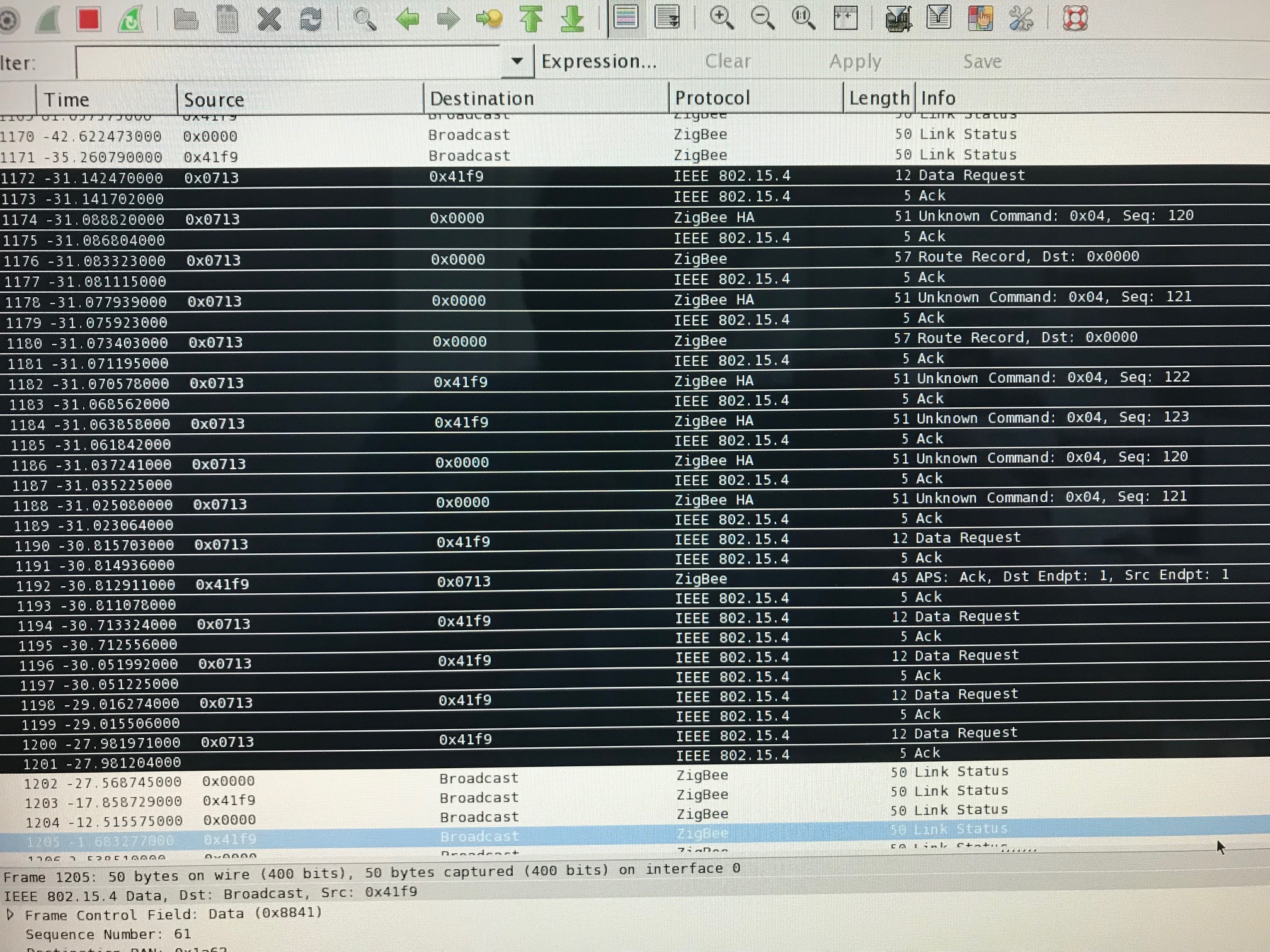
But I observe this in a sniffer with a binding of a switch and a bulb.
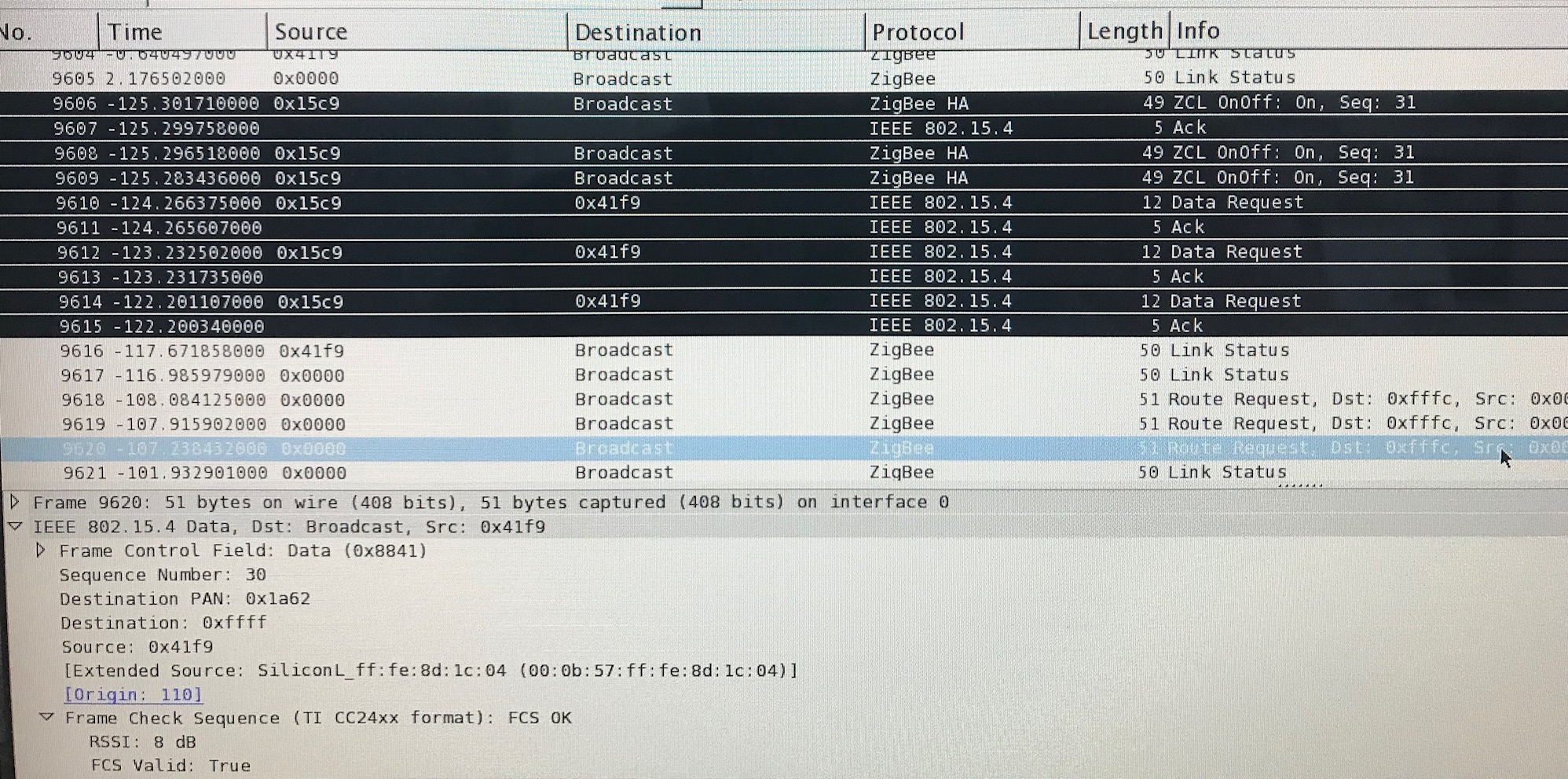
antti365
on 6 May 2019
@Koenkk When the ikea switch has a binding with a ikea outlet, I observe the same picture as that of the switch with the bulb.
antti365
on 6 May 2019
@antti365 the switch is probably sending the commands to a group instead of a device. You need to figure out the group and add the bulb to that group. How to do this can be found here: http://www.zigbee2mqtt.io/information/binding.html#ikea-tradri-remote-control-e1524
Koenkk
on 6 May 2019
@Koenkk Yes, everything worked out and works, both with the bulb and with the outlet ... but there is one BUT !!! The group at ALL switches is the same, 0x0063 (99), and this way out is not suitable! Different switches have to control different devices, and even in different groups ...
antti365
on 7 May 2019
@antti365 that makes sense, in order for the switch to work, zigbee2mqtt binds it to group 99 (https://github.com/Koenkk/zigbee-shepherd-converters/blob/master/devices.js#L674). I guess the switch can only be bound to one group.
You could try unbinding it from 99, this should allow you to bind it to a different group.
Koenkk
on 7 May 2019
@Koenkk So, can I use only one switch with one device (or one group of devices)? Well, this is somehow not serious ... And I am sure that this problem will appear more than once - for example, when Ikea finally releases its curtains for windows - they are also controlled by the same switches. It turns out that I can do the management of all curtains with just one button? And not in every room for example? And if the switch is already somewhere involved, then nothing at all? No, something must be done about it ...
antti365
on 7 May 2019
@antti365 yes, as far as I can see a switch can only control one device or group. This also makes sense, how do you imagine selecting on the remote what to control?
With the curtains I expect that your pair it to the remote (technically this will add the curtain to the group of the switch), the same will happen for other devices that your pair to it.
EDIT: but note that you can ofcourse add a device (e.g. curtains) to multiple groups, this allows you to control it with multiple switches.
Koenkk
on 7 May 2019
@Koenkk That is, the switch gets into group 99 by default and then, in order to control this switch with a specific device and not interfere with the operation of another switch, I create a new group 85 for example and add this switch and a specific device there? Did I understand you correctly?
antti365
on 7 May 2019
Yes, so first remove it from group 99 and then add it to group 85 together with the device.
Koenkk
on 7 May 2019
@antti365 @Koenkk I have also two Ikea switches which got group 99, since this is defined in 'zigbee2mqtt/node_modules/zigbee-shepherd-converters/devices.js'. Any attempts to remove the group with command 'zigbee2mqtt/bridge/group/[switch]/remove|remove_all' had no effect. Or is there another way?
But following works:
The only way to change the group-id was to change the definition in devices.js (e.g. const coordinatorGroup = 88;)
After restart zigbee2mqtt, remove the switch and pair the switch again it got the group 88.
If this is really the only one solution I would propose an enhancement to define the coordinatorGroup in an configuration file in order to be changeable for the pairing of an IKEA switch.
 didiht
on 8 May 2019
didiht
on 8 May 2019
@didiht @Koenkk Unfortunately, I have not had time to try Koen’s last advice, I’m very busy at work, but once you’ve tried it and you’ve failed, we’ll wait for Koen to say. Changing the group in devices.js is not at all what is needed, I need to tie ten different switches to ten different groups.
antti365
on 8 May 2019
@didiht I checked the removal of the switch from group 99 and added it to group 95 together with a light bulb - everything is perfectly removed and added, just because the switch is a device on the battery, it is necessary to wake it up, i.e. click the switch after the command 'zigbee2mqtt / bridge / group / [switch] / add | remove | remove_all'
Here is the log file:
`5/9/2019, 12:36:43 PM - info: Zigbee publish to device '0x000b57fffe8d1c04', genGroups - add - {"groupid":"95","groupname":""} - null - null
5/9/2019, 12:36:43 PM - info: Successfully add 0x000b57fffe8d1c04 to 95
5/9/2019, 12:36:43 PM - info: MQTT publish: topic 'zigbee2mqtt/bridge/log', payload '{"type":{"device":"lamp","group":"95","action":"add"}}'
5/9/2019, 12:36:43 PM - debug: Saving state to file /opt/zigbee2mqtt/data/state.json
5/9/2019, 12:36:43 PM - debug: Received zigbee message of type 'readRsp' with data '{"cid":"genGroups","data":{"65533":1,"nameSupport":0}}' of device 'TRADFRI bulb E14 W op/ch 400lm' (0x000b57fffe8d1c04) of endpoint 1
5/9/2019, 12:36:44 PM - info: Zigbee publish to device '0x000b57fffe8d1c04', genOnOff - readRsp - [] - {"direction":1,"seqNum":11,"disDefaultRsp":1} - 1
5/9/2019, 12:36:46 PM - info: Zigbee publish to device '0x000b57fffe8d1c04', genOnOff - readRsp - [] - {"direction":1,"seqNum":12,"disDefaultRsp":1} - 1
5/9/2019, 12:36:47 PM - info: Zigbee publish to device '0x000b57fffe8d1c04', genOnOff - readRsp - [] - {"direction":1,"seqNum":13,"disDefaultRsp":1} - 1
5/9/2019, 12:37:56 PM - debug: Received MQTT message on 'zigbee2mqtt/bridge/group/group_95/add' with data 'switch'
5/9/2019, 12:37:56 PM - info: Zigbee publish to device '0x000d6ffffeb1d3c5', genGroups - add - {"groupid":"95","groupname":""} - null - null
5/9/2019, 12:37:59 PM - debug: Received zigbee message of type 'cmdOn' with data '{"cid":"genOnOff","data":{}}' of device 'TRADFRI on/off switch' (0x000d6ffffeb1d3c5) with groupID undefined of endpoint 1
5/9/2019, 12:37:59 PM - info: MQTT publish: topic 'zigbee2mqtt/switch', payload '{"linkquality":70,"battery":74,"click":"on"}'
5/9/2019, 12:38:00 PM - info: Successfully add 0x000d6ffffeb1d3c5 to 95
5/9/2019, 12:38:00 PM - info: MQTT publish: topic 'zigbee2mqtt/bridge/log', payload '{"type":{"device":"switch","group":"95","action":"add"}}' `
BUT, this does NOT solve the problem, about this in the next message ...
antti365
on 9 May 2019
@Koenkk With the addition to another group, everything worked out, but for some reason, whenever you press the switch, the same thing goes to the group all the time - payload '{"state": "OFF", "brightness": 0}'.
Log file:
`5/9/2019, 12:38:52 PM - debug: Received zigbee message of type 'cmdOn' with data '{"cid":"genOnOff","data":{}}' of device 'TRADFRI on/off switch' (0x000d6ffffeb1d3c5) with groupID undefined of endpoint 1
5/9/2019, 12:38:52 PM - info: MQTT publish: topic 'zigbee2mqtt/group_95', payload '{"state":"OFF","brightness":0}'
5/9/2019, 12:38:52 PM - info: MQTT publish: topic 'zigbee2mqtt/switch', payload '{"linkquality":70,"battery":74,"click":"on"}'
5/9/2019, 12:39:00 PM - debug: Received zigbee message of type 'attReport' with data '{"cid":"genPowerCfg","data":{"batteryPercentageRemaining":87}}' of device 'TRADFRI on/off switch' (0x000d6ffffeb1d3c5) of endpoint 1
5/9/2019, 12:39:00 PM - info: MQTT publish: topic 'zigbee2mqtt/group_95', payload '{"state":"OFF","brightness":0}'
5/9/2019, 12:39:00 PM - info: MQTT publish: topic 'zigbee2mqtt/switch', payload '{"linkquality":68,"battery":87}'
5/9/2019, 12:39:00 PM - debug: Received zigbee message of type 'devChange' with data '{"cid":"genPowerCfg","data":{"batteryPercentageRemaining":87}}' of device 'TRADFRI on/off switch' (0x000d6ffffeb1d3c5) of endpoint 1
5/9/2019, 12:39:01 PM - debug: Received zigbee message of type 'cmdMoveWithOnOff' with data '{"cid":"genLevelCtrl","data":{"movemode":0,"rate":83}}' of device 'TRADFRI on/off switch' (0x000d6ffffeb1d3c5) with groupID undefined of endpoint 1
5/9/2019, 12:39:01 PM - info: MQTT publish: topic 'zigbee2mqtt/group_95', payload '{"state":"OFF","brightness":0}'
5/9/2019, 12:39:01 PM - info: MQTT publish: topic 'zigbee2mqtt/switch', payload '{"linkquality":65,"battery":87,"click":"brightness_up"}'
5/9/2019, 12:39:05 PM - debug: Received zigbee message of type 'cmdStopWithOnOff' with data '{"cid":"genLevelCtrl","data":{}}' of device 'TRADFRI on/off switch' (0x000d6ffffeb1d3c5) with groupID undefined of endpoint 1
5/9/2019, 12:39:05 PM - info: MQTT publish: topic 'zigbee2mqtt/group_95', payload '{"state":"OFF","brightness":0}'
5/9/2019, 12:39:05 PM - info: MQTT publish: topic 'zigbee2mqtt/switch', payload '{"linkquality":68,"battery":87,"click":"brightness_stop"}'
5/9/2019, 12:39:56 PM - debug: Received zigbee message of type 'attReport' with data '{"cid":"genPowerCfg","data":{"batteryPercentageRemaining":74}}' of device 'TRADFRI on/off switch' (0x000d6ffffeb1d3c5) of endpoint 1
5/9/2019, 12:39:56 PM - info: MQTT publish: topic 'zigbee2mqtt/group_95', payload '{"state":"OFF","brightness":0}'
5/9/2019, 12:39:56 PM - info: MQTT publish: topic 'zigbee2mqtt/switch', payload '{"linkquality":70,"battery":74}'
5/9/2019, 12:39:56 PM - debug: Received zigbee message of type 'devChange' with data '{"cid":"genPowerCfg","data":{"batteryPercentageRemaining":74}}' of device 'TRADFRI on/off switch' (0x000d6ffffeb1d3c5) of endpoint 1
5/9/2019, 12:39:56 PM - debug: Received zigbee message of type 'cmdOff' with data '{"cid":"genOnOff","data":{}}' of device 'TRADFRI on/off switch' (0x000d6ffffeb1d3c5) with groupID undefined of endpoint 1
5/9/2019, 12:39:56 PM - info: MQTT publish: topic 'zigbee2mqtt/group_95', payload '{"state":"OFF","brightness":0}'
5/9/2019, 12:39:56 PM - info: MQTT publish: topic 'zigbee2mqtt/switch', payload '{"linkquality":70,"battery":74,"click":"off"}'
5/9/2019, 12:40:21 PM - debug: Received zigbee message of type 'cmdMove' with data '{"cid":"genLevelCtrl","data":{"movemode":1,"rate":83}}' of device 'TRADFRI on/off switch' (0x000d6ffffeb1d3c5) with groupID undefined of endpoint 1
5/9/2019, 12:40:21 PM - info: MQTT publish: topic 'zigbee2mqtt/group_95', payload '{"state":"OFF","brightness":0}'
5/9/2019, 12:40:21 PM - info: MQTT publish: topic 'zigbee2mqtt/switch', payload '{"linkquality":81,"battery":74,"click":"brightness_down"}'
5/9/2019, 12:40:24 PM - debug: Received zigbee message of type 'cmdStopWithOnOff' with data '{"cid":"genLevelCtrl","data":{}}' of device 'TRADFRI on/off switch' (0x000d6ffffeb1d3c5) with groupID undefined of endpoint 1
5/9/2019, 12:40:24 PM - info: MQTT publish: topic 'zigbee2mqtt/group_95', payload '{"state":"OFF","brightness":0}'
5/9/2019, 12:40:24 PM - info: MQTT publish: topic 'zigbee2mqtt/switch', payload '{"linkquality":81,"battery":74,"click":"brightness_stop"}'`
What am I doing wrong?
antti365
on 9 May 2019
@antti365 I think some further zigbee2mqtt changes are needed -> going to buy this device myself and will let you know.
Koenkk
on 10 May 2019
@Koenkk ok, I will wait very much, thanks!
antti365
on 10 May 2019
@antti365 @Koenkk Sorry, I was busy at the weekend with family affairs.
Thanks for the hint of the need to wake up the IKEA switch.
But in my environment the behaviour is:
I am able to add the switch to one or more groups, also to remove. The log file entries are identical as given from @antti365.
But this does not change the group id which is sent from the switch by pressing the on/off button. The group id still remains on the value branded during the pairing process (99).
I tried to remove the group id, even the logfiles tell me the successfully removal, but with no effect on the switch.
The sniffing protocols showed me the unchanged group-id.
I can add the switch and a lamp to a new group, but then the lamp cannot be controlled from the switch.
Does this work on your side?
didiht
on 13 May 2019
I think you are mixing up two different group features. When connecting the IKEA switch, it will be bound to a zigbee group. The groups of zigbee2mqtt on the other hand use the group feature of zcl. Those groups are not necessarily the same...
Mybe try to unbind the IKEA switch from group 99 and bind it to a different group.
 Ludilu
on 13 May 2019
Ludilu
on 13 May 2019
@antti365 @didiht @Ludilu with the latest zigbee2mqtt dev branch you should now be able to bind the switch. You might need to re-pair the device.
Background information
- By default zigbee2mqtt bound this device to group 99, which is not needed anymore because zigbee2mqtt listens to all groups. This was done on every startup.
- By default the E1743 sends commands to group 0
Koenkk
on 19 May 2019
@Koenkk Great news, I'll check, as soon as I get to the computer, because of the work, there is absolutely no time ... :)
antti365
on 19 May 2019
@Koenkk @antti365 @Ludilu I can confirm that I was able to bind the IKEA switch to an individual group after re-pairing😀
Thanks @Koenkk 👍
didiht
on 19 May 2019
Also wanted to confirm that this works with my E1743 and an Ikea bulb. I've added both the group 0 and I can control the bulb from both zigbee2mqtt and the E1743 switch, and zigbee2mqtt is detecting button presses etc. as expected. I did need to reset and re-pair the switch.
Thanks!
 rickkdotnet
on 20 May 2019
rickkdotnet
on 20 May 2019
@Koenkk @didiht @rickkdotnet
zigbee2mqtt version 1.4.0 (commit # 0352a73)
Coordinator firmware version: '20190223'
Something does not work for me ... Did you watch the logs? My logs still send the same value to the group ...
5/21/2019, 5:08:41 PM - debug: Received zigbee message of type 'cmdOff' with data '{"cid":"genOnOff","data":{}}' of device 'TRADFRI on/off switch' (0x000d6ffffeb1d3c5) of endpoint 1
5/21/2019, 5:08:41 PM - info: MQTT publish: topic 'zigbee2mqtt/group_25’, payload '{"state":"OFF"}'
5/21/2019, 5:08:41 PM - info: MQTT publish: topic 'zigbee2mqtt/switch', payload '{"linkquality":21,"click":"off"}'
5/21/2019, 5:08:43 PM - debug: Received zigbee message of type 'cmdOn' with data '{"cid":"genOnOff","data":{}}' of device 'TRADFRI on/off switch' (0x000d6ffffeb1d3c5) of endpoint 1
5/21/2019, 5:08:43 PM - info: MQTT publish: topic 'zigbee2mqtt/group_25', payload '{"state":"OFF"}'
5/21/2019, 5:08:43 PM - info: MQTT publish: topic 'zigbee2mqtt/switch', payload '{"linkquality":39,"click":"on"}'
groups:
'25':
friendly_name: group_25
devices:
- '0x000d6ffffe9a85bd'
- '0x000d6ffffeb1d3c5'
- '0x000b57fffe8d1c04'
antti365
on 21 May 2019
@Koenkk
Experimenting further with the group (there is a light bulb, a outlet and a switch in the group), I noticed that:
if you send a command
{
"state": "ON",
}
In zigbee2mqtt / [GROUP_FRIENDLY_NAME] / set, then everything turns on, and the outlet, and the light bulb.
{
"state": "OFF",
}
everything turns off - it works, but you should turn off the MQTT by a command like an outlet, the light remains on, and the status of the group changes to OFF
"group_25": {
"state": "OFF"
},
unless, being in group, devices cannot be operated separately?
antti365
on 21 May 2019
@Koenkk sorry, I can not find where to change the font from the previous message ...
antti365
on 21 May 2019
@antti365 you could use the reporting feature for this: http://www.zigbee2mqtt.io/information/report.html
Koenkk
on 22 May 2019
@Koenkk Well, I will try the function report, but what about the issue with the switch?
antti365
on 22 May 2019
@Koenkk I tried the report function - nothing has changed, the same thing in the logs ...
antti365
on 22 May 2019
What lights are in this group?
Koenkk
on 23 May 2019
@Koenkk The light bulb in this group is Ikea LED1649C5, also in the group Ikea socket, it is also not controlled.
I also checked the binding, they wrote above that it works, it does not work for me either.
antti365
on 23 May 2019
@antti365 How did you check the binding?
My current knowledge is:
- remove, reset and pair the switch again: Pressing the button generates messages with group number 0 (latest dev)
- Change this number to another can be achieved with the bind command: zigbee2mqtt/bridge/bind/[switch] with payload [group-xx]
- Now the switch sends messages with group number [id of group-xx]
This is independent of the switch being a member of the group in the configuration file.
Please tell me if I am wrong.
didiht
on 24 May 2019
@didiht @Koenkk And what, so works? It’s just that there is no such command in the documentation, so I haven’t tried it yet ... I think we mixed binding and groups together, I’ve gotten confused at all that I’m testing ... :) Koen wrote like that direct binding did - that is this command should work: zigbee2mqtt / bridge / bind / [SOURCE_DEVICE_FRIENDLY_NAME] with payload TARGET_DEVICE_FRIENDLY_NAME, that is, device-device, not device-group ...
antti365
on 24 May 2019
@antti365 you can bind to both a group or device, @didiht explanation is correct.
Koenkk
on 24 May 2019
Hi i wants to connect 2 smoke detectors, which triggers when one, the other triggers, I do this:
Topic: zigbee2mqtt / bridge / bind / 0x00124b0018e207bc
Payload: Kinderzimmer_Rauchmelder
But nothing happens, no message in the log? Is it correct that way ?
In German:
Hi ich will 2 Rauchmelder verbinden, das wenn einer auslöst, der andere auch auslöst, ich mache das so:
Topic: zigbee2mqtt/bridge/bind/0x00124b0018e207bc
Payload: Kinderzimmer_Rauchmelder
Aber es passiert nichts, keine Meldung im Log ? Ist das so richtig ?
 dr-apple
on 25 May 2019
dr-apple
on 25 May 2019
@Koenkk @didiht So, friends, thanks for the help, so everything really works, I managed to connect the outlet and the light bulb with a switch, having binding all devices to one group, and also to binding a dimmer with a light bulb without a group. All of these links also work when the coordinator is off.
The only thing that I would suggest is to add several MQTT commands in order not to forget the configured configuration in the future, because for example, the binding to the group is not displayed anywhere - either in the file state.json or in configuration.yaml.
For example, the following commands:
.../bind_list
.../group_list
In response, the list would come in json format
It would also be nice to create groups through MQTT without getting into the configuration file -
.../add_group
antti365
on 27 May 2019
@antti365 some of these are already possible via MQTT e.g. http://www.zigbee2mqtt.io/information/mqtt_topics_and_message_structure.html#zigbee2mqttbridgeconfigadd_group
Koenkk
on 27 May 2019
@Koenkk Similarly, I did not notice, add_group definitely already exists, great! :) Is it possible then to add bind_list and group_list - it would be quite good ...
antti365
on 27 May 2019
So I am trying to test binding a Tradfri wireless dimmer with an ecosmart bulb, and after issuing the command on the topic and letting it go for a bit, I end up getting
  zigbee2mqtt:debug 5/27/2019, 1:03:00 PM binding cluster '8' from 0x000b57fffe9605a4' to '0xdd16abffff070a94'
  zigbee2mqtt:debug 5/27/2019, 1:03:00 PM Binding  0x000b57fffe9605a4 - 6
  zigbee2mqtt:info 5/27/2019, 1:03:34 PM Succesfully reenabled joining
  zigbee2mqtt:error 5/27/2019, 1:03:50 PM Failed to bind  0x000b57fffe9605a4 - 6 - (Error: Timed out after 10000 ms)
  zigbee2mqtt:error 5/27/2019, 1:03:50 PM Failed to bind cluster '6' from 0x000b57fffe9605a4' to '0xdd16abffff070a94' (Error: Timed out after 10000 ms)
  zigbee2mqtt:debug 5/27/2019, 1:03:50 PM Binding  0x000b57fffe9605a4 - 8
  zigbee2mqtt:debug 5/27/2019, 1:04:03 PM Successfully bound  0x000b57fffe9605a4 - 8
  zigbee2mqtt:info 5/27/2019, 1:04:03 PM Successfully bound cluster '8' from 0x000b57fffe9605a4' to '0xdd16abffff070a94'
So there are some failures, but then successes... but the wireless dimmer still isnt able to control the bulb directly,.. Help
 boojew
on 27 May 2019
boojew
on 27 May 2019
@Koenkk And with what this error can be connected? Appears in the logs every hour.
5/28/2019, 10:20:31 AM - warn: No converter available for 'E1603' with cid 'genLevelCtrl', type 'attReport' and data '{"cid":"genLevelCtrl","data":{"currentLevel":254}}'
5/28/2019, 10:20:31 AM - warn: Please see: https://www.zigbee2mqtt.io/how_tos/how_to_support_new_devices.html.
Despite the mistake, binding outlet with a switch works great ...
antti365
on 28 May 2019
@antti365 message can be ignored, will be fixed in the dev branch soon.
Koenkk
on 28 May 2019
Trying to bind IKEA E1743 switch to IKEA ICPSHC24-10EU-IL-1. It's working in IKEA way - bind directly switch to LED driver, but, i unable to manage binding with zigbee2mqtt.
Performed actions:
- Pair ikea E1743 to coordinator - ok
- issue mqtt message for binding - get in log lines
zigbee2mqtt:info 6/2/2019, 11:19:48 PM Successfully bound cluster '6' from 0xd0cf5efffe71a300' to '0xd0cf5efffe7b8924' zigbee2mqtt:info 6/2/2019, 11:19:48 PM MQTT publish: topic 'zigbee2mqtt/bridge/log', payload '{"type":"device_bind","message":{"from":"0xd0cf5efffe71a300","to":"0xd0cf5efffe7b8924","cluster":6}}' zigbee2mqtt:info 6/2/2019, 11:19:50 PM MQTT publish: topic 'zigbee2mqtt/HallLightTop', payload '{"state":"OFF","linkquality":110}' zigbee2mqtt:info 6/2/2019, 11:19:50 PM MQTT publish: topic 'zigbee2mqtt/HallLightTop', payload '{"state":"OFF","linkquality":110}' zigbee2mqtt:info 6/2/2019, 11:19:50 PM Successfully bound cluster '8' from 0xd0cf5efffe71a300' to '0xd0cf5efffe7b8924' zigbee2mqtt:info 6/2/2019, 11:19:50 PM MQTT publish: topic 'zigbee2mqtt/bridge/log', payload '{"type":"device_bind","message":{"from":"0xd0cf5efffe71a300","to":"0xd0cf5efffe7b8924","cluster":8}}' - I see commands from switch in zigbee2mqtt log, but no changes in targed device status.
zigbee2mqtt version 1.4.0 (commit #927c4db)
Coordinator firmware version: '20190425'
Can you provide any suggestions?
 doctor64
on 2 Jun 2019
doctor64
on 2 Jun 2019
@Koenkk Just a note, may be it can help other if included in documentation?
IKEA remote E1743 does not work with binding, but can be used same workaround as for IKEA E1524:
- Pair device with Zigbee2mqtt
- Setup zigbee sniffer
- Press button on device and find group number, 0x0063 in my case
- Create group with name matching to group in decimal, ie 99 in my case
- restart zigbee2mqtt
- Add device to group, in my case it is ICPSHC24-10EU-IL-1 - IKEA TRADFRI driver for wireless control (10 watt)
doctor64
on 8 Jun 2019
@doctor64 this is because < zigbee2mqtt 1.4 automatically paired it to group 99. I've added the instructions here http://www.zigbee2mqtt.io/devices/E1743
Koenkk
on 10 Jun 2019
@f-bader that's because the reporting setup fails (see your log). cluster 6 is the on/off cluster, Does changing brightness trigger a state update?
Im having the same problem, I have 3 Tradfri dimmers connected to 3 different bulbs. State of lamp does not get updated in homeassistant when using dimmer. No errors in log. Any idea how we can fix this?
 serefsizz
on 15 Jun 2019
serefsizz
on 15 Jun 2019
Does the protocol provide for a request for bindening devices?
Deconz shows who is bindening?
I would like to have a picture of which device is connected with which directly.
 directman66
on 18 Jun 2019
directman66
on 18 Jun 2019
How can I unbind the Ikea dimmer from ikea bulbs?
I have somehow bind it to 2 ikea bulbs, and now I can't unbind it from either of them.
Failed to unbind cluster '6' from...
Failed to unbind cluster '8' from...
 delicon
on 8 Jul 2019
delicon
on 8 Jul 2019
@Koenkk Tell me please, can I get a list of related devices?
Is this stipulated by the protocol?
directman66
on 10 Jul 2019
@directman66 not yet as binding information is not stored in zigbee2mqtt, I've created a feature request here: #1716
Koenkk
on 10 Jul 2019
@Koenkk, All, great developments here! I wonder, is it possible to do this procedure with just one CC2531? Or does sniffing the traffice from the E1524 not work when zigbee2mqtt is down?
 wavemaking
on 23 Jul 2019
wavemaking
on 23 Jul 2019
@wavemaking It could be that sniffing is not needed at all anymore, just enable debug logging (log_level: debug) https://www.zigbee2mqtt.io/configuration/configuration.html and press a button on the remote (should show groupid in the logging)
Koenkk
on 24 Jul 2019
@wavemaking It could be that sniffing is not needed at all anymore, just enable debug logging (
log_level: debug) https://www.zigbee2mqtt.io/configuration/configuration.html and press a button on the remote (should showgroupidin the logging)
Just tried it:
Received zigbee message of type 'cmdToggle' with data '{"cid":"genOnOff","data":{}}' of device 'TRADFRI remote control' (0xd0cf5efffe0bbf60) with groupID undefined of endpoint 1
I am using 1.5.1.
nanosonde
on 26 Jul 2019
@Koenkk and @nanosonde, I have the same, also with the dev branch. I suppose that the intention is that the groupid is reported in place of "undefined", but it is not.
wavemaking
on 26 Jul 2019
@Koenkk, @nanosonde and @wavemaking: I think the solution for this issue is here #1785
didiht
on 27 Jul 2019
@didiht, Thanks, that did it ;-).
Not sure if this issue is the right place, but I do note that groups is instable for me. Some (IKEA) bulbs apparently don't want to join the configured group. I can however control them individually, just not as part of the group.
7/30/2019, 1:26:09 AM - error: Failed to remove 0x000b57fffed2235a from 8956
7/30/2019, 1:26:14 AM - error: Zigbee publish to device 'Salon_BigLamp_5', genGroups - add - {"groupid":"8956","groupname":""} - null - null failed with error Error: AF data request fails, status code: 205. No network route. Please confirm that the device has (re)joined the network.
7/30/2019, 1:26:14 AM - error: Failed to add 0x000b57fffedaca8e from 8956
7/30/2019, 1:26:14 AM - info: Zigbee publish to device 'Salon_BigLamp_5', genGroups - remove - {"groupid":"8956"} - null - 1
7/30/2019, 1:26:20 AM - error: Zigbee publish to device 'Salon_BigLamp_5', genGroups - remove - {"groupid":"8956"} - null - null failed with error Error: AF data request fails, status code: 205. No network route. Please confirm that the device has (re)joined the network.
7/30/2019, 1:26:20 AM - error: Failed to remove 0x000b57fffedaca8e from 8956
Hi all,
Due to speed/reactivity issues (see #1904), I tried again to bind one of my Hue dimmer switch with one Hue bulb. No error messages in log, but binding is not operational.
Aug 30 16:51:14 raspberrypi npm[18871]:   zigbee2mqtt:debug 8/30/2019, 4:51:14 PM Received MQTT message on 'zigbee2mqtt/bridge/bind/0x00178801021b66c2' with data '0x0017880102246f61'
Aug 30 16:51:14 raspberrypi npm[18871]:   zigbee2mqtt:debug 8/30/2019, 4:51:14 PM binding cluster '5' from '0x00178801021b66c2' (1) to '0x0017880102246f61'
Aug 30 16:51:14 raspberrypi npm[18871]:   zigbee2mqtt:debug 8/30/2019, 4:51:14 PM binding cluster '6' from '0x00178801021b66c2' (1) to '0x0017880102246f61'
Aug 30 16:51:14 raspberrypi npm[18871]:   zigbee2mqtt:debug 8/30/2019, 4:51:14 PM binding cluster '8' from '0x00178801021b66c2' (1) to '0x0017880102246f61'
Aug 30 16:51:14 raspberrypi npm[18871]:   zigbee2mqtt:debug 8/30/2019, 4:51:14 PM Binding  'hue-switch-chambre' - 5
Aug 30 16:51:18 raspberrypi npm[18871]:   zigbee2mqtt:debug 8/30/2019, 4:51:18 PM Successfully bound  'hue-switch-chambre' - 5
Aug 30 16:51:18 raspberrypi npm[18871]:   zigbee2mqtt:info 8/30/2019, 4:51:18 PM Successfully bound cluster '5' from '0x00178801021b66c2' to '0x0017880102246f61'
Aug 30 16:51:18 raspberrypi npm[18871]:   zigbee2mqtt:info 8/30/2019, 4:51:18 PM MQTT publish: topic 'zigbee2mqtt/bridge/log', payload '{"type":"device_bind","message":{"from":"0x00178801021b66c2","to":"0x0017880102246f61","cluster":5}}'
Aug 30 16:51:18 raspberrypi npm[18871]:   zigbee2mqtt:debug 8/30/2019, 4:51:18 PM Binding  'hue-switch-chambre' - 6
Aug 30 16:51:18 raspberrypi npm[18871]:   zigbee2mqtt:debug 8/30/2019, 4:51:18 PM Successfully bound  'hue-switch-chambre' - 6
Aug 30 16:51:18 raspberrypi npm[18871]:   zigbee2mqtt:info 8/30/2019, 4:51:18 PM Successfully bound cluster '6' from '0x00178801021b66c2' to '0x0017880102246f61'
Aug 30 16:51:18 raspberrypi npm[18871]:   zigbee2mqtt:info 8/30/2019, 4:51:18 PM MQTT publish: topic 'zigbee2mqtt/bridge/log', payload '{"type":"device_bind","message":{"from":"0x00178801021b66c2","to":"0x0017880102246f61","cluster":6}}'
Aug 30 16:51:18 raspberrypi npm[18871]:   zigbee2mqtt:debug 8/30/2019, 4:51:18 PM Binding  'hue-switch-chambre' - 8
Aug 30 16:51:19 raspberrypi npm[18871]:   zigbee2mqtt:debug 8/30/2019, 4:51:19 PM Successfully bound  'hue-switch-chambre' - 8
Aug 30 16:51:19 raspberrypi npm[18871]:   zigbee2mqtt:info 8/30/2019, 4:51:19 PM Successfully bound cluster '8' from '0x00178801021b66c2' to '0x0017880102246f61'
Aug 30 16:51:19 raspberrypi npm[18871]:   zigbee2mqtt:info 8/30/2019, 4:51:19 PM MQTT publish: topic 'zigbee2mqtt/bridge/log', payload '{"type":"device_bind","message":{"from":"0x00178801021b66c2","to":"0x0017880102246f61","cluster":8}}'
Despite all the discussions above, I was not sure binding a Hue dimmer switch was possible. It appears it isn't: do you confirm?
sylarevan
on 30 Aug 2019
@sylarevan yes this is possible! Although I'm not sure if it will work in the current dev or 1.5.1. The problem is is that your first need to unbind it from the coordinator (as it seems it can only be bound to one device, and by default it is bound to the coordinator).
Please try with zigbee2mqtt/bridge/bind/[HUE_DIMMER_FRIENDLY_NAME] with message COORDINATOR_IEEADDR, the coordinator ieeeAddr can be found in the database.db.
Note that after #1888 this will get much easier and you can just provide coordinator as the message.
Koenkk
on 2 Sep 2019
@Koenkk Thanks for the answer. I'll try to first unbind the switch from the coordinator before binding it to the bulb. Do you confirm that I can bind the switch again to the coordinator with the same procedure (if the binding to the bulb does not work)?
sylarevan
on 4 Sep 2019
When trying to unbind from the coordinator i get the following error
zigbee2mqtt:debug 9/5/2019, 4:28:28 PM Received MQTT message on 'zigbee2mqtt/bridge/unbind/Master Bedroom Closet switch' with data '0x00124b00182202e7'
zigbee2mqtt:error 9/5/2019, 4:28:28 PM Device with model ID undefined is not supported
 aidbish
on 5 Sep 2019
aidbish
on 5 Sep 2019
@Koenkk Thanks for the answer. I'll try to first unbind the switch from the coordinator before binding it to the bulb. Do you confirm that I can bind the switch again to the coordinator with the same procedure (if the binding to the bulb does not work)?
Yes, that should be possible.
When trying to unbind from the coordinator i get the following error
zigbee2mqtt:debug 9/5/2019, 4:28:28 PM Received MQTT message on 'zigbee2mqtt/bridge/unbind/Master Bedroom Closet switch' with data '0x00124b00182202e7'zigbee2mqtt:error 9/5/2019, 4:28:28 PM Device with model ID undefined is not supported
Current zigbee2mqtt may contain bugs related to this, this will be solved in the dev version after zigbee2mqtt 1.6 (#1888)
Koenkk
on 5 Sep 2019
I decided to test binding with my AIRAM-CTR.U remote (0x00158d0001b6beee) and 4713407 (Airam LED OP A60 ZB 9W/827 E27) (0x00158d0001cded1c). These devices can be paired to each other (sold in one package pre-paired). I did not manage to get remote to control bulb this way.
I did get these messages when pairing
zigbee2mqtt:debug 2019-10-15T11:17:56: binding cluster 'genScenes' from '0x00158d0001b6beee' to '0x00158d0001cded1c'
zigbee2mqtt:info  2019-10-15T11:18:03: Successfully bound cluster 'genScenes' from '0x00158d0001b6beee' to '0x00158d0001cded1c'
zigbee2mqtt:debug 2019-10-15T11:18:03: binding cluster 'genOnOff' from '0x00158d0001b6beee' to '0x00158d0001cded1c'
zigbee2mqtt:info  2019-10-15T11:18:09: Successfully bound cluster 'genOnOff' from '0x00158d0001b6beee' to '0x00158d0001cded1c'
zigbee2mqtt:debug 2019-10-15T11:18:09: binding cluster 'genLevelCtrl' from '0x00158d0001b6beee' to '0x00158d0001cded1c'
zigbee2mqtt:info  2019-10-15T11:18:10: Successfully bound cluster 'genLevelCtrl' from '0x00158d0001b6beee' to '0x00158d0001cded1c'
@Koenkk - is there anything I could do to assist testing this feature with this pair of devices?
 Kryzek
on 15 Oct 2019
Kryzek
on 15 Oct 2019
Today I tried to bind 2 new IKEA E1524 remote controls with the workaround to use the groupId of this device and assign that to the relevant group. But to my surprise the following happened.
- I created groups of 2 bulbs with temporary groupId
- I paired the remote with zigbee stick
- I paired the remote directly with the 2 bulbs, for instant control
At first look it seemed that the bulbs automatically also got assigned to the group of the remote. That looked pretty good.
But what actually happened was that the remote and bulbs used the same groupId of another existing remote. So now I had one group instead of 2 with 2 controls acting on that same group. The original group which I manually created still existed in groups.yaml file, but all bulbs were actually not assigned to that anymore.
First I thought well maybe I was unlucky and got 2 remotes with the same groupId. But to my surprise the third remote also ended up with same groupId. That would be very coincidental.
Did somebody had the same?
I also tried to connect and update the firmware of all remotes with the IKEA hub. Hoping that this would result in different id's but that was not the case.
 groenmarsmannetje
on 16 Oct 2019
groenmarsmannetje
on 16 Oct 2019
I noticed also that both of my Airam Remotes have same groupId.
Kryzek
on 16 Oct 2019
Hello,
I purchased 3 IKEA E1743 remote controls. Successfully bound to Zigbee2Mqtt but it assigned to all 3 the group 0.
I tried to unbind or bind to a different group but I get an error of timeout. I tried to activate the remote (on off button) before, during, after the command with no result.
Did I miss anything?
Alternatively is it possible to make Zigbee2Mqtt assign a different group when binding?
Attached some debug info
Thanks
Al
debug 2019-10-22T06:17:52: Received MQTT message on 'zigbee2mqtt/bridge/unbind/Luce_ikea_1' with data 'bagno_al'
debug 2019-10-22T06:17:52: unbinding cluster 'genScenes' from 'Luce_ikea_1' to 'bagno_al'
debug 2019-10-22T06:17:54: Received Zigbee message from 'Luce_ikea_1_click', type 'commandOn', cluster 'genOnOff', data '{}' from endpoint 1 with groupID 0
info 2019-10-22T06:17:54: MQTT publish: topic 'zigbee2mqtt/Luce_ikea_1_click', payload '{"linkquality":76,"battery":100,"click":"on"}'
.
.
error 2019-10-22T06:18:02: Failed to unbind cluster 'genScenes' from 'Luce_ikea_1' to 'bagno_al' (Error: AREQ - ZDO - unbindRsp after 10000ms)
 asimmetrico
on 25 Oct 2019
asimmetrico
on 25 Oct 2019
@asimmetrico mine as well are with groupID 0, I haven't played with groups, I don't know If I need to use groups, I've just tried to bind one ikea bulb with them, I didn't get any error, but it's not working
 lolorc
on 25 Oct 2019
lolorc
on 25 Oct 2019
@lolorc I've read that IKEA remotes do work with groups only
SOLVED
Keep a button pressed while unbinding and rebinding
asimmetrico
on 25 Oct 2019
doesn't work here, I'd be interested by a some kind of information on how to achieve the grouping and the binding.
for instance, is it possible to use another group id than 0 ?
lolorc
on 25 Oct 2019
Exactly what I said before.
Unbind sending the MQTT message keeping the ON or OFF button pressed
Bind in the same way to another group.
https://www.zigbee2mqtt.io/information/binding.html
Best
Al
asimmetrico
on 28 Oct 2019
I've been able to bind it but without using z2m.
- create group
- add bulb to group
- keep the on or off button pressed close to the bulb
now the e1743 is bound to my bulb.
weirdly enough z2m still gets the messages from the switch.
lolorc
on 28 Oct 2019
Hi @Koenkk,
Binding to a group works correctly on my setup using your instructions:
- RPi 3 running Z2M 1.6.0
- CC2531
- IKEA E1743 switch
- A couple of light bulbs from different vendors in one group
It seems I do have to keep a button pressed on the E1743 while binding, and I did have to first unbind it from the old group.
But there is this one weird issue... after a while the E1743 seems to desync. It still communicates correctly with Zigbee2mqtt, but not to the group anymore. After I do the binding steps again (no unbind needed) it works again.
The only thing I did between the moment it worked and moment I noticed it stopped working was to sleep...
 h3x4d3c1m4l
on 3 Nov 2019
h3x4d3c1m4l
on 3 Nov 2019
How long before it got desynced? I added 2 of these remotes on monday after borrowing one to play with the week before.
So far they have been fine (3 days now)
 sjorge
on 6 Nov 2019
sjorge
on 6 Nov 2019
How long before it got desynced? I added 2 of these remotes on monday after borrowing one to play with the week before.
So far they have been fine (3 days now)
After around 8 hours. But at the moment it works fine for a few days already...
h3x4d3c1m4l
on 6 Nov 2019
It seems I do have to keep a button pressed on the E1743 while binding, and I did have to first unbind it from the old group.
I was able to bind a E1524 remote too with this procedure. I constantly pressed a dimmer button while sending the Mqtt bind command. Now it works smoothly with the group of bulbs. It also solved the issue that I had with duplicate groupid for these remotes.
groenmarsmannetje
on 17 Nov 2019
Just made a group with 3 bulps
bindet the group with IKEA E1743 switch
It works fine. it turns off and on all the bulps
But in home assistant it does only update 1 bulp
if i send zigbee2mqtt/12/set: On and off it updates all bulps ?
 bncbnc83
on 17 Nov 2019
bncbnc83
on 17 Nov 2019
any idea to set the default brightness/color/colortemp when a bulb is bound to a switch ?
I've got issues with a IKEA bulb and a IKEA E1743 switch, there's a 3-4 seconds delay between the press on the switch and the light actually turning on. It's either a very slow transition from the bulb or there's a weird delay.
And also it seems the bulb doesn't retain the previous brightness level, most of the time it's very very low.
Anybody else having this kind of behavior, there's no real advantage in using binding in that case.
lolorc
on 19 Nov 2019
@ lolorc
I have bound a 1743 to a couple of lamps and they work as if directly connected with the exception of color temp. I made a small automation in Hassio so that I can control also the color temp and switch on/off another lamp connected to an esp8266.
The only annoyance is that sometimes it disconnects so at the first pressure the led lits to indicate that it's connecting and then it works.
Al
asimmetrico
on 19 Nov 2019
@asimmetrico ok thanks for your answer. So there's something funny in with my setup, I'll bring the sniffer close to the switch and bulb to see what's wrong
lolorc
on 19 Nov 2019
What's the prospect for binding an E1766 open/close remote with an IKEA Fyrtur E1757 blind (or a group of them)? So far the big limitation with these blinds I've found is that I can't simultaneously use the remote paired to the blind and z2m for MQTT control. The one disables the other.
Reading around, it seems perhaps this bind functionality could be just the ticket. For kicks, I tried:
% mosquitto_pub -t "zigbee2mqtt/bridge/bind/ikea_updown_remote_1" -m "ikea_blind_famroom_30in_N"
but z2m didn't report anything one way or another (I know it's listening, because if I intentionally mess up the friendly name it complains). I also tried reversing the devices, with the same outcome.
In addition I have a TRADFRI signal repeater model 'E1746' paired. But I wasn't able to make it progress binding to it either.
Happy to test a new Up/Down Remote -> Fyrtur Blinds binding if this is at all possible. Thanks.
 jdtsmith
on 9 Dec 2019
jdtsmith
on 9 Dec 2019
I think it should work finje to bind the E1766 to the blinds, but the blind(s) need to be in a group first.
- creat group
- add blinds
- bind group to remote
It least it works this way for the on/off variant of the remote which is the same hardware wise than the open/close one.
sjorge
on 9 Dec 2019
I think it should work finje to bind the E1766 to the blinds, but the blind(s) need to be in a group first.
- creat group
- add blinds
- bind group to remote
It least it works this way for the on/off variant of the remote which is the same hardware wise than the open/close one.
Thanks! Some progress here. I created a group with a single device (the blind), and bound the _remote to the group_ (not group to the remote, which gave an error), like so:
mosquitto_pub -t "zigbee2mqtt/bridge/bind/ikea_updown_remote_1" -m "ikea_bind_1_group"
Then I have up and down working with the remote buttons! There is however a ~1 sec delay. And unfortunately, while the blind is moving, you can't stop its motion by hitting the same button, or the reverse button. So you go all the way up or down. This is not the same behavior the remote shows when bound directly to the blinds. Could this be related to the error below regarding the genOnOff cluster? EDIT: Also, how does the signal repeater factor in here? I was able to unplug it and things still work (but without stopping capability).
Dec 10 00:44:08 testpi npm[1237]: zigbee2mqtt:info  2019-12-10 00:44:08: MQTT publish: topic 'zigbee2mqtt/ikea_updown_remote_1', payload '{"linkquality":105,"battery":74,"click":"close"}'
Dec 10 00:44:11 testpi npm[1237]: zigbee2mqtt:error 2019-12-10 00:44:11: Failed to bind cluster 'genOnOff' from 'ikea_updown_remote_1' to 'ikea_bind_1_group' (Error: AREQ - ZDO - bindRsp after 10000ms)
Dec 10 00:44:11 testpi npm[1237]: zigbee2mqtt:info  2019-12-10 00:44:11: MQTT publish: topic 'zigbee2mqtt/ikea_updown_remote_1', payload '{"linkquality":113,"battery":74,"click":"open"}'
Dec 10 00:44:12 testpi npm[1237]: zigbee2mqtt:info  2019-12-10 00:44:12: Successfully bound cluster 'genLevelCtrl' from 'ikea_updown_remote_1' to 'ikea_bind_1_group'
Dec 10 00:44:12 testpi npm[1237]: zigbee2mqtt:info  2019-12-10 00:44:12: MQTT publish: topic 'zigbee2mqtt/bridge/log', payload '{"type":"device_bind","message":{"from":"ikea_updown_remote_1","to":"ikea_bind_1_group","cluster":"genLevelCtrl"}}'
I'm having issues binding a Ikea E1743 Switch to two LED1836G9 bulbs. The binding works and I can control the lights, but I don't get any state reported back? I have the same issue when binding to a bulb or a group.
And a question whilst I am here - can you bind multiple switches to the same group?
Thanks
 marrold
on 14 Dec 2019
marrold
on 14 Dec 2019
I suppose you followed the instructions https://www.zigbee2mqtt.io/devices/E1743.html and you can see in the log file that the switch sends the new groupId.
Did you add the bulbs to the group with zigbee2mqtt/bridge/group/[GROUP_FRIENDLY_NAME]/add?
Maybe the IKEA bridge is still active?
You can bind multiple switches to the same group, which means they are sending the same groupId.
didiht
on 14 Dec 2019
I suppose you followed the instructions https://www.zigbee2mqtt.io/devices/E1743.html and you can see in the log file that the switch sends the new groupId.
Yes that's correct
Did you add the bulbs to the group with zigbee2mqtt/bridge/group/[GROUP_FRIENDLY_NAME]/add?
I configured the group in groups.yaml
Maybe the IKEA bridge is still active?
The bulbs were unpaired and reset
Weirdly the bulbs are working this morning and I can control them from the switch and HA, but it's reporting they've not been seen for 6 hours. It looks like something weird happened with the pairing, I will try it again later.
Thanks
marrold
on 14 Dec 2019
I've repaired and retested but with the same results. The bulb is in a group, and the switch is bound to the group. The switch toggles the bulb as expected, but no state change is sent to HA / MQTT from the bulb, unless its controlled directly with HA / Z2M
Thanks
marrold
on 14 Dec 2019
I needed to add report: true to my config. Doh!
marrold
on 14 Dec 2019
Hi,
I have an IKEA Remote E1524/E1810 paired in Zigbee2MQTT to control 3x GU10 light bulbs LED1537R6.
I managed to bind the 3 bulbs to the remote:
debug 2019-12-18T20:12:53: Received MQTT message on 'zigbee2mqtt/bridge/bind/IKEA_Remote_E1524-E1810' with data 'Keuken_Spot3'
debug 2019-12-18T20:12:53: binding cluster 'genScenes' from 'IKEA_Remote_E1524-E1810' to 'Keuken_Spot3'
debug 2019-12-18T20:12:53: Received Zigbee message from 'IKEA_Remote_E1524-E1810', type 'commandStep', cluster 'genLevelCtrl', data '{"stepmode":1,"stepsize":86,"transtime":5}' from endpoint 1 with groupID 30788
info  2019-12-18T20:12:53: MQTT publish: topic 'zigbee2mqtt/IKEA_Remote_E1524-E1810', payload '{"linkquality":36,"action":"brightness_down_click"}'
info  2019-12-18T20:12:53: Successfully bound cluster 'genScenes' from 'IKEA_Remote_E1524-E1810' to 'Keuken_Spot3'
info  2019-12-18T20:12:53: MQTT publish: topic 'zigbee2mqtt/bridge/log', payload '{"type":"device_bind","message":{"from":"IKEA_Remote_E1524-E1810","to":"Keuken_Spot3","cluster":"genScenes"}}'
debug 2019-12-18T20:12:53: binding cluster 'genOnOff' from 'IKEA_Remote_E1524-E1810' to 'Keuken_Spot3'
debug 2019-12-18T20:12:54: Received Zigbee message from 'IKEA_Remote_E1524-E1810', type 'commandStep', cluster 'genLevelCtrl', data '{"stepmode":1,"stepsize":43,"transtime":5}' from endpoint 1 with groupID 30788
info  2019-12-18T20:12:54: MQTT publish: topic 'zigbee2mqtt/IKEA_Remote_E1524-E1810', payload '{"linkquality":39,"action":"brightness_down_click"}'
info  2019-12-18T20:12:54: Successfully bound cluster 'genOnOff' from 'IKEA_Remote_E1524-E1810' to 'Keuken_Spot3'
info  2019-12-18T20:12:54: MQTT publish: topic 'zigbee2mqtt/bridge/log', payload '{"type":"device_bind","message":{"from":"IKEA_Remote_E1524-E1810","to":"Keuken_Spot3","cluster":"genOnOff"}}'
debug 2019-12-18T20:12:54: binding cluster 'genLevelCtrl' from 'IKEA_Remote_E1524-E1810' to 'Keuken_Spot3'
debug 2019-12-18T20:12:55: Received Zigbee message from 'IKEA_Remote_E1524-E1810', type 'commandStep', cluster 'genLevelCtrl', data '{"stepmode":1,"stepsize":129,"transtime":5}' from endpoint 1 with groupID 30788
info  2019-12-18T20:12:55: MQTT publish: topic 'zigbee2mqtt/IKEA_Remote_E1524-E1810', payload '{"linkquality":42,"action":"brightness_down_click"}'
debug 2019-12-18T20:12:55: Received Zigbee message from 'IKEA_Remote_E1524-E1810', type 'commandStep', cluster 'genLevelCtrl', data '{"stepmode":1,"stepsize":43,"transtime":5}' from endpoint 1 with groupID 30788
info  2019-12-18T20:12:55: MQTT publish: topic 'zigbee2mqtt/IKEA_Remote_E1524-E1810', payload '{"linkquality":42,"action":"brightness_down_click"}'
info  2019-12-18T20:12:55: Successfully bound cluster 'genLevelCtrl' from 'IKEA_Remote_E1524-E1810' to 'Keuken_Spot3'
info  2019-12-18T20:12:55: MQTT publish: topic 'zigbee2mqtt/bridge/log', payload '{"type":"device_bind","message":{"from":"IKEA_Remote_E1524-E1810","to":"Keuken_Spot3","cluster":"genLevelCtrl"}}'
But when I press in Domoticz on the ON/OFF switch button of the device nothing happens to the bulbs.
When I press the ON/OFF button on the IKEA remote itself it turns the bulbs on or off....I also see the domoticz remote ON/OFF switch button is turning on and off. So it seems to be a one way connection
Actually all of the (domoticz) device buttons of the E1524/E1810 remote don't repond to the bulbs
Could it be that the remote has different binding groups?
 Anjerlaan
on 18 Dec 2019
Anjerlaan
on 18 Dec 2019
You should turn on/off the bulbs on Domotics not the remote
Il giorno mer 18 dic 2019 alle ore 21:32 Anjerlaan notifications@github.com
ha scritto:
Hi,
I have an IKEA Remote E1524/E1810 paired in Zigbee2MQTT to control 3x GU10
light bulbs LED1537R6.I managed to bind the 3 bulbs to the remote:
debug 2019-12-18T20:12:53: Received MQTT message on 'zigbee2mqtt/bridge/bind/IKEA_Remote_E1524-E1810' with data 'Keuken_Spot3'
debug 2019-12-18T20:12:53: binding cluster 'genScenes' from 'IKEA_Remote_E1524-E1810' to 'Keuken_Spot3'
debug 2019-12-18T20:12:53: Received Zigbee message from 'IKEA_Remote_E1524-E1810', type 'commandStep', cluster 'genLevelCtrl', data '{"stepmode":1,"stepsize":86,"transtime":5}' from endpoint 1 with groupID 30788
info 2019-12-18T20:12:53: MQTT publish: topic 'zigbee2mqtt/IKEA_Remote_E1524-E1810', payload '{"linkquality":36,"action":"brightness_down_click"}'
info 2019-12-18T20:12:53: Successfully bound cluster 'genScenes' from 'IKEA_Remote_E1524-E1810' to 'Keuken_Spot3'
info 2019-12-18T20:12:53: MQTT publish: topic 'zigbee2mqtt/bridge/log', payload '{"type":"device_bind","message":{"from":"IKEA_Remote_E1524-E1810","to":"Keuken_Spot3","cluster":"genScenes"}}'
debug 2019-12-18T20:12:53: binding cluster 'genOnOff' from 'IKEA_Remote_E1524-E1810' to 'Keuken_Spot3'
debug 2019-12-18T20:12:54: Received Zigbee message from 'IKEA_Remote_E1524-E1810', type 'commandStep', cluster 'genLevelCtrl', data '{"stepmode":1,"stepsize":43,"transtime":5}' from endpoint 1 with groupID 30788
info 2019-12-18T20:12:54: MQTT publish: topic 'zigbee2mqtt/IKEA_Remote_E1524-E1810', payload '{"linkquality":39,"action":"brightness_down_click"}'
info 2019-12-18T20:12:54: Successfully bound cluster 'genOnOff' from 'IKEA_Remote_E1524-E1810' to 'Keuken_Spot3'
info 2019-12-18T20:12:54: MQTT publish: topic 'zigbee2mqtt/bridge/log', payload '{"type":"device_bind","message":{"from":"IKEA_Remote_E1524-E1810","to":"Keuken_Spot3","cluster":"genOnOff"}}'
debug 2019-12-18T20:12:54: binding cluster 'genLevelCtrl' from 'IKEA_Remote_E1524-E1810' to 'Keuken_Spot3'
debug 2019-12-18T20:12:55: Received Zigbee message from 'IKEA_Remote_E1524-E1810', type 'commandStep', cluster 'genLevelCtrl', data '{"stepmode":1,"stepsize":129,"transtime":5}' from endpoint 1 with groupID 30788
info 2019-12-18T20:12:55: MQTT publish: topic 'zigbee2mqtt/IKEA_Remote_E1524-E1810', payload '{"linkquality":42,"action":"brightness_down_click"}'
debug 2019-12-18T20:12:55: Received Zigbee message from 'IKEA_Remote_E1524-E1810', type 'commandStep', cluster 'genLevelCtrl', data '{"stepmode":1,"stepsize":43,"transtime":5}' from endpoint 1 with groupID 30788
info 2019-12-18T20:12:55: MQTT publish: topic 'zigbee2mqtt/IKEA_Remote_E1524-E1810', payload '{"linkquality":42,"action":"brightness_down_click"}'
info 2019-12-18T20:12:55: Successfully bound cluster 'genLevelCtrl' from 'IKEA_Remote_E1524-E1810' to 'Keuken_Spot3'
info 2019-12-18T20:12:55: MQTT publish: topic 'zigbee2mqtt/bridge/log', payload '{"type":"device_bind","message":{"from":"IKEA_Remote_E1524-E1810","to":"Keuken_Spot3","cluster":"genLevelCtrl"}}'But when I press in Domoticz on the ON/OFF switch button of the device
nothing happens to the bulbs.
When I press the ON/OFF button on the IKEA remote itself it turns the
bulbs on or off....I also see the domoticz remote ON/OFF switch button is
turning on and off. So it seems to be a one way connectionCould it be that the remote has different binding groups?
—
You are receiving this because you were mentioned.
Reply to this email directly, view it on GitHub
https://github.com/Koenkk/zigbee2mqtt/issues/782?email_source=notifications&email_token=AH7I5UFO3XDVUGNFPXJ23WDQZKCFRA5CNFSM4GMUKLJ2YY3PNVWWK3TUL52HS4DFVREXG43VMVBW63LNMVXHJKTDN5WW2ZLOORPWSZGOEHHM3HY#issuecomment-567201183,
or unsubscribe
https://github.com/notifications/unsubscribe-auth/AH7I5UBDWL5RUWB5M5PBNWLQZKCFRANCNFSM4GMUKLJQ
.
asimmetrico
on 19 Dec 2019
You should turn on/off the bulbs on Domotics not the remote Il giorno mer 18 dic 2019 alle ore 21:32 Anjerlaan notifications@github.com ha scritto:
…
Ofcourse I want to use the remote as well....What if domoticz is down....or visiting friends want to turn on the kitchen spots?
But it is stil not the answer to my question...
Anjerlaan
on 19 Dec 2019
Sounds like the remote has created it’s own network with the bulbs and is not part of the zigbee2mqtt network. I had this too but I have Home Assistant. Make sure that the remote is first paired with the zigbee stick before you pair it with the bulbs.
Verstuurd vanaf mijn iPhone
Op 19 dec. 2019 om 18:36 heeft Anjerlaan notifications@github.com het volgende geschreven:
You should turn on/off the bulbs on Domotics not the remote Il giorno mer 18 dic 2019 alle ore 21:32 Anjerlaan [email protected] ha scritto:
…Ofcourse I want to use the remote as well....What if domoticz is down....or visiting friends want to turn on the kitchen spots?
—
You are receiving this because you commented.
Reply to this email directly, view it on GitHub, or unsubscribe.
groenmarsmannetje
on 19 Dec 2019
Sounds like the remote has created it’s own network with the bulbs and is not part of the zigbee2mqtt network. I had this too but I have Home Assistant. Make sure that the remote is first paired with the zigbee stick before you pair it with the bulbs. Verstuurd vanaf mijn iPhone
…
Yes it seems to me too.
But with "before you pair it with the bulbs", do mean pairing the bulbs with the remote (hold the pairing button for 10s close to the bulbs)....or is the pairing done by the binding process described on the zigbee2mqtt.io site? I did the first one....
 GerbenSchmidt
on 20 Dec 2019
GerbenSchmidt
on 20 Dec 2019
To connect the remote press the connect button 4 times, so that it resets. The led will blink. Hold it near the stick and just wait a couple of seconds until it starts blinking again, now it tries to connect. Check first if it is in your network and then bind it to the group of bulbs. While binding press a button on the remote to keep it active.
groenmarsmannetje
on 20 Dec 2019
To connect the remote press the connect button 4 times, so that it resets. The led will blink. Hold it near the stick and just wait a couple of seconds until it starts blinking again, now it tries to connect. Check first if it is in your network and then bind it to the group of bulbs. While binding press a button on the remote to keep it active.
Thanx I will try tonight! (I already figured out the binding trick with the remote button pressing)
I guess I have to remove the Remote first from the zigbee2mqtt network before I pair it again?
Do I also have to unbind (in mqtt) the Bulbs from the remote first, before removing the remote from the zigbee network?
GerbenSchmidt
on 20 Dec 2019
Still not working here....pfff time consuming
I have a Coordinator (2531) in my Raspberry Pi with Domoticz and a Router (2530)
It looks like the router is the problem:
I paired the 3x GU10 IKEA bulbs to the Router because with the Router I can get close to the Bulbs.
When I pair the IKEA 1524/1810 Remote also to the Router, I can bind the 3x GU10 bulbs to the Router.
Although the zigbee network reports the binding succesfully, the Bulbs are not responding to the Remote buttons...
However, when I pair the Remote to the Coordinator....I can not bind the Bulbs to the Remote????
So I get a feeling that the Router has a problem with passing binding information to the coordinator
See LOG...
debug 2019-12-21T13:26:24: Received Zigbee message from 'IKEA_Remote_E1524-E1810', type 'commandToggle', cluster 'genOnOff', data '{}' from endpoint 1 with groupID 49684
info  2019-12-21T13:26:24: MQTT publish: topic 'zigbee2mqtt/IKEA_Remote_E1524-E1810', payload '{"linkquality":52,"action":"toggle"}'
debug 2019-12-21T13:26:24: Received MQTT message on 'zigbee2mqtt/bridge/bind/IKEA_Remote_E1524-E1810' with data 'Keuken_Spot1'
debug 2019-12-21T13:26:24: binding cluster 'genScenes' from 'IKEA_Remote_E1524-E1810' to 'Keuken_Spot1'
debug 2019-12-21T13:26:24: Received Zigbee message from 'IKEA_Remote_E1524-E1810', type 'commandToggle', cluster 'genOnOff', data '{}' from endpoint 1 with groupID 49684
info  2019-12-21T13:26:24: MQTT publish: topic 'zigbee2mqtt/IKEA_Remote_E1524-E1810', payload '{"linkquality":52,"action":"toggle"}'
debug 2019-12-21T13:26:25: Received Zigbee message from 'IKEA_Remote_E1524-E1810', type 'commandToggle', cluster 'genOnOff', data '{}' from endpoint 1 with groupID 49684
info  2019-12-21T13:26:25: MQTT publish: topic 'zigbee2mqtt/IKEA_Remote_E1524-E1810', payload '{"linkquality":52,"action":"toggle"}'
debug 2019-12-21T13:26:26: Received Zigbee message from 'IKEA_Remote_E1524-E1810', type 'commandToggle', cluster 'genOnOff', data '{}' from endpoint 1 with groupID 49684
info  2019-12-21T13:26:26: MQTT publish: topic 'zigbee2mqtt/IKEA_Remote_E1524-E1810', payload '{"linkquality":52,"action":"toggle"}'
debug 2019-12-21T13:26:26: Received Zigbee message from 'IKEA_Remote_E1524-E1810', type 'commandToggle', cluster 'genOnOff', data '{}' from endpoint 1 with groupID 49684
info  2019-12-21T13:26:26: MQTT publish: topic 'zigbee2mqtt/IKEA_Remote_E1524-E1810', payload '{"linkquality":52,"action":"toggle"}'
error 2019-12-21T13:26:41: Failed to bind cluster 'genScenes' from 'IKEA_Remote_E1524-E1810' to 'Keuken_Spot1' (Error: AREQ - ZDO - bindRsp after 10000ms)
debug 2019-12-21T13:26:41: binding cluster 'genOnOff' from 'IKEA_Remote_E1524-E1810' to 'Keuken_Spot1'
debug 2019-12-21T13:27:12: Received Zigbee message from 'Keuken_Router', type 'attributeReport', cluster 'genOnOff', data '{"onOff":1}' from endpoint 8 with groupID 0
info  2019-12-21T13:27:12: MQTT publish: topic 'zigbee2mqtt/Keuken_Router', payload '{"state":true,"led_state":true,"linkquality":52,"description":"7626/0x000D6FFFFE5E7EC7","type":"CHILD_RFD","rssi":118}'
debug 2019-12-21T13:27:12: Received Zigbee message from 'Keuken_Router', type 'attributeReport', cluster 'genBinaryValue', data '{"description":"0/0x00124B00014D1B30","inactiveText":"COORD","presentValue":55,"relinquishDefault":0,"minimumOffTime":0}' from endpoint 8 with groupID 0
info  2019-12-21T13:27:12: MQTT publish: topic 'zigbee2mqtt/Keuken_Router', payload '{"state":true,"led_state":true,"linkquality":52,"description":"0/0x00124B00014D1B30","type":"COORD","rssi":55}'
debug 2019-12-21T13:27:12: Received Zigbee message from 'Keuken_Router', type 'attributeReport', cluster 'genBinaryValue', data '{"description":"7626/0x000D6FFFFE5E7EC7","inactiveText":"CHILD_RFD","presentValue":119,"relinquishDefault":2,"minimumOffTime":1}' from endpoint 8 with groupID 0
info  2019-12-21T13:27:12: MQTT publish: topic 'zigbee2mqtt/Keuken_Router', payload '{"state":true,"led_state":true,"linkquality":52,"description":"7626/0x000D6FFFFE5E7EC7","type":"CHILD_RFD","rssi":119}'
error 2019-12-21T13:27:19: Failed to bind cluster 'genOnOff' from 'IKEA_Remote_E1524-E1810' to 'Keuken_Spot1' (Error: AREQ - ZDO - bindRsp after 10000ms)
And on top of that, with all the testing, the HLK-PM03 also failed (I still could flash the 2530 board, so it must be the HLK-PM03) .... so for now no more Router to test .... aaaaaarghhhh
Anjerlaan
on 21 Dec 2019
In your explanation you are not mentioning anything about groups. That is also an import step. After pairing the bulbs, create a group and add each bulb to that group. Then reset and pair the remote. When paired then bind the remote to the group.
Creating the group, adding the bulbs to the group and binding remote to the group should be done by publishing the correct mqtt messages. See the documentation for that.
groenmarsmannetje
on 21 Dec 2019
In your explanation you are not mentioning anything about groups. That is also an import step. After pairing the bulbs, create a group and add each bulb to that group. Then reset and pair the remote. When paired then bind the remote to the group.
Creating the group, adding the bulbs to the group and binding remote to the group should be done by publishing the correct mqtt messages. See the documentation for that.
First, thanx for the help sofar.
Where are these steps mentioned in the documentation?
When I read the device page [https://www.zigbee2mqtt.io/devices/E1524_E1810.html], it appears to me, that the binding steps are sufficient to control bulbs...only when the firmware is older than mentioned, the group workaround is mentioned.
I binded each bulb seperately to the remote, but the only binding command is actually the remote to the group then?
At the moment my router is broken, so I will have to wait untill new hardware has arrived. :-(
Anjerlaan
on 21 Dec 2019
It is based on my own experience. I did not use the documentation. When you bind to a group instead of each bulb individually you will see that all bulbs will respond almost at the same time, that is not always the case when individually bind.
groenmarsmannetje
on 22 Dec 2019
What i find strange is that when i bind only one bulb to the remote successfully, and press a button on the remote, nothing happens. May i ask if you paired the bulbs and remote with the coördinator (2531) or with a router (2530)?
Anjerlaan
on 22 Dec 2019
Did exactly your steps, but I got the error:
debug 2019-12-23T10:26:57: Received MQTT message on 'zigbee2mqtt/bridge/bind/Keuken_Spots' with data 'Remote_E1524-E1810'
error 2019-12-23T10:26:57: Failed to call 'DeviceBind' 'onMQTTMessage' (AssertionError [ERR_ASSERTION]: Source undefined or not a device
    at DeviceBind.onMQTTMessage (/opt/zigbee2mqtt/lib/extension/deviceBind.js:30:9)
    at Controller.callExtensionMethod (/opt/zigbee2mqtt/lib/controller.js:320:44)
    at process._tickCallback (internal/process/next_tick.js:68:7))
Could it be that the remote is version 1 firmware "swBuildId":"1.2.223"?
And therefor binding is not possible?
Anjerlaan
on 23 Dec 2019
I encountered timeouts during binding like Failed to bind cluster 'genOnOff' from 'Bed-Switch1' to 'Bed-LED' (Error: AREQ - ZDO - bindRsp after 10000ms).
The solution was to awake the switch by a click just after issuing the binding binding command, e. g. mqtt mosquitto_pub -t zigbee2mqtt/bridge/bind/Bed-Led -m Bed-Bed
 mmithril
on 25 Dec 2019
mmithril
on 25 Dec 2019
It seems like when grouping my E1810 Tradfri remote with my Tradfri LED1624G9 bulb (the remote is group 0 and I've added my bulb to the group), I can control both brightness and on/off state but not color. When pressing the left/right buttons on the remote, I get the following output:
zigbee2mqtt:debug 2019-12-29 22:46:04: Received Zigbee message from '0xec1bbdfffe2d7d22', type 'commandTradfriArrowSingle', cluster 'genScenes', data '{"value":256,"value2":13}' from endpoint 1 with groupID 0
zigbee2mqtt:info  2019-12-29 22:46:04: MQTT publish: topic 'zigbee2mqtt/0xec1bbdfffe2d7d22', payload '{"linkquality":89,"battery":87,"action":"arrow_right_click"}'
zigbee2mqtt:info  2019-12-29 22:46:04: MQTT publish: topic 'zigbee2mqtt/0xec1bbdfffe2d7d22', payload '{"linkquality":89,"battery":87,"action":""}'
Does anyone know why this might be? Here's what setting the on/off state of the bulb looks like:
zigbee2mqtt:debug 2019-12-29 22:47:21: Received Zigbee message from '0xec1bbdfffe2d7d22', type 'commandToggle', cluster 'genOnOff', data '{}' from endpoint 1 with groupID 0
zigbee2mqtt:info  2019-12-29 22:47:21: MQTT publish: topic 'zigbee2mqtt/0xec1bbdfffe2d7d22', payload '{"linkquality":89,"battery":87,"action":"toggle"}'
zigbee2mqtt:info  2019-12-29 22:47:21: MQTT publish: topic 'zigbee2mqtt/0xec1bbdfffe2d7d22', payload '{"linkquality":89,"battery":87,"action":""}'
zigbee2mqtt:debug 2019-12-29 22:47:21: Received Zigbee message from '0xd0cf5efffe409412', type 'attributeReport', cluster 'genOnOff', data '{"onOff":0}' from endpoint 1 with groupID 0
zigbee2mqtt:info  2019-12-29 22:47:21: MQTT publish: topic 'zigbee2mqtt/0', payload '{"state":"OFF","brightness":23,"color":{"x":0.458,"y":0.41}}'
zigbee2mqtt:info  2019-12-29 22:47:21: MQTT publish: topic 'zigbee2mqtt/0xd0cf5efffe409412', payload '{"state":"OFF","brightness":23,"color":{"x":0.458,"y":0.41},"linkquality":89}'
 jackwilsdon
on 29 Dec 2019
jackwilsdon
on 29 Dec 2019
I have difficulty binding the IKEA E1524/E1810 remote control. I upgraded the remote to version 2.3.014 and i could succesfully bind the device to a lamp (0x00178801026e5c9d):
{"id":15,"type":"EndDevice","ieeeAddr":"0xd0cf5efffe0d4d34","nwkAddr":11524,"manufId":4476,"manufName":"IKEA of Sweden","powerSource":"Battery","modelId":"TRADFRI remote control","epList":[1],"endpoints":{"1":{"profId":260,"epId":1,"devId":2080,"inClusterList":[0,1,3,32,4096,64636],"outClusterList":[3,4,6,8,25,4096],"clusters":{"genBasic":{"attributes":{"modelId":"TRADFRI remote control","manufacturerName":"IKEA of Sweden","powerSource":3,"zclVersion":3,"appVersion":33,"stackVersion":98,"hwVersion":1,"dateCode":"20190708","swBuildId":"2.3.014"}}},"binds":[{"cluster":1,"type":"endpoint","deviceIeeeAddress":"0x00124b001caab8c3","endpointID":1},{"cluster":6,"type":"endpoint","deviceIeeeAddress":"0x00178801026e5c9d","endpointID":11},{"cluster":8,"type":"endpoint","deviceIeeeAddress":"0x00178801026e5c9d","endpointID":11}]}},"appVersion":33,"stackVersion":98,"hwVersion":1,"dateCode":"20190708","swBuildId":"2.3.014","zclVersion":3,"interviewCompleted":true,"meta":{"configured":1},"lastSeen":1577710688696}
But when i click a button, nothing happens to the lamp.
Is there anything extra that i need to do?
 nldroid
on 30 Dec 2019
nldroid
on 30 Dec 2019
AFAIK the ikea remotes only work when bound to a group, not a device.
sjorge
on 30 Dec 2019
Tried that too and was confused about that because of the remark in the first post
Binding to a group doesn't seem to be working
So i just use the binding option like described here:
https://www.zigbee2mqtt.io/information/binding
and use the friendly name of the group as TARGET_DEVICE_FRIENDLY_NAME? or is there another procedure?
nldroid
on 30 Dec 2019
Yep, just use the groups friendly name as the target device.
sjorge
on 30 Dec 2019
Tried it with a different lamp in a new group and that worked. The original lamp (TRADFRI bulb E27 CWS opal 600lm) worked only after a few tries. The original lamp is probably a bit odd. It's offline once in a while so thats why i wanted to use a switch with direct binding to prevent the lamp being out of range.
nldroid
on 30 Dec 2019
~I have two E1743 dimmers, but I cannot bind them to my two OSRAM AC03641 lights seperately with zigbee2mqtt. I can't bind them using the bind mqtt command, but they do bind with the pair button on the dimmers. When they are both paired to different lights, they toggle both at the same time. So one button turns both lights on/off. What they should do is control the lights seperately. When zigbee2mqtt is turned off, everything works as expected. It looks like both dimmers send their commands to groupID 61538. How do I pair the dimmers seperately? I've made two groups: "group_1" and "group_2" containing "ganglamp2" and "ganglamp1" respectively. When trying to bind a switch to a group, I get this error: Failed to bind cluster 'genLevelCtrl' from 'switch2' to 'group_1' (Error: AREQ - ZDO - bindRsp after 10000ms)~
Edit: nevermind, fixed it by moving to the latest dev branch
 jasperro
on 31 Dec 2019
jasperro
on 31 Dec 2019
AFAIK the ikea remotes only work when bound to a group, not a device.
Thanks for the tip, this wasn't clear for me in the docs. Maybe I missed something..
Does anyone know if it's possible to change the colour tint with the IKEA remote (E1524/E1810) or only the brightness?
 frankforpresident
on 1 Jan 2020
frankforpresident
on 1 Jan 2020
AFAIK the ikea remotes only work when bound to a group, not a device.
Thanks for the tip, this wasn't clear for me in the docs. Maybe I missed something..
Does anyone know if it's possible to change the colour tint with the IKEA remote (E1524/E1810) or only the brightness?
yep, you can. I use these two automations in home assistant to change the color tint.
(substituted the name of the lamp with xxx):
- alias: 'lamp xxx temp left'
  hide_entity: true
  initial_state: 'on'
  trigger:
    - platform: mqtt
      topic: 'zigbee2mqtt/dimmer_xxx'
  condition:
    - condition: template
      value_template: "{{ 'arrow_left_click' == trigger.payload_json.action }}"
  action:
    - service: light.turn_on
      entity_id: light.verlichting_xxx
      data_template:
        kelvin: >
          {% if is_state_attr('light.verlichting_xxx', 'color_temp', 454) | int %}
          4000
          {% elif is_state_attr('light.verlichting_xxx', 'color_temp', 250) | int %}
          2700
          {% elif is_state_attr('light.verlichting_xxx', 'color_temp', 370) | int %}
          2200
          {% endif %}

- alias: 'lamp xxx temp right'
  hide_entity: true
  initial_state: 'on'
  trigger:
    - platform: mqtt
      topic: 'zigbee2mqtt/dimmer_xxx'
  condition:
    - condition: template
      value_template: "{{ 'arrow_right_click' == trigger.payload_json.action }}"
  action:
    - service: light.turn_on
      entity_id: light.verlichting_xxx
      data_template:
        kelvin: >
          {% if is_state_attr('light.verlichting_xxx', 'color_temp', 454) | int %}
          2700
          {% elif is_state_attr('light.verlichting_xxx', 'color_temp', 250) | int %}
          2200
          {% elif is_state_attr('light.verlichting_xxx', 'color_temp', 370) | int %}
          4000
          {% endif %}
 lassieee
on 1 Jan 2020
lassieee
on 1 Jan 2020
Awesome! Thanks 🥇
frankforpresident
on 1 Jan 2020
When I added an IKEA E1743 remote, it automatically bound itself to a near Xiaomi ZNCZ02LM. When I press the remote, the xiaomi switch will switch.. With the unbind option I cannot get them to disconnect. They are both not added in any group. How did this happen?
 bizziebis
on 3 Jan 2020
bizziebis
on 3 Jan 2020
Could someone give me some advice?
I've added three (IKEA LED1537R6) light bulbs to a group:
'1':
   friendly_name: group_name
   devices:
    - '0x000b57fffeb121xx'
    - '0x000b57fffeb04exx'
    - '0x000b57fffeb271xx'
and bound them via MQTT
topic: zigbee2mqtt/bridge/bind/remote_group
payload: group_name
For some reason i'm only able to bind one device to the remote. The rest stays unresponsive. All light bulbs are controllable via Home Assistant.
Any advice is much appreciated.
frankforpresident
on 4 Jan 2020
@frankforpresident Could you provide the logs when you press the button (with log_level: debug)? And with remote_group you mean the remote device? Have you added the lights to the group with Mqtt commands or manually in the config? because it won't work manually. I think every light/switch stores group information in its own memory, which needs to be updated.
jasperro
on 5 Jan 2020
@frankforpresident Could you provide the logs when you press the button (with log_level: debug)? And with remote_group you mean the remote device? Have you added the lights to the group with Mqtt commands or manually in the config? because it won't work manually. I think every light/switch stores group information in its own memory, which needs to be updated.
Aha, I did added it manually.. I will try via mqtt first
frankforpresident
on 5 Jan 2020
@jasperro, Adding the devices via MQTT worked... Thanks for the hint! 🎉
This is some weird behaviour imho. I would expect/hope that a config file and adding devices to a group via MQTT would be the same. Because now it is sort of the same but also not?
Is this expected or a bug? If it's expected, I guess the docs need an update to clearify how to bind multiple devices in a group, and binding is only possible via a group and not targets directly
frankforpresident
on 5 Jan 2020
@frankforpresident This is just the way groups work, but it would be nice to have a command to sync group information to all the devices. Not a bug, but it is annoying. And yes, it would also be a good idea to update the docs to make it more clear.
jasperro
on 5 Jan 2020
I just managed to get binding to work between a Ikea-Tradfiri-remote-control and a group of Ikea Leptiter lights. I did this by looking up the groupid of the remote-control in the debug-log and using this groupid in the configuration.yaml file. Turning the lamps on and off and dimming is very direct and smooth. But I also experience that the changing of the color-temperature doesn't work through the buttons on the remote. Not a real problem for me.
The experience is the same on a second group of lights and another remote.
Versions:
Version of Zigbee2MqttAssistant (this software): 0.3.122 (0.3.122+Branch.master.Sha.7521f4428111cb2efa3672ddbca37257672c446f) Release
Version of Zigbee2Mqtt: 1.8.0
Coordinator version: 20190619
 GrumpyMeow
on 7 Jan 2020
GrumpyMeow
on 7 Jan 2020
I think the color changes is not working because we are not binding an endpoint for either color or scene stuff.
sjorge
on 7 Jan 2020
See https://github.com/xaviml/z2m_ikea_controller for color/color temperature support. You need appdaemon for it to work. Use binding for brightness and on/off and z2m-ic for color.
Edit: homeassistant is also needed for this solution. Maybe binding the endpoints left/right to color temp will work in the future.
jasperro
on 7 Jan 2020
I just managed to get binding to work between a Ikea-Tradfiri-remote-control and a group of Ikea Leptiter lights. I did this by looking up the groupid of the remote-control in the debug-log and using this groupid in the configuration.yaml file.
Where did you find group-id in the logs? I have a remote that sort of works with a group of Fyrtur blinds.. thinking I should try to use the same group-id trick.
jdtsmith
on 8 Jan 2020
@jdtsmith You need log_level: debug to see the group ID.
jasperro
on 8 Jan 2020
I just managed to get binding to work between a Ikea-Tradfiri-remote-control and a group of Ikea Leptiter lights. I did this by looking up the groupid of the remote-control in the debug-log and using this groupid in the configuration.yaml file. Turning the lamps on and off and dimming is very direct and smooth. But I also experience that the changing of the color-temperature doesn't work through the buttons on the remote. Not a real problem for me.
The experience is the same on a second group of lights and another remote.
Versions:
Version of Zigbee2MqttAssistant (this software): 0.3.122 (0.3.122+Branch.master.Sha.7521f4428111cb2efa3672ddbca37257672c446f) Release
Version of Zigbee2Mqtt: 1.8.0
Coordinator version: 20190619
@GrumpyMeow Is the remote you have an Ikea E1524/E1810?
I managed to bind it the same way you described. Also here left/right buttons don’t respond.
This way the group of bulbs can be controlled by sending state commands to the group.
But can you also can send state (e.g ON/OFF/Toggle) to the remote, which also should turn on the group.
I get no respond...is this a limitation of the remote?
Anjerlaan
on 13 Jan 2020
Hi all,
I'm trying to bind a Tradfri dimmer (ICTC-G-1) to a group (made of Tradfri E27 bulbs) but whatever I try nothing works. Binding it to one bulb works flawlessly tough. I've been trough almost all posts, tried many different ways but no luck.
Can somebody that managed to bind the dimmer with a group please explain how to proceed? A step by step would be great :D.
Of course I'm running latest version on Zstack 3.
Thank you very much.
way2many
on 13 Jan 2020
@way2many these steps worked for me and others.
Steps:
- Make a group in configuration.yaml
- Send Mqtt commands:
zigbee2mqtt/bridge/bind/switchname payload: groupname
zigbee2mqtt/bridge/group/groupname/add payload: lightname - If this doesn't work, reset switch and light and try again or send the Mqtt commands again
jasperro
on 14 Jan 2020
Hi Jasperro,
thanks for taking the time to reply and put it in clear instructions. Unfortunately, it doesn't work :(.
Have tried with Tradfri and Hue lights but no luck.
I will try by sniffing and see what is wrong with it.
Edit: I checked in database file and I have:
"zclVersion":1
"dateCode":"20170612"
"swBuildId":"1.2.248"
"binds":[{"cluster":8,"type":"endpoint","deviceIeeeAddress":"0x00124b000be8a770","endpointID":1},{"cluster":1,"type":"endpoint","deviceIeeeAddress":"0x00124b000be8a770","endpointID":1},{"cluster":6,"groupID":21,"type":"group"},{"cluster":8,"groupID":21,"type":"group"}]}}
0x00124b000be8a770 is the coordinator. GroupID 21 is the group which I try to bind.
Are the clusters correct?
Is the datecode the date of the firmware? In that case it seems very old. They are 4€ per piece at my Ikea ... .
way2many
on 18 Jan 2020
Binding for E1743 indeed does not work:
zigbee2mqtt:debug Received MQTT message on 'zigbee2mqtt/bridge/bind/kitchen_remote_control' with data 'kitchen_lamp'
zigbee2mqtt:debug binding cluster 'genScenes' from 'kitchen_remote_control' to 'kitchen_lamp'
zigbee-herdsman:adapter:zStack:znp:SREQ --> ZDO - bindReq - {"dstaddr":6560,"srcaddr":"0xccccccfffea6fac7","srcendpoint":1,"clusterid":5,"dstaddrmode":3,"dstaddress":"0x14b457fffe70d170","dstendpoint":1}
zigbee-herdsman:adapter:zStack:unpi:writer --> frame [254,23,37,33,160,25,199,250,166,254,255,204,204,204,1,5,0,3,112,209,112,254,255,87,180,20,1,221]
zigbee-herdsman:adapter:zStack:unpi:parser <-- [254,1,101,33,0,69]
zigbee-herdsman:adapter:zStack:unpi:parser --- parseNext [254,1,101,33,0,69]
zigbee-herdsman:adapter:zStack:unpi:parser --> parsed 1 - 3 - 5 - 33 - [0] - 69
zigbee-herdsman:adapter:zStack:znp:SRSP <-- ZDO - bindReq - {"status":0}
zigbee-herdsman:adapter:zStack:unpi:parser --- parseNext []
zigbee2mqtt:error Failed to bind cluster 'genScenes' from 'kitchen_remote_control' to 'kitchen_lamp' (Error: AREQ - ZDO - bindRsp after 10000ms)
but adding a lamp to the group worked just fine:
zigbee2mqtt:debug 2020-01-23 01:14:13: Received MQTT message on 'zigbee2mqtt/bridge/group/kitchen_group/add' with data 'kitchen_lamp'
winston:file written true false
winston:file logged 1653040 debug 2020-01-23 01:14:13: Received MQTT message on 'zigbee2mqtt/bridge/group/kitchen_group/add' with data 'kitchen_lamp'
zigbee2mqtt:info  2020-01-23 01:14:13: Adding 'kitchen_lamp' to 'kitchen_group'
winston:file written true false
zigbee-herdsman:adapter:zStack:znp:SREQ --> AF - dataRequest - {"dstaddr":21173,"destendpoint":1,"srcendpoint":1,"clusterid":4,"transid":76,"options":0,"radius":30,"len":6,"data":{"type":"Buffer","data":[17,3,0,209,153,0]}}
zigbee-herdsman:adapter:zStack:unpi:writer --> frame [254,16,36,1,181,82,1,1,4,0,76,0,30,6,17,3,0,209,153,0,216]
zigbee-herdsman:adapter:zStack:unpi:parser <-- [254,1,100,1,0,100]
zigbee-herdsman:adapter:zStack:unpi:parser --- parseNext [254,1,100,1,0,100]
zigbee-herdsman:adapter:zStack:unpi:parser --> parsed 1 - 3 - 4 - 1 - [0] - 100
zigbee-herdsman:adapter:zStack:znp:SRSP <-- AF - dataRequest - {"status":0}
zigbee-herdsman:adapter:zStack:unpi:parser --- parseNext []
zigbee-herdsman:adapter:zStack:unpi:parser <-- [254,3,69,196,181,82,0,101]
zigbee-herdsman:adapter:zStack:unpi:parser --- parseNext [254,3,69,196,181,82,0,101]
zigbee-herdsman:adapter:zStack:unpi:parser --> parsed 3 - 2 - 5 - 196 - [181,82,0] - 101
zigbee-herdsman:adapter:zStack:znp:AREQ <-- ZDO - srcRtgInd - {"dstaddr":21173,"relaycount":0,"relaylist":[]}
zigbee-herdsman:adapter:zStack:unpi:parser --- parseNext []
zigbee-herdsman:adapter:zStack:unpi:parser <-- [254,3,69,196,181,82,0,101]
zigbee-herdsman:adapter:zStack:unpi:parser --- parseNext [254,3,69,196,181,82,0,101]
zigbee-herdsman:adapter:zStack:unpi:parser --> parsed 3 - 2 - 5 - 196 - [181,82,0] - 101
zigbee-herdsman:adapter:zStack:znp:AREQ <-- ZDO - srcRtgInd - {"dstaddr":21173,"relaycount":0,"relaylist":[]}
zigbee-herdsman:adapter:zStack:unpi:parser --- parseNext []
zigbee-herdsman:adapter:zStack:unpi:parser <-- [254,26,68,129,0,0,4,0,181,82,1,1,0,52,0,192,187,250,0,0,6,25,3,0,0,209,153,181,82,29,39]
zigbee-herdsman:adapter:zStack:unpi:parser --- parseNext [254,26,68,129,0,0,4,0,181,82,1,1,0,52,0,192,187,250,0,0,6,25,3,0,0,209,153,181,82,29,39]
zigbee-herdsman:adapter:zStack:unpi:parser --> parsed 26 - 2 - 4 - 129 - [0,0,4,0,181,82,1,1,0,52,0,192,187,250,0,0,6,25,3,0,0,209,153,181,82,29] - 39
zigbee-herdsman:adapter:zStack:znp:AREQ <-- AF - incomingMsg - {"groupid":0,"clusterid":4,"srcaddr":21173,"srcendpoint":1,"dstendpoint":1,"wasbroadcast":0,"linkquality":52,"securityuse":0,"timestamp":16432064,"transseqnumber":0,"len":6,"data":{"type":"Buffer","data":[25,3,0,0,209,153]}}
zigbee-herdsman:controller:log Received 'zcl' data '{"frame":{"Header":{"frameControl":{"frameType":1,"manufacturerSpecific":false,"direction":1,"disableDefaultResponse":true},"transactionSequenceNumber":3,"manufacturerCode":null,"commandIdentifier":0},"Payload":{"status":0,"groupid":39377},"Cluster":{"ID":4,"attributes":{"nameSupport":{"ID":0,"type":24,"name":"nameSupport"}},"name":"genGroups","commands":{"add":{"ID":0,"response":0,"parameters":[{"name":"groupid","type":33},{"name":"groupname","type":66}],"name":"add"},"view":{"ID":1,"parameters":[{"name":"groupid","type":33}],"name":"view"},"getMembership":{"ID":2,"response":2,"parameters":[{"name":"groupcount","type":32},{"name":"grouplist","type":1002}],"name":"getMembership"},"remove":{"ID":3,"response":3,"parameters":[{"name":"groupid","type":33}],"name":"remove"},"removeAll":{"ID":4,"parameters":[],"name":"removeAll"},"addIfIdentifying":{"ID":5,"parameters":[{"name":"groupid","type":33},{"name":"groupname","type":66}],"name":"addIfIdentifying"}},"commandsResponse":{"addRsp":{"ID":0,"parameters":[{"name":"status","type":32},{"name":"groupid","type":33}],"name":"addRsp"},"viewRsp":{"ID":1,"parameters":[{"name":"status","type":32},{"name":"groupid","type":33},{"name":"groupname","type":66}],"name":"viewRsp"},"getMembershipRsp":{"ID":2,"parameters":[{"name":"capacity","type":32},{"name":"groupcount","type":32},{"name":"grouplist","type":1002}],"name":"getMembershipRsp"},"removeRsp":{"ID":3,"parameters":[{"name":"status","type":32},{"name":"groupid","type":33}],"name":"removeRsp"}}}},"address":21173,"endpoint":1,"linkquality":52,"groupID":0}'
zigbee-herdsman:controller:log Skipping command 'addRsp' because it is missing from the lookup
zigbee-herdsman:adapter:zStack:unpi:parser --- parseNext []
Now I can control IKEA lamp using the remote control directly.
The question I have is: what should I write to data/groups.yaml? Should I enumerate only lamp (= end device) in devices?
'39377':
  friendly_name: kitchen_group
  devices:
    - '0x14b457fffe70d170'
And if one can tell if binding is a special case of groups (e.g. they are using the same ZCL protocol/communication/primities to bind to each other) I will appreciate.
 dmak
on 27 Jan 2020
dmak
on 27 Jan 2020
@way2many these steps worked for me and others.
Steps:
1. Make a group in configuration.yaml

2. Send Mqtt commands:
   zigbee2mqtt/bridge/bind/switchname   payload: groupname
   zigbee2mqtt/bridge/group/groupname/add  payload: lightname

3. If this doesn't work, reset switch and light and try again or send the Mqtt commands again
Jasperro,
do you need to bind with: "sensor.eettafel_dimmer_click" or with the "0x14b457fffe5d5ca7"
the same for the lights, i made a group in hassio with the lamps in it but i understand i need to create a new group in MQTT but do i use the names i gave them or the 0x14b457fffe722f32 id ?
thnx...
 lickylauda
on 28 Jan 2020
lickylauda
on 28 Jan 2020
to give you all the info:
zigbee2mqtt/bridge/bind/[SOURCE_DEVICE_FRIENDLY_NAME] with payload TARGET_DEVICE_FRIENDLY_NAME

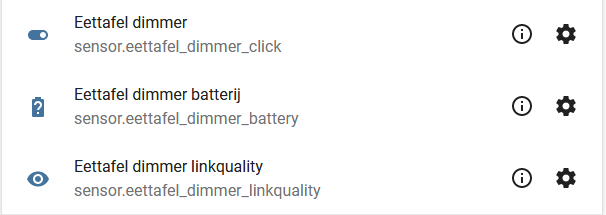
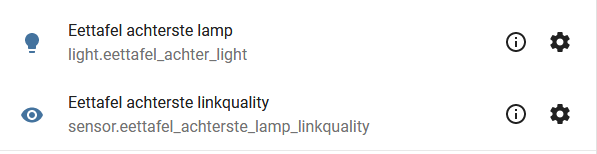
should i do:
zigbee2mqtt/bridge/bind/Eettafel dimmer payload: eettafel_group
zigbee2mqtt/bridge/group/eettafel_group/add payload: Eettafel achterste lamp
zigbee2mqtt/bridge/group/eettafel_group/add payload: Eettafel voorste lamp
lickylauda
on 28 Jan 2020
@way2many these steps worked for me and others.
Steps:
1. Make a group in configuration.yaml

2. Send Mqtt commands:
   zigbee2mqtt/bridge/bind/switchname   payload: groupname
   zigbee2mqtt/bridge/group/groupname/add  payload: lightname

3. If this doesn't work, reset switch and light and try again or send the Mqtt commands again
I have an IKEA E1524-E1810 (firmware 2.3.014) dimmer remote which I managed to bind to a group.
It sort of works but I get a feeling that the remote is not binded correctly.
So I first have a question to verify:
If the remote is used e.g. to dim ("brightness") the group, should the "brightness" value of the Group update too? (physically the bulbs are responding to the remote)
i.o.w. when I subscribe to zigbee2mqtt/[GROUP_FRIENDLY_NAME], should it get a message if the Remote is used?
Anjerlaan
on 29 Jan 2020
@Anjerlaan when using report feature (and in case the bulbs in it support it), yes https://www.zigbee2mqtt.io/information/report.html
Koenkk
on 29 Jan 2020
@Koenkk
Hi,
I do everything according to the instructions:
info 2020-01-30 01:09:21: Starting zigbee2mqtt version 1.9.0-dev (commit #b6cb7ac)
info 2020-01-30 01:09:21: Starting zigbee-herdsman...
info 2020-01-30 01:09:23: zigbee-herdsman started
info 2020-01-30 01:09:23: Coordinator firmware version: '{"type":"zStack12","meta":{"transportrev":2,"product":0,"majorrel":2,"minorrel":6,"maintrel":3,"revision":20190608}}'
info 2020-01-30 01:09:23: Currently 4 devices are joined:
info 2020-01-30 01:09:23: zigbee_dimmer_1 (0x000b57fffe2b3c08): ICTC-G-1 - IKEA TRADFRI wireless dimmer (EndDevice)
info 2020-01-30 01:09:23: zigbee_sensor_1 (0x00158d0002302880): WSDCGQ11LM - Xiaomi Aqara temperature, humidity and pressure sensor (EndDevice)
info 2020-01-30 01:09:23: zigbee_switch_1 (0x000d6ffffeb1d3c5): E1743 - IKEA TRADFRI ON/OFF switch (EndDevice)
info 2020-01-30 01:09:23: zigbee_bulb_1 (0x000b57fffe33d833): LED1623G12 - IKEA TRADFRI LED bulb E27 1000 lumen, dimmable, opal white (Router)
info 2020-01-30 01:16:51: Successfully bound cluster 'genOnOff' from 'zigbee_switch_1' to 'hallway_lighting'
info 2020-01-30 01:16:51: MQTT publish: topic 'zigbee2mqtt/bridge/log', payload '{"type":"device_bind","message":{"from":"zigbee_switch_1","to":"hallway_lighting","cluster":"genOnOff"}}'
info 2020-01-30 01:16:53: Successfully bound cluster 'genLevelCtrl' from 'zigbee_switch_1' to 'hallway_lighting'
info 2020-01-30 01:16:53: MQTT publish: topic 'zigbee2mqtt/bridge/log', payload '{"type":"device_bind","message":{"from":"zigbee_switch_1","to":"hallway_lighting","cluster":"genLevelCtrl"}}'
info 2020-01-30 01:16:55: Successfully bound cluster 'closuresWindowCovering' from 'zigbee_switch_1' to 'hallway_lighting'
info 2020-01-30 01:16:55: MQTT publish: topic 'zigbee2mqtt/bridge/log', payload '{"type":"device_bind","message":{"from":"zigbee_switch_1","to":"hallway_lighting","cluster":"closuresWindowCovering"}}'
info 2020-01-30 01:19:08: Adding 'zigbee_bulb_1' to 'hallway_lighting'
info 2020-01-30 01:19:09: MQTT publish: topic 'zigbee2mqtt/bridge/log', payload '{"type":"device_group_add","message":{"friendly_name":"zigbee_bulb_1","group":"hallway_lighting"}}'
info 2020-01-30 01:20:04: MQTT publish: topic 'zigbee2mqtt/zigbee_switch_1', payload '{"linkquality":36,"battery":74,"click":"off"}'
info 2020-01-30 01:20:04: MQTT publish: topic 'zigbee2mqtt/zigbee_switch_1', payload '{"linkquality":18,"battery":74,"click":"on"}'
info 2020-01-30 01:20:05: Adding 'zigbee_switch_1' to 'hallway_lighting'
error 2020-01-30 01:20:20: Failed to call 'Groups' 'onMQTTMessage' (Error: Timeout - 7646 - 1 - 3 - 4 - 0 after 10000ms
at Timeout.object.timer.setTimeout [as _onTimeout] (/opt/zigbee2mqtt/node_modules/zigbee-herdsman/dist/utils/waitress.js:44:24)
at ontimeout (timers.js:436:11)
at tryOnTimeout (timers.js:300:5)
at listOnTimeout (timers.js:263:5)
at Timer.processTimers (timers.js:223:10))
Something is going wrong?
antti365
on 30 Jan 2020
@Anjerlaan when using report feature (and in case the bulbs in it support it), yes https://www.zigbee2mqtt.io/information/report.html
Thanx, I missed this option
Anjerlaan
on 31 Jan 2020
@antti365 if I understand correctly you want to add a remote to a group; if so, I don't understand why. Groups are used to control devices (e.g. turn on/off), this doesn't make sense for a remote. What you probably want to achieve is that the remote controls the group. This can be done via binding: https://www.zigbee2mqtt.io/information/binding.html
Koenkk
on 31 Jan 2020
@Koenkk
My task was to control the light bulb switch IKEA E1743. I did everything according to this instruction:
Steps to bind switch with groups, which some devices like IKEA E1743 require:
Make a group to which you want to add your device(s) and light(s) in configuration.yaml, and give it a friendly_name. See https://www.zigbee2mqtt.io/information/groups.html.
Make sure both the switch and devices are paired with your Zigbee2mqtt coordinator and send MQTT commands:
zigbee2mqtt/bridge/bind/switchname payload: GROUPNAME
zigbee2mqtt/bridge/group/groupname/add payload: DEVICENAME (repeat for multiple devices)
If this doesn’t work, send MQTT commands again and if that doesn’t work, reset switch and light and try again.
What came of this can be seen in the message above ...
antti365
on 31 Jan 2020
@Koenkk
My task was to control the light bulb switch IKEA E1743. I did everything according to this instruction:
Steps to bind switch with groups, which some devices like IKEA E1743 require:Make a group to which you want to add your device(s) and light(s) in configuration.yaml, and give it a friendly_name. See https://www.zigbee2mqtt.io/information/groups.html.
Make sure both the switch and devices are paired with your Zigbee2mqtt coordinator and send MQTT commands:
zigbee2mqtt/bridge/bind/switchname payload: GROUPNAME
zigbee2mqtt/bridge/group/groupname/add payload: DEVICENAME (repeat for multiple devices)
If this doesn’t work, send MQTT commands again and if that doesn’t work, reset switch and light and try again.What came of this can be seen in the message above ...
Have you turned on log_level to debug mode in configuration.yaml? You will see more info.
While sending the binding command, did you press the on/off button of the remote?
Anjerlaan
on 1 Feb 2020
@antti365 I've improved the instructions, hopefully it's more clear now: https://www.zigbee2mqtt.io/information/binding.html#binding-a-remote-to-a-group
Koenkk
on 1 Feb 2020
@antti365 I've improved the instructions, hopefully it's more clear now: https://www.zigbee2mqtt.io/information/binding.html#binding-a-remote-to-a-group
It probably doesn't matter, but in my case it worked (and a lot of trying) after first binding the remote to the group and then adding the bulbs to the group
Anjerlaan
on 1 Feb 2020
@Koenkk
Everything, I figured it out, everything certainly works, that’s what an almost year-long break in my friendship with zigbee2mqtt means. He turned on debug and saw that the switch still had a binding to the old group with ID 901, and I tried to bind it to the group with ID 10, to which he successfully linked, but for some reason worked only with group ID 901. And only when I forcibly deleted binding to both groups (901 and 10) and the switch became attached to the default group - ID 0, after which it safely added to the ID 10 group and started working with a light bulb.
Since the switch still cannot work with several groups at the same time, can it be thought of automatically deleting the binding to the old group (if it is not ID 0) when binding to a new group? To avoid such situations in the future?
antti365
on 1 Feb 2020
@antti365 this will be added to the docs on the next zigbee2mqtt release (see https://github.com/Koenkk/zigbee2mqtt.io/blob/develop/docs/devices/E1743.md#binding, 901 = default_bind_group)
Koenkk
on 2 Feb 2020
@Koenkk, is it possible to bind the new E1745 motion sensor directly to a light bulb?
What other devices can be bound directly? I only see messages about the E1743.
Thanks!
 DhaenensT
on 3 Feb 2020
DhaenensT
on 3 Feb 2020
@DhaenensT I don't know (don't have this device), but probably either by adding it to the same group or binding it directly.
Koenkk
on 4 Feb 2020
@Koenkk Did you manage to do it with the old motion sensor?
DhaenensT
on 4 Feb 2020
@DhaenensT I managed it with the "old" motion sensor E1525/E1745:
- Find out the groupID of the sensor in the debug log
- Create a group with this groupID
- Add bulbs to this group
didiht
on 4 Feb 2020
I have read the instruction on how to bind a device to another device, but yet nothing happens.
I have a light bulb from IKEA automatically found and called 0x14b457fffe4c0c5f and I have a remote E1743 found and called 0xccccccfffe2959dc
I assume everything is zigbee2mqtt and not what I call it in Homeassistant.
I send this MQTT message, while pressing the remote like crazy so it is awake
zigbee2mqtt/bridge/bind/0xccccccfffe2959dc
with payload
0x14b457fffe4c0c5f
log says something like this
zigbee2mqtt:info 2020-02-07 23:20:41: Successfully bound cluster 'genOnOff' from '0xccccccfffe2959dc' to '0x14b457fffe4c0c5f',
in mqtt it looks like this
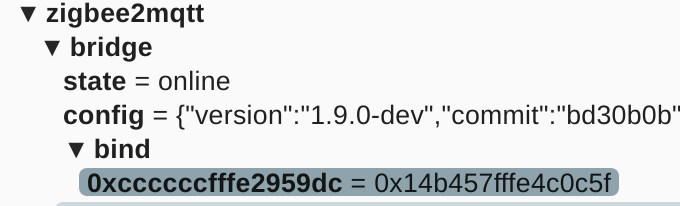
when I press the remote.. exactly nothing happens....
I assume pressing off will turn off the light, and on will turn it on... that is not happening. In the log I see the remote responds to the click, but that that is it... nothing more...
what have I done wrong?
 magpern
on 7 Feb 2020
magpern
on 7 Feb 2020
@magpern The IKEA switch E1743 can be bound to groups, see https://www.zigbee2mqtt.io/devices/E1743.html
- Create a new group
- bind the switch E1743 to this group (possibly unbind first)
- add bulbs to this group
This way it worked for me
didiht
on 8 Feb 2020
@didiht Thanks. Initially it did not work, but I think, when I bound the device incorrectly directly to the lightbulb, it got connected somehow. In log it said it was bound to groupId 902, but I don't have a group like that.
I hardware reset the E1743, and did the initiation procedure again, and after a few trials it said successfully bound to groupid 2, and the light responded to the remote clicks.
The documentation, states that the E1743 could be bound to a group, it does not say it must be bound to a group and not to a device directly. It was a little confusing.
magpern
on 8 Feb 2020
Hi all,
Can anyone confirm that the TRADFRI ICTC-G-1 dimmer supports binding to groups?
I have read and followed all suggestions above, but with no luck. Binding the dimmer to a single bulb works perfectly, and the group itself can be controlled via MQTT messages. But when I bind the dimmer to the group, the bidnding is successfull, but nothing seems to happen.
 DrRey
on 11 Feb 2020
DrRey
on 11 Feb 2020
Whatever I try, I can't connect my E1743 to a bulb or a group.
I defined the group in groups.yaml (this is where group refers to in config), but zigbee2mqtt can't find it.
Is there a way to LIST all bindings known to zigbee2mqtt? Maybe something is bound already and conflicts with what I do.
 iz3man
on 11 Feb 2020
iz3man
on 11 Feb 2020
@iz3man
I defined the group in groups.yaml (this is where group refers to in config), but zigbee2mqtt can't find it.
Did you restart z2m to reload the changes in groups.yaml?
didiht
on 11 Feb 2020
Yes. I restarted. There's only the group. No entities defined. Correct?
iz3man
on 11 Feb 2020
You can create a group by means of zigbee2mqtt/bridge/config/add_group
and compare the group entries.
didiht
on 11 Feb 2020
You can create a group by means of
zigbee2mqtt/bridge/config/add_group
and compare the group entries.
Sorry I don't get what you mean. Do you say that this MQTT command creates a group? If so: Stupid me ;)
EDIT: Oh man. Yes. It was as easy as that ....
iz3man
on 11 Feb 2020
Hello all, I came from Wiki page. I was woundering - can I use E1810 device as a regular switch ?
I wanted use it with home-assistant and assign different actions (not related to tradfri lightbulbs) to the buttons.
So far I was able to bind the device:
Device 'tradfri_switch' joined
MQTT publish: topic 'zigbee2mqtt/bridge/log', payload '{"type":"device_connected","message":{"friendly_name":"tradfri_switch"}}'
Starting interview of 'tradfri_switch'
MQTT publish: topic 'zigbee2mqtt/bridge/log', payload '{"type":"pairing","message":"interview_started","meta":{"friendly_name":"tradfri_switch"}}'
Device 'tradfri_switch' announced itself
Received Zigbee message from 'tradfri_switch', type 'readResponse', cluster 'genBasic', data '{"modelId":"TRADFRI remote control","manufacturerName":"IKEA of Sweden","powerSource":3}' from endpoint 1 with groupID 0

No converter available for 'E1524/E1810' with cluster 'genBasic' and type 'readResponse' and data '{"modelId":"TRADFRI remote control","manufacturerName":"IKEA of Sweden","powerSource":3}'
Received Zigbee message from 'tradfri_switch', type 'readResponse', cluster 'genBasic', data '{"zclVersion":3,"appVersion":33,"stackVersion":98}' from endpoint 1 with groupID 0
No converter available for 'E1524/E1810' with cluster 'genBasic' and type 'readResponse' and data '{"zclVersion":3,"appVersion":33,"stackVersion":98}'
Received Zigbee message from 'tradfri_switch', type 'readResponse', cluster 'genBasic', data '{"hwVersion":1,"dateCode":"20190401","swBuildId":"2.3.014"}' from endpoint 1 with groupID 0
No converter available for 'E1524/E1810' with cluster 'genBasic' and type 'readResponse' and data '{"hwVersion":1,"dateCode":"20190401","swBuildId":"2.3.014"}'
Successfully interviewed 'tradfri_switch', device has successfully been paired
Device 'tradfri_switch' is supported, identified as: IKEA TRADFRI remote control (E1524/E1810)
MQTT publish: topic 'zigbee2mqtt/bridge/log', payload '{"type":"pairing","message":"interview_successful","meta":{"friendly_name":"tradfri_switch","model":"E1524/E1810","vendor":"IKEA","descripti

Configuring 'tradfri_switch'
Succesfully configured 'tradfri_switch'
However when I click any button - I don't see any messages in MQTT or in Zigbee logs. Have I missed something there?
(I'll update wiki when i'll get answer since it's not very clear how to do it).
 saikek
on 18 Feb 2020
saikek
on 18 Feb 2020
Hi everyone,
I think my issue is similar to @DrRey's one, but I cannot get the dimmer work even with a single lamp.
The devices I'm trying to bind are an IKEA ICTC-G-1 and a bulb from the same company, the LED1649C5. Devices work perfectly if paired together, and both can be succesfully integrated via zigbee2mqtt.
When I perform the binding (source device being the dimmer, target device being the bulb), the log shows the following messages:
zigbee2mqtt:info  2020-03-01 21:45:45: Successfully bound cluster 'genOnOff' from 'CONTROLLER_FRIENDLY_NAME' to 'LIGHT_FRIENDLY_NAME'
zigbee2mqtt:info  2020-03-01 21:45:45: MQTT publish: topic 'zigbee2mqtt/bridge/log', payload '{"type":"device_bind","message":{"from":"CONTROLLER_FRIENDLY_NAME","to":"LIGHT_FRIENDLY_NAME","cluster":"genOnOff"}}'
zigbee2mqtt:info  2020-03-01 21:45:48: Successfully bound cluster 'genLevelCtrl' from 'CONTROLLER_FRIENDLY_NAME' to 'LIGHT_FRIENDLY_NAME'
zigbee2mqtt:info  2020-03-01 21:45:48: MQTT publish: topic 'zigbee2mqtt/bridge/log', payload '{"type":"device_bind","message":{"from":"CONTROLLER_FRIENDLY_NAME","to":"LIGHT_FRIENDLY_NAME","cluster":"genLevelCtrl"}}'
The controller still sends mqtt messages, and the light is still controllable with home assistant (as expected), but rotating the dimmer doesn't change brightness of the bound lamp.
I moved the dimmer before issuing the bind command and kept the two devices really close together to test the binding. I also tried to bind the dimmer with other zigbee2mqtt-supported IKEA bulbs but without success.
 EPMatt
on 1 Mar 2020
EPMatt
on 1 Mar 2020
@EPMatt @DrRey have you tried gleaning the groupid that the dimmer is using by default and adding devices to that group? My IKEA remotes randomly selects a group number on factory reset, which I gleaned via zigbee2mqtt debug. When I manually created a group in zigbee2mqtt with that random groupid and added devices, the remote was able to control those devices. I tried to rebind the remote to another groupid, the responses looked like the rebind was successful but it never actually rebound to the new groupid and kept using its original groupid.
 crowbarz
on 2 Mar 2020
crowbarz
on 2 Mar 2020
@EPMatt Thanks for the suggestion. I tried that, and its always groupId 0 in my case. Setting some bulbs manually to groupId 0 does in fact work (at least sometimes), but thats not ideal.
The other thing tha confuses me is that I now have the exact same problem with the Phillips Hue Dimmer Switch - always set to groupId 0 no matter what group I bind it to.
@crowbarz I never had any problem pairing the IKEA dimmer to a single bulb though, that's strange.
DrRey
on 2 Mar 2020
Did you unbind the remote first?
From the E1524 docs:
The remote can be bound to groups using binding since firmware 2.3.014. It can only be bound to 1 group at a time. Use the group name as TARGET_DEVICE_FRIENDLY_NAME. By default this remote is bound to the default bind group which you first have to unbind it from. This can be done by sending to zigbee2mqtt/bridge/unbind/[DEVICE_FRIENDLY_NAME]] payload default_bind_group.
nldroid
on 2 Mar 2020
In my case an unbind attempt of both default_bind_group and the random bind group (after configuring the group manually) has no effect, with no error. But then again my E1524s are also running firmware 1.2.214 < 2.3.014, ota_update/check doesn't find or offer 2.3.014 for any of my E1524 remotes (as #2325 implies should exist). Switching to koenkk/zigbee2mqtt:latest-dev didn't make any difference either.
crowbarz
on 2 Mar 2020
@crowbarz with the older firmware you don't (cannot) unbind the remote from any groups. If you reset the remote (press the button 4? times) then it re-adds itself to zigbee2mqtt. In the log you will see an autogenerate group number. If you press a button, you will also see this group number.
This is the number you use as your group number in the configuration.yaml.
For the other remotes like E1743, they are by default bound to group 901 (default_bind_group) these have to be unbound first. When unbound it says it controlls group 0 if you press a button.
I had a lot of problems with this in an older version of Z2M. It said Default_binding_group does not exist, but I think that is fixed. A workaround, is to create a group in configuration.yaml and call in 901.
magpern
on 2 Mar 2020
@magpern Yeah, I was using the documented workaround because I was under the impression that my remotes were running the older firmware despite having upgraded them. I have since discovered that I needed to remove and re-pair those remotes in order for the new firmware to fully take effect, and now I have been able to rebind them to my own groups. (I guess this is Zigbee's equivalent to turn-it-off-and-on-again ...)
crowbarz
on 2 Mar 2020
Okay, so after using the new OTA update (which is awesome), the groupId of the ICTC-G-1 changed and I was able to bind it to this group. Didn't check if it can bind to any other group.
Still no luck on the Hue Dimmer Switch though.
DrRey
on 3 Mar 2020
Interesting; I can't change the color temperature with the remote anymore, off/on and intensity work fine.
I have the same issue as @niekvlessert above. I also have an impression that changing color temperature from remote was working for a while, but then just stopped. If I change lamp temperature from Home Assistant is works just fine. Has anybody any idea how to fix the remote? Should reset it and rejoin?
dmak
on 5 Mar 2020
Okay, so after using the new OTA update (which is awesome), the groupId of the ICTC-G-1 changed and I was able to bind it to this group. Didn't check if it can bind to any other group.
Still no luck on the Hue Dimmer Switch though.
Oh wow!!! I was finally able to make my ICTC-G-1 bind to a group after OTA update. Removing and re-pair is the trick! Many thanks.
way2many
on 8 Mar 2020
Are there any wall remotes that support binding? Looks like the Aqara ones do not, any one got the aqara|oppo or others to work? (mostly interesting in on/off + brightness)
sjorge
on 8 Mar 2020
Are there any wall remotes that support binding? Looks like the Aqara ones do not, any one got the aqara|oppo or others to work? (mostly interesting in on/off + brightness)
Thats what i want to know as well. It would be nice if the supported devices pages would provide some info about that but i'm fully aware that it will be a lot of work adding it and maintaining it..
nldroid
on 9 Mar 2020
So far I have working:
- ikea on/off
- ikea 5 button puck
- the candybar shaped hue remote
But neither are decent replacements for a wall switch, ideally I'd want something that is a wall switch that can control a group with a decoupled switch behind the wall to toggle the acual power... but I can always get a separate micro switch for that though.
sjorge
on 9 Mar 2020
Okay, so after using the new OTA update (which is awesome)
May I ask which OTA feature you're talking about? Seems i totally missed that. Thanks!
iz3man
on 9 Mar 2020
Okay, so after using the new OTA update (which is awesome)
May I ask which OTA feature you're talking about? Seems i totally missed that. Thanks!
DrRey
on 9 Mar 2020
Okay, so after using the new OTA update (which is awesome)
May I ask which OTA feature you're talking about? Seems i totally missed that. Thanks!
Thanks. This totally solved the problem for me
 leongwaikay
on 11 Mar 2020
leongwaikay
on 11 Mar 2020
So far I have working:
* ikea on/off
* ikea 5 button puck
* the candybar shaped hue remoteBut neither are decent replacements for a wall switch, ideally I'd want something that is a wall switch that can control a group with a decoupled switch behind the wall to toggle the acual power... but I can always get a separate micro switch for that though.
I've got an Ikea switch E1743 and I cannot get it to bind to a group of lights. Also it won't update (tried 2 times, stops at 40/60% after more then an hour). Can you tell use how you got this working @sjorge ?
 svrooij
on 13 Mar 2020
svrooij
on 13 Mar 2020
Did anybody managed to make Philips 324131092621 binding work? i cannot bind it to my Hue lamp
$ mosquitto_pub -t zigbee2mqtt/bridge/bind/philips_mando_1 -m 0x001788010626aa35

zigbee2mqtt:debug 2020-03-24 09:59:38: Received MQTT message on 'zigbee2mqtt/bridge/bind/philips_mando_1' with data '0x001788010626aa35'
zigbee2mqtt:debug 2020-03-24 09:59:38: binding cluster 'genScenes' from 'philips_mando_1' to '0x001788010626aa35'
zigbee2mqtt:debug 2020-03-24 09:59:40: Received Zigbee message from '0x00158d000355d20c', type 'read', cluster 'genTime', data '["time"]' from endpoint 1 with groupID 0
zigbee2mqtt:debug 2020-03-24 09:59:40: No converter available for 'QBKG04LM' with cluster 'genTime' and type 'read' and data '["time"]'
zigbee2mqtt:error 2020-03-24 09:59:48: Failed to bind cluster 'genScenes' from 'philips_mando_1' to '0x001788010626aa35' (Error: Bind 0x0017880106362bb1/1 genScenes from '0x001788010626aa35/11' failed (Error: AREQ - ZDO - bindRsp after 10000ms))
zigbee2mqtt:info  2020-03-24 09:59:48: MQTT publish: topic 'zigbee2mqtt/bridge/log', payload '{"type":"device_bind_failed","message":{"from":"philips_mando_1","to":"0x001788010626aa35","cluster":"genScenes"}}'
zigbee2mqtt:debug 2020-03-24 09:59:48: binding cluster 'genOnOff' from 'philips_mando_1' to '0x001788010626aa35'
zigbee2mqtt:error 2020-03-24 09:59:59: Failed to bind cluster 'genOnOff' from 'philips_mando_1' to '0x001788010626aa35' (Error: Bind 0x0017880106362bb1/1 genOnOff from '0x001788010626aa35/11' failed (Error: AREQ - ZDO - bindRsp after 10000ms))
zigbee2mqtt:info  2020-03-24 09:59:59: MQTT publish: topic 'zigbee2mqtt/bridge/log', payload '{"type":"device_bind_failed","message":{"from":"philips_mando_1","to":"0x001788010626aa35","cluster":"genOnOff"}}'
zigbee2mqtt:debug 2020-03-24 09:59:59: binding cluster 'genLevelCtrl' from 'philips_mando_1' to '0x001788010626aa35'
zigbee2mqtt:error 2020-03-24 10:00:09: Failed to bind cluster 'genLevelCtrl' from 'philips_mando_1' to '0x001788010626aa35' (Error: Bind 0x0017880106362bb1/1 genLevelCtrl from '0x001788010626aa35/11' failed (Error: AREQ - ZDO - bindRsp after 10000ms))
zigbee2mqtt:info  2020-03-24 10:00:09: MQTT publish: topic 'zigbee2mqtt/bridge/log', payload '{"type":"device_bind_failed","message":{"from":"philips_mando_1","to":"0x001788010626aa35","cluster":"genLevelCtrl"}}'
Any help?
 vide
on 24 Mar 2020
vide
on 24 Mar 2020
Any help?
Did you unbind the default group first?
nldroid
on 24 Mar 2020
I've just paired two Ikea remote controls to a group.
However I have quite a lot of questions regarding binding, clusters... what I find very interesting.
What does the cluster names (e.g. "genLevelCtrl" or "genOnOff") mean? Why a device (like the Ikea controllers) have more than a cluster?
How is interoperability works with binding? Can I bind different manufacturers devices (e.g. a ikea controller with a Legrand plug) together?
How is defined the behaviour of the device bound to a controller?
Can it be customised (for instance, change the power button to only turn on and not toggle between on/off)?
And finally, I've seen some devices (for instance, all of the Legrand) that are incompatible with binding according to zigbee2mqtt supported devices list (https://www.zigbee2mqtt.io/information/supported_devices.html). I guess it depends both on the device itself (what the manufacturer programmed into the device) and zigbee2mqtt implementation. Right?
But..., how do I find if a device is really capable of binding despite not being right now supported in zigbee2mqtt?
How could I add support to it in the case of being binding capable but not yet supported in zigbee2mqtt?
Sorry for the long post, but hopefully I've be able to help here in the near future.
 agsola
on 24 Mar 2020
agsola
on 24 Mar 2020
@nldroid the doc talks about ubinding from the coordinator, I tried to get the coordinator address from data/database.json but that ieeeAddr does not work. How should I do it?
vide
on 24 Mar 2020
@nldroid the doc talks about ubinding from the coordinator, I tried to get the coordinator address from
data/database.jsonbut that ieeeAddr does not work. How should I do it?
Coordinator or coordinator should work.
sjorge
on 24 Mar 2020
How is interoperability works with binding? Can I bind different manufacturers devices (e.g. a ikea controller with a Legrand plug) together?
If both device support binding of the particular cluster (and follow the zigbee spec) they should work.
However I have quite a lot of questions regarding binding, clusters... what I find very interesting.
What does the cluster names (e.g. "genLevelCtrl" or "genOnOff") mean? Why a device (like the Ikea controllers) have more than a cluster?
A cluster is sort of like a tcp port/functions the device supports. So a bulb usually has a few:
- genOnOff: basically the state of the de device (so bulbs, switches, ...)
- genLevelCtrl: brightness (also some blinds to indicate how far open they are)
There are also 2 variants of those client and server, so a genOnOff client can send messages to a genOnOff server. The remote is usually the client and the bulb the server.
Once these are bound, the coordinator doesn't have to be up and running for it to work. The remote will still controle the device/group without it.
You can check herdsman... or the zcl to find others: https://github.com/Koenkk/zigbee-herdsman/blob/master/src/zcl/definition/cluster.ts
How could I add support to it in the case of being binding capable but not yet supported in zigbee2mqtt?
AFAIK z2m should auto discover them based on the database.db entry for the device, so I guess try and bind something and see if it works.
sjorge
on 24 Mar 2020
Oh my gosh @sjorge it is a LITERAL value, I really did not get it from the doc? May I open a PR to enclose coordinator in backticks so it's more clear it's a literal value? BTW with this it worked and I bound successfully my dimmer to my lamp, thanks a lot
vide
on 24 Mar 2020
Improvements to the docs are never a bad idea :)
sjorge
on 24 Mar 2020
@agsola How did you manage to bind the ikea switch to a device? I've tried too with no luck at all :(
zigbee2mqtt_1           | zigbee2mqtt:info  2020-03-30 23:29:39: MQTT publish: topic 'zigbee2mqtt/bridge/log', payload '{"type":"device_unbind_failed","message":{"from":"kitchen_door_switch","to":"default_bind_group","cluster":"genLevelCtrl"}}'
zigbee2mqtt_1           | zigbee2mqtt:error 2020-03-30 23:29:49: Failed to unbind cluster 'closuresWindowCovering' from 'kitchen_door_switch' to 'default_bind_group' (Error: Unbind 0x14b457fffe80913f/1 closuresWindowCovering from '901' failed (Error: AREQ - ZDO - unbindRsp after 10000ms))
 larrybolt
on 31 Mar 2020
larrybolt
on 31 Mar 2020
@larrybolt which switch is this exactly?
vide
on 31 Mar 2020
@agsola How did you manage to bind the ikea switch to a device? I've tried too with no luck at all :(
zigbee2mqtt_1           | zigbee2mqtt:info  2020-03-30 23:29:39: MQTT publish: topic 'zigbee2mqtt/bridge/log', payload '{"type":"device_unbind_failed","message":{"from":"kitchen_door_switch","to":"default_bind_group","cluster":"genLevelCtrl"}}'
zigbee2mqtt_1           | zigbee2mqtt:error 2020-03-30 23:29:49: Failed to unbind cluster 'closuresWindowCovering' from 'kitchen_door_switch' to 'default_bind_group' (Error: Unbind 0x14b457fffe80913f/1 closuresWindowCovering from '901' failed (Error: AREQ - ZDO - unbindRsp after 10000ms))
Did you use friendly_names from zigbee2mqtt?? (Not from HA)
Other from that, nothing special.
agsola
on 31 Mar 2020
@vide The E1743, IKEA TRADFRI ON/OFF switch
larrybolt
on 3 Apr 2020
I wrote a blog post of binding of IKEA 1524, maybe someone get it useful
https://urgn.tech/ikea-tradfri-zigbee2mqtt-binding/
 urgn-zz
on 9 Apr 2020
urgn-zz
on 9 Apr 2020
I bound the devices and in the logs I could find that the bind was successful, but nothing happened. It was driving me crazy. The problem was that there was another already bound group.
Is there a way to know the currently bound group for a device?
I've been having problem to unbound a device since I didn't know the currently bound group of the device.
 jd1900
on 15 Apr 2020
jd1900
on 15 Apr 2020
Don't know if this goes here or if I should open a separate bug but I would say that since updating to 1.13.0 my Tradfri E1810 remote with firmware 2.3.014 bound to a group of two Tradfri bulbs cannot change color temperature with the arrows anymore. Did anybody experienced the same? Just tried to upair, remove the remote, reset, join again, bind it with the group, still no luck. On/off and brightness work as always.
vide
on 9 May 2020
Don't know if this goes here or if I should open a separate bug but I would say that since updating to 1.13.0 my Tradfri E1810 remote with firmware
2.3.014bound to a group of two Tradfri bulbs cannot change color temperature with the arrows anymore. Did anybody experienced the same? Just tried to upair, remove the remote, reset, join again, bind it with the group, still no luck. On/off and brightness work as always.
That is normal behaviour, for now people have not been able to figure out how the ikea remote sets up the scenes to change the colors.
So only brightness up/down and toggle work on those remotes. (I witched to the smaller ones for that reason)
sjorge
on 9 May 2020
@sjorge but the thing is that with previous firmware and putting the bulbs in the same hardcoded group in z2m it worked, even color temperature
EDIT: just tried paring again and leaving it to its default group and put the bulbs in that group: this still doesn't work (only on/off and brightness), but I can assure you that it worked previously, after latest firmware upgrade but before updating zigbee2mqtt
vide
on 9 May 2020
Interesting, maybe z2m is just missing the binding endpoint.
sjorge
on 9 May 2020
Don't know if this goes here or if I should open a separate bug but I would say that since updating to 1.13.0 my Tradfri E1810 remote with firmware
2.3.014bound to a group of two Tradfri bulbs cannot change color temperature with the arrows anymore. Did anybody experienced the same? Just tried to upair, remove the remote, reset, join again, bind it with the group, still no luck. On/off and brightness work as always.
See this https://github.com/Koenkk/zigbee2mqtt/issues/1232
And this: https://github.com/Koenkk/zigbee2mqtt/issues/2069
Already commented.
Unfortunately a known thing. I guess it is just a lack of including those default scenes in the latest firmware. So we have to manually add them. See the other links for more info.
jd1900
on 9 May 2020
@jd1900 oh thanks :heart: what you says in #1232 makes sense since it stopped working probably after pairing again the bulbs weeks after updating their firmware
vide
on 9 May 2020
I've tried binding a Philips 324131092621 (Hue Dimmer Switch) with a group of 4 Sylvania 73739 (BR30 RGBW) light bulbs.
Having tried several different pairing and bind/unbind strategies, I seem to always end up with the same conclusion: I can turn my lights from a OFF state to an ON state. But not vice versa and all four keys of the Dimmer switch have the same functionality - turning the lights on but nothing else.
Which begs these questions for me:
- How do I need to configure the dimmer switch so I can turn on/off my light group and not just on?
- Given the dimmer switch has 4 buttons + long press cycles etc., do I need to bind these buttons differently?
- Are there other binding limitations?
 caffeineflo
on 3 Jun 2020
caffeineflo
on 3 Jun 2020
Hi Guys, Hi @Koenkk ,
I've got an annoying issue. When I use an ikea remote to toggle my ikea bulbs the state of the group is not reported. The light do toggle and everything seems to work but in home assistant they don't change state. I also can't seem to find anything in the logs. I only see the toggle action.
I have advanced reporting enabled and optimistic true.
I've just updated my docker image to the latest build but the issue is still present.
zigbee2mqtt:info  2020-06-03 21:08:35: MQTT publish: topic 'zigbee2mqtt/remote_master_bedroom', payload '{"linkquality":7,"battery":87,"update_available":false,"action":"toggle","action_group":1}'
zigbee2mqtt:info  2020-06-03 21:08:35: MQTT publish: topic 'zigbee2mqtt/remote_master_bedroom', payload '{"linkquality":7,"battery":87,"update_available":false,"action":""}'
zigbee2mqtt:info  2020-06-03 21:08:35: MQTT publish: topic 'zigbee2mqtt/remote_master_bedroom/action', payload 'toggle'
zigbee2mqtt:info  2020-06-03 21:08:36: MQTT publish: topic 'zigbee2mqtt/remote_master_bedroom', payload '{"linkquality":28,"battery":87,"update_available":false,"action":"toggle","action_group":1}'
zigbee2mqtt:info  2020-06-03 21:08:36: MQTT publish: topic 'zigbee2mqtt/remote_master_bedroom', payload '{"linkquality":28,"battery":87,"update_available":false,"action":""}'
zigbee2mqtt:info  2020-06-03 21:08:36: MQTT publish: topic 'zigbee2mqtt/remote_master_bedroom/action', payload 'toggle'
frankforpresident
on 3 Jun 2020
frankforpresident,
Have you seen the following in your logs?
error 2020-05-27 22:43:31: Failed to setup reporting for '0x14b457fffe70e170' - Error: Bind 0x14b457fffe70e170/1 genOnOff from '0x00124b00193b157b/1' failed (Error: AREQ - ZDO - bindRsp after 10000ms)
This error happens for me sometimes when the lamp is powered. Try to power the lamp off and then on again so that it rejoins the network and Z2M correctly configures it. If you see
info  2020-05-28 01:20:49: Successfully setup reporting for '0x14b457fffe70e170' - 1 - genOnOff
info  2020-05-28 01:20:49: Successfully setup reporting for '0x14b457fffe70e170' - 1 - genLevelCtrl
then reporting is successfully setup and in this case check that messages really arrive to Home Assistant (you've provided logs for remote, but you need to focus on the lamp).
dmak
on 4 Jun 2020
Should Hue dimmer switches (the four button ones) be working for this? I have Hue dimmer switches and hue bulbs in 3 rooms, in two of the rooms it is just one bulb and the last room it is a group of two.
Binding to either the bulbs or the groups is not working, multiple "Error - failed to bind..." messages on each attempt.
I notices a few posts above me @caffeineflo has a hue dimmer switch bound to different bulbs but with less than desirable results, But I cannot even get that far with hue bulbs here. I've tried all three rooms, and made sure that the remotes are 'awake' immediately before attempting the binds, but I'm drawing a blank 🤷♂️
Any help appreciated as this feature would be very welcome 🙂
 mf-social
on 13 Jun 2020
mf-social
on 13 Jun 2020
Binding Philips Hue Dimmer-Switch (4 buttons) to a group seems to work, but the button doesn't have any effect on the lights in the group:
Jun 14 19:20:17 zigbee2mqtt npm[9458]: zigbee2mqtt:info 2020-06-14 19:20:17: Successfully bound cluster 'genScenes' from 'Hue Switch - Anke 1' to 'Verlichting Kamer Anke'
Jun 14 19:20:17 zigbee2mqtt npm[9458]: zigbee2mqtt:info 2020-06-14 19:20:17: MQTT publish: topic 'zigbee2mqtt/bridge/log', payload '{"type":"device_bind","message":{"from":"Hue Switch - Anke 1","to":"Verlichting Kamer Anke","cluster":"genScenes"}}'
Jun 14 19:20:18 zigbee2mqtt npm[9458]: zigbee2mqtt:info 2020-06-14 19:20:18: Successfully bound cluster 'genOnOff' from 'Hue Switch - Anke 1' to 'Verlichting Kamer Anke'
Jun 14 19:20:18 zigbee2mqtt npm[9458]: zigbee2mqtt:info 2020-06-14 19:20:18: MQTT publish: topic 'zigbee2mqtt/bridge/log', payload '{"type":"device_bind","message":{"from":"Hue Switch - Anke 1","to":"Verlichting Kamer Anke","cluster":"genOnOff"}}'
Jun 14 19:20:18 zigbee2mqtt npm[9458]: zigbee2mqtt:info 2020-06-14 19:20:18: Successfully bound cluster 'genLevelCtrl' from 'Hue Switch - Anke 1' to 'Verlichting Kamer Anke'
Jun 14 19:20:18 zigbee2mqtt npm[9458]: zigbee2mqtt:info 2020-06-14 19:20:18: MQTT publish: topic 'zigbee2mqtt/bridge/log', payload '{"type":"device_bind","message":{"from":"Hue Switch - Anke 1","to":"Verlichting Kamer Anke","cluster":"genLevelCtrl"}}'
Jun 14 19:21:55 zigbee2mqtt npm[9458]: zigbee2mqtt:info 2020-06-14 19:21:55: Successfully bound cluster 'genScenes' from 'Hue Switch - Anke 2' to 'Verlichting Kamer Anke'
Jun 14 19:21:55 zigbee2mqtt npm[9458]: zigbee2mqtt:info 2020-06-14 19:21:55: MQTT publish: topic 'zigbee2mqtt/bridge/log', payload '{"type":"device_bind","message":{"from":"Hue Switch - Anke 2","to":"Verlichting Kamer Anke","cluster":"genScenes"}}'
Jun 14 19:22:00 zigbee2mqtt npm[9458]: zigbee2mqtt:info 2020-06-14 19:22:00: Successfully bound cluster 'genOnOff' from 'Hue Switch - Anke 2' to 'Verlichting Kamer Anke'
Jun 14 19:22:00 zigbee2mqtt npm[9458]: zigbee2mqtt:info 2020-06-14 19:22:00: MQTT publish: topic 'zigbee2mqtt/bridge/log', payload '{"type":"device_bind","message":{"from":"Hue Switch - Anke 2","to":"Verlichting Kamer Anke","cluster":"genOnOff"}}'
Jun 14 19:22:00 zigbee2mqtt npm[9458]: zigbee2mqtt:info 2020-06-14 19:22:00: Successfully bound cluster 'genLevelCtrl' from 'Hue Switch - Anke 2' to 'Verlichting Kamer Anke'
Jun 14 19:22:00 zigbee2mqtt npm[9458]: zigbee2mqtt:info 2020-06-14 19:22:00: MQTT publish: topic 'zigbee2mqtt/bridge/log', payload '{"type":"device_bind","message":{"from":"Hue Switch - Anke 2","to":"Verlichting Kamer Anke","cluster":"genLevelCtrl"}}'
 DatafoxChris
on 14 Jun 2020
DatafoxChris
on 14 Jun 2020
I wrote a blog post of binding of IKEA 1524, maybe someone get it useful
https://urgn.tech/ikea-tradfri-zigbee2mqtt-binding/
I used that guide and it worked for my E1743. My problem is now, that I want to use 3 E1743 for different rooms and all are bound to the same group-id.. I tried to unbind them but it does not work and binding does not work either. Any ideas how to get the other two working?
Solved my problem by constantly pressing one button of the remote, so it does not enter standby
 b2plyp
on 14 Jun 2020
b2plyp
on 14 Jun 2020
This issue has been automatically marked as stale because it has not had recent activity. It will be closed if no further activity occurs. Thank you for your contributions.
![stale[bot] picture](https://avatars3.githubusercontent.com/in/1724?v=4&s=40) stale[bot]
on 20 Jul 2020
stale[bot]
on 20 Jul 2020
Has anyone managed to bind a IKEA E1743 with a Hue bulb? It says successful but pressing any buttons on the remote doesn't operate the light.
 Morphy99
on 24 Jul 2020
Morphy99
on 24 Jul 2020
I'm not sure how this happened or if this is related but now my bathroom light is being operated by all the remotes in the house. This is an IKEA bulb and remotes and not the one I attempted the bind with which was a hue in a different room. The only other thing I've done is update Z2M to 1.14.2 Very strange!
EDIT: I'll open a new issue for this as it's happened again!
EDIT2: I'm guessing this is down to not removing the default_bind_group from the remote.
Morphy99
on 25 Jul 2020
Binding works nice with lastest docker (Zigbee2mqtt 1.14.2),
I made a zigbee2mqtt group with remote control E1524/E1810 and LED1624G9 (https://urgn.tech/ikea-tradfri-zigbee2mqtt-binding/) but the buttons arrow_left_click arrow_right_click appears not work (light temperature and color change)
I powered off and on the light and wait until I can see this message
casa/zigbee/light/oficina {"update_available":true,"state":"ON","brightness":251,"linkquality":21,"color":{"x":0.323,"y":0.329}}
I decided to made an OTA update to try if is related to a new firmware funtionality (and it was)
Update command
mosquitto_pub -h mqtthost -u user -P password -t "casa/zigbee/bridge/ota_update/update" -m "light/oficina"
Log
casa/zigbee/bridge/log {"type":"ota_update","message":"Update of 'light/oficina' at 100.00%","meta":{"status":"update_progress","device":"light/oficina","progress":100}}
casa/zigbee/light/oficina {"update_available":false,"state":"ON","brightness":251,"linkquality":21,"color":{"x":0.323,"y":0.329}}
casa/zigbee/bridge/log {"type":"ota_update","message":"light/oficina","meta":{"status":"update_succeeded","device":"light/oficina","from":{"software_build_id":"1.3.002","date_code":"20170315"},"to":{"software_build_id":"1.3.013","date_code":"20200220"}}}
Now the light temperature works with the remote control arrows (it does not work until OTA upgrade )
 juampe
on 3 Aug 2020
juampe
on 3 Aug 2020
I have updated my IKEA LED1736G9 bulb firmware from v2.1.022 to v2.3.050 and color temperature started to work when setting it from IKEA control E1524. I haven't switched off the lamp, or rebind it to the group – everything just started to magically work after the update which seems to do the trick.
Unfortunately, the lamp _does not report the color state_ to Z2M, while brightness is updated just fine.
dmak
on 4 Aug 2020
This issue is stale because it has been open 30 days with no activity. Remove stale label or comment or this will be closed in 7 days
![github-actions[bot] picture](https://avatars2.githubusercontent.com/in/15368?v=4&s=40) github-actions[bot]
on 3 Sep 2020
github-actions[bot]
on 3 Sep 2020
Does anyone have a definitive list for which devices actually work with binding?
 arnonel
on 11 Sep 2020
arnonel
on 11 Sep 2020
Does anyone have a definitive list for which devices actually work with binding?
As in; supported by zigbee2mqtt or devices that can do bindings regardless of the controller?
 JasperAlgra
on 11 Sep 2020
JasperAlgra
on 11 Sep 2020
All of the above. Would be so useful to see this in a single consolidated
page. Would influence buying decisions.
Its potentially a really great feature
On Fri, Sep 11, 2020 at 1:18 PM JasperAlgra notifications@github.com
wrote:
Does anyone have a definitive list for which devices actually work with
binding?As in; supported by zigbee2mqtt or devices that can do bindings regardless
of the controller?—
You are receiving this because you commented.
Reply to this email directly, view it on GitHub
https://github.com/Koenkk/zigbee2mqtt/issues/782#issuecomment-691059488,
or unsubscribe
https://github.com/notifications/unsubscribe-auth/AB42YALXUC3BNODABJTHDTDSFIIQ3ANCNFSM4GMUKLJQ
.
--
Arno Nel arno.nel.work@gmail.com
arnonel
on 11 Sep 2020
I can only speak for what I have tested
- Ikea on/off
- Ikea 5 button (puck, old and new)
- ubisys S1 (documented, bit trickier)
- hue dimmer remote (the long flat bad thing)
All bound to groups, not directly to a device.
~ sjorge
On 11 Sep 2020, at 14:26, arnonel notifications@github.com wrote:
All of the above. Would be so useful to see this in a single consolidated
page. Would influence buying decisions.
Its potentially a really great featureOn Fri, Sep 11, 2020 at 1:18 PM JasperAlgra notifications@github.com
wrote:Does anyone have a definitive list for which devices actually work with
binding?As in; supported by zigbee2mqtt or devices that can do bindings regardless
of the controller?—
You are receiving this because you commented.
Reply to this email directly, view it on GitHub
https://github.com/Koenkk/zigbee2mqtt/issues/782#issuecomment-691059488,
or unsubscribe
https://github.com/notifications/unsubscribe-auth/AB42YALXUC3BNODABJTHDTDSFIIQ3ANCNFSM4GMUKLJQ
.--
Arno Nel arno.nel.work@gmail.com
—
You are receiving this because you were mentioned.
Reply to this email directly, view it on GitHub, or unsubscribe.
sjorge
on 11 Sep 2020
same here, good to know things upfont.
I bought quite a few Aqara/Xiaomi 1 gang battery operated switches and they don't seem to be able to be bound to the group. Missing the proper Zigbee cluster, if I compare with a working one. So can only use with HA as intermediate.
Details : Aqara D1 single key wireless wall switch (WXKG06LM) by Xiaomi
For the rest I'm also using Ikea stuff, works fine.
@Koenkk
Is there no way to distill from the device database the capabilities of the switch and auto-generate the likelihood of ''bindability' ?
Geert
 netweaver1970
on 11 Sep 2020
netweaver1970
on 11 Sep 2020
I'd be happy with an extra field in devices.js to lost the endpoints and what they can be used for.
The doc generation can then use that info to generate a table/info block on the device page?
sjorge
on 11 Sep 2020
+1
netweaver1970
on 11 Sep 2020
I got TRADFRI motion sensor bound directly to a bulb it turns bulb on for certain period of time and then bulb turns off if there is no motion.
Kryzek
on 15 Sep 2020
@netweaver1970 Sorry for off topic but I would like to ask you as an owner of the new D1 switch if there is also a double click and press function. In the docs I see only "action" even but it seems strange that new version would have less functions than the original one.
 JiriFurda
on 21 Sep 2020
JiriFurda
on 21 Sep 2020
@dmak is changing the colour still working for you?
 b-reich
on 21 Sep 2020
b-reich
on 21 Sep 2020
@netweaver1970 Sorry for off topic but I would like to ask you as an owner of the new D1 switch if there is also a double click and press function. In the docs I see only "action" even but it seems strange that new version would have less functions than the original one.
It has only 'action' as per z2m exposed capabilities... So for now I'll have to live with only a 'toggle' automation in HA. No GenOnOff or LevelControl Zigbee cluster to bind directly to a Zigbee light. Maybe there is more but currently z2m doesn't expose it.
netweaver1970
on 22 Sep 2020
Hi, I tried to bind a IKEA remote E1743 to a group with 2 bulbs (LED1733G7), and while doing this the logging says:
"_Successfully bound cluster 'genOnOff' from 'IKEA_Switch_Bedroom' to 'Tradfri_Bedroom'_"is
"_Successfully bound cluster 'genLevelCtrl' from 'IKEA_Switch_Bedroom' to 'Tradfri_Bedroom'_"
"_Successfully bound cluster 'closuresWindowCovering' from 'IKEA_Switch_Bedroom' to 'Tradfri_Bedroom'_"
When using the remote control however, the bulbs do not respond to any of the commands.. (and yes, I do see these actions in the Z2M log).
I followed the exact steps as mentioned in https://www.zigbee2mqtt.io/information/binding.html and frankly this is the exact setup I need to get working...
Is there something I've missed out?
 martin-g-it
on 22 Sep 2020
martin-g-it
on 22 Sep 2020
Hi, I tried to bind a IKEA remote E1743 to a group with 2 bulbs (LED1733G7), and while doing this the logging says:
"_Successfully bound cluster 'genOnOff' from 'IKEA_Switch_Bedroom' to 'Tradfri_Bedroom'_"is
"_Successfully bound cluster 'genLevelCtrl' from 'IKEA_Switch_Bedroom' to 'Tradfri_Bedroom'_"
"_Successfully bound cluster 'closuresWindowCovering' from 'IKEA_Switch_Bedroom' to 'Tradfri_Bedroom'_"When using the remote control however, the bulbs do not respond to any of the commands.. (and yes, I do see these actions in the Z2M log).
I followed the exact steps as mentioned in https://www.zigbee2mqtt.io/information/binding.html and frankly this is the exact setup I need to get working...Is there something I've missed out?
Did you unbind the remote from default_bind_group as well? This extra step is required for all of the IKEA steering devices, and is documented on each of the device specific pages such as the E1743 page.
crowbarz
on 22 Sep 2020
Thanks, that did it! Didn;t notice that extra step.. :-).
martin-g-it
on 23 Sep 2020
Related issues
 CodeFinder2
·
4Comments
CodeFinder2
·
4Comments
 ophilips
·
4Comments
ophilips
·
4Comments
 jwilling
·
4Comments
jwilling
·
4Comments
 mpuff
·
4Comments
mpuff
·
4Comments
 Courty40
·
4Comments
Courty40
·
4Comments
Most helpful comment
I wrote a blog post of binding of IKEA 1524, maybe someone get it useful
https://urgn.tech/ikea-tradfri-zigbee2mqtt-binding/