Description
The filename of my notes is their ID.
It always happens to me that YAML title override in the sidebar works fine, as long as you limit yourself with the "title" and "ID" fields, in any order.
Reproducing
Whenever I add other fields in the YAML frontmatter, such as "nocite" or "keywords", in any order, the override doesn't work, and it goes back to the filename (that is, the ID).
Expected behaviour
YAML title override should work regardless of any other fields in the YAML frontmatter?
(also, but that was already described: any tag in the "keywords" field is not recognized by Zettlr, I'm still using hashtags for that, I hope everything will be fine! :) )
Screenshots


Platform
- OS and version: macOS 10.15.6
- Zettlr Version: 1.7.5
- Screen Resolution: 2560 x 1600
 IulekShi
All 5 comments
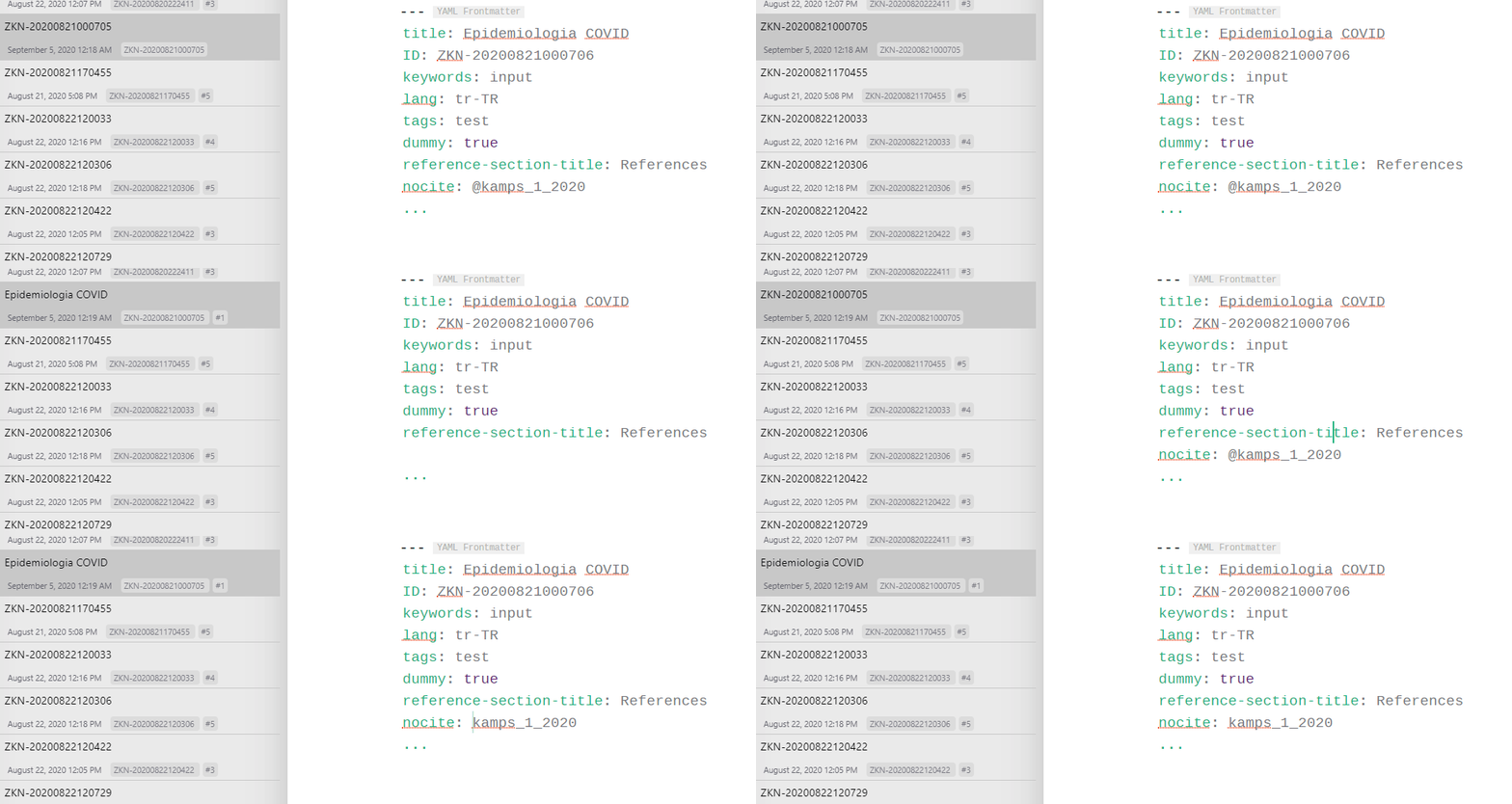
@IulekShi It looks like this is not about the number of fields. Use of @ messes things up. When I remove the @ symbol from the YAML frontmatter it is rendered correctly. (See the screen recording below.)
If I understand the YAML spec correctly, @ is reserved and cannot start a plain scalar. (See https://yaml.org/spec/1.2/spec.html#id2772075 "Example 5.10. Invalid use of Reserved Indicators"). This seems to be in conflict with Zettlr's citation rendering. I don't know what is the best way to approach this. I don't know much about LaTeX but perhaps using LaTeX statement \nocite instead of adding it to YAML frontmatter can be a workaround (Zettlr supports LaTeX)?
BTW: The # character comments things out in YAML syntax. Consider removing it (for the keywords to be rendered).
 canpolat
on 5 Sep 2020
canpolat
on 5 Sep 2020
Oh, I did not think about that and it now works perfectly, thank you so much!
I guess I'll have to use YAML differently, for both the "nocite" and the "keywords" field. And to study YAML better, thanks for the link to the YAML specs site.
My intention was to move ANY information about the Zettel in the YAML frontmatter, leaving the rest only for the Zettel content. It would be just to keep things in a tidier way, I was not particularly aiming for rendering options, at least for now. I'll guess I'll find other workarounds.
Thanks again!
IulekShi
on 5 Sep 2020
I agree with your approach here. I also would like to keep all metadata in YAML frontmatter and separate the content from it. When it comes to parsing the frontmatter, Zettlr does a good job. If you want to keep your tags in YAML you only need to remove the # in front of them. That's it; Zettlr will then include them in the tag cloud.
Perhaps @nathanlesage would like to comment on the use of nocite. I now see that it is mentioned in Zettlr documentation, but there are no examples.
canpolat
on 5 Sep 2020
Thanks again!
I was thinking of using the nocite field for "reference notes" (or "input"): those with/maybe without own words, but still pretty much "one source"-bound.
Besides, in the "output" notes, or the "real" notes in a Zettelkasten (with citations within the text) I can immediately open the relative attachment of a citation just by right-clicking on it, and Zotero does the rest.
It would be nice to be able to do the same from the nocite field in the YAML frontmatter, but I know it's not a priority! :D
IulekShi
on 5 Sep 2020
My intention was to move ANY information about the Zettel in the YAML frontmatter, leaving the rest only for the Zettel content.
Yes, this is the intention. But, as said, YAML requires some special handling! We're currently beginning the process of standardizing the YAML frontmatter information; but until then, please have a look at the Zettlr documentation on YAML frontmatters
 nathanlesage
on 5 Sep 2020
nathanlesage
on 5 Sep 2020
Related issues
 Jos512
·
5Comments
Jos512
·
5Comments
 Alopex4
·
4Comments
Alopex4
·
4Comments
 danieltomasz
·
5Comments
danieltomasz
·
5Comments
 carregal
·
5Comments
carregal
·
5Comments
 tupio
·
3Comments
tupio
·
3Comments