Zettlr: Export to PDF does not include images that have a full path
Description
If images have a full path (as they do when dragged from attachments), the images do not appear in the PDF. No Pandoc errors are thrown, just no image and instead the filename where the image should be. Remove the file path so it's a relative link then the image appears in the PDF. So,

No image in PDF. Just the filename index.jpg where the image should be.

Image in PDF as expected
Platform
- OS and version: Windows 10
- Zettlr Version: 1.6.0 beta 4
 marcusyoung
All 35 comments
… what. The absolute paths were meant because Pandoc barked at me every time I included relative paths, I'm confused now. I'll have a look!
 nathanlesage
on 14 Feb 2020
nathanlesage
on 14 Feb 2020
When I have this image link (absolute):

It produces this PDF:
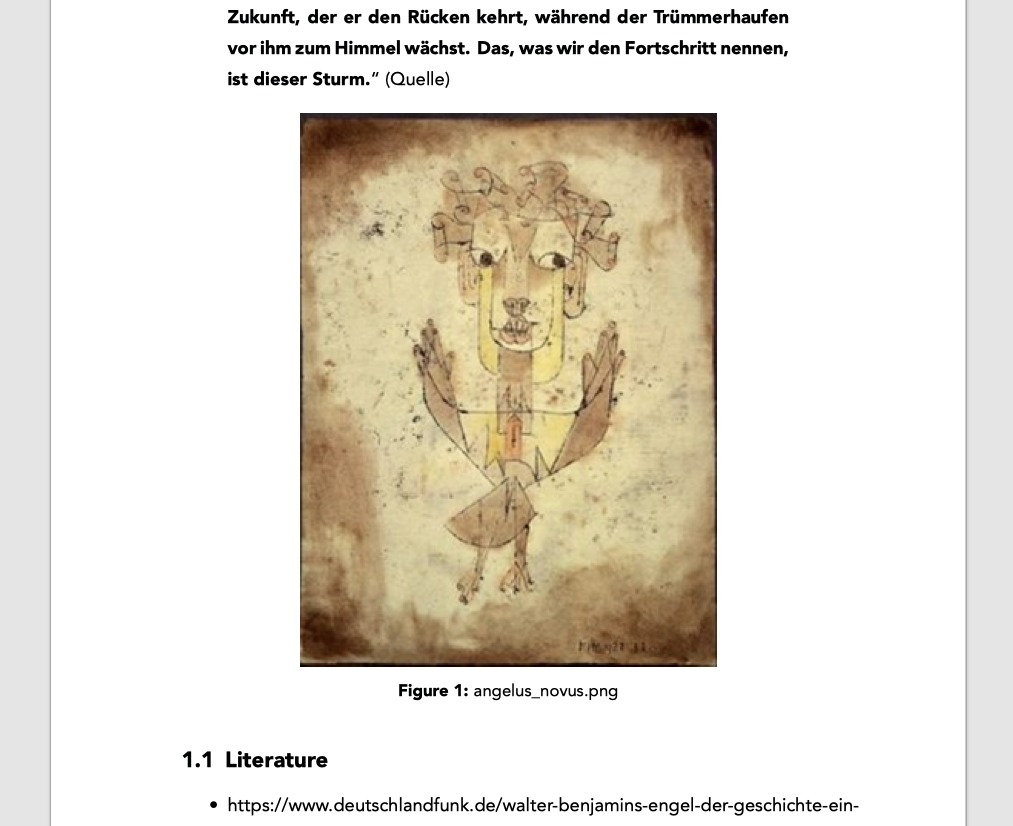
And this HTML:
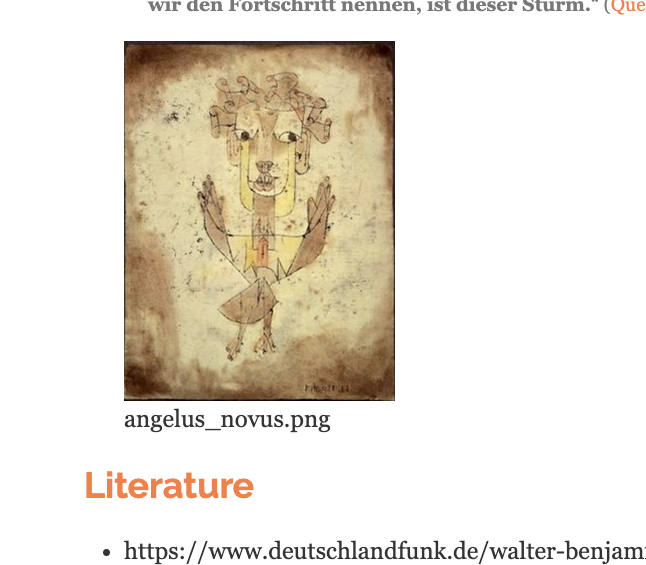
But, in your link, you had a "tmp"-folder, was this intentional? I'm not quite sure why image transclution doesn't work in PDFs on Windows …
Would you mind running the Pandoc-command _manually_ in the console to check for potential output? If an image has not been found, it should put out a warning with more information (but since the PDF has been generated successfully, Zettlr doesn't show you the console output …)
Just a simple pandoc -f markdown file.md -o file.pdf to see what happens?
nathanlesage
on 15 Feb 2020
Temp was just the folder I chose for reproducing the example. From memory I don't think html works either. I'll try the pandoc command.
marcusyoung
on 15 Feb 2020
Thanks! :)
nathanlesage
on 15 Feb 2020
Here's a video link where I've gone through various exports and then running pandoc from the command line.
http://screencasts.graspit.co.uk/watch/cYnob8w4SA
Exporting from Zettlr:
- Absolute path
- HTML - image name only
- PDF - image name only
- Relative Path
- HTML - missing image icon and image name
- PDF - image appears correctly
Pandoc
When I ran pandoc from the command line with absolute path, the image is correctly present in the PDF document. Also works fine with relative path (not in video).
marcusyoung
on 15 Feb 2020
When I ran pandoc from the command line with absolute path, the image is correctly present in the PDF document. Also works fine with relative path (not in video).
Could you "Inspect element" on the HTML-file and tell me what the src-attribute of the img-tag says? I got a feeling that there's been a Slash sneaking in through the backdoor …
nathanlesage
on 15 Feb 2020
It's index.jpg. But note, the URL for the page is:
file:///C:/Users/marcu/AppData/Local/Temp/20200214165155.html
So it would never find index.jpg
marcusyoung
on 15 Feb 2020
So it's using the relative path … hä, on my system it's using the absolute path. Something is afoul in the exporter …
nathanlesage
on 15 Feb 2020
What does the src-attribute say when you export with absolute paths?
nathanlesage
on 15 Feb 2020
It's:
<img src="C:/temp/zettlr/index.jpg" alt="">
Which won't work, as it doesn't have file:// at the front.
It will also work if the absolute path is prefixed with / and the src-attribute is then:
<img src="/C:/temp/zettlr/index.jpg" alt="">
But that's where we started in #519. It breaks Pandoc export.
marcusyoung
on 15 Feb 2020
Argh, damned platform-specifics :/
So what path does Pandoc need on Windows? An absolute without slash or an absolute with file:// or a relative?
nathanlesage
on 15 Feb 2020
I'm no expert on pandoc, so am not sure. Does this thread help, especially the last comment?
marcusyoung
on 15 Feb 2020
Mh, not really (but that could also be caused by Haskell, which I still don't fully get).
I am actually at a loss at finding a good solution that will work for all platforms. I think this sentence by you over on the other thread may give a hint:
Only rendered in PDF when relative path is given.
This means (in a Zettlr context): You put any relative path in there (e.g. ./my-image.jpg) and Zettlr will automatically convert it to an absolute one using the file's base path, because prior to export, the file WILL be written to a temporary file in the temporary directory, so in this temporary file we'll have C:/full-path/my-image.jpg, and this WITHOUT file. I begin to think that we need a switch which adds file:// to HTML exports and nothing to PDF exports 🧐
nathanlesage
on 15 Feb 2020
By the way: If you simply use an absolute path; does it work when exporting to docx or odt? If so, this would support my idea
nathanlesage
on 15 Feb 2020
No, absolute path fails with pandoc error when exporting to docx or odt. Relative path (i.e. just file name in my example) works fine.
marcusyoung
on 15 Feb 2020
That is REALLY weird, because when Zettlr attempts to absolutify the paths, it should result in the same path as when you type it in manually o.O
nathanlesage
on 15 Feb 2020
This is the error exporting to odt using absolute path. Isn't the issue the file:// ? That's a browser path, not something pandoc will understand?
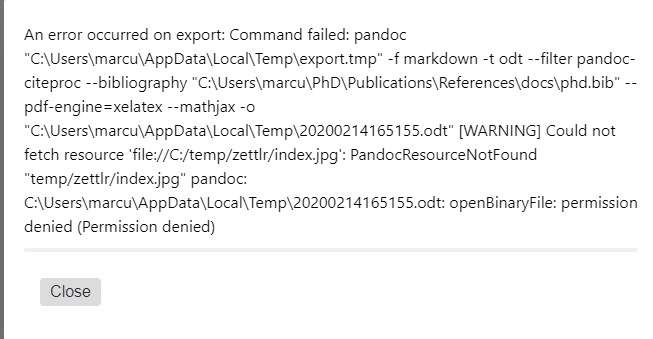
marcusyoung
on 15 Feb 2020
Yes, pretty much. Just had a look at the function that transforms image paths and, … well, it's a nightmare, I just discovered, because there are so many assumptions. It's ridiculous. I have to get on that soon :/
nathanlesage
on 15 Feb 2020
Soon might be, uhm now? 😸
Let's bring a little more context in here:
- Zettlr V1.6.0
- My image with drag&drop output in Zettlr:

- My setting in "Settings -> Editor": C:\Users\JochenBurkhard\OneDrive - Burkhard Consulting\Documents\Zettlr\Images
- Output: HTML -> All good, Image + Legend
- PDF: Only Legend
Btw.: PDF and HTML formatting doesn't resemble any text structure like bullet-lists but text-formatting like italic just fine.
But this might be an issue for another day 😃
Ahh, figured that out at least: I had, of course, to add either <space><space> at the end of the line before or a blank line. - Stupid me. 😠
Can't wait for your response and stay healthy,
Jochen
 herop
on 26 Mar 2020
herop
on 26 Mar 2020
My own experience with ODT exports, with images, on Windows.
_I noticed that the Zettlr log isn't really verbose on Pandoc export. But I accidentally tried to export an ODT again while the ODT file was still open, which threw a "permission denied" error in Pandoc, and let me see a Pandoc warning that wasn't displayed otherwise ;)_
Here's what it taught me:
- a relative path to an existing image file works (phew!)
a relative path to a non-existing image file returns a PandocResourceNotFound warning. The warning shows an absolute path (eg C:project\docimg\test.png)
an absolute path to an existing image file returns the same warning. The warning shows the absolute path of the image, prefixed by the absolute path of the .md folder (eg C:project\doc\C:project\docimg\test.png). That of course doesn't work.
So there's something wrong in the absolufying (?) of the image path, where it tries to make absolute a path that's already absolute.
Good luck ;)
 yhancik
on 8 May 2020
yhancik
on 8 May 2020
an absolute path to an existing image file returns the same warning. The warning shows the absolute path of the image, prefixed by the absolute path of the .md folder (eg C:project\doc\C:project\docimg\test.png). That of course doesn't work.
Oh boy, what kind of a mess did I code there
So there's something wrong in the absolufying (?) of the image path, where it tries to make absolute a path that's already absolute.
Nice word, but yes, certainly looks that way!
nathanlesage
on 8 May 2020
Quick update, I just found out that the exporter NEVER replaced or made absolute ANY paths. I have no idea what I thought when I did that (probably not that much), but I just did the following amendments:
- Reenable absolution (hehe) of the image paths
- Make the function much shorter
- Wrote a unit test
- The logic is now: "If exporting to the same path, don't alter the links, if not, absolutify them, or if the absolutePaths override is set [only for projects]"
Works like a charm for me now, so please test it!
nathanlesage
on 14 May 2020
Great!
Just tried it, building from source.
I'm happy to report it works on Windows with ODT, Word, PDF and HTML export.
One reservation about HTML though: it makes relative links absolute, which is probably not desirable (one you'll move these HTML files, that "C:project\docimg\test.png" link won't be working anymore).
yhancik
on 16 May 2020
I'm happy to report it works on Windows with ODT, Word, PDF and HTML export.
That is great to hear! :)
One reservation about HTML though: it makes relative links absolute, which is probably not desirable
The algorithm is now like that: If you export to the temporary directory, these paths are absolute (because it's not the originating source directory, otherwords they won't work). But if you export to current working directory, the links are left as they are!
nathanlesage
on 16 May 2020
Oh my bad, I didn't even check the Current Working Directory option in Export ;)
Great, thanks a lot!
yhancik
on 16 May 2020
@yhancik So it works like that now? If so, this means we can FINALLY close this issue :)
nathanlesage
on 16 May 2020
Oh man, no, there's something I forgot to try 😅
When an image has an absolute path using backslashes (which is what an image drag&drop does on Windows), it's still not working. Now if I edit it manually to use forward slashes it works.
So, summary:
✅ relative path with forward slashes
✅ relative path with backslashes
✅ absolute path with forward slashes
❌ absolute path with backslashes
It might be related to backslashes being an escape character? (and how absolute path are processed?)
Maybe it's another argument in favour of #732? ;)
yhancik
on 17 May 2020
which is what an image drag&drop does on Windows
*barks at windows*
so, does Pandoc spit out an error? Or XeLaTeX? Or is it a general error? If one of the former spits out an error, is there an issue explaining why this is the case? On the respective github repositories?
nathanlesage
on 17 May 2020
_All this because DEC-20 or CP/M were using "/" for their command line switches..._
Anyway, after further testing, I think the culprit is not the image path, but the caption!
When you drag & drop an image, the whole absolute path (using the OS formatting, so backslashes on Windows) is used as image caption. Removing the backslashes from the caption works, adding backslashes to the caption of a previously working image breaks things.
Escaping "\" to "\\" in the caption works. I guess it's a clue that blackslash+letter is interpreted as a special character that interferes with pandoc/xelatex. (I also noticed that just "\t" in the caption makes no issue).
I think it would make sense to make the caption work as it does with copy-pasted images, and just include the filename.extension, without the whole path.
Error message below, fyi :)
title: Export failed
message: An error occurred on export: pandoc "C:\Users\user\AppData\Local\Temp\export.tmp" -f markdown -t latex --template="C:\Users\user\AppData\Local\Temp\template.latex" --pdf-engine=xelatex --mathjax -o "C:\Users\user\AppData\Local\Temp\zettlr.pdf" additionalInfo: Error producing PDF. ! Undefined control sequence. ...gure}}}{\ignorespaces F:\zettlrtest \test .jpg\relax }}{\thepa... l.180 \caption{F:\zettlrtest\test.jpg}
yhancik
on 17 May 2020
the whole absolute path
Alright, I think I have to have a talk with the source code on that matter!
nathanlesage
on 17 May 2020
This issue has been automatically marked as stale because it has not had recent activity. It will be closed if no further activity occurs. Thank you for your contributions.
![stale[bot] picture](https://avatars3.githubusercontent.com/in/1724?v=4&s=40) stale[bot]
on 16 Jul 2020
stale[bot]
on 16 Jul 2020
Just a quick check: Does the issue still occur? Or has it been solved by 1.7.1?
nathanlesage
on 18 Jul 2020
Hi!
Currently on 1.7.1 and yes, it unfortunately still happens. The message from pandoc is still "Undefined control sequence", and still happens with a single backslash preceding certain characters that are interpreted as pandoc command.
I still think that only using the filename instead of the whole path in the image caption would be a simple fix ;)
I wish I could help with that, but I'm pretty bad at all this Node stuff.
yhancik
on 19 Jul 2020
Escaping "\" to "\" in the caption works. I guess it's a clue that blackslash+letter is interpreted as a special character that interferes with pandoc/xelatex. (I also noticed that just "\t" in the caption makes no issue).
Alright, so I'll try to escape backslashes in the caption, let's then see how it goes …
nathanlesage
on 20 Jul 2020
Ehh, short update: Due to another PR we have successfully prevented backslashes in captions either way (I did something stupid back there, but it's fixed now and will come with 1.7.3).
Nevertheless, I made sure to always include the additional warnings in the logs in case Pandoc produced such:

(Ignore the bad grammar, I just spotted a mistake in the second variation of the log, I'll fix that :D)
nathanlesage
on 31 Jul 2020
Related issues
 Kangie
·
4Comments
Kangie
·
4Comments
 Jos512
·
5Comments
Jos512
·
5Comments
 volt4ire
·
4Comments
volt4ire
·
4Comments
 danieltomasz
·
5Comments
danieltomasz
·
5Comments
 manisabri
·
4Comments
manisabri
·
4Comments