Zettlr: [ENHANCEMENT] GUI considerations for different Operating Systems
Description
Over the past Months, it has become increasingly visible that the current approach of Zettlr is not really viable. In part this has to do with how Zettlr currently behaves on each operating system, because everywhere it removes the Window decorations, with some additional tweaks for macOS. However, more and more people complain about problems with non-decorated Windows on several different Linux distributions.
This issue is simply meant as a discussion point and for unification of the following issues which are closed in favour of this one, because they all can be tackled with the same approach:
- #344
- #439
- #444
- #465
Proposed Changes
The changes that would possible (please feel free to add other options):
- On macOS, keep everything as it is, as macOS explicitly supports no-decoration-settings, even with the native window controls ("traffic lights")
- On Windows, I would also like to keep everything as it is, as both Windows 7 and Windows 10 did not show any problems in hiding the window decorations, and mocking the window controls by means of SVG buttons (as it is currently handled). The only problem remaining is that the Window menu needs some attention; currently the most clean way seems to me the way Visual Studio Code does it. But the Window controls could be restored there as well.
- On Linux, the voices are pretty much on the side of restoring the Window controls to prevent problems with different Desktop environments.
Caveats
As "no lunch is free" (something I've heard at a conference _a lot_), there are caveats:
- The simplest solution for Windows would be to restore Window decorations. However, the Toolbar is utterly ugly and does not fit into the overall design of Windows. So some Style amendments would be necessary.
- However, point 1 is pretty straightforward. The other option to implement a thin menu bar like VSCode would be cleaner, albeit much more work, and I have not yet made up my mind of how one could achieve that.
- Electron is unable to determine the Desktop environment, so the solution that'll finally make it for Linux is a one size fits all solution. Relying on the native window decorations would at least eliminate the problem of having to deal with a Window menu, because it would either be positioned globally (as on Ubuntu) or similar to Windows on other environments.
In the end, I fear, it all boils down to what is utterly necessary either way: A full overhaul of the UX of Zettlr; I think we won't get around re-building the full GUI with a unified and nice design concept in the long run. So if any UX/UI designers are around here, please feel free to join in!
Additional Information
The first question we should tackle is the one of the Toolbar design. This would, in turn, also enable us to tackle issue #446 along the way, because this also requires touching the toolbar, which is (at least in my view) the ugly elephant in the room we have to tackle!
 nathanlesage
All 13 comments
One thing to consider is that Gnome Wayland doesn't provide server-side decorations to Wayland clients, forcing you to use CSD. Other Wayland compositors allow you to use SSD (server deco). KDE has the opposite problem of not being able to accommodate CSD properly.
It's a completely ridiculous situation but that's how it is.
One thing I would urge against is putting the menubar into the CSD like VScode does, because this doesn't follow the HIG on any desktop and won't work with a global menu setup. Plus, it will take up more vertical space vs just a hamburger.
 ripefig
on 27 Dec 2019
ripefig
on 27 Dec 2019
Nah, it would be horizontal, yes. But I also think that I would like to let the operating system choose where the menu bar actually resides. I mean, on Electron the only things we can affect is basically "Have the default window decorations" vs. "Have no window decorations", so it basically boils down to that. Only on Windows would I consider that, and there only because VSCode hat the idea. It's a hell of some coding required.
After all, leaving everything in place, the user can decide on Linux operating systems of where s/he wants everything; so by choosing your Xorg/Wayland/XFCE window manager you have the option to choose, and having an application react the same way as all other apps is always preferable to some custom stuff!
But, just as a side note — what's the difference between client side and server side, because — if I understand it correctly, "server side" means "Hello, I'm an application and I don't care how I look, simply give me what you have by default" whereas "client side" means "Hello, I'm an application and I want the close button on the opposite side of the window!" — is this right?
nathanlesage
on 27 Dec 2019
CSD means that the application can draw decorations however "it wants" - or more accurately - _as best as it can_, which is usually poorly.
It's a situation unique to Gnome Wayland, since everywhere else there are system APIs to draw native decorations (regardless of whether the decoration is drawn on the application's process or the compositor's).
ripefig
on 27 Dec 2019
Ahh, thanks for the clarification!
nathanlesage
on 27 Dec 2019
I did not find the issue described here, so I'll add it, if this is the idea of this thread:
Issue is experienced on Windows 10.
So far everything is fine with Zettlr, but the most annoying thing that happens on literally EVERY start of the program is that it always launches in the same absolute (technically relative) position. For my multi-monitor environment, this means that it almost falls off the edge of my main monitor, which is not only ugly, but also extremely annoying to re-align after every startup...
As other programs, I expect this program to save its relative position on exit and use this one at the next startup.
 theAkito
on 16 Jan 2020
theAkito
on 16 Jan 2020
Hey, yeah, I noticed this on my work computer as well. I thought it was just some issue with my old Win7 PC. Because: Zettlr does save the position of the window on exit, so I'm not sure what's causing this, but apparently it's a bigger problem.
nathanlesage
on 16 Jan 2020
If for myself, I would like to vote for "Have the default window decorations" for Linux so the application is consistent with the rest of the desktop theme (at least minimize, maximize and close buttons). So I am in the team "Atom", not VSC :P
If @nathanlesage you will plan bigger rework of the UI, the nice example could be Typora
(with an added button to easily hide and show side pane for example);
About sampling user experience: if you want to reach more people you could put a link to some online form in release notes of the next stable version, where the users could write about what they need, what is their workflow & that you need some help with projecting UI? Not every user is reading GitHub issues :)
 danieltomasz
on 25 Feb 2020
danieltomasz
on 25 Feb 2020
About sampling user experience: if you want to reach more people you could put a link to some online form in release notes of the next stable version, where the users could write about what they need, what is their workflow & that you need some help with projecting UI? Not every user is reading GitHub issues :)
THAT is a good idea! I don't know where I should pull the time from to do that, but it certainly is the best approach, and I did not think of this! Thank you!
nathanlesage
on 25 Feb 2020
This issue has been automatically marked as stale because it has not had recent activity. It will be closed if no further activity occurs. Thank you for your contributions.
![stale[bot] picture](https://avatars3.githubusercontent.com/in/1724?v=4&s=40) stale[bot]
on 10 May 2020
stale[bot]
on 10 May 2020
Ah, good news: All of the things are already in the code base. This bot is a gift ❤️
nathanlesage
on 10 May 2020
Hey!
I just tried the beta release!
Can I say that I liked much more the previous one, design-wise?
Now it has a much less minimalist design, with a lot of wasted space:
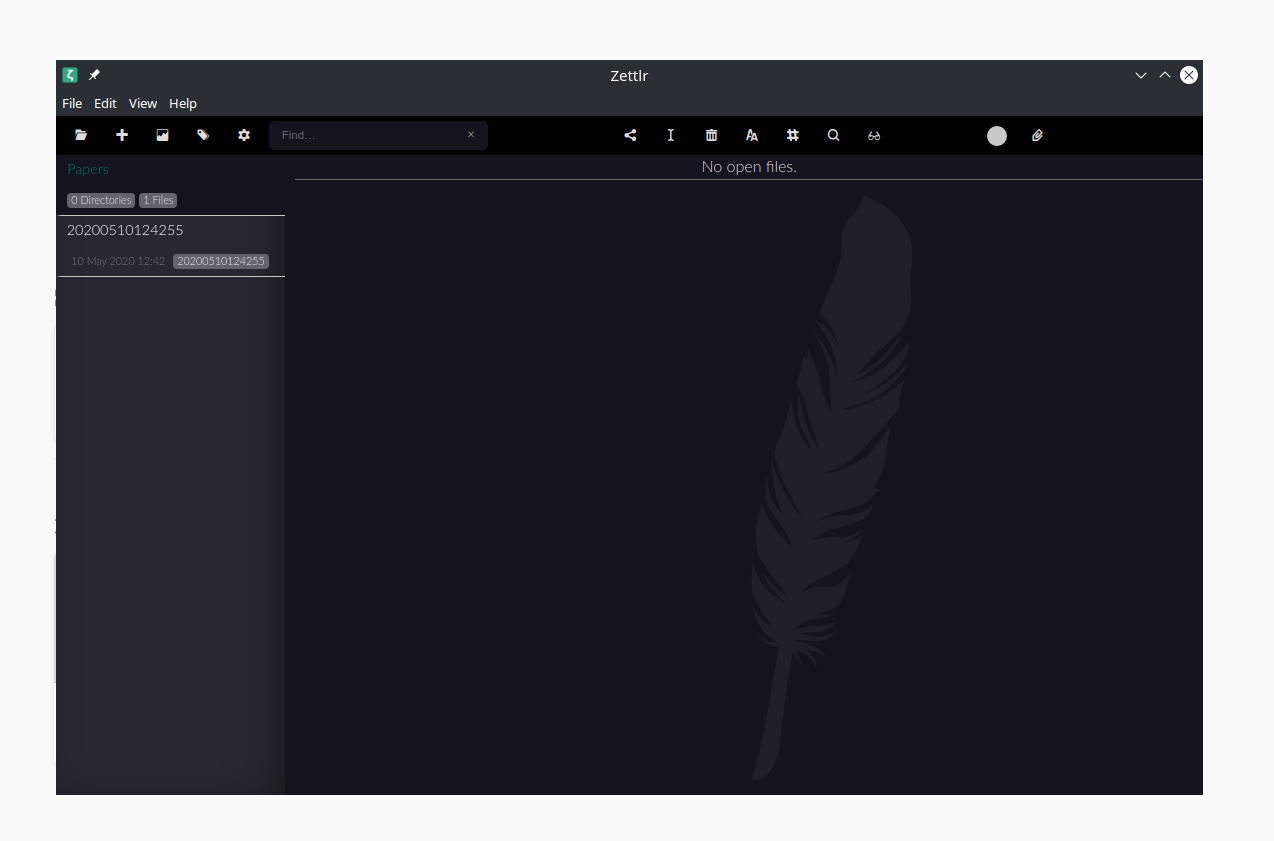
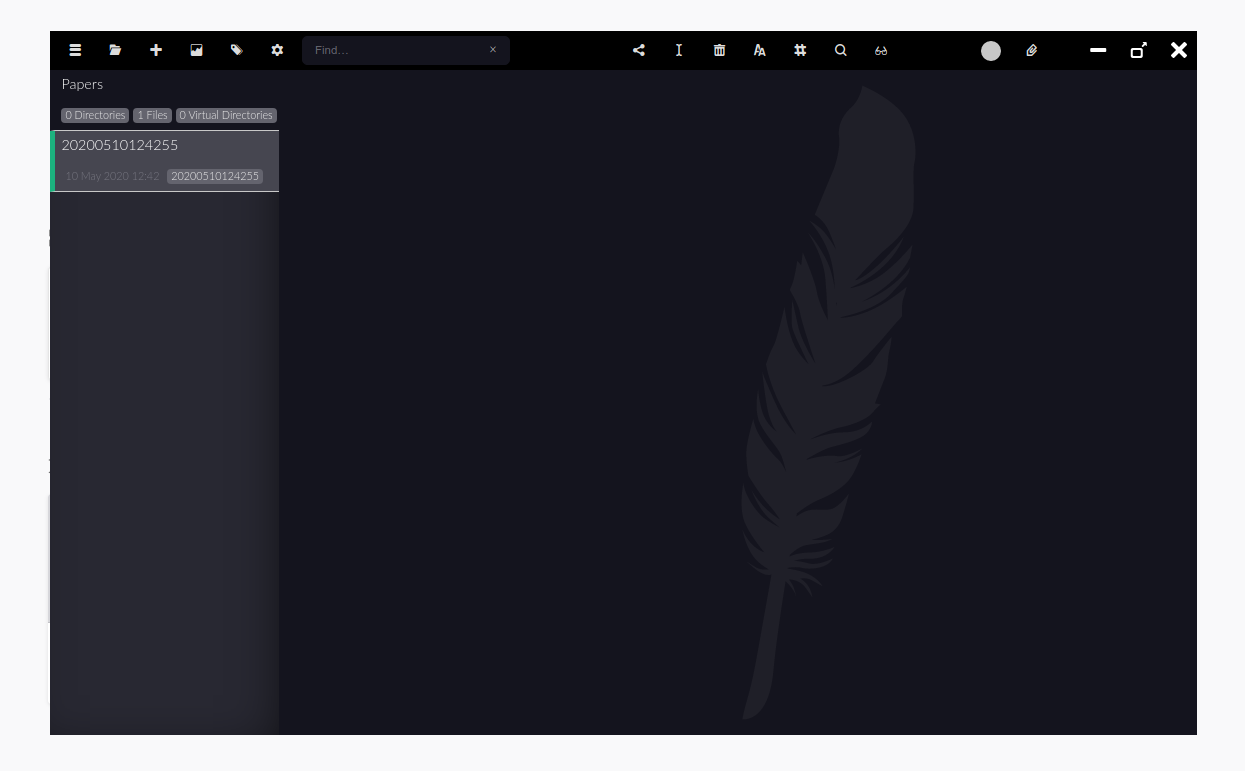
Visual studio code (that it is based on electron too if I am not mistaken) uses window decorations:
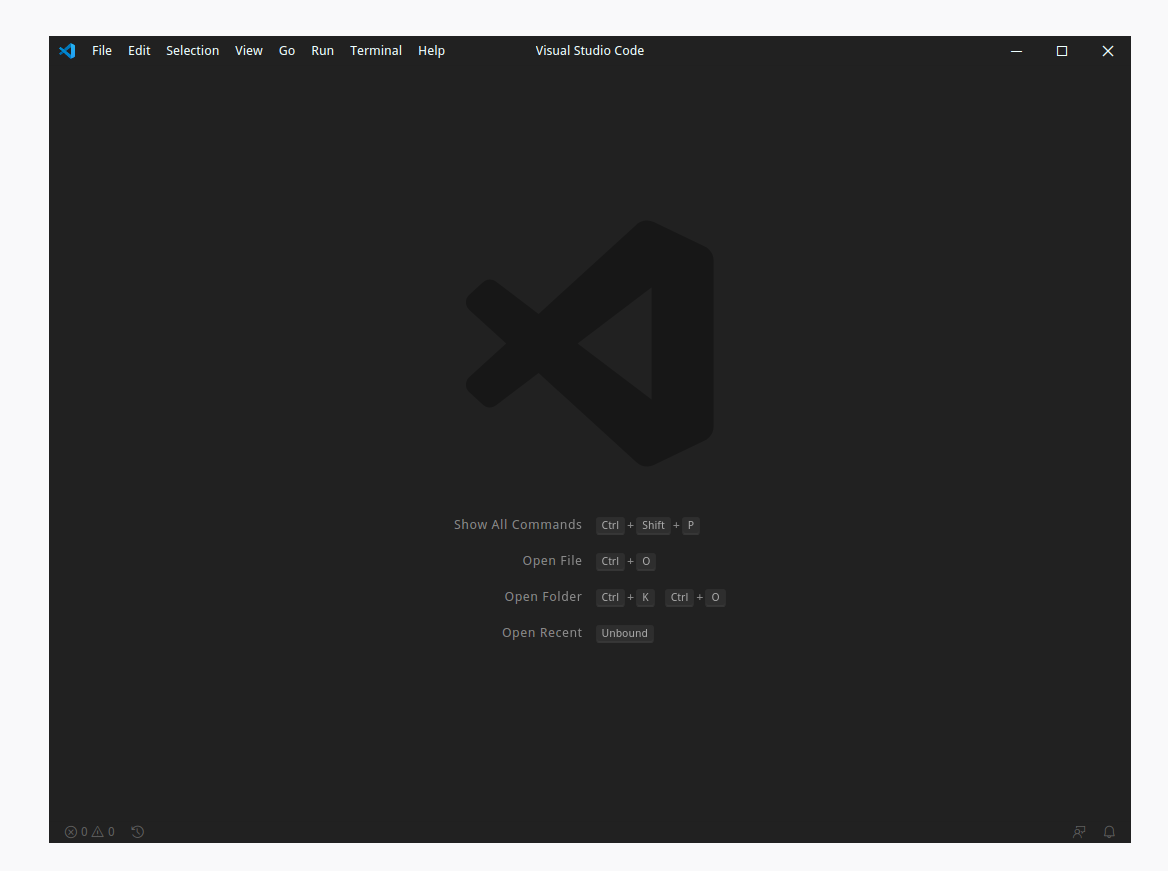
It is an opt-in option there:

 lucmos
on 10 May 2020
lucmos
on 10 May 2020
@lucmos I've decided to do so for Linux operating systems as there are some who behave like macOS, that is, who have a minimalist title bar. Implementing custom titlebars is just too much work right now. What we will do first is make a custom Windows title bar and _afterwards_ we can reopen the discussion of how zettlr should treat Linux operating systems.
nathanlesage
on 10 May 2020
I see, thank you for the reply!
Too bad, because it worked perfectly for me
lucmos
on 10 May 2020
Related issues
 shanvrolijk
·
5Comments
shanvrolijk
·
5Comments
 tedesmac
·
5Comments
tedesmac
·
5Comments
 bit-hug
·
4Comments
danieltomasz
·
5Comments
bit-hug
·
4Comments
danieltomasz
·
5Comments
 grst
·
4Comments
grst
·
4Comments
Most helpful comment
THAT is a good idea! I don't know where I should pull the time from to do that, but it certainly is the best approach, and I did not think of this! Thank you!