Description
I found that it could be set "Enable Rmarkdown file support" in the advanced preferences. But I couldn't open .Rmd files. Is there any other setting should I do?
Reproducing
I only did the following steps: preferences-->Advanced--> Enable Rmarkdown file support
Platform
- OS: Windows
- OS Version :10
- Zettlr Version: 1.4.0
- Screen Resolution [only necessary if the bug is relating to the GUI]
Additional information
The .zip file is the screenshot video
zettlr-rmarkdown.zip
 Sisi-Wiciel
All 9 comments
Please don't include ZIP-files on computer-related sites …
Anyway, this should not happen. Did you re-start the app? Because the app needs to be restarted once to re-read the file tree to apply the change.
 nathanlesage
on 16 Sep 2019
nathanlesage
on 16 Sep 2019
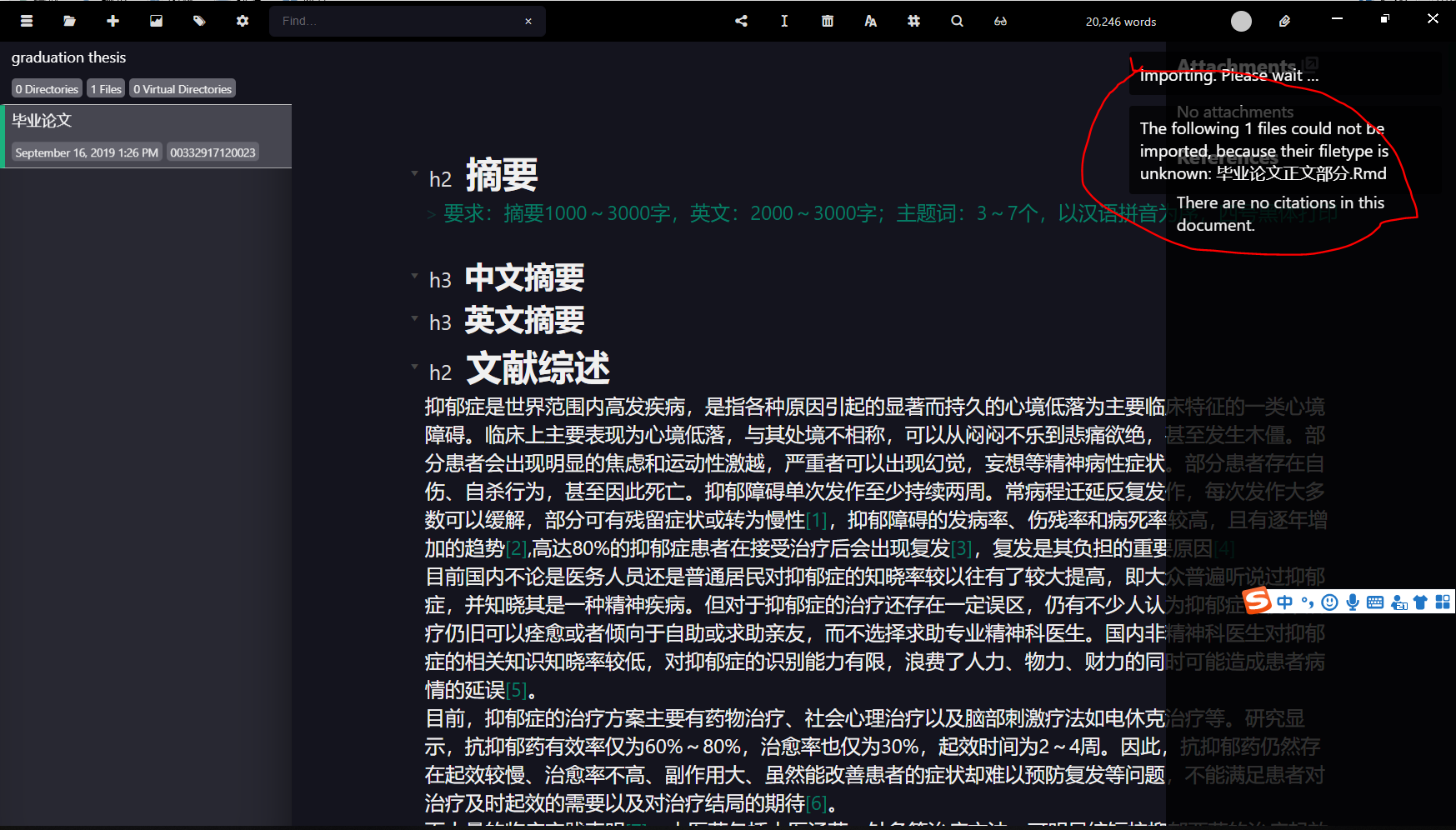
OK. I had tried re-start the windows systems and the app, but it didn't work. And I tried to import the Rmd-files, but it failed.
Sisi-Wiciel
on 16 Sep 2019
Ah, damn! I'm on it!
nathanlesage
on 16 Sep 2019
I think it's related to the fact that you've capitalised the filename (Rmd instead of rmd) and I forgot to make it case-insensitive
nathanlesage
on 16 Sep 2019
yeah, I changed the Rmd to rmd, it worked
Sisi-Wiciel
on 16 Sep 2019
Alright, then I know what to do! Thanks for reporting
nathanlesage
on 16 Sep 2019
And fixed!
nathanlesage
on 16 Sep 2019
Hi @nathanlesage, apologies for pinging you over such a trivial issue but I believe this bug still persists i.e. it works with .rmd but not .Rmd files.
I think it's worth looking at because when creating R Markdown files in a commonly used IDE like RStudio, it generates .Rmd files by default.
I'm on the latest version of Zettlr: 1.7.1.
 jsstanley
on 12 Jul 2020
jsstanley
on 12 Jul 2020
it works with .rmd but not .Rmd files
… wait a moment … Mh, opening .Rmd-files was always possible, but I forgot to make the new file/file renaming command case-insensitive. Should work now.
nathanlesage
on 13 Jul 2020
Related issues
 Jos512
·
5Comments
Jos512
·
5Comments
 asielen
·
5Comments
asielen
·
5Comments
 volt4ire
·
4Comments
volt4ire
·
4Comments
 danieltomasz
·
5Comments
danieltomasz
·
5Comments
 carregal
·
5Comments
carregal
·
5Comments
Most helpful comment
… wait a moment … Mh, opening .Rmd-files was always possible, but I forgot to make the new file/file renaming command case-insensitive. Should work now.