Over the past weeks, I've been repeatedly asked to implement ways to customise the editor's font, change some styles and other UX-related design elements.
So it's finally time to tackle all of these issues at once: I will be implementing a custom CSS editor, so that you can override every single style that's applied through themes. It will be a powerful feature and open up the possibility to break your app, but I think this will enable everyone to create their own styles.
 nathanlesage
All 35 comments
UX design elements? Will it be like one css to rule the app or could we add like <style>{}</style> per document basis?
As a user, I can learn to get around the app, any app. It's the editor (or the preview panels, the apps with two pane design) that I need some customisations based on personal preferences.
Like font-size, font, <a> (underline or not or like I'm used to links being blue in colour), <h2> (border-bottom: solid 1px; margin: 2em 0 0 0), <ul, ol> (so it aligns with the normal text, some editors have lists that start with indentations).
Of course in UX, some people like line numbers, some not. Same with the space at the end of the document, some like to have the app scroll past the end so they can write comfortably, some like to know where the end actually is.
 subi54
on 13 Jan 2019
subi54
on 13 Jan 2019
No, this would mean to set the global styles, not on a per-document basis. (After all, even though one might want custom styles, what we all want is consistency, right?)
So what you would basically be able to do is write a complete own style, if you wish. But the editor will be intended to only override certain, specific styles that you want to customise. So you would be able to change the editor's font size, the colour of links, the indentation of lists, and much more.
nathanlesage
on 13 Jan 2019
Thank you. That's still more than what a lot of apps offer. If you want alpha testing or something, do let me know.
subi54
on 13 Jan 2019
That's nice to hear!
Testing is _always_ welcome. I don't regularly publish beta versions, as this costs me a lot of time to do, but if you want to test: I always push the newest features to the develop branch, so you can always test this branch on your own computer and have the newest features.
nathanlesage
on 13 Jan 2019
I really hope this will be available soon. As a personal preference, I don't like the green and I can't wait to be able to change it.
 samarulmeu
on 15 Jan 2019
samarulmeu
on 15 Jan 2019
This is great to hear. One thing that I'd love to be able to do is hide the heading hashes (or make them smaller). Bear has a great interface for these where they turn into a clickable heading level selectors (with a dropdown) that out of the text. If you backspace at the beginning of the header line though, the space between the hashes disappears, the hashes reappear and the line becomes regular body content. I'm just a fan of hiding the hashes at this point (but given the fact that they're currently styled green, I suspect it would be possible to do other things to them as well).
 jcuenod
on 30 Jan 2019
jcuenod
on 30 Jan 2019
@jcuenod Hey, indeed hiding the hash signs and replacing them with such a dropdown would be an idea, but this has nothing to do with custom CSS, so I would recommend to open a new issue instead :)
nathanlesage
on 31 Jan 2019
Oh, to my mind custom CSS could accomplish this (its incomplete but I'm
writing this on my phone):
.heading-1 {
  font-size: 0;
}
.heading-1::before {
  display: inline-block
  content:"H1";
  font-size: 1em;
}
On Thu, 31 Jan 2019, 08:33 Nathan LeSage, notifications@github.com wrote:
@jcuenod https://github.com/jcuenod Hey, indeed hiding the hash signs
and replacing them with such a dropdown would be an idea, but this has
nothing to do with custom CSS, so I would recommend to open a new issue
instead :)—
You are receiving this because you were mentioned.
Reply to this email directly, view it on GitHub
https://github.com/Zettlr/Zettlr/issues/85#issuecomment-459365381, or mute
the thread
https://github.com/notifications/unsubscribe-auth/AEDovHsjwdjC0LTmtMDaDmyfhEA9NF-iks5vIv6igaJpZM4Z9G3v
.
jcuenod
on 31 Jan 2019
Nope, CodeMirror does not work like that. It's not possible to achieve what you want with pure CSS. Messing around with sizes of certain elements within the editor would screw with the internal measurements used to compute where you could place the cursor and such.
I would need to write a custom command to achieve this (exactly like, e.g., the image previewing works).
Besides, didn't you mention a dropdown to alter the heading-level? This would also require some Javascript.
nathanlesage
on 31 Jan 2019
Ahh, that's unfortunate.
I did mention a dropdown but to my mind that is also just another small
step beyond this (I've that I'm not too concerned about though).
If spacing is all that matters, there's probably some other way of hiding
the text (e.g. making color transparent) and if pseudo elements are a
problem you could display an SVG "H1" icon or something like that as a
background...
jcuenod
on 31 Jan 2019
… or I just stick with what works: Simply write an additional command that does this. It's basically just copy & paste an existing and exchange very few elements, et voilà!
So without the dropdown it's a matter of minutes, with the dropdown a matter of some hours ;)
nathanlesage
on 31 Jan 2019
Oh, I assumed that the alternative fix was more complex. Okay I'll file
another issue later this evening...
jcuenod
on 31 Jan 2019
Don't worry, I've been on this app for about one and a half years now, so I know my way around =D
Alright, I'll see to it then! :)
nathanlesage
on 31 Jan 2019
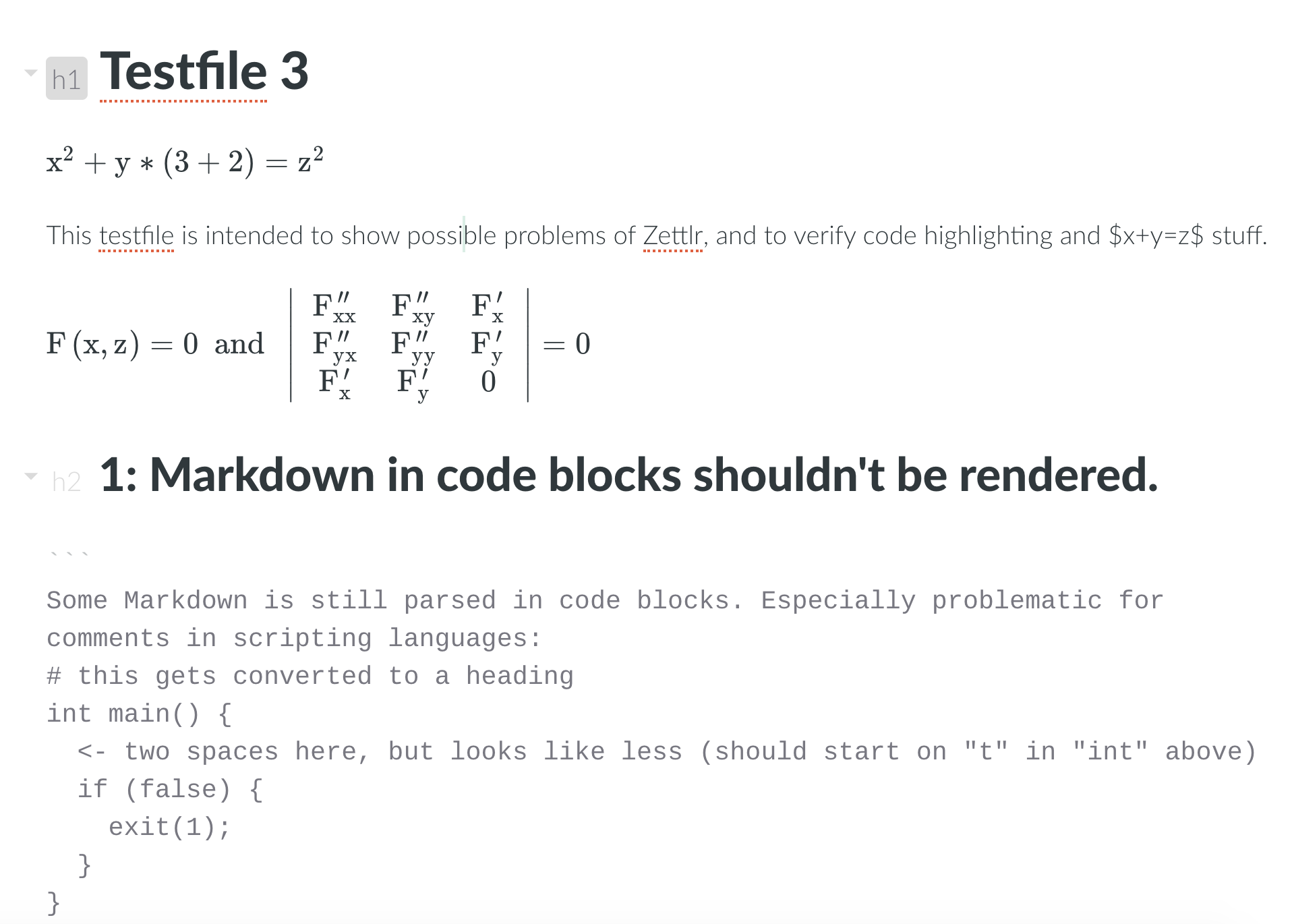
@jcuenod Like such?
nathanlesage
on 1 Feb 2019
Oh very cool!
In terms of appearance, maybe remove the background by default and just let
the level marker be a light grey. I guess that might make the folding arrow
harder to distinguish though (but tbh, I don't really like the folding
arrow).
This does look great though!
jcuenod
on 1 Feb 2019
The background is off by default. I just left the mouse pointer hover over the top heading to show the hover effect of it.
And yeah, there are better ways to do the arrows, but I haven't been able to get to it because it was a hassle implementing it in the first place and I really didn't feel like fixing it until now (but it will be done)
nathanlesage
on 1 Feb 2019
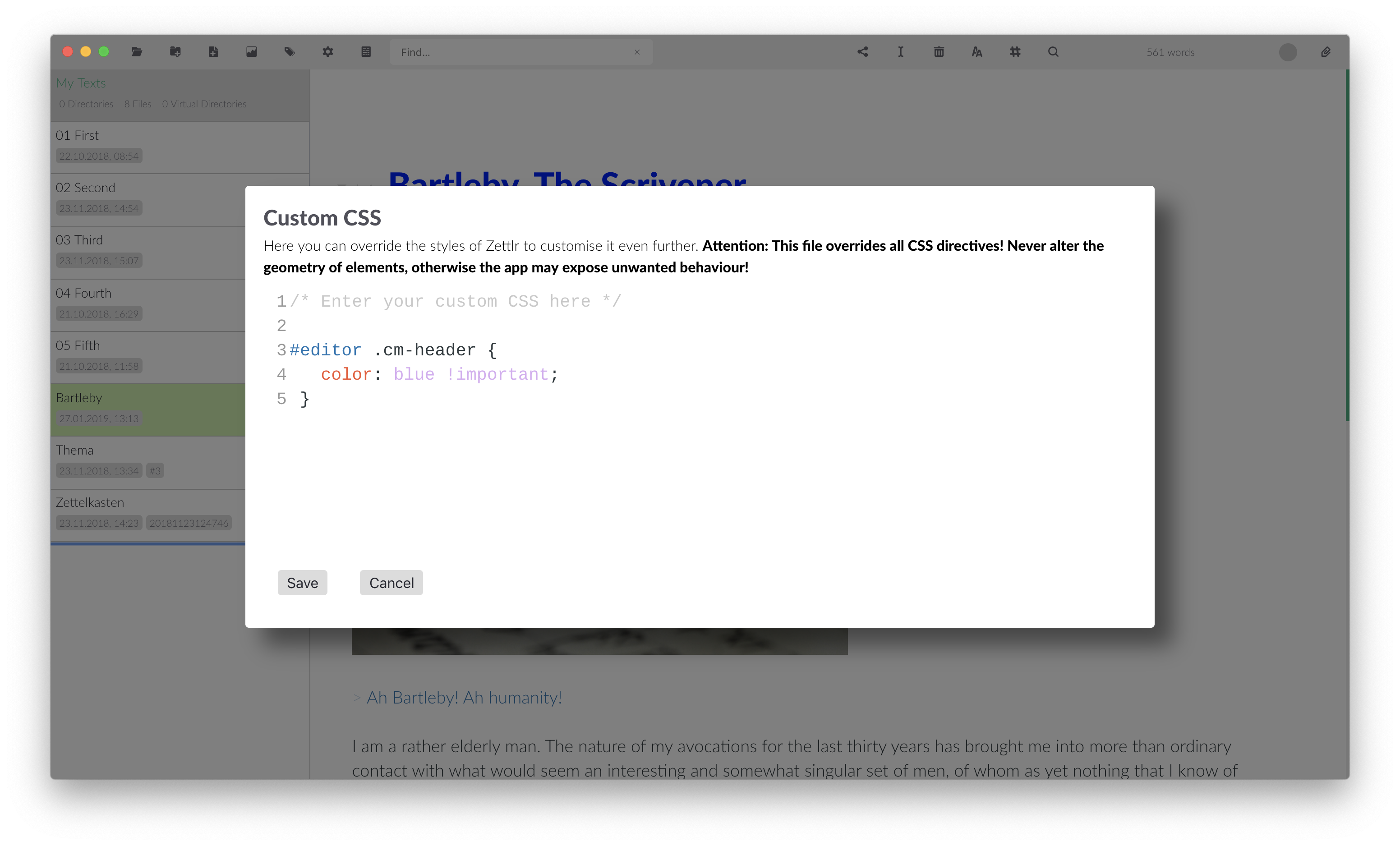
And here we go!
nathanlesage
on 3 Feb 2019
Waiting for the release.
subi54
on 3 Feb 2019
As soon as the toolchain is up and running again :)
nathanlesage
on 3 Feb 2019
Just pulled master, ran npm i in / and ./source and I'm getting a very unstylish Zettlr... (to be honest, I was experimenting with develop for a while but realised that I obviously didn't have some kind of theme file). I don't quite have the time to live on the bleeding edge like that though ;)
jcuenod
on 8 Feb 2019
That is completely to be expected. As the README of the master branch will tell you:
Before your first
yarn startand everytime you've made changes to either theLESS-files or the templates, you need to run:
$ yarn less
$ yarn handlebars
to compile both the style sheets and the precompiled
handlebars.jstemplates.
=D (in your case, you should obviously replace yarn with npm run if I remember correctly)
nathanlesage
on 8 Feb 2019
My bad, thanks :)
jcuenod
on 8 Feb 2019
Let me begin by saying that the Custom CSS option is amazing. Although I had some trouble starting, using the Developper Tools I managed to customize Zettlr the way I dreamed it can look.
I managed to tweak almost everything except one thing: I can't change the styles for the filenames in preview list when doing a search.
To the <li class="file ui-draggable ui-draggable-handle"> you add this style="background-color:hsl(159, 50%, 50%);"> that I can't change. It will be nice if you could add another class that we could modify.
Hope you will see the message here as I did not wanted to start another issue.
samarulmeu
on 28 Mar 2019
Hey, yes, as long as I commented somewhere, I'll get an Email ;)
But concerning the search: I'm using a HSL style colour gradient that can be easily fed the data that comes out of the search. As Zettlr is giving away weights for the relevancy of search results, this is the best way to go. Maybe I could add a root-variable containing the hue value (159, which is the Zettlr brand colour) that could be modified. I'll see into it!
nathanlesage
on 28 Mar 2019
Thank you very much!
A root-variable for colors will be amazing. Then it will be so easy to change a theme and the posiblitities will be limitless.
samarulmeu
on 28 Mar 2019
Developper Tools
@samarulmeu Could you please point me towards how you run the Dev tools? I can't figure out how to launch them. I'm on Mac.
 filipgoc
on 4 Jun 2019
filipgoc
on 4 Jun 2019
@filipgoc First you have to enable debug mode by accessing Preferences > Advanced > Enable debug mode, then it should appear in the menu Develop > Toggle developer tools (Cmd+Alt+I) (the shortcut is from documentation as I use Zettlr mainly on Linux).
@nathanlesage Any news on having a root-variable containing the color that we can assign it through Custom CSS or should we fill a feature request as this one is closed?
samarulmeu
on 4 Jun 2019
Ah root variables. As long as I don't forget it again, it's not even worth an issue, it should take approx. 20min to implement 😂
If I still do, feel free to remind me after the launch of 1.3 so that I can do this first thing for 1.4 and it's in there for the next release
nathanlesage
on 4 Jun 2019
Great to hear that it is not so much trouble to implement it. I must say that I tweaked so much my Custom CSS and I almost forgot about the main color (which I still regret not being able to change when searching). Good thing that filipgoc commented here.
I added a comment in the issue #210 as it is, more or less, related and this way will be easier to spot.
Now they are a lot of features to wait for in the 1.4 release!
samarulmeu
on 4 Jun 2019
Preferences > Advanced > Enable debug mode
YESS. Custom colors here we go! Thanks.
And a big thumbs up for the root color. That will make things so much smoother for custom themes.
filipgoc
on 4 Jun 2019
@nathanlesage As you have requested, here comes the reminder.
filipgoc
on 14 Jun 2019
Ouh, I‘m done for this week 😂 Next week!
nathanlesage
on 14 Jun 2019
Hehehe.
filipgoc
on 14 Jun 2019
Root vars now in, have fun doing stuff!
nathanlesage
on 15 Jun 2019
Than you so much!
samarulmeu
on 15 Jun 2019
Related issues
 rafedramzi
·
4Comments
rafedramzi
·
4Comments
 bit-hug
·
4Comments
bit-hug
·
4Comments
 carregal
·
5Comments
carregal
·
5Comments
 volt4ire
·
4Comments
volt4ire
·
4Comments
 danieltomasz
·
5Comments
danieltomasz
·
5Comments
Most helpful comment
And here we go!