Yetiforcecrm: [Question] Set up Cron for Yetiforce
I have my Yetiforce installation hosted with 1and1 Ionos. They allow me to set up and run Cron jobs. Please could you tell me how to set it up to process the 31 active Cron jobs in my Yetiforce system?
What urls do I need to call to execute the jobs? The path to my YF system is https://asperiti.uk/yetiforce

Description
 asperitigroup
All 21 comments
 mariuszkrzaczkowski
on 20 Dec 2019
mariuszkrzaczkowski
on 20 Dec 2019
Many thanks for the quick response Mariusz, I'll go and read that now!
asperitigroup
on 20 Dec 2019
I assume that I can call Cron with this url then?
https://asperiti.uk/yetiforce/cron.php?app_key=xxxx
- after finding the app key as described in the documentation?
asperitigroup
on 20 Dec 2019
example
https://github.com/YetiForceCompany/YetiForceCRM/blob/developer/tests/setup/config/Main.txt#L84-L85
mariuszkrzaczkowski
on 20 Dec 2019
Many thanks again, Mariusz, I'm going to try this now.
asperitigroup
on 20 Dec 2019
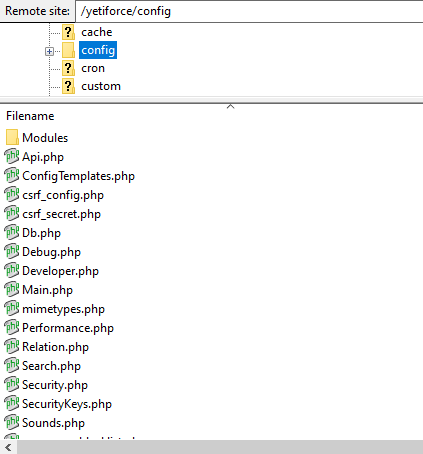
Mariusz, I don't appear to have a config.inc.php file in the config folder?
asperitigroup
on 20 Dec 2019
It seems to be in the main.php file in the config folder? Is that right?
asperitigroup
on 20 Dec 2019
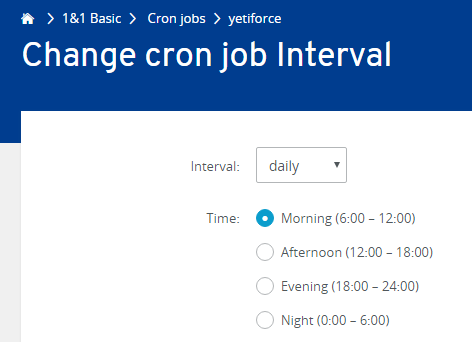
Looks like I got it working, and CalDav integration is working as well now! Only problem is that my host doesn't let me run Cron very often - I only have a choice as below:
asperitigroup
on 20 Dec 2019
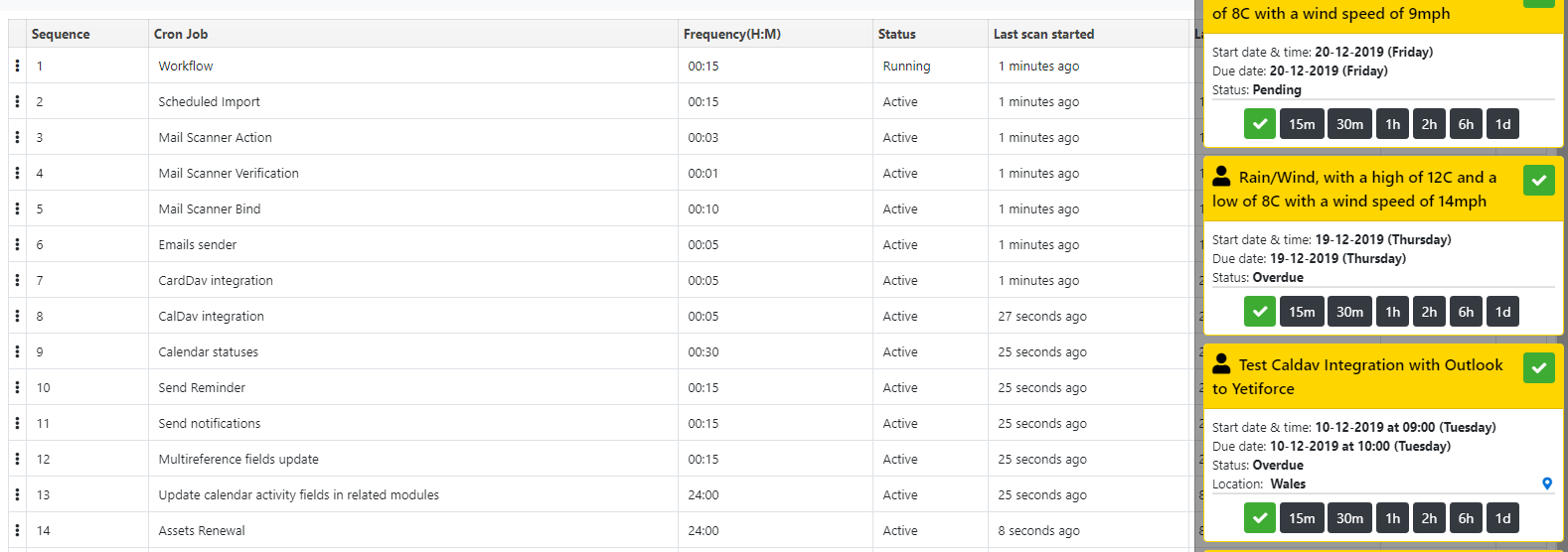
Jobs have run, and calendar is updated.
asperitigroup
on 20 Dec 2019
Do I need to run the Cron job more often than this? It seems to be updating anyway, looking at the jobs list.
asperitigroup
on 20 Dec 2019
Please could you tell me what these jobs do?

asperitigroup
on 20 Dec 2019
OK, after talking to 1and1 support, I can use Putty to access SSH and edit the crontab file directly, so I'm going to try that out soon.
asperitigroup
on 20 Dec 2019
I had to find this thread, AFTER reading the documentation, in order to understand what I actually needed to do to hook YetiForce up to the OS's cron system. The documentation is vague and confusing.
- This is not a sentence with a clear meaning: "Add a file to the crontab, e.g. in such format".
- The list of three files that follows is meant to be a list of options, and I'm meant to pick one, and only one, of these three lines of code (according to which criteria?). This is extremely unclear.
- Why does the documentation tell me to pick one of these three lines of code? Just give me one line of code, the correct one. Don't give people meaningless "options" when you're telling them what to do. It's just confusing.
- Those three lines of codes contain file paths like this:
/var/www/cron/cron.sh. These paths imply that YetiForce is installed in/var/www. If you actually installed YetiForce in/var/wwwor any other location that was a publicly-served Apache directory, YetiForce would yell at you for putting its entire installation in a publicly-served Apache directory. A correctly-installed copy of YetiForce is only supposed to serve itspublic_htmlsubdirectory over the Internet. - Next, we have a sentence that starts like this: "Change file permissions /var/www/crm/cron/cron.sh". This implies that YetiForce is installed in
/var/www/crm. So is it installed in/var/www, or in/var/www/crm? The documentation is inconsistent with itself.
 andrew-koster-
on 24 Jan 2020
andrew-koster-
on 24 Jan 2020
Andrew-Koster I used a combination of the documentation you read, and very helpful support from my hosting company, 1and1 Ionos, to directly edit the crontab file using putty and ssh, and some trial and error regarding the format of the cronjob command line, as there are the three options as you noted. One of them will work in your environment. I agree that the YF documentation is a little cryptic.
asperitigroup
on 25 Jan 2020
@andrew-koster- there is no big differenca what wtitten in manual. This is just example for understanding how this should work.
Every OS and webservers has different paths to www and there is not possible to write manual what covers all possible conditions.
 vovpff
on 25 Jan 2020
vovpff
on 25 Jan 2020
My hosting provider, 1and1 Ionos, provided a useful example of a line in a crontab file that would work on their servers, correctly referencing the location of my YF directory on my web server, and I then just tried each version of the crontab command line until it worked. Just a bit of trial and error, it didn't take long to get it working fine.
asperitigroup
on 25 Jan 2020
Hello,
I have probleme with cron but documentation is a little confusing.
Can you send me your cron task for example and the cron.sh, please ?
3 day i turn around.
Thanks and sorry for my english.
Franck .
 Deadlight75
on 26 Feb 2020
Deadlight75
on 26 Feb 2020
Hi Franck, I found it very confusing at first, and it took a bit of trial and error to get it working with my Caldav calendar app. I used Putty to access the Ionos (my ISP and host) Secure Shell and directly edited the crontab file with vi - using crontab -e
Then to get the cronjob to run every 15 minutes and to call the cron.php file on my Yeti installation, I added the line below:
*/15 * * * * /usr/bin/curl -s https://yourwebsite.com/yetiforce/cron.php?app_key=xxxxxxxxxx > /dev/null
I have replaced my actual site with yourwebsite.com and app key with xxx for security reasons. You will see that this uses one of the alternate commands suggested by Yetiforce, it uses the Curl command to execute the call to cron.php
You may need to check with your site host how to implement the call to cron.php in your crontab file. 1and1 Ionos support were very helpful.
Hope this helps.
Cheers, Steve
asperitigroup
on 26 Feb 2020
Thank you a lot, it's working !!!!
Deadlight75
on 27 Feb 2020
That's great, Franck, glad I was able to help.
asperitigroup
on 27 Feb 2020
i dont have any "crontab" file still not able to understand which file needs to be edited and what code needs to be keyed in. I have found the API key, thanks to @asperitigroup . I am using cpanel to host Yetifore on Godaddy.
 chittlangia
on 7 Jul 2020
chittlangia
on 7 Jul 2020
Related issues
 ldgbc
·
3Comments
ldgbc
·
3Comments
 MacarenaReina
·
3Comments
MacarenaReina
·
3Comments
 ezbank
·
3Comments
ezbank
·
3Comments
 RedMoon27
·
3Comments
RedMoon27
·
3Comments
 liberox
·
3Comments
liberox
·
3Comments
Most helpful comment
That's great, Franck, glad I was able to help.