Yetiforcecrm: [bug] Custom PDF only non translated labels prinitng
refer : #12056
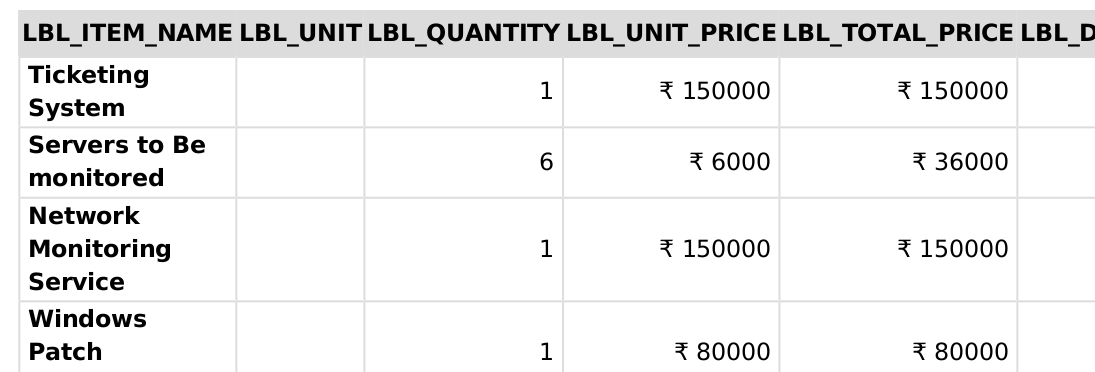
I think it is a bug as I am able to reproduce it again and again
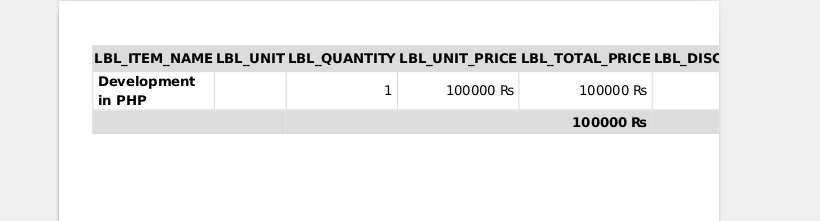
While creating Custom PDF the labels are not getting translated to language.
 gkArvindr
All 18 comments
Pls put your source code of html template.
 vovpff
on 21 Nov 2019
vovpff
on 21 Nov 2019
this is only code
$(custom : DynamicInventoryColumnsTable)$
gkArvindr
on 21 Nov 2019
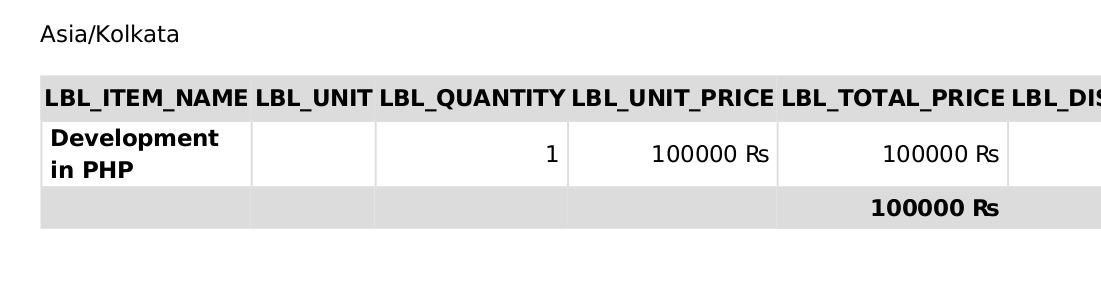
I added this code
$(general : BaseTimeZone)$ in Heading
$(custom : DynamicInventoryColumnsTable)$ in content
gkArvindr
on 21 Nov 2019
1574311509.pdf
@vovpff even if download the template and uploaded the same template as new template, the label are not using language
gkArvindr
on 21 Nov 2019
 rskrzypczak
on 21 Nov 2019
rskrzypczak
on 21 Nov 2019
What is your version of the system?
 mariuszkrzaczkowski
on 21 Nov 2019
mariuszkrzaczkowski
on 21 Nov 2019
@mariuszkrzaczkowski
YetiForce.com All rights reserved. [ver. 5.2.0]
running on
Linux bh-74.webhostbox.net 2.6.32-954.3.5.lve1.4.61.el6.x86_64 #1 SMP Thu Mar 14 07:14:46 EDT 2019 x86_64
gkArvindr
on 21 Nov 2019
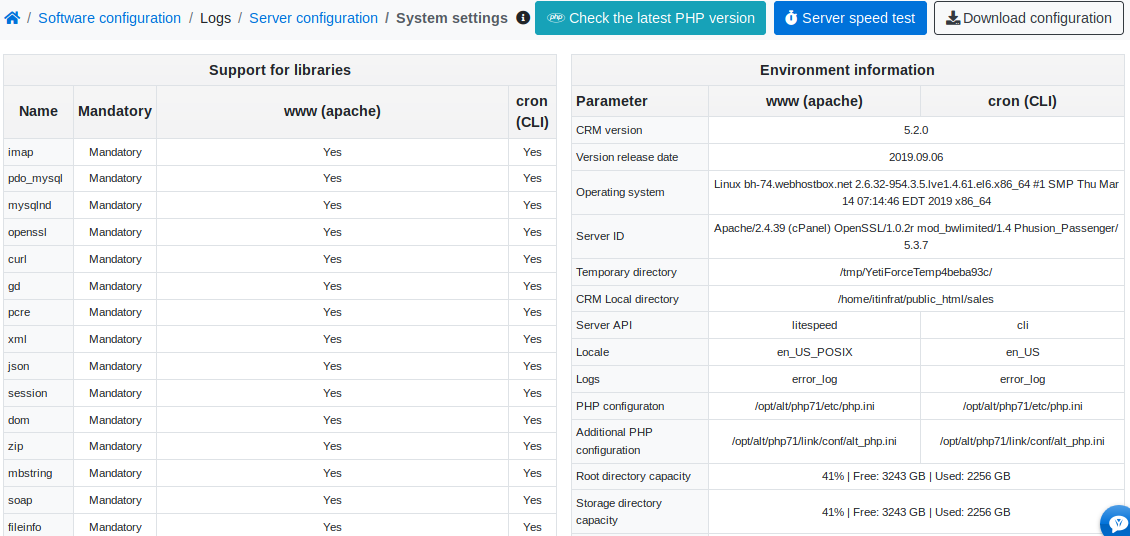
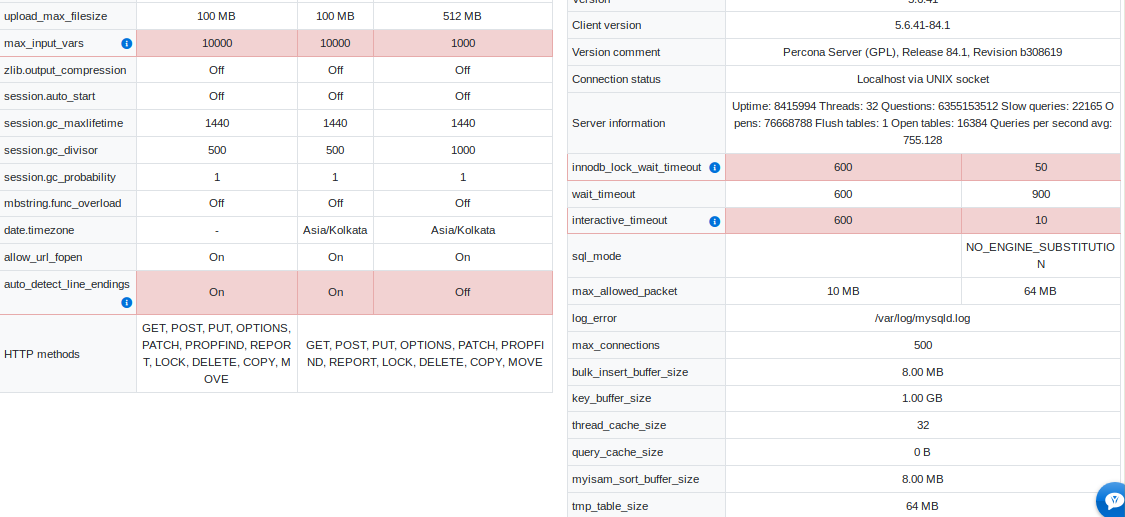
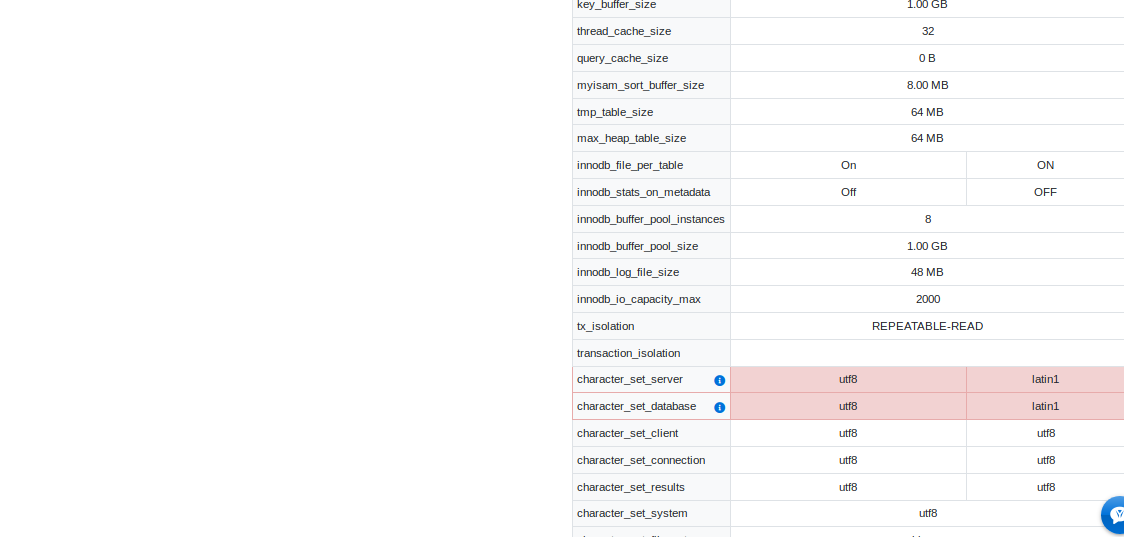
Attach a screenshot of the server configuration
mariuszkrzaczkowski
on 21 Nov 2019
here it the full details
gkArvindr
on 21 Nov 2019
I mean this: https://gitdeveloper.yetiforce.com/index.php?parent=Settings&module=ConfReport&view=Index&block=14&fieldid=65
mariuszkrzaczkowski
on 21 Nov 2019
@mariuszkrzaczkowski
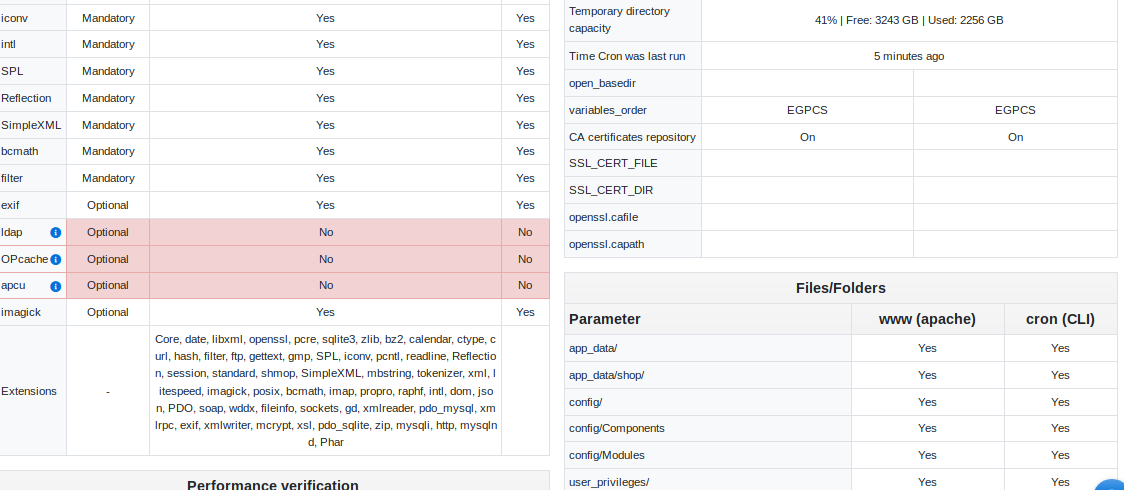
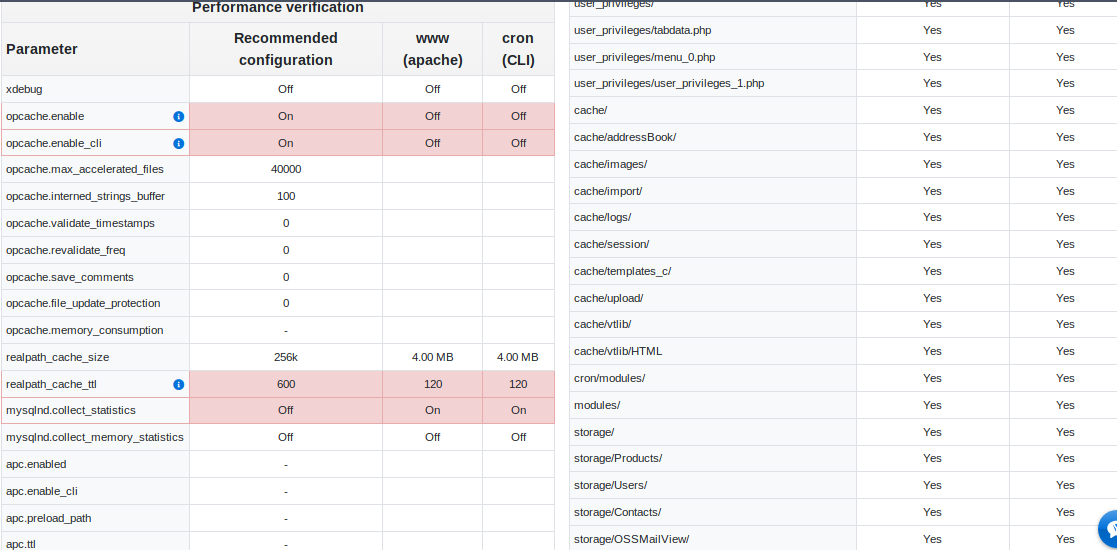
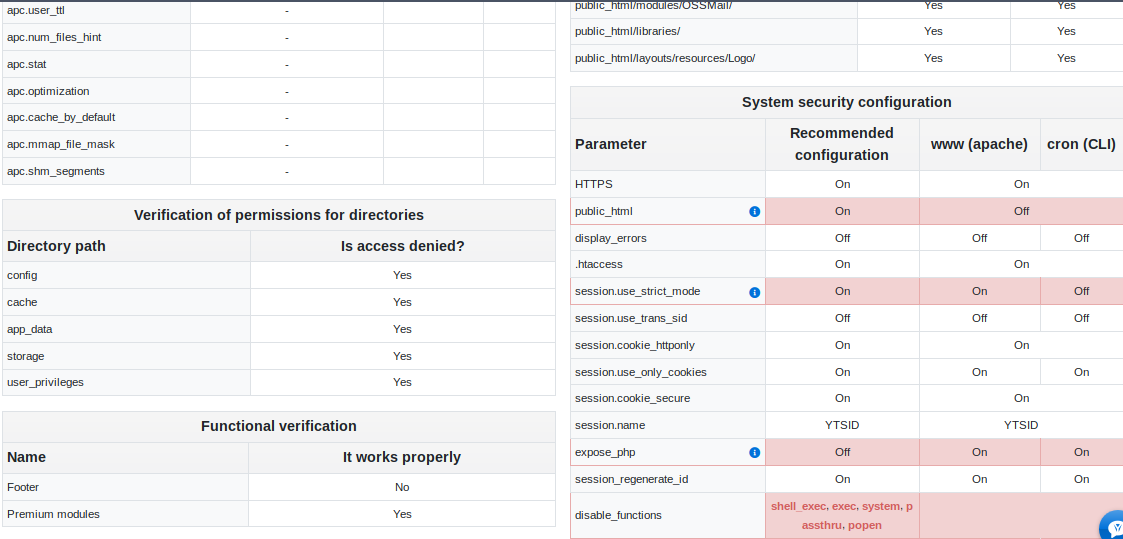
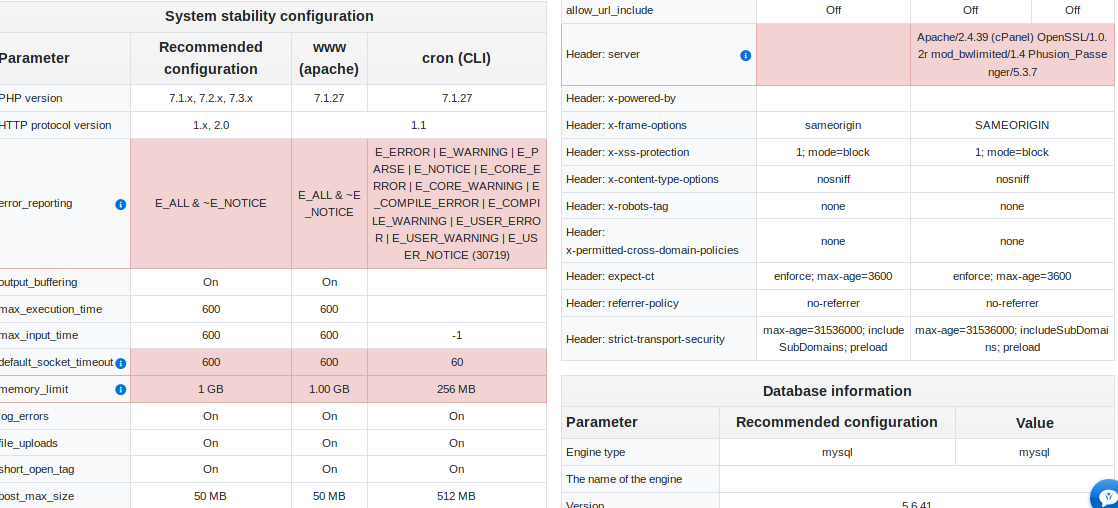

gkArvindr
on 21 Nov 2019
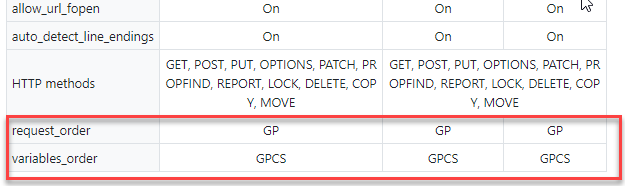
set in php.ini
request_order=GP
mariuszkrzaczkowski
on 21 Nov 2019
@mariuszkrzaczkowski
Modified php.ini and enabled GP

still the language is not getting populated
gkArvindr
on 21 Nov 2019
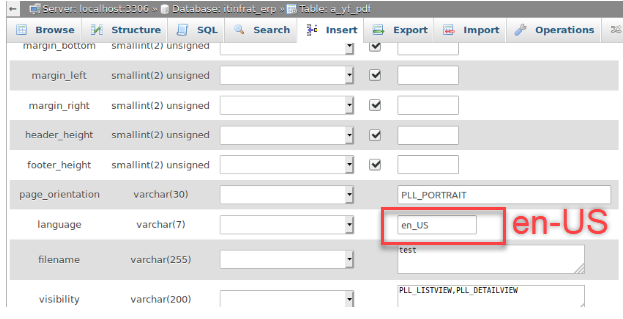
check this
mariuszkrzaczkowski
on 21 Nov 2019
Yes, it is showing en_US
gkArvindr
on 21 Nov 2019
@mariuszkrzaczkowski my feel is when template is modified, it does not pass the language parameter to the pdf making process
gkArvindr
on 21 Nov 2019
after changing the php.ini configuration, edit the pdf template and check what has been saved to the database
mariuszkrzaczkowski
on 21 Nov 2019
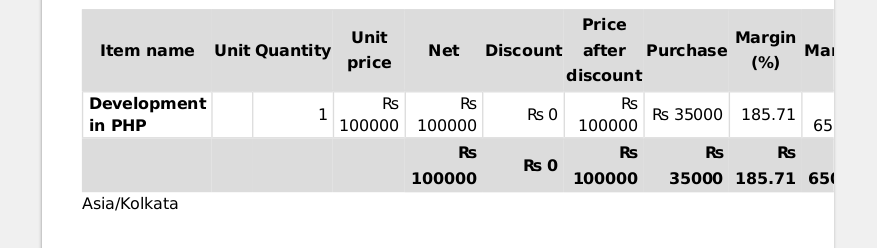
@mariuszkrzaczkowski IT WORKED !! thanks
gkArvindr
on 21 Nov 2019
Related issues
 canomogollon
·
3Comments
canomogollon
·
3Comments
 MacarenaReina
·
3Comments
rskrzypczak
·
3Comments
MacarenaReina
·
3Comments
rskrzypczak
·
3Comments
 scsikid
·
3Comments
scsikid
·
3Comments
 ldgbc
·
3Comments
ldgbc
·
3Comments
Most helpful comment
@mariuszkrzaczkowski IT WORKED !! thanks