Yetiforcecrm: mail system warnings
Hi,
we are using the newest stable version of YF, and we have made a lot of effort to make our configuration spotless, so it happened.
Now we are getting system warning via email and we have no idea why, because all should be fine.
cron.sh
export CRM_ROOT_DIR=`dirname "$0"`/..
export USE_PHP="php -c /etc/php/7.2/apache2/php.ini"
#export USE_PHP=/usr/local/php53/bin/php
#export USE_PHP=/usr/local/php56/bin/php56

cd $CRM_ROOT_DIR
# TO RUN ALL CORN JOBS
$USE_PHP -f cron.php
mail content
Server configuration

Server configuration was not set properly. There may be problems with the system, or the data entered may be damaged or deleted. More information can be found in the article Web server requirements at yetiforce.com. Detected problems:

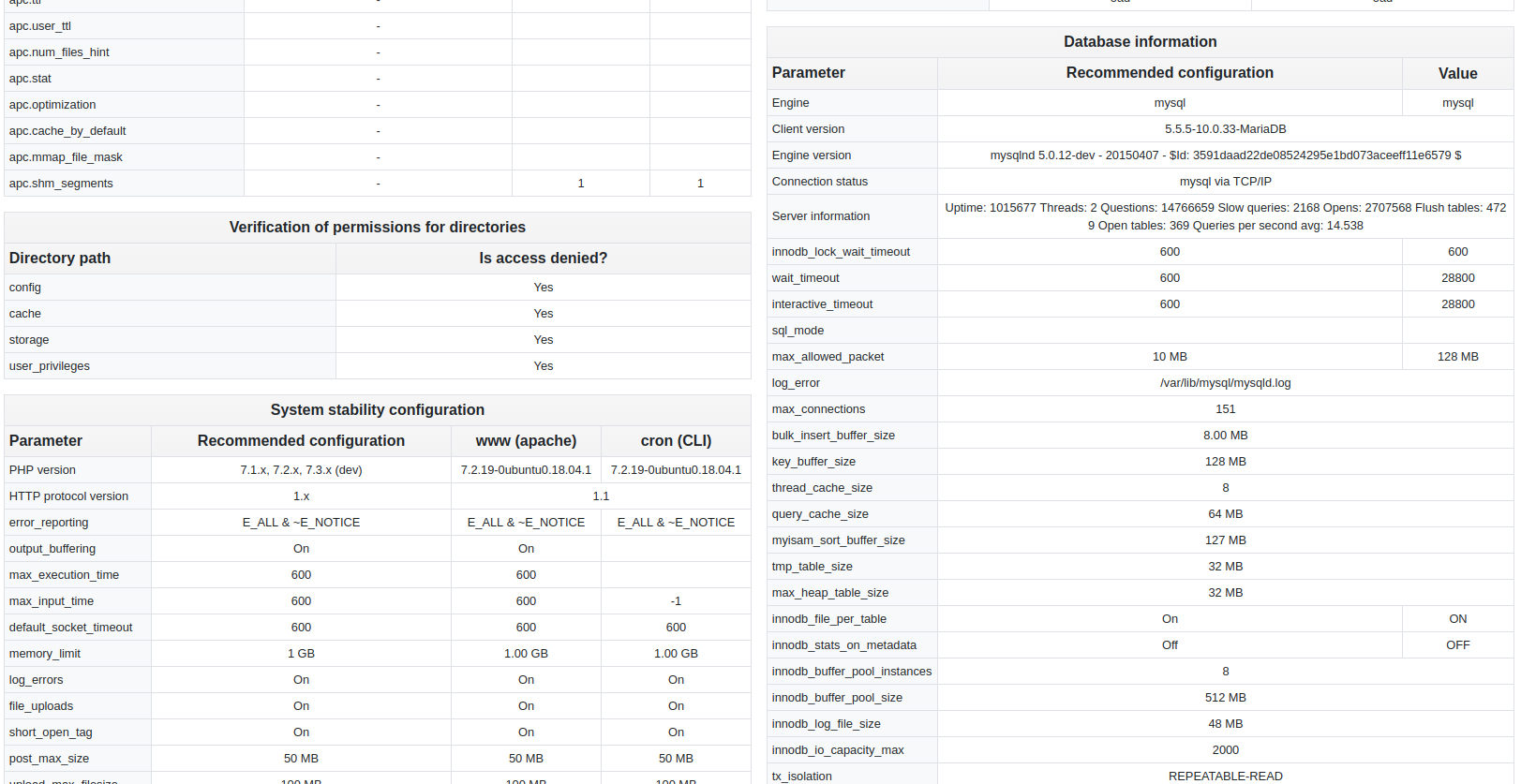
Stability:
  error_reporting = 'cron: E_ERROR | E_WARNING | E_PARSE | E_NOTICE | E_CORE_ERROR | E_CORE_WARNING | E_COMPILE_ERROR | E_COMPILE_WARNING | E_USER_ERROR | E_USER_WARNING | E_USER_NOTICE (22527)' (Recommended: 'E_ALL & ~E_NOTICE')
  default_socket_timeout = 'cron: 60' (Recommended: '600')
  short_open_tag = 'cron: Off' (Recommended: 'On')
  post_max_size = 'cron: 8.00 MB' (Recommended: '50 MB')
  upload_max_filesize = 'cron: 2.00 MB' (Recommended: '100 MB')
  max_input_vars = 'cron: 1000' (Recommended: '10000')
  session.gc_probability = 'cron: 0' (Recommended: '1')
  auto_detect_line_endings = 'cron: Off' (Recommended: 'On')

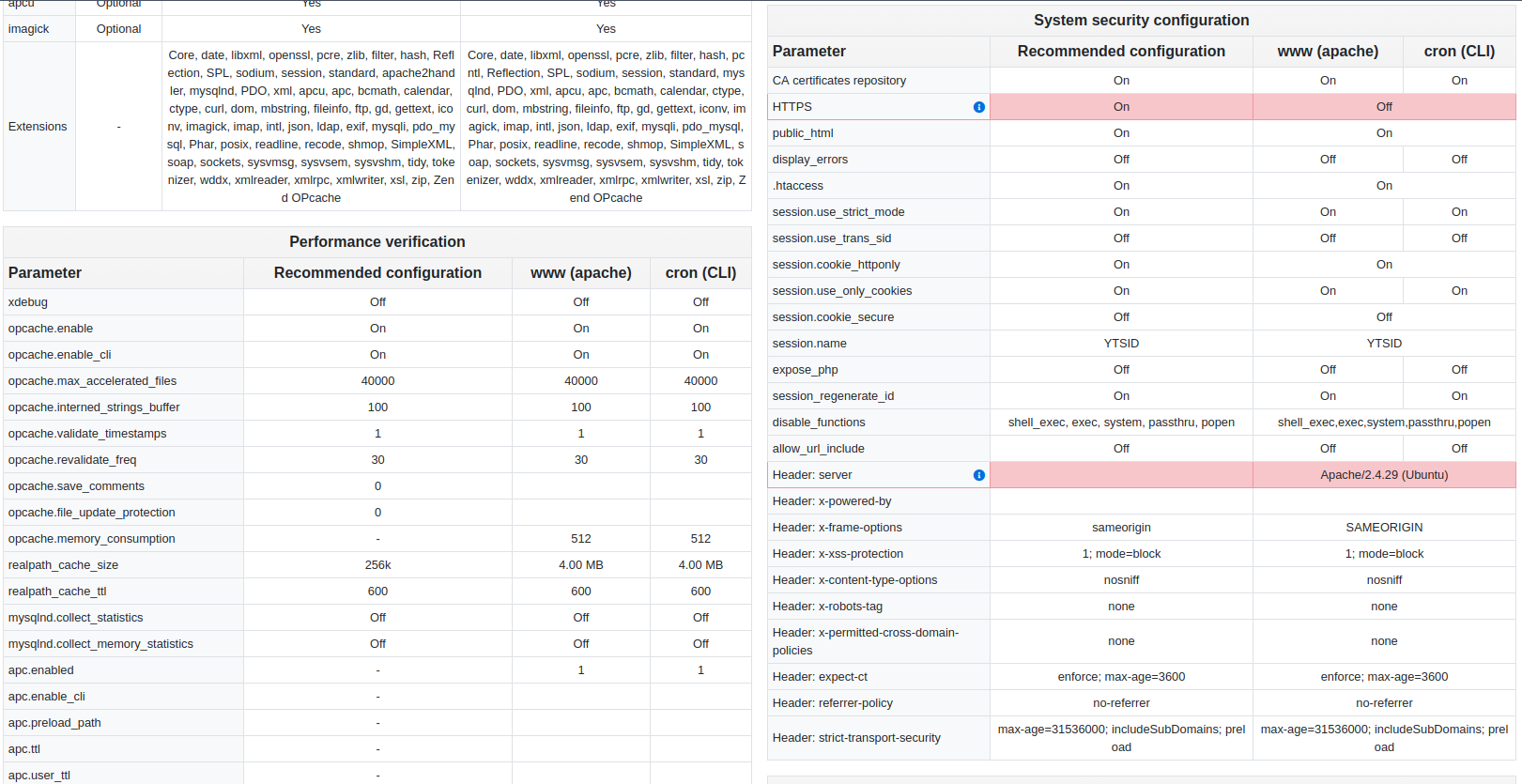
Performance:
  opcache.enable_cli = 'cron: Off' (Recommended: 'On')
  opcache.max_accelerated_files = 'cron: 10000' (Recommended: '40000')
  opcache.interned_strings_buffer = 'cron: 8' (Recommended: '100')
  opcache.revalidate_freq = 'cron: 2' (Recommended: '30')
  realpath_cache_ttl = 'cron: 120' (Recommended: '600')
  mysqlnd.collect_statistics = 'cron: On' (Recommended: 'Off')
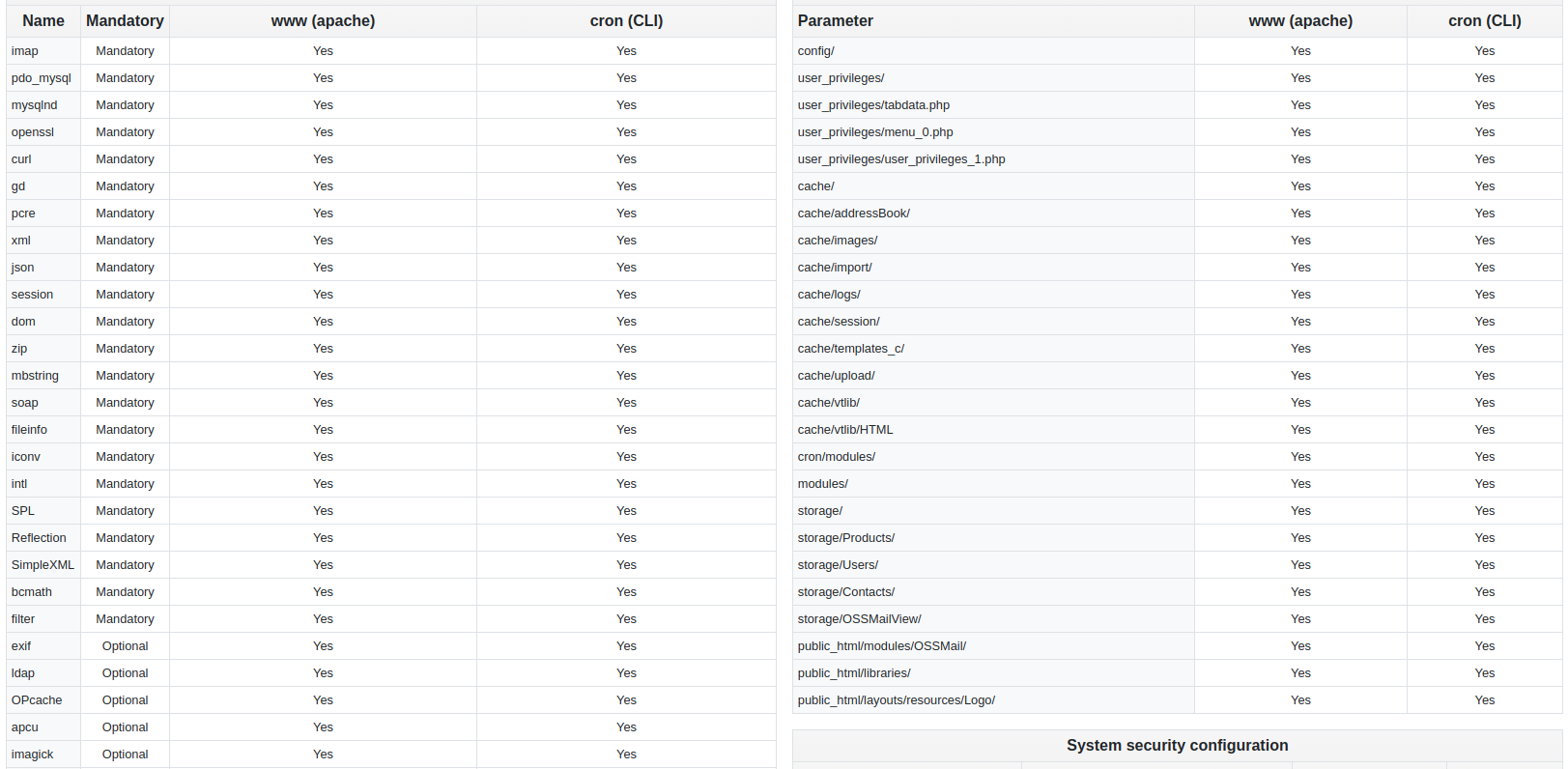
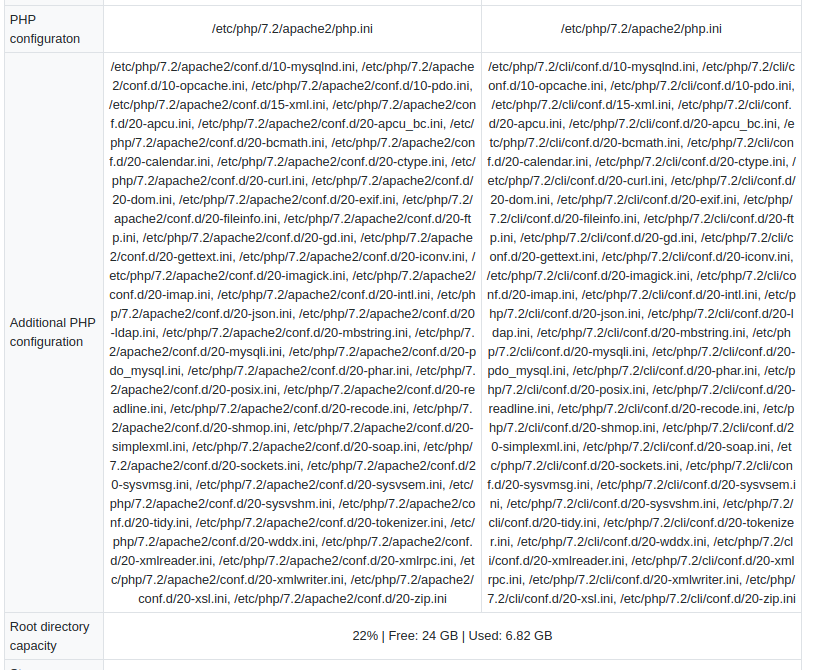
And please take a look on screenshots, all good excluding ssl and headers (it's cosmetics).
Thank You in advance ..
 LOCOSP
All 7 comments
Hi LOCOSP,
the php.ini into your configuration is wrong.
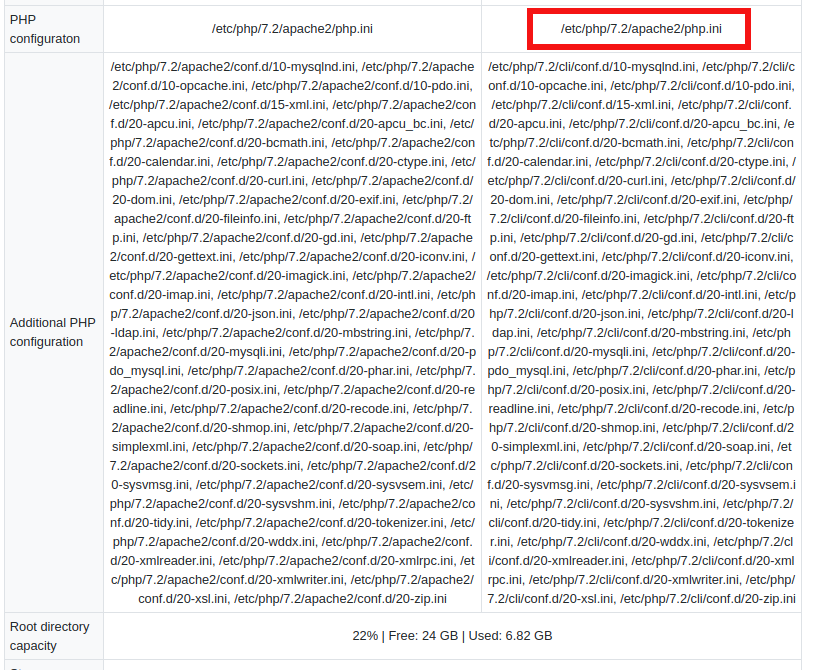
You are forcing CLI to use Apache php.ini: CLI has its php.ini (/etc/php/7.2/cli/php.ini). Why do you impose to CLI to use Apache php.ini?
Remove -c /etc/php/7.2/apache2/php.ini option from cron.sh.
Wait next CRON execution and, probably, you'll see that your CLI is out of YF requirements, like in warning email.
 davide-alghi
on 9 Aug 2019
davide-alghi
on 9 Aug 2019
If your email isn't scanning then I've found it much easier to delete the mail identity and re-add. The mail scanner doesn't allow me to change the folders after I've initially set them up.
David's response should fix your issue though.
 stevenbouillon
on 11 Aug 2019
stevenbouillon
on 11 Aug 2019
@davide-alghi Thank You for reply, one more question.
Should I leave it blank or point to .../cli/php.ini ? Maybe just comment it ?
....
Ok I've just did like it is in github repository cron.sh file
export USE_PHP=php
LOCOSP
on 12 Aug 2019
leave it like YF comes
let us know feedback
davide-alghi
on 12 Aug 2019
In Ubuntu 18.04 primary php version is 5.6.
I has additional versions of phph and use export USE_PHP=php7.3 for php 7.3
This depends of your system. And you do not need to fill full path to php.ini
 vovpff
on 14 Aug 2019
vovpff
on 14 Aug 2019
Just point at whatever cli/php.ini you want cron to use.
stevenbouillon
on 14 Aug 2019
it's important for CLI to have the same privileges as WWW
 mariuszkrzaczkowski
on 14 Aug 2019
mariuszkrzaczkowski
on 14 Aug 2019
Related issues
 MacarenaReina
·
3Comments
MacarenaReina
·
3Comments
 michelmarquesrj
·
3Comments
michelmarquesrj
·
3Comments
 rubysown
·
3Comments
rubysown
·
3Comments
 PDMeira
·
3Comments
PDMeira
·
3Comments
 Raggazzoo
·
3Comments
Raggazzoo
·
3Comments
Most helpful comment
leave it like YF comes
https://github.com/YetiForceCompany/YetiForceCRM/blob/4a2c27593f5879cb6ac5f39561deb755151eb246/cron/cron.sh#L12
let us know feedback