Yaru: [Request] Yaru Palette colors for VSCode Theme
Hello guys!
I don't come here to report a problem or bug, but to request something to help a small project that complements the Yaru experience for Ubuntu users who work with VSCode. This is the Yaru Theme for VSCode, which at first I did by directly copying the colors of the interface.
So, I would like to know if you could make available the official GUI Yaru color palette, so that I can guide myself and check if I am on the right path.
 AdsonCicilioti
All 4 comments
Hi @AdsonCicilioti thanks for this!
This is our palette: https://github.com/ubuntu/yaru/blob/master/gtk/src/default/gtk-3.20/_ubuntu-colors.scss
But actually we only use
#f7f7f7 and lighten(#3b3b3b, 0,5%) as our basic background colors
Popups have #fafafa for the light theme and lighten(#3b3b3b, 1%) for the dark theme
Text colors are really just #f7f7f7 and #3b3b3b
Positive things like badges are green ... lighten(#0e8420, 5%) for the light theme and darken(#0e8420, 5%) for the dark theme
Negative things are $destructive_color... for the light theme #c7162b and for the dark theme darken(#c7162b, 10%));
On screen stuff like the volume "popup" are really dark transparentize(lighten(#181818, 2%),0.025); with a transparent white border
We should really make it more transparent to people outside of the project, but if you have more questions than this you basically need to look into _colors.scss then look up what those fancy variables like $inkstone and so on actually are inside _ubuntu-colors.scss since we change them with those lighten/darken scss "functions". http://scg.ar-ch.org/ can help I think or maybe other sites with https ^^
We should really put this on the todo list.
 Feichtmeier
on 31 Jul 2020
Feichtmeier
on 31 Jul 2020
Very nice @Feichtmeier !
Sass is Awesome... I use it a lot in my web projects.
Really .. I saw in the other files that these base colors suffer many variations to meet the demands of the UI (contrast, states, etc.).
The VSCode theme requires a Json file with RRGGBB or RRGGBBAA colors. It's great because it allows me to use transparent tones too. to make some variation. But I'm starting by taking colors by area / element of interest so that I can translate to VSCode UI. Here's how I'm extracting:
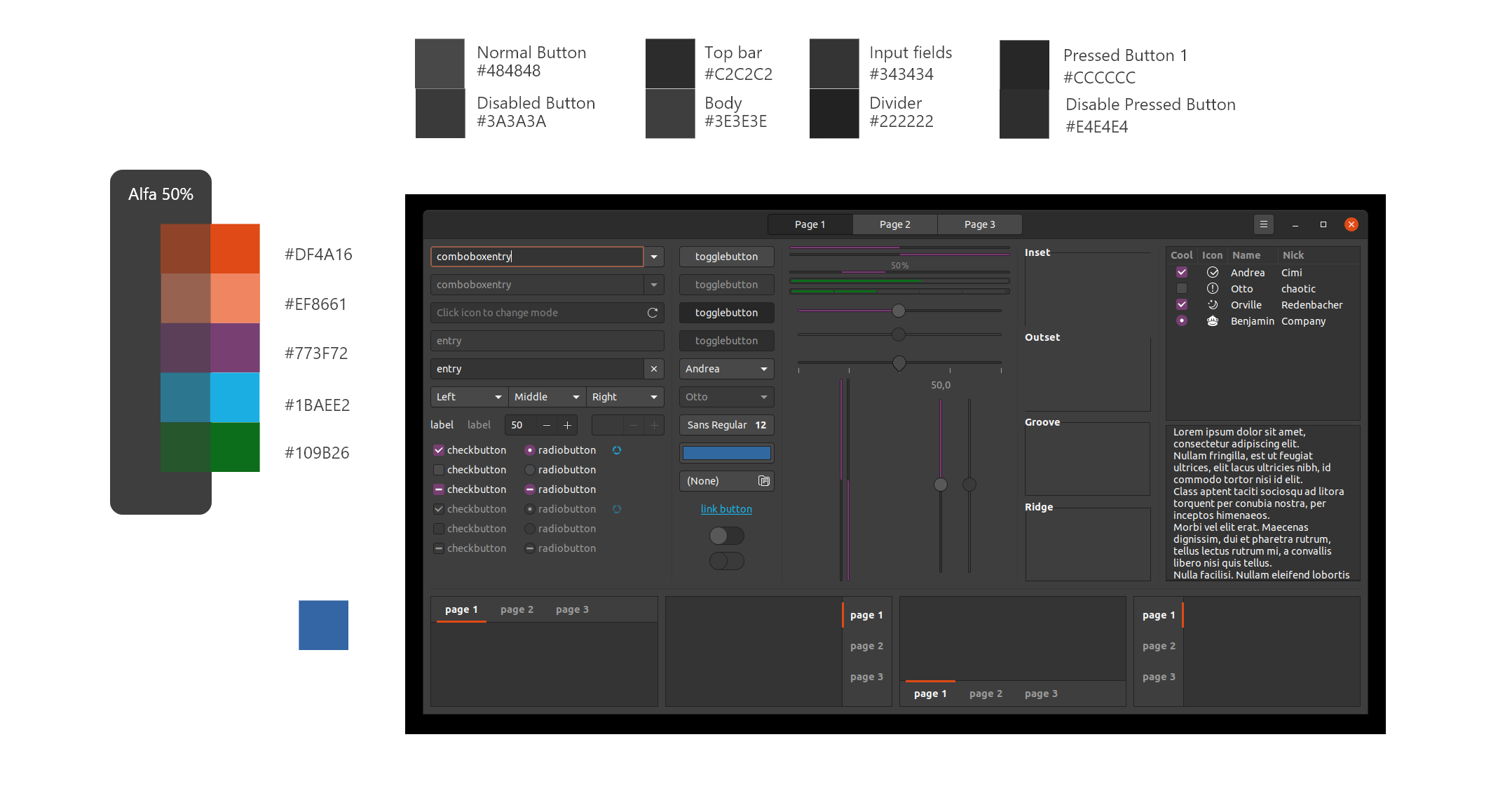
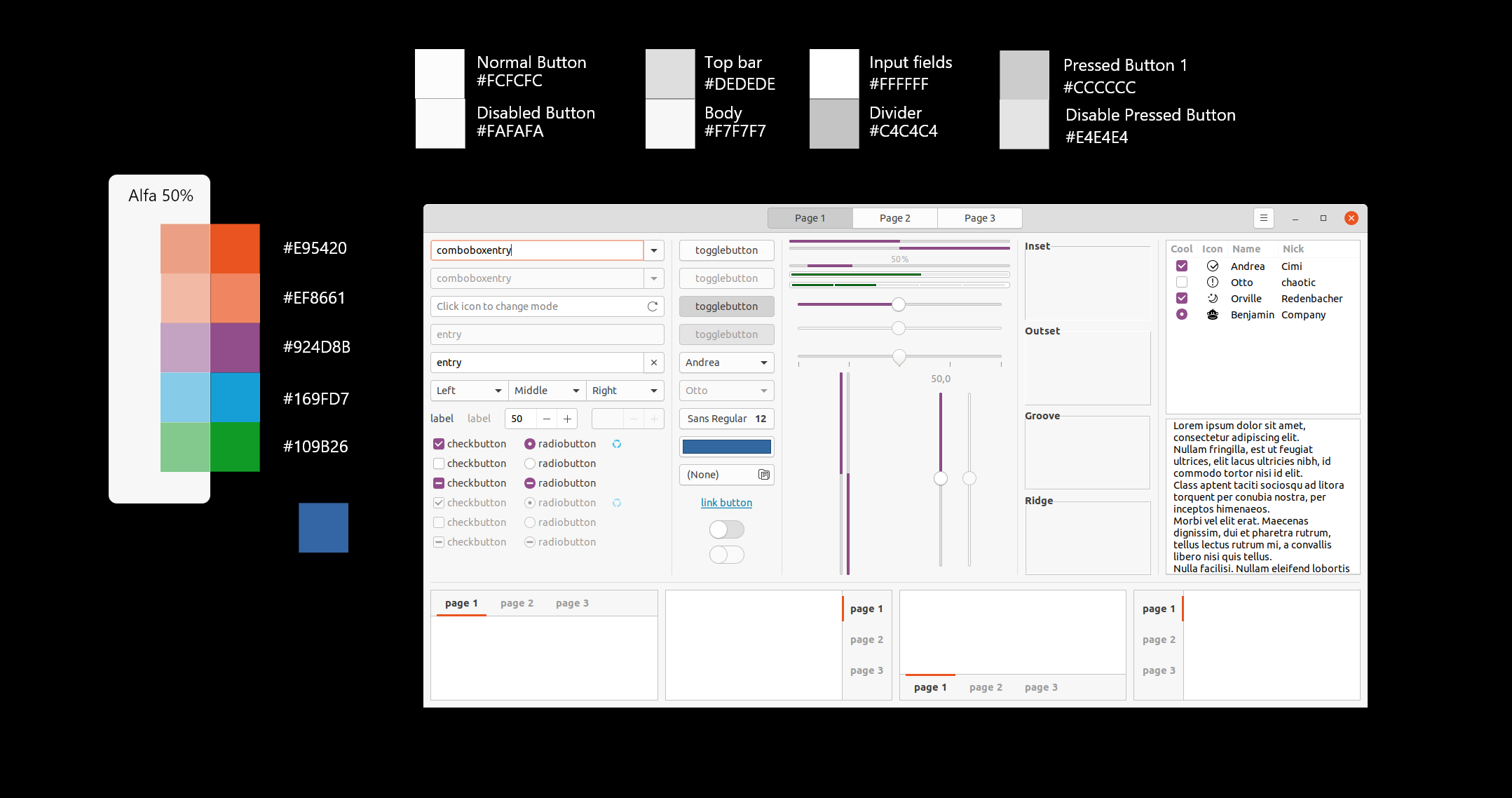
AdsonCicilioti
on 1 Aug 2020
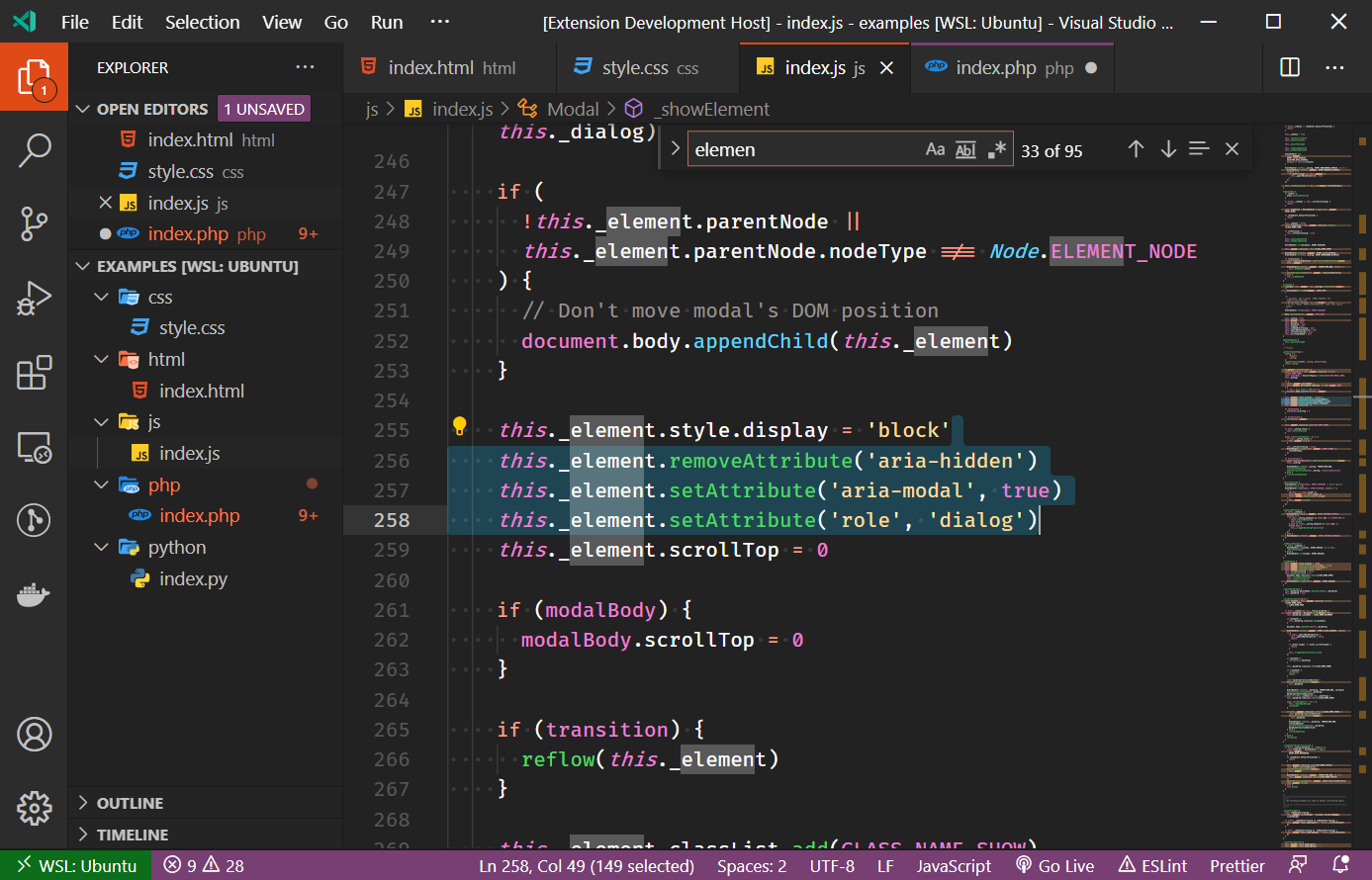
Dark Version done!
Now with complete sintax colors.
Thanks Guys!
AdsonCicilioti
on 1 Aug 2020
Looks cool, thank you @AdsonCicilioti !
Feichtmeier
on 1 Aug 2020
Related issues
 CDrummond
·
3Comments
CDrummond
·
3Comments
 madsrh
·
3Comments
Feichtmeier
·
3Comments
madsrh
·
3Comments
Feichtmeier
·
3Comments
 sicklylife-jp
·
3Comments
sicklylife-jp
·
3Comments
 snydox
·
3Comments
snydox
·
3Comments
Most helpful comment
Dark Version done!
Now with complete sintax colors.
Thanks Guys!