Yaru: Dark theme: entered text not visible in PFD form in evince
I've encountered an issue with the dark theme, with unreadable text when typing into a PDF form using evince.
Expected Behavior
I should be able to read text typed into a PDF form using evince in the dark theme.
Actual Behavior
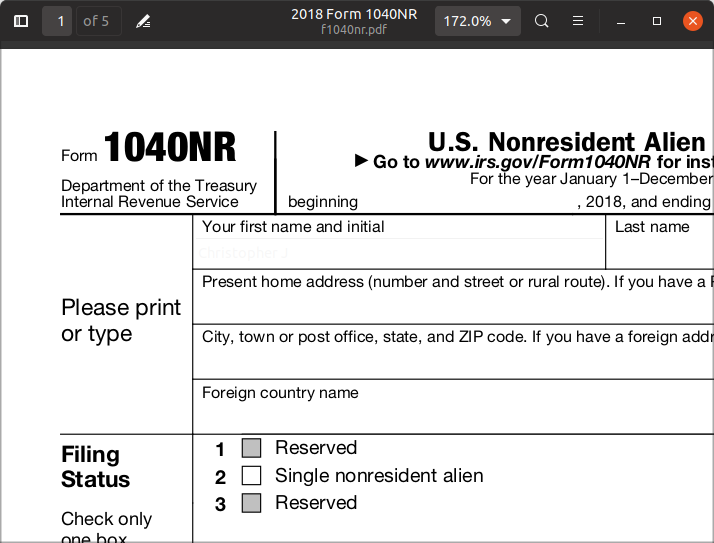
It looks like this, with the text in the form white-on-white (slightly different whites but not visible). There is text being entered in the "First name and initial" field, but it is blank. Once I leave the field, evince renders it as blue text and it is readable. But during editing it looks like this:
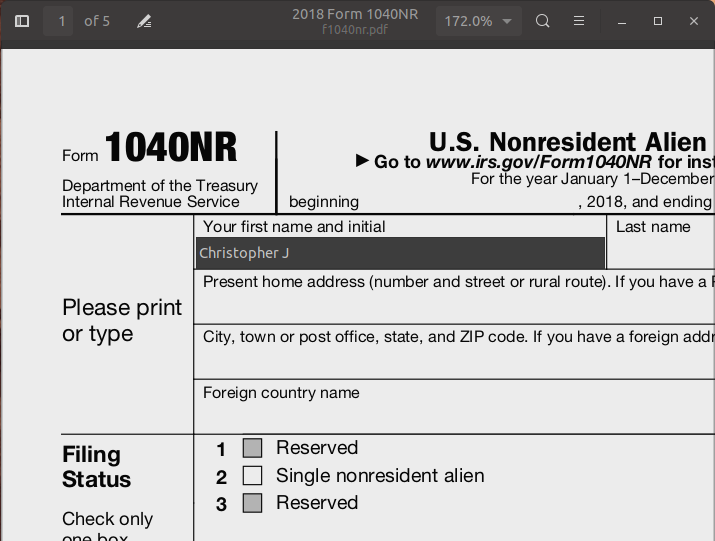
If the window is not focused then the text become visible, with the text entry widget getting a dark background.
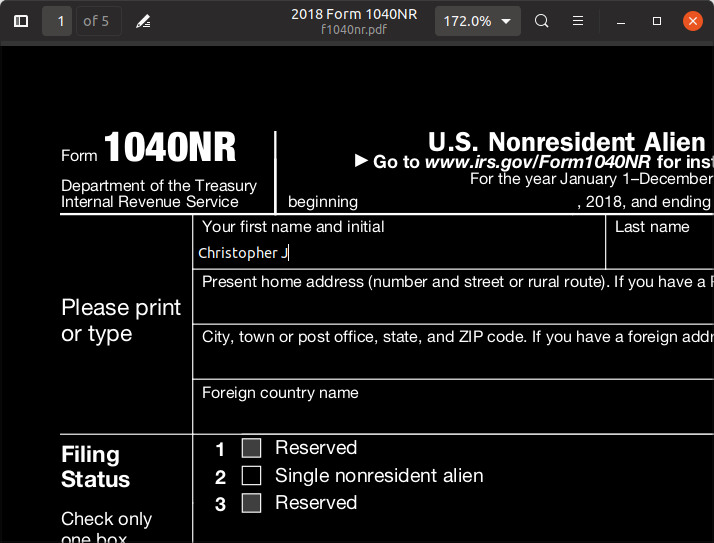
If I put evince in dark mode then the text is white on black:
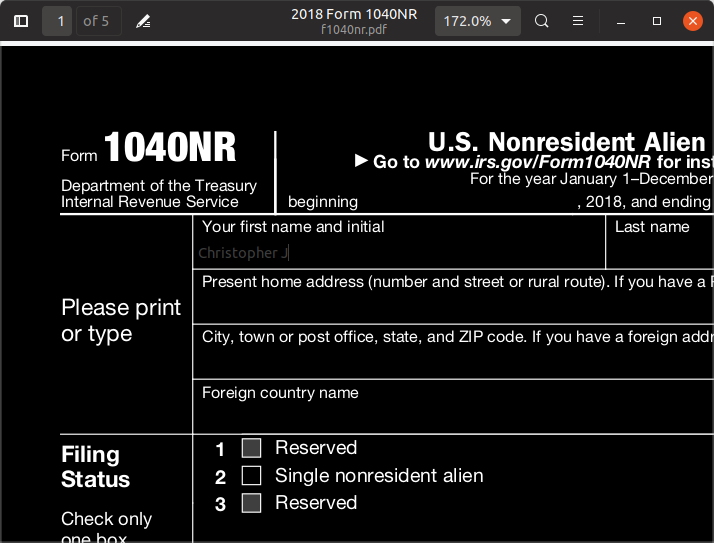
However, in evince dark-mode and Yaru light, the text is also not super visible, though it is not too bad:
Steps to Reproduce the Problem
- Use Yaru-dark
- Open a PDF with an editable form like this tax form in evince.
- Type something into a field
Specifications
I've installed Yaru from the Arch Linux AUR and updated it to current git master, git describe in the package build dir gives r27-35-gf36189f4
Software that presents the issue:
- Name: Evince/Gnome Document viewer
- Version: 3.30.2
 chrisjbillington
All 3 comments
Hey @chrisjbillington, thanks for taking time to help us. Bug is confirmed on Disco as well
 clobrano
on 22 Jan 2019
clobrano
on 22 Jan 2019
I just double checked, the issue is reproducible in Adwaita as well and I believe it's something we can't avoid. The problem is that Evince does not take into account theme variant.
- in theme dark mode, it keeps the pdf white, but it still takes the theme text color, which is of course brighter than in light mode, and so we have white on white.
- in theme light mode, Evince can be set in its own dark mode, which does the opposite: sets the pdf to black, but keeps theme text color, which is dark, so we have dark on dark.
This means that whatever we do, we (as well as Adwaita) end up in a misbehavior, without knowing in which mode is Evince set.
Best would be to explain the problem to Evince's maintainers and see what they think about it.
clobrano
on 22 Jan 2019
Looks like this issue is known to Evince devs, and was fixed very recently:
https://gitlab.gnome.org/GNOME/evince/issues/687
I can't test the fix, but if I understand the problem correctly, it looks like the fix should apply well to all themes both in Evince's light and dark modes.
chrisjbillington
on 22 Jan 2019
Related issues
 CDrummond
·
3Comments
CDrummond
·
3Comments
 Muqtxdir
·
3Comments
Muqtxdir
·
3Comments
 madsrh
·
4Comments
madsrh
·
4Comments
 mivoligo
·
3Comments
mivoligo
·
3Comments
 matthewpaulthomas
·
3Comments
matthewpaulthomas
·
3Comments
Most helpful comment
Looks like this issue is known to Evince devs, and was fixed very recently:
https://gitlab.gnome.org/GNOME/evince/issues/687
I can't test the fix, but if I understand the problem correctly, it looks like the fix should apply well to all themes both in Evince's light and dark modes.