Hi, guys
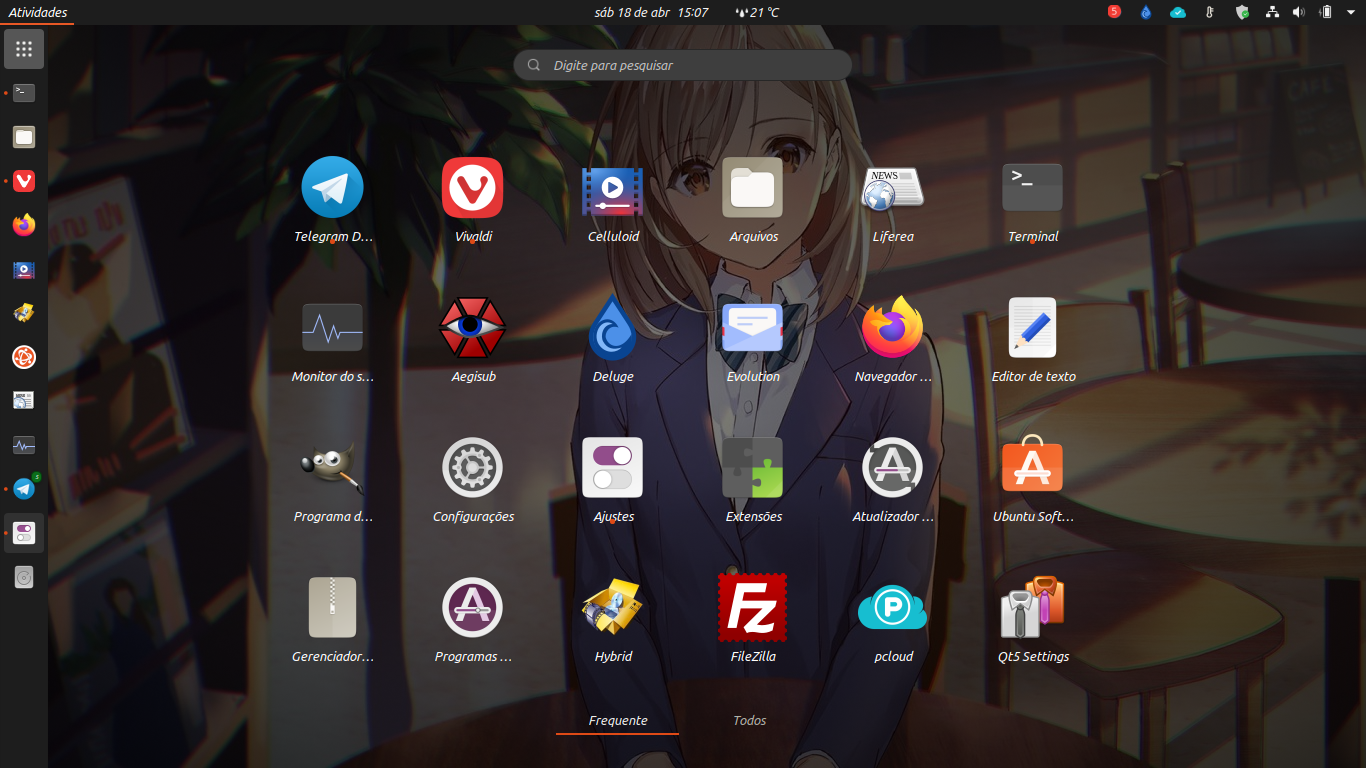
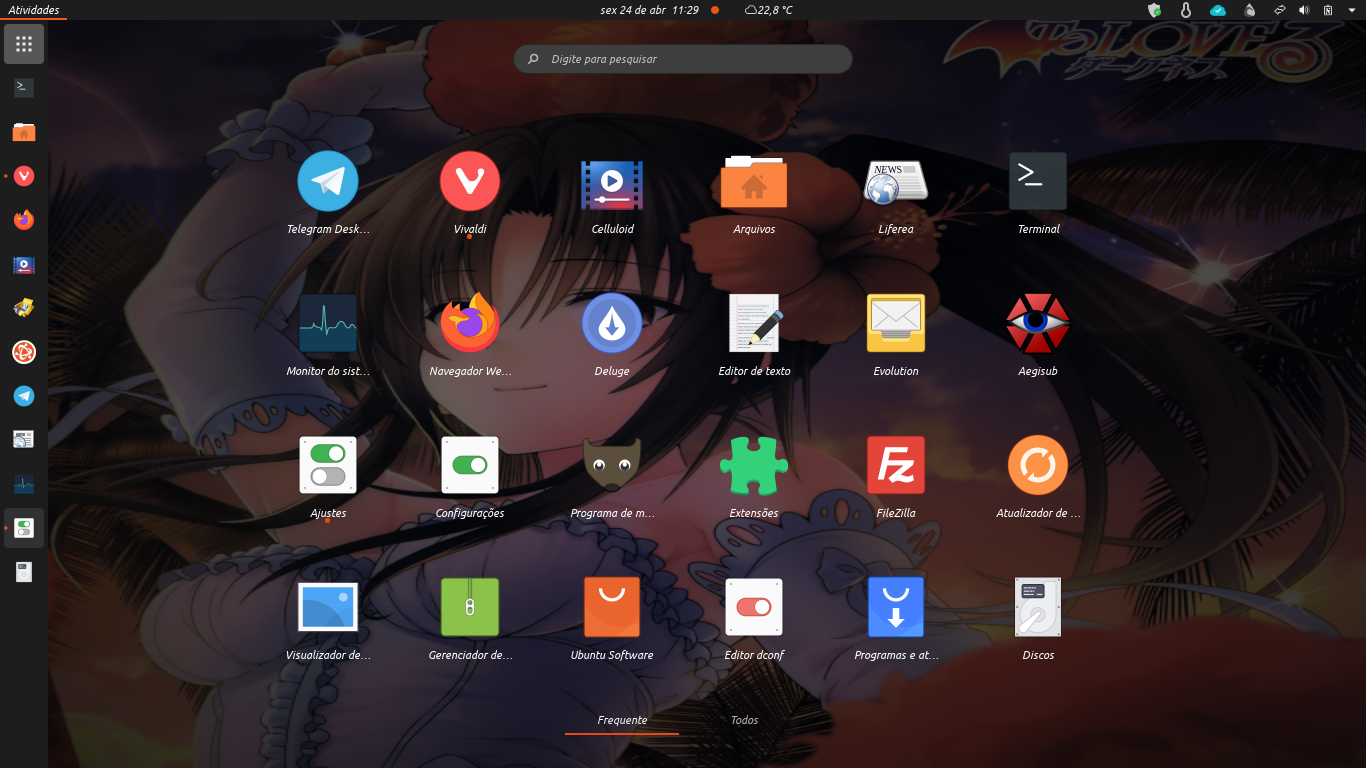
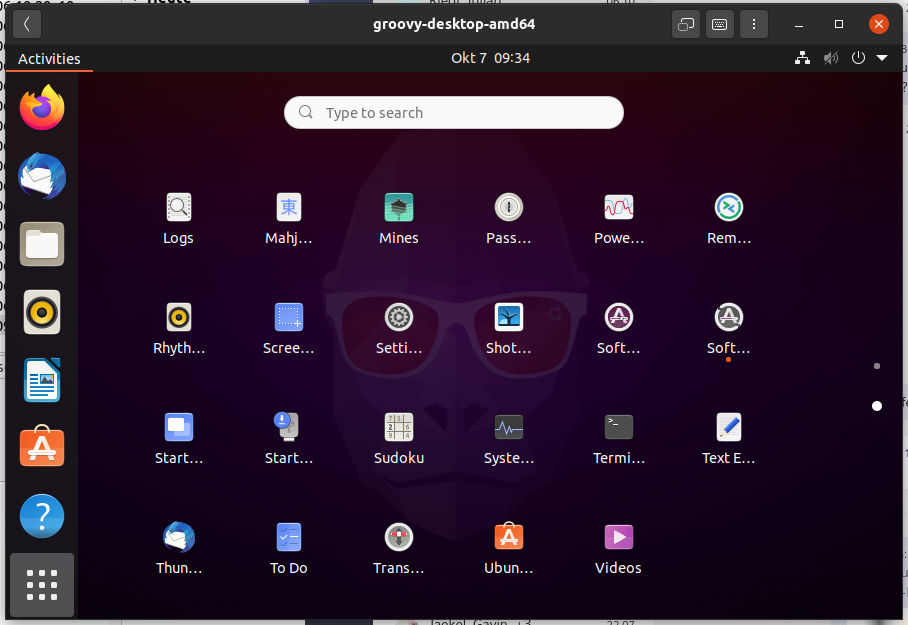
The open applications indicator is standing in front of the name.
Using Ubuntu 20.04
 Neocazen
All 27 comments
oh that's weird
I see your font is italic
did you change the font?
 Feichtmeier
on 18 Apr 2020
Feichtmeier
on 18 Apr 2020
Also the dock seems different, did you installed dash to dock?
>
 clobrano
on 18 Apr 2020
clobrano
on 18 Apr 2020
It was with a friend on Telegram that he realized. His is with native sources. And not. The dock is native, I only enabled it to change the grid icon upwards to allow custom colors with the dconf-editor program
Neocazen
on 18 Apr 2020
oh that's weird
I see your font is italic
did you change the font?
Yes
Neocazen
on 18 Apr 2020
Which is your current Font settings, then?
clobrano
on 18 Apr 2020
Which is your current Font settings, then?
I ended up going back to the original sources and it remainsUbuntu Regular 11, sans regular 11, Ubuntu mono regular 13, Ubuntu bold 11 ). I consulted another friend and his is normal.
I undid the modifications in the dock, I disabled the extensions I have and it remains the same.
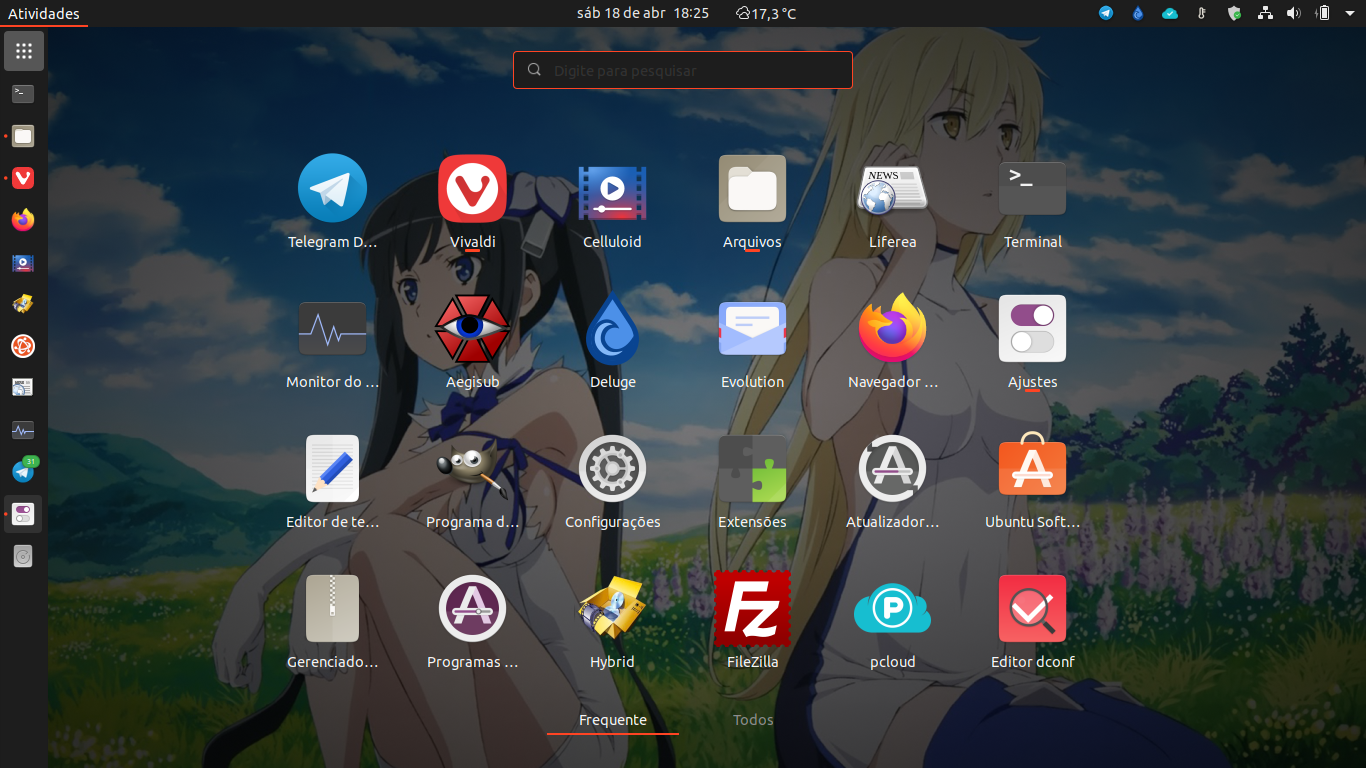
I see that the texts are far from the icon.
Neocazen
on 18 Apr 2020
With another theme there is no problem.
Neocazen
on 18 Apr 2020
do you use a 4k Screen and use the UI scaling feature?
Feichtmeier
on 19 Apr 2020
do you use a 4k Screen and use the UI scaling feature?
Far from it. I'm using a 1366x768 notebook Acer Aspire, i5 generation 2
Neocazen
on 19 Apr 2020
Do you remember if initially, with default configuration, the problem was already present?
clobrano
on 19 Apr 2020
Do you remember if initially, with default configuration, the problem was already present?
Problem not. It was a friend who asked me in a Telegram group that is having the problem and ended up asking me if he also had
Neocazen
on 19 Apr 2020
need to test if this is connected to the modifications you've did since we didn't observe this ourselves when working on the theme
Feichtmeier
on 19 Apr 2020
need to test if this is connected to the modifications you've did since we didn't observe this ourselves when working on the theme
I will download the latest Ubuntu Daily and test it live
Neocazen
on 19 Apr 2020
I tried changing font, font size and zoom, but I cannot replicate it
clobrano
on 19 Apr 2020
I tried changing font, font size and zoom, but I cannot replicate it
Ok. If you can replicate the problem with the cause, I’ll report it here.
Neocazen
on 19 Apr 2020
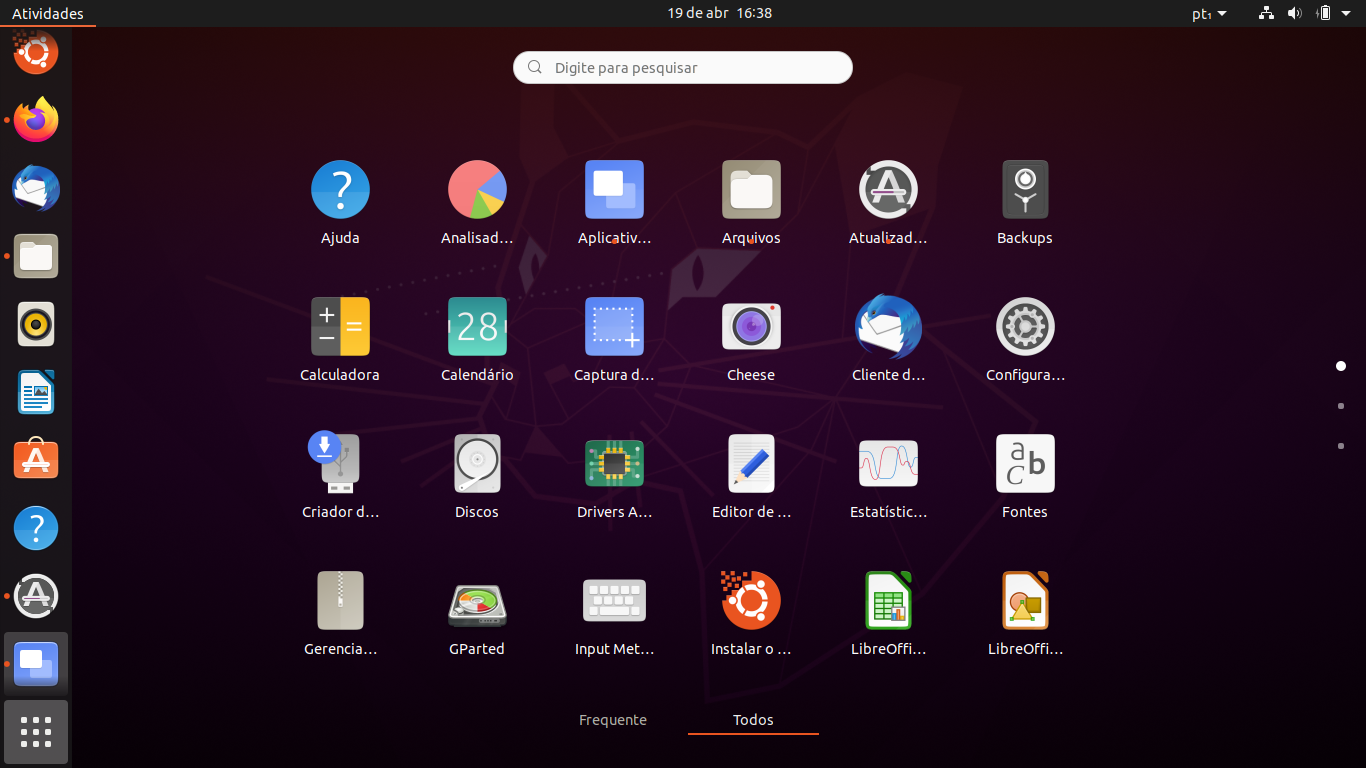
It must be because of the resolution. LiveCD day 04/17
Neocazen
on 19 Apr 2020
Yes, I replicated with a VM, forcing a low resolution. I believe this is gnome-shell issue then
clobrano
on 19 Apr 2020
Yes, I replicated with a VM, forcing a low resolution. I believe this is gnome-shell issue then
Ok. There is a very crazy bug in the dash. Grouping icons and then taking them out is sinister.
Neocazen
on 20 Apr 2020
If this is connected to the low resolution, could you do us a favor and check if this also happens with the default gnome theme?
For 20.04 ofc:
sudo apt install gnome-session
reboot
click the little gear icon in the bottom right in your login screen and select gnome
@Neocazen
Feichtmeier
on 24 Apr 2020
If this is connected to the low resolution, could you do us a favor and check if this also happens with the default gnome theme?
For 20.04 ofc:
sudo apt install gnome-session
reboot
click the little gear icon in the bottom right in your login screen and select gnome
@Neocazen
The same thing xorg and wayland respectively
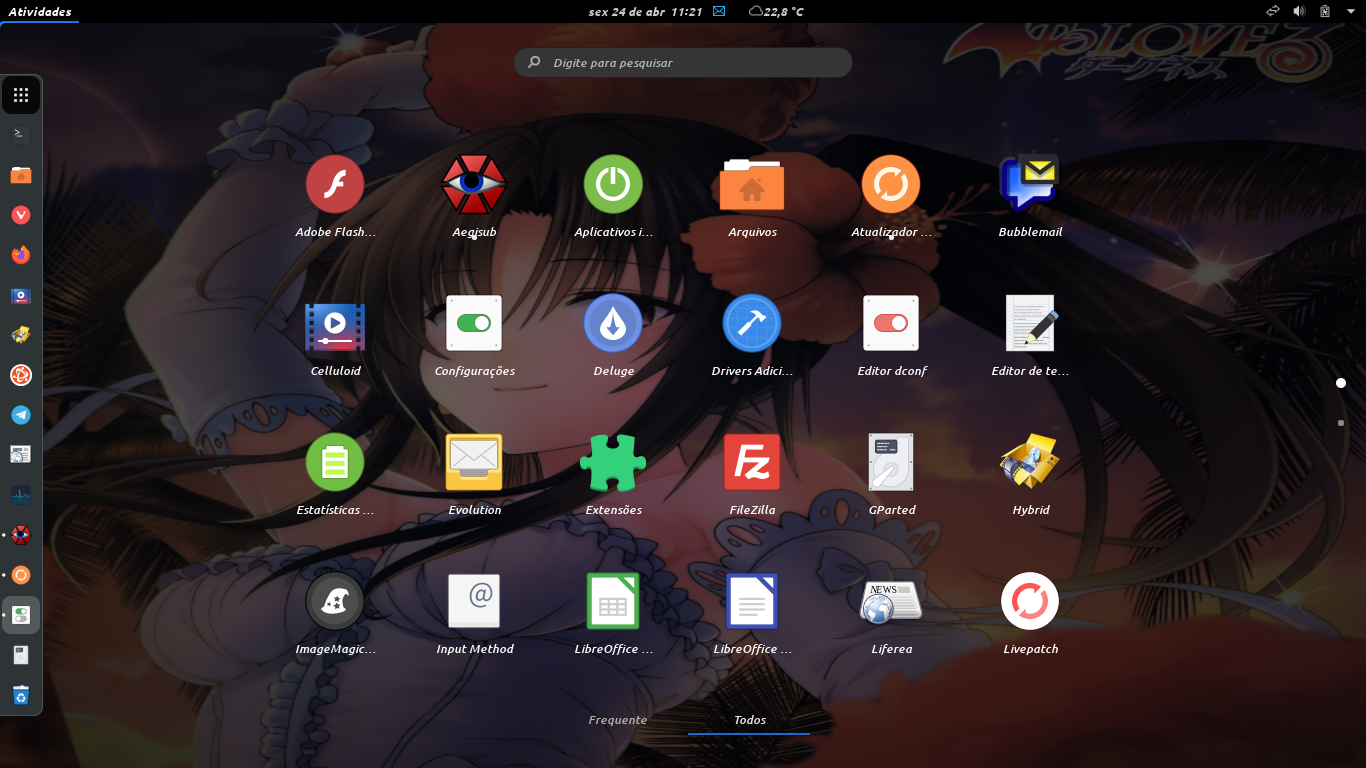
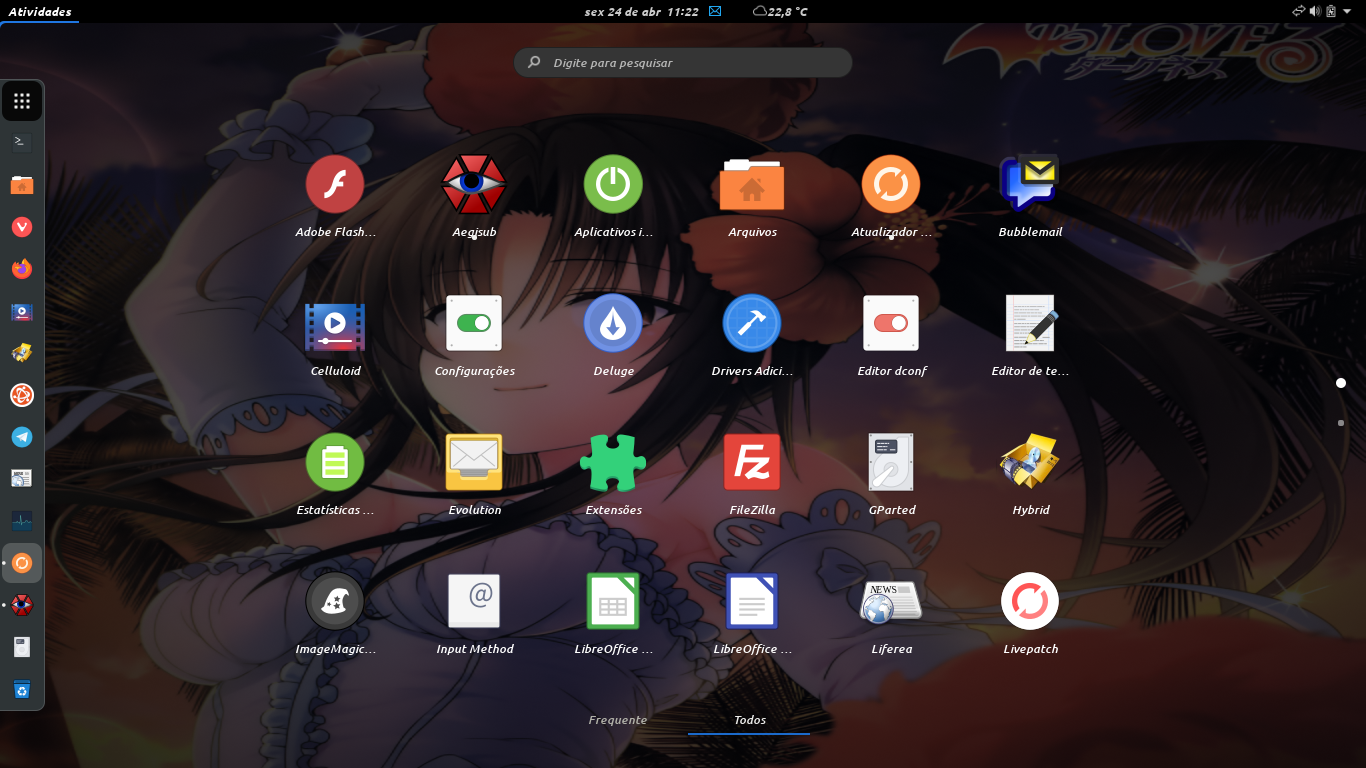
if i reduce the scale factor in the tweaks to 0.74 it gets normal, but it's too small
Neocazen
on 24 Apr 2020
Okay so we know upstream has the problem, too. Thank you @Neocazen
That doesn't mean that it is not fixable with SCSS.
Maybe we could fix it with a min-height or padding here: https://github.com/ubuntu/yaru/blob/master/gnome-shell/src/gnome-shell-sass/widgets/_app-grid.scss#L95
The whole
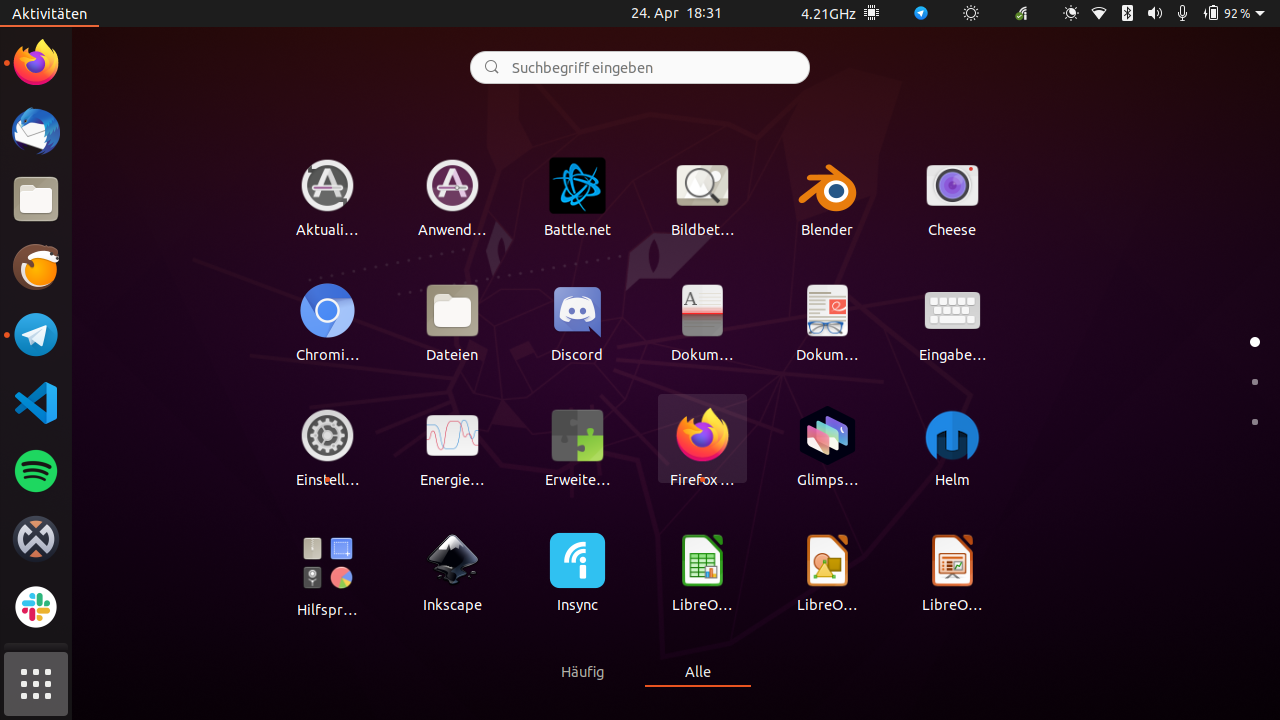
app tile seems to small with low resolutions - you can see when you hover that the label also jumps out of the tile
Whereas with higher resolution label and running dot both fit into the tile
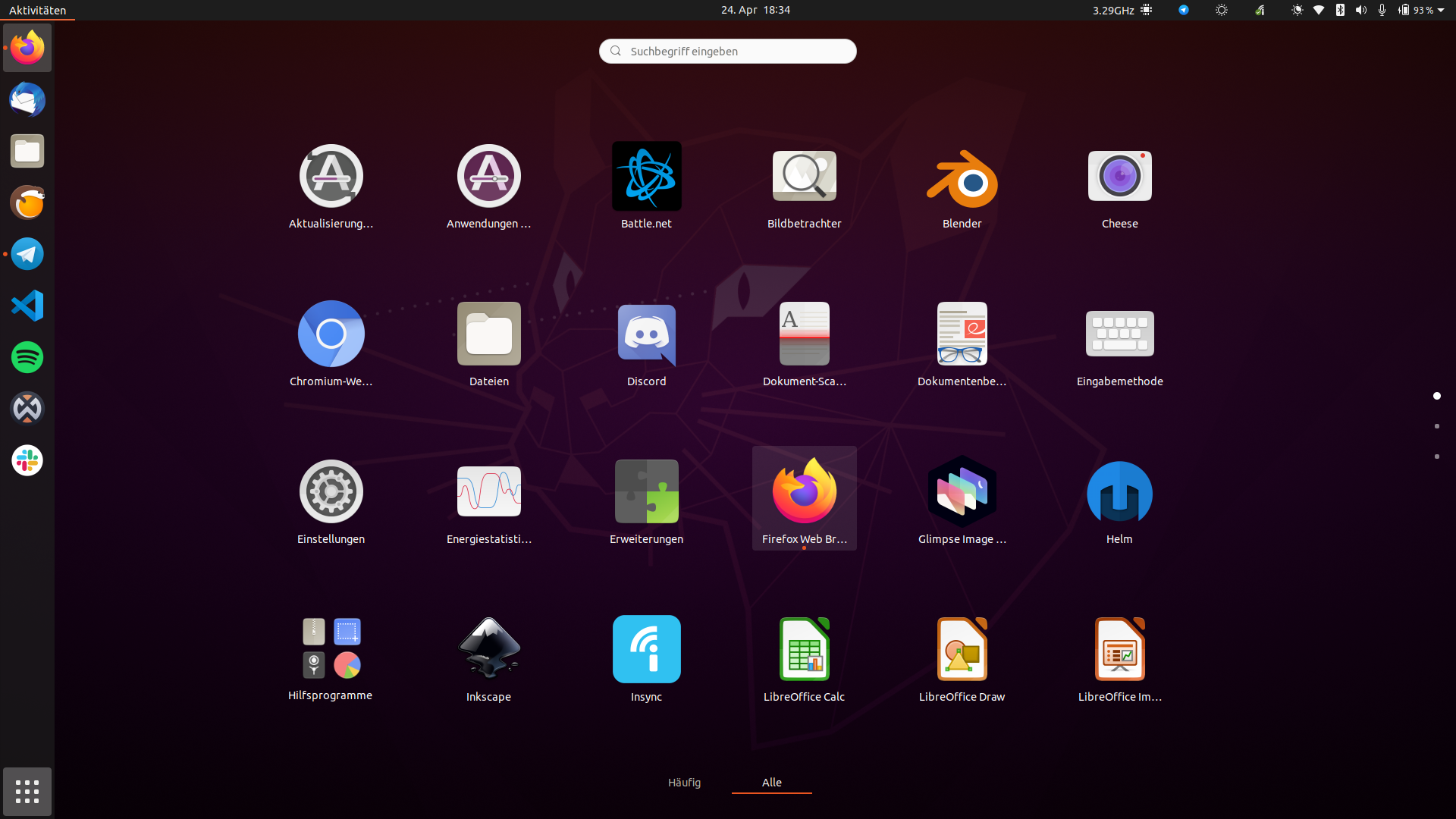
Maybe we can adjust the padding here
https://github.com/ubuntu/yaru/blob/master/gnome-shell/src/gnome-shell-sass/widgets/_app-grid.scss#L29
Feichtmeier
on 24 Apr 2020
Thanks for your attention guys.
Neocazen
on 25 Apr 2020
@Neocazen
If you have much time could you do us a favour and open an issue about this on gnome-shell repo instead? Because I think this issue should also happen there. If it is fixed upstream we can pull it back to yaru later.
So you would need to do the following:
sudo apt install gnome-session
reboot
click the little ⚙️ button in the bottom right
chose the gnome session
make sure you have adwaita icon themes + gtk themes selected
make a screenshot of your issue (assuming it also happens there)
make an issue about it here: https://gitlab.gnome.org/GNOME/gnome-shell/-/issues
Thanks in advance
edit: ofc, assuming this issue happens there :) If it does not happen in gnome session, it is a yaru issue
Feichtmeier
on 25 May 2020
@Neocazen sorry, did not scroll up to see that you already did test it in gnome-session!
Florian Muellner marked it as dubilcate of the same issue happening in fedora rawhide with the defaul themes, so know that it is an upstream issue. Not yet sure if it is related to the theme (in which case we would need pull the fix to yaru too) or if it is related to the other parts of gnome shell, JS, mutter and whatnot
Feichtmeier
on 26 May 2020
I think we can close this, right?
clobrano
on 26 Sep 2020
Yes, upstream issue :) may be fixed with the new grid in groovy
Feichtmeier
on 26 Sep 2020
Just wanted to confirm that this has been indeed fixed in the new gnome shell 3.38
Feichtmeier
on 7 Oct 2020
Related issues
 8none1
·
3Comments
Feichtmeier
·
3Comments
8none1
·
3Comments
Feichtmeier
·
3Comments
 madsrh
·
3Comments
madsrh
·
3Comments
 CDrummond
·
3Comments
Feichtmeier
·
3Comments
CDrummond
·
3Comments
Feichtmeier
·
3Comments
Most helpful comment
I will download the latest Ubuntu Daily and test it live