Yaru: Process-working spinners across the desktop - from the boot to shell to the application
Not sure if we want this, but we can investigate .
Vanilla style GTK spinner NOT the wait mouse cursor (for now)
 madsrh
All 28 comments
To be honest, I don't think that this would be smart in the current situation. As we still already have three spinners:
- the gtk spinner
- the mouse spinner
- the shell spinner
With the shell spinner still _not_ synced with the gtk spinner.
Adding yet a another spinner as the gtk spinner would make this widget totally inconsistent, even if the meaning is almost the same.
WDYT @madsrh @clobrano @ubuntujaggers ?
Edit: and there is a fourth spinner now! The boot screen spinner
 Feichtmeier
on 21 Feb 2020
Feichtmeier
on 21 Feb 2020
There's a boot screen spinner?
I'm fine close this issue.
madsrh
on 21 Feb 2020
I am even thinking of reverting all the spinners to the upstream ones if we don't manage to sync the shell spinner with gtk
I need to post screenshots to show you what I mean. Maybe tomorrow
Feichtmeier
on 21 Feb 2020
Screenshots would be great
madsrh
on 21 Feb 2020
Boot spinner - we have no control here:
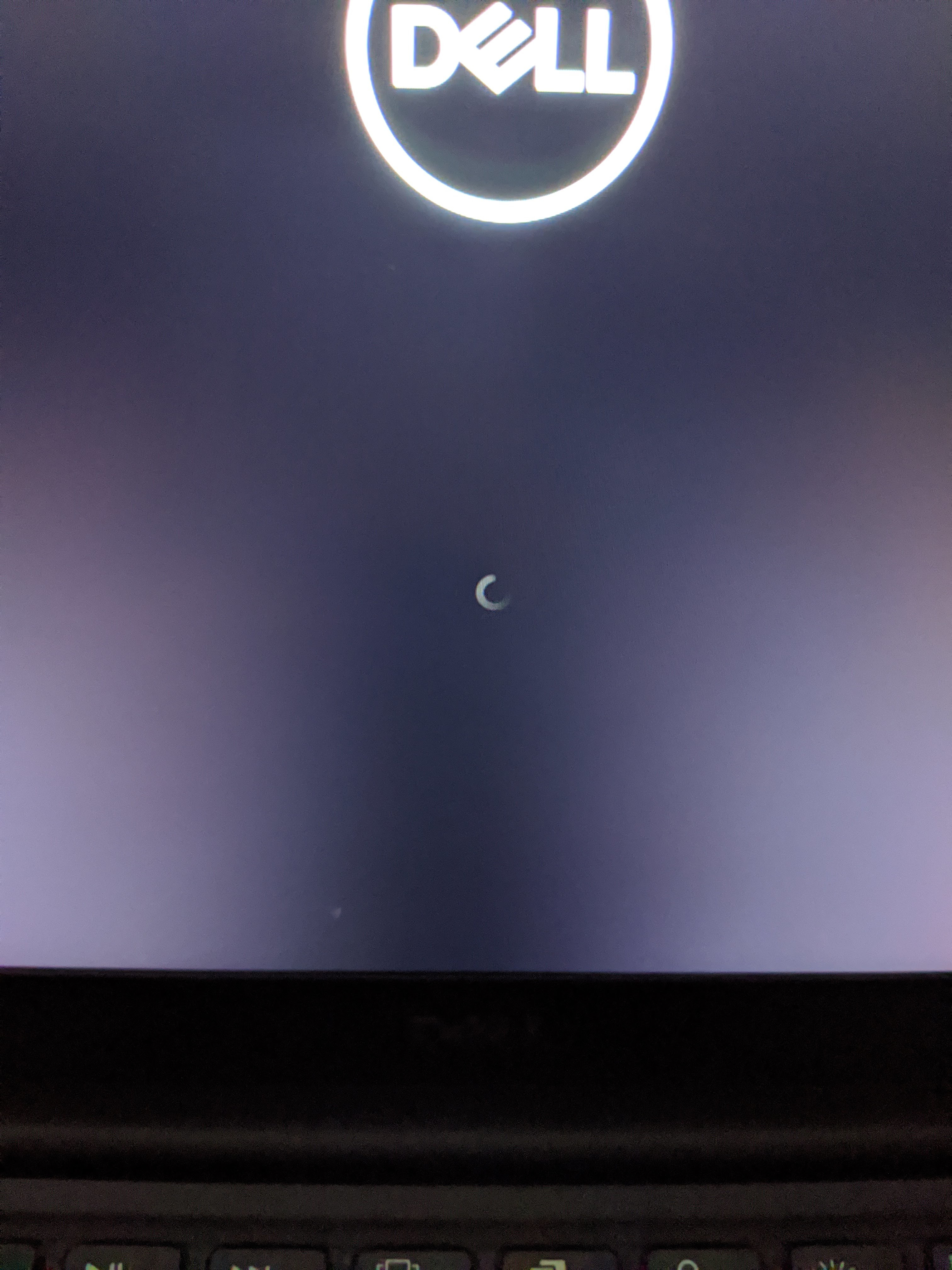
UPSTREAM shell spinner in the login screen gnome shell - we have no control here:
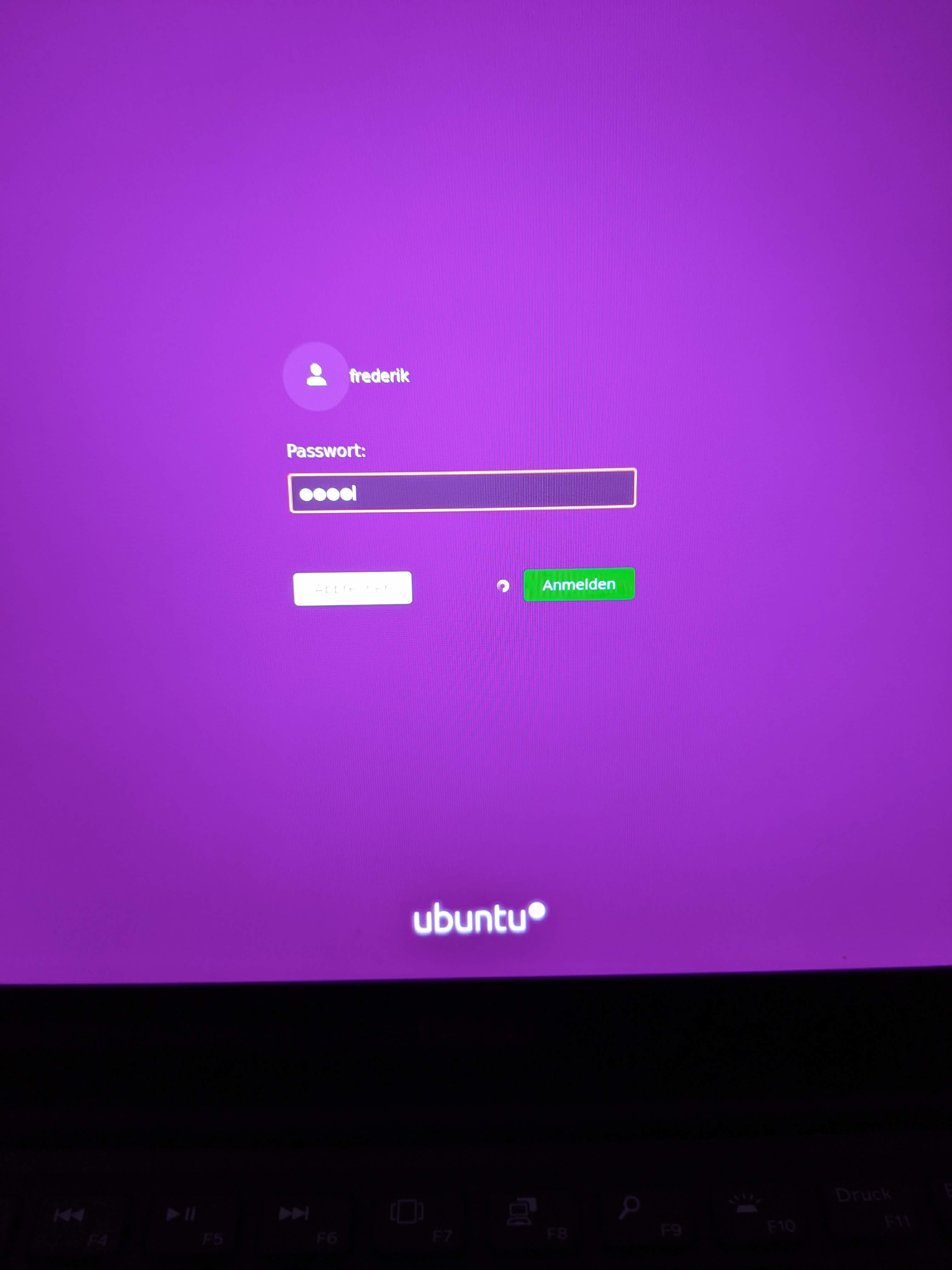
Again the UPSTREAM gnome shell spinner seen in the top panel - we have no control here:
EDIT: it looks like we have control, see comment below
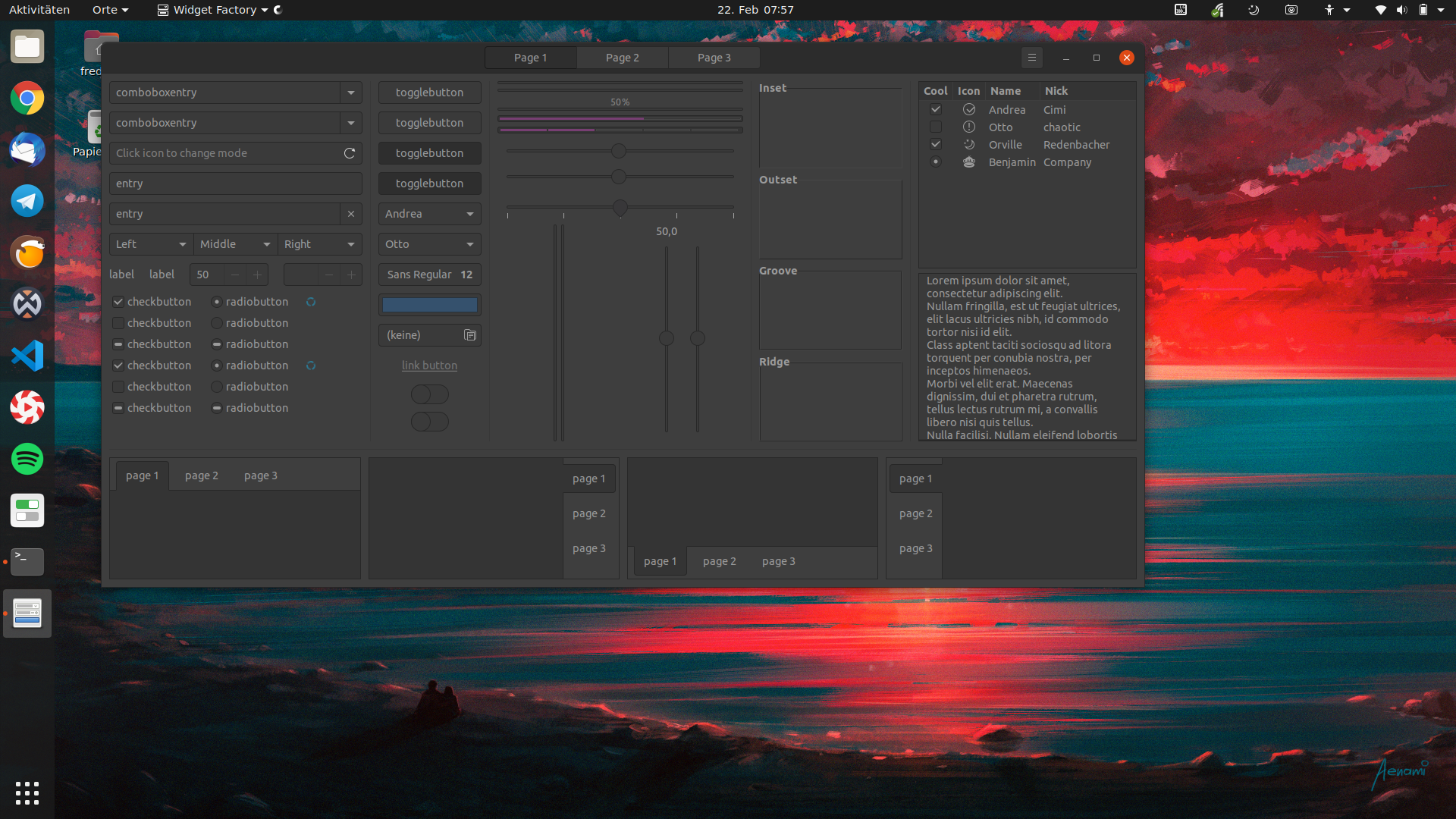
Yaru mousepointer spinner + gtk spinner - we have full control here:
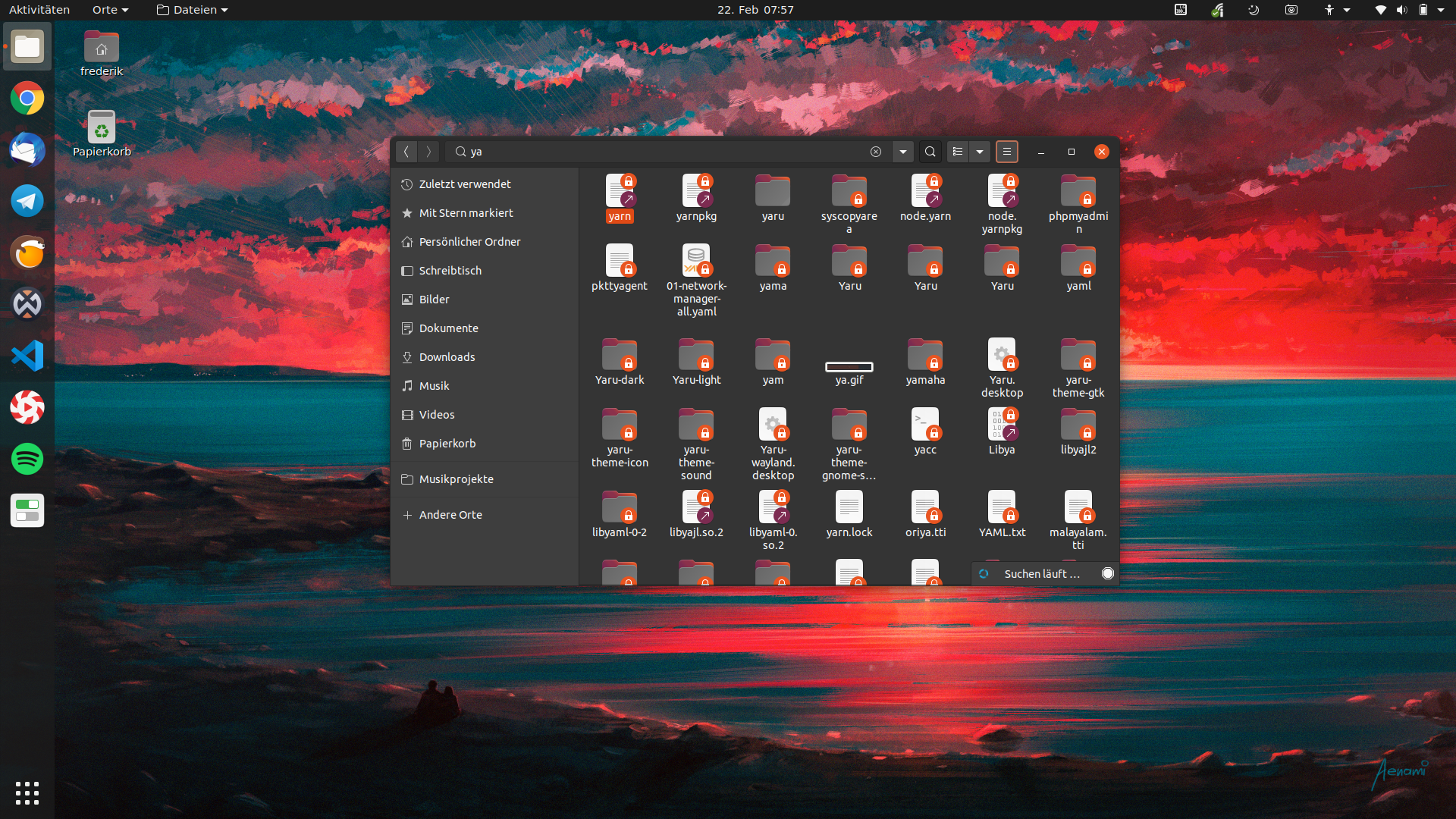

IMHO @3v1n0, if we do not have any idea how we can get the shell spinner into the top panel, I would recommend of dropping the yaru gtk spinner or in detail to replace it with the adwaita gtk spinner, which looks like the shell spinner.
The login screen spinner ALMOST looks like upstream. I tried to talk to @vanvugt about this on the hub but it looks like I did not manage to elaborate the problem. I hope these screenshots help
Feichtmeier
on 22 Feb 2020
Okay, we might have control over the spinner if we find a way to change the gresource, because this one is not loaded from within the CSS:
https://gitlab.gnome.org/GNOME/gnome-shell/blob/master/js/ui/animation.js#L154
we need to change every spinner in this file in yaru ...
https://github.com/ubuntu/yaru/blob/master/gnome-shell/src/process-working.svg
.. with this spinner: https://assets.ubuntu.com/v1/65b70b84-spinner-dark-grey.svg
@ubuntujaggers do you think you could look into this?
Feichtmeier
on 22 Feb 2020
It looks like this "g-resource" is not loaded from the yaru source folder into the shell. It looks like the upstream spinner is taken, even if I remove the file from our repository, build and restart the shell
Does anyone know how to use our gresources from within the shell theme?
@3v1n0 @didrocks @vanvugt ?
Feichtmeier
on 22 Feb 2020
Please change the blue to a standard Ubuntu color. Orange or purple
 Neocazen
on 23 Feb 2020
Neocazen
on 23 Feb 2020
It looks like this "g-resource" is not loaded from the yaru source folder into the shell. It looks like the upstream spinner is taken, even if I remove the file from our repository, build and restart the shell
If I’m correct, the Shell implementation doesn’t allow loading theme-related ressources when you point it to another theme than the default one. (it will look for its assets to a different place)
 didrocks
on 27 Feb 2020
didrocks
on 27 Feb 2020
It looks like this "g-resource" is not loaded from the yaru source folder into the shell. It looks like the upstream spinner is taken, even if I remove the file from our repository, build and restart the shell
If I’m correct, the Shell implementation doesn’t allow loading theme-related ressources when you point it to another theme than the default one. (it will look for its assets to a different place)
Okay - then we have currently a hodge podge, because most of the assets, like sliders, checkboxes and keyboard assets (already removed upstream, pulling this soon) are loaded via
url(my-asset)
But some assets are loaded as a gresource like the new bell asset 🔕
like
url(resource://gnom/bla/blub)
and some assets are not accessible via the theme
, like the new 👁 asset
So, if I understoof this correctly, there is no way within our theme to get our spinner in, right? Other than distro patching? @didrocks
If this is the case, @clobrano @madsrh , I would like to prepare to adjust the gtk spinner to the upstream shell spinner
Feichtmeier
on 27 Feb 2020
I would let Trevhino would is more familiar with the code recently than I answering (also, it’s FF rush :p)
didrocks
on 27 Feb 2020
@madsrh @clobrano @ubuntujaggers
Tried the vanilla waiting cursor :eye:
I am not impressed:

This looks okay.. but when you zoom out
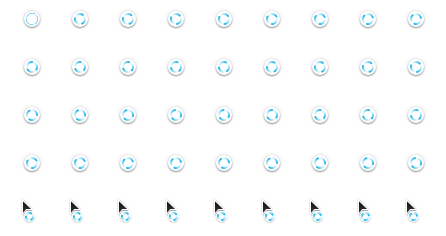
You can't see it anymore.
WHen https://github.com/ubuntu/yaru/pull/2003 lands the inconsistency would be reduced a between shell and gtk. The current three folded waiting cursor somehow looks like a super-form of process-working which is cool.
Shall we just keep it and close this?
Feichtmeier
on 28 Feb 2020
Let's keep the suru spinner 👍
madsrh
on 28 Feb 2020
Don't forget to change the color . lol
Neocazen
on 28 Feb 2020
So the spinner in the shell is loaded via an hardcoded value as per let file = Gio.File.new_for_uri('resource:///org/gnome/shell/theme/process-working.svg');
I can see if we can instead check if a themed file exists first, however probably the nicest solution would be loading a gnome-shell-theme.gresource if we've one provided by the theme, allowing yaru to override everything.
This would probably improve also performances... We'd need to do this only for ubuntu though, so maybe yaru should provide a flag not to use gresources at compile time so that other distros may just install it as it is now.
PS: I hate upstream spinner, so place make it nicer :joy:
 3v1n0
on 28 Feb 2020
3v1n0
on 28 Feb 2020
Hey if you see a realistic chance to get this into 20.04. everyone here would love it
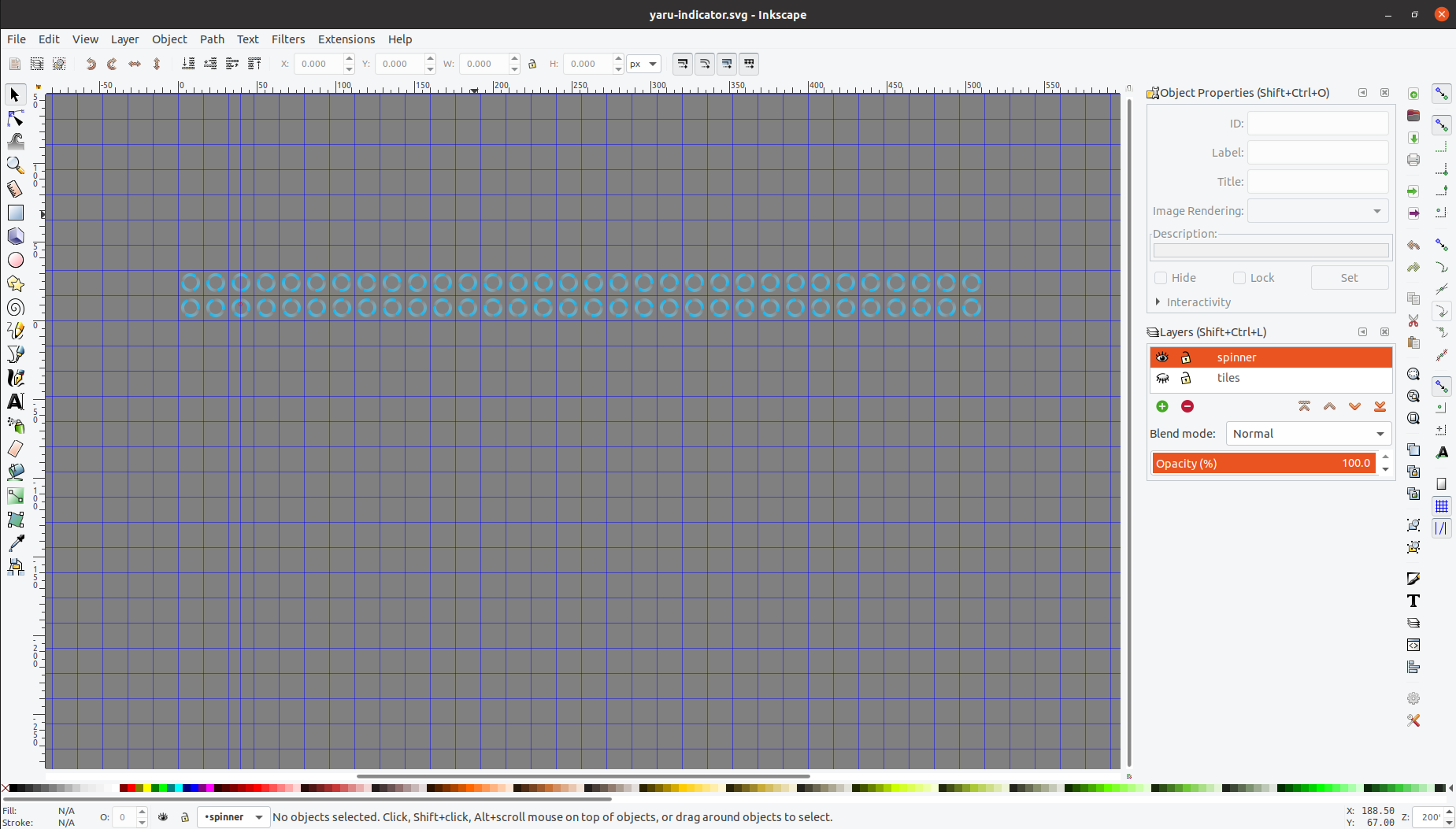
Here is the yaru spinner https://github.com/ubuntu/yaru/blob/master/gnome-shell/src/process-working.svg
I guess we would need to rename it and DOUBLE check that SVG, because I've done it, and not @ubuntujaggers :) (I often have errors in my svgs)
Feichtmeier
on 28 Feb 2020
Assets we currently use in the shell where I needed to create diff (in terms of background-image: url("resource:///org/gnome/shell/theme/key-shift.svg") --> background-image: url("key-shift.svg") against upstream themes are:
- switches (purple, upstream has blue)
- checkboxes
- Keyboard assets (those are soon none-exsistent as it is in gnome shell master now and as soon as you include that JS in your ubuntu gnome shell package we can align the theme to it)
Assets we have in the yaru directory but we can't load from within the theme:
- the login entry 👁 assets (2) (no yaru version yet, but Stuart can easily change this)
- the process-working spinner (a yaru version availibe that needs testing)
Feichtmeier
on 28 Feb 2020
Added a new Yaru spinner file in the shell: https://github.com/ubuntu/yaru/pull/2009
With the help of the Ubuntu desktop team we might have a chance to get it into the boot screen and into the shell top panel/GDM
Feichtmeier
on 1 Mar 2020
@Feichtmeier Wouldn't it be better to put them in purple like progressbars or the other elements of the interface?
 ghost
on 1 Mar 2020
ghost
on 1 Mar 2020
I would like to keep them blue as they are a different widget. It's okay that it stands out a little.
Feichtmeier
on 1 Mar 2020
@Feichtmeier Wouldn't it be better to put them in purple like progressbars or the other elements of the interface?
I agree with you. Purple would look more Ubuntu.
Such cases could have a type of vote. lol
Neocazen
on 1 Mar 2020
@Feichtmeier For me a spinner is a kind of indeterminate progressbar. I don't see why it would be in a different color... especially since the new theme eliminates the blue color :)
ghost
on 1 Mar 2020
Because it drowns :swimming_man: , this tiny spit of blue is just the right about of freshness
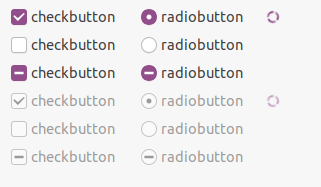
It does not stand out enough, especially in the dark theme:
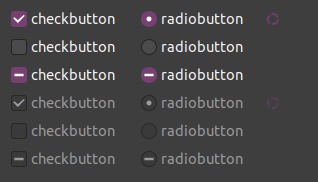
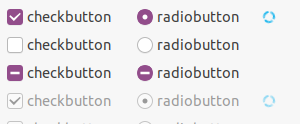
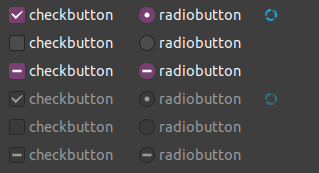
No it's not an indeterminate progress bar, it's a different widget. Also the mouse spinner is blue on white, which looks really great.
Feichtmeier
on 1 Mar 2020
@Feichtmeier Maybe you are right. Aubergine may not be good here.
ghost
on 1 Mar 2020
@Feichtmeier Maybe you are right. Aubergine may not be good here.
But Orange?
Neocazen
on 1 Mar 2020
Orange is our colour for selecting things. The spinner is blue, it's the best colour for this widget. This is also not the topic of this issue, which is to bring the same spinner to all toolkits used in Ubuntu.
Feichtmeier
on 1 Mar 2020
Orange is our colour for selecting things. The spinner is blue, it's the best colour for this widget. This is also not the topic of this issue, which is to bring the same spinner to all toolkits used in Ubuntu.
I'll have to agree with @Feichtmeier. You are welcome to create a separate issue to discuss this, but let's not discuss here 😀
madsrh
on 1 Mar 2020
Orange is our colour for selecting things. The spinner is blue, it's the best colour for this widget. This is also not the topic of this issue, which is to bring the same spinner to all toolkits used in Ubuntu.
I'll have to agree with @Feichtmeier. You are welcome to create a separate issue to discuss this, but let's not discuss here
Ok.
Neocazen
on 1 Mar 2020
Related issues
 CDrummond
·
3Comments
Feichtmeier
·
3Comments
CDrummond
·
3Comments
Feichtmeier
·
3Comments
 eaglersdeveloper
·
3Comments
eaglersdeveloper
·
3Comments
 8none1
·
3Comments
8none1
·
3Comments
 mivoligo
·
3Comments
mivoligo
·
3Comments
Most helpful comment
So the spinner in the shell is loaded via an hardcoded value as per
let file = Gio.File.new_for_uri('resource:///org/gnome/shell/theme/process-working.svg');I can see if we can instead check if a themed file exists first, however probably the nicest solution would be loading a gnome-shell-theme.gresource if we've one provided by the theme, allowing yaru to override everything.
This would probably improve also performances... We'd need to do this only for ubuntu though, so maybe yaru should provide a flag not to use gresources at compile time so that other distros may just install it as it is now.
PS: I hate upstream spinner, so place make it nicer :joy: