Yaru: Is there a way to update the Suru icon pack on Ubuntu 18.10?
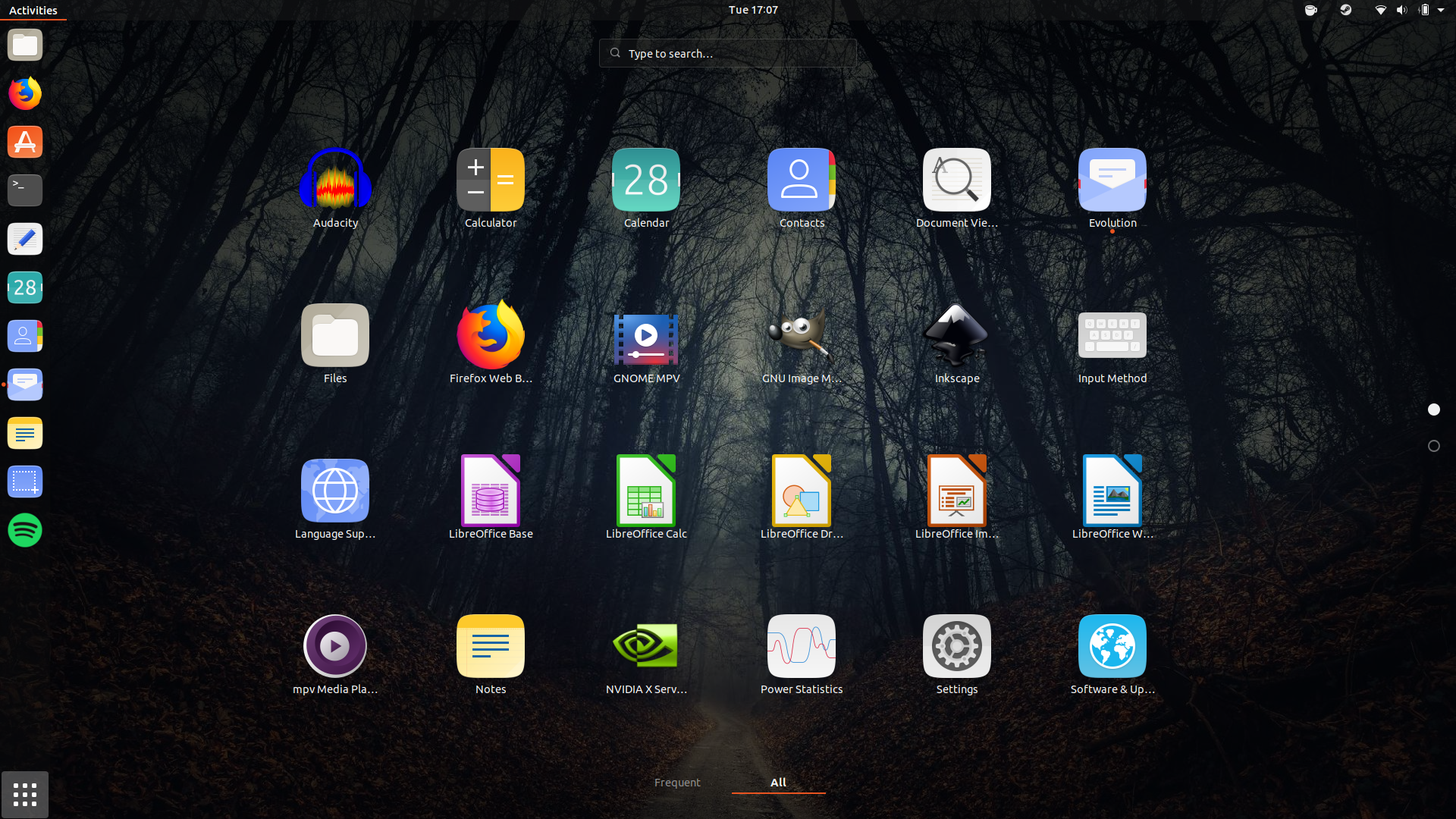
Long story short, I had Ubuntu 18.04, and I installed Yaru via snap. Last week, I suddenly got new icons for Firefox, and LibreOffice. Yesterday I performed a fresh installation of Ubuntu 18.10 and I haven't gotten the new icons yet. I don't use Flatpaks or Snaps for my apps, so the icon theme should work without problems.
Note: I don't remember if I added the Yaru ppa as well.
 snydox
All 4 comments
Unfortunately this is the drawback of snap/apt. On snap, each new commit is available in edge first and then in stable channel, while in 18.10 only some snapshots (no pun intended) are updated.
 clobrano
on 6 Feb 2019
clobrano
on 6 Feb 2019
It won't be long before you can have the latest and greatest by upgrading to 19.04 😁
I'm sorry that we can't provide a better solution. Are you ok with me closing this issue @snydox?
 madsrh
on 6 Feb 2019
madsrh
on 6 Feb 2019
You can still use this to build it from src and log out and log in into "Yaru" session, then you have the latest version. When you want to get the changes, use "git pull origin master" and build again
Needed before install
sudo apt install libgtk-3-dev git meson sassc
Download the repository from github
git clone https://github.com/ubuntu/yaru.git
cd yaru
Initialize build system (only required once per repo)
meson build
cd build
Build and install
sudo ninja install
 Feichtmeier
on 6 Feb 2019
Feichtmeier
on 6 Feb 2019
It won't be long before you can have the latest and greatest by upgrading to 19.04 grin
I'm sorry that we can't provide a better solution. Are you ok with me closing this issue @snydox?
Sure, you can go ahead and close it. It was more a question than an Issue. :)
Thank you for the fast replies guys.
snydox
on 6 Feb 2019
Related issues
Feichtmeier
·
3Comments
 8none1
·
3Comments
madsrh
·
3Comments
Feichtmeier
·
3Comments
8none1
·
3Comments
madsrh
·
3Comments
Feichtmeier
·
3Comments
 sicklylife-jp
·
3Comments
sicklylife-jp
·
3Comments
Most helpful comment
You can still use this to build it from src and log out and log in into "Yaru" session, then you have the latest version. When you want to get the changes, use "git pull origin master" and build again
Needed before install
sudo apt install libgtk-3-dev git meson sassc
Download the repository from github
git clone https://github.com/ubuntu/yaru.git
cd yaru
Initialize build system (only required once per repo)
meson build
cd build
Build and install
sudo ninja install