Yaru: Flatpak Gtk apps use Adwaita icons instead of Yaru/Suru icons
Expected Behavior
Use the FilesMaster 3.30.0-7de42f4 Flatpak with Yaru with no theming problems.
Actual Behavior
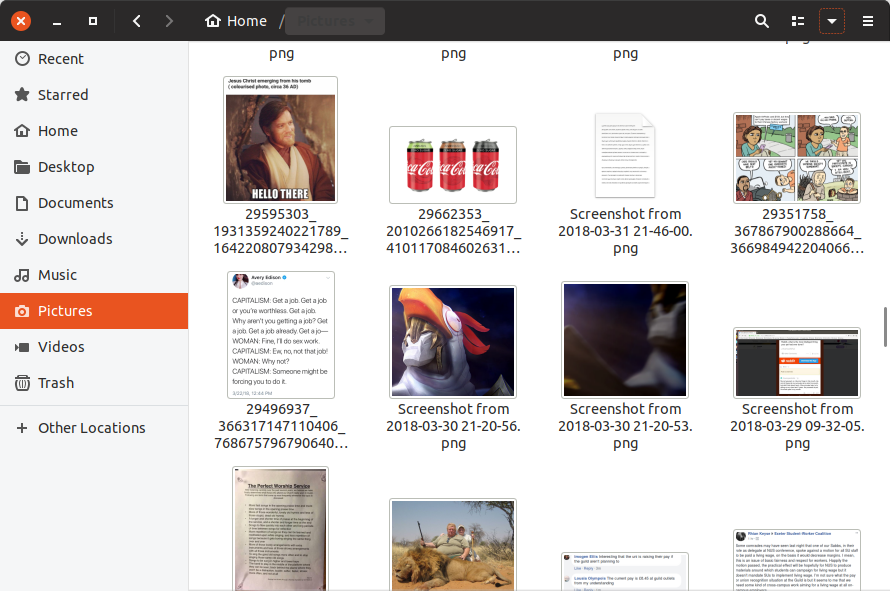
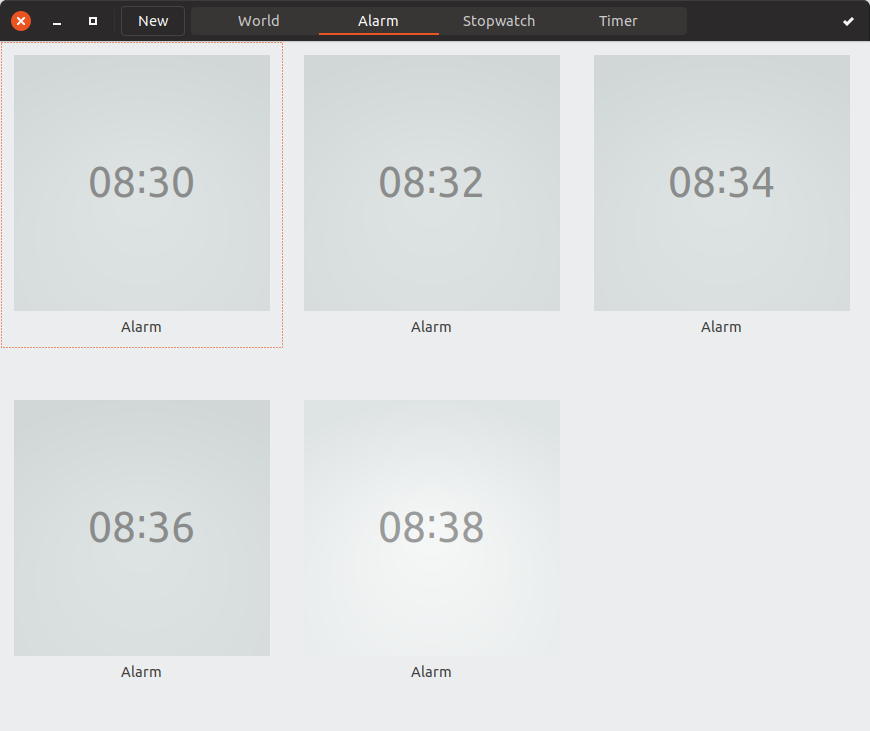
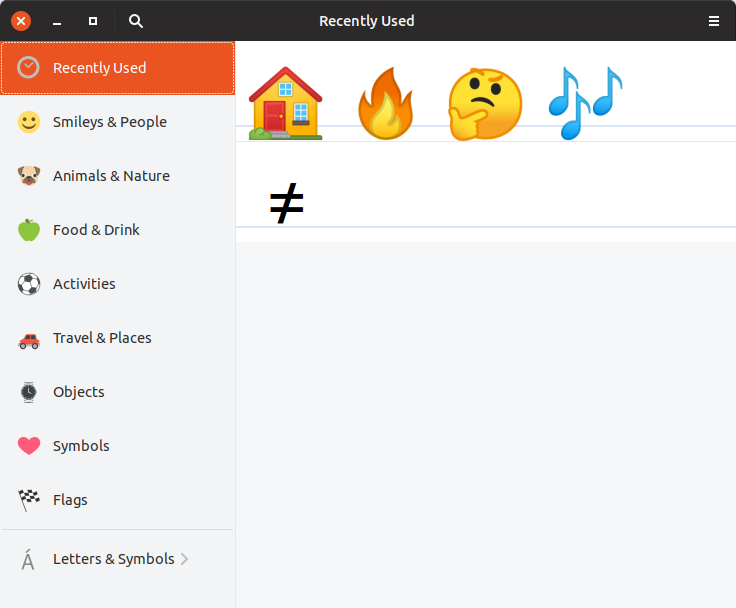
The lines in the window buttons and hamburger menus are too thick in both snaps and Flatpaks (see below for screenshots).
Steps to Reproduce the Problem
sudo apt install flatpakflatpak remote-add --from gnome-apps-nightly https://sdk.gnome.org/gnome-apps-nightly.flatpakrepoflatpak install gnome-apps-nightly org.gnome.NautilusMasterflatpak run org.gnome.NautilusMaster- See that the lines are too thick.
snap install gnome-clockssnap run gnome-clocks- See that the lines are too thick.
snap install gnome-characterssnap run gnome-characters- See that the lines are too thick
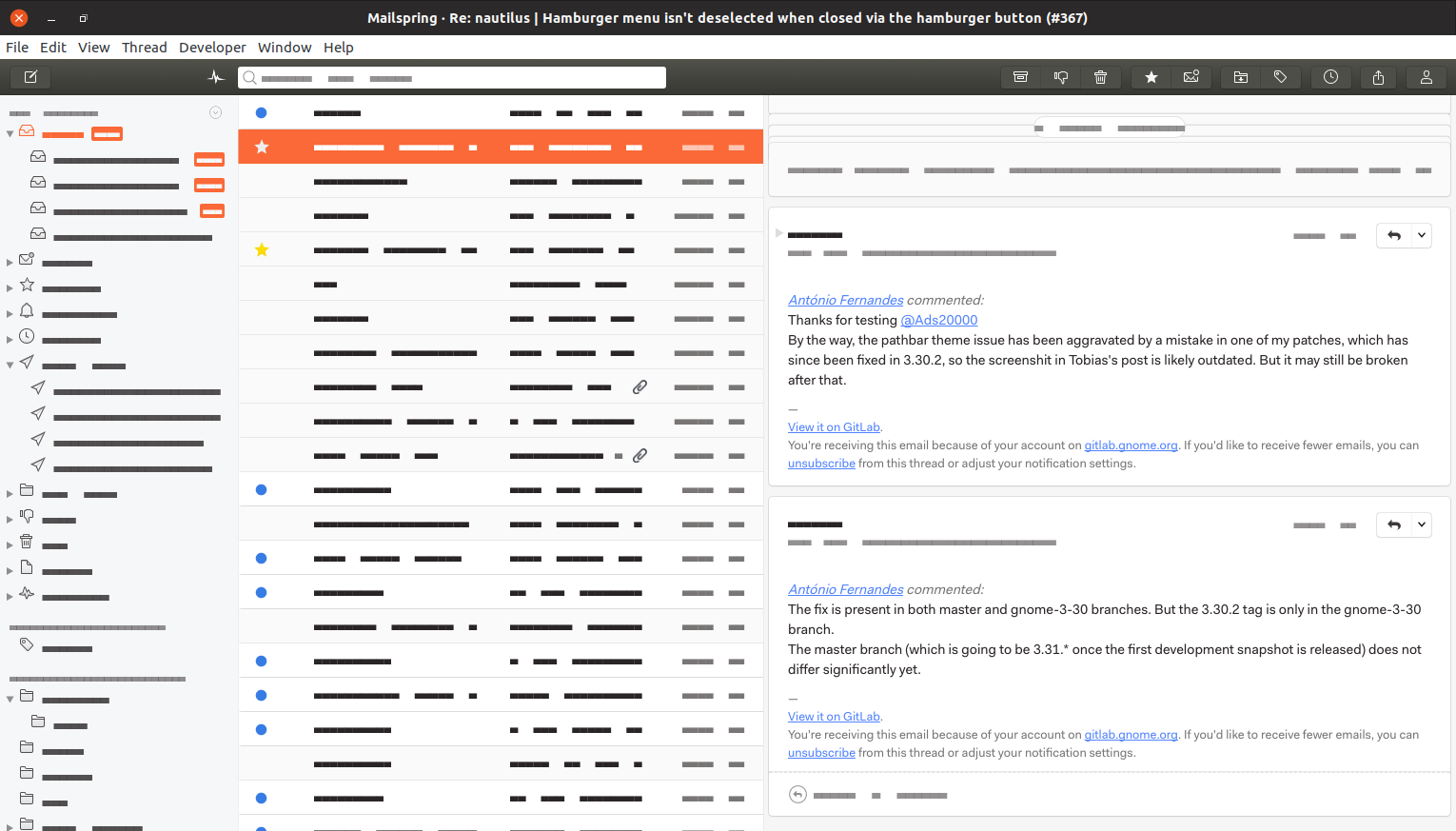
snap install mailspringsnap run mailspring- See that the lines are not too thick
/usr/bin/nautilus- See that the lines are not too thick
Specifications
$ snap info communitheme
name:      communitheme
summary:   The next Ubuntu theme built by the community.
publisher: Didier Roche (didrocks)
license:   unset
description: |
  Yaru, formerly known as Communitheme, is the new Ubuntu theme built by the
  community. Yaru will become the default Ubuntu theme in Ubuntu 18.10. This
  package allows you to try out the theme on Ubuntu 18.04 LTS.

  To try out the theme, install this package on Ubuntu 18.04 LTS, restart
  your computer and select the "Ubuntu with communitheme snap" session from
  the login screen.

  More information is available at
  https://community.ubuntu.com/t/faq-ubuntu-new-theme/1930.
snap-id:      Yd6CISPIf6tEf3ZEJ0cqSoEg9rG2VkRi
tracking:     edge
refresh-date: 6 days ago, at 18:54 BST
channels:
  stable:    0.1 (1273) 17MB -
  candidate: ↑
  beta:      ↑
  edge:      0.1 (1275) 17MB -
installed:   0.1 (1275) 17MB -

$ snap version
snap    2.35.5
snapd   2.35.5
series  16
ubuntu  18.04
kernel  4.15.0-36-generic

$ snap info core
tracking:     beta
refresh-date: today at 09:42 BST
installed:   16-2.35.5                   (5742) 92MB core
Software that presents the issue:
- Name: FilesMaster
- Version: 3.30.0-7de42f4
- Format: Flatpak
- Name: GNOME Clocks
- Version: 3.26.1 (78,
stable) - Format: snap
- Name: GNOME Characters
- Version: 3.29.91 (124,
stable) - Format: snap
Software that doesn't present the issue:
- Name: Mailspring
- Version: 1.4.2 (244,
stable) - Format: snap
- Name: Files
- Version: 3.26.4
- Format: Deb
 Ads20000
All 9 comments
I believe this is related to #915 , Yaru flatpak version does not provide the icons. I am unsure how to handle this, there is nothing we can do in this repository to fix this issue, so it is probably the wrong place to open the ticket, however even in the correct repository (https://github.com/flathub/org.gtk.Gtk3theme.Yaru) I don't know if icon management is possible
 clobrano
on 16 Oct 2018
clobrano
on 16 Oct 2018
The bug applies to the GNOME Clocks snap as well?
Ads20000
on 17 Oct 2018
The bug applies to the GNOME Clocks snap as well?
915 doesn't. It seems, as you said, that all snaps do not get the right headerbar icons
clobrano
on 22 Oct 2018
Yup those are adwaita icons
 Feichtmeier
on 5 Nov 2018
Feichtmeier
on 5 Nov 2018
Closing this as we can't fix this from our side. It's a flatpak thing sadly
Feichtmeier
on 14 Nov 2018
Flatpak just passes in host icons. I guess Yaru doesn't install them into /usr/share/icons?
 TingPing
on 15 Nov 2018
TingPing
on 15 Nov 2018
Flatpak say they can't see how this is a Flatpak issue @Feichtmeier, could you please explain to them how it is a Flatpak issue (assuming that you're right and it is)?
Ads20000
on 15 Nov 2018
I set up a PopOS VM and see how flatpaks behave there, since they use their own themes and icons, too =)
@TingPing
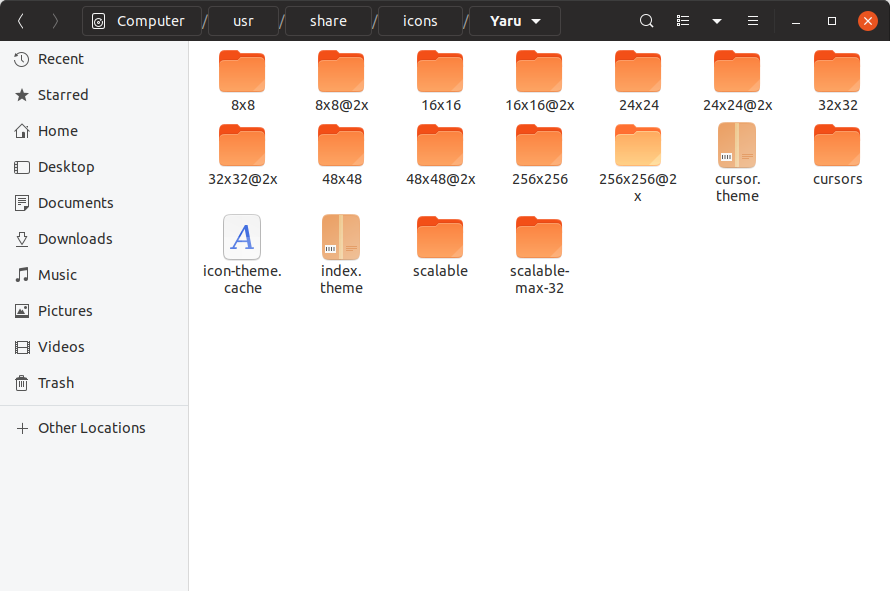
on Ubuntu 18.10 the yaru icons are installed in /usr/share/icons
(no this is nautilus from the staging ppa, not the flatpak)
Feichtmeier
on 15 Nov 2018
The bug doesn't seem to be reproducible (not even on my own system) so I have closed it.
Ads20000
on 23 Nov 2018
Related issues
 madsrh
·
3Comments
madsrh
·
3Comments
 mivoligo
·
3Comments
mivoligo
·
3Comments
 YamiYukiSenpai
·
3Comments
Feichtmeier
·
3Comments
madsrh
·
3Comments
YamiYukiSenpai
·
3Comments
Feichtmeier
·
3Comments
madsrh
·
3Comments