Yaru: Gtk2 treeview, header and scrollbar double lines
Good but half solution . When you look at the top headerbar double-line is drown -one for header and one for the window frame. on the right top side, the last separator is just there hanging and the top line above the scrollbar is thinner . that way it looks unfinished imo.
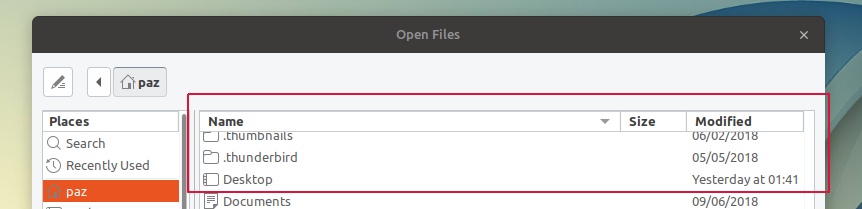
Another thing I think did is to remove the handle line the is way too much here, imo again :smile:
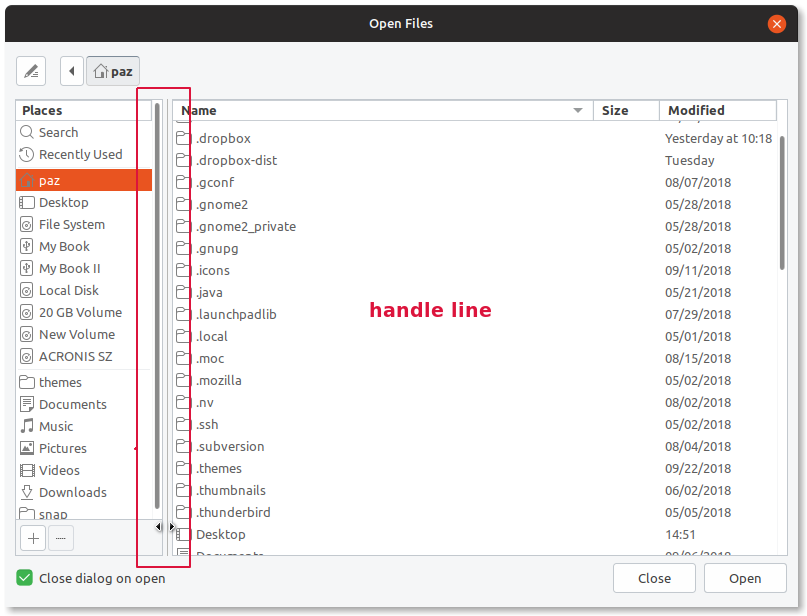
I did it by going into the main.rc file and changed the value from 9 to 2.
GtkPaned::handle-size = 2
GtkHPaned::handle-size = 2
GtkVPaned::handle-size = 2
_Originally posted by @Paz-it in https://github.com/ubuntu/yaru/pull/878#issuecomment-425882843_
 Paz-it
All 19 comments
@Paz-it sorry, I edited the title to make it more informative.
About the issue, gtk2 is not adaptive like gtk3, so the scrollbar space cannot disappear when it is not necessary, so that space (and lines) will always been drawn, if we keep it, or won't ever be visible (even when necessary) if we remove it
 clobrano
on 10 Oct 2018
clobrano
on 10 Oct 2018
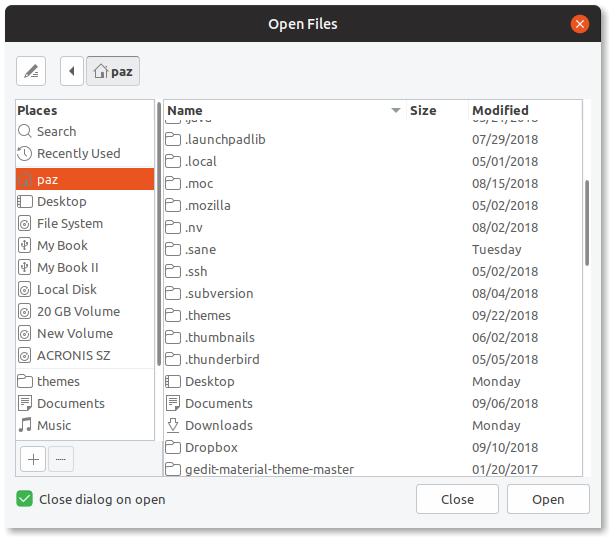
@clobrano , We probably misunderstand each other...
Picture better then words :smile:
Paz-it
on 11 Oct 2018
Oh, I understand now, however, I don't think it's a good idea: scrollbar seems disconnected from the view and missing the frame
clobrano
on 12 Oct 2018
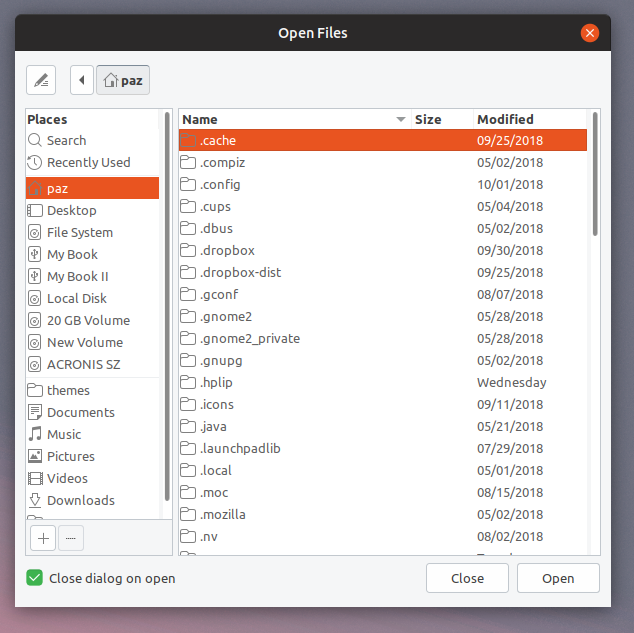
OK, @clobrano, Does it look better now?
Paz-it
on 12 Oct 2018
The target is always to look as similar as possible to GTK3
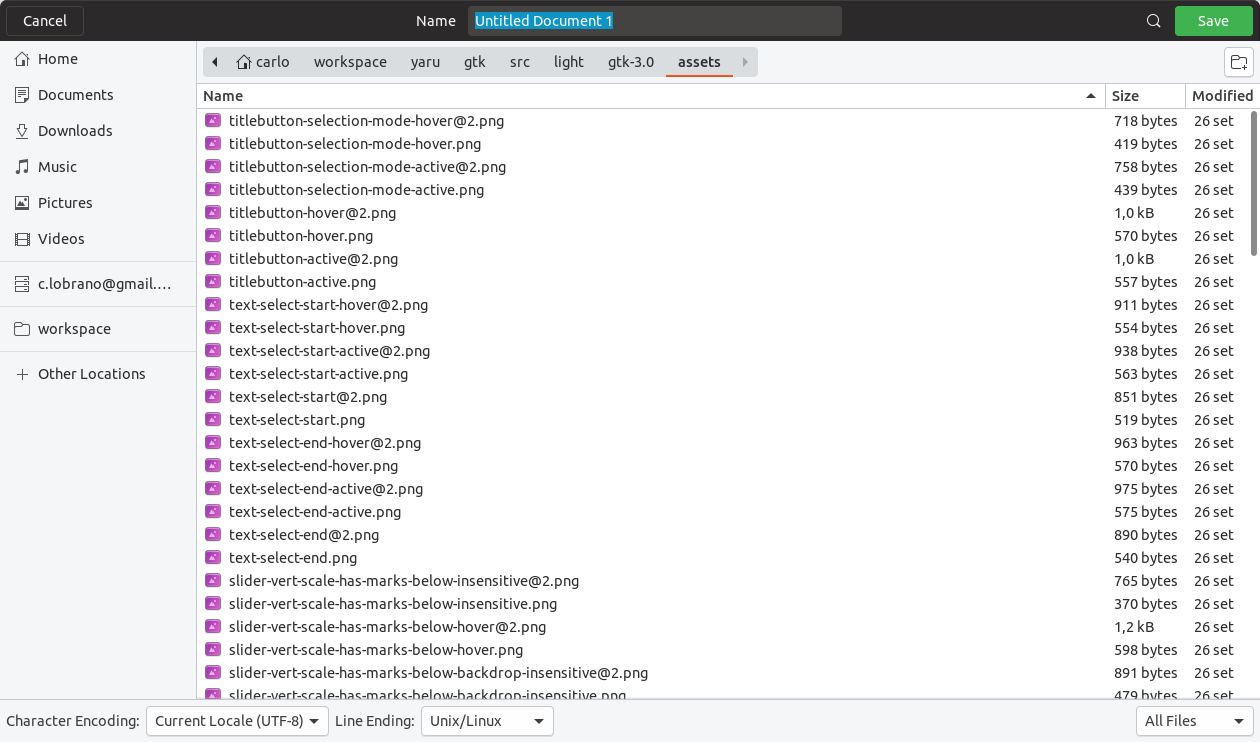
so to be honest, even the thin line I kept is not really conform, however, in some cases the scrollbar is actually outside the treeview and a border is needed
clobrano
on 12 Oct 2018
Each scrolled window have a border around it and the scrollbar is within that border, not outside of it. I did not change your file. the thin left border of the scrollbar is still present. The change is that in GTK-3 the scrollbar is not always present. We can not change that, unfortunately :(
Maybe you can see it better in this larger image with a bit dark background:
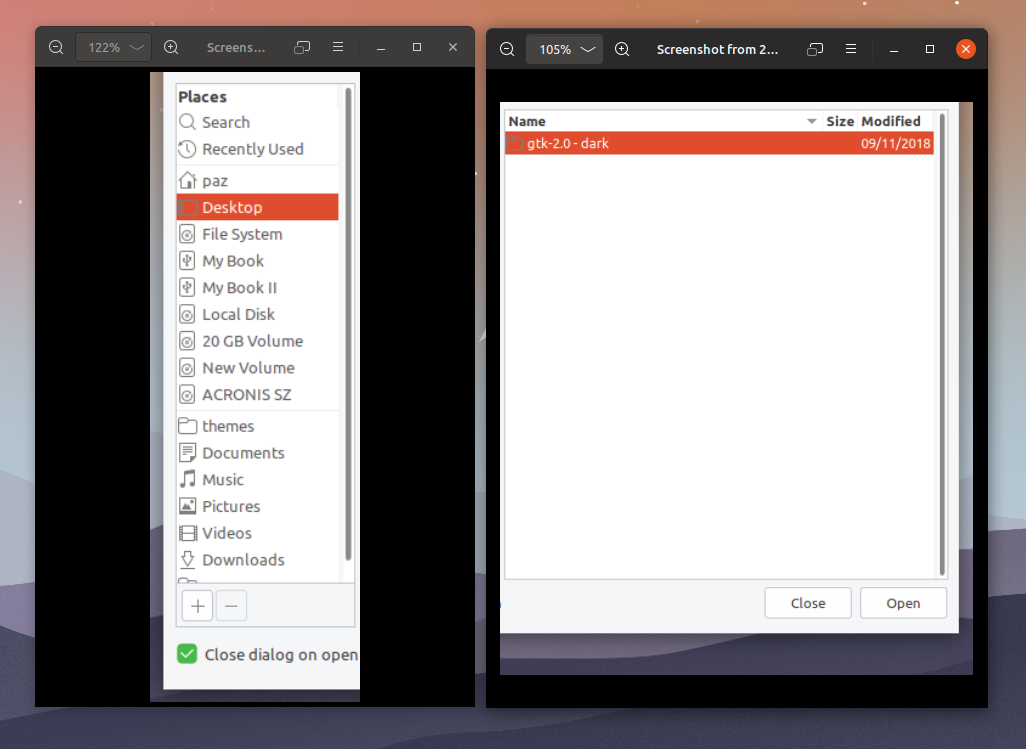
There is no way to make exactly the same as gtk3 but at least we can try to make it cleaner as we can and almost more or less the same.
Paz-it
on 12 Oct 2018
almost more or less the same.
Yes, that's why I think the thick grey line between treeview and the scrollbar doesn't work. There should be no line at all
clobrano
on 13 Oct 2018
Not sure I understand which thick grey line you refer to.. :confused: :question:
I tried my best so far :
If you see The current master
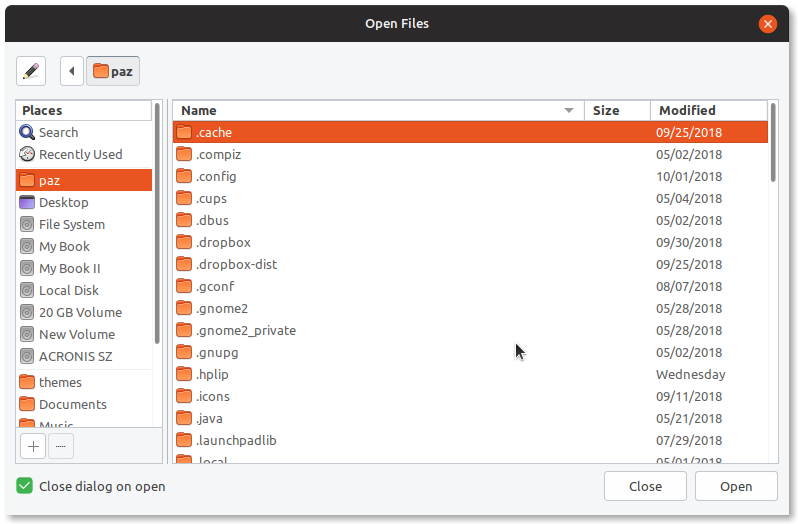
Compared with my configs
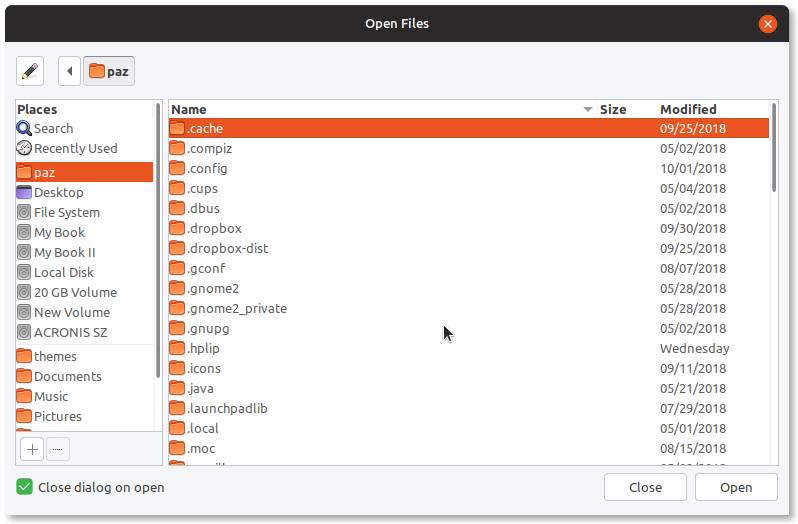
I think it is, at least look better. in my humble opinion (I must add o.c)
Paz-it
on 13 Oct 2018
Not sure I understand which thick grey line you refer to..
the one on the left of the scrollbar

to make it more like gtk3, that line shouldn't exist at all, I think
One more thing, when taking screenshot of the result, could you not select the first row of files? The orange selection prevent to see how treeview header is :smile:
e.g. in the picture above, instead of selecting .cache select .compiz or something below
clobrano
on 14 Oct 2018
Ha ha! - I see what you mean now :smile:
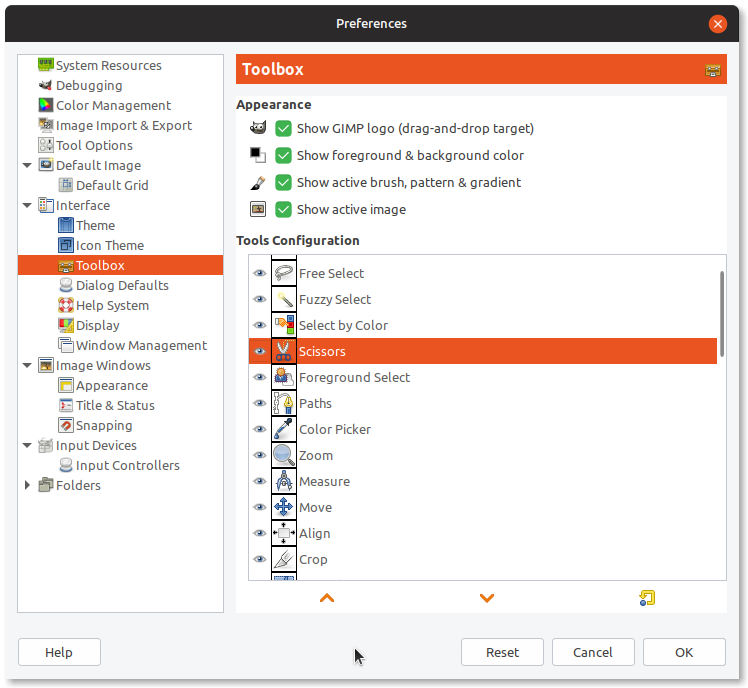
The all scrolled windows & scrollbars are a bit tricky. they are not all the same. first it is per application and second it's even different at the same application. Some are three-view scrolling windows the others are just scrolling windows.
some examples :
Gpick
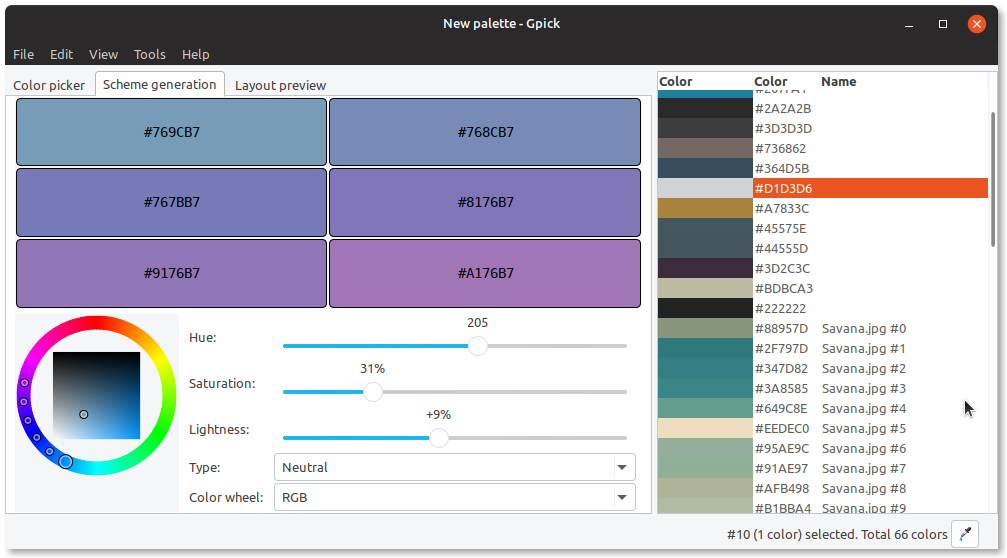
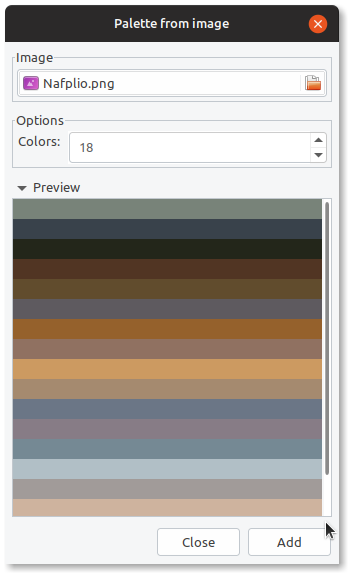
Gimp

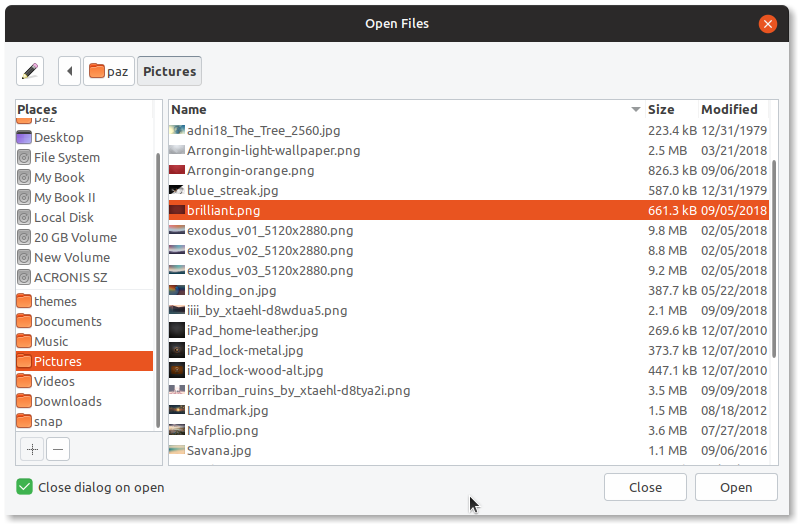
And file chooser again for your request
Paz-it
on 14 Oct 2018
that's because the scrolledbar is independent from the view. It can be attached to different views, not just treeviews.
clobrano
on 14 Oct 2018
that's because the scrolledbar is independent from the view. It can be attached to different views, not just treeviews.
Exactly! - that way you can decide if you want the scrollbars inside the view or out side configuring it mainly with the "window spacing" and "within the bevel" values in the main.rc file.
The "thick-grey-line" :smile: is not part of the scroll bar. it is the right border of the entire window.
Paz-it
on 14 Oct 2018
The "thick-grey-line" smile is not part of the scroll bar. it is the right border of the entire window.
No, it's not, I can make it red if I want :smile:

it's a svg picture inside light/gtk-2.0/assets.svg called scrollbar-vert-trough
EDIT: probably, it's sometimes doubled by the view border, but it's half/half with the scrollbar
clobrano
on 15 Oct 2018
Oh, my bad  You said on the left and I'm seeing RIGHT. Maybe we need to comment it out and see if it's not breaking anything.
Paz-it
on 15 Oct 2018
necromancing
@clobrano @Paz-it what's the status of this?
 Feichtmeier
on 22 Dec 2018
Feichtmeier
on 22 Dec 2018
I'd like to give it one more try
clobrano
on 23 Dec 2018
To sum up.
The svg of this widget is called treeview-header-button

the image is taller than large but it's stretched to accomodate each header, this means that the thick grey line on the right can be both the separator between two column headers and the border of the whole treeview
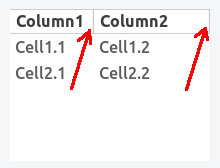
For this reason we can't get rid of the right border.
The top border seems to be removable instead. The only place where it seems to be necessary is a widget factory
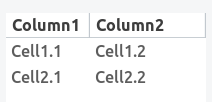
but most of the other examples I can find, the top border is already provided by the container


This latter is also another example to why we can't remove the right border. In "Places" it's redundant, but not in the treeview with all the files because in that case on the right there's the handle and not a border
EDIT:
however, replacing the pixmap function box with shadow the glitch is reduced (I took this idea from here)

clobrano
on 28 Dec 2018
"because in that case on the right there's the handle and not a border"
Not related to the treeview, but if you agree to remove that "handle" it is very simple to do it.
In the main.rc file from L48 to L50 :
GtkPaned::handle-size = 9 <-----change to 3
GtkHPaned::handle-size = 9 <--- change to 3
GtkVPaned::handle-size = 9 <---change to 3
Done! :thinking:
Paz-it
on 29 Dec 2018
I agree, however I like the space between the two panes and I saw that reducing the handle-size to 8 is enough to remove the line
clobrano
on 29 Dec 2018
Related issues
 sicklylife-jp
·
3Comments
Feichtmeier
·
3Comments
sicklylife-jp
·
3Comments
Feichtmeier
·
3Comments
 CDrummond
·
3Comments
CDrummond
·
3Comments
 chrisjbillington
·
3Comments
Feichtmeier
·
3Comments
chrisjbillington
·
3Comments
Feichtmeier
·
3Comments