Hi,
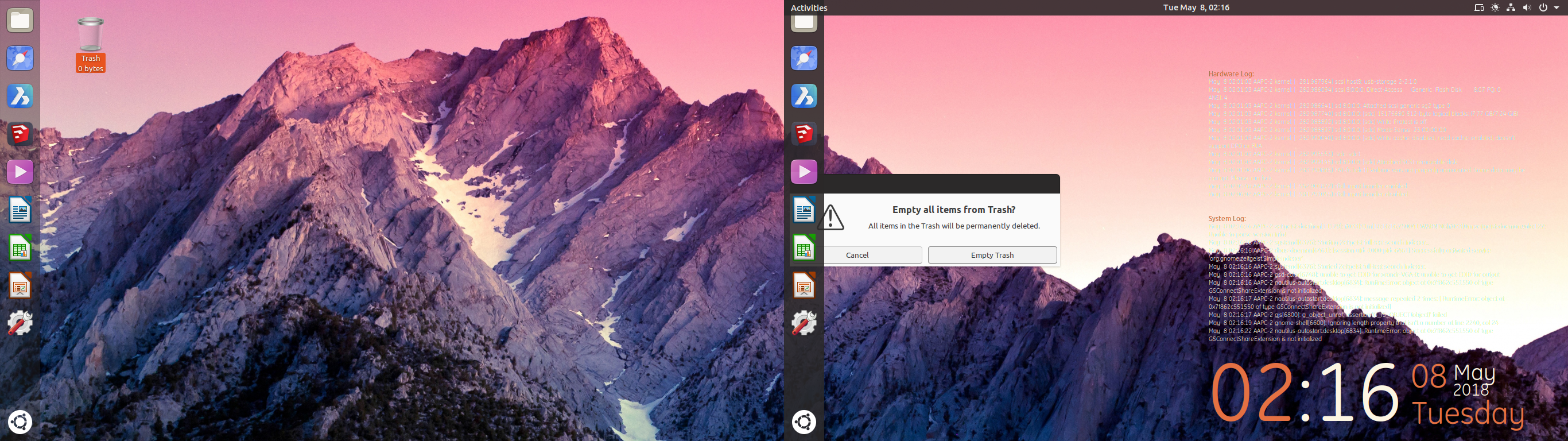
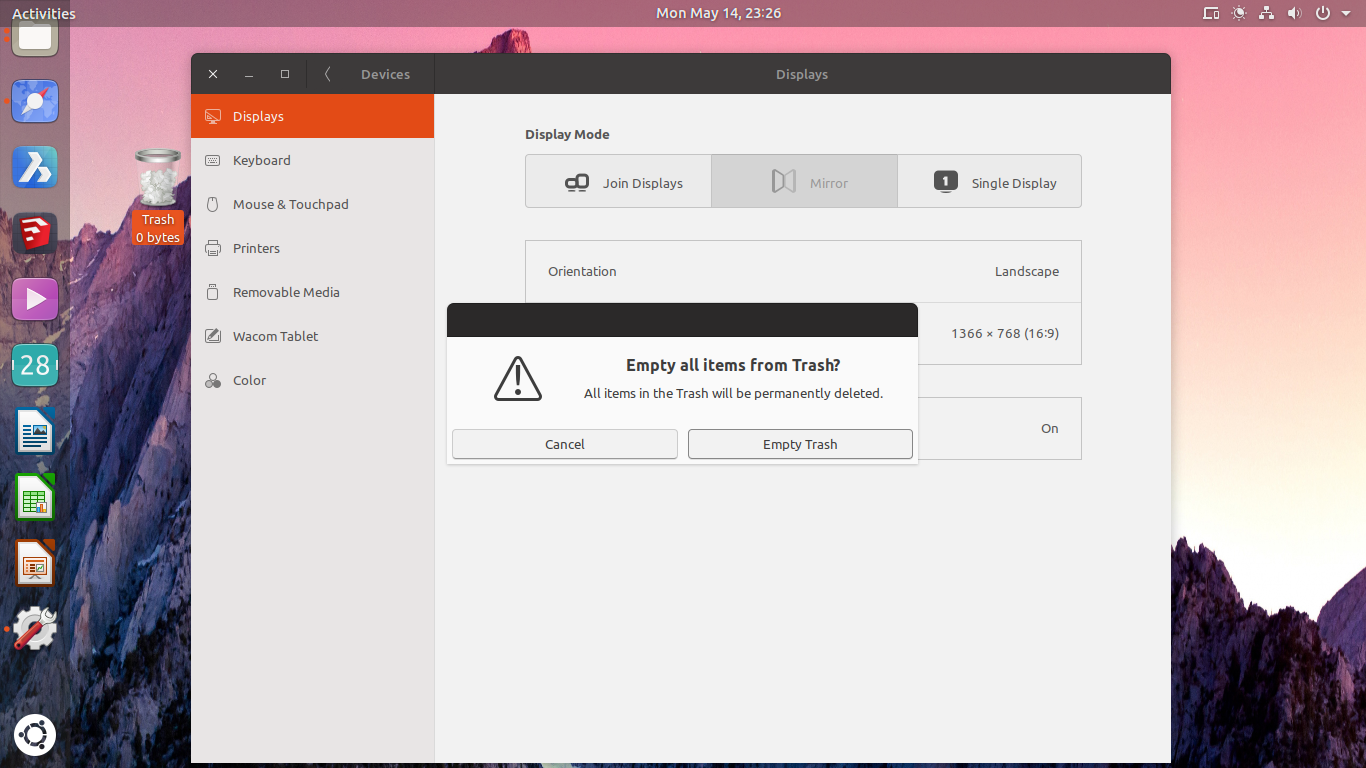
I'm not sure if this is strictly a communitheme issue or a GNOME issue but when using multi-monitor setup, an unattached dialog renders off-center (or rather, at the exact center of the combined screens)
which is unwanted and unsightly, in unity7 the dialog gets rendered on the center of the active screen.
 ReyLeonardAmorato
All 13 comments
It looks a system bug, but it might be triggered by communitheme session. Any chance you can try with standard session?
- logout
- at login click on the gear icon and select "Ubuntu" or "Ubuntu on Wayland"
 clobrano
on 8 May 2018
clobrano
on 8 May 2018
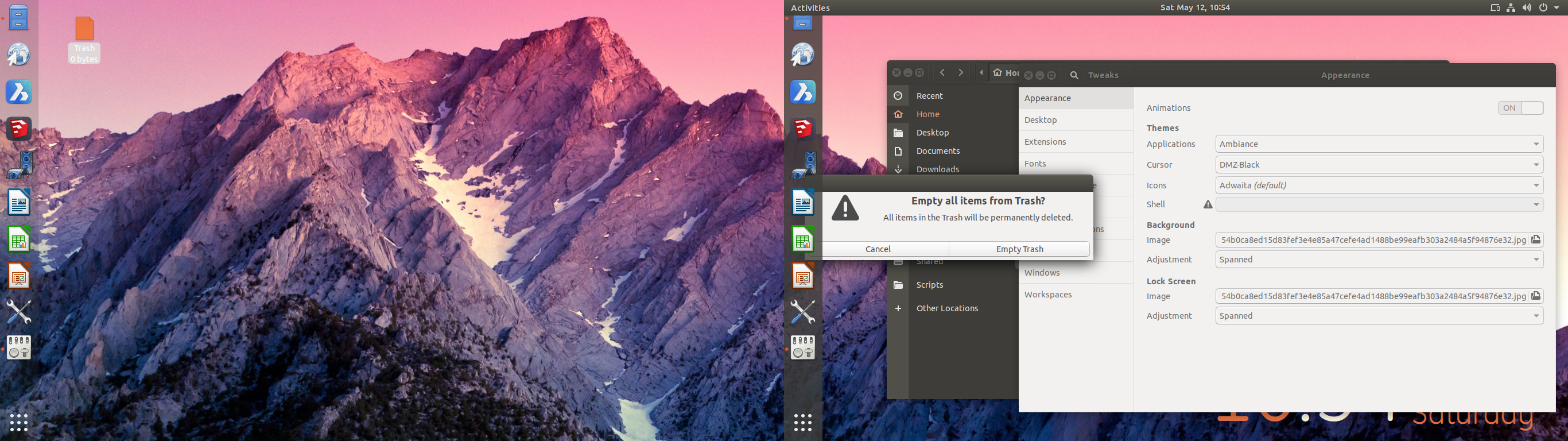
I think you might be right. I don't have a Wayland session under the session switcher (apparently it gets removed when using proprietary NVIDIA dirvers?) so I selected the default Ubuntu session instead and logged in from there. Same thing.
ReyLeonardAmorato
on 12 May 2018
@ReyLeonardAmorato thank you, closing this then since it does not depend on communitheme.
Actually I'm not sure where should you report this issue, is there any bug tracker for NVIDIA drivers?
clobrano
on 14 May 2018
Sure, go ahead. Hmm... I'm not entirely sure either. I'll try to find out. Thanks!
ReyLeonardAmorato
on 14 May 2018
Stupid question but you seem to use some kind of on screen calendar. Did you try if this also happens when you disable this?
 Feichtmeier
on 14 May 2018
Feichtmeier
on 14 May 2018
Oh, no not at all. It's actually conky. I tried but problem's still there.
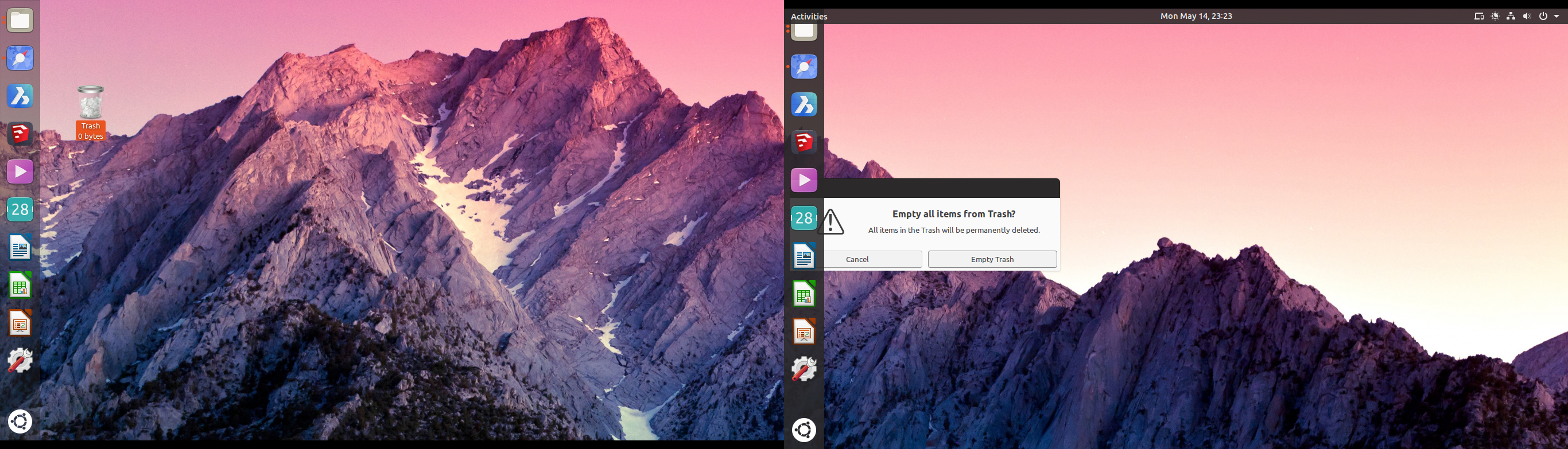
I even switched up the monitors to see if it makes any difference.
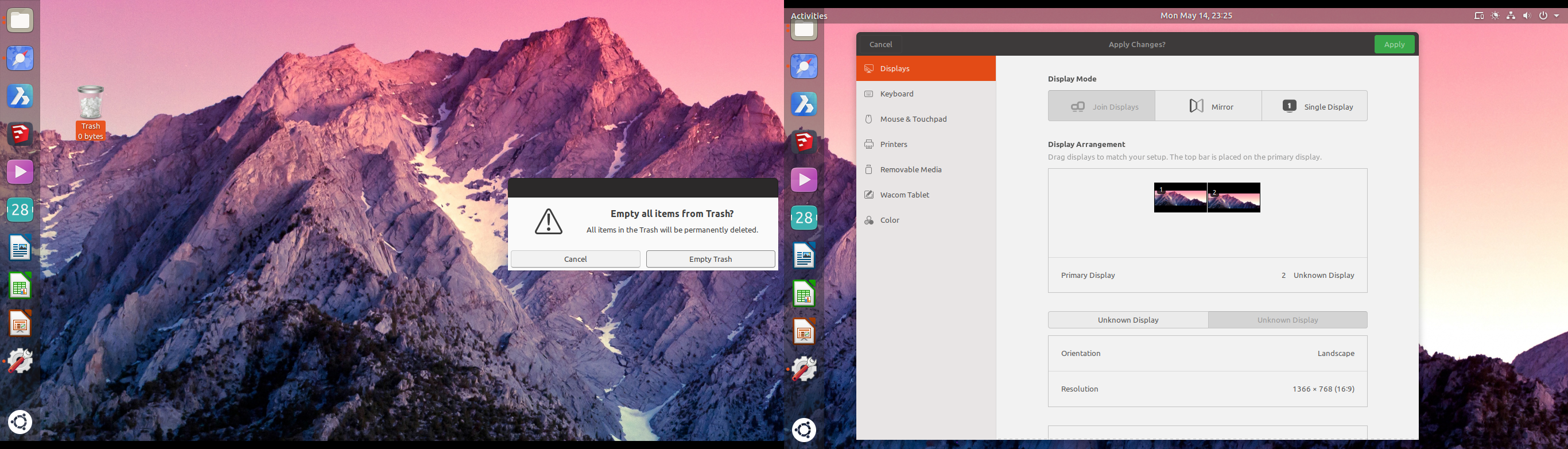
Only way is to mirror the display, then the dialog centers.
ReyLeonardAmorato
on 14 May 2018
Ah well, reporting upstream won't help since they removed the desktop form nautilus after 3.26. There is no desktop anymore. Open gnome tweaks and disable this toggle:
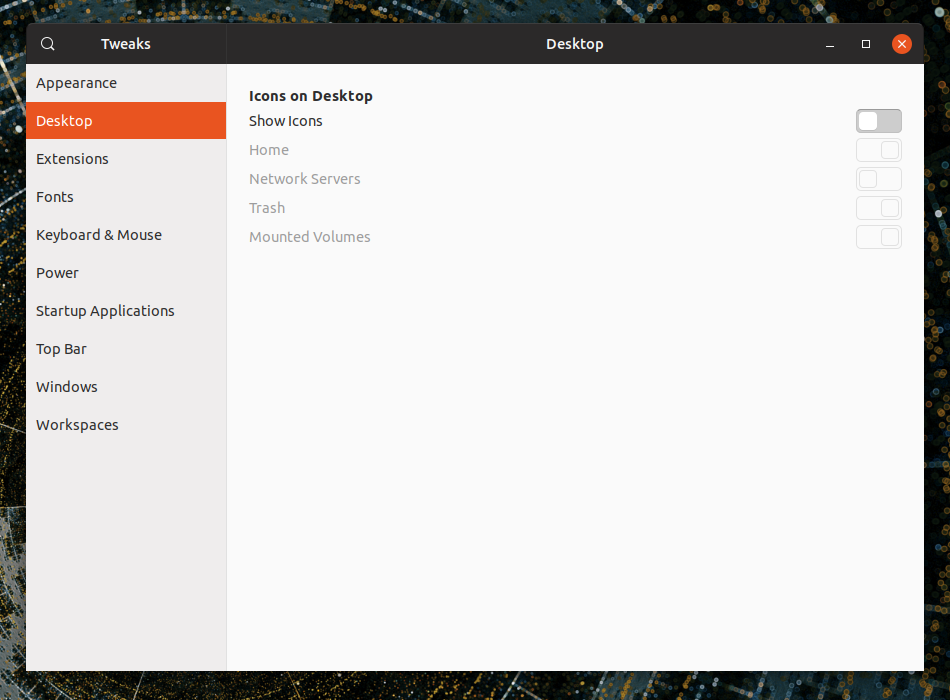
Ubuntu only supports this still because they kept 3.26 even if the rest is gnome 3.28 :/
You can still empty the trash from nautilus though! =)
Feichtmeier
on 14 May 2018
Oh noes! I like my desktop icons... :( But you're right, it seems to solve the problem. No more rogue dialogs. I'm going to try going without the desktop to see if it changes my workflow.
ReyLeonardAmorato
on 15 May 2018
Nice catch @Feichtmeier :+1:
clobrano
on 15 May 2018
We could ofc report this on launchpad. This decision (keeping the desktop icons and thus nautilus 3.26) was against upstream (gnome -> gitlab) it should be in ubuntus responsibility (launchpad) to fix it. @ReyLeonardAmorato you could report this here: https://launchpad.net/ubuntu/bionic/+package/nautilus
@clobrano I wonder if this is somehow related to @didrocks issue with the dual monitor and the top bar?
Feichtmeier
on 15 May 2018
ReyLeonardAmorato
on 15 May 2018
Thank you!
Feichtmeier
on 15 May 2018
No problem, thanks for the great work guys!
ReyLeonardAmorato
on 15 May 2018
Related issues
 sicklylife-jp
·
3Comments
sicklylife-jp
·
3Comments
 mivoligo
·
3Comments
mivoligo
·
3Comments
 chrisjbillington
·
3Comments
chrisjbillington
·
3Comments
 YamiYukiSenpai
·
3Comments
YamiYukiSenpai
·
3Comments
 matthewpaulthomas
·
3Comments
matthewpaulthomas
·
3Comments
Most helpful comment
Bug reported. https://bugs.launchpad.net/ubuntu/+source/nautilus/+bug/1771316