Xrdp: Ubuntu 18.04, Blank screen after login from Windows 10
Environment:
- Ubuntu 18.04.2 hwe
- Xrdp build from latest
074cfde - Xorgxrdp build from latest
fde94a3
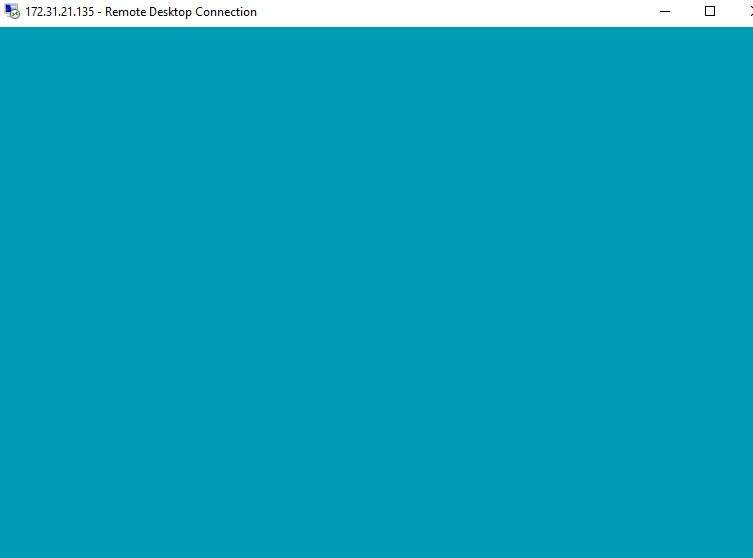
Blank screen after login from Windows 10 (after select Xorg and input name/password)
xrdp-sesman.log
[20190605-11:13:52] [DEBUG] libscp initialized
[20190605-11:13:52] [DEBUG] Testing if xrdp-sesman can listen on 127.0.0.1 port 3350.
[20190605-11:13:52] [DEBUG] Closed socket 1 (AF_INET 127.0.0.1:3350)
[20190605-11:13:52] [INFO ] starting xrdp-sesman with pid 2723
[20190605-11:13:52] [INFO ] listening to port 3350 on 127.0.0.1
[20190605-11:14:05] [INFO ] A connection received from 127.0.0.1 port 56026
[20190605-11:14:05] [INFO ] ++ created session (access granted): username jack, ip 172.31.21.142:50036 - socket: 12
[20190605-11:14:05] [INFO ] starting Xorg session...
[20190605-11:14:05] [DEBUG] Closed socket 9 (AF_INET 0.0.0.0:5910)
[20190605-11:14:05] [DEBUG] Closed socket 9 (AF_INET 0.0.0.0:6010)
[20190605-11:14:05] [DEBUG] Closed socket 9 (AF_INET 0.0.0.0:6210)
[20190605-11:14:05] [DEBUG] Closed socket 8 (AF_INET 127.0.0.1:3350)
[20190605-11:14:05] [INFO ] calling auth_start_session from pid 2731
[20190605-11:14:05] [DEBUG] Closed socket 7 (AF_INET 127.0.0.1:3350)
[20190605-11:14:05] [DEBUG] Closed socket 8 (AF_INET 127.0.0.1:3350)
[20190605-11:14:05] [INFO ] Xorg :10 -auth .Xauthority -config xrdp/xorg.conf -noreset -nolisten tcp -logfile .xorgxrdp.%s.log
[20190605-11:14:14] [ERROR] X server for display 10 startup timeout
[20190605-11:14:14] [CORE ] waiting for window manager (pid 2732) to exit
[20190605-11:14:15] [ERROR] X server for display 10 startup timeout
[20190605-11:14:15] [ERROR] another Xserver might already be active on display 10 - see log
[20190605-11:14:15] [DEBUG] aborting connection...
[20190605-11:14:15] [CORE ] window manager (pid 2732) did exit, cleaning up session
[20190605-11:14:15] [INFO ] calling auth_stop_session and auth_end from pid 2731
[20190605-11:14:15] [DEBUG] cleanup_sockets:
[20190605-11:14:15] [DEBUG] cleanup_sockets: deleting /tmp/.xrdp/xrdp_chansrv_socket_10
[20190605-11:14:15] [DEBUG] cleanup_sockets: deleting /tmp/.xrdp/xrdpapi_10
[20190605-11:14:15] [DEBUG] cleanup_sockets: failed to delete /tmp/.xrdp/xrdpapi_10
[20190605-11:14:15] [INFO ] ++ terminated session:  username jack, display :10.0, session_pid 2731, ip 172.31.21.142:50036 - socket: 12
[20190605-11:16:23] [INFO ] shutting down sesman 1
[20190605-11:16:23] [INFO ] shutting down sesman 1
[20190605-11:16:23] [DEBUG] Closed socket 7 (AF_INET 127.0.0.1:3350)
[20190605-11:16:41] [DEBUG] libscp initialized
[20190605-11:16:41] [DEBUG] Testing if xrdp-sesman can listen on 127.0.0.1 port 3350.
[20190605-11:16:41] [DEBUG] Closed socket 1 (AF_INET 127.0.0.1:3350)
[20190605-11:16:41] [INFO ] starting xrdp-sesman with pid 974
[20190605-11:16:41] [INFO ] listening to port 3350 on 127.0.0.1
[20190605-11:17:02] [INFO ] A connection received from 127.0.0.1 port 55118
[20190605-11:17:02] [INFO ] ++ created session (access granted): username jack, ip 172.31.21.142:50058 - socket: 12
[20190605-11:17:02] [INFO ] starting Xorg session...
[20190605-11:17:02] [DEBUG] Closed socket 9 (AF_INET 0.0.0.0:5910)
[20190605-11:17:02] [DEBUG] Closed socket 9 (AF_INET 0.0.0.0:6010)
[20190605-11:17:02] [DEBUG] Closed socket 9 (AF_INET 0.0.0.0:6210)
[20190605-11:17:02] [DEBUG] Closed socket 8 (AF_INET 127.0.0.1:3350)
[20190605-11:17:02] [INFO ] calling auth_start_session from pid 1597
[20190605-11:17:02] [DEBUG] Closed socket 7 (AF_INET 127.0.0.1:3350)
[20190605-11:17:02] [DEBUG] Closed socket 8 (AF_INET 127.0.0.1:3350)
[20190605-11:17:02] [INFO ] Xorg :10 -auth .Xauthority -config xrdp/xorg.conf -noreset -nolisten tcp -logfile .xorgxrdp.%s.log
[20190605-11:17:12] [ERROR] X server for display 10 startup timeout
[20190605-11:17:12] [CORE ] waiting for window manager (pid 1611) to exit
[20190605-11:17:12] [ERROR] X server for display 10 startup timeout
[20190605-11:17:12] [ERROR] another Xserver might already be active on display 10 - see log
[20190605-11:17:12] [DEBUG] aborting connection...
[20190605-11:17:12] [CORE ] window manager (pid 1611) did exit, cleaning up session
[20190605-11:17:12] [INFO ] calling auth_stop_session and auth_end from pid 1597
[20190605-11:17:12] [DEBUG] cleanup_sockets:
[20190605-11:17:12] [DEBUG] cleanup_sockets: deleting /tmp/.xrdp/xrdp_chansrv_socket_10
[20190605-11:17:12] [DEBUG] cleanup_sockets: deleting /tmp/.xrdp/xrdpapi_10
[20190605-11:17:12] [DEBUG] cleanup_sockets: failed to delete /tmp/.xrdp/xrdpapi_10
[20190605-11:17:12] [INFO ] ++ terminated session:  username jack, display :10.0, session_pid 1597, ip 172.31.21.142:50058 - socket: 12
[20190605-11:19:18] [INFO ] A connection received from 127.0.0.1 port 55142
[20190605-11:19:18] [INFO ] ++ created session (access granted): username jack, ip 172.31.21.142:50075 - socket: 12
[20190605-11:19:18] [INFO ] starting Xorg session...
[20190605-11:19:18] [DEBUG] Closed socket 9 (AF_INET 0.0.0.0:5910)
[20190605-11:19:18] [DEBUG] Closed socket 9 (AF_INET 0.0.0.0:6010)
[20190605-11:19:18] [DEBUG] Closed socket 9 (AF_INET 0.0.0.0:6210)
[20190605-11:19:18] [DEBUG] Closed socket 8 (AF_INET 127.0.0.1:3350)
[20190605-11:19:18] [INFO ] calling auth_start_session from pid 2372
[20190605-11:19:18] [DEBUG] Closed socket 7 (AF_INET 127.0.0.1:3350)
[20190605-11:19:18] [DEBUG] Closed socket 8 (AF_INET 127.0.0.1:3350)
[20190605-11:19:18] [INFO ] Xorg :10 -auth .Xauthority -config xrdp/xorg.conf -noreset -nolisten tcp -logfile .xorgxrdp.%s.log
[20190605-11:19:28] [ERROR] X server for display 10 startup timeout
[20190605-11:19:28] [CORE ] waiting for window manager (pid 2373) to exit
[20190605-11:19:28] [ERROR] X server for display 10 startup timeout
[20190605-11:19:28] [ERROR] another Xserver might already be active on display 10 - see log
[20190605-11:19:28] [DEBUG] aborting connection...
[20190605-11:19:28] [CORE ] window manager (pid 2373) did exit, cleaning up session
[20190605-11:19:28] [INFO ] calling auth_stop_session and auth_end from pid 2372
[20190605-11:19:28] [DEBUG] cleanup_sockets:
[20190605-11:19:28] [DEBUG] cleanup_sockets: deleting /tmp/.xrdp/xrdp_chansrv_socket_10
[20190605-11:19:28] [DEBUG] cleanup_sockets: deleting /tmp/.xrdp/xrdpapi_10
[20190605-11:19:28] [DEBUG] cleanup_sockets: failed to delete /tmp/.xrdp/xrdpapi_10
[20190605-11:19:28] [INFO ] ++ terminated session:  username jack, display :10.0, session_pid 2372, ip 172.31.21.142:50075 - socket: 12
[20190605-11:19:52] [INFO ] A connection received from 127.0.0.1 port 55152
[20190605-11:19:52] [INFO ] ++ created session (access granted): username jack, ip 172.31.21.142:50080 - socket: 12
[20190605-11:19:52] [INFO ] starting Xorg session...
[20190605-11:19:52] [DEBUG] Closed socket 9 (AF_INET 0.0.0.0:5910)
[20190605-11:19:52] [DEBUG] Closed socket 9 (AF_INET 0.0.0.0:6010)
[20190605-11:19:52] [DEBUG] Closed socket 9 (AF_INET 0.0.0.0:6210)
[20190605-11:19:52] [DEBUG] Closed socket 8 (AF_INET 127.0.0.1:3350)
[20190605-11:19:52] [INFO ] calling auth_start_session from pid 2522
[20190605-11:19:52] [DEBUG] Closed socket 7 (AF_INET 127.0.0.1:3350)
[20190605-11:19:52] [DEBUG] Closed socket 8 (AF_INET 127.0.0.1:3350)
[20190605-11:19:52] [INFO ] Xorg :10 -auth .Xauthority -config xrdp/xorg.conf -noreset -nolisten tcp -logfile .xorgxrdp.%s.log
[20190605-11:20:02] [ERROR] X server for display 10 startup timeout
[20190605-11:20:02] [CORE ] waiting for window manager (pid 2523) to exit
[20190605-11:20:02] [ERROR] X server for display 10 startup timeout
[20190605-11:20:02] [ERROR] another Xserver might already be active on display 10 - see log
[20190605-11:20:02] [DEBUG] aborting connection...
[20190605-11:20:02] [CORE ] window manager (pid 2523) did exit, cleaning up session
[20190605-11:20:02] [INFO ] calling auth_stop_session and auth_end from pid 2522
[20190605-11:20:02] [DEBUG] cleanup_sockets:
[20190605-11:20:02] [DEBUG] cleanup_sockets: deleting /tmp/.xrdp/xrdp_chansrv_socket_10
[20190605-11:20:02] [DEBUG] cleanup_sockets: deleting /tmp/.xrdp/xrdpapi_10
[20190605-11:20:02] [DEBUG] cleanup_sockets: failed to delete /tmp/.xrdp/xrdpapi_10
[20190605-11:20:02] [INFO ] ++ terminated session:  username jack, display :10.0, session_pid 2522, ip 172.31.21.142:50080 - socket: 12
[20190605-11:23:42] [INFO ] A connection received from 127.0.0.1 port 55564
[20190605-11:23:42] [INFO ] ++ created session (access granted): username jack, ip 172.31.21.142:50080 - socket: 12
[20190605-11:23:42] [INFO ] starting Xorg session...
[20190605-11:23:42] [DEBUG] Closed socket 9 (AF_INET 0.0.0.0:5910)
[20190605-11:23:42] [DEBUG] Closed socket 9 (AF_INET 0.0.0.0:6010)
[20190605-11:23:42] [DEBUG] Closed socket 9 (AF_INET 0.0.0.0:6210)
[20190605-11:23:42] [DEBUG] Closed socket 8 (AF_INET 127.0.0.1:3350)
[20190605-11:23:42] [INFO ] calling auth_start_session from pid 3762
[20190605-11:23:42] [DEBUG] Closed socket 7 (AF_INET 127.0.0.1:3350)
[20190605-11:23:42] [DEBUG] Closed socket 8 (AF_INET 127.0.0.1:3350)
[20190605-11:23:42] [INFO ] Xorg :10 -auth .Xauthority -config xrdp/xorg.conf -noreset -nolisten tcp -logfile .xorgxrdp.%s.log
[20190605-11:23:52] [ERROR] X server for display 10 startup timeout
[20190605-11:23:52] [CORE ] waiting for window manager (pid 3763) to exit
[20190605-11:23:52] [ERROR] X server for display 10 startup timeout
[20190605-11:23:52] [ERROR] another Xserver might already be active on display 10 - see log
[20190605-11:23:52] [DEBUG] aborting connection...
[20190605-11:23:52] [CORE ] window manager (pid 3763) did exit, cleaning up session
[20190605-11:23:52] [INFO ] calling auth_stop_session and auth_end from pid 3762
[20190605-11:23:52] [DEBUG] cleanup_sockets:
[20190605-11:23:52] [DEBUG] cleanup_sockets: deleting /tmp/.xrdp/xrdp_chansrv_socket_10
[20190605-11:23:52] [DEBUG] cleanup_sockets: deleting /tmp/.xrdp/xrdpapi_10
[20190605-11:23:52] [DEBUG] cleanup_sockets: failed to delete /tmp/.xrdp/xrdpapi_10
[20190605-11:23:52] [INFO ] ++ terminated session:  username jack, display :10.0, session_pid 3762, ip 172.31.21.142:50080 - socket: 12
[20190605-12:01:20] [INFO ] A connection received from 127.0.0.1 port 56682
[20190605-12:01:20] [INFO ] ++ created session (access granted): username jack, ip 172.31.21.142:50080 - socket: 12
[20190605-12:01:20] [INFO ] starting Xorg session...
[20190605-12:01:20] [DEBUG] Closed socket 9 (AF_INET 0.0.0.0:5911)
[20190605-12:01:20] [DEBUG] Closed socket 9 (AF_INET 0.0.0.0:6011)
[20190605-12:01:20] [DEBUG] Closed socket 9 (AF_INET 0.0.0.0:6211)
[20190605-12:01:20] [DEBUG] Closed socket 8 (AF_INET 127.0.0.1:3350)
[20190605-12:01:20] [INFO ] calling auth_start_session from pid 10931
[20190605-12:01:21] [DEBUG] Closed socket 7 (AF_INET 127.0.0.1:3350)
[20190605-12:01:21] [DEBUG] Closed socket 8 (AF_INET 127.0.0.1:3350)
[20190605-12:01:21] [INFO ] Xorg :11 -auth .Xauthority -config xrdp/xorg.conf -noreset -nolisten tcp -logfile .xorgxrdp.%s.log
[20190605-12:01:30] [ERROR] X server for display 11 startup timeout
[20190605-12:01:30] [CORE ] waiting for window manager (pid 10932) to exit
[20190605-12:01:31] [ERROR] X server for display 11 startup timeout
[20190605-12:01:31] [ERROR] another Xserver might already be active on display 11 - see log
[20190605-12:01:31] [DEBUG] aborting connection...
[20190605-12:01:31] [CORE ] window manager (pid 10932) did exit, cleaning up session
[20190605-12:01:31] [INFO ] calling auth_stop_session and auth_end from pid 10931
[20190605-12:01:31] [DEBUG] cleanup_sockets:
[20190605-12:01:31] [DEBUG] cleanup_sockets: deleting /tmp/.xrdp/xrdp_chansrv_socket_11
[20190605-12:01:31] [DEBUG] cleanup_sockets: deleting /tmp/.xrdp/xrdpapi_11
[20190605-12:01:31] [DEBUG] cleanup_sockets: failed to delete /tmp/.xrdp/xrdpapi_11
[20190605-12:01:31] [INFO ] ++ terminated session:  username jack, display :11.0, session_pid 10931, ip 172.31.21.142:50080 - socket: 12
[20190605-12:03:39] [INFO ] shutting down sesman 1
[20190605-12:03:39] [INFO ] shutting down sesman 1
[20190605-12:03:39] [DEBUG] Closed socket 7 (AF_INET 127.0.0.1:3350)
[20190605-12:05:04] [DEBUG] libscp initialized
[20190605-12:05:04] [DEBUG] Testing if xrdp-sesman can listen on 127.0.0.1 port 3350.
[20190605-12:05:04] [DEBUG] Closed socket 1 (AF_INET 127.0.0.1:3350)
[20190605-12:05:04] [INFO ] starting xrdp-sesman with pid 974
[20190605-12:05:04] [INFO ] listening to port 3350 on 127.0.0.1
[20190605-12:05:44] [INFO ] A connection received from 127.0.0.1 port 36060
[20190605-12:05:44] [INFO ] ++ created session (access granted): username jack, ip 172.31.21.142:50435 - socket: 12
[20190605-12:05:44] [INFO ] starting Xorg session...
[20190605-12:05:44] [DEBUG] Closed socket 9 (AF_INET 0.0.0.0:5910)
[20190605-12:05:44] [DEBUG] Closed socket 9 (AF_INET 0.0.0.0:6010)
[20190605-12:05:44] [DEBUG] Closed socket 9 (AF_INET 0.0.0.0:6210)
[20190605-12:05:44] [DEBUG] Closed socket 8 (AF_INET 127.0.0.1:3350)
[20190605-12:05:44] [INFO ] calling auth_start_session from pid 1608
[20190605-12:05:44] [DEBUG] Closed socket 7 (AF_INET 127.0.0.1:3350)
[20190605-12:05:44] [DEBUG] Closed socket 8 (AF_INET 127.0.0.1:3350)
[20190605-12:05:44] [INFO ] Xorg :10 -auth .Xauthority -config xrdp/xorg.conf -noreset -nolisten tcp -logfile .xorgxrdp.%s.log
[20190605-12:05:54] [ERROR] X server for display 10 startup timeout
[20190605-12:05:54] [CORE ] waiting for window manager (pid 1622) to exit
[20190605-12:05:54] [ERROR] X server for display 10 startup timeout
[20190605-12:05:54] [ERROR] another Xserver might already be active on display 10 - see log
[20190605-12:05:54] [DEBUG] aborting connection...
[20190605-12:05:54] [CORE ] window manager (pid 1622) did exit, cleaning up session
[20190605-12:05:54] [INFO ] calling auth_stop_session and auth_end from pid 1608
[20190605-12:05:54] [DEBUG] cleanup_sockets:
[20190605-12:05:54] [DEBUG] cleanup_sockets: deleting /tmp/.xrdp/xrdp_chansrv_socket_10
[20190605-12:05:54] [DEBUG] cleanup_sockets: deleting /tmp/.xrdp/xrdpapi_10
[20190605-12:05:54] [DEBUG] cleanup_sockets: failed to delete /tmp/.xrdp/xrdpapi_10
[20190605-12:05:54] [INFO ] ++ terminated session:  username jack, display :10.0, session_pid 1608, ip 172.31.21.142:50435 - socket: 12
[20190605-12:08:33] [INFO ] A connection received from 127.0.0.1 port 36088
[20190605-12:08:35] [DEBUG] Closed socket 8 (AF_INET 127.0.0.1:3350)
[20190605-12:08:45] [INFO ] A connection received from 127.0.0.1 port 36090
[20190605-12:08:45] [INFO ] ++ created session (access granted): username jack, ip 172.31.21.142:50457 - socket: 12
[20190605-12:08:45] [INFO ] starting Xorg session...
[20190605-12:08:45] [DEBUG] Closed socket 9 (AF_INET 0.0.0.0:5910)
[20190605-12:08:45] [DEBUG] Closed socket 9 (AF_INET 0.0.0.0:6010)
[20190605-12:08:45] [DEBUG] Closed socket 9 (AF_INET 0.0.0.0:6210)
[20190605-12:08:45] [DEBUG] Closed socket 8 (AF_INET 127.0.0.1:3350)
[20190605-12:08:45] [INFO ] calling auth_start_session from pid 2542
[20190605-12:08:45] [DEBUG] Closed socket 7 (AF_INET 127.0.0.1:3350)
[20190605-12:08:45] [DEBUG] Closed socket 8 (AF_INET 127.0.0.1:3350)
[20190605-12:08:45] [INFO ] Xorg :10 -auth .Xauthority -config xrdp/xorg.conf -noreset -nolisten tcp -logfile .xorgxrdp.%s.log
[20190605-12:08:55] [ERROR] X server for display 10 startup timeout
[20190605-12:08:55] [CORE ] waiting for window manager (pid 2543) to exit
[20190605-12:08:55] [ERROR] X server for display 10 startup timeout
[20190605-12:08:55] [ERROR] another Xserver might already be active on display 10 - see log
[20190605-12:08:55] [DEBUG] aborting connection...
[20190605-12:08:55] [CORE ] window manager (pid 2543) did exit, cleaning up session
[20190605-12:08:55] [INFO ] calling auth_stop_session and auth_end from pid 2542
[20190605-12:08:55] [DEBUG] cleanup_sockets:
[20190605-12:08:55] [DEBUG] cleanup_sockets: deleting /tmp/.xrdp/xrdp_chansrv_socket_10
[20190605-12:08:55] [DEBUG] cleanup_sockets: deleting /tmp/.xrdp/xrdpapi_10
[20190605-12:08:55] [DEBUG] cleanup_sockets: failed to delete /tmp/.xrdp/xrdpapi_10
[20190605-12:08:56] [INFO ] ++ terminated session:  username jack, display :10.0, session_pid 2542, ip 172.31.21.142:50457 - socket: 12
[20190605-12:11:09] [INFO ] A connection received from 127.0.0.1 port 36110
[20190605-12:11:09] [INFO ] ++ created session (access granted): username jack, ip 172.31.21.142:50487 - socket: 12
[20190605-12:11:09] [INFO ] starting Xorg session...
[20190605-12:11:09] [DEBUG] Closed socket 9 (AF_INET 0.0.0.0:5910)
[20190605-12:11:09] [DEBUG] Closed socket 9 (AF_INET 0.0.0.0:6010)
[20190605-12:11:09] [DEBUG] Closed socket 9 (AF_INET 0.0.0.0:6210)
[20190605-12:11:09] [DEBUG] Closed socket 8 (AF_INET 127.0.0.1:3350)
[20190605-12:11:09] [INFO ] calling auth_start_session from pid 2622
[20190605-12:11:09] [DEBUG] Closed socket 7 (AF_INET 127.0.0.1:3350)
[20190605-12:11:09] [DEBUG] Closed socket 8 (AF_INET 127.0.0.1:3350)
[20190605-12:11:09] [INFO ] Xorg :10 -auth .Xauthority -config xrdp/xorg.conf -noreset -nolisten tcp -logfile .xorgxrdp.%s.log
[20190605-12:11:19] [ERROR] X server for display 10 startup timeout
[20190605-12:11:19] [CORE ] waiting for window manager (pid 2623) to exit
[20190605-12:11:19] [ERROR] X server for display 10 startup timeout
[20190605-12:11:19] [ERROR] another Xserver might already be active on display 10 - see log
[20190605-12:11:19] [DEBUG] aborting connection...
[20190605-12:11:19] [CORE ] window manager (pid 2623) did exit, cleaning up session
[20190605-12:11:19] [INFO ] calling auth_stop_session and auth_end from pid 2622
[20190605-12:11:19] [DEBUG] cleanup_sockets:
[20190605-12:11:19] [DEBUG] cleanup_sockets: deleting /tmp/.xrdp/xrdp_chansrv_socket_10
[20190605-12:11:19] [DEBUG] cleanup_sockets: deleting /tmp/.xrdp/xrdpapi_10
[20190605-12:11:19] [DEBUG] cleanup_sockets: failed to delete /tmp/.xrdp/xrdpapi_10
[20190605-12:11:19] [INFO ] ++ terminated session:  username jack, display :10.0, session_pid 2622, ip 172.31.21.142:50487 - socket: 12
[20190605-12:16:10] [INFO ] A connection received from 127.0.0.1 port 36494
[20190605-12:16:10] [INFO ] ++ created session (access granted): username jack, ip 172.31.21.142:50523 - socket: 12
[20190605-12:16:10] [INFO ] starting Xorg session...
[20190605-12:16:10] [DEBUG] Closed socket 9 (AF_INET 0.0.0.0:5910)
[20190605-12:16:10] [DEBUG] Closed socket 9 (AF_INET 0.0.0.0:6010)
[20190605-12:16:10] [DEBUG] Closed socket 9 (AF_INET 0.0.0.0:6210)
[20190605-12:16:10] [DEBUG] Closed socket 8 (AF_INET 127.0.0.1:3350)
[20190605-12:16:10] [INFO ] calling auth_start_session from pid 3530
[20190605-12:16:10] [DEBUG] Closed socket 7 (AF_INET 127.0.0.1:3350)
[20190605-12:16:10] [DEBUG] Closed socket 8 (AF_INET 127.0.0.1:3350)
[20190605-12:16:10] [INFO ] Xorg :10 -auth .Xauthority -config xrdp/xorg.conf -noreset -nolisten tcp -logfile .xorgxrdp.%s.log
[20190605-12:16:20] [ERROR] X server for display 10 startup timeout
[20190605-12:16:20] [CORE ] waiting for window manager (pid 3531) to exit
[20190605-12:16:20] [ERROR] X server for display 10 startup timeout
[20190605-12:16:20] [ERROR] another Xserver might already be active on display 10 - see log
[20190605-12:16:20] [DEBUG] aborting connection...
[20190605-12:16:20] [CORE ] window manager (pid 3531) did exit, cleaning up session
[20190605-12:16:20] [INFO ] calling auth_stop_session and auth_end from pid 3530
[20190605-12:16:20] [DEBUG] cleanup_sockets:
[20190605-12:16:20] [DEBUG] cleanup_sockets: deleting /tmp/.xrdp/xrdp_chansrv_socket_10
[20190605-12:16:20] [DEBUG] cleanup_sockets: deleting /tmp/.xrdp/xrdpapi_10
[20190605-12:16:20] [DEBUG] cleanup_sockets: failed to delete /tmp/.xrdp/xrdpapi_10
[20190605-12:16:20] [INFO ] ++ terminated session:  username jack, display :10.0, session_pid 3530, ip 172.31.21.142:50523 - socket: 12
xrdp.log
[20190605-11:13:52] [DEBUG] Testing if xrdp can listen on 0.0.0.0 port 3389.
[20190605-11:13:52] [DEBUG] Closed socket 7 (AF_INET 0.0.0.0:3389)
[20190605-11:13:54] [INFO ] starting xrdp with pid 2725
[20190605-11:13:54] [INFO ] listening to port 3389 on 0.0.0.0
[20190605-11:13:56] [INFO ] Socket 12: AF_INET connection received from 172.31.21.142 port 50035
[20190605-11:13:56] [DEBUG] Closed socket 12 (AF_INET 172.31.21.135:3389)
[20190605-11:13:56] [DEBUG] Closed socket 11 (AF_INET 0.0.0.0:3389)
[20190605-11:13:56] [INFO ] Using default X.509 certificate: /etc/xrdp/cert.pem
[20190605-11:13:56] [INFO ] Using default X.509 key file: /etc/xrdp/key.pem
[20190605-11:13:56] [WARN ] TLSv1.3 enabled by config, but not supported by system OpenSSL
[20190605-11:13:56] [DEBUG] TLSv1.2 enabled
[20190605-11:13:56] [DEBUG] Security layer: requested 11, selected 1
[20190605-11:13:56] [DEBUG] Closed socket 12 (AF_INET 172.31.21.135:3389)
[20190605-11:13:58] [INFO ] Socket 12: AF_INET connection received from 172.31.21.142 port 50036
[20190605-11:13:58] [DEBUG] Closed socket 12 (AF_INET 172.31.21.135:3389)
[20190605-11:13:58] [DEBUG] Closed socket 11 (AF_INET 0.0.0.0:3389)
[20190605-11:13:58] [INFO ] Using default X.509 certificate: /etc/xrdp/cert.pem
[20190605-11:13:58] [INFO ] Using default X.509 key file: /etc/xrdp/key.pem
[20190605-11:13:58] [WARN ] TLSv1.3 enabled by config, but not supported by system OpenSSL
[20190605-11:13:58] [DEBUG] TLSv1.2 enabled
[20190605-11:13:58] [DEBUG] Security layer: requested 11, selected 1
[20190605-11:13:58] [INFO ] connected client computer name: R06291
[20190605-11:13:58] [INFO ] adding channel item name rdpdr chan_id 1004 flags 0x80800000
[20190605-11:13:58] [INFO ] adding channel item name rdpsnd chan_id 1005 flags 0xc0000000
[20190605-11:13:58] [INFO ] adding channel item name cliprdr chan_id 1006 flags 0xc0a00000
[20190605-11:13:58] [INFO ] adding channel item name drdynvc chan_id 1007 flags 0xc0800000
[20190605-11:13:58] [INFO ] TLS connection established from 172.31.21.142 port 50036: TLSv1.2 with cipher ECDHE-RSA-AES256-GCM-SHA384
[20190605-11:13:58] [DEBUG] xrdp_00000aaa_wm_login_mode_event_00000001
[20190605-11:13:58] [INFO ] Cannot find keymap file /etc/xrdp/km-00000804.ini
[20190605-11:13:58] [INFO ] Cannot find keymap file /etc/xrdp/km-00000804.ini
[20190605-11:13:58] [INFO ] Loading keymap file /etc/xrdp/km-00000409.ini
[20190605-11:13:58] [WARN ] local keymap file for 0x00000804 found and doesn't match built in keymap, using local keymap file
[20190605-11:14:05] [DEBUG] xrdp_wm_log_msg: connecting to sesman ip 127.0.0.1 port 3350
[20190605-11:14:05] [INFO ] xrdp_wm_log_msg: sesman connect ok
[20190605-11:14:05] [DEBUG] xrdp_wm_log_msg: sending login info to session manager, please wait...
[20190605-11:14:05] [DEBUG] return value from xrdp_mm_connect 0
[20190605-11:14:05] [INFO ] xrdp_wm_log_msg: login successful for display 10
[20190605-11:14:05] [DEBUG] xrdp_wm_log_msg: started connecting
[20190605-11:14:08] [DEBUG] Closed socket 19 (AF_UNIX)
[20190605-11:14:12] [DEBUG] Closed socket 19 (AF_UNIX)
[20190605-11:14:15] [DEBUG] Closed socket 19 (AF_UNIX)
[20190605-11:14:19] [DEBUG] Closed socket 19 (AF_UNIX)
[20190605-11:14:22] [DEBUG] Closed socket 19 (AF_UNIX)
[20190605-11:14:26] [DEBUG] Closed socket 19 (AF_UNIX)
[20190605-11:14:29] [DEBUG] Closed socket 19 (AF_UNIX)
[20190605-11:14:33] [DEBUG] Closed socket 19 (AF_UNIX)
[20190605-11:14:36] [DEBUG] Closed socket 19 (AF_UNIX)
[20190605-11:14:40] [DEBUG] Closed socket 19 (AF_UNIX)
[20190605-11:14:43] [DEBUG] Closed socket 19 (AF_UNIX)
[20190605-11:14:47] [DEBUG] Closed socket 19 (AF_UNIX)
[20190605-11:14:50] [DEBUG] Closed socket 19 (AF_UNIX)
[20190605-11:14:52] [DEBUG] Closed socket 11 (AF_INET 0.0.0.0:3389)
[20190605-11:14:54] [DEBUG] Closed socket 19 (AF_UNIX)
[20190605-11:14:57] [DEBUG] Closed socket 19 (AF_UNIX)
[20190605-11:15:01] [DEBUG] Closed socket 19 (AF_UNIX)
[20190605-11:15:04] [DEBUG] Closed socket 19 (AF_UNIX)
[20190605-11:15:08] [DEBUG] Closed socket 19 (AF_UNIX)
[20190605-11:15:11] [DEBUG] Closed socket 19 (AF_UNIX)
[20190605-11:15:15] [DEBUG] Closed socket 19 (AF_UNIX)
[20190605-11:15:18] [DEBUG] Closed socket 19 (AF_UNIX)
[20190605-11:15:22] [DEBUG] Closed socket 19 (AF_UNIX)
[20190605-11:15:25] [DEBUG] Closed socket 19 (AF_UNIX)
[20190605-11:15:29] [DEBUG] Closed socket 19 (AF_UNIX)
[20190605-11:15:32] [DEBUG] Closed socket 19 (AF_UNIX)
[20190605-11:15:36] [DEBUG] Closed socket 19 (AF_UNIX)
[20190605-11:15:40] [DEBUG] Closed socket 19 (AF_UNIX)
[20190605-11:15:43] [DEBUG] Closed socket 19 (AF_UNIX)
[20190605-11:15:47] [DEBUG] Closed socket 19 (AF_UNIX)
[20190605-11:15:50] [DEBUG] Closed socket 19 (AF_UNIX)
[20190605-11:15:54] [DEBUG] Closed socket 19 (AF_UNIX)
[20190605-11:15:57] [DEBUG] Closed socket 19 (AF_UNIX)
[20190605-11:16:01] [DEBUG] Closed socket 19 (AF_UNIX)
[20190605-11:16:04] [DEBUG] Closed socket 19 (AF_UNIX)
[20190605-11:16:08] [DEBUG] Closed socket 19 (AF_UNIX)
[20190605-11:16:11] [DEBUG] Closed socket 19 (AF_UNIX)
[20190605-11:16:15] [DEBUG] Closed socket 19 (AF_UNIX)
[20190605-11:16:18] [DEBUG] Closed socket 19 (AF_UNIX)
[20190605-11:16:22] [DEBUG] Closed socket 19 (AF_UNIX)
[20190605-11:16:41] [DEBUG] Testing if xrdp can listen on 0.0.0.0 port 3389.
[20190605-11:16:41] [DEBUG] Closed socket 7 (AF_INET 0.0.0.0:3389)
[20190605-11:16:43] [INFO ] starting xrdp with pid 979
[20190605-11:16:43] [INFO ] listening to port 3389 on 0.0.0.0
[20190605-11:16:58] [INFO ] Socket 12: AF_INET connection received from 172.31.21.142 port 50057
[20190605-11:16:58] [DEBUG] Closed socket 12 (AF_INET 172.31.21.135:3389)
[20190605-11:16:58] [DEBUG] Closed socket 11 (AF_INET 0.0.0.0:3389)
[20190605-11:16:58] [INFO ] Using default X.509 certificate: /etc/xrdp/cert.pem
[20190605-11:16:58] [INFO ] Using default X.509 key file: /etc/xrdp/key.pem
[20190605-11:16:58] [WARN ] TLSv1.3 enabled by config, but not supported by system OpenSSL
[20190605-11:16:58] [DEBUG] TLSv1.2 enabled
[20190605-11:16:58] [DEBUG] Security layer: requested 11, selected 1
[20190605-11:16:58] [DEBUG] Closed socket 12 (AF_INET 172.31.21.135:3389)
[20190605-11:16:58] [INFO ] Socket 12: AF_INET connection received from 172.31.21.142 port 50058
[20190605-11:16:58] [DEBUG] Closed socket 12 (AF_INET 172.31.21.135:3389)
[20190605-11:16:58] [DEBUG] Closed socket 11 (AF_INET 0.0.0.0:3389)
[20190605-11:16:58] [INFO ] Using default X.509 certificate: /etc/xrdp/cert.pem
[20190605-11:16:58] [INFO ] Using default X.509 key file: /etc/xrdp/key.pem
[20190605-11:16:58] [WARN ] TLSv1.3 enabled by config, but not supported by system OpenSSL
[20190605-11:16:58] [DEBUG] TLSv1.2 enabled
[20190605-11:16:58] [DEBUG] Security layer: requested 11, selected 1
[20190605-11:16:58] [INFO ] connected client computer name: R06291
[20190605-11:16:58] [INFO ] adding channel item name rdpdr chan_id 1004 flags 0x80800000
[20190605-11:16:58] [INFO ] adding channel item name rdpsnd chan_id 1005 flags 0xc0000000
[20190605-11:16:58] [INFO ] adding channel item name cliprdr chan_id 1006 flags 0xc0a00000
[20190605-11:16:58] [INFO ] adding channel item name drdynvc chan_id 1007 flags 0xc0800000
[20190605-11:16:58] [INFO ] TLS connection established from 172.31.21.142 port 50058: TLSv1.2 with cipher ECDHE-RSA-AES256-GCM-SHA384
[20190605-11:16:58] [DEBUG] xrdp_00000639_wm_login_mode_event_00000001
[20190605-11:16:58] [INFO ] Cannot find keymap file /etc/xrdp/km-00000804.ini
[20190605-11:16:58] [INFO ] Cannot find keymap file /etc/xrdp/km-00000804.ini
[20190605-11:16:58] [INFO ] Loading keymap file /etc/xrdp/km-00000409.ini
[20190605-11:16:58] [WARN ] local keymap file for 0x00000804 found and doesn't match built in keymap, using local keymap file
[20190605-11:17:02] [DEBUG] xrdp_wm_log_msg: connecting to sesman ip 127.0.0.1 port 3350
[20190605-11:17:02] [INFO ] xrdp_wm_log_msg: sesman connect ok
[20190605-11:17:02] [DEBUG] xrdp_wm_log_msg: sending login info to session manager, please wait...
[20190605-11:17:02] [DEBUG] return value from xrdp_mm_connect 0
[20190605-11:17:02] [INFO ] xrdp_wm_log_msg: login successful for display 10
[20190605-11:17:02] [DEBUG] xrdp_wm_log_msg: started connecting
[20190605-11:17:05] [DEBUG] Closed socket 19 (AF_UNIX)
[20190605-11:17:09] [DEBUG] Closed socket 19 (AF_UNIX)
[20190605-11:17:12] [DEBUG] Closed socket 19 (AF_UNIX)
[20190605-11:17:16] [DEBUG] Closed socket 19 (AF_UNIX)
[20190605-11:17:19] [DEBUG] Closed socket 19 (AF_UNIX)
[20190605-11:17:23] [DEBUG] Closed socket 19 (AF_UNIX)
[20190605-11:17:26] [DEBUG] Closed socket 19 (AF_UNIX)
[20190605-11:17:30] [DEBUG] Closed socket 19 (AF_UNIX)
[20190605-11:17:33] [DEBUG] Closed socket 19 (AF_UNIX)
[20190605-11:17:37] [DEBUG] Closed socket 19 (AF_UNIX)
[20190605-11:17:40] [DEBUG] Closed socket 19 (AF_UNIX)
[20190605-11:17:44] [DEBUG] Closed socket 19 (AF_UNIX)
[20190605-11:17:47] [DEBUG] Closed socket 19 (AF_UNIX)
[20190605-11:17:51] [DEBUG] Closed socket 19 (AF_UNIX)
[20190605-11:17:55] [DEBUG] Closed socket 19 (AF_UNIX)
[20190605-11:17:58] [DEBUG] Closed socket 19 (AF_UNIX)
[20190605-11:18:02] [DEBUG] Closed socket 19 (AF_UNIX)
[20190605-11:18:05] [DEBUG] Closed socket 19 (AF_UNIX)
[20190605-11:18:09] [DEBUG] Closed socket 19 (AF_UNIX)
[20190605-11:18:12] [DEBUG] Closed socket 19 (AF_UNIX)
[20190605-11:18:16] [DEBUG] Closed socket 19 (AF_UNIX)
[20190605-11:18:19] [DEBUG] Closed socket 19 (AF_UNIX)
[20190605-11:18:23] [DEBUG] Closed socket 19 (AF_UNIX)
[20190605-11:18:26] [DEBUG] Closed socket 19 (AF_UNIX)
[20190605-11:18:30] [DEBUG] Closed socket 19 (AF_UNIX)
[20190605-11:18:33] [DEBUG] Closed socket 19 (AF_UNIX)
[20190605-11:18:37] [DEBUG] Closed socket 19 (AF_UNIX)
[20190605-11:18:40] [DEBUG] Closed socket 19 (AF_UNIX)
[20190605-11:18:44] [DEBUG] Closed socket 19 (AF_UNIX)
[20190605-11:18:47] [DEBUG] Closed socket 19 (AF_UNIX)
[20190605-11:18:51] [DEBUG] Closed socket 19 (AF_UNIX)
[20190605-11:18:54] [DEBUG] Closed socket 19 (AF_UNIX)
[20190605-11:18:58] [DEBUG] Closed socket 19 (AF_UNIX)
[20190605-11:19:01] [DEBUG] Closed socket 19 (AF_UNIX)
[20190605-11:19:05] [DEBUG] Closed socket 19 (AF_UNIX)
[20190605-11:19:08] [DEBUG] Closed socket 19 (AF_UNIX)
[20190605-11:19:12] [DEBUG] Closed socket 19 (AF_UNIX)
[20190605-11:19:15] [INFO ] Socket 12: AF_INET connection received from 172.31.21.142 port 50074
[20190605-11:19:15] [DEBUG] Closed socket 12 (AF_INET 172.31.21.135:3389)
[20190605-11:19:15] [DEBUG] Closed socket 11 (AF_INET 0.0.0.0:3389)
[20190605-11:19:15] [INFO ] Using default X.509 certificate: /etc/xrdp/cert.pem
[20190605-11:19:15] [INFO ] Using default X.509 key file: /etc/xrdp/key.pem
[20190605-11:19:15] [WARN ] TLSv1.3 enabled by config, but not supported by system OpenSSL
[20190605-11:19:15] [DEBUG] TLSv1.2 enabled
[20190605-11:19:15] [DEBUG] Security layer: requested 11, selected 1
[20190605-11:19:15] [DEBUG] Closed socket 12 (AF_INET 172.31.21.135:3389)
[20190605-11:19:15] [INFO ] Socket 12: AF_INET connection received from 172.31.21.142 port 50075
[20190605-11:19:15] [DEBUG] Closed socket 12 (AF_INET 172.31.21.135:3389)
[20190605-11:19:15] [DEBUG] Closed socket 11 (AF_INET 0.0.0.0:3389)
[20190605-11:19:15] [INFO ] Using default X.509 certificate: /etc/xrdp/cert.pem
[20190605-11:19:15] [INFO ] Using default X.509 key file: /etc/xrdp/key.pem
[20190605-11:19:15] [WARN ] TLSv1.3 enabled by config, but not supported by system OpenSSL
[20190605-11:19:15] [DEBUG] TLSv1.2 enabled
[20190605-11:19:15] [DEBUG] Security layer: requested 11, selected 1
[20190605-11:19:15] [INFO ] connected client computer name: R06291
[20190605-11:19:15] [INFO ] adding channel item name rdpdr chan_id 1004 flags 0x80800000
[20190605-11:19:15] [INFO ] adding channel item name rdpsnd chan_id 1005 flags 0xc0000000
[20190605-11:19:15] [INFO ] adding channel item name cliprdr chan_id 1006 flags 0xc0a00000
[20190605-11:19:15] [INFO ] adding channel item name drdynvc chan_id 1007 flags 0xc0800000
[20190605-11:19:15] [INFO ] TLS connection established from 172.31.21.142 port 50075: TLSv1.2 with cipher ECDHE-RSA-AES256-GCM-SHA384
[20190605-11:19:15] [DEBUG] xrdp_00000943_wm_login_mode_event_00000001
[20190605-11:19:15] [INFO ] Cannot find keymap file /etc/xrdp/km-00000804.ini
[20190605-11:19:15] [INFO ] Cannot find keymap file /etc/xrdp/km-00000804.ini
[20190605-11:19:15] [INFO ] Loading keymap file /etc/xrdp/km-00000409.ini
[20190605-11:19:15] [WARN ] local keymap file for 0x00000804 found and doesn't match built in keymap, using local keymap file
[20190605-11:19:15] [DEBUG] Closed socket 19 (AF_UNIX)
[20190605-11:19:18] [DEBUG] xrdp_wm_log_msg: connecting to sesman ip 127.0.0.1 port 3350
[20190605-11:19:18] [INFO ] xrdp_wm_log_msg: sesman connect ok
[20190605-11:19:18] [DEBUG] xrdp_wm_log_msg: sending login info to session manager, please wait...
[20190605-11:19:18] [DEBUG] return value from xrdp_mm_connect 0
[20190605-11:19:18] [INFO ] xrdp_wm_log_msg: login successful for display 10
[20190605-11:19:18] [DEBUG] xrdp_wm_log_msg: started connecting
[20190605-11:19:19] [DEBUG] Closed socket 19 (AF_UNIX)
[20190605-11:19:21] [DEBUG] Closed socket 19 (AF_UNIX)
[20190605-11:19:22] [DEBUG] Closed socket 19 (AF_UNIX)
[20190605-11:19:25] [DEBUG] Closed socket 19 (AF_UNIX)
[20190605-11:19:26] [DEBUG] Closed socket 19 (AF_UNIX)
[20190605-11:19:28] [DEBUG] Closed socket 19 (AF_UNIX)
[20190605-11:19:29] [DEBUG] Closed socket 19 (AF_UNIX)
[20190605-11:19:32] [DEBUG] Closed socket 19 (AF_UNIX)
[20190605-11:19:33] [DEBUG] Closed socket 19 (AF_UNIX)
[20190605-11:19:35] [DEBUG] Closed socket 19 (AF_UNIX)
[20190605-11:19:36] [DEBUG] Closed socket 19 (AF_UNIX)
[20190605-11:19:39] [DEBUG] Closed socket 19 (AF_UNIX)
[20190605-11:19:40] [DEBUG] Closed socket 19 (AF_UNIX)
[20190605-11:19:42] [DEBUG] Closed socket 19 (AF_UNIX)
[20190605-11:19:43] [DEBUG] Closed socket 19 (AF_UNIX)
[20190605-11:19:46] [DEBUG] Closed socket 19 (AF_UNIX)
[20190605-11:19:47] [DEBUG] Closed socket 19 (AF_UNIX)
[20190605-11:19:48] [INFO ] Socket 12: AF_INET connection received from 172.31.21.142 port 50079
[20190605-11:19:48] [DEBUG] Closed socket 12 (AF_INET 172.31.21.135:3389)
[20190605-11:19:48] [DEBUG] Closed socket 11 (AF_INET 0.0.0.0:3389)
[20190605-11:19:48] [INFO ] Using default X.509 certificate: /etc/xrdp/cert.pem
[20190605-11:19:48] [INFO ] Using default X.509 key file: /etc/xrdp/key.pem
[20190605-11:19:48] [WARN ] TLSv1.3 enabled by config, but not supported by system OpenSSL
[20190605-11:19:48] [DEBUG] TLSv1.2 enabled
[20190605-11:19:48] [DEBUG] Security layer: requested 11, selected 1
[20190605-11:19:48] [DEBUG] Closed socket 12 (AF_INET 172.31.21.135:3389)
[20190605-11:19:48] [INFO ] Socket 12: AF_INET connection received from 172.31.21.142 port 50080
[20190605-11:19:48] [DEBUG] Closed socket 12 (AF_INET 172.31.21.135:3389)
[20190605-11:19:48] [DEBUG] Closed socket 11 (AF_INET 0.0.0.0:3389)
[20190605-11:19:48] [INFO ] Using default X.509 certificate: /etc/xrdp/cert.pem
[20190605-11:19:48] [INFO ] Using default X.509 key file: /etc/xrdp/key.pem
[20190605-11:19:48] [WARN ] TLSv1.3 enabled by config, but not supported by system OpenSSL
[20190605-11:19:48] [DEBUG] TLSv1.2 enabled
[20190605-11:19:48] [DEBUG] Security layer: requested 11, selected 1
[20190605-11:19:48] [INFO ] connected client computer name: R06291
[20190605-11:19:48] [INFO ] adding channel item name rdpdr chan_id 1004 flags 0x80800000
[20190605-11:19:48] [INFO ] adding channel item name rdpsnd chan_id 1005 flags 0xc0000000
[20190605-11:19:48] [INFO ] adding channel item name cliprdr chan_id 1006 flags 0xc0a00000
[20190605-11:19:48] [INFO ] adding channel item name drdynvc chan_id 1007 flags 0xc0800000
[20190605-11:19:48] [INFO ] TLS connection established from 172.31.21.142 port 50080: TLSv1.2 with cipher ECDHE-RSA-AES256-GCM-SHA384
[20190605-11:19:48] [DEBUG] xrdp_000009d9_wm_login_mode_event_00000001
[20190605-11:19:48] [INFO ] Cannot find keymap file /etc/xrdp/km-00000804.ini
[20190605-11:19:48] [INFO ] Cannot find keymap file /etc/xrdp/km-00000804.ini
[20190605-11:19:48] [INFO ] Loading keymap file /etc/xrdp/km-00000409.ini
[20190605-11:19:48] [WARN ] local keymap file for 0x00000804 found and doesn't match built in keymap, using local keymap file
[20190605-11:19:50] [DEBUG] Closed socket 19 (AF_UNIX)
[20190605-11:19:50] [DEBUG] Closed socket 19 (AF_UNIX)
[20190605-11:19:52] [DEBUG] xrdp_wm_log_msg: connecting to sesman ip 127.0.0.1 port 3350
[20190605-11:19:52] [INFO ] xrdp_wm_log_msg: sesman connect ok
[20190605-11:19:52] [DEBUG] xrdp_wm_log_msg: sending login info to session manager, please wait...
[20190605-11:19:52] [DEBUG] return value from xrdp_mm_connect 0
[20190605-11:19:52] [INFO ] xrdp_wm_log_msg: login successful for display 10
[20190605-11:19:52] [DEBUG] xrdp_wm_log_msg: started connecting
[20190605-11:19:53] [DEBUG] Closed socket 19 (AF_UNIX)
[20190605-11:19:54] [DEBUG] Closed socket 19 (AF_UNIX)
[20190605-11:19:55] [DEBUG] Closed socket 19 (AF_UNIX)
[20190605-11:19:57] [DEBUG] Closed socket 19 (AF_UNIX)
[20190605-11:19:57] [DEBUG] Closed socket 19 (AF_UNIX)
[20190605-11:19:59] [DEBUG] Closed socket 19 (AF_UNIX)
[20190605-11:20:00] [DEBUG] Closed socket 19 (AF_UNIX)
[20190605-11:20:01] [DEBUG] Closed socket 19 (AF_UNIX)
[20190605-11:20:02] [DEBUG] Closed socket 19 (AF_UNIX)
[20190605-11:20:04] [DEBUG] Closed socket 19 (AF_UNIX)
[20190605-11:20:04] [DEBUG] Closed socket 19 (AF_UNIX)
[20190605-11:20:06] [DEBUG] Closed socket 19 (AF_UNIX)
[20190605-11:20:07] [DEBUG] Closed socket 19 (AF_UNIX)
[20190605-11:20:08] [DEBUG] Closed socket 19 (AF_UNIX)
[20190605-11:20:09] [DEBUG] Closed socket 19 (AF_UNIX)
[20190605-11:20:11] [DEBUG] Closed socket 19 (AF_UNIX)
[20190605-11:20:12] [DEBUG] Closed socket 19 (AF_UNIX)
[20190605-11:20:13] [DEBUG] Closed socket 19 (AF_UNIX)
[20190605-11:20:14] [DEBUG] Closed socket 19 (AF_UNIX)
[20190605-11:20:15] [DEBUG] Closed socket 19 (AF_UNIX)
[20190605-11:20:17] [DEBUG] Closed socket 19 (AF_UNIX)
[20190605-11:20:18] [DEBUG] Closed socket 19 (AF_UNIX)
[20190605-11:20:19] [DEBUG] Closed socket 19 (AF_UNIX)
[20190605-11:20:20] [DEBUG] Closed socket 19 (AF_UNIX)
[20190605-11:20:21] [DEBUG] Closed socket 19 (AF_UNIX)
[20190605-11:20:22] [DEBUG] Closed socket 19 (AF_UNIX)
[20190605-11:20:24] [DEBUG] Closed socket 19 (AF_UNIX)
[20190605-11:20:25] [DEBUG] Closed socket 19 (AF_UNIX)
[20190605-11:20:26] [DEBUG] Closed socket 19 (AF_UNIX)
[20190605-11:20:27] [DEBUG] Closed socket 19 (AF_UNIX)
[20190605-11:20:28] [DEBUG] Closed socket 19 (AF_UNIX)
[20190605-11:20:29] [DEBUG] Closed socket 19 (AF_UNIX)
[20190605-11:20:31] [DEBUG] Closed socket 19 (AF_UNIX)
[20190605-11:20:32] [DEBUG] Closed socket 19 (AF_UNIX)
[20190605-11:20:32] [DEBUG] xrdp_wm_log_msg: connection problem, giving up
[20190605-11:20:32] [DEBUG] Closed socket 19 (AF_UNIX)
[20190605-11:20:32] [DEBUG] xrdp_wm_log_msg: some problem
[20190605-11:20:32] [DEBUG] xrdp_mm_module_cleanup
[20190605-11:20:32] [DEBUG] Closed socket 18 (AF_INET 127.0.0.1:55118)
[20190605-11:20:32] [DEBUG] Closed socket 12 (AF_INET 172.31.21.135:3389)
[20190605-11:20:32] [DEBUG] xrdp_mm_module_cleanup
[20190605-11:20:34] [DEBUG] Closed socket 19 (AF_UNIX)
[20190605-11:20:35] [DEBUG] Closed socket 19 (AF_UNIX)
[20190605-11:20:38] [DEBUG] Closed socket 19 (AF_UNIX)
[20190605-11:20:39] [DEBUG] Closed socket 19 (AF_UNIX)
[20190605-11:20:41] [DEBUG] Closed socket 19 (AF_UNIX)
[20190605-11:20:42] [DEBUG] Closed socket 19 (AF_UNIX)
[20190605-11:20:45] [DEBUG] Closed socket 19 (AF_UNIX)
[20190605-11:20:46] [DEBUG] Closed socket 19 (AF_UNIX)
[20190605-11:20:48] [DEBUG] Closed socket 19 (AF_UNIX)
[20190605-11:20:49] [DEBUG] Closed socket 19 (AF_UNIX)
[20190605-11:20:52] [DEBUG] Closed socket 19 (AF_UNIX)
[20190605-11:20:53] [DEBUG] Closed socket 19 (AF_UNIX)
[20190605-11:20:55] [DEBUG] Closed socket 19 (AF_UNIX)
[20190605-11:20:56] [DEBUG] Closed socket 19 (AF_UNIX)
[20190605-11:20:59] [DEBUG] Closed socket 19 (AF_UNIX)
[20190605-11:21:00] [DEBUG] Closed socket 19 (AF_UNIX)
[20190605-11:21:02] [DEBUG] Closed socket 19 (AF_UNIX)
[20190605-11:21:03] [DEBUG] Closed socket 19 (AF_UNIX)
[20190605-11:21:06] [DEBUG] Closed socket 19 (AF_UNIX)
[20190605-11:21:07] [DEBUG] Closed socket 19 (AF_UNIX)
[20190605-11:21:09] [DEBUG] Closed socket 19 (AF_UNIX)
[20190605-11:21:10] [DEBUG] Closed socket 19 (AF_UNIX)
[20190605-11:21:13] [DEBUG] Closed socket 19 (AF_UNIX)
[20190605-11:21:14] [DEBUG] Closed socket 19 (AF_UNIX)
[20190605-11:21:16] [DEBUG] Closed socket 19 (AF_UNIX)
[20190605-11:21:17] [DEBUG] Closed socket 19 (AF_UNIX)
[20190605-11:21:20] [DEBUG] Closed socket 19 (AF_UNIX)
[20190605-11:21:21] [DEBUG] Closed socket 19 (AF_UNIX)
[20190605-11:21:23] [DEBUG] Closed socket 19 (AF_UNIX)
[20190605-11:21:24] [DEBUG] Closed socket 19 (AF_UNIX)
[20190605-11:21:27] [DEBUG] Closed socket 19 (AF_UNIX)
[20190605-11:21:28] [DEBUG] Closed socket 19 (AF_UNIX)
[20190605-11:21:30] [DEBUG] Closed socket 19 (AF_UNIX)
[20190605-11:21:31] [DEBUG] Closed socket 19 (AF_UNIX)
[20190605-11:21:34] [DEBUG] Closed socket 19 (AF_UNIX)
[20190605-11:21:35] [DEBUG] Closed socket 19 (AF_UNIX)
[20190605-11:21:37] [DEBUG] Closed socket 19 (AF_UNIX)
[20190605-11:21:38] [DEBUG] Closed socket 19 (AF_UNIX)
[20190605-11:21:41] [DEBUG] Closed socket 19 (AF_UNIX)
[20190605-11:21:42] [DEBUG] Closed socket 19 (AF_UNIX)
[20190605-11:21:44] [DEBUG] Closed socket 19 (AF_UNIX)
[20190605-11:21:45] [DEBUG] Closed socket 19 (AF_UNIX)
[20190605-11:21:48] [DEBUG] Closed socket 19 (AF_UNIX)
[20190605-11:21:49] [DEBUG] Closed socket 19 (AF_UNIX)
[20190605-11:21:51] [DEBUG] Closed socket 19 (AF_UNIX)
[20190605-11:21:52] [DEBUG] Closed socket 19 (AF_UNIX)
[20190605-11:21:55] [DEBUG] Closed socket 19 (AF_UNIX)
[20190605-11:21:56] [DEBUG] Closed socket 19 (AF_UNIX)
[20190605-11:21:58] [DEBUG] Closed socket 19 (AF_UNIX)
[20190605-11:21:59] [DEBUG] Closed socket 19 (AF_UNIX)
[20190605-11:22:02] [DEBUG] Closed socket 19 (AF_UNIX)
[20190605-11:22:03] [DEBUG] Closed socket 19 (AF_UNIX)
[20190605-11:22:05] [DEBUG] Closed socket 19 (AF_UNIX)
[20190605-11:22:06] [DEBUG] Closed socket 19 (AF_UNIX)
[20190605-11:22:09] [DEBUG] Closed socket 19 (AF_UNIX)
[20190605-11:22:10] [DEBUG] Closed socket 19 (AF_UNIX)
[20190605-11:22:12] [DEBUG] Closed socket 19 (AF_UNIX)
[20190605-11:22:13] [DEBUG] Closed socket 19 (AF_UNIX)
[20190605-11:22:16] [DEBUG] Closed socket 19 (AF_UNIX)
[20190605-11:22:17] [DEBUG] Closed socket 19 (AF_UNIX)
[20190605-11:22:19] [DEBUG] Closed socket 19 (AF_UNIX)
[20190605-11:22:20] [DEBUG] Closed socket 19 (AF_UNIX)
[20190605-11:22:23] [DEBUG] Closed socket 19 (AF_UNIX)
[20190605-11:22:24] [DEBUG] Closed socket 19 (AF_UNIX)
[20190605-11:22:26] [DEBUG] Closed socket 19 (AF_UNIX)
[20190605-11:22:27] [DEBUG] Closed socket 19 (AF_UNIX)
[20190605-11:22:30] [DEBUG] Closed socket 19 (AF_UNIX)
[20190605-11:22:31] [DEBUG] Closed socket 19 (AF_UNIX)
[20190605-11:22:33] [DEBUG] Closed socket 19 (AF_UNIX)
[20190605-11:22:35] [DEBUG] Closed socket 19 (AF_UNIX)
[20190605-11:22:37] [DEBUG] Closed socket 19 (AF_UNIX)
[20190605-11:22:38] [DEBUG] Closed socket 19 (AF_UNIX)
[20190605-11:22:40] [DEBUG] Closed socket 19 (AF_UNIX)
[20190605-11:22:42] [DEBUG] Closed socket 19 (AF_UNIX)
[20190605-11:22:44] [DEBUG] Closed socket 19 (AF_UNIX)
[20190605-11:22:45] [DEBUG] Closed socket 19 (AF_UNIX)
[20190605-11:22:47] [DEBUG] Closed socket 19 (AF_UNIX)
[20190605-11:22:48] [DEBUG] xrdp_wm_log_msg: connection problem, giving up
[20190605-11:22:48] [DEBUG] Closed socket 19 (AF_UNIX)
[20190605-11:22:48] [DEBUG] xrdp_wm_log_msg: some problem
[20190605-11:22:48] [DEBUG] xrdp_mm_module_cleanup
[20190605-11:22:48] [DEBUG] Closed socket 18 (AF_INET 127.0.0.1:55142)
[20190605-11:22:48] [DEBUG] Closed socket 12 (AF_INET 172.31.21.135:3389)
[20190605-11:22:48] [DEBUG] xrdp_mm_module_cleanup
[20190605-11:22:51] [DEBUG] Closed socket 19 (AF_UNIX)
[20190605-11:22:54] [DEBUG] Closed socket 19 (AF_UNIX)
[20190605-11:22:58] [DEBUG] Closed socket 19 (AF_UNIX)
[20190605-11:23:02] [DEBUG] Closed socket 19 (AF_UNIX)
[20190605-11:23:05] [DEBUG] Closed socket 19 (AF_UNIX)
[20190605-11:23:09] [DEBUG] Closed socket 19 (AF_UNIX)
[20190605-11:23:12] [DEBUG] Closed socket 19 (AF_UNIX)
[20190605-11:23:16] [DEBUG] Closed socket 19 (AF_UNIX)
[20190605-11:23:19] [DEBUG] Closed socket 19 (AF_UNIX)
[20190605-11:23:22] [DEBUG] xrdp_wm_log_msg: connection problem, giving up
[20190605-11:23:22] [DEBUG] Closed socket 19 (AF_UNIX)
[20190605-11:23:22] [DEBUG] xrdp_wm_log_msg: some problem
[20190605-11:23:22] [DEBUG] xrdp_mm_module_cleanup
[20190605-11:23:22] [DEBUG] Closed socket 18 (AF_INET 127.0.0.1:55152)
[20190605-11:23:42] [DEBUG] xrdp_wm_log_msg: connecting to sesman ip 127.0.0.1 port 3350
[20190605-11:23:42] [INFO ] xrdp_wm_log_msg: sesman connect ok
[20190605-11:23:42] [DEBUG] xrdp_wm_log_msg: sending login info to session manager, please wait...
[20190605-11:23:42] [DEBUG] return value from xrdp_mm_connect 0
[20190605-11:23:42] [INFO ] xrdp_wm_log_msg: login successful for display 10
[20190605-11:23:42] [DEBUG] xrdp_wm_log_msg: started connecting
[20190605-11:23:46] [DEBUG] Closed socket 19 (AF_UNIX)
[20190605-11:23:49] [DEBUG] Closed socket 19 (AF_UNIX)
[20190605-11:23:53] [DEBUG] Closed socket 19 (AF_UNIX)
[20190605-11:23:56] [DEBUG] Closed socket 19 (AF_UNIX)
[20190605-11:24:00] [DEBUG] Closed socket 19 (AF_UNIX)
[20190605-11:24:03] [DEBUG] Closed socket 19 (AF_UNIX)
[20190605-11:24:07] [DEBUG] Closed socket 19 (AF_UNIX)
[20190605-11:24:10] [DEBUG] Closed socket 19 (AF_UNIX)
[20190605-11:24:14] [DEBUG] Closed socket 19 (AF_UNIX)
[20190605-11:24:17] [DEBUG] Closed socket 19 (AF_UNIX)
[20190605-11:24:21] [DEBUG] Closed socket 19 (AF_UNIX)
[20190605-11:24:24] [DEBUG] Closed socket 19 (AF_UNIX)
[20190605-11:24:28] [DEBUG] Closed socket 19 (AF_UNIX)
[20190605-11:24:31] [DEBUG] Closed socket 19 (AF_UNIX)
[20190605-11:24:35] [DEBUG] Closed socket 19 (AF_UNIX)
[20190605-11:24:38] [DEBUG] Closed socket 19 (AF_UNIX)
[20190605-11:24:42] [DEBUG] Closed socket 19 (AF_UNIX)
[20190605-11:24:45] [DEBUG] Closed socket 19 (AF_UNIX)
[20190605-11:24:49] [DEBUG] Closed socket 19 (AF_UNIX)
[20190605-11:24:52] [DEBUG] Closed socket 19 (AF_UNIX)
[20190605-11:24:56] [DEBUG] Closed socket 19 (AF_UNIX)
[20190605-11:24:59] [DEBUG] Closed socket 19 (AF_UNIX)
[20190605-11:25:03] [DEBUG] Closed socket 19 (AF_UNIX)
[20190605-11:25:06] [DEBUG] Closed socket 19 (AF_UNIX)
[20190605-11:25:10] [DEBUG] Closed socket 19 (AF_UNIX)
[20190605-11:25:13] [DEBUG] Closed socket 19 (AF_UNIX)
[20190605-11:25:17] [DEBUG] Closed socket 19 (AF_UNIX)
[20190605-11:25:20] [DEBUG] Closed socket 19 (AF_UNIX)
[20190605-11:25:24] [DEBUG] Closed socket 19 (AF_UNIX)
[20190605-11:25:27] [DEBUG] Closed socket 19 (AF_UNIX)
[20190605-11:25:31] [DEBUG] Closed socket 19 (AF_UNIX)
[20190605-11:25:35] [DEBUG] Closed socket 19 (AF_UNIX)
[20190605-11:25:38] [DEBUG] Closed socket 19 (AF_UNIX)
[20190605-11:25:42] [DEBUG] Closed socket 19 (AF_UNIX)
[20190605-11:25:45] [DEBUG] Closed socket 19 (AF_UNIX)
[20190605-11:25:49] [DEBUG] Closed socket 19 (AF_UNIX)
[20190605-11:25:52] [DEBUG] Closed socket 19 (AF_UNIX)
[20190605-11:25:56] [DEBUG] Closed socket 19 (AF_UNIX)
[20190605-11:25:59] [DEBUG] Closed socket 19 (AF_UNIX)
[20190605-11:26:03] [DEBUG] Closed socket 19 (AF_UNIX)
[20190605-11:26:06] [DEBUG] Closed socket 19 (AF_UNIX)
[20190605-11:26:10] [DEBUG] Closed socket 19 (AF_UNIX)
[20190605-11:26:13] [DEBUG] Closed socket 19 (AF_UNIX)
[20190605-11:26:17] [DEBUG] Closed socket 19 (AF_UNIX)
[20190605-11:26:20] [DEBUG] Closed socket 19 (AF_UNIX)
[20190605-11:26:24] [DEBUG] Closed socket 19 (AF_UNIX)
[20190605-11:26:27] [DEBUG] Closed socket 19 (AF_UNIX)
[20190605-11:26:31] [DEBUG] Closed socket 19 (AF_UNIX)
[20190605-11:26:34] [DEBUG] Closed socket 19 (AF_UNIX)
[20190605-11:26:38] [DEBUG] Closed socket 19 (AF_UNIX)
[20190605-11:26:41] [DEBUG] Closed socket 19 (AF_UNIX)
[20190605-11:26:45] [DEBUG] Closed socket 19 (AF_UNIX)
[20190605-11:26:48] [DEBUG] Closed socket 19 (AF_UNIX)
[20190605-11:26:52] [DEBUG] Closed socket 19 (AF_UNIX)
[20190605-11:26:55] [DEBUG] Closed socket 19 (AF_UNIX)
[20190605-11:26:59] [DEBUG] Closed socket 19 (AF_UNIX)
[20190605-11:27:02] [DEBUG] Closed socket 19 (AF_UNIX)
[20190605-11:27:06] [DEBUG] Closed socket 19 (AF_UNIX)
[20190605-11:27:09] [DEBUG] Closed socket 19 (AF_UNIX)
[20190605-11:27:12] [DEBUG] xrdp_wm_log_msg: connection problem, giving up
[20190605-11:27:12] [DEBUG] Closed socket 19 (AF_UNIX)
[20190605-11:27:12] [DEBUG] xrdp_wm_log_msg: some problem
[20190605-11:27:12] [DEBUG] xrdp_mm_module_cleanup
[20190605-11:27:12] [DEBUG] Closed socket 18 (AF_INET 127.0.0.1:55564)
[20190605-12:01:20] [DEBUG] xrdp_wm_log_msg: connecting to sesman ip 127.0.0.1 port 3350
[20190605-12:01:20] [INFO ] xrdp_wm_log_msg: sesman connect ok
[20190605-12:01:20] [DEBUG] xrdp_wm_log_msg: sending login info to session manager, please wait...
[20190605-12:01:20] [DEBUG] return value from xrdp_mm_connect 0
[20190605-12:01:20] [INFO ] xrdp_wm_log_msg: login successful for display 11
[20190605-12:01:20] [DEBUG] xrdp_wm_log_msg: started connecting
[20190605-12:01:24] [DEBUG] Closed socket 19 (AF_UNIX)
[20190605-12:01:28] [DEBUG] Closed socket 19 (AF_UNIX)
[20190605-12:01:31] [DEBUG] Closed socket 19 (AF_UNIX)
[20190605-12:01:35] [DEBUG] Closed socket 19 (AF_UNIX)
[20190605-12:01:38] [DEBUG] Closed socket 19 (AF_UNIX)
[20190605-12:01:42] [DEBUG] Closed socket 19 (AF_UNIX)
[20190605-12:01:45] [DEBUG] Closed socket 19 (AF_UNIX)
[20190605-12:01:49] [DEBUG] Closed socket 19 (AF_UNIX)
[20190605-12:01:52] [DEBUG] Closed socket 19 (AF_UNIX)
[20190605-12:01:56] [DEBUG] Closed socket 19 (AF_UNIX)
[20190605-12:01:59] [DEBUG] Closed socket 19 (AF_UNIX)
[20190605-12:02:03] [DEBUG] Closed socket 19 (AF_UNIX)
[20190605-12:02:06] [DEBUG] Closed socket 19 (AF_UNIX)
[20190605-12:02:09] [DEBUG] Closed socket 11 (AF_INET 0.0.0.0:3389)
[20190605-12:02:10] [DEBUG] Closed socket 19 (AF_UNIX)
[20190605-12:02:13] [DEBUG] Closed socket 19 (AF_UNIX)
[20190605-12:02:17] [DEBUG] Closed socket 19 (AF_UNIX)
[20190605-12:02:20] [DEBUG] Closed socket 19 (AF_UNIX)
[20190605-12:02:24] [DEBUG] Closed socket 19 (AF_UNIX)
[20190605-12:02:27] [DEBUG] Closed socket 19 (AF_UNIX)
[20190605-12:02:31] [DEBUG] Closed socket 19 (AF_UNIX)
[20190605-12:02:34] [DEBUG] Closed socket 19 (AF_UNIX)
[20190605-12:02:38] [DEBUG] Closed socket 19 (AF_UNIX)
[20190605-12:02:41] [DEBUG] Closed socket 19 (AF_UNIX)
[20190605-12:02:45] [DEBUG] Closed socket 19 (AF_UNIX)
[20190605-12:02:48] [DEBUG] Closed socket 19 (AF_UNIX)
[20190605-12:02:52] [DEBUG] Closed socket 19 (AF_UNIX)
[20190605-12:02:55] [DEBUG] Closed socket 19 (AF_UNIX)
[20190605-12:02:59] [DEBUG] Closed socket 19 (AF_UNIX)
[20190605-12:03:02] [DEBUG] Closed socket 19 (AF_UNIX)
[20190605-12:03:06] [DEBUG] Closed socket 19 (AF_UNIX)
[20190605-12:03:09] [DEBUG] Closed socket 19 (AF_UNIX)
[20190605-12:03:13] [DEBUG] Closed socket 19 (AF_UNIX)
[20190605-12:03:16] [DEBUG] Closed socket 19 (AF_UNIX)
[20190605-12:03:20] [DEBUG] Closed socket 19 (AF_UNIX)
[20190605-12:03:24] [DEBUG] Closed socket 19 (AF_UNIX)
[20190605-12:03:27] [DEBUG] Closed socket 19 (AF_UNIX)
[20190605-12:03:31] [DEBUG] Closed socket 19 (AF_UNIX)
[20190605-12:03:34] [DEBUG] Closed socket 19 (AF_UNIX)
[20190605-12:03:38] [DEBUG] Closed socket 19 (AF_UNIX)
[20190605-12:05:04] [DEBUG] Testing if xrdp can listen on 0.0.0.0 port 3389.
[20190605-12:05:04] [DEBUG] Closed socket 7 (AF_INET 0.0.0.0:3389)
[20190605-12:05:06] [INFO ] starting xrdp with pid 979
[20190605-12:05:06] [INFO ] listening to port 3389 on 0.0.0.0
[20190605-12:05:41] [INFO ] Socket 12: AF_INET connection received from 172.31.21.142 port 50434
[20190605-12:05:41] [DEBUG] Closed socket 12 (AF_INET 172.31.21.135:3389)
[20190605-12:05:41] [DEBUG] Closed socket 11 (AF_INET 0.0.0.0:3389)
[20190605-12:05:41] [INFO ] Using default X.509 certificate: /etc/xrdp/cert.pem
[20190605-12:05:41] [INFO ] Using default X.509 key file: /etc/xrdp/key.pem
[20190605-12:05:41] [WARN ] TLSv1.3 enabled by config, but not supported by system OpenSSL
[20190605-12:05:41] [DEBUG] TLSv1.2 enabled
[20190605-12:05:41] [DEBUG] Security layer: requested 11, selected 1
[20190605-12:05:41] [DEBUG] Closed socket 12 (AF_INET 172.31.21.135:3389)
[20190605-12:05:41] [INFO ] Socket 12: AF_INET connection received from 172.31.21.142 port 50435
[20190605-12:05:41] [DEBUG] Closed socket 12 (AF_INET 172.31.21.135:3389)
[20190605-12:05:41] [DEBUG] Closed socket 11 (AF_INET 0.0.0.0:3389)
[20190605-12:05:41] [INFO ] Using default X.509 certificate: /etc/xrdp/cert.pem
[20190605-12:05:41] [INFO ] Using default X.509 key file: /etc/xrdp/key.pem
[20190605-12:05:41] [WARN ] TLSv1.3 enabled by config, but not supported by system OpenSSL
[20190605-12:05:41] [DEBUG] TLSv1.2 enabled
[20190605-12:05:41] [DEBUG] Security layer: requested 11, selected 1
[20190605-12:05:41] [INFO ] connected client computer name: R06291
[20190605-12:05:41] [INFO ] adding channel item name rdpdr chan_id 1004 flags 0x80800000
[20190605-12:05:41] [INFO ] adding channel item name rdpsnd chan_id 1005 flags 0xc0000000
[20190605-12:05:41] [INFO ] adding channel item name cliprdr chan_id 1006 flags 0xc0a00000
[20190605-12:05:41] [INFO ] adding channel item name drdynvc chan_id 1007 flags 0xc0800000
[20190605-12:05:41] [INFO ] TLS connection established from 172.31.21.142 port 50435: TLSv1.2 with cipher ECDHE-RSA-AES256-GCM-SHA384
[20190605-12:05:41] [DEBUG] xrdp_00000647_wm_login_mode_event_00000001
[20190605-12:05:41] [INFO ] Cannot find keymap file /etc/xrdp/km-00000804.ini
[20190605-12:05:41] [INFO ] Cannot find keymap file /etc/xrdp/km-00000804.ini
[20190605-12:05:41] [INFO ] Loading keymap file /etc/xrdp/km-00000409.ini
[20190605-12:05:41] [WARN ] local keymap file for 0x00000804 found and doesn't match built in keymap, using local keymap file
[20190605-12:05:44] [DEBUG] xrdp_wm_log_msg: connecting to sesman ip 127.0.0.1 port 3350
[20190605-12:05:44] [INFO ] xrdp_wm_log_msg: sesman connect ok
[20190605-12:05:44] [DEBUG] xrdp_wm_log_msg: sending login info to session manager, please wait...
[20190605-12:05:44] [DEBUG] return value from xrdp_mm_connect 0
[20190605-12:05:44] [INFO ] xrdp_wm_log_msg: login successful for display 10
[20190605-12:05:44] [DEBUG] xrdp_wm_log_msg: started connecting
[20190605-12:05:48] [DEBUG] Closed socket 19 (AF_UNIX)
[20190605-12:05:51] [DEBUG] Closed socket 19 (AF_UNIX)
[20190605-12:05:55] [DEBUG] Closed socket 19 (AF_UNIX)
[20190605-12:05:58] [DEBUG] Closed socket 19 (AF_UNIX)
[20190605-12:06:02] [DEBUG] Closed socket 19 (AF_UNIX)
[20190605-12:06:05] [DEBUG] Closed socket 19 (AF_UNIX)
[20190605-12:06:09] [DEBUG] Closed socket 19 (AF_UNIX)
[20190605-12:06:12] [DEBUG] Closed socket 19 (AF_UNIX)
[20190605-12:06:16] [DEBUG] Closed socket 19 (AF_UNIX)
[20190605-12:06:19] [DEBUG] Closed socket 19 (AF_UNIX)
[20190605-12:06:23] [DEBUG] Closed socket 19 (AF_UNIX)
[20190605-12:06:26] [DEBUG] Closed socket 19 (AF_UNIX)
[20190605-12:06:30] [DEBUG] Closed socket 19 (AF_UNIX)
[20190605-12:06:33] [DEBUG] Closed socket 19 (AF_UNIX)
[20190605-12:06:37] [DEBUG] Closed socket 19 (AF_UNIX)
[20190605-12:06:40] [DEBUG] Closed socket 19 (AF_UNIX)
[20190605-12:06:44] [DEBUG] Closed socket 19 (AF_UNIX)
[20190605-12:06:47] [DEBUG] Closed socket 19 (AF_UNIX)
[20190605-12:06:51] [DEBUG] Closed socket 19 (AF_UNIX)
[20190605-12:06:54] [DEBUG] Closed socket 19 (AF_UNIX)
[20190605-12:06:58] [DEBUG] Closed socket 19 (AF_UNIX)
[20190605-12:07:01] [DEBUG] Closed socket 19 (AF_UNIX)
[20190605-12:07:05] [DEBUG] Closed socket 19 (AF_UNIX)
[20190605-12:07:09] [DEBUG] Closed socket 19 (AF_UNIX)
[20190605-12:07:12] [DEBUG] Closed socket 19 (AF_UNIX)
[20190605-12:07:16] [DEBUG] Closed socket 19 (AF_UNIX)
[20190605-12:07:19] [DEBUG] Closed socket 19 (AF_UNIX)
[20190605-12:07:23] [DEBUG] Closed socket 19 (AF_UNIX)
[20190605-12:07:26] [DEBUG] Closed socket 19 (AF_UNIX)
[20190605-12:07:30] [DEBUG] Closed socket 19 (AF_UNIX)
[20190605-12:07:33] [DEBUG] Closed socket 19 (AF_UNIX)
[20190605-12:07:37] [DEBUG] Closed socket 19 (AF_UNIX)
[20190605-12:07:40] [DEBUG] Closed socket 19 (AF_UNIX)
[20190605-12:07:44] [DEBUG] Closed socket 19 (AF_UNIX)
[20190605-12:07:47] [DEBUG] Closed socket 19 (AF_UNIX)
[20190605-12:07:51] [DEBUG] Closed socket 19 (AF_UNIX)
[20190605-12:07:54] [DEBUG] Closed socket 19 (AF_UNIX)
[20190605-12:07:58] [DEBUG] Closed socket 19 (AF_UNIX)
[20190605-12:08:01] [DEBUG] Closed socket 19 (AF_UNIX)
[20190605-12:08:05] [DEBUG] Closed socket 19 (AF_UNIX)
[20190605-12:08:08] [DEBUG] Closed socket 19 (AF_UNIX)
[20190605-12:08:12] [DEBUG] Closed socket 19 (AF_UNIX)
[20190605-12:08:15] [DEBUG] Closed socket 19 (AF_UNIX)
[20190605-12:08:19] [DEBUG] Closed socket 19 (AF_UNIX)
[20190605-12:08:22] [DEBUG] Closed socket 19 (AF_UNIX)
[20190605-12:08:23] [INFO ] Socket 12: AF_INET connection received from 172.31.21.142 port 50456
[20190605-12:08:23] [DEBUG] Closed socket 12 (AF_INET 172.31.21.135:3389)
[20190605-12:08:23] [DEBUG] Closed socket 11 (AF_INET 0.0.0.0:3389)
[20190605-12:08:23] [INFO ] Using default X.509 certificate: /etc/xrdp/cert.pem
[20190605-12:08:23] [INFO ] Using default X.509 key file: /etc/xrdp/key.pem
[20190605-12:08:23] [WARN ] TLSv1.3 enabled by config, but not supported by system OpenSSL
[20190605-12:08:23] [DEBUG] TLSv1.2 enabled
[20190605-12:08:23] [DEBUG] Security layer: requested 11, selected 1
[20190605-12:08:23] [DEBUG] Closed socket 12 (AF_INET 172.31.21.135:3389)
[20190605-12:08:24] [INFO ] Socket 12: AF_INET connection received from 172.31.21.142 port 50457
[20190605-12:08:24] [DEBUG] Closed socket 12 (AF_INET 172.31.21.135:3389)
[20190605-12:08:24] [DEBUG] Closed socket 11 (AF_INET 0.0.0.0:3389)
[20190605-12:08:24] [INFO ] Using default X.509 certificate: /etc/xrdp/cert.pem
[20190605-12:08:24] [INFO ] Using default X.509 key file: /etc/xrdp/key.pem
[20190605-12:08:24] [WARN ] TLSv1.3 enabled by config, but not supported by system OpenSSL
[20190605-12:08:24] [DEBUG] TLSv1.2 enabled
[20190605-12:08:24] [DEBUG] Security layer: requested 11, selected 1
[20190605-12:08:24] [INFO ] connected client computer name: R06291
[20190605-12:08:24] [INFO ] adding channel item name rdpdr chan_id 1004 flags 0x80800000
[20190605-12:08:24] [INFO ] adding channel item name rdpsnd chan_id 1005 flags 0xc0000000
[20190605-12:08:24] [INFO ] adding channel item name cliprdr chan_id 1006 flags 0xc0a00000
[20190605-12:08:24] [INFO ] adding channel item name drdynvc chan_id 1007 flags 0xc0800000
[20190605-12:08:24] [INFO ] TLS connection established from 172.31.21.142 port 50457: TLSv1.2 with cipher ECDHE-RSA-AES256-GCM-SHA384
[20190605-12:08:24] [DEBUG] xrdp_000009e9_wm_login_mode_event_00000001
[20190605-12:08:24] [INFO ] Cannot find keymap file /etc/xrdp/km-00000804.ini
[20190605-12:08:24] [INFO ] Cannot find keymap file /etc/xrdp/km-00000804.ini
[20190605-12:08:24] [INFO ] Loading keymap file /etc/xrdp/km-00000409.ini
[20190605-12:08:24] [WARN ] local keymap file for 0x00000804 found and doesn't match built in keymap, using local keymap file
[20190605-12:08:26] [DEBUG] Closed socket 19 (AF_UNIX)
[20190605-12:08:29] [DEBUG] Closed socket 19 (AF_UNIX)
[20190605-12:08:33] [DEBUG] Closed socket 19 (AF_UNIX)
[20190605-12:08:33] [DEBUG] xrdp_wm_log_msg: connecting to sesman ip 127.0.0.1 port 3350
[20190605-12:08:33] [INFO ] xrdp_wm_log_msg: sesman connect ok
[20190605-12:08:33] [DEBUG] xrdp_wm_log_msg: sending login info to session manager, please wait...
[20190605-12:08:33] [DEBUG] return value from xrdp_mm_connect 0
[20190605-12:08:35] [INFO ] xrdp_wm_log_msg: login failed for display 0
[20190605-12:08:35] [DEBUG] xrdp_mm_module_cleanup
[20190605-12:08:35] [DEBUG] Closed socket 18 (AF_INET 127.0.0.1:36088)
[20190605-12:08:36] [DEBUG] Closed socket 19 (AF_UNIX)
[20190605-12:08:40] [DEBUG] Closed socket 19 (AF_UNIX)
[20190605-12:08:43] [DEBUG] Closed socket 19 (AF_UNIX)
[20190605-12:08:45] [DEBUG] xrdp_wm_log_msg: connecting to sesman ip 127.0.0.1 port 3350
[20190605-12:08:45] [INFO ] xrdp_wm_log_msg: sesman connect ok
[20190605-12:08:45] [DEBUG] xrdp_wm_log_msg: sending login info to session manager, please wait...
[20190605-12:08:45] [DEBUG] return value from xrdp_mm_connect 0
[20190605-12:08:45] [INFO ] xrdp_wm_log_msg: login successful for display 10
[20190605-12:08:45] [DEBUG] xrdp_wm_log_msg: started connecting
[20190605-12:08:47] [DEBUG] Closed socket 19 (AF_UNIX)
[20190605-12:08:49] [DEBUG] Closed socket 19 (AF_UNIX)
[20190605-12:08:50] [DEBUG] Closed socket 19 (AF_UNIX)
[20190605-12:08:52] [DEBUG] Closed socket 19 (AF_UNIX)
[20190605-12:08:54] [DEBUG] Closed socket 19 (AF_UNIX)
[20190605-12:08:56] [DEBUG] Closed socket 19 (AF_UNIX)
[20190605-12:08:57] [DEBUG] Closed socket 19 (AF_UNIX)
[20190605-12:08:59] [DEBUG] Closed socket 19 (AF_UNIX)
[20190605-12:09:01] [DEBUG] Closed socket 19 (AF_UNIX)
[20190605-12:09:03] [DEBUG] Closed socket 19 (AF_UNIX)
[20190605-12:09:04] [DEBUG] Closed socket 19 (AF_UNIX)
[20190605-12:09:07] [DEBUG] Closed socket 19 (AF_UNIX)
[20190605-12:09:08] [DEBUG] Closed socket 19 (AF_UNIX)
[20190605-12:09:10] [DEBUG] Closed socket 19 (AF_UNIX)
[20190605-12:09:11] [DEBUG] Closed socket 19 (AF_UNIX)
[20190605-12:09:14] [DEBUG] Closed socket 19 (AF_UNIX)
[20190605-12:09:15] [DEBUG] xrdp_wm_log_msg: connection problem, giving up
[20190605-12:09:15] [DEBUG] Closed socket 19 (AF_UNIX)
[20190605-12:09:15] [DEBUG] xrdp_wm_log_msg: some problem
[20190605-12:09:15] [DEBUG] xrdp_mm_module_cleanup
[20190605-12:09:15] [DEBUG] Closed socket 18 (AF_INET 127.0.0.1:36060)
[20190605-12:09:15] [DEBUG] Closed socket 12 (AF_INET 172.31.21.135:3389)
[20190605-12:09:15] [DEBUG] xrdp_mm_module_cleanup
[20190605-12:09:17] [DEBUG] Closed socket 19 (AF_UNIX)
[20190605-12:09:21] [DEBUG] Closed socket 19 (AF_UNIX)
[20190605-12:09:24] [DEBUG] Closed socket 19 (AF_UNIX)
[20190605-12:09:28] [DEBUG] Closed socket 19 (AF_UNIX)
[20190605-12:09:31] [DEBUG] Closed socket 19 (AF_UNIX)
[20190605-12:09:35] [DEBUG] Closed socket 19 (AF_UNIX)
[20190605-12:09:38] [DEBUG] Closed socket 19 (AF_UNIX)
[20190605-12:09:42] [DEBUG] Closed socket 19 (AF_UNIX)
[20190605-12:09:45] [DEBUG] Closed socket 19 (AF_UNIX)
[20190605-12:09:49] [DEBUG] Closed socket 19 (AF_UNIX)
[20190605-12:09:52] [DEBUG] Closed socket 19 (AF_UNIX)
[20190605-12:09:56] [DEBUG] Closed socket 19 (AF_UNIX)
[20190605-12:09:59] [DEBUG] Closed socket 19 (AF_UNIX)
[20190605-12:10:03] [DEBUG] Closed socket 19 (AF_UNIX)
[20190605-12:10:06] [DEBUG] Closed socket 19 (AF_UNIX)
[20190605-12:10:10] [DEBUG] Closed socket 19 (AF_UNIX)
[20190605-12:10:13] [DEBUG] Closed socket 19 (AF_UNIX)
[20190605-12:10:17] [DEBUG] Closed socket 19 (AF_UNIX)
[20190605-12:10:20] [DEBUG] Closed socket 19 (AF_UNIX)
[20190605-12:10:24] [DEBUG] Closed socket 19 (AF_UNIX)
[20190605-12:10:27] [DEBUG] Closed socket 19 (AF_UNIX)
[20190605-12:10:31] [DEBUG] Closed socket 19 (AF_UNIX)
[20190605-12:10:34] [DEBUG] Closed socket 19 (AF_UNIX)
[20190605-12:10:38] [DEBUG] Closed socket 19 (AF_UNIX)
[20190605-12:10:41] [DEBUG] Closed socket 19 (AF_UNIX)
[20190605-12:10:45] [DEBUG] Closed socket 19 (AF_UNIX)
[20190605-12:10:48] [DEBUG] Closed socket 19 (AF_UNIX)
[20190605-12:10:52] [DEBUG] Closed socket 19 (AF_UNIX)
[20190605-12:10:55] [DEBUG] Closed socket 19 (AF_UNIX)
[20190605-12:10:59] [DEBUG] Closed socket 19 (AF_UNIX)
[20190605-12:11:02] [DEBUG] Closed socket 19 (AF_UNIX)
[20190605-12:11:03] [INFO ] Socket 12: AF_INET connection received from 172.31.21.142 port 50486
[20190605-12:11:03] [DEBUG] Closed socket 12 (AF_INET 172.31.21.135:3389)
[20190605-12:11:03] [DEBUG] Closed socket 11 (AF_INET 0.0.0.0:3389)
[20190605-12:11:03] [INFO ] Using default X.509 certificate: /etc/xrdp/cert.pem
[20190605-12:11:03] [INFO ] Using default X.509 key file: /etc/xrdp/key.pem
[20190605-12:11:03] [WARN ] TLSv1.3 enabled by config, but not supported by system OpenSSL
[20190605-12:11:03] [DEBUG] TLSv1.2 enabled
[20190605-12:11:03] [DEBUG] Security layer: requested 11, selected 1
[20190605-12:11:03] [DEBUG] Closed socket 12 (AF_INET 172.31.21.135:3389)
[20190605-12:11:03] [INFO ] Socket 12: AF_INET connection received from 172.31.21.142 port 50487
[20190605-12:11:03] [DEBUG] Closed socket 12 (AF_INET 172.31.21.135:3389)
[20190605-12:11:03] [DEBUG] Closed socket 11 (AF_INET 0.0.0.0:3389)
[20190605-12:11:03] [INFO ] Using default X.509 certificate: /etc/xrdp/cert.pem
[20190605-12:11:03] [INFO ] Using default X.509 key file: /etc/xrdp/key.pem
[20190605-12:11:03] [WARN ] TLSv1.3 enabled by config, but not supported by system OpenSSL
[20190605-12:11:03] [DEBUG] TLSv1.2 enabled
[20190605-12:11:03] [DEBUG] Security layer: requested 11, selected 1
[20190605-12:11:03] [INFO ] connected client computer name: R06291
[20190605-12:11:03] [INFO ] adding channel item name rdpdr chan_id 1004 flags 0x80800000
[20190605-12:11:03] [INFO ] adding channel item name rdpsnd chan_id 1005 flags 0xc0000000
[20190605-12:11:03] [INFO ] adding channel item name cliprdr chan_id 1006 flags 0xc0a00000
[20190605-12:11:03] [INFO ] adding channel item name drdynvc chan_id 1007 flags 0xc0800000
[20190605-12:11:03] [INFO ] TLS connection established from 172.31.21.142 port 50487: TLSv1.2 with cipher ECDHE-RSA-AES256-GCM-SHA384
[20190605-12:11:04] [DEBUG] xrdp_00000a3d_wm_login_mode_event_00000001
[20190605-12:11:04] [INFO ] Cannot find keymap file /etc/xrdp/km-00000804.ini
[20190605-12:11:04] [INFO ] Cannot find keymap file /etc/xrdp/km-00000804.ini
[20190605-12:11:04] [INFO ] Loading keymap file /etc/xrdp/km-00000409.ini
[20190605-12:11:04] [WARN ] local keymap file for 0x00000804 found and doesn't match built in keymap, using local keymap file
[20190605-12:11:06] [DEBUG] Closed socket 19 (AF_UNIX)
[20190605-12:11:09] [DEBUG] xrdp_wm_log_msg: connecting to sesman ip 127.0.0.1 port 3350
[20190605-12:11:09] [INFO ] xrdp_wm_log_msg: sesman connect ok
[20190605-12:11:09] [DEBUG] xrdp_wm_log_msg: sending login info to session manager, please wait...
[20190605-12:11:09] [DEBUG] return value from xrdp_mm_connect 0
[20190605-12:11:09] [INFO ] xrdp_wm_log_msg: login successful for display 10
[20190605-12:11:09] [DEBUG] xrdp_wm_log_msg: started connecting
[20190605-12:11:10] [DEBUG] Closed socket 19 (AF_UNIX)
[20190605-12:11:12] [DEBUG] Closed socket 19 (AF_UNIX)
[20190605-12:11:13] [DEBUG] Closed socket 19 (AF_UNIX)
[20190605-12:11:16] [DEBUG] Closed socket 19 (AF_UNIX)
[20190605-12:11:17] [DEBUG] Closed socket 19 (AF_UNIX)
[20190605-12:11:19] [DEBUG] Closed socket 19 (AF_UNIX)
[20190605-12:11:20] [DEBUG] Closed socket 19 (AF_UNIX)
[20190605-12:11:23] [DEBUG] Closed socket 19 (AF_UNIX)
[20190605-12:11:24] [DEBUG] Closed socket 19 (AF_UNIX)
[20190605-12:11:26] [DEBUG] Closed socket 19 (AF_UNIX)
[20190605-12:11:27] [DEBUG] Closed socket 19 (AF_UNIX)
[20190605-12:11:30] [DEBUG] Closed socket 19 (AF_UNIX)
[20190605-12:11:31] [DEBUG] Closed socket 19 (AF_UNIX)
[20190605-12:11:33] [DEBUG] Closed socket 19 (AF_UNIX)
[20190605-12:11:34] [DEBUG] Closed socket 19 (AF_UNIX)
[20190605-12:11:37] [DEBUG] Closed socket 19 (AF_UNIX)
[20190605-12:11:38] [DEBUG] Closed socket 19 (AF_UNIX)
[20190605-12:11:40] [DEBUG] Closed socket 19 (AF_UNIX)
[20190605-12:11:41] [DEBUG] Closed socket 19 (AF_UNIX)
[20190605-12:11:44] [DEBUG] Closed socket 19 (AF_UNIX)
[20190605-12:11:45] [DEBUG] Closed socket 19 (AF_UNIX)
[20190605-12:11:47] [DEBUG] Closed socket 19 (AF_UNIX)
[20190605-12:11:48] [DEBUG] Closed socket 19 (AF_UNIX)
[20190605-12:11:51] [DEBUG] Closed socket 19 (AF_UNIX)
[20190605-12:11:52] [DEBUG] Closed socket 19 (AF_UNIX)
[20190605-12:11:54] [DEBUG] Closed socket 19 (AF_UNIX)
[20190605-12:11:55] [DEBUG] Closed socket 19 (AF_UNIX)
[20190605-12:11:58] [DEBUG] Closed socket 19 (AF_UNIX)
[20190605-12:11:59] [DEBUG] Closed socket 19 (AF_UNIX)
[20190605-12:12:02] [DEBUG] Closed socket 19 (AF_UNIX)
[20190605-12:12:02] [DEBUG] Closed socket 19 (AF_UNIX)
[20190605-12:12:05] [DEBUG] Closed socket 19 (AF_UNIX)
[20190605-12:12:06] [DEBUG] Closed socket 19 (AF_UNIX)
[20190605-12:12:09] [DEBUG] Closed socket 19 (AF_UNIX)
[20190605-12:12:09] [DEBUG] Closed socket 19 (AF_UNIX)
[20190605-12:12:12] [DEBUG] Closed socket 19 (AF_UNIX)
[20190605-12:12:13] [DEBUG] Closed socket 19 (AF_UNIX)
[20190605-12:12:16] [DEBUG] Closed socket 19 (AF_UNIX)
[20190605-12:12:16] [DEBUG] xrdp_wm_log_msg: connection problem, giving up
[20190605-12:12:16] [DEBUG] Closed socket 19 (AF_UNIX)
[20190605-12:12:16] [DEBUG] xrdp_wm_log_msg: some problem
[20190605-12:12:16] [DEBUG] xrdp_mm_module_cleanup
[20190605-12:12:16] [DEBUG] Closed socket 18 (AF_INET 127.0.0.1:36090)
[20190605-12:12:16] [DEBUG] Closed socket 12 (AF_INET 172.31.21.135:3389)
[20190605-12:12:16] [DEBUG] xrdp_mm_module_cleanup
[20190605-12:12:19] [DEBUG] Closed socket 19 (AF_UNIX)
[20190605-12:12:23] [DEBUG] Closed socket 19 (AF_UNIX)
[20190605-12:12:26] [DEBUG] Closed socket 19 (AF_UNIX)
[20190605-12:12:30] [DEBUG] Closed socket 19 (AF_UNIX)
[20190605-12:12:33] [DEBUG] Closed socket 19 (AF_UNIX)
[20190605-12:12:37] [DEBUG] Closed socket 19 (AF_UNIX)
[20190605-12:12:40] [DEBUG] Closed socket 19 (AF_UNIX)
[20190605-12:12:44] [DEBUG] Closed socket 19 (AF_UNIX)
[20190605-12:12:47] [DEBUG] Closed socket 19 (AF_UNIX)
[20190605-12:12:51] [DEBUG] Closed socket 19 (AF_UNIX)
[20190605-12:12:54] [DEBUG] Closed socket 19 (AF_UNIX)
[20190605-12:12:58] [DEBUG] Closed socket 19 (AF_UNIX)
[20190605-12:13:01] [DEBUG] Closed socket 19 (AF_UNIX)
[20190605-12:13:05] [DEBUG] Closed socket 19 (AF_UNIX)
[20190605-12:13:08] [DEBUG] Closed socket 19 (AF_UNIX)
[20190605-12:13:12] [DEBUG] Closed socket 19 (AF_UNIX)
[20190605-12:13:15] [DEBUG] Closed socket 19 (AF_UNIX)
[20190605-12:13:19] [DEBUG] Closed socket 19 (AF_UNIX)
[20190605-12:13:22] [DEBUG] Closed socket 19 (AF_UNIX)
[20190605-12:13:26] [DEBUG] Closed socket 19 (AF_UNIX)
[20190605-12:13:29] [DEBUG] Closed socket 19 (AF_UNIX)
[20190605-12:13:33] [DEBUG] Closed socket 19 (AF_UNIX)
[20190605-12:13:36] [DEBUG] Closed socket 19 (AF_UNIX)
[20190605-12:13:40] [DEBUG] Closed socket 19 (AF_UNIX)
[20190605-12:13:43] [DEBUG] Closed socket 19 (AF_UNIX)
[20190605-12:13:47] [DEBUG] Closed socket 19 (AF_UNIX)
[20190605-12:13:50] [DEBUG] Closed socket 19 (AF_UNIX)
[20190605-12:13:54] [DEBUG] Closed socket 19 (AF_UNIX)
[20190605-12:13:57] [DEBUG] Closed socket 19 (AF_UNIX)
[20190605-12:14:01] [DEBUG] Closed socket 19 (AF_UNIX)
[20190605-12:14:04] [DEBUG] Closed socket 19 (AF_UNIX)
[20190605-12:14:08] [DEBUG] Closed socket 19 (AF_UNIX)
[20190605-12:14:11] [DEBUG] Closed socket 19 (AF_UNIX)
[20190605-12:14:15] [DEBUG] Closed socket 19 (AF_UNIX)
[20190605-12:14:18] [DEBUG] Closed socket 19 (AF_UNIX)
[20190605-12:14:22] [DEBUG] Closed socket 19 (AF_UNIX)
[20190605-12:14:25] [DEBUG] Closed socket 19 (AF_UNIX)
[20190605-12:14:29] [DEBUG] Closed socket 19 (AF_UNIX)
[20190605-12:14:33] [DEBUG] Closed socket 19 (AF_UNIX)
[20190605-12:14:36] [DEBUG] Closed socket 19 (AF_UNIX)
[20190605-12:14:39] [DEBUG] xrdp_wm_log_msg: connection problem, giving up
[20190605-12:14:39] [DEBUG] Closed socket 19 (AF_UNIX)
[20190605-12:14:39] [DEBUG] xrdp_wm_log_msg: some problem
[20190605-12:14:39] [DEBUG] xrdp_mm_module_cleanup
[20190605-12:14:39] [DEBUG] Closed socket 18 (AF_INET 127.0.0.1:36110)
[20190605-12:14:39] [DEBUG] Closed socket 12 (AF_INET 172.31.21.135:3389)
[20190605-12:14:39] [DEBUG] xrdp_mm_module_cleanup
[20190605-12:16:06] [INFO ] Socket 12: AF_INET connection received from 172.31.21.142 port 50522
[20190605-12:16:06] [DEBUG] Closed socket 12 (AF_INET 172.31.21.135:3389)
[20190605-12:16:06] [DEBUG] Closed socket 11 (AF_INET 0.0.0.0:3389)
[20190605-12:16:06] [INFO ] Using default X.509 certificate: /etc/xrdp/cert.pem
[20190605-12:16:06] [INFO ] Using default X.509 key file: /etc/xrdp/key.pem
[20190605-12:16:06] [WARN ] TLSv1.3 enabled by config, but not supported by system OpenSSL
[20190605-12:16:06] [DEBUG] TLSv1.2 enabled
[20190605-12:16:06] [DEBUG] Security layer: requested 11, selected 1
[20190605-12:16:06] [DEBUG] Closed socket 12 (AF_INET 172.31.21.135:3389)
[20190605-12:16:06] [INFO ] Socket 12: AF_INET connection received from 172.31.21.142 port 50523
[20190605-12:16:06] [DEBUG] Closed socket 12 (AF_INET 172.31.21.135:3389)
[20190605-12:16:06] [DEBUG] Closed socket 11 (AF_INET 0.0.0.0:3389)
[20190605-12:16:06] [INFO ] Using default X.509 certificate: /etc/xrdp/cert.pem
[20190605-12:16:06] [INFO ] Using default X.509 key file: /etc/xrdp/key.pem
[20190605-12:16:06] [WARN ] TLSv1.3 enabled by config, but not supported by system OpenSSL
[20190605-12:16:06] [DEBUG] TLSv1.2 enabled
[20190605-12:16:06] [DEBUG] Security layer: requested 11, selected 1
[20190605-12:16:06] [INFO ] connected client computer name: R06291
[20190605-12:16:06] [INFO ] adding channel item name rdpdr chan_id 1004 flags 0x80800000
[20190605-12:16:06] [INFO ] adding channel item name rdpsnd chan_id 1005 flags 0xc0000000
[20190605-12:16:06] [INFO ] adding channel item name cliprdr chan_id 1006 flags 0xc0a00000
[20190605-12:16:06] [INFO ] adding channel item name drdynvc chan_id 1007 flags 0xc0800000
[20190605-12:16:06] [INFO ] TLS connection established from 172.31.21.142 port 50523: TLSv1.2 with cipher ECDHE-RSA-AES256-GCM-SHA384
[20190605-12:16:07] [DEBUG] xrdp_00000dc8_wm_login_mode_event_00000001
[20190605-12:16:07] [INFO ] Cannot find keymap file /etc/xrdp/km-00000804.ini
[20190605-12:16:07] [INFO ] Cannot find keymap file /etc/xrdp/km-00000804.ini
[20190605-12:16:07] [INFO ] Loading keymap file /etc/xrdp/km-00000409.ini
[20190605-12:16:07] [WARN ] local keymap file for 0x00000804 found and doesn't match built in keymap, using local keymap file
[20190605-12:16:10] [DEBUG] xrdp_wm_log_msg: connecting to sesman ip 127.0.0.1 port 3350
[20190605-12:16:10] [INFO ] xrdp_wm_log_msg: sesman connect ok
[20190605-12:16:10] [DEBUG] xrdp_wm_log_msg: sending login info to session manager, please wait...
[20190605-12:16:10] [DEBUG] return value from xrdp_mm_connect 0
[20190605-12:16:10] [INFO ] xrdp_wm_log_msg: login successful for display 10
[20190605-12:16:10] [DEBUG] xrdp_wm_log_msg: started connecting
[20190605-12:16:13] [DEBUG] Closed socket 19 (AF_UNIX)
[20190605-12:16:17] [DEBUG] Closed socket 19 (AF_UNIX)
[20190605-12:16:20] [DEBUG] Closed socket 19 (AF_UNIX)
[20190605-12:16:24] [DEBUG] Closed socket 19 (AF_UNIX)
[20190605-12:16:27] [DEBUG] Closed socket 19 (AF_UNIX)
[20190605-12:16:31] [DEBUG] Closed socket 19 (AF_UNIX)
[20190605-12:16:34] [DEBUG] Closed socket 19 (AF_UNIX)
[20190605-12:16:38] [DEBUG] Closed socket 19 (AF_UNIX)
[20190605-12:16:41] [DEBUG] Closed socket 19 (AF_UNIX)
[20190605-12:16:45] [DEBUG] Closed socket 19 (AF_UNIX)
[20190605-12:16:48] [DEBUG] Closed socket 19 (AF_UNIX)
[20190605-12:16:52] [DEBUG] Closed socket 19 (AF_UNIX)
[20190605-12:16:55] [DEBUG] Closed socket 19 (AF_UNIX)
[20190605-12:16:59] [DEBUG] Closed socket 19 (AF_UNIX)
[20190605-12:17:02] [DEBUG] Closed socket 19 (AF_UNIX)
[20190605-12:17:06] [DEBUG] Closed socket 19 (AF_UNIX)
[20190605-12:17:09] [DEBUG] Closed socket 19 (AF_UNIX)
[20190605-12:17:13] [DEBUG] Closed socket 19 (AF_UNIX)
[20190605-12:17:16] [DEBUG] Closed socket 19 (AF_UNIX)
[20190605-12:17:20] [DEBUG] Closed socket 19 (AF_UNIX)
[20190605-12:17:24] [DEBUG] Closed socket 19 (AF_UNIX)
[20190605-12:17:27] [DEBUG] Closed socket 19 (AF_UNIX)
[20190605-12:17:31] [DEBUG] Closed socket 19 (AF_UNIX)
[20190605-12:17:34] [DEBUG] Closed socket 19 (AF_UNIX)
[20190605-12:17:38] [DEBUG] Closed socket 19 (AF_UNIX)
[20190605-12:17:41] [DEBUG] Closed socket 19 (AF_UNIX)
[20190605-12:17:45] [DEBUG] Closed socket 19 (AF_UNIX)
[20190605-12:17:48] [DEBUG] Closed socket 19 (AF_UNIX)
[20190605-12:17:52] [DEBUG] Closed socket 19 (AF_UNIX)
[20190605-12:17:55] [DEBUG] Closed socket 19 (AF_UNIX)
[20190605-12:17:59] [DEBUG] Closed socket 19 (AF_UNIX)
[20190605-12:18:02] [DEBUG] Closed socket 19 (AF_UNIX)
[20190605-12:18:06] [DEBUG] Closed socket 19 (AF_UNIX)
[20190605-12:18:09] [DEBUG] Closed socket 19 (AF_UNIX)
[20190605-12:18:13] [DEBUG] Closed socket 19 (AF_UNIX)
[20190605-12:18:16] [DEBUG] Closed socket 19 (AF_UNIX)
[20190605-12:18:20] [DEBUG] Closed socket 19 (AF_UNIX)
[20190605-12:18:23] [DEBUG] Closed socket 19 (AF_UNIX)
[20190605-12:18:27] [DEBUG] Closed socket 19 (AF_UNIX)
[20190605-12:18:30] [DEBUG] Closed socket 19 (AF_UNIX)
[20190605-12:18:34] [DEBUG] Closed socket 19 (AF_UNIX)
[20190605-12:18:37] [DEBUG] Closed socket 19 (AF_UNIX)
[20190605-12:18:41] [DEBUG] Closed socket 19 (AF_UNIX)
[20190605-12:18:44] [DEBUG] Closed socket 19 (AF_UNIX)
[20190605-12:18:48] [DEBUG] Closed socket 19 (AF_UNIX)
[20190605-12:18:51] [DEBUG] Closed socket 19 (AF_UNIX)
[20190605-12:18:55] [DEBUG] Closed socket 19 (AF_UNIX)
[20190605-12:18:58] [DEBUG] Closed socket 19 (AF_UNIX)
[20190605-12:19:02] [DEBUG] Closed socket 19 (AF_UNIX)
[20190605-12:19:05] [DEBUG] Closed socket 19 (AF_UNIX)
[20190605-12:19:09] [DEBUG] Closed socket 19 (AF_UNIX)
[20190605-12:19:12] [DEBUG] Closed socket 19 (AF_UNIX)
[20190605-12:19:16] [DEBUG] Closed socket 19 (AF_UNIX)
[20190605-12:19:19] [DEBUG] Closed socket 19 (AF_UNIX)
[20190605-12:19:23] [DEBUG] Closed socket 19 (AF_UNIX)
[20190605-12:19:26] [DEBUG] Closed socket 19 (AF_UNIX)
[20190605-12:19:30] [DEBUG] Closed socket 19 (AF_UNIX)
[20190605-12:19:33] [DEBUG] Closed socket 19 (AF_UNIX)
[20190605-12:19:37] [DEBUG] Closed socket 19 (AF_UNIX)
[20190605-12:19:40] [DEBUG] xrdp_wm_log_msg: connection problem, giving up
[20190605-12:19:40] [DEBUG] Closed socket 19 (AF_UNIX)
[20190605-12:19:40] [DEBUG] xrdp_wm_log_msg: some problem
[20190605-12:19:40] [DEBUG] xrdp_mm_module_cleanup
[20190605-12:19:40] [DEBUG] Closed socket 18 (AF_INET 127.0.0.1:36494)
.xorgxrdp.10.log
[  2654.446]
X.Org X Server 1.20.1
X Protocol Version 11, Revision 0
[  2654.447] Build Operating System: Linux 4.4.0-140-generic x86_64 Ubuntu
[  2654.447] Current Operating System: Linux jack-1804 4.18.0-21-generic #22~18.04.1-Ubuntu SMP Thu May 16 15:07:19 UTC 2019 x86_64
[  2654.447] Kernel command line: BOOT_IMAGE=/boot/vmlinuz-4.18.0-21-generic root=UUID=b27bf8ad-e4e0-4852-b6eb-96415ddc9715 ro quiet splash vt.handoff=1
[  2654.447] Build Date: 27 November 2018  05:27:12PM
[  2654.447] xorg-server-hwe-18.04 2:1.20.1-3ubuntu2.1~18.04.1 (For technical support please see http://www.ubuntu.com/support)
[  2654.447] Current version of pixman: 0.34.0
[  2654.447]    Before reporting problems, check http://wiki.x.org
    to make sure that you have the latest version.
[  2654.447] Markers: (--) probed, (**) from config file, (==) default setting,
    (++) from command line, (!!) notice, (II) informational,
    (WW) warning, (EE) error, (NI) not implemented, (??) unknown.
[  2654.447] (++) Log file: ".xorgxrdp.10.log", Time: Wed Jun  5 12:00:52 2019
[  2654.447] (++) Using config file: "/etc/X11/xrdp/xorg.conf"
[  2654.448] (==) Using system config directory "/usr/share/X11/xorg.conf.d"
[  2654.449] (==) ServerLayout "X11 Server"
[  2654.449] (**) |-->Screen "Screen (xrdpdev)" (0)
[  2654.449] (**) |   |-->Monitor "Monitor"
[  2654.449] (**) |   |-->Device "Video Card (xrdpdev)"
[  2654.449] (**) |-->Input Device "xrdpMouse"
[  2654.449] (**) |-->Input Device "xrdpKeyboard"
[  2654.449] (**) Option "DontVTSwitch" "on"
[  2654.449] (**) Option "AutoAddDevices" "off"
[  2654.449] (**) Not automatically adding devices
[  2654.449] (==) Automatically enabling devices
[  2654.449] (==) Automatically adding GPU devices
[  2654.449] (==) Automatically binding GPU devices
[  2654.449] (==) Max clients allowed: 256, resource mask: 0x1fffff
[  2654.449] (WW) The directory "/usr/share/fonts/X11/cyrillic" does not exist.
[  2654.449]    Entry deleted from font path.
[  2654.449] (WW) The directory "/usr/share/fonts/X11/100dpi/" does not exist.
[  2654.449]    Entry deleted from font path.
[  2654.449] (WW) The directory "/usr/share/fonts/X11/75dpi/" does not exist.
[  2654.449]    Entry deleted from font path.
[  2654.449] (WW) The directory "/usr/share/fonts/X11/100dpi" does not exist.
[  2654.449]    Entry deleted from font path.
[  2654.449] (WW) The directory "/usr/share/fonts/X11/75dpi" does not exist.
[  2654.449]    Entry deleted from font path.
[  2654.449] (==) FontPath set to:
    /usr/share/fonts/X11/misc,
    /usr/share/fonts/X11/Type1,
    built-ins
[  2654.449] (==) ModulePath set to "/usr/lib/xorg/modules"
[  2654.449] (II) Loader magic: 0x55b1dd499020
[  2654.449] (II) Module ABI versions:
[  2654.449]    X.Org ANSI C Emulation: 0.4
[  2654.449]    X.Org Video Driver: 24.0
[  2654.449]    X.Org XInput driver : 24.1
[  2654.449]    X.Org Server Extension : 10.0
[  2654.452] (II) systemd-logind: took control of session /org/freedesktop/login1/session/_38
[  2654.453] (II) xfree86: Adding drm device (/dev/dri/card0)
[  2654.454] (II) systemd-logind: got fd for /dev/dri/card0 226:0 fd 11 paused 0
[  2654.455] (--) PCI:*(0@0:2:0) 8086:1912:17aa:30d9 rev 6, Mem @ 0xde000000/16777216, 0xc0000000/268435456, I/O @ 0x0000f000/64, BIOS @ 0x????????/131072
[  2654.455] (II) "glx" will be loaded. This was enabled by default and also specified in the config file.
[  2654.455] (II) LoadModule: "dbe"
[  2654.455] (II) Module "dbe" already built-in
[  2654.455] (II) LoadModule: "ddc"
[  2654.455] (II) Module "ddc" already built-in
[  2654.455] (II) LoadModule: "extmod"
[  2654.455] (II) Module "extmod" already built-in
[  2654.455] (II) LoadModule: "glx"
[  2654.455] (II) Loading /usr/lib/xorg/modules/extensions/libglx.so
[  2654.456] (II) Module glx: vendor="X.Org Foundation"
[  2654.456]    compiled for 1.20.1, module version = 1.0.0
[  2654.456]    ABI class: X.Org Server Extension, version 10.0
[  2654.456] (II) LoadModule: "int10"
[  2654.456] (II) Loading /usr/lib/xorg/modules/libint10.so
[  2654.456] (II) Module int10: vendor="X.Org Foundation"
[  2654.456]    compiled for 1.20.1, module version = 1.0.0
[  2654.456]    ABI class: X.Org Video Driver, version 24.0
[  2654.456] (II) LoadModule: "record"
[  2654.456] (II) Module "record" already built-in
[  2654.456] (II) LoadModule: "vbe"
[  2654.456] (II) Loading /usr/lib/xorg/modules/libvbe.so
[  2654.456] (II) Module vbe: vendor="X.Org Foundation"
[  2654.456]    compiled for 1.20.1, module version = 1.1.0
[  2654.456]    ABI class: X.Org Video Driver, version 24.0
[  2654.456] (II) LoadModule: "xorgxrdp"
[  2654.456] (II) Loading /usr/lib/xorg/modules/libxorgxrdp.so
[  2654.456] (II) Module XORGXRDP: vendor="X.Org Foundation"
[  2654.456]    compiled for 1.20.1, module version = 0.2.10
[  2654.456]    ABI class: X.Org Video Driver, version 24.0
[  2654.456] xorgxrdpSetup:
[  2654.456] (II) LoadModule: "fb"
[  2654.456] (II) Loading /usr/lib/xorg/modules/libfb.so
[  2654.456] (II) Module fb: vendor="X.Org Foundation"
[  2654.456]    compiled for 1.20.1, module version = 1.0.0
[  2654.456]    ABI class: X.Org ANSI C Emulation, version 0.4
[  2654.456] (II) LoadModule: "xrdpdev"
[  2654.456] (II) Loading /usr/lib/xorg/modules/drivers/xrdpdev_drv.so
[  2654.456] (II) Module XRDPDEV: vendor="X.Org Foundation"
[  2654.456]    compiled for 1.20.1, module version = 0.2.10
[  2654.456]    ABI class: X.Org Video Driver, version 24.0
[  2654.456] xrdpdevSetup:
[  2654.456] (II) LoadModule: "xrdpmouse"
[  2654.457] (II) Loading /usr/lib/xorg/modules/input/xrdpmouse_drv.so
[  2654.457] (II) Module XRDPMOUSE: vendor="X.Org Foundation"
[  2654.457]    compiled for 1.20.1, module version = 0.2.10
[  2654.457]    Module class: X.Org XInput Driver
[  2654.457]    ABI class: X.Org XInput driver, version 24.1
[  2654.457] rdpmousePlug:
[  2654.457] (II) LoadModule: "xrdpkeyb"
[  2654.457] (II) Loading /usr/lib/xorg/modules/input/xrdpkeyb_drv.so
[  2654.457] (II) Module XRDPKEYB: vendor="X.Org Foundation"
[  2654.457]    compiled for 1.20.1, module version = 0.2.10
[  2654.457]    Module class: X.Org XInput Driver
[  2654.457]    ABI class: X.Org XInput driver, version 24.1
[  2654.457] rdpkeybPlug:
[  2654.457] rdpIdentify:
[  2654.457] (II) XRDPDEV: driver for xrdp: XRDPDEV
[  2654.457] rdpDriverFunc: op 10
[  2654.457] (WW) Falling back to old probe method for XRDPDEV
[  2654.457] rdpProbe:
[  2654.457] (II) Loading sub module "fb"
[  2654.457] (II) LoadModule: "fb"
[  2654.457] (II) Loading /usr/lib/xorg/modules/libfb.so
[  2654.457] (II) Module fb: vendor="X.Org Foundation"
[  2654.457]    compiled for 1.20.1, module version = 1.0.0
[  2654.457]    ABI class: X.Org ANSI C Emulation, version 0.4
[  2654.457] (II) XRDPDEV(0): using default device
[  2654.457] (WW) VGA arbiter: cannot open kernel arbiter, no multi-card support
[  2654.457] rdpPreInit:
[  2654.457] (**) XRDPDEV(0): Depth 24, (--) framebuffer bpp 32
[  2654.457] (==) XRDPDEV(0): RGB weight 888
[  2654.457] (==) XRDPDEV(0): Using gamma correction (1.0, 1.0, 1.0)
[  2654.457] (==) XRDPDEV(0): Default visual is TrueColor
[  2654.457] (==) XRDPDEV(0): DPI set to (96, 96)
[  2654.457] (II) XRDPDEV(0):   mode "640x480" ok
[  2654.457] (II) XRDPDEV(0):   mode "800x600" ok
[  2654.457] (II) XRDPDEV(0): Virtual size is 800x600 (pitch 800)
[  2654.457] (**) XRDPDEV(0):  Default mode "800x600": 36.0 MHz (scaled from 0.0 MHz), 35.2 kHz, 56.2 Hz
[  2654.457] (II) XRDPDEV(0): Modeline "800x600"x0.0   36.00  800 824 896 1024  600 601 603 625 +hsync +vsync (35.2 kHz d)
[  2654.457] rdpScreenInit: virtualX 800 virtualY 600 rgbBits 8 depth 24
[  2654.457] rdpScreenInit: pfbMemory bytes 1920000
[  2654.457] rdpScreenInit: pfbMemory 0x7f08f9c66010
[  2654.457] rdpSimdInit: assigning yuv functions
[  2654.457] rdpSimdInit: cpuid ax 1 cx 0 return ax 0x000506e3 bx 0x04100800 cx 0x7ffafbff dx 0xbfebfbff
[  2654.457] rdpSimdInit: sse2 amd64 yuv functions assigned
[  2654.457] rdpXvInit: depth 24
[  2654.457] (==) XRDPDEV(0): Backing store enabled
[  2654.457] rdpClientConInit: disconnect idle session after [0] sec
[  2654.457] rdpClientConInit: kill disconnected [0] timeout [0] sec
[  2654.457] rdpScreenInit: out
[  2654.457] (II) Initializing extension Generic Event Extension
[  2654.457] (II) Initializing extension SHAPE
[  2654.457] (II) Initializing extension MIT-SHM
[  2654.458] (II) Initializing extension XInputExtension
[  2654.458] (II) Initializing extension XTEST
[  2654.458] (II) Initializing extension BIG-REQUESTS
[  2654.458] (II) Initializing extension SYNC
[  2654.458] (II) Initializing extension XKEYBOARD
[  2654.458] (II) Initializing extension XC-MISC
[  2654.458] (II) Initializing extension SECURITY
[  2654.458] (II) Initializing extension XFIXES
[  2654.458] (II) Initializing extension RENDER
[  2654.458] (II) Initializing extension RANDR
[  2654.459] (II) Initializing extension COMPOSITE
[  2654.459] (II) Initializing extension DAMAGE
[  2654.459] (II) Initializing extension MIT-SCREEN-SAVER
[  2654.459] (II) Initializing extension DOUBLE-BUFFER
[  2654.459] (II) Initializing extension RECORD
[  2654.459] (II) Initializing extension DPMS
[  2654.459] (II) Initializing extension Present
[  2654.459] (II) Initializing extension DRI3
[  2654.459] (II) Initializing extension X-Resource
[  2654.459] (II) Initializing extension XVideo
[  2654.459] (II) Initializing extension XVideo-MotionCompensation
[  2654.459] (II) Initializing extension SELinux
[  2654.459] (II) SELinux: Disabled on system
[  2654.459] (II) Initializing extension GLX
[  2654.459] (II) AIGLX: Screen 0 is not DRI2 capable
[  2654.490] (II) IGLX: Loaded and initialized swrast
[  2654.490] (II) GLX: Initialized DRISWRAST GL provider for screen 0
[  2654.490] (II) Initializing extension XFree86-VidModeExtension
[  2654.491] (II) Initializing extension XFree86-DGA
[  2654.491] (II) Initializing extension XFree86-DRI
[  2654.491] (II) Initializing extension DRI2
[  2654.510] (II) Using input driver 'XRDPMOUSE' for 'xrdpMouse'
[  2654.510] (**) Option "CorePointer"
[  2654.510] (**) xrdpMouse: always reports core events
[  2654.510] rdpmousePreInit: drv 0x55b1de8dd3d0 info 0x55b1dea357d0, flags 0x0
[  2654.510] (II) XINPUT: Adding extended input device "xrdpMouse" (type: Mouse, id 6)
[  2654.510] rdpmouseControl: what 0
[  2654.510] rdpmouseDeviceInit:
[  2654.510] rdpmouseCtrl:
[  2654.510] rdpRegisterInputCallback: type 1 proc 0x7f08fa03fc60
[  2654.510] (**) xrdpMouse: (accel) keeping acceleration scheme 1
[  2654.511] (**) xrdpMouse: (accel) acceleration profile 0
[  2654.511] (**) xrdpMouse: (accel) acceleration factor: 2.000
[  2654.511] (**) xrdpMouse: (accel) acceleration threshold: 4
[  2654.511] rdpmouseControl: what 1
[  2654.511] rdpmouseDeviceOn:
[  2654.511] (II) Using input driver 'XRDPKEYB' for 'xrdpKeyboard'
[  2654.511] (**) Option "CoreKeyboard"
[  2654.511] (**) xrdpKeyboard: always reports core events
[  2654.511] rdpkeybPreInit: drv 0x55b1de8dd340 info 0x55b1deba63e0, flags 0x0
[  2654.511] (II) XINPUT: Adding extended input device "xrdpKeyboard" (type: Keyboard, id 7)
[  2654.511] rdpkeybControl: what 0
[  2654.511] rdpkeybDeviceInit:
[  2654.523] rdpkeybChangeKeyboardControl:
[  2654.523] rdpkeybChangeKeyboardControl: autoRepeat on
[  2654.523] rdpRegisterInputCallback: type 0 proc 0x7f08f9e3c570
[  2654.523] rdpkeybControl: what 1
[  2654.523] rdpkeybDeviceOn:
[  2654.534] (II) config/udev: Adding input device Power Button (/dev/input/event2)
[  2654.534] (II) AutoAddDevices is off - not adding device.
[  2654.535] (II) config/udev: Adding input device Video Bus (/dev/input/event10)
[  2654.535] (II) AutoAddDevices is off - not adding device.
[  2654.535] (II) config/udev: Adding input device Power Button (/dev/input/event1)
[  2654.535] (II) AutoAddDevices is off - not adding device.
[  2654.535] (II) config/udev: Adding input device Sleep Button (/dev/input/event0)
[  2654.535] (II) AutoAddDevices is off - not adding device.
[  2654.536] (II) config/udev: Adding input device PixArt USB Optical Mouse (/dev/input/event3)
[  2654.536] (II) AutoAddDevices is off - not adding device.
[  2654.536] (II) config/udev: Adding input device PixArt USB Optical Mouse (/dev/input/mouse0)
[  2654.536] (II) AutoAddDevices is off - not adding device.
[  2654.537] (II) config/udev: Adding input device HID 046a:0011 (/dev/input/event4)
[  2654.537] (II) AutoAddDevices is off - not adding device.
[  2654.537] (II) config/udev: Adding input device KMSWand KMSWand (/dev/input/event5)
[  2654.537] (II) AutoAddDevices is off - not adding device.
[  2654.538] (II) config/udev: Adding input device KMSWand KMSWand (/dev/input/event6)
[  2654.538] (II) AutoAddDevices is off - not adding device.
[  2654.538] (II) config/udev: Adding input device KMSWand KMSWand (/dev/input/mouse1)
[  2654.538] (II) AutoAddDevices is off - not adding device.
[  2654.539] (II) config/udev: Adding input device KMSWand KMSWand Consumer Control (/dev/input/event7)
[  2654.539] (II) AutoAddDevices is off - not adding device.
[  2654.539] (II) config/udev: Adding input device KMSWand KMSWand System Control (/dev/input/event8)
[  2654.539] (II) AutoAddDevices is off - not adding device.
[  2654.540] (II) config/udev: Adding input device KMSWand KMSWand Touchscreen (/dev/input/event9)
[  2654.540] (II) AutoAddDevices is off - not adding device.
[  2654.540] (II) config/udev: Adding input device KMSWand KMSWand Touchscreen (/dev/input/mouse2)
[  2654.540] (II) AutoAddDevices is off - not adding device.
[  2654.540] (II) config/udev: Adding input device HDA Intel PCH Front Mic (/dev/input/event11)
[  2654.540] (II) AutoAddDevices is off - not adding device.
[  2654.541] (II) config/udev: Adding input device HDA Intel PCH Rear Mic (/dev/input/event12)
[  2654.541] (II) AutoAddDevices is off - not adding device.
[  2654.541] (II) config/udev: Adding input device HDA Intel PCH Line (/dev/input/event13)
[  2654.541] (II) AutoAddDevices is off - not adding device.
[  2654.541] (II) config/udev: Adding input device HDA Intel PCH Line Out (/dev/input/event14)
[  2654.541] (II) AutoAddDevices is off - not adding device.
[  2654.541] (II) config/udev: Adding input device HDA Intel PCH Front Headphone (/dev/input/event15)
[  2654.541] (II) AutoAddDevices is off - not adding device.
[  2654.542] (II) config/udev: Adding input device HDA Intel PCH HDMI/DP,pcm=3 (/dev/input/event16)
[  2654.542] (II) AutoAddDevices is off - not adding device.
[  2654.542] (II) config/udev: Adding input device HDA Intel PCH HDMI/DP,pcm=7 (/dev/input/event17)
[  2654.542] (II) AutoAddDevices is off - not adding device.
[  2654.542] (II) config/udev: Adding input device HDA Intel PCH HDMI/DP,pcm=8 (/dev/input/event18)
[  2654.542] (II) AutoAddDevices is off - not adding device.
[  2654.542] (II) config/udev: Adding input device HDA Intel PCH HDMI/DP,pcm=9 (/dev/input/event19)
[  2654.542] (II) AutoAddDevices is off - not adding device.
[  2654.543] (II) config/udev: Adding input device HDA Intel PCH HDMI/DP,pcm=10 (/dev/input/event20)
[  2654.543] (II) AutoAddDevices is off - not adding device.
[  2654.547] rdpSaveScreen:
[  2654.547] rdpDeferredRandR:
[  2654.547] rdpResizeSession: width 1024 height 768
[  2654.547]   calling RRScreenSizeSet
[  2654.547] rdpRRScreenSetSize: width 1024 height 768 mmWidth 271 mmHeight 203
[  2654.548] rdpRRGetInfo:
[  2654.548]   screen resized to 1024x768
[  2654.549]   RRScreenSizeSet ok 1
[  2654.623] rdpInDeferredRepeatCallback:
[  2654.623] rdpkeybChangeKeyboardControl:
[  2654.623] rdpkeybChangeKeyboardControl: autoRepeat off
[  2730.933] rdpmouseControl: what 2
[  2730.933] rdpmouseDeviceOff:
[  2730.933] rdpkeybControl: what 2
[  2730.933] rdpkeybDeviceOff:
[  2730.934] rdpkeybControl: what 3
[  2730.934] rdpkeybUnInit: drv 0x55b1de8dd340 info 0x55b1deba63e0, flags 0x0
[  2730.934] rdpUnregisterInputCallback: proc 0x7f08f9e3c570
[  2730.934] rdpmouseControl: what 3
[  2730.934] rdpmouseUnInit: drv 0x55b1de8dd3d0 info 0x55b1dea357d0, flags 0x0
[  2730.934] rdpUnregisterInputCallback: proc 0x7f08fa03fc60
[  2730.935] rdpCloseScreen:
[  2730.935] xorgxrdpDownDown:
[  2730.935] xorgxrdpDownDown: 1
[  2730.935] rdpClientConDeinit:
[  2730.935] rdpClientConDeinit: deleting file /tmp/.xrdp/xrdp_display_10
[  2730.935] rdpClientConDeinit: deleting file /tmp/.xrdp/xrdp_disconnect_display_10
[  2731.165] (II) Server terminated successfully (0). Closing log file.
 Honghe
All 76 comments
Commenting for visibility -- having the same issue. Looks like the distributed version on the Ubuntu package manager has the same problem as well.
EDIT: Should mention this is after a fresh install of Ubuntu 18.04.2
 ashariati
on 6 Jun 2019
ashariati
on 6 Jun 2019
Same problem on Project Trident 19.05 xrdp, attempting to connect from Windows 10 Pro v1809.
 jdrch
on 8 Jun 2019
jdrch
on 8 Jun 2019
I experience the same issue:
- Installed fresh Ubuntu 18.04.2, Destop version with Gnome UI
- Disabled UFW & AppArmor
- Ran all OS updates, after fresh installs
sudo apt update; sudo apt -y upgrade - Installed XRDP,
sudo install -y xrdp
Trying to remote desktop from my Mac computer:
- OS: Mac OS Mojave, version 10.14.5
- Using "Microsoft Remote Desktop". version 10.2.13
Getting blank - black - screen.
Tried while the local user is locked-in and locked-out the UI.
 Devorkin
on 2 Jul 2019
Devorkin
on 2 Jul 2019
Commenting for visibility -- having the same issue. Looks like the distributed version on the Ubuntu package manager has the same problem as well.
EDIT: Should mention this is after a fresh install of Ubuntu 18.04.2
Same issue here.
 schwabse
on 4 Jul 2019
schwabse
on 4 Jul 2019
I had a similar issue when building a hyper-v gen 2 VM of Ubuntu 18.04.2. I'm still relatively new to the linux world and not sure what the "hwe" kernel is, but it somehow installed it by default.
I believe the problem is that the packages which are installed for xRDP are not compiled against the "hwe" kernel. As a temporary workaround, I've found a quick guide at http://c-nergy.be/blog/?p=13455 which details adding an unofficial repository from Thiago Martins containing the xRDP packages compiled for the "hwe" kernel.
In case of dead links, the basic instructions are:
    # Add the repository and update apt
    sudo add-apt-repository ppa:martinx/xrdp-hwe-18.04
    sudo apt-get update

    # Install new packages
    sudo apt-get install xrdp xorg

    # Add xrdp user to ssl-cert group and reboot
    sudo adduser xrdp ssl-cert
    sudo reboot
Sorry I can't be any more help, but this at least got me up and running so I thought I'd share.
 bbuehrle
on 9 Jul 2019
bbuehrle
on 9 Jul 2019
Brian
Thiago's update xrdp (v0.9.5.2) is now in the Ubuntu 18.04.2 repositories
so @andreas Schwabse should be able to just do an apt install xrdpt.
But you can check if you have that version installed already:
$ xrdp --version
Also xorg was recently renamed xorgxrdp so the command would be the
following including the package for pulseaudio support in xrdp now;
>
$ sudo apt install xrdp xorgxrdp xrdp-pulseaudio-installer
On Tue, Jul 9, 2019 at 8:19 AM Brian Buehrle notifications@github.com
wrote:
I had a similar issue when building a hyper-v gen 2 VM of Ubuntu 18.04.2.
I'm still relatively new to the linux world and not sure what the "hwe"
kernel is, but it somehow installed it by default.I believe the problem is that the packages which are installed for xRDP
are not compiled against the "hwe" kernel. As a temporary workaround,
I've found a quick guide at http://c-nergy.be/blog/?p=13455 which details
adding an unofficial
https://launchpad.net/~martinx/+archive/ubuntu/xrdp-hwe-18.04
repository from Thiago Martins containing the xRDP packages compiled for
the "hwe" kernel.In case of dead links, the basic instructions are:
# Add the repository and update apt
sudo add-apt-repository ppa:martinx/xrdp-hwe-18.04
sudo apt-get update

# Install new packages
sudo apt-get install xrdp xorg

# Add xrdp user to ssl-cert group and reboot
sudo adduser xrdp ssl-cert
sudo reboot
Sorry I can't be any more help, but this at least got me up and running so
I thought I'd share.—
You are receiving this because you commented.
Reply to this email directly, view it on GitHub
https://github.com/neutrinolabs/xrdp/issues/1358?email_source=notifications&email_token=AAM23J4W4NKSPJAT53AN67TP6R64HA5CNFSM4HTO264KYY3PNVWWK3TUL52HS4DFVREXG43VMVBW63LNMVXHJKTDN5WW2ZLOORPWSZGODZQCXSA#issuecomment-509619144,
or mute the thread
https://github.com/notifications/unsubscribe-auth/AAM23JZUXR744XRSFSOIHLTP6R64HANCNFSM4HTO264A
.
 bmullan
on 9 Jul 2019
bmullan
on 9 Jul 2019
I have the same issue.
The version of 0.9.5.2 did not solve this problem.
 tetrar124
on 27 Jul 2019
tetrar124
on 27 Jul 2019
I have installed & used ubuntu 18.04's xrdp v0.9.5.2 several times (5-6) on
new installs over the past 2 weeks and it works OK for me.
I should add tho
Each time, I am logging into an Ubuntu 18.04.2 desktop running either Ubuntu Mate,
XFCE or Budgie desktops (I use all 3).
And I am logging in remotely "from" two different Ubuntu 18.04 machines
(laptop & desktop) both using xfreerdp.
BUT... you might want to try Thiago Martin's PPA as it installs the latest xrdp (v 0.9.9.1).
Thiago Martin (a member of both Debian and Ubuntu Professional Services) has published a PPA which will update/upgrade to XRDP v0.9.9.1 and upgrade XORGXRDP:
Install xrdp v0.9.9.1 using Thiago Martin's PPA
source: https://launchpad.net/~martinx/+archive/ubuntu/xrdp-next?field.series_filter=bionic
$ sudo add-apt-repository ppa:martinx/xrdp-next
$ sudo apt update
$ sudo apt upgrade -y
then perhaps reboot and try again to see if things work from Windows 10.
bmullan
on 27 Jul 2019
I tried the suggestion by bmullan.
$ sudo add-apt-repository ppa:martinx/xrdp-next
$ sudo apt update
$ sudo apt upgrade -y
$ echo mate-session> ~/.xsession
$ sudo apt-get install mate-core
$ sudo ufw allow 3389/tcp
$ sudo reboot
I accessed ubuntu 18.04.02 by the remote desktop app with windows10.
It looked fine but some error messages popped up and terminal did not open on local desktop but it was opening on remote desktop, so, the terminal could not be working on the local desktop after remote desktop connection. The file manager had the same problem.
tetrar124
on 29 Jul 2019
I msg'd Thiago about the recent xrdp v0.9.10.0 release & he indicated he will try to update his ppa soon for it as it will have numerous big fixes over v0.9.9.1
bmullan
on 4 Aug 2019
I am experiencing the same issue with a Raspberry PI 3B+. Worked fine untill I ran the following commands:
sudo apt-get update
sudo apt-get dist-upgrade sudo rpi-update
sudo reboot
Here is my version information:
pi@raspberrypi:~ $ uname -a
Linux raspberrypi 4.19.64-v7+ #1250 SMP Tue Aug 6 12:57:01 BST 2019 armv7l GNU/Linux
 JonnyBoats
on 8 Aug 2019
JonnyBoats
on 8 Aug 2019
I have what appears to be the same issue on Ubuntu 18.04.2 with a non-hwe kernel after updating to the latest distro-provided packages (xrdp 0.9.5-2, xorgxrdp 0.9.5-2) on multiple qemu-kvm VMs.
Other than the connection problem, giving up and some problem messages in xrdp.log, the only thing I see to indicate an error is a couple of messages appearing in .xorgxrdp.n.log.
$ grep -C4 EE .xorgxrdp.11.log
[2632181.719]   Before reporting problems, check http://wiki.x.org
    to make sure that you have the latest version.
[2632181.719] Markers: (--) probed, (**) from config file, (==) default setting,
    (++) from command line, (!!) notice, (II) informational,
    (WW) warning, (EE) error, (NI) not implemented, (??) unknown.
[2632181.719] (++) Log file: ".xorgxrdp.11.log", Time: Fri Aug 16 14:33:46 2019
[2632181.721] (++) Using config file: "/etc/X11/xrdp/xorg.conf"
[2632181.721] (==) Using system config directory "/usr/share/X11/xorg.conf.d"
[2632181.721] (==) ServerLayout "X11 Server"
--
[2632181.724]   X.Org XInput driver : 24.1
[2632181.724]   X.Org Server Extension : 10.0
[2632181.730] (II) systemd-logind: took control of session /org/freedesktop/login1/session/c55
[2632181.732] (II) xfree86: Adding drm device (/dev/dri/card0)
[2632181.733] (EE) systemd-logind: failed to take device /dev/dri/card0: Operation not permitted
[2632181.744] (--) PCI:*(0:0:2:0) 1b36:0100:1af4:1100 rev 4, Mem @ 0xf4000000/67108864, 0xf8000000/67108864, 0xfc094000/8192, I/O @ 0x0000c040/32, BIOS @ 0x????????/131072
[2632181.744] (II) "glx" will be loaded. This was enabled by default and also specified in the config file.
[2632181.744] (II) LoadModule: "dbe"
[2632181.744] (II) Module "dbe" already built-in
--
[2632181.757] rdpScreenInit: out
[2632181.757] (==) RandR enabled
[2632181.759] (II) SELinux: Disabled on system
[2632181.759] (II) AIGLX: Screen 0 is not DRI2 capable
[2632181.759] (EE) AIGLX: reverting to software rendering
[2632181.831] (II) IGLX: enabled GLX_MESA_copy_sub_buffer
[2632181.831] (II) IGLX: Loaded and initialized swrast
[2632181.832] (II) GLX: Initialized DRISWRAST GL provider for screen 0
[2632181.917] (II) Using input driver 'XRDPMOUSE' for 'xrdpMouse'
 evanlinde
on 16 Aug 2019
evanlinde
on 16 Aug 2019
After further investigation, I have determined that the issue I've been seeing on non-hwe kernels is a separate issue.
My issue was caused by custom scripts in /etc/profile.d with syntax that /bin/sh doesn't like (e.g. function function_name { some; commands; }).
Quick fix for me was to use #!/bin/bash instead of #!/bin/sh in /etc/xrdp/startwm.sh.
evanlinde
on 22 Aug 2019
The "blank screen after login" issue looks same for everyone however each might have a different root cause. As @evanlinde wrote, sometimes shebang in startwm.sh is the cause, sometimes other people might have different cause. There's no one-shot solution. Please keep it in mind.
 metalefty
on 22 Aug 2019
metalefty
on 22 Aug 2019
I too have been unable to use XRDP with latest (Buster) raspbian (on raspberry pi) unless I remove vncserver however...
Even then I can log in but many GUI menu items (perhaps that require elevated credentials) don't run in RDP but do run in console session. (Things like GParted, Raspberry Configure, rpiclone, etc.)
 jtmoderate876
on 22 Aug 2019
jtmoderate876
on 22 Aug 2019
Vanilla Ubuntu 18.04.3 for me. Clients tried on my Mac: Microsoft Remote Desktop 10.3.3 and JumpDesktop 8.3.11. Both log int to the Ubuntu box (Intel NUC) but then have a black / turquoise screen (respectively).
The xrdp-next trick (v0.9.9.1) didn't work for me.
The /etc/xrdp/startwm.sh s/sh/bash/ trick didn't work for me either.
 paul-hammant
on 14 Oct 2019
paul-hammant
on 14 Oct 2019
Hi all,
this post seemed to fix it for me: http://catch22cats.blogspot.com/2018/05/xrdp-blank-screen-with-ubuntu-1804.html
_unset DBUS_SESSION_BUS_ADDRESS
unset XDG_RUNTIME_DIR
. $HOME/.profile_
By adding the above lines just before the test and exec in /etc/xrdp/startwm.sh, I also added the #!/bin/bash to the top of the file - also doing a chmod after you've changed the file is what some users might be forgetting.
Best Regards, J
 Jarez95
on 4 Nov 2019
Jarez95
on 4 Nov 2019
I was having the same problem on Ubuntu 19.10 and was able to fix using the solutions from @evanlinde and @Jarez95.
In my case i didn't need any chmod, just edited /etc/xrdp/startwm.sh as root.
Initially this wasn't working because from my previous googling others were suggesting running:
echo "gnome-session --session=ubuntu-2d" > ~/.xsession
I found this to be incompatible with this solution. I had to remove ~/.xsession and restart xrdp for this fix to work.
 andrerfcsantos
on 4 Nov 2019
andrerfcsantos
on 4 Nov 2019
i had similar problem under hyper-v and solution by @bbuehrle with addition by @bmullan worked for me.
 rhy-ama
on 10 Nov 2019
rhy-ama
on 10 Nov 2019
@Jarez95 hey could you help me at what exact line you add that script ? thank you
 buncis
on 11 Nov 2019
buncis
on 11 Nov 2019
@Jarez95 hey could you help me at what exact line you add that script ? thank you
you add ALL the lines to the /etc/xrdp/startwm.sh file, just above where it says test and exec.
I moved away from XRDP anyway as it made new instances when there was a network error and had lots of runaway processes which were causing problems. I'd recommend just using VNCViewer if you can, it can detect that you are running over a local connection and is consequently just as fast, you also dont have to worry about permissions and instances. However then I also had to fix an issue, as it wouldnt work if a display wasnt connected. Hope this may be helpful to you all.
Best Regards, J
Jarez95
on 11 Nov 2019
i found this
https://www.snel.com/support/xrdp-with-lets-encrypt-on-ubuntu-18-04/
sudo apt-get install xorgxrdp-hwe-18.04
sudo apt-get install gnome-tweak-tool -y
sudo sed -i 's/allowed_users=console/allowed_users=anybody/' /etc/X11/Xwrapper.config
sudo bash -c "cat >/etc/polkit-1/localauthority/50-local.d/45-allow.colord.pkla" <<EOF
[Allow Colord all Users]
Identity=unix-user:*
Action=org.freedesktop.color-manager.create-device;org.freedesktop.color-manager.create-profile;org.freedesktop.color-manager.delete-device;org.freedesktop.color-manager.delete-profile;org.freedesktop.color-manager.modify-device;org.freedesktop.color-manager.modify-profile
ResultAny=no
ResultInactive=no
ResultActive=yes
EOF

#Check if script has already run....
if grep -xq "#fixGDM-by-Griffon" /etc/xrdp/startwm.sh; then
 echo "Skip theme fixing as script has run at least once..."
else
#Set xRDP session Theme to Ambiance and Icon to Humanity
sudo sed -i.bak "4 a #fixGDM-by-Griffon\ngnome-shell-extension-tool -e [email protected]\ngnome-shell-extension-tool -e [email protected]\n\nif [ -f ~/.xrdp-fix-theme.txt ]; then\necho 'no action required'\nelse\ngsettings set org.gnome.desktop.interface gtk-theme 'Ambiance'\ngsettings set org.gnome.desktop.interface icon-theme 'Humanity'\necho 'check file for xrdp theme fix' >~/.xrdp-fix-theme.txt\nfi\n" /etc/xrdp/startwm.sh
fi
 terentev
on 5 Jan 2020
terentev
on 5 Jan 2020
i found this
https://www.snel.com/support/xrdp-with-lets-encrypt-on-ubuntu-18-04/sudo apt-get install xorgxrdp-hwe-18.04 sudo apt-get install gnome-tweak-tool -y sudo sed -i 's/allowed_users=console/allowed_users=anybody/' /etc/X11/Xwrapper.config sudo bash -c "cat >/etc/polkit-1/localauthority/50-local.d/45-allow.colord.pkla" <<EOF [Allow Colord all Users] Identity=unix-user:* Action=org.freedesktop.color-manager.create-device;org.freedesktop.color-manager.create-profile;org.freedesktop.color-manager.delete-device;org.freedesktop.color-manager.delete-profile;org.freedesktop.color-manager.modify-device;org.freedesktop.color-manager.modify-profile ResultAny=no ResultInactive=no ResultActive=yes EOF #Check if script has already run.... if grep -xq "#fixGDM-by-Griffon" /etc/xrdp/startwm.sh; then echo "Skip theme fixing as script has run at least once..." else #Set xRDP session Theme to Ambiance and Icon to Humanity sudo sed -i.bak "4 a #fixGDM-by-Griffon\ngnome-shell-extension-tool -e [email protected]\ngnome-shell-extension-tool -e [email protected]\n\nif [ -f ~/.xrdp-fix-theme.txt ]; then\necho 'no action required'\nelse\ngsettings set org.gnome.desktop.interface gtk-theme 'Ambiance'\ngsettings set org.gnome.desktop.interface icon-theme 'Humanity'\necho 'check file for xrdp theme fix' >~/.xrdp-fix-theme.txt\nfi\n" /etc/xrdp/startwm.sh fiThis steps works fine for me Thanks :+1:
 valdineidossantos
on 9 Jan 2020
valdineidossantos
on 9 Jan 2020
So many crazy work-arounds and guesses on this sad issue. For me, the trick was that I can't be logged in at console/desktop while using XRDP, otherwise, it's black. The "two session" fix above didn't help my case.
 Rowdster
on 30 Jan 2020
Rowdster
on 30 Jan 2020
If this can help anyone, I just managed to fix this issue.
I originally had updated some xorg / xrdp package and got a blue screen after logging in.
I used Hyper-V create to get a fresh install of Ubuntu 18.04, backed up all the xorg and xrdp packages, archived them, and copied it to the VM I needed to fix.
Following this: https://ubuntuforums.org/showthread.php?t=819396&page=7,
I made the following command:
sudo apt-get install dpkg-repack fakeroot
mkdir ~/dpkg-repack; cd ~/dpkg-repack
fakeroot -u dpkg-repack `dpkg --get-selections | grep xorg | cut -f1`
fakeroot -u dpkg-repack `dpkg --get-selections | grep xrdp | cut -f1`
Basically, I create debian packages from the existing packages on my fresh install.
Then, I zipped them with tar, copied the to my computer with scp, and used scp again to copy the tarball to the "broken" VM.
Finally, in the directory with the debian packages, I ran:
sudo dpkg -i --force-all --force-confnew *.deb
This effectively forced installed all the xorg and xrdp packages, and now my original VM works again.
Hope this helps!
 OscBacon
on 5 Feb 2020
OscBacon
on 5 Feb 2020
The solution from @Jarez95 was what fixed it for me, thank you very much!
(I'm running Debian and had the same issue)
 Sv443
on 22 Feb 2020
Sv443
on 22 Feb 2020
https://www.nakivo.com/blog/how-to-use-remote-desktop-connection-ubuntu-linux-walkthrough/
save my day
 affansaied
on 1 Mar 2020
affansaied
on 1 Mar 2020
I had issues too, I tried the post that @Jarez95 shared but that still didn't work. I've additionally just tried the following steps that @affansaied shared in that post and I'm up and running:
sudo apt-get install xorgxrdp-hwe-18.04
sudo /etc/init.d/xrdp restart
 IPWright83
on 4 Mar 2020
IPWright83
on 4 Mar 2020
For my case, the workaround was to close all sessions for the current user:
ps u -u "$USER" | awk '/xrdp/ && ! /awk / {system("kill "$2)}'
 ashlinchak
on 6 Mar 2020
ashlinchak
on 6 Mar 2020
Had same problem - worked for me when i closed a terminal I had open with same user as I used for loging in the rpd.
 VangVang
on 9 Mar 2020
VangVang
on 9 Mar 2020
nothing of those really worked for me unfortunately.
i have the latest armbian buster...
 creisey
on 11 Mar 2020
creisey
on 11 Mar 2020
https://www.nakivo.com/blog/how-to-use-remote-desktop-connection-ubuntu-linux-walkthrough/
saved my day
Running through this and changing to xfce4 worked for me as well. I tried @Jarez95's solution but it did not fix my problem.
 carmelotony
on 18 Mar 2020
carmelotony
on 18 Mar 2020
Same problem
 soerendip
on 18 Mar 2020
soerendip
on 18 Mar 2020
I had issues too, I tried the post that @Jarez95 shared but that still didn't work. I've additionally just tried the following steps that @affansaied shared in that post and I'm up and running:
sudo apt-get install xorgxrdp-hwe-18.04
sudo /etc/init.d/xrdp restart
And you have to restart the system before you connect with rdp. You should have no other connection open.
 PatrickGoettsch
on 26 Mar 2020
PatrickGoettsch
on 26 Mar 2020
user's home directory may not be created.
In most Linux distros, when creating a new user account with the useradd command the user home directory is not created.Use the -m (--create-home) option to create the user home directory
$sudo useradd -m username
After creating the user with home directory please try to connect with RDP.
 mcprhce
on 31 Mar 2020
mcprhce
on 31 Mar 2020
https://www.nakivo.com/blog/how-to-use-remote-desktop-connection-ubuntu-linux-walkthrough/
save my day
This worked for me on fresh install of Ubuntu 18.04
 kyle-sama
on 9 Apr 2020
kyle-sama
on 9 Apr 2020
Nothing is helped me.
I have Ubuntu 18.04 LTS. Sometimes, only one user is allowed to connect. which is the main user.
Except for this user, none of the users is allowed to Login. Shown blue colored blank screen.
 vmevada102
on 10 Apr 2020
vmevada102
on 10 Apr 2020
Nothing is helped me.
I have Ubuntu 18.04 LTS. Sometimes, only one user is allowed to connect. which is the main user.
Except for this user, none of the users is allowed to Login. Shown blue colored blank screen.
Hi,
Please check is home directory available for the user(example : john) which you are using to login.
Example : /home/john
if not please create the user with following command and try to connect via RDP again.
$sudo useradd -m username
mcprhce
on 11 Apr 2020
Not working for me. I have already setup the home directory with proper permission. Still not working after last Ubuntu update. There may be some bug or security enhancement.
Kindly help me resolve the issue.
vmevada102
on 12 Apr 2020
Hi @vmevada102
If you're having problems logging in more that one user at once, you might want to read #1546 where we recently debugged a similar problem with Mint (based on Ubuntu 18.04). We've discovered that the Ubuntu/Debian package dbus-user-session is incompatible with the way XRDP works.
In particular, you might want to try the commands in this comment.
Please report back what happens.
 matt335672
on 18 Apr 2020
matt335672
on 18 Apr 2020
Not solved the problem, i am sharing the log files for some resolution.
xrdp.log
> [20200419-10:27:06] [DEBUG] Testing if xrdp can listen on 0.0.0.0 port 3389.
[20200419-10:27:06] [DEBUG] Closed socket 7 (AF_INET6 :: port 3389)
[20200419-10:27:08] [INFO ] starting xrdp with pid 28027
[20200419-10:27:08] [INFO ] listening to port 3389 on 0.0.0.0
[20200419-10:27:18] [INFO ] Socket 12: AF_INET6 connection received from ::ffff:49.34.72.87 port 54818
[20200419-10:27:18] [DEBUG] Closed socket 12 (AF_INET6 ::ffff:192.168.0.171 port 3389)
[20200419-10:27:18] [DEBUG] Closed socket 11 (AF_INET6 :: port 3389)
[20200419-10:27:18] [INFO ] Using default X.509 certificate: /etc/xrdp/cert.pem
[20200419-10:27:18] [INFO ] Using default X.509 key file: /etc/xrdp/key.pem
[20200419-10:27:18] [WARN ] TLSv1.3 enabled by config, but not supported by system OpenSSL
[20200419-10:27:18] [DEBUG] TLSv1.2 enabled
[20200419-10:27:18] [DEBUG] Security layer: requested 11, selected 1
[20200419-10:27:19] [DEBUG] Closed socket 12 (AF_INET6 ::ffff:192.168.0.171 port 3389)
[20200419-10:27:21] [INFO ] Socket 12: AF_INET6 connection received from ::ffff:49.34.72.87 port 54819
[20200419-10:27:21] [DEBUG] Closed socket 12 (AF_INET6 ::ffff:192.168.0.171 port 3389)
[20200419-10:27:21] [DEBUG] Closed socket 11 (AF_INET6 :: port 3389)
[20200419-10:27:21] [INFO ] Using default X.509 certificate: /etc/xrdp/cert.pem
[20200419-10:27:21] [INFO ] Using default X.509 key file: /etc/xrdp/key.pem
[20200419-10:27:21] [WARN ] TLSv1.3 enabled by config, but not supported by system OpenSSL
[20200419-10:27:21] [DEBUG] TLSv1.2 enabled
[20200419-10:27:21] [DEBUG] Security layer: requested 11, selected 1
[20200419-10:27:22] [INFO ] connected client computer name: PALAK-PC
[20200419-10:27:22] [INFO ] adding channel item name rdpdr chan_id 1004 flags 0x80800000
[20200419-10:27:22] [INFO ] adding channel item name rdpsnd chan_id 1005 flags 0xc0000000
[20200419-10:27:22] [INFO ] adding channel item name cliprdr chan_id 1006 flags 0xc0a00000
[20200419-10:27:22] [INFO ] adding channel item name drdynvc chan_id 1007 flags 0xc0800000
[20200419-10:27:23] [INFO ] TLS connection established from ::ffff:49.34.72.87 port 54819: TLSv1.2 with cipher ECDHE-RSA-AES256-GCM-SHA384
[20200419-10:27:26] [DEBUG] xrdp_00006d81_wm_login_mode_event_00000001
[20200419-10:27:26] [INFO ] Loading keymap file /etc/xrdp/km-00000409.ini
[20200419-10:27:26] [WARN ] local keymap file for 0x00000409 found and doesn't match built in keymap, using local keymap file
[20200419-10:27:39] [DEBUG] xrdp_wm_log_msg: connecting to sesman ip 127.0.0.1 port 3350
[20200419-10:27:40] [INFO ] xrdp_wm_log_msg: sesman connect ok
[20200419-10:27:40] [DEBUG] xrdp_wm_log_msg: sending login info to session manager, please wait...
[20200419-10:27:40] [DEBUG] return value from xrdp_mm_connect 0
[20200419-10:27:40] [INFO ] xrdp_wm_log_msg: login successful for display 10
[20200419-10:27:40] [DEBUG] xrdp_wm_log_msg: started connecting
[20200419-10:27:42] [INFO ] Socket 12: AF_INET6 connection received from ::ffff:123.201.255.114 port 58373
[20200419-10:27:42] [DEBUG] Closed socket 12 (AF_INET6 ::ffff:192.168.0.171 port 3389)
[20200419-10:27:42] [DEBUG] Closed socket 11 (AF_INET6 :: port 3389)
[20200419-10:27:42] [INFO ] Using default X.509 certificate: /etc/xrdp/cert.pem
[20200419-10:27:42] [INFO ] Using default X.509 key file: /etc/xrdp/key.pem
[20200419-10:27:42] [WARN ] TLSv1.3 enabled by config, but not supported by system OpenSSL
[20200419-10:27:42] [DEBUG] TLSv1.2 enabled
[20200419-10:27:42] [DEBUG] Security layer: requested 3, selected 1
[20200419-10:27:42] [DEBUG] Closed socket 12 (AF_INET6 ::ffff:192.168.0.171 port 3389)
[20200419-10:27:43] [DEBUG] Closed socket 21 (AF_UNIX)
[20200419-10:27:47] [DEBUG] Closed socket 21 (AF_UNIX)
[20200419-10:27:50] [DEBUG] Closed socket 21 (AF_UNIX)
/var/log/xrdp-sesman.log
[20200419-10:27:06] [DEBUG] libscp initialized
[20200419-10:27:06] [DEBUG] Testing if xrdp-sesman can listen on 127.0.0.1 port 3350.
[20200419-10:27:06] [DEBUG] Closed socket 1 (AF_INET6 ::1 port 3350)
[20200419-10:27:06] [INFO ] starting xrdp-sesman with pid 28005
[20200419-10:27:06] [INFO ] listening to port 3350 on 127.0.0.1
[20200419-10:27:39] [INFO ] A connection received from ::1 port 51272
[20200419-10:27:40] [INFO ] ++ created session (access granted): username rajesh, ip ::ffff:49.34.72.87:54819 - socket: 12
[20200419-10:27:40] [INFO ] starting Xorg session...
[20200419-10:27:40] [DEBUG] Closed socket 9 (AF_INET6 :: port 5910)
[20200419-10:27:40] [DEBUG] Closed socket 9 (AF_INET6 :: port 6010)
[20200419-10:27:40] [DEBUG] Closed socket 9 (AF_INET6 :: port 6210)
[20200419-10:27:40] [DEBUG] Closed socket 8 (AF_INET6 ::1 port 3350)
[20200419-10:27:40] [INFO ] calling auth_start_session from pid 28037
[20200419-10:27:40] [DEBUG] Closed socket 7 (AF_INET6 ::1 port 3350)
[20200419-10:27:40] [DEBUG] Closed socket 8 (AF_INET6 ::1 port 3350)
[20200419-10:27:40] [INFO ] /usr/lib/xorg/Xorg :10 -auth .Xauthority -config xrdp/xorg.conf -noreset -nolisten tcp -logfile .xorgxrdp.%s.log
[20200419-10:27:50] [ERROR] X server for display 10 startup timeout
[20200419-10:27:50] [CORE ] waiting for window manager (pid 28039) to exit
[20200419-10:27:50] [ERROR] X server for display 10 startup timeout
[20200419-10:27:50] [ERROR] another Xserver might already be active on display 10 - see log
[20200419-10:27:50] [DEBUG] aborting connection...
[20200419-10:27:50] [CORE ] window manager (pid 28039) did exit, cleaning up session
[20200419-10:27:50] [INFO ] calling auth_stop_session and auth_end from pid 28037
[20200419-10:27:50] [DEBUG] cleanup_sockets:
[20200419-10:27:50] [DEBUG] cleanup_sockets: deleting /var/run/xrdp/sockdir/xrdp_chansrv_socket_10
[20200419-10:27:50] [DEBUG] cleanup_sockets: deleting /var/run/xrdp/sockdir/xrdpapi_10
[20200419-10:27:50] [DEBUG] cleanup_sockets: failed to delete /var/run/xrdp/sockdir/xrdpapi_10
[20200419-10:27:50] [INFO ] ++ terminated session:  username rajesh, display :10.0, session_pid 28037, ip ::ffff:49.34.72.87:54819 - socket: 12
That's useful - thanks.
It looks like the X server isn't starting.
Could you do the following?
- Log in on the console as
rajesh - Start a terminal window
- Execute the following commands
cd ~
mv .xsession-errors .xsession-errors.old
rm .xorgxrdp.10.log
Leave the console logged in, and try to log in over XRDP as rajesh. Then post the contents of ~/.xsession-errors and ~/.xorgxrdp.10.log
Please let me know if that isn't clear.
matt335672
on 19 Apr 2020
The following are results for your suggested commands.
.xsessions-errors file could not be found
rajesh@hp:~$ mv .xsession-errors .xsession-errors.old
mv: cannot stat '.xsession-errors': No such file or directory
.xorgxrdp.10.log
> [648197.510]
X.Org X Server 1.19.6
Release Date: 2017-12-20
[648197.510] X Protocol Version 11, Revision 0
[648197.510] Build Operating System: Linux 4.4.0-168-generic x86_64 Ubuntu
[648197.510] Current Operating System: Linux bioscience-hp 4.15.0-96-generic #97-Ubuntu SMP Wed Apr 1 03:25:46 UTC 2020 x86_64
[648197.510] Kernel command line: BOOT_IMAGE=/boot/vmlinuz-4.15.0-96-generic root=/dev/mapper/ubuntu--vg-root ro quiet splash vt.handoff=1
[648197.510] Build Date: 14 November 2019 06:20:00PM
[648197.510] xorg-server 2:1.19.6-1ubuntu4.4 (For technical support please see http://www.ubuntu.com/support)
[648197.510] Current version of pixman: 0.34.0
[648197.510] Before reporting problems, check http://wiki.x.org
to make sure that you have the latest version.
[648197.510] Markers: (--) probed, () from config file, (==) default setting,
(++) from command line, (!!) notice, (II) informational,
(WW) warning, (EE) error, (NI) not implemented, (??) unknown.
[648197.510] (++) Log file: ".xorgxrdp.10.log", Time: Mon Apr 20 09:37:08 2020
[648197.510] (++) Using config file: "/etc/X11/xrdp/xorg.conf"
[648197.510] (==) Using system config directory "/usr/share/X11/xorg.conf.d"
[648197.511] (==) ServerLayout "X11 Server"
[648197.511] () |-->Screen "Screen (xrdpdev)" (0)
[648197.511] () | |-->Monitor "Monitor"
[648197.511] () | |-->Device "Video Card (xrdpdev)"
[648197.511] () |-->Input Device "xrdpMouse"
[648197.511] () |-->Input Device "xrdpKeyboard"
[648197.511] () Option "DontVTSwitch" "on"
[648197.511] () Option "AutoAddDevices" "off"
[648197.511] (*) Not automatically adding devices
[648197.511] (==) Automatically enabling devices
[648197.511] (==) Automatically adding GPU devices
[648197.511] (==) Automatically binding GPU devices
[648197.511] (==) Max clients allowed: 256, resource mask: 0x1fffff
[648197.511] (WW) The directory "/usr/share/fonts/X11/cyrillic" does not exist.
[648197.511] Entry deleted from font path.
[648197.511] (WW) The directory "/usr/share/fonts/X11/75dpi/" does not exist.
[648197.511] Entry deleted from font path.
[648197.511] (WW) The directory "/usr/share/fonts/X11/75dpi" does not exist.
[648197.511] Entry deleted from font path.
[648197.511] (==) FontPath set to:
/usr/share/fonts/X11/misc,
/usr/share/fonts/X11/100dpi/:unscaled,
/usr/share/fonts/X11/Type1,
/usr/share/fonts/X11/100dpi,
built-ins
[648197.511] (==) ModulePath set to "/usr/lib/xorg/modules"
[648197.511] (II) Loader magic: 0x56384d6d5020
[648197.511] (II) Module ABI versions:
[648197.511] X.Org ANSI C Emulation: 0.4
[648197.511] X.Org Video Driver: 23.0
[648197.511] X.Org XInput driver : 24.1
[648197.511] X.Org Server Extension : 10.0
[648197.515] (II) systemd-logind: took control of session /org/freedesktop/login1/session/c13
[648197.516] (II) xfree86: Adding drm device (/dev/dri/card0)
[648197.517] (EE) systemd-logind: failed to take device /dev/dri/card0: Operation not permitted
[648197.546] (--) PCI:(0:4:0:0) 1002:6649:103c:230c rev 0, Mem @ 0xe0000000/268435456, 0xf0000000/8388608, 0xf0900000/262144, I/O @ 0x00002000/256, BIOS @ 0x????????/131072
[648197.546] (II) "glx" will be loaded. This was enabled by default and also specified in the config file.
[648197.546] (II) LoadModule: "dbe"
[648197.546] (II) Module "dbe" already built-in
[648197.546] (II) LoadModule: "ddc"
[648197.546] (II) Module "ddc" already built-in
[648197.546] (II) LoadModule: "extmod"
[648197.546] (II) Module "extmod" already built-in
[648197.546] (II) LoadModule: "glx"
[648197.546] (II) Loading /usr/lib/xorg/modules/extensions/libglx.so
[648197.547] (II) Module glx: vendor="X.Org Foundation"
[648197.547] compiled for 1.19.6, module version = 1.0.0
[648197.547] ABI class: X.Org Server Extension, version 10.0
[648197.547] (II) LoadModule: "int10"
[648197.547] (II) Loading /usr/lib/xorg/modules/libint10.so
[648197.548] (II) Module int10: vendor="X.Org Foundation"
[648197.548] compiled for 1.19.6, module version = 1.0.0
[648197.548] ABI class: X.Org Video Driver, version 23.0
[648197.548] (II) LoadModule: "record"
[648197.548] (II) Module "record" already built-in
[648197.548] (II) LoadModule: "vbe"
[648197.548] (II) Loading /usr/lib/xorg/modules/libvbe.so
[648197.548] (II) Module vbe: vendor="X.Org Foundation"
[648197.548] compiled for 1.19.6, module version = 1.1.0
[648197.548] ABI class: X.Org Video Driver, version 23.0
[648197.548] (II) LoadModule: "xorgxrdp"
[648197.548] (WW) Warning, couldn't open module xorgxrdp
[648197.548] (II) UnloadModule: "xorgxrdp"
[648197.548] (II) Unloading xorgxrdp
[648197.548] (EE) Failed to load module "xorgxrdp" (module does not exist, 0)
[648197.548] (II) LoadModule: "fb"
[648197.548] (II) Loading /usr/lib/xorg/modules/libfb.so
[648197.548] (II) Module fb: vendor="X.Org Foundation"
[648197.548] compiled for 1.19.6, module version = 1.0.0
[648197.548] ABI class: X.Org ANSI C Emulation, version 0.4
[648197.548] (II) LoadModule: "xrdpdev"
[648197.549] (WW) Warning, couldn't open module xrdpdev
[648197.549] (II) UnloadModule: "xrdpdev"
[648197.549] (II) Unloading xrdpdev
[648197.549] (EE) Failed to load module "xrdpdev" (module does not exist, 0)
[648197.549] (==) Matched ati as autoconfigured driver 0
[648197.549] (==) Matched modesetting as autoconfigured driver 1
[648197.549] (==) Matched fbdev as autoconfigured driver 2
[648197.549] (==) Matched vesa as autoconfigured driver 3
[648197.549] (==) Assigned the driver to the xf86ConfigLayout
[648197.549] (II) LoadModule: "ati"
[648197.549] (II) Loading /usr/lib/xorg/modules/drivers/ati_drv.so
[648197.549] (II) Module ati: vendor="X.Org Foundation"
[648197.549] compiled for 1.19.6, module version = 18.0.1
[648197.549] Module class: X.Org Video Driver
[648197.549] ABI class: X.Org Video Driver, version 23.0
[648197.641] (II) LoadModule: "radeon"
[648197.641] (II) Loading /usr/lib/xorg/modules/drivers/radeon_drv.so
[648197.641] (II) Module radeon: vendor="X.Org Foundation"
[648197.641] compiled for 1.19.6, module version = 18.0.1
[648197.641] Module class: X.Org Video Driver
[648197.641] ABI class: X.Org Video Driver, version 23.0
[648197.641] (II) LoadModule: "modesetting"
[648197.642] (II) Loading /usr/lib/xorg/modules/drivers/modesetting_drv.so
[648197.642] (II) Module modesetting: vendor="X.Org Foundation"
[648197.642] compiled for 1.19.6, module version = 1.19.6
[648197.642] Module class: X.Org Video Driver
[648197.642] ABI class: X.Org Video Driver, version 23.0
[648197.642] (II) LoadModule: "fbdev"
[648197.642] (II) Loading /usr/lib/xorg/modules/drivers/fbdev_drv.so
[648197.642] (II) Module fbdev: vendor="X.Org Foundation"
[648197.642] compiled for 1.19.3, module version = 0.4.4
[648197.642] Module class: X.Org Video Driver
[648197.642] ABI class: X.Org Video Driver, version 23.0
[648197.642] (II) LoadModule: "vesa"
[648197.642] (II) Loading /usr/lib/xorg/modules/drivers/vesa_drv.so
[648197.642] (II) Module vesa: vendor="X.Org Foundation"
[648197.642] compiled for 1.19.3, module version = 2.3.4
[648197.642] Module class: X.Org Video Driver
[648197.642] ABI class: X.Org Video Driver, version 23.0
[648197.642] (II) LoadModule: "xrdpmouse"
[648197.643] (WW) Warning, couldn't open module xrdpmouse
[648197.643] (II) UnloadModule: "xrdpmouse"
[648197.643] (II) Unloading xrdpmouse
[648197.643] (EE) Failed to load module "xrdpmouse" (module does not exist, 0)
[648197.643] (II) LoadModule: "xrdpkeyb"
[648197.643] (WW) Warning, couldn't open module xrdpkeyb
[648197.643] (II) UnloadModule: "xrdpkeyb"
[648197.643] (II) Unloading xrdpkeyb
[648197.643] (EE) Failed to load module "xrdpkeyb" (module does not exist, 0)
[648197.643] (II) RADEON: Driver for ATI/AMD Radeon chipsets:
ATI Radeon Mobility X600 (M24), ATI FireMV 2400,
ATI Radeon Mobility X300 (M24), ATI FireGL M24 GL,
ATI Radeon X600 (RV380), ATI FireGL V3200 (RV380),
ATI Radeon IGP320 (A3), ATI Radeon IGP330/340/350 (A4),
ATI Radeon 9500, ATI Radeon 9600TX, ATI FireGL Z1, ATI Radeon 9800SE,
ATI Radeon 9800, ATI FireGL X2, ATI Radeon 9600, ATI Radeon 9600SE,
ATI Radeon 9600XT, ATI FireGL T2, ATI Radeon 9650, ATI FireGL RV360,
ATI Radeon 7000 IGP (A4+), ATI Radeon 8500 AIW,
ATI Radeon IGP320M (U1), ATI Radeon IGP330M/340M/350M (U2),
ATI Radeon Mobility 7000 IGP, ATI Radeon 9000/PRO, ATI Radeon 9000,
ATI Radeon X800 (R420), ATI Radeon X800PRO (R420),
ATI Radeon X800SE (R420), ATI FireGL X3 (R420),
ATI Radeon Mobility 9800 (M18), ATI Radeon X800 SE (R420),
ATI Radeon X800XT (R420), ATI Radeon X800 VE (R420),
ATI Radeon X850 (R480), ATI Radeon X850 XT (R480),
ATI Radeon X850 SE (R480), ATI Radeon X850 PRO (R480),
ATI Radeon X850 XT PE (R480), ATI Radeon Mobility M7,
ATI Mobility FireGL 7800 M7, ATI Radeon Mobility M6,
ATI FireGL Mobility 9000 (M9), ATI Radeon Mobility 9000 (M9),
ATI Radeon 9700 Pro, ATI Radeon 9700/9500Pro, ATI FireGL X1,
ATI Radeon 9800PRO, ATI Radeon 9800XT,
ATI Radeon Mobility 9600/9700 (M10/M11),
ATI Radeon Mobility 9600 (M10), ATI Radeon Mobility 9600 (M11),
ATI FireGL Mobility T2 (M10), ATI FireGL Mobility T2e (M11),
ATI Radeon, ATI FireGL 8700/8800, ATI Radeon 8500, ATI Radeon 9100,
ATI Radeon 7500, ATI Radeon VE/7000, ATI ES1000,
ATI Radeon Mobility X300 (M22), ATI Radeon Mobility X600 SE (M24C),
ATI FireGL M22 GL, ATI Radeon X800 (R423), ATI Radeon X800PRO (R423),
ATI Radeon X800LE (R423), ATI Radeon X800SE (R423),
ATI Radeon X800 XTP (R430), ATI Radeon X800 XL (R430),
ATI Radeon X800 SE (R430), ATI Radeon X800 (R430),
ATI FireGL V7100 (R423), ATI FireGL V5100 (R423),
ATI FireGL unknown (R423), ATI Mobility FireGL V5000 (M26),
ATI Mobility Radeon X700 XL (M26), ATI Mobility Radeon X700 (M26),
ATI Radeon X550XTX, ATI Radeon 9100 IGP (A5),
ATI Radeon Mobility 9100 IGP (U3), ATI Radeon XPRESS 200,
ATI Radeon XPRESS 200M, ATI Radeon 9250, ATI Radeon 9200,
ATI Radeon 9200SE, ATI FireMV 2200, ATI Radeon X300 (RV370),
ATI Radeon X600 (RV370), ATI Radeon X550 (RV370),
ATI FireGL V3100 (RV370), ATI FireMV 2200 PCIE (RV370),
ATI Radeon Mobility 9200 (M9+), ATI Mobility Radeon X800 XT (M28),
ATI Mobility FireGL V5100 (M28), ATI Mobility Radeon X800 (M28),
ATI Radeon X850, ATI unknown Radeon / FireGL (R480),
ATI Radeon X800XT (R423), ATI FireGL V5000 (RV410),
ATI Radeon X700 XT (RV410), ATI Radeon X700 PRO (RV410),
ATI Radeon X700 SE (RV410), ATI Radeon X700 (RV410),
ATI Radeon X1800, ATI Mobility Radeon X1800 XT,
ATI Mobility Radeon X1800, ATI Mobility FireGL V7200,
ATI FireGL V7200, ATI FireGL V5300, ATI Mobility FireGL V7100,
ATI FireGL V7300, ATI FireGL V7350, ATI Radeon X1600, ATI RV505,
ATI Radeon X1300/X1550, ATI Radeon X1550, ATI M54-GL,
ATI Mobility Radeon X1400, ATI Radeon X1550 64-bit,
ATI Mobility Radeon X1300, ATI Radeon X1300, ATI FireGL V3300,
ATI FireGL V3350, ATI Mobility Radeon X1450,
ATI Mobility Radeon X2300, ATI Mobility Radeon X1350,
ATI FireMV 2250, ATI Radeon X1650, ATI Mobility FireGL V5200,
ATI Mobility Radeon X1600, ATI Radeon X1300 XT/X1600 Pro,
ATI FireGL V3400, ATI Mobility FireGL V5250,
ATI Mobility Radeon X1700, ATI Mobility Radeon X1700 XT,
ATI FireGL V5200, ATI Radeon X2300HD, ATI Mobility Radeon HD 2300,
ATI Radeon X1950, ATI Radeon X1900, ATI AMD Stream Processor,
ATI RV560, ATI Mobility Radeon X1900, ATI Radeon X1950 GT, ATI RV570,
ATI FireGL V7400, ATI Radeon 9100 PRO IGP,
ATI Radeon Mobility 9200 IGP, ATI Radeon X1200, ATI RS740,
ATI RS740M, ATI Radeon HD 2900 XT, ATI Radeon HD 2900 Pro,
ATI Radeon HD 2900 GT, ATI FireGL V8650, ATI FireGL V8600,
ATI FireGL V7600, ATI Radeon 4800 Series, ATI Radeon HD 4870 x2,
ATI Radeon HD 4850 x2, ATI FirePro V8750 (FireGL),
ATI FirePro V7760 (FireGL), ATI Mobility RADEON HD 4850,
ATI Mobility RADEON HD 4850 X2, ATI FirePro RV770,
AMD FireStream 9270, AMD FireStream 9250, ATI FirePro V8700 (FireGL),
ATI Mobility RADEON HD 4870, ATI Mobility RADEON M98,
ATI FirePro M7750, ATI M98, ATI Mobility Radeon HD 4650,
ATI Radeon RV730 (AGP), ATI Mobility Radeon HD 4670,
ATI FirePro M5750, ATI RV730XT [Radeon HD 4670], ATI RADEON E4600,
ATI Radeon HD 4600 Series, ATI RV730 PRO [Radeon HD 4650],
ATI FirePro V7750 (FireGL), ATI FirePro V5700 (FireGL),
ATI FirePro V3750 (FireGL), ATI Mobility Radeon HD 4830,
ATI Mobility Radeon HD 4850, ATI FirePro M7740, ATI RV740,
ATI Radeon HD 4770, ATI Radeon HD 4700 Series, ATI RV610,
ATI Radeon HD 2400 XT, ATI Radeon HD 2400 Pro,
ATI Radeon HD 2400 PRO AGP, ATI FireGL V4000, ATI Radeon HD 2350,
ATI Mobility Radeon HD 2400 XT, ATI Mobility Radeon HD 2400,
ATI RADEON E2400, ATI FireMV 2260, ATI RV670, ATI Radeon HD3870,
ATI Mobility Radeon HD 3850, ATI Radeon HD3850,
ATI Mobility Radeon HD 3850 X2, ATI Mobility Radeon HD 3870,
ATI Mobility Radeon HD 3870 X2, ATI Radeon HD3870 X2,
ATI FireGL V7700, ATI Radeon HD3690, AMD Firestream 9170,
ATI Radeon HD 4550, ATI Radeon RV710, ATI Radeon HD 4350,
ATI Mobility Radeon 4300 Series, ATI Mobility Radeon 4500 Series,
ATI FirePro RG220, ATI Mobility Radeon 4330, ATI RV630,
ATI Mobility Radeon HD 2600, ATI Mobility Radeon HD 2600 XT,
ATI Radeon HD 2600 XT AGP, ATI Radeon HD 2600 Pro AGP,
ATI Radeon HD 2600 XT, ATI Radeon HD 2600 Pro, ATI Gemini RV630,
ATI Gemini Mobility Radeon HD 2600 XT, ATI FireGL V5600,
ATI FireGL V3600, ATI Radeon HD 2600 LE,
ATI Mobility FireGL Graphics Processor, ATI Radeon HD 3470,
ATI Mobility Radeon HD 3430, ATI Mobility Radeon HD 3400 Series,
ATI Radeon HD 3450, ATI Radeon HD 3430, ATI FirePro V3700,
ATI FireMV 2450, ATI Radeon HD 3600 Series, ATI Radeon HD 3650 AGP,
ATI Radeon HD 3600 PRO, ATI Radeon HD 3600 XT,
ATI Mobility Radeon HD 3650, ATI Mobility Radeon HD 3670,
ATI Mobility FireGL V5700, ATI Mobility FireGL V5725,
ATI Radeon HD 3200 Graphics, ATI Radeon 3100 Graphics,
ATI Radeon HD 3300 Graphics, ATI Radeon 3000 Graphics, SUMO, SUMO2,
ATI Radeon HD 4200, ATI Radeon 4100, ATI Mobility Radeon HD 4200,
ATI Mobility Radeon 4100, ATI Radeon HD 4290, ATI Radeon HD 4250,
AMD Radeon HD 6310 Graphics, AMD Radeon HD 6250 Graphics,
AMD Radeon HD 6300 Series Graphics,
AMD Radeon HD 6200 Series Graphics, PALM, CYPRESS,
ATI FirePro (FireGL) Graphics Adapter, AMD Firestream 9370,
AMD Firestream 9350, ATI Radeon HD 5800 Series,
ATI Radeon HD 5900 Series, ATI Mobility Radeon HD 5800 Series,
ATI Radeon HD 5700 Series, ATI Radeon HD 6700 Series,
ATI Mobility Radeon HD 5000 Series, ATI Mobility Radeon HD 5570,
ATI Radeon HD 5670, ATI Radeon HD 5570, ATI Radeon HD 5500 Series,
REDWOOD, ATI Mobility Radeon Graphics, CEDAR, ATI FirePro 2270,
ATI Radeon HD 5450, CAYMAN, AMD Radeon HD 6900 Series,
AMD Radeon HD 6900M Series, Mobility Radeon HD 6000 Series, BARTS,
AMD Radeon HD 6800 Series, AMD Radeon HD 6700 Series, TURKS, CAICOS,
ARUBA, TAHITI, PITCAIRN, VERDE, OLAND, HAINAN, BONAIRE, KABINI,
MULLINS, KAVERI, HAWAII
[648197.647] (II) modesetting: Driver for Modesetting Kernel Drivers: kms
[648197.647] (II) FBDEV: driver for framebuffer: fbdev
[648197.647] (II) VESA: driver for VESA chipsets: vesa
[648197.647] (EE)
Fatal server error:
[648197.647] (EE) parse_vt_settings: Cannot open /dev/tty0 (Permission denied)
[648197.647] (EE)
[648197.647] (EE)
Please consult the The X.Org Foundation support
at http://wiki.x.org
for help.
[648197.647] (EE) Please also check the log file at ".xorgxrdp.10.log" for additional information.
[648197.647] (EE)
[648197.647] (WW) xf86CloseConsole: KDSETMODE failed: Bad file descriptor
[648197.647] (WW) xf86CloseConsole: VT_GETMODE failed: Bad file descriptor
[648197.648] (EE) Server terminated with error (1). Closing log file.
It looks to me like the xorgxrdp module isn't installed, or is installed incorrectly. This is causing the startup of Xorg to fail.
Have you installed xrdp from a PPA, or are you using the distro version?
For the distro version (0.9.5-2), I think the following applies:-
- If you're on Ubuntu 18.04.3 or later you need
xordgxrdp-hwe-18.04installed. - If you're on an earlier version of 18.04, you need
xorgxrdpinstalled.
If you're running from a PPA you may need to go back to the PPA developer for help.
Please post the output of the following commands so we can see what the situation is.
lsb_release -d
dpkg -l | grep xrdp
apt show xrdp
Thanks.
matt335672
on 20 Apr 2020
Output:
lsb_release -d
Description: Ubuntu 18.04.4 LTS
Output:
dpkg -l | grep xrdp
~$ dpkg -l | grep xrdp
rc  xorgxrdp                                   1:0.2.9-1ppa1                                    amd64        Remote Desktop Protocol (RDP) modules for X.org
rc  xorgxrdp-hwe-18.04                         0.9.5-2~18.04.1                                  amd64        Remote Desktop Protocol (RDP) modules for X.org
ii  xrdp                                       0.9.9-1ppa1                                      amd64        Remote Desktop Protocol (RDP) server
Output:
apt show xrdp
apt show xrdp
Package: xrdp
Version: 0.9.9-1ppa1
Priority: optional
Section: net
Maintainer: Debian Remote Maintainers <[email protected]>
Installed-Size: 2,889 kB
Depends: adduser, lsb-base (>= 3.0-6), ssl-cert, libc6 (>= 2.15), libfuse2 (>= 2.6), libjpeg8 (>= 8c), libopus0 (>= 1.1), libpam0g (>= 0.99.7.1), libssl1.1 (>= 1.1.0), libx11-6, libxfixes3, libxrandr2
Recommends: fuse, xorgxrdp
Suggests: guacamole, xrdp-pulseaudio-installer
Download-Size: 435 kB
APT-Manual-Installed: yes
APT-Sources: http://ppa.launchpad.net/martinx/xrdp-next/ubuntu bionic/main amd64 Packages
Description: Remote Desktop Protocol (RDP) server
 xrdp offers a graphical login to a remote client using
 RDP (the Remote Desktop Protocol). xrdp can connect to
 a locally created X.org session with the xorgxrdp drivers,
 to a VNC X11 server, and forward to another RDP server.
xrdp accepts connections from freerdp, rdesktop, and the
 built-in terminal server / remote desktop clients of
 Microsoft Windows operating systems.
 In the xorgxrdp (which replaces X11RDP) and VNC modes,
 it provides a fully functional Linux terminal server,
 offering an X-Window desktop to the user. In the RDP
 or VNC forwarding mode, any sort of desktop can be used.
N: There are 2 additional records. Please use the '-a' switch to see them.
Thanks for your cooperative reply
vmevada102
on 20 Apr 2020
Well it looks like you've got a collision between the xorgxrdp-hwe-18.04 version from the base install and the xorgxrdp version from a PPA. I'll assume you want to continue with the PPA, but I don't know anything about it.
Try the following to remove all xorgxrdp instances and just install the PPA one:-
sudo dpkg --purge xorgxrdp xorgxrdp-hwe-18.04
sudo apt install xorgxrdp
Then the dpkg -l | grep xorg command should show you:-
dpkg -l | grep xrdp
ii xorgxrdp 1:0.2.9-1ppa1 amd64 Remote Desktop Protocol (RDP) modules for X.org
ii xrdp 0.9.9-1ppa1 amd64 Remote Desktop Protocol (RDP) server
If we can get there we might be in with a chance of working.
matt335672
on 20 Apr 2020
Thanks for your reply.
Actually, i don`t have any preference to use xorgxrdp or xorgxrdp-hwe-18.04.
So, I need your suggestion to use any of these having full functionality similar to the previous one.
Kindly suggest, how can i do that?
As I am trying to install xorgxrdp, it is asking for dependency. Check the following command line output attached here.
sudo apt install xorgxrdp
Reading package lists... Done
Building dependency tree
Reading state information... Done
Some packages could not be installed. This may mean that you have
requested an impossible situation or if you are using the unstable
distribution that some required packages have not yet been created
or been moved out of Incoming.The following information may help to resolve the situation:
The following packages have unmet dependencies:
xorgxrdp : Depends: xorg-video-abi-24
Depends: xserver-xorg-core-hwe-18.04 (>= 2:1.18.99.901) but it is not going to be installed
E: Unable to correct problems, you have held broken packages.
vmevada102
on 20 Apr 2020
We can try one more thing before we give up on the PPA.
When you install the xrdp-next PPA it tells you to create the file /etc/apt/preferences.d/xorgxrdp. I suspect you haven't done that.
If you want to continue with the PPA, create a file /etc/apt/preferences.d/xorgxrdp with the following contents:-
Package: xorgxrdp
Pin: release o=LP-PPA-martinx-xrdp-next
Pin-Priority: 700
Then these commands might give you a working configuration:-
sudo dpkg --purge xorgxrdp-hwe-18.04
sudo apt update
sudo apt install xorgxrdp
If that doesn't work, I suggest you roll back the PPA and install the XRDP from the main Ubuntu repositories.
The following commands should remove all traces of martinx PPAs from the system and re-install xrdp and xorgxrdp from the main repository. This will get us to a known state. The lines starting with '#' are just comments so you can see what is happening.
# Remove PPA definitions and update cache
sudo rm -f /etc/apt/sources.list.d/martinx-ubuntu-*.list
sudo rm -f /etc/apt/trusted.gpg.d/martinx_ubuntu*.gpg
sudo rm -f /etc/apt/preferences.d/*xrdp*
sudo apt update

# Remove any XRDP-related packages
sudo dpkg --purge xrdp xorgxrdp xorgxrdp-hwe-18.04

# Install xrdp from the Ubuntu repo
sudo apt install -y xrdp xorgxrdp-hwe-18.04

# Enable TLS security
sudo adduser xrdp ssl-cert
sudo systemctl restart xrdp
When you've done that, the output of dpkg -l | grep xrdp should look like this:-
ii  xorgxrdp-hwe-18.04                         0.9.5-2~18.04.1                                  amd64        Remote Desktop Protocol (RDP) modules for X.org
ii  xrdp                                       0.9.5-2                                          amd64        Remote Desktop Protocol (RDP) server
And hopefully you'll be able to log in.
Let us know how it goes.
matt335672
on 21 Apr 2020
Thanks for your reply,
The first Method could not work for me.
The second method partially works. but have some errors.

It shows more xorgxrdp as per your instruction.
Second problem:
It is asking for authentication for password for two times.
After entering the credentials, RDP closes each time.

I am having 6 users in the system, but only 1 or 2 users are allowed to get to the Authentication page. Rest were stuck to blank blue screen.
vmevada102
on 21 Apr 2020
That's progress - good news.
The errors are fine on the output of dpkg -l | grep xrdp. They are showing that there are still config files around from the xorgxrdp package installation, but they shouldn't be causing any problems.
I'm a bit pressed for time at the moment, but I can point you in the direction of Griffon's excellent blog where he talks about this:-
http://c-nergy.be/blog/?p=12043.
For Ubuntu 18.04 you'll need to create a pkla file. I'll requote the blog for you. The file you need to create is called /etc/polkit-1/localauthority/50-local.d/45-allow-colord.pkla and has the following contents :-
[Allow Colord all Users]
Identity=unix-user:*
Action=org.freedesktop.color-manager.create-device;org.freedesktop.color-manager.create-profile;org.freedesktop.color-manager.delete-device;org.freedesktop.color-manager.delete-profile;org.freedesktop.color-manager.modify-device;org.freedesktop.color-manager.modify-profile
ResultAny=no
ResultInactive=no
ResultActive=yes
I haven't tested this myself, but I have no reason to think it won't work. Please let me know if it does.
Incidentally, this solution will not work for later Ubuntu versions.
The blog is worth reading I think as it talks about polkit, and how remote sessions (i.e. XRDP) can differ from local ones (i.e. on the console).
When you log in to a session, the system creates a file ~/.xsession-errors for the user. If you have some users working and some not it's worth looking in these files for errors or differences. Also:-
- see if the users have
~/.xsessionfiles to select sessions which don't exist this will cause problems. - if you are able, check the users can log in to the machine console successfully.
The blue screens in this case probably indicate the session is finishing very quickly, or not starting. As a result the X server is killed and the XRDP process hangs on a blue screen trying to connect to it.
I hope that's useful. If you're still stuck, please post a ~/.xsession-errors file for a user that can't log in.
matt335672
on 21 Apr 2020
Hi @matt335672
This worked perfectly, thank you.
 dfox2020
on 23 Apr 2020
dfox2020
on 23 Apr 2020
https://www.nakivo.com/blog/how-to-use-remote-desktop-connection-ubuntu-linux-walkthrough/
save my day
@affansaied Thanks for your post, have a good ending with your suggestion after a whole day's struggle .
 xuanmumy
on 25 Apr 2020
xuanmumy
on 25 Apr 2020
That's progress - good news.
The errors are fine on the output of
dpkg -l | grep xrdp. They are showing that there are still config files around from the xorgxrdp package installation, but they shouldn't be causing any problems.I'm a bit pressed for time at the moment, but I can point you in the direction of Griffon's excellent blog where he talks about this:-
http://c-nergy.be/blog/?p=12043.
For Ubuntu 18.04 you'll need to create a pkla file. I'll requote the blog for you. The file you need to create is called
/etc/polkit-1/localauthority/50-local.d/45-allow-colord.pklaand has the following contents :-[Allow Colord all Users] Identity=unix-user:* Action=org.freedesktop.color-manager.create-device;org.freedesktop.color-manager.create-profile;org.freedesktop.color-manager.delete-device;org.freedesktop.color-manager.delete-profile;org.freedesktop.color-manager.modify-device;org.freedesktop.color-manager.modify-profile ResultAny=no ResultInactive=no ResultActive=yesI haven't tested this myself, but I have no reason to think it won't work. Please let me know if it does.
Incidentally, this solution will not work for later Ubuntu versions.
The blog is worth reading I think as it talks about polkit, and how remote sessions (i.e. XRDP) can differ from local ones (i.e. on the console).
When you log in to a session, the system creates a file
~/.xsession-errorsfor the user. If you have some users working and some not it's worth looking in these files for errors or differences. Also:-
- see if the users have
~/.xsessionfiles to select sessions which don't exist this will cause problems.- if you are able, check the users can log in to the machine console successfully.
The blue screens in this case probably indicate the session is finishing very quickly, or not starting. As a result the X server is killed and the XRDP process hangs on a blue screen trying to connect to it.
I hope that's useful. If you're still stuck, please post a
~/.xsession-errorsfile for a user that can't log in.
It is working for some times. But after restarting the system. The same things happened again.
There is no file generated for ~/.xsession-errors.
vmevada102
on 26 Apr 2020
Hi @vmevada102
I'm a bit confused as to your current situation.
When you say 'the same things happened again', do you mean you're getting the authentication questions, or some users still can't log in?
If it's the authentication questions, please check the following:-
- That the authentication error you're getting is the same is in your post, and isn't something else that looks nearly the same.
- That the file
/etc/polkit-1/localauthority/50-local.d/45-allow-colord.pklais still in place. - That the file is EXACTLY as shown above (use cat-and-paste for this). Polkit is really picky about files and doesn't log errors very well.
You can check you've got 6 lines in the file with:-
$ sudo wc -l /etc/polkit-1/localauthority/50-local.d/45-allow-colord.pkla
The output should be:-
6 /etc/polkit-1/localauthority/50-local.d/45-allow-colord.pkla
You can check that the contents of the file are the same as above with:-
$ sudo cksum /etc/polkit-1/localauthority/50-local.d/45-allow-colord.pkla
The output should be:-
85009824 368 /etc/polkit-1/localauthority/50-local.d/45-allow-colord.pkla
The file ~/.xsession-errors is only generated if a user can log in successfully. If you're not getting these files for a particular user you'll need to do some basic fault-finding on their accounts:-
- Check the account works with:-
sudo -u user -iwhereuseris the name of the user. Check the user has write access to their own home directory - XRDP needs this. - Get the user to check account authentication is working using
sshto log in. - If you can at the moment, try to get the users to in on the console to see what happens. If you can't get the user to the console because it's not practical temporarily change their password and try yourself.
Hope that's useful.
matt335672
on 26 Apr 2020
I had issues too, I tried the post that @Jarez95 shared but that still didn't work. I've additionally just tried the following steps that @affansaied shared in that post and I'm up and running:
sudo apt-get install xorgxrdp-hwe-18.04
sudo /etc/init.d/xrdp restart
You saved my day! After testing, I found there is no need to take @Jarez95 and @affansaied 's changes, the xorgxrdp-hwe-18.04 and restart solve all.
 hao1939
on 29 Apr 2020
hao1939
on 29 Apr 2020
Hi @vmevada102
I'm a bit confused as to your current situation.
When you say 'the same things happened again', do you mean you're getting the authentication questions, or some users still can't log in?
If it's the authentication questions, please check the following:-
- That the authentication error you're getting is the same is in your post, and isn't something else that looks nearly the same.
- That the file
/etc/polkit-1/localauthority/50-local.d/45-allow-colord.pklais still in place.- That the file is EXACTLY as shown above (use cat-and-paste for this). Polkit is really picky about files and doesn't log errors very well.
You can check you've got 6 lines in the file with:-
$ sudo wc -l /etc/polkit-1/localauthority/50-local.d/45-allow-colord.pklaThe output should be:-
6 /etc/polkit-1/localauthority/50-local.d/45-allow-colord.pklaYou can check that the contents of the file are the same as above with:-
$ sudo cksum /etc/polkit-1/localauthority/50-local.d/45-allow-colord.pklaThe output should be:-
85009824 368 /etc/polkit-1/localauthority/50-local.d/45-allow-colord.pklaThe file
~/.xsession-errorsis only generated if a user can log in successfully. If you're not getting these files for a particular user you'll need to do some basic fault-finding on their accounts:-
- Check the account works with:-
sudo -u user -iwhereuseris the name of the user. Check the user has write access to their own home directory - XRDP needs this.- Get the user to check account authentication is working using
sshto log in.- If you can at the moment, try to get the users to in on the console to see what happens. If you can't get the user to the console because it's not practical temporarily change their password and try yourself.
Hope that's useful.
After removing and reinstalling the "xorgxrdp-hwe-18.04" worked for me.
Along with that, removed xorgxrdp and then installed xorgxrdp-hwe-18.04.
For session, related issues increased the maximum session to 100 and offset to 15 worked.
I don`t know it affects the functionality. but currently, this worked for me with Ubuntu-Desktop.
sudo /etc/init.d/xrdp restart
vmevada102
on 30 Apr 2020
The xorgxrdp-hwe-18.04 workaround outlined in (https://c-nergy.be/blog/?p=14888) post does not work for me. Installed a fresh copy of Ubuntu and followed normal (basic) xrdp installation using the script version 1.2. Attempted remote login via remmina xorg (closes immediately), X11rdp (displays same error/dialog box as shown in Feb 26 post [https://c-nergy.be/blog/?p=14396]). Upon reboot, I lost control of my mouse and keyboard which I was able to recover, however the script as of May 28, 2020 does not work.
Ubuntu 18.04.4 LTS - bionic
xrdp-installer-1.2.sh
Similar xrdp.log output as shown by Jason in the 14888 post mentioned above on May 14 with 'Giving up' error towards the end.
 devilsnare007
on 28 May 2020
devilsnare007
on 28 May 2020
I do get the same blank screen when tried to connect it from the Windows 10 machine to Ubuntu 18.04.
I had used the script xrdp-installer-1.2.sh mentioned in the thread.
The following error message is observed in the ~/.xsession-errors file.
dbus-update-activation-environment: error: unable to connect to D-Bus: Failed to connect to socket /tmp/dbus-be55aLjTiF: Connection refused
lsb release information is as follows
Distributor ID: Ubuntu
Description:    Ubuntu 18.04.4 LTS
Release:    18.04
Codename:   bionic
 yuvaeasy
on 28 May 2020
yuvaeasy
on 28 May 2020
Target PC - Fresh Install of Ubuntu 18.04.4 LTS - bionic.
Host PC: Windows 10 via RDP and Ubuntu 18.04.4 bionic via Remmina xorg, X11rdp, vnc
Tried pretty much all solutions listed above without any luck:
- Thiago's ppa for xorgxrdp-hwe-18.04
- xrdp-installer-1.2.sh script from https://c-nergy.be/blog/?p=14888
- Editing /etc/xrdp/startwm.sh as outlined by Jarez95 above
What finally worked was the post by @affansaied - switching to xfce4 essentially which surprisingly has allowed me to login locally AND remotely simultaneously using the same login which was not possible with xrdp (https://www.nakivo.com/blog/how-to-use-remote-desktop-connection-ubuntu-linux-walkthrough/).
I already had the following packages installed (https://imgur.com/a/cNjgYgb) when I attempted this fix, I believe a mix of the aforementioned attempts got it going, in particular:
sudo add-apt-repository ppa:martinx/xrdp-hwe-18.04
sudo apt-get update
sudo apt-get install xrdp xorg
sudo adduser xrdp ssl-cert
Reboot -> sudo reboot
sudo apt-get install xfce4
echo xfce4-session > ~/.xsession
sudo systemctl enable xrdp
sudo service xrdp restart
sudo sh -c 'cat /dev/null > /etc/xrdp/startwm.sh'
Edit the file -> /etc/xrdp/startwm.sh
sudo vi /etc/xrdp/startwm.sh
Only the following code should be in there (notice a new line after startxfce4 and the 2 tildas):
#!/bin/sh
if [ -r /etc/default/locale ]; then
  . /etc/default/locale
  export LANG LANGUAGE
fi

startxfce4

~
~
Restart xrdp -> sudo service xrdp restart
Allow port thru firewall -> sudo ufw allow 3389
Thanks a lot for all your help you guys!!
devilsnare007
on 28 May 2020
Hi people. After weeks of investigating and trying everything I found this:
https://askubuntu.com/questions/1166568/remote-desktop-blue-screen-after-login
And at least worked for me. I hope it works for you guys too. Greetings from Argentina!
 Hous3man
on 9 Jun 2020
Hous3man
on 9 Jun 2020
If you're like me and you're coming to this from Ubuntu 20.04 make sure you've logged out of your machine before attempting to RDP into it. I faced about two days of frustrations including coming to this thread seeking answers and the simple solution was to just log out of the Ubuntu machine before attempting to RDP into it.
 traugdor
on 8 Jul 2020
traugdor
on 8 Jul 2020
If you're like me and you're coming to this from Ubuntu 20.04 make sure you've logged out of your machine before attempting to RDP into it. I faced about two days of frustrations including coming to this thread seeking answers and the simple solution was to just log out of the Ubuntu machine before attempting to RDP into it.
I'm relatively new to Linux and Ubuntu so when I first tried it and it didn't work, I spent a couple of google search hours on it before quitting. I came back to it again today and found a different article that mentioned that by default there is only one desktop session allowed, and unlike Windows, when you connect it doesn't lock the admin console and defer to the remote session. Here is the link to the article since it also covers how to change the number of allowed sessions:
https://catch22cats.blogspot.com/2018/05/xrdp-blank-screen-with-ubuntu-1804.html
 Bustout
on 24 Jul 2020
Bustout
on 24 Jul 2020
There's a Wiki article which works for multiple logins on 18.04. It's linked from the front page of the Github XRDP Wiki.
The problem is nothing to do with XFCE per-se, but is down to the direction that GNOME/systemd is moving in. The article you've linked will have a similar effect to the changes suggested by the Wiki.
Hope that's useful.
matt335672
on 24 Jul 2020
If you're like me and you're coming to this from Ubuntu 20.04 make sure you've logged out of your machine before attempting to RDP into it. I faced about two days of frustrations including coming to this thread seeking answers and the simple solution was to just log out of the Ubuntu machine before attempting to RDP into it.
Great help, thanks!
Also, remember to disable automatic login, as this will log in a default user when the system boots.
See how here: https://vitux.com/how-to-enable-disable-automatic-login-in-ubuntu-18-04-lts/
 stumpdk
on 18 Aug 2020
stumpdk
on 18 Aug 2020
Hi all,
this post seemed to fix it for me: http://catch22cats.blogspot.com/2018/05/xrdp-blank-screen-with-ubuntu-1804.html
_unset DBUS_SESSION_BUS_ADDRESS unset XDG_RUNTIME_DIR . $HOME/.profile_
By adding the above lines just before the test and exec in /etc/xrdp/startwm.sh, I also added the #!/bin/bash to the top of the file - also doing a chmod after you've changed the file is what some users might be forgetting.
Best Regards, J
@Jarez95 This fixed it for me too! Thanks!
 argumemnon
on 10 Sep 2020
argumemnon
on 10 Sep 2020
Changing #!/bin/sh to #!/bin/bash works for Ubuntu 20.04. Holy, it has been years and it remains unfixed.
 Luluno01
on 11 Sep 2020
Luluno01
on 11 Sep 2020
Hi @Luluno01
I take it you're referring to /etc/xrdp/startwm.sh.
Are you on Armbian by any chance?
If so see #1672
If you're not, please could you tell us what platform you're on, and post the output of this command:-
/bin/sh -x /etc/profile
Thanks.
matt335672
on 14 Sep 2020
Hi @Luluno01
I take it you're referring to
/etc/xrdp/startwm.sh.Are you on Armbian by any chance?
If so see #1672
If you're not, please could you tell us what platform you're on, and post the output of this command:-
/bin/sh -x /etc/profileThanks.
Sure, the output is listed below. And I have to mention that modifying /etc/xrdp/startwm.sh does not seem to really fix the issue because the issue lately turns out to be random, i.e., sometimes the desktop starts and sometimes it is just full black or blue.
+ [ $  ]
+ [  ]
+ id -u
+ [ 1000 -eq 0 ]
+ PS1=$
+ [ -d /etc/profile.d ]
+ [ -r /etc/profile.d/01-locale-fix.sh ]
+ . /etc/profile.d/01-locale-fix.sh
+ /usr/bin/locale-check C.UTF-8
+ eval
+ [ -r /etc/profile.d/Z97-byobu.sh ]
+ . /etc/profile.d/Z97-byobu.sh
+ [ -r /usr/bin/byobu-launch ]
+ [  = 0 ]
+ [  = 1 ]
+ [ -e /etc/byobu/autolaunch ]
+ [  = byobu ]
+ [  = byobu-screen ]
+ [  = byobu-tmux ]
+ [ -r /etc/profile.d/Z99-cloud-locale-test.sh ]
+ . /etc/profile.d/Z99-cloud-locale-test.sh
+ [ -f /home/wdnmd/.cloud-locale-test.skip -o -f /var/lib/cloud/instance/locale-check.skip ]
+ locale
+ locale_warn
+ command -v local
+ local _local=local
+ local bad_names= bad_lcs= key= val= var= vars= bad_kv=
+ local w1 w2 w3 w4 remain
+ [  = zsh ]
+ read -r w1 w2 w3 w4 remain
+ key=LANG
+ val=en_US.UTF-8
+ val=en_US.UTF-8
+ val=en_US.UTF-8
+ vars= LANG=en_US.UTF-8
+ read -r w1 w2 w3 w4 remain
+ key=LANGUAGE
+ val=
+ val=
+ val=
+ vars= LANG=en_US.UTF-8 LANGUAGE=
+ read -r w1 w2 w3 w4 remain
+ key=LC_CTYPE
+ val="en_US.UTF-8"
+ val=en_US.UTF-8"
+ val=en_US.UTF-8
+ vars= LANG=en_US.UTF-8 LANGUAGE= LC_CTYPE=en_US.UTF-8
+ read -r w1 w2 w3 w4 remain
+ key=LC_NUMERIC
+ val="en_US.UTF-8"
+ val=en_US.UTF-8"
+ val=en_US.UTF-8
+ vars= LANG=en_US.UTF-8 LANGUAGE= LC_CTYPE=en_US.UTF-8 LC_NUMERIC=en_US.UTF-8
+ read -r w1 w2 w3 w4 remain
+ key=LC_TIME
+ val="en_US.UTF-8"
+ val=en_US.UTF-8"
+ val=en_US.UTF-8
+ vars= LANG=en_US.UTF-8 LANGUAGE= LC_CTYPE=en_US.UTF-8 LC_NUMERIC=en_US.UTF-8 LC_TIME=en_US.UTF-8
+ read -r w1 w2 w3 w4 remain
+ key=LC_COLLATE
+ val="en_US.UTF-8"
+ val=en_US.UTF-8"
+ val=en_US.UTF-8
+ vars= LANG=en_US.UTF-8 LANGUAGE= LC_CTYPE=en_US.UTF-8 LC_NUMERIC=en_US.UTF-8 LC_TIME=en_US.UTF-8 LC_COLLATE=en_US.UTF-8
+ read -r w1 w2 w3 w4 remain
+ key=LC_MONETARY
+ val="en_US.UTF-8"
+ val=en_US.UTF-8"
+ val=en_US.UTF-8
+ vars= LANG=en_US.UTF-8 LANGUAGE= LC_CTYPE=en_US.UTF-8 LC_NUMERIC=en_US.UTF-8 LC_TIME=en_US.UTF-8 LC_COLLATE=en_US.UTF-8 LC_MONETARY=en_US.UTF-8
+ read -r w1 w2 w3 w4 remain
+ key=LC_MESSAGES
+ val="en_US.UTF-8"
+ val=en_US.UTF-8"
+ val=en_US.UTF-8
+ vars= LANG=en_US.UTF-8 LANGUAGE= LC_CTYPE=en_US.UTF-8 LC_NUMERIC=en_US.UTF-8 LC_TIME=en_US.UTF-8 LC_COLLATE=en_US.UTF-8 LC_MONETARY=en_US.UTF-8 LC_MESSAGES=en_US.UTF-8
+ read -r w1 w2 w3 w4 remain
+ key=LC_PAPER
+ val="en_US.UTF-8"
+ val=en_US.UTF-8"
+ val=en_US.UTF-8
+ vars= LANG=en_US.UTF-8 LANGUAGE= LC_CTYPE=en_US.UTF-8 LC_NUMERIC=en_US.UTF-8 LC_TIME=en_US.UTF-8 LC_COLLATE=en_US.UTF-8 LC_MONETARY=en_US.UTF-8 LC_MESSAGES=en_US.UTF-8 LC_PAPER=en_US.UTF-8
+ read -r w1 w2 w3 w4 remain
+ key=LC_NAME
+ val="en_US.UTF-8"
+ val=en_US.UTF-8"
+ val=en_US.UTF-8
+ vars= LANG=en_US.UTF-8 LANGUAGE= LC_CTYPE=en_US.UTF-8 LC_NUMERIC=en_US.UTF-8 LC_TIME=en_US.UTF-8 LC_COLLATE=en_US.UTF-8 LC_MONETARY=en_US.UTF-8 LC_MESSAGES=en_US.UTF-8 LC_PAPER=en_US.UTF-8 LC_NAME=en_US.UTF-8
+ read -r w1 w2 w3 w4 remain
+ key=LC_ADDRESS
+ val="en_US.UTF-8"
+ val=en_US.UTF-8"
+ val=en_US.UTF-8
+ vars= LANG=en_US.UTF-8 LANGUAGE= LC_CTYPE=en_US.UTF-8 LC_NUMERIC=en_US.UTF-8 LC_TIME=en_US.UTF-8 LC_COLLATE=en_US.UTF-8 LC_MONETARY=en_US.UTF-8 LC_MESSAGES=en_US.UTF-8 LC_PAPER=en_US.UTF-8 LC_NAME=en_US.UTF-8 LC_ADDRESS=en_US.UTF-8
+ read -r w1 w2 w3 w4 remain
+ key=LC_TELEPHONE
+ val="en_US.UTF-8"
+ val=en_US.UTF-8"
+ val=en_US.UTF-8
+ vars= LANG=en_US.UTF-8 LANGUAGE= LC_CTYPE=en_US.UTF-8 LC_NUMERIC=en_US.UTF-8 LC_TIME=en_US.UTF-8 LC_COLLATE=en_US.UTF-8 LC_MONETARY=en_US.UTF-8 LC_MESSAGES=en_US.UTF-8 LC_PAPER=en_US.UTF-8 LC_NAME=en_US.UTF-8 LC_ADDRESS=en_US.UTF-8 LC_TELEPHONE=en_US.UTF-8
+ read -r w1 w2 w3 w4 remain
+ key=LC_MEASUREMENT
+ val="en_US.UTF-8"
+ val=en_US.UTF-8"
+ val=en_US.UTF-8
+ vars= LANG=en_US.UTF-8 LANGUAGE= LC_CTYPE=en_US.UTF-8 LC_NUMERIC=en_US.UTF-8 LC_TIME=en_US.UTF-8 LC_COLLATE=en_US.UTF-8 LC_MONETARY=en_US.UTF-8 LC_MESSAGES=en_US.UTF-8 LC_PAPER=en_US.UTF-8 LC_NAME=en_US.UTF-8 LC_ADDRESS=en_US.UTF-8 LC_TELEPHONE=en_US.UTF-8 LC_MEASUREMENT=en_US.UTF-8
+ read -r w1 w2 w3 w4 remain
+ key=LC_IDENTIFICATION
+ val="en_US.UTF-8"
+ val=en_US.UTF-8"
+ val=en_US.UTF-8
+ vars= LANG=en_US.UTF-8 LANGUAGE= LC_CTYPE=en_US.UTF-8 LC_NUMERIC=en_US.UTF-8 LC_TIME=en_US.UTF-8 LC_COLLATE=en_US.UTF-8 LC_MONETARY=en_US.UTF-8 LC_MESSAGES=en_US.UTF-8 LC_PAPER=en_US.UTF-8 LC_NAME=en_US.UTF-8 LC_ADDRESS=en_US.UTF-8 LC_TELEPHONE=en_US.UTF-8 LC_MEASUREMENT=en_US.UTF-8 LC_IDENTIFICATION=en_US.UTF-8
+ read -r w1 w2 w3 w4 remain
+ key=LC_ALL
+ val=
+ val=
+ val=
+ vars= LANG=en_US.UTF-8 LANGUAGE= LC_CTYPE=en_US.UTF-8 LC_NUMERIC=en_US.UTF-8 LC_TIME=en_US.UTF-8 LC_COLLATE=en_US.UTF-8 LC_MONETARY=en_US.UTF-8 LC_MESSAGES=en_US.UTF-8 LC_PAPER=en_US.UTF-8 LC_NAME=en_US.UTF-8 LC_ADDRESS=en_US.UTF-8 LC_TELEPHONE=en_US.UTF-8 LC_MEASUREMENT=en_US.UTF-8 LC_IDENTIFICATION=en_US.UTF-8 LC_ALL=
+ read -r w1 w2 w3 w4 remain
+ bad_lcs=
+ bad_kv=
+ [ -n  ]
+ return 0
+ unset locale_warn
+ [ -r /etc/profile.d/Z99-cloudinit-warnings.sh ]
+ . /etc/profile.d/Z99-cloudinit-warnings.sh
+ cloud_init_warnings
+ command -v local
+ local _local=local
+ local warning= idir=/var/lib/cloud/instance n=0
+ local warndir=/var/lib/cloud/instance/warnings
+ local ufile=/home/wdnmd/.cloud-warnings.skip sfile=/var/lib/cloud/instance/warnings/.skip
+ [ -d /var/lib/cloud/instance/warnings ]
+ return 0
+ unset cloud_init_warnings
+ [ -r /etc/profile.d/apps-bin-path.sh ]
+ . /etc/profile.d/apps-bin-path.sh
+ snap_bin_path=/snap/bin
+ [ -n  -a -n /usr/local/sbin:/usr/local/bin:/usr/sbin:/usr/bin:/sbin:/bin:/usr/games:/usr/local/games:/snap/bin ]
+ [ -z /usr/local/share:/usr/share:/var/lib/snapd/desktop ]
+ snap_xdg_path=/var/lib/snapd/desktop
+ [ -n  -a -n /usr/local/share:/usr/share:/var/lib/snapd/desktop ]
+ [ -r /etc/profile.d/bash_completion.sh ]
+ . /etc/profile.d/bash_completion.sh
+ [ x != x -a x$  != x -a x = x ]
+ [ -r /etc/profile.d/cedilla-portuguese.sh ]
+ . /etc/profile.d/cedilla-portuguese.sh
+ [  = pt -a en != pt ]
+ [ -r /etc/profile.d/gawk.sh ]
+ . /etc/profile.d/gawk.sh
+ [ -r /etc/profile.d/vte-2.91.sh ]
+ . /etc/profile.d/vte-2.91.sh
+ [ -n  -o -n  ]
+ return 0
+ [ -r /etc/profile.d/xdg_dirs_desktop_session.sh ]
+ . /etc/profile.d/xdg_dirs_desktop_session.sh
+ DEFAULT_XDG_CONFIG_DIRS=/etc/xdg
+ DEFAULT_XDG_DATA_DIRS=/usr/local/share/:/usr/share/
+ [ -n  ]
+ unset i
And I am using Ubuntu 20.04.1 LTS inside a VirtualBox machine. It is installed as a server version, and I switched it to Minimal Desktop version using tasksel. BTW, the XRDP works fine on its host machine, which is running a server version of Debian Buster and manual installed GNOME desktop environment. Here are more details about the installation:
No LSB modules are available.
Distributor ID: Ubuntu
Description:    Ubuntu 20.04.1 LTS
Release:    20.04
Codename:   focal
Linux localhost 5.4.0-47-generic #51-Ubuntu SMP Fri Sep 4 19:50:52 UTC 2020 x86_64 x86_64 x86_64 GNU/Linux
Address sizes:                   46 bits physical, 48 bits virtual
CPU(s):                          8
On-line CPU(s) list:             0-7
Thread(s) per core:              1
Core(s) per socket:              8
Socket(s):                       1
NUMA node(s):                    1
Vendor ID:                       GenuineIntel
CPU family:                      6
Model:                           45
Model name:                      Intel(R) Xeon(R) CPU E5-2670 0 @ 2.60GHz
Stepping:                        7
CPU MHz:                         2600.088
BogoMIPS:                        5200.17
Hypervisor vendor:               KVM
Virtualization type:             full
L1d cache:                       256 KiB
L1i cache:                       256 KiB
L2 cache:                        2 MiB
L3 cache:                        160 MiB
NUMA node0 CPU(s):               0-7
Vulnerability Itlb multihit:     KVM: Vulnerable
Vulnerability L1tf:              Mitigation; PTE Inversion
Vulnerability Mds:               Vulnerable: Clear CPU buffers attempted, no microcode; SMT Host state unknown
Vulnerability Meltdown:          Mitigation; PTI
Vulnerability Spec store bypass: Vulnerable
Vulnerability Spectre v1:        Mitigation; usercopy/swapgs barriers and __user pointer sanitization
Vulnerability Spectre v2:        Mitigation; Full generic retpoline, STIBP disabled, RSB filling
Vulnerability Srbds:             Not affected
Vulnerability Tsx async abort:   Not affected
Flags:                           fpu vme de pse tsc msr pae mce cx8 apic sep mtrr pge mca cmov pat pse36 clflush mmx fxsr sse sse2 ht syscall nx rdtscp lm constant_tsc rep_good nopl xtopology nonstop_tsc cpuid
                                 tsc_known_freq pni pclmulqdq ssse3 cx16 sse4_1 sse4_2 x2apic popcnt aes xsave avx hypervisor lahf_lm pti
Thanks for the reply.
I can't see any reason why switching to bash should fix your issue - that trace using /bin/sh looks fine. The switch to bash fix is needed for Armbian installs currently, but nothing else we're aware of.
There's an unresolved issue #1565 on 20.04 where logging in using XRDP while the (virtual) console is already logged in with the same user won't work. That's all that springs to mind with what I can see so far.
If it's not that, we could really do with a system log using something like sudo journalctl -S -5m when the login fails. That might help us to pin-point what isn't working in these situations.
matt335672
on 14 Sep 2020
Thanks for the reply.
I can't see any reason why switching to bash should fix your issue - that trace using
/bin/shlooks fine. The switch to bash fix is needed for Armbian installs currently, but nothing else we're aware of.There's an unresolved issue #1565 on 20.04 where logging in using XRDP while the (virtual) console is already logged in with the same user won't work. That's all that springs to mind with what I can see so far.
If it's not that, we could really do with a system log using something like
sudo journalctl -S -5mwhen the login fails. That might help us to pin-point what isn't working in these situations.
I am pretty sure the same user is not logged in via another GNOME session. Unfortunately (or maybe fortunately for me?), I can now log in 100% of time without any modification to any configurations. Hence I can't reproduce the issue and provide you the failure log :(. I changed bash back to sh, and everything is still fine. What a magic, it fixed by itself by doing nothing.
But hang on, I noticed something different. When I logged in failed, i.e., the window manager would not start and the screen is blank, there was no running GNOME-related processes - even after a long time the machine started. This time, however, gnome-session-binary, gdm3, etc., are running. Next time should I spot the same issue again, by any chance, I will take a system log record.
Luluno01
on 14 Sep 2020
I tried the suggestion by bmullan.
$ sudo add-apt-repository ppa:martinx/xrdp-next
$ sudo apt update
$ sudo apt upgrade -y
$ echo mate-session> ~/.xsession
$ sudo apt-get install mate-core
$ sudo ufw allow 3389/tcp
$ sudo rebootI accessed ubuntu 18.04.02 by the remote desktop app with windows10.
It looked fine but some error messages popped up and terminal did not open on local desktop but it was opening on remote desktop, so, the terminal could not be working on the local desktop after remote desktop connection. The file manager had the same problem.
This worked for me : Ubuntu 20.04
 mihailgabriel
on 30 Sep 2020
mihailgabriel
on 30 Sep 2020
sudo apt-get install mate-core
did it for me :).
 petehug
on 12 Nov 2020
petehug
on 12 Nov 2020
It works for me: https://vinnyfs89.gitbook.io/knowledge/technology/operational-systems/linux/how-to#remote-access-using-the-xrdp-package
Look at these lines below:
# Allow firewall access on port 3389
ufw allow 3389

# Change "allowed_users" to anybody
# like this: allowed_users=anybody
vim /etc/X11/Xwrapper.config
 vinnyfs89
on 15 Dec 2020
vinnyfs89
on 15 Dec 2020
Rowdster fixed it for me after a standard install from Fedora 32 repos ( dnf install xrdp; systemctl start xdrp )
You got to log out of host before you can remote in. Else I was getting black screen.
It may be a sad collections of random workarounds, but this is a great thread. Full of options. Glad I tried the easiest one first time. Many thanks
 tangawk
on 10 Jan 2021
tangawk
on 10 Jan 2021
It seems that the main issue ppl originally had was caused by a user currently having a desktop session open locally.
For those with broken DBUS after trying Jarez95's Nov 4, 2019 comment
The following fixed it for me. But I have no idea what its doing or why it worked for me on Ubuntu 18.04.05
pid_gnome=$(pgrep gnome-session)
DBUS_SESSION_BUS_ADDRESS=$(grep -z DBUS_SESSION_BUS_ADDRESS /proc/${pid_gnome}/environ|cut -d= -f2-)
export DBUS_SESSION_BUS_ADDRESS=${DBUS_SESSION_BUS_ADDRESS}
Please make sure that the user has the DISPLAY variable set.
Another alternative is:
export $(dbus-launch)
This starts a new dbus-daemon process.
Its wild to me that like so many things with Ubunutu, the answer to a common problem is just for people to randomly shoot in the dark until something works.
 gabefair
on 10 Jan 2021
gabefair
on 10 Jan 2021
On a fresh installation of 18.04 and after installing:
openssh-server
xorgxrdp-hwe-18.04
xrdp
RDP resulted in the black screen after login.
For me, using Lubuntu, the file ~/.xsession-errors pointed me to a log directory and log file. In my case:
log path: /home/{username}/.cache/lxsession/LXDE/run.log
Reviewing the run.log file I noticed these lines at the top of the file:
Config system location : /etc/xdg/lxsession/LXDE
System system path location : (null)
Final file used : (null)
and then many errors failing to get settings values. _null never results in anything good ..._
I discovered that there is no directory: /etc/xdg/lxsession/LXDE on my system, but there is a /etc/xdg/lxsession/Lubuntu directory. I created a symbolic link to the Lubuntu directory using:
sudo ln -s /etc/xdg/lxsession/Lubuntu /etc/xdg/lxsession/LXDE
RDP worked fine after a system reboot.
 dschultzca
on 25 Jan 2021
dschultzca
on 25 Jan 2021
Related issues
 MoonMoon1919
·
5Comments
MoonMoon1919
·
5Comments
 zilongo
·
7Comments
zilongo
·
7Comments
 donkey
·
6Comments
donkey
·
6Comments
 porunov
·
3Comments
porunov
·
3Comments
 eduardolucioac
·
3Comments
eduardolucioac
·
3Comments
Most helpful comment
Hi all,
this post seemed to fix it for me: http://catch22cats.blogspot.com/2018/05/xrdp-blank-screen-with-ubuntu-1804.html
_unset DBUS_SESSION_BUS_ADDRESS
unset XDG_RUNTIME_DIR
. $HOME/.profile_
By adding the above lines just before the test and exec in /etc/xrdp/startwm.sh, I also added the #!/bin/bash to the top of the file - also doing a chmod after you've changed the file is what some users might be forgetting.
Best Regards, J