when i started to mine monero on my vps it didnt repond me anything!!!!!
vps info:
Linux ide 4.14.104-95.84.amzn2.x86_64 #1 SMP Sat Mar 2 00:40:20 UTC 2019 x86_64 x86_64 x86_64 GNU/Linux

 MAHDI00032
All 18 comments
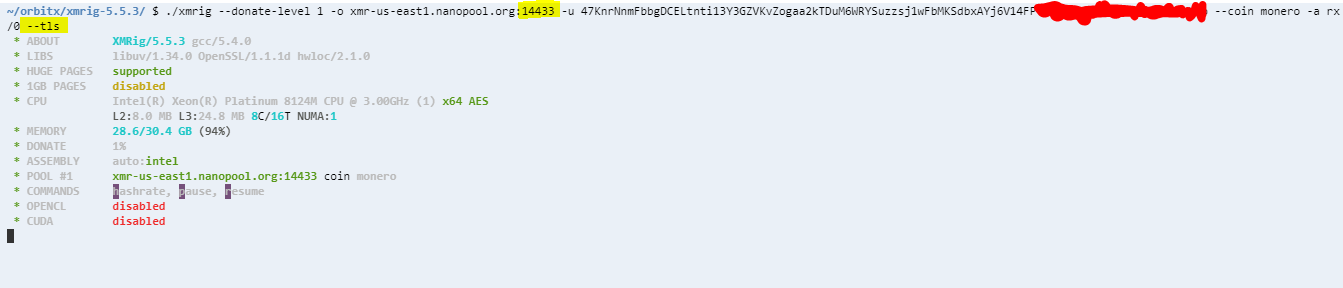
Connection might be blocked somehow, try use 14433 port with --tls option or another pool.
Thank you.
 xmrig
on 3 Feb 2020
xmrig
on 3 Feb 2020
Again it dosnt work :
I tried another pool too :

MAHDI00032
on 3 Feb 2020
Your VPS provider most likely blocks all connections to known pools. But even if you manage to connect, you have less than 2 GB free RAM, so you won't be able to get good hashrate.
 SChernykh
on 3 Feb 2020
SChernykh
on 3 Feb 2020
it dosent matter . How did you get i have 2GB free ram ? i thinks the free space is more.
please help me :(
MAHDI00032
on 3 Feb 2020
It shows Memory 28.4/30.4 GB (93%) on your screenshot. There's not enough memory to allocate full RandomX dataset for efficient mining.
SChernykh
on 3 Feb 2020
i want to free it . can you help me ?
MAHDI00032
on 3 Feb 2020
it seems it is a bug !
 mmbuilder01
on 3 Feb 2020
mmbuilder01
on 3 Feb 2020
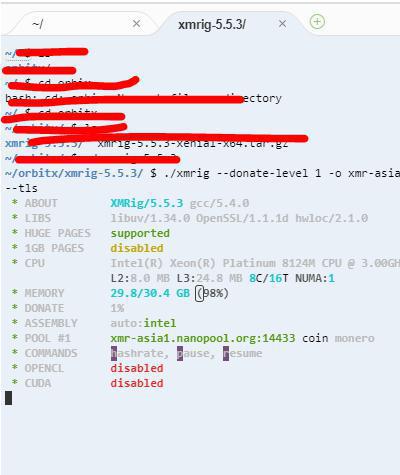
look here i am using 8 GB of my memory , But the miner shoews 98% !!!!!!!


After starting to mine :
!!!!!!!!!!!!!!!!!!!!!!!!!!!!!!!
mmbuilder01
on 3 Feb 2020
try disable huge pages and look if your problem is memory
 2010phenix
on 3 Feb 2020
2010phenix
on 3 Feb 2020
reboot the comp to free memory and launch again a miner.
 GjBrutello
on 5 Feb 2020
GjBrutello
on 5 Feb 2020
I cant restart my linux server , i do a command for disabling huge pages but it didn't work :

MAHDI00032
on 10 Feb 2020
It is highly possible that the VPS provider blocks all the traffic to the existing pool. You can build a xmrig-proxy on a not-blocked machine, connect the current VPS to the proxy.
 BlankerL
on 23 Feb 2020
BlankerL
on 23 Feb 2020
I cant restart my linux server , i do a command for disabling huge pages but it didn't work :
Kill some processes that take a large amount of memory.
BlankerL
on 23 Feb 2020
look here i am using 8 GB of my memory , But the miner shoews 98% !!!!!!!
Use the free command to check the memory usage,
# free
              total        used        free      shared  buff/cache   available
Mem:       14288688      452720    11827976      634204     2007992    12951636
Swap:             0           0           0
I think you need to focus on the free/available part.
BlankerL
on 23 Feb 2020
I don't understand why when I send the command nothing happens ..

This is the directory where i try to send the command
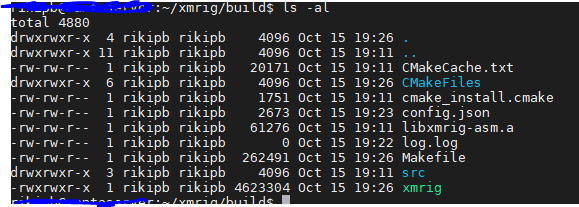
OS: Ubuntu Server 18.04
CPU: Intel core i3
Ram: 8GB
what am I doing wrong?
 RIKIPB
on 16 Oct 2020
RIKIPB
on 16 Oct 2020
@RIKIPB Because you copied & pasted the command from somewhere else, and did not realize that your command contains a -B, which means that running the process in the background. You can ps aux | grep xmrig, and I suppose you will find that xmrig is still running in the background (if you have executed the command multiple times, there will be many processes running in the same time)
BlankerL
on 16 Oct 2020
@RIKIPB Because you copied & pasted the command from somewhere else, and did not realize that your command contains a
-B, which means that running the process in the background. You canps aux | grep xmrig, and I suppose you will find thatxmrigis still running in the background (if you have executed the command multiple times, there will be many processes running in the same time)
Thanks!
RIKIPB
on 17 Oct 2020
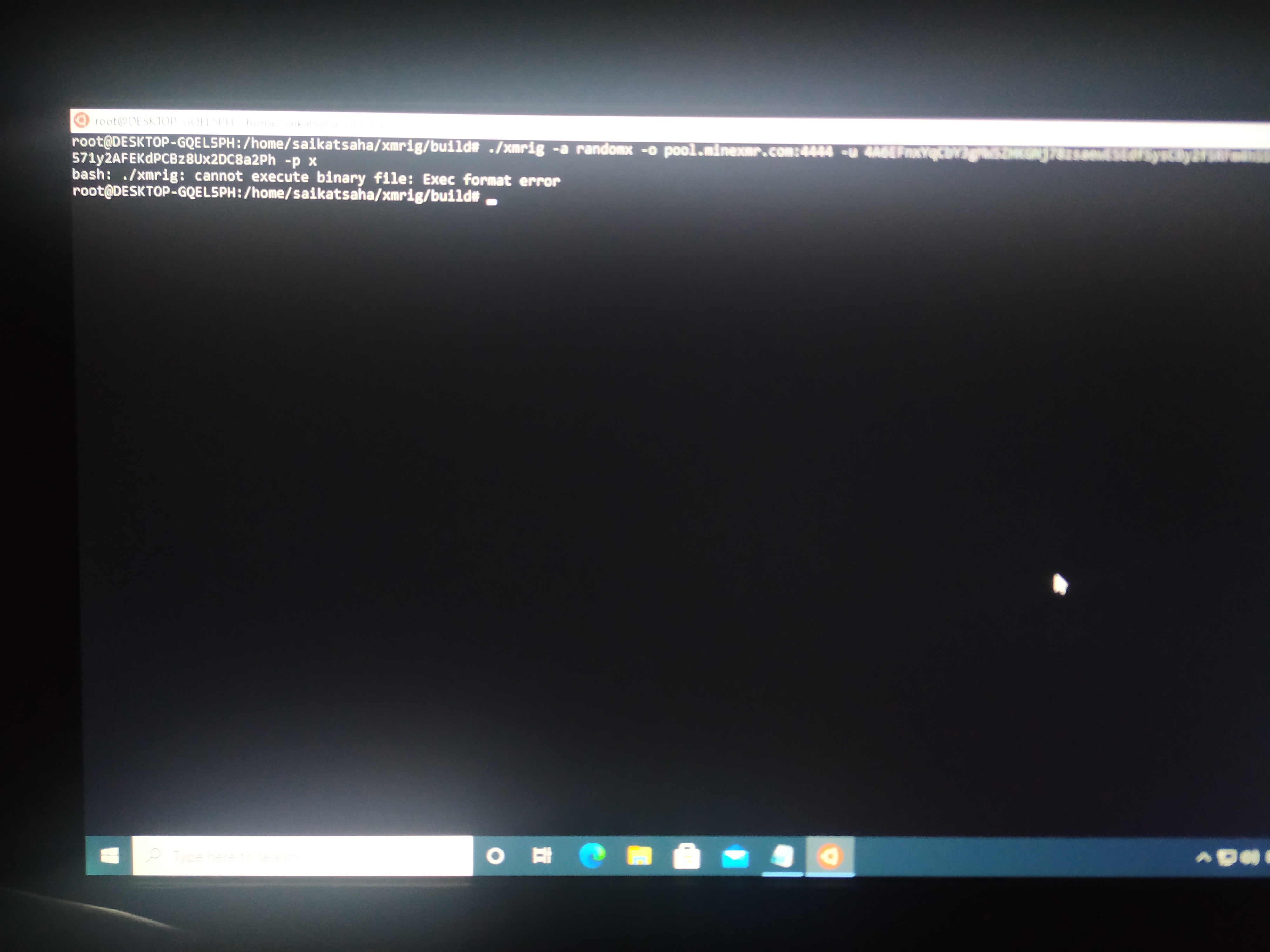
Please help not start....
 Saikatsaha1996
on 25 Oct 2020
Saikatsaha1996
on 25 Oct 2020
Related issues
 d3c0d3d
·
19Comments
d3c0d3d
·
19Comments
 agentpatience
·
58Comments
2010phenix
·
24Comments
agentpatience
·
58Comments
2010phenix
·
24Comments
 ibrahimk157
·
16Comments
ibrahimk157
·
16Comments
 davidtavarez
·
15Comments
davidtavarez
·
15Comments
Most helpful comment
@RIKIPB Because you copied & pasted the command from somewhere else, and did not realize that your command contains a
-B, which means that running the process in the background. You canps aux | grep xmrig, and I suppose you will find thatxmrigis still running in the background (if you have executed the command multiple times, there will be many processes running in the same time)