Xiaomi-pro-hackintosh: Error update to big sur beta 3
I'm trying update to big sur beta 3 but I get this screen 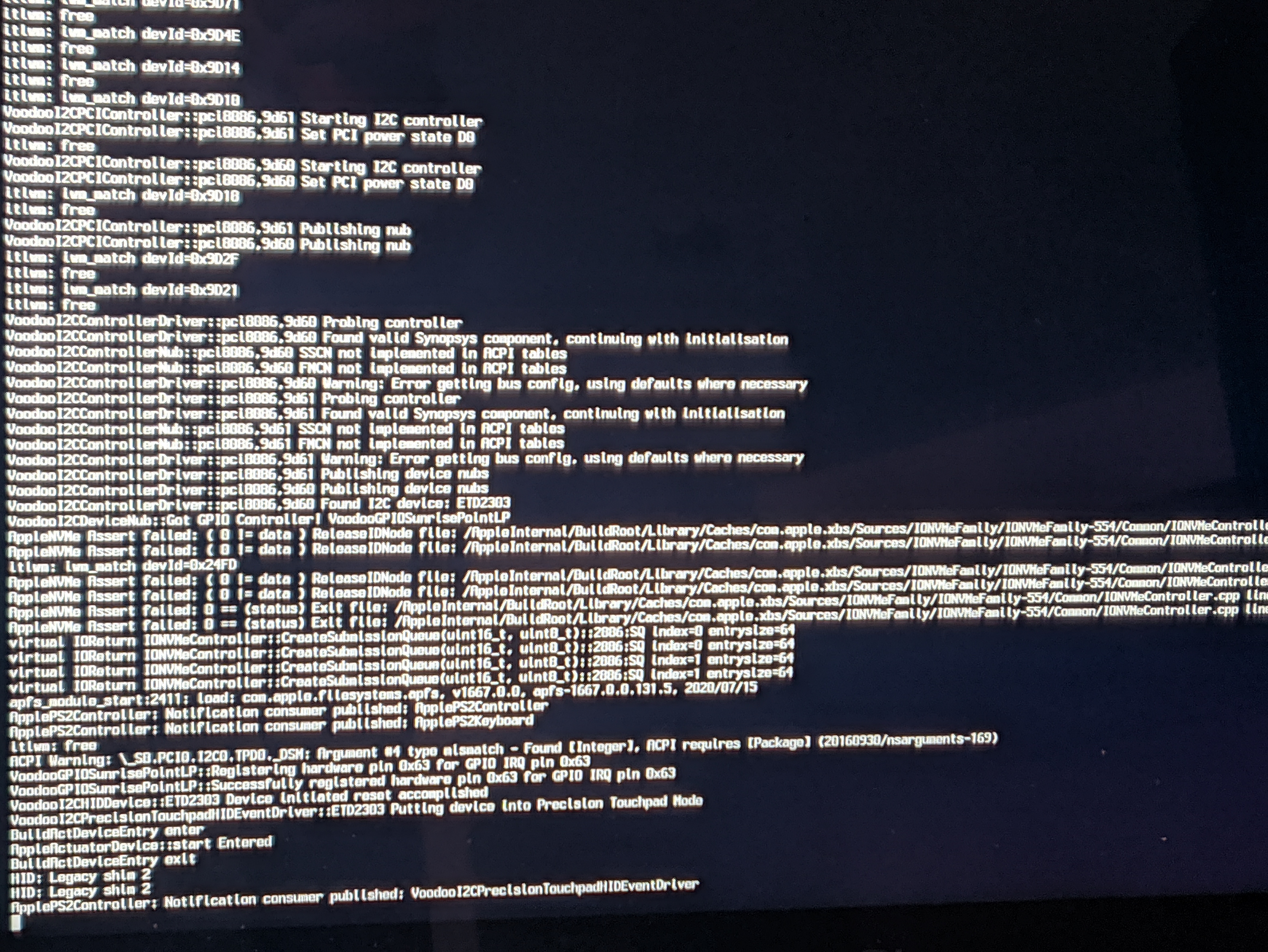
I've tried disabling itlwm and voodoo controller kexts but still staying on that screen
 ghondar
All 8 comments
It's due to incompatibility of VirtualSMC on beta3. You need to add vsmcgen=1 in config.plist - NVRAM - Add - boot-argssection or use FakeSMC to replace with VirtualSMC.
 stevezhengshiqi
on 23 Jul 2020
stevezhengshiqi
on 23 Jul 2020
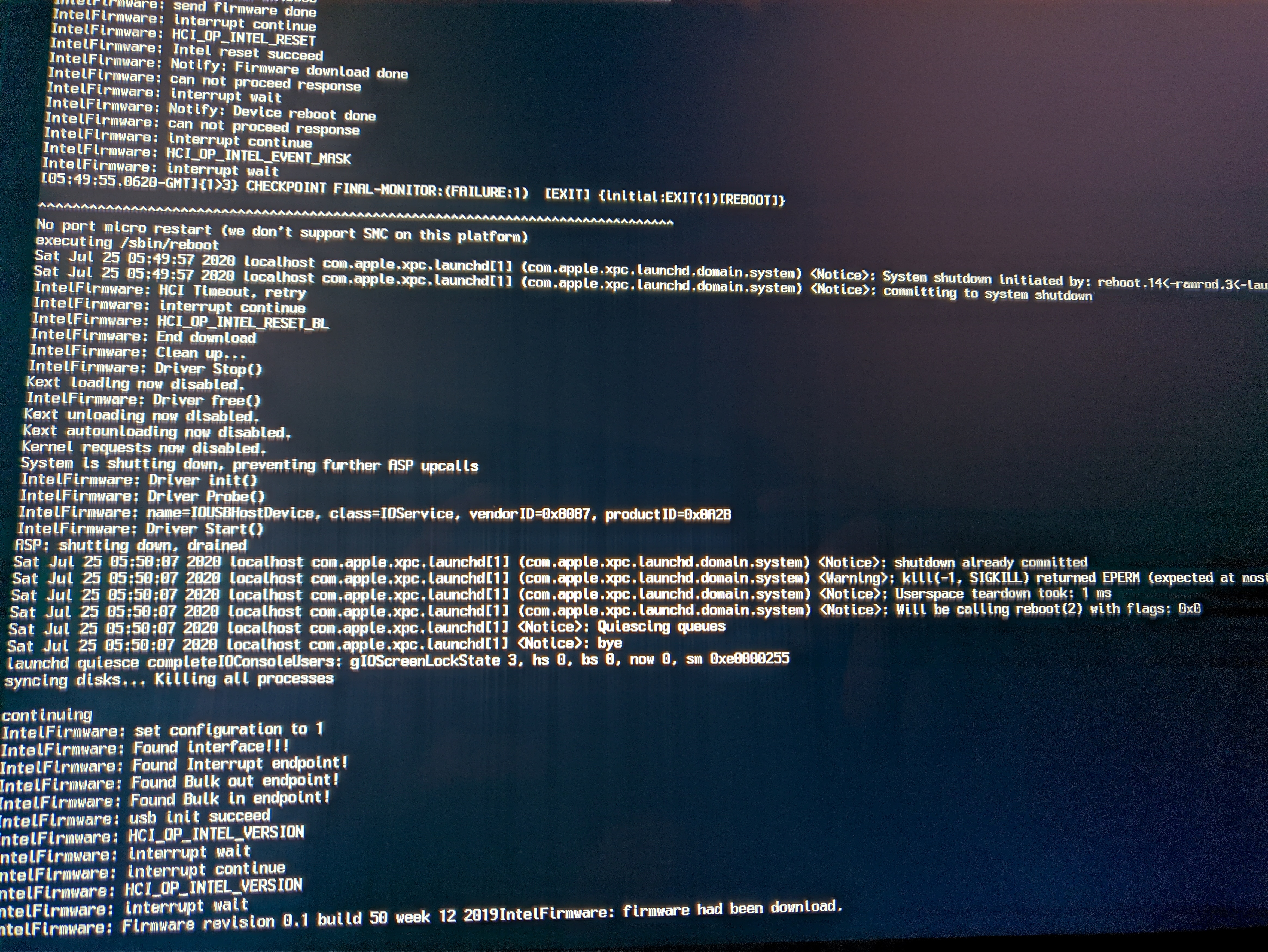
It doesn't work, I tried setting vsmcgen=1 and also changing VirtualSMC to FakeSMC, I get this:
ghondar
on 25 Jul 2020
I recommend the adding vsmcgen=1 boot-args method. Make sure you are using vanilla v1.4.2 EFI release with that boot-args.
- Download the EFI v1.4.2 release
- Delete OC and BOOT folder and then copy the new two folders into your EFI partition
- Open
/EFI/OC/config.plistwithTextEditor.app, pressWin + Fand findboot-args. Change the code to the following:
<key>7C436110-AB2A-4BBB-A880-FE41995C9F82</key>
<dict>
    <key>boot-args</key>
    <string>darkwake=0 gfxrst=1 vsmcgen=1</string>
- Save and exit. Restart the device.
stevezhengshiqi
on 25 Jul 2020
I have followed your steps, but I still have the same log as the image above using -v and without using -v, I get 1% of the bar and the laptop restarts 😢
I read that you do not have your laptop to test, btw thanks anyway for your help, I will keep trying and if I succeed I will post it
ghondar
on 25 Jul 2020
In the group chat, almost everyone succeeded by adding that boot-args, so I think it should be smooth to upgrade to beta 3. BTW, you can wait until VirtualSMC provides full support for beta 3.
stevezhengshiqi
on 25 Jul 2020
Just adding on to this, I had the same issue as the author while upgrading from 10.15.6 to Big Sur Beta 2. Tried adding vsmcgen=1 and replacing VirtualSMC with FakeSMC. Ended up giving up and restoring my Catalina backup.
 cook1e0
on 27 Jul 2020
cook1e0
on 27 Jul 2020
When updating the latest macOS beta version, it's better to use ./makefile.sh --NO_GH_API --PRE_RELEASE=Kext --PRE_RELEASE=OC to generate EFI with latest drivers.
stevezhengshiqi
on 27 Jul 2020
Update regarding this issue, just updated my EFI to the 1.4.3 release and upgraded to Big Sur Beta 3, went flawlessly.
cook1e0
on 4 Aug 2020
Related issues
 johnnync13
·
4Comments
johnnync13
·
4Comments
 rajibxo
·
7Comments
rajibxo
·
7Comments
 orhan-drsn
·
7Comments
orhan-drsn
·
7Comments
 bnznamco
·
8Comments
bnznamco
·
8Comments
 wuchuguang
·
5Comments
wuchuguang
·
5Comments
Most helpful comment
Update regarding this issue, just updated my EFI to the 1.4.3 release and upgraded to Big Sur Beta 3, went flawlessly.