Xiaomi-pro-hackintosh: Wi-Fi adapter stopped working after update 10.14 -> 10.15
Hello everyone, I have an ASUS USB-N13 WiFi adapter based on the rtl8192cu chipset. Before the update at 10.15, everything worked as it should, but after the update the program from the official Asus website stopped working. I found a driver on GitHub (link) that was supposed to help me, since my chipset and WiFi adapter are on the list of supported ones. But after installation, my WiFi adapter does not find any networks. https://github.com/chris1111/Wireless-USB-Adapter-Clover
I use hackintosh on the Xiaomi Mi Notebook Pro 15 ".
From here i use clover and kexts https://github.com/daliansky/XiaoMi-Pro-Hackintosh
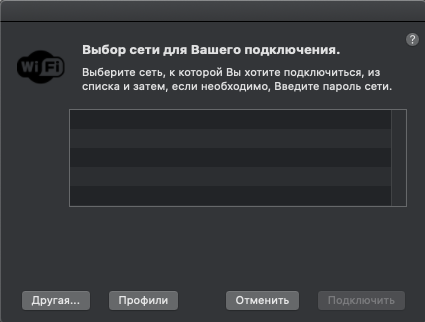
//Translate: Choosing a network to connect
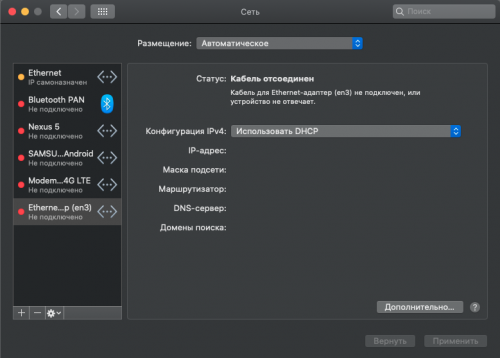
I use Xiaomi Mi Notebook Pro 15" i5 8250U + 8gb, EFI v1.3.5. In the config.plist file, only injectKexts = Yes was fixed.
kexts.zip
 LoonyMan
All 2 comments
Try to move RtWlanU1827.kext and RtWlanU.kext from /Volumes/EFI/CLOVER/kexts/Other/ to <your esp partition>/EFI/CLOVER/kexts/Other/, run sudo kextcache -i / then reboot.
 fredtanz
on 21 Feb 2020
fredtanz
on 21 Feb 2020
OMG, You are the best! I booted from USB and did not know that in eps partiton I needed to install kexts. I move RtWlanU1827.kext and RtWlanU.kext to /Volumes/CLOVER/EFI/CLOVER/kexts/Other. After that, wifi adapter still didn't work. I reinstalled the driver and wifi works even better than 10.14. Thx for the help!
P.S.
Sorry for my English :)
LoonyMan
on 21 Feb 2020
Related issues
 larryare
·
8Comments
larryare
·
8Comments
 Mateo1234454545
·
5Comments
Mateo1234454545
·
5Comments
 wuchuguang
·
5Comments
wuchuguang
·
5Comments
 johnnync13
·
4Comments
johnnync13
·
4Comments
 bnznamco
·
8Comments
bnznamco
·
8Comments
Most helpful comment
Try to move
RtWlanU1827.kextandRtWlanU.kextfrom/Volumes/EFI/CLOVER/kexts/Other/to<your esp partition>/EFI/CLOVER/kexts/Other/, runsudo kextcache -i /then reboot.