Xdrip: Samsung Galaxy S10+ not receiving data
Just got the new S10+ and it isn't getting any data for 10 minutes at a time. Friend is using the S10 and getting a similar issue.
If phone isn't turned on then nothing syncs. Data does backfill afterwards
 HenBrenn
All 23 comments
Hey. I'm having the same issue. The
Phone needs to be next to the transmitter to receive data.
My s7 worked flawlessly. I might see if I can find settings/version for an s9 and try that.
I also tested last night with the deacon app(made to work with any phone) and it had no issue getting data.
 schwartz914
on 9 Mar 2019
schwartz914
on 9 Mar 2019
Mine had no issues with my S7. Doesn't work at all with the screen off on the s10
HenBrenn
on 9 Mar 2019
Please update to the latest nightly: https://github.com/NightscoutFoundation/xDrip/wiki/How-to-get-the-Nightlies-on-Automatic-Update
Then go in to the the settings and search for "Minimize" and turn off Minimize Scanning see if that helps.
I assume you are both referring to the G5/G6 as collector.
 jamorham
on 9 Mar 2019
jamorham
on 9 Mar 2019
Hello, yes sorry using the G6.
I've tried that and still not getting data while screen is off. Disabling OB1 collector seems to work however
HenBrenn
on 9 Mar 2019
@HenBrenn Can you confirm the xDrip+ version you are running? thanks
jamorham
on 9 Mar 2019
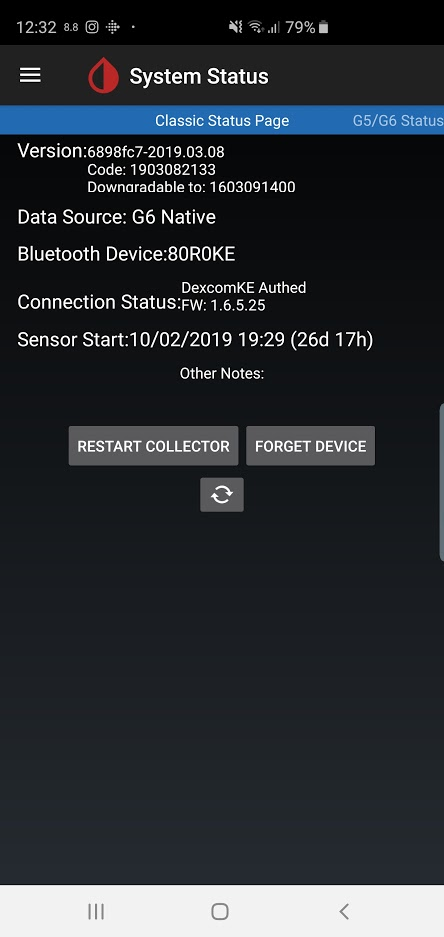
HenBrenn
on 9 Mar 2019
I would expect the same remedies to work as with this issue:
https://github.com/NightscoutFoundation/xDrip/issues/663 disabling the Samsung specific power saving features for xDrip etc
jamorham
on 9 Mar 2019
Not working with the above suggestion unfortunately. Seems like it is happening for a number of others now. Shame
HenBrenn
on 9 Mar 2019
Got it working by turning the OB1 collector off despite using the G6.
HenBrenn
on 9 Mar 2019
Is turning off OB1 a good solution, or is that removing a good feature of the software? I thought OB1 was supposed to be the "cat's meow". yes, or no?
 dave1812
on 10 Mar 2019
dave1812
on 10 Mar 2019
I don't think it is a good solution but it is do that or don't use xdrip for now.
HenBrenn
on 10 Mar 2019
I'm considering a switch from my S7 (horrible battery life) to an S10 or 1+. It is dismaying to see that xDrip is still having major issues with the new phones. It's too bad there wasn't a large company behind xDrip that could fix these issues in a timely matter (or not having them crop up in the first place). I feel quite let down by this "community".
dave1812
on 10 Mar 2019
I'm considering a switch from my S7 (horrible battery life) to an S10 or 1+. It is dismaying to see that xDrip is still having major issues with the new phones. It's too bad there wasn't a large company behind xDrip that could fix these issues in a timely matter (or not having them crop up in the first place). I feel quite let down by this "community".
Its not. It just has different settings.
Please update to the latest nightly: https://github.com/NightscoutFoundation/xDrip/wiki/How-to-get-the-Nightlies-on-Automatic-Update
Then go in to the the settings and search for "Minimize" and turn off
Minimize Scanningsee if that helps.
Do this and it has been working flawlessly for me since.
schwartz914
on 10 Mar 2019
Schwartz, thank you for info on the settings. I hope to not have issues with an S10 & xDrip (although I presume I'll no longer be able to get data on my Gear 2 watch. I looked at the newest Samsung watch yesterday--it is huge and I don't like the inset screen which makes it a bit hard to swipe some things.)
dave1812
on 11 Mar 2019
I have a Galaxy S10+, and its running well, no issues. Currently running latest nightly 1903082133, and running OB1G5. Had it collecting to the phone to start with and didn't see any issues after about 20 minutes.
I then switched to my Sony SW3 and that is now collecting (after I had to give it permissions manually on the watch for Sensor, under Permissions - Xdrip Prefs - Sensors (ENABLED).
For the phone itself, my G5 settings are OBD1G5 Enabled, Allow OB1 unbonding Enabled, Allow OB1 initiate bonding Enabled, Authenticate G5 before each read Enabled. Under Bluetooth Settings, Bluetooth On Enabled, Bluetooth Watchdog Enabled, G5 Bluetooth Watchdog Enabled, Trust Auto-Connect Enabled, Always Discover Services Enabled, Allow Bluecon Unbonding Enabled (likely not needed, it was just on already).
I didn't change any of these specifically from my Galaxy S6 setup, it just worked after copying settings over.
 WanaGo
on 11 Mar 2019
WanaGo
on 11 Mar 2019
I'm now having problems on my S10+ which have appeared out of no where. No software updates to the S10+ or xDrip have been installed, and I have reset the MiaoMiao with a pin in the back to try and resolve. It was all working flawlessly until last night.
It will lose signal and just not recover it. When I check in the system status page every thing looks fine - I have a Bluetooth connection to the MM, tells me the MAC address and it has received data, but the home screen says lost signal.
I have done a restart of the collector, and forgot the device to try and repair again and that all works perfectly, but no data is then coming through afterwards.
Last night, after trying for about 2 hours to fix and then giving up, it just whirred into life. But, it has done it again just now, and is still not working.
Any ideas?
 mistermintsgh
on 12 Mar 2019
mistermintsgh
on 12 Mar 2019
I don't want to jinx it, but I think I am up and running again. I originally used Samsung's Smart Switch to transfer apps and data across to the S10 and I think that may have caused some issues.
Uninstalled xDrip, rebooted the phone, reinstalled xDrip and went through set up and connection and so far so good. I did make the mistake though of not backing up my settings, so I am having to start from scratch in trying to get everything just as it was before.
Worth a try if you're still having issues?
mistermintsgh
on 13 Mar 2019
Jinxed it. No longer working and I'm beginning to lose patience!
It doesn't appear to be a "screen off" type problem like the S9/Note issue I had previously raised. It just will not receive data at all, even when they screen is on and being used, but it is connected to the Libre absolutely fine
mistermintsgh
on 13 Mar 2019
The MM uses a completely different collector to the G5. For MM try settings like disabling Trust AutoConnect and if that doesn't help then try enabling Use Scanning both settings should be easily findable using the settings search. @mistermintsgh
jamorham
on 13 Mar 2019
@jamorham tried all that - in fact I've been through every setting/solution from the S9 October patch thread that I raised, and it makes no difference.
The difference between the S9 and this S10 problem was the install of a security patch, yet on the S10 the only update installed was a Day 1 install, and nothing has happened since then, so I'm at a complete loss as to how these issues would just arise out of nothing after no configuration changes to the phone at all.
mistermintsgh
on 13 Mar 2019
Anyone found a solution to this yet? I'm still not using ob1 and it's working but no solution using the G6 settings
HenBrenn
on 26 Mar 2019
I am curious if this issue is on one of the processor types of the S10+ and not the other, as I know the S10+ came out with 2 processor types depending on your country. I am not having any issues with xDrip+ on mine. Here are my details from CPU-Z.
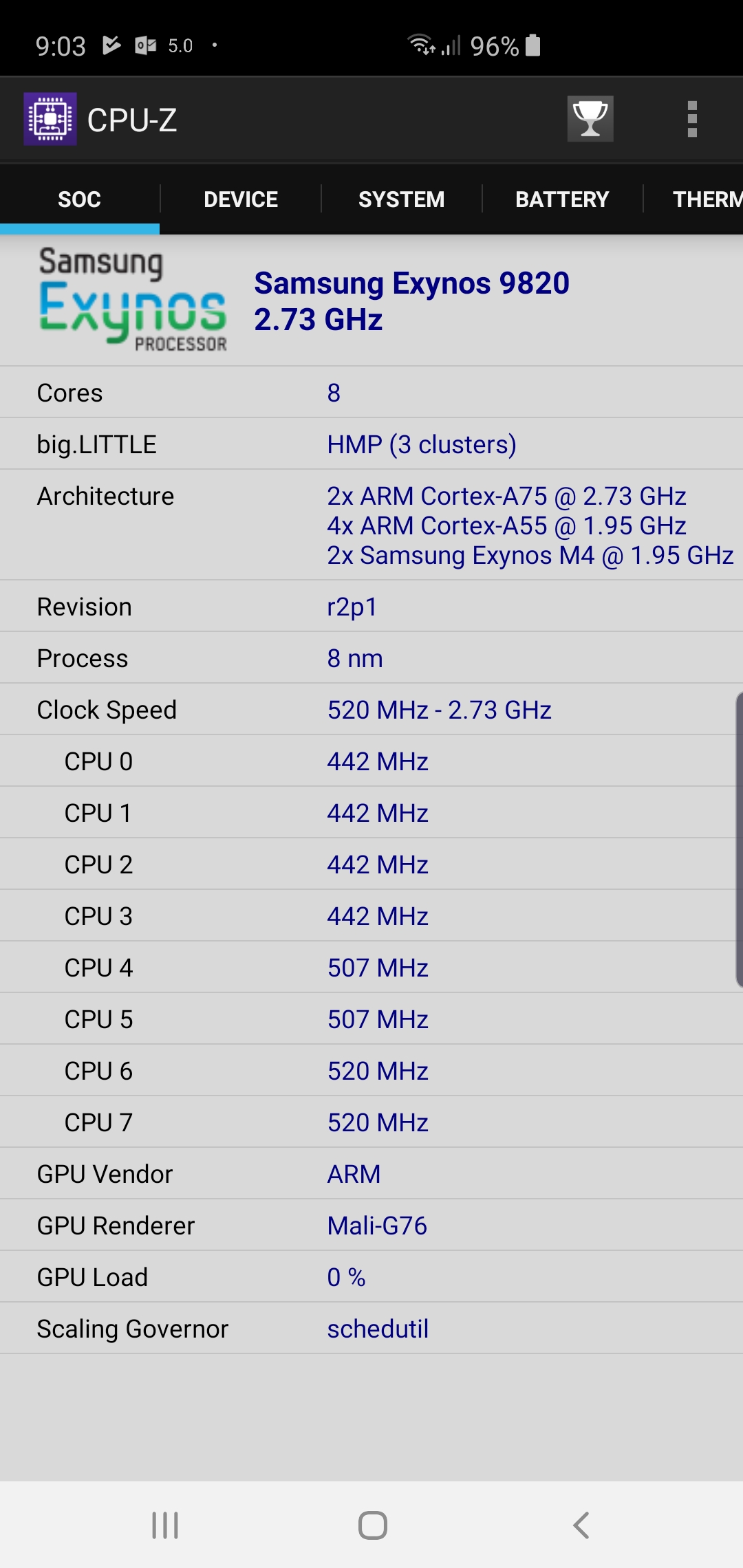
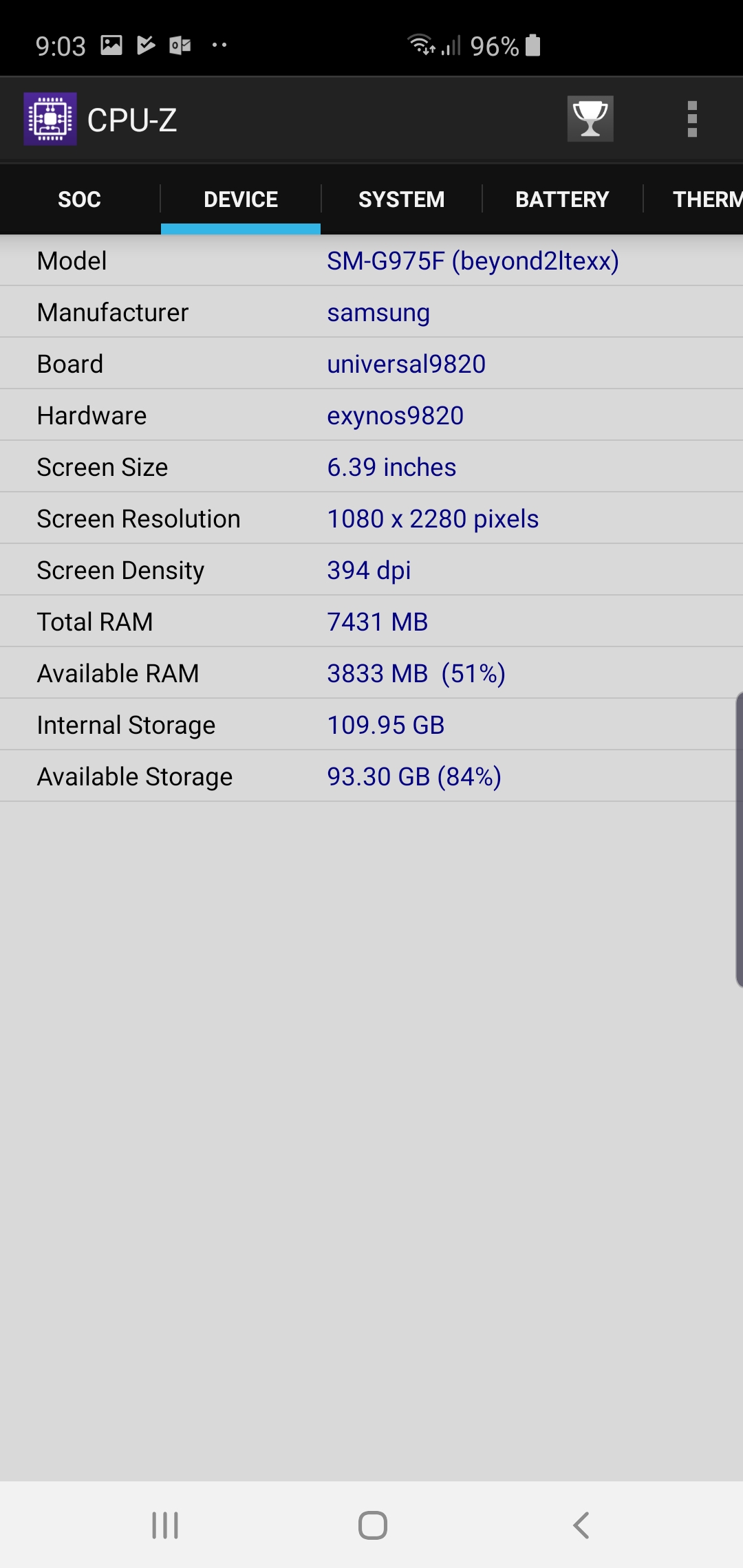
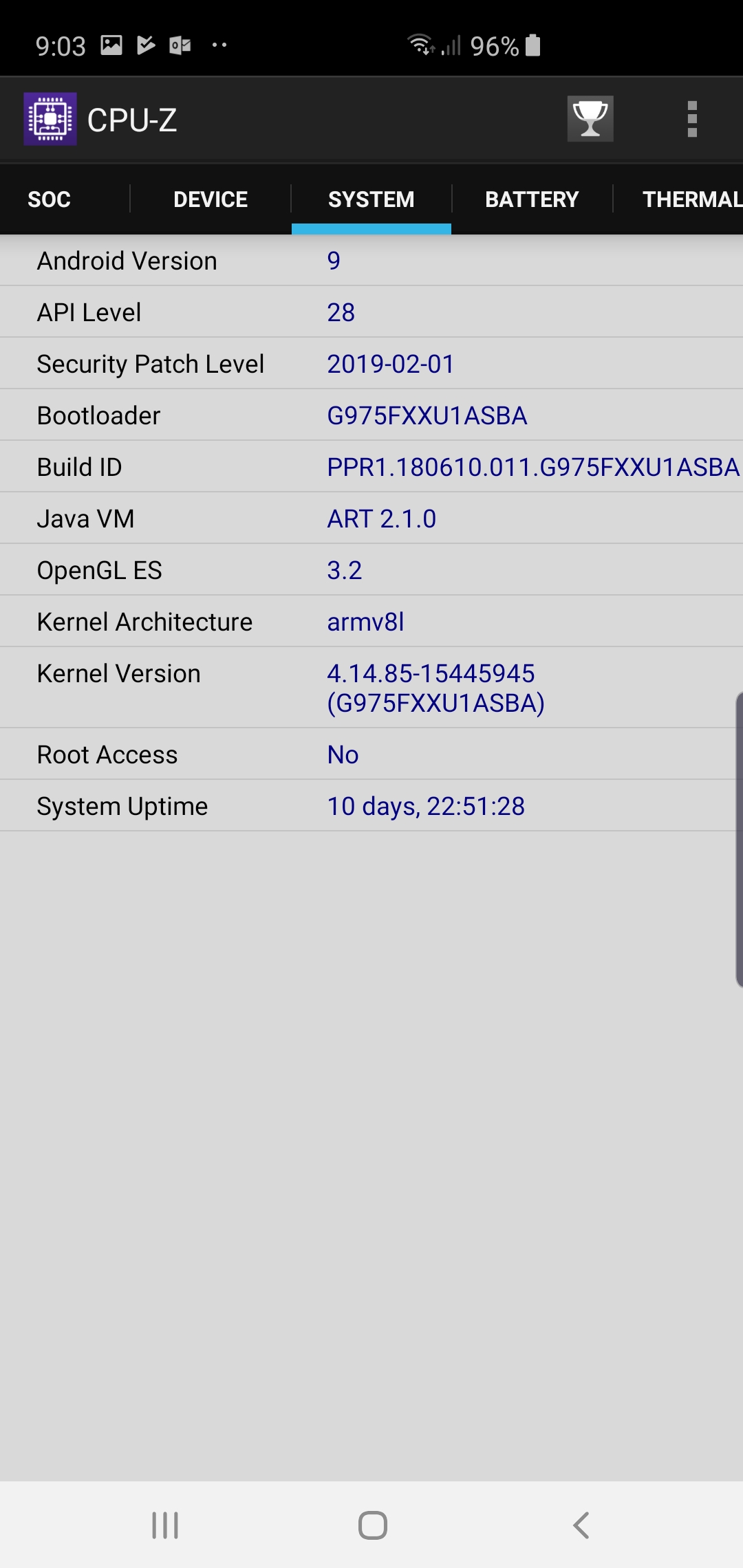
WanaGo
on 26 Mar 2019
I'm using the Rest of world version as well. No Snapdragon in EU
HenBrenn
on 27 Mar 2019
Related issues
 jo1st
·
19Comments
jo1st
·
19Comments
 ArkonPhoenix
·
4Comments
ArkonPhoenix
·
4Comments
 ARkaine2
·
3Comments
ARkaine2
·
3Comments
 opasha
·
9Comments
opasha
·
9Comments
 tynbendad
·
19Comments
tynbendad
·
19Comments