Xbmc: Problem with hidden menus and ratings in additional profiles
Bug report
Describe the bug
Here is a clear and concise description of what the problem is:
I am using Leia v18.0 in Shield. My setup is like this:
Android main Profile
- Kodi Admin Profile
- Kodi Guest Profile
Android Restricted Profile
- Kodi Admin Profile
- Kodi Guest Profile
I am trying to display ONLY the menus Movies, Video and Whether on "Android Restricted Profile/Kodi Guest Profile". I set it up BUT whenever I choose Power/Exit the menus all come back when I log in "Android Restricted Profile/Kodi Guest Profile" AND the ratings information vanish. The menus will stay hidden and the ratings will persist if I choose Power/Log off Kodi Guest Profile
Expected Behavior
Here is a clear and concise description of what was expected to happen:
To show only the menu items are set up in the Interface settings before exiting.
Actual Behavior
Whenever I choose Power/Exit the menus there are hidden as per the interface settings all come back when I log in "Android Restricted Profile/Kodi Guest Profile"
Possible Fix
The possible fix is to load the skin menu items as set up before in the interface settings.
To Reproduce
Steps to reproduce the behavior:
- Open Kodi in the restricted Android TV profile in Shield
- Set a password for the master profile and create a second profile (lets call it SP) without any password
- Log off main profile and login with SP (make sure the SP profile has some movies in Library already scrapped and displayed).
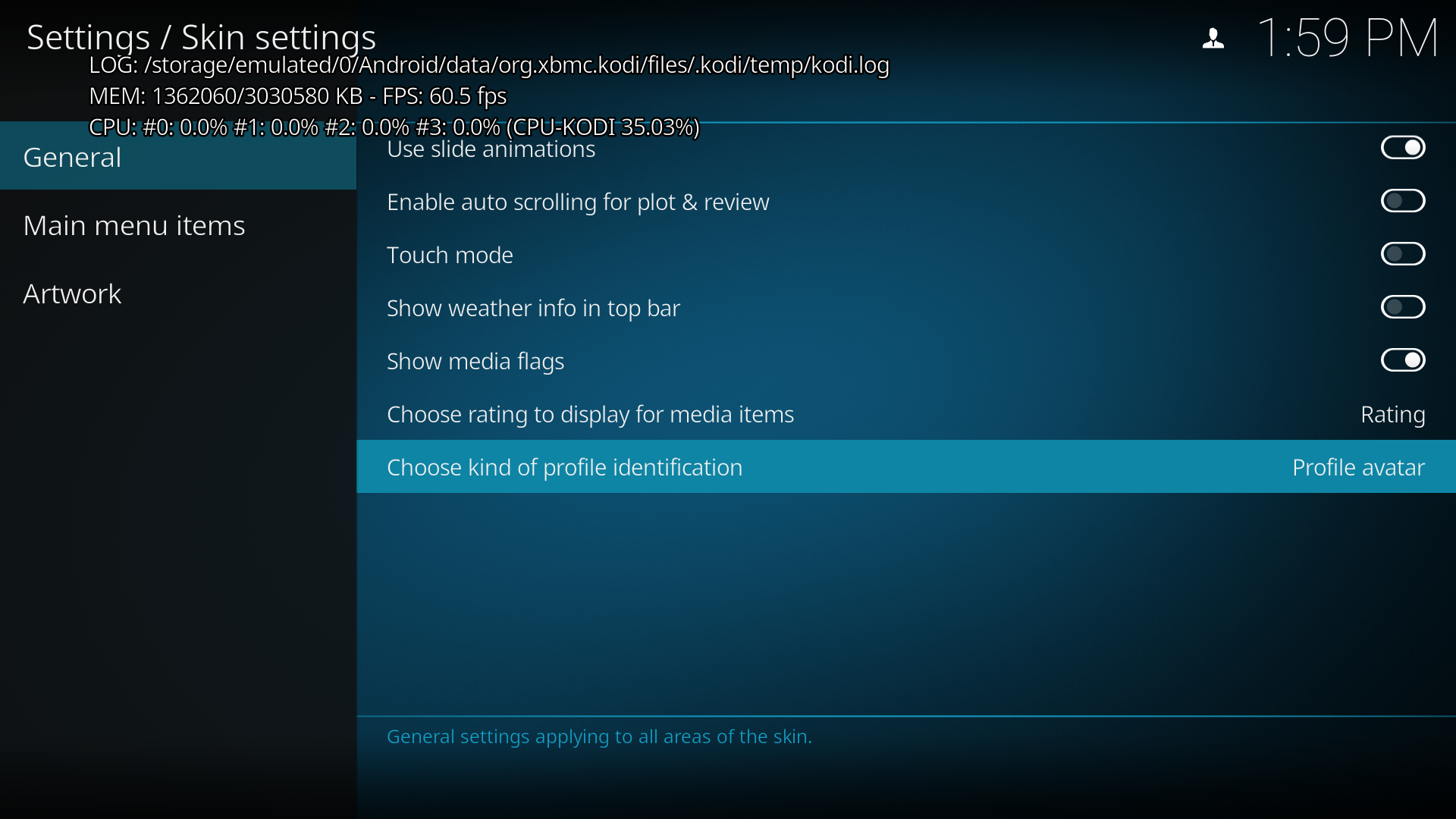
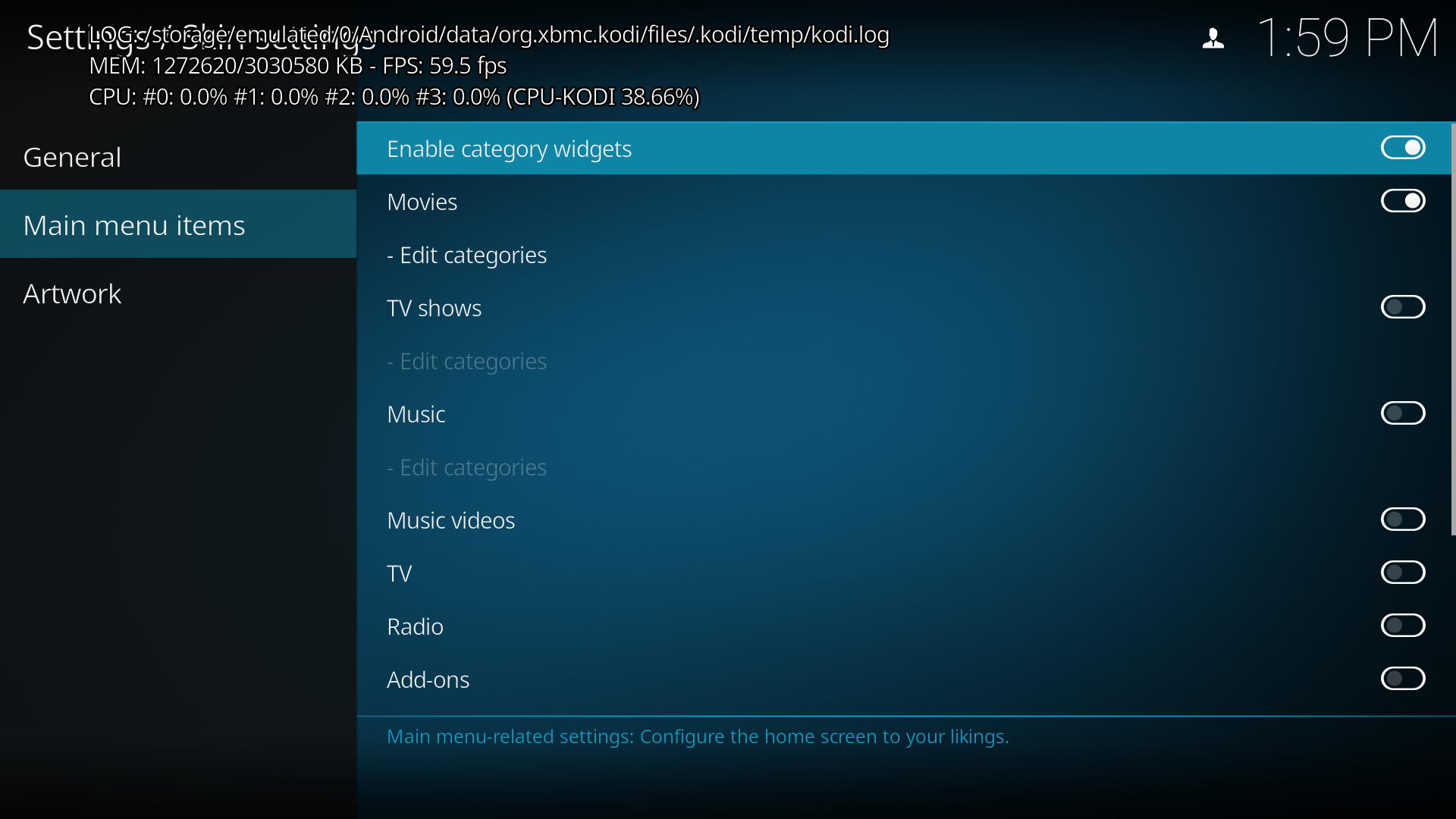
- Go to the interface settings and hide all the menu items except for Movies, Videos, Weather - set to show ratings and avatar picture.
- Get out the settings interface and note the menus and ratings are appearing correctly.
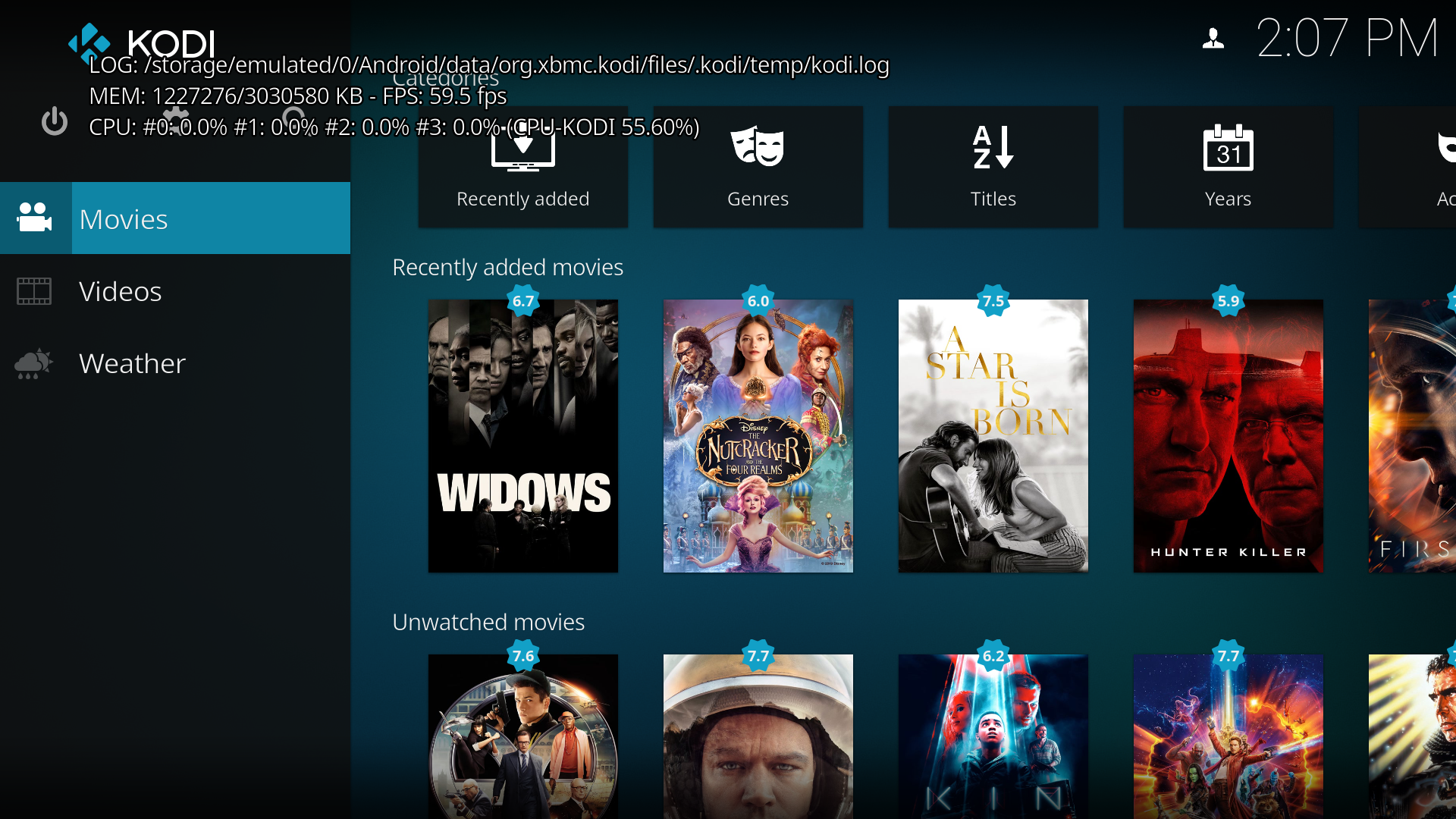
- Log off the SP profile and log back in - the menus and ratings are still appearing correctly.
- Exit Kodi, open it again and log back in using the SP profile
- All the once hidden menus now show up in the left hand navigation and the ratings do not show anymore
Debuglog
The debuglog can be found here:
https://paste.kodi.tv/asazajirol.kodi
Screenshots
Here are some links or screenshots to help explain the problem:
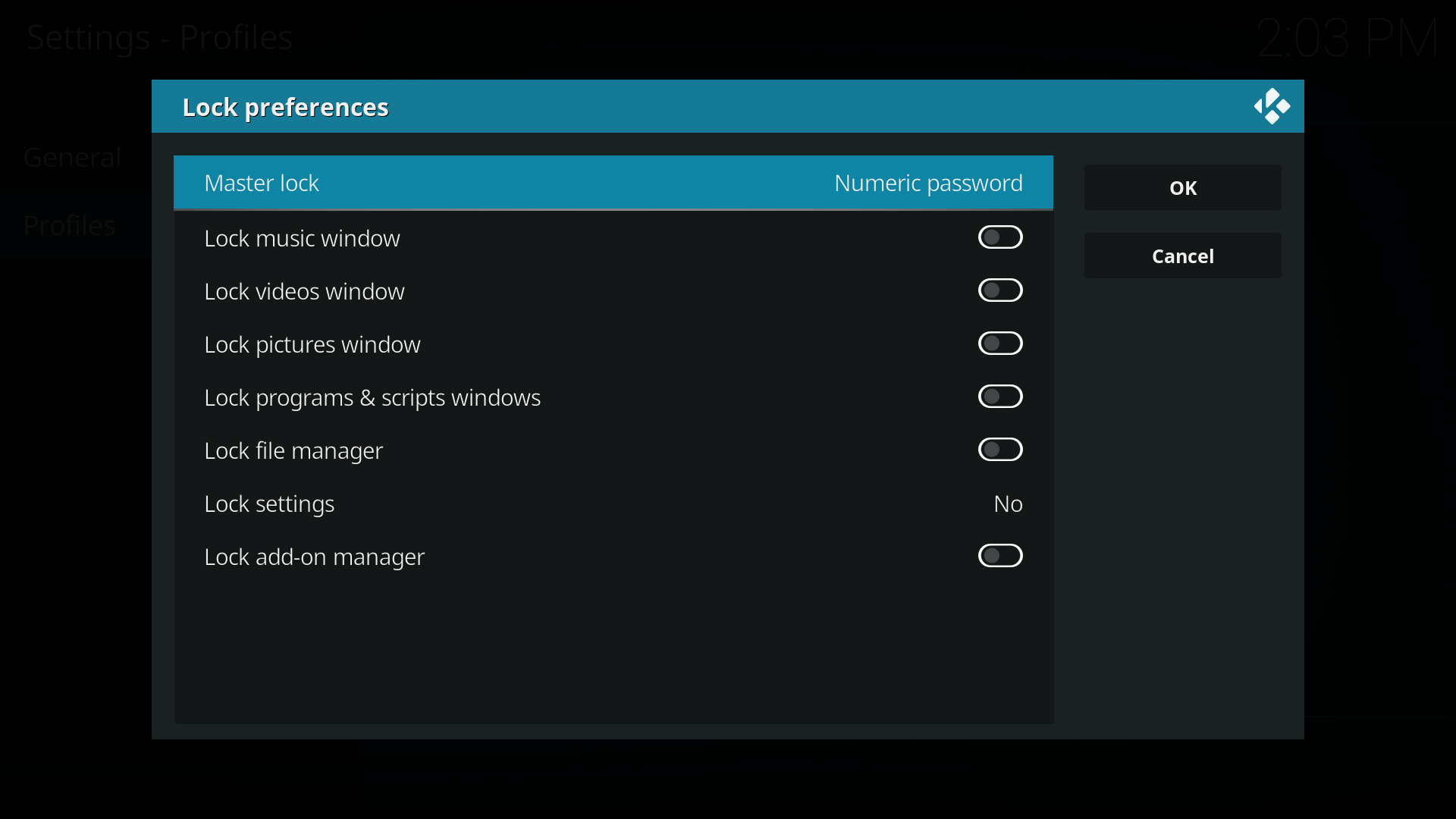
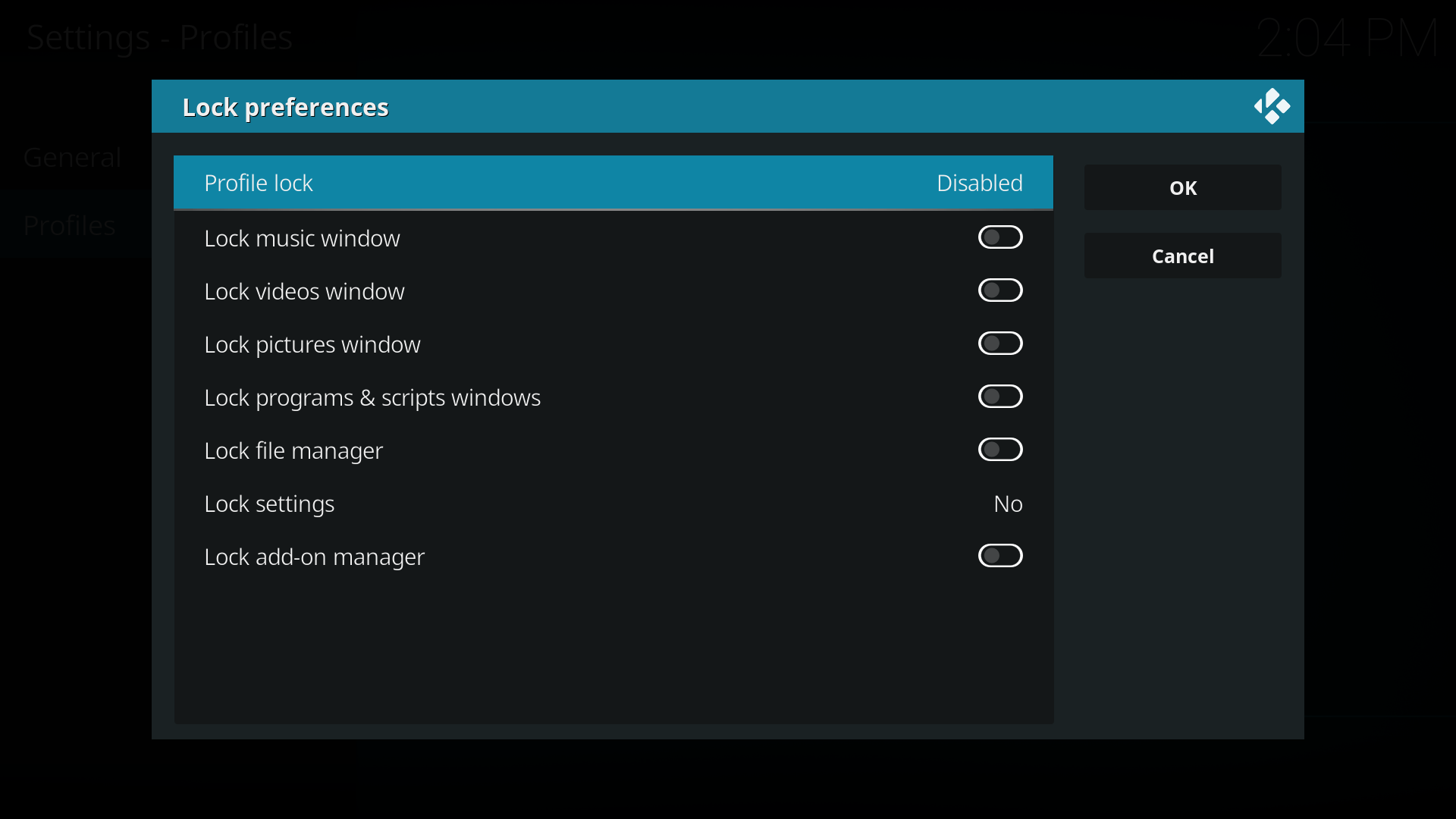
Login settings

Master Profile
SP Profile
Interface General Settings
Interface Main Menu Settings
Home Screen after Main Menu Settings
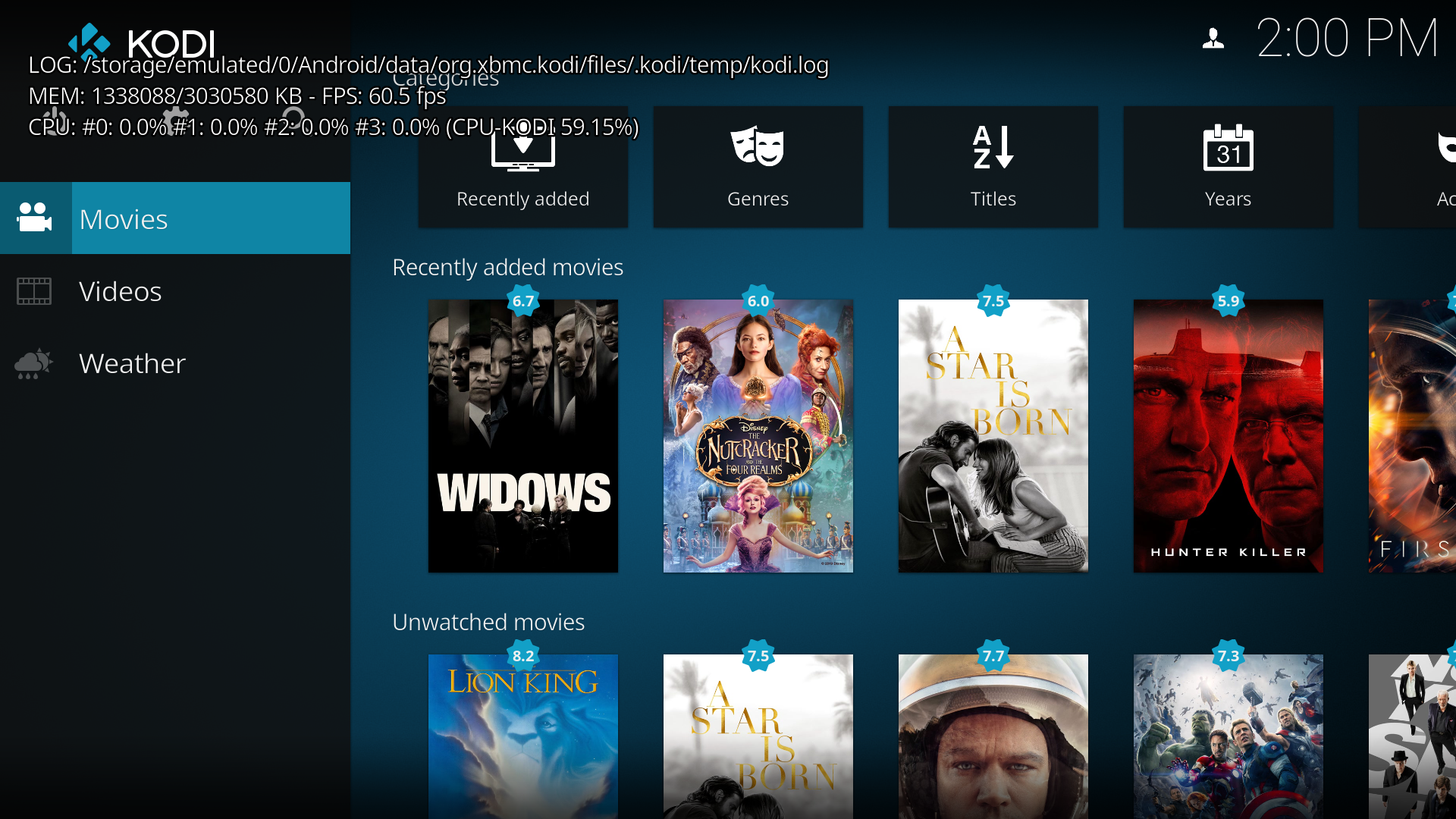
SP profile log off
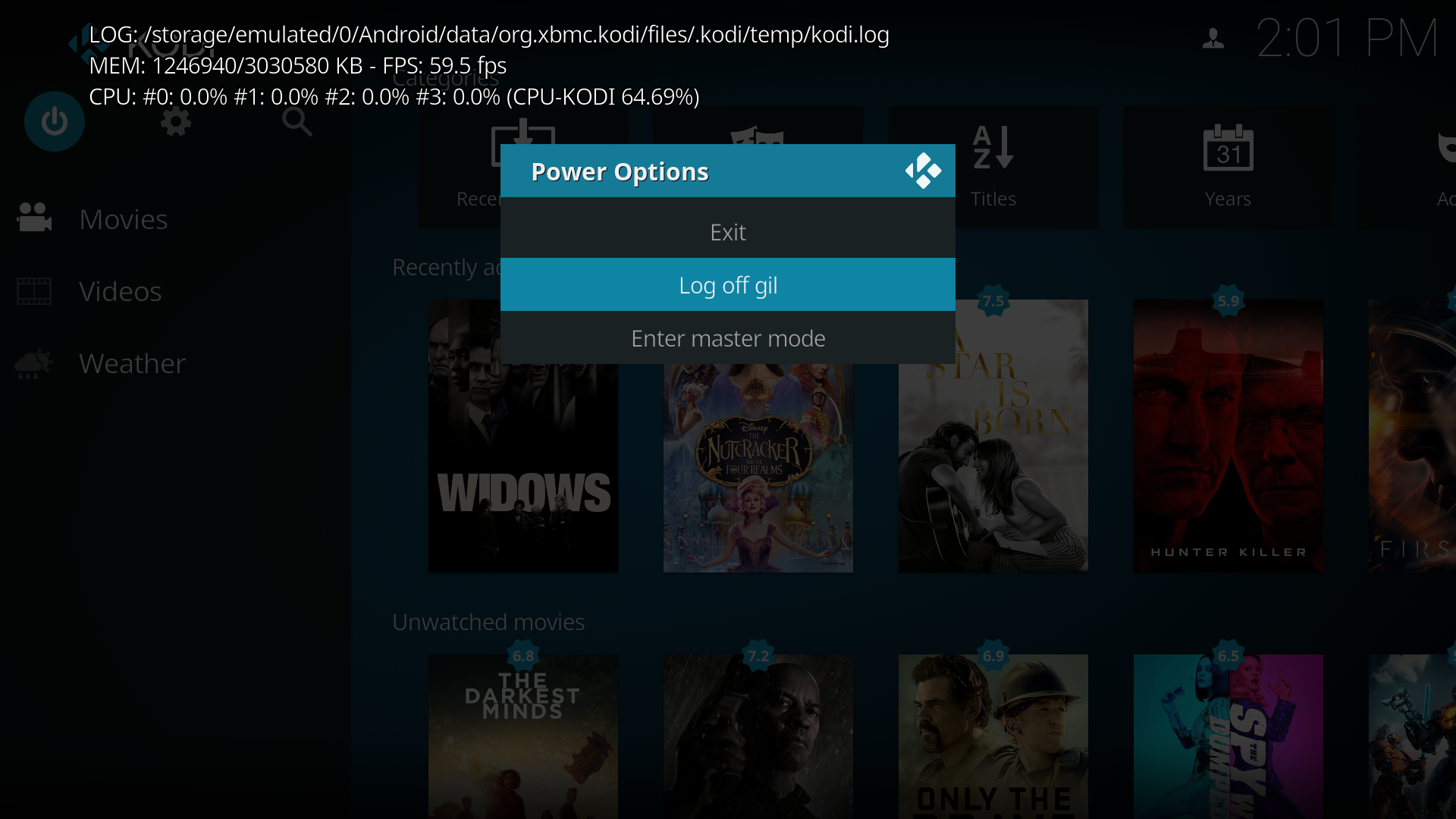
Kodi Login screen

Home Screen after Login WIHOUT exit
Kodi Exit Screen
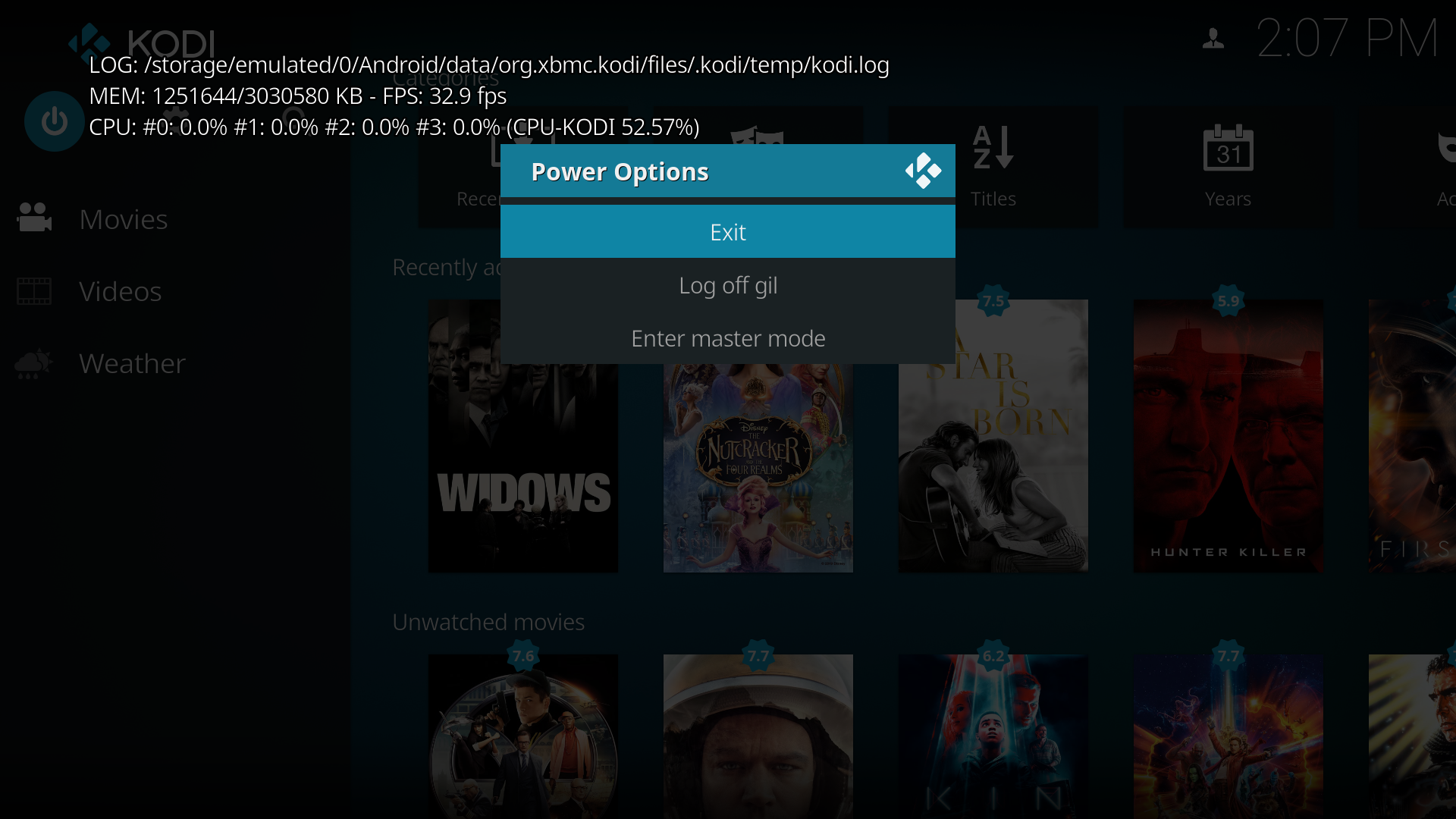
Home Screen after exit
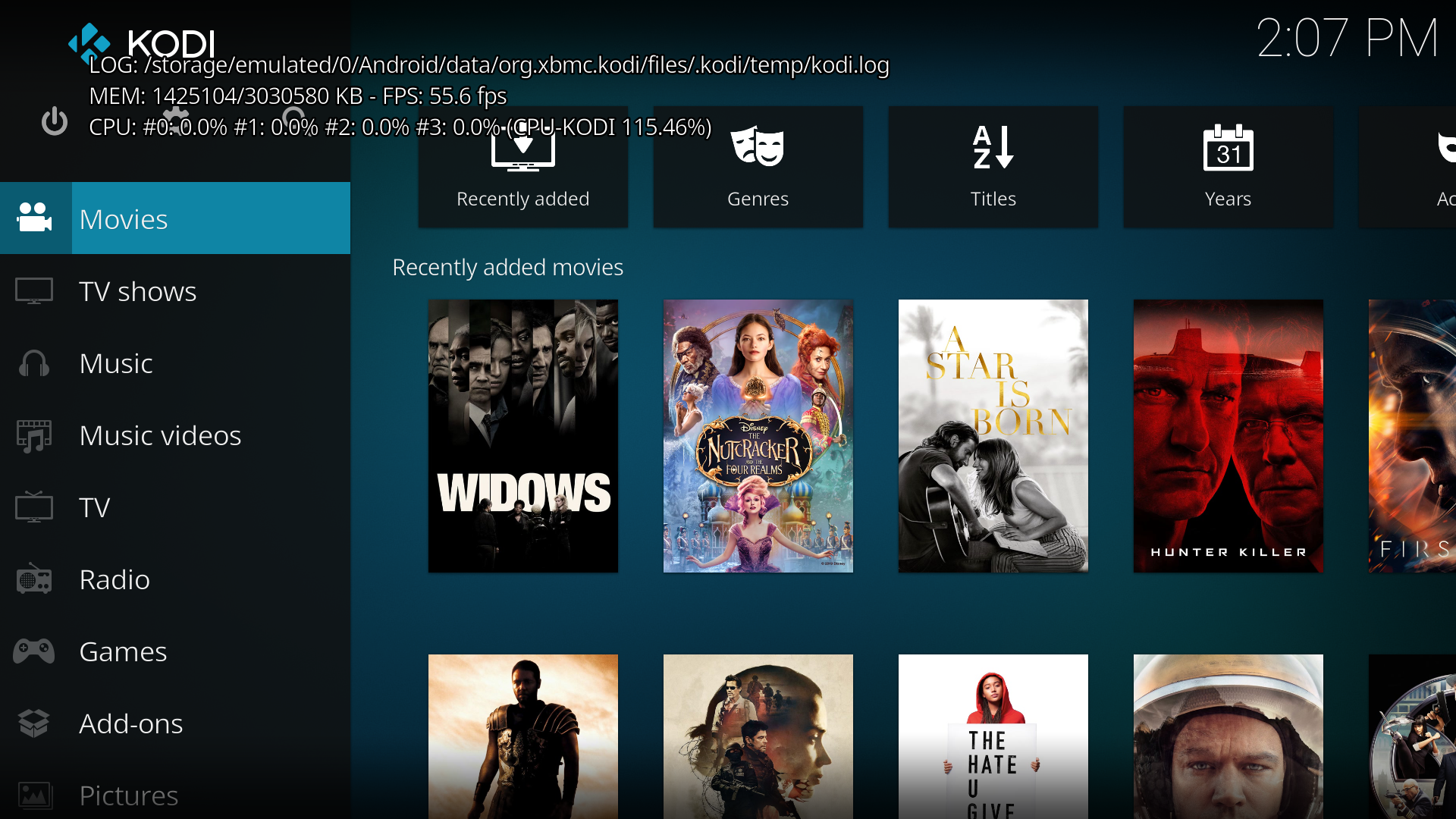
Interface General Settings after exit

Interface Main Menu Settings after exit

Interface Artwork Settings after exit

Additional context or screenshots (if appropriate)
Here is some additional context or explanation that might help:
Your Environment
Used Operating system:
- [X] Android
- [ ] iOS
- [ ] Linux
- [ ] OSX
- [ ] Raspberry-Pi
- [ ] Windows
- [ ] Windows UWP
Operating system version/name:
- Shield Android TV SW Version: 7.2.2(30.7.130.7)
- Build: OPR6.170623.010.3664093_1378.1894
Kodi version: Build Kodi 18.0 Git:20190128-d81c34c Compiled 2019-01-28
Extra Shield information
- Model Shield Android TV
- Model Number: P2897
- Version: 8.0.0
note: Once the issue is made we require you to update it with new information or Kodi versions should that be required.
Team Kodi will consider your problem report however, we will not make any promises the problem will be solved.
 gsantosoliver
All 9 comments
You have banned add-ons and repositories installed. Make sure you remove them all (repositories and add-ons) and provide a new debublog.
If no new debuglog is submitted within 3 days we will close this issue. I'll mark it as invalid for the time being.
 DaVukovic
on 1 Feb 2019
DaVukovic
on 1 Feb 2019
You have banned add-ons and repositories installed. Make sure you remove them all (repositories and add-ons) and provide a new debublog.
If no new debuglog is submitted within 3 days we will close this issue. I'll mark it as invalid for the time being.
@DaVukovic - I've uninstalled and installed it from scratch - there is no additional repositories nor add-ons. The error still persists as reported initially.
Please find the new debug log here -> https://paste.kodi.tv/upubulimos.kodi
Please let me know if you need any further details.
gsantosoliver
on 1 Feb 2019
Same problem here, but even more severe. If you need screenshots or logs, let me know. Using Kodi v18 on Nvidia Shield TV with Android Oreo
 Jelmerb
on 11 Feb 2019
Jelmerb
on 11 Feb 2019
This issue occurs the moment you setup profiles. Even after a complete fresh install.
Happens on at least Windows. Linux (Libreelec) and Android and is very very easy to reproduce.
Install/Open Kodi -> Set a new profile -> Set to show the login screen -> Close Kodi -> Open Kodi -> Login -> 80% (just a guess) of the strings on the skin are gone.
It started with one of the nightlies in June, made it to the final release and now to 18.1. Guess no one uses Profiles, because this one would be hard to miss otherwise.
Edit: Started on Build: 18.0-ALPHA2 Git:593949a if it helps.
 ellite
on 21 Feb 2019
ellite
on 21 Feb 2019
@ellite
Missing texts when using profiles is kind of different to this issue here. Please use the forums to discuss that as we also have workarounds for that. It's a known issue, true, but I guess not related to this one.
A workaround for you will be:
- create a autoexec.py file at the userdata folder and under each
<profile-name>folder under userdata -> profiles -> \- fill the files with the following content:
import xbmc
xbmc.executebuiltin('ReloadSkin()')
That will cause a skin reload at every profile switch. Depending on your hardware in use you mostly won't even notice it and all your texts will be there again.
Edit: Typo fixed
DaVukovic
on 21 Feb 2019
Thanks.
There's a "(" missing in your code. ('ReloadSkin()');
The workaround, although not perfect, does the job.
Thank you again.
ellite
on 21 Feb 2019
how can I achieve this on a non-rooted Nvidia SHIELD TV?
Jelmerb
on 9 Mar 2019
Mine is not rooted. You just need a file manager and a text editor.
In my case I created the file on my laptop, moved it to a shared folder on
my network and copied it on the shield to correct place with the file
manager.
On Sat, Mar 9, 2019, 09:45 Jelmerb notifications@github.com wrote:
how can I achieve this on a non-rooted Nvidia SHIELD TV?
—
You are receiving this because you were mentioned.
Reply to this email directly, view it on GitHub
https://github.com/xbmc/xbmc/issues/15393#issuecomment-471158860, or mute
the thread
https://github.com/notifications/unsubscribe-auth/ADp1jOkdTMy5FoGI893f0Bto_evflCisks5vU3SvgaJpZM4aetzO
.
ellite
on 9 Mar 2019
Thanks 🙂
It works. I hope they will find a proper fix in time.
Jelmerb
on 9 Mar 2019
Related issues
 Allanitomwesh
·
11Comments
Allanitomwesh
·
11Comments
 xmha97
·
13Comments
xmha97
·
13Comments
 hrubymar10
·
6Comments
hrubymar10
·
6Comments
 xCONFLiCTiONx
·
4Comments
xCONFLiCTiONx
·
4Comments
 howie-f
·
10Comments
howie-f
·
10Comments