I might have missed it, but is there any way to manage citations and produce an automatic bibliography page? Similar to the [@smith94] style format used by Pandoc compatible Markdown?
Thanks.
 grantmcdermott
All 30 comments
You didn't miss it -- it is just that remark.js does not use Pandoc, so citations are not supported.
For the record, someone else also requested this feature: https://twitter.com/bruno_nicenboim/status/808682753638154242
 yihui
on 18 Jan 2017
yihui
on 18 Jan 2017
Great, thanks @yihui. Really like the look of these slides.
grantmcdermott
on 18 Jan 2017
I would love this feature as well. What would be the plan to accomplish this? Parsing the whole document through pandoc anyway, and somehow generating just the html snippets for citations and the bibliography?
 ktiu
on 5 Dec 2017
ktiu
on 5 Dec 2017
@ktiu I'm afraid we cannot use Pandoc here because Pandoc's Markdown is not compatible with remark.js. We might have to resort to regular expressions and do the work by ourselves...
yihui
on 5 Dec 2017
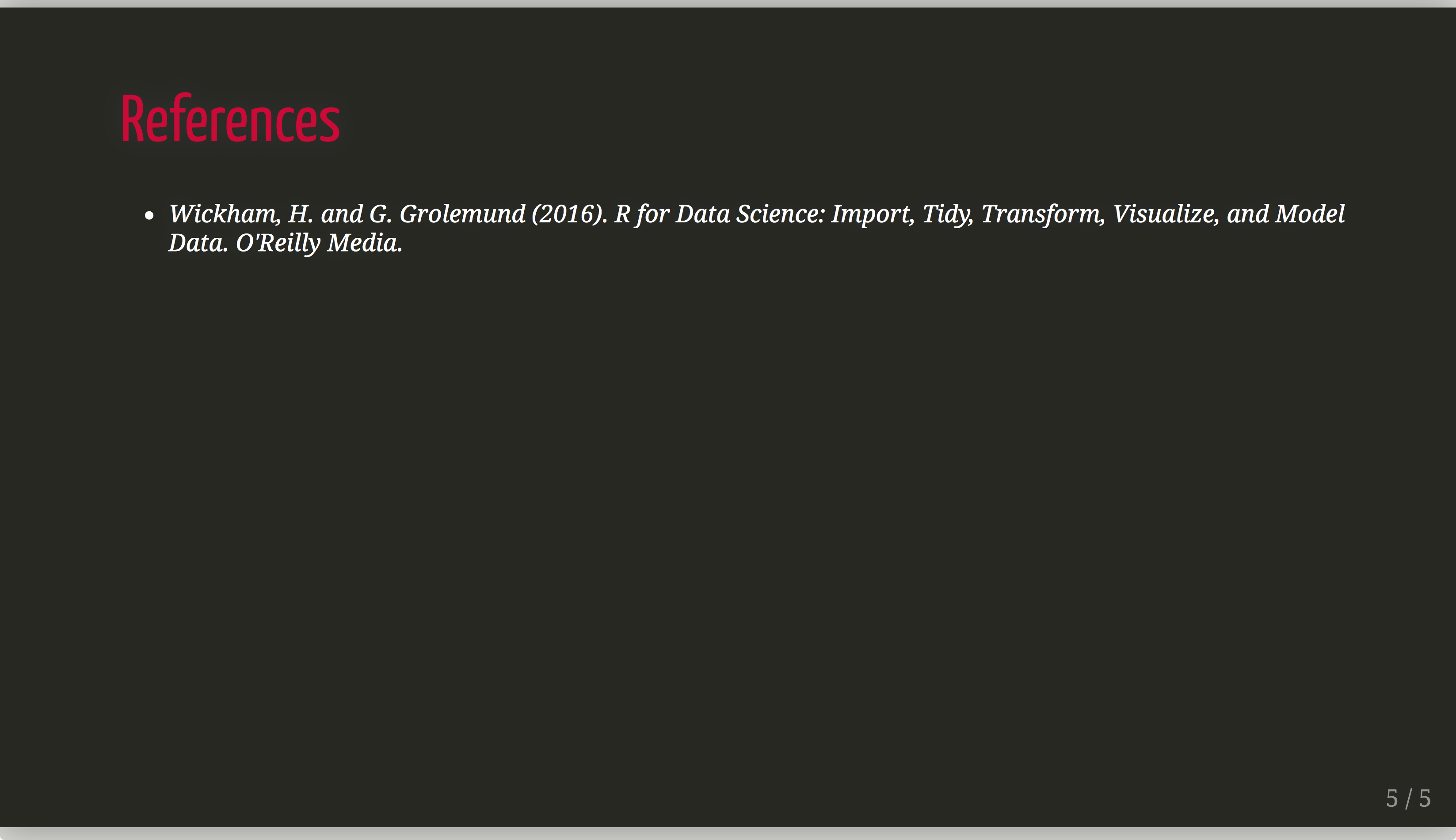
One workaround in to use the RefManageR package and print to html. Here is a simple example that I use in the final slide of my presentations.
# References

```{r, load_refs, echo=FALSE}
library(RefManageR)
bib <- ReadBib("./assets/my_bib.bib", check = FALSE)
ui <- "- "
```

```{r, print_refs, results='asis', echo=FALSE, warning=FALSE, message=FALSE}
writeLines(ui)
print(bib[key = "wickham2016r"],
  .opts = list(check.entries = FALSE,
               style = "html",
               bib.style = "authoryear"))
```
This assumes that you have a subdirectory called assets that contains a BiBTeX file called my_bib.bib. Inside that .bib file there is an entry like this:
@book{wickham2016r,
  title={R for Data Science: Import, Tidy, Transform, Visualize, and Model Data},
  author={Wickham, H. and Grolemund, G.},
  year={2016},
  publisher={O'Reilly Media}
}
This is the result:
 jvcasillas
on 14 Feb 2018
jvcasillas
on 14 Feb 2018
@jvcasillas
Would it be possible to put this into a function that parses a yaml entry named "bibliography" and then automatically puts the code from the example above in a new slide at the end of the presentation during rendering?
Similar to the behaviour of any Rmarkdown document when a header1 #References is detected - that would simplify a lot of things.
An automated bibliography is one of the last "important" things missing here.
No clue how complicated that would be with respect to the small code that is needed when doing it "manually" though..
 pat-s
on 19 Feb 2018
pat-s
on 19 Feb 2018
@pat-s
That would be really cool. I hadn't thought about automating this using a function. As it is, you have to specifically print each reference you want to include. I like the way RMarkdown works where the bib is printed after #References, but I would have to think about how to print only references used in the slides, i.e., [@wickham2016r] throughout the presentation. I imagine the answer is a regexp that looks for [@some text]. I will think about this some more. Let me know if you have any ideas.
jvcasillas
on 19 Feb 2018
That would be a grean enhancement, yes. However, the next step would then be to also format the @bibtexkey entries to proper author et al. (year) terms. Maybe one can get inspiration from pandoc or rmarkdown how this is done in detail (haven't taken a look yet).
Your workaround at least gives some hope that it should be possible in theory even without pandoc but it tastes like one of these issues that may look easy at the start but turn out to be a little monster during implementation :dancing_women:
pat-s
on 20 Feb 2018
I played with this a bit and came up with this.
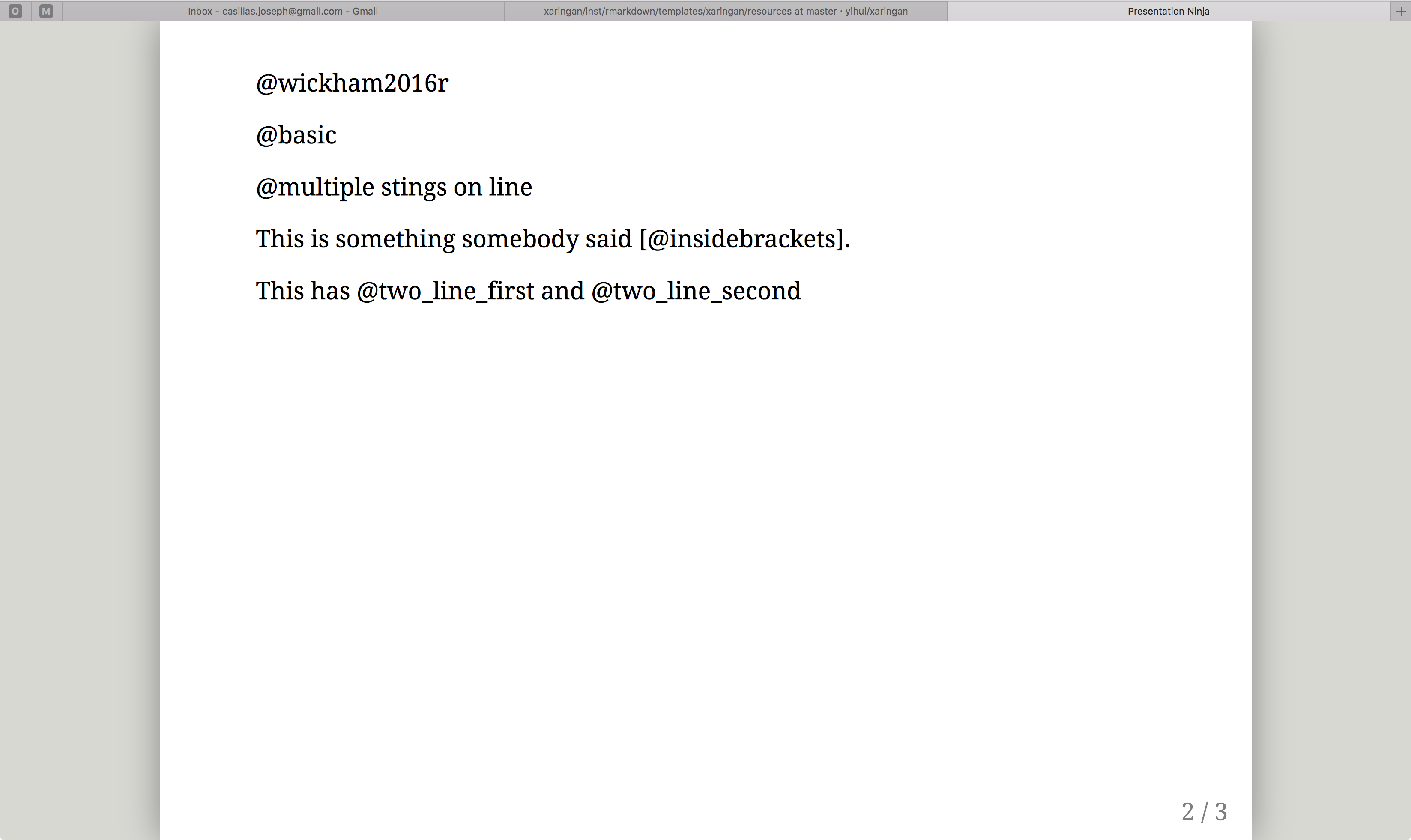
Which can be printed as...

Where @wickham2016r, @basic, @multiple, @insidebrackets, @two_line_first, and @two_line_second are entries in a .bib file called test_bib.
This is the code on the final slide...

The get_citations() function searches the .Rmd file for citations using @citation.
This is kind of cool, but yeah, the next step is getting the formatting in the slide where the citation is placed. I think the idea is to get something like print_inline_citation() that will format the entries. Something like...
So and so said X ```r print_inline_citation("author")```.
I'm going to see if I can figure out how pandoc and rmarkdown do this.
jvcasillas
on 20 Feb 2018
Great! As you see, a lot of people are interested in getting this working.
The code to initialize the bibliography could then just be wrapped into a single convenience function with arguments such as bib.style being parsed further down so that one only needs to call a single function to initialize the bibliography.
And yes it would be awesome if the @tags within the slides could be converted using the pandic way.
Let's see what you find out, pretty curious about it!
pat-s
on 21 Feb 2018
Quick update... I basically got everything working in a way that I would consider acceptable, then I decided to take a second look at the RefManageR documentation... lo and behold it already does everything I was attempting to do (always read the documentation!). The key functions are Citep and Citet (cite parenthesis and cite text, respectively). Then you can use PrintBibliography to search the document and print a reference list of whatever has been cited. I guess now it boils down to whether or not this is good enough, or if it is still worth coding something that searches for @citation and [@citation] and converts it into the corresponding cite functions. I'm going to think about this a little bit more. One issue that RefManageR doesn't deal with yet is printing the reference section to multiple slides (in the case you have too many to fit on one).
jvcasillas
on 21 Feb 2018
One issue that RefManageR doesn't deal with yet is printing the reference section to multiple slides (in the case you have too many to fit on one).
But you could only print a subset of the bib on one slide and continue on the next?
So let's try this out now... :duck:
pat-s
on 25 Feb 2018
It seems that PrintBibliography() just needs a little patch to have an argument that makes it possible to just print a subset of the resulting bib.
Then one can split the output to multiple slides.
@jvcasillas Do you have time and motivation to do that?
Besides that, the following works great:
```{r setup, include=FALSE}
options(htmltools.dir.version = FALSE)
library(RefManageR)
BibOptions(check.entries = FALSE, bib.style = "authoryear", style = "markdown",
           dashed = TRUE)
file.name <- system.file("Bib", "biblatexExamples.bib", package = "RefManageR")
bib <- ReadBib(file.name)
```

`r Citet(bib, "loh")`

`r Citep(bib, "salam")`

---

# References

```{r, results='asis', echo=FALSE}
PrintBibliography(bib)
```
Title slide | Content slide
:-------------------------:|:-------------------------:
 |
| 
@yihui We could think of putting this functionality into the yaml header with bibliography: <bib> similar to .Rmd documents. BibOptions could go into nature.
But this would be of course more on the sugar side.
Currently, only the following format options are available: “numeric” (the default), “authortitle”,
“authoryear”, “alphabetic”, and “draft”. See the vignette.
However, custom bib-styles can be created (https://github.com/ropensci/RefManageR/issues/21) but that seems tedious.
As its only for presentation needs, I think the currently available styles are sufficient.
Another thing that doesn't work (due to the slide stuff) is the option to have an internal linking of the citation to the bibliography (it always links to the first slide of the presentation). So one needs to go with the default setting where cite links point to a possible existing URL/DOI link.
pat-s
on 25 Feb 2018
@pat-s yes! I'm am working on this ,but I won't be able to get back to it again until tuesday.
jvcasillas
on 25 Feb 2018
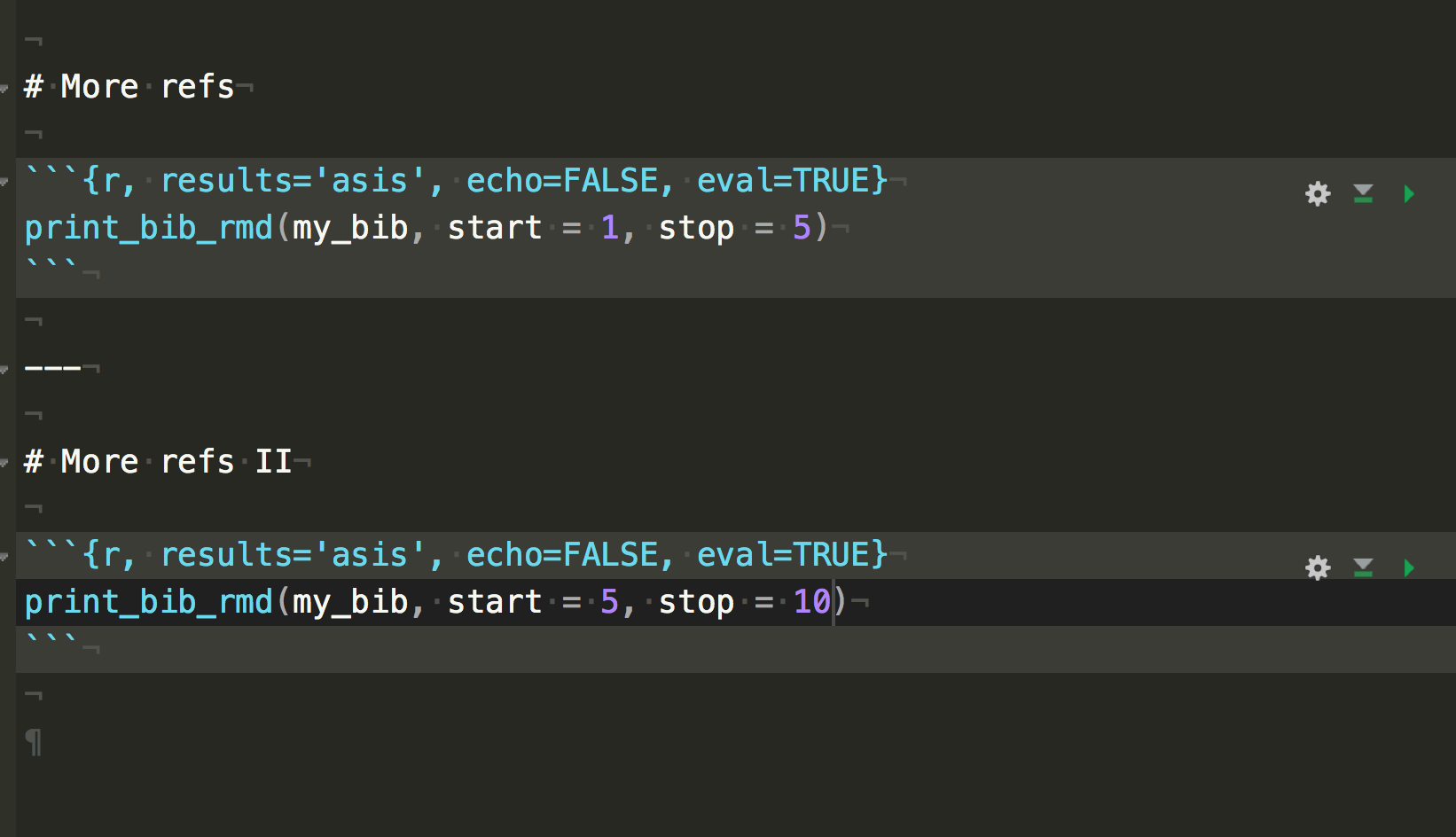
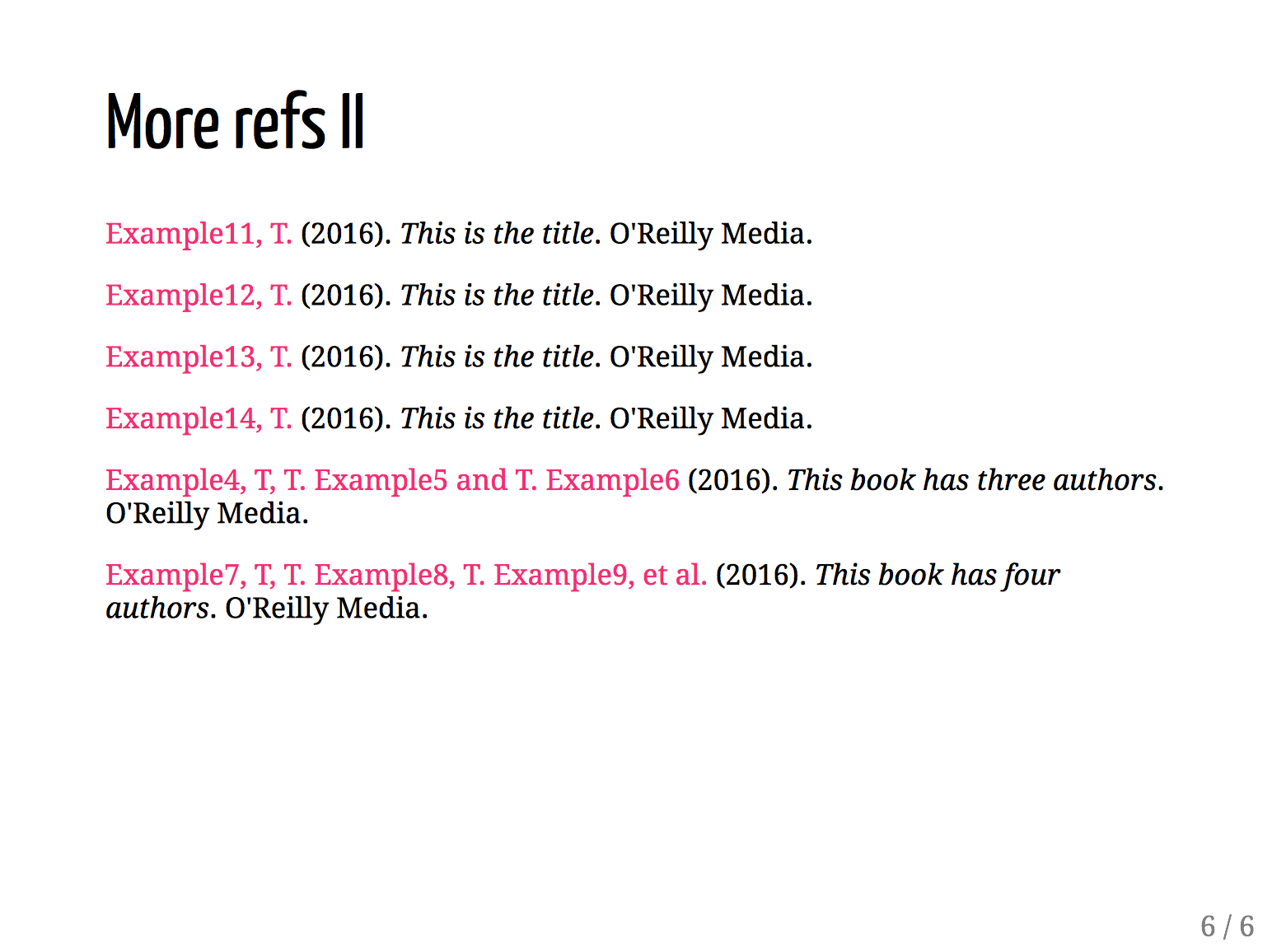
Still polishing this up, but it's almost there.

jvcasillas
on 28 Feb 2018
Looks great!
 ekstroem
on 28 Feb 2018
ekstroem
on 28 Feb 2018
Ok, I think this is pretty much good to go, or at least it seems to work now. You can see it in action here, and the repo is here if there are any suggestions. @pat-s any word on whether this can somehow be integrated into xaringan?
jvcasillas
on 7 Mar 2018
Thanks @jvcasillas for your work!
Some thoughts:
I would not create a new function but rather include the changes in the existing one of the
RefManageRpackage. Its only two subset arguments. Then we can simply import the function from the package.It would simplify usage if we include the
BibOptionsand specification of the.bibfile within the YAML frontmatter. Either withinnatureor at the top level. However, I do not know how complicated that would be. @yihui What's your opinion on this?
pat-s
on 7 Mar 2018
@pat-s sounds good. I will submit a PR to the RefManageR repo, but I fear it might not be accepted because it is not a simple patch, it is more of a wrapper with a few tweaks related to sorting. I had to add some changes so that printing in separate slides would work. If they don't go for that, then we will have to use the sort function (also part of the package) before the PrintBibliography call. Not a big deal, but no longer a one-liner.
Another option, if you (or anybody) wants to take a look at the repo you might have a more elegant solution than mine.
jvcasillas
on 7 Mar 2018
I just had a quick look at print_bib_rmd(). If you added any kind of sorting, this should of course be an additional argument.
I see no reason why the RefManageR should not accept a PR if the function behaves the same as before just with additional arguments suited for the use within xaringan?
What is the purpose with sorting here?
When I tried it as a toy example, it was sufficient to subset the returned list of PrintBibliography() right before the return() call.
Its hard to see the actual diff by just comparing plain text.
Rather than using a new repo as you did, simply create a fork and modify PrintBibliography()?
You can then again include your example.Rmd in that fork for testing purposes.
I don't twanna ake away your work/fame of this contribution unless your motivation is gone (which I do not hope!).
pat-s
on 7 Mar 2018
@pat-s I had to add the sorting part because before when I subset the list it never appeared in the correct order (see screenshots here, Wickham should be last). I added an additional argument for sorting so it should be fine in theory. I have no problems sticking with this for the time being. 👍🏾
jvcasillas
on 7 Mar 2018
@pat-s The sugar does not sound sweet enough to me in this case :) I guess the R code is probably easy enough to most R users. If not, we could add further R function sugars in xaringan.
If we are really going to provide sugars for bibliography, I'd mimic Pandoc's syntax, i.e. use @key instead of R function calls `r cite()`. Of course, that will be trickier to implement.
yihui
on 8 Mar 2018
start and stop arguments are now available in RefManageR. That gives up a pretty solid workaround. Should we close this issue?
jvcasillas
on 2 Apr 2018
@jvcasillas Nice!
Thanks for your effort in this. It would be great if we can have a wiki page for this.
Would you be up adding one?
If you do not have time/motivation for this, just say so and I'll do it.
pat-s
on 2 Apr 2018
Sure. I’ll do it tonight or sometime tomorrow.
jvcasillas
on 2 Apr 2018
Thanks for writing the Wiki entry @jvcasillas!
Closing here now with that working solution :+1:
pat-s
on 22 Apr 2018
Hi, you could also use rcrossref package and doi if you don't want to use bib file(I think most of the slides would not contain more than three references in one page and ten refereces in the summary). Here is a demo:
Use this code in the slides where you want a citation:
```{r results = 'asis'}
doi <- c('10.1007/978-981-10-1503-8_5','10.2531/spinalsurg.15.145')
cat(unlist(rcrossref::cr_cn(dois = doi, format = "text", style = 'apa')))
```
You will directly get this output in your slides:
Kusonmano, K., Vongsangnak, W., & Chumnanpuen, P. (2016). Informatics for Metabolomics.
Translational Biomedical Informatics, 91–115. doi:10.1007/978-981-10-1503-8_5 Mii, K., Yamazaki, Y.,
Suwa, T., & Kaneda, G. (2001). Thoracoscopic Excision of Herniated Thoracic Discs : A Case Report.
Spinal Surgery, 15(2), 145–148. doi:10.2531/spinalsurg.15.145
You could change the output style by style.
 yufree
on 31 May 2018
yufree
on 31 May 2018
This is great - would it make sense for the code (basically just print_bib_rmd) to go into a package? (I'd be happy to do that). Installation could then be done via install_github and would pull RefManager if required.
 davidaknowles
on 28 Aug 2018
davidaknowles
on 28 Aug 2018
@davidaknowles Please go ahead and send a pull request. We can talk from there. Thanks!
yihui
on 28 Aug 2018
That sounds like a cool idea, @davidaknowles. Let me know if I can help out.
jvcasillas
on 28 Aug 2018
Related issues
 gavinsimpson
·
4Comments
gavinsimpson
·
4Comments
 grawil
·
4Comments
grawil
·
4Comments
 tcgriffith
·
4Comments
tcgriffith
·
4Comments
 emitanaka
·
3Comments
emitanaka
·
3Comments
 rsangole
·
3Comments
rsangole
·
3Comments
Most helpful comment
One workaround in to use the
RefManageRpackage and print to html. Here is a simple example that I use in the final slide of my presentations.This assumes that you have a subdirectory called
assetsthat contains a BiBTeX file calledmy_bib.bib. Inside that .bib file there is an entry like this:This is the result: